Search the Community
Showing results for tags 'bonus'.
Found 11 results
-

Version 0.1.8
682 downloads
Plugin rewarding players for their in-game activity. P.S. Don't forget to assign the permission to players, otherwise rewards won't be granted. o.grant group default activityrewards.default The ability to receive rewards for a prefix or suffix in the username; The ability to receive rewards for gathering resources; The ability to receive rewards for: killing players and NPCs; destroying barrels, road signs and dead logs; The ability to receive rewards for the researching blueprints; The ability to receive rewards for the first opening of loot crates; The ability to receive rewards for collecting resources; The ability to receive rewards for planting plants; The ability to receive rewards for catching fishes; The ability to receive rewards for the first daily visit to monuments; The ability to grant permissions for the duration of a player's stay inside monuments; The ability to reward with in-game items; The ability to set reward multiplier for each permission; The ability to add a night reward multiplier on top of the base multiplier; The ability to use AdvancedStatus to display a status bar with highly flexible settings. { "List of language keys for creating language files": [ "en" ], "Is it worth using the AdvancedStatus plugin?": true, "Advanced Status display method: 0 - single bar, 1 - single cumulative bar, 2 - new bar for each": 2, "Is it worth enabling the Gather Rewards?": true, "Is it worth enabling the Kill Rewards?": true, "Is it worth enabling the Research Rewards?": true, "Is it worth enabling the Loot Open Rewards?": true, "Is it worth enabling the Pickup Rewards?": true, "Is it worth enabling the Planting Rewards?": true, "Is it worth enabling the Fishing Rewards?": true, "Is it worth enabling the Monument Rewards?": true, "A prefix or suffix required in the player's nickname to receive the permission reward. An empty string disables the reward": "#RealPVE", "List of permissions granted when the player's nickname contains the required prefix or suffix": [ "kits.loyalty" ], "List of reward multipliers for each permission": { "activityrewards.default": 1.0, "realpve.default": 1.0, "realpve.vip": 1.1 }, "Night bonus multiplier. Will be added to the base reward multiplier. A value of 0 disables this": 0.1, "The list of economy plugins for rewards": { "Economics": { "Is it worth enabling the plugin for rewards?": true, "Reward Type: true - int, false - double": false, "Language key for the text": "MsgEconomics", "API method name for deposit": "Deposit", "API method name for withdraw": "Withdraw", "BarSettings": { "Order": 40, "Height": 26, "Main_Color(Hex or RGBA)": "#84AB49", "Main_Transparency": 0.8, "Main_Material(empty to disable)": "", "Image_Url": "https://i.imgur.com/k8jq7yY.png", "Image_Local(Leave empty to use Image_Url)": "ActivityRewards_Default", "Image_Sprite(Leave empty to use Image_Local or Image_Url)": "", "Image_IsRawImage": false, "Image_Color(Hex or RGBA)": "#B9D134", "Image_Transparency": 1.0, "Is it worth enabling an outline for the image?": false, "Image_Outline_Color(Hex or RGBA)": "0.1 0.3 0.8 0.9", "Image_Outline_Transparency": 1.0, "Image_Outline_Distance": "0.75 0.75", "Text_Size": 12, "Text_Color(Hex or RGBA)": "#DAEBAD", "Text_Font(https://umod.org/guides/rust/basic-concepts-of-gui#fonts)": "RobotoCondensed-Bold.ttf", "Text_Offset_Horizontal": 0, "Is it worth enabling an outline for the text?": false, "Text_Outline_Color(Hex or RGBA)": "#000000", "Text_Outline_Transparency": 1.0, "Text_Outline_Distance": "0.75 0.75", "SubText_Size": 12, "SubText_Color(Hex or RGBA)": "#DAEBAD", "SubText_Font": "RobotoCondensed-Bold.ttf", "Is it worth enabling an outline for the sub text?": false, "SubText_Outline_Color(Hex or RGBA)": "0.5 0.6 0.7 0.5", "SubText_Outline_Transparency": 1.0, "SubText_Outline_Distance": "0.75 0.75" } }, "ServerRewards": { "Is it worth enabling the plugin for rewards?": true, "Reward Type: true - int, false - double": true, "Language key for the text": "MsgServerRewards", "API method name for deposit": "AddPoints", "API method name for withdraw": "TakePoints", "BarSettings": { "Order": 40, "Height": 26, "Main_Color(Hex or RGBA)": "#84AB49", "Main_Transparency": 0.8, "Main_Material(empty to disable)": "", "Image_Url": "https://i.imgur.com/k8jq7yY.png", "Image_Local(Leave empty to use Image_Url)": "ActivityRewards_Default", "Image_Sprite(Leave empty to use Image_Local or Image_Url)": "", "Image_IsRawImage": false, "Image_Color(Hex or RGBA)": "#B9D134", "Image_Transparency": 1.0, "Is it worth enabling an outline for the image?": false, "Image_Outline_Color(Hex or RGBA)": "0.1 0.3 0.8 0.9", "Image_Outline_Transparency": 1.0, "Image_Outline_Distance": "0.75 0.75", "Text_Size": 12, "Text_Color(Hex or RGBA)": "#DAEBAD", "Text_Font(https://umod.org/guides/rust/basic-concepts-of-gui#fonts)": "RobotoCondensed-Bold.ttf", "Text_Offset_Horizontal": 0, "Is it worth enabling an outline for the text?": false, "Text_Outline_Color(Hex or RGBA)": "#000000", "Text_Outline_Transparency": 1.0, "Text_Outline_Distance": "0.75 0.75", "SubText_Size": 12, "SubText_Color(Hex or RGBA)": "#DAEBAD", "SubText_Font": "RobotoCondensed-Bold.ttf", "Is it worth enabling an outline for the sub text?": false, "SubText_Outline_Color(Hex or RGBA)": "0.5 0.6 0.7 0.5", "SubText_Outline_Transparency": 1.0, "SubText_Outline_Distance": "0.75 0.75" } }, "BankSystem": { "Is it worth enabling the plugin for rewards?": true, "Reward Type: true - int, false - double": true, "Language key for the text": "MsgBankSystem", "API method name for deposit": "Deposit", "API method name for withdraw": "Withdraw", "BarSettings": { "Order": 40, "Height": 26, "Main_Color(Hex or RGBA)": "#84AB49", "Main_Transparency": 0.8, "Main_Material(empty to disable)": "", "Image_Url": "https://i.imgur.com/k8jq7yY.png", "Image_Local(Leave empty to use Image_Url)": "ActivityRewards_Default", "Image_Sprite(Leave empty to use Image_Local or Image_Url)": "", "Image_IsRawImage": false, "Image_Color(Hex or RGBA)": "#B9D134", "Image_Transparency": 1.0, "Is it worth enabling an outline for the image?": false, "Image_Outline_Color(Hex or RGBA)": "0.1 0.3 0.8 0.9", "Image_Outline_Transparency": 1.0, "Image_Outline_Distance": "0.75 0.75", "Text_Size": 12, "Text_Color(Hex or RGBA)": "#DAEBAD", "Text_Font(https://umod.org/guides/rust/basic-concepts-of-gui#fonts)": "RobotoCondensed-Bold.ttf", "Text_Offset_Horizontal": 0, "Is it worth enabling an outline for the text?": false, "Text_Outline_Color(Hex or RGBA)": "#000000", "Text_Outline_Transparency": 1.0, "Text_Outline_Distance": "0.75 0.75", "SubText_Size": 12, "SubText_Color(Hex or RGBA)": "#DAEBAD", "SubText_Font": "RobotoCondensed-Bold.ttf", "Is it worth enabling an outline for the sub text?": false, "SubText_Outline_Color(Hex or RGBA)": "0.5 0.6 0.7 0.5", "SubText_Outline_Transparency": 1.0, "SubText_Outline_Distance": "0.75 0.75" } }, "IQEconomic": { "Is it worth enabling the plugin for rewards?": true, "Reward Type: true - int, false - double": true, "Language key for the text": "MsgIQEconomic", "API method name for deposit": "API_SET_BALANCE", "API method name for withdraw": "API_REMOVE_BALANCE", "BarSettings": { "Order": 40, "Height": 26, "Main_Color(Hex or RGBA)": "#84AB49", "Main_Transparency": 0.8, "Main_Material(empty to disable)": "", "Image_Url": "https://i.imgur.com/k8jq7yY.png", "Image_Local(Leave empty to use Image_Url)": "ActivityRewards_Default", "Image_Sprite(Leave empty to use Image_Local or Image_Url)": "", "Image_IsRawImage": false, "Image_Color(Hex or RGBA)": "#B9D134", "Image_Transparency": 1.0, "Is it worth enabling an outline for the image?": false, "Image_Outline_Color(Hex or RGBA)": "0.1 0.3 0.8 0.9", "Image_Outline_Transparency": 1.0, "Image_Outline_Distance": "0.75 0.75", "Text_Size": 12, "Text_Color(Hex or RGBA)": "#DAEBAD", "Text_Font(https://umod.org/guides/rust/basic-concepts-of-gui#fonts)": "RobotoCondensed-Bold.ttf", "Text_Offset_Horizontal": 0, "Is it worth enabling an outline for the text?": false, "Text_Outline_Color(Hex or RGBA)": "#000000", "Text_Outline_Transparency": 1.0, "Text_Outline_Distance": "0.75 0.75", "SubText_Size": 12, "SubText_Color(Hex or RGBA)": "#DAEBAD", "SubText_Font": "RobotoCondensed-Bold.ttf", "Is it worth enabling an outline for the sub text?": false, "SubText_Outline_Color(Hex or RGBA)": "0.5 0.6 0.7 0.5", "SubText_Outline_Transparency": 1.0, "SubText_Outline_Distance": "0.75 0.75" } } }, "LastClearDay": 9, "Version": { "Major": 0, "Minor": 1, "Patch": 8 } } Setting up rewards for each action occurs in the respective files within this folder *SERVER*\oxide\data\ActivityRewards PluginInt for: BankSystem and ServerRewards; PluginDouble for: Economics. You can also set the reward to 0 to disable the reward. "fish.smallshark": { "PluginInt": 50, "PluginDouble": 5.0, "ItemsList": [ { "ShortName": "scrap", "Amount": 10, "SkinId": 0 } ] } EN: { "MsgEconomics": "Bonus", "MsgServerRewards": "Bonus", "MsgBankSystem": "Bonus", "MsgIQEconomic": "Bonus" } RU: { "MsgEconomics": "Бонус", "MsgServerRewards": "Бонус", "MsgBankSystem": "Бонус", "MsgIQEconomic": "Бонус" }$3.99 -

Version 1.0.0
31 downloads
The Ultimate Expansion for Skill Tree Progression Skill Tree Items: Pro is a powerful DLC plugin for the Skill Tree system that breathes new life into your server's loot tables. Instead of players just earning XP through grinding, they can now discover unique, consumable items that boost their progression, provide instant rewards, or grant temporary buffs directly from Skill Tree. Whether it’s a rare XP injection found on a Scientist or a biome-specific gathering boost hidden in an Arctic crate, this plugin adds a layer of excitement and strategy to every lootable object on your map. Advanced Consumable Types This plugin introduces four distinct item categories, each fully customizable to fit your server's economy: XP Boosters: Provide temporary XP multipliers. Go granular with filters for specific gather types, time-of-day restrictions (e.g., "Night Owl" boosts), or biome-specific requirements. XP Injections: Instant gratification. Set up various "vials" or "manuals" that grant a flat or randomized range of XP upon consumption. SP Injections: Extremely rare rewards that grant Skill Points directly, bypass the grind, and give players a reason to hunt for high-tier loot. Temporary Buffs: Grant any buff from the Skill Tree—including Ultimates—for a limited time. These stack with existing skills, allowing players to feel the power of high-level perks early on. Dynamic Loot Distribution The core of Skill Tree Items: Pro is its highly sophisticated loot engine. You aren't limited to just crates and barrels; you can inject these items into almost every interaction in Rust. See a comprehensive list of supported LootSources below. Granular Configuration For the power users, the LootProfile system allows for surgical precision. You don't just set "Crates"; you can target specific prefab names, specific NPC profiles, or even the tier of a Raidable Base. Key Profile Features: Identifier System: Target specific entities (e.g., only "Elite" crates or a specific Boss from BossMonster). Skin ID Filtering: Require specific skin IDs for the source to trigger. Blacklisting: Exclude specific items or entities from dropping loot. Modifier Integration: Toggle whether player "ItemPerk" modifiers should influence the drop rates. Weight-Based Tables: Use a weighted dictionary system to determine exactly which items drop and how often. Command: stip.give <target> <profile> Tyoe: Console Permission required: skilltreeitemspro.admin Action: Gives the target player the specified item. Command: stip.giveall Tyoe: Chat Permission required: skilltreeitemspro.admin Action: Gives the user all items in the config. Command: stip.moveicon Tyoe: Chat Permission required: skilltreeitemspro.admin Action: Moves the active boost icon for all players. This is a comprehensive list of loot sources that can be used to setup loot profiles. Crate: Triggered when a player opens a crate for the first time. Barrel: Triggered when a player breaks a barrel. BossMonster: Triggered when a boss monster is killed by a player. Event: Triggered when an event is completed (Convoy, SurvivalArena, Armored train, Powerplant etc). ScientistNPC: Triggered when a scientist NPC is killed. HumanNPC: Triggered when a human npc, such as a tunner dweller, is killed. BetterNPC: Triggered when a NpcSpawn npc is killed. Woodcutting: Triggered when a tree is fully cut down. Mining: Triggered when a node is fully mined out. Skinning: Triggered when an animal is fully skinned. Foraging: Triggered when the player collects a map collectible (hemp, pumpkins, diesel barrels etc). Farming: Triggered when the player collects a player-grown collectible. Fishing: Triggered when the player catches a fish. Crafting: Triggered when an item is successfully crated. BotReSpawn: Triggered when an BotReSpawn npc is killed. NpcRaider: Triggered when an npc from NpcRaider is killed. RaidableBase: Triggered when a Raidable Base is spawned. The effect types dictate how the item will behave. You can have any number of effect types attached to an item. For example, you can create an item that gives the player 1000xp with the XPInjection type, gives them a temporary boost with the XPBoost type, and gives them access to the Raiding Ultimate from Skill Tree with the TemporaryBuff type. XPInjection: Provides the player with an injection of xp when consumed. SPInjection: Provides the player with an injection of skill points when consumed. TemporaryBuff: Provides the player with temporary access to any Skill Tree buff (including ultimates). XPBoost: Provides the player with a temporary xp boost when consumed. XP Source can be set so only the specified xp source provides the bonus. Timeframe can be set, so the player can only get xp during the specified time of day (ie 6pm to 6pm etc). Multiple Biomes can be added to restrict the xp bonus to sources inside of those biome types (ie a player can only gain xp while in the Arctic or Jungle). Biomes: Any, Arid, Temperate, Tundra, Arctic, Jungle. Here is a list of Skill Tree XP Sources that can be used with the XPBoost effect. All NodeHit NodeHitFinal TreeHit TreeHitFinal SkinHit SkinHitFinal CollectWildPlant CollectGrownPlant BuildingBlockDeployed FishCaught CatchOrangeRoughy CatchSalmon CatchSmallShark CatchSmallTrout CatchYellowPerch CatchAnchovy CatchHerring CatchSardine CatchTrash Crafting ScientistNormal TunnelDweller UnderwaterDweller ScientistHeavy SmallAnimal MediumAnimal LargeAnimal RoadSign Barrel Scarecrow Mission BradleyAPC LootHackedCrate LootHeliCrate LootBradleyCrate CookingMealXP RaidableBaseCompletion_Easy RaidableBaseCompletion_Medium RaidableBaseCompletion_Hard RaidableBaseCompletion_Expert RaidableBaseCompletion_Nightmare Win_HungerGames Win_ScubaArena Win_Skirmish Gut_Fish default_botrespawn crate_basic crate_elite crate_mine crate_normal crate_normal_2 crate_normal_2_food crate_normal_2_medical crate_tools crate_underwater_advanced crate_underwater_basic crate_ammunition crate_food_1 crate_food_2 crate_fuel crate_medical supply_drop detect_diggable Harbor_Event_Winner Junkyard_Event_Winner PowerPlant_Event_Winner Satellite_Event_Winner Water_Event_Winner Air_Event_Winner Armored_Train_Winner Convoy_Winner SurvivalArena_Winner swipe_card_level_1 swipe_card_level_2 swipe_card_level_3 boss_monster Zombie Raider JetPilot ArcticBaseEvent_Winner GasStationEvent_Winner SputnikEvent_Winner ShipWreckEvent_Winner Triangulation_Winner Caravan_Winner SupermarketEvent_Winner GingerbreadNPC PVP AutoTurret You can get a list of Skill Tree Buffs from the Skill Tree plugin page.$11.99 -
Version 1.0.0
42 downloads
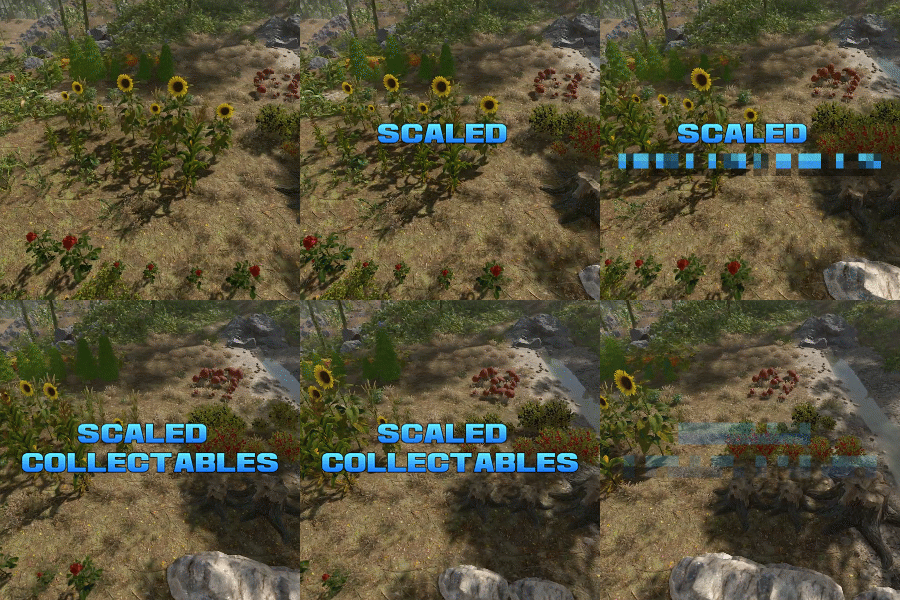
Scaled Collectables dynamically adjusts the size and yield of map-generated collectable entities—such as mushrooms, hemp, and pumpkin patches—to create a more immersive and varied gathering experience. Each collectable spawns with a random scale within a configurable range (default: 0.6x to 2.0x). The size directly affects the yield — for instance, harvesting a hemp plant that’s twice as large as normal will reward twice the usual amount of cloth. You can configure scaling values for each collectable type individually, allowing fine-tuned control over balance and gameplay on your server. Note: Collectable scales are reset when the plugin is unloaded, and are adjusted again when it is reloaded. Config example: https://pastebin.com/BEMsVHHZ$9.99 -
Version 1.0.2
43 downloads
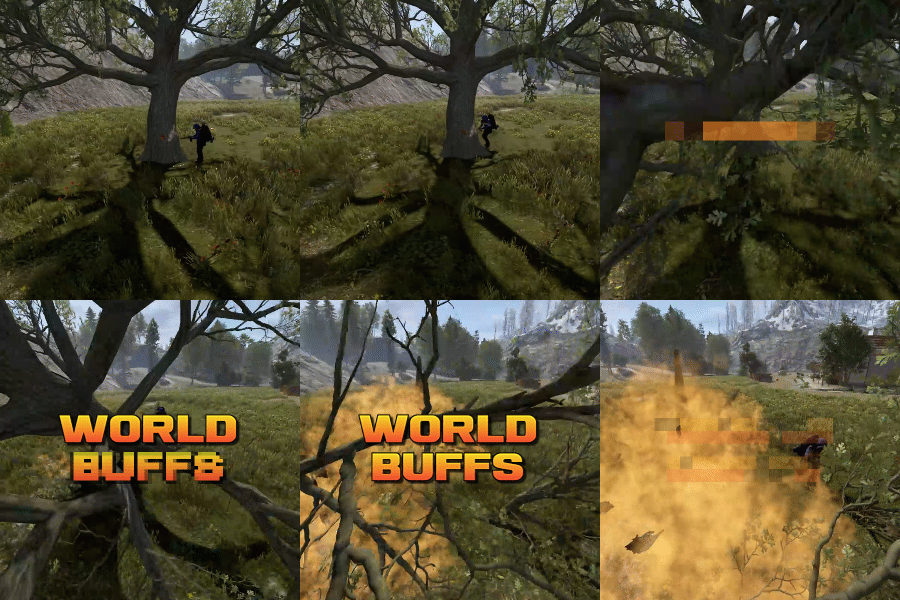
World Buffs is a plugin that allows for the creation of server-wide quests, allowing for players to work together to complete a common goal. Quests are comprised of any number of tasks, and will reward the entire server upon completion with a mixture of built-in buffs such as increased gather yields, bonus damage to NPCs etc, as well as the option for permissions and server commands. All players, regardless of their online status, will receive the built-in and permission based rewards. Tasks can be set based on the task type, along with a list of identifying features. For example, you can have a task that requires players to kill npcs using the KillNpc task type. If you only wanted certain npcs to count, you could then add further restrictions by listing the short prefab names of the npc, such as npc_tunneldweller & npc_underwaterdweller, if you only wanted Tunnel & Underwater dwellers to be considered towards the goal. The plugin supports the use of a quest queue (disabled by default). Quests in the queue are automatically started when the plugin loads. When the active quest is completed, the plugin will queue up the next quest after a short while. The identifier of a task depends on the task type itself. Some tasks work with item shortnames when considering quest progress, while others may use prefab shortnames.. Leaving the identifier field empty or set to null will consider any action that triggers the check to contribute towards the task. A list of item shortnames can be found here. A list of prefabs can be found here. TaskType: Woodcutting Identifier: Item shortname TaskType: Mining Identifier: Item shortname TaskType: Skinning Identifier: Item shortname TaskType: Collectible Identifier: Item shortname TaskType: Growable Identifier: Item shortname TaskType: Fishing Identifier: Item shortname TaskType: Growable Identifier: Item shortname TaskType: KillNpc Identifier: prefab shortname TaskType: KillNpcSpawn Identifier: Npc displayname [profile name] TaskType: KillAnimal Identifier: prefab shortname TaskType: KillBradleyApc Identifier: prefab shortname TaskType: LootCrates Identifier: prefab shortname TaskType: DestroyBarrels Identifier: prefab shortname TaskType: Dig Identifier: prefab shortname Reward types function similar to Task Types. They allow for identifiers to limit the sources that they impact. For example, you can specify "cloth" for the CollectibleYield RewardType, which would only boost the yield when collecting cloth, and not other items such as pumpkins or diesel. RewardType: WoodGatherBonus Identifier: Item shortname RewardType: MiningGatherBonus Identifier: Item shortname RewardType: SkinningGatherBonus Identifier: Item shortname RewardType: FishingBonus Identifier: Item shortname RewardType: CollectibleYield Identifier: Item shortname RewardType: GrowableYield Identifier: Item shortname RewardType: NpcDamageBonus Identifier: Prefab shortname RewardType: NpcSpawnDamageBonus Identifier: Prefab shortname RewardType: ScientistDefenceBonus Identifier: Prefab shortname RewardType: AnimalDefenceBonus Identifier: Prefab shortname RewardType: BradleyDamageBonus Identifier: Prefab shortname RewardType: BradleyDefenceBonus Identifier: Prefab shortname RewardType: NpcSpawnDamageBonus Identifier: Npc displayName [profile name] RewardType: XpBonus Identifier: None RewardType: UniversalSwipeCardsBonus Identifier: None RewardType: PvpDamageBonus Identifier: None RewardType: PvpDefenceBonus Identifier: None Command: wb.toggle Type: Chat command Description: Toggles the ui on and off. Command: wb.setquestqueueindex <index> Type: Console command Description: Set's the next quest in the queue to the specified index value Requires admin: Yes Command: wb.startnextquest Type: Console command Description: Starts the next quest in the queue if no quest is running. Requires admin: Yes Command: wb.cancelquest <true/false: start next quest in queue> Type: Console command Description: Cancels the current quest Requires admin: Yes Command: wb.completequest Type: Console command Description: Mark the current quest as complete (this gives players rewards from the quest) Requires admin: Yes Command: wb.startquest <quest name> <optional true/false: force cancel the current quest> Type: Console command Description: a Requires admin: Yes$19.99 -

Version 1.0.4
14 downloads
Add depth to your server with a simple and customizable class system. Players pick one of 9 unique roles, each offering a gameplay bonus that fits a specific style. All values can be adjusted to match your server’s balance. This mod adds a class system with configurable perks for each role. You can allow or not class switching, with configurable cooldown for user/vip Available Classes (values can be configured) Farmer – +10% resource gathering (stacks with ore tea & modded gather rate) Builder – -10% build cost Electrician – 2x output from solar, wind turbine, generator, and battery Fighter – +5 max health (stacks with max health tea) Pilot – 50% reduced fuel consumption Planter – 2x plant growth speed, +25% yield Cowboy – Horse max speed set to 75 km/h Hunter – +75% loot from animals (stacks with harvesting tea & modded gather rate) Medic – Increased healing efficiency and more HP on revives Configuration Highlights Optional class switching (can be limited to VIPs) Cooldown timers for switching Enable/disable any class All bonuses are easily adjustable All blue values can be customized to your likings A small UI icon will be displayed top right for all players, icon will disappear once a class is chosen. CONFIGURATION { "General Settings": { "Allow User to switch class ? (true/false)": false, "Allow VIP to switch class ? (true/false)": true, "Class switch cooldown for User (in seconds)": 300.0, "Class switch cooldown for VIP (in seconds)": 30.0 }, "Classes": { "Enable Farmer class (true/false)": true, "Enable Builder class (true/false)": true, "Enable Electrician class (true/false)": true, "Enable Fighter class (true/false)": true, "Enable Pilot class (true/false)": true, "Enable Planter class (true/false)": true, "Enable Cowboy class (true/false)": true, "Enable Hunter class (true/false)": true, "Enable Medic class (true/false)": true }, "Classes config": { "Farmer": { "How much extra resource does the Farmer get (in %)": 10.0 }, "Builder": { "How much build cost reduction does the Builder get (in %)": 10.0 }, "Electrician": { "Battery output multiplier (e.g., 2 for double)": 2.0, "Windmill output multiplier (e.g., 2 for double)": 2.0, "Solar panel output multiplier (e.g., 2 for double)": 2.0, "Generator output multiplier (e.g., 2 for double)": 2.0 }, "Fighter": { "How much extra max health should the Fighter get": 5.0 }, "Pilot": { "How much fuel consumption reduction does the Pilot get (in %)": 50.0 }, "Planter": { "How much faster do plants grow (e.g., 2 for double speed)": 2.0, "How much extra yield from plants (in %)": 25.0 }, "Cowboy": { "What is the horse max speed when mounted (in km/h)": 75.0 }, "Hunter": { "How much extra loot from animals (in %)": 75.0 }, "Medic": { "How much healing efficiency does the Medic get (in %)": 25.0, "How much health on revive with syringe": 50.0, "How much health on revive with bandage": 25.0, "How much health on default revive (no item)": 15.0 } } } Installation Paste RustClass.cs in your rustserver\[oxide-carbon]\plugins folder. Have a request or a concern ? DM me on Codefling or comment below. Feedbacks are always welcomed$12.99- 1 comment
-
- 2
-

-
- #rust class
- #class
- (and 3 more)
-

Version 1.0.2
219 downloads
You receive more resources when you're farming close to a team member Permissions teamgatherbonus.use: Is required to get first config setting. teamgatherbonus.vip: Is required to get vip config setting. Configuration { "Distance between a team member (in feet)": 32.0, "Bonus percentage Default": 10, "Bonus percentage Vip": 50, "Enable Fish Trap": true, "Enable Fishing Pole": true, "Enable On Collectible Pickup": true, "Enable On Dispenser Gather": true } Localization Supports 10 Languages out of the box! English French Swedish Dutch Korean Catalan Simplified Chinese Portuguese Brazil German Russian$4.99 -
Version 1.0.4
26 downloads
XFarmRoom - farm room of ores for your server. Good donate for players. - Optimization of the interface for different monitor resolutions. - Storing player data in - oxide/data/XDataSystem/XFarmRoom - There is a lang ru/en/uk/es. - Sound effects when interacting with the menu. - In the room is forbidden: pick up prefabs that are in the room, install anything in the room, damage the room, use console/chat commands ( customizing commands in the config ). - Teleport from a room to the place you teleported from. [ Teleportation from the room works correctly when: leaving the room, death, disconnecting from the server, unloading the plugin, restarting the server ] - A player is automatically teleported out of the farm room if his permission to access the farm room is revoken away. - Setting the CD to teleport into a room. [ Permission can be granted to disable the CD.] - Automatically clear data after a wipe. [ Configure in config ] - Ability to display room spawn points on the map. [ Administrator only ] - Ability to set a limit of simultaneously active(occupied rooms) for optimization. - Ability to customize how many items a player can take into a room. - The player chooses his own ores from the available ones to mine. [ For example: the player has all ores available, but in the UI menu he selects a stone and mines only it ] - Ores can be given out individually, any number on command. [ For example: for sale in the store ] - The ability to make the ores unlimited for the player. [ Permissions and number of ores are configurable in the config. Ores can be updated once every N seconds or once per wipe ] - Room prefabs are spawn without third party plugins. - Notifications to chat when grant and revoke permission/group with permission to access farm room functionality. Permissions xfarmroom.use - access to the room/commands. xfarmroom.nocdtp - allow teleporting into a room without a CD. Commands /roomtp - to join the room. /roomleave - to leave the room. /roomspawns - display spawn points of farming rooms. [ Administrator only ] xfarmroom_give_ore <SteamID> <ore - [ sulfur-ore | metal-ore | stone-ore ]> <amount - [ 10 | -10 ]> - give ores to the player. xfarmroom_clear_ore <SteamID> - reset the player available ores to zero. API bool API_PlayerInRoom(ulong userID) - return TRUE/FALSE if the player is in the room. Config { "General settings": { "Button placement. [ True - 1 | False - 2 ]": true, "Option to update available ores. ( only with permission to update ). [ True - once per wipe | False - once every N seconds ]": false, "Clear the data after a wipe": true, "Limit the number of items that can be taken into a room": true, "Use UI button to leave the room": true, "Every how many sec. update the number of available ores. ( it is checked only when the player tries to/falls into the room )": 3600, "How many maximum simultaneously active rooms can there be. ( for optimization )": 10, "How many maximum items can be taken into a room": 6, "Room teleportation break sec.": 90, "Chat prefix": "<size=12><color=#FFFFFF50>[</color> <color=#00FF0050>XFarmRoom</color> <color=#FFFFFF50>]</color></size>\n", "Notify the player when he has been granted or revoked away access to the farm room functionality": false, "SteamID profile for custom avatar": 0, "List of allowed console commands in farm room": [ "global.farm_ore" ], "List of allowed chat commands in farm room": [ "roomtp", "roomleave" ] }, "Permission - number of ores. [ Only the value and permission can be changed ]": { "xfarmroom.300": { "sulfur-ore": 300, "metal-ore": 300, "stone-ore": 300 }, "xfarmroom.100": { "sulfur-ore": 100, "metal-ore": 100, "stone-ore": 100 } } }$18.99 -
.thumb.png.ca6510d8a5dcc89ed0a86e40e8cf72ab.png)
Version 1.0.2
2 downloads
When you kill the set entity, a bonus bag will come out with a chance. ※ Warning ※ Place at the top when the probability is low. { "General Settings": { "Steam Api key for player image (https://steamcommunity.com/dev/apikey)": null, "Webhook URL": null, "Prefix": "[Bonus-Loot]", "SteamID": "0", "BonusLoot find distance": 10.0 }, "Loot Settings": { "scientistnpc_roam": [ { "NPC Name (null or empty default)": [ "test" ], "Backback Spawn Percent [0-100]": 50.0, "Backpack Item List": [ { "Item Short Name": "rifle.ak", "Item Name": "", "Item SkinId": 0, "Item Amount": { "Amount Minimum": 1, "Amount Maximum": 5 }, "Percent [0-100]": 5.0, "Alarm Text": null }, { "Item Short Name": "rifle.lr300", "Item Name": "", "Item SkinId": 0, "Item Amount": { "Amount Minimum": 1, "Amount Maximum": 5 }, "Percent [0-100]": 7.0, "Alarm Text": null }, { "Item Short Name": "stones", "Item Name": "", "Item SkinId": 0, "Item Amount": { "Amount Minimum": 11, "Amount Maximum": 511 }, "Percent [0-100]": 43.0, "Alarm Text": null }, { "Item Short Name": "stones", "Item Name": "", "Item SkinId": 0, "Item Amount": { "Amount Minimum": 1, "Amount Maximum": 5 }, "Percent [0-100]": 45.0, "Alarm Text": null }, { "Item Short Name": "wood", "Item Name": "", "Item SkinId": 0, "Item Amount": { "Amount Minimum": 1, "Amount Maximum": 1 }, "Percent [0-100]": 50.0, "Alarm Text": null } ], "Backpack Item Spawn Maximum": 3, "Effect Settings": { "Effect Name (Prefabs)": "assets/content/effects/crossbreed/pfx crossbreed yellow.prefab", "Effect Refresh Timer": 0.5, "Effect Repeat Timer (0 - Repeat until the bag is gone)": 0.0 } }, { "NPC Name (null or empty default)": [], "Backback Spawn Percent [0-100]": 50.0, "Backpack Item List": [ { "Item Short Name": "rifle.ak", "Item Name": "", "Item SkinId": 0, "Item Amount": { "Amount Minimum": 1, "Amount Maximum": 5 }, "Percent [0-100]": 5.0, "Alarm Text": null }, { "Item Short Name": "rifle.lr300", "Item Name": "", "Item SkinId": 0, "Item Amount": { "Amount Minimum": 1, "Amount Maximum": 5 }, "Percent [0-100]": 7.0, "Alarm Text": null }, { "Item Short Name": "stones", "Item Name": "", "Item SkinId": 0, "Item Amount": { "Amount Minimum": 11, "Amount Maximum": 511 }, "Percent [0-100]": 43.0, "Alarm Text": null }, { "Item Short Name": "stones", "Item Name": "", "Item SkinId": 0, "Item Amount": { "Amount Minimum": 1, "Amount Maximum": 5 }, "Percent [0-100]": 45.0, "Alarm Text": null }, { "Item Short Name": "wood", "Item Name": "", "Item SkinId": 0, "Item Amount": { "Amount Minimum": 1, "Amount Maximum": 1 }, "Percent [0-100]": 50.0, "Alarm Text": null } ], "Backpack Item Spawn Maximum": 3, "Effect Settings": { "Effect Name (Prefabs)": "assets/content/effects/crossbreed/pfx crossbreed yellow.prefab", "Effect Refresh Timer": 0.5, "Effect Repeat Timer (0 - Repeat until the bag is gone)": 0.0 } } ] }, "Version": { "Major": 1, "Minor": 0, "Patch": 1 } }$7.77 -
Version 1.1.2
22 downloads
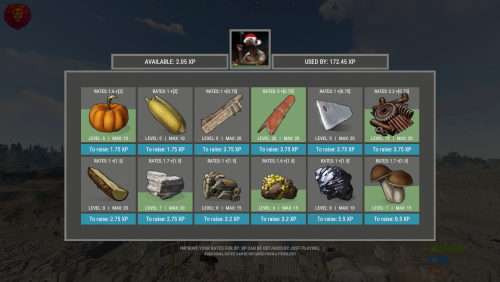
XGatherUP - increase in rates for XP. - Optimization of the interface for different monitor resolutions. - Storing player data in - oxide/data/XGatherUP - There is a lang ru/en. - Sound effects when interacting with the menu. - Configuring the issuance of XP. [ Loot, kill, break barrels, open crates, pick from the ground, harvest ] - Setting up starting rates for each category. - Setting up bonus rates for each category according to the permit. [ Multiple permissions can be configured ] - Setting up permissions to access the upgrading of a certain category. - Mini-panel with XP quantity. [ You can hide ] - Customization of categories for which you can increase rates. [ Bonus mining, mining, picking from the ground, components, harvesting ] - Setting the maximum level, XP for upgraging one level, rates for one upgraded level, a list of resources/components for which the rates will be increased. -> Overview - YouTube <- Shortnames for config settings. Commands /rate - open the menu to upgrading rates. xp_give <SteamID> <Amount> - give XP. Config { "General settings": { "Use plugin balance to increase rates [ Default, XShop, Economics ]": "Default" }, "GUI settings": { "Number of categories per line": 6, "OffsetMin - menu": "-475 -255", "OffsetMax - menu": "475 180" }, "Setting up permissions and additional rates": { "xgatherup.default": { "Resource": 1.5, "Harvest": 2.0, "Loot": 0.75 } }, "XP settings | Shortname : ValueXP": { "XP for pickup resources": { "stones": 10.0, "sulfur.ore": 15.0, "metal.ore": 12.5 }, "XP for harvesting": { "potato.entity": 2.5, "corn.entity": 1.75, "hemp.emtity": 0.25 }, "XP for bonus gather": { "stones": 5.0, "sulfur.ore": 10.0, "metal.ore": 7.5 }, "XP for kill / breaking barrels": { "boar": 10.0, "loot-barrel-1": 7.5, "heavyscientist": 2.5 }, "XP for open crates": { "crate_normal": 5.0, "crate_normal_2": 1.0, "crate_tools": 3.5 } }, "Category settings": { "Resource": [ { "Permission to access the leveling category": "xgatherup.default", "Displayed item shortname/picture name. [ Must not be empty ]": "wood", "Maximum upgrading level": 20, "Rates for one level of upgrading": 0.1, "Starting rates of upgrading": 1.0, "Number of XP to upgrade one level": 2.75, "Link to custom image": "", "Shortnames of resources/components for which rates will be increased": [ "wood", "charcoal" ] }, { "Permission to access the leveling category": "xgatherup.default", "Displayed item shortname/picture name. [ Must not be empty ]": "stones", "Maximum upgrading level": 20, "Rates for one level of upgrading": 0.1, "Starting rates of upgrading": 1.0, "Number of XP to upgrade one level": 2.75, "Link to custom image": "", "Shortnames of resources/components for which rates will be increased": [ "stones" ] }, { "Permission to access the leveling category": "xgatherup.default", "Displayed item shortname/picture name. [ Must not be empty ]": "metal.ore", "Maximum upgrading level": 15, "Rates for one level of upgrading": 0.1, "Starting rates of upgrading": 1.0, "Number of XP to upgrade one level": 3.2, "Link to custom image": "", "Shortnames of resources/components for which rates will be increased": [ "metal.ore", "metal.fragments" ] }, { "Permission to access the leveling category": "xgatherup.default", "Displayed item shortname/picture name. [ Must not be empty ]": "sulfur.ore", "Maximum upgrading level": 15, "Rates for one level of upgrading": 0.1, "Starting rates of upgrading": 1.0, "Number of XP to upgrade one level": 3.2, "Link to custom image": "", "Shortnames of resources/components for which rates will be increased": [ "sulfur.ore", "sulfur" ] }, { "Permission to access the leveling category": "xgatherup.default", "Displayed item shortname/picture name. [ Must not be empty ]": "hq.metal.ore", "Maximum upgrading level": 10, "Rates for one level of upgrading": 0.1, "Starting rates of upgrading": 1.0, "Number of XP to upgrade one level": 5.5, "Link to custom image": "", "Shortnames of resources/components for which rates will be increased": [ "hq.metal.ore", "metal.refined" ] }, { "Permission to access the leveling category": "xgatherup.default", "Displayed item shortname/picture name. [ Must not be empty ]": "mushroom", "Maximum upgrading level": 15, "Rates for one level of upgrading": 0.1, "Starting rates of upgrading": 1.0, "Number of XP to upgrade one level": 0.5, "Link to custom image": "", "Shortnames of resources/components for which rates will be increased": [ "mushroom" ] } ], "Harvest": [ { "Permission to access the leveling category": "xgatherup.default", "Displayed item shortname/picture name. [ Must not be empty ]": "pumpkin", "Maximum upgrading level": 10, "Rates for one level of upgrading": 0.1, "Starting rates of upgrading": 1.0, "Number of XP to upgrade one level": 1.75, "Link to custom image": "", "Shortnames of resources/components for which rates will be increased": [ "pumpkin" ] }, { "Permission to access the leveling category": "xgatherup.default", "Displayed item shortname/picture name. [ Must not be empty ]": "corn", "Maximum upgrading level": 10, "Rates for one level of upgrading": 0.1, "Starting rates of upgrading": 1.0, "Number of XP to upgrade one level": 1.75, "Link to custom image": "", "Shortnames of resources/components for which rates will be increased": [ "corn" ] } ], "Loot": [ { "Permission to access the leveling category": "xgatherup.default", "Displayed item shortname/picture name. [ Must not be empty ]": "semibody", "Maximum upgrading level": 20, "Rates for one level of upgrading": 0.1, "Starting rates of upgrading": 1.0, "Number of XP to upgrade one level": 3.75, "Link to custom image": "", "Shortnames of resources/components for which rates will be increased": [ "semibody" ] }, { "Permission to access the leveling category": "xgatherup.default", "Displayed item shortname/picture name. [ Must not be empty ]": "metalpipe", "Maximum upgrading level": 20, "Rates for one level of upgrading": 0.1, "Starting rates of upgrading": 1.0, "Number of XP to upgrade one level": 3.75, "Link to custom image": "", "Shortnames of resources/components for which rates will be increased": [ "metalpipe" ] }, { "Permission to access the leveling category": "xgatherup.default", "Displayed item shortname/picture name. [ Must not be empty ]": "metalblade", "Maximum upgrading level": 20, "Rates for one level of upgrading": 0.1, "Starting rates of upgrading": 1.0, "Number of XP to upgrade one level": 3.75, "Link to custom image": "", "Shortnames of resources/components for which rates will be increased": [ "metalblade" ] }, { "Permission to access the leveling category": "xgatherup.default", "Displayed item shortname/picture name. [ Must not be empty ]": "scrap", "Maximum upgrading level": 20, "Rates for one level of upgrading": 0.1, "Starting rates of upgrading": 1.0, "Number of XP to upgrade one level": 3.75, "Link to custom image": "", "Shortnames of resources/components for which rates will be increased": [ "scrap" ] } ] } }$19.99 -
.thumb.png.dccc8fc736f607ab1286fc4ce34b1699.png)
Version 1.0.0
1 download
About UPromocodes This essential plugin allows players to redeem exclusive in-game benefits by entering unique promo codes. Whether unlocking special items, resources, or perks, players can enhance their Rust experience with this intuitive promo code system. Plugin config { "Promo codes": [ { "Names ( chat command names )": [ "promo", "promo2" ], "Commands with delay": [ { "Delay seconds": 0.0, "Console commands": [ "test 1 %STEAMID%", "test 2 %STEAMID%" ] }, { "Delay seconds": 86400.0, "Console commands": [ "test 1 %STEAMID%", "test 2 %STEAMID%" ] } ] }, { "Names ( chat command names )": [ "promo", "promo2" ], "Commands with delay": [ { "Delay seconds": 0.0, "Console commands": [ "test 1 %STEAMID%", "test 2 %STEAMID%" ] }, { "Delay seconds": 86400.0, "Console commands": [ "test 1 %STEAMID%", "test 2 %STEAMID%" ] } ] } ] } Localization { "Chat_PromoWasActivated": "You successfully activated promo code.", "Chat_PromoAlreadyActivated": "You have already activated this promo code." } Contacts: Need help or custom plugin for your server? Contact me using Discord: metangerine ----------------------------------------------------------------------$10.00 -
Version 1.1.1
11 downloads
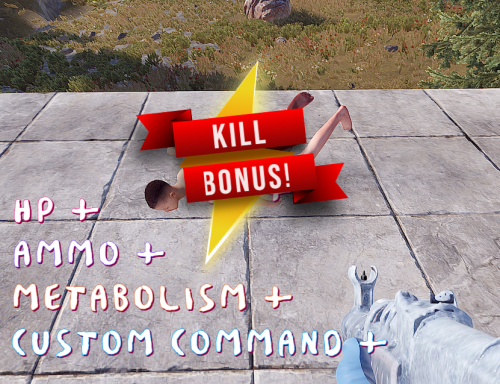
Video - Link KillBonus provides a variety of rewards to players each time they kill an enemy player. This can include health recovery, metabolism recovery, ammo reloading, or the execution of pre-defined custom commands. It supports a range of commands. Furthermore, it records the kill counts of both players and clans, allowing the execution of custom commands upon achieving certain kill milestones. The KillBonus plugin is highly useful for various events and offers a high degree of versatility depending on the user's customization. [Features] 1. Dynamic Reward System: It offers a variety of rewards each time a player defeats an enemy, including health recovery, metabolism recovery, ammo reloading, or executing pre-defined custom commands. 2. Kill Count Tracking: The plugin tracks the kill counts of both individual players and clans, thereby providing a comprehensive performance analysis. 3. Custom Command Execution: Upon achieving certain kill milestones, the plugin allows for the execution of custom commands, offering an exciting reward system for players. 4. Player and Clan Kill Data Reset: The plugin supports data reset functionality for both individual players and clans, ensuring the gameplay remains fresh and engaging. 5. Localization: KillBonus offers multi-language support, ensuring seamless integration and interaction with the game, regardless of the player's language. 6. Console and Chat Command: Offers a wide range of commands for customization and game management, accessible through both the game console and chat. 7. Customizable Settings: With the configuration file, you can easily customize the game settings to suit your needs. 8. Advanced Data Management: All player and clan kill data is managed using a dedicated data management system, ensuring accurate tracking and storage. 9. Event Trigger System: This feature enables custom commands to be executed when certain conditions are met, such as after a specific number of kills. 10. Integration: KillBonus has been designed to be compatible with a variety of gaming setups, offering compatibility with other plugins and systems. 11. Remember that the maximum value of the KillBonus plugin lies in its flexibility and adaptability, providing server owners with a tool that can be customized to suit their unique gameplay and reward systems. [Permissions] killbonus.default - Required to use default settings killbonus.vip - Required to use vip settings killbonus.vvip - Required to use vvip settings killbonus.admin - Required to use commands [Config] { "Wipe Data on new map save": true, // Whether to wipe data when a new map is saved "ChatMessage Enabled": true, // Whether chat messaging is enabled "UI Enabled(Required - Notify.cs/notify.see)": false, // Whether the UI is enabled (Notify.cs/notify.see is required for this) "Is logging enabled?": true, // Whether logging is enabled "Player kill settings": { "Are player kill bonus enabled?": true, // Whether bonuses for killing players are enabled // Following settings specify the default recovery amount and limit for health, thirst, hunger and whether auto-reload and ammo consumption are enabled "Default player settings": { "Is HP recovery enabled?": true, "HP recovery amount": 10.0, "Maximum HP for recovery": 100.0, "Is thirst recovery enabled?": true, "Thirst recovery amount": 10.0, "Maximum thirst for recovery": 250.0, "Is hunger recovery enabled?": true, "Hunger recovery amount": 10.0, "Maximum hunger for recovery": 500.0, "Is auto-reload enabled?": true, "Is ammo consumption enabled?": true, "How many custom commands will be executed?(-1 : All)": -1, "Custom commands": [ // The custom commands to be executed "giveto $player.id scrap 100", "giveto $player.id wood 100" ], "Every X kill bonus commands": [ { "Kill count for command trigger": 5, // Execute commands for every X kills achieved "How many Every Xkill Bonus commands will be executed?(-1 : All)": -1, "Commands to execute": [ "giveto $player.id scrap 500", "giveto $player.id wood 500" ] } ] }, // Similar settings for VIP players "VIP player settings": { "Is HP recovery enabled?": true, "HP recovery amount": 20.0, "Maximum HP for recovery": 100.0, "Is thirst recovery enabled?": true, "Thirst recovery amount": 20.0, "Maximum thirst for recovery": 250.0, "Is hunger recovery enabled?": true, "Hunger recovery amount": 20.0, "Maximum hunger for recovery": 500.0, "Is auto-reload enabled?": true, "Is ammo consumption enabled?": true, "How many custom commands will be executed?(-1 : All)": -1, "Custom commands": [ // The custom commands to be executed "giveto $player.id scrap 300", "giveto $player.id wood 300" ], "Every X kill bonus commands": [ { "Kill count for command trigger": 5, "How many Every Xkill Bonus commands will be executed?(-1 : All)": -1, "Commands to execute": [ "giveto $player.id scrap 500", "giveto $player.id wood 500" ] } ] }, // Similar settings for VVIP players "VVIP player settings": { "Is HP recovery enabled?": true, "HP recovery amount": 30.0, "Maximum HP for recovery": 100.0, "Is thirst recovery enabled?": true, "Thirst recovery amount": 30.0, "Maximum thirst for recovery": 250.0, "Is hunger recovery enabled?": true, "Hunger recovery amount": 30.0, "Maximum hunger for recovery": 500.0, "Is auto-reload enabled?": true, "Is ammo consumption enabled?": true, "How many custom commands will be executed?(-1 : All)": -1, "Custom commands": [ // The custom commands to be executed "giveto $player.id scrap 500", "giveto $player.id wood 500" ], "Every X kill bonus commands": [ { "Kill count for command trigger": 5, "How many Every Xkill Bonus commands will be executed?(-1 : All)": -1, "Commands to execute": [ "giveto $player.id scrap 500", "giveto $player.id wood 500" ] } ] }, // Custom commands based on kill count "Custom kill bonus commands": [ { "Kill count for command trigger": 10, // The kill count required to trigger the command "How many Achieved custom commands will be executed?(-1 : All)": -1, "Commands to execute": [ // The commands to be executed "giveto $player.id scrap 500", "giveto $player.id wood 500" ] }, { "Kill count for command trigger": 20, "How many Achieved custom commands will be executed?(-1 : All)": -1, "Commands to execute": [ "giveto $player.id scrap 500", "giveto $player.id wood 500" ] } ] }, "Clan kill settings (Required - Clans)": { "Are clan kill rewards enabled?": false, // Whether rewards for clan kills are enabled "Custom clan kill reward commands": [ // Custom commands for clan kill rewards { "Kill count for command trigger": 10, // The kill count required to trigger the command "How many ClanKill Clan commands will be executed?(-1 : All)": -1, "Clan commands to execute": [ // 'Clan commands to execute' will be executed as many times as there are clan members. "giveto $clanmembers scrap 500", // Here, the variable "$clanmembers" will only be active. "giveto $clanmembers wood 500" ], "How many ClanKill Player commands will be executed?(-1 : All)": -1, "Player commands to execute": [ // The commands to be executed for the player "giveto $player.id scrap 500", "giveto $player.id wood 500" ] }, { "Kill count for command trigger": 20, // The kill count required to trigger the command "How many ClanKill Clan commands will be executed?(-1 : All)": -1, "Clan commands to execute": [ // The commands to be executed for the clan "giveto $clanmembers scrap 500", "giveto $clanmembers wood 500" ], "How many ClanKill Player commands will be executed?(-1 : All)": -1, "Player commands to execute": [ // The commands to be executed for the player "giveto $player.id scrap 500", "giveto $player.id wood 500" ] } ], "Every X kill bonus commands": [ { "Kill count for command trigger": 5, // Execute commands for every X kills achieved "How many ClanEvery X Kill Clan commands will be executed?(-1 : All)": -1, "Clan commands to execute": [ "giveto $clanmembers scrap 500", "giveto $clanmembers wood 500" ], "How many ClanEvery X Kill Player commands will be executed?(-1 : All)": -1, "Player commands to execute": [ "giveto $player.id scrap 500", "giveto $player.id wood 500" ] } ] }, "version": "1.1.1" // The version of this configuration } [Command] For chat or console(not /) commands: /kb addpk <playernameorid> <amount>: Adds kills for a specific player. /kb removepk <playernameorid> <amount>: Removes kills for a specific player. /kb addpa <playernameorid> <achievementname>: Adds an achievement for a specific player. /kb removepa <playernameorid> <achievementname>: Removes an achievement for a specific player. /kb addck <playernameorid> <amount>: Adds kills for the clan. /kb removeck <playernameorid> <amount>: Removes kills for the clan. /kb addca <playernameorid> <achievementname>: Adds an achievement for the clan. /kb removeca <playernameorid> <achievementname>: Removes an achievement for the clan. /kbreset all: Resets all kill data and clan kill data. /kbreset player: Resets only the kill data for players. /kbreset clan: Resets only the clan kill data. [Placeholders] $player.clanname $player.clankilldata $player.clankillachievedata $clanmembers $player.killdata $player.killachievedata $player.id $player.name $player.ip $player.ping $player.position $player.health [Localization] { "KillReward": "{0}<color=red>Kill</color> {1} {2} {3} {4}", "KillRewardWithClan": "{0}<color=red>Kill</color> {1}<color=red>ClanKill</color> {2} {3} {4} {5}", "HPRecovery": "<color=green>HP</color>+{0} ", "ThirstRecovery": "<color=#45BCFF>Hydration</color>+{0} ", "HungerRecovery": "<color=orange>Calories</color>+{0} ", "AmmoRefill": "<color=purple>Ammo</color>+{0} ", "Achieved": "<color=#45BCFF>You achieved</color> {0}<color=red>Kill</color>!", "ClanAchieved": "<color=#45BCFF>Your clan achieved</color> {0}<color=red>Kill</color>!", "anounceAchieved": "<color=green>[{0}]</color> {1}<color=red>Kill</color> Achieved!", "anounceClanAchieved": "<color=green>[{0}]Clan</color> {1}<color=red>Kill</color> Achieved!", "EveryXkill": "<color=#FF009B>Every</color> {0}<color=red>Kill Bonus</color>!", "ClanEveryXkill": "<color=#FF009B>Every</color> {0}<color=red>ClanKill Bonus</color>!", "UsagePlayerAmount": "Usage: /kb addpk or /kb removepk <playerNameOrId> <amount>", "AmountMustBeInteger": "Amount must be an integer.", "PlayerKillsAdded": "Player kills has been added.", "PlayerKillsRemoved": "Player kills has been removed.", "KillDataReset": "Player Kill data has been reset.", "ClanKillDataReset": "Clan kill data has been reset.", "AllDataReset": "All data has been reset.", "PlayerAchievementAdded": "Player achievement has been added.", "PlayerAchievementRemoved": "Player achievement has been removed.", "ClanKillsAdded": "Clan kills have been added.", "ClanKillsRemoved": "Clan kills have been removed.", "ClanAchievementAdded": "Clan achievement has been added.", "ClanAchievementRemoved": "Clan achievement has been removed.", "Amountpositivenumber": "Amount must be an positive number.", "InvalidKbCommand": "Invalid command. Usage: /kb(kb) <command> <target> <amount>", "FailedCommand": "Failed command.", "InvalidResetCommand": "Invalid command. Usage: /kbreset | kbreset <player | clan>", "Noperm": "You don't have permission to do this." } [API] private string GetPlayerKills(string playerNameOrId) // Retrieves the kill count of a specific player. private Dictionary<int, bool> GetPlayerAchievements(string playerNameOrId) // Retrieves the achievement information of a specific player. private string GetClanKills(string clanID) // Retrieves the kill count of a specific clan. private Dictionary<int, bool> GetClanAchievements(string clanID) // Retrieves the achievement information of a specific clan. private bool PlayerHasAchievement(string playerNameOrId, int achievementID) // Checks if a specific player has a particular achievement. private bool ClanHasAchievement(string clanID, int achievementID) // Checks if a specific clan has a particular achievement. private void AddPlayerKills(string playerNameOrId, int amount, BasePlayer playermsg = null, string message = null) // Adds kills to a specific player. private void RemovePlayerKills(string playerNameOrId, int amount, BasePlayer playermsg = null, string message = null) // Removes kills from a specific player. private void AddPlayerAchievement(string playerNameOrId, int achievementID, BasePlayer playermsg = null, string message = null) // Adds an achievement to a specific player. private void RemovePlayerAchievement(string playerNameOrId, int achievementID, BasePlayer playermsg = null, string message = null) // Removes an achievement from a specific player. private void AddClanKills(string clanTag, int amount, BasePlayer playermsg = null, string message = null) // Adds kills to a specific clan. private void RemoveClanKills(string clanTag, int amount, BasePlayer playermsg = null, string message = null) // Removes kills from a specific clan. private void AddClanAchievement(string clanTag, int achievementID, BasePlayer playermsg = null, string message = null) // Adds an achievement to a specific clan. private void RemoveClanAchievement(string clanTag, int achievementID, BasePlayer playermsg = null, string message = null) // Removes an achievement from a specific clan. private void ResetKillData() // Resets all kill data. private void ResetClanKillData() // Resets all clan kill data.$6.99