Search the Community
Showing results for tags 'boom'.
Found 6 results
-
Version 1.0.0
22 downloads
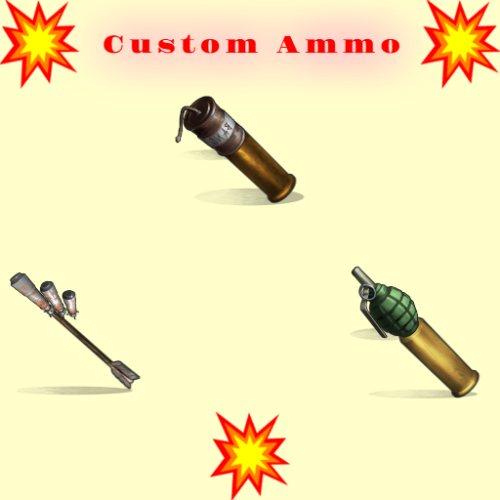
Shooting is fun , but even more fun is when with your bullet/arrow fly some grenade or maybe rocket or what ever ! SHORT INFO : When you shot regular bullet/arrow if you have customm ammo,and if is activated you will fire that custom ammo also on spot where your bullet/arrow hit ! Make custom ammo , chose what will be that custom ammo (what ever you like) , what weapons can use it , extra boom damage , amount of boom, spread radius of boom . That custom ammo will explode on impact ! HOW AND WHAT : To use custom ammo , when holding weapon in hands , you need to have custom ammo in inventory and activate it with middle mouse button . UI will open with useful info , how much custom ammo you have ,how much you need to fire it , and if there is cooldown between shots you see timer . If you have custom ammo when you fire that custom ammo will fire also . If you have more types of ammo for that weapon , UI will open where you can chose what ammo you will use ! MAKING NEW CUSTOM AMMO : You can make infinitive ammo item types . "Prefab Type": "assets/prefabs/npc/sam_site_turret/rocket_sam.prefab", ///// HERE YOU CHOSE WHAT IS THAT AMMO , WHAT WILL BE FIRED "ItemShortname": "sticks", ///// YOU CAN CHANGE SHORTNAME TO WHAT EVER. "SkinID": 3474702139, ///// SKIN WHAT EVER YOU LIKE . "ItemDisplayName": "Explosive Arrow", ///// NAME OF THAT CUSTOM ITEM . "Bonus Damage Amount": 0.0, ///// SO EVERY PREFAB/ITEM HAVE HIS DMG , SO THIS IS EXTRA DMG , REGULAR DAMAGE + BONUS DAMAGE "Cooldown Seconds": 0.0, ///// WILL THERE BE COOLDOWN BETWEEN SHOOTING CUSTOM AMMO "Amount To Spawn": 1, ///// HOW MUCH BOOM IT WILL TRIGGER ON SHOT , EXAMPLE 5 , SO 5 ROCKETS WILL FLY ON HIT POINT "Radius Spread": 0.0, ///// IF YOU USE AMOUNT MORE THAN 1 , WHAT SPREAD WILL BE BETWEEN FIRED AMMO "Weapon List": [ { "Shortname": "bow.hunting", "SkinID": 0 }, { "Shortname": "bow.compound", "SkinID": 0 }, ///// YOU CAN ADD WHAT EVER WEAPON HERE ,WITH SKIN OR WITHOUT SKIN { "Shortname": "crossbow", "SkinID": 0 }, { "Shortname": "minicrossbow", "SkinID": 0 } PERMISSION : customammo.give - need to have to use give command CHAT/CONSOLE COMMAND : Chat : /giveammo [player] <Ammo Display Name> [amount] Optional player name and amount ! Console: giveammo <player ID/name> <Ammo Display Name> [quantity] Optional amount !$8.00 -

Version 2.0.0
216 downloads
Offline Raid Limiter Stop Unfair Offline Raids in Their Tracks Tired of seeing your Rust server overrun by offline raid abuse? Offline Raid Limiter steps in to restore balance and fair play. With powerful tracking and immediate damage blocking, your players can enjoy a more authentic Rust experience—and you can enjoy worry-free server management. Key Benefits Prevent Offline Raid Abuse Daily + Per-Wipe raid limits Run daily limits, wipe limits, or both at the same time (fully configurable). Proximity-Based Tracking: Only counts raids when attackers are within range of a Tool Cupboard (TC), ensuring offline raid limits don’t trigger prematurely. Smart Raid Session Management Team & Additional Raider Tracking: Keeps tabs on individual players as well as entire teams—even if they leave and rejoin. Plus, if additional players jump into the same raid, their involvement is recorded. Edge Case Handling: No more confusion or gaps in coverage if a defender goes offline mid-raid or when multiple attackers are involved. Offline Raid Limiter’s robust logic sorts out these scenarios seamlessly. Instant Damage Blocking Enforce Fair Play: Once a team or individual hits their daily offline raid quota, further damage is blocked automatically. That means no more sneaky workarounds or unstoppable raids. Modded Server UI In-Game Control: For modded servers, gain access to a simple in-game UI that displays raid history, player statistics, and real-time session data. Player-Friendly Features: Grant permissions so your players can check their offline raid counts with the /orl.mystats command—helping everyone stay within the rules. Detailed Alerts & Reporting Discord Integration: Offline Raid Limiter sends comprehensive alerts to Discord, making admin oversight a breeze. Export & Clear Sessions: Use /orl.export to log and share your entire raid history for deeper analysis, then wipe all sessions with a simple console command if you need a fresh start. Designed for Vanilla & Modded Servers Flexible Configuration: If you set your server to "Vanilla,” the plugin automatically disables UI and direct damage blocks, limiting itself to Discord notifications so admins can monitor raiding behind the scenes. Seamless Integration: Works hand-in-hand with Rust’s existing frameworks and requires only the Simple Status & Image Library for certain UI elements. Why Choose Offline Raid Limiter? Enhanced Fairness: Players can’t take shortcuts with offline raids for easy loot. Clear Oversight: Admins see exactly who’s raiding and how often, helping you enforce balanced gameplay. Configurable & User-Friendly: Tailor the plugin to your server’s needs in just a few clicks, with plenty of documentation to guide you. If you’re ready to level the playing field and protect your community from unfair offline raids, Offline Raid Limiter has you covered. Bring your Rust server to new heights of balance, transparency, and peace of mind! Commands & Usage Player Commands (permission based) /orl.mystats — Shows your overall stats (daily + wipe, plus active limits). /orl.mydaily — Shows your daily offline raids and daily limit. /orl.mywipe — Shows your wipe offline raids and wipe limit. Admin Commands /orl.disable <hours> — Temporarily disables enforcement for X hours. /orl.enable — Re-enables immediately. /orl.clearall — Clears all stored raid sessions (and fully resets tracking). /orl.clearplayer <SteamID64 or name> — Clears raids for a specific player/team. /orl.export — Exports raid sessions to JSON via the debug webhook. /orl.dailyall [top] — Shows a “top raiders” list for daily scope. /orl.wipeall [top] — Shows a “top raiders” list for wipe scope. /orl.dailyplayer <name/id> — Check a player’s daily count. /orl.wipeplayer <name/id> — Check a player’s wipe count. Damage / Raid Logic OfflineRaidLimiter checks incoming damage to building blocks, doors, external walls, and more. If a team or player has exceeded the daily offline raid limit, all further damage to offline bases is blocked—and you can optionally broadcast an alert to Discord. Key Points to Note About Commands Some commands differ depending on your permissions and server setup. For instance, if a player types /exportraidsessions in chat, it won’t work unless they have OfflineRaidLimiter.admin. For "Vanilla” servers (as set in the config), UI, damage blocking, and certain other features may be disabled—so commands like clearraidsessions and clearraidsforplayer will still work, but may only be visible to server admins via console. When Commands Might Defer Cleanup Commands: If the plugin detects that some raid sessions are still "cooling down” (meaning the raid window hasn’t fully expired), the system may defer clearing them until the next pass. This prevents conflicts with currently active raids. Blocking Logic: After the daily limit is reached, the blocking triggers immediately and remains in place until the next server reset or cleanup routine (depending on how you configure it).$14.99- 45 comments
- 6 reviews
-
- 2
-

-
- #raid
- #protection
- (and 12 more)
-
Version 1.0.0
17 downloads
Get ready to elevate your Rust server with 30 all-new, hand-crafted Raidable Bases, each one bursting with personality, challenge, and a healthy dose of chaos. These bases are designed to keep your players on their toes and make every raid feel fresh and unique. [Heads up] Some bases contain in-game art featuring semi-nude imagery (AI generated) Each base is saved with its included decorative images, which contributes to the larger file sizes. You’re free to edit the bases and strip out images as needed – but we’ve kept them intact to preserve the original vibe and flair. Important: These bases are visually rich and asset-heavy. Running them on a low-performance (" potato ") server is not recommended. Number of bases per difficulty: Easy: 7 Medium: 7 Hard: 6 Expert: 6 Nightmare: 4 In main config file /config/raidablebases.json set parameter below to true to keep pre defined skins and keep the vibe of the bases "Ignore If Skinned Already": true, Rename bases or just add bases with these commands (note that your profiles may vary): Easy Bases: rb.config add "Easy Bases" Boom-Easy-HillbillyHank Boom-Easy-ArcticPlantation Boom-Easy-BobDog Boom-Easy-Kryptofarm Boom-Easy-ArcticWeedFarm Boom-Easy-DoubleFarm AK-Easy-Gingerbread Medium Bases: rb.config add "Medium Bases" Boom-Medium-Clay Boom-Medium-Disco Boom-Medium-Police_v2 Boom-Medium-FallenAngel Boom-Medium-Crusader Boom-Medium-SourFarm SirSlush-Medium-PoopFarm Hard Bases: rb.config add "Hard Bases" Boom-Hard-LasEscortas Boom-Hard-LasAmazonas Boom-Hard-LasDamasRosas Boom-Hard-LasToxiChicas Magnumk-Hard-Rustamano Expert Bases: rb.config add "Expert Bases" Boom-Expert-Stinanna Boom-Expert-Psychodelic Boom-Expert-Golem Boom-Expert-Voodoo Boom-Expert-Piano Boom-Hard-VanGogh Boom-Expert-SmallLiving Nightmare Bases: rb.config add "Nightmare Bases" Boom-Nightmare-Darkscope Boom-Nightmare-Midgard Boom-Nightmare-Asgard Boom-Nightmare-Souffle You want help!? Contact us on our discord: https://discord.12guys.se/$25.00 -

Version 1.5.0
58 downloads
30 Raid Pack Unlock 30 meticulously crafted Raidable Bases for Rust, each uniquely designed with its own flair, perfect for players who crave variety and a new challenge every time! [ATTENTION] Art in bases may include semi nude pictures Number of bases per difficulty: Easy: 11 Medium: 5 Hard; 9 Expert: 4 Nightmare: 1 In main config file /config/raidablebases.json set parameter below to true to keep pre defined skins and keep the vibe of the bases "Ignore If Skinned Already": true, Rename bases or just add bases with these commands (note that your profiles may vary): Easy Bases: rb.config add "Easy Bases" Boom-Easy-Art Boom-Easy-BewareOfBob Boom-Easy-Cottage Boom-Easy-ElectricFence Boom-Easy-Fishing Boom-Easy-Glencoe Boom-Easy-Manik Boom-Easy-Pumpkin Boom-Easy-Saloon Boom-Easy-Tie Boom-Easy-WoodyTower Medium Bases: rb.config add "Medium Bases" Boom-Medium-Bricks Boom-Medium-HomerHouse Boom-Medium-OnAir Boom-Medium-Pyramid Boom-Medium-Xipil Hard Bases: rb.config add "Hard Bases" Boom-Hard-Brutal Boom-Hard-Caretaker Boom-Hard-Disfear Boom-Hard-Dragon Boom-Hard-Enterprise Boom-Hard-JoesGarage Boom-Hard-Molecule Boom-Hard-TheCube Boom-Hard-Triskelion Expert Bases: rb.config add "Expert Bases" Boom-Expert-Camelot Boom-Expert-Demonology Boom-Expert-Squaw Boom-Expert-Trimurti Nightmare Bases: rb.config add "Nightmare Bases" Boom-Nightmare-Virus Boom approx amount through doors to find all loot: Boom-Easy-Glencoe = 3 Boom-Easy-Manik = 3 Boom-Easy-Art = 3-4 Boom-Easy-Fishing = 3-4 Boom-Easy-ElectricFence = 4-5 Boom-Easy-Cottage = 5 Boom-Easy-BewareOfBob = 5-6 Boom-Easy-Pumpkin = 6 Boom-Easy-Tie = 6 Boom-Easy-WoodyTower = 6 Boom-Easy-Saloon = 7-8 Boom-Medium-Bricks = 5-6 Boom-Medium-OnAir = 11 Boom-Medium-Pyramid = 11 Boom-Medium-Xipil = 12 Boom-Medium-HomerHouse = 16 Boom-Hard-Brutal = 11 Boom-Hard-Disfear = 10-16 Boom-Hard-Triskelion = 15-20 Boom-Hard-JoesGarage = 22 Boom-Hard-Caretaker = 25 Boom-Hard-Enterprise = 25 Boom-Hard-Dragon = 28 Boom-Hard-TheCube = 35 Boom-Expert-Squaw = 25-30 Boom-Expert-Molecule = 30-34 Boom-Expert-Camelot = 40-45 Boom-Expert-Demonology = 40-45 Boom-Expert-Trimurti = 40-45 Boom-Nightmare-Virus = 40-45 Please note: The images are hardcoded into the copypaste file, which is causing the file size to be quite large. All bases made by Boom$25.00 -

Version 1.0.0
286 downloads
/rb <quantity> - Initiates a rocket barrage by shooting rockets. The player needs the rocketbarrage.use permission to execute this command. The <quantity> parameter specifies the number of rockets to be shot in the barrage. /rbt <level> - Sets the delay level for the rocket barrage. The player needs the rocketbarrage.use permission to execute this command. The <level> parameter should be a number between 1 and 5, which determines the delay between each rocket shot. /rocket <type> - Sets the rocket type for the rocket barrage. The player needs the rocketbarrage.use permission to execute this command. The <type> parameter specifies the rocket type to be used in the barrage. Available types are: rocket, incin, and hv, corresponding to the basic rocket, incendiary rocket, and high-velocity rocket, respectively. /rbc - Cancels an active rocket barrage. The player needs the rocketbarrage.use permission to execute this command. This command stops the ongoing barrage and clears the delay level and rocket type settings. Note: Players need the rocketbarrage.use permission to use the /rb, /rbt, /rocket, and /rbc commands. WARNING!!!: Be aware this plugin may cause lag if over used, plugin made for admins no testing has been done without admin perms.Free -

Version 1.0.001
13 downloads
XTransportMined - mined transport for the entertainment of administrators/players of your server. - Optimization of the interface for different monitor resolutions. - Storing data in - oxide/data/XTransportMined - There is a lang ru/en. - Sound effects when interacting with the menu. - The ability to teleport to transport through the UI. - The ability to issue a hammer for mining through the UI. - The ability to undermine transport through: UI or detonator. [ When a player gets in/out of a transport | When transport breaks down ] - The ability to mining transport: with a mallet, chat with a command or through the UI. [ You can mining absolutely any transport ] - Possibility to demine transport: chat by command or via UI. - Ability to display all mined/non-mined transport. - Nice interface for managing server transport. -> Overview - YouTube <- Permissions xtransportmined.use - access to plugin functionality. [ Not required by administrators ] Commands /boommenu - open menu. /boommine mine - mined transport. [ Need to look at transport ] /boommine demine - demine transport. [ Need to look at transport ] Config { "General settings": { "Detonate mined transport when destroyed": true, "Detonate mined transport when the player sits in it": true, "Detonate mined transport when the player disembarks from it": true, "Giving detonator after mining a transport": false, "Explosion radius": 10.0, "Prefix in chat": "<size=12><color=#FFFFFF50>[</color> <color=#00FF0050>XTransportMined</color> <color=#FFFFFF50>]</color></size>\n" } }$19.99