Search the Community
Showing results for tags 'builder'.
Found 18 results
-
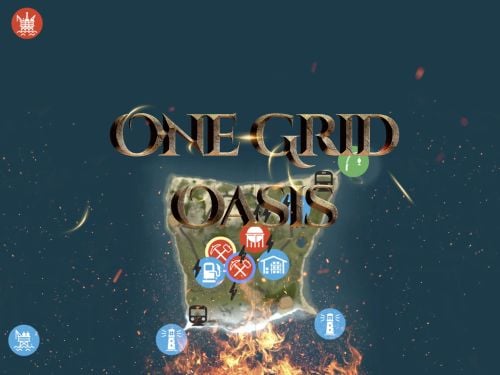
Version 3.0.0
139 downloads
Discover the ULTIMATE RUST ONE GRID MAP, featuring a breathtaking landscape perfect for high-FPS and fast-paced PVP. The dynamic terrain utilizes many hills and valleys to minimizes sight lines making the Map feel much larger. While having custom underwater caves offers strategic building and hiding spots. At the center, the iconic Dome dominates, surrounded by HQM and Sulfur Quarries to entice players to the middle of the map to fight over loot and ore. NEW FLOATING ISLANDS expands buildable terrain, offering unparalleled fun and creativity for players who LOVE TO BUILD. Explore 12 unique buildable monuments marked with "X" on the map, each providing more unique base-building opportunities. This map promises thrilling PVP action and immersive gameplay, making it the BEST One Grid Rust Server Map ever created! FEATURES: • Size: 1000 • Prefab Count: 2285 • Map Optimized for Performance! • Map Password Included. • Vast array of 12 EPIC Custom Buildable Monuments! Caves, Underwater Bunkers, Floating Sky Platforms, Bus Stops, Warehouses and more! • Designated Building Zones (marked X on the minimap) • 3 Floating Islands in the sky to build on to add more buildable terrain for a small map. • 3 Majestic Underwater Buildable Cave Bunkers! • Monuments crafted for peak performance with minimal entities! • The terrain features varied elevations to reduce sight lines, making the smaller map feel much larger! • Everything crafted with One Grid players in mind to have lots of loot and many places to build! • Underground railway. • Custom Combined Outpost/Bandit Camp/Fishing Village Safe Zone! Gambling, Vending Machines, Vehicle Vendors and more! CUSTOM BUILDABLE MONUMENTS: • Amount: 12 Total! • 3 Buildable Underwater Bunkers • 3 Buildable Floating Islands • Custom Large Size Bus Stop Base • 2 EPIC Scale Rock Formation Caves • Medium Sized Glass Roof Cave • + MANY MORE! Facepunch Monuments: Dome 2x Lighthouse Supermarket Jungle Ziggurat Oxum's Gas Station Mining Outpost HQM Quarry Sulfur Quarry Bandit Town/Outpost/Fishing Village Combined Underwater Labs 5x Large Power Substations 4x Small Power Substations 4x Bus Stops To Enable the Travelling Vendor on Custom Maps its optional to use this Oxide Plugin: https://codefling.com/plugins/anymapvendor Help Discord: @DarkoRust$14.99- 8 comments
- 4 reviews
-
- 4
-

-

-
- #one grid
- #custom map
- (and 43 more)
-

Version 2.0.0
21 downloads
Discover the ULTIMATE RUST ONE GRID MAP, featuring a breathtaking mountainous landscape perfect for high-FPS and fast-paced PVP. The dynamic terrain utilizes a large mountain for players to summit and winding roads to minimizes sight lines making the Map feel much larger. While having custom underwater caves offers strategic building and hiding spots. At the center, the iconic Dome dominates, surrounded by HQM and Sulfur Quarries to entice players to the middle of the map to fight over loot and ore. Map offering unparalleled fun and creativity for players who LOVE TO BUILD. Explore unique buildable monuments marked with "X" on the map, each providing more unique base-building opportunities. This map promises thrilling PVP action and immersive gameplay, making it the BEST One Grid Rust Server Map ever created! FEATURES: • Size: 1500 • Prefab Count: 1199 • Map Optimized for Performance! • Map Password Included. • EPIC Custom Buildable Monuments! • Designated Building Zones (marked X on the minimap) • Majestic Underwater Buildable Cave Bunkers! • Monuments crafted for peak performance with minimal entities! • The terrain features a massive mountain with a road leading to the top to reduce sight lines, making the smaller map feel much larger! • Everything crafted with One Grid players in mind to have lots of loot and many places to build! • Underground and Above Ground Railway. Not connected but accessible by Tunnel Entrances. • Full Outpost and Bandit Camp • Fishing Village CUSTOM BUILDABLE MONUMENTS: • 9 Total • 4 Buildable Underwater Bunkers • Large Custom Buildable Cave • Custom Large Size Bus Stop Base • Epic Buildable Sphere Tank players will love! • Buildable Bunker Building • Buildable Warehouse Facepunch Monuments: Dome Satellite Dish 1x Lighthouse Supermarket Oxum's Gas Station 2x Mining Outpost HQM Quarry Sulfur Quarry Bandit Town Outpost Fishing Village Ranch Stables Underwater Labs 5x Large Power Substations 4x Small Power Substations Help Discord: @DarkoRust$14.99- 3 comments
- 2 reviews
-
- 1
-
-
- #one grid
- #custom map
- (and 47 more)
-
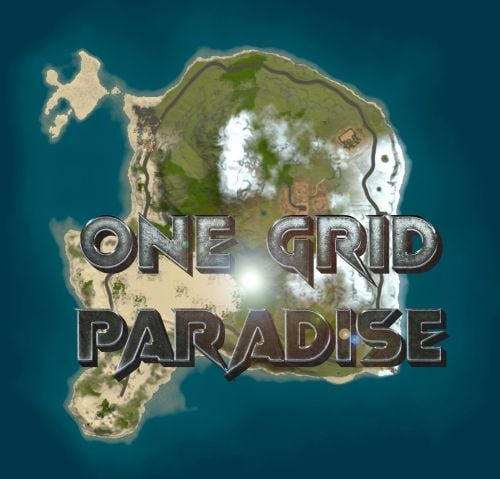
Version 9.0.0
147 downloads
In the heart of this EPIC ONE GRID RUST MAP, spanning a compact 1500 in size, lies a breathtaking landscape crafted for high-FPS and fast-paced PvP gameplay. Amidst towering mountains and sprawling valleys, players navigate custom buildable underwater caves that offer strategic advantages for building and hiding bases. At its center, a colossal mountain dominates the skyline with a Custom Buildable Warehouse Monument and many more Custom Buildable Monuments all optimized for peak performance with minimal entity counts. This central area becomes the hub for players to practice PvP while fending off enemies and honing their raid defense and offense skills. NEW BUILDING EXPERIENCE! Scattered across the terrain are many bespoke buildable monuments, each marked with an X on the map, drawing players in with fresh and exciting base-building locations. This masterpiece of design not only promises thrilling PvP encounters but also showcases a commitment to immersive gameplay and efficient server performance, making it the best released Map for One Grid Rust servers to date! FEATURES • Size: 1500 • Prefab Count: 3874 • Map Optimized for Performance! • Map Password: Included. • Vast array of many EPIC Custom Buildable Monuments! • Designated building zones (marked X on the minimap) • Majestic Underwater Buildable Cave Bunkers! • Legendary Battle Iceberg Build Zone: An expansive above water custom-built zone featuring multiple icebergs for epic building, raiding, and intense PVP combat! • Monuments crafted for peak performance with minimal entities! • EPIC Scale PVP Mountain center of map with Buildable Warehouse Monument! • Everything crafted with One Grid Servers in mind for peak performance and EPIC scaled FUN! • Monumental and realistic landscape! • Underground railway. • Combined Outpost/BanditCamp/Fishing Village Safe Zone Monument on the water. CUSTOM BUILDABLE MONUMENTS • Amount: 6 Total! • Custom Underwater Bunkers • Battle Iceberg • Customized Large Bus Stop Base to Build inside • Bunker Base on Mountain to build inside • + MORE! Facepunch Monuments Airfield Dome Jungle Ziggurat Jungle Ruins Large Oilrig Small Oilrig Satellite Dish 2X Lighthouse Gas Station 1X Quarry Supermarket Warehouse Fishing Village/BanditCamp Mixed Ranch Stables To Enable the Travelling Vendor on Custom Maps its optional to use this Oxide Plugin: https://codefling.com/plugins/anymapvendor Help Discord: DarkoRust$14.99 -
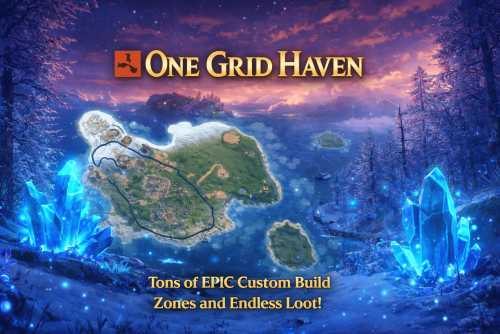
Version 1.0.0
10 downloads
ONE GRID HAVEN – 1250K CREATIVE SMALL ONE GRID RUST MAP One Grid Haven is a small, fast-paced, 1250k fantasy Rust map infused with glowing blue crystals and magical atmosphere. Unlike most one-grid maps that suffer from cramped terrain and barely any spots to build, this handcrafted island is loaded with tons of massive flat build areas, giving players endless room to create bases of all shapes and sizes. The map features tons of custom “X” build zones, from enchanted clearings to hidden arch rocks, several increased size iceberg plateaus, crystal-lit forests, islands, houses, military-style installations, and more. One half of the island focuses heavily on monuments and rich loot, while the other half is dedicated to creative freedom with endless building locations. With vibrant fantasy visuals, unique glowing-crystal hotspots, and smooth performance, One Grid Haven delivers an exciting blend of exploration, creativity, and competitive gameplay on a compact scale. What Makes It Special: Endless Custom Buildable areas that players will love! Marked with an "X". Diverse terrain: forests, jungles, deserts, coasts, cliffs, valleys & plateaus. Perfect for solos, clans, builders, and high-pop servers that want top notch performance. Custom Build Zones: Low-prefab, FPS-friendly buildables: Several Increased size Icebergs to build Arch Rocks to build Hidden structures Unique build pockets Custom Buildings Custom Bus Stops Many Facepunch Monuments Included Military Base • Missile Silo • Outpost • Large Oil Rig • Small Oil Rig • Arctic Research Base • Sphere Tank • SuperMarket • Warehouse • Gas Station • Lighthouse • HQM Quarry • Sulfur Quarry • Stone Quarry • Jungle Ziggurat • Fishing Village/Outpost/BanditCamp/Ranch Combined — and more. Map Info: Size: 1250K Prefabs: ~712 Support: Discord: DarkoRust$24.99 -
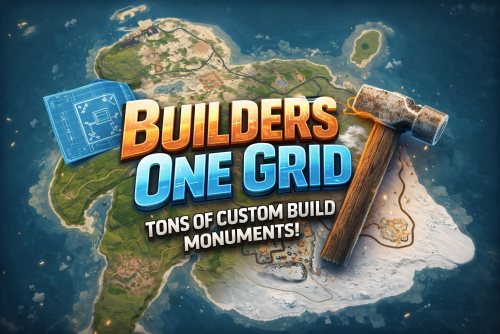
Version 1.0.0
10 downloads
BUILDERS ONE GRID – 2000K CREATIVE SMALL RUST MAP Builders One Grid is a small fast-paced, builder-friendly 2000k Rust map loaded with Custom Buildable Monuments created by myself! The problem with most One Grid Maps is the lack of places for players to build. With my map your players will have tons of fun and unique spots to build a base from cool caves, military installations, bus stops, icebergs, houses, islands and much more! Many many monuments to loot as well! Designed for smooth performance, creative freedom, and competitive gameplay. What Makes It Special: Endless Custom Buildable areas that players will love! Marked with an "X". Diverse terrain: forests, jungles, deserts, coasts, cliffs, valleys & plateaus. Perfect for solos, clans, builders, and high-pop servers. Custom Build Zones Low-prefab, FPS-friendly buildables: Custom caves Military Installations Hidden structures Unique build pockets Arch Rocks Icebergs Bus Stops Many Facepunch Monuments Included Military Base • Missile Silo • Water Treatment • Harbor • Outpost • Large Oil Rig • Small Oil Rig • Arctic Base • Sphere Tank • Satellite Dish • SuperMarket • Gas Station • Lighthouse • HQM Quarry • Sulfur Quarry • Stone Quarry • Jungle Ziggurat • Fishing Village — and more. Map Info Size: 2000K Prefabs: ~2251 Support Discord: DarkoRust$19.99 -

Version 2.0.1
235 downloads
This is a custom package designed by us, featuring 210 unique bases and a specialized loot setup for five different difficulty levels, ranging from Easy to Nightmare. Note: The building skins in the package showcase images may differ from the spawned bases or use the default building skin. This MEGA PACK is an upgraded version of the FullWiped-110 Bases + Loot Pack we previously offered. If you've already purchased the FullWiped-110 Bases + Loot Pack, you only need to buy the expansion pack, which includes 100 new bases ranging from Easy to Hard. Get it here: https://codefling.com/bases/raidable-bases-pack-100-bases-expanded-package-from-easy-to-hard Warning: The Raidable Bases plugin requires the Copy Paste plugin to function. You must install both for this bases pack to work. Raidable Bases (Paid): https://codefling.com/plugins/raidable-bases Copy Paste (Free): https://umod.org/plugins/copy-paste This Raidable Bases Pack & Loot Tables package includes: 70 Easy Bases +Base_Loot Tables (Easy "Vanilla" and "Enhanced" tables included) 60 Medium Bases +Base_Loot Tables (Medium "Vanilla" and "Enhanced" tables included) 60 Hard Bases +Base_Loot Tables (Hard "Vanilla" and "Enhanced" tables included) 10 Expert Bases +Base_Loot Tables (Expert "Vanilla" and "Enhanced" tables included) 10 Nightmare Bases +Base_Loot Tables (Nightmare "Vanilla" and "Enhanced" tables included) Beware: Our loot table package includes only the 5-tier loot tables within the Base_loot folder, ranging from easy to nightmare. It does not include the loot tables from the Difficulty_Loot or Weekday_Loot folders. VANILLA AND ENHANCED LOOT TABLES FOR RAIDABLE BASES This package includes 10 different base loot table files, ensuring a well-structured and advanced configuration for every difficulty level, from Easy to Nightmare. - 5 loot files for the Vanilla setup (Easy, Medium, Hard, Expert, Nightmare), offering a balanced loot experience with some junk items, staying close to a 1x rate. - 5 loot files for the Enhanced setup (Easy, Medium, Hard, Expert, Nightmare), designed for modded servers with 2x, 3x, or higher gather rates, featuring cleaner loot tables with minimal junk and more valuable rewards. Installation Path: All loot table files are intended for the /oxide/data/RaidableBases/Base_Loot directory. Setup Requirement: You must choose and install only one loot table setup at a time—either Vanilla or Enhanced. If you want to switch, you can replace the current files with the other set, but both cannot be active simultaneously. For those exclusively seeking the loot table, we offer it as a standalone product: https://codefling.com/customizations/raidable-bases-loot-tables-pack (Note: If you've purchased our Raidable Bases Mega Pack & Loot Tables (210 Bases) package, there is no need to buy this separately.) WARNING: TWO DIFFERENT INSTALLATION METHODS (PLEASE READ BOTH AND APPLY ONLY THE ONE THAT FITS YOUR NEEDS) INSTALLATION GUIDE 1: (If you do not have a custom configuration and are not a professional in server configurations, choose this option. However, if you already have your own configuration and profile settings and do not wish to use the optional configs we provide—in other words, if you only need the bases and loot tables—use the second installation guide instead.) ▶ Step 1: Place the Config File From the extracted ZIP files, locate the config folder and find the RaidableBases.json file. Move it to the following directory: /serverfiles/oxide/config ▶ Step 2: Place the Bases From the extracted ZIP files, locate the copypaste folder and move it to the following directory: /serverfiles/oxide/data ▶ Step 3: Place the Base_Loot Tables From the extracted ZIP files, locate the Base_Loot folder and move it to the following directory: /serverfiles/oxide/data/RaidableBases Important: If there are any existing JSON files inside this folder that are not part of our loot tables, delete them to ensure proper functionality. Choose between Vanilla or Enhanced loot tables based on your preference. If the folder is named "Base_Loot (Enhanced loot)", remove the text in parentheses so that the correct folder name is simply: "Base_Loot" (Otherwise, the loot tables will not work properly.) ▶ Step 4: Place the Profiles Folder From the extracted ZIP files, locate the profiles folder and move it to the following directory: /serverfiles/oxide/data/RaidableBases Why Are Profiles Important? The profiles folder contains crucial settings that allow you to: Enable/disable the dome Enable/disable NPCs Adjust the number of lootable items These are just a few examples—there are dozens of important settings that directly affect how raid bases function. The config file alone is not enough—these files play a major role in customizing your raid bases. I strongly recommend reviewing each difficulty setting (Easy to Nightmare) inside the profiles folder and adjusting them based on your needs. ▶ Step 5: Restart the plugin via RCON: o.reload RaidableBases INSTALLATION GUIDE 2: (Use this installation method if you do not want to use our configurations and instead prefer to use your own config files and your own /oxide/data/RaidableBases/Profiles configurations.) In this case, you only need to add the bases. To do this, use the following commands in RCON: ▶ Step 1: You can add bases one by one or in bulk. After executing the commands in RCON, the bases will be registered inside the Profiles configuration. If you do not want to deal with these adjustments, it is recommended to use Installation Guide 1 instead. A- Example RCON commands: rb.config add "Easy Bases" fullwipedeasy1 rb.config add "Hard Bases" fullwipedhard1 B- Commands to Integrate Raid Bases in Bulk via RCON: rb.config add "Easy Bases" fullwipedeasy1 fullwipedeasy2 fullwipedeasy3 fullwipedeasy4 fullwipedeasy5 fullwipedeasy6 fullwipedeasy7 fullwipedeasy8 fullwipedeasy9 fullwipedeasy10 fullwipedeasy11 fullwipedeasy12 fullwipedeasy13 fullwipedeasy14 fullwipedeasy15 fullwipedeasy16 fullwipedeasy17 fullwipedeasy18 fullwipedeasy19 fullwipedeasy20 fullwipedeasy21 fullwipedeasy22 fullwipedeasy23 fullwipedeasy24 fullwipedeasy25 fullwipedeasy26 fullwipedeasy27 fullwipedeasy28 fullwipedeasy29 fullwipedeasy30 fullwipedeasy31 fullwipedeasy32 fullwipedeasy33 fullwipedeasy34 fullwipedeasy35 fullwipedeasy36 fullwipedeasy37 fullwipedeasy38 fullwipedeasy39 fullwipedeasy40 fullwipedeasy41 fullwipedeasy42 fullwipedeasy43 fullwipedeasy44 fullwipedeasy45 fullwipedeasy46 fullwipedeasy47 fullwipedeasy48 fullwipedeasy49 fullwipedeasy50 fullwipedeasy51 fullwipedeasy52 fullwipedeasy53 fullwipedeasy54 fullwipedeasy55 fullwipedeasy56 fullwipedeasy57 fullwipedeasy58 fullwipedeasy59 fullwipedeasy60 fullwipedeasy61 fullwipedeasy62 fullwipedeasy63 fullwipedeasy64 fullwipedeasy65 fullwipedeasy66 fullwipedeasy67 fullwipedeasy68 fullwipedeasy69 fullwipedeasy70 rb.config add "Medium Bases" fullwipedmed1 fullwipedmed2 fullwipedmed3 fullwipedmed4 fullwipedmed5 fullwipedmed6 fullwipedmed7 fullwipedmed8 fullwipedmed9 fullwipedmed10 fullwipedmed11 fullwipedmed12 fullwipedmed13 fullwipedmed14 fullwipedmed15 fullwipedmed16 fullwipedmed17 fullwipedmed18 fullwipedmed19 fullwipedmed20 fullwipedmed21 fullwipedmed22 fullwipedmed23 fullwipedmed24 fullwipedmed25 fullwipedmed26 fullwipedmed27 fullwipedmed28 fullwipedmed29 fullwipedmed30 fullwipedmed31 fullwipedmed32 fullwipedmed33 fullwipedmed34 fullwipedmed35 fullwipedmed36 fullwipedmed37 fullwipedmed38 fullwipedmed39 fullwipedmed40 fullwipedmed41 fullwipedmed42 fullwipedmed43 fullwipedmed44 fullwipedmed45 fullwipedmed46 fullwipedmed47 fullwipedmed48 fullwipedmed49 fullwipedmed50 fullwipedmed51 fullwipedmed52 fullwipedmed53 fullwipedmed54 fullwipedmed55 fullwipedmed56 fullwipedmed57 fullwipedmed58 fullwipedmed59 fullwipedmed60 rb.config add "Hard Bases" fullwipedhard1 fullwipedhard2 fullwipedhard3 fullwipedhard4 fullwipedhard5 fullwipedhard6 fullwipedhard7 fullwipedhard8 fullwipedhard9 fullwipedhard10 fullwipedhard11 fullwipedhard12 fullwipedhard13 fullwipedhard14 fullwipedhard15 fullwipedhard16 fullwipedhard17 fullwipedhard18 fullwipedhard19 fullwipedhard20 fullwipedhard21 fullwipedhard22 fullwipedhard23 fullwipedhard24 fullwipedhard25 fullwipedhard26 fullwipedhard27 fullwipedhard28 fullwipedhard29 fullwipedhard30 fullwipedhard31 fullwipedhard32 fullwipedhard33 fullwipedhard34 fullwipedhard35 fullwipedhard36 fullwipedhard37 fullwipedhard38 fullwipedhard39 fullwipedhard40 fullwipedhard41 fullwipedhard42 fullwipedhard43 fullwipedhard44 fullwipedhard45 fullwipedhard46 fullwipedhard47 fullwipedhard48 fullwipedhard49 fullwipedhard50 fullwipedhard51 fullwipedhard52 fullwipedhard53 fullwipedhard54 fullwipedhard55 fullwipedhard56 fullwipedhard57 fullwipedhard58 fullwipedhard59 fullwipedhard60 rb.config add "Expert Bases" fullwipedexp1 fullwipedexp2 fullwipedexp3 fullwipedexp4 fullwipedexp5 fullwipedexp6 fullwipedexp7 fullwipedexp8 fullwipedexp9 fullwipedexp10 rb.config add "Nightmare Bases" fullwipednight1 fullwipednight2 fullwipednight3 fullwipednight4 fullwipednight5 fullwipednight6 fullwipednight7 fullwipednight8 fullwipednight9 fullwipednight10 ▶ Step 2: Place the Base_Loot Tables From the extracted ZIP files, locate the Base_Loot folder and move it to the following directory: /serverfiles/oxide/data/RaidableBases Important: If there are any existing JSON files inside this folder that are not part of our loot tables, delete them to ensure proper functionality. Choose between Vanilla or Enhanced loot tables based on your preference. If the folder is named "Base_Loot (Enhanced loot)", remove the text in parentheses so that the correct folder name is simply: "Base_Loot" (Otherwise, the loot tables will not work properly.) ▶ Step 3: Restart the plugin via RCON: o.reload RaidableBases EXTRA IMPORTANT INFORMATIONS: We do not use a dome, NPCs, or arena walls around raid bases on our servers, and in the ZIP file we provided, these features are also disabled by default. If you want to enable them, you will need to adjust the settings accordingly. For example, to enable the dome, follow the steps below: Navigate to: /oxide/data/RaidableBases/Profiles Open the files inside the Profiles folder with a text editor. Locate the following settings: (This is already set to false because it is required for markers to appear on the map.) "Spawn Silently (No Notification, No Dome, No Map Marker)": false, "Create Dome Around Event Using Spheres (0 = disabled, recommended = 5)": 0, Change the value from 0 to 5 as shown below: "Create Dome Around Event Using Spheres (0 = disabled, recommended = 5)": 5, Additionally, the loot amount for bases varies depending on the difficulty level (easy, medium, hard, expert, and nightmare). You can adjust this setting in the same Profiles location according to your needs: "Amount Of Items To Spawn": 210, For example, in medium bases, this value is set to 210, which determines the total number of items that will appear in crates, furnaces, and the cupboard. Our current configuration is specifically adjusted to prevent players from feeling overwhelmed by massive buildings right after a wipe. We have configured Maintained Events accordingly to ensure a balanced experience. In our setup: - Timed events and purchasable events are disabled. - After a wipe, easy bases will start spawning 30 minutes later. - Nightmare bases will begin spawning 48 hours (2 days) later. Imagine starting the game with just a torch in hand and immediately encountering a nightmare base on the shore. You’d likely quit the game right away—this setting is crucial for us to avoid such scenarios. Configuration Example: /serverfiles/oxide/config "Maintained Events": { "Always Maintain Max Events": true, "Max Maintained Events": 30, "Enable X Hours After Wipe (0 = immediately)": { "Easy": 0.5, "Medium": 1.0, "Hard": 3.0, "Expert": 24.0, "Nightmare": 48.0 All of our bases from Easy to Nightmare are equipped with turret protection. If you do not want turrets to spawn in your raidable bases on your server, you can use the following method. Go to the file path /data/RaidableBases/Profiles, open the JSON files inside with a text editor, and apply the following: "Kill These Prefabs After Paste": [ "assets/prefabs/npc/autoturret/autoturret_deployed.prefab", "autoturret_deployed" ], If you are satisfied with this package, you can support us by leaving a 5-star review on the site where you purchased it. Your feedback motivates us to continue improving and providing even better configurations for dedicated server owners like you. Thank you!$89.99 -
Version 1.0.4
28 downloads
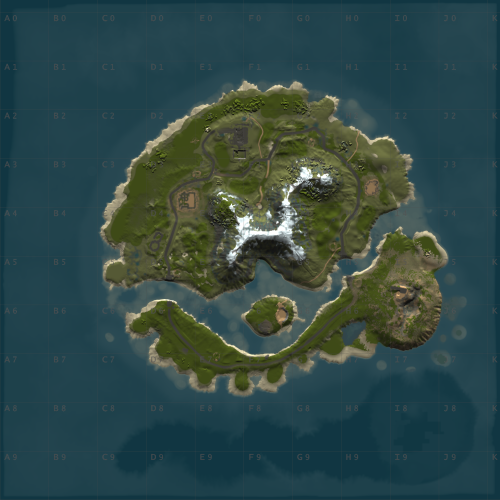
WindyCleft (OneGrid) A small map in the (OneGrid) style with unique monuments featuring intriguing puzzles and a fully customized underwater monument. Specially designed for OneGrid servers and servers with up to 150 players online. Custom Monuments: Fuel processing plant – a semi-ruined factory with two floors. Two Tower – Two towers connected high in the mountains with military crates. Mysterious house – at first glance, it’s just an ordinary wooden house in the forest under the mountain, but it’s only at first glance. The house hides a secret military bunker with a puzzle and security. You’ll find many interesting things there. Angar – it used to be used to unload military trains, but after the war in 2050, the island’s new residents started using the hangar to repair their cars. However, from the past, there is one room that no one has been able to open yet; they say there is something very valuable inside. Zavod – an old factory that once supplied the island with fuel; now only one external fuel processor remains. Post – a small roadside monument. Puzzle – a monument from the Hapis map slightly modernized. ??? – During a rescue operation with a sunken ship, Captain Morrison discovered an unusual underwater signal. He reported this information to the Cobalt Corporation, and since then, no one has seen them. Old residents say there was once an island there, but it sank after a volcano eruption. FacePunch Monuments: Fishing village Oil Rig SuperMarket Gas Station HQM Quarry Sewer Branch The map will be constantly supported and updated. If you have any questions, feel free to message me on Discord.$19.00-
- 1
-

-
- #maps
- #custom maps
- (and 28 more)
-
Version 1.1.1
283 downloads
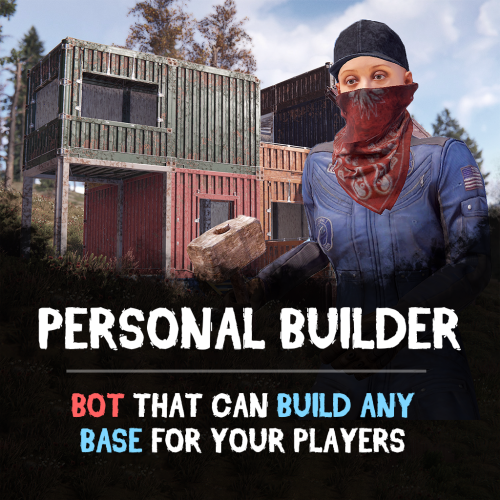
Looking for a fast and efficient way to build bases on your Rust server? The Personal Builder plugin introduces AI-powered builder bots that can construct any CopyPaste saved base design. Just assign a build location, and watch as your bot brings your base to life! Features: Automated Base Construction • Spawn a Personal Builder bot using /pbuilder. • Select a build location, and the bot will begin construction. • Works seamlessly with any CopyPaste base blueprint! Smart AI Building System • Performs terrain checks to prevent building in restricted areas. • Prevents construction near roads, monuments, or other tool cupboards. • Adjustable build speed for optimal server performance. Total Customization & Control • Configure bot name, spawn delay, and immortality settings. • Choose whether resources are required for construction, or make the bot purchasable via economics plugins. How It Works: Use /pbuilder to spawn a builder bot. Select a build point with the middle mouse button (or customize the keybind). The bot scans the area and begins constructing the base. Sit back and watch as the bot automates the entire building process! Requirements: • CopyPaste Plugin (must be installed and configured). • Build files must be stored in /oxide/data/copypaste/ See it in Action! Watch the Video Configuration: To make the default config work, you need to download the build file (link below) and place it in this directory "/oxide/data/copypaste". Link: https://drive.google.com/file/d/11nMTecwn2pZyiaECeRSPqDXacYq2a6iv/view?usp=sharing How to add your buildings: - Open the config, duplicate the standard bot setup - Change the permission to spawn - Change the short name of bot - Change the name of the build file - find the one you need in "/oxide/data/copypaste" directory and enter it without the file EXTENSION { "Controls": { "Button to assign build position (MIDDLE_MOUSE, SECOND_MOUSE, E, RELOAD, SPRINT)": "MIDDLE_MOUSE", "Range of the task assignment button": 25.0, "Display 3D arrows over a build position?": true, "Arrow display duration": 2 }, "Permissions": { "personalbuilder.bot1": { "The name of the bot to be selected through the command when spawning": "bot1", "Bot spawn delay": 300.0, "CopyPaste file name": "pbuilder_test", "Player (bot)": { "Bot display name": "Personal Builder", "Bot health": 1000.0, "Make bot immortal?": false }, "Resources": { "Require resources?": true, "Drop bot's resources on death?": true }, "Speed": { "Bot speed multiplier": 1.0, "Build speed multiplier": 1.0, "Time to check 1 foundation": 0.15, "Time to check 1 building block": 0.15 }, "Build": { "Checks": { "Check is close to road?": true, "Check is building blocked?": true, "Check for Prevent Building triggers": true, "Prevent Building check radius": 10.0 } }, "Effects": { "Enable effects on appear & disappear?": true, "Enable building block upgrade effects?": true }, "Clothes": [ { "Item name": "", "Item shortname": "shoes.boots", "Item skin": 0, "Item amount": 1 }, { "Item name": "", "Item shortname": "pants", "Item skin": 0, "Item amount": 1 }, { "Item name": "", "Item shortname": "hoodie", "Item skin": 0, "Item amount": 1 }, { "Item name": "", "Item shortname": "mask.bandana", "Item skin": 0, "Item amount": 1 }, { "Item name": "", "Item shortname": "hat.boonie", "Item skin": 0, "Item amount": 1 }, { "Item name": "", "Item shortname": "sunglasses", "Item skin": 0, "Item amount": 1 } ] } } }$29.90 -

Version 1.6.0
6,267 downloads
Fed up with the need to use multiple addons on my server for functions that players could execute from within the game, and considering the constant increase of new Skins for builds, I found myself dissatisfied with the limited supply of automatic upgrades on the market. For this reason, I have reworked the most used TC-related features on my server into a single plugin, which has been enriched with ideas contributed by players and other Rust administrators. All this under an attractive graphical interface, inspired by the item store of the game itself. Video Update 1.5.0 Video Update 1.4.9 Video Update 1.4.0 Old Video Features AUTOMATIC CONSTRUCTION SKINS With BetterTC your players will be able to improve their builds to any level of improvement, but they will also be able to choose their favorite Skin (if you enable it) completely free of charge or offering it to the VIPS on your server. Update system: I have added a small system that checks for new skins to automatically add them to the configuration. When you install the plugin for the first time and once you obtain permission from bettertc.admin, you must click on "Check Update" so that it performs an internal check and adds all the skins and options that exist to date. LIST OF AUTHORIZED PLAYERS It allows players or simply the rest of the Staff to easily see which players are authorized in the locker. Except for the administrators themselves, if you activate it in the config. (I don't think any player needs to know that the admin was authorized in their locker to check something) You can also allow authorizations to be deleted individually. AUTOMATIC IMPROVEMENT SYSTEM Allows your players to upgrade the grade of their bases automatically by obtaining resources directly from the TC. As long as they don't have RaidBlock (if you use NoEscape/RaidBlock plugin of course). You can configure different speed levels and costs depending on the player's permission from the plugin's own settings. That is, you can have players improve a building every 5 seconds for free and VIPs can improve every 2 or 1... Use your imagination! In addition, you can also calculate the cost of materials that will be required to carry out said improvement by clicking on the info button. A new setting has been added to disable the Container skin's multi-color option. Disabling this option, which is enabled by default, will slightly improve frame rates in builds using this skin: Fewer colors = Better performance (FPS Client). AUTOMATIC RESKIN OF EXTERNAL WALLS The plugin also includes an automatic reskin system for external walls. Previously, it was only compatible with standard stone external walls and their adobe variant. Now, it also includes the ability to switch wooden walls to Frontier and vice versa. Ice walls have also been added as a variant for stone. If you place regular stone external walls (the usual ones), you can change their appearance to adobe or ice by clicking on the corresponding wall icon. When changing the skin, the original wall's health will be preserved, so if it’s damaged, it won’t be fully restored. This prevents players from abusing the system. Important: I recommend using the system for external walls as an appearance modification system, not as an upgrade system. In other words, with the following configuration: "Only reskin on wall of the same grade": true If you disable this parameter, you will be able to change from wood to stone, or vice versa, completely free of charge. Since the wall system doesn’t have a cost mechanism for players, I recommend keeping this option enabled. AUTOMATIC REPAIR SYSTEM Allows your players to repair their bases automatically by obtaining resources directly from the TC. As long as they don't have RaidBlock (if you use NoEscape of course). Now since version 1.4.0 it will also repair damaged objects such as doors, trapdoors, windows, boxes! With configurable cooling system to prevent repair abuse during raids. ("Repair Cooldown After Recent Damage (seconds)": 30.0) AUTOMATIC CONSTRUCTION DEGRADATION It allows players to regret upgrading their huge base to metal and not being able to afford it anymore. Of course, it will charge them resources as if they improved it from 0. However, if you do not want to allow downgrade you can disable it from the config. AUTOMATIC WALLPAPER PLACEMENT Allows your players to place any available wallpaper in the game automatically based on the building type. Support for wallpapers on walls, ceilings, and floors. Wallpapers are always kept up-to-date automatically. So if FacePunch adds new wallpapers, they will be instantly added to the list. You'll also enjoy my exclusive wallpapers. Since update 1.5.0, you can also add and remove custom wallpapers with the following commands. Chat Command: Usage: /addwp <skinid> <Wall|Floor|Ceiling>, Example: /addwp 3356517390 Wall, Console Command: Usage: addwp <skinid> <Wall|Floor|Ceiling>, Example: addwp 3356517390 Wall I've added a new parameter to the config: "Wallpaper Damage": true Setting this parameter to false prevents wallpapers from being broken in melee or with ammunition. However, you can still break them with C4 or missiles. Blocking damage completely is more complex and, in my opinion, unnecessary. In addition, with BetterTC you can place wallpapers on both sides of the walls, even if they are on the outside of the building, as it includes an option in the configuration to force this placement. TC SKINS Give your players the ability to change the appearance of their TC. ALLOWS TO SAVE OLD ITEMS A new configuration option has been added to allow saving items back to the TC. "Allow items in TC inventory": { "gunpowder": false, "sulfur": false, "sulfur.ore": false, "explosives": false, "diesel_barrel": false, "cctv.camera": false, "targeting.computer": false } CONSTRUCTION EFFECTS Allows players to disable auto-build buff effects and reduces headaches.However, if you do not want to allow them to disable this, you can disable it from the config. BETTER GUI The plugin's interface has been programmed so that it maintains its size regardless of the interface scaling settings of each player. It has also been taken into account that perhaps not everyone wants to enable all options for their players. Therefore, the buttons that appear at the top of the TC have been programmed so that if a player does not have permission for a specific function, instead of leaving the space empty, the buttons adapt their position automatically. The player list GUI and construction SKINS have also been prepared with a pagination system if necessary. 95% of the images used in the plugin are loaded directly from the client side, thus optimizing the loading and rendering of the interface and reducing the use of Image Library. Carbon Image Module support. If your server is running Carbon instead of Oxide, it will now use the built-in module instead of the Image Library. Permissions bettertc.admin Exclusive for Admin. It allows you to check if there are new skins to add. You will not appear in the list of authorized players if the option in the settings is activated. bettertc.authlist Shows a button at the top of the TC to check which players are authorized. bettertc.deleteauth Allows you to individually revoke an authorized player. You can give this permission to players if you want them to be able to delete individually. bettertc.use It is the basic degree of use found in the configuration. bettertc.vip It is the level of use for advanced that is found in the configuration. Depending on how you configure it, it makes players with this permission improve/repair/change skin faster. Or it simply costs them less resources. bettertc.repair Displays a button on top of the TC to repair the build automatically. bettertc.repair.nocost No explanation needed I think. (USE WITH CAUTION) bettertc.reskin Allows players to change the skin of their build automatically. Imagine one day you upgrade your entire foundation to container and the next day you regret losing FPS and would like to leave it on normal metal. bettertc.reskin.nocost No explanation needed I think. bettertc.updefault Shows players the default upgrade options. Without SKINS. bettertc.upskin Show players upgrade options with SKINS. bettertc.upwall Allows players to change the skin of external walls. bettertc.upgrade Permission to evade blocking of all items. bettertc.upgrade.nocost No explanation needed I think. (USE WITH CAUTION) bettertc.wallpaper Allows players to place Wallpaper. bettertc.wallpaper.nocost No explanation needed I think. (USE WITH CAUTION) bettertc.wallpaper.custom Display custom wallpapers to players with this permission. bettertc.tcskinchange Allows players to change the TC skin. bettertc.tcskindeployed Allows players to place TC with Skin. Commands Chat Command: Usage: /addwp <skinid> <Wall|Floor|Ceiling>, Example: /addwp 3356517390 Wall, Console Command: Usage: addwp <skinid> <Wall|Floor|Ceiling>, Example: addwp 3356517390 Wall Configuration DEFAULT CONFIGURATION { "Check for updates when loading": true, "Bypass DLC ownership check (⚠ only allowed on creative/test servers per Facepunch rules)": false, "Use NoEscape Plugin": false, "Use RaidBlock Plugin": true, "GUI Buttons TC - Color Default": "0.3 0.40 0.3 0.60", "GUI Buttons TC - Color Active": "0.90 0.20 0.20 0.50", "GUI Buttons TC - OffsetMin": "280 621", "GUI Buttons TC - OffsetMax": "573 643", "GUI Buttons TC - AnchorMin": "0.5 0", "GUI Buttons TC - AnchorMax": "0.5 0", "Alert Gametip": true, "Alert Chat": true, "Alert Notify Plugin": false, "Notify: select what notification type to be used": { "error": 0, "info": 0 }, "Color Prefix Chat": "#f74d31", "Show Admin Auth List": false, "Show SteamID Auth List": true, "Upgrade Effect": true, "Colour Selection MultiColor Option": false, "Reskin Enable": true, "Reskin Wall Enable": true, "Only reskin on wall of the same grade": true, "Reskin Wall TC Distance (Default: 100)": 100.0, "Deployables Repair": true, "Repair Cooldown After Recent Damage (seconds)": 30.0, "Downgrade Enable": true, "Downgrade only Owner Entity Build": false, "Upgrade only Owner Entity Build": false, "Upgrade / Downgrade only Owner and Team": true, "Wallpaper Enable": true, "Wallpaper placement Cost (Cloth)": 5, "Wallpaper Damage": true, "Wallpaper both sides": true, "Force both sides including external sides": true, "Cooldown Frequency Upgrade (larger number is slower)": { "bettertc.use": 2.0, "bettertc.vip": 1.0 }, "Cooldown Frequency Reskin (larger number is slower)": { "bettertc.use": 2.0, "bettertc.vip": 1.0 }, "Cooldown Frequency Repair (larger number is slower)": { "bettertc.use": 2.0, "bettertc.vip": 1.0 }, "Cooldown Frequency Wallpaper (larger number is slower)": { "bettertc.use": 2.0, "bettertc.vip": 1.0 }, "Cost Modifier for repairs": { "bettertc.use": 1.5, "bettertc.vip": 1.0 }, "Allow Items in TC Inventory": { "gunpowder": false, "sulfur": false, "sulfur.ore": false, "explosives": false, "diesel_barrel": true, "cctv.camera": true, "targeting.computer": true }, ... ] } Bonus KNOWN ISSUES Random spawn of default (blue) wallpapers in constructions. If this happens on your server, it's likely because you have the TruePVE plugin or a similar one installed. Make sure to disable the configuration option that protects wallpaper damage in that plugin. Instead, enable wallpaper damage protection in BetterTC. While it won't prevent 100% of the damage to wallpapers, it will significantly reduce it—especially from melee weapons. For any problem, doubt, suggestion or assistance do not hesitate to contact me by Discord ninco90#6219 If you need me to configure everything from scratch, according to your tastes, for your server I can also do it for an additional fee. Although you should be able to configure everything yourself$30.00- 399 comments
- 29 reviews
-
- 14
-
-
-
- #builder
- #automation
- (and 9 more)
-
Hello everyone! I've been working for a while on a tool that makes it easy to create user interfaces. It then generates code that's directly compatible with Oxide and Carbon. I'm currently working on optimizing the code so you can simply integrate it into your server to test the display directly (you'll only be able to test the display; the rest depends on you creating your own plugin ). So here's my tool. I'll publish a presentation video on YouTube once it's finished. In the meantime, if you have any suggestions for improvement, I'm all ears ! It's a simple and intuitive tool; I don't want it to be as complex as a full-fledged software program! Have a great day ! The goal is to create a tool that is simpler to use and less comprehensive than FIGMA. I don't intend to make something as advanced !

-

Version 1.2.10
48 downloads
Similar to B Grade, but with a more premium feel. Once you equip a blue print, a beautiful GUI pops up, in the top right, which highlights what tier your building in. Permissions per tier can be given according to what your aiming for. You can change this tier images from config file. Upgrade, Downgrade and Base Repari from Tc They can upgrade and downgrade the levels of structures they have built from the cabinet, provided they have the necessary permissions. Remove With Hammer If they have the required permissions, they can use a hammer to remove items and walls. { "Plugin Icon Id": 0, "Tc Build Helper Button Coordinate AnchorMin": "0.849 0.865", "Tc Build Helper Button Coordinate AnchorMax": "0.949 0.91", "Upgrade Coold Down Time?": 30.0, "Downgrade Coold Down Time?": 30.0, "Base Repair Down Time?": 30.0, "Twig Tier Icon Image": "https://community.akamai.steamstatic.com/economy/image/6TMcQ7eX6E0EZl2byXi7vaVKyDk_zQLX05x6eLCFM9neAckxGDf7qU2e2gu64OnAeQ7835Zf4GLCfDY0jhyo8DEiv5dbOK86r70-SfG-0at6CZk/360fx360f", "Wood Tier Icon Image": "https://static.wikia.nocookie.net/play-rust/images/f/f2/Wood_icon.png/revision/latest/thumbnail/width/360/height/360?cb=20151106061551", "Stone Tier Icon Image": "https://static.wikia.nocookie.net/play-rust/images/8/85/Stones_icon.png/revision/latest/thumbnail/width/360/height/360?cb=20150405123145", "Metal Tier Icon Image": "https://static.wikia.nocookie.net/play-rust/images/7/74/Metal_Fragments_icon.png/revision/latest?cb=20151106061759", "High Metal Tier Icon Image": "https://static.wikia.nocookie.net/play-rust/images/a/a1/High_Quality_Metal_icon.png/revision/latest/thumbnail/width/360/height/360?cb=20151106061156", "Panel AnchorMin": "0.94 0.5", "Panel AnchorMax": "0.99 0.95", "Gui Button Enabled": true, "Message Size?": 15, "Remove Allow Distance": 3.0, "Plugin Meesage Pre Tag Color ": "#FFA500", } Permissions buildhelper.grade.all //if player has this perm, player can upgrade all tier(not for water base) buildhelper.grade.wood //if player has this perm, player can upgrade wood tier(not for water base) buildhelper.grade.stone //if player has this perm, player can upgrade stone tier(not for water base) buildhelper.grade.metal //if player has this perm, player can upgrade metal tier(not for water base) buildhelper.grade.hq //if player has this perm, player can upgrade hq tier(not for water base) buildhelper.waterall //if player has this perm, player can upgrade all tier in water base buildhelper.waterwood //if player has this perm, player can upgrade wood tier in water base buildhelper.waterstone //if player has this perm, player can upgrade stone tier in water base buildhelper.watermetal //if player has this perm, player can upgrade metal tier in water base buildhelper.waterhq //if player has this perm, player can upgrade hquality tier in water base buildhelper.up.wood buildhelper.up.stone buildhelper.up.metal buildhelper.up.hq buildhelper.down.wood buildhelper.down.stone buildhelper.down.metal buildhelper.down.hq buildhelper.remove buildhelper.removeadmin buildhelper.base_repair You can change messages with Language File { "dont_have_enough_resourche": "You don't have enough <color=#FF0000>{0}</color>.", "build_helper": "Build Helper", "removed": "Removed", "downgrade": "Downgrade", "upgrade": "Upgrade", "twig": "Twig", "wood": "Wood", "stone": "Stone", "metal": "Metal", "hq": "Hq Metal", "stones": "Stones", "metal.fragments": "Metal Fragments", "metal.refined": "Hq Metal", "dont_have_enough_resource": "You Dont Have Enough Resourche", "cupboard_dont_have_enouh_resourch": "Cupboard dont have enough resourche.", "base_repair": "Repair Base", "max_auth": "You do not have sufficient authority to upgrade higher", "press_e_button": "Automatic upgrading is now set to grade <color=#FFA500>{0}</color>. Press <color=#FFA500>E</color> to change auto enhancement.", "press_e_button_remove": "Press <color=#FFA500>R</color> to switch to remove mode. ", "press_e_button_for_normal_mod": "Press <color=#FFA500>R</color> to switch to normal mode. ", "press_e_button_for_remove_admin_mod": "Press <color=#FFA500>R</color> to switch to remove Admin mode.", "must_wait_n_secon": "You must wait {n} second for using this button again.", "no_entity": "No Entity", "no_cost": "No Cost", "cost": "Cost", "remove": "Normal Mode", "admin_remove": "Admin Mode", "plugin_pre_tag": "<color=#FF0000>[Build Helper] :</color>", "cupboard_not_found": "Cupboard Not Found", "dont_have_permission_this_button": "You don't have permission to use this button." }$19.99 -
Version 1.0.0
60 downloads
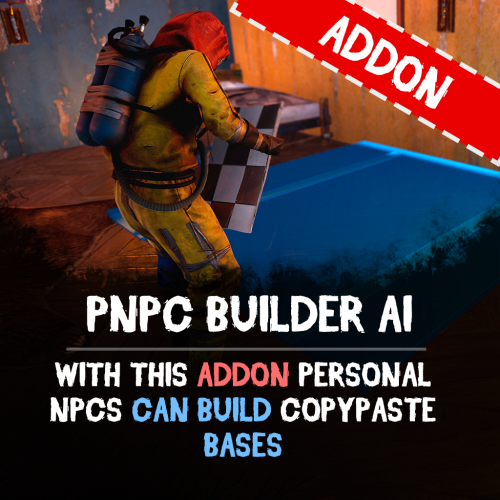
Bring your bases to life easily with PNPC Builder AI Addon — it makes your PNPCs able to construct any CopyPaste base design! Just assign a build point, and your bot will get to work! Features: 🏗 Automated Construction • Activate builder mode using /pnpc build. • Choose a build location, and bot will begin constructing your base. Landscape & Obstacle Check • Terrain scanning ensures proper placement. • Prevents building near restricted zones such as roads, monuments, or other tool cupboards. Customisation • Configure build speed, obstacles check and other settings. • You can optionally require resources for construction. How to Use: Spawn your Personal NPC and enter "/pnpc build" command. Use the middle mouse button to select your build point. The NPC checks the area and starts construction. Relax and watch how your bot brings your base to life! Requirements: • PersonalNPC Plugin • CopyPaste Plugin • Build files must be stored in /oxide/data/copypaste/ This addon is free for all owners of the PersonalBuilder plugin. Contact me in PM to receive your free copy. See it in Action! Watch the Video Configuration: To make the default config work, you need to download the build file (link below) and place it in this directory "/oxide/data/copypaste". Link: https://drive.google.com/file/d/1Y5ja8DvWVvcPl92hDfJeu0iZe9_YSuKk/view?usp=sharing { "Available buildings (by PNPC bot spawn name)": { "bot1": [ { "The name of the building to be selected via /pnpc build {building_name}": "builder_test1", "CopyPaste file name": "builder_test", "Require resources?": false, "Enable building block upgrade effects?": true, "Speed": { "Bot speed multiplier": 1.0, "Build speed multiplier": 1.0, "Time to check 1 foundation": 0.15, "Time to check 1 building block": 0.15 }, "Build": { "Max allowable height of foundation": 3.1, "Start height to ground": 0.5, "Max depth when building in water": 2.5, "Disable stability?": false, "Checks": { "Check is close to road?": true, "Check is building blocked?": true, "Check for Prevent Building triggers": true, "Prevent Building check radius": 10.0 }, "Doors": { "Deploy doors?": false }, "Cupboards (experimental)": { "Deploy cupboards?": false, "Authorize the owner?": false } } } ] } }$9.90 -
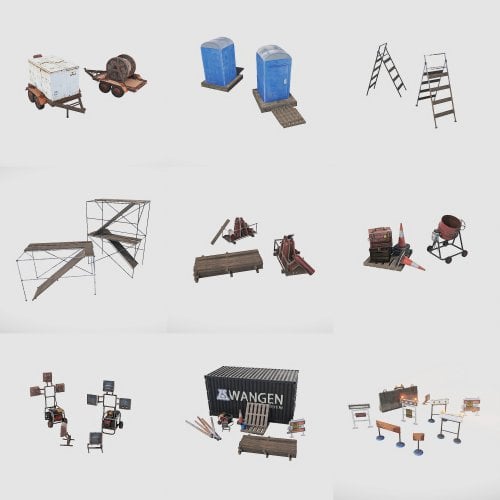
Version 1.0.0
10 downloads
Attention! Repair work. Observe labor protection! The set contains: A small staircase 1; A small staircase 2; Barricade; Concrete Mixer; Container with inventory; Folded boards; Generator with lights; Portable flashlight; Scaffolding 1; Scaffolding 2; Sign 1; Sign 2; Storage of cylinders 1; Storage of cylinders 2; Toilet for workers; Tools; Trailer with a coil of wires; Trailer with generator; Warning sign 1; Warning sign 2; Warning sign 3; Warning sign 4; Warning sign 5.$7.00-
- 2
-
-
-
- #repair work
- #road works
- (and 5 more)
-
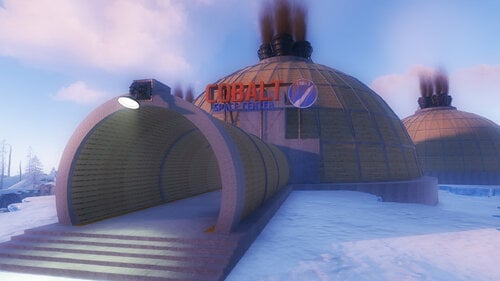
Version 1.0.0
22 downloads
Players will be able to build inside this dome. Build Zone Dome is a safe dome for players to build inside. It contains a door that you can open and close, as well as its own lighting and vertical signs to draw on.$5.47 -
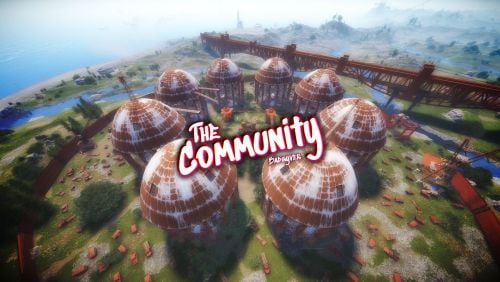
Version 1.0.0
15 downloads
Now you will have a Rust style space for your clan, group or game team. The community is a circular space with several construction zones for your base or house. Surrounded by a large wall which offers a defense for your team. The community offers a decorative space for your Rust server, junkyard style.$12.90-
- 1
-
-
- #thecommunity
- #community
- (and 59 more)
-

Version 1.4.0
11 downloads
The Townhall plugin introduces a new level of realism to Rust by requiring players to own a plot of land before building. Players can claim land by setting up a mailbox. This can be done creatively, such as placing a vending machine in a safe zone or having an NPC distribute mailboxes in a town hall. Once a mailbox is placed, the plot of land is indicated by a configurable bubble. Players can recheck their plot with the /myplot command. The plugin also notifies players when they enter another player's plot, with the option to disable this notification. Townhall enhances gameplay for RP servers and is versatile enough for PvE and mixed-variant servers. Functions - Must own a plot of land in order to build - Can mark out your plot yourself and see the boundaries - The plot boundaries can be displayed again and again with the /myplot command - Plot size can be defined in the config. - How long the plot marker should be displayed can be set in the config - Rescue messages from plots can be switched off in the config Permissions townhall.myplotofland Config { "Show Zone Messages": true, "Mailbox Check Radius": 50.0, "Zone Dome Visibility Duration (seconds)": 20.0 } Attention this plugin works and harmonizes perfectly with our MyHouse plugin load, run, enjoy$11.99 -
.thumb.gif.72744bb37b829c5d260e7bcdc726fccc.gif)
Version 0.0.4
26 downloads
Download the UndoBlock.cs. undoblock.use allows you to use this plugin. Put it in the oxide/plugins folder. And everything should be okay. If your server doesn't create config file: UndoBlock.json If you press 'CTRL + R', the last block you added will be removed. { "Refund Block": false } If you want the materials to return to the player, you can set the setting to true in the config file. Default setting is false.$9.99 -
.thumb.png.3e5728c55c4d17fbc0103bfa09a6e2ce.png)
Version 1.0.0
7 downloads
Includes 5 Small Bases used for RaidableBase Plugin. Don't have time to make your own Raid Bases? No worries, we have you covered! Just purchase the pack and pop in your copy/paste folder! Free: https://umod.org/plugins/raidable-bases$5.00








.thumb.png.ce7dc2cf4b560099acd2420554021a6f.png)


.thumb.png.e3a0341173c7e053f48b889f8e3b812d.png)