Search the Community
Showing results for tags 'codelock'.
Found 5 results
-
Version 1.0.3
69 downloads
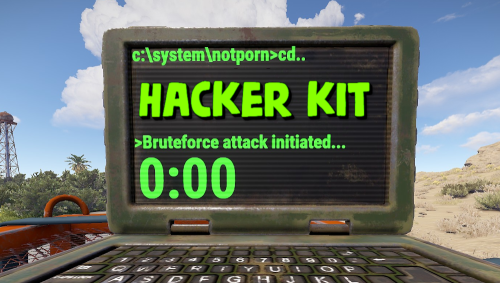
Adds hacker kit to the server. Just pick up a geiger counter and use it to hack. Just get close to the crate and hold the left mouse button. This plugin uses a geiger counter. Since this is not an item that players can usually get through loot, it is perfect for this purpose. Just use a plugin like BetterLoot to insert a geiger counter into your loot tables and then any geiger counter picked up by the player can be used as a hacker kit. Permissions: hackerkit.use - required to use hacker kit To assign a permission, use: oxide.grant <user or group> <name or steam id> hackerkit.use To remove a permission, use: oxide.revoke <user or group> <name or steam id> hackerkit.use (or just use the permission manager plugin) Config file: { "Hack speed": 10, "Prohibition message": "You don't have permission to use hackerkit", "SFX prefab": "assets/prefabs/gamemodes/objects/capturepoint/effects/capturepoint_progress_beep.prefab" }$5.99 -
Version 1.9.0
202 downloads
Say goodbye to the hassle of manual code locking! With this plugin, you can easily auto-lock items with a preset code straight from your inventory. Your teammates will also get instant access, no extra steps needed. The interface is super easy to use, making code updates and settings changes quick and simple. Give your Rust server a boost with this must-have plugin! Join our Discord community to stay informed on new plugins and updates. Click here to get started. Automated code locking: Automatically applies a code lock to any lockable item with a predetermined code. 3 plugins in 1: Lock regular items, secure things that normally can't be locked (like furnaces or turrets, great for PVE), and easily add automatic door closers. Balanced gameplay: Optional use of the players inventory code locks or key locks. Team authorization: Automatically grants and removes the players team to the code lock. Configuration options for data management: Provides configurable options to automatically clean up saved data on each server wipe or after a specified number of days of player inactivity. User-friendly interface: Offers an intuitive interface for players to easily update their code and adjust settings. Streamer mode: Lock items that normally cannot be locked like furnaces, turrets, and more (Great for PVE!): Optional feature for automatic door closers: Easily customizable - Toggle each item on or off to suit your server: Lockable Items: As mentioned before each of these can be individually enabled/disabled on your server! Vanilla - Doors and Ladder hatches, Storage containers, Tool Cupboards, Lockers. Extra - Furnaces, Electric ovens, Composters, Mixing Tables, Repair Benches, Research Tables, Drop Boxes, Flame Turrets, Gun Traps, Auto Turrets, Sam Sites. Automatic Door Closer Features/Config Settings: Enable/disable door closer functionality. Automatically closes the door after a player specified delay. All door types are supported, including doors, hatches, and gates. Block door removal if not placed by the player. Option to prevent door closers from being returned upon removal. Optional required resources to use door closers. 1 metal spring, 100 metal fragments per closer for example. Chat commands to manage door closers. (Required) Image Library /lock – Opens the auto lock settings UI. (Configurable) /closer – Adds or removes a door closer to the door in front of the player. (Configurable, Optional) autolock.wipe – Removes and resets all saved user data. (Automatic data cleanup included as well) autolock.admin – Grants access to the autolock.wipe console command. autolock.use – Grants access to the /lock chat command.$9.95 -
Version 1.0.0
3 downloads
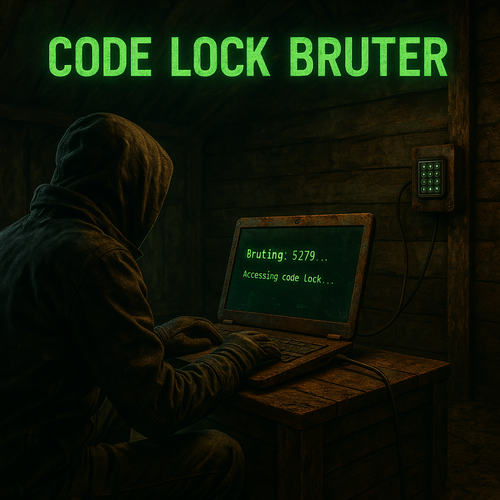
Turn Your Players into Hackers Code Lock Bruter is a unique Rust plugin that introduces a new raid mechanic — a customizable code lock brute-forcing device. Give your players a thrilling, hacker-style experience and bring fresh gameplay to your server. Feature A new in-game item: Code Lock Bruter, with 3 progressive tiers. Each laptop defines how many codes can be attempted and at what speed (fully configurable via config) Green Laptop( green_code_lock_bruter ) Max Attempts: 100 codes (1% of all possible codes) Speed: 1 code/sec Blue Laptop( blue_code_lock_bruter ) Max Attempts: 500 codes (5% of all possible codes) Speed: 2 codes/sec Red Laptop( red_code_lock_bruter ) Max Attempts: 1000 codes (10% of all possible codes) Speed: 4 codes/sec Custom code pattern Players input a custom code pattern (e.g. 0000-0100, 1111, 2222, 3333, 4444-5000), and the laptop automatically brute-forces all matching combinations in real time, based on the tier’s speed. The pattern is automatically validated, and players receive clear feedback if the input is invalid. User-Friendly Interface Clean and intuitive UI — accessible and clear, even for first-time users. Risk & Reward Balance The laptop is destroyed immediately upon taking any damage — whether from bullets, explosions, or melee attacks. Brute-forcing is powerful — but not overpowered. Laptop speed and code limits are fully configurable. By default, the Green Laptop can brute-force just 1% of all possible codes in 100 seconds, while the Red Laptop handles 10% in 250 seconds (≈ 4 minutes, 10 seconds). Localization Support Fully supports Rust’s built-in localization system. Includes default English, German, Russian, French and Italian translations. Commands No chat commands required — everything is handled directly through the in-game UI. To give items manually, use Rust’s default give command: give green_code_lock_bruter give blue_code_lock_bruter give red_code_lock_bruter Note: By default, bruter do not spawn in loot. Admins must distribute them manually or configure integration with other plugins (e.g. loot tables, events, NPCs, shop systems, etc.). Configuration DEFAULT CONFIGURATION { "GreenCodeLockConfiguration": { "DefaultPattern": "0000-0099", "MaxAttempts": 100, "SpeedInSeconds": 1.0 }, "BlueCodeLockConfiguration": { "DefaultPattern": "0000-0499", "MaxAttempts": 500, "SpeedInSeconds": 2.0 }, "RedCodeLockConfiguration": { "DefaultPattern": "0000-0999", "MaxAttempts": 1000, "SpeedInSeconds": 4.0 } } Installation Instructions Install Dependencies ImageLibrary – place into the plugins folder CustomItemDefinitions– place into the plugins folder Install This Plugin Download the plugin file after purchase Drop it into the plugins folder That’s it — you’re ready to go. Need Help or Have Questions? I'm actively supporting this plugin and open to suggestions, feedback, or bug reports. Join Discord$12.99 -
Version 2.0.4
204 downloads
A lightweight plugin that disables various teaming methods to restrict players to solo gameplay. Now featuring an automated warning system with kick/ban abilities! Permissions soloenforcement.enforce Configuration { "Restrict tool cupboards" : true, "Require destruction of tool cupboards": true, "Ignore tool cupboard restrictions on decaying bases": true, "Restrict turrets": true, "Restrict sleeping bags & beds": true, "Restrict team creation": true, "Restrict codelock & keylock crafting": true, "Discord webhook URL": "https://support.discord.com/hc/en-us/articles/228383668-Intro-to-Webhooks", "Discord message color": 9109504, "Log tool cupboard alerts to discord": false, "Log turret alerts to discord": false, "Log respawn alerts to discord": false, "Log revive alerts to discord": false, "Log team alerts to discord": false, "Log craft alerts to discord": false, "Log auto kicks/bans from warning system to discord": false, "Show violation messages to players in chat": true, "Use automatic warning system": false, "Maximum warnings": 3, "Show popup on warning": false, "Warning popup time (seconds)": 5, "Ban after maximum warnings (will kick otherwise)": false, "Use temporary bans for warning system (must have ban after maximum warnings enabled)": false, "Temporary ban time (seconds) - default is 24 hours": 86400, "Administer warning for tool cupboard violations": false, "Administer warning for turret authorization violations": false, "Administer warning for turret assign violations": false, "Administer warning for respawn violations": false, "Administer warning for revive violations": false, "Administer warning for team violations": false, "Administer warning for crafting violations": false } Localization { "Discord_Title" = "Solo Enforcement", "Discord_Alert_Tool_Cupboard" = "{player1} ({player1_id}) attempted to authorize on an already claimed tool cupboard!", "Discord_Alert_Turret_Authorize" = "{player1} ({player1_id}) attempted to authorize on an already claimed auto turret!", "Discord_Alert_Turret_Assign" = "{player1} ({player1_id}) attempted to assign {player2} ({player2_id}) to their auto turret!", "Discord_Alert_Respawn_Assign" = "{player1} ({player1_id}) attempted to assign their sleeping bag/bed to {player2} ({player2_id})!", "Discord_Alert_Respawn_Public" = "{player1} ({player1_id}) attempted to set their bed to public!", "Discord_Alert_Revive" = "{player1} ({player1_id}) revived {player2} ({player2_id})!", "Discord_Alert_Team_Create" = "{player1} ({player1_id}) attempted to create a team!", "Discord_Alert_Craft" = "{player1} ({player1_id}) attempted to craft a keylock/codelock!", "Discord_Alert_Auto_Kick" = "{player1} ({player1_id}) was auto-kicked from the server for too many teaming violations!", "Discord_Alert_Auto_Ban" = "{player1} ({player1_id}) was auto-banned from the server for too many teaming violations!", "Chat_Message_Tool_Cupboard" = "Another player is already authorized on this tool cupboard!", "Chat_Message_Turret_Authorize" = "Another player is already authorized on this auto turret!", "Chat_Message_Turret_Assign" = "You are not allowed to assign other players to your auto turret!", "Chat_Message_Respawn_Assign" = "You are not allowed to assign your sleeping bag/bed to another player!", "Chat_Message_Respawn_Public" = "You are not allowed to set your bed to public!", "Chat_Message_Team_Create" = "Teams have been disabled on this server!", "Chat_Message_Craft" = "Crafting for this item has been disabled!", "Auto_Kick_Message" = "Too many teaming violations detected (auto kick).", "Auto_Ban_Message" = "Too many teaming violations detected (auto ban).", "Warning_Popup" = "Warning {0}/{1}" }$15.00 -
Version 0.1.2
185 downloads
What is it? This allows players to unlock codelocks on any storage containers, there are 2 options: With a command (most likely for admins), where you come to a locked chest, type /loothack and the codelock instantly unlocks With an item (targeting computer), where you come to a locked chest, select targeting computer in your hotbar, then left-click the storage container and there you will need to wait for few seconds (if set) untill the container unlocks, also you can set in the config if the targeting computer gets consumed. Permissions loothacker.cmnd -- Gives player permission to use the command. loothacker.item -- Gives player permission to use the item. Chat Command /loothack -- Instantly unlocks the codelock on the storage cont. you are looking at Localization //FORMAT: {0} = storage short prefab name, {1} = seconds to unlock ["MustLookAtStorage"] = "You must be looking at a locked storage container to hack it!", ["NoPerms"] = "You don't have permission to use this!", ["UnlocksIn"] = "{0} will unlock in {1} secs", ["Unlocked"] = "Unlocked {0}" Configuration { "Seconds until storage unlocks": 5.0, "Consume Targeting Computer on use": true }Free