Search the Community
Showing results for tags 'composter'.
Found 5 results
-

Version 0.1.12
769 downloads
Allows automating the entire manure collection process and adds other useful features in this area, by adding Industial Adapters and BoxStorage to the HitchTrough and Composter. Also auto spliting dungs in the Composter container. Note: During plugin unloading, modified entities are not removed, to prevent the removal of pipes every time the plugin/server is restarted. To remove modifications from entities, you should use the "idung unload" command. industrialdung.admin - Provides unrestricted access to the plugin's functionality. This includes the ability to add/remove or clear modificated entities from other players. Note: In the configuration file, within the "Max ammount of modified entites per group" section, you can specify limits for any existing permission by simply listing its name. "Max amount of modified entites for each permission. Leave null or empty to recreate the default": { "industrialdung.default": { "HitchTroughs": 5, "Composters": 2 }, ... }, ... If you want to create a new permission, you can also include it in the list, but the name must begin with "industrialdung". { "Chat command": "idung", "Is it worth enabling GameTips for messages?": true, "Is it worth using Notify plugins for messages instead of the vanilla UI?": true, "Specify the regular message type for notify": 0, "Specify the warning message type for notify": 1, "List of language keys for creating language files": [ "en" ], "Is it worth ignoring Facepunch's rules regarding skins and DLCs?": false, "Is it worth removing modifications when permissions or groups are revoked if they exceed the limit?": true, "Use auto-splitting in the Composter?": true, "Item's short name for auto-splitting in the Composter. Leave the field empty to use the default": "horsedung", "AutoModify - Default value for new players": true, "Wood Storage Box Workshop Skin ID": 850379673, "The list of items(short name) available for the composter. Leave empty to use vanilla": [ "horsedung", "fertilizer", "plantfiber" ], "Popup - Duration": 6.0, "Popup - Position AnchorMin": "0 0.9", "Popup - Position AnchorMax": "0.25 1", "Popup - Position OffsetMin": "20 0", "Popup - Position OffsetMax": "0 -30", "Popup - Icon Url": "https://i.ibb.co/dJW6zfTk/4Adzkb8.png", "Popup - Icon Color(Hex or RGBA)": "#CCE699", "Popup - Icon Transparency": 0.8, "Popup - Text Font(https://umod.org/guides/rust/basic-concepts-of-gui#fonts)": "RobotoCondensed-Bold.ttf", "Popup - Text Font Size": 14, "Popup - Text Font Color(Hex or RGBA)": "#FFFFFF", "Popup - Description Font": "RobotoCondensed-Regular.ttf", "Popup - Description Font Size": 12, "Popup - Description Font Color(Hex or RGBA)": "#FFFFFF", "Popup - Text FadeIn": 1.0, "Popup - Sound Prefab Name": "assets/bundled/prefabs/fx/invite_notice.prefab", "Max amount of modified entites for each permission. Leave null or empty to recreate the default": { "industrialdung.default": { "HitchTroughs": 5, "Composters": 2, "DungMultiplier": 1.0 }, "industrialdung.vip": { "HitchTroughs": 10, "Composters": 4, "DungMultiplier": 2.0 }, "realpve.default": { "HitchTroughs": 5, "Composters": 2, "DungMultiplier": 1.0 }, "realpve.vip": { "HitchTroughs": 15, "Composters": 6, "DungMultiplier": 2.0 } }, "Version": { "Major": 0, "Minor": 1, "Patch": 12 } } EN: { "PopupTitleHitch": "Modify this hitch trough?", "PopupTitileComposter": "Modify this composter?", "PopupDescription": "Click on the notification to confirm", "CmdNotAllowed": "You do not have permission to use this command!", "CmdPlayerNotFound": "Player '{0}' not found! You must provide the player's name or ID.", "CmdMultiplePlayers": "Multiple players found: {0}", "CmdEntityNotFound": "Entity not found! You must specify the entity ID or look directly at it.", "CmdEntityNotOwned": "This entity has no owner!", "CmdEntityNotOwner": "You are not the owner of this entity!", "CmdEntityNotModified": "This entity has no modifications!", "CmdAdmin": "Available admin commands:\n\n<color=#D1CBCB>/idung</color> <color=#D1AB9A>auto</color> - Toggle automatic modification of HitchTroughs and Composters\n<color=#D1CBCB>/idung</color> <color=#D1AB9A>add *entityID*(optional)</color> - Add modifications to HitchTroughs or Composters you are looking at or specified\n<color=#D1CBCB>/idung</color> <color=#D1AB9A>remove *entityID*(optional)</color> - Remove modifications from HitchTroughs or Composters you are looking at or specified\n<color=#D1CBCB>/idung</color> <color=#D1AB9A>clear</color> - Remove all modifications from your HitchTroughs and Composters\n<color=#D1CBCB>/idung</color> <color=#D1AB9A>clear *nameOrId*</color> - Remove all modifications from HitchTroughs and Composters of the specified player\n<color=#D1CBCB>/idung</color> <color=#D1AB9A>clear all</color> - Remove all modifications from HitchTroughs and Composters, from all players\n<color=#D1CBCB>/idung</color> <color=#D1AB9A>aclear</color> - Remove all modifications from HitchTroughs and Composters that were not saved in the data file for some reason\n<color=#D1CBCB>/idung</color> <color=#D1AB9A>unload</color> - Unload the plugin and removing all modifications from HitchTroughs and Composters without deleting them from the data file\n\n--------------------------------------------------", "CmdAdminClearTarget": "Successfully removed {1} modifications from HitchTroughs and Composters for player '{0}'!", "CmdAdminClear": "Successfully removed all modifications from HitchTroughs and Composters for all players!", "CmdAdminAclear": "Successfully removed all modifications from HitchTroughs and Composters that were not in the data file!", "CmdAdminUnload": "Plugin '{0}' has been successfully unloaded with the removal of all modifications from HitchTroughs and Composters, but without deleting from the data file!", "CmdMain": "Available commands:\n\n<color=#D1CBCB>/idung</color> <color=#D1AB9A>auto</color> - Toggle automatic modification of HitchTroughs and Composters\n<color=#D1CBCB>/idung</color> <color=#D1AB9A>add *entityID*(optional)</color> - Add modifications to HitchTroughs or Composters you are looking at or specified\n<color=#D1CBCB>/idung</color> <color=#D1AB9A>remove *entityID*(optional)</color> - Remove modifications from HitchTroughs or Composters you are looking at or specified\n<color=#D1CBCB>/idung</color> <color=#D1AB9A>clear</color> - Remove all modifications from your HitchTroughs and Composters\n\n--------------------------------------------------", "CmdAutoModifyEnabled": "Automatic entity modification is enabled!", "CmdAutoModifyDisabled": "Automatic entity modification is disabled!", "CmdLimitReached": "You cannot to modify this entity as you have reached your limit of {0}!", "CmdHitchTroughModified": "The hitch trough has been successfully modified!", "CmdComposterModified": "The composter has been successfully modified!", "CmdEntityRemoved": "Entity modifications have been successfully removed!", "CmdEntityClear": "All modifications of your entities have been successfully removed!" } RU: { "PopupTitleHitch": "Модифицировать данную кормушку?", "PopupTitileComposter": "Модифицировать данный компостер?", "PopupDescription": "Нажмите на уведомление для подтверждения", "CmdNotAllowed": "У вас недостаточно прав для использования этой команды!", "CmdPlayerNotFound": "Игрок '{0}' не найден! Вы должны указать имя или ID игрока.", "CmdMultiplePlayers": "Найдено несколько игроков: {0}", "CmdEntityNotFound": "Сущность не найдена! Вы должны указать ID сущности или смотреть прямо на нее.", "CmdEntityNotOwned": "У этой сущности нет владельца!", "CmdEntityNotOwner": "Вы не являетесь владельцем этой сущности!", "CmdEntityNotModified": "Данная сущность не имеет модификаций!", "CmdAdmin": "Доступные админ команды:\n\n<color=#D1CBCB>/idung</color> <color=#D1AB9A>auto</color> - Переключение автоматической модификации кормушек и компостеров\n<color=#D1CBCB>/idung</color> <color=#D1AB9A>add *айдиСущности*(опционально)</color> - Добавить модификации к кормушке или компостеру, на который вы смотрите или указали\n<color=#D1CBCB>/idung</color> <color=#D1AB9A>remove *айдиСущности*(опционально)</color> - Удалить модификации у кормушки или компостера, на который вы смотрите или указали\n<color=#D1CBCB>/idung</color> <color=#D1AB9A>clear</color> - Удалить все модификации у ваших кормушек и компостеров\n<color=#D1CBCB>/idung</color> <color=#D1AB9A>clear *имяИлиАйди*</color> - Удалить все модификации у кормушек и компостеров, указанного игрока\n<color=#D1CBCB>/idung</color> <color=#D1AB9A>clear all</color> - Удалить все модификации у кормушек и компостеров, всех игроков\n<color=#D1CBCB>/idung</color> <color=#D1AB9A>aclear</color> - Удалить все модификации у кормушек и компостеров, которые по некоторым причинам не попали в дата файл\n<color=#D1CBCB>/idung</color> <color=#D1AB9A>unload</color> - Выгрузить плагин с удалением модификаций у всех кормушек и комспостеров, без удаления из даты файла\n\n--------------------------------------------------", "CmdAdminClearTarget": "Успешно удалено {1} модификации у кормушек и компостеров, игрока '{0}'!", "CmdAdminClear": "Успешно удалены все модификации у кормушек и компостеров, всех игроков!", "CmdAdminAclear": "Успешно удалены все модификации у кормушек и компостеров, которых не было в дата файле!", "CmdAdminUnload": "Плагин '{0}' был успешно выгружен с удалением всех модификации у кормушек и компостеров, но без удаления из дата файла!", "CmdMain": "Доступные команды:\n\n<color=#D1CBCB>/idung</color> <color=#D1AB9A>auto</color> - Переключение автоматической модификации кормушек и компостеров\n<color=#D1CBCB>/idung</color> <color=#D1AB9A>add *айдиСущности*(опционально)</color> - Добавить модификации к кормушке или компостеру, на который вы смотрите или указали\n<color=#D1CBCB>/idung</color> <color=#D1AB9A>remove *айдиСущности*(опционально)</color> - Удалить модификации у кормушки или компостера, на который вы смотрите или указали\n<color=#D1CBCB>/idung</color> <color=#D1AB9A>clear</color> - Удалить все модификации у ваших кормушек и компостеров\n\n--------------------------------------------------", "CmdAutoModifyEnabled": "Автоматическая модификация сущностей включена!", "CmdAutoModifyDisabled": "Автоматическая модификация сущностей выключена!", "CmdLimitReached": "Вы не можете модифицировать данную сущность, так как вы превысили свой лимит в {0}!", "CmdHitchTroughModified": "Кормушка успешно модифицирована!", "CmdComposterModified": "Компостер успешно модифицирован!", "CmdEntityRemoved": "Модификации сущности успешно удалены!", "CmdEntityClear": "Все модификации ваших сущностей успешно удалены!" } auto - Toggle automatic modification of HitchTroughs and Composters; add *entityID*(optional) - Add modifications to HitchTroughs or Composters you are looking at or specified; remove *entityID*(optional) - Remove modifications from HitchTroughs or Composters you are looking at or specified; clear - Remove all modifications from your HitchTroughs and Composters; clear *nameOrId* - Remove all modifications from HitchTroughs and Composters of the specified player. Permission "industrialdung.admin" required; clear all - Remove all modifications from HitchTroughs and Composters, from all players. Permission "industrialdung.admin" required; aclear - Remove all modifications from HitchTroughs and Composters that were not saved in the data file for some reason. Permission "industrialdung.admin" required; unload - Unload the plugin and removing all modifications from HitchTroughs and Composters without deleting them from the data file. Permission "industrialdung.admin" required. Example: /idung auto /idung add /idung add *netID* /idung clear all$9.99- 68 comments
- 2 reviews
-
- 1
-

-
- #rust
- #industrial
- (and 25 more)
-


Version 1.3.9
1,789 downloads
This is an all in one plugin, with a single plugin you can extend the use of storage adaptors on multiple entities. Automate farming: Hitch & Trough automatic food supply, automatic dung collection, which you can then send to the composter. Ability to enable various options related to horse dung production: Dung production multiplier, Dung production speed, Dung production even without food (without the horses having to feed), Continuous production of Dung, eliminating the waiting time between horse meals, the horse eats immediately after finishing its dung production. Automated Chicken Coop, with water collector for automatic refill, container to insert food for automatic refill and for egg collection, change Eggs Production Speed. You can also enable Auto Pet, and artificial sunlight, this way the chickens will always have maximum love and maximum sunlight. Automate Planter Box, and much more. Expand your industrial and farming horizons with this plugin! Ability to enable automatic egg hatching. Ability to disable food and water consumption. You can also customize Beehive: set it to always be outdoors, disable humidity, set temperature, change growth rate, change production speed, multiplies honey production, change how much XP to increase to the Nucleus for each honeycomb produced, Nucleus’s XP start grade, etc... Customizing settings for Industrial conveyor: change Maximum stack size to move, item movement frequency Composter: automatic item split. Automate Planter Box: Enable Automatic Seeding, Automatic Harvest. Customization: Harvest plants when they have at least this Ripe value, Planter Box container size, Light Exposure at 100%, Water, minimum value always available, Ground, minimum value always available, Temperature at 100%, Production Multiplier, Collect fibers from crops or dead plants. Possibility to change the automatic production mode between: Harvest, Seeds, Clones, via UI for each individual Planter Box. Possibility to change the growth rate. You can also enable: Automatically refills seeds using part of the harvest, when the seeds are almost finished. Only in HARVEST mode. Customize planters box based on group/permission, or via levels to create custom planters box based on skin id, creating different configurations based on skin id. Special Seeds/Clones: The plugin allows you to create special seeds that allow you to produce anything, you can create as many special seeds as you want. You can enable cloning of special seeds in the plugin configuration. Planter Box Conversion Tool: Conversion Tool, convert Berries/Clones to seeds, honey to Jars of Honey, and more. You can disable food spoilage in the Planter Box container or Chicken Coop. Compatible with the Ganja plugin, the Planters Box will automatically harvest weed. PVE MODE: PVE MODE can be enabled which allows loot, harvesting, cloning, etc., only to the entity owner and/or his team/clan members. And much more. Expand your industrial and farming horizons with this plugin! Compatible with Oxide/Umod and Carbon. VIDEO EXAMPLE Below you can see an example video on how to use the plugin. ---------------------------------------- ---------------------------------------- ---------------------------------------------------------------------------------------------------- SUPPORTED ENTITIES: Beehive Furnace Hobo Barrel Stone Fireplace Mail Box Drop Box Large Planter Box Small Planter Box Triangle Planter Box Rail Road Planter Triangle Rail Road Planter Minecart Planter Bath Tub Planter Single Plant Pot Hitch & Trough Fridge Small Generator Composter Mixing Table Cooking Workbench Recycler Barbeque Cursed Cauldron Camp Fire Survival Fish Trap Auto Turret SAM Site Flame Turret Shotgun Trap Snow Machine Fogger-3000 Chicken Coop More entities will be added in the future or upon request, via a support ticket ---------------------------------------------------------------------------------------------------- FARMING AUTOMATION: The plugin allows you to automate farming Chicken Coop: A water container is added to the chicken coop, and a storage container where you can add food and where it will find the eggs produced. The water for the chicken coop is automatically refilled via the water container and the food is automatically taken from the storage container. There is also a Storage Adaptor to move food and eggs as you like. You can also enable Auto Pet, and artificial sunlight, this way the chickens will always have maximum love and maximum sunlight, change Eggs Production Speed. Ability to enable automatic egg hatching (via configuration or permission) Ability to disable food and water consumption. Hitch & Trough: 2 Storage Adaptors and a storage container are added to the Hitch & Trough. 1 Storage Adaptor can be used for automatic food refill. The dung produced by the horses is collected and automatically moved into a storage container. Above this container there is another Storage Adaptor to automate the automatic movement of the dung produced, for example by sending it to a composter. Ability to enable various options related to horse dung production: Dung production multiplier Dung production speed Dung production even without food (without the horses having to feed) Continuous production of Dung, eliminating the waiting time between horse meals, the horse eats immediately after finishing its dung production Beehive: set it to always be outdoors, disable humidity, set temperature, change growth rate, change production speed, multiplies honey production, change how much XP to increase to the Nucleus for each honeycomb produced, Nucleus’s XP start grade, etc... Industrial conveyor: change Maximum stack size to move, item movement frequency Composter: automatic item split. Automate Planter Box: Enable Automatic Seeding, Automatic Harvest. Customization: Harvest plants when they have at least this Ripe value, Planter Box container size, Light Exposure at 100%, Water, minimum value always available, Ground, minimum value always available, Temperature at 100%, Production Multiplier, Collect fibers from crops or dead plants. Possibility to change the automatic production mode between: Harvest, Seeds, Clones, via UI for each individual Planter Box. Possibility to change the growth rate. You can also enable: Automatically refills seeds using part of the harvest, when the seeds are almost finished. Only in HARVEST mode. To use this option, you must have the property enabled in the planter box group or level: "Production Mode, allow use Auto Seeds Refill. Default true": true Customize planters box based on group/permission, or via levels to create custom planters box based on skin id, creating different configurations based on skin id. Special Seeds: The plugin allows you to create special seeds that allow you to produce anything, you can create as many special seeds as you want. Compatible with the Ganja plugin, the Planters Box will automatically harvest weed. Planter Box Conversion Tool: Conversion Tool, convert Berries/Clones to seeds, honey to Jars of Honey, and more. You can disable food spoilage in the Planter Box container or Chicken Coop. ---------------------------------------------------------------------------------------------------- PERMISSIONS: The plugin can work in various ways. Assigning permissions for individual Storage Adaptors and farming automation Permissions or groups for Storage Adapters auto attach Creating custom groups with the ability to set limits for each entity Or a mix of both To use the plugin, it is mandatory to assign ultimateindustrialfarm.use permissions to the player. If you want to use the plugin via permissions, these are the available permissions: ultimateindustrialfarm.admin: Allows use as admin, e.g. bypassing building permits (soon also bypassing limits) ultimateindustrialfarm.bypass.building_privilege: Allows you to bypass building privileges ultimateindustrialfarm.composter.autosplit: Allows you to enable composter automatic item splitting. The "Enable usage of composter auto split? Set this value to false if you do not use auto split, to improve performance." parameter must be set to true to use the auto split system. ultimateindustrialfarm.farm.tools_converter: Enable automatic conversion tool. Convert Berries/Clones to seeds, honey to Jars of Honey, and more. (or use group instead role) ultimateindustrialfarm.industrial.fishtrap.disable_damage: Disables damage to Survival Fish Trap ultimateindustrialfarm.farm.chickencoop.no_food_water_required: Disable the chicken coop's food and water consumption ultimateindustrialfarm.farm.planterbox.disable_food_spoilage: Disable food spoilage in Planter Box container ultimateindustrialfarm.farm.chickencoop.disable_food_spoilage: Disables food spoilage in the Chicken Coop ultimateindustrialfarm.farm.chickencoop.enable_eggs_auto_hatching: Enable automatic egg hatching FOR INDUSTRIAL These permissions enable the use of Storage Adaptors on the various entities. ultimateindustrialfarm.industrial.nostorageadaptorrequired: Allows you to place Storage Adaptors without having them in your inventory, if used via command, or not to use storage adaptors present in your inventory. ultimateindustrialfarm.industrial.all: Enable use on all industrial entities ultimateindustrialfarm.industrial.beehive: For the entity Beehive ultimateindustrialfarm.industrial.furnace: For the entity Furnace ultimateindustrialfarm.industrial.hobobarrel: For the entity Hobo Barrel ultimateindustrialfarm.industrial.fireplacestone: For the entity Stone Fireplace ultimateindustrialfarm.industrial.mailbox: For the entity Mail Box ultimateindustrialfarm.industrial.dropbox: For the entity Drop Box ultimateindustrialfarm.industrial.planterbox: For the entity PlanterBox ultimateindustrialfarm.industrial.hitchtrough: For the entity Hitch & Trough ultimateindustrialfarm.industrial.fridge: For the entity Fridge ultimateindustrialfarm.industrial.fuelgenerator: For the entity Small Generator ultimateindustrialfarm.industrial.composter: For the entity Composter ultimateindustrialfarm.industrial.mixingtable: For the entity Mixing Table ultimateindustrialfarm.industrial.cookingworkbench: For the entity Cooking Workbench ultimateindustrialfarm.industrial.recycler: For the entity Recycler ultimateindustrialfarm.industrial.barbeque: For the entity Barbeque ultimateindustrialfarm.industrial.cursedcauldron: For the entity Cursed Cauldron ultimateindustrialfarm.industrial.campfire: For the entity Camp Fire ultimateindustrialfarm.industrial.fishtrap: For the entity Survival Fish Trap ultimateindustrialfarm.industrial.autoturret: For the entity Auto Turret ultimateindustrialfarm.industrial.samsite: For the entity SAM Site ultimateindustrialfarm.industrial.flameturret: For the entity Flame Turret ultimateindustrialfarm.industrial.guntrap: For the entity Shotgun Trap ultimateindustrialfarm.industrial.snowmachine: For the entity Snow Machine ultimateindustrialfarm.industrial.fogmachine: For the entity Fogger-3000 ultimateindustrialfarm.industrial.auto_recycler: Automatically start the recycler when it receives items via the Storage Adaptor FOR FARMING AUTOMATION These permissions enable farming automatizion on the various entities. ultimateindustrialfarm.farm.all: Automatize all farming entities ultimateindustrialfarm.farm.chickencoop: Automatize Chicken Coop entity ultimateindustrialfarm.farm.hitchtrough: Automatize Hitch & Trough entity ultimateindustrialfarm.farm.beehive: Allow Beehive customization STORAGE ADAPTER AUTOMATIC ATTACH Storage Adapters can be automatically connected when the entity is generated. This feature can be enabled via permissions or groups in the configuration file. Via permissions: ultimateindustrialfarm.auto_attach.storage_adaptor.all: Enable auto attach on all industrial entities ultimateindustrialfarm.auto_attach.storage_adaptor.exclude_from_limit: Storage adapters will not count towards your limits if limits have been set via group configuration. No limits for auto attached storage adapters. ultimateindustrialfarm.auto_attach.storage_adaptor.beehive: For the entity Beehive ultimateindustrialfarm.auto_attach.storage_adaptor.furnace: For the entity Furnace ultimateindustrialfarm.auto_attach.storage_adaptor.hobobarrel: For the entity Hobo Barrel ultimateindustrialfarm.auto_attach.storage_adaptor.fireplacestone: For the entity Stone Fireplace ultimateindustrialfarm.auto_attach.storage_adaptor.mailbox: For the entity Mail Box ultimateindustrialfarm.auto_attach.storage_adaptor.dropbox: For the entity Drop Box ultimateindustrialfarm.auto_attach.storage_adaptor.planterbox: For the entity PlanterBox ultimateindustrialfarm.auto_attach.storage_adaptor.hitchtrough: For the entity Hitch & Trough ultimateindustrialfarm.auto_attach.storage_adaptor.fridge: For the entity Fridge ultimateindustrialfarm.auto_attach.storage_adaptor.fuelgenerator: For the entity Small Generator ultimateindustrialfarm.auto_attach.storage_adaptor.composter: For the entity Composter ultimateindustrialfarm.auto_attach.storage_adaptor.mixingtable: For the entity Mixing Table ultimateindustrialfarm.auto_attach.storage_adaptor.cookingworkbench: For the entity Cooking Workbench ultimateindustrialfarm.auto_attach.storage_adaptor.recycler: For the entity Recycler ultimateindustrialfarm.auto_attach.storage_adaptor.barbeque: For the entity Barbeque ultimateindustrialfarm.auto_attach.storage_adaptor.cursedcauldron: For the entity Cursed Cauldron ultimateindustrialfarm.auto_attach.storage_adaptor.campfire: For the entity Camp Fire ultimateindustrialfarm.auto_attach.storage_adaptor.fishtrap: For the entity Survival Fish Trap ultimateindustrialfarm.auto_attach.storage_adaptor.autoturret: For the entity Auto Turret ultimateindustrialfarm.auto_attach.storage_adaptor.samsite: For the entity SAM Site ultimateindustrialfarm.auto_attach.storage_adaptor.flameturret: For the entity Flame Turret ultimateindustrialfarm.auto_attach.storage_adaptor.guntrap: For the entity Shotgun Trap ultimateindustrialfarm.auto_attach.storage_adaptor.snowmachine: For the entity Snow Machine ultimateindustrialfarm.auto_attach.storage_adaptor.fogmachine: For the entity Fogger-3000 NB: No refund will be made for the Storage Adaptor if you have permission or configuration to not request the storage adaptor in inventory when placing it on the entity or auto attach. For configuration via groups in the configuration file, read further down in the section: GROUPS AND LIMITS The ultimateindustrialfarm.use permission is always mandatory and must be assigned to the player ---------------------------------------------------------------------------------------------------- SPECIAL SEEDS: The plugin allows you to create special seeds that allow you to produce anything, you can create as many special seeds as you want. For each Special Seed you can decide: The item that must produce (even with a skin) The conditions of the item (for items that have condition) The quantity of items to produce Special seeds can produce any item, the only limit is your imagination. You can enable cloning of special seeds in the plugin configuration. The basic plugin already provides configured seeds, which you can see below: Normal: For integration with Ganja Plugin, you can produce weed directly: Crazy seeds USE SPECIAL SEEDS VIA SHOP, LOOT, VENDING MACHINE You need to generate an item with a certain skin id, to get the Special Seed item. The name of the item to use and the skin id are present in the configuration file: Item name (The item name of the base seed to use for Special Seed). Default seed.hemp SkinID You can add these items to the in-game Shop, to the loot, in the Vending Machine or wherever you want, very easily. For example, this creates a special seed to produce Blueberries: Item: seed.hemp | SkinID: 3490773788 or ItemID: -237809779 | SkinID: 3490773788 At the following link you can find all the skins of the Special Seeds available by default: https://steamcommunity.com/sharedfiles/filedetails/?id=3490783857 At the following link you can find all the skins of the Special Clones available by default: https://steamcommunity.com/sharedfiles/filedetails/?id=3575809654 Read more about the plugin for special seed giving commands and their configuration below. ---------------------------------------------------------------------------------------------------- GROUPS AND LIMITS The plugin creates 4 default groups: Default, vip1, vip2, vip3. You can add more groups or rename groups. For example, if you change the group vip1 to vip_elite, the permission ultimateindustrialfarm.vip_elite will be created If you create a new group, for example vipvanilla, the permission ultimateindustrialfarm.vipvanilla will be created. In the configuration file there is this configuration for managing groups: Role Permission: Here you can set the configurations for the various roles: Priority. (lower = higher priority) -- Each group has its own property, the lower this number is, the more important the group is. This is useful in the case where a player has more roles assigned. In this case, the group with the lowest priority will be assigned, the most important group. Negative numbers are also allowed. Settings Enable Composter Auto Split: Allows you to enable composter automatic item splitting. Default False (The "Enable usage of composter auto split? Set this value to false if you do not use auto split, to improve performance." parameter must be set to true to use the auto split system) Industrial Settings Enable Customization: If set to true, enables Industrial customization. Default False Industrial Conveyor, Maximum stack size to move. Greater value = more items moved: The size of the stack to move, the larger the value, the more items will be moved. Default 128 (vanilla value) Industrial Conveyor, item movement frequency. Lower value = faster movement (value is an interval measured in seconds): Frequency in seconds to move items. The lower the value, the faster the items will be moved. Default 5 (vanilla value) PlanterBox Settings Enable Customization: Enable planter box customization. Default false Limit of planters box that can be automated. (-1 no limit) (0 disable entity): Limit the number of planters box that can be automated/customized. Default 0 Enable auto seeding. If set to true the seeds will be planted automatically: Enable automatic seeding. Default false Enable automatic harvest. If set to true, plants will be automatically harvested: Enable automatic harvesting. Default false Production Mode, if set to TRUE allows to change the type of automatic production: Harvest, Seeds, clones. If set to false only Harvest will be enabled: Production Mode. If set to true, the player can change the production mode via UI, for each Planter Box, choosing between: Harvest, Seeds, Clones. Default false Production Mode, allow use Auto Seeds Refill: If set to true it allows the use of the option: Automatically refills seeds using part of the harvest, when the seeds are almost finished. Only in HARVEST mode. Default true Tools, if set to TRUE allows the use of farm tools, example: Planter Box Conversion Tool: If set to true, allows the player to use farming tools, such as: Conversion Tool, convert Berries/Clones to seeds, honey to Jars of Honey, and more. Default false Harvest plants when they have at least this Ripe value. Value between 0% and 100%: Harvest plants at this RIPE value. Default 0% Clone plants when they have at least this Sapling value. Value between 0% and 100%: Clone plants at this SAPLING value. Default 0% Planter Box container size. Value between 6 and 48: Planter Box container capacity. Default 24 Light Exposure at 100%: If set to true, sets the light exposure to 100%. Default false Water quality. Value between 0% and 100% (-1 disable): Minimum water quality always available to plants. Determines the minimum level of water always available to plants. Default -1 Ground, minimum value always available. Value between 0% and 100% (-1 disable): If set to true, sets the minimum terrain quality always available. Default -1 Temperature at 100%: If set to true, sets the temperature to 100%. Default false Overall quality. Value between 0% and 100% (-1 disable): Minimum overall quality always available for plants. Determines the overall quality of plants. Default -1 Growth rate multiplier: Increase or decrease the growth rate of plants. Default 1.0 Harvest Production Multiplier: Apply a production multiplier to automatic Harvest. Default 1.0 Seed Production Multiplier: Applies a production multiplier to automatically produced Seeds. Default 1.0 Clone Production Multiplier: Applies a production multiplier to automatically produced Clones. Default 1.0 Collect fibers from crops or dead plants: If set to true, sets fiber collection during auto collection. Default false Disable food spoilage in the container: If true disable food spoilage in Planter Box container. Default false Storage Adaptors Limits: Here you can set the limit of Storage Adaptors that you can add to the entity. You can set the limit for each entity and/or enable auto attach of the Storage Adapter. LIMIT: 0 disables the use of Storage Adaptors for this entity. -1 you can add Storage Adaptors without limits AUTO STORAGE ADAPTORS SETTINGS: Attach Storage Adapter automatically: Enable auto attach Storage Adapter on entity. Default false Exclude from Storage Adapters limits count: If set to TRUE, auto attach Storage adapters will not count towards your limits. No limits for auto attached storage adapters. Default true No Storage Adaptor required in the inventory: If set to TRUE, allows you to auto attach Storage Adaptors without having them in your inventory. Default true Farming Automation Limits: Here you can set the limit of how many farming entities can be automated. You can set the limit for each entity. 0 disables auto farming for this entity. -1 auto farming for this entity without limits. More for Hitch & Trough: Enable Customization: Enable Hitch & Trough customizations. Default false Multiplies dung production (if value is less than or equal to 1, does not change production multiplier): Dung production multiplier. Default 1 (vanilla value) Dung production rate: Dung production rate. Default 1 (vanilla value) No Food required: Production of Dung even without food (without the horses having to feed). Default False Continuous Dung Production. The horse eats immediately after finishing its dung production, producing dung continuously: Continuous production of Dung, eliminating the waiting time between horse meals, the horse eats immediately after finishing its dung production. Default False More for Chicken Coop: Enable Chicken Auto Pet: If enabled, the chickens will have Auto Pet, so that the chickens always have the love at its maximum, and make them happy automatically. Default False Enable Artificial Sunlight: If enabled, the chickens will have artificial light automatically, so that they always have maximum sunlight, and make them happy automatically. Default False Artificial Sunlight Value, from 0 to 100: If Enable Artificial Sunlight is TRUE, you can set the value of artificial sunlight to a value between 0 and 100. However, if for example you set the value of artificial sunlight to 40 and the chicken receives 50 as real sunlight, then the value will not be changed. You can think of this property as the minimum value of sunlight below which the value cannot go. Default 0.0 Enable Eggs Auto Hatching: If enabled, eggs will hatch automatically. Eggs to be hatched will be automatically taken from the eggs produced, or they can be manually inserted into the appropriate slot. Default False No Food and Water required: Disable the chicken coop's food and water consumption. Default False Eggs Production. Minimum minutes between production: Minimum time in minutes for egg production. Default 10 minutes Eggs Production. Maximum minutes between production: Maximum time in minutes for egg production. Default 50 minutes Eggs will be produced in this time interval. Disable food spoilage in the container: If true disables food spoilage in the Chicken Coop. Default false More for Beehive Force Beehive Outside: Forces the Beehive to always be considered outside, even if placed inside the base. Default False Disable Humidity: If set to true, disables humidity, so that humidity is always at the best value. Default false Temperature, from 0 to 50 (0 do not modify). 23 is perfect value: Set the temperature you prefer. If the value is 0, it does not change the temperature. The optimal value is 23. Default 0.0 Growth rate of the honeycomb in the hive and directly affects the rate at which honey is generated: Change the growth rate, to increase or decrease production. Default 1 (vanilla value) Configure the speed at which hives produce honey. A lower value would make hives produce honey faster: Change the production speed, to increase or decrease the production time. Default 120 seconds (vanilla value) Multiplies honey production (if value is less than or equal to 1, does not change production): Apply a multiplier to the honeycomb produced. Default 1 (vanilla value) How much the Nucleus's XP should be increased per honeycomb generated: Changes the number of XP to be increased at the Nucleus for each honeycomb produced. Default 2 (vanilla value) Nucleus’s XP start grade: Changes the grade of the Nucleus’s when inserted into the Beehive. Default 3 (vanilla value) NB: speed produce, the value for the production speed does not directly indicate the time to produce 1 honey. In Rust Vanilla, it basically takes about 5 cycles of 120 seconds to produce honey, so 1 honey every 10 minutes. If you set the speed to 20 seconds, it means that it will take you 1:40 minute to produce 1 honey. You just calculate the seconds * 5, and you get the production time. Once the group is created, you will need to assign the related permission to the player, for example: ultimateindustrialfarm.vip1 In this case you can avoid assigning permissions for each individual entity. If the limit for an entity is different from 0, the player will be able to add the Storage Adaptor to the entity or automate the entities for farming without the need to assign permissions for the individual entities. When he reaches the limit, he will not be able to add new Storage Adaptors for the entity or automate other entities for farming. The ultimateindustrialfarm.use permission is always mandatory and must be assigned to the player PLANTER BOX LEVEL For planters box in addition to groups/permissions, it is possible to create planters of different levels, with different configurations, based on the configured skin id. By default 3 levels are created, but you can add as many levels as you like. The possible configurations are the same as those possible via groups/roles but with the addition of a section where you can specify the skinID to use for the various planters box for the various levels. Custom planters box based on level can be created in the configuration file, in the property: PlanterBox Settings by Levels "Level Name": "Level 1", "SkinID": { "3482073279": "Large Planter Box", "3482079353": "Small Planter Box", "3482085291": "Triangle Planter Box", "3482090118": "Rail Road Planter", "3482093630": "Triangle Rail Road Planter", "3482100135": "Minecart Planter", "3482097188": "Bath Tub Planter", "3482102785": "Single Plant Pot" } Level Name: The name of the level, e.g. Level 1, Level 2, Planter Bronze, Planter Gold, etc... SkinID: Here you define the skinIDs for the planters box for this particular level. You can specify the skinID for each type of planter box and you can use any skin you like. There are some predefined skins that you can use, and they are available at the following link: https://steamcommunity.com/sharedfiles/filedetails/?id=3482077360 Here is an example: The ultimateindustrialfarm.use permission is always mandatory and must be assigned to the player ---------------------------------------------------------------------------------------------------- COMMANDS FOR PLAYERS: Commands can be typed in chat (by putting the / character in front of the command) /uif help -- Print help information. /uif ad or /uif adaptor -- Adds the Storage Adapter to the entity you are looking at. /uif fm or /uif farm -- Automate farming/Apply custom configurations, of the entity you are looking at, if the entity is enabled for farming. /uif unfm or /uif unfarm -- Remove the Automated farming/Custom configurations, of the entity you are looking at, if the entity is enabled for farming. /uif farm_convert or /uif fc -- Automatic conversion tool. Convert Berries/Clones to seeds, honey to Jars of Honey, and more. COMMANDS FOR ADMIN: Commands can be typed in chat (by putting the / character in front of the command), from console or Rcon. To use these commands you must have the role: ultimateindustrialfarm.admin /uif.give <skinID> <quantity> -- Allows you to give the Special Seed item to yourself. You need to pass these parameters: skinID of the configured special seed The quantity of items. /uif.give <skinID> <quantity> <steamID> -- Allows you to give the Special Seed item to a player. You need to pass these parameters: skinID of the configured special seed The quantity of items. The SteamID of the player to give the items to ---------------------------------------------------------------------------------------------------- CONFIGURATION: In the configuration file, in addition to the section for RolePermission, these properties are present TimeZone: Default: Europe/London Chat Command: Here you can add, edit or delete Commands can be typed in chat (by putting the / character in front of the command), or from console. ChatPrefix: Chat message prefix. Use Clan/Team. If TRUE allows placing Industrial Storage Adaptor or Automatize Farm on clan/team member entities: If set to true it allows you to place the Storage Adaptor or Automatize Farm on clan/team member entities. Default True PVE Mode. Allows loot, harvesting, cloning, etc., only to the entity owner: PVE MODE can be enabled which allows loot, harvesting, cloning, etc., only to the entity owner. Default false PVE Mode. Allow also Clan/team members: If set to true, allows loot, harvesting, cloning, etc., also to clan/team members. Default false ShowMessageInfo (If set to TRUE, show a message info to the player, when place an entity for farming that can be automated): If set to true, show a message about how to automate the entity when an entity that is enabled for auto farming or customization is placed. Default true Show UI to enable auto farming or view auto farming/customization information: If set to true it displays a when opening an entity for farming which can be automated or custom configurations applied, if you have permissions. Default true Show UI even if you don't have permissions. Only as a preview if for example it requires VIP: Show the UI also to players without permissions, as a preview. They will not be able to perform operations, this is to show the existence of this option if for example permissions are only available with VIP. Default true Auto farming/customization information does not show default values: If set to true, do not show default values in the information screen. Default false Farming Automation. Interval to perform checks for automated farming. (ex. refilling water, food, collecting eggs, Beehive, ecc.): How many seconds should it handle the process to perform checks for automated farming. (ex. refilling water, food, collecting eggs, Chicken Coop, Beehive, ecc.). Default 20 (seconds) Enable usage of composter auto split? Set this value to false if you do not use auto split, to improve performance: Set this value to true only if you want to use the auto split system of the composter, so as to improve performance if you do not use the auto split system. Default false Improve performance by disabling some checks during auto split. If set to true, it may cause some fertilizer to fall out of the composter in some cases: Improve performance by disabling some controls during the auto split of the composter. It increases performance a lot but it may cause some fertilizer to fall out of the composter in some cases. Default false Disable Special Seed Overlay info (Information about the special seed planted in the Planter Box): Disable Special Seed Overlay info, information about the special seed, when you are close to the Planter Box. Default false Disable Survival Fish Trap damage: If set to true disables damage to Survival Fish Trap. Default false Disable hooks call during Planter Box auto-collection: Disable hooks call during Planter Box auto-collection, for example disable the call to the OnGrowableGathered hook. Default false Enable Ganja plugin integration. Enable Planter Box automatic weed harvesting (Only in HARVEST mode): If enabled, integrate the plugin with the Ganja plugin and the Planter Box will automatically automatically harvest weed. Default false Debug Mode. Print debug information in console: If set to True, prints warning/error messages to the console, for debugging problems. Default False SPECIAL SEEDS/CLONES CONFIGURATION: The configuration for Special Seeds is present in the file: SpecialSeeds.json Enabled: If set to false, the item cannot be given or used in production. If an item exists and then Enabled is set to false, the plant will not give any items when harvested. Default true DisplayName: The name of the special seed the player will see Description: A description of the Special Seed item. It has no effect on the player’s Item, it is just for internal use to remind you what this Item does. Base seed Item name (The item name of the base seed to use for Special Seed): The name of the item that must be used to create the Special Seed. Default seed.hemp Special Seed SkinID: The skinID of the Special Seed. This ID is used to give items via command. Example 3490773788 for blueberries Item name to produce: Here you enter the name of the item that the special seed is to produce. Example blueberries SkinID of item to produce: Here you can enter the skin ID that the item produced by the special seed will have. Default 0 Produced Item, custom Display name. Leave it blank to use the default product item name: Changes the name of the item produced by the special seed. Leave it blank to use the default name of the item produced. Default “” Minimum Condition of item to produced. Value from 0 to 100%: The minimum conditions that the item produced by the special seed will have (if the item has the condition). Default 50% Maximum Condition of item to produced. Value from 0 to 100%: The maximum conditions that the item produced by the special seed will have (if the item has condition). The produced item will have as a condition value a random value between the minimum and maximum. Default 100% Produce the same amount as the basic seed. (If set to true, ignores Minimum/Maximum quantity to produce): If set to true, the items produced will be the same amount as the base seed's production. For example, if the hemp seed produces 40 cloth and the special seed uses the hemp seed as its base seed, then the special seed will produce 40 items, ignoring the Minimum and Maximum production settings. Default false Minimum Quantity to produce: The minimum amount of items the special seed must produce. Default 2 Maximum Quantity to produce: The maximum amount of items the special seed should produce. The maximum amount of items produced will be a random value between the minimum and maximum amounts. Default 6 Use Planter Box Production Multiplier: If set to true, uses the production multiplier associated with the Planter Box. Item production will be multiplied by the multiplier set on the Planter Box. Default false Clone settings for Special Seed. (Only if Planter Box Production Mode is set to CLONE or manual cloning): Settings to enable the production of clones from special seeds and other settings: Enable Clone Production: If set to "false," the special seed cannot be cloned or used for production. If a special clone exists and "Enabled" is set to "false," the clone will not produce anything at harvest. Default false DisplayName: The name of the special clone the player will see. Description: A description of the Special Clone item. It has no effect on the player’s Item, it is just for internal use to remind you what this Item does. Base clone Item name (The item name of the base clone to use for Special Clone): The name of the item that must be used to create the Special Clone. Default clone.hemp Special Clone SkinID: The skinID of the Special Clone. This ID is used to give items via command/loot. Example 3575812073 for blueberries. Produce the same amount as the basic clone. (If set to true, ignores Minimum/Maximum quantity to produce): If set to true, the clones produced will be the same amount as the base clone's production. For example, if the hemp clone produces 4 clone and the special clone uses the hemp clone as its base clone, then the special clone will produce 4 clones, ignoring the Minimum and Maximum production settings. Default false Minimum Quantity to produce: The minimum amount of Special Clones to produce. Default 1 Maximum Quantity to produce: The maximum number of Special Clones to produce. Default 3 Use Planter Box Production Multiplier: If set to true, uses the CLONE production multiplier associated with the Planter Box. Special Clones production will be multiplied by the multiplier set on the Planter Box. Default false At the following link you can find all the skins of the Special Seeds available by default: https://steamcommunity.com/sharedfiles/filedetails/?id=3490783857 At the following link you can find all the skins of the Special Clones available by default: https://steamcommunity.com/sharedfiles/filedetails/?id=3575809654 ---------------------------------------------------------------------------------------------------- LOCALIZATION: The plugin is translated into the following languages: English Italian Spanish French German Dutch Turkish Chinese (Simplified - zh-CN) Chinese (Traditional - zh-TW) Translation files are located in the /oxide/lang or /carbon/lang folder, here is an example of a /oxide/lang/en/UltimateIndustrialFarm.json translation file. You can add translations for other languages by adding them to the folder: /oxide/lang or /carbon/lang ---------------------------------------------------------------------------------------------------- NEW FEATURES: These new features are planned to be added: Storage Adapter support for Mining Quarry and Mining Pump Jack You can also propose new features via a support ticket ----------------------------------------------------------------------------------------------------$10.99- 208 comments
- 6 reviews
-
- 7
-
-

-
- #industrial storage adaptor
- #expand storage adaptor
- (and 37 more)
-
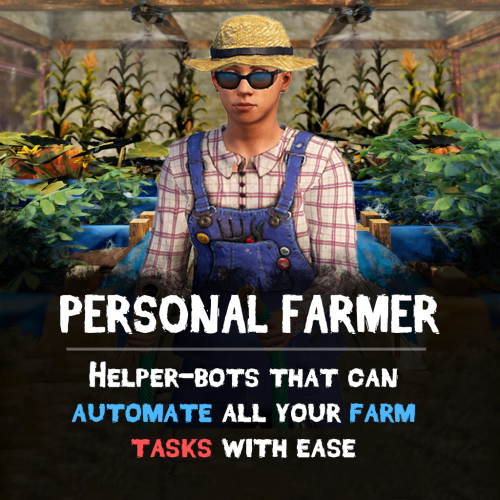
Version 0.1.8
86 downloads
Take your farms to the next level with Personal Farmer – your own AI-powered farmhand that automates planting, watering, harvesting, animal care, and more! Whether you’re running a massive plantation, maintaining a chicken coop, or managing bees, your bot is always ready to help. Features: Smart Farmhand AI • Automatically plants and harvests crops, or produces clones. • Waters crops and fetches water from barrels, water catchers, or rivers. • Collects resources (corn, pumpkins, etc.), puts them in composters, and spreads fertilizer. • Learns your farm layout – assign plantations, composters, water sources, and storage with ease. Chicken Coop Assistant • Feeds chickens and collects eggs. • Breeds and maintains your chicken population. • Gently interacts with chickens to boost their happiness. Beehive Support • Collects honeycombs from beehives. Fully Automated Workflow • Starts with its own inventory, but can optionally manage all resources autonomously. • Auto-stores items like eggs, resources, clones, honey and other loot into assigned containers. Persistent & Secure • Saves setup and assigned tasks across server restarts. • Use multiple farmers for different bases • Only allows interaction on player-owned or authorized buildings – no bots on enemy farms! How to Use • Receive farmer's sleeping bag by entering /pfarmer command, or give it to players using any other plugin that supports custom items (like shops and etc.) • Deploy the bag. Farmer will start to analyze current base. • Open tool cupboard and open farm manager. Enable functionality that you need. Commands • givefarmerbag <Steam ID> <Skin ID> <Amount> ("personalfarmer.admin" permission required) • /pfarmer <Config command> See It in Action! Watch the Video Plugin work demonstration: Configuration: { "Specify the ID of the farmer generator, the number of digits(8 - 15)": 9, "Farmer settings (key is a sleeping bag skin)": { "3480145757": { "Spawn": { "Permission to give/deploy farmer's sleeping bag (leave empty if allowed to everyone)": "personalfarmer.default", "Command argument to receive sleeping bag (works through the chat command /pfarmer, leave empty to disable)": "default", "Name": { "Localization key": "PersonalFarmer_default", "Localization value": "%OWNER_NAME%'s Farmer" }, "Maximum health": 100.0, "Clothes": { "Unlock container?": false, "List of items": [ { "Item": { "Item shortname or ID": "burlap.shirt", "Item skin": 0 }, "Custom item name (if not needed leave empty)": "", "Amount": 1 }, { "Item": { "Item shortname or ID": "burlap.trousers", "Item skin": 0 }, "Custom item name (if not needed leave empty)": "", "Amount": 1 }, { "Item": { "Item shortname or ID": "burlap.gloves.new", "Item skin": 0 }, "Custom item name (if not needed leave empty)": "", "Amount": 1 }, { "Item": { "Item shortname or ID": "burlap.shoes", "Item skin": 0 }, "Custom item name (if not needed leave empty)": "", "Amount": 1 }, { "Item": { "Item shortname or ID": "hat.boonie", "Item skin": 0 }, "Custom item name (if not needed leave empty)": "", "Amount": 1 } ] } }, "Controller": { "Controller tick (0 - 0.2f)": 0.1, "Brain tick (0.1 - 5f)": 0.1, "Farm zone size where farmer can work": { "x": 100.0, "y": 100.0 }, "Item for watering": { "Give item if there isn't any on farm?": false, "Item setup": { "Item shortname or ID": "bucket.water", "Item skin": 0 } }, "Allow to pickup dropped items?": true, "Can collect resources?": true, "Can mine resources?": true, "Item for mining": { "Give item if there isn't any on farm?": true, "Item setup": { "Item shortname or ID": "lumberjack.pickaxe", "Item skin": 0 } }, "Can the farmer heal himself?": true, "Item for heal": { "Give item if there isn't any on farm?": true, "Item setup": { "Item shortname or ID": "syringe.medical", "Item skin": 0 } }, "Allow drowning damage?": false, "Allow the farmer to route underwater?": true, "Allow the farmer to go underwater?": true }, "Storage": { "Can farmer use it?": true, "List of prefab entities that the farmer can use": [ "woodbox_deployed", "wicker_barrel", "box.wooden.large", "fridge.deployed" ] }, "Planters": { "List of prefab entities that the farmer can use": [ "planter.large.deployed", "planter.small.deployed", "planter.triangle.deployed", "bathtub.planter.deployed", "minecart.planter.deployed", "plantpot.single.deployed" ], "Can farmer use it?": true }, "Composters": { "Can farmer use it?": true, "List of prefab entities that the farmer can use": [ "composter" ] }, "Chicken coops": { "Can farmer use it?": true, "List of prefab entities that the farmer can use": [ "chickencoop.deployed" ] }, "Beehives": { "Can farmer use it?": true, "List of prefab entities that the farmer can use": [ "beehive.deployed" ] }, "Water tanks": { "Can farmer use it?": true, "List of prefab entities that the farmer can use": [ "waterbarrel", "water_catcher_small", "water_catcher_large" ] } }, "3480146242": { "Spawn": { "Permission to give/deploy farmer's sleeping bag (leave empty if allowed to everyone)": "personalfarmer.vip", "Command argument to receive sleeping bag (works through the chat command /pfarmer, leave empty to disable)": "vip", "Name": { "Localization key": "PersonalFarmer_vip", "Localization value": "%OWNER_NAME%'s VIP Farmer" }, "Maximum health": 150.0, "Clothes": { "Unlock container?": false, "List of items": [ { "Item": { "Item shortname or ID": "jumpsuit.suit.blue", "Item skin": 0 }, "Custom item name (if not needed leave empty)": "", "Amount": 1 }, { "Item": { "Item shortname or ID": "shoes.boots", "Item skin": 0 }, "Custom item name (if not needed leave empty)": "", "Amount": 1 }, { "Item": { "Item shortname or ID": "hat.boonie", "Item skin": 0 }, "Custom item name (if not needed leave empty)": "", "Amount": 1 } ] } }, "Controller": { "Controller tick (0 - 0.2f)": 0.1, "Brain tick (0.1 - 5f)": 0.1, "Farm zone size where farmer can work": { "x": 100.0, "y": 100.0 }, "Item for watering": { "Give item if there isn't any on farm?": true, "Item setup": { "Item shortname or ID": "waterjug", "Item skin": 0 } }, "Allow to pickup dropped items?": true, "Can collect resources?": true, "Can mine resources?": true, "Item for mining": { "Give item if there isn't any on farm?": true, "Item setup": { "Item shortname or ID": "lumberjack.pickaxe", "Item skin": 0 } }, "Can the farmer heal himself?": true, "Item for heal": { "Give item if there isn't any on farm?": true, "Item setup": { "Item shortname or ID": "syringe.medical", "Item skin": 0 } }, "Allow drowning damage?": false, "Allow the farmer to route underwater?": true, "Allow the farmer to go underwater?": true }, "Storage": { "Can farmer use it?": true, "List of prefab entities that the farmer can use": [ "woodbox_deployed", "wicker_barrel", "box.wooden.large", "fridge.deployed" ] }, "Planters": { "List of prefab entities that the farmer can use": [ "planter.large.deployed", "planter.small.deployed", "planter.triangle.deployed", "bathtub.planter.deployed", "minecart.planter.deployed", "plantpot.single.deployed" ], "Can farmer use it?": true }, "Composters": { "Can farmer use it?": true, "List of prefab entities that the farmer can use": [ "composter" ] }, "Chicken coops": { "Can farmer use it?": true, "List of prefab entities that the farmer can use": [ "chickencoop.deployed" ] }, "Beehives": { "Can farmer use it?": true, "List of prefab entities that the farmer can use": [ "beehive.deployed" ] }, "Water tanks": { "Can farmer use it?": true, "List of prefab entities that the farmer can use": [ "waterbarrel", "water_catcher_small", "water_catcher_large" ] } } } }$39.90 -
Version 2.1.1
410 downloads
Permission based full stack composting. This plugin allows full stacks to be done at 1 time inside composter. I am not sure if anyone needs this but here you go.Free -
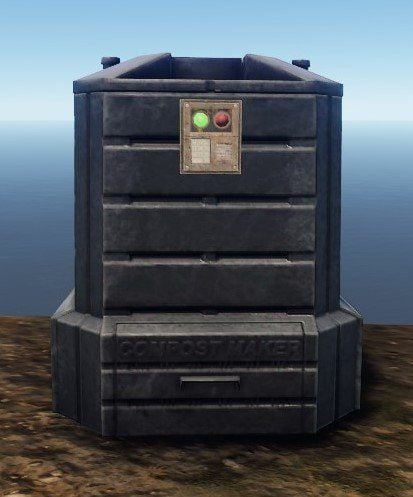
Version 1.0.2
1,336 downloads
Adds a codelock to your composter. To add a codelock, place it as you would on a chest.Free- 15 comments
- 1 review
-
- 4
-
-
-
- #lock
- #composter
- (and 3 more)