Search the Community
Showing results for tags 'control'.
Found 15 results
-

Version 0.1.9
1,338 downloads
A plugin that allows other plugins to interact with players and entities in monuments via API. The list of all monuments can be viewed in the: Default(Source of monument boundaries when changing the map or recreating boundaries) - *SERVER*\oxide\data\MonumentsWatcher\DefaultBounds.json Vanilla - *SERVER*\oxide\data\MonumentsWatcher\MonumentsBounds.json Custom - *SERVER*\oxide\data\MonumentsWatcher\CustomMonumentsBounds.json Note: MonumentsWatcher is utilized as an API for other plugins. You won't obtain any functionality beyond displaying monument boundaries without an additional plugin. The ability to automatically generate boundaries for vanilla and custom monuments; The ability to automatically regenerate boundaries for monuments on wipe; The ability to automatically adding languages for custom monuments; The ability to manually configure boundaries for monuments; The ability to track the entrance and exit of players, npcs and entities in a Monument and CargoShip; The ability to display boundaries. monumentswatcher.admin - Provides the capability to recreate or display monument boundaries. { "Chat command": "monument", "Is it worth enabling GameTips for messages?": true, "List of language keys for creating language files": [ "en" ], "Is it worth recreating boundaries(excluding custom monuments) upon detecting a wipe?": true, "List of tracked categories of monuments. Leave blank to track all": [], "Wipe ID": null, "Version": { "Major": 0, "Minor": 1, "Patch": 9 } } Note: The list of available categories for monuments can be found in the Developer API section. ENG: https://pastebin.com/nsjBCqZe RUS: https://pastebin.com/ut2icv9T Note: After the plugin initialization, keys for custom monuments will be automatically added. show *monumentID*(optional) *floatValue*(optional) - Display the boundary of the monument you are in or specified. The display will last for the specified time or 30 seconds; list - List of available monuments; rotate *monumentID*(optional) *floatValue*(optional) - Rotate the monument you are in or specified, either in the direction you are looking or in the specified direction; recreate custom/all(optional) - Recreate the boundaries of vanilla/custom/all monuments. Note: Instead of a monumentID, you can leave it empty, but you must be inside a monument. You can also use the word 'closest' to select the nearest monument to you. Example: /monument show closest /monument show gas_station_1 /monument show gas_station_1_4 /monument rotation /monument rotation closest /monument rotation gas_station_1_0 256.5 /monument recreate void OnMonumentsWatcherLoaded() Called after the MonumentsWatcher plugin is fully loaded and ready. void OnCargoWatcherCreated(string monumentID, string type, CargoShip cargoShip) Called when a watcher is created for a CargoShip. void OnCargoWatcherDeleted(string monumentID) Called when a watcher is removed for a CargoShip. void OnSpawnableWatcherCreated(string monumentID, string type, BaseEntity entity) Called when a watcher is created for a Spawnable monument. void OnSpawnableWatcherDeleted(string monumentID) Called when a watcher is removed for a Spawnable monument. void OnMonumentsWatcherLoaded() { Puts("MonumentsWatcher plugin is ready!"); } void OnCargoWatcherCreated(string monumentID, string type, CargoShip cargoShip) { Puts($"Watcher for monument {monumentID}({type}) has been created!"); } void OnCargoWatcherDeleted(string monumentID) { Puts($"Watcher for monument {monumentID} has been deleted!"); } void OnSpawnableWatcherCreated(string monumentID, string type, BaseEntity entity) { Puts($"Watcher for monument {monumentID}({type}) has been created!"); } void OnSpawnableWatcherDeleted(string monumentID) { Puts($"Watcher for monument {monumentID} has been deleted!"); } Entered hooks: void OnPlayerEnteredMonument(string monumentID, BasePlayer player, string type, string oldMonumentID) Called when a player enters any monument. void OnNpcEnteredMonument(string monumentID, BasePlayer npcPlayer, string type, string oldMonumentID) Called when an NPC player enters any monument. void OnEntityEnteredMonument(string monumentID, BaseEntity entity, string type, string oldMonumentID) Called when any other BaseEntity enters any monument. void OnPlayerEnteredMonument(string monumentID, BasePlayer player, string type, string oldMonumentID) { Puts($"{player.displayName} entered to {monumentID}({type}). His previous monument was {oldMonumentID}"); } void OnNpcEnteredMonument(string monumentID, BasePlayer npcPlayer, string type, string oldMonumentID) { Puts($"Npc({npcPlayer.displayName}) entered to {monumentID}({type}). Previous monument was {oldMonumentID}"); } void OnEntityEnteredMonument(string monumentID, BaseEntity entity, string type, string oldMonumentID) { Puts($"Entity({entity.net.ID}) entered to {monumentID}({type}). Previous monument was {oldMonumentID}"); } Exited hooks: void OnPlayerExitedMonument(string monumentID, BasePlayer player, string type, string reason, string newMonumentID) Called when a player exits any monument. void OnNpcExitedMonument(string monumentID, BasePlayer npcPlayer, string type, string reason, string newMonumentID) Called when an NPC player exits any monument. void OnEntityExitedMonument(string monumentID, BaseEntity entity, string type, string reason, string newMonumentID) Called when any other BaseEntity exits any monument. void OnPlayerExitedMonument(string monumentID, BasePlayer player, string type, string reason, string newMonumentID) { Puts($"{player.displayName} left from {monumentID}({type}). Reason: {reason}. They are now at '{newMonumentID}'."); } void OnNpcExitedMonument(string monumentID, BasePlayer npcPlayer, string type, string reason, string newMonumentID) { Puts($"Npc({npcPlayer.displayName}) left from {monumentID}({type}). Reason: {reason}. They are now in {newMonumentID}"); } void OnEntityExitedMonument(string monumentID, BaseEntity entity, string type, string reason, string newMonumentID) { Puts($"Entity({entity.net.ID}) left from {monumentID}({type}). Reason: {reason}. They are now in {newMonumentID}"); } [PluginReference] private Plugin MonumentsWatcher; There are 15 categories of monuments: SafeZone(0): Bandit Camp, Outpost, Floating City, Fishing Village, Ranch and Large Barn. RadTown(1): Airfield, Arctic Research Base, Abandoned Military Base, Giant Excavator Pit, Ferry Terminal, Harbor, Junkyard, Launch Site; Military Tunnel, Missile Silo, Power Plant, Sewer Branch, Satellite Dish, The Dome, Toxic Village(Legacy Radtown), Train Yard, Water Treatment Plant. RadTownWater(2): Oil Rigs, Underwater Labs, Cargo Ships and Ghost Ships. RadTownSmall(3): Lighthouse, Oxum's Gas Station, Abandoned Supermarket and Mining Outpost. TunnelStation(4) MiningQuarry(5): Sulfur Quarry, Stone Quarry and HQM Quarry. BunkerEntrance(6) Cave(7) Swamp(8) IceLake(9) PowerSubstation(10) Ruins(11): Jungle Ruins and Tropical Ruins. WaterWell(12) DeepSeaIsland(13) Custom(14) There are 25 api methods: GetAllMonuments: Used to retrieve an array of IDs for all available monuments. (string[])(MonumentsWatcher?.Call("GetAllMonuments") ?? Array.Empty<string>()); GetAllMonumentsCategories: Used to retrieve a dictionary of IDs and categories for all available monuments. (Dictionary<string, string>)(MonumentsWatcher?.Call("GetAllMonumentsCategories") ?? new Dictionary<string, string>()); GetMonumentsByCategory: Used to retrieve all available monuments by category. To call the GetMonumentsByCategory method, you need to pass 1 parameter: monument category as a string. (string[])(MonumentsWatcher?.Call("GetMonumentsByCategory", "SafeZone") ?? Array.Empty<string>()); GetMonumentCategory: Used to retrieve the category of the specified monument. Returns an empty string on failure. To call the GetMonumentCategory method, you need to pass 1 parameter: monumentID as a string. (string)(MonumentsWatcher?.Call("GetMonumentCategory", monumentID) ?? string.Empty); GetMonumentDisplayName: Used to retrieve the nicename of a monument in the player's language. Returns an empty string on failure. To call the GetMonumentDisplayName method, you need to pass 3 parameters: monumentID as a string; Available options: userID as a ulong or a string; player as a BasePlayer or an IPlayer. displaySuffix as a bool. Should the suffix be displayed in the name if there are multiple such monuments? This parameter is optional. (string)(MonumentsWatcher?.Call("GetMonumentDisplayName", monumentID, player.userID, true) ?? string.Empty);//(ulong)userID (string)(MonumentsWatcher?.Call("GetMonumentDisplayName", monumentID, player, true) ?? string.Empty);//(BasePlayer/IPlayer)player (string)(MonumentsWatcher?.Call("GetMonumentDisplayName", monumentID, player.UserIDString, true) ?? string.Empty);//(string)userID ***recommended option*** GetMonumentDisplayNameByLang: Used to retrieve the nicename of a monument in the specified language. Returns an empty string on failure. To call the GetMonumentDisplayNameByLang method, you need to pass 3 parameters: monumentID as a string; two-char language as a string; displaySuffix as a bool. Should the suffix be displayed in the name if there are multiple such monuments? This parameter is optional. (string)(MonumentsWatcher?.Call("GetMonumentDisplayNameByLang", monumentID, "en", true) ?? string.Empty); GetMonumentPosition: Used to retrieve the Vector3 position of the specified monument. Returns Vector3.zero on failure. To call the GetMonumentPosition method, you need to pass 1 parameter: monumentID as a string. (Vector3)(MonumentsWatcher?.Call("GetMonumentPosition", monumentID) ?? Vector3.zero); GetMonumentByPos: Used to retrieve the monument at the specified position. Returns an empty string on failure. To call the GetMonumentByPos method, you need to pass 1 parameter: position as a Vector3. (string)(MonumentsWatcher?.Call("GetMonumentByPos", pos) ?? string.Empty); Note: This method returns the first encountered monument. Occasionally, there may be multiple monuments at a single point. Therefore, it is recommended to use the GetMonumentsByPos method. GetMonumentsByPos: Used to retrieve all monuments at the specified position. Returns null on failure. To call the GetMonumentsByPos method, you need to pass 1 parameter: position as a Vector3. (string[])(MonumentsWatcher?.Call("GetMonumentsByPos", pos) ?? Array.Empty<string>()); GetClosestMonument: Used to retrieve the nearest monument to the specified position. Returns an empty string on failure. To call the GetClosestMonument method, you need to pass 1 parameter: position as a Vector3. (string)(MonumentsWatcher?.Call("GetClosestMonument", pos) ?? string.Empty); IsPosInMonument: Used to check whether the specified position is within the specified monument. Returns a false on failure. To call the IsPosInMonument method, you need to pass 2 parameters: monumentID as a string; position as a Vector3. (bool)(MonumentsWatcher?.Call("IsPosInMonument", monumentID, pos) ?? false); ShowBounds: Used to display the boundaries of the specified monument to the specified player. To call the ShowBounds method, you need to pass 3 parameters: monumentID as a string; player as a BasePlayer; displayDuration as a float. Duration of displaying the monument boundaries in seconds. This parameter is optional. MonumentsWatcher?.Call("ShowBounds", monumentID, player, 20f); Note: Since an Admin flag is required for rendering, players without it will be temporarily granted an Admin flag and promptly revoked. PLAYERS API GetMonumentPlayers: Used to retrieve an array of all players located in the specified monument. Returns null on failure. To call the GetMonumentPlayers method, you need to pass 1 parameter: monumentID as a string. (BasePlayer[])(MonumentsWatcher?.Call("GetMonumentPlayers", monumentID) ?? Array.Empty<BasePlayer>()); GetPlayerMonument: Used to retrieve the monument in which the specified player is located. Returns an empty string on failure. To call the GetPlayerMonument method, you need to pass 1 parameter: Available options: player as a BasePlayer; userID as a ulong or a string. (string)(MonumentsWatcher?.Call("GetPlayerMonument", player.UserIDString) ?? string.Empty);//(string)userID (string)(MonumentsWatcher?.Call("GetPlayerMonument", player) ?? string.Empty);//(BasePlayer)player (string)(MonumentsWatcher?.Call("GetPlayerMonument", player.userID) ?? string.Empty);//(ulong)userID ***recommended option*** GetPlayerMonuments: Used to retrieve all monuments in which the specified player is located. Returns null on failure. To call the GetPlayerMonuments method, you need to pass 1 parameter: Available options: player as a BasePlayer; userID as a ulong or a string. (string[])(MonumentsWatcher?.Call("GetPlayerMonuments", player.UserIDString) ?? Array.Empty<string>());//(string)userID (string[])(MonumentsWatcher?.Call("GetPlayerMonuments", player) ?? Array.Empty<string>());//(BasePlayer)player (string[])(MonumentsWatcher?.Call("GetPlayerMonuments", player.userID) ?? Array.Empty<string>());//(ulong)userID ***recommended option*** GetPlayerClosestMonument: Used to retrieve the nearest monument to the specified player. Returns an empty string on failure. To call the GetPlayerClosestMonument method, you need to pass 1 parameter: Available options: player as a BasePlayer; userID as a ulong or a string. (string)(MonumentsWatcher?.Call("GetPlayerClosestMonument", player.UserIDString) ?? string.Empty);//(string)userID (string)(MonumentsWatcher?.Call("GetPlayerClosestMonument", player.userID) ?? string.Empty);//(ulong)userID (string)(MonumentsWatcher?.Call("GetPlayerClosestMonument", player) ?? string.Empty);//(BasePlayer)player ***recommended option*** IsPlayerInMonument: Used to check whether the specified player is in the specified monument. Returns a false on failure. To call the IsPlayerInMonument method, you need to pass 2 parameters: monumentID as a string; Available options: player as a BasePlayer; userID as a ulong or a string. (bool)(MonumentsWatcher?.Call("IsPlayerInMonument", monumentID, player.UserIDString) ?? false);//(string)userID (bool)(MonumentsWatcher?.Call("IsPlayerInMonument", monumentID, player) ?? false);//(BasePlayer)player (bool)(MonumentsWatcher?.Call("IsPlayerInMonument", monumentID, player.userID) ?? false);//(ulong)userID ***recommended option*** NPCS API GetMonumentNpcs: Used to retrieve an array of all npcs located in the specified monument. Returns null on failure. To call the GetMonumentNpcs method, you need to pass 1 parameter: monumentID as a string. (BasePlayer[])(MonumentsWatcher?.Call("GetMonumentNpcs", monumentID) ?? Array.Empty<BasePlayer>()); GetNpcMonument: Used to retrieve the monument in which the specified npc is located. Returns an empty string on failure. To call the GetNpcMonument method, you need to pass 1 parameter: Available options: npcPlayer as a BasePlayer; netID as a ulong; netID as a NetworkableId. (string)(MonumentsWatcher?.Call("GetNpcMonument", npcPlayer) ?? string.Empty);//(BasePlayer)npcPlayer (string)(MonumentsWatcher?.Call("GetNpcMonument", npcPlayer.net.ID.Value) ?? string.Empty);//(ulong)netID (string)(MonumentsWatcher?.Call("GetNpcMonument", npcPlayer.net.ID) ?? string.Empty);//(NetworkableId)netID ***recommended option*** GetNpcMonuments: Used to retrieve all monuments in which the specified npc is located. Returns null on failure. To call the GetNpcMonuments method, you need to pass 1 parameter: Available options: npcPlayer as a BasePlayer; netID as a ulong; netID as a NetworkableId. (string[])(MonumentsWatcher?.Call("GetNpcMonuments", npcPlayer) ?? Array.Empty<string>());//(BasePlayer)npcPlayer (string[])(MonumentsWatcher?.Call("GetNpcMonuments", npcPlayer.net.ID.Value) ?? Array.Empty<string>());//(ulong)netID (string[])(MonumentsWatcher?.Call("GetNpcMonuments", npcPlayer.net.ID) ?? Array.Empty<string>());//(NetworkableId)netID ***recommended option*** IsNpcInMonument: Used to check whether the specified npc is in the specified monument. Returns a false on failure. To call the IsNpcInMonument method, you need to pass 2 parameters: monumentID as a string; Available options: npcPlayer as a BasePlayer; netID as a ulong; netID as a NetworkableId. (bool)(MonumentsWatcher?.Call("IsNpcInMonument", monumentID, npcPlayer.net.ID) ?? false);//(NetworkableId)netID (bool)(MonumentsWatcher?.Call("IsNpcInMonument", monumentID, npcPlayer.net.ID.Value) ?? false);//(ulong)netID (bool)(MonumentsWatcher?.Call("IsNpcInMonument", monumentID, npcPlayer) ?? false);//(BasePlayer)npcPlayer ***recommended option*** ENTITIES API GetMonumentEntities: Used to retrieve an array of all entities located in the specified monument. Returns null on failure. To call the GetMonumentEntities method, you need to pass 1 parameter: monumentID as a string. (BaseEntity[])(MonumentsWatcher?.Call("GetMonumentEntities", monumentID) ?? Array.Empty<BaseEntity>()); GetEntityMonument: Used to retrieve the monument in which the specified entity is located. Returns an empty string on failure. To call the GetEntityMonument method, you need to pass 1 parameter: Available options: entity as a BaseEntity; netID as a ulong; netID as a NetworkableId. (string)(MonumentsWatcher?.Call("GetEntityMonument", entity) ?? string.Empty);//(BaseEntity)entity (string)(MonumentsWatcher?.Call("GetEntityMonument", entity.net.ID.Value) ?? string.Empty);//(ulong)netID (string)(MonumentsWatcher?.Call("GetEntityMonument", entity.net.ID) ?? string.Empty);//(NetworkableId)netID ***recommended option*** GetEntityMonuments: Used to retrieve all monuments in which the specified entity is located. Returns null on failure. To call the GetEntityMonuments method, you need to pass 1 parameter: Available options: entity as a BaseEntity; netID as a ulong; netID as a NetworkableId. (string[])(MonumentsWatcher?.Call("GetEntityMonuments", entity) ?? Array.Empty<string>());//(BaseEntity)entity (string[])(MonumentsWatcher?.Call("GetEntityMonuments", entity.net.ID.Value) ?? Array.Empty<string>());//(ulong)netID (string[])(MonumentsWatcher?.Call("GetEntityMonuments", entity.net.ID) ?? Array.Empty<string>());//(NetworkableId)netID ***recommended option*** IsEntityInMonument: Used to check whether the specified entity is in the specified monument. Returns a false on failure. To call the IsEntityInMonument method, you need to pass 2 parameters: monumentID as a string; Available options: entity as a BaseEntity; netID as a ulong; netID as a NetworkableId. (bool)(MonumentsWatcher?.Call("IsEntityInMonument", monumentID, entity.net.ID) ?? false);//(NetworkableId)netID bool)(MonumentsWatcher?.Call("IsEntityInMonument", monumentID, entity.net.ID.Value) ?? false);//(ulong)netID (bool)(MonumentsWatcher?.Call("IsEntityInMonument", monumentID, entity) ?? false);//(BaseEntity)entity ***recommended option***Free -

Version 0.1.1
27 downloads
This addon for RoamingNPCs allows you to dynamically control RNPCs spawn based on hours after wipe and current amount of players online, helping to create a balanced experience. Population Control • Setup specific bots presets as the wipe progresses — customize which RNPCs appear after 6h, 12h, 24h, and beyond. • You can make early wipes feel balanced and late wipes stay challenging with various RNPCs presets. • Integrates with your existing RoamingNPC presets. Adaptive Limits • Limit the max number of active RNPCs based on how many players are online at the moment. • Keep a balance between players and bots. • Keep the server performance smooth during peak hours. Map Markers • Optionally show live markers for all RNPCs on map. • Display RNPC's base locations on map (requires RNPCs Buildings Addon). • Customize colors, names, radius, refresh rate, and visibility duration. Requirements • RoamingNPCs Plugin Video Demo of Map Markers: Configuration: { "Available bots by wipe hours (key - hours after wipe, value - list of bot's setup names from main config)": { "6": [ "bob_resources_farmer", "john_looter" ], "12": [ "alfred_hunter", "austin_fighter" ], "24": [ "alfred_hunter", "austin_fighter", "bob_resources_farmer", "john_looter" ] }, "Limits based on amount of players online": { "Limit amount of active bots based on amount of players online?": false, "Limits (key - min amount of players, value - max amount of bots)": { "0": 5, "5": 4, "10": 3, "15": 2, "20": 1, "25": 0 } }, "Markers to show all RoamingNPCs on map": { "Enable these markers?": true, "Display name": "NPC {name}", "Refresh rate in seconds": 1.0, "Duration": 0, "Radius": 0.2, "Color 1": "#313647", "Color 2": "#435663", "Alpha": 0.75 }, "Markers to show all RoamingNPC's bases on map (RNPCs Buildings Addon)": { "Enable these markers?": false, "Display name": "Base of NPC {name}", "Refresh rate in seconds": 0.0, "Duration": 0, "Radius": 0.2, "Color 1": "#313647", "Color 2": "#435663", "Alpha": 0.75 } }$4.90 -

Version 3.0.5
481 downloads
Loadout controller is made to assist in allowing your Battlefield or even PVE community to thrive with customizable loadouts. FEATURES - Supports infinite permission groups - Easy UI system to modify permission groups - PERMISSION GROUP OPTIONS: - Item saving amount per item - Item saving amount per category (Weapons, attire, etc*) - Blacklisted ammo types loaded in weapons - Blacklied skin ID's - Priority settings - Max saves per permission - ETC* - Plyers can easily save their loadouts through the UI or chat commands. - The UI shows players exactly what items they can save, can't save, or can only save part of. - You can easily delete, override, select, or save new loadouts through the UI. - You can see what items are in your currently selected loadout in the UI - Loadouts automatically apply when a player respawns - Extremely performant UI system$19.99 -

Version 0.1.7
1,048 downloads
Useful plugin for managing temporary permissions, temporary groups and temporary permissions for groups. This is done through chat commands, built-in Oxide commands, and API methods. Note: The dates is in UTC format. The ability to grant players temporary permissions by specifying either the number of seconds, an exact expiration date or until the wipe occurs; The ability to add players to temporary groups by specifying either the number of seconds, an exact expiration date or until the wipe occurs; The ability to grant groups temporary permissions by specifying either the number of seconds, an exact expiration date or until the wipe occurs; The ability to revoke temporary permissions from players and groups prematurely; The ability to remove players from groups prematurely; The ability to perform all the above actions using existing and familiar console commands(e.g., o.grant), simply by adding the number of seconds, the expiration date or the word "wipe" at the end; The ability to perform all the above actions using a chat command (by default /tperm); The ability to perform all the above actions using API methods; The ability to remove all temporary permissions and groups upon wipe detection. temporarypermissions.admin - Grants access to the admin command(by default /tperm). { "Chat command": "myperm", "Chat admin command": "tperm", "Is it worth enabling GameTips for messages?": true, "Is it worth saving logs to a file?": true, "Is it worth using console logging?": true, "List of language keys for creating language files": [ "en" ], "Interval in seconds for expiration check": 1.0, "Interval in seconds for checking the presence of temporary permissions and temporary groups. A value of 0 disables the check": 600.0, "Is it worth restoring removed temporary permissions and temporary groups if the timer hasn't expired? There are cases where removal cannot be tracked in the usual way": true, "Is it worth revoking temporary permissions and temporary groups when unloading the plugin, without removing them from the data file?": true, "Is it worth revoking temporary permissions and temporary groups that haven't expired yet upon detecting a wipe?": false, "Custom wipe date(detected only during initialization). Only required if you're experiencing issues with the Wipe ID. Leave empty to use the Wipe ID. Example: 2025-06-25 13:00": "", "Wipe ID": null, "Version": { "Major": 0, "Minor": 1, "Patch": 7 } } EN: { "CmdAdmin": "Available admin commands:\n\n<color=#D1CBCB>/tperm</color> <color=#D1AB9A>grant user *nameOrId* realpve.vip wipe</color> - Grants or extends the specified permission for the specified player until the end of the current wipe\n<color=#D1CBCB>/tperm</color> <color=#D1AB9A>grant user *nameOrId* realpve.vip *intValue* *boolValue*(optional)</color> - Grants or extends the specified permission for the specified player for the given number of seconds\n<color=#D1CBCB>/tperm</color> <color=#D1AB9A>grant user *nameOrId* realpve.vip *expirationDate* *assignmentDate*(optional)</color> - Grants or extends the specified permission for the specified player until the given date\n<color=#D1CBCB>/tperm</color> <color=#D1AB9A>grant group *groupName* realpve.vip wipe</color> - Grants or extends the specified permission for the specified group until the end of the current wipe\n<color=#D1CBCB>/tperm</color> <color=#D1AB9A>grant group *groupName* realpve.vip *intValue* *boolValue*(optional)</color> - Grants or extends the specified permission for the specified group for the given number of seconds\n<color=#D1CBCB>/tperm</color> <color=#D1AB9A>grant group *groupName* realpve.vip *expirationDate* *assignmentDate*(optional)</color> - Grants or extends the specified permission for the specified group until the given date\n<color=#D1CBCB>/tperm</color> <color=#D1AB9A>revoke user *nameOrId* realpve.vip</color> - Revokes the specified permission from the specified player\n<color=#D1CBCB>/tperm</color> <color=#D1AB9A>revoke group *groupName* realpve.vip</color> - Revokes the specified permission from the specified group\n<color=#D1CBCB>/tperm</color> <color=#D1AB9A>add *nameOrId* *groupName* wipe</color> - Adds or extends the specified player's membership in the specified group until the end of the current wipe\n<color=#D1CBCB>/tperm</color> <color=#D1AB9A>add *nameOrId* *groupName* *intValue* *boolValue*(optional)</color> - Adds or extends the specified player's membership in the specified group for the given number of seconds\n<color=#D1CBCB>/tperm</color> <color=#D1AB9A>add *nameOrId* *groupName* *expirationDate* *assignmentDate*(optional)</color> - Adds or extends the specified player's membership in the specified group until the given date\n<color=#D1CBCB>/tperm</color> <color=#D1AB9A>remove *nameOrId* *groupName*</color> - Removes the specified player from the specified group\n<color=#D1CBCB>/tperm</color> <color=#D1AB9A>wipe *wipeDate*</color> - Set a custom wipe date. Used in case of issues with the Wipe ID. Format: yyyy-MM-dd HH:mm\n<color=#D1CBCB>/tperm</color> <color=#D1AB9A>wipe reset</color> - Reset the custom wipe date\n\n<color=#D1CBCB>Optional values:</color>\n*boolValue* - If false(default) and an existing permission or group membership has not expired, the specified time will be added to the existing time. Otherwise, including when true, the specified time will be counted from the current time\n*assignmentDate* - If the assignment date is not specified and there is no existing permission or group membership, the assignment date will be set to the current time. If the assignment date is specified, it will be applied regardless of existing permissions or group memberships\n\n--------------------------------------------------", "CmdPermissionNotFound": "Permission '{0}' not found!", "CmdPlayerNotFound": "Player '{0}' not found! You must provide the player's name or ID.", "CmdMultiplePlayers": "Multiple players found for '{0}': {1}", "CmdGroupNotFound": "Group '{0}' not found!", "CmdGrantWrongFormat": "Incorrect command format! Example: /tperm grant user/group *nameOrId* realpve.vip *secondsOrDateTime*", "CmdRevokeWrongFormat": "Incorrect command format! Example: /tperm revoke user/group *nameOrId* realpve.vip", "CmdUserGroupWrongFormat": "Incorrect command format! Example: /tperm group add/remove *nameOrId* *groupName*", "CmdUserGranted": "Permission '{0}' granted to player '{1}'.", "CmdGroupGranted": "Permission '{0}' granted to group '{1}'.", "CmdUserGroupAdded": "Player '{0}' has been added to group '{1}'.", "CmdUserRevoked": "Permission '{0}' has been revoked for player '{1}'.", "CmdGroupRevoked": "Permission '{0}' has been revoked for group '{1}'.", "CmdUserGroupRemoved": "Player '{0}' has been removed from group '{1}'.", "CmdWipeNew": "New wipe date successfully set to '{0}'. The wipe will take effect only after the plugin is loaded following this date.", "CmdWipeReset": "The custom wipe date has been reset. The wipe is now determined by the Wipe ID.", "CmdWipeFailed": "The specified date '{0}' has an invalid format(yyyy-MM-dd HH:mm) or has already passed. Example: '{1}'.", "CmdCheckNoActive": "You have no active temporary permissions or temporary groups!", "CmdCheckTargetNoActive": "Player '{0}' has no active temporary permissions or temporary groups!", "CmdCheckPermissions": "<color=#D1AB9A>You have {0} temporary permissions(time in UTC):</color>\n{1}", "CmdCheckGroups": "<color=#D1AB9A>You have {0} temporary groups(time in UTC):</color>\n{1}", "CmdCheckTargetPermissions": "<color=#D1AB9A>Player '{2}' has {0} temporary permissions(time in UTC):</color>\n{1}", "CmdCheckTargetGroups": "<color=#D1AB9A>Player '{2}' has {0} temporary groups(time in UTC):</color>\n{1}", "CmdCheckFormatPermissions": "'{0}' - {1}({2})", "CmdCheckFormatGroups": "'{0}' - {1}({2})", "CmdUntilWipe": "Until Wipe" } RU: { "CmdAdmin": "Доступные админ команды:\n\n<color=#D1CBCB>/tperm</color> <color=#D1AB9A>grant user *имяИлиАйди* realpve.vip wipe</color> - Выдать или продлить указанный пермишен указанному игроку до конца текущего вайпа\n<color=#D1CBCB>/tperm</color> <color=#D1AB9A>grant user *имяИлиАйди* realpve.vip *числовоеЗначение* *булевоеЗначение*(опционально)</color> - Выдать или продлить указанный пермишен указанному игроку на указанное количество секунд\n<color=#D1CBCB>/tperm</color> <color=#D1AB9A>grant user *имяИлиАйди* realpve.vip *датаИстечения* *датаНазначения*(опционально)</color> - Выдать или продлить указанный пермишен указанному игроку до указанной даты\n<color=#D1CBCB>/tperm</color> <color=#D1AB9A>grant group *имяГруппы* realpve.vip wipe</color> - Выдать или продлить указанный пермишен указанной группе до конца текущего вайпа\n<color=#D1CBCB>/tperm</color> <color=#D1AB9A>grant group *имяГруппы* realpve.vip *числовоеЗначение* *булевоеЗначение*(опционально)</color> - Выдать или продлить указанный пермишен указанной группе на указанное количество секунд\n<color=#D1CBCB>/tperm</color> <color=#D1AB9A>grant group *имяГруппы* realpve.vip *датаИстечения* *датаНазначения*(опционально)</color> - Выдать или продлить указанный пермишен указанной группе до указанной даты\n<color=#D1CBCB>/tperm</color> <color=#D1AB9A>revoke user *имяИлиАйди* realpve.vip</color> - Снять указанный пермишен у указанного игрока\n<color=#D1CBCB>/tperm</color> <color=#D1AB9A>revoke group *имяГруппы* realpve.vip</color> - Снять указанный пермишен у указанной группы\n<color=#D1CBCB>/tperm</color> <color=#D1AB9A>add *имяИлиАйди* *имяГруппы* wipe</color> - Добавить или продлить пребывание в указанной группе указанному игроку до конца текущего вайпа\n<color=#D1CBCB>/tperm</color> <color=#D1AB9A>add *имяИлиАйди* *имяГруппы* *числовоеЗначение* *булевоеЗначение*(опционально)</color> - Добавить или продлить пребывание в указанной группе указанному игроку на указанное количество секунд\n<color=#D1CBCB>/tperm</color> <color=#D1AB9A>add *имяИлиАйди* *имяГруппы* *датаИстечения* *датаНазначения*(опционально)</color> - Добавить или продлить пребывание в указанной группе указанному игроку до указанной даты\n<color=#D1CBCB>/tperm</color> <color=#D1AB9A>remove *имяИлиАйди* *имяГруппы*</color> - Отменить пребывание в указанной группе указанному игроку\n<color=#D1CBCB>/tperm</color> <color=#D1AB9A>wipe *датаВайпа*</color> - Установка кастомной даты вайпа. Используется при проблемах с Wipe ID. Формат: yyyy-MM-dd HH:mm\n<color=#D1CBCB>/tperm</color> <color=#D1AB9A>wipe reset</color> - Сброс кастомной даты вайпа\n\n<color=#D1CBCB>Опциональные значения:</color>\n*булевоеЗначение* - Если false(по умолчанию) и существующий пермишен или группа не истекли, указанное время будет добавлено к существующему времени. В противном случае, в т.ч. при true, указанное время будет отсчитываться от текущего времени\n*датаНазначения* - Если дата назначения не указана и нет существующего пермишена или группы, дата назначения будет равна текущей. Если дата назначения указана, то вне зависимости от существования пермишенов или групп, присвоится указанная дата\n\n--------------------------------------------------", "CmdPermissionNotFound": "Пермишен '{0}' не найден!", "CmdPlayerNotFound": "Игрок '{0}' не найден! Вы должны указать имя или ID игрока.", "CmdMultiplePlayers": "По значению '{0}' найдено несколько игроков: {1}", "CmdGroupNotFound": "Группа '{0}' не найдена!", "CmdGrantWrongFormat": "Не верный формат команды! Пример: /tperm grant user/group *имяИлиАйди* realpve.vip *секундыИлиДата*", "CmdRevokeWrongFormat": "Не верный формат команды! Пример: /tperm revoke user/group *имяИлиАйди* realpve.vip", "CmdUserGroupWrongFormat": "Не верный формат команды! Пример: /tperm group add/remove *имяИлиАйди* *имяГруппы*", "CmdUserGranted": "Пермишен '{0}' выдан игроку '{1}'.", "CmdGroupGranted": "Пермишен '{0}' выдан группе '{1}'.", "CmdUserGroupAdded": "Игрок '{0}' был добавлен в группу '{1}'.", "CmdUserRevoked": "Пермишен '{0}' был удален для игрока '{1}'.", "CmdGroupRevoked": "Пермишен '{0}' был удален для группы '{1}'.", "CmdUserGroupRemoved": "Игрок '{0}' был удален из группы '{1}'.", "CmdWipeNew": "Новая дата вайпа успешно установлена на '{0}'. Вайп вступит в силу только при загрузке плагина после этой даты.", "CmdWipeReset": "Кастомная дата вайпа была сброшена. Вайп снова определяется по Wipe ID.", "CmdWipeFailed": "Указанная дата '{0}' имеет неверный формат(yyyy-MM-dd HH:mm) или уже прошла. Пример: '{1}'.", "CmdCheckFormatGroups": "'{0}' - {1}({2})", "CmdCheckNoActive": "У вас нет активных временных пермишенов или временных групп!", "CmdCheckTargetNoActive": "У игрока '{0}' нет активных временных пермишенов или временных групп!", "CmdCheckPermissions": "<color=#D1AB9A>У вас есть {0} временных пермишенов(время по UTC):</color>\n{1}", "CmdCheckGroups": "<color=#D1AB9A>У вас есть {0} временных групп(время по UTC):</color>\n{1}", "CmdCheckTargetPermissions": "<color=#D1AB9A>У игрока '{2}' есть {0} временных пермишенов(время по UTC):</color>\n{1}", "CmdCheckTargetGroups": "<color=#D1AB9A>У игрока '{2}' есть {0} временных групп(время по UTC):</color>\n{1}", "CmdCheckFormatPermissions": "'{0}' - {1}({2})", "CmdUntilWipe": "До вайпа" } /myperm - Displays a list of all your temporary permissions and temporary groups; /myperm *NameOrId* - Displays a list of all temporary permissions and temporary groups of the specified player. Permission "temporarypermissions.admin" required. Admin commands(/tperm). Permission "temporarypermissions.admin" required: grant - Grants a temporary permission to a player or group. user *NameOrId* realpve.vip wipe - Grants a temporary permission to a player until the next wipe by specifying the player's name or Id, the permission name and the word "wipe"; *NameOrId* realpve.vip 3600 true/false - Grants a temporary permission to a player by specifying the player's name or Id, the permission name, the number of seconds and true/false(optional). If false(default) and an existing permission has not expired, the specified time will be added to the existing time. Otherwise, including when true, the specified time will be counted from the current time; *NameOrId* realpve.vip "2024-08-19 17:57" "2024-08-19 16:57" - Grants a temporary permission to a player by specifying the player's name or Id, the permission name, the expiration date and the assigned date(optional). If the assignment date is not specified and there is no existing permission, the assignment date will be set to the current time. If the assignment date is specified, it will be applied regardless of existing permissions. group *GroupName* realpve.vip wipe - Grants a temporary permission to a group until the next wipe by specifying the group's name, the permission name and the word "wipe"; *GroupName* realpve.vip 3600 true/false - Grants a temporary permission to a group by specifying the group's name, the permission name, the number of seconds, and true/false(optional). If false(default) and an existing group membership has not expired, the specified time will be added to the existing time. Otherwise, including when true, the specified time will be counted from the current time; *GroupName* realpve.vip "2024-08-19 17:57" "2024-08-19 16:57" - Grants a temporary permission to a group by specifying the group's name, the permission name, the expiration date and the assigned date(optional). If the assignment date is not specified and there is no existing group membership, the assignment date will be set to the current time. If the assignment date is specified, it will be applied regardless of existing group memberships. revoke - Revokes a temporary permission from a player or group. user *NameOrId* realpve.vip - Revokes a temporary permission from a player by specifying the player's name or Id and the permission name; group *GroupName* realpve.vip - Revokes a temporary permission from a group by specifying the group's name and the permission name. add - Temporary addition of a player to a group. *NameOrId* *GroupName* wipe - Temporary addition of a player to a group until the next wipe by specifying the player's name or Id, the group name and the word "wipe"; *NameOrId* *GroupName* 3600 true/false - Temporary addition of a player to a group by specifying the player's name or Id, the group name, the number of seconds, and true/false(optional). If true, the specified seconds will count from the current moment, otherwise(default), they will be added to the existing time; *NameOrId* *GroupName* "2024-08-19 17:57" "2024-08-19 16:57" - Temporary addition of a player to a group by specifying the player's name or Id, the group name, the expiration date and the assigned date(optional). If not specified, the assigned date will default to the current date, otherwise, it will be set to the provided date. remove *NameOrId* *GroupName* - Removal of a player from a temporary group by specifying the player's name or Id and the group name. wipe - Setting a custom wipe date. Used if you're experiencing issues with using the Wipe ID. *wipeDate* - Set a custom wipe date(yyyy-MM-dd HH:mm). Used in case of issues with the Wipe ID; reset - Reset the custom wipe date. Example: /tperm grant user iiiaka realpve.vip wipe /tperm grant user iiiaka realpve.vip 3600 true /tperm grant user iiiaka realpve.vip "2024-08-19 17:57" "2024-08-19 16:57" /tperm wipe "2025-06-25 13:00" Note: To access the commands, the player must be an admin(console or owner) or have the temporarypermissions.admin permission. P.S. Templates for the commands above can also be used with existing console commands. For example: o.grant user iiiaka realpve.vip 3600 true All developer documentation can be found in the Docs section.Free -

Version 1.4.4
1,063 downloads
Introducing Total Control – The Ultimate Rust Server Administration Tool Total Control is a powerful, full-GUI admin plugin designed to give Rust server owners and admins unprecedented control. Whether you’re running hardcore survival or a casual PvE playground, Total Control puts every system at your fingertips live, in-game. Dynamic Schedule System Plan and automate your server’s evolution with ease — no more manual toggling or config edits. The Schedule System lets you: Automate server changes over time – Adjust gather rates, stack sizes, smelting speeds, rewards, raid protection, or PvE/PvP status automatically. Create up to 6 configuration sets per feature (1 default + 5 extra) – Schedule different setups for each stage of your wipe. Scale your server naturally – Increase resource rates as wipes progress or gradually tweak settings to keep gameplay fresh. Fully integrated with the GUI – Configure all schedules directly in-game with the Total Control UI — no external files required. Run your server exactly how you want, exactly when you want — automatically. Core Server Settings Skip Night / Time Freeze – Automate day/night or let players vote, including custom voting percentages and skip limits. Day & Night Length – Configure how long the day lasts and how short nights are. Custom Vote Commands – Define your own chat commands beyond /day. PvE/PvP Modes & Raid Protection – Toggle instantly or schedule on timers, with player HUD indicators. Now includes an option to use in-game or local time. Economy & Progression StackSize Control – Set multipliers per item or entire categories. Gather Rate Control – Fine-tune every item’s resource yield. Easy Item Management – Add or remove items to the GatherRate and StackSize pages directly via chat commands using item shortnames. (Shortnames list: https://www.corrosionhour.com/rust-item-list) Smelting & Cooking – Adjust speeds, outputs, and fuel use. Rewards & Incentives Reward players for kills, gathering, mining, defeating Bradley/Patrol Heli, or emptying crates to encourage active gameplay. Choose between Economics, ServerRewards, scrap payouts or reward all three simultaneously. Configure loot-splitting for Bradley and Heli: split rewards based on damage dealt or grant the full amount to the player landing the final blow. Accessible In-Game Any admin with permission can open the Total Control UI with /tc and adjust settings live no server file access required. Whether your admins are across town or across the globe, they can fine-tune all settings directly in-game. Permissions & Commands Permission: TotalControl.OpenGui (access admin UI) Chat Commands: /tc To open TotalControl /addgather <shortname> Add item to GatherRates page. /removegather <shortname> Remove item to GatherRates page. /addstack <shortname> Add item to StackSize page. /removestack <shortname> Remove item to StackSize page. Join the Community Stay up to date, promote your server, report bugs, or get support: https://discord.gg/AkwHUs8Qma$29.99 -

Version 1.0.5
27 downloads
Monument Beds allows players to respawn at randomized locations around selected monuments directly from the death screen. All behavior is fully configurable, allowing server owners to enable or disable specific monuments as needed. Supported locations include Outpost, Bandit Camp, Large Oil Rig, and 42+ additional monuments. The plugin creates multiple bed spawn points within each monument’s range when it initially loads and randomly selects an exact spawn location on respawn. This provides fair, varied spawns while preventing predictable or exploitable locations. More features and functionality are planned for future updates. Note: Monument Finder is required to be installed on the server for this plugin to function correctly. List of Monuments supported: Config$9.99-
- 1
-

-
- #monument beds
- #monument bed
- (and 13 more)
-

Version 1.0.2
17 downloads
xNpcFreeze xNpcFreeze is a Rust plugin that completely disables AI for NPCs by stripping their brain components as they spawn. Scientists and animals still exist and can be interacted with, but they will no longer roam, think, or attack - Perfect for PvE building servers, cinematic setups, or performance-focused environments. > CH47 at oil rig etc. will work normally Features Freeze NPCs (Animals & Scientists) Option to disable radiochatter (sound) from scientists Config { "FreezeAnimals": true, "FreezeScientists": true, "MuteScientistSounds": true }$8.99 -

Version 1.0.0
20 downloads
BoatControl is a Rust server plugin that completely enhances boat handling. When taking the helm, a user-friendly CUI interface appears, allowing players to raise/lower sails and anchors, start/stop engines, and switch navigation direction forward or backward. The plugin also supports automatic reloading when the player has ammunition, cannon firing with configurable cooldown (or bypass via permission), and toggling all torches and lanterns without fuel consumption. Additionally, players can control navigation using W/S and fire cannons with the left mouse click. Video Update 1.0.0 Features Displays a CUI interface when taking the helm that allows you to: Raise / lower sails. Raise / lower anchors. Turn engines on / off. Change the navigation direction forward / backward (engines and sails reverse accordingly). Reload (if the player has ammunition in their inventory, with a permission to bypass this). Fire cannons with a cooldown (or without it if you have the bypass permission). Turn all torches and lamps on/off without fuel consumption. You can also change the navigation direction using the W and S keys, and fire the cannons with the left mouse click. I'm open to further improving this plugin over time. If you'd like to see any features integrated, please mention them in the discussion section. Ideas I've tried but haven't been able to implement: Modifying the build area (net size) to make it larger. It doesn't seem possible to change this. Making the engines work without fuel consumption. I managed to do this in an initial test, but then FacePunch changed something and it's no longer possible. I'll try to see if I can adjust fuel consumption to make it more economical. Ability to automatically repair the entire ship, using the necessary materials from the player's inventory. The way the ship's health system is currently implemented is a bit strange, as it seems to work by blocks, but then the health is distributed among all the parts. I'll review this again later. Permissions boatcontrol.use – Enables the functionality for the player when mounting the boat’s helm. boatcontrol.bypassammo – Allows you to fire cannons without using real ammunition from your inventory. Free ammo! (not recommended to give to regular players) boatcontrol.bypasscannoncooldown – Allows you to fire cannons with no cooldown. Maximum bombardment! Commands It currently has no chat or console commands. Configuration DEFAULT CONFIGURATION { "Enable WASD Direction": true, "Enable Cannon Fire Key (Left Mouse Button)": true, "Cannon Aim Step (degrees per click)": 5.0, "Cannon Fire Cooldown": 5.0, "Cannon Crew": { "Enable": true, "Name": "Cannon Man", "Health": 100.0, "Wear": { "burlap.shirt": 1380044819, "burlap.trousers": 1380047706, "burlap.shoes": 2215057317, "hat.boonie": 965553937 }, "RequireOperate": true, "ToggleCrewCooldown": 30.0 }, "Alert Chat": true, "Alert Notify Plugin": false, "Notify: select what notification type to be used": { "error": 0, "info": 0 }, "Color Prefix Chat": "#f74d31", "GUI": { "GUI Windows Belt": { "BG Color Primary": "0.10 0.15 0.10 1", "BG Color Secundary": "0.2 0.30 0.2 0.80", "OffsetMin": "-200 15", "OffsetMax": "181 79", "AnchorMin": "0.5 0", "AnchorMax": "0.5 0" }, "GUI Windows Info": { "BG Color Primary": "0.10 0.10 0.10 0.8", "BG Color Secundary": "0.2 0.30 0.2 0.80", "OffsetMin": "400 500", "OffsetMax": "630 700", "AnchorMin": "0.5 0", "AnchorMax": "0.5 0" }, "GUI Windows Cannons Menu": { "BG Color Primary": "0.10 0.15 0.10 1", "BG Color Secundary": "0.2 0.30 0.2 0.80", "OffsetMin": "-130 85", "OffsetMax": "130 140", "AnchorMin": "0.5 0", "AnchorMax": "0.5 0" } }, "Show Info Window": true, "Light Items (shortnames)": [ "tunalight", "lantern", "torchholder", "largecandles", "smallcandles", "jackolantern.angry", "jackolantern.happy", "chineselantern", "chineselanternwhite" ], "Config Version": "1.0.0" } For any problem, doubt, suggestion or assistance do not hesitate to contact me by Discord ninco90#6219$15.00-
- 4
-

-

-
- #boat
- #controller
- (and 4 more)
-
Version 1.0.9
4,873 downloads
UI spawn amount/time control for monument crates, keycards, barrels, etc. MonumentSpawnControl provides a UI per vanilla monument, listing each spawn group for that monument, with controls for spawn population, respawn timer, and max amount to respawn per cycle. Each group can be emptied, filled, enabled, or disabled, with one click. Respawn durations are in minutes. Where there are multiple monuments of the same name (e.g. Lighthouse), they are all controlled by the same settings. Notes Does not offer control over RustEdit created monument spawns. Does not govern spawners which are part of a puzzle, as these have their own reset criteria. Chat commands. /msc - Usable by admin, or with permission. Permissions. monumentspawncontrol.allowed Configuration. ButtonColour "0.7 0.32 0.17 1" ButtonColour2 "0.4 0.1 0.1 1" - Used for disabled / inactive. Config also stores an entry per monument with information per spawn group. There is no need to edit or view this - It’s all controllable by in-game UI. Useful tool for picking CUI colours - RGB Decimal.Free -
.thumb.webp.83ee58c06dbc7954b31947825d72e07a.webp)
Version 1.0.9
6 downloads
The "APControl" plugin is designed for Rust game servers to manage and control various plugins based on user permissions. It allows server administrators to load and unload specific plugins for different user groups such as all players, admins, moderators, VIPs, and test users. Features: 1. Permission-Based Plugin Control: Define permissions for different user groups to control access to specific sets of plugins. Permissions include apcontrol.use.allp, apcontrol.use.adminp, apcontrol.use.moderp, apcontrol.use.vipp, apcontrol.use.testp, apcontrol.use.pvp, and apcontrol.use.pve. 2. Configurable Plugin Lists: Each user group has its own list of plugins that can be configured and managed. Default plugin lists for each group are set in the configuration file. Added support for blacklisting plugins, which will be automatically unloaded before loading the main plugins. 3. Console Commands for Plugin Management: Server administrators can use console commands to load and unload plugins based on the user group. Commands include allp, adminp, moderp, vipp, testp, pvp, and pve. Added support for delayed execution of commands (e.g., /pvp on 300 to execute after 300 seconds). 4. Automatic Configuration Management: The plugin automatically loads the configuration on initialization and ensures it is correctly formatted. If the configuration file is missing or corrupted, a new one is generated with default settings. State of plugin execution is saved in a data file and restored upon server restart. 5. Multilingual Notifications: All messages are in English by default, but can be changed to Russian or any other language through the configuration file. Commands: allp [on/off] [delay]: Load or unload plugins for all players with the appropriate permission. adminp [on/off] [delay]: Load or unload plugins for administrators. moderp [on/off] [delay]: Load or unload plugins for moderators. vipp [on/off] [delay]: Load or unload plugins for VIP players. testp [on/off] [delay]: Load or unload plugins for test users. pvp [on/off] [delay]: Load or unload plugins for PvP scenarios. pve [on/off] [delay]: Load or unload plugins for PvE scenarios. Permissions: apcontrol.use.allp : Permission to use the allp command. apcontrol.use.adminp : Permission to use the adminp command. apcontrol.use.moderp : Permission to use the moderp command. apcontrol.use.vipp : Permission to use the vipp command. apcontrol.use.testp : Permission to use the testp command. apcontrol.use.pvp : Permission to use the pvp command. apcontrol.use.pve : Permission to use the pve command. Usage: 1. Initialization: The plugin is initialized by loading the configuration and registering permissions and console commands. 2. Loading plugins: Use the appropriate console command followed by on to load plugins for the group. Example: adminp on to load all plugins listed in the adminp group. 3. Unloading plugins: Use the appropriate console command followed by off to unload plugins for a group. Example: adminp off to unload all plugins listed in the adminp group. 4. Configuration: The configuration file defines lists of plugins for each user group. Administrators can edit the configuration file to add or remove plugins from the list of each group. { "CommandConfigs": { "allp": { "Permission": "apcontrol.use.allp", "Blacklist": [], "Plugins": [] }, "adminp": { "Permission": "apcontrol.use.adminp", "Blacklist": [ "AdminESP", "AdminMenu" ], "Plugins": [ "AdminESP", "AdminMenu", "CheckCupboard", "ConvertStatus", "ItemShortname", "PlayerAdministration", "TPOnMap", "Vanish", "XScan" ] }, "moderp": { "Permission": "apcontrol.use.moderp", "Blacklist": [], "Plugins": [ "AdminESP", "AdminMenu", "CheckCupboard", "ItemShortname", "PlayerAdministration", "TPOnMap", "Vanish", "XScan" ] }, "vipp": { "Permission": "apcontrol.use.vipp", "Blacklist": [], "Plugins": [ "TPOnMap", "XScan", "ItemShortname" ] }, "testp": { "Permission": "apcontrol.use.testp", "Blacklist": [], "Plugins": [ "Vanish" ] }, "pvp": { "Permission": "apcontrol.use.pvp", "Blacklist": [], "Plugins": [] }, "pve": { "Permission": "apcontrol.use.pve", "Blacklist": [], "Plugins": [] } }, "Messages": { "CommandUsage": "Usage: {0} <on/off> [delay]", "InvalidDelay": "The second argument must be a number indicating the delay in seconds.", "CommandScheduled": "Command {0} {1} will be executed in {2} seconds.", "ConfigFileNotFound": "Configuration file not found or empty, creating a new configuration file.", "ConfigFileLoaded": "Configuration file loaded successfully.", "ConfigFileLoadError": "Error loading configuration file: {0}", "LoadingPlugin": "Loading {0} plugin...", "UnloadingPlugin": "Unloading {0} plugin..." } } Installation: Place the APControl.cs file in the oxide/plugins directory of your Rust server. Start or restart the server to load the plugin. Configure the plugin by editing the configuration file located at oxide/config/APControl.json.$2.50 -

Version 1.0.1
2 downloads
xInFlightHeliRepair xInFlightHeliRepair is a Rust plugin that allows players to repair an attack helicopter while mounted or in the air as a passenger, using a hammer and consuming a configurable resource (e.g., metal fragments). It includes plenty of customization options. This overrides the new behavior introduced in the “Pivot or Die” update that prevents players from repairing the attack helicopter while in flight. Features In-Flight Helicopter Repair Players/Passengers can repair an attackhelicopter by hitting it with a hammer while in flight. Resource-Based Repair Each repair “hit”: Costs a configurable item (Default: 30 metal fragments). Restores a configurable amount of health (Default: 50 HP). Automatically removes the required items from player inventory. Recent Damage Cooldown If the helicopter was recently damaged by explosive sources, repair is blocked for a set duration (Default cooldown: 10 seconds) Message informs the player how long they must wait. Player Feedback Configurable message system: Supports UI toast notifications or chat messages. Visual Repair Effect Plays a configurable FX prefab on successful repair (Default metal upgrade effect). Permission xinflighthelirepair.use Config { "RequirePermission": false, "Permission": "xinflighthelirepair.use", "EnableRecentlyExplosiveDamageRepairCooldown": true, "RecentlyExplosiveDamageRepairCooldown": 10.0, "ItemUsedForRepair": "metal.fragments", "ItemCostPerRepair": 30, "HealPerHit": 50.0, "PlayEffectOnRepair": true, "Effect": "assets/bundled/prefabs/fx/build/promote_metal.prefab", "MessagesType": "ui", // Use 'ui' for toast notifications and anything else (e.g., 'chat') for chat messages "ShowMessages": true, "NotReadyMessage": "<color=#ff5555>Heli was damaged recently. Wait {0} seconds before repairing.</color>", "FullyRepairedMessage": "<color=#ffcc00>This helicopter is already fully repaired.</color>", "NotEnoughMetalMessage": "<color=#ff5555>You need {0} {2} to repair ({1} available).</color>", "RepairedMessage": "<color=#55ff55>Repaired heli by {0} HP for {1} {2}.</color>" }$8.99 -
Version 1.1.0
111 downloads
ABOUT Allow players to change their individual fuse timers on all types of thrown explosives. Also control dud chance values. Fully configurable per type, individual settings stored in data folder. Now comes with a UI which can be used to change the appropriate values. The permission "use" is necessary for full functionality. The new permission for "nodud" is only to be granted if you want the players to have no duds. If this is not granted then it will return vanilla behaviour for dud chance. to apply the use permission in server console: o.grant <user/group> <username or groupname> explosivescontrol.use I highly recommend permissions manager by steenamaroo to handle perms through an in game interface CONFIG { "itemNames": { "beancan": 1840822026, "c4": 1248356124, "flare": 304481038, "flashbang": -936921910, "grenade": 143803535, "satchel": -1878475007, "smokegrenade": 1263920163, "surveycharge": 1975934948 }, "items": { "1248356124": { "itemId": 1248356124, "itemName": "c4", "defaultFuseTime": 8.0, "minFuseTime": 3.0, "maxFuseTime": 30.0, "DudChance": 0.0 }, "1263920163": { "itemId": 1263920163, "itemName": "smokegrenade", "defaultFuseTime": 5.0, "minFuseTime": 1.0, "maxFuseTime": 5.0, "DudChance": 0.0 }, "143803535": { "itemId": 143803535, "itemName": "grenade", "defaultFuseTime": 2.0, "minFuseTime": 1.0, "maxFuseTime": 5.0, "DudChance": 0.0 }, "1840822026": { "itemId": 1840822026, "itemName": "beancan", "defaultFuseTime": 2.0, "minFuseTime": 1.0, "maxFuseTime": 5.0, "DudChance": 0.0 }, "-1878475007": { "itemId": -1878475007, "itemName": "satchel", "defaultFuseTime": 8.0, "minFuseTime": 3.0, "maxFuseTime": 30.0, "DudChance": 0.0 }, "1975934948": { "itemId": 1975934948, "itemName": "surveycharge", "defaultFuseTime": 1.0, "minFuseTime": 1.0, "maxFuseTime": 5.0, "DudChance": 0.0 }, "304481038": { "itemId": 304481038, "itemName": "flare", "defaultFuseTime": 30.0, "minFuseTime": 10.0, "maxFuseTime": 60.0, "DudChance": 0.0 }, "-936921910": { "itemId": -936921910, "itemName": "flashbang", "defaultFuseTime": 2.0, "minFuseTime": 1.0, "maxFuseTime": 10.0, "DudChance": 0.0 } }, "itemBlacklist": [ "supply.signal", "molotov", "smokegrenade", "flare", "lunar", "surveycharge" ], "fallbackItemConfig": { "itemId": 0, "itemName": "", "defaultFuseTime": 8.0, "minFuseTime": 3.0, "maxFuseTime": 30.0, "DudChance": 0.0 }, "enableOnUserConnected": true, "connectMessage": "Welcome to the server! You can change fuse time of explosives with the command /fuseui", "Title Bar Red": 10, "Title Bar Green": 10, "Title Bar Blue": 10, "Side Bar Red": 200, "Side Bar Green": 200, "Side Bar Blue": 200, "Item Panel Red": 128, "Item Panel Green": 128, "Item Panel Blue": 128, "Item BG Red": 80, "Item BG Green": 80, "Item BG Blue": 80, "Item Name Background Red": 150, "Item Name Background Green": 150, "Item Name Background Blue": 150, "Fuse Input Field Red": 80, "Fuse Input Field Green": 80, "Fuse Input Field Blue": 80, "Button Colour (must be <= 1) The last number is transparency in this string and is required to generate the button correctly. R G B A": "0.5 0.5 0.5 1" } COMMANDS /fuseui will bring up the UI where your players can edit each explosive type within the specified range (changes inside config file should be reflected in the UI) <Must have the "use" permission to use the plugin fully, bonus "nodud" permission is exactly as it sounds> all credit for the new logo belongs to 4yzhen, many thanks$4.00- 12 comments
-
- 2
-
-
- #explosives
- #control
- (and 1 more)
-
Version 1.1.3
6 downloads
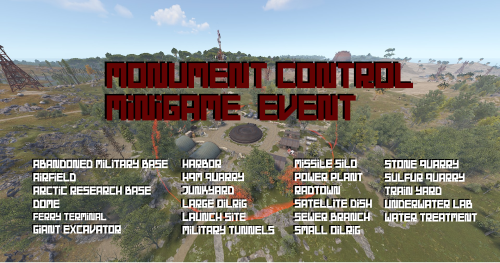
Monument Control Monument Control Minigame. Whoever controls selected the monument longest wins. King of the hill style. Features Select a monument for Monument Control event. Players will compete to control the area. At the end of the event duration whoever controlled the area for the longest period of time wins. Controlling = Only one team or solo player is present within the monument area. Score will increase. Contested = Multiple teams are contesting the area. Score will not increase until one team or one player is controlling. Losing = Player is not in the monument area. Score is counted based on `seconds controlling monument` and is updated once per second. Simple and small GUI for players during event. Displays minigame, location, prize, and player's status. GUI status updates indicating whether the player is controlling, losing, or if the location is contested. Option to hide GUI to those not at event. Configurable event duration and chat message interval. Configurable payouts to first place, second place, and third place winners. Chat message sent on an interval to display current leading scorers. Command (chat or console) to start event: /control <monument name> Configure the event to start automatically at a specific interval. Supports TC Bank, Economics, and ServerRewards for payouts. List of Monuments Abandoned Military Base Airfield Arctic Research Base Dome Ferry Terminal Giant Excavator Harbor 1 Harbor 2 HQM Quarry Junkyard Large Oilrig Launch Site Military Tunnels Missile Silo Power Plant Radtown Satellite Dish Sewer Branch Small Oilrig Stone Quarry Sulfur Quarry Train Yard Underwater Lab Water Treatment Documentation Permissions Commands Configuration Language File Dependencies TC Bank - Optional reward system for winners. Economics - Optional reward system for winners. ServerRewards - Optional reward system for winners. Support Discord Click here for Discord support$10.00 -

Version 1.0.1
13 downloads
Control Center is designed to make managing your base easier and more efficient by providing you with a user-friendly interface for interacting with key base elements such as Tool Cupboards, Code Locks, and Auto Turrets. 1. Tool Cupboard Management: Authorize Players Easily: With Control Center, you can easily authorize or deauthorize players from Tool Cupboard. Simply use the GUI to manage access in a few clicks. View Owners and Resources: You can check who currently has access to your Tool Cupboard and even view a detailed breakdown of the upkeep costs for your base. This helps you stay on top of your resource needs and ensure that your base remains protected from decay. The Owner is the first person to gain auth on Tool Cupboard and will have control over who can have full access to control center for that TC area if players have limited access the can view Control Center but not make any changes. 2. Code Lock Management: Authorize Friends: No need to give your friends the code for your Code Locks and have them go all over to find every lock, just add them to the lock you want them to access from inside the GUI. Lock and Unlock with Ease: Players can lock or unlock any Code Locks directly through the Control Center interface, which makes it faster to manage secure doors and boxes in your base. Set Custom Names: You can set custom names for each Code Lock, making it easier to identify which lock belongs to which part of your base. 3. Auto Turret Management: Authorize Friends: Easily add your team to every Auto Turret inside your base without the need of shutting you turrets down and going around each one. Switch Modes Quickly: Control your Auto Turrets through the GUI. You can easily switch between hostile and passive modes. Assign Custom Names: Similar to Code Locks, you can assign custom names to your turrets for easier management and identification. Control Center adds an easy-to-use interface that allows you to manage all these elements from one central location. You can open the interface to see a clear overview of your Tool Cupboards, Code Locks, and Auto Turrets. The GUI also allows you to add or remove friends or other players from these entities with just a few clicks, instead of having to manually interact with each one. If enabled, the plugin integrates with Steam to display your friends directly in the management interface, making it simple to add them to your base’s Tool Cupboards, Code Locks, or Turrets. With Control Center players have a powerful tool at their fingertips to better manage base security, access, and upkeep—providing a smoother and more convenient Rust experience. Chat Commands: /cc Opens Control Center. /name Used near a Code Lock or Auto Turret to add a name. Permissions controlcenter.useGui To allow players to use /cc command. controlcenter.useName To allow players to use /name command. Supported Language: English, French, German, Polish, Russian and Spanish Feel free to join my Discord! Stay up to date with the latest updates, report bugs, share suggestions, and get support for my plugins. You can also promote your Rust server or just hang out and chat! Join here: https://discord.gg/AkwHUs8Qma ControlCenter.json$15.00 -
Version 1.0.2
568 downloads
Allows you to control the spawns of entities on your server. Features Spawn Control: Define spawn chances for entities to control their frequency. Configurable: Easily customize the configuration to fit your server's needs. Automatic Cleanup: Remove entities with a spawn chance of 0. Configuration { "Enabled": false, "Spawns": [] } Enabled: if set to true it enables the plugin. Spawns: list of entities's prefabs and it's spawn chances (auto generated when you first load the plugin).Free