Search the Community
Showing results for tags 'convoy'.
Found 14 results
-
Version 2.4.6
632 downloads
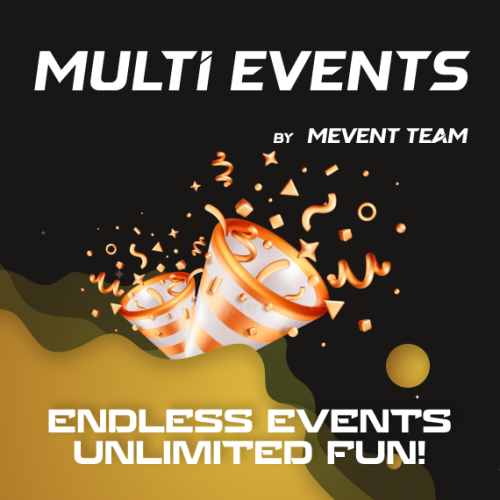
Introducing MultiEvents, the ultimate event management plugin for your Rust server! Seamlessly create, manage, and display events with a beautiful, customizable interface that engages your players. With support for multiple event types, easy integration with other plugins, and a powerful visual editor, MultiEvents is the perfect solution to enhance your server's community experience and keep players coming back for more. ️ Features of Multi Events Beautiful, fully customizable UI with multiple template options (Fullscreen, ServerPanel V1, ServerPanel V2) for a tailored player experience. In-game visual editor for creating and customizing event interfaces, allowing for real-time adjustments without coding. Support for event categories, descriptions, icons, and banners to enhance event visibility and player engagement. Integrated event notifications system to alert players about upcoming and ongoing events, ensuring maximum participation. Event inventory management with customizable permissions, providing control over player access and participation. Image library support for custom graphics and icons, enabling a unique and branded event presentation. Multi-language support with easy localization, making the plugin accessible to a global player base. ServerPanel integration for seamless menu access, enhancing user interaction and ease of use. Developer-friendly API for plugin integration, allowing for extended functionality and customization. Pre-loaded with diverse events such as CollectionResources, FoundationDrop, HelicopterPet, HuntAnimal, KingOfHill, LookingLoot, and SpecialCargo, each offering unique gameplay experiences. Advanced configuration options in JSON format, providing flexibility in event setup and management. Optimized for performance, ensuring smooth operation even with large player bases and extensive data. Included Events MultiEvents comes pre-loaded with several exciting events ready to use on your server: CollectionResources - Collect resources and compete with other players! The more resources you collect, the higher your score. Use different tools to get multipliers for your gathering. Top players will receive valuable rewards! FoundationDrop - Players spawn on a platform made of foundations. The foundations begin to degrade and fall away one by one. Players must survive by jumping between foundations. The last player standing wins! When only one foundation remains, players receive weapons and radiation appears to speed up the finale. HelicopterPet - Try to get the attention of the patrol helicopter! The more it focuses on you, the more points you earn. Get points when the helicopter orbits around you and even more when it's attacking. The player with the most points at the end wins! Be careful though - this isn't your friendly neighborhood chopper! HuntAnimal - Hunt animals across the map to earn points! Different animals are worth different amounts - chickens are worth 1 point, while bears are worth 10 points. Wolves, boars, horses, and deer are worth 4 points each. The player with the most points at the end of the event wins! KingOfHill - Race to the highest point! Your score is based on the highest elevation you reach. Stay on solid ground - no flying, swimming, or using vehicles. The player who reaches the highest point and maintains their position wins! Watch your step and keep climbing! LookingLoot - Search for loot across the map! Earn points by looting containers and barrels. Most items are worth 1 point each, but special items like scrap and gears are worth 2 points. The player who collects the most valuable loot wins! Be quick - containers can only be looted once! SpecialCargo - Deliver the special cargo from one monument to another! A random player will be chosen to carry the cargo. The carrier must reach the destination monument marked on the map while avoiding other players. If the carrier dies, a new random player becomes the carrier. Teleportation is disabled for the carrier. Successfully deliver the cargo to win! Each event is fully customizable through the visual editor and comes with default settings ready to play immediately after installation! Expansion Packs & Add‑ons Enhance MultiEvents with premium expansion packs and our large‑scale raid framework. Pre‑configured, fully customizable, and designed to plug directly into your server. MultiEvents Pack 1 Barrels, PvP Player Battle, NPC Missile Silo, Pumpkin Picker, Vehicle Hunter. View on Codefling → MultiEvents Pack 2 Another set of competitive and gathering‑focused events to diversify rotations. View on Codefling → MultiEvents Pack 3 Corn Collector, Gold Rush (with rare items), Mushroom Madness, NPC Underwater Lab, Patrol Helicopter Hit. View on Codefling → OPERATION FORTRESS Large‑scale PvE raid framework with handcrafted bases, waves, and rewards — a perfect complement to your event ecosystem. View on Codefling → Showcase Fullscreen Template ServerPanel V1 Template ServerPanel V2 Template Video Overview Commands /events - Opens the events menu for players Permissions multievents.edit - Permission to edit events Visual Editor MultiEvents includes a robust visual editor that simplifies the process of creating and customizing events. No coding is required—use the intuitive interface to adjust settings, modify colors, add text, and configure event elements directly in-game. This allows for quick and efficient event setup, ensuring your server's events are both engaging and visually appealing. Web Config Editor Easily manage your MultiEvents settings with our web-based configuration editor. This tool allows you to adjust plugin configurations through a user-friendly interface, eliminating the need to manually edit files on your server. P.S. To access the web config editor, you must be part of the "MultiEvents" group in our Discord server. Join us at https://discord.gg/mevent and submit a request in the #ticket-verify channel to get started. FAQ Q: Can I integrate MultiEvents with other plugins? A: Yes! MultiEvents has an API that allows other plugins to register and manage events. It also integrates with ServerPanel for menu access. Q: How do I add MultiEvents to the ServerPanel menu? A: You can do this directly from the ServerPanel in-game: 1. Open the ServerPanel menu in-game. 2. If you have permission to edit, switch the panel to edit mode so you can see the blue "EDIT CATEGORY" and "EDIT PAGES" buttons. 3. Choose the category where you want MultiEvents to appear and click the "EDIT CATEGORY" button for that category. 4. While you are in this category in the ServerPanel, click the "EDIT PAGES" button to create a new page (or edit an existing one) for MultiEvents. 5. For that page, set these exact parameters: Type: Plugin Plugin Name: MultiEvents Plugin Hook: API_OpenPlugin 6. Save the changes. The MultiEvents button will now appear in the ServerPanel in the category you selected. Q: How do I add custom images for my events? A: MultiEvents supports an image library. Upload your images to your server, and reference them in the plugin configuration or through the visual editor. Q: Does MultiEvents support multiple languages? A: Yes, MultiEvents has built-in localization support. You can customize all text elements in the editor and add translations for different languages. Q: How do I configure rewards in MultiEvents? A: Rewards can be configured in two ways. If you want rewards to drop into a custom inventory UI, you need to set up items in the inventory settings and assign them unique IDs. Then, reference these IDs in the event configuration. If you prefer to give rewards directly to the player's in-game inventory, simply specify the rewards directly within the event settings. Q: How do I set up rewards (Item, Command, Plugin, Kit) and what placeholders are available? A: Types: Item (ShortName, Amount, DisplayName, Skin), Command (Command string), Plugin (Plugin Name, Hook, Amount), Kit (Kit name). Placeholders for Command: %steamid%, %username%. Multiple commands are separated by | (line breaks are also supported). Give an item: "Type": "Item", "ShortName": "stones", "Amount": 2500, "DisplayName": "Stones", "Skin": 0 Give a kit: "Type": "Kit", "Kit": "vip_starter" Run commands: "Type": "Command", "Command (%steamid%)": "inventory.giveto %steamid% scrap 1000|oxide.usergroup add %steamid% vip" Add BankSystem balance (via Plugin): "Type": "Plugin", "Plugin": "BankSystem", "Hook": "Deposit", "Amount": 2500 Q: What are the recommended sizes for event images? A: For optimal display, event banners should be 390x349 pixels, and event icons should be 64x64 pixels. Developer API MultiEvents provides a developer-friendly API for integration with other plugins: void API_RegisterEvent(string eventId, JObject data) - Register a new event with MultiEvents API_RegisterEvent Parameters: eventId (string): unique identifier for the event. data (JObject): JSON object containing event details. JObject Structure: title (string, required): The title of the event. description (string, optional): A brief description of the event. commandToStart (string, required): The command to start the event. commandToStop (string, required): The command to stop the event. bannerURL (string, optional): URL for the event's banner image. icon (string, optional): URL for the event's icon image. scrollElements (JArray, optional): Custom UI elements for the event's scroll view. Creating UI Elements for scrollElements: The scrollElements parameter allows you to add custom UI elements to your event description. Each element is defined as a JObject with specific properties based on its type. Common Properties: type (string): "label", "image", "panel", or "button" color (string): HEX color code (e.g., "#FFFFFF") alpha (float): Opacity from 0 to 100 position (JObject): Element position and dimensions Type-Specific Properties: Text Elements: text (JArray of strings), textColor (HEX), fontSize (int), font (string) Image Elements: image (string URL) Button Elements: text, textColor, fontSize, command (string) Panel Elements: cursorEnabled (bool) Example of UI Elements: var customScrollElements = new JArray { // Label example new JObject { ["type"] = "label", ["text"] = new JArray { "Duration: <color=#D74933>10 mins</color>", "Reward: <color=#D74933>100 scrap, Jackhammer, Python Revolver</color>" }, ["textColor"] = "#E2DBD3", ["alpha"] = 100f, ["fontSize"] = 14, ["font"] = "robotocondensed-regular.ttf", ["align"] = "MiddleLeft", ["position"] = new JObject { ["anchorMinX"] = 0f, ["anchorMinY"] = 1f, ["anchorMaxX"] = 1f, ["anchorMaxY"] = 1f, ["offsetMinX"] = 0f, ["offsetMinY"] = -200f, ["offsetMaxX"] = 0f, ["offsetMaxY"] = -140f } }, // Image example new JObject { ["type"] = "image", ["image"] = "https://example.com/image.png", ["color"] = "#FFFFFF", ["alpha"] = 100f, ["position"] = new JObject { ["anchorMinX"] = 0f, ["anchorMinY"] = 1f, ["anchorMaxX"] = 0f, ["anchorMaxY"] = 1f, ["offsetMinX"] = 0f, ["offsetMinY"] = -234f, ["offsetMaxX"] = 42f, ["offsetMaxY"] = -192f } }, // Button example new JObject { ["type"] = "button", ["text"] = "Click Me", ["textColor"] = "#FFFFFF", ["color"] = "#D74933", ["alpha"] = 100f, ["fontSize"] = 14, ["command"] = "customcommand {user}", ["position"] = new JObject { ["anchorMinX"] = 0.5f, ["anchorMinY"] = 0f, ["anchorMaxX"] = 0.5f, ["anchorMaxY"] = 0f, ["offsetMinX"] = -60f, ["offsetMinY"] = 20f, ["offsetMaxX"] = 60f, ["offsetMaxY"] = 50f } } }; Example Usage: MultiEvents.Call("API_RegisterEvent", "CollectionResources", new JObject { ["title"] = "Collection Resources", ["description"] = "Collect resources and compete with other players! The more resources you collect, the higher your score. Use different tools to get multipliers for your gathering. Top players will receive valuable rewards!", ["commandToStart"] = "collectionresources.start", ["commandToStop"] = "collectionresources.stop", ["bannerURL"] = "https://gitlab.com/TheMevent/PluginsStorage/raw/main/Images/MultiEvents/CollectionResources.png", ["icon"] = "https://gitlab.com/TheMevent/PluginsStorage/raw/main/Images/MultiEvents/Icons/CollectionResources.png", ["scrollElements"] = customScrollElements }); (hook) OnEventStart(string eventName) - Hook called when an event begins (hook) OnEventEnd(string eventName) - Hook called when an event ends bool API_PlayerHideNotify(ulong userId) - Allows hiding event notifications for a specific player. Returns a boolean indicating whether notifications are hidden for the player. string GetBannerUrlByEventId(string eventId) - Retrieves the banner URL for a specific event by its ID. This is useful when you need to reference an event's banner in your custom UI. TEST SERVER Join our test server to view and experience all our unique features yourself! Copy the IP Address below to start playing! connect 194.147.90.239:28015 Elevate your server's event management with MultiEvents - the complete solution for creating engaging and visually stunning events that will keep your players excited and coming back for more!$41.00- 13 comments
- 5 reviews
-
- 1
-

-
- #mutlievents
- #events
- (and 15 more)
-
Version 1.0.12
708 downloads
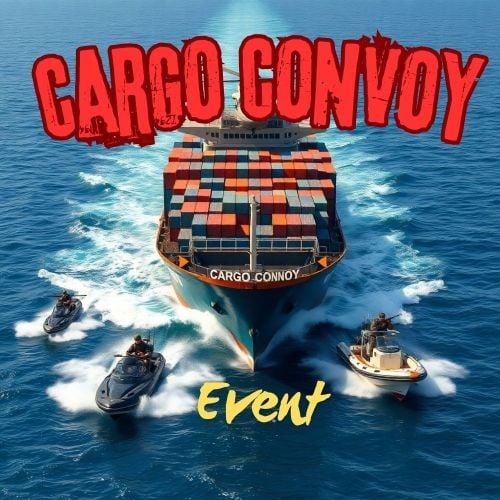
The Cargo Convoy plugin creates a Cargo Ship with three different levels of defensive escorts. In addition to this, the Cargo ship is equipped with a samsite, an autoturret, and a raidable door. If any of the escort ship's captains dies, that ship will stop. If the someone kills the Cargo ship's captain, the Cargo will stop, and if the PveMode plugin is enabled, they will become the owner of the event. Supports the PveMode plugin. Console Commands: ccstart (random difficult event started) ccstart.easy ccstart.medium ccstart.hard ccstop Contact: Additional free plugins created by me are available on Discord: https://discord.gg/C5CehdJMdK If you want to try out this plugin, you can do so on the test server. IP: 212.73.137.3:27195 My public Rust server IP: 136.243.135.46:28050 Video: Config: { "Plugin version": { "Major": 1, "Minor": 0, "Patch": 0 }, "Automatic event start": true, "Minimum time for event start": 3600.0, "Maximum time for event start": 7200.0, "Duration of the event": 3600.0, "Warning messages before event start": 300.0, "Warning messages before event end": 300.0, "Facepunch cargoship event enabled?": false, "Chat icon": 0, "Event Locked crates hack time": 900.0, "Autoturret setting Easy difficult": { "Health": 200.0, "Weapon ShortName": "smg.2", "Ammo ShortName": "ammo.pistol", "Number of ammo": 5000 }, "Autoturret setting Medium difficult": { "Health": 300.0, "Weapon ShortName": "rifle.lr300", "Ammo ShortName": "ammo.rifle", "Number of ammo": 5000 }, "Autoturret setting Hard difficult": { "Health": 400.0, "Weapon ShortName": "rifle.ak", "Ammo ShortName": "ammo.rifle", "Number of ammo": 5000 }, "Medium difficult door setting.": { "Door SkinID (0 - default, TugBoat and Medium difficult only use Sheet Metal Door skinID, Hard difficult only use Armored Door skinID! )": 1443957299, "Door Health": 250.0 }, "Hard difficult door setting.": { "Door SkinID (0 - default, TugBoat and Medium difficult only use Sheet Metal Door skinID, Hard difficult only use Armored Door skinID! )": 1130245250, "Door Health": 1000.0 }, "TugBoat door setting.": { "Door SkinID (0 - default, TugBoat and Medium difficult only use Sheet Metal Door skinID, Hard difficult only use Armored Door skinID! )": 1447958101, "Door Health": 250.0 }, "Elit crates setting on Easy difficult": { "Delete the Rust loottable loot?": false, "Add custom loot?": false, "CustomLoot": { "Minimum items": 1, "Maximum items": 1, "Use minimum - maxium?": false, "List of items": [ { "ShortName": "xmas.present.small", "Minimum": 3, "Maximum": 6, "Chance": 100.0, "Give blueprint?": false, "SkinID": 0, "Displayname": "" } ] } }, "Elit crates setting on Medium difficult": { "Delete the Rust loottable loot?": false, "Add custom loot?": false, "CustomLoot": { "Minimum items": 1, "Maximum items": 1, "Use minimum - maxium?": false, "List of items": [ { "ShortName": "xmas.present.small", "Minimum": 3, "Maximum": 6, "Chance": 100.0, "Give blueprint?": false, "SkinID": 0, "Displayname": "" } ] } }, "Locked crates setting on Medium difficult": { "Delete the Rust loottable loot?": false, "Add custom loot?": false, "CustomLoot": { "Minimum items": 1, "Maximum items": 1, "Use minimum - maxium?": false, "List of items": [ { "ShortName": "xmas.present.small", "Minimum": 3, "Maximum": 6, "Chance": 100.0, "Give blueprint?": false, "SkinID": 0, "Displayname": "" } ] } }, "Elit crates setting on Hard difficult": { "Delete the Rust loottable loot?": false, "Add custom loot?": false, "CustomLoot": { "Minimum items": 1, "Maximum items": 1, "Use minimum - maxium?": false, "List of items": [ { "ShortName": "xmas.present.small", "Minimum": 3, "Maximum": 6, "Chance": 100.0, "Give blueprint?": false, "SkinID": 0, "Displayname": "" } ] } }, "Locked crates setting on Hard difficult": { "Delete the Rust loottable loot?": false, "Add custom loot?": false, "CustomLoot": { "Minimum items": 1, "Maximum items": 1, "Use minimum - maxium?": false, "List of items": [ { "ShortName": "xmas.present.small", "Minimum": 3, "Maximum": 6, "Chance": 100.0, "Give blueprint?": false, "SkinID": 0, "Displayname": "" } ] } }, "Elit crates setting on TugBoats": { "Delete the Rust loottable loot?": false, "Use custom loot?": false, "CustomLoot": { "Minimum items": 1, "Maximum items": 1, "Use minimum - maxium?": false, "List of items": [ { "ShortName": "xmas.present.small", "Minimum": 3, "Maximum": 6, "Chance": 100.0, "Give blueprint?": false, "SkinID": 0, "Displayname": "" } ] } }, "Setting the Captains": { "Name": "Captain", "Health": 300.0, "Attack Range Multiplier": 1.0, "Target Memory Duration [sec.]": 20.0, "Scale damage": 0.7, "Aim Cone Scale": 1.5, "Sense Range": 0.0, "Wear items": [ { "ShortName": "shoes.boots", "SkinID (0 - default)": 2454376365 }, { "ShortName": "burlap.trousers", "SkinID (0 - default)": 3027295270 }, { "ShortName": "burlap.shirt", "SkinID (0 - default)": 3027301658 }, { "ShortName": "burlap.gloves", "SkinID (0 - default)": 2454377972 }, { "ShortName": "hat.boonie", "SkinID (0 - default)": 3112171056 } ], "Belt items": [ { "ShortName": "syringe.medical", "Amount": 3, "SkinID (0 - default)": 0, "Mods": [], "Ammo": "" } ] }, "Setting the EASY Npc's": { "Name": "Cargo Soldier", "Health": 125.0, "Attack Range Multiplier": 4.0, "Target Memory Duration [sec.]": 20.0, "Scale damage": 0.7, "Aim Cone Scale": 1.5, "Sense Range": 150.0, "Wear items": [ { "ShortName": "shoes.boots", "SkinID (0 - default)": 800967386 }, { "ShortName": "pants", "SkinID (0 - default)": 681804489 }, { "ShortName": "hoodie", "SkinID (0 - default)": 963496340 }, { "ShortName": "burlap.gloves", "SkinID (0 - default)": 0 }, { "ShortName": "wood.armor.pants", "SkinID (0 - default)": 0 }, { "ShortName": "wood.armor.jacket", "SkinID (0 - default)": 0 }, { "ShortName": "bucket.helmet", "SkinID (0 - default)": 2929522461 } ], "Belt items": [ { "ShortName": "smg.thompson", "Amount": 1, "SkinID (0 - default)": 0, "Mods": [ "weapon.mod.flashlight", "weapon.mod.holosight" ], "Ammo": "" }, { "ShortName": "pistol.m92", "Amount": 1, "SkinID (0 - default)": 0, "Mods": [], "Ammo": "" }, { "ShortName": "syringe.medical", "Amount": 3, "SkinID (0 - default)": 0, "Mods": [], "Ammo": "" } ] }, "Setting the MEDIUM Npc's": { "Name": "Cargo Soldier", "Health": 200.0, "Attack Range Multiplier": 4.0, "Target Memory Duration [sec.]": 20.0, "Scale damage": 0.7, "Aim Cone Scale": 1.5, "Sense Range": 150.0, "Wear items": [ { "ShortName": "shoes.boots", "SkinID (0 - default)": 3251246600 }, { "ShortName": "pants", "SkinID (0 - default)": 3246192739 }, { "ShortName": "hoodie", "SkinID (0 - default)": 3246191692 }, { "ShortName": "burlap.gloves", "SkinID (0 - default)": 0 }, { "ShortName": "roadsign.kilt", "SkinID (0 - default)": 3260691772 }, { "ShortName": "roadsign.jacket", "SkinID (0 - default)": 3260693328 }, { "ShortName": "coffeecan.helmet", "SkinID (0 - default)": 3260694842 } ], "Belt items": [ { "ShortName": "smg.mp5", "Amount": 1, "SkinID (0 - default)": 0, "Mods": [ "weapon.mod.flashlight", "weapon.mod.holosight" ], "Ammo": "" }, { "ShortName": "syringe.medical", "Amount": 3, "SkinID (0 - default)": 0, "Mods": [], "Ammo": "" } ] }, "Setting the HARD Npc's": { "Name": "Cargo Soldier", "Health": 350.0, "Attack Range Multiplier": 4.0, "Target Memory Duration [sec.]": 20.0, "Scale damage": 0.7, "Aim Cone Scale": 1.5, "Sense Range": 180.0, "Wear items": [ { "ShortName": "shoes.boots", "SkinID (0 - default)": 2936561559 }, { "ShortName": "pants", "SkinID (0 - default)": 2933205831 }, { "ShortName": "hoodie", "SkinID (0 - default)": 2933205232 }, { "ShortName": "burlap.gloves", "SkinID (0 - default)": 2936561057 }, { "ShortName": "roadsign.kilt", "SkinID (0 - default)": 1624102935 }, { "ShortName": "metal.plate.torso", "SkinID (0 - default)": 2601631390 }, { "ShortName": "metal.facemask", "SkinID (0 - default)": 2601630796 } ], "Belt items": [ { "ShortName": "rifle.lr300", "Amount": 1, "SkinID (0 - default)": 0, "Mods": [ "weapon.mod.flashlight", "weapon.mod.holosight" ], "Ammo": "" }, { "ShortName": "rocket.launcher", "Amount": 1, "SkinID (0 - default)": 0, "Mods": [], "Ammo": "" }, { "ShortName": "syringe.medical", "Amount": 3, "SkinID (0 - default)": 0, "Mods": [], "Ammo": "" } ] }, "NPC Turret Damage Multiplier": 1.0, "Messages setting": { "GameTip message": "Cargo Convoy Inbound", "Message before the event starts.": "<color=#ff0000>Cargo Convoy</color> will start soon", "Message before the event stop.": "Cargo Convoy will end soon!!", "Message when someone stopped Cargo Convoy": "Someone stopped the Cargo Convoy", "Start message": "Cargo Convoy Event start! Kill the <color=#2296ff>Cargo Captain</color> to stop the cargo convoy and you will be the event owner", "Stop message": "Cargo Convoy Event end!", "Map marker name": "Cargo Convoy", "Map marker radius": 0.6, "Color": { "r": 1.0, "g": 0.0, "b": 0.0 } }, "PVE Mode Setting (only for users PveMode plugin)": { "Use PveMode plugin?": false, "Non owner can loot the crates?": false, "Non owner can loot the Npc's?": false, "Non owner can damage Npc's?": false, "Non owner can be attacked by Npc's?": false, "Non owner, can you enter the event zone?": false, "Allow a player who has an active cooldown of the Event Owner to enter the event zone?": true, "The time that the Event Owner may not be inside the event zone.": 300, "The time until the event owner can return to the event zone.": 60, "Block the RestoreUponDeath plugin in the event zone.": true, "After all this time, an event owner can be an event owner again.": 86400.0, "Darkening the sphere.": 15 } }$20.00 -
Version 1.3.4
3,408 downloads
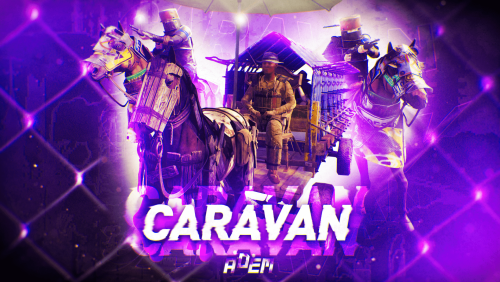
This plugin will add Caravans to your server that will attempt to transport valuable loot along the roads. Carriages are used to transport goods along the roads as configured, pulled by Horses. These convoys are accompanied by NPCs, Riders, and Balloons! By default, the plugin comes with 3 different caravan presets. The easiest caravan will be fun for early wipe and allows some basic loot for low effort Caravan raids. In order to rob the most difficult caravan, players will need to be tactical about their ambush and it will be much more challenging! The road selection system can make the Caravan less predictable as the NPCs try to find a safe route. The Caravan can traverse any road type, including good old country dirty roads. You can set up timers for each preset in the config file, to keep the more difficult Caravan from showing up until later in a wipe! Riders These can be very dangerous opponents! Unlike regular NPCs, they will quickly close the gap continually shooting at the players as they ride! Riders can be especially effective using short ranged weapons, they are deadly with a shotgun! Balloons These are mobile sniper towers on which several NPCs can be placed. In the config, armor can be added to the balloon, greatly increasing the protection for the Caravan snipers.When the caravan stops, Balloons will start moving around randomly, making it more difficult for players to hide! After defeating all of the snipers, Balloons will fall to the ground and explode. Required Dependency (must install this free plugin) NpcSpawn – link is included and can be found in the ReadMe file included with download Chat commands (admin only) /caravanstart - launches the event using a random preset based on your configuration /caravanstart PresetName - add the name of a preset from the configuration to launch a specific preset /caravanstop - stops the event /caravanroadblock - the event will not be held on the road where you are standing (clear the Blocked roads section of config when you change maps) /caravanpathstart - stand at starting point and enter command to start recording a custom route /caravanpathsave RoutePresetName - to save a custom route (enter anything you'd like in place of RoutePresetName) /caravanpathcancel - to reset the route Console commands (RCON only) caravanstart - launches the event using a random preset based on your configuration caravanstart PresetName - add the name of a preset from the configuration to launch a specific preset caravanstop - stops the event Plugin Config en – example of plugin configuration in English ru – example of plugin configuration in Russian Hooks void OnCaravanStart() - Сalled when a caravan appears void OnCaravanStop() - Сalled when a caravan disappears void OnCaravanStartMoving(Vector3 position) - Called when the caravan starts moving void OnCaravanStopMoving(Vector3 position) - Called when the caravan stops moving void OnCaravanEventWin(ulong userId) Check out the rest of my work: Adem's Codefling Library You can reach out to me in Discord: Adem's Discord Profile Thanks to Jbird for writing, translation, & support: Jbird's Discord Profile Join the Mad Mappers Discord!$29.99 -
Version 2.9.2
27,966 downloads
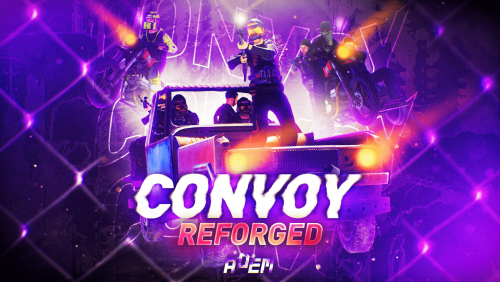
Set your server apart with a roaming mobile event that has nearly endless configuration options! Configure the loot truck as well as the Convoy of protection vehicles ranging from sedans, module cars, Bradley tanks, motorbikes, vendor trucks, to a patrol helicopter! The plugin runs on custom and procedural generated maps, can use custom routes or let the plugin find a random route based on your configuration. You can make yours an aggressive or a peaceful Convoy, who shoots first? You can set all kinds of parameters regarding the many pieces of the event, how to beat it, whether destroying the loot truck destroys the loot or not for example. There are many compatible plugins like TruePVE, GUIAnnouncements, Notify, DiscordMessages, and RustCord to name a few. The plugin has a built in UI that will give you important information about the event as you are inside it's zone. Check the map to see the location of the event as a marker and even see the timer on the event! All of the ground vehicles are driven and filled with NPCs. Every vehicle, the NPCs, and the loot as well as all timers can be configured to suit your server. A PvP zone can be created within the event area for those of you who use TruePVE to control damage on your servers. The limits are nearly endless! If you have some players on your server that you want to really send everything you have at, this is the plugin for you. Watch players crap their pants when they first encounter a full Convoy with multiple tanks and a Patrol Heli all attacking at once. Sit back and delight in their fear as all of the vehicles empty their occupants and NPCs swarm them mercilessly! Required Dependency (must install this free plugin) NpcSpawn – link is included and can be found in the ReadMe file included with download Chat commands (admin only) /convoystart - launches the event using a random preset based on your configuration /convoystart PresetName - add the name of a preset from the configuration to launch a specific preset /convoystop - stops the event /convoyroadblock - the event will not be held on the road where you are standing (clear the Blocked roads section of config when you change maps) /convoypathstart - stand at starting point and enter command to start recording a custom route /convoypathsave RoutePresetName - to save a custom route (enter anything you'd like in place of RoutePresetName) multiple routes can be added to one route preset, one will be selected at random in this case /convoypathcancel - to reset the route Console commands (RCON only) convoystart - launches the event using a random preset based on your configuration convoystart PresetName - add the name of a preset from the configuration to launch a specific preset convoystop - stops the event Plugin Config en – example of plugin configuration in English ru – example of plugin configuration in Russian API bool IsConvoyVehicle(BaseEntity entity) bool IsConvoyCrate(BaseEntity crate) bool IsConvoyHeli(BaseHelicopter baseHelicopter) bool IsConvoyNpc(ScientistNPC scientistNPC) Hooks void OnConvoyStart() - яalled when a convoy appears void OnConvoyStop() - яalled when a convoy disappears void OnPlayerEnterConvoy(BasePlayer player) - яalled when a player enters the event area void OnPlayerExitConvoy(BasePlayer player) - яalled when the player leaves the event area void OnConvoyEventWin(ulong userId) - called at the end of the event and informs about its winner void OnConvoyStartMoving(Vector3 convoyPosition) void OnConvoyStopMoving(Vector3 convoyPosition) void OnConvoyAttacked(BasePlayer player, Vector3 convoyPosition) Check out the rest of my work: Adem's Codefling Library You can reach out to me in Discord: Adem's Discord Profile Thanks to Jbird for writing, translation, & support: Jbird's Discord Profile Join the Mad Mappers Discord!$39.99 -
Version 1.5.2
8,579 downloads
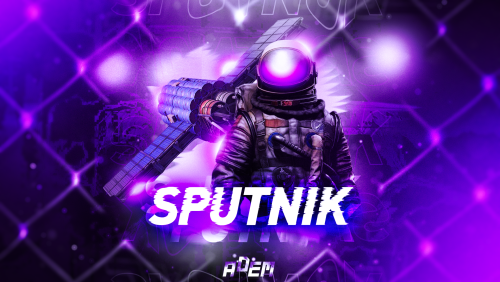
Sputnik is a server event that allows players to contest fallen sputnik satellite fragments that fall around the map. Players will need to battle their way past patrol helicopters, NPCs, turrets, and mines to gain access to loot locked behind keycards that require 'Space Cards,' which can be added to loot tables or sold in a shop! Alternatively, you can use standard keycards. Overview By default, there are five types of debris that can fall in any quantity and combination. The fragment can be guarded by a helicopter, NPCs, turrets, and mines. For each preset, you can configure the location and number of crates. A radiation zone can be created around the fragment. By default, there is a card reader in one of the locations that open a locked crate. It is activated using the "Space card.” For more information, see the "Space card” section. Space Card A card reader can be placed on any type of sputnik debris. By default, it is activated using a purple "Space Card." This card reader opens the crates specified in a special section of the config. A custom card can be added to the loot tables of standard crates and crates of this event. It can also be given with the help of a command or sold in the server store. If necessary, the card reader can be removed, and the card can be replaced with any type of standard card. Location presets The location preset is specified for each wreckage preset separately. By default, a data file with five types of prefabs is included: sputnik_1 debris_1 debris_2 debris_3 debris_4 They are shown in pictures 6 - 10. The first location includes a locked crate that opens with the help of a "Space Map." Chat commands (only for administrators) /sputnikstart– launches the event in a random configuration /sputnikstart <eventPresetName> – launches the event in the <eventPresetName> configuration /sputnikstop – stops the event /givespacecard – give yourself a "Space Card". Console commands (RCON only) sputnikstart– launches the event in a random configuration sputnikstart <eventPresetName> – launches the event in the <eventPresetName> configuration givespacecard <userID> – give a "Space Card" to player Config en – example of plugin configuration in English ru – example of plugin configuration in Russian Dependencies (optional, not required) True PVE PveMode GUI Announcements Notify DiscordMessages AlphaLoot CustomLoot Economics Server Rewards IQEconomic Hooks OnSputnikEventStart () OnSputnikEventStop () OnSputnikEventWin (ulong userID) OnPlayerEnterSputnik{BasePlayer player} OnPlayerExitSputnik{BasePlayer player} My Discord: Adem#9554 Join the Mad Mappers Discord here! Check out more of my work here!$29.99 -
Version 1.1.30
225 downloads
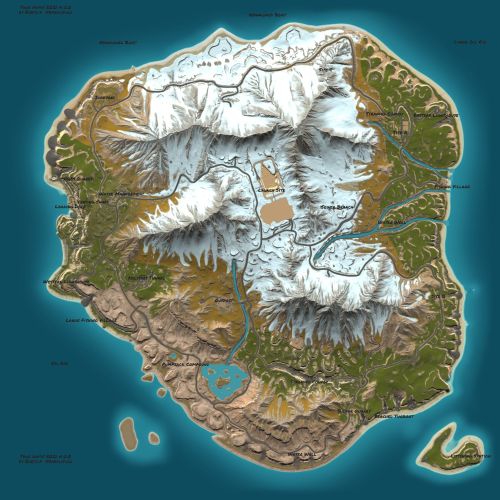
True Hapis 2021 is a loose Recreation of Hapis from the April 2021 Update. Details The map data was extracted systematically and imported into a modern custom map file. Missing prefabs were replaced with manual re-creations, and spawners, loot, puzzles, etc, were faithfully re-created by hand. Some small errors from the original Facepunch version were also patched, like gaps between bunker room pieces, floating props, etc. Everything should be in its exact place, precisely where it was in 2021. Welcome Back! Dependencies The map depends on an alternative to the RustEdit Oxide extension, called Core. These dependencies will be provided with your download. The map will work fine with the RE Oxide extension, but Core does a much better job with scientist AI, and keycard spawning. Avoid using both Core and the RE Oxide extension at the same time. Additional instructions included in the READ ME file. Bug Reporting & Community Please report any bugs in my discord channel at bxrflip.gg You can also get in contact with me there for any unrelated matters.Free -
Version 1.0.6
262 downloads
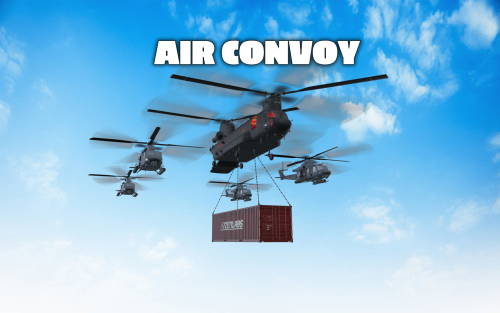
The goal of this event is to take down the cargo helicopter carrying a container filled with valuable loot. The helicopter is protected by 1-4 patrol helicopters. The patrol helicopters can be destroyed with special anti-air rockets. Features: NPCs parachute out of the helicopters when they are destroyed Configurable loot The convoy does not attack players unless they attack the convoy Patrol Helicopters shoot homing missiles to defend the convoy Fully customizable Anti Air Rocket: This is a special rocket designed to take down helicopters. They can be fired both from the ground or from a player attack helicopter and travel 4x faster than a normal HV rocket. To take down a helicopter (with default health) 5 Anti Air Rockets are needed. Shortname: ammo.rocket.smoke Skin ID: 3020346473 Loot Api: This plugin supports the Loot Api of https://codefling.com/plugins/loot-table-stacksize-gui. This means that the loot of every crate can be configured directly in the Loottable UI - no need to edit config files! Commands: airconvoy start - Start the air convoy airconvoy stop - Stop the air convoy aarocket.give <amount> <optional player> - Give anti-air rockets to the specified player or yourself Permissions: airconvoy.admin - Required to use start/stop commands airconvoy.give - Required to use aarocket.give Hooks: void OnAirConvoyStart(); void OnAirConvoyEnd(); Default Configuration: { "Time between events (minutes; set to -1 to disable scheduled events)": 60, "Event duration (minutes)": 30, "Patrol Helicopter count (0 - 4)": 4, "Custom chat prefix": null, "Patrol Helicopter options": { "Health multiplier": 1.0, "Crate count": 2, "Turret range": 80.0, "Time between homing missiles (seconds)": 5, "Time after which a player is not considered hostile anymore (seconds)": 60 }, "Pilot NPC configuration": { "name": "Pilot", "health": 100.0, "enableRadio": true, "roamRange": 10.0, "chaseRange": 20.0, "senseRange": 50.0, "visionCone": 135.0, "damageScale": 1.0, "memoryDuration": 60.0, "removeCorpseAfterDeath": true, "kit": "", "Clothing items": [ { "shortName": "hazmatsuit_scientist", "amount": 1, "skinId": 0 } ], "Belt items": [ { "shortName": "pistol.prototype17", "amount": 1, "skinId": 0 } ], "lootTable": { "Enabled": false, "Item list": [ { "Short name": "scrap", "Min amount": 10, "Max amount": 20, "Chance (1 = 100%)": 1.0, "Skin id": 0, "Custom name": "" } ] } }, "Soldier NPC configuration": { "name": "Soldier", "health": 200.0, "enableRadio": true, "roamRange": 40.0, "chaseRange": 40.0, "senseRange": 50.0, "visionCone": 135.0, "damageScale": 1.0, "memoryDuration": 60.0, "removeCorpseAfterDeath": true, "kit": "", "Clothing items": [ { "shortName": "scientistsuit_heavy", "amount": 1, "skinId": 0 } ], "Belt items": [ { "shortName": "lmg.m249", "amount": 1, "skinId": 0 } ], "lootTable": { "Enabled": false, "Item list": [ { "Short name": "scrap", "Min amount": 10, "Max amount": 20, "Chance (1 = 100%)": 1.0, "Skin id": 0, "Custom name": "" } ] } }, "Container Loot Configuration (Max. 6 Crates)": [ { "Crate prefab": "assets/bundled/prefabs/radtown/crate_normal_2.prefab", "Loot preset name (requires Loottable plugin)": "Container Normal Crate", "Custom loot table": { "Enabled": false, "Item list": [ { "Short name": "scrap", "Min amount": 10, "Max amount": 20, "Chance (1 = 100%)": 1.0, "Skin id": 0, "Custom name": "" } ] } }, { "Crate prefab": "assets/bundled/prefabs/radtown/crate_normal.prefab", "Loot preset name (requires Loottable plugin)": "Container Military Crate", "Custom loot table": { "Enabled": false, "Item list": [ { "Short name": "scrap", "Min amount": 10, "Max amount": 20, "Chance (1 = 100%)": 1.0, "Skin id": 0, "Custom name": "" } ] } }, { "Crate prefab": "assets/prefabs/deployable/chinooklockedcrate/codelockedhackablecrate.prefab", "Loot preset name (requires Loottable plugin)": "Container Locked Crate", "Custom loot table": { "Enabled": false, "Item list": [ { "Short name": "scrap", "Min amount": 10, "Max amount": 20, "Chance (1 = 100%)": 1.0, "Skin id": 0, "Custom name": "" } ] } }, { "Crate prefab": "assets/bundled/prefabs/radtown/crate_elite.prefab", "Loot preset name (requires Loottable plugin)": "Container Elite Crate", "Custom loot table": { "Enabled": false, "Item list": [ { "Short name": "scrap", "Min amount": 10, "Max amount": 20, "Chance (1 = 100%)": 1.0, "Skin id": 0, "Custom name": "" } ] } }, { "Crate prefab": "assets/bundled/prefabs/radtown/dmloot/dm ammo.prefab", "Loot preset name (requires Loottable plugin)": "Container Ammo Crate", "Custom loot table": { "Enabled": false, "Item list": [ { "Short name": "scrap", "Min amount": 10, "Max amount": 20, "Chance (1 = 100%)": 1.0, "Skin id": 0, "Custom name": "" } ] } }, { "Crate prefab": "assets/bundled/prefabs/radtown/crate_normal_2.prefab", "Loot preset name (requires Loottable plugin)": "Container Normal Crate", "Custom loot table": { "Enabled": false, "Item list": [ { "Short name": "scrap", "Min amount": 10, "Max amount": 20, "Chance (1 = 100%)": 1.0, "Skin id": 0, "Custom name": "" } ] } } ] }$30.00- 56 comments
- 1 review
-
- 6
-
-

-
- #convoy
- #helicopter
- (and 9 more)
-
Version 1.0.1
3,236 downloads
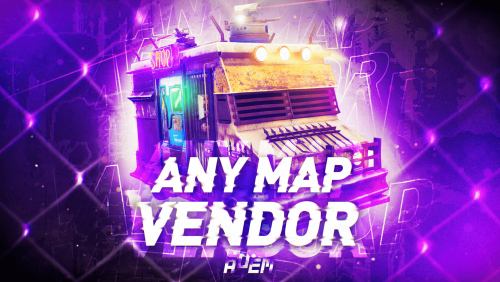
Allows the vendor to travel any maps, including those without ring roads. The map can be either custom or procedural. The vendor can drive on both country roads and paved roads. Chat commands (admin only) /vendorspawn - spawns a vendor /vendorroadblock - the vendor will not spawn on the road where you are standing (clear the Blocked roads section of config when you change maps) Console commands (RCON only) vendorspawn - spawns a vendor Plugin Config en – example of plugin configuration in English Check out the rest of my work: Adem's Codefling Library You can reach out to me in Discord: Adem's Discord Profile Join the Mad Mappers Discord!Free- 7 comments
- 5 reviews
-
- 12
-
-
-
- #trader
- #travelvendor
- (and 11 more)
-
.thumb.gif.1dc6b62cebec32ad3c1c20ff39ee1792.gif)
Version 1.1.5
259 downloads
A perfectly optimized map was made for a lot of requests. This map has a custom terrain, standard Facepunch monuments and many different custom locations for building your base. Extra prefabs were removed from the map, which gave a smaller number of teams, about 7000. The terrain has been optimized and this has not affected the quality of the picture, performance has increased. This map is suitable for servers with small and large rates. Thanks for attention. Features: Size: 4000 Prefab Count: 7k Custom terrain Optimized FPS About 20 custom places to build This map is constantly supported and updated for the current version of the game with all updates! How can I view the map? You can do this in our Discord server by submitting a request for an invitation to our servers. There you will be given the rights of an "administrator” and without any difficulties you will be able to fly around the map and fully familiarize yourself with it. Monument Facepunch: Launch Site Junkyard Ferry Terminal Harbor 1 and 2 Arctic Research Base Satelitte Dish Airfield Giant Excavator Pit Train Yard Power Plant Outpost Bandit Camp Water Treatment Plant Military Tunnel Abandoned Military Base The Dome Sewer Branch Ranch 1 and 2 Fishing Village 1,2,3 (Modified version) Lighthouse Underwater Lab Railway Underground tunnel Road Ring HQM, Sulfur, Stone Quarry$19.90- 15 comments
- 2 reviews
-
- 3
-
-
-
- #mad mappers
- #gruber
- (and 7 more)
-
Version 1.0.0
163 downloads
This is an extension of the Magic Panel plugin that shows an icon for the Air Convoy Event plugin. The icon's color and position can be set individually in the configuration file. Please note: The MagicAirConvoyPanel only works in conjunction with the "MagicPanel" and "AirConvoy" plugins. Make sure you have installed these plugins before using the Event Panel. The plugin also automatically checks if any of the required plugins are missing. If the plugins are not present, it will not be loaded. #Configuration The settings and options can be configured in the MagicAirConvoyEventPanel file under the config directory. The use of an editor and validator is recommended to avoid formatting issues and syntax errors. { "Active Color": "#00FF00FF", "Inactive Color": "#FFFFFF1A", "Panel Settings": { "Dock": "center", "Width": 0.02, "Order": 1, "BackgroundColor": "#FFF2DF08" }, "Panel Layout": { "Image": { "Url": "https://data.mgcdrp.de/images/rust/rustplugins/magicpanel/AirConvoyIcon.png", "Enabled": true, "Color": "#FFFFFFFF", "Order": 0, "Width": 1.0, "Padding": { "Left": 0.1, "Right": 0.1, "Top": 0.05, "Bottom": 0.05 } } } } #Credits Thanks to MJSU for the Magic Panel plugin. We reworked one of the plugin extensions so that MagicPanel now also supports the Air Convoy Event plugin. If you're not satisfied with the icon, take a look here – you might find something more suitable.Free -
So new to running servers, And am using a Host. i was wondering what went wrong? Every other plugin works as intended as far as i know as NPCspawn i think is specific for Convoy and Event plugins from what i gathered?? Also Watching a guide atm on Magic panel as command works but i don't notice any differnces

-
Version 1.0.2
1,754 downloads
The "Magic Convoy Event Panel" plugin is an extension for the Magic Panel plugins on Umod. Once the Convoy Event is activated, the color of the icon changes, and both the color and position of the icon can be individually customized in a configuration file. Please note: The Magic Convoy Event Panel only works in conjunction with the "MagicPanel" and "Convoy" plugins. Make sure you have installed these plugins before using the Event Panel. The plugin also automatically checks if any of the required plugins are missing. If this is the case, the "MagicConvoyEventPanel" plugin will be automatically unloaded. #Configuration The settings and options can be configured in the MagicConvoyPanel file under the config directory. The use of an editor and validator is recommended to avoid formatting issues and syntax errors. { "Active Color": "#00FF00FF", "Inactive Color": "#FFFFFF1A", "Panel Settings": { "Dock": "center", "Width": 0.02, "Order": 1, "BackgroundColor": "#FFF2DF08" }, "Panel Layout": { "Image": { "Url": "https://www.dropbox.com/s/16qx5cj1ql7kyka/convoynew.png?dl=1", "Enabled": true, "Color": "#FFFFFFFF", "Order": 0, "Width": 1.0, "Padding": { "Left": 0.1, "Right": 0.1, "Top": 0.05, "Bottom": 0.05 } } } } #Credits Thanks to MJSU for the Magic Panel plugin. We reworked one of the plugin extensions so that MagicPanel now also supports the Convoy plugin. #Convoy TrailerFree- 13 comments
-
- 1
-
-
- #magicconvoyeventpanel
- #convoy
- (and 5 more)
-
Version 1.0.5
75 downloads
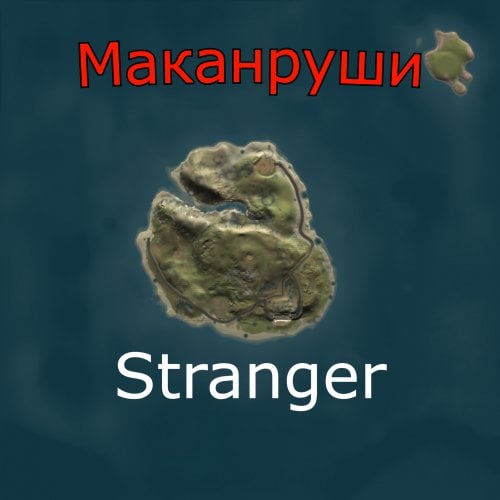
50% OFF THROUGH SEPTEMBER 21ST! An awesome mini map for those who want to experience a close-quarters combat style of map. HDRP compatible and ready for your next wipe day! Features: Simple, High Performance, High FPS, low prefab count! 3909 prefabs in total! Can easily be retrofitted into a existing servers needs. A refreshing look on some of rust's original monuments. Custom Mini-outpost, Satellite Dish (Ray), Convoy, Water Tower, Lighthouse, Military Bunker. Underground Bradley and sunken Custom Cargo Ship Updated to be compatible with the latest Ocean Update! Required Dependencies: This map requires the Rust Edit DLL Requires the Oxide Mod loader Open to suggestions and criticism! This is my first completed map! Contact me via discord or here on codefling! Stranger#0005$19.99 -
Hi, I was wondering if it was possible to get a plugin that has a group of npc cars traveling along a set of way points across a map. Im trying to run a Mad Max themed server and I feel like a pve event like this would add some amazing immersion to the map. The cars should all probably go the same speed, and have standard rad town loot crates for incentive. Maybe you can even salvage the broken down cars for parts? Or siphon fuel out of the tanks? I'd love to hear if this is doable, and if anyone is willing to try!





.thumb.jpg.cd820ab870802b66e9b4930863d43ea3.jpg)