Search the Community
Showing results for tags 'explosives'.
Found 4 results
-

Version 1.1.0
111 downloads
ABOUT Allow players to change their individual fuse timers on all types of thrown explosives. Also control dud chance values. Fully configurable per type, individual settings stored in data folder. Now comes with a UI which can be used to change the appropriate values. The permission "use" is necessary for full functionality. The new permission for "nodud" is only to be granted if you want the players to have no duds. If this is not granted then it will return vanilla behaviour for dud chance. to apply the use permission in server console: o.grant <user/group> <username or groupname> explosivescontrol.use I highly recommend permissions manager by steenamaroo to handle perms through an in game interface CONFIG { "itemNames": { "beancan": 1840822026, "c4": 1248356124, "flare": 304481038, "flashbang": -936921910, "grenade": 143803535, "satchel": -1878475007, "smokegrenade": 1263920163, "surveycharge": 1975934948 }, "items": { "1248356124": { "itemId": 1248356124, "itemName": "c4", "defaultFuseTime": 8.0, "minFuseTime": 3.0, "maxFuseTime": 30.0, "DudChance": 0.0 }, "1263920163": { "itemId": 1263920163, "itemName": "smokegrenade", "defaultFuseTime": 5.0, "minFuseTime": 1.0, "maxFuseTime": 5.0, "DudChance": 0.0 }, "143803535": { "itemId": 143803535, "itemName": "grenade", "defaultFuseTime": 2.0, "minFuseTime": 1.0, "maxFuseTime": 5.0, "DudChance": 0.0 }, "1840822026": { "itemId": 1840822026, "itemName": "beancan", "defaultFuseTime": 2.0, "minFuseTime": 1.0, "maxFuseTime": 5.0, "DudChance": 0.0 }, "-1878475007": { "itemId": -1878475007, "itemName": "satchel", "defaultFuseTime": 8.0, "minFuseTime": 3.0, "maxFuseTime": 30.0, "DudChance": 0.0 }, "1975934948": { "itemId": 1975934948, "itemName": "surveycharge", "defaultFuseTime": 1.0, "minFuseTime": 1.0, "maxFuseTime": 5.0, "DudChance": 0.0 }, "304481038": { "itemId": 304481038, "itemName": "flare", "defaultFuseTime": 30.0, "minFuseTime": 10.0, "maxFuseTime": 60.0, "DudChance": 0.0 }, "-936921910": { "itemId": -936921910, "itemName": "flashbang", "defaultFuseTime": 2.0, "minFuseTime": 1.0, "maxFuseTime": 10.0, "DudChance": 0.0 } }, "itemBlacklist": [ "supply.signal", "molotov", "smokegrenade", "flare", "lunar", "surveycharge" ], "fallbackItemConfig": { "itemId": 0, "itemName": "", "defaultFuseTime": 8.0, "minFuseTime": 3.0, "maxFuseTime": 30.0, "DudChance": 0.0 }, "enableOnUserConnected": true, "connectMessage": "Welcome to the server! You can change fuse time of explosives with the command /fuseui", "Title Bar Red": 10, "Title Bar Green": 10, "Title Bar Blue": 10, "Side Bar Red": 200, "Side Bar Green": 200, "Side Bar Blue": 200, "Item Panel Red": 128, "Item Panel Green": 128, "Item Panel Blue": 128, "Item BG Red": 80, "Item BG Green": 80, "Item BG Blue": 80, "Item Name Background Red": 150, "Item Name Background Green": 150, "Item Name Background Blue": 150, "Fuse Input Field Red": 80, "Fuse Input Field Green": 80, "Fuse Input Field Blue": 80, "Button Colour (must be <= 1) The last number is transparency in this string and is required to generate the button correctly. R G B A": "0.5 0.5 0.5 1" } COMMANDS /fuseui will bring up the UI where your players can edit each explosive type within the specified range (changes inside config file should be reflected in the UI) <Must have the "use" permission to use the plugin fully, bonus "nodud" permission is exactly as it sounds> all credit for the new logo belongs to 4yzhen, many thanks$4.00- 12 comments
-
- 2
-

-
- #explosives
- #control
- (and 1 more)
-
Version 1.0.3
1,735 downloads
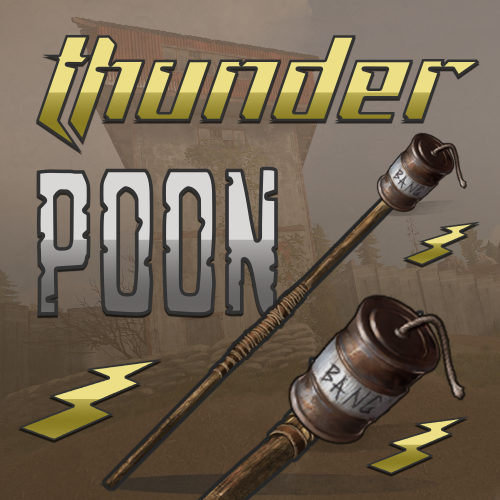
Thunderpoon allows players to attach beancan grenades to spears by dragging the two items together. Damage radius as well as damage is configurable in the config file. Permission You can avoid using permissions by setting usepermission config option in the config file. thunderpoon.use Config The default values are tested and somewhat balanced. If you're unsure on how to configure I recommend leaving as-is or asking questions in the discussion tab. UsePermission - Setting to false will allow everyone to craft thunderpoons. Damage - The amount of damage caused by the explosion. MinRange - The minimal size of the explosion radius. MaxRange - The maximum size of the explosion radius. detonateChance - The chance of detonation when thrown. Icon by @SawyerWDFree -

Version 2.0.1
524 downloads
Explosives Detonation allows explosives to be detonated upon shooting them. It is a simple yet effective plugin designed to enhance gameplay by providing an additional layer of interactivity with explosives. Permissions explosivesdetonation.use - use the plugin. Configuration { "Allow arrows to trigger explosions": true, "Allow melee weapons to trigger explosions": true, "Affect deployable siege explosives": true, "Chain Reaction": { "Enabled": true, "Radius": 5.0, "Delay (seconds)": 0.3 } }Free- 8 comments
- 1 review
-
- 1
-
-
- #explosive
- #explode
- (and 5 more)
-

Version 1.2.0
61 downloads
A simple plugin that reverts the recent update on blocking Sulfur, Sulfur Ore, Diesel Fuel, Gun Powder, Targeting Computers, and Explosives$4.99