Search the Community
Showing results for tags 'gather'.
-
Version 1.0.10
98 downloads
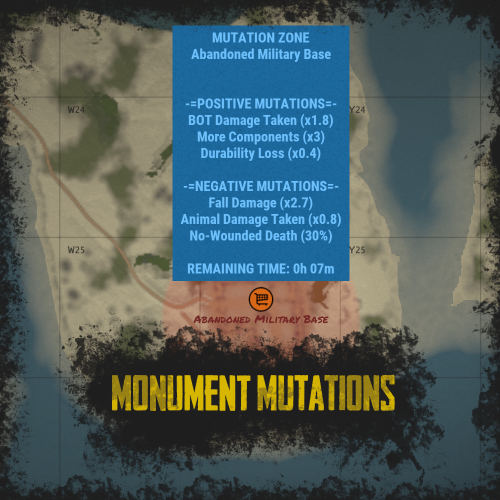
RUST Plugin Test Server TEST MY PLUGINS THERE! connect play.thepitereq.ovh:28050 Monument Mutations allows you to apply mutations to any default or custom monument on the map. You can create positive mutations that give players bonuses for gathering, output, and stats, as well as negative mutations that impact their gameplay. With almost infinite possible mutations and more to come, this plugin offers extensive customization options. Create mutations with custom effects on any monument using Monument Mutations. Highly configurable with hundreds of options, allowing you to customize the number of active mutations. Adjust radiation resistance on default Hazmat Suits and Heavy Scientist Suits. Supports both default and custom monuments. Create an infinite number of mutation profiles and set their chances of appearing. Almost every programmed bonus comes with additional customizable options. The 1.0.0 version is just a beginning of the journey. I made the plugin highly expandable, so if you have any idea of additional mutations, hit me on my Discord! (link above) Mutation Descriptions As I said, plugin have a lot of possible options which are not described anywhere because they are different for each mutation type. Some of the mutations might not work with your server because other plugin is overwriting the RUST behavior, like custom recyclers etc. You can find all the definitions here! radMult - Multiplies the radiation on default monuments or radiation spheres in custom maps. radSet - Sets the radiation on the whole monument radius. If you set the value to 0.001 it will disable radiation on the whole monument. damageDealt - Multiplies the damage dealt to described entity type. Currently, the plugin supports 4 Mutation Object References: empty - Multiplies the damage in all cases. bot - The entity is NPC or bot. player - The entity is a player. animal - The entity is an animal. durability - Multiplies the durability loss on items. healing - Multiplies the healing amount of used items. noWounded - Sets the chance that when a player is killed, the wounded state is skipped, and he automatically dies. Values work in range 0-100. (percentage) gravity - Multiplies damage dealt by gravity, when players fall from a high place. recycle - Multiplies speed of the recycler work. There are a lot of custom recycler plugins that might not work in this case, then I don't recommend using this mutation. loot - Multiplies the loot in containers in mutated monument. Currently, the plugin supports 3 Mutation Object References: empty - Works for all items in containers. item shortname (ex. scrap) - Sets the multiplier only on selected item. In this case, it's scrap. item category (ex. Component) - Sets the multiplier only on selected item category. In this case - in all items in Component category. gather - Multiplies the gather from dispensers in mutated monument. Currently, the plugin supports 3 Mutation Object References: empty - Works for all resource dispensers. tree - Works only on all trees. ore - Works only on all ores. upgradeCrate - Sets the chance that when a crate is spawned or mutation started, the spawned crate can be upgraded to another tier. The tree looks like this: Normal Crate > Military Crate > Elite Crate Values work in range 0-100. (percentage) Information about "Possible Mutations" list: If you set only one value, and it's "All" then it rolls from the whole mutation pool. For better experience, I recommend making it manually, but this function exist ^^. Example Config (Version 1.0.0) With additional mutations, more detailed each mutation tier and some smaller customizations. (my private configuration) MonumentMutations.json { "Mutation Info Commands": [ "mut", "mutation", "mutations" ], "Minimal Active Mutations": 1, "Maximal Active Mutations": 3, "New Mutation Check Inverval (in minutes)": 15, "Default Hazmat Protection Override (0 to disable, 0.5 - default)": 0.0, "Hazmat Mk.II Protection (0 to disable)": 1.0, "Positive Over Negative Mutations": true, "Marker Map Scaling Value (Higher = Smaller)": 100.0, "Broadcast Mutation Info On Enter": true, "Mutations": { "DurabilityLoss": { "Mutation Type (see website for reference)": "durability", "Mutation Object Reference (see website for reference)": "", "Mutation Effect (Negative - false, Positive - true)": false, "Mutation Weight": 1, "Mutation Value - Min": 1.1, "Mutation Value - Max": 2.0, "Mutation Value - Rounding": 0.1 }, "FasterRecycle": { "Mutation Type (see website for reference)": "recycle", "Mutation Object Reference (see website for reference)": "", "Mutation Effect (Negative - false, Positive - true)": true, "Mutation Weight": 1, "Mutation Value - Min": 1.2, "Mutation Value - Max": 3.0, "Mutation Value - Rounding": 0.2 }, "HighGravity": { "Mutation Type (see website for reference)": "gravity", "Mutation Object Reference (see website for reference)": "", "Mutation Effect (Negative - false, Positive - true)": false, "Mutation Weight": 1, "Mutation Value - Min": 1.5, "Mutation Value - Max": 3.0, "Mutation Value - Rounding": 0.1 }, "InstaKill": { "Mutation Type (see website for reference)": "noWounded", "Mutation Object Reference (see website for reference)": "", "Mutation Effect (Negative - false, Positive - true)": false, "Mutation Weight": 1, "Mutation Value - Min": 10.0, "Mutation Value - Max": 50.0, "Mutation Value - Rounding": 5.0 }, "LessBotResistance": { "Mutation Type (see website for reference)": "damageDealt", "Mutation Object Reference (see website for reference)": "bot", "Mutation Effect (Negative - false, Positive - true)": true, "Mutation Weight": 1, "Mutation Value - Min": 1.1, "Mutation Value - Max": 2.0, "Mutation Value - Rounding": 0.1 }, "LessHealing": { "Mutation Type (see website for reference)": "healing", "Mutation Object Reference (see website for reference)": "", "Mutation Effect (Negative - false, Positive - true)": false, "Mutation Weight": 1, "Mutation Value - Min": 10.0, "Mutation Value - Max": 50.0, "Mutation Value - Rounding": 5.0 }, "LessPlayerResistance": { "Mutation Type (see website for reference)": "damageDealt", "Mutation Object Reference (see website for reference)": "player", "Mutation Effect (Negative - false, Positive - true)": false, "Mutation Weight": 1, "Mutation Value - Min": 1.1, "Mutation Value - Max": 1.5, "Mutation Value - Rounding": 0.05 }, "LowGravity": { "Mutation Type (see website for reference)": "gravity", "Mutation Object Reference (see website for reference)": "", "Mutation Effect (Negative - false, Positive - true)": true, "Mutation Weight": 1, "Mutation Value - Min": 0.1, "Mutation Value - Max": 0.9, "Mutation Value - Rounding": 0.1 }, "MoreBotResistance": { "Mutation Type (see website for reference)": "damageDealt", "Mutation Object Reference (see website for reference)": "bot", "Mutation Effect (Negative - false, Positive - true)": false, "Mutation Weight": 3, "Mutation Value - Min": 0.9, "Mutation Value - Max": 0.5, "Mutation Value - Rounding": 0.05 }, "MoreDurability": { "Mutation Type (see website for reference)": "durability", "Mutation Object Reference (see website for reference)": "", "Mutation Effect (Negative - false, Positive - true)": true, "Mutation Weight": 1, "Mutation Value - Min": 0.3, "Mutation Value - Max": 0.9, "Mutation Value - Rounding": 0.1 }, "MoreHealing": { "Mutation Type (see website for reference)": "healing", "Mutation Object Reference (see website for reference)": "", "Mutation Effect (Negative - false, Positive - true)": true, "Mutation Weight": 1, "Mutation Value - Min": 120.0, "Mutation Value - Max": 200.0, "Mutation Value - Rounding": 10.0 }, "MoreLoot": { "Mutation Type (see website for reference)": "loot", "Mutation Object Reference (see website for reference)": "Component", "Mutation Effect (Negative - false, Positive - true)": true, "Mutation Weight": 2, "Mutation Value - Min": 1.5, "Mutation Value - Max": 3.0, "Mutation Value - Rounding": 0.5 }, "MorePlayerResistance": { "Mutation Type (see website for reference)": "damageDealt", "Mutation Object Reference (see website for reference)": "player", "Mutation Effect (Negative - false, Positive - true)": true, "Mutation Weight": 1, "Mutation Value - Min": 0.6, "Mutation Value - Max": 0.95, "Mutation Value - Rounding": 0.05 }, "MoreRocks": { "Mutation Type (see website for reference)": "gather", "Mutation Object Reference (see website for reference)": "ore", "Mutation Effect (Negative - false, Positive - true)": true, "Mutation Weight": 1, "Mutation Value - Min": 1.1, "Mutation Value - Max": 1.5, "Mutation Value - Rounding": 0.05 }, "MoreScrap": { "Mutation Type (see website for reference)": "loot", "Mutation Object Reference (see website for reference)": "scrap", "Mutation Effect (Negative - false, Positive - true)": true, "Mutation Weight": 2, "Mutation Value - Min": 1.5, "Mutation Value - Max": 3.0, "Mutation Value - Rounding": 0.5 }, "MoreWood": { "Mutation Type (see website for reference)": "gather", "Mutation Object Reference (see website for reference)": "tree", "Mutation Effect (Negative - false, Positive - true)": true, "Mutation Weight": 1, "Mutation Value - Min": 1.1, "Mutation Value - Max": 1.5, "Mutation Value - Rounding": 0.05 }, "NoRadiation": { "Mutation Type (see website for reference)": "radMult", "Mutation Object Reference (see website for reference)": "", "Mutation Effect (Negative - false, Positive - true)": true, "Mutation Weight": 1, "Mutation Value - Min": 0.001, "Mutation Value - Max": 0.001, "Mutation Value - Rounding": 0.001 }, "RadiationMultiplierNegative": { "Mutation Type (see website for reference)": "radMult", "Mutation Object Reference (see website for reference)": "", "Mutation Effect (Negative - false, Positive - true)": false, "Mutation Weight": 2, "Mutation Value - Min": 1.1, "Mutation Value - Max": 2.0, "Mutation Value - Rounding": 0.1 }, "RadiationMultiplierPositive": { "Mutation Type (see website for reference)": "radMult", "Mutation Object Reference (see website for reference)": "", "Mutation Effect (Negative - false, Positive - true)": true, "Mutation Weight": 1, "Mutation Value - Min": 0.2, "Mutation Value - Max": 0.9, "Mutation Value - Rounding": 0.05 }, "RadiationSet": { "Mutation Type (see website for reference)": "radSet", "Mutation Object Reference (see website for reference)": "", "Mutation Effect (Negative - false, Positive - true)": false, "Mutation Weight": 1, "Mutation Value - Min": 10.0, "Mutation Value - Max": 75.0, "Mutation Value - Rounding": 5.0 }, "SlowRecycle": { "Mutation Type (see website for reference)": "recycle", "Mutation Object Reference (see website for reference)": "", "Mutation Effect (Negative - false, Positive - true)": false, "Mutation Weight": 1, "Mutation Value - Min": 0.5, "Mutation Value - Max": 0.9, "Mutation Value - Rounding": 0.05 }, "UpgradedCrates": { "Mutation Type (see website for reference)": "upgradeCrate", "Mutation Object Reference (see website for reference)": "", "Mutation Effect (Negative - false, Positive - true)": true, "Mutation Weight": 3, "Mutation Value - Min": 5.0, "Mutation Value - Max": 25.0, "Mutation Value - Rounding": 5.0 } }, "Profiles": { "Basic": { "Marker Color - Inside": "#32CD32", "Marker Color - Border": "#32CD32", "Marker Color - Alpha": 0.3, "Positive Mutations - Minimum": 1, "Positive Mutations - Maximum": 2, "Negative Mutations - Minimum": 0, "Negative Mutations - Maximum": 1, "Mutation Length (in minutes)": 45, "Mutation Start Broadcast": true, "Possible Mutations": [ "RadiationMultiplierNegative", "RadiationSet", "HighGravity", "SlowRecycle", "MoreDurability", "MoreRocks", "MoreWood", "MorePlayerResistance", "MoreBotResistance", "LessBotResistance" ] }, "Dangerous": { "Marker Color - Inside": "#FF0000", "Marker Color - Border": "#FF0000", "Marker Color - Alpha": 0.3, "Positive Mutations - Minimum": 3, "Positive Mutations - Maximum": 4, "Negative Mutations - Minimum": 2, "Negative Mutations - Maximum": 3, "Mutation Length (in minutes)": 45, "Mutation Start Broadcast": true, "Possible Mutations": [ "All" ] }, "Extreme": { "Marker Color - Inside": "#000000", "Marker Color - Border": "#000000", "Marker Color - Alpha": 0.5, "Positive Mutations - Minimum": 3, "Positive Mutations - Maximum": 5, "Negative Mutations - Minimum": 3, "Negative Mutations - Maximum": 5, "Mutation Length (in minutes)": 45, "Mutation Start Broadcast": true, "Possible Mutations": [ "All" ] }, "Normal": { "Marker Color - Inside": "#FFA500", "Marker Color - Border": "#FFA500", "Marker Color - Alpha": 0.3, "Positive Mutations - Minimum": 2, "Positive Mutations - Maximum": 3, "Negative Mutations - Minimum": 1, "Negative Mutations - Maximum": 2, "Mutation Length (in minutes)": 45, "Mutation Start Broadcast": true, "Possible Mutations": [ "RadiationMultiplierNegative", "RadiationSet", "LessPlayerResistance", "HighGravity", "SlowRecycle", "MoreDurability", "MoreRocks", "MoreWood", "LessPlayerResistance", "MorePlayerResistance", "MoreBotResistance", "LessBotResistance", "MoreScrap", "NoRadiation", "RadiationMultiplierPositive" ] } }, "Monument Names - Strict Name Check": true, "Monuments - Add Custom Monuments": false, "Monuments": { "HQM Quarry": { "Enabled": false, "Chance Weight": 1, "Default Monument Bounds Scale": 1.0, "Monument Radius": 0.0, "Mutation Length Multiplier": 1.0, "Profile Chances": { "Basic": 7, "Normal": 5, "Dangerous": 2, "Extreme": 1 } }, "Giant Excavator Pit": { "Enabled": false, "Chance Weight": 1, "Default Monument Bounds Scale": 1.0, "Monument Radius": 0.0, "Mutation Length Multiplier": 1.0, "Profile Chances": { "Basic": 7, "Normal": 5, "Dangerous": 2, "Extreme": 1 } } } }$35.00- 19 comments
- 2 reviews
-
- 4
-

-

-
- #mutations
- #monument
- (and 14 more)
-

Version 1.5.35
3,360 downloads
Introducing UltimateLeaderboard, the most advanced and comprehensive leaderboard system designed for Rust servers! Elevate your server competitive spirit by tracking an extensive range of player statistics—everything from kills and deaths to resources gathered, items crafted, structures built, and more. Featuring a sleek, customizable user interface and seamless integration with popular plugins, UltimateLeaderboard is the perfect addition to engage your players and showcase their achievements. Features of Ultimate Leaderboard Track a wide variety of player statistics, including kills, deaths, resources gathered, items crafted, structures built, and more. Fully customizable leaderboard—choose which stats to display and tailor it to your server unique style. Intuitive and visually appealing user interface for players to view their stats and compare rankings. Seamless integration with plugins like ServerPanel for enhanced displays, and Notify/UINotify for in-game alerts. Flexible data storage options: choose between JSON, SQLite, or MySQL to suit your server needs. Two reward systems: post-wipe awards that give actual items, kits, and money to top players when they connect, plus an optional companion plugin UltimateLeaderboardTop for real-time privilege management based on current rankings. Custom Titles system that automatically displays achievement-based chat titles for top performers (requires BetterChat plugin). Optimized for high performance, ensuring smooth operation even with large player bases and extensive data. Configurable templates. Optional real-time database updates for integrations (e.g., Discord Bot). Showcase Fullscreen Template ServerPanel V1 (V1.1) ServerPanel V2 Video Overview Commands /leaderboard or /stats - Opens the leaderboard interface for players to view stats and rankings. /leaderboard <steamid> - Opens another player's profile (requires ultimateleaderboard.profile permission). /leaderboard.hide - Allows players to hide themselves from the leaderboard (requires ultimateleaderboard.hide.self permission). leaderboard.manage hide <steamid> - Console command to hide a player from the leaderboard (server console only). leaderboard.wipe - Console command to reset all leaderboard data (server console only). leaderboard.migrate <migration_id> - Console command to perform database migrations (server console only). Available: — leaderboard.migrate 1 adds HiddenFromLeaderboard column to PlayerStats table (upgrade from v1.1.7 to v1.1.8) — leaderboard.migrate 2 migrates BodyHits data to the new format (upgrade to v1.5.10) leaderboard.find.short.prefab <search_term> - Console command to search for prefabs containing the specified search term (server console only). Useful for finding correct prefab names for configuration. leaderboard.manage - Console command to manage player statistics (server console only). Use leaderboard.manage help for detailed usage information. Permissions ultimateleaderboard.use - grants players access to leaderboard commands and interface. ultimateleaderboard.profile - allows players to view other players' profiles using the leaderboard command. ultimateleaderboard.hide.self - allows players to hide themselves from the leaderboard using the /leaderboard.hide command. Web Config Editor Easily manage your UltimateLeaderboard settings with our web-based configuration editor. This tool allows you to adjust plugin configurations through a user-friendly interface, eliminating the need to manually edit files on your server. P.S. To access the web config editor, you must be part of the "UltimateLeaderboard" group in our Discord server. Join us at https://discord.gg/mevent and request the group to get started. FAQ Q: How do I install UltimateLeaderboard? A: Download the UltimateLeaderboard.cs file, place it in your oxide/plugins directory, and restart your server or reload the plugin using the Oxide command oxide.reload UltimateLeaderboard. Q: Can I choose which statistics to track and display? A: Yes! The plugin allows you to customize tracked statistics and leaderboard displays via the configuration file. You can enable or disable specific stats like kills, resources, or events to suit your server. Q: What data storage options are available? A: UltimateLeaderboard supports JSON, SQLite, and MySQL. You can select your preferred storage method in the config file, offering flexibility for small or large servers. Q: How do I set up the awards system? A: In the configuration file, define award categories (e.g., most kills, top gatherer) and their criteria. The plugin will automatically track and assign awards to top players based on your settings. Q: Where can I configure the UI? A: UI is now template-driven. Use configurable templates stored at oxide/data/UltimateLeaderboard/Templates. Q: What happens to the data on a server wipe? A: By default, data wipes with a new save file, but you can disable this in the config (Wipe data on new save) to persist stats across wipes if desired. Q: How do I add UltimateLeaderboard to the ServerPanel menu? A: Follow these simple steps: 1. Open ServerPanel menu in-game and click "+ADD CATEGORY" button 2. Set these exact parameters: Type: Plugin Plugin Name: UltimateLeaderboard Plugin Hook: API_OpenPlugin 3. Click "SAVE" button to create the category Q: I see black images with Rust logo or get error 429 when loading images. What should I do? A: These issues occur when there are problems downloading images from the internet. The UltimateLeaderboard plugin sends images to ImageLibrary but is not responsible for the downloading process itself. Error 429 typically occurs due to rate limits imposed by image hosting services like Imgur (see HTTP 429 documentation for more details). To fix this, enable Offline Image Mode which will use local images instead: Enable the mode in config: Open "oxide/config/UltimateLeaderboard.json" (or "carbon/config/UltimateLeaderboard.json" for Carbon) Set "Enable Offline Image Mode": true Set up the images: Create folder "TheMevent" in "oxide/data" (or "carbon/data" for Carbon) Download PluginsStorage (click "CODE" → "Download ZIP") Extract the ZIP and copy all contents to the "TheMevent" folder Reload the plugin: Type o.reload UltimateLeaderboard (Oxide) or c.reload UltimateLeaderboard (Carbon) Note: If you want to add your own custom images, place them in the "TheMevent" folder and reference them with the "TheMevent/" prefix. For example: "TheMevent/Icon1.png", "TheMevent/MyCustomIcon.jpg", etc. Q: What's the difference between UltimateLeaderboard awards and UltimateLeaderboardTop? A: UltimateLeaderboardTop is a companion plugin that automatically manages player privileges based on leaderboard positions. Main Plugin Awards: Gives actual rewards (kits, money, commands) to top players after wipe - rewards are given once when player connects. UltimateLeaderboardTop: Continuously manages privileges (VIP groups, permissions) as players enter/exit top positions in real-time. To display awards in UI while using UltimateLeaderboardTop: Configure awards in UltimateLeaderboard config Configure awards in UltimateLeaderboardTop config Set "Automatically give rewards after the wipe": false Q: Can UltimateLeaderboardTop give items/kits to players? A: No, UltimateLeaderboardTop is designed only for reversible actions (permissions, groups, etc.). Since items can't be taken back from players when they leave top positions, item rewards are not supported. Use the main plugin's awards system for item rewards instead. Q: How do I configure rewards for top players? A: There are two reward systems available: UltimateLeaderboard Awards (Post-Wipe Rewards): Configure in the main plugin's config file under "Awards Settings": Set award categories (e.g., "Most Kills", "Top Gatherer") Define criteria: loot type, prefab, and minimum amount required Set rewards: commands to execute (give items, kits, money, etc.) Awards are given once when top players connect after a wipe UltimateLeaderboardTop (Real-time Privileges): Configure in UltimateLeaderboardTop.json: Set leaderboard types to monitor (kills, points, playtime, etc.) Define top positions (1st, 2nd, 3rd, etc.) Configure "Enter place commands" (given when player reaches position) Configure "Exit place commands" (executed when player loses position) Use for permissions, groups, temporary privileges Example UltimateLeaderboardTop configuration: { "Loot type": "Kill", "Prefab": "kills", "Places settings": { "1": { "Enter place commands": ["o.usergroup add %steamid% vip"], "Exit place commands": ["o.usergroup remove %steamid% vip"] } } } Q: What are Custom Titles and how do they work? A: Custom Titles automatically display achievement-based titles in chat for top players. For example, top killers get "[Killer]" title, top builders get "[Builder]" title, etc. Requires BetterChat plugin to work. Titles are updated automatically based on leaderboard positions and can be configured with priority system and limits. Q: Why don't I see my statistics updated immediately on the leaderboard? A: The leaderboard is cached and refreshes periodically (configurable interval) to minimize server load and ensure optimal performance. This means statistics may take a few minutes to appear on the leaderboard after the action is performed. The caching system helps maintain smooth server operation even with large player bases and extensive statistics tracking. Q: How can I track multiple similar items or entities with one statistic? A: You can combine multiple prefabs using the pipe symbol | in the prefab field. For example, to track all types of scientists as one "NPC Kills" statistic, use: npc_tunneldweller|npc_underwaterdweller|scientistnpc_arena|scientistnpc_bradley. This is useful for grouping similar items, resources, or entities into a single tracked category. Q: How do I find the correct prefab names for items, entities, or events? A: There are several ways to find prefab names: In-game console command: Use leaderboard.find.short.prefab <search_term> in the server console to search for prefabs containing your search term. For example: leaderboard.find.short.prefab scientist will show all prefabs containing "scientist". F1 console spawn command: In-game, open F1 console and use the spawn command to see available entity prefabs. Type spawn followed by part of the name to see matching options. Item shortnames: For items, use their shortname (e.g., "stones", "metal.ore", "wood"). You can find these by examining items in your inventory or using item-related commands. Plugin documentation: Check the "Custom Prefabs" and "Available Loot Types" sections in this plugin's description for comprehensive lists of supported prefabs and loot types. Q: How can I output the sum of all values by type of statistics (for example, all kills, all loot collected)? A: Use the prefab total_sum for the desired LootType. For example, to show the total number of all player kills, specify the LootType Kill and the prefab total_sum in the column or block settings. It works for any type: Kill, Gather, Craft, Event, and others. Q: How does the leaderboard scoring system work? A: The leaderboard uses a points-based scoring system. Points are earned from in-game actions, and each action has: Loot Type - The category of action (e.g., Kill, Gather, Construction, Craft, Event) Prefab/Short Name - The specific item or entity (e.g., "kills", "stones", "helicopter", "supply_drop") Score Value - The points awarded for this action (configured in Loot Settings) When a player performs an action: The plugin looks up the score for that action type + prefab combination Multiplies the score by the action value (usually 1 per action) Adds it to the player's total Points Example scores (from config): Player kills: +1.0 point per kill Deaths: -1.0 point per death Gathering stone: +0.1 point per stone Supply drop looted: +3.0 points Bradley crate: +5.0 points Helicopter kill: +15.0 points Bradley kill: +10.0 points How to become top player: Perform actions that have scores configured in Loot Settings Accumulate the most total Points The leaderboard ranks players by their Points value (or other tracked stats) Q: What award types are available and how do I configure them? A: UltimateLeaderboard supports 8 award types: Command - Execute console commands. Supports %steamid% placeholder. Use | to separate multiple commands. Example: "Command (%steamid%)": "inventory.giveto %steamid% rifle.ak 1|oxide.usergroup add %steamid% vip" Kit - Give kits from Kits plugin. Requires Kits plugin to be loaded. Example: "Type": "Kit", "Kit Name": "vip_starter" ServerRewards - Add reward points. Requires ServerRewards plugin. Example: "Type": "ServerRewards", "Amount": 1000 Economics - Deposit money via Economics plugin. Example: "Type": "Economics", "Amount": 5000 BankSystem - Deposit money to player's bank account. Example: "Type": "BankSystem", "Amount": 2500 GameStores - Add balance via GameStoresRUST plugin. Example: "Type": "GameStores", "Amount": 100 MoscowOVH - Add balance via RustStore plugin (Moscow OVH integration). Example: "Type": "MoscowOVH", "Amount": 50 Custom Prefabs UltimateLeaderboard supports advanced custom prefabs for granular statistics tracking and display: total_play_time - Total playtime (in seconds) current_playtime - Current session duration kdr - Kill/Death ratio points - Internal points system longest_kill_distance - Longest kill distance record total_hits - Total player hits total_resources - Total resources gathered total_items_crafted - Items crafted events_won - Event victories structures_built - Structures built upgrades_performed - Building upgrades name/nickname - Player display name formatted_total_playtime - Human-readable playtime (Xd Xh Xm) kd - K/D formatted as "Kills/Deaths" favorite_resource - Most gathered resource favorite_crafted_item - Most crafted item favorite_event - Most won event favorite_building_material - Preferred building material favorite_weapon - Most used weapon total_quests_completed - Total completed quests total_sum - Sum of all values for the selected LootType. For example, using total_sum with LootType Kill will show the total number of all kills for the player (across all kill categories). Works for any LootType: Kill, Gather, Craft, Event, etc. Available Loot Types None Construction Medical Event Available prefabs: Convoy Sputnik Caravan GasStationEvent AirEvent SatDishEvent Triangulation WaterEvent HarborEvent FerryTerminalEvent ArcticBaseEvent JunkyardEvent SupermarketEvent PowerPlantEvent ArmoredTrainEvent SurvivalArena KillBoss PaintballTeam PaintballFFA GunGame ZombieInfection TugboatPirates SpaceEvent AbandonedBase DungeonEvent FlyingCargoEvent AirfieldEvent Gather Kill Available custom prefabs: helisignals_{skin} - Tracks helicopter kills from HeliSignals (e.g., "helisignals_2920175997") bradleydrops_{skin} - Tracks bradley kills from BradleyDrops (e.g., "bradleydrops_2905355269") roadbradley_{profile} - Tracks bradley kills from RoadBradley (e.g., "roadbradley_easy") helicopter - Tracks helicopter kills Custom NPC support: horde_npc - For NPCs from ZombieHorde plugin raidbase_npc - For NPCs from Raidable Bases plugin For NPCs from NpcSpawn use NPC name as key (BossMonster, BetterNpc, NPCs from events, etc.) Other entity prefabs can be found in-game by using the "spawn" command in the F1 console Consume Raid Death Available custom prefabs: Custom NPC support: horde_npc - For NPCs from ZombieHorde plugin raidbase_npc - For NPCs from Raidable Bases plugin For NPCs from NpcSpawn use NPC name as key (BossMonster, BetterNpc, NPCs from events, etc.) Craft Crate LootItems Fishing Puzzle Available prefabs: keycard_1 keycard_2 keycard_3 Custom Upgrade ShotFired ExplosiveUsed RecycleItem BodyHits WeaponUsed RaidableBases Available prefabs: easy medium hard expert nightmare Economy Available prefabs: ShoppyStock Economics IQEconomic Quest EconomyBalance Available prefabs: Economics ServerRewards BankSystem IQEconomic Gambling Available prefabs: BlackjackDeposit BlackjackWon SlotDeposit SlotWon PockerDeposit PockerWon WheelDeposit WheelWon SkillTree Available prefabs: xp - Experience points earned level - Skill tree level reached Trivia MixingTable API for Developers UltimateLeaderboard provides a comprehensive API for developers to integrate with other plugins and extend functionality: Methods JArray API_GetUltimateLeaderboardUsers(int offset, int limit, int? columnIndex = null) - Get leaderboard users with pagination float API_GetPlayerStat(ulong playerId, string lootType, string shortname) - Get specific player statistic bool API_IsHiddenFromLeaderboard(ulong playerId) - Check if player is hidden from leaderboard void API_OnItemGather(ulong player, string shortname, int amount) - Add gather statistics for a player void API_OnEventWin(ulong userID, string eventName, int amount = 1) - Record event wins for a player Hooks void OnUltimateLeaderboardContent(BasePlayer player, string categoryType, CuiElementContainer container) - Called when displaying custom category content void OnUltimateLeaderboardCached() - Called when leaderboard data is cached and ready$45.00- 33 comments
- 15 reviews
-
- 8
-
-
-
- #ultimateleaderboard
- #leaderboard
- (and 20 more)
-

Version 1.0.0
31 downloads
The Ultimate Expansion for Skill Tree Progression Skill Tree Items: Pro is a powerful DLC plugin for the Skill Tree system that breathes new life into your server's loot tables. Instead of players just earning XP through grinding, they can now discover unique, consumable items that boost their progression, provide instant rewards, or grant temporary buffs directly from Skill Tree. Whether it’s a rare XP injection found on a Scientist or a biome-specific gathering boost hidden in an Arctic crate, this plugin adds a layer of excitement and strategy to every lootable object on your map. Advanced Consumable Types This plugin introduces four distinct item categories, each fully customizable to fit your server's economy: XP Boosters: Provide temporary XP multipliers. Go granular with filters for specific gather types, time-of-day restrictions (e.g., "Night Owl" boosts), or biome-specific requirements. XP Injections: Instant gratification. Set up various "vials" or "manuals" that grant a flat or randomized range of XP upon consumption. SP Injections: Extremely rare rewards that grant Skill Points directly, bypass the grind, and give players a reason to hunt for high-tier loot. Temporary Buffs: Grant any buff from the Skill Tree—including Ultimates—for a limited time. These stack with existing skills, allowing players to feel the power of high-level perks early on. Dynamic Loot Distribution The core of Skill Tree Items: Pro is its highly sophisticated loot engine. You aren't limited to just crates and barrels; you can inject these items into almost every interaction in Rust. See a comprehensive list of supported LootSources below. Granular Configuration For the power users, the LootProfile system allows for surgical precision. You don't just set "Crates"; you can target specific prefab names, specific NPC profiles, or even the tier of a Raidable Base. Key Profile Features: Identifier System: Target specific entities (e.g., only "Elite" crates or a specific Boss from BossMonster). Skin ID Filtering: Require specific skin IDs for the source to trigger. Blacklisting: Exclude specific items or entities from dropping loot. Modifier Integration: Toggle whether player "ItemPerk" modifiers should influence the drop rates. Weight-Based Tables: Use a weighted dictionary system to determine exactly which items drop and how often. Command: stip.give <target> <profile> Tyoe: Console Permission required: skilltreeitemspro.admin Action: Gives the target player the specified item. Command: stip.giveall Tyoe: Chat Permission required: skilltreeitemspro.admin Action: Gives the user all items in the config. Command: stip.moveicon Tyoe: Chat Permission required: skilltreeitemspro.admin Action: Moves the active boost icon for all players. This is a comprehensive list of loot sources that can be used to setup loot profiles. Crate: Triggered when a player opens a crate for the first time. Barrel: Triggered when a player breaks a barrel. BossMonster: Triggered when a boss monster is killed by a player. Event: Triggered when an event is completed (Convoy, SurvivalArena, Armored train, Powerplant etc). ScientistNPC: Triggered when a scientist NPC is killed. HumanNPC: Triggered when a human npc, such as a tunner dweller, is killed. BetterNPC: Triggered when a NpcSpawn npc is killed. Woodcutting: Triggered when a tree is fully cut down. Mining: Triggered when a node is fully mined out. Skinning: Triggered when an animal is fully skinned. Foraging: Triggered when the player collects a map collectible (hemp, pumpkins, diesel barrels etc). Farming: Triggered when the player collects a player-grown collectible. Fishing: Triggered when the player catches a fish. Crafting: Triggered when an item is successfully crated. BotReSpawn: Triggered when an BotReSpawn npc is killed. NpcRaider: Triggered when an npc from NpcRaider is killed. RaidableBase: Triggered when a Raidable Base is spawned. The effect types dictate how the item will behave. You can have any number of effect types attached to an item. For example, you can create an item that gives the player 1000xp with the XPInjection type, gives them a temporary boost with the XPBoost type, and gives them access to the Raiding Ultimate from Skill Tree with the TemporaryBuff type. XPInjection: Provides the player with an injection of xp when consumed. SPInjection: Provides the player with an injection of skill points when consumed. TemporaryBuff: Provides the player with temporary access to any Skill Tree buff (including ultimates). XPBoost: Provides the player with a temporary xp boost when consumed. XP Source can be set so only the specified xp source provides the bonus. Timeframe can be set, so the player can only get xp during the specified time of day (ie 6pm to 6pm etc). Multiple Biomes can be added to restrict the xp bonus to sources inside of those biome types (ie a player can only gain xp while in the Arctic or Jungle). Biomes: Any, Arid, Temperate, Tundra, Arctic, Jungle. Here is a list of Skill Tree XP Sources that can be used with the XPBoost effect. All NodeHit NodeHitFinal TreeHit TreeHitFinal SkinHit SkinHitFinal CollectWildPlant CollectGrownPlant BuildingBlockDeployed FishCaught CatchOrangeRoughy CatchSalmon CatchSmallShark CatchSmallTrout CatchYellowPerch CatchAnchovy CatchHerring CatchSardine CatchTrash Crafting ScientistNormal TunnelDweller UnderwaterDweller ScientistHeavy SmallAnimal MediumAnimal LargeAnimal RoadSign Barrel Scarecrow Mission BradleyAPC LootHackedCrate LootHeliCrate LootBradleyCrate CookingMealXP RaidableBaseCompletion_Easy RaidableBaseCompletion_Medium RaidableBaseCompletion_Hard RaidableBaseCompletion_Expert RaidableBaseCompletion_Nightmare Win_HungerGames Win_ScubaArena Win_Skirmish Gut_Fish default_botrespawn crate_basic crate_elite crate_mine crate_normal crate_normal_2 crate_normal_2_food crate_normal_2_medical crate_tools crate_underwater_advanced crate_underwater_basic crate_ammunition crate_food_1 crate_food_2 crate_fuel crate_medical supply_drop detect_diggable Harbor_Event_Winner Junkyard_Event_Winner PowerPlant_Event_Winner Satellite_Event_Winner Water_Event_Winner Air_Event_Winner Armored_Train_Winner Convoy_Winner SurvivalArena_Winner swipe_card_level_1 swipe_card_level_2 swipe_card_level_3 boss_monster Zombie Raider JetPilot ArcticBaseEvent_Winner GasStationEvent_Winner SputnikEvent_Winner ShipWreckEvent_Winner Triangulation_Winner Caravan_Winner SupermarketEvent_Winner GingerbreadNPC PVP AutoTurret You can get a list of Skill Tree Buffs from the Skill Tree plugin page.$11.99 -
Version 1.2.5
164 downloads
xSkillSystem xSkillSystem adds an RPG-style leveling experience to your gameplay. Whether you're chopping wood, mining for ores, or battling wildlife, every action earns you XP and helps you level up specialized skills. XP Table was testet properly and it should be fine. There are gather rates impact which are configurable and also a passive HP regen for skill "Vitality" depending on its level which is also configurable. Comes with an external config editor! » Discord « PLUG&PLAY PLUGIN, but configs are available to adjust it to your needs Built in image caching/reading (ImageLibrary is NOT needed) => Automatic skill icons download and placement. Skills: Each player starts at Level 1 in every skill and levels up through regular gameplay. Here's what you can master: Woodcutting – Chop trees. (Configurable Gather Rates depending on Level) Mining – Dig deep and extract valuable resources like stone, metal, and sulfur. (Configurable Gather Rates depending on Level) Gathering – Pick up natural items from the environment. (Configurable Gather Rates depending on Level) Slayer – Hunt animals, kill NPCs and fight players. Skinning – Skin downed animals for XP. (Configurable Gather Rates depending on Level) Building - Gain XP by building, upgrading, deploying etc. Crafting – Gain XP as you build tools, weapons, and other items. Vitality - Gain XP by using medical syringes & bandages (Configurable passive HP regen depending on Level) Custom Level Rewards Double XP Weekends Commands Plugin Preview (Old preview video, there is already much more): External Config Editor Config Permissions Language API$21.99- 3 comments
- 4 reviews
-
- 4
-
-
-
- #skill system
- #level system
- (and 27 more)
-
Version 1.0.0
44 downloads
ServerPeriods.cs Description : - This plugin offers a complete periodic event system for your Rust server, allowing you to create structured game phases with customizable restrictions. Each period can independently control PvP, raiding, gathering, and building permissions, providing a dynamic gameplay experience. It includes a persistent, real-time user interface displaying the current period name and remaining time, with an automatic "Next Period" indicator, and the execution of custom server commands for each period. Settings : - HUD colors - Custom periods (name/perms/time/commands) F1 Commands : - p.start (to start the periods) - p.stop (to stop the periods) - p.next (to move on to the next period) - p.prev (to move on to the previous period) Permissions : - ownerid <steamID/user> WuyZar's Discord : https://discord.gg/NVwRcQwGwh Chat messages : Game interface :$6.50- 4 comments
-
- 2
-
-
-
- #event
- #tournament
- (and 17 more)
-

Version 1.4.4
1,063 downloads
Introducing Total Control – The Ultimate Rust Server Administration Tool Total Control is a powerful, full-GUI admin plugin designed to give Rust server owners and admins unprecedented control. Whether you’re running hardcore survival or a casual PvE playground, Total Control puts every system at your fingertips live, in-game. Dynamic Schedule System Plan and automate your server’s evolution with ease — no more manual toggling or config edits. The Schedule System lets you: Automate server changes over time – Adjust gather rates, stack sizes, smelting speeds, rewards, raid protection, or PvE/PvP status automatically. Create up to 6 configuration sets per feature (1 default + 5 extra) – Schedule different setups for each stage of your wipe. Scale your server naturally – Increase resource rates as wipes progress or gradually tweak settings to keep gameplay fresh. Fully integrated with the GUI – Configure all schedules directly in-game with the Total Control UI — no external files required. Run your server exactly how you want, exactly when you want — automatically. Core Server Settings Skip Night / Time Freeze – Automate day/night or let players vote, including custom voting percentages and skip limits. Day & Night Length – Configure how long the day lasts and how short nights are. Custom Vote Commands – Define your own chat commands beyond /day. PvE/PvP Modes & Raid Protection – Toggle instantly or schedule on timers, with player HUD indicators. Now includes an option to use in-game or local time. Economy & Progression StackSize Control – Set multipliers per item or entire categories. Gather Rate Control – Fine-tune every item’s resource yield. Easy Item Management – Add or remove items to the GatherRate and StackSize pages directly via chat commands using item shortnames. (Shortnames list: https://www.corrosionhour.com/rust-item-list) Smelting & Cooking – Adjust speeds, outputs, and fuel use. Rewards & Incentives Reward players for kills, gathering, mining, defeating Bradley/Patrol Heli, or emptying crates to encourage active gameplay. Choose between Economics, ServerRewards, scrap payouts or reward all three simultaneously. Configure loot-splitting for Bradley and Heli: split rewards based on damage dealt or grant the full amount to the player landing the final blow. Accessible In-Game Any admin with permission can open the Total Control UI with /tc and adjust settings live no server file access required. Whether your admins are across town or across the globe, they can fine-tune all settings directly in-game. Permissions & Commands Permission: TotalControl.OpenGui (access admin UI) Chat Commands: /tc To open TotalControl /addgather <shortname> Add item to GatherRates page. /removegather <shortname> Remove item to GatherRates page. /addstack <shortname> Add item to StackSize page. /removestack <shortname> Remove item to StackSize page. Join the Community Stay up to date, promote your server, report bugs, or get support: https://discord.gg/AkwHUs8Qma$29.99 -

Version 1.3.2
1,933 downloads
Optionally make all barrels and road signs 1 hp, and spawns the barrels / road signs loot in player's inventory when destroyed. Works with tools and optionally weapons, farming distance for weapons can be adjusted via the config file. Showcase Video Permission Give players InstantBarrel.on Config { "Enable farming with weapons": true, "Max farming distance": 3.0, "Make barrels 1 hit to kill": false, "Enable barrel gibs": true } Support and More Checkout my discord server here.$3.99 -
Version 1.0.0
4 downloads
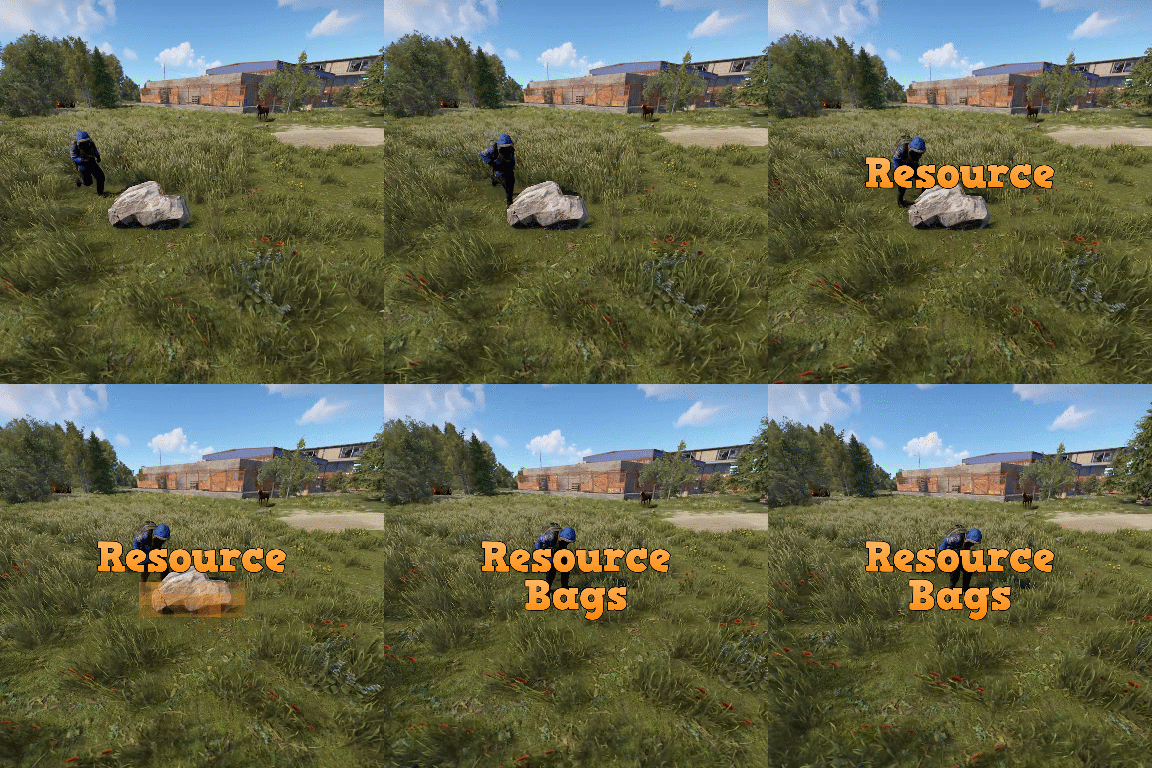
Resource bags is a plugin that allows for the creation of customized backpacks with overriding stack sizes for white listed items. Server owners can: Create custom backpack profiles. Set crafting item requirements (base value + cost per slot). Add a list of items and set the stack modifiers for each individual item that the bag can take (for example: 3x stone). Set permissions to only allow authorized players from using specific bags. Permissions resourcebags.loot - Required to find bags in loot container. resourcebags.craft - Required to craft bags.$19.99 -

Version 1.1.71
293 downloads
ResourceRush is a custom event plugin for Rust that allows players to gather resources at increased rates for a limited time. Key Features: - Time-limited resource gathering events - Customizable event duration, resource multipliers, and start times - Informative ResourceRush UI with toggle option - Event announcements and in-game notifications - Enable/disable - game tips, chat messages and start sound effect - Server console command ("rush.start") for manual event start Usage with GatherManager - Example: " If GatherManager sulfur rate 1.5x and ResourceRush sulfur rate 2x. Then 1.5 X 2 = 3x rate total during Event " { "Only Command Start Event": false, "Show ResourceRush UI": true, "ResourceRush UI Style ( 1 = With UI Text, 2 = No UI Text, 3 = No UI Text)": 1, "ResourceRush UI Text": "Gather resources with increased rates!", "ResourceRush UI Location (top right, top center, top center2, top left | left center, right center | bottom left)": "top center", "Event Duration": 360.0, "Resource Multipliers": { "default": 1.3, "wood": 1.3, "stones": 1.3, "metal.ore": 1.3, "hq.metal.ore": 1.3, "sulfur.ore": 1.5 }, "Event Start Message": "<color=yellow>Resource</color><color=red>Rush</color> <color=white>Has Started! Gather resources with increased rates!</color>", "Event End Message": "<color=yellow>Resource</color><color=red>Rush</color> <color=white>Has Ended!</color>", "Start Event Every (seconds) ": 1800.0, "Enable Game Tips": true, "Enable Chat Messages": true, "GameTip Duration": 10.0, "Event Start Sound Effect": true }$3.47 -

Version 2.0.17
3,338 downloads
This plugin allows players to gather weed from hemp plants and craft joints using a mixing table. There are different types of weed where each type can be found in a different biome. Joints can be crafted at a mixing table and will give the player configurable buffs and healing with each tier having different effects. Features: Fully customizable Different types of weed Configurable effects for each type Custom crafting UI integrates in the mixing table UI Configurable recipes for mixing table Yield amount and chance configurable for each type Ideal for Roleplay Servers New in v2.0.15: Advanced modifiers Advanced modifiers allow you to use any tea/pie modifier that's currently in the game. I did not test all of them so there is a chance that some modifiers might not work as expected. List of modifiers: Wood_Yield, Ore_Yield, Radiation_Resistance, Radiation_Exposure_Resistance, Max_Health, Scrap_Yield, MoveSpeed, ObscureVision, Warming, Cooling, CoreTemperatureMinAdjustment, CoreTemperatureMaxAdjustment, Crafting_Quality, VisionCare, MetabolismBooster, Harvesting, DigestionBoost, FishingBoost, Collectible_DoubleYield, Farming_BetterGenes, HorseGallopSpeed, HorseDungProductionBoost, Comfort, Clotting, HunterVision, Radiation, Configuration Example: "Advanced modifiers (only works for joints)": [ { "Name (case sensitive! see plugin description for all modifiers)": "Warming", "Duration (seconds)": 60.0, "Value": 10.0 } ] New in v2.0.10: Give command Server owners can use this command to give weed or joints to themselves or a certain player. The identifier has to be specified in the config file for every type of weed or joint. ganja.give <weed|joint> <identifier> <amount> <player?> Permission: ganja.give - Required to use ganja.give command New in v2.0.0: Fully configurable crafting: With Version 2.0.0 the crafting system has been integrated in the mixing table. Joints can now be crafted by using the right ingredients in the right slot. The crafting recipes are fully configurable. New recipes can also be added. New in v1.0.8: Loot Table integration: This plugin now supports the custom item api of Loot Table and Stack Size GUI, so you can easily add weed to the loot table. When both plugins are installed on the server, the weed items will show up in the custom items tab of Loottable (right image): Different tiers: Depending on the biome, you will receive different tiers of weed, the biomes can also be changed in the config. By default, tier2 weed can be gathered in the snow biome, tier1 in the desert and tier0 everywhere else. Names, droprates, and boosts can also be configured individually for each tier. Controls: With a joint selected in the hot bar: Right click to ignite / extinguish a joint When joint is bruning: left click to use a joint Permissions: Permissions can be disabled in the config, making gathering and crafting accessible to everyone regardless of permissions. ganja.craft - Required to craft joints ganja.gather - Required to obtain weed Biome masks: The biome mask is a simple 4-bit number that determines where a certain tier of weed can be found. Each biome has its own number; add these numbers together to select multiple biomes. The numbers for each biome are as follows: 1 - Arid 2 - Temperate 4 - Tundra 8 - Arctic 16 - Jungle For example: Low Quality Weed has the biome mask 6 by default (see configuration below). That means it can be found in the Temperate and the Tundra biome. Configuration: { "Weed configuration": [ { "Drop chance when harvesting (1 = 100%)": 0.4, "Drop amount when harvesting": { "min": 1, "max": 3 }, "Biome mask (see description for details)": 6, "Gene configuration": { "h": { "Minimum amount for a chance to yield": 1, "Minimum amount for guaranteed yield": 3, "Maximum amount (-1 = no limit, set to 0 to disable gathering from plants with that gene)": -1 } }, "Disable gathering from collectable hemp": false, "Disable gathering from growable hemp": false, "Item identifier (used with ganja.give command)": "low_quality", "Custom item name (null = default name)": "Low Quality Weed", "Item short name": "sticks", "Item skin id": 2661029427 }, { "Drop chance when harvesting (1 = 100%)": 0.3, "Drop amount when harvesting": { "min": 1, "max": 3 }, "Biome mask (see description for details)": 1, "Gene configuration": { "h": { "Minimum amount for a chance to yield": 1, "Minimum amount for guaranteed yield": 3, "Maximum amount (-1 = no limit, set to 0 to disable gathering from plants with that gene)": -1 } }, "Disable gathering from collectable hemp": false, "Disable gathering from growable hemp": false, "Item identifier (used with ganja.give command)": "med_quality", "Custom item name (null = default name)": "Medium Quality Weed", "Item short name": "sticks", "Item skin id": 2661031542 }, { "Drop chance when harvesting (1 = 100%)": 0.1, "Drop amount when harvesting": { "min": 1, "max": 2 }, "Biome mask (see description for details)": 8, "Gene configuration": { "h": { "Minimum amount for a chance to yield": 1, "Minimum amount for guaranteed yield": 3, "Maximum amount (-1 = no limit, set to 0 to disable gathering from plants with that gene)": -1 } }, "Disable gathering from collectable hemp": false, "Disable gathering from growable hemp": false, "Item identifier (used with ganja.give command)": "high_quality", "Custom item name (null = default name)": "High Quality Weed", "Item short name": "sticks", "Item skin id": 2660588149 } ], "Crafting Recipes": [ { "Ingredient Slots": { "0": { "Amount": 1, "Item short name": "note", "Item skin id": 0 }, "1": { "Amount": 1, "Item short name": "sticks", "Item skin id": 2661029427 }, "2": { "Amount": 1, "Item short name": "sticks", "Item skin id": 2661029427 } }, "Produced Item": { "Amount": 1, "Custom item name (null = default name)": "Low Quality Joint", "Item short name": "horse.shoes.basic", "Item skin id": 2894101592 }, "Identifier (used with ganja.give command)": "low_quality", "Is joint": true, "Boosts (only works for joints)": { "Wood boost percentage (1 = 100%)": 0.4, "Wood boost duration (seconds)": 20.0, "Ore boost percentage (1 = 100%)": 0.0, "Ore boost duration (seconds)": 0.0, "Scrap boost percentage (1 = 100%)": 0.0, "Scrap boost duration (seconds)": 0.0, "Max Health percentage (1 = 100%)": 0.0, "Max Health duration (seconds)": 0.0, "Healing per use": 1.0, "Health regeneration per use": 0.0, "Poisoning per use(a negative value will decrease poisoning)": 0.0, "Radiation poisoning per use (a negative value will decrease radiation)": 0.0, "Bleeding per use (a negative value will decrease bleeding)": 0.0, "Calories per use (a negative value will decrease calories)": 0.0, "Hydration per use (a negative value will decrease hydration)": 0.0, "Joint durability (seconds)": 120.0, "Joint durability loss per hit (seconds)": 10.0 }, "Advanced modifiers (only works for joints)": [ { "Name (case sensitive! see plugin description for all modifiers)": "Warming", "Duration (seconds)": 60.0, "Value": 10.0 } ] }, { "Ingredient Slots": { "0": { "Amount": 1, "Item short name": "note", "Item skin id": 0 }, "1": { "Amount": 1, "Item short name": "sticks", "Item skin id": 2661031542 }, "2": { "Amount": 1, "Item short name": "sticks", "Item skin id": 2661031542 } }, "Produced Item": { "Amount": 1, "Custom item name (null = default name)": "Medium Quality Joint", "Item short name": "horse.shoes.basic", "Item skin id": 2894101290 }, "Identifier (used with ganja.give command)": "med_quality", "Is joint": true, "Boosts (only works for joints)": { "Wood boost percentage (1 = 100%)": 0.0, "Wood boost duration (seconds)": 0.0, "Ore boost percentage (1 = 100%)": 0.8, "Ore boost duration (seconds)": 20.0, "Scrap boost percentage (1 = 100%)": 0.0, "Scrap boost duration (seconds)": 0.0, "Max Health percentage (1 = 100%)": 0.0, "Max Health duration (seconds)": 0.0, "Healing per use": 4.0, "Health regeneration per use": 0.0, "Poisoning per use(a negative value will decrease poisoning)": 0.0, "Radiation poisoning per use (a negative value will decrease radiation)": 0.0, "Bleeding per use (a negative value will decrease bleeding)": 0.0, "Calories per use (a negative value will decrease calories)": 0.0, "Hydration per use (a negative value will decrease hydration)": 0.0, "Joint durability (seconds)": 120.0, "Joint durability loss per hit (seconds)": 10.0 }, "Advanced modifiers (only works for joints)": [ { "Name (case sensitive! see plugin description for all modifiers)": "Warming", "Duration (seconds)": 60.0, "Value": 20.0 } ] }, { "Ingredient Slots": { "0": { "Amount": 1, "Item short name": "note", "Item skin id": 0 }, "1": { "Amount": 1, "Item short name": "sticks", "Item skin id": 2660588149 }, "2": { "Amount": 1, "Item short name": "sticks", "Item skin id": 2660588149 } }, "Produced Item": { "Amount": 1, "Custom item name (null = default name)": "High Quality Joint", "Item short name": "horse.shoes.basic", "Item skin id": 2893700325 }, "Identifier (used with ganja.give command)": "high_quality", "Is joint": true, "Boosts (only works for joints)": { "Wood boost percentage (1 = 100%)": 0.0, "Wood boost duration (seconds)": 0.0, "Ore boost percentage (1 = 100%)": 0.0, "Ore boost duration (seconds)": 0.0, "Scrap boost percentage (1 = 100%)": 1.0, "Scrap boost duration (seconds)": 30.0, "Max Health percentage (1 = 100%)": 0.3, "Max Health duration (seconds)": 30.0, "Healing per use": 8.0, "Health regeneration per use": 0.0, "Poisoning per use(a negative value will decrease poisoning)": 0.0, "Radiation poisoning per use (a negative value will decrease radiation)": 0.0, "Bleeding per use (a negative value will decrease bleeding)": 0.0, "Calories per use (a negative value will decrease calories)": 0.0, "Hydration per use (a negative value will decrease hydration)": 0.0, "Joint durability (seconds)": 120.0, "Joint durability loss per hit (seconds)": 10.0 }, "Advanced modifiers (only works for joints)": [ { "Name (case sensitive! see plugin description for all modifiers)": "Cooling", "Duration (seconds)": 60.0, "Value": 10.0 } ] } ], "Require permission for crafting": true, "Require permission for gathering": true, "Disable built-in stack fix (set to true if you have problems with item stacking/splitting)": false, "Automatically extinguish joint when unequiping it": true }$21.00 -

Version 1.0.2
219 downloads
You receive more resources when you're farming close to a team member Permissions teamgatherbonus.use: Is required to get first config setting. teamgatherbonus.vip: Is required to get vip config setting. Configuration { "Distance between a team member (in feet)": 32.0, "Bonus percentage Default": 10, "Bonus percentage Vip": 50, "Enable Fish Trap": true, "Enable Fishing Pole": true, "Enable On Collectible Pickup": true, "Enable On Dispenser Gather": true } Localization Supports 10 Languages out of the box! English French Swedish Dutch Korean Catalan Simplified Chinese Portuguese Brazil German Russian$4.99 -

Version 1.0.0
21 downloads
Allows you to restrict resource gathering in TC areas to authorized players only. Permissions tczonerestriction.use - Use the plugin. tczonerestriction.bypass - bypass the restrictions Configuration { "Block Trees Farm in Building Blocked Zone": false, "Block Ores Mining in Building Blocked Zones": false, "Block Pickup of Collectible Resources (e.g., hemp, mushrooms)": false, "Block Pickup of Dropped Items (e.g., loot, tools)": false, "Show Warning Message When Player Is Blocked": true, "Warning Message Shown When Player Is Blocked": "You must be authorized on the TC to gather resources in this area." }$6.99 -

Version 1.6.3
1,101 downloads
FEATURES: Friendly UI (Open command by default - /rs [you need be an admin or have a permission "gatherlootmultiplier.setup" by default]) (new) respawn rates for crates, barrels, e.t.c. and JunkPiles Set the gather for each resource, excavator, querry, pump jack Global rate Gather | Loot Personal rate for items Block loot containers Example of plugin config$14.99 -
Version 1.0.14
147 downloads
This plugin adds more features to the free one : Get random items on gathering resources, quarry gather, Excavator gather, loot containers, Airdrops, Supply Drops. Populate NPC corps with random loot. You can enable/disable these features from config file. The RandomGatherPremium plugin now supports applying random skins to items when they are given to players. Skins are selected based on configurable rarity weights, making rare skins harder to obtain. Update 1.0.6 Video Configuration To add or remove items this link may be helpful : https://github.com/OrangeWulf/Rust-Docs/blob/master/Items.md { "Give bonuses if player have active boost": true, "How many items should spawn when barrel is destroyed?": 2, "Give random items on quarry gather": { "Loot table (Item name , amount)": { "ammo.grenadelauncher.buckshot": 10, "ammo.grenadelauncher.he": 1, "ammo.grenadelauncher.smoke": 1, "ammo.handmade.shell": 15, "ammo.nailgun.nails": 30, "ammo.pistol": 30, "ammo.pistol.fire": 10, "ammo.pistol.hv": 10, "ammo.rifle": 30, "ammo.rifle.explosive": 10, "ammo.rifle.hv": 15, "ammo.rifle.incendiary": 15, "ammo.rocket.basic": 1, "ammo.rocket.fire": 1, "ammo.rocket.hv": 1, "ammo.rocket.sam": 5, "ammo.rocket.smoke": 1, "ammo.shotgun": 10, "ammo.shotgun.fire": 10, "ammo.shotgun.slug": 10 }, "Enabled": true }, "Give random items on Excavator gather": { "Loot table (Item name , amount)": { "ammo.grenadelauncher.buckshot": 10, "ammo.grenadelauncher.he": 1, "ammo.grenadelauncher.smoke": 1, "ammo.handmade.shell": 15, "ammo.nailgun.nails": 30, "ammo.pistol": 30, "ammo.pistol.fire": 10, "ammo.pistol.hv": 10, "ammo.rifle": 30, "ammo.rifle.explosive": 10, "ammo.rifle.hv": 15, "ammo.rifle.incendiary": 15, "ammo.rocket.basic": 1, "ammo.rocket.fire": 1, "ammo.rocket.hv": 1, "ammo.rocket.sam": 5, "ammo.rocket.smoke": 1, "ammo.shotgun": 10, "ammo.shotgun.fire": 10, "ammo.shotgun.slug": 10 }, "Enabled": true }, "Fill loot containers with random items": { "Loot table (Item name , amount)": { "ammo.grenadelauncher.buckshot": 10, "ammo.grenadelauncher.he": 1, "ammo.grenadelauncher.smoke": 1, "ammo.handmade.shell": 15, "ammo.nailgun.nails": 30, "ammo.pistol": 30, "ammo.pistol.fire": 10, "ammo.pistol.hv": 10, "ammo.rifle": 30, "ammo.rifle.explosive": 10, "ammo.rifle.hv": 15, "ammo.rifle.incendiary": 15, "ammo.rocket.basic": 1, "ammo.rocket.fire": 1, "ammo.rocket.hv": 1, "ammo.rocket.sam": 5, "ammo.rocket.smoke": 1, "ammo.shotgun": 10, "ammo.shotgun.fire": 10, "ammo.shotgun.slug": 10 }, "Enabled": true }, "Fill airdrops with random items": { "Loot table (Item name , amount)": { "ammo.grenadelauncher.buckshot": 10, "ammo.grenadelauncher.he": 1, "ammo.grenadelauncher.smoke": 1, "ammo.handmade.shell": 15, "ammo.nailgun.nails": 30, "ammo.pistol": 30, "ammo.pistol.fire": 10, "ammo.pistol.hv": 10, "ammo.rifle": 30, "ammo.rifle.explosive": 10, "ammo.rifle.hv": 15, "ammo.rifle.incendiary": 15, "ammo.rocket.basic": 1, "ammo.rocket.fire": 1, "ammo.rocket.hv": 1, "ammo.rocket.sam": 5, "ammo.rocket.smoke": 1, "ammo.shotgun": 10, "ammo.shotgun.fire": 10, "ammo.shotgun.slug": 10 }, "Enabled": true }, "Populate NPC corps with random loot": { "Loot table (Item name , amount)": { "ammo.grenadelauncher.buckshot": 10, "ammo.grenadelauncher.he": 1, "ammo.grenadelauncher.smoke": 1, "ammo.handmade.shell": 15, "ammo.nailgun.nails": 30, "ammo.pistol": 30, "ammo.pistol.fire": 10, "ammo.pistol.hv": 10, "ammo.rifle": 30, "ammo.rifle.explosive": 10, "ammo.rifle.hv": 15, "ammo.rifle.incendiary": 15, "ammo.rocket.basic": 1, "ammo.rocket.fire": 1, "ammo.rocket.hv": 1, "ammo.rocket.sam": 5, "ammo.rocket.smoke": 1, "ammo.shotgun": 10, "ammo.shotgun.fire": 10, "ammo.shotgun.slug": 10 }, "Enabled": true }, "Items": [ "ammo.grenadelauncher.buckshot", "ammo.grenadelauncher.he", "ammo.grenadelauncher.smoke", "ammo.handmade.shell", "ammo.nailgun.nails", "ammo.pistol", "ammo.pistol.fire", "ammo.pistol.hv", "ammo.rifle", "ammo.rifle.explosive", "ammo.rifle.hv", "ammo.rifle.incendiary", "ammo.rocket.basic", "ammo.rocket.fire", "ammo.rocket.hv", "ammo.rocket.sam", "ammo.rocket.smoke", "ammo.shotgun", "ammo.shotgun.fire", "ammo.shotgun.slug", "apple", "arcade.machine.chippy", "arrow.bone", "arrow.fire", "arrow.hv", "arrow.wooden", "attire.bunnyears", "attire.hide.boots", "attire.hide.helterneck", "attire.hide.pants", "attire.hide.poncho", "attire.hide.skirt", "attire.hide.vest", "attire.ninja.suit", "autoturret", "axe.salvaged", "barricade.concrete", "barricade.metal", "barricade.sandbags", "barricade.stone", "barricade.wood.cover", "battery.small", "bbq", "bed", "black.berry", "black.raspberries", "blue.berry", "blueberries", "bone.armor.suit", "boots.frog", "bow.compound", "bow.hunting", "box.repair.bench", "box.wooden", "box.wooden.large", "bucket.helmet", "building.planner", "burlap.gloves", "burlap.gloves.new", "burlap.headwrap", "burlap.shirt", "burlap.shoes", "burlap.trousers", "can.beans", "can.tuna", "cctv.camera", "ceilinglight", "chainsaw", "chocholate", "clatter.helmet", "coffeecan.helmet", "coffin.storage", "computerstation", "corn", "crossbow", "crude.oil", "cupboard.tool", "cursedcauldron", "diving.fins", "diving.mask", "diving.tank", "diving.wetsuit", "door.double.hinged.metal", "door.double.hinged.toptier", "door.double.hinged.wood", "door.hinged.industrial.a", "door.hinged.metal", "door.hinged.toptier", "door.hinged.wood", "dropbox", "explosive.satchel", "explosive.timed", "explosives", "flamethrower", "flameturret", "flashlight.held", "floor.grill", "floor.ladder.hatch", "floor.triangle.grill", "floor.triangle.ladder.hatch", "fridge", "furnace", "furnace.large", "fuse", "gates.external.high.stone", "gates.external.high.wood", "gears", "generator.wind.scrap", "grenade.beancan", "grenade.f1", "grenade.smoke", "guntrap", "habrepair", "hammer.salvaged", "hat.beenie", "hat.boonie", "hat.cap", "hat.ratmask", "hat.wolf", "hatchet", "hazmatsuit", "hazmatsuit.spacesuit", "healingtea", "healingtea.advanced", "healingtea.pure", "heavy.plate.helmet", "heavy.plate.jacket", "heavy.plate.pants", "hitchtroughcombo", "hobobarrel", "hoodie", "horse.armor.roadsign", "horse.armor.wood", "horse.saddle", "horse.saddlebag", "horse.shoes.advanced", "horse.shoes.basic", "icepick.salvaged", "innertube", "innertube.horse", "innertube.unicorn", "jacket", "jacket.snow", "jackhammer", "jackolantern.angry", "jackolantern.happy", "jar.pickle", "ammo.grenadelauncher.buckshot", "ammo.grenadelauncher.he", "ammo.grenadelauncher.smoke", "ammo.handmade.shell", "ammo.nailgun.nails", "ammo.pistol", "ammo.pistol.fire", "ammo.pistol.hv", "ammo.rifle", "ammo.rifle.explosive", "ammo.rifle.hv", "ammo.rifle.incendiary", "ammo.rocket.basic", "ammo.rocket.fire", "ammo.rocket.hv", "ammo.rocket.sam", "ammo.rocket.smoke", "ammo.shotgun", "ammo.shotgun.fire", "ammo.shotgun.slug", "jumpsuit.suit", "jumpsuit.suit.blue", "kayak", "keycard_blue", "keycard_green", "keycard_red", "knife.bone", "knife.butcher", "knife.combat", "ladder.wooden.wall", "lantern", "largecandles", "largemedkit", "laserlight", "lmg.m249", "locker", "longsword", "lowgradefuel", "mace", "machete", "mask.balaclava", "mask.bandana", "maxhealthtea", "maxhealthtea.advanced", "maxhealthtea.pure", "metal.facemask", "metal.fragments", "metal.plate.torso", "metal.refined", "metalblade", "metalpipe", "metalspring", "microphonestand", "minihelicopter.repair", "mining.quarry", "mixingtable", "multiplegrenadelauncher", "mushroom", "nightvisiongoggles", "oretea", "oretea.advanced", "oretea.pure", "paddle", "paddlingpool", "pants", "pants.shorts", "paper", "partyhat", "pickaxe", "pistol.eoka", "pistol.m92", "pistol.nailgun", "pistol.python", "pistol.revolver", "pistol.semiauto", "pitchfork", "planter.large", "planter.small", "plantfiber", "pookie.bear", "potato", "powered.water.purifier", "propanetank", "pumpkin", "pumpkinbasket", "radiationremovetea", "radiationremovetea.advanced", "radiationremovetea.pure", "radiationresisttea", "radiationresisttea.advanced", "radiationresisttea.pure", "red.berry", "research.table", "rf.detonator", "rf_pager", "rifle.ak", "rifle.bolt", "rifle.l96", "rifle.lr300", "rifle.m39", "rifle.semiauto", "riflebody", "riot.helmet", "roadsign.gloves", "roadsign.jacket", "roadsign.kilt", "roadsigns", "rocket.launcher", "rope", "rug", "rug.bear", "salvaged.cleaver", "salvaged.sword", "samsite", "scraptea", "scraptea.advanced", "scraptea.pure", "scraptransportheli.repair", "searchlight", "secretlabchair", "semibody", "sewingkit", "sheetmetal", "shelves", "ammo.grenadelauncher.buckshot", "ammo.grenadelauncher.he", "ammo.grenadelauncher.smoke", "ammo.handmade.shell", "ammo.nailgun.nails", "ammo.pistol", "ammo.pistol.fire", "ammo.pistol.hv", "ammo.rifle", "ammo.rifle.explosive", "ammo.rifle.hv", "ammo.rifle.incendiary", "ammo.rocket.basic", "ammo.rocket.fire", "ammo.rocket.hv", "ammo.rocket.sam", "ammo.rocket.smoke", "ammo.shotgun", "ammo.shotgun.fire", "ammo.shotgun.slug", "shirt.collared", "shirt.tanktop", "shoes.boots", "shotgun.double", "shotgun.pump", "shotgun.spas12", "shotgun.waterpipe", "shutter.metal.embrasure.a", "shutter.metal.embrasure.b", "shutter.wood.a", "sickle", "sleepingbag", "small.oil.refinery", "smg.2", "smg.mp5", "smg.thompson", "smgbody", "spear.stone", "spear.wooden", "speargun", "speargun.spear", "stone.pickaxe", "stonehatchet", "storage.monitor", "strobelight", "submarine.torpedo.rising", "submarine.torpedo.straight", "supply.signal", "surveycharge", "syringe.medical", "table", "tactical.gloves", "targeting.computer", "tarp", "techparts", "tool.instant_camera", "vending.machine", "wall.external.high", "wall.external.high.ice", "wall.external.high.stone", "waterpump", "weapon.mod.8x.scope", "weapon.mod.flashlight", "weapon.mod.holosight", "weapon.mod.lasersight", "weapon.mod.muzzleboost", "weapon.mod.muzzlebrake", "weapon.mod.silencer", "weapon.mod.simplesight", "weapon.mod.small.scope", "white.berry", "wood.armor.helmet", "wood.armor.jacket", "wood.armor.pants", "woodtea", "woodtea.advanced", "workbench1", "workbench2", "workbench3" ], "Amount": { "ammo.grenadelauncher.buckshot": 10, "ammo.grenadelauncher.he": 1, "ammo.grenadelauncher.smoke": 1, "ammo.handmade.shell": 15, "ammo.nailgun.nails": 30, "ammo.pistol": 30, "ammo.pistol.fire": 10, "ammo.pistol.hv": 10, "ammo.rifle": 30, "ammo.rifle.explosive": 10, "ammo.rifle.hv": 15, "ammo.rifle.incendiary": 15, "ammo.rocket.basic": 1, "ammo.rocket.fire": 1, "ammo.rocket.hv": 1, "ammo.rocket.sam": 5, "ammo.rocket.smoke": 1, "ammo.shotgun": 10, "ammo.shotgun.fire": 10, "ammo.shotgun.slug": 10 }, "Enable random skins on items": true, "Skins (Item shortname -> SkinID -> Rarity)": { "rifle.ak": { "1359893925": "Common", "1372945520": "Uncommon", "3529283241": "Rare", "859845460": "Epic", "889710179": "Legendary" }, "metal.facemask": { "800980236": "Common", "784316334": "Uncommon", "803894027": "Rare" }, "hoodie": { "941172099": "Common", "2067569919": "Uncommon", "2563940111": "Rare", "2416648557": "Epic" }, "smg.thompson": { "3376360300": "Common", "3323463721": "Uncommon", "1689944021": "Rare" }, "coffeecan.helmet": { "806212029": "Common", "2503956851": "Uncommon", "2076260082": "Rare" } }, "Give random items when barrel is destroyed": true, "Give random items on gathering resources": true, "Give random items only on full gather": false, "Give random item when collecting resources": true } Adding Item Skins In the config file, add skins under the `"Skins (Item shortname -> SkinID -> Rarity)"` section: "Skins (Item shortname -> SkinID -> Rarity)": { "rifle.ak": { "2619083960": "Common", "1523195708": "Uncommon", "2618628025": "Rare", "2619095454": "Epic", "2614896085": "Legendary" }, "hoodie": { "2628227783": "Common", "2628227876": "Uncommon", "2628227969": "Rare", "2628228048": "Epic" } } Finding Skin IDs Method 1: Steam Workshop 1. Go to the Rust Steam Workshop 2. Find the skin you want 3. Copy the ID from the URL (e.g., `steamcommunity.com/sharedfiles/filedetails/?id=2619083960`) 4. The ID is `2619083960` Method 2: wiki websites 1. Go to a wiki website (expample : https://wiki.rustclash.com/) 2. Find the skin you want 3. Copy the ID from the description 4. The ID is `1359893925`$5.99 -

Version 1.1.2
827 downloads
Save time for your players and make them always hit the X hotspots on nodes and tree's while farming. Showcase Video Simple Config { "Enable atuo tree X farming": true, "Enable atuo node star farming": true }$4.99 -

Version 2.8.22
27 downloads
IQRates – an advanced and optimized rates system for your server! This plugin has proven itself since 2020 and remains a one-of-a-kind plugin for the rates system to this day. Feature List: Server Time Settings: Time Acceleration: Enable or disable time acceleration. This allows for faster day/night cycles and customizable durations. Time Freeze: Freeze time at a specific hour (e.g., 13:00). Useful for creating fixed time conditions on the server. Rates Settings: Base Rates: Configure rates for gathering, looting, picking up items, and fishing during day and night. For example, you can increase the yield from excavators or adjust quarry collection rates. Permission-Based Rates: Rates can vary depending on player privileges. For instance, players with specific permissions can receive increased rates. Rate Correction via Whitelist/Blacklist: Exclude certain items or categories (e.g., weapons or tools) from rate modifications using blacklists. Bonus Rate Settings: Post-Wipe Boosts: Activate bonus rates for a set duration after a server wipe. Day-Specific Bonuses: Set rate boosts for specific days of the week, with options to define start and end times. Furnace Settings: Furnace Acceleration: Enable or disable accelerated smelting, with adjustable values for privileged players. Furnace Blacklist: Define specific prefabs where acceleration should not apply. Full Support for Electric Furnaces & Other Electrical Systems. Vehicle Settings: Fuel Customization: Set standard fuel amounts for vehicles purchased from NPCs, including boats, helicopters, and submarines. Fuel Consumption Rates: Adjust fuel consumption for different vehicles. Recycler Acceleration Settings: Recycler Speed Boost: Modify the speed of item recycling, with options to apply boosts globally or based on permissions. Tea Acceleration Settings: Tea Mixing Speed Boost: Increase tea mixing speed for specific permission groups (e.g., VIP players). Tea Influence on Rates: Configure tea-based rate multipliers that grant gathering bonuses based on player privileges. Event Settings: Cargo Ship, Bradley Tank, Patrol Helicopter, Chinook, Airdrops: Configure unique spawn timers for each event, with options for fixed or randomized intervals. Example: Airdrops can spawn at fixed times or within a random time range. IQChat Integration: Custom Chat Features: Enable and configure avatars and prefixes for chat messages using the IQChat system. Supports Custom Chat Formatting, Prefixes, & Avatars.$18.49-
- 2
-
-
- #ratecontroller
- #rates
- (and 6 more)
-

Version 2.0.1
137 downloads
You can set up rates both for everyone and for privileges: - Rates of pick up resources - Rates of gather resources - Rates from boxes and barrels - Rates from NPC bots - Quarry rates - Smelting speed in furnaces - Length of day and night - Vote skip night - Night rates Chat Command /rate - find out personal loot rates Localization const bool fermensEN = true; // true - ENGLISH | false - РУССКИЙ // 18 line in cs file Hints If the player has several privileges, then the one below in the config is taken! Config { "Experimental. Do not touch": false, "Disable accelerated melting": false, "Furnace prefabs (where accelerated smelting will work)": [ "furnace", "furnace.large" ], "Default rates": { "Collectible & growable": 2.0, "Gather": 2.0, "Sulfur": 2.0, "Quarry": 2.0, "Crates & barrels": { "Helicopter crates": 2.0, "Bradley crates": 2.0, "Locked crates": 2.0, "Supply crates": 2.0, "Elite crates": 2.0, "Regular crates": 2.0, "Barrels": 2.0 }, "Scientists": 2.0, "Melting speed": 2.0 }, "Adjusting the length of day and night": { "Enable?": true, "Night length": 10.0, "Day length": 50.0, "Autoskip night": false, "Voteskip night": false, "Nightly increase in rates (ex. 1.0 - increase by 100% , 0 - disable)": 0.0 }, "Premium rates [permission|setting]": { "xrate.x3": { "Collectible & growable": 3.0, "Gather": 3.0, "Sulfur": 2.5, "Quarry": 3.0, "Crates & barrels": { "Helicopter crates": 3.0, "Bradley crates": 3.0, "Locked crates": 3.0, "Supply crates": 3.0, "Elite crates": 3.0, "Regular crates": 3.0, "Barrels": 3.0 }, "Scientists": 3.0, "Melting speed": 4.0 }, "xrate.x4": { "Collectible & growable": 4.0, "Gather": 4.0, "Sulfur": 2.5, "Quarry": 4.0, "Crates & barrels": { "Helicopter crates": 4.0, "Bradley crates": 4.0, "Locked crates": 4.0, "Supply crates": 4.0, "Elite crates": 4.0, "Regular crates": 4.0, "Barrels": 4.0 }, "Scientists": 4.0, "Melting speed": 4.0 } }, "Blacklist, for what won't work": [ "sticks", "flare" ], "Messages []": { "NightHasCome": "<size=15><color=#ccff33>Night has fallen</color>, gather and loot rates increased by <color=#ccff33>{num}%</color>!</size>\n<size=10><color =#ccff33>/rate</color> - find out your current rates.</size>", "DayHasCome": "<size=15><color=#ccff33>The day has come</color>, gather and loot rates are back!</size>\n<size=10><color=#ccff33>/rate</color> - find out your current rates.</size>", "INFORMATION": "<color=#ccff33>INFORMATION | {name}</color>\nPick up: x<color=#F0E68C>{0}</color>\nGather: x<color=#F0E68C>{1}</color> <size=10>(sulfur: x <color=#F0E68C>{6}</color>)</size>\nQuarry: x<color=#F0E68C>{2}</color>\nCrates/barrels: x<color=#F0E68C>{3} </color>\nLoot from the scientist: x<color=#F0E68C>{4}</color>\nSmelting Speed: x<color=#F0E68C>{5}</color>", "SkipNight": "<color=yellow>The majority voted for the day. Let's skip the night...</color>", "NoSkipNight": "<color=yellow>—Let there be light! - said the electrician and cut the wires.</color>", "NoActive": "<color=yellow>VOTING IS NOT ACTIVE!</color>", "Voted": "<color=yellow>YOU ALREADY VOTE!</color>", "Night": "<color=yellow>Vote for NIGHT successfully received.</color>", "Day": "<color=yellow>Vote for the DAY successfully received.</color>" } }$15.00 -

Version 2.1.0
21 downloads
XFireGloves - are fire gloves. After putting them on, the player mines melted resources with any tool. - Each glove can be customized. [ Default config is 2 gloves ] You can create an unlimited number of different gloves. - There is a lang ru/en/uk/es. - Mining of remelted resources. - Pickuping of remelted resources. - Radiation accumulation when mining with fire gloves. - Adjusting raites of mined and picked up resources in gloves. - Set the number of glove usings ( lives ). [ Gloves will be deleted after N actions. Number of stones and pickups from the ground ] - Customizing custom items with glove recycling. - Customizing crates and the chance to find gloves in them. - Binding to SkinID (Do not lose functionality if put in a "Backpack"). - Information in chat when a player puts on gloves. - Information in chat when gloves break. - Gloves can only be put in slot 7. [ For optimization ] - Permission to be able to use gloves. - Customize the list of items that can smelt/fry gloves. - Customize the list of items that will not be affected by rates. Permissions Permissions to be able to find fire gloves in crates: xfiregloves.glovesloot Commands Command to give gloves via console or store - gl_give %STEAMID% SkinID_gloves Config { "General settings": { "Use permission for a chance to find gloves in crates: xfiregloves.glovesloot": true, "Display information in chat when a player puts on gloves": true }, "List of fire gloves": { "SkinID": { "Name of the fire gloves": "Fire gloves", "Permission to use gloves": "xfiregloves.default", "Rates of mined resources in gloves": 2.0, "Rates of picked resources in gloves": 2.0, "Amount of radiation when picked resources": 2.0, "Amount of radiation in bonus mining": 1.0, "Number of usings": 25, "List of resources that can smelt gloves": [ "chicken.raw", "humanmeat.raw", "bearmeat", "deermeat.raw", "meat.boar", "wolfmeat.raw", "horsemeat.raw", "hq.metal.ore", "metal.ore", "sulfur.ore", "wood" ], "A list of resources that are not affected by rates": [ "diesel_barrel" ], "List of custom items after recycling": [ { "Item shortname": "wood", "Item skin": 0, "Item name": "", "Chance [ 100.0 - 100% ]": 50, "Text [ If it's a note ]": "", "Number of usings [ If it's a glove ]": 0, "Minimum amount": 50, "Maximum amount": 100 } ], "Enable delete gloves after N usings - only for smelting": true, "Enable delete gloves after N usings - when mining/pickup any resources": false, "Enable smelting of mined resources": true, "Enable smelting of pickuped resources": true, "Enable mined resource rates": true, "Enable pickuped resource rates": true, "Enable custom items after recycling fire gloves": true, "Enable gloves to drop out of crates at a certain chance": true, "Enable radiation accumulation when pickuping resources": true, "Enable radiation accumulation when bonus mining": true, "Customize the gloves drop chance from crates and barrels. Name crate/barrel | Drop chance: 100.0 - 100%": { "crate_tools": 50.0, "crate_normal_2": 50.0 } } } }$8.59 -

Version 1.0.8
107 downloads
This plugin will allow your players, based on permission, to either instantly collect the ore/wood resource or always hit the x-marker. This plugin provides two functionalities: Players with the "geespot.instant" permission will instant gather Ore and Wood at first hit. Players with the "geespot.xmarker" permission will always trigger the X marker mini-game no matter where they hit on the model.$3.99 -

Version 2024.10.3.1319
279 downloads
SAVE 10% WHEN BUYING THE BUNDLE This high performance patch will change the overall output rates of pickup, gather and quarries/excavator aka "Gather Manager". This is a standalone Harmony patch, Oxide installation is optional. Copy the Oxidation.Modded.X.dll file into your HarmonyMods folder and restart your server. At the first server start after installing the patch a new configuration file Oxidation.Modded.X.json will be created at the HarmonyMods folder. The following settings can be configured: Recycler tick rate (default: 5s) Research table speed (default: 10s) Crafting speed multiplier Vending machine buying speed Overall gather multiplier Overall pickup multiplier Overall quarry multiplier Overall excavator multiplier Overall trap multiplier It also supports setting unique output rates based on the Item's short name, example: "Excavator": { "*": 5.0, "hq.metal.ore": 1.0, "metal.ore": 2.5, "sulfur.ore": 1.0 } What is Harmony ? Harmony is a library for patching .NET code during runtime, it directly manipulates game code (CIL) without any additional abstraction layer such as Oxide. The direct patching of the game's byte code allows more performant modding as developers no longer need to rely on third party code, events or hooks to build custom functionality.$4.99- 11 comments
- 1 review
-
- 3
-
-
- #gather
- #gathering
- (and 12 more)
-
Version 1.0.4
26 downloads
XFarmRoom - farm room of ores for your server. Good donate for players. - Optimization of the interface for different monitor resolutions. - Storing player data in - oxide/data/XDataSystem/XFarmRoom - There is a lang ru/en/uk/es. - Sound effects when interacting with the menu. - In the room is forbidden: pick up prefabs that are in the room, install anything in the room, damage the room, use console/chat commands ( customizing commands in the config ). - Teleport from a room to the place you teleported from. [ Teleportation from the room works correctly when: leaving the room, death, disconnecting from the server, unloading the plugin, restarting the server ] - A player is automatically teleported out of the farm room if his permission to access the farm room is revoken away. - Setting the CD to teleport into a room. [ Permission can be granted to disable the CD.] - Automatically clear data after a wipe. [ Configure in config ] - Ability to display room spawn points on the map. [ Administrator only ] - Ability to set a limit of simultaneously active(occupied rooms) for optimization. - Ability to customize how many items a player can take into a room. - The player chooses his own ores from the available ones to mine. [ For example: the player has all ores available, but in the UI menu he selects a stone and mines only it ] - Ores can be given out individually, any number on command. [ For example: for sale in the store ] - The ability to make the ores unlimited for the player. [ Permissions and number of ores are configurable in the config. Ores can be updated once every N seconds or once per wipe ] - Room prefabs are spawn without third party plugins. - Notifications to chat when grant and revoke permission/group with permission to access farm room functionality. Permissions xfarmroom.use - access to the room/commands. xfarmroom.nocdtp - allow teleporting into a room without a CD. Commands /roomtp - to join the room. /roomleave - to leave the room. /roomspawns - display spawn points of farming rooms. [ Administrator only ] xfarmroom_give_ore <SteamID> <ore - [ sulfur-ore | metal-ore | stone-ore ]> <amount - [ 10 | -10 ]> - give ores to the player. xfarmroom_clear_ore <SteamID> - reset the player available ores to zero. API bool API_PlayerInRoom(ulong userID) - return TRUE/FALSE if the player is in the room. Config { "General settings": { "Button placement. [ True - 1 | False - 2 ]": true, "Option to update available ores. ( only with permission to update ). [ True - once per wipe | False - once every N seconds ]": false, "Clear the data after a wipe": true, "Limit the number of items that can be taken into a room": true, "Use UI button to leave the room": true, "Every how many sec. update the number of available ores. ( it is checked only when the player tries to/falls into the room )": 3600, "How many maximum simultaneously active rooms can there be. ( for optimization )": 10, "How many maximum items can be taken into a room": 6, "Room teleportation break sec.": 90, "Chat prefix": "<size=12><color=#FFFFFF50>[</color> <color=#00FF0050>XFarmRoom</color> <color=#FFFFFF50>]</color></size>\n", "Notify the player when he has been granted or revoked away access to the farm room functionality": false, "SteamID profile for custom avatar": 0, "List of allowed console commands in farm room": [ "global.farm_ore" ], "List of allowed chat commands in farm room": [ "roomtp", "roomleave" ] }, "Permission - number of ores. [ Only the value and permission can be changed ]": { "xfarmroom.300": { "sulfur-ore": 300, "metal-ore": 300, "stone-ore": 300 }, "xfarmroom.100": { "sulfur-ore": 100, "metal-ore": 100, "stone-ore": 100 } } }$18.99 -
Version 3.1.1
743 downloads
Custom Gather allows you to have dynamic gather rates on your server! This allows you to assign different gather rates for as many groups of players as you would like. What this plugin offers that other gather rate plugins don't: Create custom gather rates based on oxide permission groups Example: Have a global 2x gather rate, but have VIPs gather at 4x, and Elite VIPs gather at 8x. Modify resources in Unloadable Train Wagons Set separate custom rates for Public and Private quarries Modify Fishing Rate Gather rate modifier includes grubs/worms picked from plants Configuring JSON Files This plugin creates two JSON files, one is located in Oxide/Config/CustomGather.json, and the other is in Oxide/Data/CustomGather.json. The config file is used to set the global on/off switches, unloadable train wagon settings, the blacklists and the global override list. The data file is used to create and specify custom groups to be assigned via oxide permissions. The 'default' group makes a permission named customgather.default and automatically assigns it to the default oxide group All other groups generate permissions titled customgather.{groupname} that then must be assigned to an oxide group or player. Do NOT delete the data json file during server wipe. It will reset all your custom group settings and need to be reconfigured. Tutorial Blacklists & Global Override List The Blacklists reverts an item's gather rate to 1x for the specified method of gathering that it is listed under. The Global Override List is similar, but you specify a custom gather rate for specific items that is then applied globally, regardless of permission groups or gather method. Items need to be entered in with their short names. Use this reference to find any item's short name. Insert items by their short names inside quotations and separated by commas. Chat Commands /cg info -- Displays each custom group and their gather rates Config JSON - Example { "Global On/Off Switches. Only set these to false if you use a separate plugin to control specific gather rates.": { "Modify rates for items picked off the terrain (ex: plants, tree stumps, small ore nodes)": true, "Modify rates for items grown in planters": true, "Modify rates for fishing": true, "Modify rates for PUBLIC Quarries and Pumpjacks": true, "Modify rates for PRIVATE Quarries and Pumpjacks": true, "Modify rates for the Giant Excavator": true, "Modify rates for Dispensers (ex: ore nodes, trees, animal corpses)": true, "Modify rates for Resource Train Wagons": true }, "Unloadable Train Wagon Settings": { "Multiplication Rate": 20, "Single Stack of Resources?": true }, "Blacklists (items to gather at vanilla rates)": { "Harvested Items": [ "human.skull", "skull.wolf" ], "Pickup Items": [ "cloth" ], "Planter Box Items": [ "clone.hemp" ], "Fishing": [ "fish.anchovy" ], "Quarries & Pumpjacks": [ "stones" ], "Excavator": [ "stones" ], "Train Resource Wagons": [ "metal.ore" ] }, "Global Override List": { "pumpkin": 20, "hq.metal.ore": 10 } } Data JSON - Example { "Custom Permission Group Settings": { "default": { "Gather Rate": 1, "PUBLIC Quarries & Pumpjacks Rate": 1, "PRIVATE Quarries & Pumpjacks Rate": 1, "Giant Excavator Rate": 1, "Fishing Rate": 1 }, "vip": { "Gather Rate": 2, "PUBLIC Quarries & Pumpjacks Rate": 2, "PRIVATE Quarries & Pumpjacks Rate": 2, "Giant Excavator Rate": 2, "Fishing Rate": 2 }, "Elite": { "Gather Rate": 3, "PUBLIC Quarries & Pumpjacks Rate": 3, "PRIVATE Quarries & Pumpjacks Rate": 3, "Giant Excavator Rate": 3, "Fishing Rate": 3 }, "SuperElite": { "Gather Rate": 4, "PUBLIC Quarries & Pumpjacks Rate": 4, "PRIVATE Quarries & Pumpjacks Rate": 4, "Giant Excavator Rate": 4, "Fishing Rate": 4 }, "MegaElite": { "Gather Rate": 5, "PUBLIC Quarries & Pumpjacks Rate": 5, "PRIVATE Quarries & Pumpjacks Rate": 5, "Giant Excavator Rate": 5, "Fishing Rate": 5 } } }$5.00- 25 comments
- 3 reviews
-
- 1
-
-
- #gathering
- #gather rates
- (and 11 more)
-
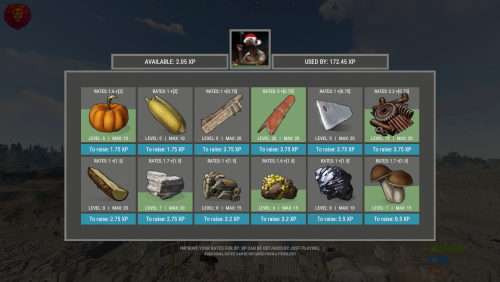
Version 1.1.2
22 downloads
XGatherUP - increase in rates for XP. - Optimization of the interface for different monitor resolutions. - Storing player data in - oxide/data/XGatherUP - There is a lang ru/en. - Sound effects when interacting with the menu. - Configuring the issuance of XP. [ Loot, kill, break barrels, open crates, pick from the ground, harvest ] - Setting up starting rates for each category. - Setting up bonus rates for each category according to the permit. [ Multiple permissions can be configured ] - Setting up permissions to access the upgrading of a certain category. - Mini-panel with XP quantity. [ You can hide ] - Customization of categories for which you can increase rates. [ Bonus mining, mining, picking from the ground, components, harvesting ] - Setting the maximum level, XP for upgraging one level, rates for one upgraded level, a list of resources/components for which the rates will be increased. -> Overview - YouTube <- Shortnames for config settings. Commands /rate - open the menu to upgrading rates. xp_give <SteamID> <Amount> - give XP. Config { "General settings": { "Use plugin balance to increase rates [ Default, XShop, Economics ]": "Default" }, "GUI settings": { "Number of categories per line": 6, "OffsetMin - menu": "-475 -255", "OffsetMax - menu": "475 180" }, "Setting up permissions and additional rates": { "xgatherup.default": { "Resource": 1.5, "Harvest": 2.0, "Loot": 0.75 } }, "XP settings | Shortname : ValueXP": { "XP for pickup resources": { "stones": 10.0, "sulfur.ore": 15.0, "metal.ore": 12.5 }, "XP for harvesting": { "potato.entity": 2.5, "corn.entity": 1.75, "hemp.emtity": 0.25 }, "XP for bonus gather": { "stones": 5.0, "sulfur.ore": 10.0, "metal.ore": 7.5 }, "XP for kill / breaking barrels": { "boar": 10.0, "loot-barrel-1": 7.5, "heavyscientist": 2.5 }, "XP for open crates": { "crate_normal": 5.0, "crate_normal_2": 1.0, "crate_tools": 3.5 } }, "Category settings": { "Resource": [ { "Permission to access the leveling category": "xgatherup.default", "Displayed item shortname/picture name. [ Must not be empty ]": "wood", "Maximum upgrading level": 20, "Rates for one level of upgrading": 0.1, "Starting rates of upgrading": 1.0, "Number of XP to upgrade one level": 2.75, "Link to custom image": "", "Shortnames of resources/components for which rates will be increased": [ "wood", "charcoal" ] }, { "Permission to access the leveling category": "xgatherup.default", "Displayed item shortname/picture name. [ Must not be empty ]": "stones", "Maximum upgrading level": 20, "Rates for one level of upgrading": 0.1, "Starting rates of upgrading": 1.0, "Number of XP to upgrade one level": 2.75, "Link to custom image": "", "Shortnames of resources/components for which rates will be increased": [ "stones" ] }, { "Permission to access the leveling category": "xgatherup.default", "Displayed item shortname/picture name. [ Must not be empty ]": "metal.ore", "Maximum upgrading level": 15, "Rates for one level of upgrading": 0.1, "Starting rates of upgrading": 1.0, "Number of XP to upgrade one level": 3.2, "Link to custom image": "", "Shortnames of resources/components for which rates will be increased": [ "metal.ore", "metal.fragments" ] }, { "Permission to access the leveling category": "xgatherup.default", "Displayed item shortname/picture name. [ Must not be empty ]": "sulfur.ore", "Maximum upgrading level": 15, "Rates for one level of upgrading": 0.1, "Starting rates of upgrading": 1.0, "Number of XP to upgrade one level": 3.2, "Link to custom image": "", "Shortnames of resources/components for which rates will be increased": [ "sulfur.ore", "sulfur" ] }, { "Permission to access the leveling category": "xgatherup.default", "Displayed item shortname/picture name. [ Must not be empty ]": "hq.metal.ore", "Maximum upgrading level": 10, "Rates for one level of upgrading": 0.1, "Starting rates of upgrading": 1.0, "Number of XP to upgrade one level": 5.5, "Link to custom image": "", "Shortnames of resources/components for which rates will be increased": [ "hq.metal.ore", "metal.refined" ] }, { "Permission to access the leveling category": "xgatherup.default", "Displayed item shortname/picture name. [ Must not be empty ]": "mushroom", "Maximum upgrading level": 15, "Rates for one level of upgrading": 0.1, "Starting rates of upgrading": 1.0, "Number of XP to upgrade one level": 0.5, "Link to custom image": "", "Shortnames of resources/components for which rates will be increased": [ "mushroom" ] } ], "Harvest": [ { "Permission to access the leveling category": "xgatherup.default", "Displayed item shortname/picture name. [ Must not be empty ]": "pumpkin", "Maximum upgrading level": 10, "Rates for one level of upgrading": 0.1, "Starting rates of upgrading": 1.0, "Number of XP to upgrade one level": 1.75, "Link to custom image": "", "Shortnames of resources/components for which rates will be increased": [ "pumpkin" ] }, { "Permission to access the leveling category": "xgatherup.default", "Displayed item shortname/picture name. [ Must not be empty ]": "corn", "Maximum upgrading level": 10, "Rates for one level of upgrading": 0.1, "Starting rates of upgrading": 1.0, "Number of XP to upgrade one level": 1.75, "Link to custom image": "", "Shortnames of resources/components for which rates will be increased": [ "corn" ] } ], "Loot": [ { "Permission to access the leveling category": "xgatherup.default", "Displayed item shortname/picture name. [ Must not be empty ]": "semibody", "Maximum upgrading level": 20, "Rates for one level of upgrading": 0.1, "Starting rates of upgrading": 1.0, "Number of XP to upgrade one level": 3.75, "Link to custom image": "", "Shortnames of resources/components for which rates will be increased": [ "semibody" ] }, { "Permission to access the leveling category": "xgatherup.default", "Displayed item shortname/picture name. [ Must not be empty ]": "metalpipe", "Maximum upgrading level": 20, "Rates for one level of upgrading": 0.1, "Starting rates of upgrading": 1.0, "Number of XP to upgrade one level": 3.75, "Link to custom image": "", "Shortnames of resources/components for which rates will be increased": [ "metalpipe" ] }, { "Permission to access the leveling category": "xgatherup.default", "Displayed item shortname/picture name. [ Must not be empty ]": "metalblade", "Maximum upgrading level": 20, "Rates for one level of upgrading": 0.1, "Starting rates of upgrading": 1.0, "Number of XP to upgrade one level": 3.75, "Link to custom image": "", "Shortnames of resources/components for which rates will be increased": [ "metalblade" ] }, { "Permission to access the leveling category": "xgatherup.default", "Displayed item shortname/picture name. [ Must not be empty ]": "scrap", "Maximum upgrading level": 20, "Rates for one level of upgrading": 0.1, "Starting rates of upgrading": 1.0, "Number of XP to upgrade one level": 3.75, "Link to custom image": "", "Shortnames of resources/components for which rates will be increased": [ "scrap" ] } ] } }$19.99 -
Version 1.0.3
395 downloads
Simply set the acquisition ratio for giant excavators and mining machines. config { "Multiplier": 10.0, "PlayerMiningQuarryGlobalRate": 5.0 } Warning: This plugin cannot be mixed with other plugins that set the ratio.Free -

Version 1.1.3
66 downloads
XRPG - rpg system. Lumberjack, miner, hunter. - When changing the monitor resolution, the panel moves along with the heal bar. - Storing player data in - oxide/data/XRPG - There is a lang ru/en. - Setting the maximum category level. - Setting the panel size. - Setting rates for resource gathering. - Setting rates for resource pickuping. - Setting rates for killing animals. - Permission rate multiplier setting. [ Players with permissions will increase rates faster ] - Setting the maximum boosted rates for permissions. - The ability to block the boosting of RPGs with certain tools. - Ability to disable the panel or messages. - The ability to slow down boosting. [ The higher the rates, the slower the boosting ] -> Overview - YouTube <- Permissions xrpg.use - allow access to RPG boosting. xrpg.top - allow access to view TOP players. Commands /rank - view TOP players. Config { "General settings": { "Enable RPG boosting slowdown | The higher the rates, the slower the boosting": false, "Enable RPG panel": true, "Enable RPG messages": true, "Delete data automatically after wipe": false, "Starting multiplier for boosting rates": 1.0, "Text size": 13, "Notification text size": 10, "List of ignored tools": [ "jackhammer", "chainsaw" ] }, "Mini panel location": { "AnchorMin": "1 0", "AnchorMax": "1 0", "OffsetMin": "-402 16", "OffsetMax": "-210 98", "Progress display: TRUE - from minimum to maximum rates | FALSE - from 0 to maximum rates ": true }, "Permissions settings": { "xrpg.default": { "Lumberjack max rates": 12.5, "Miner max rates": 12.5, "Hunter max rates": 12.5, "Rate boosting multiplier": 1.25 } }, "Lumberjack settings": { "Lumberjack max rates": 10.0, "Lumberjack starting rates": 2.5, "Enable boosting lumberjack rates by gathering resources": true, "Enable boosting lumberjack rates by picking up resources": true, "Resources for the gathering/picking of which to accrue lumberjack rates | Resources that will be subject to lumberjack rates": { "wood": 0.05, "charcoal": 0.05 } }, "Miner settings": { "Miner max rates": 10.0, "Miner starting rates": 1.75, "Enable boosting miner rates by gathering resources": true, "Enable boosting miner rates by picking up resources": true, "Resources for the gathering/picking of which to accrue miner rates | Resources that will be subject to miner rates": { "stones": 0.05, "metal.ore": 0.05, "metal.fragments": 0.05, "sulfur.ore": 0.05, "sulfur": 0.05 } }, "Hunter settings": { "Hunter max rates": 10.0, "Hunter starting rates": 1.5, "Enable boosting hunter rates by gathering resources": true, "Enable boosting hunter rates by picking up resources": true, "Enable boosting hunter rates by killing animals": true, "Resources for the gathering/picking of which to accrue hunter rates | Resources that will be subject to hunter rates": { "cloth": 0.05, "leather": 0.05, "bone.fragments": 0.05, "fat.animal": 0.05 }, "Animals for killing which to accrue hunter rates": { "boar": 0.75, "bear": 0.75, "stag": 0.75, "wolf": 0.75, "testridablehorse": 0.75, "chicken": 0.75 } } }$10.99







.thumb.jpg.4abde6ce06035db4993ba98aa473b214.jpg)