Search the Community
Showing results for tags 'harmony'.
-
Version 1.1.0.0
1 download
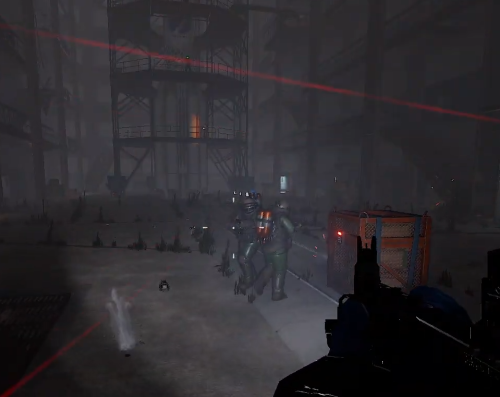
Adds an event related to "Launch Site" monument, which includes: 1. Lowers down rad. level to 25% 2. Extra NPCs 3. Timed locked crate 4. Jump puzzle loot: 3 diesel barrels + 2 high tier crates(random: heli | bradley | elite) Event respawn time is about 30-40 min. Usage Copy the downloaded DLL file into server/HarmonyMods folder Compatibility Should work both with: Oxide & Carbon, or as Harmony the only installed mod Dependencies No Support Use private messages on this site. Also if you are interested in any of my plugins, just let me know, will start a test server.$30.00 -

Version 2.0.5
984 downloads
Removes 99% of Face Punches Debug Code/Spam & Removes Borked NPC/Animals From NavMesh Custom Built Log Manager Patch that Ties Into FacePunche's Log-Handler to fix Oxides system breaking it resulting in more spam then normal. Note Remove the: 'NavMeshErrorFix' plugin from umod if you use it! 'NoSunGlare' plugin from umod if you use it! 'PersonalNPC' <causes duplication msg's> disable this in config "Clear console of ‘ownerPlayer is not player’ spam" To stop the double output of logs in console for 'PersonalNPC' Patched the Following Methods 1. Base Navigator Place On Nav Mesh ( Fixed Default logic not killing the npcs/animals resulting in repeated spam ) 2. Base Navigator Validate Next Position ( Logic works fine by default but now no longer spams console each time they Delete an NPC/Animal.. ) 3. Base Entity On Invalid Position ( Logic works fine by default but now no longer spams console ) 4. Base Networkable Send Network Group Change ( Fixed it's Spam ) HOW TO UPDATE: 1. in console type': o.unload ConsoleSpamCleaner 2. Delete cs file 3. Add New cs file 4. in console type': o.load ConsoleSpamCleaner The following spam should no longer be an issue: ( Some Additional Ones Not On List Have Also Been Patched Out ) "Invalid NavAgent Position: prefab entity pos destroying", "failed to sample navmesh at position ", "changed its network group to null", "Bone error in SkeletonProperties.BuildDictionary for ", "HandleD3DDeviceLost", "ResetD3DDevice", "dev->Reset", "D3Dwindow device not lost anymore", "D3D device reset", "group < 0xfff", "Mesh can not have more than 65000 vert", "Trying to add (Layout Rebuilder for)", "Coroutine continue failure", "No texture data available to upload", "Trying to reload asset from disk that is not", "Unable to find shaders used for the terrain engine.", "Canvas element contains more than 65535 vertices", "RectTransform.set_anchorMin", "FMOD failed to initialize the output device", "Cannot create FMOD::Sound", "invalid utf-16 sequence", "missing surrogate tail", "Failed to create agent because it is not close enough to the Nav", "user-provided triangle mesh descriptor is invalid", "Releasing render texture that is set as", "AngryAnt Behave version", "alphamapResolution is clamped to the range of", "api.facepunch.com/api/public/manifest/", "Checking for new Steam Item Definitions..", "Floating point textures aren't supported on this device", "HDR Render Texture not supported, disabling HDR on reflection probe", "Image Effects are not supported on this platform", "Loading Prefab Bundle", "Missing shader in", "Missing projectileID", "Motion vectors not supported on a platform that does not support", "SwitchParent Missed", "saddletest", "The image effect Main Camera", "The image effect effect -", "The referenced script", "Unsupported encoding: 'utf8'", "Warning, null renderer for ScaleRenderer!", "[AmplifyColor]", "[AmplifyOcclusion]", "[CoverageQueries] Disabled due to unsupported", "[CustomProbe]", "[Manifest] URI IS", "[SpawnHandler] populationCounts", ", disk("$15.00- 15 comments
- 2 reviews
-
- 1
-

-
- #console
- #spam cleaner
- (and 9 more)
-

Version 1.0.2
29 downloads
Better Body Bags optimizes server and client side performance of ragdolls and body bags. This is done by custom handeling of physics and streamlining native methods to assist with server performance and reduce the heavy networking impacts to clients, causing client side lag. Stop client side lag in high deathtoll zones Stabalize fps dips caused by ragdolls and bodybags Hookless - This plugin uses harmony for the best performance Configurable - Customize despawn times per item, dropping of weapons & burying of items Performance will vary depending on the number of players, client hardware and server hardware. If you have a high pop server, low end client hardware or low end server hardware then this plugin is for you. { "Corpse Removal Time": 10.0, "Block Active Item Drop": true, "Bury Leftover Items": true, "Despawn Time Tier 0 (seconds)": 30.0, "Despawn Time Tier 1 (seconds)": 300.0, "Despawn Time Tier 2 (seconds)": 600.0, "Despawn Time Tier 3 (seconds)": 1800.0, "Ground Watch - Updates bag position if ground is missing": true, "Advance mode (reload on first true)": false, "CustomTimes": {} }$14.99- 3 comments
- 1 review
-
- 1
-

-
- #betterbodybags
- #better body bags
- (and 9 more)
-
Version 1.0.1
1 download
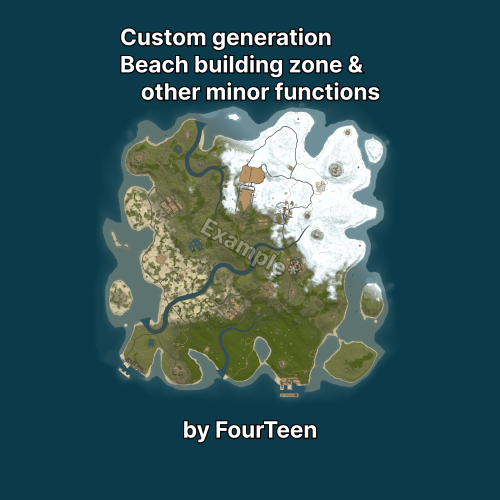
Main Features: The plugin creates larger beaches (shallow waters) to allow for the construction of large houses on flat terrain (can be configured in the config). The generation only works on new map generation and will not work with a custom map* Secondary Features: Blacklist for prefabs( www.corrosionhour.com/rust-prefab-list ), the ability to change the map name in the server list. The plugin has a default config, so no configuration is required, but you can tinker with it if you want. If ideas and demand arise, the plugin will continue to develop, and new features will likely become available. Plugin uses Harmony & Reflection!$5.00 -

Version 0.1.1
384 downloads
Allows toggling silent item giving(chat notifications and ownership) via Harmony patching. P.S. By default, silent item giving is enabled. The ability to disable item ownership assignment; The ability to disable item give messages via the 'give' command; The ability to disable item give messages via the 'giveid' command; The ability to disable item give messages via the 'givearm' command; The ability to disable item give messages via the 'giveto' command; The ability to disable item give messages via the 'giveall' command; The ability to disable item blueprint give messages via the 'giveBp' command; The ability to disable messages about copying player inventory via the 'copyTo' command. silentitemsgive.admin - Grants access to the command silentgive.toggle silentgive.toggle *boolValue*(optional) - Toggle silent item giving. To access this command, you must be an administrator or have the silentitemsgive.admin permission. Example: silentgive.toggle silentgive.toggle trueFree -
Version 1.0.3
1,776 downloads
Features Unlocks all blueprints for each player when they join. Usage - Copy the downloaded DLL file into server/HarmonyMods folder Support - If you need help or If you have any issues or suggestions you can contact me by joining my discord server: https://discord.gg/efVKDG6z6F or by adding me on discord: Farkas#6006Free- 3 comments
-
- 1
-
-
- #blueprint
- #blueprints
- (and 1 more)
-
Version 2024.5.2.1658
304 downloads
SAVE 13% WHEN BUYING THE BUNDLE NOW SUPPORTING PROCGEN AND CUSTOM URL BASED MAPS ! This plugin will allow you to setup automatic server wipes without requiring external scripts. This plugin is very useful for any server owner but I'm positive that it will be really useful for those hosting providers running panel based game instances where you do not have full access to customize the server or the provided wipe tool is very limited. You should have a look at the suggested plugins for Oxidation's Scheduler which is a perfect fit for a fully in-game automatic wipe process. The plugin also allows you to set a list of seeds that will be used at server wipe to select the new map seed. You can define as many different wipe types as you'd like on the config file like so: This example is for a "forced" wipe. In order to execute the wipe type on the rcon console "wipe forced". "Forced": { "Restart": 120, "Message": "A server wipe is being executed, we'll be back shortly", "Game": { "Blueprints": true, "Logs": true, "Map": true, "PlayerDeaths": true, "PlayerIdentities": true, "PlayerStates": true, "PlayerTokens": true }, "Plugins": { "Convalence": true, "Data": true, "Groups": true, "Language": true, "Logs": true, "Users": true }, "Files": [ "my/custom/path/this_file_will_be_deleted.json" ], "Blacklist": [ "carbon/data/this_file_will_never_be_deleted.json" ] } This example is for a "weekly" wipe. In order to execute the wipe type on the rcon console "wipe weekly". "Weekly": { "Restart": 120, "Message": "A server wipe is being executed, we'll be back shortly", "Game": { "Blueprints": false, "Logs": true, "Map": true, "PlayerDeaths": true, "PlayerIdentities": false, "PlayerStates": true, "PlayerTokens": false }, "Plugins": { "Convalence": false, "Data": true, "Groups": false, "Language": true, "Logs": true, "Users": false }, "Files": [ "my/custom/path/this_file_will_be_deleted.json" ], "Blacklist": [ "carbon/data/this_file_will_never_be_deleted.json" ] } This is a standalone Harmony patch, Oxide installation is optional. Copy the Oxidation.Wiper.X.dll file into your HarmonyMods folder and restart your server. At the first server start after installing the patch a new configuration file Oxidation.Wiper.json will be created at the HarmonyMods folder. What is Harmony ? Harmony is a library for patching .NET code during runtime, it directly manipulates game code (CIL) without any additional abstraction layer such as Oxide. The direct patching of the game's byte code allows more performant modding as developers no longer need to rely on third party code, events or hooks to build custom functionality.$4.99 -
Version 1.0.4
1,385 downloads
Disables cold and heat damage. Usage - Copy the downloaded DLL file into server/HarmonyMods folder Support - If you need help or If you have any issues or suggestions you can contact me by joining my discord server: https://discord.gg/efVKDG6z6F or by adding me on discord: Farkas#6006Free -
Version 2.0.223
10,320 downloads
Carbon is a self-updating, lightweight framework for Rust offering the best performance and stability possible. It's backwards compatibility Oxide data files and plugins make it the ultimate replacement for those wanting more from their plugins with less headache and performance overhead. Why use Carbon Carbon manages hooks in memory, instead of having to physically patch server files like Oxide does. This allows you to freely update the server without having to update Carbon, and the convenient fact that a Carbon update is rarely required, even if a new server update is released. It has much better performance thanks to dynamic hooks, which allows Carbon to dynamically load and unload hooks depending on the plugins you're running, instead of having over 800 hooks invoking that aren't being used. In addition to our full-time development team, we're able to hyper-optimize everything to ensure the best performance possible. Switching from Oxide This process is very simple thanks to our backwards compatibility and automatic migration when you boot the server with Carbon for the first time. It automatically copies all of your Oxide user and user data files, plugins, plugin configs, plugin data files, extensions and Harmony patches over to the managed Carbon directory. It's as easy as installing Carbon and letting it work! Automatic migration to Carbon Manual migration to Carbon More Reasons to Switch Carbon is free and will always be free Extremely lightweight Seamless migration from Oxide MySQL and SQLite user permission and data support Built-in modules maintained by the Carbon team to ensure essentials plugins are always ready for the big update Accurate and detailed error logging (No more incorrect stack traces. Find the issue quickly.) Native profiler to quickly identify performance issues with an intuitive in-game interface Plugin metrics to also identify performance issues at a glance that offers detailed print outs of plugin and hook usage Carbon is updated hours in advanced to force updates so you're never worrying if you can update your servers on-time Carbon updates itself when your server boots. No more auto update scripts or manual updates needed! Install, update and configure plugins all from our panel in-game without ever having to touch files again! Carbon offers a staging build that's updated all month to enable you to run modded staging servers and test your plugins well in advance to the big update Documentation Installing Carbon - https://carbonmod.gg/owners/installing-carbon Configuring Carbon - https://carbonmod.gg/owners/configuring-carbon Staging Builds Would you like to run Carbon on staging or aux branches of Rust throughout the month? Our staging and aux branches are always up-to-date, so you can properly test plugins prior to a major update or provide a modded server for players to try out new Rust updates before they're live! Staging - https://github.com/CarbonCommunity/Carbon.Core/releases/tag/rustbeta_staging_build Aux01 - https://github.com/CarbonCommunity/Carbon.Core/releases/tag/rustbeta_aux01_build Aux02 - https://github.com/CarbonCommunity/Carbon.Core/releases/tag/rustbeta_aux02_build Aux03 - https://github.com/CarbonCommunity/Carbon/releases/tag/rustbeta_aux03_build For Developers If you're a developer, you can enjoy all of the latest improvements of C# 10 as well as the ability to add your own methods anywhere in the assembly without being locked down to pre-existing hooks. All of your existing Oxide plugins will be compatible, though we recommend making a Carbon-specific version available to utilize Carbon to its fullest. Check out Creating your First Plugin to get started!Free -
Version 1.0.9
351 downloads
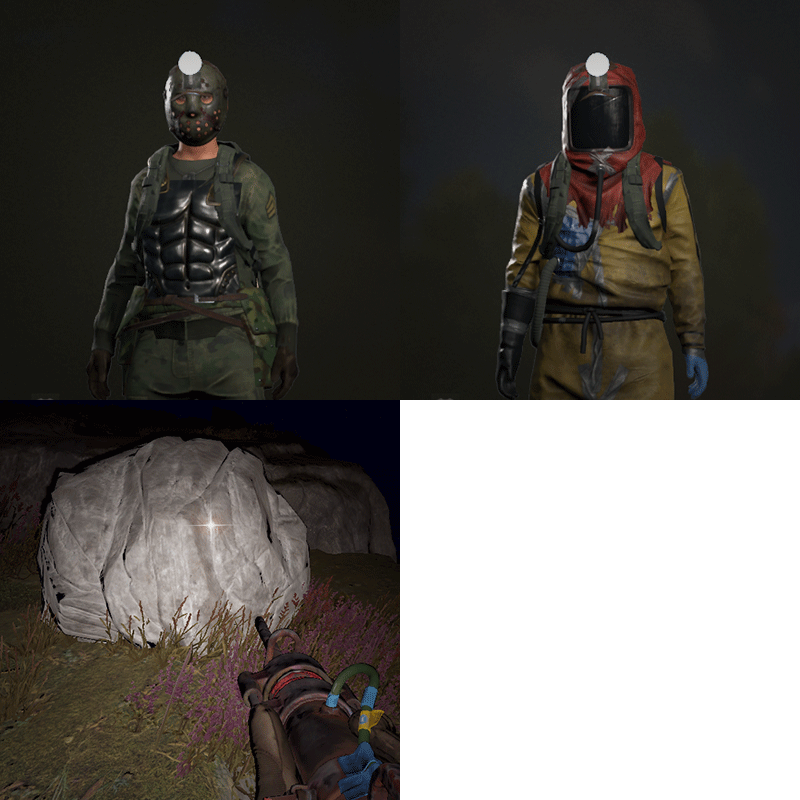
Allows players to activate Headlight (Miner's Hat) without taking up any wearable slots, and does not conflict with any headwear. This is useful for having better vision at night without compromising armor or taking off hazmat suit, especially when farming ore/wood. Auto Equip You can define whether you would the headlight to auto equip at Sunset and unequip at Sunrise by setting default state to NightOnly, and define game times in config. If set to Always instead, it will always equip a headlight to players with permission (light will be turned off, they can turn it on/off like any other worn miner's hat while equipped). Permissions headlight.use Chat Commands /headlight - Shows available commands (can be changed in config) Console Commands giveheadlight %steamid% - Equips a headlight on a target player headlight toggle - For easier key binding (e.g. bind p headlight toggle) Config { "Command": "headlight", "Auto Equip Settings": { "Default State (Always|NightOnly|Off)": "NightOnly" }, "Night Time Settings": { "Sunset InGame Time (00:00)": "22:00", "Sunrise InGame Time (00:00)": "07:00" }, "Alert Settings": { "Send in Chat": false, "Send as Game Tip": true }, "Version": { "Major": 1, "Minor": 0, "Patch": 2 } }$9.99- 24 comments
- 2 reviews
-
- 7
-
-
-

-
- #headlight
- #rust
- (and 6 more)
-
Version 1.0.0
1 download
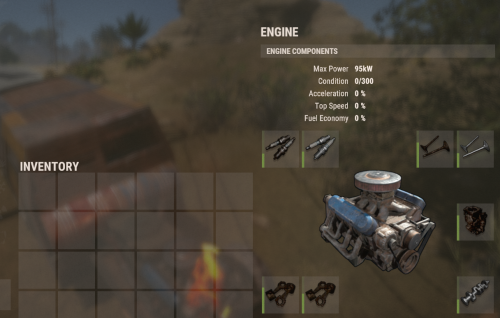
Randomly generates engine components for auto spawned vehicles. - amount: from 1 to MAX possible - quality: low | med | high - condition: it's around 20-75% Usage Copy the downloaded DLL file into server/HarmonyMods folder Compatibility Should work both with: Oxide & Carbon, or as Harmony the only installed mod Dependencies No Support Use private messages on this site$4.00 -
Version 1.0.0
3 downloads
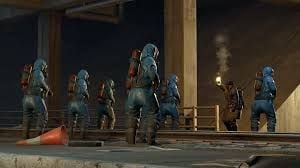
NPCs igrone players by default, only fight back: all animals patrol helicopter scarecrows (except 'halloween' locations) road & metro scientists (+ attack if notice a looting player, i.e. the metro is an additional travel variant) bradley (+ attack if any of explosives in player's hands) The plugin is good for PVE or PVP servers with relax gameplay Usage Copy the downloaded DLL file into server/HarmonyMods folder Compatibility Should work both with: Oxide & Carbon, or as Harmony the only installed mod Dependencies No Support Use private messages on this site$8.00 -
Version 1.0.0
32 downloads
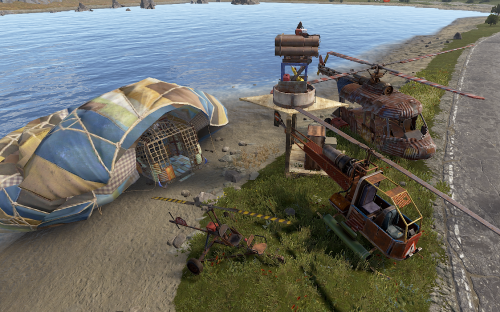
SAM Site - ignores any of air vehicle types if a related TC's owner is a driver or just inside https://youtube.com/live/lZVLhbh6iM4 Usage Copy the downloaded DLL file into server/HarmonyMods folder Compatibility Should work both with: Oxide & Carbon, or as Harmony the only installed mod Dependencies No Support Use private messages on this siteFree -
Version 1.0.0
2 downloads
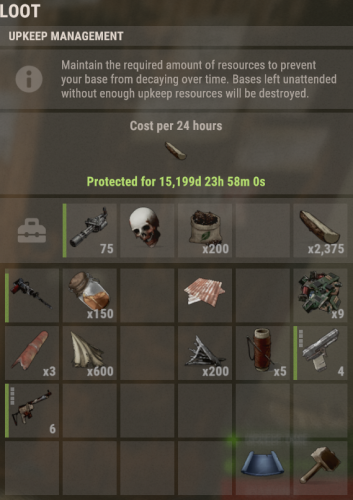
The harmony plugin allows to put in TC(cupboard) any in-game loot Usage Copy the downloaded DLL file into server/HarmonyMods folder Compatibility Should work both with: Oxide & Carbon, or as Harmony the only installed mod Dependencies No Support Use private messages on this site$3.00 -
Version 1.0.0
48 downloads
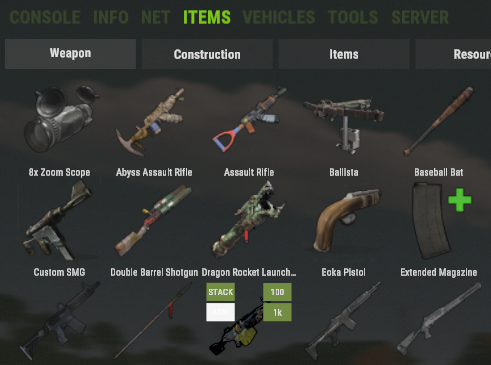
it's a lightweight analog of: https://umod.org/plugins/no-green i.e. any admin may provide by own reasons any item(s) using the admin panel with no chat logs, the admin's nickname color is also like a regular one Usage Copy the downloaded DLL file into server/HarmonyMods folder Compatibility Should work both with: Oxide & Carbon, or as Harmony the only installed mod Dependencies No Support Use private messages on this siteFree -
Version 1.0.0
13 downloads
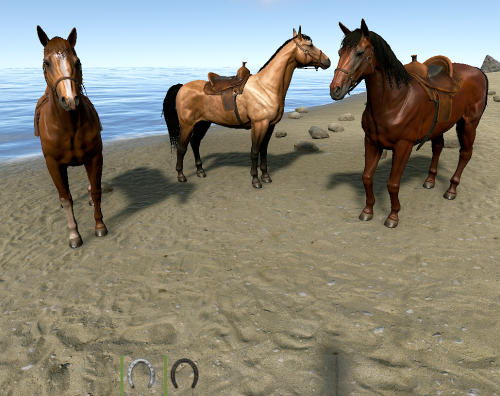
no player ragdoll upon an impact of vehicle & any solid https://youtube.com/live/5SoTLlJGl-w Usage Copy the downloaded DLL file into server/HarmonyMods folder Compatibility Should work both with: Oxide & Carbon, or as Harmony the only installed mod Dependencies No Support Use private messages on this siteFree -
Version 1.0.0
4 downloads
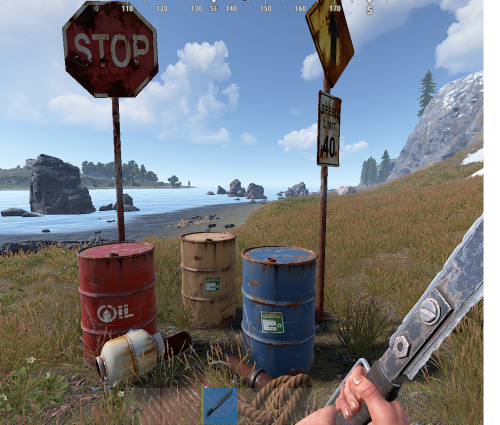
About AutoLooting Automatically collects components & scrap from destroyed barrels & road signs. Usage Copy the downloaded DLL file into server/HarmonyMods folder Compatibility Should work both with: Oxide & Carbon, or as Harmony the only installed mod Dependencies No Support Use private messages on this site$3.00 -

Version 1.1.8
972 downloads
Drop Bags tracks items dropped into the rust world. When there are high-volume drops, they are combined into a single "drop bag.” This method enhances performance by streamlining the handling of item drops and reducing item physics. Stop server stalls and freezing from item spam Works on craft spam, dropped item spam, gutted shark spam and horse dung! Light weight and easy to use Easy config DropBags uses one light weight hook to track dropped items. Dependent on how many items are dropped in a given radius those items get placed into a drop bag. This stops mass item spam effecting your server performance. { "Area Size - How far away items can be moved into a container": 7, "Max drops before moving items to container": 36, "Time to wait before moving items": 5.0, "Vischeck - checks items are visable before moving to container": true, "Calculate despawntime from drop bag items": true, "Reset dropbag despawn time on loot": false, "Override drop bag despawn time (seconds), 0 = false": 0.0 }$14.99- 16 comments
- 7 reviews
-
- 2
-
-
-
- #dropbags
- #drop bags
- (and 26 more)
-

Version 2.1.0
45 downloads
AutoBackpacks is an advanced and fully automated backpack management plugin that revolutionizes inventory organization in Rust servers, providing intelligent item sorting, dynamic capacity management, overflow protection, and seamless user experience through multiple interactive UIs. Main Features Dual Interactive UI System: Features a beautiful main configuration UI plus a dedicated Extra Slots UI for managing bonus backpack capacity, both with custom graphics integration via ImageLibrary and real-time updates. Dynamic Capacity System: Fully customizable tier-based capacity system supporting up to 58 slots for large backpacks and 42 for small backpacks, with automatic permission-based tier assignment and real-time capacity monitoring. Intelligent Overflow Protection: Advanced item redirection system that handles pickups, crafted items, consumable byproducts, and external item arrivals, preventing item loss when inventory is full. Extra Items Bag System: Automatically creates organized item bags when backpack capacity is reduced or when dropping backpacks with extra slots, with configurable despawn times and bag limits. Enhanced Priority System: Four priority modes including new BeltFirst option (BeltFirst, MoveFirst, KeepInMain, MoveToTop) allowing precise control over item placement priorities. Smart Sorting System: Advanced sorting algorithms with automatic organization after item movements, configurable cooldowns, and intelligent category-based grouping. Category Organization: Automatic organization by 14 item categories (Weapons, Tools, Resources, etc.) with customizable priorities and smart stacking algorithms. Multi-Style Notifications: Four notification types (Chat, GameTip, Toast, None) with per-player cooldowns and contextual messaging for different events. Visual Capacity Indicator: Color-coded backpack button overlay showing real-time capacity usage with percentage-based color transitions. Advanced Debug Tools: Comprehensive admin commands for troubleshooting inventory states, belt status, and item movement logic. Permissions autobackpacks.use: Basic plugin access and core functionality autobackpacks.automove: Automatic item movement to backpacks when inventory is full autobackpacks.smartsort: Smart sorting capabilities during loot collection autobackpacks.priority: Priority system access for advanced item management autobackpacks.categorysort: Category-based organization and sorting features autobackpacks.organize: Manual backpack organization commands autobackpacks.ui: Access to the interactive configuration UI autobackpacks.admin: Administrative commands and plugin management Chat Commands /ab - Opens the main interactive configuration UI /ab extra or /ab extraslots - Opens the Extra Slots UI for managing bonus backpack capacity /ab organize or /ab sort - Manually organize backpack contents by category /ab capacity or /ab cap - Display current backpack capacity information /ab inv - Show detailed inventory status (admin debug command) /ab belt - Debug belt/hotbar status (admin command) /ab help - Display comprehensive command help and feature information Config: { "EnableUI": true, "EnableSmartSorting": true, "EnableAnalytics": true, "EnableDebug": false, "NotificationCooldown": 2.0, "SmartSortCooldown": 1.0, "MaxMovesPerSecond": 10, "EnablePrioritySystem": true, "PriorityBehavior (BeltFirst:0, MoveFirst:1, KeepInMain:2, MoveToTop:3)": 1, "PriorityItems": [ "wood", "stone", "metal.ore", "cloth", "leather" ], "KeepInMainItems": [ "bandage", "syringe.medical", "ammo.rifle" ], "EnableCategorySorting": true, "AutoSortOnMove": true, "CategorySortOrder": { "Weapon": 1, "Construction": 2, "Items": 3, "Resources": 4, "Attire": 5, "Tool": 6, "Medical": 7, "Food": 8, "Ammunition": 9, "Traps": 10, "Misc": 11, "Component": 12, "Electrical": 13, "Fun": 14 }, "DefaultItemCategories": { "Weapon": true, "Construction": true, "Tool": false, "Resources": true, "Medical": false, "Food": true, "Component": true, "Electrical": false }, "BlacklistedItems": [ "keycard" ], "PluginTitle": "AUTOBACKPACKS", "PluginVersion": "v.2.0.2", "BackpackCapacity": { "EnableCapacityControl": true, "CapacityUpdateCooldown": 2.0, "ShowCapacityMessages": true, "EnablePermissionMonitoring": true, "AutoTransferExcessItems": true, "CapacityTiers": { "Default": { "Permission": "", "LargeBackpackSlots": 28, "SmallBackpackSlots": 12, "Priority": 0 }, "Small": { "Permission": "autobackpacks.capacity.small", "LargeBackpackSlots": 34, "SmallBackpackSlots": 18, "Priority": 1 }, "Medium": { "Permission": "autobackpacks.capacity.medium", "LargeBackpackSlots": 40, "SmallBackpackSlots": 24, "Priority": 2 }, "Large": { "Permission": "autobackpacks.capacity.large", "LargeBackpackSlots": 46, "SmallBackpackSlots": 30, "Priority": 3 }, "Extra": { "Permission": "autobackpacks.capacity.extra", "LargeBackpackSlots": 52, "SmallBackpackSlots": 36, "Priority": 4 }, "Ultimate": { "Permission": "autobackpacks.capacity.ultimate", "LargeBackpackSlots": 58, "SmallBackpackSlots": 42, "Priority": 5 } } }, "ExtraItemsBags": { "EnableExtraItemsBags": true, "BagDespawnTime": 1800.0, "MaxItemsPerBag": 30, "MaxBagsPerPlayer": 5 }, "CapacityColors": { "Color when 90-100% full (HEX format with optional alpha)": "#CC3333", "Alpha transparency for Critical (0-100)": 80, "Color when 70-89% full (HEX format)": "#CC9933", "Alpha transparency for High (0-100)": 80, "Color when 40-69% full (HEX format)": "#CCCC33", "Alpha transparency for Medium (0-100)": 80, "Color when 0-39% full (HEX format)": "#33CC33", "Alpha transparency for Low (0-100)": 80 }, "NCPIntegration": { "Enable NCP Notifications": true, "Use Chat Fallback if NCP Unavailable": true, "Notification Settings": { "Item Moved to Backpack (0=Info, 1=Warning, 2=Error, 3=Success, -1=Disabled)": 0, "Smart Sort Completed": 3, "Backpack Full": 1, "Inventory Full": 1, "No Permission": 2, "Capacity Updated": 0, "Extra Items Bag Created": 1, "Feature Toggled": 3, "Error Messages": 2 } } } Lang: { "Plugin.Title": "<size=16><color=#4ade80>AUTO BACKPACKS</color></size>", "Plugin.Prefix": "<color=#4ade80>[AutoBackpack]</color>", "Item.MovedToBackpack": "<size=12><color=#4ade80>·</color> <color=#DBE2E9>Moved</color> <color=#FFD700>{0}</color> <color=#DBE2E9>to backpack!</color></size>", "Item.MovedToBelt": "<size=12><color=#4ade80>·</color> <color=#DBE2E9>Moved</color> <color=#FFD700>{0}</color> <color=#DBE2E9>to belt!</color></size>", "Item.SmartSorted": "<size=12><color=#4ade80>·</color> <color=#DBE2E9>Smart sorted</color> <color=#FFD700>{0}</color> <color=#DBE2E9>items!</color></size>", "Item.Organized": "<size=12><color=#4ade80>·</color> <color=#DBE2E9>Organized</color> <color=#FFD700>{0}</color> <color=#DBE2E9>items by category!</color></size>", "Permission.NoMain": "<size=12><color=#E45858>·</color> <color=#DBE2E9>You don't have permission to use this plugin!</color></size>", "Permission.NoCommand": "<size=12><color=#E45858>·</color> <color=#DBE2E9>You don't have permission to use this command!</color></size>", "Permission.NoUI": "<size=12><color=#E45858>·</color> <color=#DBE2E9>You don't have permission to access the UI!</color></size>", "Permission.NoOrganize": "<size=12><color=#E45858>·</color> <color=#DBE2E9>You don't have permission to organize backpacks!</color></size>", "Permission.NoFeature": "<size=12><color=#E45858>·</color> <color=#DBE2E9>You don't have permission to toggle</color> <color=#FFD700>{0}</color><color=#DBE2E9>!</color></size>", "Status.BackpackEquipped": "<size=12><color=#4ade80>·</color> <color=#DBE2E9>Backpack:</color> <color=#FFD700>{0}/{1}</color> <color=#DBE2E9>slots used</color></size>", "Status.NoBackpack": "<size=12><color=#E45858>·</color> <color=#DBE2E9>No backpack equipped!</color></size>", "Status.BackpackFull": "<size=12><color=#E45858>·</color> <color=#DBE2E9>Backpack is full!</color></size>", "Status.InventoryFull": "<size=12><color=#E45858>·</color> <color=#DBE2E9>Inventory is full!</color></size>", "Toggle.Enabled": "<size=12><color=#4ade80>·</color> <color=#FFD700>{0}</color> <color=#DBE2E9>is now</color> <color=#4ade80>ENABLED</color></size>", "Toggle.Disabled": "<size=12><color=#E45858>·</color> <color=#FFD700>{0}</color> <color=#DBE2E9>is now</color> <color=#E45858>DISABLED</color></size>", "Toggle.NotificationChanged": "<size=12><color=#4ade80>·</color> <color=#DBE2E9>Notification style changed to</color> <color=#FFD700>{0}</color></size>", "Command.Organizing": "<size=12><color=#4ade80>·</color> <color=#DBE2E9>Organizing backpack by category...</color></size>", "Command.Organized": "<size=12><color=#4ade80>·</color> <color=#DBE2E9>Backpack organized by category!</color></size>", "Command.ConfigReloaded": "<size=12><color=#4ade80>·</color> <color=#DBE2E9>AutoBackpacks config reloaded!</color></size>", "Help.Title": "<size=16><color=#4ade80>AUTO BACKPACKS SYSTEM</color></size>\n<size=7><color=#9AA297>\n</color></size><size=11>\n</size>", "Help.Description": "<size=14><color=#4ade80>SMART BACKPACK MANAGEMENT </color><color=#9AA297>· </color><color=#DBE2E9>AUTOMATION SYSTEM</color></size>\n<size=12>· <color=#F3E7B3>Auto Move: </color><color=#DBE2E9>Automatically moves items to your backpack when inventory is full</color></size>\n<size=12>· <color=#F3E7B3>Smart Sort: </color><color=#DBE2E9>Intelligently organizes items based on priority and category</color></size>\n<size=12>· <color=#F3E7B3>Category Sort: </color><color=#DBE2E9>Groups items by type for better organization</color></size>\n<size=12>· <color=#F3E7B3>Priority System: </color><color=#DBE2E9>Moves important items first or keeps them in main inventory</color></size>\n\n", "Help.Commands": "<size=14><color=#4ade80>AVAILABLE COMMANDS </color><color=#9AA297>· </color><color=#DBE2E9>QUICK REFERENCE</color></size>\n<size=12>· <color=#FFD700>/ab</color> <color=#9AA297>-</color> <color=#DBE2E9>Open main configuration UI</color></size>\n<size=12>· <color=#FFD700>/ab organize</color> <color=#9AA297>-</color> <color=#DBE2E9>Manually organize backpack by category</color></size>\n<size=12>· <color=#FFD700>/ab help</color> <color=#9AA297>-</color> <color=#DBE2E9>Show this help information</color></size>\n\n", "Help.Footer": "<size=11><color=#DBE2E9>Configure your preferences with </color><color=#FFD700>/ab</color><color=#DBE2E9> command!</color></size>", "UI.BackpackSpace": "BACKPACK SPACE: {0}/{1}", "UI.NoBackpackEquipped": "NO BACKPACK EQUIPPED", "UI.NoPermission": "NO PERMISSION", "Analytics.TotalMoved": "<size=12><color=#4ade80>·</color> <color=#DBE2E9>Total items moved:</color> <color=#FFD700>{0}</color></size>", "Capacity.Updated": "<size=12><color=#4ade80>·</color> <color=#DBE2E9>Backpack capacity updated to</color> <color=#FFD700>{0}</color> <color=#DBE2E9>slots!</color></size>", "Capacity.Current": "<size=12><color=#4ade80>·</color> <color=#DBE2E9>Your backpack capacity:</color> <color=#FFD700>{0}</color> <color=#DBE2E9>slots</color></size>", "Capacity.NoBackpack": "<size=12><color=#E45858>·</color> <color=#DBE2E9>No backpack equipped to check capacity!</color></size>", "ExtraSlots.NoExtraSlots": "<size=12><color=#E45858>·</color> <color=#DBE2E9>No extra slots available!</color></size>", "ExtraSlots.ItemMoved": "<size=12><color=#4ade80>·</color> <color=#DBE2E9>Moved</color> <color=#FFD700>{0}</color> <color=#DBE2E9>to main inventory!</color></size>", "ExtraSlots.CannotMove": "<size=12><color=#E45858>·</color> <color=#DBE2E9>Cannot move item - inventory full!</color></size>", "ExtraSlots.TransferredAll": "<size=12><color=#4ade80>·</color> <color=#DBE2E9>Transferred</color> <color=#FFD700>{0}</color> <color=#DBE2E9>items to main inventory!</color></size>", "ExtraItems.BagsCreated": "<size=12><color=#4ade80>·</color> <color=#DBE2E9>Created</color> <color=#FFD700>{0}</color> <color=#DBE2E9>extra items bags from your backpack!</color></size>", "ExtraItems.ItemsDropped": "<size=12><color=#4ade80>·</color> <color=#DBE2E9>Your extra backpack items have been dropped in bags nearby!</color></size>", "Error.General": "<size=12><color=#E45858>·</color> <color=#DBE2E9>An error occurred. Please try again.</color></size>", "Error.NoItem": "<size=12><color=#E45858>·</color> <color=#DBE2E9>Item not found or invalid!</color></size>", "Error.Processing": "<size=12><color=#E45858>·</color> <color=#DBE2E9>Error processing request. Check console for details.</color></size>", "ExtraSlots.NoItemsToTransfer": "<size=12><color=#E45858>·</color> <color=#DBE2E9>No items to transfer!</color></size>", "ExtraSlots.SomeItemsFailed": "<size=12><color=#E45858>·</color> <color=#FFD700>{0}</color> <color=#DBE2E9>items couldn't be moved - inventory full!</color></size>", "ExtraSlots.NoItemsInExtraSlots": "<size=12><color=#E45858>·</color> <color=#DBE2E9>No items in extra slots to manage!</color></size>" }$12.99- 9 comments
-
- 1
-
-
- #backpack
- #backpacks
- (and 5 more)
-
Version 1.0.1
71 downloads
Harmony Log Manager is a simple plugin to give you more control over the Harmony logging for your server. With this plugin you can easily enable/disable the Harmony.DEBUG flag. When set to false, it disables all the verbose Harmony logging entirely. Or if you would rather you can set the plugin to rotate the log files according to your settings, such as daily at a specific time, hourly or when the log file reaches a certain file size. These are all features not available natively, but very nice to have. Commands: harmonylog.reload - reload the config after changes harmonylog.status - Get info about the log file and settings harmonylog.rotate - Manually rotate the log file Config Options: "Disable Global Verbose Harmony Logging" - Set's Harmony.DEBUG flag accordingly, false stops the verbose Harmony logging "Enable Log Rotation" - Enable or disable log rotation (i.e: Create and use new log files on rotation based on your settings) "Log Rotation Mode (daily, hourly, size)" daily - rotates the file at the set time each day "Daily Log Rotation Time as HH:MM:SS Format" - Sets log rotation time in the format shown hourly - rotates the log file every HH hours "Log Rotation Every HH Hours" - Sets the log rotation every HH hours size - rotates the log file when it reaches the size in MB "Max Log File Size (MB)" - Set the max size of the log file in MB "Log File Size Checking Interval (Seconds)" - How often to check the file size "Path to Harmony Log File (default = harmony_log.txt)" - The path to your harmony_log.txt file "Path to Store Old Log Files (default = oxide/logs/Harmony/" - The path you want to store your old log files (will create if does not exist) "Max Stored Log Files (Oldest Deleted First)" - How many old log files to keep, oldest deleted first Default Config: { "Disable Global Verbose Harmony Logging": false, "Enable Log Rotation": true, "Log Rotation Mode (daily, hourly, size)": "daily", "Daily Mode Options": { "Daily Log Rotation Time as HH:MM:SS Format": "23:59:59" }, "Hourly Mode Options": { "Log Rotation Every HH Hours": 24 }, "Size Mode Options": { "Max Log File Size (MB)": 50, "Log File Size Checking Interval (seconds)": 300.0 }, "Log File Options": { "Path to Harmony Log File (default = harmony_log.txt)": "harmony_log.txt", "Path to Store Old Log Files (default = oxide/logs/Harmony/": "oxide/logs/Harmony/", "Max Stored Log Files (Oldest Deleted First)": 30 }, "Version": { "Major": 0, "Minor": 0, "Patch": 1 } }Free -
Version 1.0.3
120 downloads
No Building Debris is a plugin that will help improve players client fps a lot by getting rid of the gibs on Building Blocks destruction. I provided 4 options so if you want to keep some gibs on you can! These will work on all objects that are considered building blocks, such as high external walls! PLEASE READ BEFORE BUYING! For this to work it requires the server to disable sandbox, it uses Harmony code which allows me to modify the server code to allow this to be possible. You can find out how to disable sandbox below. After disabling, you can drop the plugin in the plugin folder like normal. To disable Sandbox, head to your RustDedicated_Data/Managed folder and create a file called oxide.disable-sandbox then restart your server to apply the change. Config { "Remove Admin Kill Gibs?": true, "Remove Stability Gibs?": true, "Remove Demolish Gibs?": true, "Remove Killed Gibs?": true }$10.00 -

Version 1.1.2
1,379 downloads
Loading Messages is a high-performance plugin that features customizable loading panel messages with adjustable display times and icons. Custom Messages for Queued and Loading Players Language Support - Display messages in local languages Loading Messages on Respawn and Teleport Loading Screens Configurable Display Time per Message High Performance Plugin! Loading Messages has three main message types: Queued - When a player is in the server queue Joining - When a player is joining the server Loading - The loading screen displayed when a player is teleporting or in a pending gamemode state Each custom type allows for options including icon ID, next message display time & message content. Loading Messages can use the following rich text tags - color, b, u, and i To display local languages set: "Use Language Support": true in you configuration. Custom languages will only be displayed after the first time a user connects to the server. Add multiple languages in the configuration listing: "Lang Messages": { "es-ES": { "Queue Messages": [ { "iconID": "0", "NextMessageTime": 5.0, "Message": "Estás en la cola" }, { "iconID": "0", "NextMessageTime": 5.0, "Message": "Por favor espera" }, { "iconID": "0", "NextMessageTime": 5.0, "Message": "Reporta tramposos usando f7" } ] } } You can see a list of most of the icons by going to https://fontawesome.com/icons.$9.99- 45 comments
- 7 reviews
-
- 3
-
-
-
- #loading messages
- #loading
- (and 15 more)
-

Version 2024.5.2.1658
161 downloads
SAVE 10% WHEN BUYING THE BUNDLE SAVE 10% WHEN BUYING THE BUNDLE This high performance patch will allow to set custom item stacks based on: Item name Item category Blacklist items (useful when using the categories) This is a standalone Harmony patch, Oxide installation is optional. Copy the Oxidation.StackManager.dll file into your HarmonyMods folder and restart your server. At the first server start after installing the patch a new configuration file Oxidation.StackManager.X.json will be created at the HarmonyMods folder. What is Harmony ? Harmony is a library for patching .NET code during runtime, it directly manipulates game code (CIL) without any additional abstraction layer such as Oxide. The direct patching of the game's byte code allows more performant modding as developers no longer need to rely on third party code, events or hooks to build custom functionality.$4.99- 5 comments
- 3 reviews
-
- 1
-
-
- #harmony
- #oxidation
- (and 8 more)
-

Version 1.0.4
2,508 downloads
Features Changes the speed of crafting. Usage - Copy the downloaded DLL file into server/HarmonyMods folder - After loading the plugin it will create a directory in the server's folder called HarmonyConfig, where you will be able to change the config options. Support - If you need help or If you have any issues or suggestions you can contact me by joining my discord server: https://discord.gg/efVKDG6z6F or by adding me on discord: Farkas#6006Free -

Version 1.1.2
827 downloads
Save time for your players and make them always hit the X hotspots on nodes and tree's while farming. Showcase Video Simple Config { "Enable atuo tree X farming": true, "Enable atuo node star farming": true }$4.99