Search the Community
Showing results for tags 'heli'.
-
Version 1.0.0
10 downloads
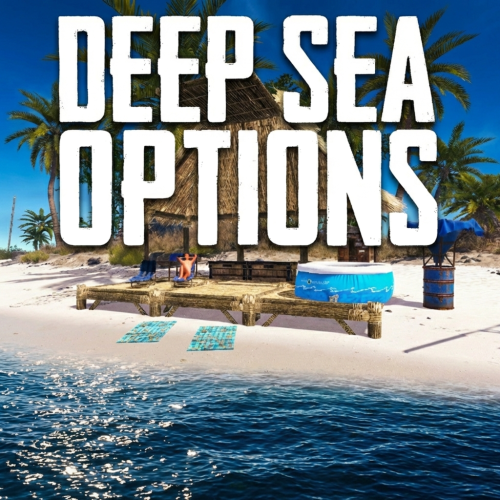
Deep Sea Options is a single config control plugin for Rust’s new Deep Sea feature. It lets server owners fully control when Deep Sea opens, what spawns inside it, what vehicles can enter, and how access rules are enforced. You can also configure if players can build inside deep sea. Building Control Enforce building allowed / blocked inside Deep Sea * Works independently of defaults Can be toggled live * Buildings persist restart, as long as the deep sea isnt being closed. Deep Sea Behavior Control Configure defaults: Whether the deep sea should always remain open, be on timers, or disabled Control all phase timers Deep Sea Content Control Configure procedural spawns: Island counts Ghost Ships counts RHIB counts Control: count spacing radius minimum distance between spawns distance from Deep Sea edges Settings are grouped and explained in the config Access & Teleport Rules Control: Allow all vehicles (including planes and helis) or only an allow-listed set players can enter without a boat flying (noclip/admin) players can bypass checks NPC passengers are allowed on vehicles Prevent or allow “vehicle stacking” (boats/helis on deck) Commands /deepsea status Shows current Deep Sea state /deepsea open Opens deep sea if not alrady open /deepsea close Closes current Deep Sea Config if you want to pre-configure it before the DeepSea update - https://www.dropbox.com/scl/fi/ldyjhf8wdlyq3yr6q43js/DeepSeaOptions.json?rlkey=i6bsi1wwva5go7swg6gz1iiem&st=nn3l5d4o&dl=1 Note if you make changes to some config values (such as the procedural spawns, you will need to close the deep sea and reopen.)$7.99 -
Version 1.2.32
8,808 downloads
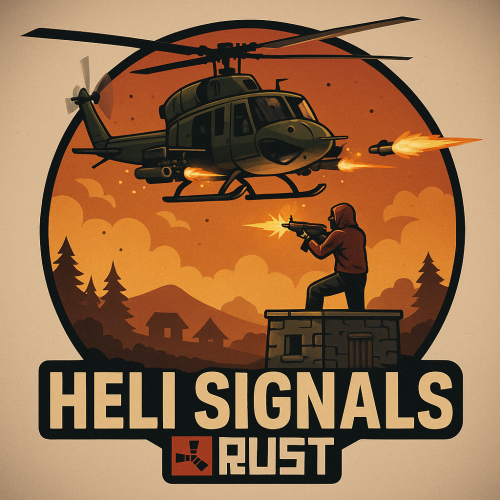
Heli Signals allows players with permission to call an Attack Helicopter to their location with a custom Supply Signal, where it will engage players and patrol, allowing players to fight it to win the valuable Heli crates. The plugin comes with 8 default heli profiles, Easy, Medium, Hard and Elite, with a duplicate profile of each set up for calling multiple helis at once for each tier. In addition there is also 2 Wave Heli profiles, which will call in a wave of different helis one after the other. Each default profile has it's own custom supply signal skin (below). Server owners can add as many profiles as they like in the config by copying and pasting an existing profile within the config and editing to suit. This may require the server owner to create their own custom skin for the inventory item. If you are setting up Multi heli signals, set the global and player limit in the config accordingly to accommodate higher numbers of helicopters per player. There is also an option to have a BotReSpawn profile spawn at the crash site, just set the BotReSpawn profile name in the config. IMPORTANT: Each heli profile or wave profile in the config MUST have its own unique name and skin ID, otherwise you will have issues. NOTE ABOUT SHOPS: The profile name in the config should match the Custom Supply Signal name which the shop gives the player. The Helicopter Name is separate and can be set independently from the Signal item. Also, when giving players items from shop plugins, if available, I always recommend adding the item to the shop using custom name, skinID etc, rather than the console command, but either will work. Plugin default Supply Signal Skin ID's to add items to various shops, loot plugins, kits etc are: Heli Signal (Easy) : 2920175997 Heli Signal (Medium) : 2920176079 Heli Signal (Hard) : 2920176050 Heli Signal (Elite) : 2920176024 Heli Signal (Expert) : 3099117081 Heli Signal (Nightmare) : 3099117372 Multi Heli (Easy) : 3083234542 Multi Heli (Medium) : 3083234833 Multi Heli (Hard) : 3083234755 Multi Heli (Elite) : 3083234647 Multi Heli (Expert) : 3099124338 Multi Heli (Nightmare) : 3099124426 Heli Wave Signal : 3099117224 Heli Wave Signal (Normal): 3104667036 Heli Wave Signal (Hard): 3104666951 Default Permissions: helisignals.admin (to use give|hsclearcd command) helisignals.buy (to use /hsbuy command) helisignals.bypasscooldown helisignals.easy helisignals.medium helisignals.hard helisignals.elite helisignals.easy_multi helisignals.medium_multi helisignals.hard_multi helisignals.elite_multi helisignals.wave_normal helisignals.wave_hard Please note: Permissions above are with default config, permission for each Heli profile can be customised in the config. Commands (Prefix with / to use in game): hsgive <Profile ShortName> <Steam64ID> <Amount> hsbuy list hsbuy <Profile Shortname> hsreport (Get details of all active helis) hsretire (Retire all a player or their teams called Helis, no refunds) hsclearcd (clear all cooldowns) hsclearcd <SteamID|Name> (clear cooldown for player) (Buy and Retire command customisable in config) Please note correct usage for Supply Signal name and Helicopter display name. These values CAN be different if you wish: Loot Options: Use the loot item example entries in the default config to create custom loot tables for crates. How to Add Loot Table Items (Example): Default Config: For Other Developers: The following hook is available to use in your plugins to check custom Supply Signals or Patrol Helicopters to avoid conflict with your plugins: object IsHeliSignalObject(ulong skinID) This will return true if the item is a Bradley Drop item/entity, or null if not. Call it directly without referencing the plugin: if (Interface.Call("IsHeliSignalObject", skinID) != null) return true; // IsHeliSignalObject Or reference my plugin and call like this: [PluginReference] Plugin HeliSignals; if (HeliSignals.Call("IsHeliSignalObject", skinID) != null) return true; // IsHeliSignalObject$19.99- 411 comments
- 22 reviews
-
- 6
-

-

-
- #helicopter
- #helicopters
- (and 17 more)
-
Version 1.3.1
3,872 downloads
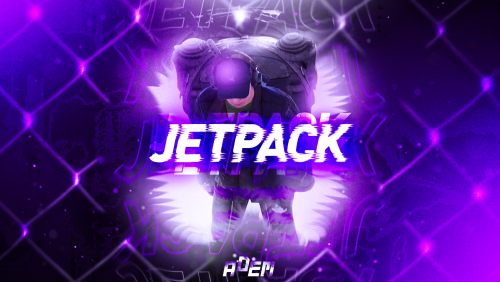
Take your players to new heights in the game of Rust, and get a few laughs watching people try to fly one for the first time! Introducing Jetpack! A plugin that allows your players to soar around like never before in the game of Rust. Grab this plugin and give your players something to talk about! Many functions have already been implemented like the ability to shoot while piloting a jetpack, and the plugin will continue to expand and grow with the community. You'll find the configuration covers almost anything you can think of, and you'll see a breakdown of the configuration file in the description below. By default you can simply press the middle mouse wheel to equip and remove the jetpack quickly, you can't run around once you've equipped it. You can customize loot crates the jetpack might appear in, and all of the stats from thrust to rotation and all of the other controls. Be sure to check the permission section and feel free to use the command creatively to give jetpacks as an award for completing other tasks on your server using the commands provided. Make sure you have some lowgrade handy, let's take to the skies! Сontrols Space bar - thrust W/S keys - pitch axis A/D keys - yaw axis Chat commands (check config for permissions) /jet - toggle jetpack on & off /givejetpack - give a jetpack to yourself Console commands (admin only) givejetpack - give a jetpack to yourself givejetpack SteamID - give a jetpack to player using their SteamID Plugin config en – example of plugin configuration in English ru – example of plugin configuration in Russian Check out the rest of my work: Adem's Codefling Library You can reach out to me in Discord: Adem's Discord Profile Thanks to Jbird for writing, translation, & support: Jbird's Discord Profile Join the Mad Mappers Discord!$19.99 -
Version 1.1.3
1,041 downloads
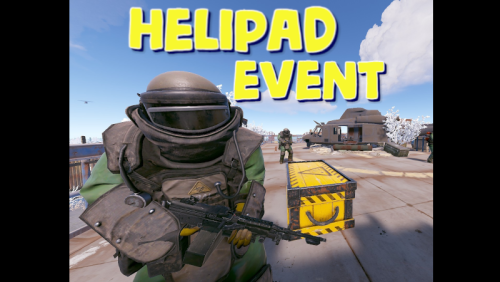
Adds an event for the Lunchsite monument to your server. A crate with valuable loot will spawn on the helipad. The crate is protected by NPC guards and a patrol helicopter. The event is completely ready for use immediately after installation, you can flexibly configure it at your discretion Features: Easy to set up. Excellent customization options in the config You can customize the contents of the box: in the config file, set up a list of items that will be inside also you can use kits (you need Kits plugin), just set the name of the kit in the config file, you can use the list of kits and choose them randomly also you can use loot tables (you need SimpleLootTable plugin) You can customize the NPCs: you can set the health of the npc you can set NPC damage multiplier on players you can give kits for NPCs (you need a Kits plugin) Commands(admin only): hpestart - force the event to start hpestop - force stop the event Hooks: void LaunchSiteHelipadEventStarted() // called when the event starts { } void LaunchSiteHelipadEventEnded() // called when the event has ended { } Config file: { "Triggering an event by timer (disable if you want to trigger the event only manually)": true, "Minimum time to event start(in seconds)": 900, "Maximum time to event start(in seconds)": 10800, "PVE mode (A dome will be created inside which everyone except the owner and his teammates will be poisoned by radiation)": false, "Ownership time (after how long will the owner be removed if he leaves the dome or server)": 300, "Radius of the dome": 100, "Dome offset": { "x": 0.0, "y": 0.0, "z": 0.0 }, "Effect of radiation on players inside the dome, except owners": 10, "Dome color(0 - default, 1 - blue, 2 - green, 3 - purple, 4 - red)": 0, "Dome entry message": "You have entered the helipad event zone on the launch site", "Dome exit message": "You have exited the helipad event zone at the launch site", "Message about player's entry if he is not the owner of the event": "Leave this area immediately, you are not the owner of the event!", "Message about player leaving dome if he is the owner of the event": "If you do not return to the dome within 5 minutes, then you will no longer be the owner of this event!", "Box lifetime(in seconds)": 1800, "Time the box is closed(in seconds)": 900, "Box skin": 0, "End the event immediately after someone loots a crate": false, "NPCs lifetime(in seconds)": 3600, "NPCs amount(maximum 20)": 2, "NPCs type, 0 - tunneldweller; 1 - underwaterdweller; 2 - excavator; 3 - full_any; 4 - lr300; 5 - mp5; 6 - pistol; 7 - shotgun; 8 - heavy; 9 - junkpile_pistol; 10 - oilrig; 11 - patrol; 12 - peacekeeper; 13 - roam; 14 - roamtethered; 15 - bandit_guard; 16 - cargo; 17 - cargo_turret_any; 18 - cargo_turret_lr300; 19 - ch47_gunner": 8, "NPCs health(0 - default)": 0, "NPCs damage multiplier": 1.0, "List of kits for each NPC(requires Kits plugin)": [ "kit1", "kit2", "kit3" ], "List of displayNames for each NPC(for SimpleKillFeed/DeathNotes plugin)": [ "LaunchSite NPC1", "LaunchSite NPC2", "LaunchSite NPC3" ], "Give NPC names randomly from the list (if false, names will be assigned according to the list one by one)": true, "Event start message(if empty, no message will be displayed)": "The helipad event has started! Find the crate located on the helicopter pad at the Launch Site", "Message when box is unlocked(if empty, no message will be displayed)": "The crate on the helicopter pad at the Launch Site is unlocked", "Message that someone has looted the crate(if empty, no message will be displayed)": "Someone found the box on the helipad at the launch site first", "Spawns a helicopter right on the launchsite(if false, then the helicopter will arrive from afar in a few seconds)": false, "Patrol helicopter spawn chance (0 - 100%)": 50, "Helicopter patrol range": 150, "How long the helicopter will patrol the launchsite (in minutes)": 5, "Helicopter damage multiplier": 1.0, "Helicopter health": 10000.0, "Helicopter main rotor health": 900.0, "Helicopter tail rotor health": 500.0, "The patrol helicopter will not patrol the helipad if it has found a target": false, "Make helicopter fly away after end of patrol time": false, "Event marker on the map(will spawn a marker immediately after the start of the event)": false, "Event marker name": "LaunchSite helipad event", "Event marker lifetime(in seconds)": 3600, "Event marker transparency(0-1)": 0.75, "Event marker radius": 0.5, "Event marker color.R(0-1)": 1.0, "Event marker color.G(0-1)": 0.0, "Event marker color.B(0-1)": 0.0, "Use box kit(need a plugin Kits)": false, "Messages list - messages that players will see, depending on how much time (in seconds) is left before the box is opened": [ { "message": "The crate on the helicopter pad at the Launch Site will open in 15 minutes", "time": 900 }, { "message": "The crate on the helicopter pad at the Launch Site will open in 10 minutes", "time": 600 }, { "message": "The crate on the helicopter pad at the Launch Site will open in 5 minutes", "time": 300 }, { "message": "The crate on the helicopter pad at the Launch Site will open in 3 minutes", "time": 180 }, { "message": "The crate on the helicopter pad at the Launch Site will open in 1 minute", "time": 60 } ], "List of items in the box": [ { "shortname": "ammo.rocket.basic", "minAmount": 1, "maxAmount": 3, "skinID": 0 }, { "shortname": "explosive.timed", "minAmount": 1, "maxAmount": 3, "skinID": 0 }, { "shortname": "explosive.satchel", "minAmount": 5, "maxAmount": 10, "skinID": 0 }, { "shortname": "explosives", "minAmount": 40, "maxAmount": 100, "skinID": 0 }, { "shortname": "ammo.rifle.explosive", "minAmount": 64, "maxAmount": 128, "skinID": 0 }, { "shortname": "rocket.launcher", "minAmount": 1, "maxAmount": 1, "skinID": 0 } ], "Kit list": [ "111111111", "222222222", "333333333" ], "Use random kit(if false, then the first Kit in the list is always used": false, "Box simple loot table name(plugin SimpleLootTable is required)": "", "Minimum number of items in the box(plugin SimpleLootTable is required)": 1, "Maximum number of items in the box(plugin SimpleLootTable is required)": 3, "SteamID for chat message icon": 0, "Use Notify plugin for messages": false, "Notify message type": 0 }$11.99 -
Version 1.5.8
12,131 downloads
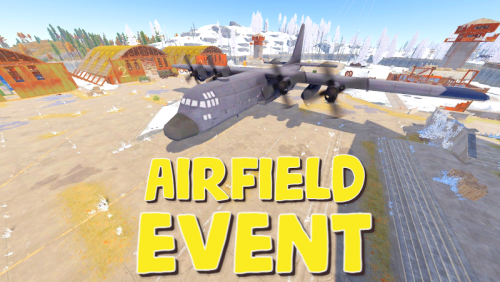
Adds an airfield event to your server! A cargo plane lands on the airfield and drops airdrops, boxes. Strong NPCs, Bradley and a patrol helicopter will protect the crates You can also set up custom loot using the "SimpleLootTable" plugin Features: Easy to set up. Excellent customization options in the config Commands(admin only): afestart - force the event to start afestart {steamID/name} - the event will be reserved for one player afefast - quick landing of a cargo plane, for testing settings afefast {steamID/name} - quick landing of a cargo plane, the event will be reserved for one player afestop - cause the event to end afe_addcustom - adds a custom landing place for a cargo plane. You must stand on level ground and look in the direction where the cargo plane will move(do not forget to set in the config file "Use a custom place to land a cargo plane": true) Hooks: void AirfieldEventStarted() - called when the event starts void AirfieldEventEnded() - called when the event has ended void AirfieldEventWinner(BasePlayer player) - called when a player loots any crate first AirfieldEvent config: { "PVE mode (crates can only be looted by the player who first dealt damage to the NPC)": false, "Time after which the owner of the event will be deleted if he left the dome or left the server (for PVE mode)": 300, "Give event ownership to the owner's teammates if he is no longer the owner. Only if teammates are within the event radius (for PVE mode)": true, "Radius for event(for PVE mode)": 380, "Create a dome for PVE mode": false, "Dome transparency (the higher the value, the darker the dome, recommended 4)": 4, "Dome offset": { "x": 0.0, "y": 0.0, "z": 30.0 }, "Message when a player enters the event dome(only for PVE mode if there is a dome)": "You have entered the Airfield Event", "Message when the event owner leaves the event dome (only for PVE mode if there is a dome)": "Return to the event dome, otherwise after 300 seconds you will no longer be the owner of this event", "Do not allow other players into the event(only for PVE mode if there is a dome)": false, "Message when a player is ejected from the event dome(only for PVE mode if there is a dome)": "You cannot be here, you are not the owner of this event", "Allow admin to be in event dome (only for PVE mode if there is a dome)": true, "Triggering an event by timer (disable if you want to trigger the event only manually)": true, "Minimum time to event start(in seconds)": 3600, "Maximum time to event start(in seconds)": 7200, "Event duration(In seconds. Time is calculated from the moment the cargo is dropped by the plane at the airfield)": 3600, "End the event early if all crates were completely looted and all NPCs were killed(including Bradley and Heli)": true, "Minimum number of online players to trigger an event": 1, "Minimum drops amount(minimum number of cargo spawns after plane landing, should not be less than 1)": 2, "Maximum drops amount(maximum number of cargo spawns after plane landing, should not be less than 1, maximum 10)": 4, "Minimum crates amount(spawn every cargo drop)": 1, "Maximum crates amount(spawn every cargo drop)": 1, "Crate simple loot table name(plugin SimpleLootTable is required)": "", "Minimum number of items in a crate(plugin SimpleLootTable is required)": 0, "Maximum number of items in a crate(plugin SimpleLootTable is required)": 0, "Remove crates after being looted by a player(in seconds)": 300, "Extend event duration if NPCs, Heli or Bradley is attacked (if less time left, extend to set time (in seconds))": 600, "Crates timer(in seconds)": 900, "Minimum airdrops amount(spawn every cargo drop)": 1, "Maximum airdrops amount(spawn every cargo drop)": 1, "Airdrop simple loot table name(plugin SimpleLootTable is required)": "", "Minimum number of items in an airdrop(plugin SimpleLootTable is required)": 0, "Maximum number of items in an airdrop(plugin SimpleLootTable is required)": 0, "Minimum NPCs amount(spawn every cargo drop)": 1, "Maximum NPCs amount(spawn every cargo drop)": 2, "NPCs type(NPCs prefab, experimental setting, it is not known how the NPCs will behave) 0 - tunneldweller; 1 - underwaterdweller; 2 - excavator; 3 - full_any; 4 - lr300; 5 - mp5; 6 - pistol; 7 - shotgun; 8 - heavy; 9 - junkpile_pistol; 10 - oilrig; 11 - patrol; 12 - peacekeeper; 13 - roam; 14 - roamtethered; 15 - bandit_guard; 16 - cargo; 17 - cargo_turret_any; 18 - cargo_turret_lr300; 19 - ch47_gunner": 8, "NPCs health(0 - default)": 0, "NPCs damage multiplier": 1.0, "NPCs accuracy(the lower the value, the more accurate, 0 - maximum accuracy)": 2.0, "NPCs attack range": 75.0, "Radius of chasing the player(NPCs will chase the player as soon as he comes closer than the specified radius, must be no greater than the attack range)": 60.0, "Minimum distance to NPC damage": 75.0, "Message if the player attacks far away NPCs": "NPC is too far away, he doesn't take damage", "Forcibly immobilize an NPC": false, "Method of distribution of kits for NPCs(1 - sequentially, 2 - repeating, 3 - randomly)": 1, "List of kits for NPC(requires Kits plugin)": [ "kit1", "kit2", "kit3" ], "Default displayName for NPC(for SimpleKillFeed/DeathNotes plugin)": "Airfield NPC", "List of displayNames for each NPC(for SimpleKillFeed/DeathNotes plugin)": [ "Airfield NPC1", "Airfield NPC2", "Airfield NPC3" ], "Chance of an NPC throwing a grenade(0-100%) Only if the NPC loses sight of the player, if the player is in a vehicle, if the player is trying to search crates": 50, "NPC grenade damage scale": 1.0, "Will the NPC take damage from a collision with a car": true, "Event message(if empty, no message will be displayed)": "Airfield event started", "Event end message(if empty, no message will be displayed)": "Airfield event ended", "Landing message(displayed when the cargo plane has landed)": "Cargoplane landed at Airfield", "Patrol helicopter spawn chance (0 - 100%)": 50, "Call the helicopter only after activating the hackable crate": false, "How long the helicopter will patrol the airfield (in minutes)": 5, "Helicopter damage multiplier": 1.0, "Helicopter health": 10000.0, "Helicopter main rotor health": 900.0, "Helicopter tail rotor health": 500.0, "The patrol helicopter will not patrol the airfield if it has found a target": true, "Spawns a helicopter right on the airfield(if false, then the helicopter will arrive from afar in a few seconds)": false, "Helicopter patrol range": 150, "Event marker on the map(will spawn a marker immediately after the start of the event)": false, "If true, spawn the marker only after the plane lands": true, "Event marker name": "Airfield event", "Display on the marker how much time is left until the end of the event": true, "Event marker lifetime(in seconds)": 3600, "Event marker transparency(0-1)": 0.75, "Event marker radius": 0.5, "Event marker color.R(0-1)": 1.0, "Event marker color.G(0-1)": 0.0, "Event marker color.B(0-1)": 0.0, "Use a custom place to land a cargo plane": false, "Custom place position": { "x": 0.0, "y": 0.0, "z": 0.0 }, "Custom place rotation": { "x": 0.0, "y": 0.0, "z": 0.0 }, "Use custom navmesh (enable if using custom airfield and getting NPC navmesh error)": false, "BradleyAPC spawn chance (0 - 100%) If you are not using a custom map, correct operation of BradleyAPC is not guaranteed. Use the default airfield or a landing spot that is similar to the default airfield": 50, "BradleyAPC bullet damage": 7.0, "BradleyAPC health": 1000.0, "Use Notify plugin for messages": false, "Type notify for 'Message when a player enters the event dome'(only for Notify plugin)": 0, "Type notify for 'Message when the event owner leaves the event dome'(only for Notify plugin)": 0, "Type notify for 'Message when a player is ejected from the event dome'(only for Notify plugin)": 0, "Type notify for 'Message if the player attacks far away NPCs'(only for Notify plugin)": 0, "Type notify for 'Event message'(only for Notify plugin)": 0, "Type notify for 'Event end message'(only for Notify plugin)": 0, "Type notify for 'Landing message'(only for Notify plugin)": 0, "SteamID for chat message icon": 0 }$19.99 -

Version 1.3.4
474 downloads
This plugin adds a taxi to the server. About There can be only 4 taxis in total. Their parking is located on the territory of Peaceful or Bandit city. You can take a taxi there and fly home or to another place you need, as well as using the command /taxi to call one of them Settings Changing the name/clothing of the driver's NPC. Change Peaceful or Bandit city or Custom spawns Change in flight speed. The number of taxis on the map (from 1 to 4) The privilege to use a taxi Privileges for discounts Detailed setup of payment for services (Item - regular items, CustomItem - custom item, plugins: Economics, IQEconomic and ServerRewards) Interface configuration Localization Commands / taxi - allows you to call a helicopter to yourself [FOR ADMIN with custom spawn points] /cpos info - show spawns /cpos add - add spawn /cpos clear - clear all spawns /cpos spawn - respawn all copters Permissions You can set permission in config "Privilege to use a taxi": "coptertaxi.use" "Privileges for discounts": { "coptertaxi.discount10": 10, "coptertaxi.discount20": 20, "coptertaxi.discount30": 30 } Video https://youtu.be/CKg-2JOFcK Config { "Taxi Settings": { "Name for the taxi driver": "Vitalya", "Taxi driver's clothes": { "hat.cap": 2275597860, "tshirt": 2442749397, "pants": 2346785436, "shoes.boots": 1427198029 }, "How much to create a taxi (from 1 to 4)": 4, "Taxi flight altitude (from 80 to 150) (change with caution!)": 80.0, "Taxi flight speed (change with caution!)": 2.0, "Taxi flight acceleration speed (change with caution!)": 0.2, "Taxi flight deceleration speed (change with caution!)": 0.5, "How long does the taxi driver wait for the player to assign a route (in seconds)": 300, "How often a player can call a taxi (in seconds)": 600, "Privilege to use a taxi": "coptertaxi.use", "Privileges for discounts": { "coptertaxi.discount10": 10, "coptertaxi.discount20": 20, "coptertaxi.discount30": 30 }, "Avatar for notification in the chat (SteamID)": 76561198976168730 }, "Taxi fare settings": { "Payment type for taxi Item, CustomItem, Economics, IQEconomic, ServerRewards": "Item", "The cost of 1km": 100, "Item ShortName (for Item, CustomItem)": "scrap", "Item SkinID (for CustomItem)": 0, "Link to the image of the item/currency (except Item)": "https://i.imgur.com/jBaVKHu.png" }, "Configuring the UI": { "Background color": "0 0 0 0.3", "Outline color": "1.00 0.64 0.28 1.00", "Link to the logo": "https://i.imgur.com/tgSooQl.png", "Color of the 'Call' button": "1.00 0.75 0.50 0.5", "Color of the 'Pay' button": "0.09 0.39 0.14 0.85", "The color of the 'Refuse' button": "0.39 0.09 0.14 0.85" }, "Config version": { "Major": 1, "Minor": 1, "Patch": 2 } } There may be problems on custom maps$20.00 -
Version 1.7.0
24 downloads
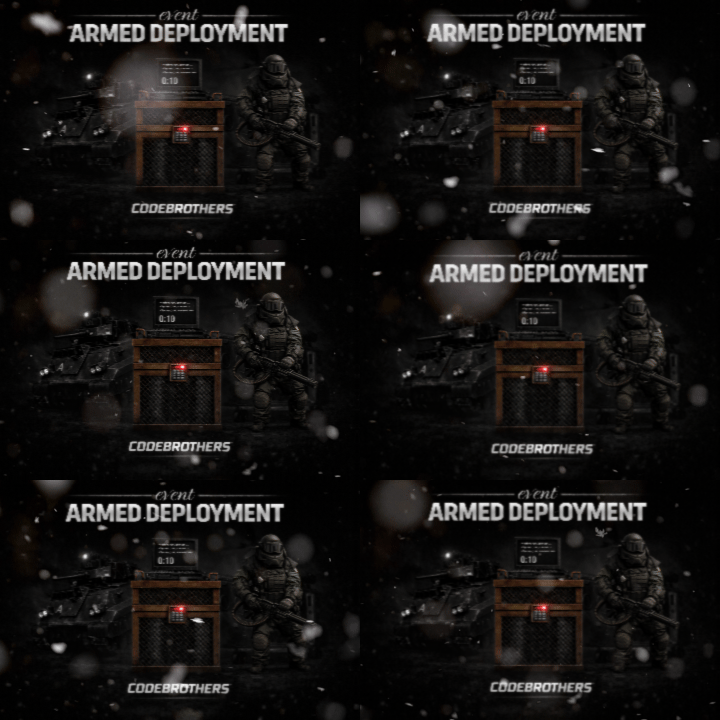
Bring Rust monuments to life with cinematic, high-intensity combat events. Armed Deployment dynamically delivers a Bradley APC, heavy scientists, and a hackable locked crate to any location you choose, all inserted by an immersive Chinook deployment sequence. Watch as a Chinook approaches the target zone, descends, deploys hostile forces, and extracts — creating a truly memorable server event that feels built into the game rather than scripted. Players must eliminate all threats and destroy the Bradley APC before they can claim the locked crate and its rewards. Features • Spawn deployments anywhere on the map • Cinematic Chinook delivery and extraction • Heavy Scientists with controlled roaming • Bradley APC with movement blocking • Hackable Locked Crate rewards • Dynamic deployment radius and map marker • Server-side UI progress tracking • Automatic cleanup and despawn timers • Admin-controlled start and cancellation • Automated deployments with configurable intervals • Fully configurable values Chat Commands (Admin Only) /adpanel Toggles the Armed Deployment admin UI panel Permissions ArmedDeployment.admin Required to start, cancel, or automate Armed Deployments Configuration { "Auto": false, "AutoMin": 60, "RandMon": true, "ManLoc": { "X": 0, "Y": 0, "Z": 0 }, "Mons": { "airfield": true, "trainyard": true, "powerplant": true, "military_tunnel": true, "launch_site": true, "water_treatment": true, "dome": true, "satellite": true, "junkyard": true, "excavator": false, "harbor": true, "arctic_base": true, "lighthouse": false, "gas_station": false, "supermarket": false, "mining_outpost": false, "sewer_branch": false, "oil_rig_small": false, "oil_rig_large": false }, "SciCnt": 12, "BradCnt": 1, "EvtRad": 150, "MaxAttempts": 10, "ChApproachH": 80, "ChApproachD": 400, "ChSpeed": 25, "ChHoverH": 15, "ChDescentH": 50, "ChExitD": 500, "MinClearH": 40, "ObstacleRad": 30, "MonSearchRad": 80 } Default values are optimized for performance and cinematic impact. Notes This plugin is designed to feel vanilla-friendly, cinematic, and performance-aware. It works especially well on servers that want high-risk, high-reward PvP encounters without relying on random world events. Feedback, suggestions, and feature requests are always welcome. Created by CodeBrothers Check out our other work on Codefling$29.99 -
![More information about "Armored Train [Christmas Update]"](https://codefling.com/uploads/monthly_2025_12/adem_train_ny(1).thumb.png.cf9c96a9d970e7f376943919acd47716.png)
Version 1.9.2
16,305 downloads
New Year Update The New Year is coming and I have prepared for you a new preset customization for the train!After installing the update, customization will be automatically applied to all cars in the configuration of the armored train. To disable this, make the "Customization preset" parameter empty in the config. You can also disable the customization of certain wagons or change the customization of the NPCs in the file oxide/data/ArmoredTrain/NewYear New Year's map from the video: Halloween Update Have you already prepared your server for Halloween? On the eve of the Halloween Rust update, I have prepared for customization of all armored train cars. After installing the update, customization will be automatically applied to all cars in the configuration of the armored train. To disable this, make the "Customization preset" parameter empty in the config. This plugin will add an armored train to your server, which can travel both in the subway and by rail. It can consist of any number of wagons. A helicopter can accompany it. Bradley, npc, turrets, simsites can be installed on the train. The plugin allows you to create any number of train presets, for which the order of wagons, the helicopter preset, the probability of spawn and the duration of patrolling can be specified. Each wagon or locomotive can be configured separately. Any speed can be set by the locomotive.If there is no spawn of trains on the surface on your custom map, read the section "Custom spawn points” Custom spawn points If you are using a custom map in which there are no spawn trains on the surface, but there is a railway, then for the train to work on the surface, you need to add custom spawn points of the train. Instruction: Stand at the point where you want the train to spawn Enter the command /atrainpoint If you receive a message that a point has been created, enable "Use custom spawn coordinates [true/false]” in config For correct operation, it is recommended to create several spawn points of the train Chat commands (only for administrators) /atrainstart– launches the event in a random configuration /atrainstartunderground - forcibly launches an event underground /atrainstartaboveground - forcibly launches an event aboveground /atrainstart <trainPresetName> – launches the event in the <trainPresetName> configuration /atrainstartunderground <trainPresetName> /atrainstartaboveground <trainPresetName> /atrainstop– stops the event /atrainpoint– creates a custom spawn point of the train in your position Console commands (RCON only) atrainstart– launches the event in a random configuration atrainstartunderground - forcibly launches an event underground atrainstartaboveground - forcibly launches an event aboveground atrainstart <trainPresetName> – launches the event in the <trainPresetName> configuration atrainstartunderground <trainPresetName> atrainstartaboveground <trainPresetName> atrainstop – stops the event Config en – example of plugin configuration in English ru – example of plugin configuration in Russian Dependencies (optional, not required) True PVE PveMode GUI Announcements Notify DiscordMessages AlphaLoot CustomLoot Economics Server Rewards IQEconomic Api bool IsArmoredTrainActive() bool StopArmoredTrain() bool StartArmoredTrainEvent() bool EndArmoredTrainEvent() bool IsTrainBradley(uint netID) bool IsTrainHeli(uint netID) bool IsTrainCrate(uint netID) bool IsTrainSamSite(uint netID) bool IsTrainWagon(uint netID) bool IsTrainTurret(uint netID) Vector3 ArmoredTrainLocomotivePosition() Hooks OnArmoredTrainEventStart OnArmoredTrainEventStop Contact me in Discord: Adem#955$29.99 -

Version 2.0.2
504 downloads
NOTE: Version 2.0.0 is not backwards compatible with 1.x - please backup your config file! About Kill Heli Vote This plugin allows your players to kill all Patrol Helicopters that have spawned, by simply voting in chat! Snaplatack Note: I originally made this plugin for my servers, but haven't seen anything similar that was already published. So I figured I would release it here HunterZ Note: Version 2.x is my own rewrite of another rewrite started by Snaplatack, which adds new features and addresses some issues I encountered in my own use. Optional Dependencies Heli Signals Loot Defender Features Kill all eligible Patrol Helicopters via a vote system Kill all eligible Patrol Helicopters via an Admin command Ignore Patrol Helicopters called by Heli Signals and/or while protected by Loot Defender Ban players from voting or resetting votes Reset votes on damage to Patrol Helicopters from a non-banned player Customize commands, permissions, and messages Permissions killhelivote.use - controls whether voting command can be used by a player/group killhelivote.admin - controls whether kill command can be used by a player/group killhelivote.banned - controls whether voting command and damage reset features should be locked out for a player/group Notes: The names of these can be overridden via the config file The plugin will react to permission changes without a reload Commands /voteheli - record vote towards killing all eligible active helis /killhelis - kills all eligible helis on the map, bypassing any votes Notes: These are the default command names, which can be overridden via the config file Configuration Plugin Settings Frequency of vote announcements [in seconds] - how often voting message/toast should be shown Percentage of votes required [0 - 100] - percentage of votes by eligible voters required to kill helis Ignore helis spawned by Heli Signals - whether helis called by Heli Signals should be ignored by this plugin Ignore helis locked by Loot Defender - whether helis should be ignored by this plugin while protected by Loot Defender Reset vote when a heli takes damage - whether to reset votes when any kill-eligible heli is attacked by a player who is not banned from voting Commands & Permissions This section allows you to customize command and permission names used by the plugin. Messages Steam ID to use for the image for messages [0 = default] - set this to the SteamID of an account whose profile picture you want to use for chat messages produced by this plugin Use chat messages - whether to show a given message via in-game chat Use native toast messages - whether to show a given message via toasts (popup banners) Toast type - style of toast to use (0 => Blue Normal, 1 => Red Normal, 2 => Blue Long, 3 => Blue Short, 4 => Server Event, 5 => Error) Notes: Chat and toast messages can be enabled at the same time if desired Credits snaplatack - original author nivex - (2.x) Loot Defender coordination zeeuss - (1.x) finding objects more efficiently on reload mr01sam - (1.x) helping with some Init procedures ViolationHandler - (1.x) code cleanup and improved code efficiencyFree -
Version 1.0.4
201 downloads
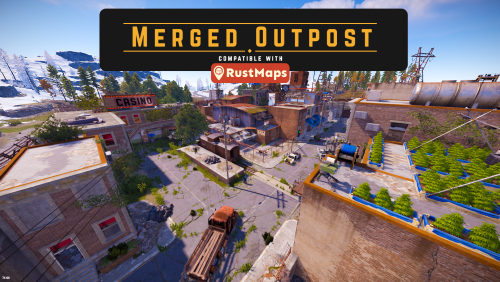
Prefabs 3197 Here we have the long-awaited Rust Maps compatible merged outpost, a fair few people have been asking me for this for a while now so here it is. You can repair your car, buy a minicopter from the Airwolf vendor, pick up a trusty steed, or just gamble away all your hard-earned scrap. Fully integrated with the default outpost for a more natural look, a custom casino has been built on top of the garages, broken buildings have been rebuilt, and now house numerous new facilities. Compatible with the Rust maps custom generator or it can easily be placed manually in rust edit. Includes everything from the bandit camp as well as stables and a car lift, fully integrated into the default outpost. Includes All original features of the outpost All vending machines from the bandit camp Custom built casino with a gambling wheel, 5 slot machines, 4 custom poker tables, 3 blackjack tables, and a stage with microphone, instruments, and a large seating area. Garage building with 2 vehicle lifts and the 2 vehicle parts vending machines Airwolf vendor on the side of the tower with a large custom helipad Stables with 3 horses and vendor 7 recyclers with chairs 2 repair benches 3 refinery’s 4 research tables A few trading areas$24.99- 6 comments
- 2 reviews
-
- 2
-
-
- #merged outpost
- #bandit camp
- (and 9 more)
-

Version 1.2.0
41 downloads
VehicleBoxes is a plugin that expands the vehicle storage system in the game. It allows players to attach and remove storage boxes from vehicles to create additional storage space and improve the overall utility of the vehicle. The plugin aims to improve the game experience in Rust by providing more flexibility in vehicle usage. It adds an extra layer of customization and practicality to vehicles, making them even more valuable objects in the game. Features: - Add Boxes: Players can add storage boxes to supported vehicles. - From version 1.2.0: you have the option to store a standard skinid - Remove Boxes: Players can remove added boxes from vehicles. - Vehicle Support: Currently supports Minicopter and Scrap Transport Helicopter. - Permission System: Ensures that only authorized players can add or remove boxes. - Configurable: Customizable box prefab and positioning for different vehicle types. Commands: /addbox Adds a storage box to the vehicle the player is looking at. /removebox Removes the storage box from the vehicle the player is looking at. Permissions: vehicleboxes.addbox Allows players to add boxes to vehicles. vehicleboxes.removebox Allows players to remove boxes from vehicles. Configuration: The plugin settings can be adjusted in the VehicleBoxes.json file in the config folder. Here you can change properties like the box prefab and the position/rotation for different vehicle types. { "BoxPrefab": "assets/prefabs/deployable/woodenbox/woodbox_deployed.prefab", "BoxSkinId": 3107710831, "VehiclePositions": { "assets/content/vehicles/minicopter/minicopter.entity.prefab": { "Position": { "x": 0.0, "y": 0.31, "z": -0.57 }, "Rotation": { "x": 0.0, "y": 90.0, "z": 0.0 } }, "assets/content/vehicles/scrap heli carrier/scraptransporthelicopter.prefab": { "Position": { "x": -0.5, "y": 0.85, "z": 1.75 }, "Rotation": { "x": 0.0, "y": 0.0, "z": 0.0 } } } } Multilingual Support: The plugin supports multiple languages. Language files are located in the lang folder and can be edited or expanded as needed. Currently supported languages: default: EN DE | FR | ES | IT | TR | RU | UK Please note that the language files were translated using the DeepL Language Tool load, run, enjoy$2.99 -
Version 1.0.0
870 downloads
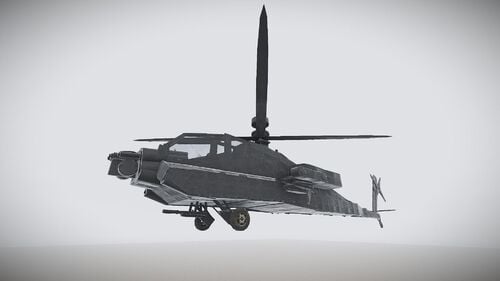
An apache Ah-64 helicopter based on a 3D model. Please view a review, it helps a lot! Thank You!Free- 7 comments
- 1 review
-
- 4
-
-
-
- #heli
- #helicopter
- (and 7 more)
-

Version 1.0.1
3 downloads
This is not just a tower - it is a fully realized and meticulously crafted monument inspired by the Ostankino Tower, designed specifically for taking down the patrol helicopter. It fits seamlessly into Rust’s style and atmosphere, staying perfectly within the game’s visual and thematic boundaries. There are no blurry textures, no flickering - every element is built with care and precision. The shooting range lights are turned on using a switch. The tower features four dedicated levels for engaging the helicopter: - Lower level - Middle level - Two upper levels The structure is visible from an impressive distance, becoming a true landmark on the map. And despite containing around five thousand prefabs, the monument remains well-optimized and runs smoothly. A high level of detail, thoughtful structure, and clean execution make this monument feel like an authentic part of Rust’s world. Rust - 2025-11-19 20-58-51.mp4$19.99 -
Version 1.0.1
3 downloads
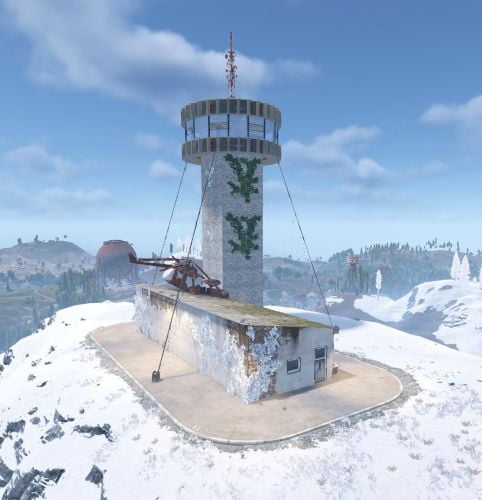
A performance-friendly heli tower prefab designed for custom Rust maps, built to support vertical combat and fast re-engagements. The tower features a 360° viewing level that provides clear sightlines, making it ideal for tracking and engaging the Patrol Helicopter. At ground level, the prefab includes a fully equipped utility building with a Tier 2 Workbench, Repair Bench, vending machines, and a Recycler. The covered parking area allows players to safely park a camper for quick respawns during heli fights or extended encounters. The layout is optimized for efficient entity usage to help maintain strong server performance and smooth gameplay. Features Purpose-built heli tower design 360° tower viewing level for heli engagement 🛠 Tier 2 Workbench Repair Bench for on-site gear maintenance Vending machines for custom server setups(need Custom Vending Setup plugin to edit listings) Recycler Covered camper parking for quick respawns Performance-friendly, optimized entity usage$5.99 -

Version 1.2.2
1,047 downloads
Heli Crash Event is a configurable plugin that allows for a new type of random event. Randomly a malfunctioning heli will spawn and crash somewhere on the map after a short period of time. Notifications will broadcast in chat giving players a heads-up that it’s malfunctioning and might crash after a period of time. Once the heli crashes, players can race to the loot and secure the crash site until the flames go out. Npcs can optionally be spawned at the crash site to guard the loot. This is a great PVP event for servers that have set PVP areas or can simply be a new type of event to add to your server. EASY OPTIONAL SETUP - NO SETUP REQUIRED You can simple drop the plugin in as-is and it will start the random event every 30min to 90min OR you can modify the config to change how often it should occur and/or how long until the heli crashes. Admin Only Commands: /HeliCrashStart - Will manually start the event regardless of minimum of player threshold. /HeliCrashStop - Will despawn the heli for the current event. (If it's crashed already it will not despawn loot crates) Configuration Options: "Maximum time between events(minutes):": 90, "Minimum time between events(minutes):": 30 "How long until Heli should crash after first notification(minutes):": 1, "Minimum number of players to start event:": 4, --- added in version 1.0.1 Support Discord: cahnu$9.99 -

Version 1.1.6
300 downloads
Want more intense air combat and dynamic patrols on your Rust server? HeliPilots introduces AI helicopter pilots ready to dominate the skies and attack players from the air. Customize everything - from helicopter type and pilot behavior to flight routes! Features: Helicopter Setup • Supports Scrap Transport Helicopter, Minicopter and Attack Helicopter. • Customizable AI pilots with adjustable health, clothes, weapons, and combat behaviour. • Define specific flight behavior, speed, altitude, and route paths — random or pre-defined. Combat & AI Behavior • Pilots dynamically engage or avoid player attacks. • Setup rockets and turret for Attack Helicopter. • Customize aggression level — determine whether AI attacks immediately or must be provoked. • Customize damage, accuracy, and targeting behavior. ⚙ Advanced Heli Customization • Modify flight speed, fuel consumption, durability, and damage rate. • Customize helicopter loot tables and drop rates. • Configure crash behavior, detonator and other. Pilot Customization • Set health, clothes, weapon loadouts, and equipment. • Custom damage multipliers. • Customize pilot loot, including weapons, items and resources. 🛠 Event & Path System • Record custom flight paths or let the plugin auto-generate patrol routes. • Control event triggers, spawn rates, patrol frequency, and respawn timers. 🖥 Admin Commands (permission drivercontroller.admin) • spawnhelitest – Spawn a test helicopter with AI pilot. • removehelitest – Delete spawned test helicopters. • visibleheli – Toggle admin visibility of AI helicopters. • recordhelipath – Record a custom helicopter patrol path. See It in Action! Watch the Video After downloading you’ll also get plugin called DriverController. It’s a single plugin to setup presets of bots and loot between all of my plugins. Configuration: { "Event settings": { "Allowed events (vehicle) count": { "Min": 3.0, "Max": 6.0 }, "Event restart delay": { "Min": 60.0, "Max": 120.0 }, "Prevent NPC from attacking drivers and companions?": true, "Block damage to transport from not players?": true, "Block damage to driver and companion from not players?": true, "Destroy events of this plugin when pause is enabled?": true, "Delete the event if ran out of fuel?": true, "Marker text color": { "Color (for HEX, put # at the beginning)": "0.4 0.5 0.6 1" }, "Event name for the marker": "EVENT HELI", "Route recording settings": { "Enable recorded routes usage?": true, "Clear saved routes after wipe?": true, "Minimum distance between points to record in route (used when recording route)": 40.0, "Minimum number of points to save (used when recording route)": 30.0, "Recorder route height": 50.0 }, "Route generation": { "Enable route generation": true, "Maximum number of monuments for a flight, when generating a route": 5, "Names of monuments, prefabs or their part, for the blacklist (will be excluded when generating a route)": [ "Outpost" ] }, "Controller settings": { "Controller update timer (0 - 0.2)": 0.0 } }, "Loot container position settings": { "Minicopter": { "Container position offset on the vehicle": { "x": 0.0, "y": 0.95, "z": -0.8 }, "Container rotation offset on the vehicle": { "x": 0.0, "y": 0.0, "z": 0.0 } }, "TransportHeli": { "Container position offset on the vehicle": { "x": 0.0, "y": 0.95, "z": -0.8 }, "Container rotation offset on the vehicle": { "x": 0.0, "y": 0.0, "z": 0.0 } } }, "Heli settings": [ { "Activate this event?": true, "Transport type for event(Minicopter, TransportHeli)": "Minicopter", "Driver name (key) from driver settings in DriverController plugin": "PilotHeli", "Companion name (key) from companion settings in DriverController plugin (list to occupy free seats in the vehicle)": [ "Companion1" ], "Loot container settings": { "Enable loot in vehicle container?": true, "Drop the loot when destroying the transport?": false, "Amount of slots": 1, "Name of loot set from loot settings in DriverController plugin (list loot sets for random selection)": [ "ResourcesHeli" ] }, "Сontroller settings": { "Max speed (km/h)": 40.0, "Maximum speed when obstacles detected (km/h)": 15.0, "Height for flying along the route": { "Min": 30.0, "Max": 60.0 }, "Chase mode settings": { "Chase attacking players?": true, "Max chase distance": 250.0, "Chase timer": 120.0, "Maximum speed during chase (km/h)": 60.0, "Height for flying during chase": { "Min": 10.0, "Max": 30.0 } } }, "Damage receive rate": 0.5, "Fuel settings": { "Enable automatic fuel refueling?": true, "Remove fuel when unlocking vehicle?": true, "Maximum fuel in vehicle": 500 }, "Vehicle headlight settings": { "Enable vehicle headlights?": true, "Use headlights only at night?": true }, "Detonator settings": { "Add C4 to the vehicle after the death of the driver (used to despawn vehicles)": true, "After how many seconds explosives will be blown up": 60.0, "Explosives position offset": { "x": 0.0, "y": 0.1, "z": 0.0 } } }, { "Activate this event?": true, "Transport type for event(Minicopter, TransportHeli)": "TransportHeli", "Driver name (key) from driver settings in DriverController plugin": "PilotHeli", "Companion name (key) from companion settings in DriverController plugin (list to occupy free seats in the vehicle)": [ "Companion1" ], "Loot container settings": { "Enable loot in vehicle container?": true, "Drop the loot when destroying the transport?": false, "Amount of slots": 1, "Name of loot set from loot settings in DriverController plugin (list loot sets for random selection)": [ "ResourcesHeli" ] }, "Сontroller settings": { "Max speed (km/h)": 40.0, "Maximum speed when obstacles detected (km/h)": 15.0, "Height for flying along the route": { "Min": 40.0, "Max": 70.0 }, "Chase mode settings": { "Chase attacking players?": true, "Max chase distance": 250.0, "Chase timer": 120.0, "Maximum speed during chase (km/h)": 60.0, "Height for flying during chase": { "Min": 5.0, "Max": 20.0 } } }, "Damage receive rate": 0.5, "Fuel settings": { "Enable automatic fuel refueling?": true, "Remove fuel when unlocking vehicle?": true, "Maximum fuel in vehicle": 500 }, "Vehicle headlight settings": { "Enable vehicle headlights?": true, "Use headlights only at night?": true }, "Detonator settings": { "Add C4 to the vehicle after the death of the driver (used to despawn vehicles)": true, "After how many seconds explosives will be blown up": 60.0, "Explosives position offset": { "x": 0.0, "y": 0.8, "z": 0.0 } } } ] } DriverController Configuration: { "Drivers settings": { "DriverBike": { "Bot health": { "Min": 100.0, "Max": 150.0 }, "Prevent attacking players first?": true, "Damage receive rate": 2.0, "Damage rate": 2.0, "Spawn bag with items instead of corpse on death?": true, "In how many seconds remove bots, after destroying the vehicle? (0 - will not remove)": 120.0, "Clothes": [ { "Item": { "Item shortname or ID": "shoes.boots", "Item skin": 0 }, "Item custom name (if not needed leave empty)": null, "Amount": 1 }, { "Item": { "Item shortname or ID": "wood.armor.pants", "Item skin": 0 }, "Item custom name (if not needed leave empty)": null, "Amount": 1 }, { "Item": { "Item shortname or ID": "pants", "Item skin": 0 }, "Item custom name (if not needed leave empty)": null, "Amount": 1 }, { "Item": { "Item shortname or ID": "wood.armor.jacket", "Item skin": 0 }, "Item custom name (if not needed leave empty)": null, "Amount": 1 }, { "Item": { "Item shortname or ID": "hoodie", "Item skin": 0 }, "Item custom name (if not needed leave empty)": null, "Amount": 1 }, { "Item": { "Item shortname or ID": "riot.helmet", "Item skin": 0 }, "Item custom name (if not needed leave empty)": null, "Amount": 1 } ], "Weapons": [ { "Item": { "Item shortname or ID": "pistol.revolver", "Item skin": 0 }, "Item custom name (if not needed leave empty)": null, "Amount": 1 } ], "Bot loot": { "Enable loot after bot's death?": true, "Amount of slots": 5, "Loot set name (key) from loot settings (you can enter many sets for random selection)": [ "ResourcesDriver" ] } }, "DriverCar": { "Bot health": { "Min": 100.0, "Max": 150.0 }, "Prevent attacking players first?": true, "Damage receive rate": 2.0, "Damage rate": 2.0, "Spawn bag with items instead of corpse on death?": true, "In how many seconds remove bots, after destroying the vehicle? (0 - will not remove)": 120.0, "Clothes": [ { "Item": { "Item shortname or ID": "hazmatsuit", "Item skin": 0 }, "Item custom name (if not needed leave empty)": null, "Amount": 1 } ], "Weapons": [ { "Item": { "Item shortname or ID": "rifle.ak", "Item skin": 0 }, "Item custom name (if not needed leave empty)": null, "Amount": 1 } ], "Bot loot": { "Enable loot after bot's death?": true, "Amount of slots": 5, "Loot set name (key) from loot settings (you can enter many sets for random selection)": [ "ResourcesDriver" ] } }, "DriverBoat": { "Bot health": { "Min": 100.0, "Max": 150.0 }, "Prevent attacking players first?": true, "Damage receive rate": 2.0, "Damage rate": 2.0, "Spawn bag with items instead of corpse on death?": true, "In how many seconds remove bots, after destroying the vehicle? (0 - will not remove)": 120.0, "Clothes": [ { "Item": { "Item shortname or ID": "hazmatsuit", "Item skin": 0 }, "Item custom name (if not needed leave empty)": null, "Amount": 1 } ], "Weapons": [ { "Item": { "Item shortname or ID": "t1_smg", "Item skin": 0 }, "Item custom name (if not needed leave empty)": null, "Amount": 1 } ], "Bot loot": { "Enable loot after bot's death?": true, "Amount of slots": 5, "Loot set name (key) from loot settings (you can enter many sets for random selection)": [ "ResourcesDriver" ] } }, "PilotHeli": { "Bot health": { "Min": 100.0, "Max": 150.0 }, "Prevent attacking players first?": true, "Damage receive rate": 2.0, "Damage rate": 2.0, "Spawn bag with items instead of corpse on death?": true, "In how many seconds remove bots, after destroying the vehicle? (0 - will not remove)": 120.0, "Clothes": [ { "Item": { "Item shortname or ID": "jumpsuit.suit.blue", "Item skin": 0 }, "Item custom name (if not needed leave empty)": null, "Amount": 1 } ], "Weapons": [ { "Item": { "Item shortname or ID": "rifle.ak", "Item skin": 0 }, "Item custom name (if not needed leave empty)": null, "Amount": 1 } ], "Bot loot": { "Enable loot after bot's death?": true, "Amount of slots": 5, "Loot set name (key) from loot settings (you can enter many sets for random selection)": [ "ResourcesDriver" ] } } }, "Companion settings": { "Companion1": { "Bot health": { "Min": 100.0, "Max": 150.0 }, "Prevent attacking players first?": true, "Damage receive rate": 2.0, "Damage rate": 2.0, "Spawn bag with items instead of corpse on death?": true, "In how many seconds remove bots, after destroying the vehicle? (0 - will not remove)": 120.0, "Clothes": [ { "Item": { "Item shortname or ID": "hazmatsuit_scientist_nvgm", "Item skin": 0 }, "Item custom name (if not needed leave empty)": null, "Amount": 1 } ], "Weapons": [ { "Item": { "Item shortname or ID": "rifle.ak", "Item skin": 0 }, "Item custom name (if not needed leave empty)": null, "Amount": 1 } ], "Bot loot": { "Enable loot after bot's death?": true, "Amount of slots": 5, "Loot set name (key) from loot settings (you can enter many sets for random selection)": [ "ResourcesCompanion", "WeaponsCompanion" ] } }, "Companion2": { "Bot health": { "Min": 100.0, "Max": 150.0 }, "Prevent attacking players first?": true, "Damage receive rate": 2.0, "Damage rate": 2.0, "Spawn bag with items instead of corpse on death?": true, "In how many seconds remove bots, after destroying the vehicle? (0 - will not remove)": 120.0, "Clothes": [ { "Item": { "Item shortname or ID": "hazmatsuit.arcticsuit", "Item skin": 0 }, "Item custom name (if not needed leave empty)": null, "Amount": 1 } ], "Weapons": [ { "Item": { "Item shortname or ID": "rifle.ak", "Item skin": 0 }, "Item custom name (if not needed leave empty)": null, "Amount": 1 } ], "Bot loot": { "Enable loot after bot's death?": true, "Amount of slots": 5, "Loot set name (key) from loot settings (you can enter many sets for random selection)": [ "ResourcesCompanion", "WeaponsCompanion" ] } }, "Companion3": { "Bot health": { "Min": 100.0, "Max": 150.0 }, "Prevent attacking players first?": true, "Damage receive rate": 2.0, "Damage rate": 2.0, "Spawn bag with items instead of corpse on death?": true, "In how many seconds remove bots, after destroying the vehicle? (0 - will not remove)": 120.0, "Clothes": [ { "Item": { "Item shortname or ID": "hazmatsuit.lumberjack", "Item skin": 0 }, "Item custom name (if not needed leave empty)": null, "Amount": 1 } ], "Weapons": [ { "Item": { "Item shortname or ID": "rifle.ak", "Item skin": 0 }, "Item custom name (if not needed leave empty)": null, "Amount": 1 } ], "Bot loot": { "Enable loot after bot's death?": true, "Amount of slots": 5, "Loot set name (key) from loot settings (you can enter many sets for random selection)": [ "ResourcesCompanion", "WeaponsCompanion" ] } }, "Companion4": { "Bot health": { "Min": 100.0, "Max": 150.0 }, "Prevent attacking players first?": true, "Damage receive rate": 2.0, "Damage rate": 2.0, "Spawn bag with items instead of corpse on death?": true, "In how many seconds remove bots, after destroying the vehicle? (0 - will not remove)": 120.0, "Clothes": [ { "Item": { "Item shortname or ID": "hazmatsuit.spacesuit", "Item skin": 0 }, "Item custom name (if not needed leave empty)": null, "Amount": 1 } ], "Weapons": [ { "Item": { "Item shortname or ID": "rifle.ak", "Item skin": 0 }, "Item custom name (if not needed leave empty)": null, "Amount": 1 } ], "Bot loot": { "Enable loot after bot's death?": true, "Amount of slots": 5, "Loot set name (key) from loot settings (you can enter many sets for random selection)": [ "ResourcesCompanion", "WeaponsCompanion" ] } } }, "Loot settings": { "ResourcesBike": [ { "Item": { "Item shortname or ID": "wood", "Item skin": 0 }, "Item custom name (if not needed leave empty)": null, "Spawn chance (0-100%)": { "Min": 100.0, "Max": 100.0 }, "Amount": { "Min": 5000.0, "Max": 50000.0 } }, { "Item": { "Item shortname or ID": "stones", "Item skin": 0 }, "Item custom name (if not needed leave empty)": null, "Spawn chance (0-100%)": { "Min": 100.0, "Max": 100.0 }, "Amount": { "Min": 1000.0, "Max": 10000.0 } } ], "ResourcesCar": [ { "Item": { "Item shortname or ID": "wood", "Item skin": 0 }, "Item custom name (if not needed leave empty)": null, "Spawn chance (0-100%)": { "Min": 100.0, "Max": 100.0 }, "Amount": { "Min": 5000.0, "Max": 50000.0 } }, { "Item": { "Item shortname or ID": "stones", "Item skin": 0 }, "Item custom name (if not needed leave empty)": null, "Spawn chance (0-100%)": { "Min": 100.0, "Max": 100.0 }, "Amount": { "Min": 1000.0, "Max": 10000.0 } } ], "ResourcesBoat": [ { "Item": { "Item shortname or ID": "wood", "Item skin": 0 }, "Item custom name (if not needed leave empty)": null, "Spawn chance (0-100%)": { "Min": 100.0, "Max": 100.0 }, "Amount": { "Min": 5000.0, "Max": 50000.0 } }, { "Item": { "Item shortname or ID": "stones", "Item skin": 0 }, "Item custom name (if not needed leave empty)": null, "Spawn chance (0-100%)": { "Min": 100.0, "Max": 100.0 }, "Amount": { "Min": 1000.0, "Max": 10000.0 } } ], "ResourcesHeli": [ { "Item": { "Item shortname or ID": "wood", "Item skin": 0 }, "Item custom name (if not needed leave empty)": null, "Spawn chance (0-100%)": { "Min": 100.0, "Max": 100.0 }, "Amount": { "Min": 5000.0, "Max": 50000.0 } }, { "Item": { "Item shortname or ID": "stones", "Item skin": 0 }, "Item custom name (if not needed leave empty)": null, "Spawn chance (0-100%)": { "Min": 100.0, "Max": 100.0 }, "Amount": { "Min": 1000.0, "Max": 10000.0 } } ], "ResourcesDriver": [ { "Item": { "Item shortname or ID": "wood", "Item skin": 0 }, "Item custom name (if not needed leave empty)": null, "Spawn chance (0-100%)": { "Min": 100.0, "Max": 100.0 }, "Amount": { "Min": 1000.0, "Max": 10000.0 } }, { "Item": { "Item shortname or ID": "stones", "Item skin": 0 }, "Item custom name (if not needed leave empty)": null, "Spawn chance (0-100%)": { "Min": 100.0, "Max": 100.0 }, "Amount": { "Min": 100.0, "Max": 1000.0 } } ], "ResourcesCompanion": [ { "Item": { "Item shortname or ID": "wood", "Item skin": 0 }, "Item custom name (if not needed leave empty)": null, "Spawn chance (0-100%)": { "Min": 100.0, "Max": 100.0 }, "Amount": { "Min": 100.0, "Max": 1000.0 } }, { "Item": { "Item shortname or ID": "stones", "Item skin": 0 }, "Item custom name (if not needed leave empty)": null, "Spawn chance (0-100%)": { "Min": 100.0, "Max": 100.0 }, "Amount": { "Min": 10.0, "Max": 100.0 } } ], "WeaponsCompanion": [ { "Item": { "Item shortname or ID": "rifle.ak", "Item skin": 0 }, "Item custom name (if not needed leave empty)": null, "Spawn chance (0-100%)": { "Min": 40.0, "Max": 80.0 }, "Amount": { "Min": 1.0, "Max": 1.0 } } ] } }$29.90 -
Version V6.1
57 downloads
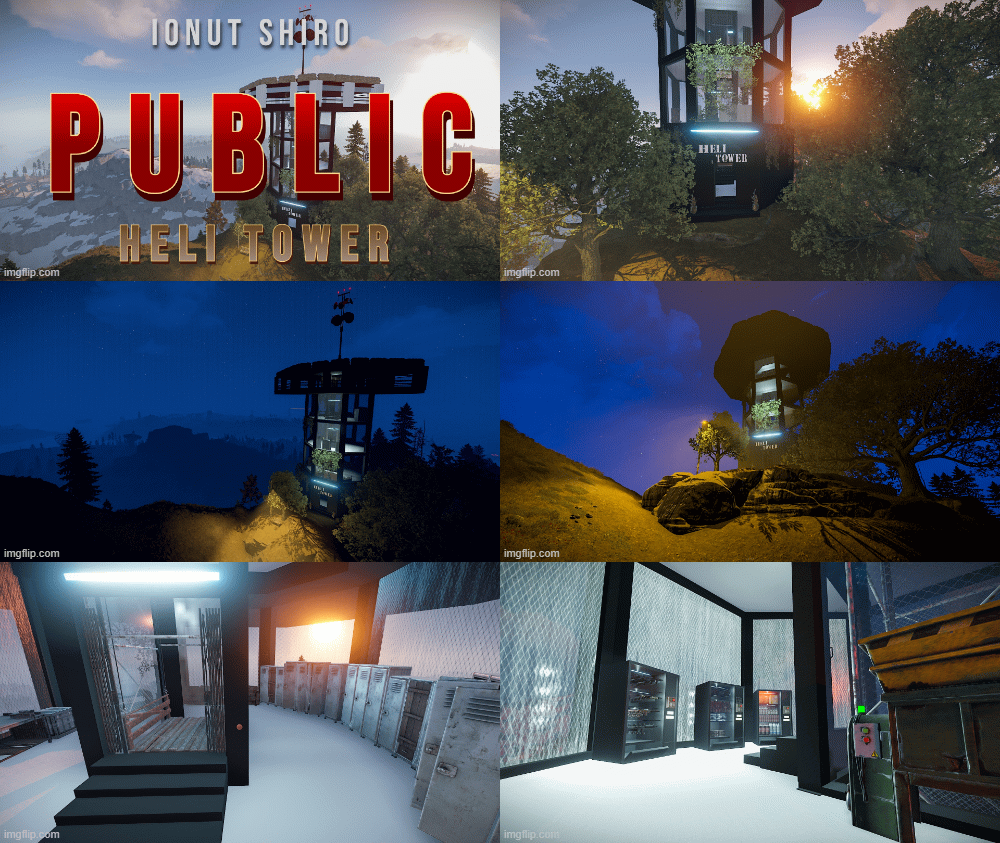
A modern heli tower which can fit perfectly on any PVE/PVP modded server. No masks included , simply drag and drop anywhere. Vending machines from the screenshots work just like a normal vending machine with the custom vending profiles which are provided with the prefab. CCTV Cameras are : To use this on your map copy the files from "Custom Prefabs" and "Vending Presets" folders into your "CustomPrefabs" and "VendingPresets" folder in RustEdit directory and after that you can see your new prefab in the Custom Prefabs list in Rust Edit and be able to edit the vending profiles if you wish so.$9.99 -
Version 1.0.2
67 downloads
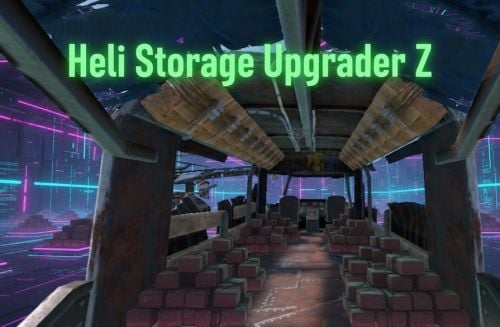
HeliStorageUpgraderZ plugin preview Automatically add storages to 3 types of helicopters after spawn. Increase your storage options on Helicopters, which is very useful during Raid! Config: { "Enable plugin?": true, "Spawned storages count for ScrapTransportHelicoper: (0-18) / 0 = disable": 18, "Spawned storages count for Minicopter: (0-4) / 0 = disable": 4, "Spawned storages count for AttackHelicopter: (0-8) / 0 = disable": 8, "Need permission to spawn? (spawn only owners helicopter = true | global spawn = false)": true } Permission HeliStorageUpgraderZ.Use - Containers only appear on the helicopters of players with the right I guarantee the functionality of the plugin as described. However, I cannot take responsibility for conflicts or issues arising from incompatibility with third-party plugins or themes. Please take this into account before purchasing. I will list all known compatibility details in the product description.$5.00 -
Version 1.5.2
8,579 downloads
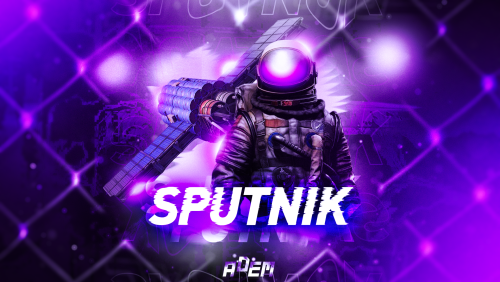
Sputnik is a server event that allows players to contest fallen sputnik satellite fragments that fall around the map. Players will need to battle their way past patrol helicopters, NPCs, turrets, and mines to gain access to loot locked behind keycards that require 'Space Cards,' which can be added to loot tables or sold in a shop! Alternatively, you can use standard keycards. Overview By default, there are five types of debris that can fall in any quantity and combination. The fragment can be guarded by a helicopter, NPCs, turrets, and mines. For each preset, you can configure the location and number of crates. A radiation zone can be created around the fragment. By default, there is a card reader in one of the locations that open a locked crate. It is activated using the "Space card.” For more information, see the "Space card” section. Space Card A card reader can be placed on any type of sputnik debris. By default, it is activated using a purple "Space Card." This card reader opens the crates specified in a special section of the config. A custom card can be added to the loot tables of standard crates and crates of this event. It can also be given with the help of a command or sold in the server store. If necessary, the card reader can be removed, and the card can be replaced with any type of standard card. Location presets The location preset is specified for each wreckage preset separately. By default, a data file with five types of prefabs is included: sputnik_1 debris_1 debris_2 debris_3 debris_4 They are shown in pictures 6 - 10. The first location includes a locked crate that opens with the help of a "Space Map." Chat commands (only for administrators) /sputnikstart– launches the event in a random configuration /sputnikstart <eventPresetName> – launches the event in the <eventPresetName> configuration /sputnikstop – stops the event /givespacecard – give yourself a "Space Card". Console commands (RCON only) sputnikstart– launches the event in a random configuration sputnikstart <eventPresetName> – launches the event in the <eventPresetName> configuration givespacecard <userID> – give a "Space Card" to player Config en – example of plugin configuration in English ru – example of plugin configuration in Russian Dependencies (optional, not required) True PVE PveMode GUI Announcements Notify DiscordMessages AlphaLoot CustomLoot Economics Server Rewards IQEconomic Hooks OnSputnikEventStart () OnSputnikEventStop () OnSputnikEventWin (ulong userID) OnPlayerEnterSputnik{BasePlayer player} OnPlayerExitSputnik{BasePlayer player} My Discord: Adem#9554 Join the Mad Mappers Discord here! Check out more of my work here!$29.99 -
Version 1.2.7
1,393 downloads
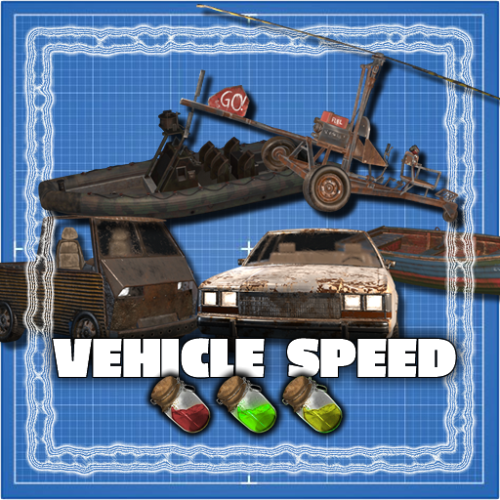
SUPPORTS EVERY VEHICLE IN THE GAME! A simple plugin that brings in new types of fuel. Depending on the fuel type helis fly faster or slower. Out of the box this plugin adds 2 new fuel types to the game: Medium Grade Fuel and High Quality Fuel. For each fuel type you can configure a speed multilplier. For example High Quality Fuel makes helis go 3x as fast by default. Furthermore you can configure the fuel consumption per minute for each fuel type. Supported vehicles: Minicopter, Scrap Heli, Attack Heli Rowboat, RHIB Modular Car Small & Large Submarine Horse Bike, Motorbike Snowmobile Diver Propulsion Vehicle Configuration: Item name: The name of the ingame item; set it to null to use the default item name. Fuel skin id: the skin id of the fuel item. Note that each skin id has to be unique and can not be used for multiple fuel types Speed multiplier: the speed multiplier for the heli, 1 = default speed. It is not recommended to set this higher than 4. Fuel consumption per minute: fuel consumption per minute, set to -1 to use the default fuel consumption. Loot Table integration: This plugin supports the custom item api of Loot Table and Stack Size GUI, so you can easily add your custom fuel items to the loot table. When both plugins are installed on the server, the fuel items you configured will show up in the custom items tab of Loottable (right image): Admin commands: fuel list - View fuel types and their id fuel <id> <amount> - Give yourself x amount of fuel with the given id fuel <id> <amount> <player name or id> - Give the specified player x amount of fuel with the given id These commands are intended for admin use only and require the permission helispeed.admin Default configuration: { "Fuel Configuration": [ { "Item name": null, "Fuel skin id": 0, "Minicopter speed multiplier": 0.8, "Minicopter fuel consumption per minute (-1 for default)": -1.0, "Scap heli speed multiplier": 0.8, "Scap heli consumption per minute (-1 for default)": -1.0, "Row boat speed multiplier": 0.8, "Row boat fuel consumption per minute (-1 for default)": -1.0, "RHIB speed multiplier": 0.8, "RHIB fuel consumption per minute (-1 for default)": -1.0, "Modular car speed multiplier": 0.8, "Tugboat speed multiplier": 0.8, "Tugboat fuel consumption per minute (-1 for default)": -1.0, "Attack helicopter speed multiplier": 0.8, "Attack helicopter fuel consumption per minute (-1 for default)": -1.0 }, { "Item name": "Medium Grade Fuel", "Fuel skin id": 2501207890, "Minicopter speed multiplier": 1.5, "Minicopter fuel consumption per minute (-1 for default)": -1.0, "Scap heli speed multiplier": 1.5, "Scap heli consumption per minute (-1 for default)": -1.0, "Row boat speed multiplier": 1.5, "Row boat fuel consumption per minute (-1 for default)": -1.0, "RHIB speed multiplier": 1.5, "RHIB fuel consumption per minute (-1 for default)": -1.0, "Modular car speed multiplier": 1.5, "Tugboat speed multiplier": 1.5, "Tugboat fuel consumption per minute (-1 for default)": -1.0, "Attack helicopter speed multiplier": 1.5, "Attack helicopter fuel consumption per minute (-1 for default)": -1.0 }, { "Item name": "High Quality Fuel", "Fuel skin id": 2664651800, "Minicopter speed multiplier": 3.0, "Minicopter fuel consumption per minute (-1 for default)": -1.0, "Scap heli speed multiplier": 3.0, "Scap heli consumption per minute (-1 for default)": -1.0, "Row boat speed multiplier": 3.0, "Row boat fuel consumption per minute (-1 for default)": -1.0, "RHIB speed multiplier": 3.0, "RHIB fuel consumption per minute (-1 for default)": -1.0, "Modular car speed multiplier": 3.0, "Tugboat speed multiplier": 3.0, "Tugboat fuel consumption per minute (-1 for default)": -1.0, "Attack helicopter speed multiplier": 3.0, "Attack helicopter fuel consumption per minute (-1 for default)": -1.0 } ] }$18.00 -
Version 1.0.1
2 downloads
xInFlightHeliRepair xInFlightHeliRepair is a Rust plugin that allows players to repair an attack helicopter while mounted or in the air as a passenger, using a hammer and consuming a configurable resource (e.g., metal fragments). It includes plenty of customization options. This overrides the new behavior introduced in the “Pivot or Die” update that prevents players from repairing the attack helicopter while in flight. Features In-Flight Helicopter Repair Players/Passengers can repair an attackhelicopter by hitting it with a hammer while in flight. Resource-Based Repair Each repair “hit”: Costs a configurable item (Default: 30 metal fragments). Restores a configurable amount of health (Default: 50 HP). Automatically removes the required items from player inventory. Recent Damage Cooldown If the helicopter was recently damaged by explosive sources, repair is blocked for a set duration (Default cooldown: 10 seconds) Message informs the player how long they must wait. Player Feedback Configurable message system: Supports UI toast notifications or chat messages. Visual Repair Effect Plays a configurable FX prefab on successful repair (Default metal upgrade effect). Permission xinflighthelirepair.use Config { "RequirePermission": false, "Permission": "xinflighthelirepair.use", "EnableRecentlyExplosiveDamageRepairCooldown": true, "RecentlyExplosiveDamageRepairCooldown": 10.0, "ItemUsedForRepair": "metal.fragments", "ItemCostPerRepair": 30, "HealPerHit": 50.0, "PlayEffectOnRepair": true, "Effect": "assets/bundled/prefabs/fx/build/promote_metal.prefab", "MessagesType": "ui", // Use 'ui' for toast notifications and anything else (e.g., 'chat') for chat messages "ShowMessages": true, "NotReadyMessage": "<color=#ff5555>Heli was damaged recently. Wait {0} seconds before repairing.</color>", "FullyRepairedMessage": "<color=#ffcc00>This helicopter is already fully repaired.</color>", "NotEnoughMetalMessage": "<color=#ff5555>You need {0} {2} to repair ({1} available).</color>", "RepairedMessage": "<color=#55ff55>Repaired heli by {0} HP for {1} {2}.</color>" }$8.99 -

Version 1.1.2
391 downloads
Open UI - /ss FEATURES: Change population for enities On/off events Server settings P.s - (My Discord - tofurahie#4144)$5.99 -

Version 1.1.2
1,138 downloads
This plugin will add a biplane to your server! You can configure its spawn on any monuments, give it as an item, and also put it up for sale in a custom AirWolf store, which is included in the plugin. The biplane can shoot rockets and drop bombs! In the plugin, you can create various configurations of biplanes, in which you can change their speed and power, set the number of slots in the box, allow or prohibit firing rockets and bombing, etc. The biplane can be placed on a standard carlift, in which the engine can be replaced or the aircraft repaired. Сontrol W – thrust; Mouse – direction; A/D – cren axis; Left mouse button – rocket shot; Right mouse button – dropping the bomb; Chat commands: /biplanemonument – adds the monument you are on in the plugin config; /biplanemonumentpoint – adds a random spawn point to the monument you are on; /biplaneseller – sets the spawn point of the seller on the monument you are on; /biplanesellerpoint – sets the spawn point of the biplane after purchase on the monument you are on; /givebiplane <itempresetname> – give yourself a biplane item. /biplanecustomspawnpoint - adds a custom biplane spawn point in your position Console commands givebiplane <itempresetname> – give yourself a biplane item; givebiplane <itempresetname> <userid> – give a biplane to player. Plugin Config en – example of plugin configuration in English ru – example of plugin configuration in Russian My Discord: Adem#9554 Join the Mad Mappers Discord here! Check out more of my work here!$19.99 -
-min.thumb.png.11fd97be00ba0154cdfef1ef05b08009.png)
Version 1.1.5
1,163 downloads
Allow players to place ziplines! The plugin will add various types of ziplines to your server, for each of which you can adjust the speed, the maximum distance between points, the color of the cable and even the ability to go up! Just install two fasteners and they are automatically connected by a cable. To start moving, look at the rack and press E. f there is an obstacle on the way, the player will fall. The cable can be of various colors: red, black, blue, yellow or green! You can configure the spawn of different presets of ziplines in different crates or add items from the config to your server store! Permissions pocketzipline.give - allows you to give a zipline to yourself and other players Chat commands /givezipline <ZiplinePresetName> <amount> - give a zipline to yourself. Console commands givezipline <ZiplinePresetName> <amount> - give a zipline to yourself; givezipline <ZiplinePresetName> <amount> <userId> - give a zipline to player (Suitable for RCON); Config en - example of plugin configuration in English ru - example of plugin configuration in Russian$14.99 -
Version 1.0.0
6 downloads
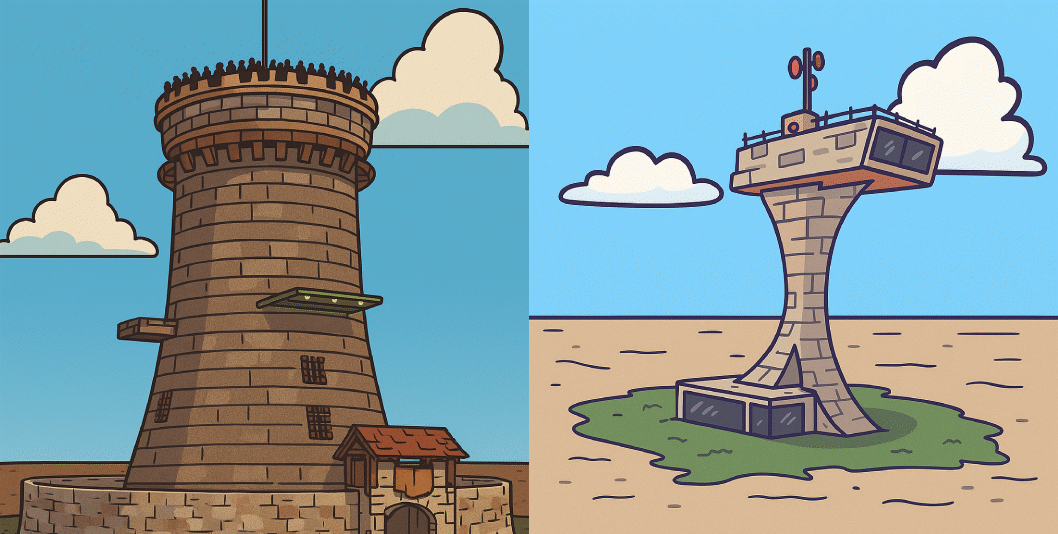
I've prepared a small tower pack to land the combat helicopter. In the future, I'll be creating more towers to land the heli. This pack can be used on both PVE and PVP servers since its function is designed for the helicopter, so it doesn't break the gameplay. Add more variety to your server with these towers. You can place a different tower on each wipe so that people can enjoy its facilities when hosting the helicopter event. Prefab: Tower 1 - 915 Prefab: Tower 2 - 476 For any questions, please contact us via Discord: zeroabsoluto_273$5.00-
- 2
-
-
- #helitower
- #heli
- (and 4 more)