Search the Community
Showing results for tags 'instant'.
Found 9 results
-

Version 1.0.0
46 downloads
AutoCooking.cs Description : - This plugin allows you to farm already cooked ores, it also works on animal feed. You can configure the elements you want it to cook instantly or not. No more furnace needed Settings : - Meats cooking (true/fasle) - Fishs cooking (true/fasle) - Ores cooking (true/fasle) - Charcoal bonus (true/fasle) Permissions : - oxide.grant user <steamID/user> autocooking.use WuyZar's Discord : https://discord.gg/NVwRcQwGwhFree -

Version 1.3.2
1,933 downloads
Optionally make all barrels and road signs 1 hp, and spawns the barrels / road signs loot in player's inventory when destroyed. Works with tools and optionally weapons, farming distance for weapons can be adjusted via the config file. Showcase Video Permission Give players InstantBarrel.on Config { "Enable farming with weapons": true, "Max farming distance": 3.0, "Make barrels 1 hit to kill": false, "Enable barrel gibs": true } Support and More Checkout my discord server here.$3.99 -
Version 1.0.15
1,658 downloads
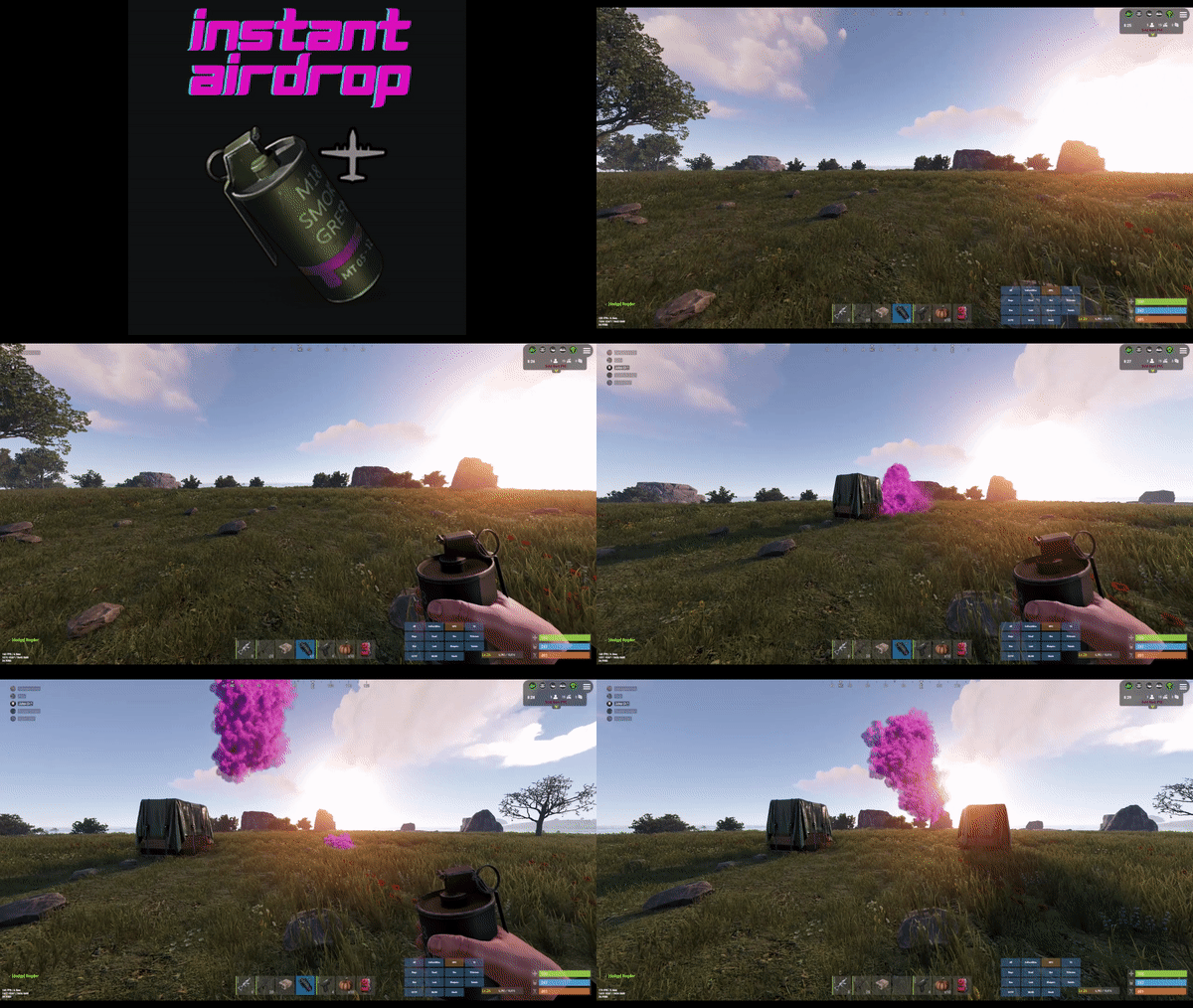
Are your players tired of waiting for Airdrops? This little plugin makes them appear almost instantly, no cargo plane, no parachutes. Airdrop will spawn wherever the supply signal lands. The delay can be modified in the config file. The default is 5 seconds to allow the supply signal to land and smoke briefly. Config File { "Delay Before Spawn": 5.0, "Use Permission": false, "Prevent Deploying Inside (Players will only be able to deploy supply signals outside)": false, "Skin IDs To Ignore": [] } if "Use Permission" is set true then permission to be set is instantairdrop.use If "Prevent Deploying Inside" the Airdrop will be cancelled, the supply signal will be refunded to the player and a message will inform the player that supply signals can only be deployed outside. This is to prevent instant airdrops spawning inside of bases and is optional. Developer Integration 1. IsInstantAirdrop(SupplyDrop supplyDrop) - Takes a SupplyDrop object and returns true if it's an instant airdrop 2. IsInstantAirdropByEntity(BaseEntity entity) - Takes any BaseEntity and returns true if it's an instant airdrop Usage Examples for Other Plugins: // Check if a supply drop is an instant airdrop var instantAirdrop = plugins.Find("InstantAirdrop"); if (instantAirdrop != null) { bool isInstant = (bool)instantAirdrop.Call("IsInstantAirdrop", supplyDrop); if (isInstant) { // Handle instant airdrop differently Puts("This is an instant airdrop!"); } } // Or using BaseEntity bool isInstantByEntity = (bool)instantAirdrop.Call("IsInstantAirdropByEntity", entity); This integration allows other plugins to: - Prevent their plugin from calling in more airdrops - Apply different loot rules to instant vs regular airdrops - Show different notifications for instant airdrops - Track instant airdrop statistics separately - Apply special effects only to instant airdrops - Modify damage/protection rules for instant drops Tested to work nicely along side other plugins such as: Heli Signals Bradley Drops Fancy Drop Loot Defender Signal Cooldown Helpful Supply Supply Lock Vehicle Airdrops (fix coming soon) Note: The plugin is designed to operate without causing issues when used with these plugins. However, it does not integrate or alter the functionality of these plugins.$3.99 -
Version 1.0.3
145 downloads
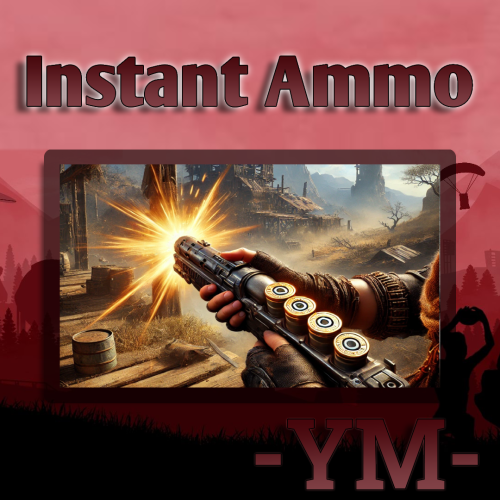
Links the ammunition in your inventory directly to your weapon and removing the need for reloading as long ammunition is available Config: { "General Settings": { "Prefix": "<color=#00ffff>[ Instant Ammo ] - </color>\n", "SteamID": 0, "Commands": [ "ia", "instantammo" ] }, "instant Settings": { "Use condition max?": false, "Black Lists": { "rifle.ak": [ 0 ] } }, "Version": { "Major": 1, "Minor": 0, "Patch": 0 } } Permission: instantammo.use Lang: { "Activate": "<size=20><color=#00ff00>Activate</color></size>", "Deactivate": "<size=20><color=red>Deactivate</color></size>", "LackBullets": "<color=yellow>Feature <size=20><color=red>Deactivate</color></size> due to insufficient bullets.</color>", "BlackListItem": "<color=red>This <color=yellow>`{0}`</color> item is not available.</color>", "NoPerm": "<color=red>You dont have permission!</color>" } Image made by @Azmothanks$4.99 -
Version 1.0.2
18 downloads
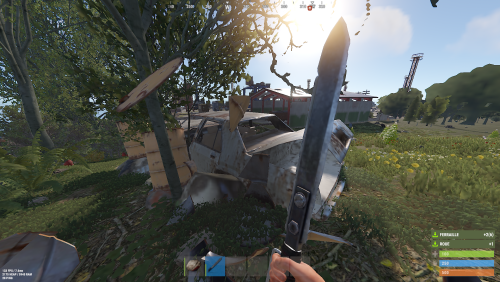
Features: • Automatic Collection: Items from barrels & sign road are instantly added to players' inventories, eliminating the need for manual pickup. • Customizable Pickup Radius: Adjust the pickup radius to meet the specific needs of your server. • Permission Control: Enable or disable permission checks to control who can use the plugin. • Customizable Notifications: Players receive customizable text notifications for each item collected, keeping them informed about their inventory. • Configurable Barrel Types: Define which barrel types are included for automatic loot collection. • Easy Configuration: Customize plugin settings via a simple configuration file, including: • UsePermission: Toggle permission checks. • PermissionName: Set the permission string for access control. • UsePickupRadius: Enable or disable the pickup radius feature. • PickupRadius: Set the default radius for item pickup. • UseUiNotification: Enable or disable UI notifications. • UseChatMessage: Enable or disable chat messages for item collection. • ChatMessage: Customize the message displayed in chat when items are collected. • One-Hit Loot System: Collect barrel loot with a single hit. Can be enabled/disabled per server preference. • Weapon Blacklist: Prevent specific weapons from triggering one-hit loot, allowing fine-tuned control over gameplay mechanics. Showcase video Permissions instantloot.use - (Allows you to automatically recover loot from inventory) - ( Permission disabled by default, it's up to you to configure them in the configuration ) Commands No commands are necessary to use InstantLoot$4.49 -
Version 2.0.0
81 downloads
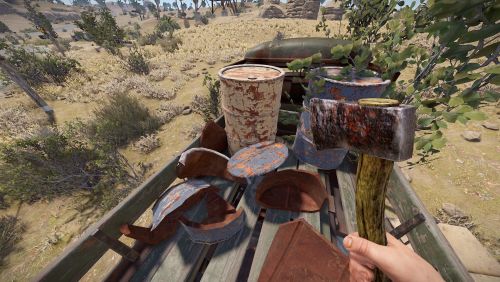
Instant Loot lets you destroy configured loot containers (barrels, road signs, etc.) and automatically collect their contents in the inventory. Showcase video Permissions InstantLoot.instabreak - Instantly break containers (if enabled in global config). InstantLoot.autoloot - Automatically loot destroyed containers (if enabled in global config). Commands No commands are necessary to use InstantLoot Config { "InstaBreakEnabled": false, "InstaBreakDamageScale": 1000.0, "AutoLootEnabled": true, "ShowInventoryFullMessage": true, "InventoryFullMessage": "Your inventory is full.\n Excess items have been thrown to the floor.\n", "MaxAutoLootDistance": 6.0, "TargetPrefabs": [ "barrel", "roadsign" ], "Debug": false }$4.49 -

Version 1.3.4
441 downloads
SAVE 10% WHEN BUYING THE BUNDLE We are proud to announce the release of Crafting Manager superseding "Instant Crafting". Crafting Manager main features: Instant crafting (craftingmanager.instant.allow) Define a global scaling per workbench tier to be applied to all users by default Create as many "custom" profiles you need, each one will have a permission to control who gets access to the custom scaling Item blacklist allows you to block items from being crafted. Players get a message when the item is uncraftable. PermanentWorkbenchLevel permanently assigns workbench level to your players. Example of a custom profile, the values are in percentage of the original crafting duration. If you want to craft a Cupboard (30s original) and set tier0 to 0.5 (50%) then the Cupboard will take 15s to craft. "vip1": { "0": 0.25, "1": 0.5, "2": 0.75, "3": 1.0 } To assign the vip1 profile to a user type "o.grant user my_player craftingmanager.profile.example1", to assign it to a group type "o.grant group my_group craftingmanager.profile.example1". If you'd like to assign instant crafting it to all your players just grant the permission to the default group by typing "o.grant group default craftingmanager.instant.allow". Full configuration example: { "CraftingScale": { "Global": { "0": 1.0, "1": 1.0, "2": 1.0, "3": 1.0 }, "Profiles": { "example1": { "0": 0.25, "1": 0.5, "2": 0.75, "3": 1.0 }, "example2": { "0": 0.0, "1": 0.25, "2": 0.5, "3": 0.75 } } }, "Miscellaneous": { "InstantCrafting": 1.0, "PermanentWorkbenchLevel": 0 }, "BlacklistedItems": [ "syringe.medical", "explosives", "autoturret" ] }$4.99 -

Version 1.0.3
673 downloads
Instant engine Startup for Mini copter and Scrap Transport Helicopter. Permission: Instantstartup.useFree -

Version 2022.9.24.1102
27 downloads
This high performance patch will make craft be instant for all your players. After installing the patch and restarting your server you need to set "craft.instant 1" to activate the instant crafting. This is a standalone Harmony patch, Oxide installation is optional. Copy the Oxidation.Instacraft.dll file into your HarmonyMods folder and restart your server. What is Harmony ? Harmony is a library for patching .NET code during runtime, it directly manipulates game code (CIL) without any additional abstraction layer such as Oxide. The direct patching of the game's byte code allows more performant modding as developers no longer need to rely on third party code, events or hooks to build custom functionality.$2.99