Search the Community
Showing results for tags 'inventory'.
Found 14 results
-
Version 1.7.8
283 downloads
Transform your Rust server's storage experience with intelligent automation, overflow chains, and PvP-safe raid protection. Why SmartSorter? For Players: Stop manually sorting hundreds of items after raids, monuments and roams Never lose loot to overflowing boxes again Set up once, automate forever For Server Owners: Reduce player frustration and improve retention Performance-optimized for high-pop servers PvP-friendly with raid/combat blocking Zero dependencies - works out of the box What Makes It Unique? Drop Box Automation Mark any container as a "Drop Box" - toss items in and watch them automatically route to nearby filtered containers. No manual sorting needed. Sorting Chains (Overflow System) Link unlimited containers together. When one fills up, items automatically overflow to the next in the chain. Perfect for massive loot rooms. Raid & Combat Protection Full integration with RaidBlock, NoEscape, and CombatBlock - prevent sorting abuse during raids with granular control over what gets disabled. Essential for PvP servers. Defense Auto-Fill One-click filling of turrets, SAM sites, flame turrets, and shotgun traps. Set your preferred ammo/fuel amounts once and forget it. Smart Template System Save filter configurations as templates, load them onto any container, and share setups across your base in seconds. Core Features Automatic Sorting Drop Box system for hands-free organization Category and item-specific filters (granular control) Works with 50+ container types Intelligent handling of furnaces, refineries, recyclers, and vending machines Smart routing with sorting chains Manual Control Tools Send Near - Distribute inventory to nearby filtered containers within radius Send to Box - Fill the specific container you're looting Dump All - Empty your entire inventory instantly Loot All - Grab everything from a container (supports backpacks!) In-Container Sort - Organize by name or category with one click Inventory and backpack Sorting Sorting Chains (Overflow System) Link unlimited containers for automatic overflow routing Visual chain inspection with in-game colored lines and spheres Cycle detection prevents infinite loops Per-player chain ownership Configurable visualization duration and appearance Defense Management Auto-fill Auto Turrets, SAM Sites, Flame Turrets, Shotgun Traps Customizable ammo/fuel amounts per defense type Radius-based batch filling Automatic weapon mounting for turrets Per-player preferences saved Raid & Combat Protection Integrates with RaidBlock, NoEscape, and CombatBlock Granular control - disable specific features during raids/combat Optional chat notifications when actions are blocked Essential for PvP servers - prevents sorting abuse Template System Save filter configurations by name Load templates onto any container instantly Share setups between boxes Per-player template ownership with admin override Easy template management (delete, rename) Player Preferences Toggle auto-opening of filter panels (/ssautofilters) Minimize UI to compact button mode Per-player defense ammo/fuel settings Settings persist across sessions Visual Interface Dynamic context-aware UI (changes based on container type) Built-in help system with full-color image guides Fully customizable layouts, colors, and button positions Responsive design adapts to 1-column or 2-column layout ImageLibrary support for item icons Technical Specifications Supported Containers (50+) Storage boxes, large boxes, coffins, barrels, fridges, lockers, tool cupboards, vending machines, furnaces (all types), refineries, recyclers, BBQs, campfires, lanterns, mannequins, drop boxes, wall cabinets, beehives, chicken coops, composters, cauldrons, stashes, and all defense entities. Performance Optimized Configurable processing intervals Batch processing limits (MaxDirtyBoxesPerTick) Optimization mode for high-population servers Efficient memory pooling throughout Automatic cleanup of deleted container data Framework Compatible Full support for uMod/Oxide Native Carbon framework support No external dependencies required Works out of the box Safety Features Wall-check system (prevent looting through walls) Building privilege requirement Configurable item blacklist/whitelist Automatic cleanup of old container data (configurable grace period) Permission-based access control Configuration Highlights 1000+ Customization Options UI Customization: Every color, position, size, and text label Button Layouts: 4 preset layouts (Default, DropBox, Awaiting, HasChain) Timing: Sort delays, cooldowns, debounce intervals Distances: Default radius, visualization settings Category Overrides: Reclassify any item into any category Furnace/Refinery: Custom fuel and smeltable item lists Support & Updates Documentation: Built-in visual help system Active Development: Regular updates and improvements Bug Reports: Fast response on CodeFling Feature Requests: Always welcome What's Included Plugin file (.cs) Default configuration Built-in help system with images Full permissions setup 50+ container support Raid/combat block integration Template system Performance optimization Extensive customization options Perfect For: Large Base Builders - Automate loot rooms with chains PvP Servers - Raid block integration prevents abuse High-Pop Servers - Performance optimized Casual Servers - Quality of life improvement Modded Servers - Works with custom items PLAYER COMMANDS /ss or /smartsorter Opens the visual help guide UI /sshelp Opens the visual help guide UI (same as /ss) /sscommands Shows a list of all available chat commands /sstoggle Shows or hides the SmartSorter UI completely /ssremovechains Removes ALL sorting chains you own /ssautofilters [on|off] Toggles whether the filters panel auto-opens when looting filtered containers /ssrefresh Refreshes the UI if it gets stuck or doesn't display properly /ssshowchains Visually displays your sorting chains for 15 seconds using colored lines and spheres /ssdefense Opens the defense configuration panel to set ammo/fuel amounts for turrets and traps ADMIN COMMANDS /ssdebug on|off Enables or disables debug logging in console /ssreloadconfig Reloads the configuration file from disk /ssclearfilters <containerID> Clears all filters on a specific container by NetworkID /ssconfig [setting] [value] Opens the config UI, or sets a specific config value ━━━━━━━━━━━━━━━━━━━━━━━━━━━━━━━━━ smartsorter.use - Required for all features smartsorter.admin - Admin commands and config access ━━━━━━━━━━━━━━━━━━━━━━━━━━━━━━━━━ DEPENDENCIES None required. Optional ImageLibrary support for enhanced item icons. ━━━━━━━━━━━━━━━━━━━━━━━━━━━━━━━━━ Give your players the gift of time. Install Smart Sorter today.$24.99- 111 comments
- 5 reviews
-
- 2
-

-
- #sorting
- #auto-sort
- (and 66 more)
-
Version 1.2.1
967 downloads
RUST Plugin Test Server TEST MY PLUGINS THERE! connect play.thepitereq.ovh:28050 Redeem Storage API enables you to consolidate all your plugin item sources into a single inventory. This means you can condense multiple storage containers into one and eliminate the need for free space in your inventory. Please note that this plugin doesn't have any standalone functionality; it requires another plugin that utilizes this API. Move your all plugin item rewards/outputs to one storage. You can create multiple custom redeem inventories. Each storage have their own data file, so it's easy to clear only certain inventories on wipes. RUST themed UI. Supports almost infinite amount of items. void AddItem(ulong userId, string name, Item item, bool popUp = false) - Moves the previously created item to the desired redeem inventory of the player. createredeemitem <storageName> <userId> <shortname> [amount] [skinId] [itemName] [popup (true/false)] - Console command for generating redeem items, optional way rather than using an API. { "Redeem Commands": [ "redeem", "red" ], "PopUp API Preset": "Legacy", "Redeem Storage Item Reminder (in seconds, 0 to disable)": 600, "Redeem Inventories": { "default": { "Default Redeem Inventory (only one)": true, "PopUp Message (configurable in lang file)": false, "Redeem Only In Safezone": true, "Redeem Only If Authed": true, "Allow When No Cupboard (works is option above is true)": false, "Drop Overflow Items Onto Ground (true = drop, false = delete)": true }, "shop": { "Default Redeem Inventory (only one)": false, "PopUp Message (configurable in lang file)": true, "Redeem Only In Safezone": false, "Redeem Only If Authed": false, "Allow When No Cupboard (works is option above is true)": false, "Drop Overflow Items Onto Ground (true = drop, false = delete)": true } } }Free -
Version 1.4.10
246 downloads
Still using those old Restore Upon Death & Metabolism plugins? Well with death modifier you won't need those! For a price $ players can auto revive right where they left off inventory an all! Included with unlimited permissions, blacklist system, container limits, currency support & more! NOTE: This plugin as of 1.2.0 now supports carbon. NOTE: Does not work while in vanish. NOTE: Toggling god mode on while at death screen will break the plugin for you. Features * Black List & Black list chat command for ban / unban of items. * Permission support ( requires a perm to use ). * Specified Containers via perms. * Charge Economics & Economics debt or Server-Rewards RP. * Respawns player at same location they died at. * Ability to control Metabolism on respawn. * Ability to allow players to set there own bed/bag spawn points. * If you don't have a permission it doesn't apply to you. * Currency response msg to player if it fails. * Help/info command. * If multiple permissions assigned it will default to first one in the config list they have. * You can create as many permissions as you want simply copy / paste the examples in the config to make more & edit. * Toggle on/off modes for players. * Capable of saving everything, including backpacks etc. Commands Note: Running these commands bans & unbans everything in your whole inventory ( wear, belt, main ) /bl ban perm perm2 etc ( Specify which perms are allowed to bypass the item ban ) Admin Perm Needed. ( deathmodifier.admin ) /bl unban ( Removes all banned items in your inventory ) Admin Perm Needed. ( deathmodifier.admin ) /di ( Shows the players what their current permission settings are in chat ) /dt ( allows players to toggle off or on the auto revive system ) Note: This will reset to being on when you re-connect back to the server or reload the plugin or do a reboot. Config { "Sets black-list command": [ "dmbl", "bl" ], "Sets help-info command": [ "deathinfo", "di" ], "Sets toggle command": [ "deathtoggle", "dt" ], "Kill Corpse when player uses a Death Modifier Respawn Option": true, "Sets how long until player's corpse De-Spawns, Default 300f (5-min), this affects how long they can AFK at death screen to use there respawn options.": 300.0, "Permissions": { "vip": { "Respawn Settings": { "Random Respawn or Spawn at Death Location, true = random": false, "Seconds for how long after respawn until you can take damage, 0 = disabled": 0, "Sets Respawn with death modifier cooldown in seconds, 0 = disabled": 0 }, "Sets allowed containers, Main = 0 | Belt = 1 | Wear = 2 | All = 3": [ 3 ], "Currency Settings": { "Sets default currency, 0 = disabled, 1 = Economics, 2 = ServerRewards": 0, "Sets price": 15.0, "Sets Increment penalty to apply only when they purchase a revive instead of adding for each death.": false, "Sets Increment penalty for quick repeated use, 0 = disabled": 5.0, "Resets Cost Increment after x seconds, 0 = disabled": 1800 }, "Sets Respawned Metabolism Level's": { "Enable Metabolism Modifications": true, "Sets Current Health: 0 = Random Health Level": 0.0, "Sets Max Health Level": 100.0, "Sets Current Water Hydration Level": 250.0, "Sets Max Water Hydration Level": 250.0, "Sets Current Hunger Level": 500.0, "Sets Max Hunger Level": 500.0 }, "Sets Allowed Respawn Options": { "SleepingBag": true, "Bed": false, "BeachTowel": false, "Camper": true }, "No Respawn Cool Downs": { "SleepingBag": true, "Bed": false, "BeachTowel": false, "Camper": false } }, "basic": { "Respawn Settings": { "Random Respawn or Spawn at Death Location, true = random": false, "Seconds for how long after respawn until you can take damage, 0 = disabled": 0, "Sets Respawn with death modifier cooldown in seconds, 0 = disabled": 0 }, "Sets allowed containers, Main = 0 | Belt = 1 | Wear = 2 | All = 3": [ 0, 2 ], "Currency Settings": { "Sets default currency, 0 = disabled, 1 = Economics, 2 = ServerRewards": 0, "Sets price": 15.0, "Sets Increment penalty to apply only when they purchase a revive instead of adding for each death.": false, "Sets Increment penalty for quick repeated use, 0 = disabled": 5.0, "Resets Cost Increment after x seconds, 0 = disabled": 1800 }, "Sets Respawned Metabolism Level's": { "Enable Metabolism Modifications": true, "Sets Current Health: 0 = Random Health Level": 0.0, "Sets Max Health Level": 100.0, "Sets Current Water Hydration Level": 250.0, "Sets Max Water Hydration Level": 250.0, "Sets Current Hunger Level": 500.0, "Sets Max Hunger Level": 500.0 }, "Sets Allowed Respawn Options": { "SleepingBag": false, "Bed": false, "BeachTowel": false, "Camper": false }, "No Respawn Cool Downs": { "SleepingBag": false, "Bed": false, "BeachTowel": false, "Camper": false } } }, "Black Listed Items with Skins and Permission bypass, use Commands to setup & update": {} }$24.99 -

Version 1.37.3
971 downloads
Creates quests/missions for users to complete in order to get rewards (currency, items, etc.). Players can spend the currency they receive to open cases. This can become a major plugin for your server. Your players will not get bored! And a nice and user-friendly interface will surprise them even more Features: Beautiful user interface Logging purchases / replenishment of the balance (both to the console and to a file) Versatility (can work with various economy plugins) Performance (plugin is faster than existing competitors) Interesting idea The ability to customize absolutely any inscription Preview Commands addfirstcurrency {userid} {amount} (give the player the first currency) addsecondcurrency {userid} {amount} (give the player a second currency) battlepass.wipedata (clear player progress) pass (open interface) battlepass.migrate (migrate to PlayerDatabase) battlepass.convert.128 (convert from 1.28.0) Item Types Item Command Plugin Mission Types Gather Kill Craft Look Build Upgrade Fishing LootCrate Swipe RaidableBases RecycleItem HackCrate PurchaseFromNpc ArcticBaseEvent GasStationEvent SputnikEvent ShipwreckEvent HarborEvent JunkyardEvent SatDishEvent WaterEvent AirEvent PowerPlantEvent ArmoredTrainEvent ConvoyEvent SurvivalArena KillBoss FAQ How to use multiple NPCs in one mission Loot Hackable Crates (config example) Default Config$21.95 -
Version 1.0.0
120 downloads
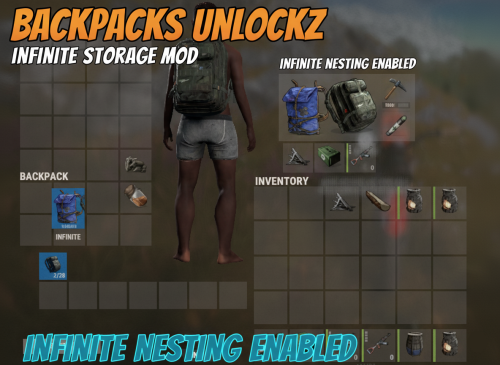
Enjoy free storage of backpacks either in a box or in the player's inventory, You can put the Large and Small backpacks with their contents (not just empty) into the player's Inventory and Storage Boxes! You can only open the contents of the bag if the player is wearing it! Config { "Is it allowed to put a backpack in a backpack? (If true = infinity)": false } With the "false" setting, you can prevent endless packing with the backpack. I guarantee the functionality of the plugin as described. However, I cannot take responsibility for conflicts or issues arising from incompatibility with third-party plugins or themes. Please take this into account before purchasing. I will list all known compatibility details in the product description.$5.00 -
Version 1.0.1
83 downloads
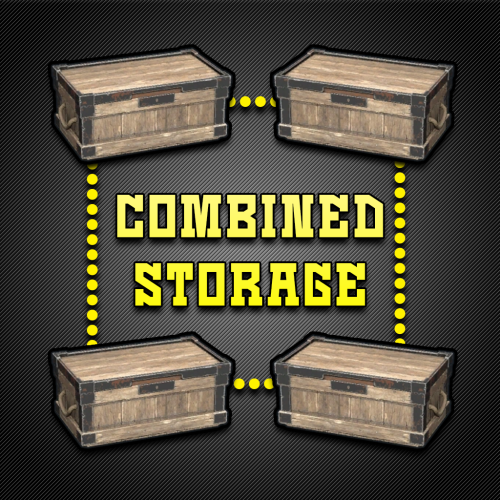
Combined Storage lets players connect multiple storage containers so they function as one large inventory. Includes automatic item sorting, search functionality, and filtering to keep storage clean and efficient. Readme Link - Click Here for Instruction and Documentation Highly recommend reading the FAQ section! All Your Items - In One Place Link multiple containers so they all share a single organized inventory. Automatic Sorting Items are automatically sorted as they are inserted, no manual effort required. Search Functionality Quickly find any item across all linked containers using a fast, built-in search bar. Simple Setup Simply press Link in a container to hook it up with the rest of them in your base. Unique View for Each Player Each player sees their own automatically sorted and filtered view of the shared inventory based on their preferences, without affecting anyone else.$24.99- 9 comments
- 2 reviews
-
- 3
-

-
- #inventory
- #storage
- (and 20 more)
-

Version 1.6.1
44 downloads
Repair All allows you to easily repair all items in a container at the same time. Repair your entire storage locker, or an entire storage box full of broken shit with the click of a single button. Repair All works with any container, including your Backpacks plugin pages, or a backpack you throw on the ground. For those of you using SkillTree, it also works with the repair perks from the Build Craft Tree. Several permissions available for VIP groups including free repairs, no BPs, and full durability repairs! FEATURES Effortless Integration: Repair All works right out of the box with no extra plugins or external files needed. Seamless Compatibility: Integration with SortButton, Backpacks, and SkillTree. Smart Resource Management: Pull resources needed for repairs directly from your inventory, your backpack, or even the storage box you're repairing from! Universal Container Support: Whether it's a large wooden box, a small box, barrels, or baskets, Repair All handles them all with ease. Locker Love: Your precious locker contents? Fully repair with a single click. Roaming Goodness: Away from your base? No problem! Just drop your backpack on the ground and repair your essentials right there. Big thanks to Luffy Rust for all the help testing, and providing feedback. You guys are awesome! PERMISSIONS repairall.use Required for players to use RepairAll. repairall.use.item Allows repair of individual items. repairall.use.roam can repair outside of TC auth range. repairall.no.roam.cost no additional resource cost while outside of TC Auth range. repairall.no.add.cost Exempts player from additional resource cost. repairall.no.dura.loss Items repaired with RepairAll won't take durability loss. repairall.no.resources Allows players to make repairs without consuming resources. repairall.no.blueprints Allows repairs without having BPs. repairall.full.condition Repair items to full condition and durability. CONFIGURATION Repair Button Only If enabled, only the repair button will be shown in the UI. Default Cost % This defaults to the game's default resource cost for repairs. Additional Cost % Set the additional resource cost for repair. Additional Roaming Repair Cost %: defaults 25% Durability Loss %: Set the default loss to durability on repair. SortButton Use Permission: default: "sortbutton.use". Backpacks Use Permission: default: "backpacks.use". Backpacks Retrieve Permission: default: "backpacks.retrieve". Backpacks Gather Permission: default: "backpacks.gather". DEFAULT CONFIGURATION { "Repair Button Only": false, "Default Cost %": 20, "Additional Repair Costs %": 10, "Additional Roaming Repair Costs %": 25, "Durability Loss %": 20, "SortButton Use Permission": "sortbutton.use", "Backpacks Use Permission": "backpacks.use", "Backpacks Retrieve Permission": "backpacks.retrieve", "Backpacks Gather Permission": "backpacks.gather" }$9.00- 11 comments
- 2 reviews
-
- 1
-
-
- #inventory
- #items
- (and 2 more)
-
Version 1.0.0
2 downloads
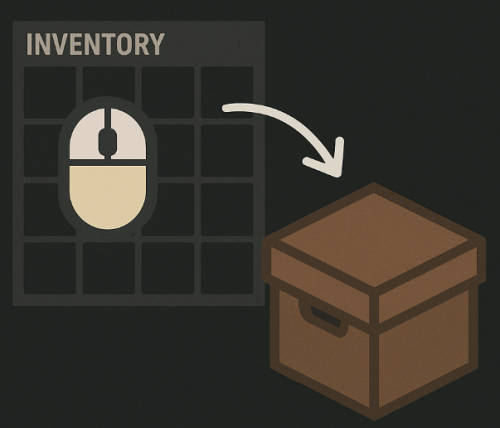
Hold the middle mouse button to deposit items from the inventory and backpack into a container If you need any additional functionality from the plugin, I'm waiting for feedback.$7.00 -
Version 2.0.3
524 downloads
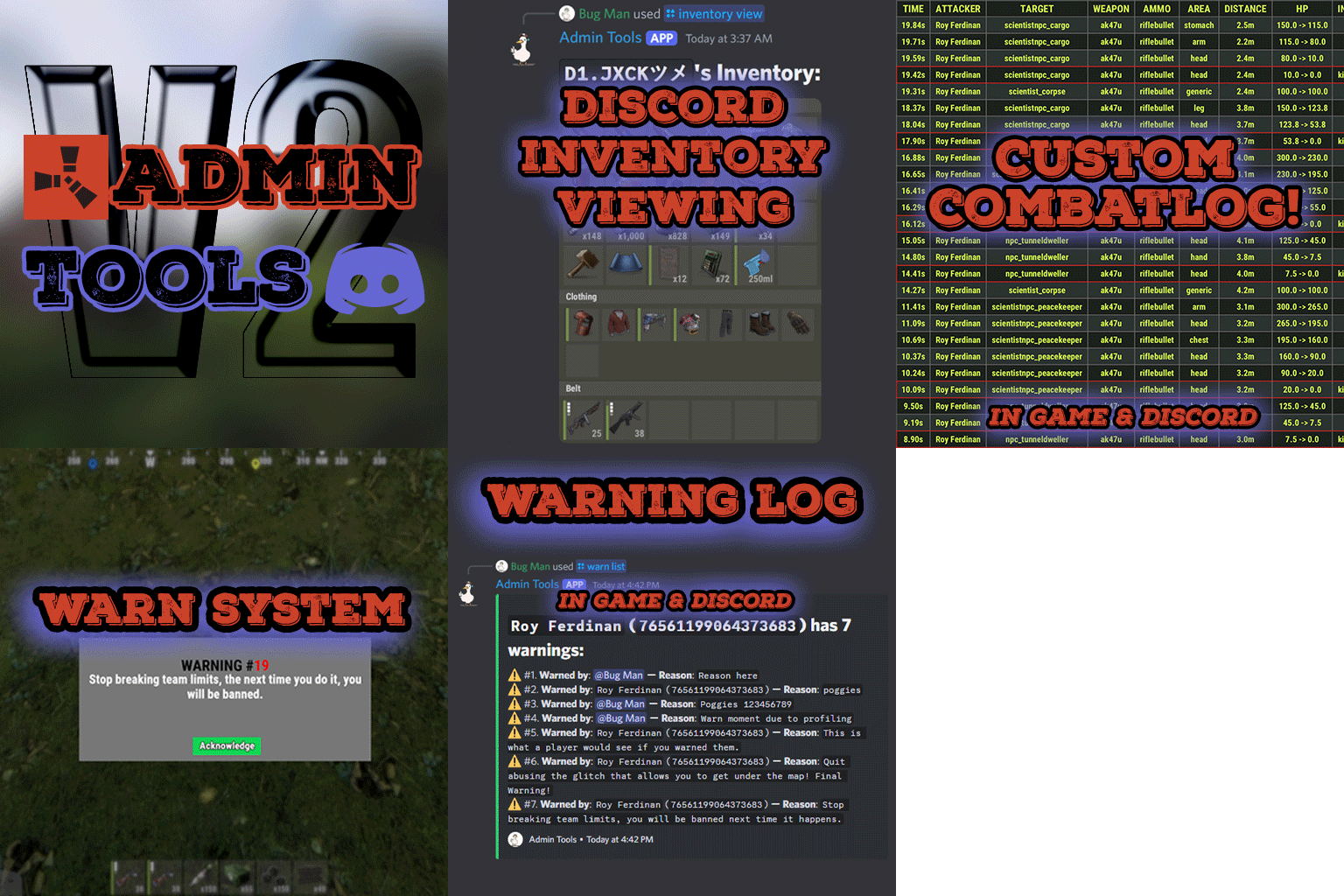
Admin Tools is an all-in-one plugin designed to make your job as a server owner/admin easier. This plugin has a wide range of features and commands that allow you to control your server easily, both in-game and via Discord. It also adds custom quality of life features exclusive to this plugin! ★ Inventory Viewing System - View an NPC or player's inventory in Discord and in-game ★ Multi-Server Support - Allows you to manage multiple Rust servers from a single bot ★ Custom Combatlog System - View a player's combatlog in Discord and in-game ★ Backpack Viewing System - View a player's backpack (uMod plugin) in Discord ★ Custom ID System - Get the ID of players on your server quick and easy, copy directly from chat ★ Warn System - Inform players of their wrongdoings and keep track of them (Warn Visuals: UI, Chat, Chat + Toast/Gametip) ★ Watchlist System - Lets you put suspicious players on a list for you to monitor, logs in-game and to discord ★ Server Command System - Reload/load/unload plugins and other console commands in Discord and in-game ★ F7 Report Logging System - Log F7 reports to discord with their combat log attached (if enabled) ★ and more! (Rest of features below) Please note, the Permissions UI Shown on screen towards the start of this video is FROM CARBON, NOT THE PLUGIN Please note, the Permissions UI Shown on screen towards the start of this video is FROM CARBON, NOT THE PLUGIN (Changed/Exclusive): * Timestamps for video in video's description - Make sure to up video quality if watching from this site. * Timestamps for video in video's description - Make sure to up video quality if watching from this site. ★ Permission System - Grant/revoke permissions to groups and players from Discord and in-game ★ Minecraft Creative System - While enabled, hold middle click to get the item you're looking at ★ Rename System - Rename the players who think they are funny (toggle in config) ★ Tempban System - Tempban players with no database required ★ Unique ID System - Find players even when they have the same or similar names -- Thanks to nivex ★ Kill, Wound, Revive & Respawn System - Kill, wound (down), revive and respawn players from Discord and in-game ★ Team Viewing System - View a player's team members from Discord and in-game Q: Does this plugin have a GUI or do its commands use GUI? A: No. The only UI in-game for this plugin is the warning screens. Please do not purchase this plugin thinking it has GUI for its commands, they are ALL commands entered into chat, Discord, or RCON. There are however, 'modals' for Discord, but nothing GUI based for within the game other than the warning screens displayed when '/warn'ing a user (which can be configured by the user). Q: How do I set up the bot? A: Set Up Instructions - If you miss any permissions, can always add them to the Admin Tools role in discord after you invite the bot. Q: Does this plugin link players to Rust? A: No. You can use the free plugin DiscordCore by MJSU if you would like to link your players. Q: Does this plugin log kills/PMs/F1 Spawn/chat? A: No. Admin Tools only logs the following if enabled: F7 Reports, Bans, commands from this plugin, and players who are watchlisted. You can always view a player's combatlog from discord though. You can use the free logging plugins DiscordLogger by MONoH or DiscordChat by MJSU depending on your goal. However, personally, I recommend against using logging functionality that would be occurring very frequently due to Discord's rate limiting. Though, DIscordLogger is made in a way that combines messages if possible to prevent limiting. Q: Can this log to multiple Discord servers? A: YES. All you need to put for logging to multiple servers is the channel ID you want to log to in the list of channel IDs in the config. Q: Does this plugin ONLY work with Discord Extension 3.0.0+? A: YES. You need to download the 3.0.0+ version from GitHub, it is linked at the top (and right here) as a required dependency. Any version prior to 3.0.0 will not work with this plugin, but any version 3.0.0 and later will. Q: Will this work on a shared hosting server? A: Yes, BUT you will not be able to take advantage of the threading done within the plugin. It should still work fine, but when you're on a shared host, you may only have access to a single core/thread (not positive on which) and as a result the threading I am doing in the plugin will just be ran on the main thread. As a result some of the discord functionality (ie: image generation) may affect the server as its now running on the main thread (what the server uses to run the game on) instead of a separate thread which would normally not affect the server. The image generation stuff (backpack and inventory) is normally pretty quick depending on number of items and pictures being used/sent, and can be between 100-250ms to generate on my server, however that was while no players were on. Q: How do I fix this error Response Code: Forbidden Discord Error Code: 50001 Discord Error: Missing Access ? A: All you need to fix this issue is MFA/2FA on the account used to create the bot. This issue is caused by Discord requiring your account to have either MFA or 2FA due to the bot being in a Community Discord server. After you add 2FA/MFA this error will go away. Q: Renaming isn't working, how do I fix this? A: The issue is likely that you don't have it enabled in the config, make sure to enable it in the config, its above the warning options and the discord API options. Q: My commands aren't appearing, how do I fix this? A: You can do the following in an attempt to try and force the bot to update its commands: Discord > Server Settings > Integrations > Admin Tools Bot > Toggle one of the checkboxes it shows in either Roles & Members or Channels > Save > Undo toggle > Save again. Q: Does this work with Rustcord? A: Yes, however you need this version here by MJSU as it has been updated to work with DiscordExtension 3.0.0+ versions. Q: How do I set up Multi-Server Support? A: Do as follows: Enable the bool (true/false) config option for multi-server system. Fill and keep the list of servers order the same if possible between configs (not required, but recommended). Use the /server command in discord to swap to the server you want to start listening to/sending commands to. On first use of command, it will error in all but one server console (tries to reply to a message more than once), that is expected and doesn't do that after that first command. It is used to set it up. If you want the activity information to change when swapping servers, make sure to enable that functionality in the config. Special thanks to Nivex for both creating and allowing me to use the method used to generate unique IDs for players. For support, please make a support ticket or join the Cobalt Studios Discord.$29.99 -
Version 1.0.1
764 downloads
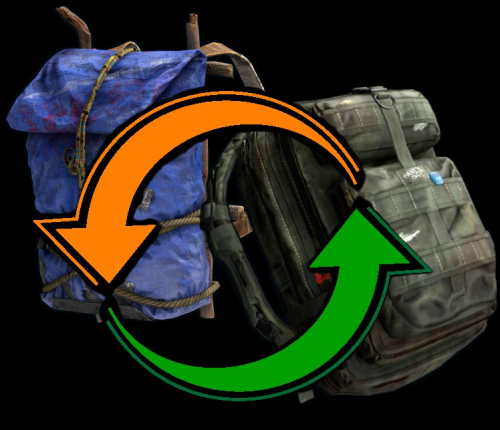
Allows you to drag and drop a large or small backpack with enough space onto a pre-existing backpack. Currently rust makes you remove all items from your backpack before you can upgrade to a large pack one. Backpack Swap allows you to drag a backpack onto another one to swap it out. As long as you have enough space in your new backpack to hold all the items the backpacks will switch. This means if you have a large backpack with 5 items you can switch to a small backpack or if you have a small backpack at any capacity you can switch to a large.Free -

Version 2.1.4
53 downloads
Create custom backpacks with varying capacities and properties Save on Death - Allow players to keep backpacks on death Item blacklist - Blacklist items from being placed in the backpack Lootspawns - Add custom backpacks to any loot spawn Admin Commands: /cb.give 'Backpack-Name' 'Player-Name/ID' - With this command, administrators or players with the appropriate permission can give a specific backpack to another player. Admin Commands: cbackpacks.give - allows the use of the cb.give command { "RemoveDefaultBackpacks": true, "Backpacks": { "rucksack": { "Shortname": "largebackpack", "SaveContentsOnDeath": true, "Capacity": 8, "ItemBlackList": [ "rifle.ak", "sulfur.ore", "lmg.m249" ] } }, "Command Names": { "give": "cb.give" }, "LootSpawns": { "assets/bundled/prefabs/radtown/crate_basic.prefab": { "rucksack": 100.0 } } } Credit to M&B Studios the original author of this plugin.$9.99 -

Version 1.3.4
227 downloads
Reduce the decay damage by tick; Upgrade the authorizations limit; Upgrade the building grade limit; Upgrade the storage capacity of the cupboard; Unlock some deployable items; Upgrade the stack size limit of the cupboard; Set a default building grade for the server; Modify the default decay; Keep the cupboard attributes when remove; Make your server fun ^u^ The plugin has a unique permission, which allows the player to use the cupboard upgrade: tclevels.use F.A.Q How many items can be blocked? and which? You can block unlimited items and all items must be deployable or they will not be blocked. Which area will be checked when I place my cupboard? The entire privilege area will be checked. But you can also disable checks in the configuration file. Could it cause conflict with any plugin? Yes, but i am providing an API for the plugin so that other developers can integrate with it, so if there is a conflict, just go to the developer's plugin support and ask them to integrate it. Also if it is possible for me to integrate it from my plugin, i will do so without any problem.$20.00 -
Version 1.1.4
76 downloads
Make life easier for the players on your server, this plugin allows you to craft items if there is a vault nearby with the right resources, and you can easily move items from one vault to another. Features: When you want to craft an item and you don't have enough resources but there is a craft store that has enough resources, they will be moved to your crafting inventory Three resource movement modes Basic transfer - By hitting one vault with Hammer and then the other one in transfer all items from the 1st to the 2nd vault. My transfer - transferring items from all available storages in the area (radius in the config) into your inventory and vice versa Advance transfer - move from any available storage within the radius to any other Commands: (You need to hold the hammer in your hands to use it) Press "R" - for open the UI change transfer mode. Press "RMB" - for open the UI transfer menu. Permissions: "inventoryhelper.all" - allow you use full functionality "inventoryhelper.swap" - allows you to swap the contents "inventoryhelper.pull" - allows you to get items from containers when he try to craft something "inventoryhelper.basictransfer" - allows you to transfer items between containers "inventoryhelper.mytransfer" - allows you to trasfer all your items to the container "inventoryhelper.adtransfer" - allows you to transfer items between continaser with UI Config: { "Pull request cooldown": 3.0, "Use UI messages": true, "Use Chat messages": true, "UI message duration": 3.0, "Storage pull|search radius": 18.5 } Lang: { "CH_CPBB": "<color=#ff0a0a>You can't pull resources in Building Block zone.</color>", "CH_PCD": "<color=#ff0a0a>Pull cooldown {0}s</color>", "CH_PMR": "<color=#ff0a0a>Not enough resources for pull:</color>{0}", "CH_PRC": "<color=#beff7f>Resources pulled for {0} craft. ({1} items pulled)</color>", "CH_SS": "<color=#ff0a0a>This is the same storage</color>", "CH_STFA": "<color=#ff0a0a>The storage is too far away</color>", "CH_SSL": "<color=#ffff00>Select a storage location where you want to move items</color>", "CH_SISEMPTY": "<color=#ff0a0a>The storage is empty</color>", "CH_FULLINV": "<color=#ff0a0a>There's not enough room in your inventory</color>", "CH_FULLSTORAGE": "<color=#ff0a0a>There's not enough room in the storage</color>", "CH_TRASFITEMS": "<color=#beff7f>{0} items trasfered from {1} to {2}</color>", "CH_NOTAVALIBLE": "<color=#ff0a0a>The storage isn't avalible</color>", "CH_PERM": "<color=#ff0a0a>You don't have enough permission</color>" }$8.88 -
Version 1.0.0
11 downloads
Set a weight on each item per category, if the player reaches the weight limit, he will no longer be able to run. Permissions inventoryweight.bypass - You can bypass the weight of the inventory Config$9.99- 4 comments
-
- 1
-
-
- #inventory
- #pve
- (and 7 more)