Search the Community
Showing results for tags 'load'.
Found 2 results
-
Version 25.9.5411
180 downloads
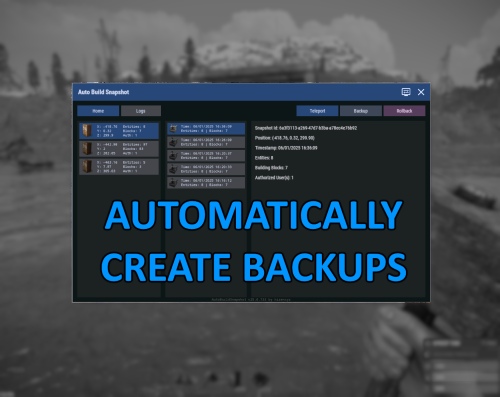
Automatically create backups for your base that you can then rollback to later. Menu command defaults to "abs.menu", but this can be modified in the settings. Most of the navigation is meant to be self-explanatory. All of the phrases should be registered and able to be updated for localization as well. Donations A big ol' thank you if you decide you wanna donate- Ko-fi: https://ko-fi.com/hizenxyz Configuration Explanations General Settings Update Check Interval (seconds): The interval that the plugin will check for updates across all bases and process any changes made to the base. By default this is every hour, but could be shortened if you feel that it should check more often or if you lower the delay between snapshots significantly. Note: This is reset on server restart. Delay Between Snapshot (seconds): The backup interval for individual bases. This is the maximum timespan between saves. Note: This is reset on server restart. Snapshot Retention Period (hours): The number of hours to keep a backup data file for before removing it from the system. Defaults to 30 days. This can be shortened if you don't want to keep backups that long. Not recommended to go longer unless you're running a server that can somehow span multiple wipes. Note: Persisting saves between wipes is not officially supported. Include Ground Resources: Whether to include resources in the backup. Include Non-Authorized Deployables: Disabled. Not currently implmented. Default behavior will include everything. Current Time Zone: The time zone you'd like to display all of the UI timings in. Purely visual. Backend files still save in UTC (Universal Coordinated Time). Commands and Permissions Admin Permission: Gives permission to all other permissions. Toggle Menu Command: The command to toggle the main menu. Toggle Menu Permission: The required permission to toggle the main menu (admin permission will default grant). Backup Permission: The required permission to run manual backups from the interface (backups can only run from interface, so toggle menu or admin permissions are required). Rollback Permission: The required permission to run rollbacks from the interface (rollbacks can only run from interface, so toggle menu or admin permissions are required). Advanced Foundation Zone Radius: Read-only, this is just the radius used to scan foundations. Currently cannot be changed. Max Retry Attempts on Failure: How many attempts to try making a backup before giving up on the base.Free -

Version 1.0.4
28 downloads
OffPlugin simplifies plugin management on your Rust server by providing absolute control right from the start. Auto unload plugin on server loading. With intuitive "add," "remove," and "list" commands, server administrators can effortlessly customize their gaming environment. Efficient Automation: Avoid unnecessary overload by automatically excluding plugins on startup, thanks to straightforward commands. Console Commands OffPlugin add (pluginname) : Instantly add a plugin to the exclusion list, preventing its automatic loading on the next startup. Exemple : OffPlugin add test OffPlugin remove (pluginname) : Easily remove a plugin from the exclusion list, allowing its automatic loading on the next startup. Exemple : OffPlugin remove test OffPlugin list : Quickly get the list of excluded plugins, simplifying your configuration management.$9.99