Search the Community
Showing results for tags 'lock'.
Found 15 results
-
Version 1.9.5
1,993 downloads
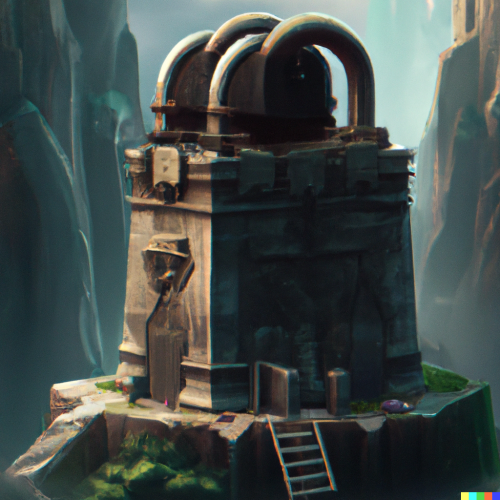
The original monument locker plugin. Monument locks to the first player (and team) who loots, shoots, hacks a crate or swipes a card, granting them total access while locking others out. Use Cases PVE Servers: Many PVE players share monuments and take turns completing puzzles (coop or solo), and the coordination is usually done through chat. Most of the time this works, but once in a while there are some bad apples who ignore basic sportsmanship. PVP Servers: Most PVP servers wouldn't use the locking feature, but some might want the broadcasting feature to encourage more PVP. Features A monument locks to the first player (and team) who loots, shoots, hacks or swipes, granting them total access. A locked monument may prevent other players from looting and/or card reader access (configurable). Unauthorized players cannot do damage to players or NPCs, nor can they loot their bodies (configurable). Unauthorized players cannot hack locked crates within a monument's bounds. (configurable) A [locked monument] message is broadcast stating player name, monument display name, and grid location. The lock timer expires after 10 min (configurable) without lock triggers (looting, etc). Default true for all triggers: attacking, looting, picking up items, moving your inventory items, card swipe. Places a red dot marker on the map at each locked monument. Cargo Ship support Future admin commands (force unlock, global unlock/lock, etc) display hud advanced stats tracking Permissions monumentlock.use: allows players to lock/unlock monuments, and be impacted by those states monumentlock.commands: allows players to use /mlock in chat to lock via command, and admin to use mlock in console monumentlock.admin: allows admins to perform admin functions via console. Commands (chat) /mlock <shortName>: Locks a monument to a player using this command /mlock <shortName> <playerName>:Locks a monument to a player with the name of <playerName>. /mlock list: List of available monument shortNames. /mlock clear: Removes all markers from map. /mlock unlock (or /mu): Unlocks any monument that was previously locked to you and your team. Commands (console) Please use mlock.fresh after each map wipe, and for the first time. This ensures that all your map's monuments (custom monuments too) are included in the config file mlock.import -- Adds all monuments from Monument Finder into configuration, except the Exceptions array. mlock.default -- Resets monuments to default values. mlock.remove -- Removes all monuments in configuration. mlock.fresh -- Performs mlock.remove then mlock.import. Configuration Super important: please do not edit the Short Name, only edit the Display Name. The Short Name is used for identification purposes and editing that name will likely result in errors. { "Monuments": [ { "Enabled: Is Monument enabled?": true, "Lock Looting: When a player enters this monument while locked, do we lock their looting abilities?": true, "Cancel Cards: When a player enters this monument while locked, do we lock their card swiping abilities?": true, "Lock Crate: When a player enters this monument while locked, do we lock their hacking on locked crates?": true, "Broadcasting: Do we want this plugin to broadcast to the server when this monument is locked?": true, "Monument Display Name": "Large Harbor", "Monument Prefab Name": "assets/bundled/prefabs/autospawn/monument/harbor/harbor_1.prefab", "Monument Short Name": "harbor_1", "Monument Grid Position": null, "Lock Attack: When a player enters a locked monument, do we lock their attacking abilities?": true, "Lock timer (600 = 10 min)?": 600, "Only timer expiration will unlock a monument ": false }, { "Enabled: Is Monument enabled?": true, "Lock Looting: When a player enters this monument while locked, do we lock their looting abilities?": true, "Cancel Cards: When a player enters this monument while locked, do we lock their card swiping abilities?": true, "Lock Crate: When a player enters this monument while locked, do we lock their hacking on locked crates?": true, "Broadcasting: Do we want this plugin to broadcast to the server when this monument is locked?": true, "Monument Display Name": "Small Harbor", "Monument Prefab Name": "assets/bundled/prefabs/autospawn/monument/harbor/harbor_2.prefab", "Monument Short Name": "harbor_2", "Monument Grid Position": null, "Lock Attack: When a player enters a locked monument, do we lock their attacking abilities?": true, "Lock timer (600 = 10 min)?": 600, "Only timer expiration will unlock a monument ": false }, { "Enabled: Is Monument enabled?": true, "Lock Looting: When a player enters this monument while locked, do we lock their looting abilities?": true, "Cancel Cards: When a player enters this monument while locked, do we lock their card swiping abilities?": true, "Lock Crate: When a player enters this monument while locked, do we lock their hacking on locked crates?": true, "Broadcasting: Do we want this plugin to broadcast to the server when this monument is locked?": true, "Monument Display Name": "Arctic Research Base", "Monument Prefab Name": "assets/bundled/prefabs/autospawn/monument/arctic_bases/arctic_research_base_a.prefab", "Monument Short Name": "arctic_research_base_a", "Monument Grid Position": null, "Lock Attack: When a player enters a locked monument, do we lock their attacking abilities?": true, "Lock timer (600 = 10 min)?": 600, "Only timer expiration will unlock a monument ": false }, { "Enabled: Is Monument enabled?": true, "Lock Looting: When a player enters this monument while locked, do we lock their looting abilities?": true, "Cancel Cards: When a player enters this monument while locked, do we lock their card swiping abilities?": true, "Lock Crate: When a player enters this monument while locked, do we lock their hacking on locked crates?": true, "Broadcasting: Do we want this plugin to broadcast to the server when this monument is locked?": true, "Monument Display Name": "Military Tunnel", "Monument Prefab Name": "assets/bundled/prefabs/autospawn/monument/large/military_tunnel_1.prefab", "Monument Short Name": "military_tunnel_1", "Monument Grid Position": null, "Lock Attack: When a player enters a locked monument, do we lock their attacking abilities?": true, "Lock timer (600 = 10 min)?": 600, "Only timer expiration will unlock a monument ": false }, { "Enabled: Is Monument enabled?": true, "Lock Looting: When a player enters this monument while locked, do we lock their looting abilities?": true, "Cancel Cards: When a player enters this monument while locked, do we lock their card swiping abilities?": true, "Lock Crate: When a player enters this monument while locked, do we lock their hacking on locked crates?": true, "Broadcasting: Do we want this plugin to broadcast to the server when this monument is locked?": true, "Monument Display Name": "Power Plant", "Monument Prefab Name": "assets/bundled/prefabs/autospawn/monument/large/powerplant_1.prefab", "Monument Short Name": "powerplant_1", "Monument Grid Position": null, "Lock Attack: When a player enters a locked monument, do we lock their attacking abilities?": true, "Lock timer (600 = 10 min)?": 600, "Only timer expiration will unlock a monument ": false }, { "Enabled: Is Monument enabled?": true, "Lock Looting: When a player enters this monument while locked, do we lock their looting abilities?": true, "Cancel Cards: When a player enters this monument while locked, do we lock their card swiping abilities?": true, "Lock Crate: When a player enters this monument while locked, do we lock their hacking on locked crates?": true, "Broadcasting: Do we want this plugin to broadcast to the server when this monument is locked?": true, "Monument Display Name": "Dome", "Monument Prefab Name": "assets/bundled/prefabs/autospawn/monument/small/sphere_tank.prefab", "Monument Short Name": "sphere_tank", "Monument Grid Position": null, "Lock Attack: When a player enters a locked monument, do we lock their attacking abilities?": true, "Lock timer (600 = 10 min)?": 600, "Only timer expiration will unlock a monument ": false }, { "Enabled: Is Monument enabled?": true, "Lock Looting: When a player enters this monument while locked, do we lock their looting abilities?": true, "Cancel Cards: When a player enters this monument while locked, do we lock their card swiping abilities?": true, "Lock Crate: When a player enters this monument while locked, do we lock their hacking on locked crates?": true, "Broadcasting: Do we want this plugin to broadcast to the server when this monument is locked?": true, "Monument Display Name": "Large Oil", "Monument Prefab Name": "OilrigAI2", "Monument Short Name": "OilrigAI2", "Monument Grid Position": null, "Lock Attack: When a player enters a locked monument, do we lock their attacking abilities?": true, "Lock timer (600 = 10 min)?": 600, "Only timer expiration will unlock a monument ": false }, { "Enabled: Is Monument enabled?": true, "Lock Looting: When a player enters this monument while locked, do we lock their looting abilities?": true, "Cancel Cards: When a player enters this monument while locked, do we lock their card swiping abilities?": true, "Lock Crate: When a player enters this monument while locked, do we lock their hacking on locked crates?": true, "Broadcasting: Do we want this plugin to broadcast to the server when this monument is locked?": true, "Monument Display Name": "Small Oil", "Monument Prefab Name": "OilrigAI", "Monument Short Name": "OilrigAI", "Monument Grid Position": null, "Lock Attack: When a player enters a locked monument, do we lock their attacking abilities?": true, "Lock timer (600 = 10 min)?": 600, "Only timer expiration will unlock a monument ": false }, { "Enabled: Is Monument enabled?": true, "Lock Looting: When a player enters this monument while locked, do we lock their looting abilities?": true, "Cancel Cards: When a player enters this monument while locked, do we lock their card swiping abilities?": true, "Lock Crate: When a player enters this monument while locked, do we lock their hacking on locked crates?": true, "Broadcasting: Do we want this plugin to broadcast to the server when this monument is locked?": true, "Monument Display Name": "Launch", "Monument Prefab Name": "assets/bundled/prefabs/autospawn/monument/large/launch_site_1.prefab", "Monument Short Name": "launch_site_1", "Monument Grid Position": null, "Lock Attack: When a player enters a locked monument, do we lock their attacking abilities?": true, "Lock timer (600 = 10 min)?": 600, "Only timer expiration will unlock a monument ": false }, { "Enabled: Is Monument enabled?": true, "Lock Looting: When a player enters this monument while locked, do we lock their looting abilities?": true, "Cancel Cards: When a player enters this monument while locked, do we lock their card swiping abilities?": true, "Lock Crate: When a player enters this monument while locked, do we lock their hacking on locked crates?": true, "Broadcasting: Do we want this plugin to broadcast to the server when this monument is locked?": true, "Monument Display Name": "Milly Base", "Monument Prefab Name": "assets/bundled/prefabs/autospawn/monument/military_bases/desert_military_base_a.prefab", "Monument Short Name": "desert_military_base_a", "Monument Grid Position": null, "Lock Attack: When a player enters a locked monument, do we lock their attacking abilities?": true, "Lock timer (600 = 10 min)?": 600, "Only timer expiration will unlock a monument ": false }, { "Enabled: Is Monument enabled?": true, "Lock Looting: When a player enters this monument while locked, do we lock their looting abilities?": true, "Cancel Cards: When a player enters this monument while locked, do we lock their card swiping abilities?": true, "Lock Crate: When a player enters this monument while locked, do we lock their hacking on locked crates?": true, "Broadcasting: Do we want this plugin to broadcast to the server when this monument is locked?": true, "Monument Display Name": "Water Treatment Plant", "Monument Prefab Name": "assets/bundled/prefabs/autospawn/monument/large/water_treatment_plant_1.prefab", "Monument Short Name": "water_treatment_plant_1", "Monument Grid Position": null, "Lock Attack: When a player enters a locked monument, do we lock their attacking abilities?": true, "Lock timer (600 = 10 min)?": 600, "Only timer expiration will unlock a monument ": false }, { "Enabled: Is Monument enabled?": true, "Lock Looting: When a player enters this monument while locked, do we lock their looting abilities?": true, "Cancel Cards: When a player enters this monument while locked, do we lock their card swiping abilities?": true, "Lock Crate: When a player enters this monument while locked, do we lock their hacking on locked crates?": true, "Broadcasting: Do we want this plugin to broadcast to the server when this monument is locked?": true, "Monument Display Name": "Satellite Dish", "Monument Prefab Name": "assets/bundled/prefabs/autospawn/monument/small/satellite_dish.prefab", "Monument Short Name": "satellite_dish", "Monument Grid Position": null, "Lock Attack: When a player enters a locked monument, do we lock their attacking abilities?": true, "Lock timer (600 = 10 min)?": 600, "Only timer expiration will unlock a monument ": false }, { "Enabled: Is Monument enabled?": true, "Lock Looting: When a player enters this monument while locked, do we lock their looting abilities?": true, "Cancel Cards: When a player enters this monument while locked, do we lock their card swiping abilities?": true, "Lock Crate: When a player enters this monument while locked, do we lock their hacking on locked crates?": true, "Broadcasting: Do we want this plugin to broadcast to the server when this monument is locked?": true, "Monument Display Name": "Underwater Lab A", "Monument Prefab Name": "assets/bundled/prefabs/autospawn/monument/underwater_lab/underwater_lab_a.prefab", "Monument Short Name": "underwater_lab_a", "Monument Grid Position": null, "Lock Attack: When a player enters a locked monument, do we lock their attacking abilities?": true, "Lock timer (600 = 10 min)?": 600, "Only timer expiration will unlock a monument ": false }, { "Enabled: Is Monument enabled?": true, "Lock Looting: When a player enters this monument while locked, do we lock their looting abilities?": true, "Cancel Cards: When a player enters this monument while locked, do we lock their card swiping abilities?": true, "Lock Crate: When a player enters this monument while locked, do we lock their hacking on locked crates?": true, "Broadcasting: Do we want this plugin to broadcast to the server when this monument is locked?": true, "Monument Display Name": "Underwater Lab B", "Monument Prefab Name": "assets/bundled/prefabs/autospawn/monument/underwater_lab/underwater_lab_b.prefab", "Monument Short Name": "underwater_lab_b", "Monument Grid Position": null, "Lock Attack: When a player enters a locked monument, do we lock their attacking abilities?": true, "Lock timer (600 = 10 min)?": 600, "Only timer expiration will unlock a monument ": false }, { "Enabled: Is Monument enabled?": true, "Lock Looting: When a player enters this monument while locked, do we lock their looting abilities?": true, "Cancel Cards: When a player enters this monument while locked, do we lock their card swiping abilities?": true, "Lock Crate: When a player enters this monument while locked, do we lock their hacking on locked crates?": true, "Broadcasting: Do we want this plugin to broadcast to the server when this monument is locked?": true, "Monument Display Name": "Underwater Lab C", "Monument Prefab Name": "assets/bundled/prefabs/autospawn/monument/underwater_lab/underwater_lab_c.prefab", "Monument Short Name": "underwater_lab_c", "Monument Grid Position": null, "Lock Attack: When a player enters a locked monument, do we lock their attacking abilities?": true, "Lock timer (600 = 10 min)?": 600, "Only timer expiration will unlock a monument ": false }, { "Enabled: Is Monument enabled?": true, "Lock Looting: When a player enters this monument while locked, do we lock their looting abilities?": true, "Cancel Cards: When a player enters this monument while locked, do we lock their card swiping abilities?": true, "Lock Crate: When a player enters this monument while locked, do we lock their hacking on locked crates?": true, "Broadcasting: Do we want this plugin to broadcast to the server when this monument is locked?": true, "Monument Display Name": "Underwater Lab D", "Monument Prefab Name": "assets/bundled/prefabs/autospawn/monument/underwater_lab/underwater_lab_d.prefab", "Monument Short Name": "underwater_lab_d", "Monument Grid Position": null, "Lock Attack: When a player enters a locked monument, do we lock their attacking abilities?": true, "Lock timer (600 = 10 min)?": 600, "Only timer expiration will unlock a monument ": false } ], "Monument Exceptions": [ "bandit_town", "cave_large_hard", "cave_large_medium", "cave_large_sewers_hard", "cave_medium_easy", "cave_medium_hard", "cave_medium_medium", "cave_small_easy", "cave_small_hard", "cave_small_medium", "compound", "entrance_bunker_b", "fishing_village_a", "fishing_village_b", "fishing_village_c", "gas_station_1", "ice_lake_1", "ice_lake_2", "ice_lake_3", "ice_lake_4", "mining_quarry_a", "mining_quarry_b", "mining_quarry_c", "stables_a", "stables_b", "swamp_a", "swamp_b", "swamp_c", "water_well_a", "water_well_b", "water_well_c", "water_well_d", "water_well_e", "power_sub_big_1", "power_sub_big_2", "power_sub_small_1", "power_sub_small_2", "lighthouse", "warehouse" ], "Lock timer (600 = 10 min)?": 600, "Only timer expiration will unlock a monument ": false, "Enable max timer (regardless of how active player is)?": false, "Max timer (1200 = 20 min)?": 1200, "When a player enters a locked monument, do we lock their looting abilities?": true, "When a player enters a locked monument, do we lock their card swiping abilities?": true, "When a player enters a locked monument, do we lock their locked crate hacking abilities?": true, "When a player enters a locked monument, do we lock their attacking abilities?": true, "When a player dies, do we unlock the monument?": true, "Can player lock monument from looting?": true, "Can player lock monument from moving inventory items?": true, "Can player lock monument from Puzzle Points card swipe?": true, "Can player lock monument from picking up an item?": true, "Can player lock monument from attacking?": true, "Do we want this plugin to broadcast to the server when a monument is locked?": true } Localization { "MonumentLocked": "{0} locked {1} at ({2})", "MonumentUnlocked": "{0} at ({1}) is now unlocked.", "MonumentIsLocked": "This monument is already locked by {0} {1} seconds ago", "CardSwipedAt": "{0} swiped a {1} card at {2} ({3})!", "CardSwipedCancel": "You don't have card reader access right now.", "ZeroArgs": "Syntax: mlock <command> (eg. mlock import)", "MonumentsImported": "Monuments imported.", "MonumentsRemoved": "Monuments removed.", "MonumentsDefaulted": "Monuments reset to default.", "MonumentAlreadyLocked": "This monument is locked to another player.", "MonumentNotValid": "This is not a valid monument name..", "NoPerms": "You don't have permissions to use this command", "TeamAlreadyLocked": "You or your team already has a locked monument." } For Developers //called just before a monument is about to be locked private object CanMonumentLock(BasePlayer player, string monumentShortName, string gridPosition) { //return anything other than null to prevent default behavior return null; } //called just after a monument was locked private object OnMonumentLocked(BasePlayer player, string monumentShortName, string gridPosition) { //return anything other than null to prevent default behavior return null; } //called just after a monument was unlocked private object OnMonumentUnocked(BasePlayer player, string shortName, string gridPosition) { //return anything other than null to prevent default behavior return null; } //called after a player was denied access to the attempted behaviour while in a locked monument private object OnAccessDenied(BasePlayer player, string seconds) { //return anything other than null to prevent default behavior return null; } //called after a player was granted access to the attempted behaviour while in a locked monument private object OnAccessGranted(BasePlayer player, string shortName, string gridPosition) { //return anything other than null to prevent default behavior return null; }Free- 178 comments
- 3 reviews
-
- 6
-

-

-
- #monuments lock
- #lock monument
- (and 3 more)
-
Version 1.1.3
545 downloads
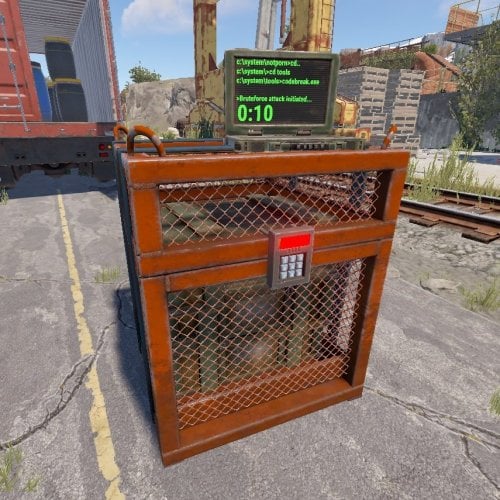
Hackable Crate Unlock is a plugin that allows to set different unlock times for hackable crates depending on the permission of the player, lock crates so that only the player who started hacking it (or clan members) can get the loot, or send Discord webhook messages. In addition, players can reduce unlock times by dropping targeting computers to the crates and it includes a leaderboard showing the players with most hackable crates unlocked. Permissions hackablecrateunlock.vip1 - Players unlocking a crate with this permission will make it to unlock in the seconds specified for that permission. hackablecrateunlock.vip2 - Players unlocking a crate with this permission will make it to unlock in the seconds specified for that permission. hackablecrateunlock.admin - Required to use in-game admin commands. Commands /hc rank - Shows top 10 of players with most hackable crates unlocked. /hc default 'seconds' - Sets default unlock seconds. /hc vip1 'seconds' - Sets vip1 unlock seconds. /hc vip2 'seconds' - Sets vip2 unlock seconds. /hc clear - Wipes data file for /hc rank. Config$2.99- 26 comments
-
- 4
-
-
-

-
- #crates
- #hackablecrates
- (and 4 more)
-

Version 2.1.1
3,403 downloads
Lock Your Ovens v2.1.0 Make all your furnaces and refineries lockable in Rust! Supports all vanilla ovens and any custom ovens you add. Key Features Auto-lock ovens - All configured ovens become lockable on spawn Legacy Furnace Support - Works with legacy furnaces Dynamic Addition - Add new oven types with a hammer Custom Lock Positions - Each oven type has configurable lock placement Multilingual - English & French support Quick Start Install the plugin Grant admin permission: oxide.grant user lockoven.admin Use /lockoven_refresh to make existing ovens lockable NEW: Use /lockoven_add + hammer to add custom ovens Commands /lockoven_refresh - Make all configured ovens lockable /lockoven_add - Toggle oven addition mode /lockoven_list - List supported ovens with lock positions /lockoven_clean - Remove invalid entries /lockoven_reset - Reset to defaults Adding Custom Ovens Type /lockoven_add to enable addition mode Equip a hammer Hit any oven/furnace to add it Type /lockoven_add again to disable mode Supported Ovens (Default) Standard Furnace Legacy Furnace Large Furnace Small Oil Refinery Electric Furnace Configuration Located in oxide/config/Lockoven.json: { "RefreshCommand": "lockoven_refresh", "AddCommand": "lockoven_add", "ListCommand": "lockoven_list", "CleanCommand": "lockoven_clean", "ResetConfigCommand": "lockoven_reset", "PermAdmin": "lockoven.admin", "ActivatePermUse": false, "PermUse": "lockoven.use", "SupportedOvens": { "assets/prefabs/deployable/furnace/furnace.prefab": { "LockPosition": {"x": -0.02, "y": 0.3, "z": 0.5}, "LockRotation": {"x": 0, "y": 90, "z": 0} } } } Permissions lockoven.admin - Required for all admin commands lockoven.use - Required to lock ovens (optional, disabled by default) Pro Tips Ovens placed before plugin installation need /lockoven_refresh New ovens are automatically lockable if in config Edit lock positions in config for perfect placement Language Support Automatically detects player language (French/English)Free -
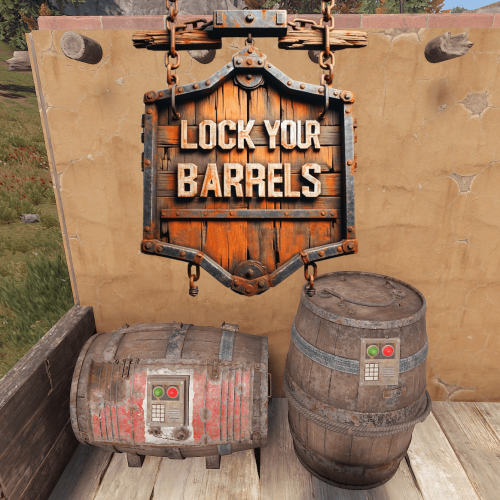
Version 1.1.1
1,188 downloads
Lock Your Barrels v1.1.0 Make all your storage barrels lockable in Rust! Supports vanilla barrels and all DLC content (Abyss, Jungle). Key Features Auto-lock barrels - All barrels become lockable on spawn DLC Support - Works with Abyss & Jungle DLC barrels Dynamic Addition - Add new barrel types with a hammer Simple Commands - Easy admin management Multilingual - English & French support Quick Start Install the plugin Grant admin permission: oxide.grant user <name/id> lockbarrels.admin Use /lockbarrels_refresh to make existing barrels lockable NEW: Use /lockbarrels_add + hammer to add custom barrels Commands /lockbarrels_refresh - Make all barrels lockable /lockbarrels_add - Toggle barrel addition mode /lockbarrels_list - List supported barrels /lockbarrels_clean - Remove duplicate entries /lockbarrels_reset - Reset to defaults Adding Custom Barrels Type /lockbarrels_add to enable addition mode Equip a hammer Hit any barrel to add it Type /lockbarrels_add again to disable mode Supported Barrels (Default) Storage Barrel B & C (Base DLC) Abyss Horizontal & Vertical Barrels Wicker Barrel (Jungle DLC) Bamboo Barrel (Jungle DLC) Configuration Located in oxide/config/LockBarrels.json: { "Command": "lockbarrels_refresh", "AddCommand": "lockbarrels_add", "ListCommand": "lockbarrels_list", "CleanCommand": "lockbarrels_clean", "ResetConfigCommand": "lockbarrels_reset", "PermAdmin": "lockbarrels.admin", "SupportedBarrels": ["..."] } Permissions lockbarrels.admin - Required for all commands Pro Tips Barrels placed before plugin installation need /lockbarrels_refresh New barrels are automatically lockable Remove unwanted barrels from config - they won't be re-added Use /lockbarrels_clean if you have duplicates Language Support Automatically detects player language from Steam (French/English)Free -

Version 1.0.1
13 downloads
Control Center is designed to make managing your base easier and more efficient by providing you with a user-friendly interface for interacting with key base elements such as Tool Cupboards, Code Locks, and Auto Turrets. 1. Tool Cupboard Management: Authorize Players Easily: With Control Center, you can easily authorize or deauthorize players from Tool Cupboard. Simply use the GUI to manage access in a few clicks. View Owners and Resources: You can check who currently has access to your Tool Cupboard and even view a detailed breakdown of the upkeep costs for your base. This helps you stay on top of your resource needs and ensure that your base remains protected from decay. The Owner is the first person to gain auth on Tool Cupboard and will have control over who can have full access to control center for that TC area if players have limited access the can view Control Center but not make any changes. 2. Code Lock Management: Authorize Friends: No need to give your friends the code for your Code Locks and have them go all over to find every lock, just add them to the lock you want them to access from inside the GUI. Lock and Unlock with Ease: Players can lock or unlock any Code Locks directly through the Control Center interface, which makes it faster to manage secure doors and boxes in your base. Set Custom Names: You can set custom names for each Code Lock, making it easier to identify which lock belongs to which part of your base. 3. Auto Turret Management: Authorize Friends: Easily add your team to every Auto Turret inside your base without the need of shutting you turrets down and going around each one. Switch Modes Quickly: Control your Auto Turrets through the GUI. You can easily switch between hostile and passive modes. Assign Custom Names: Similar to Code Locks, you can assign custom names to your turrets for easier management and identification. Control Center adds an easy-to-use interface that allows you to manage all these elements from one central location. You can open the interface to see a clear overview of your Tool Cupboards, Code Locks, and Auto Turrets. The GUI also allows you to add or remove friends or other players from these entities with just a few clicks, instead of having to manually interact with each one. If enabled, the plugin integrates with Steam to display your friends directly in the management interface, making it simple to add them to your base’s Tool Cupboards, Code Locks, or Turrets. With Control Center players have a powerful tool at their fingertips to better manage base security, access, and upkeep—providing a smoother and more convenient Rust experience. Chat Commands: /cc Opens Control Center. /name Used near a Code Lock or Auto Turret to add a name. Permissions controlcenter.useGui To allow players to use /cc command. controlcenter.useName To allow players to use /name command. Supported Language: English, French, German, Polish, Russian and Spanish Feel free to join my Discord! Stay up to date with the latest updates, report bugs, share suggestions, and get support for my plugins. You can also promote your Rust server or just hang out and chat! Join here: https://discord.gg/AkwHUs8Qma ControlCenter.json$15.00 -

Version 2.0.3
961 downloads
Issues: Autospawn (static) quarries do not work. You can fix this by deleting that quarry and spawning a new quarry (sulfur, stone, metal, etc...). If this does not work you can use Uber Tool to place it and reload the plugin to initialize the zone and it should work as intended. Manage a certain quarry that has been placed down Chat Commands /qm h or help - Shows other commands and help text /qm t or team - Enables/Disabled quarry team share /qm a or add - Adds a certain player to the quarry share list /qm r or remove - Removes a certain player from the quarry share list /qm ra or removeall - Removes all players from the share list /qm l or list - Lists all players in the share list Permmisions quarrymanager.use - Permission to use the commands /qm or /qm help quarrymanager.teamshare - Permission to use the commands /qm team quarrymanager.playershare - Permission to use the commands /qm add, /qm remove, /qm removeall, /qm list quarrymanager.allowbypass - Permission to be able to bypass the static quarry dome for whoever is using it. quarrymanager.admin - Permissions for admins Configuration { "General Settings": { "Wipe Data on new save": true }, "Commands": { "Quarry Manager Command": "qm" }, "Chat Settings": { "Chat prefix": "QuarryLocker >>", "Chat prefix colour": "#FF6A13", "Chat icon": 0, "Quarry Share Messages": { "Print a message if team share is enabled": true, "Print a message if team share is disabled": true, "Print a message if a player is added to the share list": true, "Print a message if a player is removed to the share list": true, "Print a message if a player has activated a static quarry": true }, "RCON/Server Console Messages": { "Message the console if someone enables team share": false, "Message the console if someone disables team share": false, "Message the console if someone is added to the share list": false, "Message the console if a player is removed to the share list": false, "Message the console on static quarry lock activated": false } }, "Share Settings": { "Players can toggle other players quarries": false, "Lock quarry containers": false, "Team Sharing": { "Allow team to toggle the quarry": true, "Allow team to open the quarries containers": true }, "Individual Player Sharing": { "Allow added players to toggle the quarry": true, "Allow added players to open the quarries containers": true }, "Static Quarry Sharing": { "Enable static quarry lock": false, "Static Quarry Sharing": { "If the player leaves the dome unlock the static quarry": false } } } } Language { "Info.Help": "\n /qm h | help - Provides the following commands: \n /qm t | team - Enable/Disable quarry team share. \n /qm a | add - Adds a certain player that can access your quarry \n /qm r | remove - Removes a certain added player that can access your quarry \n /qm ra | removeall - Removes all added players that can access your quarry \n /qm l | list - Lists all added players that can access your quarry", "Info.TeamSharingEnabled": "Your team can now access your quarry", "Info.TeamSharingDisabled": "Your team can no longer access your quarry", "Info.AddedPlayer": "{0} Can now access your quarries", "Info.RemovedPlayer": "{0} Can no longer access your quarries", "Info.RemovedAllPlayers": "No one can access your quarries that you have added", "Info.NoAddedPlayers": "There are no players to list since you have not added any yet", "Info.ListCurrentPlayers": "Players that are added that can access your quarries:\n{0}", "Info.StaticQuarryActivated": "No one can access this quarry unless you leave the dome or the quarries fuel runs out", "Info.MessageRconOnTeamShareEnabled": "{0}, enabled team share!", "Info.MessageRconOnTeamShareDisabled": "{0}, disabled team share!", "Info.MessageRconOnPlayerAdded": "{0}, added {1}", "Info.MessageRconOnPlayerRemoved": "{0}, removed {1}", "Info.MessageRconOnStaticQuarryActivated": "The static quarry has been activated at: {0} by {1}", "Warning.NoPermission": "You don't have the required permissions to use this command", "Warning.UnableToFindPlayer": "Unable to find the player!", "Warning.UnableToAddSelf": "You cannot add yourself", "Warning.UnableToAccessContainer": "You cannot access this quarry, since you are not authorized on it", "Warning.UnableToToggleEngine": "You are unable able to toggle {0}'s quarry", "Warning.NoTeamFound": "You cannot use this command since you don't have a team" } Credits Thank you to Bsdinis for the help with V1 and so on.Free- 28 comments
-
- 1
-
-
- #quarry
- #quarry manager
- (and 3 more)
-
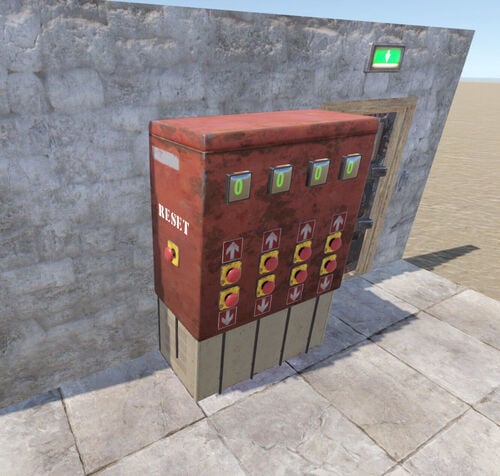
Version 1.0.0
173 downloads
Four-Digit Code Lock introduces a simple and intuitive way to open doors in your custom monuments — by entering a four-digit PIN. It's up to you to decide how players will obtain the code: hidden hints, puzzles, an "egg hunt" for digits, etc. This system unlocks a wide range of new gameplay possibilities for map creators, from intricate escape rooms to high-stakes loot vaults. The prefab is constructed from in-game electrical components, and you can reprogram it to any four-digit code (the default code is "4321"). Once the correct numbers are entered, the door will open for 5 seconds before closing again. The lock will then reset. Buttons have a 2-second delay. An exit switch is also provided, along with a reset button on the side to clear the input. The display counters at the front cycle through digits from 0 to 9. Each digit of the code is controlled by two counters: the "code-digit" (top) and "code-digit +1" (bottom). The top counter’s output passes through a blocker, while the bottom counter’s output connects to the block port of the blocker, ensuring only the correct number is accepted. If you want to include "0" in your code, connect the IO output from the generator directly to the corresponding blocker, bypassing the top counter (since in-game counters cannot be set to zero). Set the blocking counter (bottom one) to "1" instead. Two versions of the prefab are provided: a fully assembled version and a dismantled version for usability and customization (with all logical links preserved). The assembled prefab includes 65 objects, while the dismantled version includes 52 objects. Here’s an example of the code lock in use: Octopus Assembly Ruined Warehouse Installation: 1. Download the archive 2. Unpack the downloaded archive to the /RustEdit/CustomPrefabs folder 3. To ensure proper in-game functionality, make sure Oxide.Ext.RustEdit.dll is placed in the /serverroot/RustDedicated_Data/Managed folder, so custom electricity can work (see details at https://www.rustedit.io/threads/rustedit-oxide-umod-extension.695/). This extension requires Oxide/uMod to be installed on your server.Free- 2 comments
-
- 4
-
-

-
- #code lock
- #prefab
- (and 1 more)
-
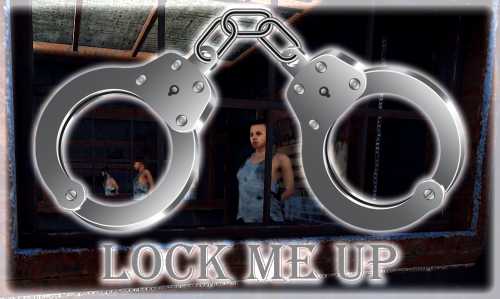
Version 1.2.15
508 downloads
Lock Up the nasty players! Admins or players with permissions will have the ability to spawn handcuffs and use them to lock up victims or npc's while also giving them the ability to escort or loot their target. This system was heavily inspired by the Rustoria/OTV developers. Usage Equip the handcuff item in your belt and make sure it's selected, go near a player/npc and hold E button. Current Futures Include (check the config bellow as well) Support for permissions Handcuff item type, skin & stack are changeble Handcuffed player can be looted Handcuffed player can be escorted - By Foot - In Vehicle Ground/Air/Water - Dragged behind the Vehicle with adjustable distance NPCs can be handcuffed as well (all the above apply) Adjustable on handcuff time Option to cancel on spotted Option to escort the player floating or stick to ground Inventory slots can be locked on handcuffed Handcuff message changable Adjustable access to locked player Adjustable lock/cuff protection Configurable blocked Chat & Console commands for handcuffed players Handcuff item stack can be made unlimited Option to unlock player on warden death Option to keep victim locked on death Option to change victim clothes on handcuff More futures may be taken in consideration after they are suggested and discussed. Commands [Chat & Console] cuff _all|PlayerName|SteamID - Lock the target through a Server Console or F1 Console command (Admin Only) (Chat: /hcuffs | Console hcuffs) ~ ~ /hcuffs _self Amount - Give yourself handcuffs (Chat only) ~ /hcuffs PlayerName|SteamID Amount - Give the target player handcuffs ~ /hcuffs _all Amount - Give everyone in the server handcuffs (Admin Only) /lock - Lock|Unlock yourself :: Example Command for Server Rewards: hcuffs $player.id 1 API Check if target is Restrained Restrain Player - For self-restrain use player as attacker Unrestrain Player - save = Saves the player into the data, usually used when player disconnect - ride = Additional checks for players inside a vehicle Default Config Config is pretty much self explementary.$15.00 -

Version 2.0.4
204 downloads
A lightweight plugin that disables various teaming methods to restrict players to solo gameplay. Now featuring an automated warning system with kick/ban abilities! Permissions soloenforcement.enforce Configuration { "Restrict tool cupboards" : true, "Require destruction of tool cupboards": true, "Ignore tool cupboard restrictions on decaying bases": true, "Restrict turrets": true, "Restrict sleeping bags & beds": true, "Restrict team creation": true, "Restrict codelock & keylock crafting": true, "Discord webhook URL": "https://support.discord.com/hc/en-us/articles/228383668-Intro-to-Webhooks", "Discord message color": 9109504, "Log tool cupboard alerts to discord": false, "Log turret alerts to discord": false, "Log respawn alerts to discord": false, "Log revive alerts to discord": false, "Log team alerts to discord": false, "Log craft alerts to discord": false, "Log auto kicks/bans from warning system to discord": false, "Show violation messages to players in chat": true, "Use automatic warning system": false, "Maximum warnings": 3, "Show popup on warning": false, "Warning popup time (seconds)": 5, "Ban after maximum warnings (will kick otherwise)": false, "Use temporary bans for warning system (must have ban after maximum warnings enabled)": false, "Temporary ban time (seconds) - default is 24 hours": 86400, "Administer warning for tool cupboard violations": false, "Administer warning for turret authorization violations": false, "Administer warning for turret assign violations": false, "Administer warning for respawn violations": false, "Administer warning for revive violations": false, "Administer warning for team violations": false, "Administer warning for crafting violations": false } Localization { "Discord_Title" = "Solo Enforcement", "Discord_Alert_Tool_Cupboard" = "{player1} ({player1_id}) attempted to authorize on an already claimed tool cupboard!", "Discord_Alert_Turret_Authorize" = "{player1} ({player1_id}) attempted to authorize on an already claimed auto turret!", "Discord_Alert_Turret_Assign" = "{player1} ({player1_id}) attempted to assign {player2} ({player2_id}) to their auto turret!", "Discord_Alert_Respawn_Assign" = "{player1} ({player1_id}) attempted to assign their sleeping bag/bed to {player2} ({player2_id})!", "Discord_Alert_Respawn_Public" = "{player1} ({player1_id}) attempted to set their bed to public!", "Discord_Alert_Revive" = "{player1} ({player1_id}) revived {player2} ({player2_id})!", "Discord_Alert_Team_Create" = "{player1} ({player1_id}) attempted to create a team!", "Discord_Alert_Craft" = "{player1} ({player1_id}) attempted to craft a keylock/codelock!", "Discord_Alert_Auto_Kick" = "{player1} ({player1_id}) was auto-kicked from the server for too many teaming violations!", "Discord_Alert_Auto_Ban" = "{player1} ({player1_id}) was auto-banned from the server for too many teaming violations!", "Chat_Message_Tool_Cupboard" = "Another player is already authorized on this tool cupboard!", "Chat_Message_Turret_Authorize" = "Another player is already authorized on this auto turret!", "Chat_Message_Turret_Assign" = "You are not allowed to assign other players to your auto turret!", "Chat_Message_Respawn_Assign" = "You are not allowed to assign your sleeping bag/bed to another player!", "Chat_Message_Respawn_Public" = "You are not allowed to set your bed to public!", "Chat_Message_Team_Create" = "Teams have been disabled on this server!", "Chat_Message_Craft" = "Crafting for this item has been disabled!", "Auto_Kick_Message" = "Too many teaming violations detected (auto kick).", "Auto_Ban_Message" = "Too many teaming violations detected (auto ban).", "Warning_Popup" = "Warning {0}/{1}" }$15.00 -
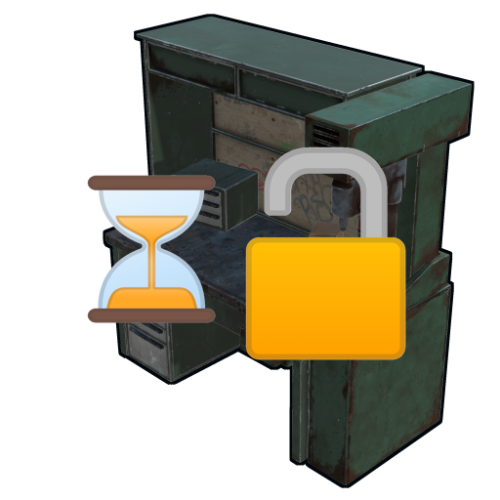
Version 2.3.0
170 downloads
Provides timed/manual/disabled unlocking of workbenches. Introduction This plugin will allows the server owner to lock out any or all workbenches from being crafted until specified amounts of time have elapsed since start of wipe, or indefinitely / until manually unlocked. Also optionally supports blocking research of locked workbenches so that players can't then replicate them via industrial crafters. Supports the following notification method(s) on craft/research failure: Chat (up to once every 5 seconds), sound, toast. Tutorial Island players are exempted from lockouts, as completing that requires crafting a Level 1 Workbench. Important This plugin is based on "Timed Workbench" by DizzasTeR, but is a significant overhaul. The two plugins cannot coexist in a single server installation. The plugin will detect map wipes and will automatically refresh the workbench locks. To facilitate other forms of wiping, the server owner/maintainer may manually invoke the `twwipe` command. Permissions * `timedworkbenchunlock.skiplock` — Allows crafting workbenches regardless of lock status * `timedworkbenchunlock.admin` — Gives access to **all** commands below * `timedworkbenchunlock.broadcast` — Gives access to the `twbroadcast` command * `timedworkbenchunlock.info` — Gives access to the `twinfo` command * `timedworkbenchunlock.modify` — Gives access to the `twmodify` command * `timedworkbenchunlock.reload` — Gives access to `twreload` command * `timedworkbenchunlock.reset` — Gives access to `twreset` command * `timedworkbenchunlock.wipe` — Gives access to `twwipe` command Note: No permissions are granted automatically. Commands * `twbroadcast <value>` — Configure global status broadcast period to the specified number of seconds, or specify a non-positive number to disable * `twinfo` — Prints elapsed time since wipe, and unlock status and times for each workbench tier * `twmodify <tier> <value>` — Configure lockout for the given workbench tier, where a negative value is indefinite lockout, zero is unlocked, and a positive value is the number of seconds to unlock after start of wipe * `twreload` — Reload the config file to pick up manual changes while the server is running * `twreset` — Resets config to the default settings (**be careful with this!**) * `twwipe` — Resets the last wipe timestamp to the current time, effectively restarting the lockout timers Configuration Example config file: { "Block crafting of locked workbench(es)": true, "Block researching of locked workbench(es)": true, "Report craft failure as chat message": false, "Report craft failure as sound effect": true, "Report craft failure as toast message": true, "Global status broadcast interval in seconds (0 to disable)": 300, "Time that current wipe started (UTC)": "2024-12-10T01:05:57Z", "Workbench unlock times (seconds from start of wipe, or 0 for unlocked, or -1 for permanently locked)": [ 86400, 172800, 259200 ] } Except for detailed tweaks to wipe time, all of the config settings are modifiable via ingame comands. Credits * DizzasTeR for the original "Timed Workbench" plugin on which this is based * Umod.org documentation/forums/discord * Other plugins as examples of best practices and Oxide API usage * MrBlue for being patient with me lol * misticos for detailed feedbackFree -
Version 1.0.2
1,334 downloads
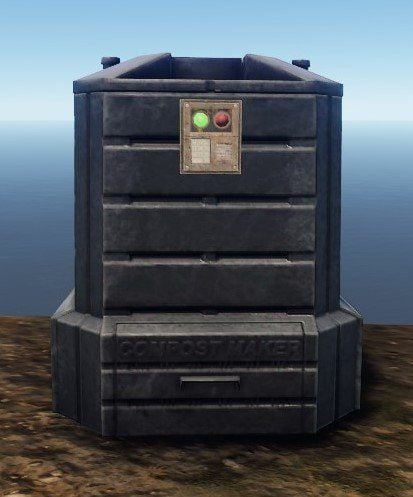
Adds a codelock to your composter. To add a codelock, place it as you would on a chest.Free- 15 comments
- 1 review
-
- 4
-
-
-
- #lock
- #composter
- (and 3 more)
-

Version 1.0.57
208 downloads
ItemOwnership V1.0.57 by Lurch A utility which tracks special items and prevents them from being picked up or used by other players unless the items are in a shareable items list. Important Notes: This plugin is NOT a standalone plugin. It is designed to work with other plugins on modded Rust servers. You must either modify an existing plugin, have the author of an existing plugin modify theirs to work with ItemOwnership, or have a plugin that already works with ItemOwnership to get the benefit of this plugin (e.g. Invisibility Cloaks) This plugin has not been tested with items that are stackable. We expect that the underlying FacePunch code will utterly break the original item’s UID, so there’s no support at this time for stacked special items. It is up to you, the developer / system op to ensure that special items in your server that you wish to prevent sharing between players cannot be stacked. Operation: ItemOwnership ( IO ) keeps track of the Unique Item Id’s for specially crafted / given items. For example, a special player-usable Invisibility Cloak (available: MyVector.xyz or CodeFling.com) that works directly with IO. IO will also work with any other plugin that uses the IO API. The API can be called by an by an in-game /kit command or from an NPC vendor. When your special or unique item is created, the plugin responsible for the item creation must call the IO API hook, UpdateItemList() – this hook allows adding new items, changing ownership of existing items and deleting items from the registry. (Usually called when an item is destroyed.) From the time the new item is registered to an owner, any other player will be unable to: Pick up the item. Equip or use the item. Transfer the item to inventory. Move the item in any inventory. Uses Oxide Permissions / Carbon permissions compatible API: Void UpdateItemList(BasePlayer owner, Item item, int action) Where: Owner is a BasePlayer object (the item’s intended owner) Item is the actual in-game item Action is one of: 0 = Add new 1 = Change Owner 2 = Delete (Item was destroyed) Bool? IsItemOwner(BasePlayer player, Item item) Returns null / true / false under these conditions: null = Unable to find the item in the IO registry true = Specified player IS the item’s owner false = Specified player is NOT the item’s owner. Example C# code to call into IO API to add item to tracking file: Interface.CallHook("UpdateItemList", player, myItem, 0); // 0 = addFree -

Version 1.0.2
5 downloads
Are you tired of filling up multiple "public" containers only to see that person X has walked by and completely looted them? "STORAGE LOCK" is our solution. With a simple chat command you can now lock certain public containers. The command will automatically fill the containers with 1 or more predefined items. Already implemented containers: - Hitchtrough - Cursed Cauldron - Lantern - Tuna light - Skull fire pit - Hobo barrel - Bonfire - Chinese lantern - Fireplace - Fireplace - Tool cabinet Locked fireboxes do not turn off anymore, as far as the charcoal slot is full. (Attention: these containers do not produce charcoal at all). Just be sure to set the predefined amount of resources high enough so you don't get any nasty surprises. -------------------------------- Sind Sie es leid, immer wieder mehrere "öffentliche" Container aufzufüllen, nur um zu sehen, dass Person X vorbeigegangen ist und sie komplett geplündert hat? "STORAGE LOCK" ist unsere Lösung. Mit einem einfachen Chatbefehl könnt ihr nun bestimmte öffentliche Container sperren. Durch den Befehl werden die Container automatisch mit 1 oder mehreren vordefinierten Gegenständen gefüllt. Bereits implementierte Containers: - Hitchtrough - Verfluchter Kessel - Laterne - Tunalicht - Totenkopf-Feuergrube - Hobo-Fass - Lagerfeuer - Chinesische Laterne - Feuerstelle - Feuerstelle - Werkzeugschrank Verschlossene Brennbehälter schalten sich nicht meh aus, insofern der Holzkohleslot voll ist. (Achtung: Diese Container produzieren gar keine Holzkohle) Achten Sie nur darauf, die vordefinierte Menge an Ressourcen hoch genug einzustellen, damit Sie keine bösen Überraschungen erleben. { "Main config": { "Debug": false, "Use Permissions": true, "Use Permission": "storagelock.use", "Auto Lock Permission": "storagelock.autolock", "Chaticon": 76561199180049293, "Chat Prefix": "[<color=#00ffff>StorageLock</color>] ", "Chat Command": "lock", "Items set invulnerable?": true }, "Container Settings": { "hitchtrough.deployed": { "Items": [ { "Input Item": "pumpkin", "Input Amount": 10000 } ], "Remove charcoal": false, "Autolock when player has permission": true }, "cursedcauldron.deployed": { "Items": [ { "Input Item": "wood", "Input Amount": 100000 } ], "Remove charcoal": true, "Autolock when player has permission": true }, "lantern.deployed": { "Items": [ { "Input Item": "lowgradefuel", "Input Amount": 100000 } ], "Remove charcoal": false, "Autolock when player has permission": true }, "tunalight.deployed": { "Items": [ { "Input Item": "lowgradefuel", "Input Amount": 100000 } ], "Remove charcoal": false, "Autolock when player has permission": true }, "skull_fire_pit": { "Items": [ { "Input Item": "wood", "Input Amount": 100000 } ], "Remove charcoal": true, "Autolock when player has permission": true }, "hobobarrel.deployed": { "Items": [ { "Input Item": "wood", "Input Amount": 100000 } ], "Remove charcoal": true, "Autolock when player has permission": true }, "campfire": { "Items": [ { "Input Item": "wood", "Input Amount": 100000 } ], "Remove charcoal": true, "Autolock when player has permission": true }, "campfire_static": { "Items": [ { "Input Item": "wood", "Input Amount": 100000 } ], "Remove charcoal": true, "Autolock when player has permission": true }, "chineselantern.deployed": { "Items": [ { "Input Item": "lowgradefuel", "Input Amount": 100000 } ], "Remove charcoal": false, "Autolock when player has permission": true }, "furnace": { "Items": [ { "Input Item": "wood", "Input Amount": 100000 } ], "Remove charcoal": true, "Autolock when player has permission": true }, "fireplace.deployed": { "Items": [ { "Input Item": "wood", "Input Amount": 100000 } ], "Remove charcoal": true, "Autolock when player has permission": true }, "cupboard.tool.deployed": { "Items": [ { "Input Item": "wood", "Input Amount": 1000000 }, { "Input Item": "stones", "Input Amount": 1000000 }, { "Input Item": "metal.fragments", "Input Amount": 1000000 }, { "Input Item": "metal.refined", "Input Amount": 1000000 } ], "Remove charcoal": false, "Autolock when player has permission": true } } }$4.99 -
Version 1.0.0
3 downloads
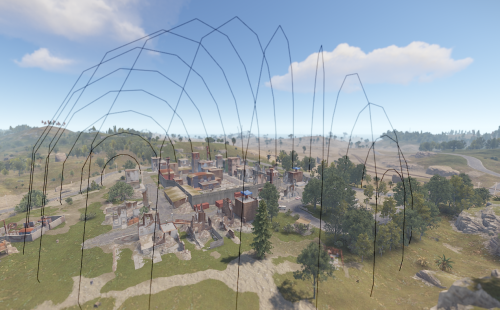
Allows users to block monuments/part of monuments for a configured amount of time after wipe, players won't be able to loot high end weapons early in the game You are able to add any monument you want in the configuration file, any position and any radius that you need blocked, you will only have to setup this once, after each map wipe the plugin will automatically detect the monument and block the desired zone Use case examples: Block certain parts of a monument for 24 hours, such as Launch Site's top of the main building Commands: /getpos (Requires admin access) Use the command to get the proper position within the monument /showzones (Requires admin access) Shows the blocked monuments /testradius value (Requires admin access) Draws a sphere with the specified radius in order to give you an idea of the blocked area based on the value Configuration: { "Monument name & their settings": { "OilrigAI": { "IsEnabled": false, "Position": { "x": 0.0, "y": 0.0, "z": 0.0 }, "Radius": 0.0, "Blocked time (seconds)": 0.0 }, "OilrigAI2": { "IsEnabled": false, "Position": { "x": 0.0, "y": 0.0, "z": 0.0 }, "Radius": 0.0, "Blocked time (seconds)": 0.0 }, "assets/bundled/prefabs/autospawn/monument/harbor/harbor_1.prefab": { "IsEnabled": false, "Position": { "x": 0.0, "y": 0.0, "z": 0.0 }, "Radius": 0.0, "Blocked time (seconds)": 0.0 }, "assets/bundled/prefabs/autospawn/monument/harbor/harbor_2.prefab": { "IsEnabled": false, "Position": { "x": 0.0, "y": 0.0, "z": 0.0 }, "Radius": 0.0, "Blocked time (seconds)": 0.0 }, "assets/bundled/prefabs/autospawn/monument/harbor/fishing_village_a.prefab": { "IsEnabled": false, "Position": { "x": 0.0, "y": 0.0, "z": 0.0 }, "Radius": 0.0, "Blocked time (seconds)": 0.0 }, "assets/bundled/prefabs/autospawn/monument/harbor/fishing_village_b.prefab": { "IsEnabled": false, "Position": { "x": 0.0, "y": 0.0, "z": 0.0 }, "Radius": 0.0, "Blocked time (seconds)": 0.0 }, "assets/bundled/prefabs/autospawn/monument/harbor/fishing_village_c.prefab": { "IsEnabled": false, "Position": { "x": 0.0, "y": 0.0, "z": 0.0 }, "Radius": 0.0, "Blocked time (seconds)": 0.0 }, "assets/bundled/prefabs/autospawn/monument/xlarge/launch_site_1.prefab": { "IsEnabled": false, "Position": { "x": 0.0, "y": 0.0, "z": 0.0 }, "Radius": 0.0, "Blocked time (seconds)": 0.0 }, "assets/bundled/prefabs/autospawn/monument/large/excavator_1.prefab": { "IsEnabled": false, "Position": { "x": 0.0, "y": 0.0, "z": 0.0 }, "Radius": 0.0, "Blocked time (seconds)": 0.0 }, "assets/bundled/prefabs/autospawn/monument/large/powerplant_1.prefab": { "IsEnabled": false, "Position": { "x": 0.0, "y": 0.0, "z": 0.0 }, "Radius": 0.0, "Blocked time (seconds)": 0.0 }, "assets/bundled/prefabs/autospawn/monument/large/trainyard_1.prefab": { "IsEnabled": false, "Position": { "x": 0.0, "y": 0.0, "z": 0.0 }, "Radius": 0.0, "Blocked time (seconds)": 0.0 }, "assets/bundled/prefabs/autospawn/monument/medium/junkyard_1.prefab": { "IsEnabled": false, "Position": { "x": 0.0, "y": 0.0, "z": 0.0 }, "Radius": 0.0, "Blocked time (seconds)": 0.0 }, "assets/bundled/prefabs/autospawn/monument/large/airfield_1.prefab": { "IsEnabled": false, "Position": { "x": 0.0, "y": 0.0, "z": 0.0 }, "Radius": 0.0, "Blocked time (seconds)": 0.0 }, "assets/bundled/prefabs/autospawn/monument/large/water_treatment_plant_1.prefab": { "IsEnabled": false, "Position": { "x": 0.0, "y": 0.0, "z": 0.0 }, "Radius": 0.0, "Blocked time (seconds)": 0.0 }, "assets/bundled/prefabs/autospawn/monument/medium/compound.prefab": { "IsEnabled": false, "Position": { "x": 0.0, "y": 0.0, "z": 0.0 }, "Radius": 0.0, "Blocked time (seconds)": 0.0 }, "assets/bundled/prefabs/autospawn/monument/medium/bandit_town.prefab": { "IsEnabled": false, "Position": { "x": 0.0, "y": 0.0, "z": 0.0 }, "Radius": 0.0, "Blocked time (seconds)": 0.0 }, "assets/bundled/prefabs/autospawn/monument/small/sphere_tank.prefab": { "IsEnabled": false, "Position": { "x": 0.0, "y": 0.0, "z": 0.0 }, "Radius": 0.0, "Blocked time (seconds)": 0.0 }, "assets/bundled/prefabs/autospawn/monument/small/satellite_dish.prefab": { "IsEnabled": false, "Position": { "x": 0.0, "y": 0.0, "z": 0.0 }, "Radius": 0.0, "Blocked time (seconds)": 0.0 }, "assets/bundled/prefabs/autospawn/monument/tiny/water_well_c.prefab": { "IsEnabled": false, "Position": { "x": 0.0, "y": 0.0, "z": 0.0 }, "Radius": 0.0, "Blocked time (seconds)": 0.0 }, "assets/bundled/prefabs/autospawn/monument/tiny/water_well_d.prefab": { "IsEnabled": false, "Position": { "x": 0.0, "y": 0.0, "z": 0.0 }, "Radius": 0.0, "Blocked time (seconds)": 0.0 }, "assets/bundled/prefabs/autospawn/monument/tiny/water_well_e.prefab": { "IsEnabled": false, "Position": { "x": 0.0, "y": 0.0, "z": 0.0 }, "Radius": 0.0, "Blocked time (seconds)": 0.0 }, "assets/bundled/prefabs/autospawn/monument/medium/stables_a.prefab": { "IsEnabled": false, "Position": { "x": 0.0, "y": 0.0, "z": 0.0 }, "Radius": 0.0, "Blocked time (seconds)": 0.0 }, "assets/bundled/prefabs/autospawn/monument/medium/stables_b.prefab": { "IsEnabled": false, "Position": { "x": 0.0, "y": 0.0, "z": 0.0 }, "Radius": 0.0, "Blocked time (seconds)": 0.0 } } } Language: { "DayFormat": "<color=#ACFA58>{0}</color> day and <color=orange>{1}</color> hours", "DaysFormat": "<color=#ACFA58>{0}</color> days and <color=orange>{1}</color> hours", "HourFormat": "<color=#ACFA58>{0}</color> hour and <color=orange>{1}</color> minutes", "HoursFormat": "<color=#ACFA58>{0}</color> hours and <color=orange>{1}</color> minutes", "MinFormat": "<color=#ACFA58>{0}</color> minute and <color=orange>{1}</color> seconds", "MinsFormat": "<color=#ACFA58>{0}</color> minutes and <color=orange>{1}</color> seconds", "SecsFormat": "<color=#ACFA58>{0}</color> seconds", "Blocked": "You are not allowed to enter here! Try again in {0}" }$6.50- 2 comments
-
- 1
-
-
- #progression
- #monuments
- (and 2 more)
-
I think this is already a thing, I just haven't been able to track it down. I run a pve server and recently someone figured out that if a player leaves a car on the lift they can strip it down. Is there a plugin that locks the lift to the owner of the lift or allows a player to slap a codelock onto the lift? I mean there has to be one by now, yeah?