Search the Community
Showing results for tags 'log'.
Found 11 results
-

Version 1.0.0
19 downloads
Discord Error Logger automatically sends plugin errors to Discord with clickable links to create support tickets, including all the necessary details for developers. Say goodbye to digging through log files or watching the console for issues—everything is delivered clearly and conveniently. NOTES: This plugin will auto generate the configuration file for you & auto update it whenever a new plugin is added. Simply configure the plugins data in the config file to complete the setup! This plugin will also auto-unload plugins that spam errors 10 times or more. Set Plugin Title Name to the URL name, example url for stack modifier: WARNING: This plugin currently only supports click-able links from Codefling & uMod plugins only. Error reporting will still function like normal. Config { "DiscordWebhook": "", "EmbedHexColour": "#2C2F33", "TimeFormat": "o", "Configure Plugin Data": { "stackmodifier": { "Codefling or uMod: False = uMod": true, "Plugin Title Name from Website URL": "stack-modifier" }, "guishop": { "Codefling or uMod: False = uMod": false, "Plugin Title Name from Website URL": "gui-shop" }, "noescape": { "Codefling or uMod: False = uMod": true, "Plugin Title Name from Website URL": "noescape" } } }$9.99 -
.thumb.gif.85db1086c3a89ac3c74d631b5eb77942.gif)
Version 1.0.2
21 downloads
Smart Kill Log Features - Global Kill Log: Server-wide kill feed displayed to all connected players - Smooth Animations: Professional slide-in and slide-out effects with easing (FPS depends on the server) - Personal Notifications: Center-screen zoom notifications when you kill or down someone - Sound Effects: Audio feedback for kills and downs - Customizable Position: Display on left or right side of screen, adjustable vertical position - Opacity Fade: Older entries gradually fade out for cleaner visuals - NPC Support: Tracks kills involving NPCs (scientists, animals, etc.) - Multi-language Support: English, Japanese, Chinese (Traditional), Russian (auto-detected) - Custom Background Images: Fully customizable UI backgrounds via ImageLibrary Kill Log Display The kill log shows detailed information for each event: - Attacker name (gold color for players, white for NPCs) - Action type: killed (red), downed (blue), died (purple) - Victim name - Weapon used - Distance in meters Personal Notifications When you kill or down another player, a centered notification appears with: - Zoom-in animation effect - The victim's name highlighted - Action type (Killed/Downed) - Sound effect feedback Dependencies ImageLibrary (for custom background images) If ImageLibrary is not installed, the plugin works without background images. Configuration { "Kill Log Settings": { "Enabled": true, "Max Logs": 8, "Display Duration (seconds)": 10.0, "Position (Right or Left)": "Right", "Position Y (0.0-1.0, 0.5=center)": 0.83, "Font Size": 12, "Fade Opacity": true, "Show Weapon and Distance": true, "Show Player vs NPC Kills": true, "Show NPC vs Player Kills": true, "Show NPC vs NPC Kills": true }, "Kill Notification Settings": { "Enabled": true, "Display Duration (seconds)": 1.5, "Position Y (0.0-1.0, 0.5=center)": 0.4, "Font Size": 14 }, "Image Settings": { "Kill Log Background Image URL (Right)": "https://www.dropbox.com/scl/fi/phjuyg4zcm3f0w4maaupi/.png?rlkey=woo4to4ree1taaly5z6euahup&st=a47ypflv&dl=1", "Kill Log Background Image URL (Left)": "https://www.dropbox.com/scl/fi/27x7nr9y77eoaq40ybvgb/.png?rlkey=392e8qmzgdmadu9812y1f1psm&st=0j6yvfyv&dl=1", "Kill Notification Background Image URL (Center)": "https://www.dropbox.com/scl/fi/y0j8alca59m7eqnluwhr0/.png?rlkey=u8mk5qajmr6oqnb41dulorpz5&st=9ocyqggb&dl=1" }, "Color Settings": { "Player Name Color (hex)": "#ffd700", "NPC Name Color (hex)": "#ffffff", "Weapon/Distance Color (hex)": "#f5f5f5", "Killed Action Color (hex)": "#f08080", "Downed Action Color (hex)": "#87cefa", "Died Action Color (hex)": "#dda0dd", "Notification Player Name Color (hex)": "#ff8c00", "Notification NPC Name Color (hex)": "#ff8c00", "Notification Action Text Color (hex)": "#EAE2DA" } } Kill Log Settings: - Max Logs: Maximum number of entries displayed at once (default: - Display Duration: How long each entry stays visible (default: 10 seconds) - Position: Screen side for the kill log (Right or Left) - Position Y: Vertical position (0.0 = bottom, 1.0 = top, 0.5 = center) - Fade Opacity: Gradually fade older entries - Show Settings : Display settings for NPC and player kill events Kill Notification Settings: - Display Duration: How long the center notification shows (default: 1.5 seconds) - Position Y: Vertical position for the notification Image Settings: - Provide URLs to custom PNG images for backgrounds - Separate images for left/right positioning and center notification Contact VOID / NINJA WORKS X : @QB_WHITE MADE IN JAPAN$12.00 -
Version 1.3.4
234 downloads
This plugin adds logs of players action and convenient control panel for viewing them. Features Logs KIlls + Destruction of buildings (detailed description of the killed / destroyed, distance and what killed 'weapon, damage type etc.') Death (detailed description of the killer, the distance and how player was killed 'weapon, damage type etc.') Respawn (location of respawn and on the sleeping bag or not) Teams (create, invite, accept, leave) Loot (crates, personal boxes, wounded players and all other "lootable" entities) Authorization (in code locks, tool cups, turrets) Construction (everything that builds) Transport (the moment of boarding the transport) Convenient and functional control panel Convenient search for online players Search by name or steam ID throughout the database The ability to conveniently select the date and time, as well as view individual categories of logs Teleport to the log location and its visualization (available only for admins) The history of searching and viewing profiles Save of all the nicknames of the player with whom he logged into the server The first and last connection The database is optimized as much as possible, the data is split, which allows you to store a large number of logs for a long time The ability to clear the database on wipe and players who have not logged on server for a long time, in automatic mode The ability to turn off the log globally and turn it on for certain players Filters for logs The plugin is fully localized for EN and RU languages Permission admineye.usemenu - for open and use panel Command /ae - for open panel Time Zones Time zone its different time between 0 UTC and player time UTC. You need add to configuration all time zones of your admins in seconds. How do it? Go to site UTC Time Standart select city, then you will get the difference in hours behind its + ahead its - Then you need multiply hours to second ( -6 * 3600 ) Done - its difference between zones. Write in config "Washington" : -21600 Then administrator must select (only once) his zone in menu "Time Zones", else plugin use default time zone config Discord At first you must create and copy discord Webhook, then paste url at config (you can use different channels) if you want change color, choose Colors, copy 0xNNNNNN, then paste Here, copy number and paste at config ^_^ Filters If you dont want use filters, set it EMPTY If you want have specific logs, then add short prefabs names to filter EX. For kills - player, scientistnpc_bradley, wall and etc. For loots - names of crates, names of looting ents and etc. For auths - turrets, toolcups For builts - wall, floor and other deployeble entities TEST SERVER Join our test server to view and experience all our unique features yourself! Copy the IP Address below to start playing! connect 194.147.90.147:28015 Future plans Add console commands for search logs Add discord support for send logs (implemented) Add more logs I am waiting for your suggestions for improvement in the discussions Video Config { "Main settings": { "Enable delete all data on wipe": false, "Delete old players data every X hours [0 - off](It works on server startup or plugin reload)": 40, "After how many days the player's data is considered old": 14, "Time zone difference in seconds (set automatically by server zone)": 10800.0, "Time zone of counties (in seconds)": { "New York": -18000, "Moscow": 10800, "Berlin": 3600, "Paris": 3600, "Canberra": 39600, "London": 0, "Beijing": 28800, "Rome": 3600, "Washington": -21600 }, "Permission for use menu": "admineye.usemenu" }, "Log settings": { "Enable logging of kill for all": true, "Enable logging of death for all": true, "Enable logging of respawn for all": true, "Enable logging of team for all": true, "Enable logging of loot for all": true, "Enable logging of auth for all": true, "Enable logging of buildings for all": true, "Enable logging of mount for all": true, "Discord webhooks for logs": { "kills": { "Webhook url": "", "Color": 15105570 }, "deaths": { "Webhook url": "", "Color": 15548997 }, "respawns": { "Webhook url": "", "Color": 2067276 }, "teams": { "Webhook url": "", "Color": 3066993 }, "loots": { "Webhook url": "", "Color": 3447003 }, "auths": { "Webhook url": "", "Color": 9807270 }, "builts": { "Webhook url": "", "Color": 15658993 }, "mounts": { "Webhook url": "", "Color": 10181046 } } }, "Config version": { "Major": 1, "Minor": 2, "Patch": 0 } }$20.00 -
Version 3.2.5
252 downloads
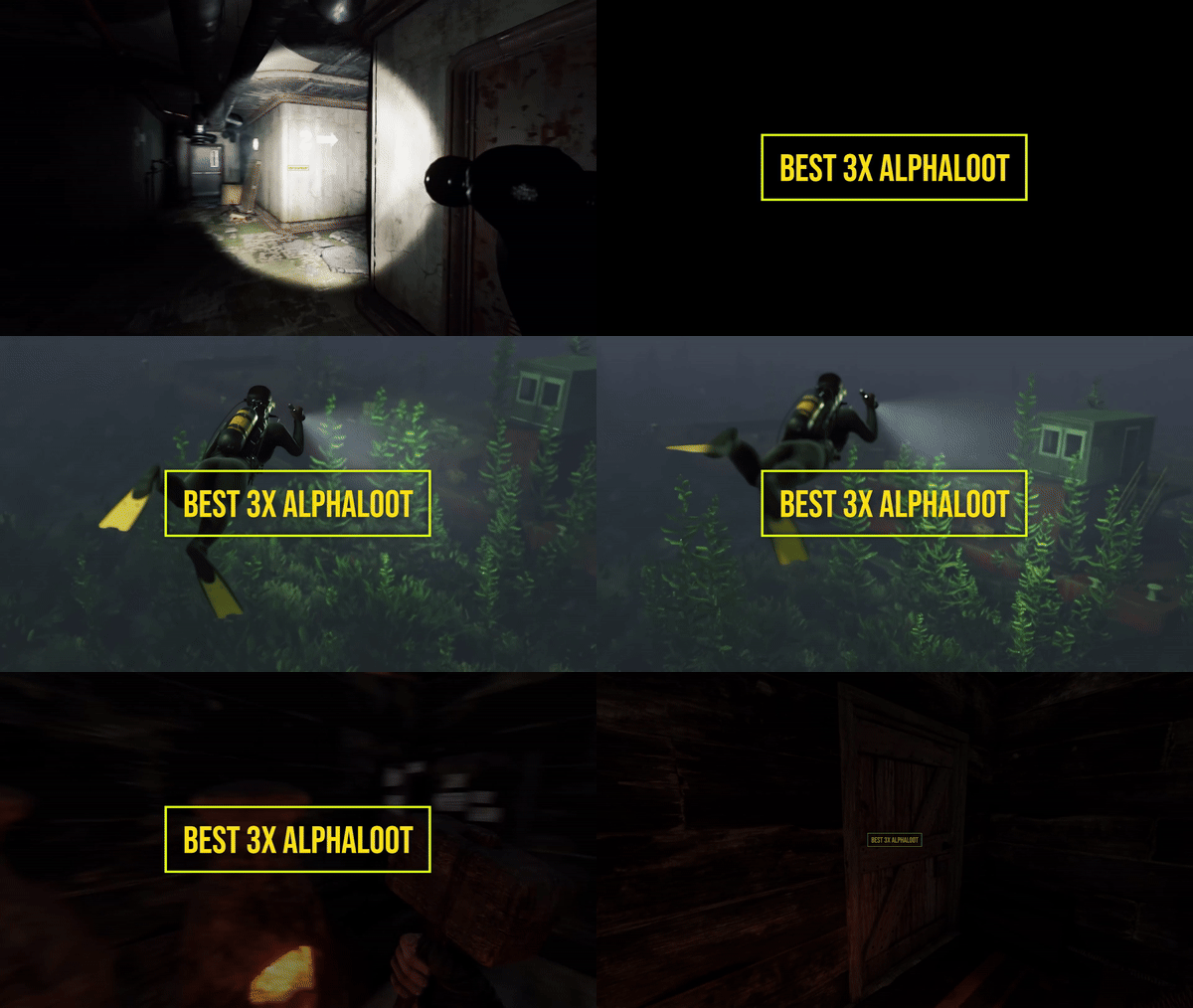
Warning: To use this config, you need to purchase the paid Alphaloot plugin if you do not already own it: https://chaoscode.io/resources/alphaloot.13/ Thank you for choosing this professionally crafted config by fullwiped (xrust.co). Designed to minimize junk items while maintaining a balanced loot experience for 3x modded servers, it includes a substantial balance of loot, including nearly all NPC drops. Our latest configuration overhaul features extensive updates across more than 40 loot crate types. Each crate, from Roadsign and ammo crates to food crates and variants like elite, basic, and normal, has undergone meticulous fine-tuning. We've significantly cleaned up redundant items while maintaining a balance between vanilla and 3x gameplay dynamics. To enhance variety, we've customized certain items to introduce medium-tier loot and expand diversity according to player preferences. WARNING: Some items that we believe should be in the loot table might seem unnecessary to you. Please understand that we cannot build a separate loot table for each individual. Due to the core dynamics of the game, our loot tables may include many essential items that players need—such as basic clothing, weapons, and similar items. Please make your purchase with this understanding. In addition, we've introduced exclusive chances, such as a 1% or 2% drop rate for high-quality vehicle parts in crates and premium food items in food crates. Special event loot crates, like those for Halloween, Easter, or Christmas, have also been aligned to complement the 3x experience. Moreover, we've revamped and optimized NPC drops, ensuring that even the most detailed configurations are now tailored to fit seamlessly with the 3x server settings. From Gingerbread NPCs to Scarecrows, Scientist NPCs to Scientist NPC Cargos, and critical NPCs like Scientist NPC Heavies, each has been meticulously restructured. If you're seeking a professionally crafted loot table that ensures a seamless and enriched gaming experience, look no further. Installation Guide: Inside the downloaded zip file, locate the 'config' folder. Copy the 'AlphaLoot.json' file from this folder to the following directory: /home/rustserver/serverfiles/oxide/config If Rust is installed in a different directory, adjust accordingly. Next, within the downloaded zip file, find the 'data' folder. Inside, you'll find three files: 'fullwipedbradley', 'fullwipedheli', and 'fullwipedmain'. Copy these three files to the following directory: /home/rustserver/serverfiles/oxide/data/AlphaLoot/LootProfiles Adjust the path if your Rust installation differs. Final Steps: Once all files are successfully uploaded, restart your previously purchased AlphaLoot plugin. If needed, you can acquire the plugin or updates from the official vendor: https://chaoscode.io/resources/alphaloot.13/ If you've already made the purchase, proceed with file uploads and restart the plugin by typing o.reload AlphaLoot into RCON. Congratulations! Your 3x server now boasts a highly customized and well-prepared loot table. Customizing Your Config: If you need to modify the current config or adjust any settings, you can download the AlphaLoot Profile Editor from the following link: https://chaoscode.io/resources/alphaloot-profile-editor.183/ Editing the config may require some experience, but you can easily make simple adjustments. Feel free to use this tool to tailor your config to your preferences. Thank you for choosing us. Support: FULLWIPED DISCORD$12.99- 4 comments
-
- 3
-

-

-
- #alphaloot
- #3x
- (and 29 more)
-

Version 2.5.8-beta4
304 downloads
SmartWarnings simplifies and streamlines your server moderation by providing means to consistently Warn your players for misconduct. Gone are the times when you leave manual notes at sleeping players, for this plugin creates a smooth but intimidating pop-up window displaying clearly to the player what they've done wrong and how to learn from it. From version v2.5.0 you can now extend highly customizable actions to trigger based on your custom warnings. The imagination is the limit! Rule enforcement has never been easier before. Features Easily dispatch warnings to players and clans with a simple chat command /warn cookiemonster "leave the jar alone you bastard" Booom done! /warn clan "C00KiEZ" "no cookiemonsters allowed in the jar!!" Maybe their collective brain power is needed to understand! Announces Warnings in public Global Chat (Enabled by default, can be toggled in config) Give your Players a sense of transparent justice by displaying the dispatched warning to everyone in public. This is beneficial as players will learn what not to do from other's mistakes! Offline Players can receive warnings, no problem! Displays a pop-up window with the warning IMMEDIATELY if they are online, or as soon as the player wakes up from sleep upon connecting. Create custom presets for common violations. Presets can be made for example to reflect the server rules, it can be configured so that your admins can type /warn joe rule1 and it will spell out the entire rule 1 in the warning. Presets can have an Expiration date which will remove the warning, allowing non-repeating offenders to be cleared if they're well behaving in the long term. Presets can have a Warning Point weight which will give them different severity that can influence when to trigger an Automatic Ban (if enabled). Automatically Ban players with X amount of Warnings or Warning Points (Disabled by default, can be toggled in config) With this feature Enabled a player will be Automatically Banned when reaching the configured Warning amount or Warning Points. For example, configure 3 warnings to be max and enable auto ban will ban a player when the third warning has been dispatched. Supports Temporary Autobans (Disabled by default, can be toggled in config) If you're the kind of type that believes in second chances, when configured it bans the player lets them know when they're welcome back! Optional feature: Clear the player's warning when autobanned (True by default), This can conveniently be set to False if you want the player to be instantly auto banned next time a warning is dispatched. Extensive Logging both File based and Discord! Every move is logged in the oxide/logs/SmartWarnings folder so that you can have full traceability. Optional feature: Configure Discord Webhook links to log Warnings and/or Autobans to Discord. Persist Warnings across wipes, when you don't want to be forgiving! Set "Clear all warnings on wipe" to false and warnings will not be cleared when a new wipe is detected. NOTE: This requires that you exclude/do not remove the oxide/data/SmartWarnings_Playerdata.json file, if you're using tools to auto wipe and it gets deleted, so will the warnings. Customizable Branding Set your Server Name and custom Warning Pop-up Icon to make this plugin match your server's style! (NEW in v2.5.0) Transparency of the pop-up window can now be customized in the config! (NEW in v2.5.0) VANILLA SAFE mode: Warning display in Chat instead of GUI pop-up Warnings will be dispatched through chat and freeze the player until they acknowledge the warning. No use of GUI allows it to be vanilla safe! Acknowledge notification is fully customizable! (NEW in v2.5.0) AUTOMOD: Fully customizable command actions on X warning points Define any custom command to be executed at X warning point. This allows you to integrate with any other plugin for example mute, jails or whatever really. For example: set to mute on 2 warning points, kick on 4 warning points, teleport to jail on 6 warning points. NOTE: AutoMod actions are triggered incrementally by total warning points added to the player. This means if you configure Mute on 1 point and Kick on 3 points and give the player a warning worth 4 points, the player will be both kicked and muted. AutoMod feature can conveniently be configured together with AutoBan feature, but keep in mind to set the point/warning thresholds to line up properly. I.e. automod actions should not be on higher point level than autoban, because then player will be banned already before any actions are executed. (NEW in v2.5.5) Battlemetrics Bans & Warnings integration AutoBans will sync with Battlemetrics, duration, reason and note will be added to give context to what banned the player. Warnings will add note to the player in Battlemetrics, so you can easily track their warning history even through the BM console! Warnings will add a flag to the player in Battlemetrics, so you can easily differentiate players in the list who have warnings and not through the BM console! Click here for guide how to set up Battlemetrics integration. (NEW in v2.5.8) MySQL Database Support (allows Multi Server Warning Sync) You can now configure the plugin to use a MySQL Database as its data source. This will allow Warnings to be synced across multiple Rust servers if they are configured towards the same MySQL database. Planned future features Your ideas & feedback? Commands /warn <player name or id> "reason OR preset" Dispatches a warning with a custom reason or preset Requires permission: smartwarnings.admin /warn info <player name or id, leave blank to see yourself> Shows the amount of warnings, warning points and the individual warning details in chat. Requires permission: smartwarnings.admin to see other players. Default permission can only see their own warnings. /warn clear <player name or id> <id or ALL> Clear a specific warning ID by specifying the warning number, or specify ALL to clear all player warnings. (NEW in v2.5.0) Requires elevated permission: smartwarnings.admin.canclear /warn clan <clan tag> "reason OR preset" Dispatches a warning with a custom reason or preset to an entire clan (Requires Clans plugin) Requires permission: smartwarnings.admin /warn unfreezeall Unfreezes all players who are currently frozen due to not acknowledging any warnings, really only needs to be used in any emergency scenario where the player would not be unfrozen normally (Please report these scenarios, this command is purely proactive and will be removed when its not needed anymore) Requires permission: smartwarnings.admin Configuration { "Warning Presets": { "spam": { "Reason": " §1 - Spamming", "Points": 1, "ExpirationDays": 3.0 }, "toxic": { "Reason": " §2 - Toxic behaviour", "Points": 2, "ExpirationDays": 7.0 }, "sign": { "Reason": " §3 - Inappropriate signage", "Points": 2, "ExpirationDays": 7.0 }, "grief": { "Reason": " §4 - Griefing", "Points": 4, "ExpirationDays": 7.0 }, "group": { "Reason": " §5 - Group Limit violation", "Points": 5, "ExpirationDays": 7.0 } }, "System Settings": { "Max Warnings": 5, "Default Warning Expiration time (Days)": 7, "Announce Warnings in Global Chat": true, "Show players who issued the warning": true, "Server Name": "MyRustServer", "Clear all Warnings on Server Wipe": true, "Use MySQL database": false, "Warning Popup - GUI Enable - Set to false to use only chat (SAFE FOR VANILLA SERVER)": false, "Warning Popup - GUI Icon": "https://i.imgur.com/oImKq4X.png", "Warning Popup - GUI Opacity": 0.85, "Optional: Send anonymous analytics data about plugin usage": true, "Config Version": { "Major": 2, "Minor": 5, "Patch": 8 } }, "MySQL Database Settings": { "MySQL Host": "", "Port": 3306, "Database": "", "Username": "", "Password": "" }, "Battlemetrics Settings": { "API Token": "", "Organization ID": "", "Server ID": "", "Banlist ID": "" }, "Autoban Settings": { "How many points until automatic ban (Set 0 for Disable)": 0, "How many warnings until automatic ban (Set 0 for Disable, Recommended: Same as Max Warnings)": 0, "How long to ban in minutes (Set 0 for Permanent)": 2880, "Clear the players Warnings on AutoBan (Default: True)": true }, "Discord Settings": { "Webhook URL - Post Warnings to Discord (Leave blank to Disable)": "", "Webhook URL - Post Autobans to Discord (Leave blank to Disable)": "" }, "AutoMod Settings": { "Mute on 2 warning points": { "PointTrigger": 2, "ExecuteCommand": "mute {0} {1}", "ClearPointsOnTrigger": false }, "Kick on 4 warning points": { "PointTrigger": 4, "ExecuteCommand": "kick {0} {1}", "ClearPointsOnTrigger": true } } } Language Configuration The plugin allows a comprehensive customization of all text output for your needs. Edit the oxide/lang/en/SmartWarnings.json { "NO_PERM": "You don't have permission to use this command.", "NO_MATCH": "Could not find a match for player name or steamid", "GUI_BUTTON_ACKNOWLEDGE_WARNING": "I ACKNOWLEDGE THIS WARNING AND WILL FOLLOW THE RULES", "GUI_HEADER": "You have received a warning", "GUI_ISSUEDBY": "<color=#FFFFFF>Warning issued by {0} at {1}</color>", "GUI_ISSUEDAT": "<color=#FFFFFF>Warning issued at {0}</color>", "GUI_WARNING_TEXT": "<color=#cc0000>Repeated violations may lead to temporary or permanent banishment from this server.</color>\n\n<color=#d9d9d9>You should review the server rules immediately by typing /info in chat and clicking on the RULES tab.\nTo remove this pop-up, acknowledge this warning by clicking the button below.\nIf you feel this was an incorrect warning please reach out to our Staff via Discord.</color>", "CHAT_ACKNOWLEDGE_TEXT": "<color=#00FF00><size=12>Warning Acknowledged: You're now unfrozen and free to go.\n</size></color><size=9>Please review the server rules by typing /info in chat to avoid getting warned in the future.</color>\n\nIf you feel this was an incorrect warning please reach out to our Staff via Discord.</size>", "ANNOUNCE_WARNING_TEXT": "<color=#DC143C>{0} has been warned!\nFurther violations will lead to disciplinary action.</color>\n<color=#A9A9A9>Reason: {1}", "ANNOUNCE_WARNING_ISSUEDBY": "\n\n<size=10>Warning Issued by: {0}</size></color>", "REASON": "REASON", "AUTOBAN_PERMANENT_MESSAGE": "AutoBanned: You were permanently banned due to reaching max warnings.", "AUTOBAN_TEMPORARY_MESSAGE": "AutoBanned: You are banned until {0} due to reaching max warnings." } For example to change is the detailed warning text: You can edit the GUI_WARNING_TEXT row in the language file. Dependencies & Integrations Requires: DiscordMessages for Discord webhook functionality. Integrates with EnhancedBanSystem, autoban feature will detect if the plugin is installed and issue a ban with it, if not it will use the native Rust ban functionality. OPTIONAL: Plugin Usage Analytics The plugin optionally sends analytics about your server (Oxide version, Plugin version, Plugin configuration, Server Name, OwnerID and ModeratorID) to gauge usage of the plugin and to improve support. You can toggle this feature in the configuration.$16.99 -

Version 1.0.3
26 downloads
A small, zero-dependency admin team tracker for your servers. TeamId prints clean team info on demand and stays read-only with near-zero overhead. This lists all teams and team members in the console fast and easy for any of the many many reasons you would want to know who is teamed up with who. Chat Commands /ti.team <teamId> — Show a specific team by Steamid. /ti.all — Full server team report (every team). Permissions: oxide.grant user <steamid> teamid.use Works with chat/console/RCON . Console commands : ti.team, ti.all, add ("/") for chat Tiny & fast: no hooks, timers, or data files—runs only when called. Read-only: safe for moderation staff. Install Drop TeamId.cs into oxide/plugins/ oxide.grant user <steamid> teamid.use to grant permissionFree -

Version 3.1.19
1,460 downloads
Installation Place the AdminToggle.cs file in /oxide/plugins/ Place the XLIB.dll Dependency in /RustDedicated_Data/Managed/ Grant yourself the default permission o.grant user YOURNAME admintoggle.master the .master permission selector needs to be adapted to what you called the permission setting for the mode Information AdminToggle Allows admins with permission to toggle between player & admin mode Reset Command Open f1 console & write at.fix - Reverts you to player mode (the hard way) (Permission, Priority, Toggle Commands) - Must be unique Core Mode Featues Unlimited custom modes Customizable permission name Priority system for modes Master mode Oxide group toggling Custom commands to toggle Restriction system to specfic steam ids a certan mode Mode Settings (admin) Require a reason to toggle Autorun commands on toggle Separated inventories Teleport back to toggle location upon exiting Revert auth to 0 on disconnect Blocked commands Custom outfit while in mode Notifications (global-chat notification, local-chat notification, popup notification, sound perfab notification & Discord embed Notification) Interface toggle button, pulsing panel, action menu Blocked actions Blocked plugins hooks Mode Settings (player) Autorun commands on revert Notifications (global-chat notification, local-chat notification, popup notification, sound perfab notification & Discord embed Notification) Blocked commands Blocked plugins hooks API Hooks void admintoggle_onAdmin (BasePlayer player) { /*Do something epic*/ } void admintoggle_onPlayer (BasePlayer player) { /*Do something epic*/ } API Methods bool IsAdmin(BasePlayer player); object[] GetMode(BasePlayer player, bool TrueMode = false); /* IF player.userID IS ASSIGNED ANY MODE RETURNS TRUE IF player.userID IS NOT ASSIGNED ANY MODE RETURNS FALSE */ bool isAdmin = AdminToggle.Call<bool>("IsAdmin", player.userID); /* IF player IS NOT ASSIGNED MODE RETURNS NULL IF bool IS SET FALSE RETURNS CURRENT MODE -- object[0] permission (string), object[1] priority (int), object[2] isMaster (bool) IF bool IS SET TRUE RETURNS HIGHEST MODE -- object[0] permission (string), object[1] priority (int), object[2] isMaster (bool) */ object[] getMode = AdminToggle.Call<object[]>("GetMode", player, false); Default Configuration (1 mode) Known incompatible plugins Server Armour (Compatible with v2.29.44 and above)$8.99- 146 comments
- 11 reviews
-
- 2
-
-
- #admin
- #admintool
- (and 31 more)
-

Version 1.0.2
7 downloads
Introducing Rust Discord ChatMod, a simple rust chat logging bot. It will connect to your server through RCON, and log the message types you specify. (Global, Team, Clans /c chat, Clans /a chat, Cards (blackjack/slot chat)), and allow you to mute or unmute players you specify Developed and tested with NodeJS 22 LTS. Tested and fully compatible with Rust vanilla chat, and BetterChat. Tested while connected simultaneously to 10 different Rust servers NODEJS 22 OR HIGHER IS REQUIRED FOR USE MAKE SURE TO INSTALL THE NODE REQUIREMENTS! (This can be done by running the command `npm install` from the installation directory. If you are using a Pterodactyl egg or some other hosted service, the requirements are usually installed automatically on boot Key Features: Multi-Server RCON Integration – Connect to multiple Rust servers simultaneously. Offload web requests from plugins like BetterChat, ensuring your server stays performant while your Discord stays in sync. Customizable Chat Relay – Stream global, team, clan, ally, and cards (blackjack/slots) messages directly to the Discord channels of your choice. Configure per server settings, so each Rust server has its own dedicated chat feed. Discord-Based Moderation – Mute or unmute players directly from Discord. Every action is timestamped and logged, providing a reliable record of all moderation activity for easy reference. Role-Restricted Commands – Control who can moderate your servers chat with role-locked commands. Grant chat moderation powers to staff, even if they aren’t ingame. Default Config { "discord": { "guildId": "YOUR_DISCORD_GUILD_ID", "applicationId": "YOUR_DISCORD_BOT_APPLICATION_ID", "botToken": "YOUR_DISCORD_BOT_TOKEN", "roleIDs": [ "1342385755934167051", "DISCORD_ROLE_2", "DISCORD_ROLE_3" ] }, "servers": [ { "serverName": "UNIQUE_SERVER_NAME", "rconIP": "RCON_IP_OR_DOMAIN", "rconPort": "RCON_PORT", "rconPassword": "RCON_PORT", "globalChannelID": "CHANNEL_ID_TO_LOG_GLOBAL", "teamChannelID": "CHANNEL_ID_TO_LOG_TEAM_OR_CLAN", "cardChannelID": "CHANNEL_ID_TO_LOG_CARDS_CHAT", "clansChannelID": "CHANNEL_ID_TO_LOG_CLANS_CHAT_COMMAND", "allianceChannelID": "CHANNEL_ID_TO_LOG_ALLIES_CHAT_COMMAND", "prependServerName": true, "showChannelTag": true, "showPlayerTags": true, "logTeamChat": true, "logGlobalChat": true, "logCardChat": true, "logClansChat": true, "logAllyChat": true }, { "serverName": "UNIQUE_SERVER_NAME_2", "rconIP": "RCON_IP_OR_DOMAIN", "rconPort": "RCON_PORT", "rconPassword": "RCON_PORT", "globalChannelID": "CHANNEL_ID_TO_LOG_GLOBAL", "teamChannelID": "CHANNEL_ID_TO_LOG_TEAM_OR_CLAN", "cardChannelID": "CHANNEL_ID_TO_LOG_CARDS_CHAT", "clansChannelID": "CHANNEL_ID_TO_LOG_CLANS_CHAT_COMMAND", "allianceChannelID": "CHANNEL_ID_TO_LOG_ALLIES_CHAT_COMMAND", "prependServerName": true, "showChannelTag": true, "showPlayerTags": true, "logTeamChat": true, "logGlobalChat": true, "logCardChat": true, "logClansChat": true, "logAllyChat": true } ] }$15.00 -
Version 1.5.3
379 downloads
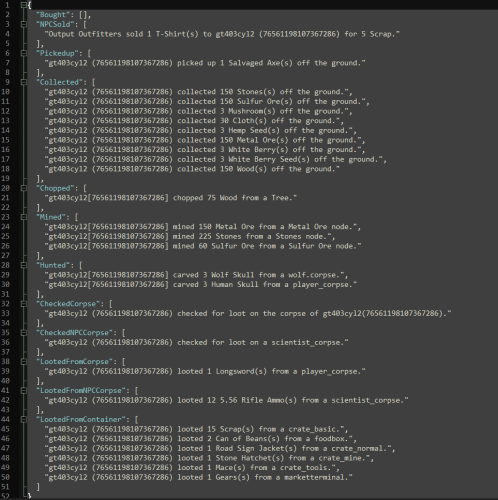
A plugin for Rust server owners or admin that can assist in determining if a player is cheating to gain loot. Loot Audit is used by granting the permission "uselog" to the specific player they suspect is cheating and the plugin will categorically log what the loot is and where it was looted from. Discord integration is quickly setup by creating a webhook in discord and adding it to the Discord Webhook line in the config. If you do not wish to use the Discord logging feature then leave that line as is in the config. NOTE: *** Use permissions can be toggled on/off (true/false) in the config, it is highly recommended to leave it true (set by default) as the logs will add up fairly quickly and can impact server performance. *** Permissions: lootaudit.admin - Allows admin to clear the logs from the data file. lootaudit.uselog - Allows the players loot to be logged. Commands: - /clrla - Clears the data files. - /lasave - Manually saves the data file. (configurable for chat command, non configurable for console) - /tiadmin - Toggles Ignore admin - /lahelp - Lists the current set commands to the admin in chat. - /cdebug - Toggles debug to console. Features: * Ignore admin, regardless of permissions. * Detailed logs sorted by category. * Easily configurable. * Logs items even when stacked. Default Config: { "Chat Prefix": "<color=#32CD32>Loot Audit</color>: ", "Discord Prefix": "Loot Audit: ", "Discord WebHook": "https://support.discord.com/hc/en-us/articles/228383668-Intro-to-Webhooks", "Change Commands": { "/list Shows Help Syntax": "lahelp", "/lasave manually saves the datafile (in game chat": "lasave", "/cdebug Toggles console debug": "cdebug", "/clrla Clear's data file": "clrla", "/tiadmin Toggles Ignore Admin": "tiadmin" }, "Logging Options": { "Use data file to log": true, "Ignore Admin": false, "Use Console Debugging": true, "Clear data file on wipe": false, "Use Permissions (Recommended)": true }, "Enable or Disable Specific Logs": { "Vending Machines": true, "Item Pickups": true, "Collectible Pickups": true, "Checking Corpses": true, "Player Corpse Looting": true, "NPC Corpse Looting": true, "Looting From Containers": true, "Dispensers": true, "Growables": true, "Looting of Players": true, "Looting of Drop bags": true } } Default Data File: { "Bought": [], "NPCSold": [], "Pickedup": [], "Collected": [], "Chopped": [], "Mined": [], "Hunted": [], "Farmed": [], "CheckedCorpse": [], "CheckedSleeper": [], "CheckedNPCCorpse": [], "LootedFromCorpse": [], "LootedFromNPCCorpse": [], "LootedFromPlayerInventory": [], "LootedFromContainer": [], "LootedFromPlayerDropBag": [] } Default Lang File: { "perms": "You don't have permission to use this command.", "clrla": "Loot Audit Data has been cleared.", "iadmin": "Ignore admin now set.", "iadminf": "Ignore admin now disabled.", "databought": "{0} ({1}) bought {2} {3}(s) from {4} for {5} {6} from {7} ({8}) {9} UTC time.", "databoughtnpc": "{0} sold {1} {2}(s) to {3} ({4}) for {5} {6} {7} UTC time.", "databoughtnpcd": "{0} sold {1} {2}(s) to {3} ({4}) {5} UTC time.", "datalootpickup": "{0} ({1}) picked up {2} {3}(s) off the ground {4} UTC time.", "datachopped": "{0} chopped {1} {2} from a {3} {4} UTC time.", "datamined": "{0} mined {1} {2} from a {3} node {4} UTC time.", "datamined2": "{0} ({1}) mined {2} {3} from a Metal Ore node {4} UTC time.", "datahunted": "{0} carved {1} {2} from a {3} {4} UTC time.", "datafarmed": "{0} ({1}) harvested {2} {3} {4} UTC time.", "datalootcollect": "{0} ({1}) collected {2} {3}(s) off the ground {4} UTC time.", "datacheckcorpse": "{0} ({1}) checked for loot on the corpse of {2} ({3}) {4} UTC time.", "datachecksleeper": "{0} ({1}) checked for loot on sleeping body of {2} ({3}) {4} UTC time.", "datachecknpccorpse": "{0} ({1}) checked for loot on a {2} {3} UTC time.", "datalootfromcorpse": "{0} ({1}) looted {2} {3}(s) from the dead body of {4} ({5}) {6} UTC time.", "datalootfromnpccorpse": "{0} ({1}) looted {2} {3}(s) from a {4} {5} UTC time.", "datalootfromplayerinventory": "{0} ({1}) looted {2} {3}(s) from a {4} owned by {5} {6} UTC time.", "datalootfromcontainer": "{0} ({1}) looted {2} {3}(s) from a {4} {5} UTC time.", "datalootfromdropbag": "{0} ({1}) looted {2} {3}(s) from a drop bag {4} UTC time." } Other information: Comments, suggestions or for support message me here or on Discord: gt403cyl2$9.99 -
.thumb.png.2ad6049375cfe639e3a15390264be866.png)
Version 1.0.0
46 downloads
FireworksLogger Log designs players create with fireworks in-game. Features Save firework designs as a .png image associated with the user's steam ID and timestamped. Image directory: `{Oxide Data Directory}/FireworksLogger` File name format: `{Player Name}_{Steam ID}_{Timestamp}_FireworksDesign.png` No configuration requiredFree -
Version 1.0.3
245 downloads
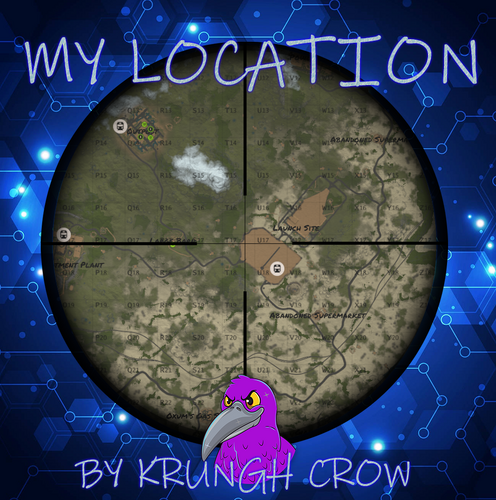
simple console log plugin to find online/sleeprs/your own location and prints it to console and logfile. Features : no config no permissions (Have to be a admin) Prints it to console. Prints it to a Logfile. Player name and steam id are now printed (New v1.0.2) Chat Commands : /position : Prints your position to chat and to console. /position.all : Prints all online players with position and Grid to console. /position.sleepers : Prints all sleepers location and Grid to console. Console Commands : position.all : Prints all online players with position and Grid to console. position.sleepers : Prints all sleepers location and Grid to console. Logfiles : Online players : Oxide --> Logs --> MyLocation(folder) --> mylocation_online.txt Sleepingplayers : Oxide --> Logs --> MyLocation(folder) --> mylocation_sleepers.txt Localization : English language file included to use a different language just make a new file in the language folder. { "All": "Printed all online players and current locations to console", "NoPermission": "<color=green>You do not have permission to use that command!</color>", "NoSleepersFound": "No sleepers found!", "Personal": "Printed to console\n{0} location = {1} Grid : {2}", "Sleepers": "Printed all sleeping players and current locations to console", "Commands": "Current commands to use :\n/position : Your position\n/position.all : Online players\n/position.sleepers : All sleepers" }Free