Search the Community
Showing results for tags 'performance'.
-

Version 5.0.0
135 downloads
In the heart of this EPIC RUST BATTLEFIELD MAP lies a breathtaking landscape crafted for High-FPS and fast paced PVP Gameplay. Amidst towering mountains and sprawling valleys, players navigate custom buildable underwater caves that offer strategic advantages for building and hiding bases. At its center, a colossal mountain dominates the skyline with the iconic Large Oil Rig and a meticulously designed Buildable Dome, all optimized for peak performance with minimal entity counts. This will be the central area where your players gather to practice PVP in the Large Oil Rig and fend off enemies practicing Raid Defense and Offense in the EPIC scale Buildable Dome! NEW EXPERIENCE! Battle Towers Buildable Zone stands as a fortress of opportunity and conflict. Towering HUGE structures invite players to build bases on top of, defend against raids, and engage in intense PvP battles atop their formidable heights, giving one of the most FUN experiences any player can have in Rust! Scattered across the terrain are 22 bespoke buildable monuments, each marked with an X on the map, bringing in your players with a fresh take on base building locations. This masterpiece of design not only promises thrilling PvP encounters but also showcases a commitment to immersive gameplay and efficient server performance, making it the best released Map for Battlefield Rust servers to date! FEATURES • Size: 2800 • Prefab Count: 6352 • Map Optimized for Performance! • Map Password: Included. • Vast array of 22 EPIC Custom Buildable Monuments! • Designated building zones (marked X on the minimap) • Several Majestic Underwater Buildable Cave Bunkers! • Legendary Battle Towers Build Zone: An expansive custom-built zone featuring multiple towers for epic building, raiding, and intense PVP combat! • Monuments crafted for peak performance with minimal entities! • EPIC Scale PVP Mountain center of map with Large Oil Rig and Buildable Dome! • Everything crafted with Battlefield PVP Servers in mind for peak performance and EPIC scale FUN! • Monumental and realistic landscape! • Underground railway. CUSTOM BUILDABLE MONUMENTS: • Amount: 22 Total! • Buildable Dome • Custom Underwater Bunkers • Custom Large Size Bus Stop Base • EPIC Scale Rock Formation Cave • Medium Sized Glass Roof Cave • + MANY MORE! Facepunch Monuments: Launch Site Dome Giant Excavator Military Base 2X Large Oilrig Small Oilrig Nuclear Missile Silo Ferry Terminal Satellite Dish Small Harbor 2X Lighthouse 2X Gas Station 2X HQM Quarry Sulfur Quarry Stone Quarry Supermarket RadTown Power Substations Small and Large Jungle Ziggurat Cave Large Sewers Hard Cave Large Hard Cave Medium Medium Cave Large Medium Ranch Stables Fishing Village Bandit Town Outpost To Enable the Travelling Vendor on Custom Maps its optional to use this Oxide Plugin: https://codefling.com/plugins/anymapvendor Help Discord: @DarkoRust$24.99- 4 reviews
-
- 1
-

-
- #battlefield
- #custom map
- (and 25 more)
-
Version 2.8.31
14,937 downloads
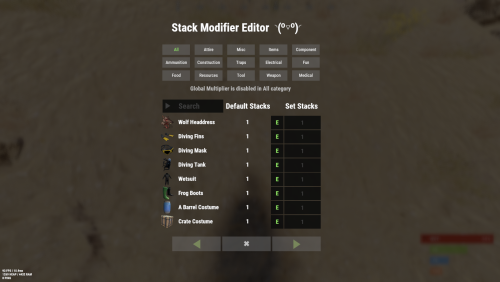
Stack Modifier is a performance-focused plugin that enhances and refines item stacking behavior in Rust. Features Includes GUI Editor - Blocks Player movements while using GUI Editor Including Keybinds! Adds NEW Stacking Support for the following. liquids ( like bota bags etc ) Stacking of Fuel Containers (hats, tools, etc.) Stacking of Guns Weapon Attachments Stacking of Skins Works with SkinBox plugins Supports stacking armor slot armors Supports Genetic Stacking Supports Food Spoil stacking Stacking of Custom Items Stacking of Custom Items with Custom Display Names Stacking of Key Cards without losing the stack when swiping Stacking Candy Cane Club without losing the stack while lick Support for modified presents for unwrapping Limits wearable clothing items to stack sizes of 1! ( on the player wear container only ) Limits weapon attachments to stack sizes of 1! ( On the weapon its self! so you can have bigger stacks! ) The largest possible value in C# is 2,147,483,647 Which means anything over this stack-size will break the plugin Patches All Industrial Conveyor stack issues! ( Yes custom items no problems! ) -- THIS IS NOW IT"S OWN PLUGIN AS AN ADDON. 4-2-2025 STACK MODIFIER INDUSTRIAL ADDON: Known Conflicts RoadBradley & HeliSignals Are doing item creations wrong and setting the item.name field as vanilla item display names thus breaking stack support. ( don't set a vanilla display name only set them if its custom names as the fix ) Conveyor Stacks Not needed & conflicts, stack-modifier already does this & has config settings for it. Davids Shop UI ( recently changed how his default data files are createdfor items ) ( you need to generate a new Items.json file and re-do custom items / pricing inside it to fix stack bugs with old data files ) Magic Coin uses some of the same hooks set up config in it correctly to not conflict Custom Skin Stack Fix not needed this handles it properly Stack Size Controller cannot have 2 of the same plugins basically Extra Loot causes a stacking bug when a reboot occurs with skinned items preventing old skinned items from stacking with new skinned items IndustrialCustomSkinsFix not needed stack-modifier has the same patch in it. IQAlcoholFarm by BadMandarin/Mercury is not supported & will cause stack bugs / problems ( could be supported with an author update, but current version is not supported ) ItemPerks by imthenewguy Causes stack bugs/problems just by having this plugin on your server due to harmony patching done inside it + repair logic is bugged. Item creation is also not handled properly resulting in duplication issues with Conveyor movements nothing can be done about that. ( plugin requires a full rewrite for proper support & repairs. ) Plugins that do not handle Item Creation Correctly: ( Which break stacks ) Custom Item Drops by Machine ( Always sets the vanilla display name when its supposed to be null for vanilla items ) XP System by fastburst ( Always sets the vanilla display name when its supposed to be null for vanilla items ) Copy Paste ( Items created by copy paste its self will not stack since item creation is not handled properly ) This list will be constantly updated as devs fix their code accordingly & new ones are discovered to be flawed. Getting Started - Click Either Link to play video Video One Video Two Permissions stackmodifier.admin - Allows players access to the UI Editor. Chat Commands /stackmodifier -- Opens Editor UI, Must enable config option "Enable UI Editor": true /stackmodifier.reset ( is also console cmd ) -- Requires stackmodifier.admin perm ( resets stack-sizes ) /resetvenders -- Requires being an admin, only resets facepunches messed-up vendors, not all /stackmodifiercolor <inputpanel|inputtext|text|transparent> <color> <alpha|ex, 0.98> Example /stackmodifiercolor inputpanel #207086 0.25 UI Editor Commands set 8 -- Inside a categories Search Bar, type set and a value and it will apply it to the whole category, reset -- Inside a categories Search Bar type reset hit the enter key or click out of the field and it resets it. multiply -- Inside a categorie use the Search Bar & type multiply and a value and it will apply it to the whole category. if you reset or set, re-click the Category Tab to refresh it before making more changes! Otherwise you will have to do your first edit twice for it to start working again UI Editor Without Images? * At the top of the config you will see the following setting set to true save and reload. "Disable Images for UI Editor": false, < Disables images and allows full use Having Problems? * Warning this plugin is not compatible with custom-skins-stacks-fix plugin since this already handles everything. * If you already have a plugin that modifies the rust stack sizes you will first need to remove that plugin. * Then you simply load Stack Modifier onto your server open the config and start editing the Modified values to your new stack-size amounts! * When you are done simply save and reload the plugin! ( oxide. reload StackModifier ) * Alternatively you can utilize the built-in UI Editor and not ever need to touch the config! * Admins - Auth level 2 will always be ignored. * This plugin is not compatible with BetterVanish, I only support Vanish from umod. How to revert to vanilla? * Run the reset command while having the stackmodifier.admin perm or Unload Stack Modifier, delete the config, and restart your server. * It will reset the config back to vanilla settings allowing you to start over. API Hooks Interface.CallHook("OnStackSizeUpdated"); //called after the plugin updates the stack sizes on server reboots & when reloading the plugin. //It's also still called right after the UI editor is closed from modifying. //Inside the oxide hook I use called OnItemAddedToContainer theirs a hook of mine, if called mine will not touch it or fix the stacks. if (Interface.CallHook("OnIgnoreStackSize", player, item) != null) return; ## Configuration { "Disable Industrial Conveyor Patch (true = disabled)": false, "Industrial Conveyor Max Stack Size Per Move Default = 60": 130, "Industrial Conveyor Move Frequency Default = 5 (Lower = faster moving)": 3, "Disable Weapon Attachment stack fix (Unsubscribes from both OnWeaponModChange & CanMoveItem)": false, "Disable Wearable Clothes fix (Unsubscribes from OnItemAddedToContainer)": false, "Disable Ammo/Fuel duplication fix (Recommended false)": false, "Disable Candy Cane Club Lick fix & unwrap fix (Unsubscribes from OnItemAction)": false, "Disable OnCardSwipe fix (Unsubscribes from OnCardSwipe)": false, "Enable VendingMachine Ammo Fix (Recommended)": true, "Enable UI Editor": true, "Disable Images / Toggles off Images for UI Editor": false, "Sets editor command": "stackmodifier", "Sets reset command for both console & chat": "stackmodifier.reset", "Sets editor color command": "stackmodifiercolor", "Sets Default Category to open": "All", "Stack Modifier UI Title": "Stack Modifier Editor ◝(⁰■¿⁰)◞", "UI - Stack Size Label": "Default Stacks", "UI - Set Stack Label": "Set Stacks", "UI - Search Bar Label": "Search", "UI - Back Button Text": "◀", "UI - Forward Button Text": "▶", "UI - Close Label": "✖", "Colors": { "InputPanel": { "Hex": "#0E0E10", "Rgb": "0.0549019607843137 0.0549019607843137 0.0627450980392157 0.98" }, "InputText": { "Hex": "#FFE24B", "Rgb": "1 0.886274509803922 0.294117647058824 0.15" }, "TextColor": { "Hex": "#FFFFFF", "Rgb": "1 1 1 1" }, "Transparency": { "Hex": "#", "Rgb": "0 0 0 0.95" } }, "Category Stack Multipliers": { "Attire": 1, "Misc": 1, "Items": 1, "Ammunition": 1, "Construction": 1, "Component": 1, "Traps": 1, "Electrical": 1, "Fun": 1, "Food": 1, "Resources": 1, "Tool": 1, "Weapon": 1, "Medical": 1 }, "Stack Categories": { "Attire": { "hat.wolf": { "DisplayName": "Wolf Headdress", "Modified": 10 }, "horse.shoes.basic": { "DisplayName": "Basic Horse Shoes", "Modified": 10 } }, "Misc": { "fogmachine": { "DisplayName": "Fogger-3000", "Modified": 10 }, "sickle": { "DisplayName": "Sickle", "Modified": 10 } }, "Items": { "kayak": { "DisplayName": "Kayak", "Modified": 10 }, "map": { "DisplayName": "Paper Map", "Modified": 10 } }, "Ammunition": { "ammo.grenadelauncher.buckshot": { "DisplayName": "40mm Shotgun Round", "Modified": 20 }, "ammo.rocket.sam": { "DisplayName": "SAM Ammo", "Modified": 10 } }, "Construction": { "door.double.hinged.metal": { "DisplayName": "Sheet Metal Double Door", "Modified": 10 }, "building.planner": { "DisplayName": "Building Plan", "Modified": 10 } }, "Component": { "bleach": { "DisplayName": "Bleach", "Modified": 2 }, "vehicle.module": { "DisplayName": "Generic vehicle module", "Modified": 10 } }, "Traps": { "trap.bear": { "DisplayName": "Snap Trap", "Modified": 30 }, "samsite": { "DisplayName": "SAM Site", "Modified": 10 } }, "Electrical": { "ceilinglight": { "DisplayName": "Ceiling Light", "Modified": 10 }, "wiretool": { "DisplayName": "Wire Tool", "Modified": 100 } }, "Fun": { "firework.boomer.blue": { "DisplayName": "Blue Boomer", "Modified": 200 }, "telephone": { "DisplayName": "Telephone", "Modified": 10 } }, "Food": { "apple": { "DisplayName": "Apple", "Modified": 100 }, "woodtea.pure": { "DisplayName": "Pure Wood Tea", "Modified": 100 } }, "Resources": { "skull.human": { "DisplayName": "Human Skull", "Modified": 10 }, "wood": { "DisplayName": "Wood", "Modified": 10 } }, "Tool": { "tool.instant_camera": { "DisplayName": "Instant Camera", "Modified": 10 }, "bucket.water": { "DisplayName": "Water Bucket", "Modified": 10 } }, "Weapon": { "gun.water": { "DisplayName": "Water Gun", "Modified": 10 }, "spear.wooden": { "DisplayName": "Wooden Spear", "Modified": 10 } }, "Medical": { "blood": { "DisplayName": "Blood", "Modified": 100 }, "bandage": { "DisplayName": "Bandage", "Modified": 30 } } } }$24.99- 195 comments
- 22 reviews
-
- 21
-

-

-

-
-
- #stacks
- #rust stacks
- (and 22 more)
-
Version 1.7.8
283 downloads
Transform your Rust server's storage experience with intelligent automation, overflow chains, and PvP-safe raid protection. Why SmartSorter? For Players: Stop manually sorting hundreds of items after raids, monuments and roams Never lose loot to overflowing boxes again Set up once, automate forever For Server Owners: Reduce player frustration and improve retention Performance-optimized for high-pop servers PvP-friendly with raid/combat blocking Zero dependencies - works out of the box What Makes It Unique? Drop Box Automation Mark any container as a "Drop Box" - toss items in and watch them automatically route to nearby filtered containers. No manual sorting needed. Sorting Chains (Overflow System) Link unlimited containers together. When one fills up, items automatically overflow to the next in the chain. Perfect for massive loot rooms. Raid & Combat Protection Full integration with RaidBlock, NoEscape, and CombatBlock - prevent sorting abuse during raids with granular control over what gets disabled. Essential for PvP servers. Defense Auto-Fill One-click filling of turrets, SAM sites, flame turrets, and shotgun traps. Set your preferred ammo/fuel amounts once and forget it. Smart Template System Save filter configurations as templates, load them onto any container, and share setups across your base in seconds. Core Features Automatic Sorting Drop Box system for hands-free organization Category and item-specific filters (granular control) Works with 50+ container types Intelligent handling of furnaces, refineries, recyclers, and vending machines Smart routing with sorting chains Manual Control Tools Send Near - Distribute inventory to nearby filtered containers within radius Send to Box - Fill the specific container you're looting Dump All - Empty your entire inventory instantly Loot All - Grab everything from a container (supports backpacks!) In-Container Sort - Organize by name or category with one click Inventory and backpack Sorting Sorting Chains (Overflow System) Link unlimited containers for automatic overflow routing Visual chain inspection with in-game colored lines and spheres Cycle detection prevents infinite loops Per-player chain ownership Configurable visualization duration and appearance Defense Management Auto-fill Auto Turrets, SAM Sites, Flame Turrets, Shotgun Traps Customizable ammo/fuel amounts per defense type Radius-based batch filling Automatic weapon mounting for turrets Per-player preferences saved Raid & Combat Protection Integrates with RaidBlock, NoEscape, and CombatBlock Granular control - disable specific features during raids/combat Optional chat notifications when actions are blocked Essential for PvP servers - prevents sorting abuse Template System Save filter configurations by name Load templates onto any container instantly Share setups between boxes Per-player template ownership with admin override Easy template management (delete, rename) Player Preferences Toggle auto-opening of filter panels (/ssautofilters) Minimize UI to compact button mode Per-player defense ammo/fuel settings Settings persist across sessions Visual Interface Dynamic context-aware UI (changes based on container type) Built-in help system with full-color image guides Fully customizable layouts, colors, and button positions Responsive design adapts to 1-column or 2-column layout ImageLibrary support for item icons Technical Specifications Supported Containers (50+) Storage boxes, large boxes, coffins, barrels, fridges, lockers, tool cupboards, vending machines, furnaces (all types), refineries, recyclers, BBQs, campfires, lanterns, mannequins, drop boxes, wall cabinets, beehives, chicken coops, composters, cauldrons, stashes, and all defense entities. Performance Optimized Configurable processing intervals Batch processing limits (MaxDirtyBoxesPerTick) Optimization mode for high-population servers Efficient memory pooling throughout Automatic cleanup of deleted container data Framework Compatible Full support for uMod/Oxide Native Carbon framework support No external dependencies required Works out of the box Safety Features Wall-check system (prevent looting through walls) Building privilege requirement Configurable item blacklist/whitelist Automatic cleanup of old container data (configurable grace period) Permission-based access control Configuration Highlights 1000+ Customization Options UI Customization: Every color, position, size, and text label Button Layouts: 4 preset layouts (Default, DropBox, Awaiting, HasChain) Timing: Sort delays, cooldowns, debounce intervals Distances: Default radius, visualization settings Category Overrides: Reclassify any item into any category Furnace/Refinery: Custom fuel and smeltable item lists Support & Updates Documentation: Built-in visual help system Active Development: Regular updates and improvements Bug Reports: Fast response on CodeFling Feature Requests: Always welcome What's Included Plugin file (.cs) Default configuration Built-in help system with images Full permissions setup 50+ container support Raid/combat block integration Template system Performance optimization Extensive customization options Perfect For: Large Base Builders - Automate loot rooms with chains PvP Servers - Raid block integration prevents abuse High-Pop Servers - Performance optimized Casual Servers - Quality of life improvement Modded Servers - Works with custom items PLAYER COMMANDS /ss or /smartsorter Opens the visual help guide UI /sshelp Opens the visual help guide UI (same as /ss) /sscommands Shows a list of all available chat commands /sstoggle Shows or hides the SmartSorter UI completely /ssremovechains Removes ALL sorting chains you own /ssautofilters [on|off] Toggles whether the filters panel auto-opens when looting filtered containers /ssrefresh Refreshes the UI if it gets stuck or doesn't display properly /ssshowchains Visually displays your sorting chains for 15 seconds using colored lines and spheres /ssdefense Opens the defense configuration panel to set ammo/fuel amounts for turrets and traps ADMIN COMMANDS /ssdebug on|off Enables or disables debug logging in console /ssreloadconfig Reloads the configuration file from disk /ssclearfilters <containerID> Clears all filters on a specific container by NetworkID /ssconfig [setting] [value] Opens the config UI, or sets a specific config value ━━━━━━━━━━━━━━━━━━━━━━━━━━━━━━━━━ smartsorter.use - Required for all features smartsorter.admin - Admin commands and config access ━━━━━━━━━━━━━━━━━━━━━━━━━━━━━━━━━ DEPENDENCIES None required. Optional ImageLibrary support for enhanced item icons. ━━━━━━━━━━━━━━━━━━━━━━━━━━━━━━━━━ Give your players the gift of time. Install Smart Sorter today.$24.99- 111 comments
- 5 reviews
-
- 2
-
-
- #sorting
- #auto-sort
- (and 66 more)
-

Version 2.0.0
9 downloads
BUILDERS UTOPIA – 3500K HIGH PERFORMANCE CREATIVE RUST MAP Builders Utopia is a well balanced, great performance, builder-friendly 3500k Rust map loaded with All Facepunch Monuments included and 13 custom build spots. Designed for smooth performance, creative freedom, and competitive gameplay. Perfect if you have players who like to build and great for server owners because of its low entity count and map size, this is great for lower ram servers! What Makes It Special: Endless Custom Buildable areas that players will love! Diverse terrain: forests, deserts, coasts, cliffs, valleys & plateaus Perfect for solos, clans and builders! Custom Build Zones Low-prefab, FPS-friendly buildables: Custom caves Creative Structures Unique build pockets All Facepunch Monuments Included Launch Site • Military Base • Military Tunnels • Nuclear Missile Silo • Airfield • Large Harbor • Outpost • Excavator • Large Oil Rig • Small Oil Rig • Small Harbor • Dome Sphere Tank • Satellite Dish • Ferry Terminal • Sewer Branch • SuperMarket • TrainYard • PowerPlant • Gas Station • Warehouse • Arctic Research Base • Lighthouse • HQM Quarry • Sulfur Quarry • Stone Quarry • Fishing Village • RadTown • JunkYard Map Info Size: 3500 Prefabs: ~8835 Support Discord: DarkoRust$24.99 -

Version 1.1.9
773 downloads
NoEscape stands out as a robust solution to control rust players raiding & combat actions. As an innovative plugin for Rust, offering a range of unique features along with a visually appealing overlay. It provides 10 different colors for customization and a visible dome adjuster, enhancing user interaction. This plugin is designed to deliver optimal performance while maintaining backward compatibility with the free NoEscape from umod ensuring a smooth transition. Features Twig Building Ignorance: The plugin intelligently ignores twig buildings, preventing griefers from exploiting the raid/combat block system during simple base construction. Door Shooting Logic: Shooting a door outside the predefined radius won't trigger a raid block, even if the door is destroyed. Reliability and Compatibility Reload Behavior: Reloading NoEscape clears all existing raid/combat blocks. Team and Clan Support: Compatible with Teams & Clans, especially beneficial when used with the Auto Team plugin(umod clans). Removal Tools Support: Fully compatible with remove tools within the game or plugins. Command Blocking: Offers optional command blocking. Commands can be specified to block only for raids ("shop": 1) or combat ("shop": 2), or both ("shop": 3). Health/Regen Logic for Raids: Optional feature to manage health and regeneration of building blocks during raids / base building. Sound Effects: Option to include sound effects for enhanced user experience. UI System: Implements a user interface specifically for raid & combat scenarios that includes complete customization support. Hud Preset Positions: ( 0 Left Top | 1 Left Bottom | 2 Right Top | 3 Right Bottom | 4 Custom ) Combat-Blocking Logic: Combat-blocking is only active when not in a raid-blocked state. This not only saves on performance but also improves the gameplay experience. Raid-Block Self-Ignorance: Prevents raid-blocking on one's own buildings. MLRS Support: Yes, but only the vanilla ones launched by the vehicle on the map are supported, 3rd party plugins are not. Fire Damage Logic: If a wooden (but not twig) base takes fire damage, it triggers a raid. Damage Source Ignorance: Ignores non-player damage and buildings set to owner ID 0 by third-party plugins. Visual Enhancements: Color Support for Spheres: Adds color customization options for the visible spheres. Visualization Level Setter: Allows users to set the level of visualization for easier navigation and interaction. In conclusion, NoEscape provides a comprehensive and robust solution for Rust players, offering a blend of unique features, compatibility, and visual enhancements to elevate the gaming experience. Permissions noescape.combatblock.ignore <now ignores players from being combat blocked> noescape.raidblock.ignore <now ignores players from being raid blocked & becoming combat blocked when leaving a raid-zone> noescape.admin Allows you to use the console / F1 command "newcolor" for changing the Raid overlay settings in game. Also allows you to use the console / F1 command "noescape" for allowing to raid your self or trigger combat block on npcs. Command newcolor <1-10> <0-8> -- first number is the color setting, second number is the sphere darkness level. noescape or noescape steamID Need to trigger raids on your self or combat block for NPCs? For testing! Use the new noescape command! Example: F1 menu Type "noescape" in game to toggle for your self. Example: F1 menu or server-console Type "noescape steamID" to toggle for someone else. Requires the noescape.admin perm to use in game. Configuration { "Specify commands to block ( 3 = Block Both | 1 = Block Raid | 2 = Block Combat )": { "shop": 3, "kill": 3, "tp": 3 }, "Combat Block": { "Enable Combat Block For Shooter": true, "Enable Combat Block For Being Shot": true, "Block Time (Seconds)": 60, "Health Percentage left on a player to trigger combat block (0 = disabled)": 90 }, "Raid Block": { "Enable Raid Block?": true, "Allows Raid Block to trigger for your own stuff.": false, "3rd party plugin Raid-Protection GetProtectionPercent to trigger a raid. Example: 50 means at 50% protection it will trigger a raid zone-bubble.": 50, "Raid Block player until death instead of distance checks or zones. + 'Optional' timer setting in seconds Default: 0.0 = disabled.": { "Die": false, "Time": 0.0 }, "Block Time (Sec)": 300.0, "Block Radius": 100.0, "Damaged Health Percentage on an entity to trigger a raid (0 = disabled)": 95, "Sphere Visibility (Recommend 3 or 5, 0 = disabled)": 3, "Sphere Color (0 = none, 1 = Blue, 2 = Cyan, 3 = Green, 4 = Pink, 5 = Purple, 6 = Red, 7 = White, 8 = Yellow, 9 = Turquoise, 10 = Brown)": 6, "Sphere generation speed, how fast the bubble grows Default: 10f, max 100f": 10.0, "Enable Random Sphere Colors? (Randomly selects a new color each time a raid block is triggered)": false, "Allow Upgrade or Block?": true, "Override facepunches default repair wait time after being attacked? Default: 30sec": 30, "Enable Base Building Block Features": true, "Apply Combat Blocking when leaving a raid zone": true }, "User Interface": { "Enable uMods UI: Not Configurable.": false, "RaidGUI": { "Enable Raid UI": true, "Item ID Default: 1248356124, 0 = None": 1248356124, "Skin ID: Default 0": 0, "Switch to sprite instead of Icon": false, "Sprite Default: assets/icons/explosion.png": "assets/icons/explosion.png", "Sprite Color Default: 0.95 0 0.02 0.67": "0.95 0 0.02 0.67", "Hud Preset Positions: ( 0 Left Top | 1 Left Bottom | 2 Right Top | 3 Right Bottom | 4 Custom )": 0, "Hud Transparency Default: #, 0.1f": { "Hex": "#", "Rgb": "0 0 0 0.1" }, "Text Color Default: #09ff00": { "Hex": "#09ff00", "Rgb": "0.0352941176470588 1 0 1" }, "Text Font Size Default: 13": 13, "Hex or RGB toggle: Default is Hex": true, "Custom UI POS: Key is anchorMin | Value is anchorMax": { "Hud": { "Key": "0.345 0.11", "Value": "0.465 0.14" }, "Icon": { "Key": "0 0", "Value": "0.13 1" }, "Text": { "Key": "0.15 0", "Value": "1 1" } } }, "CombatGUI": { "Enable Combat UI": true, "Item ID Default: 1545779598, 0 = None": 1545779598, "Skin ID: Default 0": 0, "Switch to sprite instead of Icon": false, "Sprite Default: assets/icons/bullet.png": "assets/icons/bullet.png", "Sprite Color Default: 0.95 0 0.02 0.67": "0.95 0 0.02 0.67", "Hud Preset Positions: ( 0 Left Top | 1 Left Bottom | 2 Right Top | 3 Right Bottom | 4 Custom )": 0, "Hud Transparency Default: #, 0.1f": { "Hex": "#", "Rgb": "0 0 0 0.1" }, "Text Color Default: #09ff00": { "Hex": "#09ff00", "Rgb": "0.0352941176470588 1 0 1" }, "Text Font Size Default: 13": 13, "Hex or RGB toggle: Default is Hex": true, "Custom UI POS: Key is anchorMin | Value is anchorMax": { "Hud": { "Key": "0.345 0.11", "Value": "0.465 0.14" }, "Icon": { "Key": "0 0", "Value": "0.13 1" }, "Text": { "Key": "0.15 0", "Value": "1 1" } } } }, "Building (None = Doors, VendingMachine, ShopFront)": { "None": { "Raid Blocked Building Spawned Health Percentage": 35, "Health Regen Rate (Sets how fast it gens the health every x(Sec)": 1.0, "Regen Amount (0 = Disabled Sets how much to regen every x(Sec)": 20.0, "After Being Attacked Regen Time (Sec)": 30.0 }, "Twigs": { "Raid Blocked Building Spawned Health Percentage": 10, "Health Regen Rate (Sets how fast it gens the health every x(Sec)": 1.0, "Regen Amount (0 = Disabled Sets how much to regen every x(Sec)": 1.0, "After Being Attacked Regen Time (Sec)": 30.0 }, "Wood": { "Raid Blocked Building Spawned Health Percentage": 20, "Health Regen Rate (Sets how fast it gens the health every x(Sec)": 1.0, "Regen Amount (0 = Disabled Sets how much to regen every x(Sec)": 20.0, "After Being Attacked Regen Time (Sec)": 30.0 }, "Stone": { "Raid Blocked Building Spawned Health Percentage": 30, "Health Regen Rate (Sets how fast it gens the health every x(Sec)": 1.0, "Regen Amount (0 = Disabled Sets how much to regen every x(Sec)": 25.0, "After Being Attacked Regen Time (Sec)": 30.0 }, "Metal": { "Raid Blocked Building Spawned Health Percentage": 40, "Health Regen Rate (Sets how fast it gens the health every x(Sec)": 1.0, "Regen Amount (0 = Disabled Sets how much to regen every x(Sec)": 30.0, "After Being Attacked Regen Time (Sec)": 30.0 }, "TopTier": { "Raid Blocked Building Spawned Health Percentage": 50, "Health Regen Rate (Sets how fast it gens the health every x(Sec)": 1.0, "Regen Amount (0 = Disabled Sets how much to regen every x(Sec)": 40.0, "After Being Attacked Regen Time (Sec)": 30.0 } }, "Upgrading only works for BuildingBlocks": { "Twigs": { "Raid Blocked Upgrading Spawned Health Percentage": 10, "Health Regen Rate (Sets how fast it gens the health every x(Sec)": 1.0, "Regen Amount (0 = Disabled Sets how much to regen every x(Sec)": 1.0, "After Being Attacked Regen Time (Sec)": 30.0 }, "Wood": { "Raid Blocked Upgrading Spawned Health Percentage": 20, "Health Regen Rate (Sets how fast it gens the health every x(Sec)": 1.0, "Regen Amount (0 = Disabled Sets how much to regen every x(Sec)": 20.0, "After Being Attacked Regen Time (Sec)": 30.0 }, "Stone": { "Raid Blocked Upgrading Spawned Health Percentage": 30, "Health Regen Rate (Sets how fast it gens the health every x(Sec)": 1.0, "Regen Amount (0 = Disabled Sets how much to regen every x(Sec)": 25.0, "After Being Attacked Regen Time (Sec)": 30.0 }, "Metal": { "Raid Blocked Upgrading Spawned Health Percentage": 40, "Health Regen Rate (Sets how fast it gens the health every x(Sec)": 1.0, "Regen Amount (0 = Disabled Sets how much to regen every x(Sec)": 30.0, "After Being Attacked Regen Time (Sec)": 30.0 }, "TopTier": { "Raid Blocked Upgrading Spawned Health Percentage": 50, "Health Regen Rate (Sets how fast it gens the health every x(Sec)": 1.0, "Regen Amount (0 = Disabled Sets how much to regen every x(Sec)": 40.0, "After Being Attacked Regen Time (Sec)": 30.0 } }, "Sound Effects": { "RaidStart": "assets/bundled/prefabs/fx/takedamage_hit.prefab", "CombatSart": "assets/bundled/prefabs/fx/kill_notify.prefab", "RaidEnd": "assets/prefabs/building/door.hinged/effects/vault-metal-close-end.prefab", "CombatEnd": "assets/prefabs/building/door.hinged/effects/vault-metal-close-end.prefab", "Denied": "assets/prefabs/weapons/toolgun/effects/repairerror.prefab" }, "Message Responses": { "ChatIcon": 0, "RaidBlocked": "You are now <color=#00FF00>raid blocked</color>! For <color=#00FF00>{0}</color>!", "UnRaidBlocked": "You are <color=#00FF00>no longer</color> raid blocked.", "CombatBlocked": "You are <color=#00FF00>combat blocked</color> For <color=#00FF00>{0}</color>.", "UnCombatBlocked": "You are <color=#00FF00>no longer</color> combat blocked.", "CommandBlocked": "Access Denied: Cannot use <color=#FFA500>'{0}'</color> command during <color=#FFA500>{1}</color>: <color=#FFA500>{2}</color>", "ActionBlocked": "Denied: Cannot <color=#FFA500>{0}</color> while <color=#FFA500>raid blocked</color>", "RepairBlocked": "Unable to repair: Recently damaged. Repairable in: " } } API Hooks Useful to force quit 3rd party plugin actions when players trigger Combat/Raid Blocks. private void OnCombatBlock(BasePlayer player) private void OnRaidBlock(BasePlayer player) Useful for checking commands, etc, before allowing a player to do something private bool IsCombatBlocked(BasePlayer player) | IsCombatBlocked(string player) | IsCombatBlocked(ulong player) private bool IsRaidBlocked(BasePlayer player) | IsRaidBlocked(string player) | IsRaidBlocked(ulong player) private bool IsEscapeBlocked(BasePlayer player) | IsEscapeBlocked(string player) | IsEscapeBlocked(ulong player)$24.99 -

Version 1.0.2
29 downloads
Better Body Bags optimizes server and client side performance of ragdolls and body bags. This is done by custom handeling of physics and streamlining native methods to assist with server performance and reduce the heavy networking impacts to clients, causing client side lag. Stop client side lag in high deathtoll zones Stabalize fps dips caused by ragdolls and bodybags Hookless - This plugin uses harmony for the best performance Configurable - Customize despawn times per item, dropping of weapons & burying of items Performance will vary depending on the number of players, client hardware and server hardware. If you have a high pop server, low end client hardware or low end server hardware then this plugin is for you. { "Corpse Removal Time": 10.0, "Block Active Item Drop": true, "Bury Leftover Items": true, "Despawn Time Tier 0 (seconds)": 30.0, "Despawn Time Tier 1 (seconds)": 300.0, "Despawn Time Tier 2 (seconds)": 600.0, "Despawn Time Tier 3 (seconds)": 1800.0, "Ground Watch - Updates bag position if ground is missing": true, "Advance mode (reload on first true)": false, "CustomTimes": {} }$14.99- 3 comments
- 1 review
-
- 1
-
-
- #betterbodybags
- #better body bags
- (and 9 more)
-
Version 3.6.0
1,261 downloads
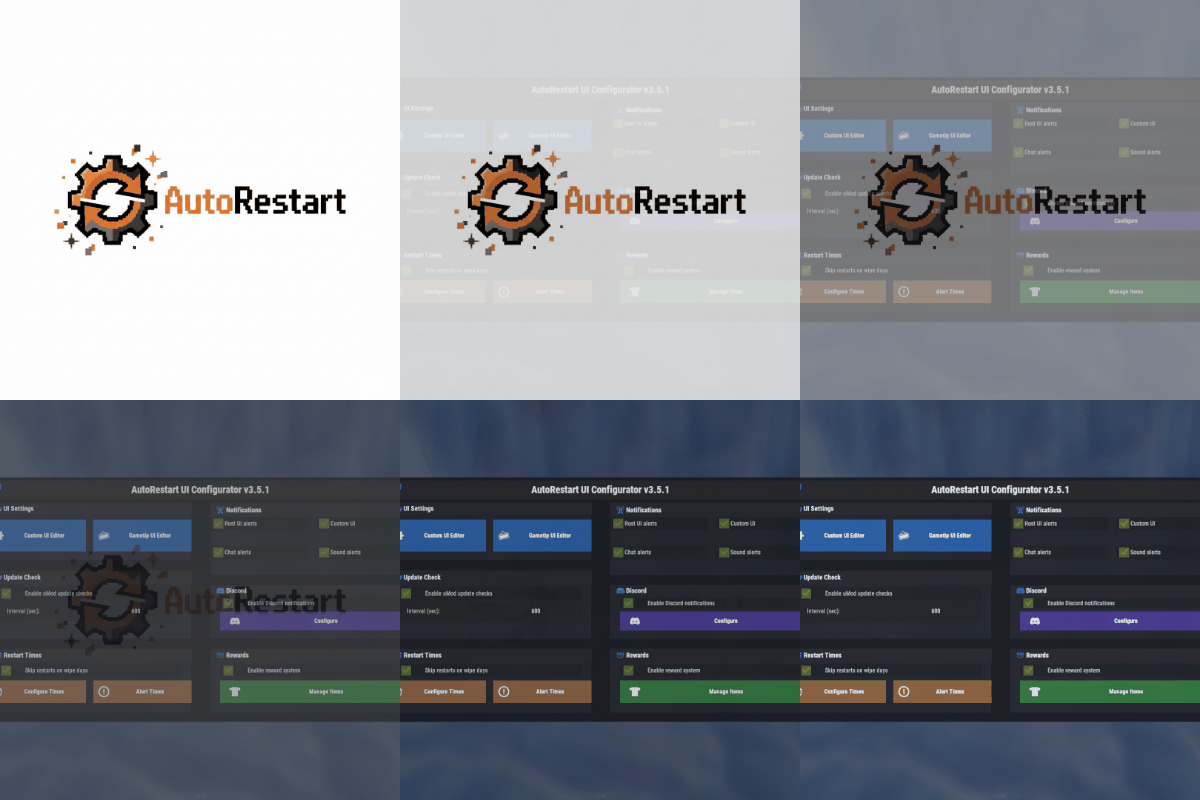
AutoRestart is an advanced and fully configurable plugin to facilitate automatic restarts of Rust servers, ensuring consistent performance and minimizing downtime through effective scheduling and notifications. The plugin has been tested in Pterodactyl and Wisp without problems. Windows could have problems due to how each administrator has configured their bat file and that may cause the plugin to not be able to start the server again.$15.99- 109 comments
- 6 reviews
-
- 4
-
-
-
- #restart
- #rustplugin
- (and 5 more)
-

Version 2.4.0
8 downloads
CarbonCleaner Short description Finds orphaned files in `carbon/config/`, `carbon/data/`, and `carbon/lang/` based on the installed/loaded plugins and provides a sleek in-game CUI for selecting and deleting them. Features - Matching logic (plugin detection) - Reads plugin base names from `carbon/plugins` (`*.cs`) **and** from the Carbon runtime (loaded plugins). - Base names `Admin` and `CorePlugin` are always treated as present. - Scan areas - config: Top-level `*.json` and top-level folders whose base name does not correspond to a plugin. - data: Top-level files (except `*.data`/`*.db`) and top-level folders without a plugin match. - lang: `lang/<LOCALE>/*.json` whose base name does not correspond to a plugin. - UI (CUI) - Three columns: CONFIG, DATA, LANG with count, file size, and checkboxes. - Select All for CONFIG/DATA, language sections can be expanded/collapsed for LANG. - Delete button shows number of selections; after deletion, automatic rescan. - Secure deletion - Deletes only within the `carbon/` root (path is validated). - Supports files **and** folders (recursively). - Backup - You have the option to decide whether you want to back up individual files.. > Note: `*.data` and `*.db` in the **data** root are **not** listed as orphaned (are skipped). This protects runtime databases. Commands In-Game (Chat) - `/carboncleaner` — Opens the UI (requires permission). Server console - `carboncleaner.scan` — Shows number/size of hits. - `carboncleaner.delete “<relativePath>|<relativePath>|...”` Example: `carboncleaner.delete “config/Old.json|data/OldFolder|lang/en/Old.json”` Deletes the specified relative paths under `carbon/`. Permissions - `carboncleaner.admin` — required for all functions (chat/UI).$8.99 -

Version 2.4.0
22 downloads
OxideCleaner Description Cleans up your `oxide/` directory: finds orphaned files in `config/`, `data/`, and `lang/` and can delete them. System `.data` files in `oxide/data` are never listed and are hard-protected against deletion. --- Features Scan areas: - `config/*.json` & top-level folders - `data/*` files & top-level folders - `lang/<locale>/*.json` - **Plugin matching:** Against `oxide/plugins` and `oxide/plugins/Disabled` (`.cs` + `.dll`). Only entries whose **base name does not correspond to a plugin** are considered “orphaned.” - **System protection (cannot be deleted & not visible):** Exact: `data/oxide.users.data`, `data/oxide.covalence.data`, `data/oxide.groups.data`, `data/oxide.lang.data` - Generic: `data/oxide.*.data` Secure deletion: Only within the `oxide/` path, with hard block for protected files. - **No configuration required.** --- Commands Ingame chat (permission required) `/oxidecleaner` - Open UI --- Permissions - `oxidecleaner.admin` — required for all commands. --- What counts as “orphaned”? - config: `*.json` & top-level folders whose base name does not correspond to a plugin. - data: Files & folders in the top level whose base name does not correspond to a plugin. Exception: System `.data` (see above) are hidden & protected. - lang: `*.json` in `lang/<locale>/` whose base name does not correspond to a plugin. load, run, enjoy$8.99 -

Version 1.2.2
61 downloads
AdminStats - Server Monitor HUD Keep an eye on your server health while you play! AdminStats is a lightweight, always-visible HUD that shows real-time server performance metrics to administrators. Perfect for server owners who want to monitor performance while testing plugins, building, or just playing. What does it show? Server FPS - Color-coded (green = good, yellow = warning, red = critical) with a mini graph showing the last 30 seconds Players Online - Current / Maximum Entities - Total world entities Memory - Server RAM usage Network Traffic - Incoming and outgoing bandwidth Uptime - Time since last server restart Two Display Modes Full Mode - All stats in a compact panel Minimal Mode - Just FPS, super tiny, stays out of your way Switch between modes anytime with /adminstats.mode Easy Positioning Place the HUD wherever you want: Top Left Top Right Bottom Left Bottom Right Custom position Adjust margins to fit perfectly with your other UI elements. Commands /adminstats - Toggle HUD on/off /adminstats.mode - Switch between full and minimal mode Features Zero performance impact - updates once per second Auto-enables for admins on connect Sleek blur background that fits Rust's style Multi-language support (English, Portuguese, Spanish) Fully configurable colors, size, and position Permission-based (adminstats.use) Perfect for: Testing new plugins while monitoring server health Identifying performance issues in real-time Keeping track of player count and entity buildup Server owners who like to stay informed Lightweight. Unobtrusive. Essential.Free-
- 1
-
-
- #admin stats
- #stats
- (and 15 more)
-
Version 1.0.3
25 downloads
xAutoPurge - Automatically purges all entities owned by players which are inactive for X days. - Configurable parameters for: InactiveDays - Defines when a players gets purged if not online for X days. (Default: 7 days) CheckIntervalSeconds - Defines how often it should be checked for inactive players. (Default: 1 hour) LogToConsole - Defines if purging activities are getting logged to the console. (Default: true) ExcludedSteamIDs - Defines an exception list for specific SteamIDs, entered SteamIDs doesn't get purged. (Default: none) ResetDataOnWipe - Resets data on wipe automatically, so it doesn't happen that someone gets purged after wipe. (Default: true) Console Commands purge.run [Triggers the purging immediately with its configurations] purge.player PLAYERNAME/STEAMID [Purges a specific player immediately (ignoring configuration) - Example usage: purge.player xNullPointer95]$6.00 -
Version 1.2.3
186 downloads
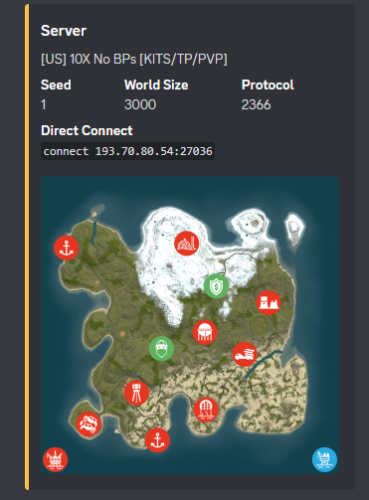
Using Discords Webhooks it sends an embed to discord notifying users of server wipes. * Different message support between FacePunch Forced wipes & Manually wiped * Includes Automation * Includes test console command * Includes Embed Setting Options * Coded for optimal performance Now requires RustMaps.com API key! Because they re-wrote the website forcing all users to sign in & make one, lol. Notes: * When you see " [Discord Wipe Embed] Waiting on rustmaps retrying in 60seconds." It means exactly what it says... * It means it's waiting on the rust-maps website to generate the Image & will re-try posting the discord embed in 60 sec. Configuration { "Sets Console Command": "sendwipe", "Disable Auto Send (Requires you to manually use console command to send embed message)": false, "ConnectionInfo": { "DiscordWebhookURL": "", "ServerName": "[US] -10X No BPs [KITS/TP/PVP]", "RustServerIp": "", "DonationURL": "", "EnableStaging": false, "EnableBarren": false, "RustMapsApiKey": "" }, "ForceWipe": { "AtEveryone": false, "AtRoleID": "", "EmbedHexColour": "#ffc348", "This will replace the Map Image if used": "", "This will generate the Map Image if enabled": false }, "Manually": { "AtEveryone": false, "AtRoleID": "", "EmbedHexColour": "#ffc348", "This will replace the Map Image if used": "", "This will generate the Map Image if enabled": false }, "Embed Fields & Descriptions": { "Map": { "Enabled": true, "Description": "", "Inline": false }, "Seed": { "Enabled": true, "Description": "", "Inline": true }, "World Size": { "Enabled": true, "Description": "", "Inline": true }, "Protocol": { "Enabled": true, "Description": "", "Inline": true }, "Direct Connect": { "Enabled": true, "Description": "", "Inline": false }, "Donation Link": { "Enabled": true, "Description": "", "Inline": false } }, "Sets Server Commands to run after wipe": [], "Do not touch.": { "WipedTime": "Thursday, 13 November 2025 17:29", "LastWipe": "Thursday, 13 November 2025 17:29" } }$9.99- 9 comments
- 1 review
-
- 1
-
-
- #khan
- #discordwipeembed
- (and 8 more)
-
Version 1.0.2
94 downloads
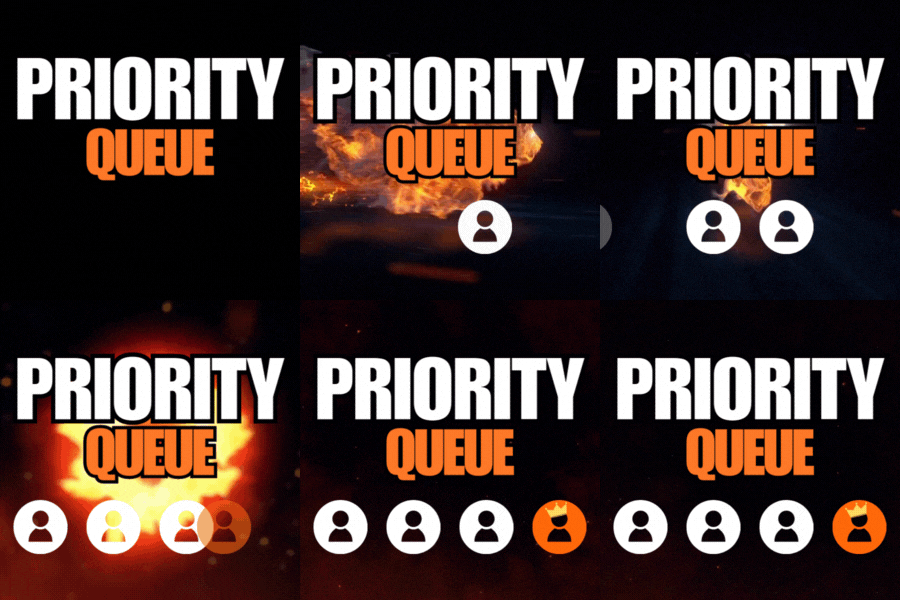
Priority Queue redefines the vanilla queue skip with a brand new permission based system. Previously queue skips would allow players to bypass the max player limit of a server. Priority queue gives you full control of which players move to the front of the queue or can skip the queue. You can also offer players a new system of saving their spot when they disconnect from the queue or the server. Priority Queue - Skip Players to the front of the queue Bypass Queue - Skip the entire queue Hold Queue Position - Holds your position in queue if you disconnect Bypass Queue on Disconnect - Allows you to bypass the queue if you just dc'ed Noob Bypass or Priority - Allows first time players to skip or priority queue priorityqueue.bypass - permission for queue skip priorityqueue.priority - permission to skip all non-priority players in the current queue priorityqueue.bypassDC - permission to bypass the queue if you have recently disconnected priorityqueue.hold - permission to hold your position in the queue if recently disconnected { "Bypass Queue on Disconnect Timeout (minutes)": 5, "Hold Queue Position on Disconnect Timeout (minutes)": 5, "Disable native slot reservation": true, "Noob Queue Priority": false, "Noob Bypass Priority": false }$9.99- 1 comment
- 1 review
-
- 3
-
-
- #priorityqueue
- #priority queue
- (and 14 more)
-

Version 1.0.2
17 downloads
xNpcFreeze xNpcFreeze is a Rust plugin that completely disables AI for NPCs by stripping their brain components as they spawn. Scientists and animals still exist and can be interacted with, but they will no longer roam, think, or attack - Perfect for PvE building servers, cinematic setups, or performance-focused environments. > CH47 at oil rig etc. will work normally Features Freeze NPCs (Animals & Scientists) Option to disable radiochatter (sound) from scientists Config { "FreezeAnimals": true, "FreezeScientists": true, "MuteScientistSounds": true }$8.99 -
Version 1.0.1
83 downloads
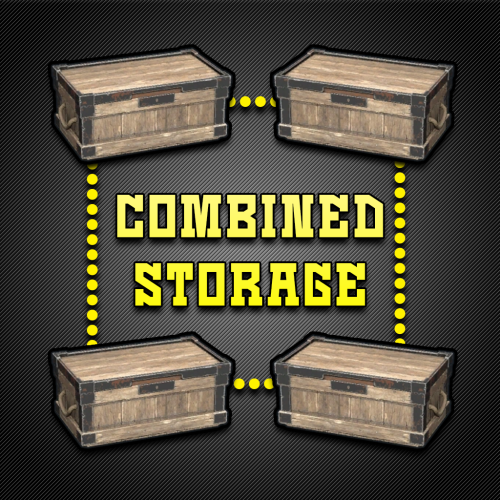
Combined Storage lets players connect multiple storage containers so they function as one large inventory. Includes automatic item sorting, search functionality, and filtering to keep storage clean and efficient. Readme Link - Click Here for Instruction and Documentation Highly recommend reading the FAQ section! All Your Items - In One Place Link multiple containers so they all share a single organized inventory. Automatic Sorting Items are automatically sorted as they are inserted, no manual effort required. Search Functionality Quickly find any item across all linked containers using a fast, built-in search bar. Simple Setup Simply press Link in a container to hook it up with the rest of them in your base. Unique View for Each Player Each player sees their own automatically sorted and filtered view of the shared inventory based on their preferences, without affecting anyone else.$24.99- 9 comments
- 2 reviews
-
- 3
-
-
- #inventory
- #storage
- (and 20 more)
-
Version 1.0.15
1,658 downloads
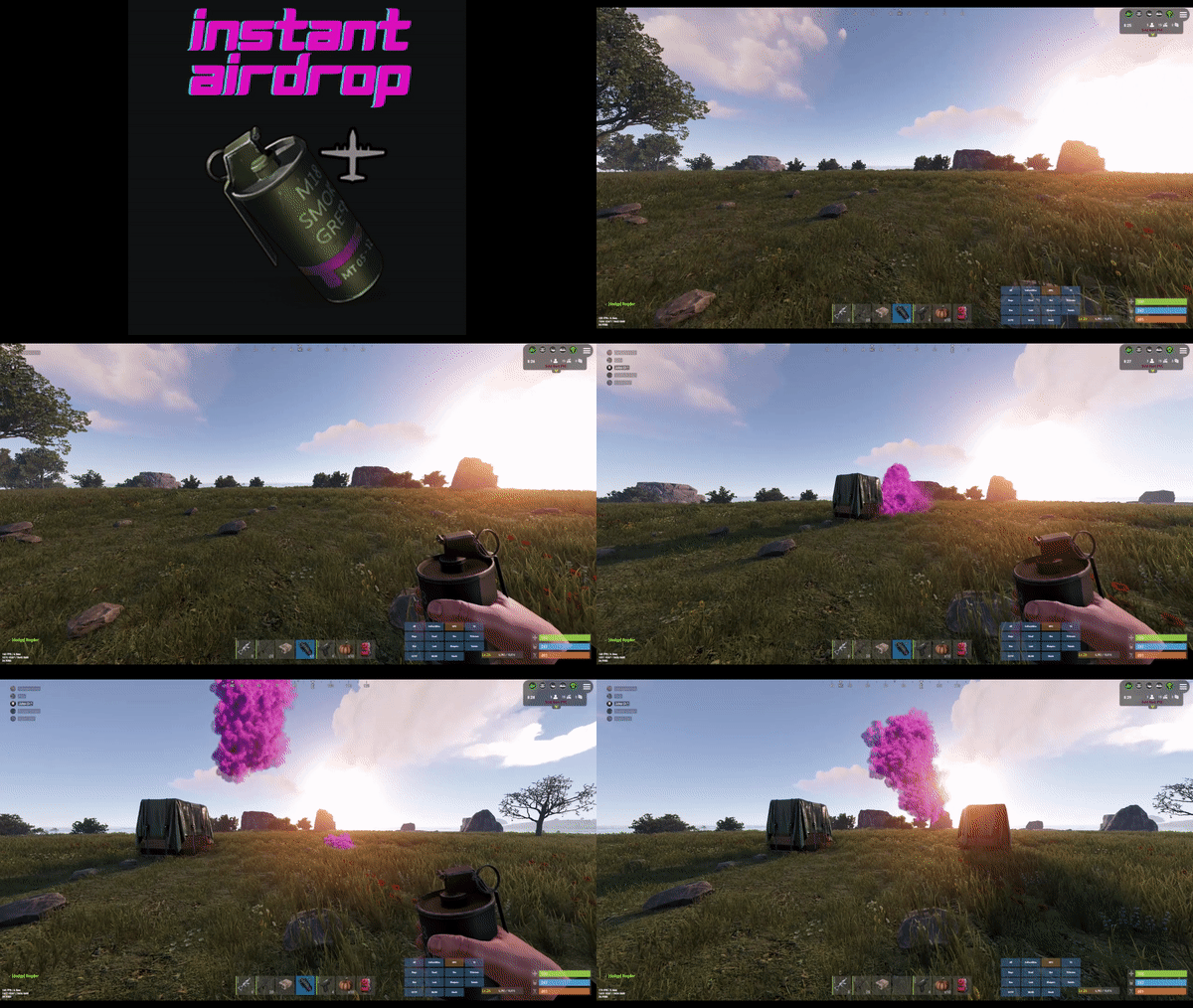
Are your players tired of waiting for Airdrops? This little plugin makes them appear almost instantly, no cargo plane, no parachutes. Airdrop will spawn wherever the supply signal lands. The delay can be modified in the config file. The default is 5 seconds to allow the supply signal to land and smoke briefly. Config File { "Delay Before Spawn": 5.0, "Use Permission": false, "Prevent Deploying Inside (Players will only be able to deploy supply signals outside)": false, "Skin IDs To Ignore": [] } if "Use Permission" is set true then permission to be set is instantairdrop.use If "Prevent Deploying Inside" the Airdrop will be cancelled, the supply signal will be refunded to the player and a message will inform the player that supply signals can only be deployed outside. This is to prevent instant airdrops spawning inside of bases and is optional. Developer Integration 1. IsInstantAirdrop(SupplyDrop supplyDrop) - Takes a SupplyDrop object and returns true if it's an instant airdrop 2. IsInstantAirdropByEntity(BaseEntity entity) - Takes any BaseEntity and returns true if it's an instant airdrop Usage Examples for Other Plugins: // Check if a supply drop is an instant airdrop var instantAirdrop = plugins.Find("InstantAirdrop"); if (instantAirdrop != null) { bool isInstant = (bool)instantAirdrop.Call("IsInstantAirdrop", supplyDrop); if (isInstant) { // Handle instant airdrop differently Puts("This is an instant airdrop!"); } } // Or using BaseEntity bool isInstantByEntity = (bool)instantAirdrop.Call("IsInstantAirdropByEntity", entity); This integration allows other plugins to: - Prevent their plugin from calling in more airdrops - Apply different loot rules to instant vs regular airdrops - Show different notifications for instant airdrops - Track instant airdrop statistics separately - Apply special effects only to instant airdrops - Modify damage/protection rules for instant drops Tested to work nicely along side other plugins such as: Heli Signals Bradley Drops Fancy Drop Loot Defender Signal Cooldown Helpful Supply Supply Lock Vehicle Airdrops (fix coming soon) Note: The plugin is designed to operate without causing issues when used with these plugins. However, it does not integrate or alter the functionality of these plugins.$3.99 -

Version 1.0.2
7 downloads
xBannedPlayersEntityCleaner xBannedPlayersEntityCleaner is a an efficient Rust plugin designed to automatically clean up all entities owned by players when they are banned. This helps maintain server performance and prevents clutter caused by banned users’ structures, deployables, and other entities. It also includes a manual cleanup command that allows admins with proper permission to trigger entity removal for specific players when needed. Features Automatically removes entities owned by banned players. Optional manual cleanup command with permission control. Adjustable cleanup speed and batch size to minimize lag. Silent or visible destruction modes. Efficient entity queue system for large-scale cleanups. Console Command xbannedplayersentitycleaner.clean <steamid64 or playername> - Manually trigger cleanup for a specific player. Permission xbannedplayersentitycleaner.use - Allows a user to manually trigger the cleanup command. Config { "SilentMode": true, "EntitiesPerCleanupInterval": 100, "CleanupInterval": 0.2, "LogToConsole": true } SilentMode → If enabled (true), entities are destroyed quietly without gibs or visual effects. EntitiesPerCleanupInterval → Number of entities processed per cleanup cycle (CleanupInterval) CleanupInterval → Time in seconds between each cleanup batch execution. LogToConsole → Enables or disables console logging for cleanup events and summaries.$4.99 -

Version 1.1.8
972 downloads
Drop Bags tracks items dropped into the rust world. When there are high-volume drops, they are combined into a single "drop bag.” This method enhances performance by streamlining the handling of item drops and reducing item physics. Stop server stalls and freezing from item spam Works on craft spam, dropped item spam, gutted shark spam and horse dung! Light weight and easy to use Easy config DropBags uses one light weight hook to track dropped items. Dependent on how many items are dropped in a given radius those items get placed into a drop bag. This stops mass item spam effecting your server performance. { "Area Size - How far away items can be moved into a container": 7, "Max drops before moving items to container": 36, "Time to wait before moving items": 5.0, "Vischeck - checks items are visable before moving to container": true, "Calculate despawntime from drop bag items": true, "Reset dropbag despawn time on loot": false, "Override drop bag despawn time (seconds), 0 = false": 0.0 }$14.99- 16 comments
- 7 reviews
-
- 2
-
-
-
- #dropbags
- #drop bags
- (and 26 more)
-
Version 1.0.1
6 downloads
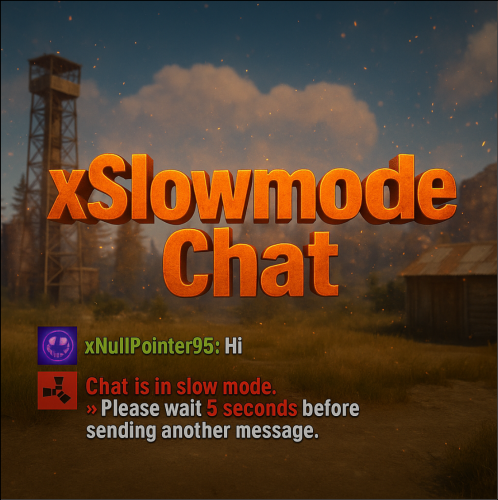
xSlowmodeChat xSlowmodeChat is a configurable chat-rate-limiting plugin for Rust servers. It allows server owners to control how frequently players can send messages, helping reduce spam, toxicity, and chat Flooding. Doesn't affect chat commands, only chat messages. Fully Configurable Slowmode Set custom cooldown between messages for normal- and vip players. Optional cumulative penalties for repeated spamming attempts. Adjustable penalty length for both, normal and VIP players. VIP Support Grant VIP players a separate cooldown & penalty system. VIP permission (xslowmodechat.vip). Lower intervals or completely remove slowmode for VIPs. Admin & Exclusion Options Easily toggle slowmode bypass for admins. Exclude specific SteamIDs from slowmode entirely. Informative Feedback Show a customizable slowmode warning message in chat. Optional on-screen UI timer showing remaining cooldown Console Commands xslowmode.enable - Enable slowmode xslowmode.disable - Disable slowmode xslowmode.setinterval <seconds> - Set default player cooldown xslowmode.setvipinterval <seconds> - Set VIP cooldown xslowmode.reloadconfig - Reload config from file Permission xslowmodechat.vip - Grants players the VIP slowmode settings. Config { "Enabled": true, "DisabledForAdmins": false, "ShowMessage": true, "MessageText": "<color=#e63939>Chat is in slow mode.\n»</color> Please wait <color=#e63939>{time} seconds</color> before sending another message.", "ShowSlowdownUi": true, "CumulativePenalty": true, "ChatMessageCooldown": 5.0, "CooldownPenalty": 5.0, "VipPermission": "xslowmodechat.vip", "VipChatMessageCooldown": 2.0, "VipCooldownPenalty": 2.0, "ExcludedSteamIds": [] }$8.99 -

Version 1.1.5
695 downloads
Team Tracker is your is the best admin tool for monitoring player associations and enforce team size rules. Whether you need to ban an entire team or track players abusing the system, Team Tracker has you covered. It offers live logging, team queries, and auto-banning—all in one customizable and performant package. Dynamic identification of player teams Live discord logging Query a player team at any time Automatic custom ban system Battlemetrics integration High Performance clearplayerdata - deletes a players team data/history teamcheck - Sends a discord embed with a report of group data, warnings and current team players to discord. Note: All chat commands are universal meaning they can be used via the console, rcon(for import commands) and can be customized via the configuration. teamtracker.whitelist - Whitelists a player from being included in any team alerts (Admins and Developers are automatically whitelisted) teamtracker.admin - allows the use of the checkteam and whitelist commands Proximity - configurable distance between players Sleeping bag placement - bags given or placed within building Codelock authorization - authorized players on a codelock Turret authorization - authorized players on a turret Toolcupboard authorization - authorized players on a toolcupboard Healing - healing and reviving of other players Vehicle mounting - mounting of the same vehicle at the same time Team-members - history of team members PVP - players breaking team limits when pvping/roaming Raiding - players raiding together Looting - looting other players together Alerts: All alert types can be customized via the plugin config. Options include: Enable - this toggles any usage of the alert type to enable or disable the alert type Log to discord - Enables discord logs Warn Players - Sends an ingame warning to a player up to 30 seconds after the offense Weighting - configures how important the alert type is. This contributes to the ban by association score value. Warnings: Warnings are logged as a type of violation. This provides discord logs and the optional in game warning display to the violator. Display Warnings to Players - option to disable in game warnings Length of time to display warning - optional length of time to display warnings Warning Text - customizable warning text Bans: Team-Tracker allows for customizable automatic bans of players, who go over the group limits. Enable Bans - allows toggeling of the ban system Ban text - text to display as the reason for a player ban Log Bans to Discord - optionally log bans to discord. Logging Only Mode: Set Enable Bans & Log Bans to Discord to true and set Local Bans and Battlemetrics Bans to False Enable Ban by Max Association - enables banning a player or a team by summing all association values to create a total weighting. Example: if the team limit is 5 players and the Max Association Weighting is 10, if a player has more than 5 players with an association weighting of more than 10 this will apply a ban. Max Association Weighting - set the max association weighting per player in a group Ban Duration - length of time to ban for Ban Team - ban all team members of a banned player Ban Associations - bans all players over Max Association Weighting in relation to a banned player Local Bans - apply bans locally An API token for your battlemetrics org is required to use the battlemetrics ban features. A token can be acquired by visiting: https://www.battlemetrics.com/developers Server ID - set the BM server ID Go to https://www.battlemetrics.com/rcon, click into the select server. Check the address bar in your browser, the address will be ending with the Server Id, for example: https://www.battlemetrics.com/rcon/servers/123456 means 123456 is the Server Id. Org ID - set an organisation ID Go to https://www.battlemetrics.com/rcon/orgs, click into the org. Check the address bar in your browser, the address will be ending with the Organization Id, for example: https://www.battlemetrics.com/rcon/orgs/edit/123456 means 123456 is the Organization Id. BanList ID - adds a ban to a specific ban list Go to https://www.battlemetrics.com/rcon/ban-lists, click "View Bans". Check the address bar in your browser, the address will be ending with the Banlist Id, for example: https://www.battlemetrics.com/rcon/bans/?filter[banList]=abcdef-123456-example-banlist-example91011 means abcdef-123456-example-banlist-example91011 is the Banlist Id. Org Wide Ban - true if the ban should be applied to all servers in your organization Auto Add - true if the ban should automatically ban new identifiers after kicking a matching player. Native Enabled - true if native bans should be issued for this ban$24.99- 16 comments
- 5 reviews
-
- 4
-
-
-
- #teamalerts
- #team
- (and 28 more)
-

Version 1.0.3
120 downloads
No Building Debris is a plugin that will help improve players client fps a lot by getting rid of the gibs on Building Blocks destruction. I provided 4 options so if you want to keep some gibs on you can! These will work on all objects that are considered building blocks, such as high external walls! PLEASE READ BEFORE BUYING! For this to work it requires the server to disable sandbox, it uses Harmony code which allows me to modify the server code to allow this to be possible. You can find out how to disable sandbox below. After disabling, you can drop the plugin in the plugin folder like normal. To disable Sandbox, head to your RustDedicated_Data/Managed folder and create a file called oxide.disable-sandbox then restart your server to apply the change. Config { "Remove Admin Kill Gibs?": true, "Remove Stability Gibs?": true, "Remove Demolish Gibs?": true, "Remove Killed Gibs?": true }$10.00 -
Version 1.1.2
13 downloads
Simple Kits is a Kits plugin for Rust that offers a simple and easy to navigate UI while maintaining good server performance. Key Features UI for Kit Management: A custom, in-game user interface for players to view and redeem available kits. Admins can also use the UI to create and edit kits without manually editing the config file. Highly Customizable: Each kit can be configured with a specific name, short name, description, image, and items. It also supports item attachments, allowing for pre-modded weapons and tools, and autokit support. Built-in Cooldown and Usage Limits: You can define cooldown periods (global and per-player) and set a maximum number of uses for each kit, providing a balanced experience. There is also an option to automatically clear all cooldowns and use counts upon a server wipe. Permission Restricted Access: Kits can be restricted to specific players or groups using permissions, allowing for VIP kits or donor perks. API: The plugin exposes a comprehensive API that is compatible with the uMod Kits plugin's API. It allows other plugins to interact with the kit system, including giving kits, checking their existence, retrieving kit data, and managing player cooldowns and uses. Lightweight: stripped down features and more optimized to guarantee good performance. Performance Overview Commands and Permissions /kit - Open the kits menu. /kit {shortname} - Redeem any kit via it's shortname without opening the menu. No admin permission required, ownerid and moderatorid gain access the admin menu hassle free. Config { "VIP Store URL (Wthout https://)": "", "Enable Auto-Kits": true, "Clear Cooldowns and Redeem Limits on wipe": true, "Main Color RGBA (Use https://colors.misticos.dev/ (RUST Color))": "0 1 1 1", "Kits": { "starter": { "Name": "STARTER", "ShortName": "starter", "Description": "A simple kit to get your <color=#00ceff>base</color> going! \n24 Hour cooldown between redeems.", "Image": "https://files.tryhard.cloud/s/RygdtjDamAXHKwQ/preview", "Cooldown": 86400.0, "WipeCooldown": 0.0, "MaxUses": -1, "Perm": "", "Items": [ { "Id": 1079279582, "ShortName": "medkit", "Amount": 2, "SkinId": 0, "Slot": 1, "Container": 1, "Attachments": null }, { "Id": 1079279582, "ShortName": "bandage", "Amount": 2, "SkinId": 0, "Slot": 2, "Container": 1, "Attachments": null } ], "Hide": false } } } API (for developers) // Attempts to give a kit to the specified player. // Returns a string containing a failure message, otherwise returns the result of the internal GiveLoadout method. object GiveKit(BasePlayer player, string name); // Checks if a kit with the given name exists. // Returns a boolean value. bool IsKit(string name); // Populates a provided list with the names of all available kits. // This method does not return a value. void GetKitNames(List<string> list); // Retrieves the image URL for the specified kit. // Returns an empty string if no URL is set. string GetKitImage(string name); // Retrieves the description text for the specified kit. // Returns an empty string if no description is set. string GetKitDescription(string name); // Returns the maximum number of uses for a kit per player. // Returns 0 if no maximum is set. int GetKitMaxUses(string name); // Returns the cooldown period (in seconds) for a kit. // Returns 0 if there is no cooldown. int GetKitCooldown(string name); // Gets the number of times a specific player has used a specific kit. // Returns 0 if the player or kit data is not found. int GetPlayerKitUses(ulong playerId, string name); // Sets the number of uses for a specific kit for the given player. // This method does not return a value. void SetPlayerKitUses(ulong playerId, string name, int amount); // Retrieves the remaining cooldown time (in seconds) for a player's kit. // Returns 0 if the kit is not on cooldown. double GetPlayerKitCooldown(ulong playerId, string name); // Sets a new cooldown time (in seconds) for the specified kit for a player. // This method does not return a value. void SetPlayerCooldown(ulong playerId, string name, double seconds); Support and More Checkout my discord server here. Showcase Video$9.99-
- 2
-
-
-
- #simplekits simple kits
- #tryhard
- (and 34 more)
-

Version 1.1.2
1,379 downloads
Loading Messages is a high-performance plugin that features customizable loading panel messages with adjustable display times and icons. Custom Messages for Queued and Loading Players Language Support - Display messages in local languages Loading Messages on Respawn and Teleport Loading Screens Configurable Display Time per Message High Performance Plugin! Loading Messages has three main message types: Queued - When a player is in the server queue Joining - When a player is joining the server Loading - The loading screen displayed when a player is teleporting or in a pending gamemode state Each custom type allows for options including icon ID, next message display time & message content. Loading Messages can use the following rich text tags - color, b, u, and i To display local languages set: "Use Language Support": true in you configuration. Custom languages will only be displayed after the first time a user connects to the server. Add multiple languages in the configuration listing: "Lang Messages": { "es-ES": { "Queue Messages": [ { "iconID": "0", "NextMessageTime": 5.0, "Message": "Estás en la cola" }, { "iconID": "0", "NextMessageTime": 5.0, "Message": "Por favor espera" }, { "iconID": "0", "NextMessageTime": 5.0, "Message": "Reporta tramposos usando f7" } ] } } You can see a list of most of the icons by going to https://fontawesome.com/icons.$9.99- 45 comments
- 7 reviews
-
- 3
-
-
-
- #loading messages
- #loading
- (and 15 more)
-

Version 1.1.7
479 downloads
Multi permission based entity limit system Limit number of entities per player/group/team/clan UI config setup options Auto updating player permissions Chat Commands: /limits: Opens the user interface (UI) for managing entity limits Console Commands: ael.createnew <advancedentitylimit.NAME> <optional: copy from advancedentitylimit.NAME>: Adds new permissions for entities. Optionally, you can copy permissions from an existing entity limit. Player Permissions: advancedentitylimit.ui: Allows players to seethe UI. advancedentitylimit.default: Applies the default entity limits advancedentitylimit.vip: Applies the vip entity limits You can create custom permission groups to have various limits per group. Admin Permissions: advancedentitylimit.setlimit: Grants permission to set limits for entities. advancedentitylimit.createperm: Allows the creation of new permissions for entities. advancedentitylimit.admin: Provides full access. { "Auto-fill missing entities?": true, "Chat prefix": "<color=red>[Limits]</color>: ", "A message when the player reaches the maximum limit of objects": "You have <color=red>reached</color> the limit of this object ({0})", "Use teams for sum them constructions": false, "Use clans?": false, "Clans plugin for sum player constructions (Mevent, k1lly0u)": "Mevent" } Credit to @MuB-Studios the original author of this plugin$15.99- 80 comments
- 14 reviews
-
- 5
-
-
-
- #limit
- #advanceentitylimit
- (and 21 more)
-
Version 1.0.0
30 downloads
Clean Server allows you to keep your server clean from random buildings, deployed items, and corpses to help prevent unwanted items from taking up space and server resources. Set an automatic timer to clean the server every few mins or hours to keep your server running smooth. Manually scan the server by chat command at anytime to clean up unwanted items on the fly. [Features] * Automatically Clean server from corpse (animal, NPCs, players) * Set delay in corpse removal * Set corpse to drop loot on removal (NPCs / Players) * Automatically remove abandoned building blocks after x amount of time * Manually Remove abandoned building blocks * All settings adjustable by chat command * Option to list items to ignore from removal [Chat Commands] * /cleanserver - Runs a clean check and removes items * /clean <setting> <value> - changes the settings to the value you enter Settings: * Save - saves settings, no value needed * help - show all commands in chat - no value needed * tcrange - requires # value - sets the TC range for safe items * check - requires # value - sets the time in mins when items will be scanned and removed * timer - requires # value - sets the time for how long items can be placed before deleted on next scan * delay - requires # value - sets the delay time when corpse are removed * corpse - requires on/off value - turns on/off corpse removal * item - requires add/remove value and item ShortPrefab name - adds or removes item from the excluded list * animals - requires value on/off - turns on/off animal corpse removal * droploot - requires value on/off - turns on/off loot drop when corpse are removed * debug - requires value on/off - turns on/off debug mode for troubleshootin NOTES: If corpse removal is enabled and drop loot is on it will drop 2 bags. One with the inventory contents and one with all the equipped items (weapon and armor) No Corpse Preview: Config Example: { "Settings": { "checktimer": 10.0, "buildingtimer": 1, "tcrange": 20.0, "removecorpse": true, "droploot": true, "removeanimalcorpse": false, "removaldelay": 1.0, "debug": true, "excludeitems": ", lock.code" } } Language File Example: { "cs_001": "Missing settings and value -> /clean <setting> <value> \n Try the help command for list of all commands. /clean help", "cs_002": "Remove NPC/Player Corpse: {0}", "cs_003": "Remove Animal Corpse: {0}", "cs_004": "Commands: \n /cleanserver \n /cleanserver <#> \n /clean <setting> <value> \n Settings: \n corpse, animals, tcrange, timer, delay, droploot, debug, check, item \n Values: \n on, off, #, add, remove, list \n /clean save \n /clean help", "cs_005": "TC Range: {0}", "cs_006": "Remove Timer: {0} mins", "cs_007": "Clean Server Setting Saved", "cs_008": "Corpse Removal Delay: {0} (min value = 1)", "cs_009": "Corpse Drop Loot: {0}", "cs_010": "Debug Mode: {0}", "cs_011": "Check Timer: {0} mins", "cs_012": "Item {0} has been added to the excluded list", "cs_013": "Item {0} has been removed from the excluded list", "cs_014": "Excluded Item List: \n {0}" }$5.99- 5 comments
-
- 1
-
-
- #cleanserver
- #optimization
- (and 2 more)