Search the Community
Showing results for tags 'pixel'.
Found 3 results
-
Version 1.0.0
14 downloads
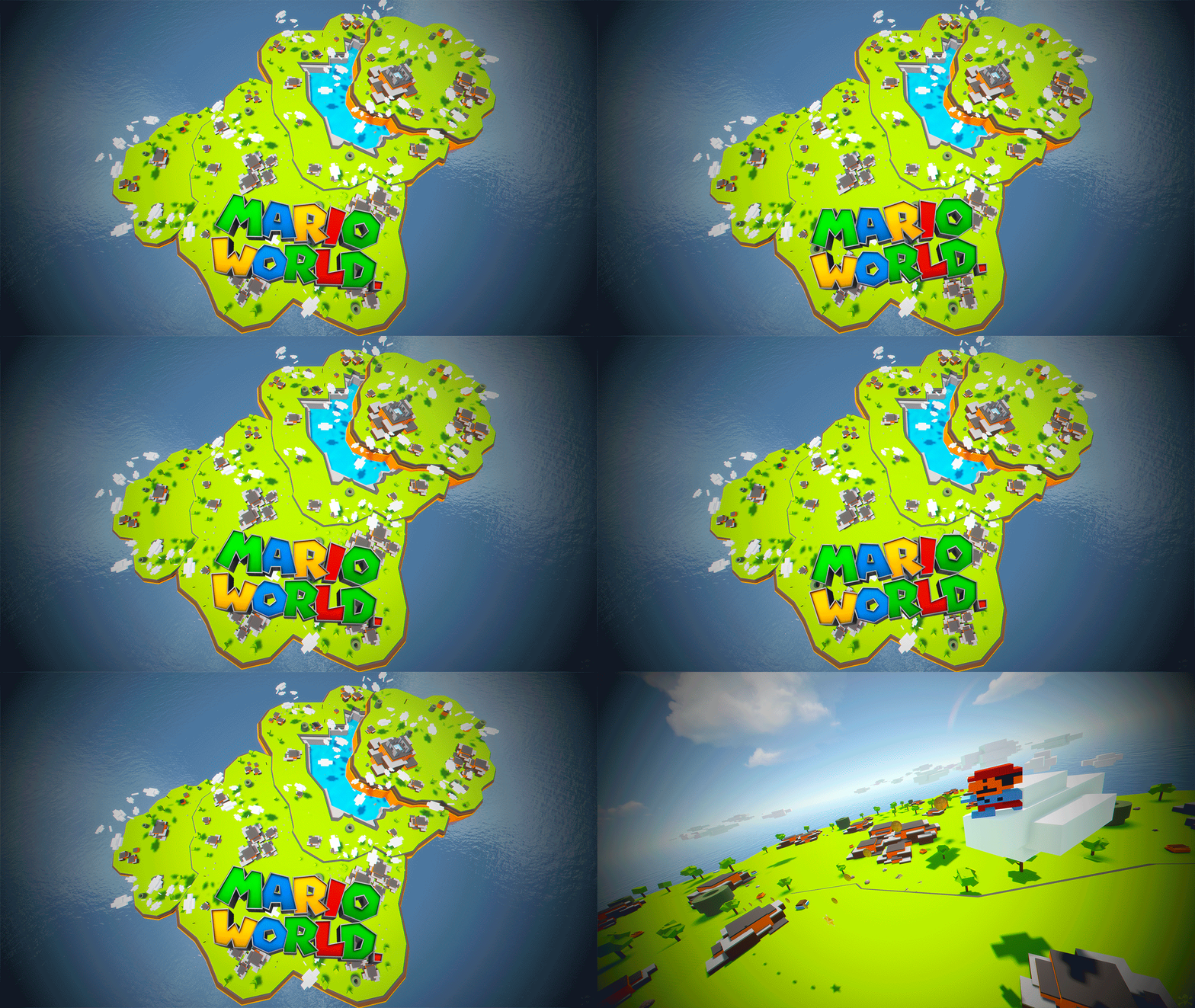
Mario World is a world inspired by the legendary Mario Bross game. In Mario World you can build your house anywhere in this gigantic construction zone. Build on firm ground, build underwater, in mountains, build wherever you want. In Mario World you will find a fantastic and beautiful decoration in which you would think to be in another game. In addition to finding construction resources and food, you can visit the castle located at the top of the mountain. This castle is a safe area, it is equipped with everything you need for your needs, the castle is a hybrid between the Outpost and Bandit. Mario World is compatible with the Raideable Bases plugin. INCLUDES Character Mario Bross. Character Luigi. Donkey Kong character. Three different enemy characters. Underwater construction areas. Pipes to build inside. Construction resources. Food and Water. Helicopter vendor. Work tables. Bandit guards and turrets. Recycling machines. Shops. TIPS This prefab contains a height layer, it is not necessary to apply the height layer, this option has been added to make the Raideable Bases plugin functional in Mario World. Climb the walls to reach the heights. Have fun SUPPORT: https://discord.gg/ASxJynGndj$24.90- 6 comments
-
- 7
-

-
- #marioworld
- #mario world
- (and 45 more)
-
Version v01
22 downloads
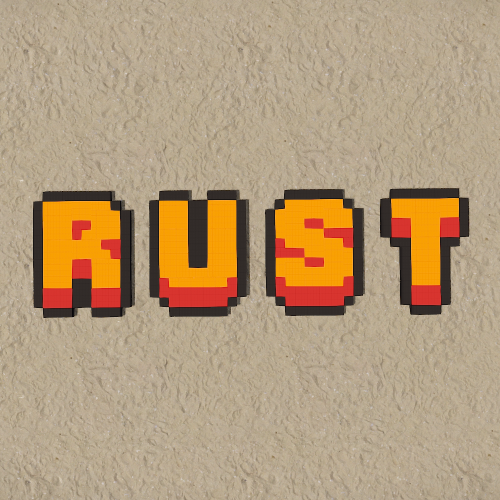
Includes 3 variants. Red Orange [RO] Blue Purple [BP] Grey Grey [GG] All letters have been exported as individual prefabs with sockets on all sides so they can easily be snapped together when used. Prefabs can also be broken apart and the colors altered with the replace tool within Rust Edit. For any issues please Reach out to me on Discord: potato_sheep$5.00 -
.thumb.png.e927ba0531404dd8aafe051874dcae0d.png)
Version 1.0.4
83 downloads
Canvas provides your server a new way to allow your community to connect or play against eachother in an art pixel war. This is heavily inspired by r/place. Features Large canvases that players in your server can draw on Three different types of pixel group-based payments for fresh or overtaking fees Group-based cooldowns for placing pixels Zooming in and out / scrolling capabilities, or coordinate inputs Pixels are registered per players that overtook them Pixel age tracking Exporting to Imgur or PNG in super-size resolutions (API optimal) Next Update Multi-selection support — for selective pixels exporting + API Custom empty-pixel background colors (dark/light mode or paper) Viewer settings — saved to file Timelapse support — record placed pixels + API Pixel notes — for any purchased pixels, you can leave notes More exporting options Roadmap Load in the actual 2022-edition r/place datasets into Canvas Add image loader into the Canvas Add private canvases, multiple global canvas pages and showcase lists Integrate export Canvases onto signs (can already do it by exporting the Canvas to Imgur, and using SignArtist to place it on) Pixel notes Live feed of other players' selected pixels API byte [] ExportCanvas ( int scale = 25, int yOffset = 1, bool transparent = false, int blur = 0 ); // Exports PNG squared Canvas void UploadCanvasToImgur ( Action<string> onUpload, int scale = 25, int yOffset = 1, bool transparent = false, int blur = 0 ); void SetPixel ( int x, int y, string color, string note, ulong playerId ); // playerId can be 0 to anonymously set it void ClearPixel ( int x, int y ); void ApplyImage ( string url ); // Downloads and applies the pixels of an image - make sure it's the same resolution as the canvas byte [] ExportCanvas ( Canvas.Painting painting, int scale = 25, int yOffset = 1, bool transparent = false, int blur = 0 ); // Exports PNG squared Canvas void UploadCanvasToImgur ( Canvas.Painting painting, Action<string> onUpload, int scale = 25, int yOffset = 1, bool transparent = false, int blur = 0 ); void SetPixel ( Canvas.Painting painting, int x, int y, string color, string note, ulong playerId ); // playerId can be 0 to anonymously set it void ClearPixel ( Canvas.Painting painting, int x, int y ); void ApplyImage ( Canvas.Painting painting, string url ); // Downloads and applies the pixels of an image - make sure it's the same resolution as the canvas Configuration Permissions Canvas.use: To be able to call the /canvas and do any activity. Canvas.export: To be able to run the Export UI command and see the button on the Canvas.$5.24