Search the Community
Showing results for tags 'points'.
Found 6 results
-
Version 1.0.0
8 downloads
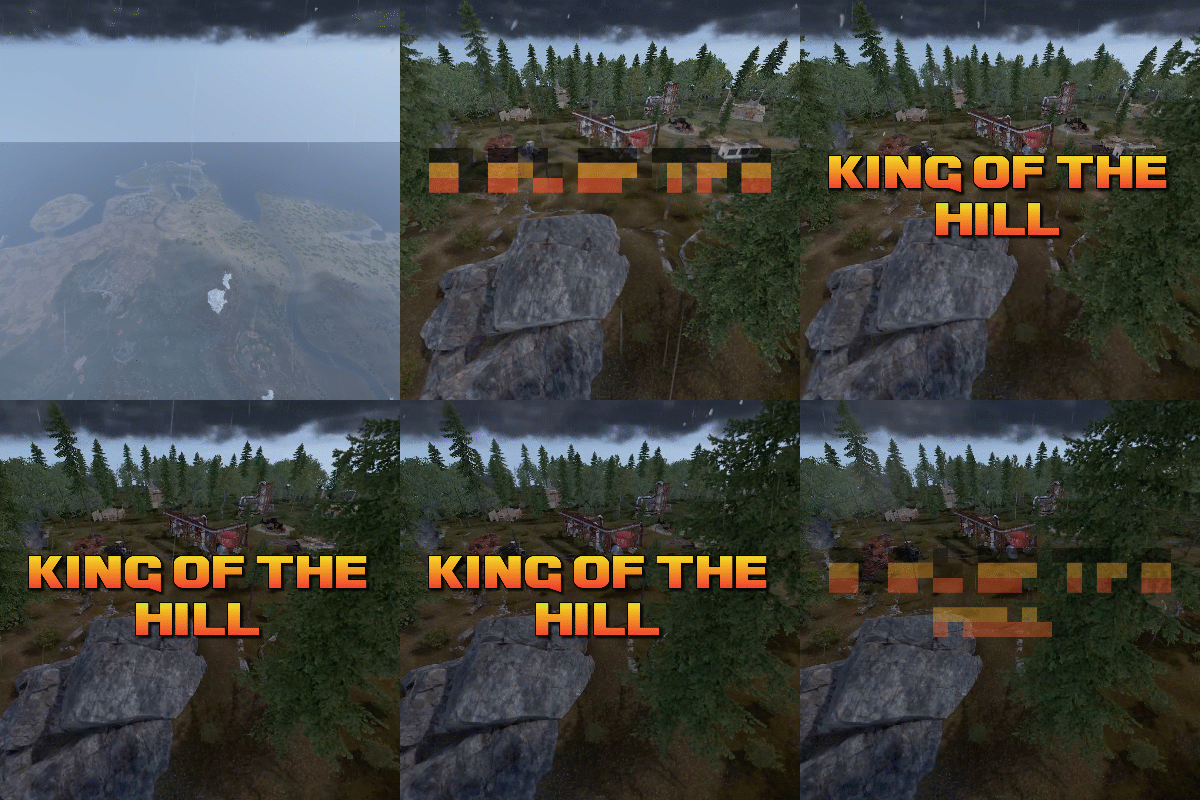
King of the hill is an arena plugin similar to SurvivalArena, Paintball, ZombieInfection and GunGame. It spawns an arena high in the sky to host the game, and players can join from anywhere on the map via a command. The plugin will store all of the players items, stats and buffs, and teleport them to the lobby before the game starts. The objective of the game is to be the first player to hold the hill for the target time, or be the player with the highest hill time by the end of the event. Upon completion of the event (or if a player manually leaves), players are returned to the location that they joined from with their equipment, stats and modifiers in tact. The plugin is highly customizable and allows you to: Create as many equipment profiles as you'd like. The game will select one at random using a weighted system. Adjust hill locations, movement times, sizes, capture targets and game time limits. Spectate players using a computer station. Automatically run, and allow your players to vote for the event using the EventHelper plugin. The plugin is also compatible with the maps from Paintball, ZombieInfection & GunGame. Simply drop the json files into the respective data folders to run king of the hill on those maps. Chat command: koth.addhill Permission: kingofthehill.admin Description: Adds a hill spawn position at the players location and saves it into the spawned arenas profile. Command: koth.start Permission: kingofthehill.admin Description: Manually starts a game of koth. Command: koth.end Permission: kingofthehill.admin Description: Manually ends an active game of koth. Command: koth.spawnarenaend Permission: kingofthehill.admin Description: Spawns the arena without starting the game. Useful for adding new hill positions. Command: koth.cleararenaspawnarenaend Permission: kingofthehill.admin Description: Clears a spawned arena. Chat command: koth.setcentrepoint Permission: kingofthehill.admin Description: Sets the spawn position of the arena based on the players location.$19.99 -
Version 1.2.4
529 downloads
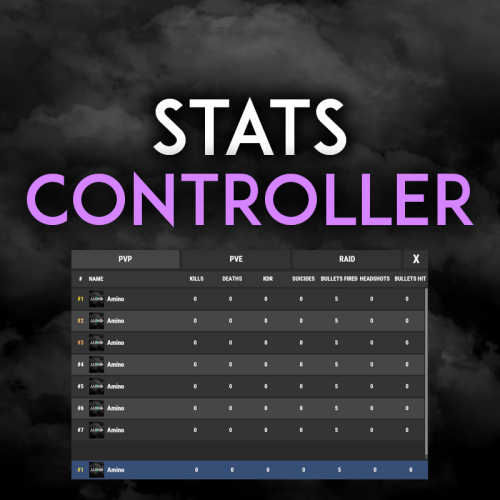
Very simple, extremely dynamic stats plugin with an amazing UI! Offers tons of customizability, change UI colors, and select between 2 pre-made UI options. Support's Welcome Controller UI so you can have your stats cleanly integrated into your info menu. Enable and disable stats from showing on whatever you want. Category filters that also show you what place you are within each category! FEATURES - Supports Welcome UI Controller by Amino - Includes new scrolling UI! - Select what stats you want to show on the main screen - Select what stats you want to show on the personal screen - Disable and enable whatever stats you want - Display user currency and playtime - Kills - Deaths - KDR - Suicides - Headshots - Bullets hit - Animals killed - PVE Stats - Raid Stats - ETC* CONFIG SNIPPET FOR STAT OPTIONS "PlayerKills": { "Enabled": true, "DisplayOnMainUI": true, "DisplayOnPersonalUI": true, "IsMainPersonalStat": true, "PointsChange": 1.0, "ItemID for stat image": 0, "IMG Link for stat image (takes priority over ItemID)": "", "Category (PVP, PVE, RAID)": "PVP" }, Need support or want updates about what is coming to the plugin? Join the support discord here https://discord.gg/RVePam7pd7$19.99 -
Version 1.1.1
7 downloads
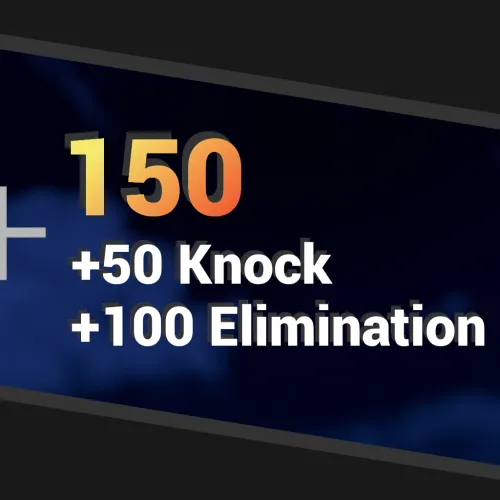
PointsUI is a Rust server plugin that introduces stylistic user interface elements that indicate the gain of points due to different events. The plugin is highly configurable and comes with a set of built-in events, as of version 1.0.1, these built-in events include Eliminations - issued when a player kills another player Knocks - issued when a player wounds another player Assists - issued when a player kills a wounded player that had been wounded by someone else Headshots - issued when a kill (or a knock, configurable) is the result of a head-shot Long shots - issued when a kill (or a knock, configurable) is the result of a shot fired from a configurable distance Demo Demo Installation Download the PointsUI.cs plugin file. Place the plugin file into your server’s plugins directory. Usage/Commands /pointsui help Display the available sub-commands menu. /pointsui <on|off> Enable or disable the display of plugin UI elements for yourself (the command issuer). /pointsui add <player> <score> [(key|value) <message>] Display (or add-to) the given score and an optional text label next to said score for the target player. The score argument is expected to be a number. If the key/value argument is "value", the message argument will be interpreted as-in by the issued command. Otherwise, if the key/value argument is "key", the message argument will be passed through as a key in the plugin language (i18n) component and its result will be used. Using the "key" option is recommended if you wish to support multiple language options for the UI labels and applied to players automatically based on their individual game language settings. /pointsui clear <player> Clears any points UI elements currently active for the target player. Permissions pointsui.display - Allows the player to have UI elements displayed. pointsui.command.toggle- Allows the command sender access to the /pointsui <on|off> sub-command. pointsui.command.add - Allows the command sender access to the /pointsui add sub-command. pointsui.command.clear- Allows the command sender access to the /pointsui clear sub-command. Configuration { "Sum score": { "Stages": [ { "Color": "#ED2703", "Fade in duration": 0.03, "Delay": 0.05 }, { "Color": "#EC8D21", "Fade in duration": 0.04, "Delay": 0.05 }, { "Color": "#F5E86C", "Fade in duration": 0.1, "Delay": 0.1 } ], "Font": "robotocondensed-bold.ttf", "Font size": 18 }, "Score history lines": { "Color": "#FFFFFF", "Fade in duration": 0.3, "Font": "robotocondensed-bold.ttf", "Font size": 14, "Maximum displayed line count": 4, "Delay between new line additions": 0.3, "Ignore delay of first new line addition": false }, "Delay to start reducing score history after last score update": 2.0, "Delay between each score reduction": 0.5, "Position": { "Anchor Min X": 0.6, "Anchor Min Y": 0.5, "Anchor Max X": 1.0, "Anchor Max Y": 1.0, "Distance between score sum and score history": 16.0, "Score history line size": 16.0 }, "Built-in hooks": { "Affect players": true, "Affect NPCs": false, "NPC types emulating players (advanced)": [ "CustomScientistNpc" ], "Elimination": { "Enabled": true, "Commands": [ "pointsui add {attacker.id} 100 key ELIMINATION" ] }, "Knock": { "Enabled": true, "Commands": [ "pointsui add {attacker.id} 50 key KNOCK" ] }, "Assist": { "Enabled": true, "Commands": [ "pointsui add {attacker.id} 25 key ASSIST" ] }, "Headshot": { "Award on knock": false, "Award on elimination": true, "Enabled": true, "Commands": [ "pointsui add {attacker.id} 25 key HEADSHOT" ] }, "Long shot": { "Award on knock": false, "Award on elimination": true, "Distance": 3000.0, "Enabled": true, "Commands": [ "pointsui add {attacker.id} 25 key LONGSHOT" ] } } } Configuration Notes Sum score The sum score section controls the behavior of the score streak element. By default, it emulates a color animation by stacking multiple text elements of the same text value, but of different colors, fade-in time and display delay. New layers/stages can be added or removed. The delay of each stage controls when the next stage will occur. It is recommended to keep the fade-in time less than or equal to the delay time. Score history lines The score history lines section controls the past scores that make up the score streak. Built-in hooks The plugin is primarily designed for other plugins to use, however some built-in hooks are provided. The commands section allows to enter 0 or more commands to execute when the hook is ran. The valid placeholders for command arguments are {attacker.id}, {attacker.name}, {victim.id}, and {victim.name}, which correspond the the user steam ID and the display names of the attacker and victim players respectively. Developer API void API_AddScore(BasePlayer player, int score, string? message) void API_ClearScore(BasePlayer player)$8.00 -

Version 1.0.7
419 downloads
Gun Game is a high-intensity PvP game mode where players compete to be the first to reach the final weapon by earning kills. Each kill advances the player to the next weapon in a fully customizable progression list, keeping the action fresh and engaging. The plugin creates a dedicated arena high in the sky, completely separated from the main map, to host the event. When players join the event, they are teleported from their current location to the event lobby, with all of their items, modifiers and metabolism stats stored safely by the plugin. Server owners can create any number of weapon profiles for players to progress through. The plugin will choose randomly between each profile at the beginning of each round. The plugin ships with 2 default profiles: Standard - Starts with revolver, ends with m249 and is 21 weapons long. Reverse - Starts with m249, ends with a sword and is 23 weapons long. This plugin works with most PVE plugins. Spawns an arena when the game begins and removes it when the game ends (no Rust-Edit required). Saves players inventory, metabolism and modifiers when they enter, and restores them when they leave. Configurable amount of kills per weapon to progress to the next weapon in the track. Supports refilling of ammo, and healing when a player gets a kill (configurable). Multiple respawn methods. Customizable clothing for players, with the option to have separate clothing for the leader. Supports custom item, server rewards and economic rewards for winners, as well as participants (based on a configurable threshold). Global scoreboard tracking wins, kills and deaths. Command: ggstart <arena name> Description: Starts the gun game event using the specified arena. Permission: gungame.admin Command: ggend Description: Ends the active gun game event. Permission: gungame.admin Command: ggsetcentrepoint <arena name> Description: Sets the spawn location for the specified arena. Permission: gungame.admin There are a number of commands that can be changed in the config that handle: Joining an event [default: ggjoin] Leaving an event [default: ggleave] Restoring items from a previous event [default: ggrestore] Accessing the scoreboard [default: ggscore] // Returns if the player is enrolled in the event. public bool IsEventPlayer(BasePlayer player); // Called when the arena has spawned and the lobby is about to start. void OnGunGameStart(); // Called when the game is ending. void OnGunGameEnd(); // Called when a player leaves an event. void OnEventLeave(BasePlayer player, string eventName); // Called when a player is attempting to join the event. Return non-null to prevent. object OnEventJoin(BasePlayer player, string eventName); // Called after a player has successfully joined the event, had their weapons stripped and has been teleported to the lobby. void OnEventJoined(BasePlayer player, string eventName); Very special thanks to Nobody and the guys and girls on Aussie Outpost PVE for their help with testing and feedback!$19.99 -
Version 1.0.3
2,913 downloads
SkillTreeItems adds 2 item types into loot containers on your server. Research Notes: will provide the player with an injection of xp equal to the amount specified in the items name. Tome of skill points: will award the player with skill points equal to the amount specified in the items name. The plugin allows you to create your own versions of the items, and has a number of commands available that should work with other plugins. skilltreeitems.use - required to consume the items and find them in loot containers. skilltreeitems.admin - required to use the spawn commands. Command: givexpitem Type: Chat Parameters: <amount> <Skin ID> <displayName> Example: givexpitem 1500 2863540162 research notes - Generates an item that can be redeemed for 1500 experience Command: givespitem Type: Chat Parameters: <amount> <Skin ID> <displayName> Example: givespitem 2 2863540162 tome of skill points - Generates an item that can be redeemed for 2 skill points Command: givespitemto Type: Chat/Console Parameters: <target ID> <amount> <skin ID> <displayName> Example: givespitemto 76561197988695317 3 2863540162 tome of skill points - Generates an item that can be redeemed for 2 skill points and gives it to target ID. Command: givexpitemto Type: Chat/Console Parameters: <target ID> <amount> <skin ID> <displayName> Example: givexpitemto 76561197988695317 1500 2863540162 research notes - Generates an item that can be redeemed for 1500 experience and gives it to target ID. Command: giverandomxpitem Type: Chat/Console Parameters: <target ID> Example: giverandomxpitem 76561197988695317 - Generates a random item from the xp items listed in the config and gives it to Target ID. Command: giverandomspitem Type: Chat/Console Parameters: <target ID> Example: giverandomspitem 76561197988695317 - Generates a random item from the skill points items listed in the config and gives it to Target ID.Free -

Version 1.4.10
159 downloads
IQHotPoints - adds a dynamic display of markers on the G map to your server! The more dynamic and massive the PvP or raid on a point is, the bigger the marker will be! Plugin Features : PVP and Raid markers are configured separately in the configuration You can enable or disable the PvP/Raid markerSetting the smoothness of the marker appearance/marker stage Setting the smoothness of marker removal/marker stage Ability to enable marker display when killing an NPC The ability to specify the maximum size of the marker The ability to specify the starting size of the marker The ability to specify any number of acceptable stages for the marker and specify for each stage : Setting up Marker stroke Setting the marker color Setting the transparency of the marker The lifetime of the marker stage (before narrowing by a stage less) Screenshot with an example of how it looks on an active server : ViDEO : Configuration : { "Setting up the PVP Marker": { "Use marker? (true - yes/false - no)": false, "Smoothness of marker stage removal": 10, "Display marker when killing NPCs": true, "Marker start radius": 0.13, "Maximum marker radius": 1.0, "Customizing marker stages": [ { "HEX : Marker outline color": "#70ff36", "HEX : Marker color": "#70ff36", "0.0 - 1.0 - marker transparency": 0.3, "Marker/Stage Lifetime (Seconds)": 5 }, { "HEX : Marker outline color": "#d5ff36", "HEX : Marker color": "#d5ff36", "0.0 - 1.0 - marker transparency": 0.35, "Marker/Stage Lifetime (Seconds)": 10 }, { "HEX : Marker outline color": "#f7ff36", "HEX : Marker color": "#f7ff36", "0.0 - 1.0 - marker transparency": 0.45, "Marker/Stage Lifetime (Seconds)": 15 }, { "HEX : Marker outline color": "#ffd836", "HEX : Marker color": "#ffd836", "0.0 - 1.0 - marker transparency": 0.55, "Marker/Stage Lifetime (Seconds)": 20 }, { "HEX : Marker outline color": "#ffac36", "HEX : Marker color": "#ffac36", "0.0 - 1.0 - marker transparency": 0.65, "Marker/Stage Lifetime (Seconds)": 25 }, { "HEX : Marker outline color": "#ff9e36", "HEX : Marker color": "#ff9e36", "0.0 - 1.0 - marker transparency": 0.75, "Marker/Stage Lifetime (Seconds)": 30 }, { "HEX : Marker outline color": "#ff9e36", "HEX : Marker color": "#ff9e36", "0.0 - 1.0 - marker transparency": 0.8, "Marker/Stage Lifetime (Seconds)": 35 }, { "HEX : Marker outline color": "#ff6f36", "HEX : Marker color": "#ff6f36", "0.0 - 1.0 - marker transparency": 0.85, "Marker/Stage Lifetime (Seconds)": 45 }, { "HEX : Marker outline color": "#ff5736", "HEX : Marker color": "#ff5736", "0.0 - 1.0 - marker transparency": 0.9, "Marker/Stage Lifetime (Seconds)": 50 }, { "HEX : Marker outline color": "#ff3c1e", "HEX : Marker color": "#ff3c1e", "0.0 - 1.0 - marker transparency": 0.95, "Marker/Stage Lifetime (Seconds)": 55 }, { "HEX : Marker outline color": "#ff0000", "HEX : Marker color": "#ff0000", "0.0 - 1.0 - marker transparency": 1.0, "Marker/Stage Lifetime (Seconds)": 60 } ] }, "Setting up a Raid Marker": { "Use marker? (true - yes/false - no)": false, "Smoothness of marker stage removal": 10, "Display marker when killing NPCs": true, "Marker start radius": 0.13, "Maximum marker radius": 1.0, "Customizing marker stages": [ { "HEX : Marker outline color": "#36dcff", "HEX : Marker color": "#36dcff", "0.0 - 1.0 - marker transparency": 0.3, "Marker/Stage Lifetime (Seconds)": 5 }, { "HEX : Marker outline color": "#36adff", "HEX : Marker color": "#36adff", "0.0 - 1.0 - marker transparency": 0.35, "Marker/Stage Lifetime (Seconds)": 10 }, { "HEX : Marker outline color": "#3698ff", "HEX : Marker color": "#3698ff", "0.0 - 1.0 - marker transparency": 0.45, "Marker/Stage Lifetime (Seconds)": 15 }, { "HEX : Marker outline color": "#3692ff", "HEX : Marker color": "#3692ff", "0.0 - 1.0 - marker transparency": 0.55, "Marker/Stage Lifetime (Seconds)": 20 }, { "HEX : Marker outline color": "#3670ff", "HEX : Marker color": "#3670ff", "0.0 - 1.0 - marker transparency": 0.65, "Marker/Stage Lifetime (Seconds)": 25 }, { "HEX : Marker outline color": "#3652ff", "HEX : Marker color": "#3652ff", "0.0 - 1.0 - marker transparency": 0.75, "Marker/Stage Lifetime (Seconds)": 30 }, { "HEX : Marker outline color": "#8a36ff", "HEX : Marker color": "#8a36ff", "0.0 - 1.0 - marker transparency": 0.8, "Marker/Stage Lifetime (Seconds)": 35 }, { "HEX : Marker outline color": "#9b36ff", "HEX : Marker color": "#9b36ff", "0.0 - 1.0 - marker transparency": 0.85, "Marker/Stage Lifetime (Seconds)": 45 }, { "HEX : Marker outline color": "#ac36ff", "HEX : Marker color": "#ac36ff", "0.0 - 1.0 - marker transparency": 0.9, "Marker/Stage Lifetime (Seconds)": 50 }, { "HEX : Marker outline color": "#c336ff", "HEX : Marker color": "#c336ff", "0.0 - 1.0 - marker transparency": 0.95, "Marker/Stage Lifetime (Seconds)": 55 }, { "HEX : Marker outline color": "#b236ff", "HEX : Marker color": "#b236ff", "0.0 - 1.0 - marker transparency": 1.0, "Marker/Stage Lifetime (Seconds)": 60 } ] } }$10.00- 9 comments
-
- 1
-

-
- #points
- #hotpoints
- (and 5 more)