Search the Community
Showing results for tags 'resources'.
Found 21 results
-

Version 1.4.9
1,481 downloads
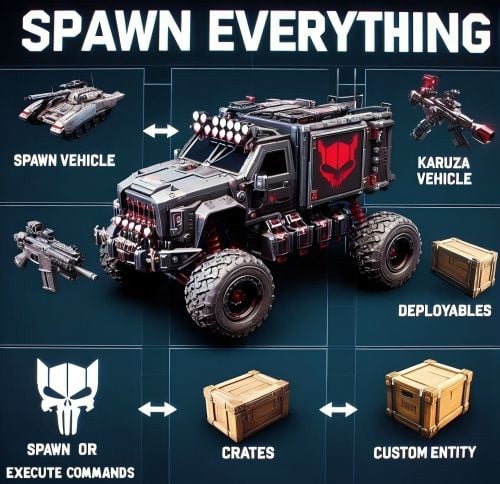
Spawn Everything - Spawn Vehicle, Karuza Vehicle, Deployables, Bases, Item, Recycler, Crates, Custom entity, Execute Commands, Loots, Pickup Entity, Pickup Vehicles, Deploy Nature, Instant Airdrop, and much more... Spawn Everything - Spawn all entity, Bases, Item, loot, Pickup Entity, Pickup Vehicles, Deploy Nature, Instant Airdrop, allows you to spawn any entity or execute commands, all by using an item, pickup entity or vehicles, and much more. It is already configured to generate vehicles by default, including custom vehicles from Karuza, Crates, Locked Crate, Deployables, Casino items and much more. Through the configuration you can add other entities that can be generated, just enter a prefab name, or a command if you do not have a prefab name, and set the skin of the item that will be used. It also allows you to limit the spawn, for example if you do not have building permits, avoid spawning in water or allow it only in water, also being able to choose the minimum depth of the water, allow or not spawn inside buildings, monuments and more. It is also possible to pick up the generated entity/vehicles, using the hammer. You can add items to the in-game shop, loot, or wherever you want. Spawn Bases using copy paste or other plugin. You can also Deploy Nature and enable instant airdrop. Ability to enable the cleanup system, to automatically delete deployed entities that are no longer used. Compatible with Oxide/Umod and Carbon. ALL AVAILABLE ENTITIES Here you can find a file with all the entities currently available and the various information on the item to create to spawn the entity ALL AVAILABLE ENTITIES PLAYLIST - VIDEO EXAMPLE Below you can see an example video on how to use the plugin. -------------------- SOME EXAMPLES OF USE: Some examples of how the plugin works and the entities that can be spawned by default. Vehicle Spawn Spawn Custom Vehicles by Karuza Pickup Entity Pickup Vehicle Pickup Karuza Vehicle Spawn Recycler Deploy Nature Ability to enable instant airdrop. Spawn NPC vehicles, such as Bradley, Patrol helicopter, CH47 (Chinook 47) Spawn loot boxes, such as the: Locked Crate, Oil Rig Locked Crate, Bradley APC Crate, Patrol Helicopter Crate, Elite Tier Crate, Elite Tier Crate - Underwater Labs. Crater for mines, to place mines where you want. Survey Crater - For Mining Quarry, Survey Crater Oil - For Pump Jack. Spawn Bases using copy paste or other plugin Spawn Casino entities Spawn custom entities And much more PERMISSIONS: spawneverything.admin -- Allows the use of commands reserved for admins, such as giving items for entity spawning to players. spawneverything.fuel.unlimited -- If the entity to be spawned is a vehicle, the vehicle will not need fuel to run. The same can be achieved via the configuration file, for each individual entity. spawneverything.nodamage.enabled -- Spawned entities will not take damage if the player has this permission. spawneverything.nodamage.allow_decay_damage -- Entities for which damage protection has been activated will continue to take damage from decay. spawneverything.spawn.not_enabled -- Allows you to spawn entities that have not been enabled in the configuration file. spawneverything.spawn.bypass_building_privilege -- Allows you to spawn entities even if you don't have building permissions, for entities that require building permissions to spawn. spawneverything.spawn.bypass_tc -- Allows entities to be spawned, for entities that cannot be spawned near any Tool Cupboard (TC). spawneverything.spawn.bypass_monument -- Allows entities to be spawned in monuments, for entities that cannot be spawned in monuments. spawneverything.spawn.bypass_road_rails -- Allows entities to be spawned to the road/rails, for entities that cannot be spawned to the road/rails. spawneverything.spawn.bypass_only_outside -- Allows entities to spawn inside buildings, for entities that cannot be spawned inside buildings. spawneverything.spawn.bypass_water -- Allows entities to spawn in water, for entities that cannot be spawned in water. spawneverything.spawn.bypass_respawn_conditions -- Allows you to bypass condition checking for respawned entities after they have been picked up. Picked up entities will always be respawned in the max condition. COMMANDS FOR PLAYERS Commands can be typed in chat (by putting the / character in front of the command), or from console. /se pickup -- Command to pick up entities, without the hammer. COMMANDS FOR ADMIN Commands can be typed in chat (by putting the / character in front of the command), from console or Rcon. To use these commands you must have the role: spawneverything.admin /se <skinID> <quantity> -- Allows you to give the item to spawn the entity, to yourself. You need to pass these parameters: skinID of the configured entity The quantity of items. /se <skinID> <quantity> <steamID> -- Allows you to give the item to spawn the entity, to a player. You need to pass these parameters: skinID of the configured entity The quantity of items. The SteamID of the player to give the items to Commands can be added or modified in the configuration file: /oxide/config/SpawnEverything.json ENTITY PICK UP You can collect the generated entity using the hammer. By collecting the entity, you will be given back the item for the entity's spawn. To collect the entity you need to hold down the SHIFT key and hit the entity with the hammer. You can only collect entities that have been enabled for collection in the configuration file. Depending on the configurations/roles, the picked up entities can be respawned to the conditions they were in when they were picked up or to the maximum conditions. INSTANT AIRDROP In the plugin configuration, you can enable instant airdrop. USE VIA SHOP, LOOT. VENDING MACHINE The plugin can use any item for entity spawning. You need to generate an item with a certain skin id, to get the item that allows the entity to spawn. The name of the item to use and the skin id are present in the configuration file: Item name (That will be used to spawn the entity. Default grenade.flashbang) SkinID You can add these items to the in-game Shop, to the loot, in the Vending Machine or wherever you want, very easily. For example, this item spawns a minicopter: Item: grenade.flashbang | SkinID: 3366887420 or ItemID: -936921910 | SkinID: 3366887420 CONFIGURATION The settings and options can be configured in the SpawnEverything.json under the config directory. The use of an editor and validator is recommended to avoid formatting issues and syntax errors. { "TimeZone": "Europe/London", "Chat Command": [ "se", "spawneverything", "spawner" ], "ChatPrefix": "SpawnEverything", "Add spawnable Resource/Nature to your configuration. (Default: FALSE)": false, "Add Karuza Custom Vehicles to your configuration. (Default: FALSE)": false, "Instant Supply Signal Settings": { "Enable instant Supply Signal drop. Default: FALSE": false, "Spawn Only Outside bases. Default: TRUE": true, "Spawn Cooldown (seconds). [Minimum 1 seconds]. Default: 1": 1, "Bypass Fancy Drop to avoid conflicts with the launch of the Supply Signal. Default: TRUE": true }, "Cleanup system": { "Enable Cleanup System. Default: FALSE": false, "Deletes all player deployed entities when disconnecting. Default: FALSE": false, "Deletes all player vehicles when disconnecting. Default: FALSE": false, "Deletes all player Karuza vehicles when disconnecting. Default: FALSE": false }, "Role Permission": { "vip1": { "Priority. (lower = higher priority)": 1, "Always regenerate picked up entities at maximum conditions. Default FALSE": false, "Global maximum number of active entities for each Enabled Spawnable Entity. (-1 no limit)": -1, "Maximum number of active entities for each Enabled Spawnable Entity. Value = SkinID, Limits (Number of active entities. -1 no limit)": {} }, "vip2": { "Priority. (lower = higher priority)": 2, "Always regenerate picked up entities at maximum conditions. Default FALSE": false, "Global maximum number of active entities for each Enabled Spawnable Entity. (-1 no limit)": -1, "Maximum number of active entities for each Enabled Spawnable Entity. Value = SkinID, Limits (Number of active entities. -1 no limit)": {} }, "vip3": { "Priority. (lower = higher priority)": 3, "Always regenerate picked up entities at maximum conditions. Default FALSE": false, "Global maximum number of active entities for each Enabled Spawnable Entity. (-1 no limit)": -1, "Maximum number of active entities for each Enabled Spawnable Entity. Value = SkinID, Limits (Number of active entities. -1 no limit)": {} }, "default": { "Priority. (lower = higher priority)": 100, "Always regenerate picked up entities at maximum conditions. Default FALSE": false, "Global maximum number of active entities for each Enabled Spawnable Entity. (-1 no limit)": -1, "Maximum number of active entities for each Enabled Spawnable Entity. Value = SkinID, Limits (Number of active entities. -1 no limit)": {} } }, "Entity Drop Item": [ { "Enabled": false, "DisplayName": "Spawn Minicopter", "Description": "Spawn Minicopter", "Item name (That will be used to spawn the entity. Default grenade.flashbang)": "grenade.flashbang", "Spawn PrefabName": "assets/content/vehicles/minicopter/minicopter.entity.prefab", "SkinID": 3366887420, "Item can be stacked? FALSE, the entity will be respawned in the same condition it was in when picked. TRUE, the entity will always be respawned as new. Default: FALSE": false, "Spawn Position Offset": { "Right": 0.0, "Forward": 0.0, "Up": 0.0 }, "Spawn Rotation Offset": { "X": 0.0, "Y": 0.0, "Z": 0.0 }, "Entity Type. Default Rust": "Rust", "Can Pick Up Entity. Default false": true, "Custom Radius Check": 0.0, "Execute Player Commands": [], "Execute Player Commands As Admin": false, "Execute Server Commands": [], "Spawn Cooldown (seconds)": 0, "Usage Cooldown. Cooldown for reuse (seconds) (0 no cooldown)": 0, "Requires Building Privilege to Spawn Entity. (Default: TRUE)": true, "Minimum spawn distance from any Tool Cupboard (TC). [0 = Disabled] (Default: 0)": 0, "Allow Spawn in Monuments. (Default: FALSE)": false, "Disable Spawn in Monuments and Monuments radius. (Default: FALSE)": false, "Disable Spawn On Road/Rails. (Default: FALSE)": false, "Minimum spawn distance from Road/Rails. (Default: 0)": 0, "Spawn Only Outside": true, "Dont Spawn In Water": true, "Requires Water": false, "Minimum Water Depth": 0.0, "Armored": false, "Unlimited Fuel": false, "Fuel Amount": 0 }, { "Enabled": false, "DisplayName": "Spawn Attack Helicopter", "Description": "Spawn Attack Helicopter", "Item name (That will be used to spawn the entity. Default grenade.flashbang)": "grenade.flashbang", "Spawn PrefabName": "assets/content/vehicles/attackhelicopter/attackhelicopter.entity.prefab", "SkinID": 3366893095, "Item can be stacked? FALSE, the entity will be respawned in the same condition it was in when picked. TRUE, the entity will always be respawned as new. Default: FALSE": false, "Spawn Position Offset": { "Right": 0.0, "Forward": 0.0, "Up": 0.0 }, "Spawn Rotation Offset": { "X": 0.0, "Y": 0.0, "Z": 0.0 }, "Entity Type. Default Rust": "Rust", "Can Pick Up Entity. Default false": true, "Custom Radius Check": 0.0, "Execute Player Commands": [], "Execute Player Commands As Admin": false, "Execute Server Commands": [], "Spawn Cooldown (seconds)": 0, "Usage Cooldown. Cooldown for reuse (seconds) (0 no cooldown)": 0, "Requires Building Privilege to Spawn Entity. (Default: TRUE)": true, "Minimum spawn distance from any Tool Cupboard (TC). [0 = Disabled] (Default: 0)": 0, "Allow Spawn in Monuments. (Default: FALSE)": false, "Disable Spawn in Monuments and Monuments radius. (Default: FALSE)": false, "Disable Spawn On Road/Rails. (Default: FALSE)": false, "Minimum spawn distance from Road/Rails. (Default: 0)": 0, "Spawn Only Outside": true, "Dont Spawn In Water": true, "Requires Water": false, "Minimum Water Depth": 0.0, "Armored": false, "Unlimited Fuel": false, "Fuel Amount": 0 }, { "Enabled": false, "DisplayName": "Spawn Scrap Transport Helicopter", "Description": "Spawn Scrap Transport Helicopter", "Item name (That will be used to spawn the entity. Default grenade.flashbang)": "grenade.flashbang", "Spawn PrefabName": "assets/content/vehicles/scrap heli carrier/scraptransporthelicopter.prefab", "SkinID": 3366892516, "Item can be stacked? FALSE, the entity will be respawned in the same condition it was in when picked. TRUE, the entity will always be respawned as new. Default: FALSE": false, "Spawn Position Offset": { "Right": 0.0, "Forward": 0.0, "Up": 0.0 }, "Spawn Rotation Offset": { "X": 0.0, "Y": 0.0, "Z": 0.0 }, "Entity Type. Default Rust": "Rust", "Can Pick Up Entity. Default false": true, "Custom Radius Check": 0.0, "Execute Player Commands": [], "Execute Player Commands As Admin": false, "Execute Server Commands": [], "Spawn Cooldown (seconds)": 0, "Usage Cooldown. Cooldown for reuse (seconds) (0 no cooldown)": 0, "Requires Building Privilege to Spawn Entity. (Default: TRUE)": true, "Minimum spawn distance from any Tool Cupboard (TC). [0 = Disabled] (Default: 0)": 0, "Allow Spawn in Monuments. (Default: FALSE)": false, "Disable Spawn in Monuments and Monuments radius. (Default: FALSE)": false, "Disable Spawn On Road/Rails. (Default: FALSE)": false, "Minimum spawn distance from Road/Rails. (Default: 0)": 0, "Spawn Only Outside": true, "Dont Spawn In Water": true, "Requires Water": false, "Minimum Water Depth": 0.0, "Armored": false, "Unlimited Fuel": false, "Fuel Amount": 0 }, { "Enabled": false, "DisplayName": "Spawn Hot Air Balloon", "Description": "Spawn Hot Air Balloon", "Item name (That will be used to spawn the entity. Default grenade.flashbang)": "grenade.flashbang", "Spawn PrefabName": "assets/prefabs/deployable/hot air balloon/hotairballoon.prefab", "SkinID": 3366893631, "Item can be stacked? FALSE, the entity will be respawned in the same condition it was in when picked. TRUE, the entity will always be respawned as new. Default: FALSE": false, "Spawn Position Offset": { "Right": 0.0, "Forward": 0.0, "Up": 0.0 }, "Spawn Rotation Offset": { "X": 0.0, "Y": 0.0, "Z": 0.0 }, "Entity Type. Default Rust": "Rust", "Can Pick Up Entity. Default false": true, "Custom Radius Check": 0.0, "Execute Player Commands": [], "Execute Player Commands As Admin": false, "Execute Server Commands": [], "Spawn Cooldown (seconds)": 0, "Usage Cooldown. Cooldown for reuse (seconds) (0 no cooldown)": 0, "Requires Building Privilege to Spawn Entity. (Default: TRUE)": true, "Minimum spawn distance from any Tool Cupboard (TC). [0 = Disabled] (Default: 0)": 0, "Allow Spawn in Monuments. (Default: FALSE)": false, "Disable Spawn in Monuments and Monuments radius. (Default: FALSE)": false, "Disable Spawn On Road/Rails. (Default: FALSE)": false, "Minimum spawn distance from Road/Rails. (Default: 0)": 0, "Spawn Only Outside": true, "Dont Spawn In Water": true, "Requires Water": false, "Minimum Water Depth": 0.0, "Armored": false, "Unlimited Fuel": false, "Fuel Amount": 0 }, { "Enabled": false, "DisplayName": "Spawn Armored Hot Air Balloon", "Description": "Spawn Armored Hot Air Balloon", "Item name (That will be used to spawn the entity. Default grenade.flashbang)": "grenade.flashbang", "Spawn PrefabName": "assets/prefabs/deployable/hot air balloon/hotairballoon.prefab", "SkinID": 3366893925, "Item can be stacked? FALSE, the entity will be respawned in the same condition it was in when picked. TRUE, the entity will always be respawned as new. Default: FALSE": false, "Spawn Position Offset": { "Right": 0.0, "Forward": 0.0, "Up": 0.0 }, "Spawn Rotation Offset": { "X": 0.0, "Y": 0.0, "Z": 0.0 }, "Entity Type. Default Rust": "Rust", "Can Pick Up Entity. Default false": true, "Custom Radius Check": 0.0, "Execute Player Commands": [], "Execute Player Commands As Admin": false, "Execute Server Commands": [], "Spawn Cooldown (seconds)": 0, "Usage Cooldown. Cooldown for reuse (seconds) (0 no cooldown)": 0, "Requires Building Privilege to Spawn Entity. (Default: TRUE)": true, "Minimum spawn distance from any Tool Cupboard (TC). [0 = Disabled] (Default: 0)": 0, "Allow Spawn in Monuments. (Default: FALSE)": false, "Disable Spawn in Monuments and Monuments radius. (Default: FALSE)": false, "Disable Spawn On Road/Rails. (Default: FALSE)": false, "Minimum spawn distance from Road/Rails. (Default: 0)": 0, "Spawn Only Outside": true, "Dont Spawn In Water": true, "Requires Water": false, "Minimum Water Depth": 0.0, "Armored": true, "Unlimited Fuel": false, "Fuel Amount": 0 }, { "Enabled": false, "DisplayName": "Spawn Kayak", "Description": "Spawn Kayak", "Item name (That will be used to spawn the entity. Default grenade.flashbang)": "grenade.flashbang", "Spawn PrefabName": "assets/content/vehicles/boats/kayak/kayak.prefab", "SkinID": 3366894316, "Item can be stacked? FALSE, the entity will be respawned in the same condition it was in when picked. TRUE, the entity will always be respawned as new. Default: FALSE": false, "Spawn Position Offset": { "Right": 0.0, "Forward": 0.0, "Up": 0.0 }, "Spawn Rotation Offset": { "X": 0.0, "Y": 0.0, "Z": 0.0 }, "Entity Type. Default Rust": "Rust", "Can Pick Up Entity. Default false": true, "Custom Radius Check": 0.0, "Execute Player Commands": [], "Execute Player Commands As Admin": false, "Execute Server Commands": [], "Spawn Cooldown (seconds)": 0, "Usage Cooldown. Cooldown for reuse (seconds) (0 no cooldown)": 0, "Requires Building Privilege to Spawn Entity. (Default: TRUE)": true, "Minimum spawn distance from any Tool Cupboard (TC). [0 = Disabled] (Default: 0)": 0, "Allow Spawn in Monuments. (Default: FALSE)": false, "Disable Spawn in Monuments and Monuments radius. (Default: FALSE)": false, "Disable Spawn On Road/Rails. (Default: FALSE)": false, "Minimum spawn distance from Road/Rails. (Default: 0)": 0, "Spawn Only Outside": true, "Dont Spawn In Water": false, "Requires Water": true, "Minimum Water Depth": 0.5, "Armored": false, "Unlimited Fuel": false, "Fuel Amount": 0 }, ........................................ ], "VersionNumber": { "Major": 1, "Minor": 4, "Patch": 9 } } TimeZone: -- Default: Europe/London Chat Command: -- Here you can add, edit or delete Commands can be typed in chat (by putting the / character in front of the command), or from console. ChatPrefix: -- Chat message prefix. Show Pick Up Entity Confirm Dialog: -- If enabled, show a confirmation dialog when you want to collect the entity for added security and to avoid unintentional errors. Default: TRUE Add spawnable Resource/Nature to your configuration -- If set to TRUE, adds all Resources/Nature to the configuration. Default: FALSE Add Karuza Custom Vehicles to your configuration: -- If set to TRUE, adds all Karuza custom vehicles to the configuration. Default: FALSE INSTANT AIRDROP Configuration for instant airdrop: Enable instant Supply Signal drop: -- If enabled, Supply Drops arrive instantly. Default: FALSE Spawn Only Outside bases: -- Enable Supply Signals to spawn only outside bases. Default: TRUE Spawn Cooldown (seconds). [Minimum 1 seconds]: -- Sets a wait time before the Supply Drop arrive, once the Supply Signal is thrown. Minimum 1 seconds. Default: 1 Bypass Fancy Drop to avoid conflicts with the launch of the Supply Signal: -- If enabled, bypasses the FancyDrop plugin to avoid conflicts. Default: TRUE CLEANUP SYSTEM If enabled, it allows spawned entities to be automatically deleted after a player disconnects. This is useful for creative servers, but not only: Enable Cleanup System: Enable or disable the automatic cleanup system. Default: FALSE Deletes all player deployed entities when disconnecting: Destroys all spawned entities (except vehicles). Default: FALSE Deletes all player vehicles when disconnecting: Destroys all vehicles (Except Karuza vehicles). Default: FALSE Deletes all player Karuza vehicles when disconnecting: Destroys all Karuza vehicles. Default: FALSE GROUPS AND LIMITS - ROLE PERMISSION The plugin creates 4 default groups: Default, vip1, vip2, vip3. You can add more groups or rename groups. For example, if you change the group vip1 to vip_elite, the permission spawneverything.vip_elite will be created If you create a new group, for example vipvanilla, the permission spawneverything.vipvanilla will be created. In the configuration file there is this configuration for managing groups: Role Permission: Here you can set the configurations for the various roles: Priority. (lower = higher priority) -- Each group has its own property, the lower this number is, the more important the group is. This is useful in the case where a player has more roles assigned. In this case, the group with the lowest priority will be assigned, the most important group. Negative numbers are also allowed. Always regenerate picked up entities at maximum conditions: Force entity respawn to always be at maximum conditions, even for picked up entities. Default FALSE Global maximum number of active entities for each Enabled Spawnable Entity. (-1 no limit): Global limit that applies to all entities. Determines how many entities of the same type can be in use at the same time. Default -1 (no limit) Maximum number of active entities for each Enabled Spawnable Entity. Value = SkinID, Limits (Number of active entities. -1 no limit): Number of entities of the same type that can be in use at the same time. Here you can specify the limit for each individual SkinID. The limit applied here overrides the global limit. Configuration example: "Maximum number of active entities for each Enabled Spawnable Entity. Value = SkinID, Limits (Number of active entities. -1 no limit)": { "3366887420": -1, "3366892516": 20, "3366893095": 0 } SPAWNABLE ENTITY: ITEM CONFIGURATION Here you will insert all the items with their configurations for the spawn of any entity. Enabled: -- If set to FALSE, the entity cannot be spawned. You can bypass this check with the permission: spawneverything.spawn.not_enabled DisplayName: -- The name of the Item that the player will see when he clicks on it with the mouse. Description: -- A description of the entity that will be spawned. It has no effect on the player's Item, it is just for internal use to remind you what this Item does. Item name (That will be used to spawn the entity. Default grenade.flashbang): -- Here you need to specify the name of the item that will be used to spawn this entity. Spawn PrefabName: -- Here you enter the name of the Prefab that will be generated. It is not mandatory, you can not enter the Prefab Name and instead execute commands that you can define later in the configuration. SkinID: -- Here you enter the SkinID that will be applied to the item. Based on the SkinID, a different Item will be generated for the spawn of different entities. You can use existing SkinIDs on the Steam Workshop or create your own Skin. Item can be stacked? FALSE, the entity will be respawned in the same condition it was in when picked. TRUE, the entity will always be respawned as new: FALSE: the entity will be respawned in the same condition it was in when picked. TRUE: the entity will always be respawned as new. Default: FALSE Entity Type -- This field is used by the plugin to understand if it is a Rust entity or an entity generated by another plugin. If you do not know what to enter, leave it as default: Rust Can Pick Up Entity. Default false -- Here you can decide whether the entity can be picked up with the hammer or not. It is recommended to disable picking for all items that generate Loot, to avoid abuse. Spawn Position Offset: -- Here you can specify the position to add relative to the entity spawn point, to fine-tune the positions of entities. Right: Moves the entity to the right. Use a negative value to move the entity to the left Forward: Moves the entity forward. Use a negative value to move the entity backwards. Up: Moves the entity up. Use a negative value to move the entity down. Spawn Rotation Offset -- Here you can specify the coordinates to add relative to the entity's spawn point, to fine-tune the rotation of the entities. X: Rotate the entity on the X-axis Y: Rotate the entity on the Y-axis Z: Rotate the entity on the Z-axis Custom Radius Check -- Each spawn checks if there are entities that collide and the radius, within which to check, is automatically determined based on the size of the entity. But in some cases it is necessary to define a custom radius. Here you can decide the radius within which to check if there are entities that collide with the spawn. Execute Player Commands: -- Here you can enter 1 or more commands that will be executed when the Item is launched. You can use some placeholders that can be passed to the commands %%msg%%: This placeholder can be used to send a message to the player, here is an example command: "%%msg%% test command": This will send a message to the player with the text: "test command" "%%msg%% %%steamid%%": This will send a message to the player with the text: player steamID %%steamid%%: This placeholder is used to insert the player's steamID into the command. %%username%%: This placeholder is used to insert the player username into the command. %%displayName%%: This placeholder is used to insert the player display name (include clan tag) into the command. %%spawnCoordinateX%%: This placeholder is used to insert the spawn coordinate X into the command. %%spawnCoordinateY%%: This placeholder is used to insert the spawn coordinate Y into the command. %%spawnCoordinateZ%%: This placeholder is used to insert the spawn coordinate Z into the command. %%spawnRotationX%%: This placeholder is used to insert the spawn rotation X into the command. %%spawnRotationY%%: This placeholder is used to insert the spawn rotation Y into the command. %%spawnRotationZ%%: This placeholder is used to insert the spawn rotation Z into the command. %%mapGrid%%: This placeholder is used to insert the map grid into the command. %%mapGridLetter%%: This placeholder is used to insert the map grid letter into the command. %%mapGridNumber%%: This placeholder is used to insert the map grid number into the command. -------------------- Here are some possible command examples: "deposit %%steamid%% 1000": Will deposit 1000 RP into the player's account (Economics plugin) "inventory.giveto %%steamid%% "short name" "amount" ": This will send a certain amount of items to the player. Execute Player Commands As Admin: -- If set to TRUE, runs the command as Admin. Useful for running commands that require server-side Admin permissions. Default: FALSE Execute Server Commands: -- Run a command on the server console with server privileges. Allow administrative commands such as spawning entities, changing game variables, managing players, etc. Bypass normal player permission restrictions, as the command is executed as if it were entered directly into the server console. Useful if you want to run a command, that a player normally could not execute, because he does not have permissions. You can use the same placeholders as the property: Execute Player Commands Spawn Cooldown (seconds): -- Sets a wait time before the entity is spawned, once the item is thrown. Usage Cooldown. Cooldown for reuse (seconds) (0 no cooldown): Cooldown for entity reuse. Default 0 seconds Spawn Only Outside: -- If set to TRUE, the entity can only spawn outside of buildings or on the roof. It cannot spawn inside the building. Useful for vehicles or large entities, to avoid them getting stuck inside the base. Default: TRUE. You can bypass this check with the permission: spawneverything.spawn.bypass_only_outside Allow spawning entity only where you have Building Privilege -- If set to TRUE, spawning is only allowed where you have building permissions. Default: FALSE. You can bypass this check with the permission: spawneverything.spawn.bypass_building_privilege Requires Building Privilege or zones without TC to Spawn Entity: -- If set to TRUE, building permissions will be required to spawn an entity or zones without TC. Default: TRUE. You can bypass this check with the permission: spawneverything.spawn.bypass_building_privilege Minimum spawn distance from any Tool Cupboard (TC). [0 = Disabled] -- Minimum spawn distance from any Tool Cupboard (TC). [0 = Disabled]. Default: 0. You can bypass this check with the permission: spawneverything.spawn.bypass_tc Allow Spawn in Monuments: -- If set to FALSE, the entity cannot be spawned inside the monument, but can be spawned outside the monument, within the radius of the monument (Radius means the red radius visible when for example trying to build near a monument). Default: FALSE. You can bypass this check with the permission: spawneverything.spawn.bypass_monument Disable Spawn in Monuments and Monuments radius: -- If set to true, the entity cannot be spawned inside the monument and outside the monument, within the radius of the monument (Radius means the red radius visible when for example trying to build near a monument). Default: FALSE. You can bypass this check with the permission: spawneverything.spawn.bypass_monument Disable Spawn On Road/Rails -- Disable entity spawn on the road/rails. Default: FALSE. You can bypass this check with the permission: spawneverything.spawn.bypass_road_rails Minimum spawn distance from Road/Rails -- Minimum distance from the road/rails for the entity to spawn. Default: 0. You can bypass this check with the permission: spawneverything.spawn.bypass_road_rails Dont Spawn In Water: -- If set to TRUE, the entity cannot be spawned in water. Useful for vehicles that cannot go in water. Warning: There is one exception. In very shallow water, entities can still be spawned, for example near the coast. The water must not be deeper than 0.5 meters. Default: FALSE. You can bypass this check with the permission: spawneverything.spawn.bypass_water Requires Water: -- If set to TRUE, the entity can only be spawned in water, useful for vehicles that can only operate in water, such as boats. Default: FALSE Minimum Water Depth: -- If the entity can only be spawned in water, you can decide the minimum depth of the water. Useful to avoid spawning large entities in very shallow water so they do not get stuck. Default: 0 Meters = Any depth. The value cannot be negative. No Damage -- If set to TRUE, entities will not take damage. Default: FALSE No Damage - Allow Decay Damage -- Entities for which damage protection has been activated will continue to take damage from decay. Default: FALSE Disable resource production, for example for entities of type Resource/Nature -- If set to TRUE, entities do not produce resources, useful for entities of type Resources/Nature Armored: -- There are entities that have the same Prefab Name, but 1 of the 2 can be generated with armor. In this case, you can decide which entity should have armor, For example Armored Hot Air Balloon. Unlimited Fuel: -- If the entity is a vehicle, you can choose to spawn the entity with unlimited fuel. This configuration does not apply to Karuza's custom vehicles. You can bypass this check with the permission: spawneverything.fuel.unlimited Fuel Amount: -- If the entity is a vehicle, you can decide how much fuel the entity will spawn with. Default: 0 fuel. You can bypass this check with the permission: spawneverything.fuel.unlimited NB: At least 1 of the 2 fields between Spawn PrefabName and Execute Commands is mandatory LOCALIZATION The plugin is translated into the following languages: English Italian Spanish French German Dutch Turkish Russian Ukrainian Chinese (Simplified - zh-CN) Translation files are located in the /oxide/lang folder,here is an example of a /oxide/lang/en/SpawnEverything.json translation file. You can add translations for other languages by adding them to the folder: /oxide/lang ALL AVAILABLE ENTITIES Here you can find a file with all the entities currently available and the various information on the item to create to spawn the entity ALL AVAILABLE ENTITIES ---------------------------------------- AVAILABLE ENTITIES By default the plugin is configured with these entities that can be generated: VEHICLES: Minicopter, Attack Helicopter, Scrap Transport Helicopter, Hot Air Balloon, Armored Hot Air Balloon, Kayak, Row Boat, RHIB, Tugboat, Submarine Solo, Submarine Duo, Horse, Snowmobile, Tomaha Snowmobile, Sedan, 2 Module Car, 3 Module Car, 4 Module Car, Motorbike, Motorbike With Sidecar, Pedal Bike, Pedal Trike. KARUZA CUSTOM VEHICLES: All Karuza special vehicles are included, you need to enable the property in the config file to use them. Requires Karuza Vehicles plugin. SPECIAL VEHICLES: Bradley APC, Patrol Helicopter, Chinook 47. SPECIAL ENTITIES: Train Casino - Lucky Caboose, Blackjack Machine (Caboose), Card Table (Caboose), Slot Machine (Caboose), Card Table - A, Card Table - B, Card Table - C, Card Table - D, Slot Machine, Recycler, Recycler Safe Zone, Present Drop, Desk A Static CRATE: Locked Crate, Oil Rig Locked Crate, Bradley APC Crate, Patrol Helicopter Crate, Elite Tier Crate, Elite Tier Crate - Underwater Labs. CRATER: Survey Crater - For Mining Quarry, Survey Crater Oil - For Pump Jack. RESOURCES/NATURE: Deployment of entities of type Resources/Nature, such as trees NEW ENTITIES You can add as many entities as you want via the configuration file. If you have any difficulties or need to add a particular entity, feel free to open a support request and it will be added to the plugin. New entities will be added with future releases of the plugin. ENTITY IMAGE PREVIEW: Spawn Minicopter Spawn Attack Helicopter Spawn Scrap Transport Helicopter Spawn Hot Air Balloon Spawn Armored Hot Air Balloon Spawn Kayak Spawn Row Boat Spawn RHIB Spawn Tugboat Spawn Submarine Solo Spawn Submarine Duo Spawn Horse Spawn Snowmobile Spawn Tomaha Snowmobile Spawn Sedan Spawn 2 Module Car Spawn 3 Module Car Spawn 4 Module Car Spawn Motorbike Spawn Motorbike With Sidecar Spawn Pedal Bike Spawn Pedal Trike Spawn Recycler Spawn Recycler Safe Zone Spawn Bradley APC Spawn Patrol Helicopter Spawn Chinook 47 Spawn MLRS Launcher Spawn Survey Crater - For Mining Quarry Spawn Survey Crater Oil - For Pump Jack Spawn Locked Crate Spawn Oil Rig Locked Crate Spawn Bradley APC Crate Spawn Patrol Helicopter Crate Spawn Elite Tier Crate Spawn Elite Tier Crate - Underwater Labs Spawn Train Casino - Lucky Caboose Spawn Casino - Blackjack Machine (Caboose) Spawn Casino - Card Table (Caboose) Spawn Casino - Slot Machine (Caboose) Spawn Card Table - A Spawn Card Table - B Spawn Card Table - C Spawn Card Table - D Spawn Casino - Slot Machine Spawn Present Drop Spawn Desk A Static SPAWN ALL KARUZA VEHICLES SPAWN BASES EXECUTE COMMANDS AND MUCH MORE... Swamp Tree A Swamp Tree B Swamp Tree C Swamp Tree D Swamp Tree E Swamp Tree F Arctic Forest - Douglas Fir A Snow Arctic Forest - Douglas Fir B Snow Arctic Forest - Douglas Fir C Snow Arctic Forest - Pine A Snow Arctic Forest - Pine C Snow Arctic Forest - Pine Dead Snow A Arctic Forest - Pine Dead Snow B Arctic Forest - Pine Dead Snow C Arctic Forest - Pine Dead Snow D Arctic Forest - Pine Dead Snow E Arctic Forest - Pine Dead Snow F Arctic Forest - Pine Sapling A Snow Arctic Forest - Pine Sapling B Snow Arctic Forest - Pine Sapling C Snow Arctic Forest - Pine Sapling D Snow Arctic Forest - Pine Sapling E Snow Arctic Forestside - Pine A Snow Arctic Forestside - Pine B Snow Arctic Forestside - Pine D Snow Arctic Forestside - Pine Dead Snow E Arctic Forestside - Pine Dead Snow F Arctic Forestside - Pine Sapling D Snow Arctic Forestside - Pine Sapling E Snow Arid Beachside - Palm Tree Short A Arid Beachside - Palm Tree Short B Arid Beachside - Palm Tree Short C Arid Beachside - Palm Tree Small A Arid Beachside - Palm Tree Small B Arid Beachside - Palm Tree Small C Arid Cactus 1 Arid Cactus 2 Arid Cactus 3 Arid Cactus 4 Arid Cactus 5 Arid Cactus 6 Arid Cactus 7 Arid Field - Palm Tree Short A Arid Field - Palm Tree Short B Arid Field - Palm Tree Short C Arid Field - Palm Tree Small B Arid Field - Palm Tree Small C Arid Forest - Palm Tree Medium A Arid Forest - Palm Tree Short A Arid Forest - Palm Tree Short B Arid Forest - Palm Tree Short C Arid Forest - Palm Tree Tall A Arid Forest - Palm Tree Tall B Arid Forestside - Palm Tree Short A Arid Forestside - Palm Tree Short B Arid Forestside - Palm Tree Short C Bushes Arctic - Willow Snow A Bushes Arctic - Willow Snow B Bushes Arctic - Willow Snow C Bushes Arctic - Willow Snow D Bushes Arctic - Willow Snow Small A Bushes Arctic - Willow Snow Small B Bushes Arctic Forest - Spicebush A Snow Bushes Arctic Forest - Spicebush C Snow Bushes Arctic Forest - Willow Snow A Bushes Arctic Forest - Willow Snow B Bushes Arctic Forest - Willow Snow C Bushes Arctic Forest - Willow Snow D Bushes Arid Desert - Creosote C Bushes Arid Desert - Creosote D Bushes Arid Desert - Mormon Tea A Bushes Arid Desert - Mormon Tea B Bushes Arid Desert - Mormon Tea C Bushes Arid Desert - Mormon Tea D Bushes Arid Dry - Creosote A Bushes Arid Dry - Creosote B Bushes Arid Grass - Creosote A Bushes Arid Grass - Creosote B Bushes Arid Grass - Creosote C Bushes Arid Grass - Creosote D Bushes Arid Ocotillo A Bushes Arid Ocotillo B Bushes Arid Ocotillo C Bushes Arid Ocotillo D Bushes Arid Ocotillo - Dry A Bushes Arid Ocotillo - Dry B Bushes Arid Ocotillo - Dry C Bushes Arid Ocotillo - Dry D Bushes Temperate - Spicebush A Bushes Temperate - Spicebush B Bushes Temperate - Spicebush C Bushes Temperate - Spicebush D Bushes Temperate - Willow A Bushes Temperate - Willow B Bushes Temperate - Willow C Bushes Temperate - Willow D Bushes Tundra - Spicebush A Bushes Tundra - Spicebush B Bushes Tundra - Spicebush C Bushes Tundra - Spicebush D Temperate Beachside - Birch Small Temperate Beachside - Birch Tiny Temperate Field - American Beech D Temperate Field - American Beech E Temperate Field - Birch Small Temperate Field - Birch Tiny Temperate Field Large - Oak B Temperate Field Large - Oak C Temperate Field Large - Oak D Temperate Field - Oak E Temperate Field - Oak F Temperate Field - Pine B Temperate Field - Pine D Temperate Forest - American Beech A Dead Temperate Forest - American Beech A Temperate Forest - American Beech B Temperate Forest - American Beech C Temperate Forest - Birch Big Temperate Forest - Birch Large Temperate Forest - Birch Medium Temperate Forest Pine - American Beech A Temperate Forest Pine - American Beech B Temperate Forest Pine - American Beech C Temperate Forest Pine - Birch Big Temperate Forest Pine - Birch Large Temperate Forest Pine - Douglas Fir A Temperate Forest Pine - Douglas Fir B Temperate Forest Pine - Douglas Fir C Temperate Forest Pine A Temperate Forest Pine C Temperate Forestside - American Beech D Temperate Forestside - American Beech E Temperate Forestside - American Beech E Dead Temperate Forestside - Birch Medium Temperate Forestside - Birch Small Temperate Forestside - Birch Tiny Temperate Forestside Pine - Douglas Fir D Temperate Forestside Pine B Temperate Forestside Pine D Tundra Field - Birch Big Tundra Field - Birch Large Tundra Field - Birch Medium Tundra Field - Birch Small Tundra Field - Birch Tiny Tundra Field - Pine Dead D Tundra Field - Pine Dead E Tundra Field - Pine Dead F Tundra Field Pine A Tundra Field Pine B Tundra Field Pine D Tundra Field Pine Sapling A Tundra Field Pine Sapling B Tundra Field Pine Sapling C Tundra Field Pine Sapling D Tundra Field Pine Sapling E Tundra Forest - Birch Big Tundra Forest - Birch Large Tundra Forest Dead - Douglas Fir C Tundra Forest - Pine Dead A Tundra Forest - Pine Dead B Tundra Forest - Pine Dead C Tundra Forest - Pine Dead D Tundra Forest - Pine Dead E Tundra Forest - Pine Dead F Tundra Forest - Douglas Fir A Tundra Forest - Douglas Fir B Tundra Forest - Douglas Fir C Tundra Forest - Douglas Fir D Tundra Forest - Pine A Tundra Forest - Pine C Tundra Forest - Pine Dead A Tundra Forest - Pine Dead B Tundra Forest - Pine Dead C Tundra Forest - Pine Dead D Tundra Forest - Pine Dead E Tundra Forest - Pine Dead F Tundra Forest - Pine Sapling A Tundra Forest - Pine Sapling B Tundra Forest - Pine Sapling C Tundra Forest - Pine Sapling D Tundra Forest - Pine Sapling E Tundra Forestside - Birch Medium Tundra Forestside - Birch Small Tundra Forestside - Birch Tiny Tundra Forestside - Douglas Fir D Small Tundra Forestside - Pine B Tundra Forestside - Pine D Wood Pile Stone Ore Metal Ore Sulfur Ore Driftwood 1 Driftwood 2 Driftwood 3 Driftwood 4 Driftwood 5 Driftwood Set 1 Driftwood Set 2 Driftwood Set 3 Logs Dry - Dead Log A Logs Dry - Dead Log B Logs Dry - Dead Log C Logs Snow - Dead Log A Logs Snow - Dead Log B Logs Snow - Dead Log C Logs Wet - Dead Log A Logs Wet - Dead Log B Logs Wet - Dead Log C$10.99- 67 comments
- 8 reviews
-
- 6
-

-

-
- #spawn everything
- #spawn
- (and 32 more)
-
Version 1.0.0
4 downloads
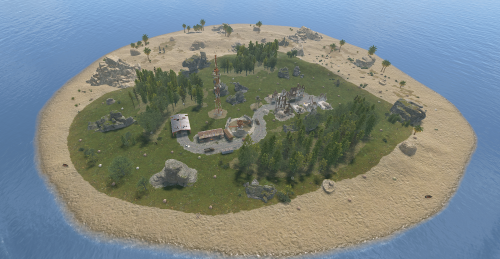
Node-loot Island: Premium Resource and PvP Zone Introducing the Node-loot Island, a dynamic, custom-designed prefab occupying approximately a 9-grid area. This versatile addition is perfectly engineered to enhance gameplay across both PvE and PvP servers. Key Features & Server Utility: PvE Roleplay Hub: Serves as a critical, high-yield location where players can consistently gather valuable loot and resources (nodes), making it an ideal destination for progression and role-play activities. Intense PvP Arena: The island is intentionally structured to act as a concentrated PvP Zone, providing players with dedicated, exciting battles over contested resources and player-earned spoils. Custom Terrain & Biomes: Explore a custom-sculpted environment featuring two distinct geographical areas: arid and temperate biomes. The terrain is complemented by realistic rock formations and patches of forest. Dynamic Combat: The layout incorporates numerous close-quarters areas to ensure a constant, engaging combat experience for players seeking intense skirmishes. With a highly optimized prefab count of just 229, the Node-loot Island delivers maximum content with a minimal impact on server performance. Will you conquer this resource-rich domain and bask in the wealth it has to offer? For any questions or assistance please contact me on discord @ https://discord.gg/HNhPTPZVmd$4.99 -

Version 1.5.0
45 downloads
Transform the Giant Excavator monument into a high-risk, high-reward dynamic hotspot, without replacing or disrupting vanilla gameplay. When the excavator is fueled or activated, resource-rich ore nodes spawn around the monument and hostile scientists roam the area to secure it. Players must push through NPC resistance while competing with others, naturally encouraging PvP, counter-play, and contested control of the site. Rather than turning Excavator into a scripted event, this plugin reacts directly to existing excavator usage, making the monument feel alive, volatile, and worth fighting over. Designed to feel fully integrated with Rust’s systems, Excavator Event automatically starts and stops with the excavator itself and cleans up when activity ends. Features • Automatic activation when the excavator starts • Enhances (does not replace) vanilla excavator behavior • Resource-rich ore node spawns (metal, sulfur, stone) • Hostile scientist NPCs with controlled roaming • Configurable spawn radius and density • Periodic node respawning while active • Clean despawn when the excavator shuts down • Modern in-game admin control panel • Server-wide event alerts and UI notifications • Performance-aware spawning logic • Fully configurable values Chat Commands (Admin Only) /excavator Opens the Excavator Event control panel Permissions excavatorevent.admin Required to start, stop, or configure the Excavator Event Configuration { "NodeCount": 30, "NPCCount": 50, "EventRadius": 80, "MinNodeDistance": 5, "NodeRespawnTime": 300, "NodeSpawnDelay": 0.15, "NodeRiseTime": 1.5, "NPCSpawnDelay": 0.2, "NPCRiseTime": 2 } Default values are tuned for balanced risk, server performance, and rewarding gameplay. Notes Excavator Event is built to enhance vanilla Rust, not override it. The monument functions exactly as expected — this plugin simply raises the tension, increases contesting, and makes excavator runs more meaningful. Ideal for PvP-focused servers, progression-based gameplay loops, and servers looking to make monuments feel more alive without immersion-breaking mechanics. Created by CodeBrothers Check out our other work on Codefling$19.99 -
Version 1.4.1
219 downloads
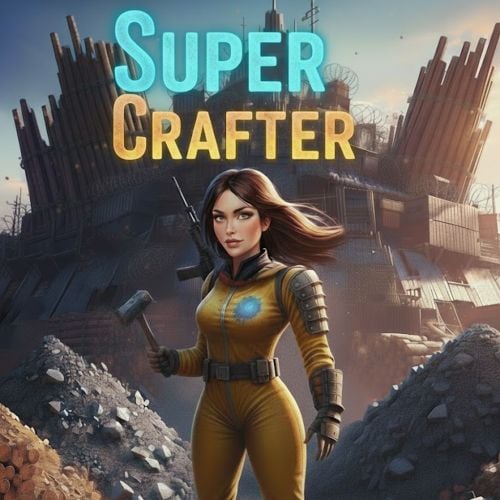
PLEASE NOTE: This plugin requires Item Retriever!! Download and install it on your server BEFORE installing SuperCrafter. SuperCrafter allows users with permission to craft, repair, build, upgrade, reload, and use mixing table directly from resources, ammo, and crafting supplies stored at their base. Resources do not need to be in your players inventory to craft. All supplies are pulled directly from your base supplies. No more needing to search through 100 boxes for crafting materials. How it works: If a player is within their TC range, they will automatically have access to their base supplies. By default the SuperCrafting range is set to TC range, however this can be modified with the configuration file. Optionally, Admins can set a per-player SuperCrafter range for VIP players! See below for commands. Performance: SuperCrafter works with all base sizes and types. Performance does not change by SuperCrafting range. Safeguards are added to keep players from spam crafting a single item from near infinite base crafting supplies. These safeguards are modifiable in the configuration file. More Information: Works with Tool Cupboards, any Storage Box, Workbench (1,2,3), Repair Benches, and Mixing Tables Files produced: config/SuperCrafter.json - Default global settings for all players data/SuperCrafter/###.json - Individual player settings (Delete all files to reset players to default config file settings) plugins/SuperCrafter.cs - Code that makes SuperCrafter work Languages supported: English German French Spanish Italian Japanese Russian Chinese Permissions: SuperCrafter.use - Allows user/group to use this plugin SuperCrafter.admin_only - Allows user/group to use plugin console commands Configuration: { "Enable Debugging messages: (Default=false)": false, "Pull resources from FURNACES: (Default=false)": false, "Pull resources from TC: (Default=true)": true, "Pull resources from BOXES: (Default=true)": true, "Pulls ammo from BASE: (Default=true)": true, "Repair pulls resources from BASE: (Default=true)": true, "Notify players of repair costs: (Default=true)": true, "Informs Server Console and Player when they are Spam Crafting: (Default=true)": true, "Limit crafting queue for players: (Limits players from spam crafting) (Default=6, Infinite=0)": 6, "Horizontal in \"Rust Meters\" a player can access any TC base loot. (Default=17, Infinite=0)": 17, "Height in \"Rust Meters\" above the TC a player can access any TC base loot. (Default=17, Infinite=0)": 17, "Depth in \"Rust Meters\" below the TC a player can access any TC base loot. (Default=17, Infinite=0)": 17, "Global chat command cooldown in seconds: (Stops players from spamming chat commands) (Default=5.0)": 5.0, "Per-player crafting cooldown in seconds: (Stops players from spamming crafting, reducing server lag) (Default=1.0, No Cooldown=0)": 1.0 } Console Commands: Name: Set Player Crafting Range Description: Increases or decreases the range in which a specific player can access their base resources. Details: This command only works for a specific player. This setting is saved in Data folder. Syntax: sc.spcr [Player ID/Name] [Range] Example #1: sc.spcr 72228723575847571 100 Example #2: sc.spcr Vergbergler 100 Chat Commands: Name: Show Crafting Range Description: Visually shows the crafting range in 3D space for X seconds Details: 3D range is only visible to the user that uses the command Syntax: sc.scr [seconds] Example #1 (Shows for 30 seconds): sc.scr Example #2 (Shows for 60 seconds): sc.scr 60$19.99 -
Version 1.7.1
165 downloads
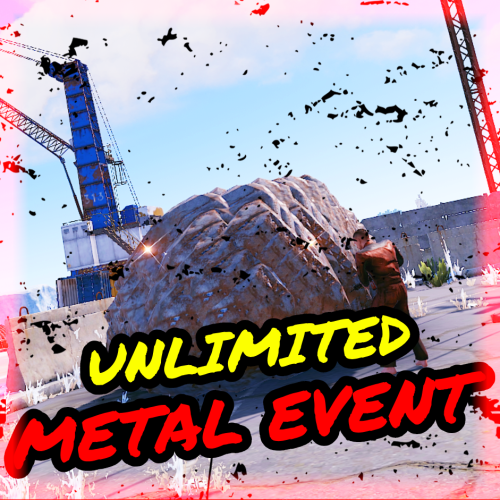
During the Unlimited Metal Event, a large Metal node appears at a set location(s) and is marked on the map, drawing attention to all players. This node provides unlimited Metal, giving players a chance to collect a significant amount of Metal within a limited time. This event can add an extra layer of competition and cooperation among your players as they rush to take advantage of these lucrative opportunities. Features Spawns an unlimited metal node/ore for a limited time. Ability to start the MetalEvent manually or automatically at minimum and maximum intervals. Configuration options for MetalEvent duration, minimum player count, UI location, and more. Customizable event start and end messages. Option to play a sound and visual effect when the event starts. Map markers and UI elements to indicate the active event and provide information to players. Game tips and chat messages to inform players about the event. Ability to set and manage metal node spawn positions. Commands to manage the MetalEvent, including starting and stopping the event, setting spawn positions, listing positions, deleting positions, and viewing available commands. Event Overlap Prevention: Prevents the MetalEvent from overlapping with the Stone/Sulfur Event. If overlap occurs, the plugin will retry starting the event after a configurable interval. User Interface: UI customization options include setting the UI location with X and Y coordinates. Enable proximity UI visibility mode and/or a "Players Here: X" Proximity UI. Gather Amounts: Set minimum and maximum gather amounts for sulfur ore and charcoal to control player rewards. Lightning Effects: Enable lightning effects during the event with customizable minimum and maximum intervals. Monument Spawn Locations: Added monument spawn locations that can be individually enabled or disabled. Customize spawns at specific monuments while excluding others (e.g., enable spawns at "xlarge/launch_site_1.prefab" and "medium/nuclear_missile_silo.prefab," but disable spawns at "OilrigAI" and "OilrigAI2"). Monument Spawn Limits: Set a limit for the number of spawns at each monument. For example, limit "roadside/gas_station_1.prefab" to 2 spawns, choosing from 3 Gas Stations if available. Monument Spawn Location Offsets: Customize the offsets for monument spawn locations to fine-tune the exact spawn positions at each monument. Commands /metalevent start - Start MetalEvent /metalevent stop - Stop MetalEvent /metalevent add <name> - Set new MetalEvent spawn position /metalevent list - List all spawn positions /metalevent clear - Clear all spawn positions /metalevent delete <name> - Delete a spawn position /metalevent - View all commands Console Commands - MetalStart, MetalStop, MetalList, MetalListClear Permissions metalevent.admin - Allows the use of MetalEvent commands.' Incompatible plugins: "AlwaysHotSpot" , "InstantGather" Default Config { "Only Command Start Event": false, "Minimum Players to Start Event": 1, "Prevent Overlap with Sulfur/Stone Event": true, "Prevent Overlap Retry Timer (seconds)": 180.0, "Event Minimum Interval (seconds)": 3600, "Event Maximum Interval (seconds)": 7200, "Event Duration Seconds": 1230, "Event Start Notification Sound": true, "Event Start Explosion Effects": true, "Event Chat Messages": true, "Event GameTip Messages": true, "Event GameTip Duration (seconds)": 7.0, "Event Start Message": "<color=red>Metal Event</color> <color=white>Has Started! Check The Map!</color>", "Event End Message": "<color=red>Metal Event</color> <color=white>Has Ended!</color>", "UI Enabled": true, "UI Location X": 0.38, "UI Location Y": 0.8, "UI Handwriting Font": true, "UI Style (1 = With UI Msg, 2 = No UI Msg)": 1, "UI Message": "Unlimited metal node marked on map!", "Proximity UI Visibility Mode": false, "Proximity UI Visibility Range": 350, "Proximity UI 'Players Here: X'": true, "Proximity UI 'Players Here' Visibility Range": 70, "MapMarker Enabled": true, "MapMarker Colour": "#050505", "MapMarker Colour2": "#FF0000", "MapMarker Radius": 0.25, "MapMarker Alpha": 0.7, "MapMarker Name/Message": "UNLIMITED METAL NODE", "Metal Ore Minimum Gather Amount": 1, "Metal Ore Maximum Gather Amount": 10, "HQM Ore Minimum Gather Amount": 0, "HQM Ore Maximum Gather Amount": 3, "Delete MetalNode at Event End": true, "MetalNode is Gatherable": true, "MetalNode Size 1-100": 30, "MetalNode Size Radius": 0.1, "Lightning during Event": true, "Lightning Min Interval (seconds)": 1.0, "Lightning Max Interval (seconds)": 60.0, "MetalNode Spawnmodes ('All' or 'Random')": "Random", "MetalNode Spawnmode 'Random' Amount": 2, "Monument Spawn Locations": { "xlarge/launch_site_1.prefab": true, "medium/nuclear_missile_silo.prefab": true, "large/military_tunnel_1.prefab": true, "large/airfield_1.prefab": true, "small/sphere_tank.prefab": true, "large/water_treatment_plant_1.prefab": true, "railside/trainyard_1.prefab": true, "medium/radtown_small_3.prefab": true, "roadside/gas_station_1.prefab": true, "roadside/supermarket_1.prefab": true, "large/powerplant_1.prefab": true, "lighthouse/lighthouse.prefab": true, "roadside/warehouse.prefab": true, "medium/junkyard_1.prefab": true, "small/satellite_dish.prefab": true, "harbor/harbor_1.prefab": true, "harbor/harbor_2.prefab": true, "arctic_bases/arctic_research_base_a.prefab": true, "military_bases/desert_military_base_a.prefab": false, "military_bases/desert_military_base_b.prefab": false, "military_bases/desert_military_base_c.prefab": false, "military_bases/desert_military_base_d.prefab": false, "OilrigAI": false, "OilrigAI2": false, "ferry_terminal_1": false }, "Monument Spawn Limits": { "xlarge/launch_site_1.prefab": 1, "medium/nuclear_missile_silo.prefab": 1, "large/military_tunnel_1.prefab": 1, "large/airfield_1.prefab": 1, "small/sphere_tank.prefab": 1, "large/water_treatment_plant_1.prefab": 1, "railside/trainyard_1.prefab": 1, "medium/radtown_small_3.prefab": 1, "roadside/gas_station_1.prefab": 3, "roadside/supermarket_1.prefab": 3, "large/powerplant_1.prefab": 1, "lighthouse/lighthouse.prefab": 2, "roadside/warehouse.prefab": 3, "medium/junkyard_1.prefab": 1, "small/satellite_dish.prefab": 1, "harbor/harbor_1.prefab": 1, "harbor/harbor_2.prefab": 1, "arctic_bases/arctic_research_base_a.prefab": 1, "military_bases/desert_military_base_a.prefab": 1, "military_bases/desert_military_base_b.prefab": 1, "military_bases/desert_military_base_c.prefab": 1, "military_bases/desert_military_base_d.prefab": 1, "OilrigAI": 1, "OilrigAI2": 1, "ferry_terminal_1": 1 }, "Monument Spawn Location Offsets": { "xlarge/launch_site_1.prefab": { "x": 150.0, "y": 3.5, "z": -7.5 }, "medium/nuclear_missile_silo.prefab": { "x": 53.3, "y": -13.2, "z": 1.1 }, "large/military_tunnel_1.prefab": { "x": -0.5, "y": 18.35, "z": 25.0 }, "large/airfield_1.prefab": { "x": 20.0, "y": 0.5, "z": -27.5 }, "small/sphere_tank.prefab": { "x": 0.0, "y": 72.0, "z": 0.0 }, "large/water_treatment_plant_1.prefab": { "x": -51.9, "y": 1.5, "z": -98.8 }, "railside/trainyard_1.prefab": { "x": -36.3, "y": 9.1, "z": -33.0 }, "medium/radtown_small_3.prefab": { "x": -21.5, "y": 1.1, "z": -4.5 }, "roadside/gas_station_1.prefab": { "x": 8.4, "y": 9.5, "z": 5.0 }, "roadside/supermarket_1.prefab": { "x": 10.0, "y": 6.0, "z": -3.5 }, "large/powerplant_1.prefab": { "x": -8.0, "y": 0.5, "z": 38.0 }, "lighthouse/lighthouse.prefab": { "x": 0.0, "y": 57.7, "z": 0.36 }, "roadside/warehouse.prefab": { "x": 20.0, "y": 0.3, "z": -7.7 }, "medium/junkyard_1.prefab": { "x": 24.0, "y": 0.3, "z": 0.0 }, "small/satellite_dish.prefab": { "x": 8.0, "y": 6.5, "z": -14.7 }, "harbor/harbor_1.prefab": { "x": 8.1, "y": 8.6, "z": 6.3 }, "harbor/harbor_2.prefab": { "x": 41.5, "y": 5.3, "z": -20.0 }, "arctic_bases/arctic_research_base_a.prefab": { "x": -32.8, "y": 1.85, "z": 5.5 }, "military_bases/desert_military_base_a.prefab": { "x": 0.0, "y": 2.0, "z": 0.0 }, "military_bases/desert_military_base_b.prefab": { "x": 0.0, "y": 2.0, "z": 0.0 }, "military_bases/desert_military_base_c.prefab": { "x": 0.0, "y": 2.0, "z": 0.0 }, "military_bases/desert_military_base_d.prefab": { "x": 0.0, "y": 2.0, "z": 0.0 }, "OilrigAI": { "x": 11.0, "y": 30.3, "z": -25.0 }, "OilrigAI2": { "x": -1.3, "y": 39.15, "z": -14.95 }, "ferry_terminal_1": { "x": 0.0, "y": 2.0, "z": 0.0 } } }$6.47 -
Version 1.2.14
984 downloads
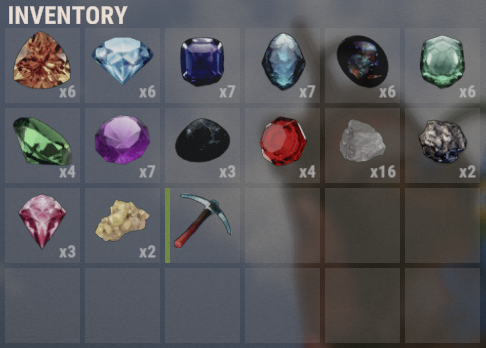
This plugin adds the ability to extract new rare minerals from stone, iron, gray cobblestones. Each type of mineral has its own settings. There are two types of minerals, those that can be melted down in stoves, and those that can be processed. With each blow on the cobblestone, there is a chance of a stone falling out. Does not work with: Furnace Splitter. You can add gems to loot tables using its short name and skinID alongside the ability to customise the loot from each Gem/Piece. Regarding remelting and processing: You can remelt a maximum of 1 piece. The output of the furnace can only be: metal.fragments, sulfur, metal.refined, charcoal. You can specify several items for recycling, but you will get only 1 random item from the list at the output. Minerals that can be melted down: A large sulfur crystal, gives the item: Sulfur from 1000-2500pcs. A large metal piece, gives the item: Metal fragments from 1000-2500-pcs. Black Opal, gives the item,: Charcoal from 100-1500 pcs. Obsidian, gives the item: Metal-refined from 10-30 pcs. Minerals that can be recycled: A large stone, gives an item: A stone from 1500-3500 pcs. Emerald, gives an item: Wood from 2000-3500 pcs. Amethyst, gives one of the following: A large pharmacy from 1-3 pcs., A medical syringe from 3-7 pcs. Topaz, gives one of the following: Scrap metal from 50-100 pcs. Ruby, gives one of the following: Gears from 1-5 pcs., Metal pipe from 1-5 pcs., Metal blade from 1-5 pcs., Metal spring from 1-5 pcs. Diamond, gives one of the items: Homemade Shotgun, Python Revolver, Revolver, Pump-action Shotgun, Semi-automatic Pistol, Semi-automatic Rifle, Thompson Submachine Gun, Double-barreled Shotgun, MP5A4 Emerald, gives one of the following: Wood from 2000-3500 pcs. Jade , gives one of the following: Rope from 3-15 pcs., Cloth from 50-200 pcs., Leather from 50-200 pcs., Fat animal from 70-300 pcs., Lowgradefuel from 30-120 pcs. Tanzanite, gives one of the following: Chocolate from 3-15 pcs., Beans from 3-15 pcs., Tuna from 3-15 pcs., Bandage from 10-30 pcs. Mustgravite, gives one of the following: Hazmatsuit from 1-1 pcs. Pink Diamond, gives one of the following: Riflebody from 1-2 pcs., Semibody from 1-4 pcs., Smgbody from 1-2 pcs., Targeting computer from 1-2 pcs., CCTV camera from 1-2 pcs. Configuration: What can be melted and what can be recycled depends on the setting of two parameters: ItemAfterSmelting; PossibleItemsAfterRecycler. These two parameters can be both filled in or they can be both not filled in. They determine whether an item can be melted or recycled. If you need, you can add your custom items, you just need to specify skin and other parameters. If you want, you can change the pickaxe and the skin of a special pickaxe. You can also prohibit spawn pickaxe and sell it, for example, in your store. Learn more about other parameters in the configuration: MaxMineralsPerHit - this parameter determines how many maximum objects can fall in 1 hit on a cobblestone; MaxStackable - this parameter is not set by default, since I assume that you have another plugin controlling stacks, but if there is no such thing, then you can specify a number in this parameter. CanExtractOnlySpecialTool - indicates that the mineral can only be extracted with a special pickaxe. If true is specified, then PermittedTool is ignored. Permissions: extractionrareminerals.use - gives access to the extraction of minerals. extractionrareminerals.allowSmelting - allows melting precious minerals; extractionrareminerals.allowRecycler - allows recycled of precious minerals. Console commands: give.rare.mineral PLAYER ID AMOUNT (example: give.rare.mineral DAez obsidian 1); give.special.tool PLAYER (example: give.special.tool DAez); Chat commands: /erm (allows you to enable or disable the extraction of rare minerals); Example Item: { "ID": "jade", "SkinID": 2901473542, "Name": "Jade", "PermittedTool": [ "stone.pickaxe", "pickaxe", "hammer.salvaged", "icepick.salvaged", "jackhammer" ], "ExtractionInfo": [ { "PrefabShortName": "sulfur-ore", "DropChance": 2.5, "Amount": 1 }, { "PrefabShortName": "metal-ore", "DropChance": 2.5, "Amount": 1 } ], "ItemAfterSmelting": { "Name": "default", "ShortName": "metal.fragments", "SkinID": 0, "MinAmount": 1000, "MaxAmount": 2500 }, "PossibleItemsAfterRecycler": [ { "Name": "default", "ShortName": "sticks", "SkinID": 2901473839, // tanzanite skinID "MinAmount": 1, "MaxAmount": 1 } ], "CanExtractOnlySpecialTool": false } Note: parameters ItemAfterSmelting and PossibleItemsAfterRecycler can be null$14.99- 91 comments
- 7 reviews
-
- 4
-
-
-
- #rust
- #rust-server
- (and 4 more)
-

Version 3.0.0
342 downloads
Advanced Skill & Progression System – Version 3.0.0 (Premium) The Resource Leveling Plugin introduces a dynamic skill and progression system for gathering, hunting, and looting in Rust. Players earn XP as they perform different activities and level up individual skills — increasing their efficiency and gathering multipliers over time. This version introduces paid tiers, custom rewards, and a fully configurable leveling curve, allowing servers to create immersive progression systems that fit any playstyle or economy. Features Multi-Skill Leveling System - Each gathering activity has its own skill and XP track: Mining – Earn XP from mining nodes and ores. Woodcutting – Gain XP from chopping trees. Gathering – Pick up collectibles, harvest plants, or gather wild items. Hunting – Earn XP from damaging, killing, and harvesting animals. Looting – Gain XP from opening crates and barrels (XP given once per container). Fishing – Gain XP for catching fish. Each level increases your resource output with dynamic multipliers. Tier System (Free & Paid) Basic Tier → Players with resourceleveling.basic (or legacy .use) permission. Advanced Tier → Players with resourceleveling.advanced permission gain extra XP and progress faster. Both tiers can be customized independently in the configuration (BasicXpMultiplier / AdvancedXpMultiplier). Custom Rewards System Define per-level rewards for each skill in the config file. Grant items, blueprints, or kits automatically when a player reaches certain levels. Fully Configurable XP System Customize XP values for every action (per hit, per kill, per catch, etc.). Adjustable XP scaling curve via BaseXpPerLevel and XpScalingFactor. Control the maximum level per skill and global max level. Perfect balance between fast progression and long-term grinding. Beautiful In-Game HUD Displays all skills, levels, XP progress, and multipliers. Toggle with /skills hud. Dynamic layout adjusts automatically. Customizable colors, fonts, and background transparency in the configuration. Smart Anti-Abuse System XP is only given once per loot container. Prevents abuse of farming barrels or crates for infinite XP. All actions are automatically tracked. Admin & Player Commands Player Commands: /skills – View your skill stats. /skills hud – Toggle HUD visibility. /skills togglexp – Enable/disable XP messages. /skills help – Show command list. Admin Commands: /skills pause – Toggle the plugin on/off. /skills addxp <player> <skill> <amount> – Add XP. /skills setlevel <player> <skill> <level> – Set player’s skill level. /skills reset <player> – Reset player skills. /skills top [skill] – Show leaderboard for any skill. Configuration Overview Every section of the config now includes inline descriptions for easy readability. Settings include: General: Plugin toggle, XP messages, HUD options Levels: Base XP curve, scaling factor, skill max levels XP: Per-action XP values Multipliers: Resource gain curve Tiers: Basic vs. Advanced XP multipliers Rewards: Custom rewards per skill and level UI: Colors, font size, layout We can customize the plugin’s UI on request and add additional features tailored to your needs. Both UI changes and new features can be handled immediately for an additional fee. You can also request new additional features for free through the Discussions tab, but please note that these may take longer to be implemented. We’d love to hear your feedback—let us know what could be improved or what you’d like to see added! Updates are always free and support! Compatible with Oxide and Carbon. For support, questions, or customization requests, please join our Discord: https://discord.gg/tvvsGg3h$3.99- 4 comments
-
- 1
-
-
- #resources
- #resource
- (and 4 more)
-

Version 1.0.4
117 downloads
Change the speed, fuel time and resource gained from all quarries and the giant excavator with a simple config. Works with GatherManager. Console commands (admin only): qc.data - Displays in chat the values for each of the quarries qc.reload - Reloads all quarries Config: You can easily configure each quarry type separately: Fuel time - How long does a diesel last (in seconds) Resource tickrate - How often resources are added to the output container (in seconds) Amount of resources - Total amount of resources from each diesel. A value of 1000 means it makes the same amount as vanilla. Changing this value to 2000 means it makes 2 times as much as vanilla, or 500 means half as much as vanilla. (example: in vanilla 1 diesel = 50 hqm at the HQM quarry. Setting the value to 2000 gives you 100 hqm for each diesel, and a value of 500 gives 25 hqm for each diesel. Note: Any GatherManager multipliers are multiplied on top of this setting Excavator fuel time - How long a diesel last for the giant excavator (in seconds) Excavator resource tickrate - How often resources are added to the output container for the giant excavator (in seconds) Excavator resource multiplier - Multiplies the output resource with this value. Note: This multiplier and GatherManager multiplier will stack (if "Use excavator settings if GatherManager exists" is set to true) Use excavator settings if GatherManager exists - If GatherManager is loaded (or reloaded) and this setting is true, it will override GatherManager excavator settings. Note: GatherManager still modifies the output as normal Default config (vanilla values): { "Stone Quarry": { "Fuel time per diesel (seconds)": 120.0, "Resource tickrate (seconds)": 5.0, "Amount of resources per diesel (1000 = vanilla)": 1000.0 }, "Sulfur Quarry": { "Fuel time per diesel (seconds)": 120.0, "Resource tickrate (seconds)": 5.0, "Amount of resources per diesel (1000 = vanilla)": 1000.0 }, "High quality metal Quarry": { "Fuel time per diesel (seconds)": 120.0, "Resource tickrate (seconds)": 5.0, "Amount of resources per diesel (1000 = vanilla)": 1000.0 }, "Pumpjack": { "Fuel time per diesel (seconds)": 120.0, "Resource tickrate (seconds)": 5.0, "Amount of resources per diesel (1000 = vanilla)": 1000.0 }, "Excavator": { "Excavator fuel time per diesel (seconds)": 120.0, "Excavator resource tickrate": 3.0, "Excavator resource multiplier": { "Stone": 1.0, "Sulfur": 1.0, "Metal fragments": 1.0, "High quality metal": 1.0 } }, "Personal Quarry": { "Enabled": false, "Fuel time per diesel (seconds)": 120.0, "Resource tickrate (seconds)": 5.0 }, "Use excavator settings if GatherManager exists": true } Useful convar: excavatorsignalcomputer.chargeneededforsupplies - Time until it's possible to call a supplydrop at the excavator. Default value 600 (seconds)$7.99- 14 comments
- 2 reviews
-
- 1
-
-
- #quarry
- #controller
- (and 7 more)
-

Version 1.0.1
2 downloads
xInFlightHeliRepair xInFlightHeliRepair is a Rust plugin that allows players to repair an attack helicopter while mounted or in the air as a passenger, using a hammer and consuming a configurable resource (e.g., metal fragments). It includes plenty of customization options. This overrides the new behavior introduced in the “Pivot or Die” update that prevents players from repairing the attack helicopter while in flight. Features In-Flight Helicopter Repair Players/Passengers can repair an attackhelicopter by hitting it with a hammer while in flight. Resource-Based Repair Each repair “hit”: Costs a configurable item (Default: 30 metal fragments). Restores a configurable amount of health (Default: 50 HP). Automatically removes the required items from player inventory. Recent Damage Cooldown If the helicopter was recently damaged by explosive sources, repair is blocked for a set duration (Default cooldown: 10 seconds) Message informs the player how long they must wait. Player Feedback Configurable message system: Supports UI toast notifications or chat messages. Visual Repair Effect Plays a configurable FX prefab on successful repair (Default metal upgrade effect). Permission xinflighthelirepair.use Config { "RequirePermission": false, "Permission": "xinflighthelirepair.use", "EnableRecentlyExplosiveDamageRepairCooldown": true, "RecentlyExplosiveDamageRepairCooldown": 10.0, "ItemUsedForRepair": "metal.fragments", "ItemCostPerRepair": 30, "HealPerHit": 50.0, "PlayEffectOnRepair": true, "Effect": "assets/bundled/prefabs/fx/build/promote_metal.prefab", "MessagesType": "ui", // Use 'ui' for toast notifications and anything else (e.g., 'chat') for chat messages "ShowMessages": true, "NotReadyMessage": "<color=#ff5555>Heli was damaged recently. Wait {0} seconds before repairing.</color>", "FullyRepairedMessage": "<color=#ffcc00>This helicopter is already fully repaired.</color>", "NotEnoughMetalMessage": "<color=#ff5555>You need {0} {2} to repair ({1} available).</color>", "RepairedMessage": "<color=#55ff55>Repaired heli by {0} HP for {1} {2}.</color>" }$8.99 -

Version 1.0.2
219 downloads
You receive more resources when you're farming close to a team member Permissions teamgatherbonus.use: Is required to get first config setting. teamgatherbonus.vip: Is required to get vip config setting. Configuration { "Distance between a team member (in feet)": 32.0, "Bonus percentage Default": 10, "Bonus percentage Vip": 50, "Enable Fish Trap": true, "Enable Fishing Pole": true, "Enable On Collectible Pickup": true, "Enable On Dispenser Gather": true } Localization Supports 10 Languages out of the box! English French Swedish Dutch Korean Catalan Simplified Chinese Portuguese Brazil German Russian$4.99 -
Version 1.0.0
21 downloads
Allows you to restrict resource gathering in TC areas to authorized players only. Permissions tczonerestriction.use - Use the plugin. tczonerestriction.bypass - bypass the restrictions Configuration { "Block Trees Farm in Building Blocked Zone": false, "Block Ores Mining in Building Blocked Zones": false, "Block Pickup of Collectible Resources (e.g., hemp, mushrooms)": false, "Block Pickup of Dropped Items (e.g., loot, tools)": false, "Show Warning Message When Player Is Blocked": true, "Warning Message Shown When Player Is Blocked": "You must be authorized on the TC to gather resources in this area." }$6.99 -
Version 1.0.7
1,270 downloads
Automatically smelt ore or burn wood into charcoal as you harvest or collect it off the ground. Configuration options allows toggling of each type per player. Commands /smelt /smelt pickup /smelt ore /smelt charcoal Permissions smeltongather.use Config SaveWithServer - Data is saved when the server saves. Disabled by default to save on disk. ShowStatus - Shows players which options are enabled or disabled in the /smelt menu. Blacklist - Excludes certain entities from being handled by smelt on gather. Multiplier - Sets the desired multiplier for produced resources when smelted. OnByDefault - Automatically enables smelt on gather for players when they connect, and don't have anything configured already Thanks to @SawyerWD for the icon!Free- 10 comments
- 3 reviews
-
- 2
-
-
- #smelting
- #automation
- (and 3 more)
-
Version 1.0.0
18 downloads
This plugin adds a ton of functionality to the server for working with quarries. You can create charges of any type, with any resources. And the improved quarry system will allow players to extract them. Features Extraction of any default game resources/items. Placement of quarries anywhere: close to each other and other structures. Connection of quarries to industrial pipes. Interaction with popular plugins. Pleasant and user-friendly interface. Installed quarries will continue to mine the specified resources even if the plugin is unloaded. Supported plugins Backpacks - plugin can take and give items in an additional backpack. ItemRetriever - plugin can take crafting ingredients from all containers that are connected to the player (including inventory, game backpack, Backpacks plugin, and any other plugin that uses ItemRetriever as Suppliers). Friends, Clans - plugin is used to identify friendly players. Permissions The plugin has immutable and generated permissions. The immutable ones include: charges._admin – "Give yourself" button, command to give charges, ignoring permissions for crafting charges and quarries, access to turn on/off quarries for all players. charges._water – ignore the depth of the explosion of charges in water. charges._wrongplace – return the charge if it is thrown in an unsuitable place, even if the specific charge is specified in the settings => Return the charge if it is exploded in the incorrect place? = false charges._ignorecraterchance – ignores the chance of spawn crater of any charge (for the owner of this permission it is equal to 100%). charges._ignoreresourcechance – ignores the chance of finding a resource in any charge hole (it becomes equal to 100% for all resources). charges._mining – access to crafting Mining Quarry. charges._pump – access to crafting Pump Jack. The generated permissions are created by the plugin itself, here's how it works: charges.chargename - chargename is the name of the charge from the Charge permission field. Commands Only one command is present in the plugin. This command can be used both in chat (charges._admin permission is required) and in the server console. givecharge name 5 steamid/nickname name - charge name from the field Charge permission. 5 – how many charges need to be given out. steamid/nickname – steamid or nickname of your choice. All arguments of this command are required. General settings Allow panel scaling when the interface is scaled? – if this setting is enabled, the panel will be resized depending on the game interface scale (setting "user interface scale"). If the setting is disabled, the panel will always be the same size, regardless of the player interface scale. Notify friends within the charge's explosion radius of the resources being mined? – if your friends are standing close to you when the charge explodes, they will also receive a notification about the explosion and its results. Quarries settings Only friends can turn on/off quarries? – only you and your friends (from Rust Teams, Clans, Friends, etc.) will be able to turn quarry on/off. Simplified quarry installation mode (increased server load) – the game developers have severely restricted the placement of objects near quarry. Because of this, quarry must be located at a considerable distance from each other, making them more difficult to defend. This setting allows you to ignore this restriction. Therefore, even when the quarry is highlighted in red during installation, you can simply click the left mouse button and the quarry will be installed in the place you are looking at and in the same form as it was on the construction plan. Of course, with this method, there are many checks for the presence of foreign objects in the quarry installation area. Add storage adapters to quarries? - as you know, the game features an Industrial Pipes system that allows you to automatically move resources between different containers. Unfortunately, the developers did not implement the ability to connect these pipes to quarries. Therefore, this setting adds Storage Adapters to each of the quarry's storage. However, nothing can be built within the quarry's area of influence (which is quite large and invisible), and as a result, the Pipe Tool cannot be used. Therefore, a Hammer is used to lay pipes. PIPE CONNECTION. First, you need to hit the quarry Storage Adapter with the Hammer, and most importantly, hit the input/output port to which you want to connect the pipe. That is, if you want to extract resources from this quarry, you need to hit the output connector with a Hammer, and if you want to add resources, you need to hit the input connector. After you have done this, the chat will display information about how much time is left to connect the pipe to the corresponding Industrial device. Therefore, you need to approach such a device and simply tap the desired connector with a Hammer. After these actions, the pipe will be installed. You can also connect quarries in series i.e., one after the other, just like regular containers. PIPE DISCONNECTION. There are two ways to remove a pipe. If the other end of the pipe is connected to an Industrial device outside the quarry's range, you can simply disconnect the pipe in it with the Pipe Tool. If the pipe from the quarry is connected to another quarry, you need to take a Hammer and hit it on the connector of the quarry Storage Adapter, which should be disconnected. After these actions, the pipe will be disconnected. Charges settings Charge name – charge name displayed in the panel and on the crafted charge. Charge permission – a unique name for a charge, used in permissions and when giving out charges with the admin command. Charge skinId – ID of the image uploaded to the Steam workshop. Which quarry to use? [Mining, Pump] – this setting affects which quarry can be placed on the hole after the charge explodes. Crater spawning chance [0-100] – this parameter is only responsible for the chance of a hole appearing after an explosion. Maximum water depth at which the charge will work [advice <= 0.8] – you can allow players to explode charges underwater. This setting determines how deep charges can explode underwater. The default value of 0.8 is approximately knee-deep for the player. Return the charge if it is exploded in the incorrect place? – if the player explodes the charge in an unsuitable place, such as on rocks, building blocks or something similar, the charge will not explode and will remain at the site of the explosion (it can be picked up and used again). If you set the value to false, the charge will disappear after the explosion and the player will have to craft it again. Allow charge explosion if no permission? – if set to true, any player can explode this charge. If set to false, only those who have permission for this charge can explode it. Is permission required to craft a charge? – the charge craft will only be available to players who have permission for this charge. Crafting ingredients Ingredient name (empty - default) – the name is only used for display in the panel. Ingredients are selected from the player's inventory based on the combination of shortname + skinid (the item name is not taken into account). Extractable resources Resource name (empty - default) – by analogy with the setting Ingredient name (empty - default). Chance of a resource in the crater [0-100] – the chance of finding this resource in the crater when the charge explodes. Please note that before calculating this chance, the chance of the charge exploding is calculated (Crater spawning chance [0-100] setting). And if the charge explodes into nothing, then the current setting will not be used. Plugin Config Example of plugin configuration in English: Example of plugin configuration in Russian: If you need Russian config, open it (Charges.cs) before loading the plugin, and at the top set the variable "isRus = true". Then save and upload this file to your server.$35.00 -

Version 1.0.0
6 downloads
Cake Arena is a battlefield where your players will fight to get the biggest piece of Cake. The floor is full of mines, be careful. Climb through the walls. Climb the platforms to get the rewards. Launch yourself with the zip lines to dodge other players. Includes a mini-puzzle to access the inside of the Cake. This Cake is designed to be used as an Arena, but also as a monument for your Rust map.$9.90 -
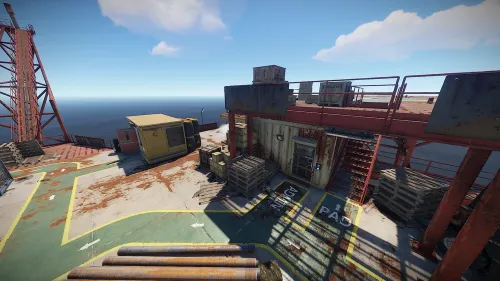
Version 1.1.0
28 downloads
This plugin introduces a generator system for Rust’s oil rigs, allowing players to activate drills that extract specific items. Easily customizable through the config, players can start the oil extraction process and receive items directly from the rig. Watch the demo video and explore the configuration options for complete customization! Config { "Large Oil Settings": { "Generator Fuel Item": "lowgradefuel", "Running Tick Time Per Fuel": 10.0, "Amount Of Fuel To Use Per Runing Tick": 10, "Oil Tick Time InSeconds": 10, "Amount Of Oil To Output Per Oil Tick": 5, "Oil Item To Output": "crude.oil", "Oil Item Output DispalyName": "", "Oil Item Output Skin": 0, "Disable Toast Message": false, "Disable Spawning. Will need to manualy ent kill entitys": false }, "Small Oil Settings": { "Generator Fuel Item": "lowgradefuel", "Running Tick Time Per Fuel": 10.0, "Amount Of Fuel To Use Per Runing Tick": 10, "Oil Tick Time InSeconds": 10, "Amount Of Oil To Output Per Oil Tick": 5, "Oil Item To Output": "crude.oil", "Oil Item Output DispalyName": "", "Oil Item Output Skin": 0, "Disable Toast Message": false, "Disable Spawning. Will need to manualy ent kill entitys": false }, "Version": { "Major": 1, "Minor": 0, "Patch": 5 } }$15.00- 7 comments
-
- 1
-
-
- #extraction
- #automation
- (and 3 more)
-
Version 1.0.8
107 downloads
This plugin will allow your players, based on permission, to either instantly collect the ore/wood resource or always hit the x-marker. This plugin provides two functionalities: Players with the "geespot.instant" permission will instant gather Ore and Wood at first hit. Players with the "geespot.xmarker" permission will always trigger the X marker mini-game no matter where they hit on the model.$3.99 -

Version 1.0.0
5 downloads
GatherRang Plugin for Rust Overview: GatherRang is an awesome plugin for Rust that takes resource gathering to the next level. It lets players collect wood and other essential resources using a range of weapons like bows, pistols, shotguns, SMGs, and rifles. With built-in permission support and easy-to-customize settings, GatherRang gives both players and server admins the flexibility to create a fun and personalized gathering experience. Whether you’re hunting for wood or mining for resources, this plugin makes it all more exciting! Key Features: Resource Gathering: Players can gather wood from trees and resources from nodes (stone, sulfur, metal) by hitting them with specified ranged weapons. Each weapon type has unique gathering rates, ensuring a balanced gameplay experience. Bonus Resources: Players can earn bonus resources upon fully destroying trees or nodes, incentivizing exploration and resource management. Bonus resources vary depending on the weapon used and the player's permissions. Permission System: The plugin features a comprehensive permission system that allows server admins to control who can gather resources and under what conditions. Permissions can be assigned to individual players or groups, providing flexibility in gameplay. Customizable Configuration: Server admins can easily configure gathering rates and bonus amounts for each weapon type through a user-friendly configuration file. The plugin loads default configurations upon installation but can be easily adjusted to fit the server's needs. Chat Notifications: Players receive real-time chat notifications when they gather resources, enhancing engagement and awareness of their actions. The notification system includes updates for total resources gathered, allowing players to track their progress. Chat Icon ID: The GatherRang plugin provides the option to set a chat icon ID for notifications sent to players, enhancing the visual appeal of chat messages. Customization: Players can customize the chat icon that appears alongside their notifications by setting the STEAMID of the profile that has the desired picture. This allows for personalized notifications that reflect the player's identity or community branding. How to Set: To configure the chat icon, players must input the STEAMID of their Steam profile that features the desired icon. This customization is easily managed through the plugin’s configuration file, ensuring a smooth setup process. Permissions: GatherRang utilizes a detailed permission system to manage access to various features. The following permissions are available: gatherrang.use: Required for players to use the gathering functionality. gatherrang.bowtree: Allows players to gather wood from trees using bows. gatherrang.bownode: Allows players to gather resources from nodes using bows. gatherrang.bowtreecoal: Grants players the ability to gather charcoal when using bows on trees. gatherrang.pistoltree: Allows players to gather wood from trees using pistols. gatherrang.pistoltreecoal: Grants players the ability to gather charcoal when using pistols on trees. gatherrang.pistolnode: Allows players to gather resources from nodes using pistols. gatherrang.shotguntree: Allows players to gather wood from trees using shotguns. gatherrang.shotguntreecoal: Grants players the ability to gather charcoal when using shotguns on trees. gatherrang.shotgunnodes: Allows players to gather resources from nodes using shotguns. gatherrang.smgtree: Allows players to gather wood from trees using SMGs. gatherrang.smgtreecoal: Grants players the ability to gather charcoal when using SMGs on trees. gatherrang.smgnodes: Allows players to gather resources from nodes using SMGs. gatherrang.rifletree: Allows players to gather wood from trees using rifles. gatherrang.rifletreecoal: Grants players the ability to gather charcoal when using rifles on trees. gatherrang.riflenodes: Allows players to gather resources from nodes using rifles. Configuration: The configuration file allows server admins to customize various aspects of the plugin. Key configuration options include: Gathering Rates: Configurable rates for each weapon type (bows, pistols, shotguns, SMGs, rifles) for wood, stone, sulfur, and metal. Default values can be set upon installation or modified as needed. Bonus Amounts: Players can receive bonus resources for fully destroying trees and nodes. Configurable values allow for tailored gameplay experiences. Chat Icon ID: The option to set a chat icon ID for notifications sent to players, enhancing the visual appeal of chat messages. Players need to set the STEAMID of the profile that has the picture they want to be displayed. Default Configuration Preview: { "BowWoodGatheredPerHit": 10, "BowCharcoalGatheredPerHit": 2, "BowBonusWood": 20, "BowBonusCharcoal": 5, "BowStoneGatheredPerHit": 5, "BowBonusStone": 10, "BowMetalGatheredPerHit": 5, "BowBonusMetal": 10, "BowSulfurGatheredPerHit": 5, "BowBonusSulfur": 10, "BowHQMetalDestructionGather": 2, "BowBonusHQMetal": 5, "PistolWoodGatheredPerHit": 8, "PistolCharcoalGatheredPerHit": 1, "PistolBonusWood": 15, "PistolBonusCharcoal": 3, "PistolStoneGatheredPerHit": 4, "PistolBonusStone": 8, "PistolMetalGatheredPerHit": 4, "PistolBonusMetal": 8, "PistolSulfurGatheredPerHit": 4, "PistolBonusSulfur": 8, "PistolHQMetalDestructionGather": 1, "PistolBonusHQMetal": 3, "ShotgunWoodGatheredPerHit": 6, "ShotgunCharcoalGatheredPerHit": 1, "ShotgunBonusWood": 12, "ShotgunBonusCharcoal": 4, "ShotgunStoneGatheredPerHit": 6, "ShotgunBonusStone": 10, "ShotgunMetalGatheredPerHit": 6, "ShotgunBonusMetal": 12, "ShotgunSulfurGatheredPerHit": 6, "ShotgunBonusSulfur": 12, "ShotgunHQMetalDestructionGather": 2, "ShotgunBonusHQMetal": 5, "SMGWoodGatheredPerHit": 7, "SMGCharcoalGatheredPerHit": 2, "SMGBonusWood": 15, "SMGBonusCharcoal": 4, "SMGStoneGatheredPerHit": 4, "SMGBonusStone": 9, "SMGMetalGatheredPerHit": 4, "SMGBonusMetal": 9, "SMGSulfurGatheredPerHit": 4, "SMGBonusSulfur": 9, "SMGHQMetalDestructionGather": 2, "SMGBonusHQMetal": 4, "RifleWoodGatheredPerHit": 9, "RifleCharcoalGatheredPerHit": 2, "RifleBonusWood": 18, "RifleBonusCharcoal": 5, "RifleStoneGatheredPerHit": 5, "RifleBonusStone": 10, "RifleMetalGatheredPerHit": 5, "RifleBonusMetal": 10, "RifleSulfurGatheredPerHit": 5, "RifleBonusSulfur": 10, "RifleHQMetalDestructionGather": 2, "RifleBonusHQMetal": 5, "ChatIconID": "0" // Default to "0" if not set } GatherRang is a game-changing plugin that every Rust server needs to elevate the resource-gathering experience. With its innovative mechanics, players can effortlessly gather wood and essential resources using their favorite ranged weapons—it adds a thrilling layer of strategy to gameplay! Server admins will appreciate the easy-to-use permission system and customizable settings, allowing them to tailor the experience for their community. Don’t let your server fall behind; make it a vibrant, resource-rich environment that keeps players hooked. Grab GatherRang today and watch your server come alive! Plugins By Duff https://discord.gg/2KBPH7hXb7$14.99 -
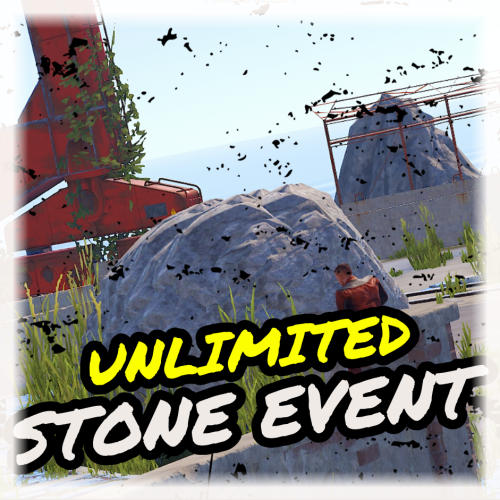
Version 1.7.1
109 downloads
During the Unlimited Stone Event, a large stone node appears at a set location(s) and is marked on the map, drawing attention to all players. This node provides unlimited stone, giving players a chance to collect a significant amount of stone within a limited time. This event can add an extra layer of competition and cooperation among your players as they rush to take advantage of these lucrative opportunities. Features Spawns an unlimited stone node/ore for a limited time. Ability to start the StoneEvent manually or automatically at minimum and maximum intervals. Configuration options for StoneEvent duration, minimum player count, UI location, and more. Customizable event start and end messages. Option to play a sound and visual effect when the event starts. Map markers and UI elements to indicate the active event and provide information to players. Game tips and chat messages to inform players about the event. Ability to set and manage stone node spawn positions. Commands to manage the StoneEvent, including starting and stopping the event, setting spawn positions, listing positions, deleting positions, and viewing available commands. Event Overlap Prevention: Prevents the Stone Event from overlapping with the Metal/Sulfur Event. If overlap occurs, the plugin will retry starting the event after a configurable interval. User Interface: UI customization options include setting the UI location with X and Y coordinates. Enable proximity UI visibility mode and/or a "Players Here: X" Proximity UI. Gather Amounts: Set minimum and maximum gather amounts for sulfur ore and charcoal to control player rewards. Lightning Effects: Enable lightning effects during the event with customizable minimum and maximum intervals. Monument Spawn Locations: Added monument spawn locations that can be individually enabled or disabled. Customize spawns at specific monuments while excluding others (e.g., enable spawns at "xlarge/launch_site_1.prefab" and "medium/nuclear_missile_silo.prefab," but disable spawns at "OilrigAI" and "OilrigAI2"). Monument Spawn Limits: Set a limit for the number of spawns at each monument. For example, limit "roadside/gas_station_1.prefab" to 2 spawns, choosing from 3 Gas Stations if available. Monument Spawn Location Offsets: Customize the offsets for monument spawn locations to fine-tune the exact spawn positions at each monument. Commands /stoneevent start - Start StoneEvent /stoneevent stop - Stop StoneEvent /stoneevent add <name> - Set new StoneEvent spawn position /stoneevent list - List all spawn positions /stoneevent clear - Clear all spawn positions /stoneevent delete <name> - Delete a spawn position /stoneevent - View all commands Console Commands - StoneStart, StoneStop, StoneList, StoneListClear Permissions stoneevent.admin - Allows the use of StoneEvent commands. Possibly Incompatible plugins: "AlwaysHotSpot" , "InstantGather" Default Config { "Only Command Start Event": false, "Minimum Players to Start Event": 1, "Prevent Overlap with Sulfur/Metal Event": true, "Prevent Overlap Retry Timer (seconds)": 180.0, "Event Minimum Interval (seconds)": 3600, "Event Maximum Interval (seconds)": 7200, "Event Duration Seconds": 1230, "Event Start Notification Sound": true, "Event Start Explosion Effects": true, "Event Chat Messages": true, "Event GameTip Messages": true, "Event GameTip Duration (seconds)": 7.0, "Event Start Message": "<color=#efeae6>Stone Event</color> <color=white>Has Started! Check The Map!</color>", "Event End Message": "<color=#efeae6>Stone Event</color> <color=white>Has Ended!</color>", "UI Enabled": true, "UI Location X": 0.38, "UI Location Y": 0.8, "UI Handwriting Font": true, "UI Style (1 = With UI Msg, 2 = No UI Msg)": 1, "UI Message": "Unlimited stone node marked on map!", "Proximity UI Visibility Mode": false, "Proximity UI Visibility Range": 350, "Proximity UI 'Players Here: X'": true, "Proximity UI 'Players Here' Visibility Range": 70, "MapMarker Enabled": true, "MapMarker Colour": "#050505", "MapMarker Colour2": "#efeae6", "MapMarker Radius": 0.25, "MapMarker Alpha": 0.7, "MapMarker Name/Message": "UNLIMITED STONE NODE", "Stones Minimum Gather Amount": 5, "Stones Maximum Gather Amount": 15, "Delete StoneNode at Event End": true, "StoneNode is Gatherable": true, "StoneNode Size 1-100": 30, "StoneNode Size Radius": 0.1, "Lightning during Event": true, "Lightning Min Interval (seconds)": 1.0, "Lightning Max Interval (seconds)": 60.0, "StoneNode Spawnmodes ('All' or 'Random')": "Random", "StoneNode Spawnmode 'Random' Amount": 2, "Monument Spawn Locations": { "xlarge/launch_site_1.prefab": true, "medium/nuclear_missile_silo.prefab": true, "large/military_tunnel_1.prefab": true, "large/airfield_1.prefab": true, "small/sphere_tank.prefab": true, "large/water_treatment_plant_1.prefab": true, "railside/trainyard_1.prefab": true, "medium/radtown_small_3.prefab": true, "roadside/gas_station_1.prefab": true, "roadside/supermarket_1.prefab": true, "large/powerplant_1.prefab": true, "lighthouse/lighthouse.prefab": true, "roadside/warehouse.prefab": true, "medium/junkyard_1.prefab": true, "small/satellite_dish.prefab": true, "harbor/harbor_1.prefab": true, "harbor/harbor_2.prefab": true, "arctic_bases/arctic_research_base_a.prefab": true, "military_bases/desert_military_base_a.prefab": false, "military_bases/desert_military_base_b.prefab": false, "military_bases/desert_military_base_c.prefab": false, "military_bases/desert_military_base_d.prefab": false, "OilrigAI": false, "OilrigAI2": false, "ferry_terminal_1": false }, "Monument Spawn Limits": { "xlarge/launch_site_1.prefab": 1, "medium/nuclear_missile_silo.prefab": 1, "large/military_tunnel_1.prefab": 1, "large/airfield_1.prefab": 1, "small/sphere_tank.prefab": 1, "large/water_treatment_plant_1.prefab": 1, "railside/trainyard_1.prefab": 1, "medium/radtown_small_3.prefab": 1, "roadside/gas_station_1.prefab": 3, "roadside/supermarket_1.prefab": 3, "large/powerplant_1.prefab": 1, "lighthouse/lighthouse.prefab": 2, "roadside/warehouse.prefab": 3, "medium/junkyard_1.prefab": 1, "small/satellite_dish.prefab": 1, "harbor/harbor_1.prefab": 1, "harbor/harbor_2.prefab": 1, "arctic_bases/arctic_research_base_a.prefab": 1, "military_bases/desert_military_base_a.prefab": 1, "military_bases/desert_military_base_b.prefab": 1, "military_bases/desert_military_base_c.prefab": 1, "military_bases/desert_military_base_d.prefab": 1, "OilrigAI": 1, "OilrigAI2": 1, "ferry_terminal_1": 1 }, "Monument Spawn Location Offsets": { "xlarge/launch_site_1.prefab": { "x": 125.0, "y": 3.5, "z": 25.0 }, "medium/nuclear_missile_silo.prefab": { "x": 41.3, "y": -32.9, "z": -2.3 }, "large/military_tunnel_1.prefab": { "x": -27.5, "y": 18.35, "z": 30.0 }, "large/airfield_1.prefab": { "x": 40.0, "y": 0.5, "z": -27.5 }, "small/sphere_tank.prefab": { "x": -22.0, "y": 48.0, "z": -10.0 }, "large/water_treatment_plant_1.prefab": { "x": -26.0, "y": 0.5, "z": -55.0 }, "railside/trainyard_1.prefab": { "x": -30.0, "y": 9.4, "z": -48.0 }, "medium/radtown_small_3.prefab": { "x": 14.5, "y": 1.6, "z": -4.5 }, "roadside/gas_station_1.prefab": { "x": 8.4, "y": 9.5, "z": -6.0 }, "roadside/supermarket_1.prefab": { "x": 2.7, "y": 6.0, "z": -3.5 }, "large/powerplant_1.prefab": { "x": 34.0, "y": 1.0, "z": 56.0 }, "lighthouse/lighthouse.prefab": { "x": 0.0, "y": 55.5, "z": 0.36 }, "roadside/warehouse.prefab": { "x": -20.0, "y": 0.3, "z": -7.7 }, "medium/junkyard_1.prefab": { "x": -18.0, "y": 0.3, "z": 0.0 }, "small/satellite_dish.prefab": { "x": -8.0, "y": 6.5, "z": 1.0 }, "harbor/harbor_1.prefab": { "x": 27.0, "y": 5.6, "z": -21.0 }, "harbor/harbor_2.prefab": { "x": 41.5, "y": 5.3, "z": 10.0 }, "arctic_bases/arctic_research_base_a.prefab": { "x": -13.3, "y": 1.3, "z": 9.5 }, "military_bases/desert_military_base_a.prefab": { "x": 0.0, "y": 1.0, "z": 0.0 }, "military_bases/desert_military_base_b.prefab": { "x": 0.0, "y": 1.0, "z": 0.0 }, "military_bases/desert_military_base_c.prefab": { "x": 0.0, "y": 1.0, "z": 0.0 }, "military_bases/desert_military_base_d.prefab": { "x": 0.0, "y": 1.0, "z": 0.0 }, "OilrigAI": { "x": 13.0, "y": 27.4, "z": -13.0 }, "OilrigAI2": { "x": 0.0, "y": 32.5, "z": -16.75 }, "ferry_terminal_1": { "x": 0.0, "y": 1.0, "z": 0.0 } } }$5.47 -
Version 1.0.5
22 downloads
The plugin adds a building to the server in which you can extract resources. Main In order for the player to get into the building, he needs to earn time. Time can be obtained by exchanging tickets. Tickets can be issued through the donation store, game store or added to crates It is also possible to include the top players Players do not take damage It is forbidden to teleport a friend to yourself / to a friend and home After the end of the time, if the player remains in the farm room, then he begins to receive radiation and damage, and for trying to extract damage increases by 10 times You can leave the building using the button in the player menu installation Download the plugin Download the building file and put it in the oxide folder Download building file Configuration Basic settings Enable/Disable top Auto clear data on wipe Rollback to teleport How long to remove the looted box inside the building Maximum number of players per building Ticket settings Skin id ticket Custom ticket name Link to picture Amount of time the ticket gives Crates in which it will spawn and at what chance Setting items with which you can not teleport Setting the spawn time for farm objects Setting points for farming each object (for top) Blocking commands Removing dropped items Localization for EN and RU languages Give tickets through the console or store gtic "Nickname or Steam ID of the player" "SkinID of the ticket" Privilege for give tickets in the game easygather.give Command /aeg - Call the admin menu (requires administrator rights) /eg - Call the player's menu Demonstration Admin menu Quick placement of objects for gathering Spawn time setting Removing unwanted spawns Adding 3D Text Set player spawn points Set main timer points Teleport to the building Giving yourself free farm time Building change Building renovation Clearing all 3d texts Clearing all spawns The interface is localized for RU and EN languages Creating your building The CopyPaste plugin is responsible for this, the video below demonstrates how to create your own building or change one to another You can change buildings among themselves at any time! All objects / 3D texts / Main timer / Player spawn are tied to their building Make sure that the zone (ZoneManager, zone id [994422]) completely covers the farm building, in which case just expand the zone in the config Config { "Main settings": { "After how many seconds to remove the looted crate": 4, "Teleport cooldown": 600, "Maximum players": 10, "Is the top active": true, "Auto clear players data on Wipe": true, "Building file name (copypaste)": "eg_room_v1", "Photo for user interface": "https://i.imgur.com/k9HzQLM.jpg", "Zone size": { "x": 150.0, "y": 150.0, "z": 150.0 }, "Shortname for tickets": "glue", "No more than 1 ticket per crate": true, "After how many seconds to remove thrown items": 10, "Punishment for being in the zone after the end of time (1 - radiation + damage, 2 - instant death)": 1 }, "Ticket settings": [ { "SkinID": 2852472024, "Custom name": "Ticket 60", "Image url": "https://i.imgur.com/BHUj7e3.png", "How much time gives (seconds)": 60, "Crates from which a ticket can drop with a chance": { "crate_elite": 30, "crate_normal": 10 } }, { "SkinID": 2852471535, "Custom name": "Ticket 30", "Image url": "https://i.imgur.com/VusjY8D.png", "How much time gives (seconds)": 30, "Crates from which a ticket can drop with a chance": { "crate_normal": 40 } }, { "SkinID": 2852471429, "Custom name": "Ticket 10", "Image url": "https://i.imgur.com/A1dN4N0.png", "How much time gives (seconds)": 10, "Crates from which a ticket can drop with a chance": { "crate_normal_2": 20, "crate_tools": 20 } } ], "Object respawn settings (seconds)": { "assets/bundled/prefabs/autospawn/resource/ores/stone-ore.prefab": 120, "assets/bundled/prefabs/autospawn/resource/ores/metal-ore.prefab": 240, "assets/bundled/prefabs/autospawn/resource/ores/sulfur-ore.prefab": 360, "assets/rust.ai/agents/stag/stag.prefab": 120, "assets/rust.ai/agents/bear/bear.prefab": 360, "assets/rust.ai/agents/boar/boar.prefab": 360, "assets/rust.ai/agents/wolf/wolf.prefab": 240, "assets/rust.ai/agents/chicken/chicken.prefab": 60, "assets/bundled/prefabs/autospawn/resource/loot/loot-barrel-1.prefab": 120, "assets/bundled/prefabs/autospawn/resource/loot/loot-barrel-2.prefab": 160, "assets/bundled/prefabs/radtown/loot_barrel_1.prefab": 120, "assets/bundled/prefabs/radtown/loot_barrel_2.prefab": 160, "assets/bundled/prefabs/radtown/oil_barrel.prefab": 140, "assets/bundled/prefabs/radtown/crate_elite.prefab": 480, "assets/bundled/prefabs/radtown/crate_normal.prefab": 360, "assets/bundled/prefabs/radtown/crate_normal_2.prefab": 360, "assets/bundled/prefabs/radtown/crate_tools.prefab": 240, "assets/bundled/prefabs/radtown/underwater_labs/crate_ammunition.prefab": 240, "assets/bundled/prefabs/radtown/underwater_labs/crate_tools.prefab": 240, "assets/bundled/prefabs/radtown/underwater_labs/crate_elite.prefab": 480, "assets/bundled/prefabs/radtown/underwater_labs/crate_normal.prefab": 360, "assets/bundled/prefabs/radtown/underwater_labs/crate_normal_2.prefab": 240 }, "Setting points for top players": { "assets/bundled/prefabs/autospawn/resource/ores/stone-ore.prefab": 1, "assets/bundled/prefabs/autospawn/resource/ores/metal-ore.prefab": 1, "assets/bundled/prefabs/autospawn/resource/ores/sulfur-ore.prefab": 1, "assets/rust.ai/agents/stag/stag.prefab": 1, "assets/rust.ai/agents/bear/bear.prefab": 1, "assets/rust.ai/agents/boar/boar.prefab": 1, "assets/rust.ai/agents/wolf/wolf.prefab": 1, "assets/rust.ai/agents/chicken/chicken.prefab": 1, "assets/bundled/prefabs/autospawn/resource/loot/loot-barrel-1.prefab": 1, "assets/bundled/prefabs/autospawn/resource/loot/loot-barrel-2.prefab": 1, "assets/bundled/prefabs/radtown/loot_barrel_1.prefab": 1, "assets/bundled/prefabs/radtown/loot_barrel_2.prefab": 1, "assets/bundled/prefabs/radtown/oil_barrel.prefab": 1, "assets/bundled/prefabs/radtown/crate_elite.prefab": 4, "assets/bundled/prefabs/radtown/crate_normal.prefab": 3, "assets/bundled/prefabs/radtown/crate_normal_2.prefab": 2, "assets/bundled/prefabs/radtown/crate_tools.prefab": 2, "assets/bundled/prefabs/radtown/underwater_labs/crate_ammunition.prefab": 2, "assets/bundled/prefabs/radtown/underwater_labs/crate_tools.prefab": 2, "assets/bundled/prefabs/radtown/underwater_labs/crate_elite.prefab": 4, "assets/bundled/prefabs/radtown/underwater_labs/crate_normal.prefab": 3, "assets/bundled/prefabs/radtown/underwater_labs/crate_normal_2.prefab": 2 }, "Blocked itms (shortName)": [ "syringe.medical", "antiradpills" ], "Blocked commands": [ "kit" ], "Config version": { "Major": 1, "Minor": 0, "Patch": 4 } }$25.00 -
Version 1.0.1
14 downloads
This plugin is a delightful addition to your server that allows players to enjoy a temporary boost in their resource gathering rate. It's like having a VIP pass to the best resources in the game! With VIPGather, players can activate a command to multiply their gather rate by a configurable amount. Players can activate the VIP gather effect using the /vipgather chat command. This effect lasts for a set duration, also configurable, making each gathering session a strategic decision. But be careful, once the VIP gathering time is up, players will have to wait for a cooldown period before they can use it again. The plugin also provides helpful reminders to players about their VIP gather status. The plugin is highly configurable, allowing server admins to set the VIP gather duration, the cooldown duration, the reminder interval, and the gather rate multiplier. This means you can tailor the VIPGather experience to fit the balance and pacing of your server. If they have the necessary permission (vipgather.use), they'll enjoy a boosted gather rate for the configured duration. If they want to stop the effect early, they can use the /vipgatherstop command. They'll receive messages when their VIP gather rate is about to expire, when it has expired, and when they can use it again after the cooldown. So, why not give your players the VIP treatment? With VIPGather, every player can have a taste of the high life, even in the harsh world of Rust. It's a fun and engaging feature that adds a new layer of strategy to resource gathering. Try VIPGather today and watch your players scramble to become the most efficient gatherers they can be! Config file: { "VIPGatherDuration": 240, "CooldownDuration": 300, "ReminderInterval": 30, "GatherRateMultiplier": 5.0 }$4.99 -
![More information about "Hallow's Grave [HDRP]"](https://codefling.com/uploads/monthly_2021_09/HallowsGrave1.thumb.jpg.7b70754719ecc34d5018ac0eafe9c125.jpg)
Version 1.0.0
11 downloads
Discover the horrors of Hallow's Grave, an abandoned graveyard where the restless lay. A perfect aesthetic addition for any Halloween loving community! Monument Details - 373 Prefabs - Food Crate & Various Halloween Collectables (Sulfur, Stone, Wood, and Metal Ore) - Eerie Autopsy Kitchen - Hanging Deck - Collectable Pumpkins Please Note! The HUGE Pumpkins are for decorative appeal only. Players will not be able to approach them closely or climb on them due to Collider scaling. It is purely meant to be decoration and for the spoops!$5.00



.thumb.jpg.4abde6ce06035db4993ba98aa473b214.jpg)