Search the Community
Showing results for tags 'restart'.
Found 9 results
-
Version 0.1.1
81 downloads
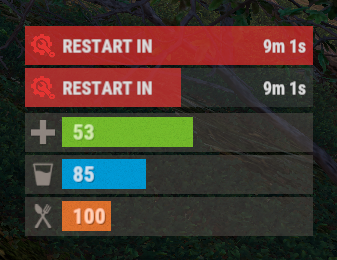
The plugin displays the time until restart in the status bar. Depends on AdvancedStatus plugin. The ability to to add and modify any restart plugins; The ability to automatically generate code for restart hooks; The ability to automatically generate language files for different languages(filled in English); The ability to choose between bar types(TimeCounter and TimeProgressCounter); The ability to specify the order of the bar; The ability to change the height of the bar; The abillity to customize the color and transparency of the background; The ability to set a material for the background; The ability to switch between CuiRawImageComponent and CuiImageComponent for the image; The ability to get images from the local folder(*SERVER*\oxide\data\AdvancedStatus\Images); The abillity to set own image and customize the color and transparency of the image; The abillity to set sprite instead of the image; The ability to customize the color, size, font and outline of the text. { "Is it worth generating restart hooks? 0 - disabled, 1 - one-time activation, 2 - always enabled": 2, "List of language keys for creating language files": [ "en" ], "The type of the bar(TimeProgressCounter or TimeCounter)": "TimeCounter", "The height of the bar": 26, "The display order of the bar": 10, "The background color of the bar(HEX or RGBA)": "#E5423F", "The background transparency of the bar": 0.7, "The background material of the bar, leave empty to disable": "", "The URL of the bar image": "https://i.imgur.com/rAiHloW.png", "The local image of the bar, leave empty to use URL": "RestartStatus_Default", "The sprite image of the bar, leave empty to use local or URL": "", "Is it worth using a raw image for the bar?": false, "The color of the bar image(HEX or RGBA)": "#E5423F", "The transparency of the bar image": 1.0, "The outline color of the bar image(HEX or RGBA)": "0.1 0.3 0.8 0.9", "The outline transparency of the bar image": 1.0, "The outline distance of the bar image, leave empty to disable. Example '0.75 0.75'": "", "The size of the bar text": 12, "The color of the bar text(HEX or RGBA)": "#FFFFFF", "The transparency of the bar text": 1.0, "The font of the bar text(https://umod.org/guides/rust/basic-concepts-of-gui#fonts)": "RobotoCondensed-Bold.ttf", "The horizontal offset of the bar text": 0, "The outline color of the bar text(HEX or RGBA)": "#000000", "The outline transparency of the bar text": 1.0, "The outline distance of the bar text, leave empty to disable": "", "The size of the bar subtext": 12, "The color of the bar subtext(HEX or RGBA)": "#FFFFFF", "The transparency of the bar subtext": 1.0, "The font of the bar subtext": "RobotoCondensed-Bold.ttf", "The outline color of the bar subtext(HEX or RGBA)": "0.5 0.6 0.7 0.5", "The outline transparency of the bar subtext": 1.0, "The outline distance of the bar subtext, leave empty to disable": "", "The background color of the progress bar(HEX or RGBA)": "1 1 1 0.15", "The background transparency of the progress bar": 0.15, "Is it worth making the progress reversible?": true, "The color of the bar progress(HEX or RGBA)": "#E5423F", "The transparency of the bar progress": 0.7, "The OffsetMin of the bar progress": "0 0", "The OffsetMax of the bar progress": "0 0", "The list of restart hooks. Note: After modifying hooks, do not forget to toggle hook generation": [ { "Hook triggered at the start of a restart": "OnSmoothRestartInit", "Argument position containing the number of seconds until restart(counting from 0)": 0, "Hook triggered at the cancellation of a restart": "OnSmoothRestartCancelled" }, { "Hook triggered at the start of a restart": "OnRestartScheduled", "Argument position containing the number of seconds until restart(counting from 0)": 0, "Hook triggered at the cancellation of a restart": "OnRestartCancelled" } ], "Version": { "Major": 0, "Minor": 1, "Patch": 1 } } EN: { "BarText": "RESTART IN" } RU: { "BarText": "РЕСТАРТ ЧЕРЕЗ" }$3.99 -

Version 1.0.0
3 downloads
NexusRestartManager is a professional Rust server lifecycle plugin that manages restarts, wipe tracking, Discord notifications, and native decay configuration COMMANDS (ADMIN): • Restart server: /nrm restart <seconds> [reason] Example: /nrm restart 300 Server update • Cancel a scheduled restart: /nrm cancel COMMANDS (PLAYERS): • View wipe info : /nrmwipe • View wipe info: /nextwipe PERMISSIONS: Admins must have: nexusrestartmanager.admin Grant using your permissions plugin (Oxide/Carbon). oxide.grant user <playername_or_steamid> nexusrestartmanager.admin carbon.grant user <playername_or_steamid> nexusrestartmanager.admin DISCORD FEATURES (AUTOMATIC): • Server Online message (status + wipe cycle) • Restart Scheduled message (countdown + reason) • Server Offline message (uptime + wipe age + wipe cycle) • No duplicate or spam messages • No fake player counts DECAY SETTINGS (CONFIG ONLY): This plugin uses Rust’s native decay system. Example: "Decay": { "Upkeep period (minutes)": 1440 } • 1440 = normal (vanilla) decay • Higher number = slower decay • Lower number = faster decay • Applies automatically on server start and wipe • No commands required IMPORTANT NOTES: • Requires Oxide/Carbon Discord extension for Discord messages • Does NOT wipe blueprints • Does NOT force wipes (tracking only) • Lightweight and production safe This plugin uses a Discord webhook to send server status messages. STEP 1: Create a Discord webhook 1. Open Discord 2. Go to your server 3. Right-click the channel you want messages in 4. Click "Edit Channel" 5. Go to "Integrations" 6. Click "Webhooks" 7. Click "New Webhook" 8. Copy the Webhook URL STEP 2: Add webhook to the plugin config 1. Start the server once with the plugin installed 2. Stop the server 3. Open this file: oxide/config/NexusRestartManager.json or use carbon config 4. Paste your webhook URL into: "Discord": { "Webhook URL": "PASTE_URL_HERE" } STEP 3: Save the file and restart the server • Do NOT reload for first setup • Restart the server fully STEP 4: Verify it works • When the server starts, Discord should show "Server Online" • Run: /nrm restart 60 Test • You should see a restart message in Discord$9.99 -

Version 3.6.0
1,261 downloads
AutoRestart is an advanced and fully configurable plugin to facilitate automatic restarts of Rust servers, ensuring consistent performance and minimizing downtime through effective scheduling and notifications. The plugin has been tested in Pterodactyl and Wisp without problems. Windows could have problems due to how each administrator has configured their bat file and that may cause the plugin to not be able to start the server again.$15.99- 109 comments
- 6 reviews
-
- 4
-

-

-
- #restart
- #rustplugin
- (and 5 more)
-
![More information about "Discord2Ptero [Power Controls]"](https://codefling.com/uploads/monthly_2024_09/DALLE2024-09-2300_50.34-Amodernlogodesignfeaturingpowercontroliconssuchasapowerbuttontoggleswitchandothercontrolsymbols.Thedesignshouldbeminimalisti.thumb.webp.7c7713dbb551e2135b1490d3625a604d.webp)
Version 1.0.0
119 downloads
Discord2Ptero allows you to start, kill, restart or save your Rust servers straight from a Discord channel. 1. Create a client API key @ https://your.pterodactyl.link/account/api and place it in .env file - application key will NOT work! 2. Include link to https://your.pterodactyl.link/account/api in .env file (no trailing slash) 3. Add bot token, channel IDs etc... to .env file 4. Add servers to servers.json (you can find server ID under 'UUID / Docker Container ID' in server details) 5. Enjoy! Requires a Python bot environment & full administration access on a Pterodactyl panel to functionFree- 2 comments
-
- 1
-
-
- #pterodactyl
- #tool
- (and 5 more)
-
Version 1.1.0
8 downloads
MBRestart — Scheduled Server Restart with UI & Announcements MBRestart is a lightweight and user-friendly Rust plugin that allows you to manage both automatic and manual server restarts with clear announcements and a visual UI countdown bar. It helps players stay informed about upcoming restarts while giving administrators full control and flexibility. Features Automatic Scheduled Restart Daily restart at a specified time UTC offset support Fully configurable 🛠 Manual Restart Command Schedule a restart for a custom number of minutes Ability to cancel an active restart Configurable Announcements Minute-based warnings (e.g. 60, 30, 10, 5, 1) Second-based warnings (e.g. 30, 10) Different message types: normal, warning, last minute Restart Countdown UI Clean progress bar shown 5 minutes before restart Color-coded stages: Green — plenty of time Yellow — medium time Orange — soon Red — critical Visible to all players Localization Included English Russian Ukrainian Commands /restart <minutes> — schedule a server restart /restart cancel — cancel the scheduled restart Configuration { "AutoRestart": { "Enabled": true, "Time": "04:00", "UtcOffset": 2 }, "Announcements": { "Minutes": [60, 30, 10, 5, 1], "Seconds": [30, 10] } }$5.00 -

Version 1.0.4
94 downloads
DynamicData — Configurez sans limites « Plus aucune limite de configuration. Laissez libre cours à votre imagination. » DynamicData automatise l'application de vos fichiers de données (JSON) pour Rust selon une chronologie relative à l'effacement. Ajoutez vos profils (par plugin) , spécifiez quand ils doivent s'appliquer (par exemple, 2j4h, 6h30m, 1j@redémarrage) , et le plugin cible est rechargé avec la bonne configuration, immédiatement ou au prochain redémarrage. Objectif : moins d’opérations manuelles, moins d’erreurs, une progression de réinitialisation claire et amusante pour vos joueurs. Points forts Aucune limite : planifiez autant de profils que nécessaire, pour autant de plugins que vous le souhaitez. Délai d'activation flexible : immédiat ou au prochain redémarrage (idéal pour les changements importants). Progression naturelle des réinitialisations : rendez vos serveurs lisibles et motivants, dès le premier jour. Conçu pour être compatible : fonctionne avec tous les plugins utilisant des fichiers de données. Installation et démarrage rapide Déposez DynamicData.cs dans oxide/plugins et (re)chargez-le. Préparez vos fichiers JSON pour chaque plugin. Placez-les sous oxide/data/DynamicData/<Plugin>/... avec un suffixe temporel (et @restart si souhaité). Démarrez le serveur : DynamicData applique et recharge automatiquement les plugins cibles aux moments opportuns. Comment ça marche Placez vos profils JSON ici : oxide/data/DynamicData/<Plugin>/<Subfolder>/*.json (par exemple, DynamicData/RaidableBases/Profiles/Medium_2d.json) . Les fichiers comportent un suffixe temporel (\d+[dhms] peuvent être chaînés) et éventuellement @restart. Exemples : Easy_6h.json, [email protected] . DynamicData calcule chaque échéance à partir du Jour 1 (effacement) , ajoute une marge déterministe (quelques secondes) pour lisser les pics, puis copie le JSON vers l'emplacement de données du plugin cible et recharge ce plugin. If @restart is present, the profile is marked READY and only applies at the next reboot (useful for big changes). Structure & Naming Dynamic root: oxide/data/DynamicData (real-time watch on *.json). Destination: the base name (without the time suffix) becomes the final data file for the plugin (e.g., Profiles/Medium_2d.json ⇒ oxide/data/RaidableBases/Profiles/Medium.json). Valid suffixes: concatenations of d/h/m/s (e.g., 2d4h30m, 45m, 10s). Add @restart to force application on reboot. Important — Match the Target Plugin’s Official Directory Structure DynamicData applies your files only if the tree under oxide/data/DynamicData/<Plugin>/... mirrors exactly what the target plugin expects under oxide/data/<Plugin>/.... Golden rule Everything after <Plugin>/ in DynamicData must be the exact same path as in oxide/data/<Plugin>/... (same folders, same case, same filename). Concrete Examples oxide/data/DynamicData/RaidableBases/Profiles/Easy.json <- Default config (Important to place if you want a default config loaded) oxide/data/DynamicData/RaidableBases/Profiles/Medium.json+12h <- Config loaded after 12h of wipe oxide/data/DynamicData/RaidableBases/Profiles/Hard.json+2d <- Config loaded after 2 days of wipe oxide/data/DynamicData/RaidableBases/Profiles/Expert.json+4d@restart <- Config loaded after 4 days of wipe, only after a server restart Raidable Bases Evolving Over the Wipe Days 1–2: Easy + Medium profiles, 1 event, component-heavy loot; applied immediately at opening. Days 3–5: Medium + Hard profiles, 2–3 events, T2/T3 loot; applied on next restart for a smooth transition. Day 6+: Hard + Expert profiles, 3–4 events, rich loot (rare C4/Rockets), buffed NPCs; applied immediately on the morning of Day 6. One-Click Seasonal Pack Halloween (Oct 24 → 31): “Spooky” bases, themed loot, NPC +25%; trigger with @restart on 10/24. Other Plugins (any that read data files) Kits: Starter (D1–D2), weekend farm promo (D3–D5), advanced kits (D6+). BetterNPC: Calm day / Night +HP +accuracy / end-of-wipe heavy loadouts. Loot tables: progressive T2/T3 ramp, event boosts. NTeleportation: cooldowns and costs relax as the wipe progresses. Skins/SkinBox: automatic seasonal whitelists; off-season ⇒ vanilla/server set. Permissions dynamicdata.admin — access to commands (authLevel 1+ also accepted). oxide.grant group admin dynamicdata.admin Commands (console/RCON) dyndata.list – Shows Day 1 (wipe), last application, and next due time per plugin; marks [PAUSE] if applicable. dyndata.simulate <duration|all|*> – Simulates upcoming applications up to a horizon (e.g., 1h, 30m, 2d, all). Useful to verify your plan. dyndata.rescan – Immediate rescan of the DynamicData folder, applies what’s due, reschedules the rest. dyndata.pause <Plugin> – Pauses a plugin (no applications while paused). dyndata.resume <Plugin> – Resumes a previously paused plugin. Configuration (oxide/config/DynamicData.json) Available keys (defaults shown): LogLevel: "info" — levels: quiet, info, verbose. RateLimitPerMinute: 3 — limit of applications per minute (built-in queue). JitterMinSeconds: 5, JitterMaxSeconds: 30 — deterministic jitter per plugin/file to avoid bursts. MaxDataSizeBytes: 2000000 — max JSON size (safety). DisplayTimeZone: "Europe/Paris" — timezone for logs/displays. InterpretSaveCreatedAs: "auto" — how to interpret SaveCreatedTime if it lacks a timezone (auto, display-tz, server-local, utc). WipeDetectPriority: ["signature","files","serverinfo"] — wipe detection order: signature: seed/size/level change ⇒ wipe, files: detect via .map/.sav timestamps, serverinfo: SaveCreatedTime reported by the server. FileDetectionWindowHours: 12 — analysis window for .map/.sav files. FilePreGenToleranceHours: 2 — tolerance when files are pre-generated before boot. FileClampToBoot: true — if needed, clamps Day 1 to boot time to stay consistent. WipeLogShowUtc: false — also show UTC timestamps in wipe logs. ReloadTargetPlugin: true — auto-reload target plugin after copying. QuarantineStrayDynamicFiles: true — quarantines “stray” dynamic files in oxide/data/DynamicData.__quarantine__. Conseil : utilisez dyndata.simulate 2d pour valider votre plan avant une réinitialisation réelle. FAQ Q : Cela ne fonctionne-t-il qu'avec certains plugins ? A : Non, tout plugin qui utilise des fichiers de données (JSON) . Q : Dois-je redémarrer à chaque modification ? R : Non. Choisissez « immédiat (en direct) » ou « @restart » . Le plugin cible se recharge automatiquement. Q : Que se passe-t-il si je veux revenir en arrière ? R : Conservez vos profils intermédiaires (début/milieu/fin/saisonnier) et réactivez le précédent pour revenir à l'état souhaité. Q : Impact sur les performances ? R : Les applications sont occasionnelles, les rechargements sont ciblés, la limite de débit est configurable — impact négligeable pour un serveur standard.$19.99 -

Version 3.0.1
120 downloads
# Features - Restart your server when you want (SET_TIME or COOLDOWN) - Restart your server when an update is available (UpdateNotice plugin required) # Dependencies **THIS PLUGIN REQUIRE THE [DISCORD](https://umod.org/extensions/discord) EXTENTION TO WORK!** Compatible with [Update Notice](https://umod.org/plugins/update-notice) for restart on update - CarbonUpdate - OxideUpdate - ServerUpdate # Permissions - `rebootscheduler.admin` - Allows player to use the plugin commands # Commands - `rs cancel` - Cancel the ongoing restart - `rs discord` - Send a test message to discord - `rs help` - Display the help message - `rs restart <time in seconds>` - Initiate a restart (10s if no time given) - `rs status` - Display the current restart status # Configuration Default configuration: ```json { "Default chat avatar": 0, "Enable UpdateNotice plugin (required for hooks)": true, "Hooks configuration (require UpdateNotice)": { "When the Server Restart (COOLDOWN | DAILY_TIME)": "COOLDOWN", "Cooldown time before restart (in seconds)": 300, "Enable restart OnCarbonUpdate": false, "Enable restart OnOxideUpdate": true, "Enable restart OnServerUpdate": true }, "Restart messages cooldown": [ 3600, 1800, 900, 300, 120, 60, 30, 10, 5, 4, 3, 2, 1 ], "Enable daily restart": false, "Daily restart time (13:30:00 as example for 1:30 pm UTC)": "04:00:00", "Daily restart cooldown (for message visibility)": 300, "Enable discord notifications": false, "Discord webhook url": "https://support.discordapp.com/hc/en-us/articles/228383668-Intro-to-Webhooks", "Discord role id to mention (0 = no mention)": 0 } ``` - `Default chat avatar` - SteamID of the avatar to use for the chat messages - `Enable UpdateNotice plugin (required for hooks)` - Enable the UpdateNotice plugin hooks - `Hooks configuration (require UpdateNotice)` - Configuration for the UpdateNotice plugin hooks - `When the Server Restart (COOLDOWN | DAILY_TIME)` - When the server should restart (on hook triggered) - `COOLDOWN` - Restart when the cooldown time is reached - `DAILY_TIME` - Restart on the daily restart time (even if not activated) - `Cooldown time before restart (in seconds)` - Cooldown time before restart (only if the **COOLDOWN** is selected) - `Enable restart OnCarbonUpdate` - Initiate restart when CarbonUpdate is triggered - `Enable restart OnOxideUpdate` - Initiate restart when OxideUpdate is triggered - `Enable restart OnServerUpdate` - Initiate restart when ServerUpdate is triggered - `Restart messages cooldown` - Cooldown time for chat messages (in seconds) - `Enable daily restart` - Enable daily restart - `Daily restart time (13:30:00 as example for 1:30 pm UTC)` - Time of the daily restart (in UTC) - `Daily restart cooldown (for message visibility)` - Cooldown time for chat messages (in seconds) - `Enable discord notifications` - Enable discord notifications *(restartCancelled, restartInitiated, restartIminent)* - `Discord webhook url` - Discord webhook url (https://support.discordapp.com/hc/en-us/articles/228383668-Intro-to-Webhooks) - `Discord role id to mention (0 = no mention)` - Discord roleId for mention on message embed # Localization Default localization: ```json { "Help": "\nCommands:\t\t\t\tExplanations:\n\n- rs cancel\t\t\t\tCancel the ongoing restart\n- rs discord\t\t\t\tSend a test message to discord\n- rs help\t\t\t\tDisplay the help message\n- rs restart <time in seconds>\t\tInitiate a restart (10s if no time given)\n- rs status\t\t\t\tDisplay the current restart status", "KickReason": "The server is restarting for update.", "NativeRestartCancel": "Native restart was cancelled.", "NoPermission": "You are not allowed to run this command!", "NoRestartOnGoing": "There is no restart on going!", "RestartCancelMessage": "The restart has been cancelled.", "RestartGlobalMessage": "The server is restarting in {0} due to {1}!", "RestartGlobalMessageShort": "The server is restarting in {0}!", "RestartInitialized": "Restart has been initialize.", "Status": "Status: {0}", "StatusWithTime": "Status: {0} - {1}", "UnknownCommand": "Unknown command!", "UpdateNoticeMissing": "The plugin \"UpdateMissing\" was not found. Check on UMod: https://umod.org/plugins/update-notice", "WrongNumberOfElements": "Wrong number of elements! Please check the help command.", "WrongTimeFormat": "Wrong time format! Please use \"hh:mm:ss\" for a planned time OR xxx (in seconds) for a cooldown" } ``` **PLEASE MAKE SURE TO KEEP THE {x} PARAMETERS STARTING FROM 0 AND INCREASING WITH THE ASCENDING ORDER!!** # Credits Inspired from [SmoothRestarter](https://umod.org/plugins/smooth-restarter) * **[HandyS11](https://github.com/HandyS11)** - Author Fixed by Winterchild84 for Discord.ext 3.00Free-
- 1
-
-
- #auto update
- #restart
- (and 4 more)
-
Version 1.0.4
400 downloads
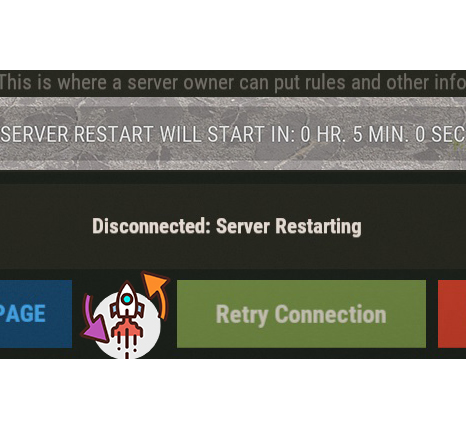
XRestartUI - beautiful restart notification UI. - Optimization of the interface for different monitor resolutions. - There is a lang ru/en/uk/es. - Sound effects. - There is an automatic restart schedule. [ Any commands can be scheduled ] - There is a warning N minutes before the start of the restart. - Logs restart/warnings in the server console. - Ability to skip restart if more than N players are online. -> Overview - YouTube <- Commands restart <time> <description key from langs> [ If there is no key, then the default description will be used ] Config { "General settings": { "Use chat messages": true, "Use UI notifications": true, "Use GameTip notifications": false, "Use the tick effect": true, "Use warning effect": true, "Tick effect used": "assets/bundled/prefabs/fx/notice/loot.drag.dropsuccess.fx.prefab", "Warning effect used": "assets/bundled/prefabs/fx/item_unlock.prefab", "SteamID of the profile for the custom avatar": 0, "Skip restart if there are more than N players online. [ Restart warnings are disabled ]": false, "Number of online players - to skip restart": 100 }, "GUI settings": { "AnchorMin": "0 0.85", "AnchorMax": "1 0.85", "OffsetMin": "0 -25", "OffsetMax": "0 25" }, "List of unique names(keys) of restart reasons - [ Setting up text in lang ]": [ "M_DEFAULT", "M_1", "M_2" ], "Configuring scheduled restarts [ Any command can be scheduled at any time ]": { "08:00": "restart 300", "21:00": "restart 300 M_1" }, "Setting warnings N minutes before restart": [ 60, 45, 30, 15, 10, 5 ] }$8.59- 37 comments
- 4 reviews
-
- 2
-
-
- #restart
- #autorestart
- (and 4 more)
-

Version 1.0.1
569 downloads
Features Restart your server when you want (SET_TIME or COOLDOWN) Restart your server when an update is available (UpdateNotice plugin required) Dependencies THIS PLUGIN REQUIRE THE DISCORD EXTENTION TO WORK! Compatible with Update Notice for restart on update CarbonUpdate OxideUpdate ServerUpdate Permissions rebootscheduler.admin - Allows player to use the plugin commands Commands rs cancel - Cancel the ongoing restart rs discord - Send a test message to discord rs help - Display the help message rs restart <time in seconds> - Initiate a restart (10s if no time given) rs status - Display the current restart status Configuration Default configuration: { "Default chat avatar": 0, "Enable UpdateNotice plugin (required for hooks)": true, "Hooks configuration (require UpdateNotice)": { "When the Server Restart (COOLDOWN | DAILY_TIME)": "COOLDOWN", "Cooldown time before restart (in seconds)": 300, "Enable restart OnCarbonUpdate": false, "Enable restart OnOxideUpdate": true, "Enable restart OnServerUpdate": true }, "Restart messages cooldown": [ 3600, 1800, 900, 300, 120, 60, 30, 10, 5, 4, 3, 2, 1 ], "Enable daily restart": false, "Daily restart time (13:30:00 as example for 1:30 pm UTC)": "04:00:00", "Daily restart cooldown (for message visibility)": 300, "Enable discord notifications": false, "Discord webhook url": "https://support.discordapp.com/hc/en-us/articles/228383668-Intro-to-Webhooks", "Discord role id to mention (0 = no mention)": 0 } Default chat avatar - SteamID of the avatar to use for the chat messages Enable UpdateNotice plugin (required for hooks) - Enable the UpdateNotice plugin hooks Hooks configuration (require UpdateNotice) - Configuration for the UpdateNotice plugin hooks When the Server Restart (COOLDOWN | DAILY_TIME) - When the server should restart (on hook triggered) COOLDOWN - Restart when the cooldown time is reached DAILY_TIME - Restart on the daily restart time (even if not activated) Cooldown time before restart (in seconds) - Cooldown time before restart (only if the **COOLDOWN** is selected) Enable restart OnCarbonUpdate - Initiate restart when CarbonUpdate is triggered Enable restart OnOxideUpdate - Initiate restart when OxideUpdate is triggered Enable restart OnServerUpdate - Initiate restart when ServerUpdate is triggered Restart messages cooldown - Cooldown time for chat messages (in seconds) Enable daily restart - Enable daily restart Daily restart time (13:30:00 as example for 1:30 pm UTC) - Time of the daily restart (in UTC) Daily restart cooldown (for message visibility) - Cooldown time for chat messages (in seconds) Enable discord notifications - Enable discord notifications (restartCancelled, restartInitiated, restartIminent) Discord webhook url - Discord webhook url (https://support.discordapp.com/hc/en-us/articles/228383668-Intro-to-Webhooks) Discord role id to mention (0 = no mention) - Discord roleId for mention on message embed Localization Default localization: { "Help": "\nCommands:\t\t\t\tExplanations:\n\n- rs cancel\t\t\t\tCancel the ongoing restart\n- rs discord\t\t\t\tSend a test message to discord\n- rs help\t\t\t\tDisplay the help message\n- rs restart <time in seconds>\t\tInitiate a restart (10s if no time given)\n- rs status\t\t\t\tDisplay the current restart status", "KickReason": "The server is restarting for update.", "NativeRestartCancel": "Native restart was cancelled.", "NoPermission": "You are not allowed to run this command!", "NoRestartOnGoing": "There is no restart on going!", "RestartCancelMessage": "The restart has been cancelled.", "RestartGlobalMessage": "The server is restarting in {0} due to {1}!", "RestartGlobalMessageShort": "The server is restarting in {0}!", "RestartInitialized": "Restart has been initialize.", "Status": "Status: {0}", "StatusWithTime": "Status: {0} - {1}", "UnknownCommand": "Unknown command!", "UpdateNoticeMissing": "The plugin \"UpdateMissing\" was not found. Check on UMod: https://umod.org/plugins/update-notice", "WrongNumberOfElements": "Wrong number of elements! Please check the help command.", "WrongTimeFormat": "Wrong time format! Please use \"hh:mm:ss\" for a planned time OR xxx (in seconds) for a cooldown" } PLEASE MAKE SURE TO KEEP THE {x} PARAMETERS STARTING FROM 0 AND INCREASING WITH THE ASCENDING ORDER!! Credits Inspired from SmoothRestarter HandyS11 - AuthorFree