Search the Community
Showing results for tags 'rustgpt'.
Found 3 results
-

Version 1.0.0
1 download
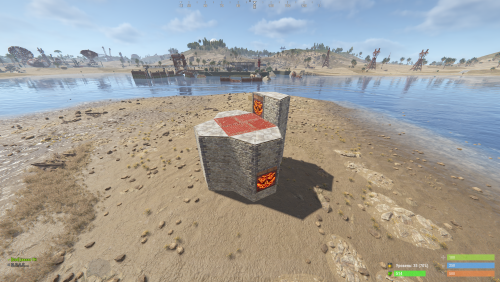
Custom Raid Base Pack: Medium to Hard Difficulty (12 Bases) Hello Rust Community! I'm JaaaaaThomas I'm excited to present my latest base pack: an exclusive collection of 12 custom raid bases specifically designed to challenge experienced players on your server! If you are looking for raids that require planning, resources, and skill, this pack is the right choice for your community. What You Get with This Package This package is a Content Extension that adds 12 challenging, handcrafted Raid Bases directly to your server's rotation. Key Features: 12 Highly Challenging Bases: Each base is manually designed and optimized for Medium to Hard difficulty, featuring complex layouts, clever traps, and demanding defense setups. Intense Planning Required: These bases are meant to test resource management and raiding strategy, pushing players beyond standard easy raids. Premium Builds: All structures are ready to use and compatible with the necessary plugins (Raidable Bases and Copy Paste). Attention: Required Dependencies For this base pack to function, your server MUST have the following two plugins installed and working: [Oxide/uMod Plugin] Raidable Bases (The main event plugin). [Oxide/uMod Plugin] Copy Paste (Required to correctly import the base structures). Without these two plugins, the base pack will NOT work. Important Note for Buyers: THIS 12-BASE PACK IS PART OF MY PREVIOUS 37-BASE COLLECTION. IF YOU HAVE ALREADY PURCHASED THE FULL 37-BASE PACK, PLEASE DO NOT PURCHASE THIS FILE, AS YOU ALREADY OWN THESE BUILDS. Thank you for your support, and good luck mastering these challenging builds!$9.99 -
Version 1.9.0
1,698 downloads
Are you tired of playing Rust like everyone else? Yeah, we get it. That's why we created RustGPT 1.8 - now with multi-provider support! Chat with OpenAI, Anthropic, or XAI while you're getting raided. Because who needs survival skills when you have AI to keep you company? Fix 1.8.2 Fixed the chat icon feature. New in 1.8.1 Added image generation capabilities Added rate limiting for API requests Added image history tracking New Hooks RustGPTGenerateImage - provides a way for other plugins to request image generation from the active AI provider. Only works for OpenAI and Grok for now. Anthropic does not support image generation. GetRemoteAIParams - provides a list of cost effective AIP Url and models. This list is pulled by default if server admins have an empty field in their config. New Command `/rustgpt.image <prompt>` Automatically sends generated images to a configured Discord webhook. Requires the permission RustGPT.images The image gen command is more of a tool for admins and developers to check image generation settings and verify provider capabilities. An image_history.json is created in the data folder. - Death commentary removed. Will be implemented in a new plugin called AI Death Feed Installation Download RustGPT.cs Place it in your server's oxide/plugins or carbon/plugins directory Configure the plugin using the generated config file at ..config/RustGPT.json Configuration The plugin generates a default configuration with support for multiple AI providers: { "AIProviders": { "openai": { "API Key": "your-api-key-here", "url": "https://api.openai.com/v1/chat/completions", "model": "gpt-4", "Max Tokens": 1500 }, "anthropic": { "API Key": "your-api-key-here", "url": "https://api.anthropic.com/v1/messages", "model": "claude-3-opus-20240229", "Max Tokens": 1500 }, "xai": { "API Key": "your-api-key-here", "url": "https://api.x.ai/v1/chat/completions", "model": "grok-1", "Max Tokens": 1500 }, "Active Provider": "OpenAI" }, "AIPromptParameters": { "System role": "You are a helpful assistant on a Rust game server.", "User Custom Prompt": "Server wipes Thursdays at 2pm CST.", "Share Server Name": true, "Share Server Description": true, "Share Player Names": true, "AI Rules": [] }, "ChatSettings": { "Chat Message Color": "#FFFFFF", "Chat Message Font Size": 12, "Response Prefix": "[RustGPT]", "Response Prefix Color": "#55AAFF", "Question Pattern": "!gpt", "Chat cool down in seconds": 10, "Broadcast Response to the server": false } } Permissions RustGPT.use - Allows players to use the chat command RustGPT.admin - Grants access to admin commands and provider management Commands !gpt <message> - Send a message to the active AI provider /provider [name] - Switch between available AI providers (requires RustGPT.admin) /rustgpt.image <prompt> - generates an image based on prompt and sends it to discord. Chat Players can interact with the AI using the configured command (default: !gpt): !gpt When does this server wipe? LLM Provider Management Admins can switch between providers using the /provider command: /provider openai # Switch to OpenAI /provider anthropic # Switch to Anthropic /provider xai # Switch to XAI Settings 1. API Keys: Configure your API keys for each provider you want to use 2. Active Provider: Choose your default AI provider. (Optional - you can just put add your API key to the config and RustGPT will use that provider.) 3. System Prompt: Customize the AI's role and behavior 4. Chat Settings: Adjust message formatting and cooldown times Optional Features Discord Integration: Enable UseDiscordWebhookChat Add your Discord webhook URL (This is setup for admin logging. This webhook should point to a private discord channel.) Custom Rules: AI rules are attached to every message sent to the AI provider. Message Formatting Customize colors using hex codes Adjust font sizes for messages Configure response prefix and colors Support For issues, questions, or contributions: https://discord.gg/EQNPBxdjRuFree -

Version 1.0.1
125 downloads
A Rust plugin that provides AI-generated kill commentary using RustGPT, making your server's death feed more entertaining and engaging. This plugin requires the RustGPT plugin to be installed. FEATURES AI-generated kill commentary using RustGPT Distance-based commentary (close, medium, long range) Multikill detection and special commentary Discord integration for kill feeds DeathNotes integration support Customizable styling and formatting Permission-based visibility control DEPENDENCIES RustGPT plugin DeathNotes plugin (optional) CONFIGURATION Commentary Settings: { "System Prompt": "You are a color commentator for a brutal post-apocalyptic death match TV show called RUST...", "Commentary Delay (seconds)": 2.5, "Multikill Window (seconds)": 5.0, "Long Range Distance (meters)": 100.0, "Medium Range Distance (meters)": 20.0, "Enable Multikill Detection": true, "Enable Distance Reporting": true, "Maximum Commentary Length": -1, "Enable DeathNotes Integration": false } Discord Settings { "Enable Discord Integration": false, "Discord Webhook URL": "your-webhook-url" } Kill Feed Styling { "Commentary Prefix": "[AI Commentary]", "Commentary Prefix Color": "#de2400", "Commentary Message Color": "#FFFFFF", "Commentary Font Size": 12, "Chat Icon (SteamID)": "76561197970331299" } PERMISSIONS aideathfeed.see: Allows players to see kill commentary INSTALLATION Install the RustGPT plugin Copy AIDeathFeed.cs to your oxide/plugins directory Configure the plugin in oxide/config/AIDeathFeed.json Restart your server or use oxide.reload AIDeathFeed USAGE The plugin automatically generates commentary for: Single kills with weapon and distance info Multikills within the configured time window DeathNotes events (if enabled) PERFORMANCE Configurable cleanup intervals Maximum pending commentaries limit Automatic cleanup of old data SUPPORT https://discord.gg/EQNPBxdjRuFree