Search the Community
Showing results for tags 'save'.
Found 3 results
-
Version 1.4.10
246 downloads
Still using those old Restore Upon Death & Metabolism plugins? Well with death modifier you won't need those! For a price $ players can auto revive right where they left off inventory an all! Included with unlimited permissions, blacklist system, container limits, currency support & more! NOTE: This plugin as of 1.2.0 now supports carbon. NOTE: Does not work while in vanish. NOTE: Toggling god mode on while at death screen will break the plugin for you. Features * Black List & Black list chat command for ban / unban of items. * Permission support ( requires a perm to use ). * Specified Containers via perms. * Charge Economics & Economics debt or Server-Rewards RP. * Respawns player at same location they died at. * Ability to control Metabolism on respawn. * Ability to allow players to set there own bed/bag spawn points. * If you don't have a permission it doesn't apply to you. * Currency response msg to player if it fails. * Help/info command. * If multiple permissions assigned it will default to first one in the config list they have. * You can create as many permissions as you want simply copy / paste the examples in the config to make more & edit. * Toggle on/off modes for players. * Capable of saving everything, including backpacks etc. Commands Note: Running these commands bans & unbans everything in your whole inventory ( wear, belt, main ) /bl ban perm perm2 etc ( Specify which perms are allowed to bypass the item ban ) Admin Perm Needed. ( deathmodifier.admin ) /bl unban ( Removes all banned items in your inventory ) Admin Perm Needed. ( deathmodifier.admin ) /di ( Shows the players what their current permission settings are in chat ) /dt ( allows players to toggle off or on the auto revive system ) Note: This will reset to being on when you re-connect back to the server or reload the plugin or do a reboot. Config { "Sets black-list command": [ "dmbl", "bl" ], "Sets help-info command": [ "deathinfo", "di" ], "Sets toggle command": [ "deathtoggle", "dt" ], "Kill Corpse when player uses a Death Modifier Respawn Option": true, "Sets how long until player's corpse De-Spawns, Default 300f (5-min), this affects how long they can AFK at death screen to use there respawn options.": 300.0, "Permissions": { "vip": { "Respawn Settings": { "Random Respawn or Spawn at Death Location, true = random": false, "Seconds for how long after respawn until you can take damage, 0 = disabled": 0, "Sets Respawn with death modifier cooldown in seconds, 0 = disabled": 0 }, "Sets allowed containers, Main = 0 | Belt = 1 | Wear = 2 | All = 3": [ 3 ], "Currency Settings": { "Sets default currency, 0 = disabled, 1 = Economics, 2 = ServerRewards": 0, "Sets price": 15.0, "Sets Increment penalty to apply only when they purchase a revive instead of adding for each death.": false, "Sets Increment penalty for quick repeated use, 0 = disabled": 5.0, "Resets Cost Increment after x seconds, 0 = disabled": 1800 }, "Sets Respawned Metabolism Level's": { "Enable Metabolism Modifications": true, "Sets Current Health: 0 = Random Health Level": 0.0, "Sets Max Health Level": 100.0, "Sets Current Water Hydration Level": 250.0, "Sets Max Water Hydration Level": 250.0, "Sets Current Hunger Level": 500.0, "Sets Max Hunger Level": 500.0 }, "Sets Allowed Respawn Options": { "SleepingBag": true, "Bed": false, "BeachTowel": false, "Camper": true }, "No Respawn Cool Downs": { "SleepingBag": true, "Bed": false, "BeachTowel": false, "Camper": false } }, "basic": { "Respawn Settings": { "Random Respawn or Spawn at Death Location, true = random": false, "Seconds for how long after respawn until you can take damage, 0 = disabled": 0, "Sets Respawn with death modifier cooldown in seconds, 0 = disabled": 0 }, "Sets allowed containers, Main = 0 | Belt = 1 | Wear = 2 | All = 3": [ 0, 2 ], "Currency Settings": { "Sets default currency, 0 = disabled, 1 = Economics, 2 = ServerRewards": 0, "Sets price": 15.0, "Sets Increment penalty to apply only when they purchase a revive instead of adding for each death.": false, "Sets Increment penalty for quick repeated use, 0 = disabled": 5.0, "Resets Cost Increment after x seconds, 0 = disabled": 1800 }, "Sets Respawned Metabolism Level's": { "Enable Metabolism Modifications": true, "Sets Current Health: 0 = Random Health Level": 0.0, "Sets Max Health Level": 100.0, "Sets Current Water Hydration Level": 250.0, "Sets Max Water Hydration Level": 250.0, "Sets Current Hunger Level": 500.0, "Sets Max Hunger Level": 500.0 }, "Sets Allowed Respawn Options": { "SleepingBag": false, "Bed": false, "BeachTowel": false, "Camper": false }, "No Respawn Cool Downs": { "SleepingBag": false, "Bed": false, "BeachTowel": false, "Camper": false } } }, "Black Listed Items with Skins and Permission bypass, use Commands to setup & update": {} }$24.99 -
Version 25.9.5411
180 downloads
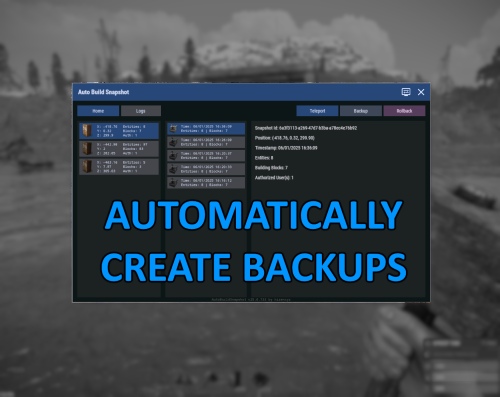
Automatically create backups for your base that you can then rollback to later. Menu command defaults to "abs.menu", but this can be modified in the settings. Most of the navigation is meant to be self-explanatory. All of the phrases should be registered and able to be updated for localization as well. Donations A big ol' thank you if you decide you wanna donate- Ko-fi: https://ko-fi.com/hizenxyz Configuration Explanations General Settings Update Check Interval (seconds): The interval that the plugin will check for updates across all bases and process any changes made to the base. By default this is every hour, but could be shortened if you feel that it should check more often or if you lower the delay between snapshots significantly. Note: This is reset on server restart. Delay Between Snapshot (seconds): The backup interval for individual bases. This is the maximum timespan between saves. Note: This is reset on server restart. Snapshot Retention Period (hours): The number of hours to keep a backup data file for before removing it from the system. Defaults to 30 days. This can be shortened if you don't want to keep backups that long. Not recommended to go longer unless you're running a server that can somehow span multiple wipes. Note: Persisting saves between wipes is not officially supported. Include Ground Resources: Whether to include resources in the backup. Include Non-Authorized Deployables: Disabled. Not currently implmented. Default behavior will include everything. Current Time Zone: The time zone you'd like to display all of the UI timings in. Purely visual. Backend files still save in UTC (Universal Coordinated Time). Commands and Permissions Admin Permission: Gives permission to all other permissions. Toggle Menu Command: The command to toggle the main menu. Toggle Menu Permission: The required permission to toggle the main menu (admin permission will default grant). Backup Permission: The required permission to run manual backups from the interface (backups can only run from interface, so toggle menu or admin permissions are required). Rollback Permission: The required permission to run rollbacks from the interface (rollbacks can only run from interface, so toggle menu or admin permissions are required). Advanced Foundation Zone Radius: Read-only, this is just the radius used to scan foundations. Currently cannot be changed. Max Retry Attempts on Failure: How many attempts to try making a backup before giving up on the base.Free -
Version 1.0.0
671 downloads
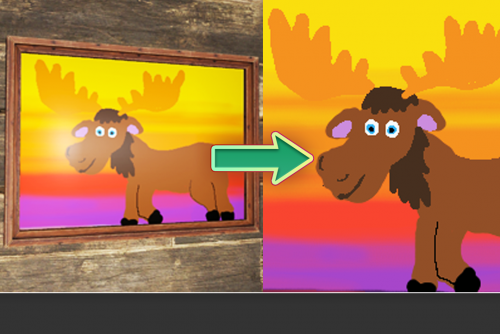
Allow players to upload sign art to Imgur including optional integration to Server Rewards and Discord Core. SAVE YOUR ART! DEPENDS ON http://umod.org/plugins/imgur-api About This plug-in allows players with the appropriate permission level the ability to upload the art of an in-game sign they are looking at to Imgur. The plug-in may optionally be integrated with DiscordCore, to DM the player the Imgur link or post to a channel, and/or ServerRewards, to deduct a configurable amount of RP from the player's balance. To prevent players from spamming the functionality, a configurable cooldown is included. This plug-in is NOT a copy of Sign Artist, which allows players to download pictures from a web address to the server's file storage. SignUploadAPI delivers the opposite functionality: giving players a way to upload pictures from the server's file storage to a web address on Imgur. Photographs also work! If a Photo Frame is selected and it contains a Photo, the photo file itself will be exported. Configuration { "Chat Command": "uploadsign", "Use Discord Core": false, "Discord Channel to Upload to": "", "Use Server Rewards": false, "Cost to Upload": 20, "Cooldown Between Uploads (seconds)": 30.0 } Use Discord Core: Upon enabling this, if DiscordCore is successfully loaded players who have linked their Discord accounts with their Steam accounts on the server will receive a DM including the picture. This does not post to a channel on it's own. Discord Channel to Upload to: DiscordCore will post the file to the specified channel on your Discord server if not left empty. Cost to Upload: This is the amount of RP which is deducted upon an upload attempt to Imgur if Use Server Rewards is set to true. Permissions signuploadapi.use Allows the player or group to use the plugin. signuploadapi.free Allows the player or group to use the plugin free of charge. Chat Commands While the command is configurable, by default it is set to /uploadsign /uploadsign "Title of Image(Optional)" Developer API On any sign successfully being uploaded to Imgur, the following hook is called. void OnSignUploaded(string url, string title, ulong playerID)Free