Search the Community
Showing results for tags 'settings'.
Found 15 results
-

Version 1.0.0
1 download
Hello everyone! These files contain the newly updated settings, not the plugin itself. I have worked very hard on these files to ensure that loot containers are no longer empty and to fix the issue of resource stacks reaching 1 million. In the attached photos, you can see the results of my work—how the containers looked before versus how they look now! I will continue to work on this project and implement many more changes in the future. After extensive testing, I’ve concluded that these updates are essential. If you are tired of finding empty containers, that's over—now they will be full! Regarding resources and explosives, they have been balanced to ensure they still spawn correctly without being underpowered. I have also modified the stack sizes for a better experience! Thank you so much for your support. I would greatly appreciate a like and a share for this page!$9.99 -

Version 1.4.4
1,063 downloads
Introducing Total Control – The Ultimate Rust Server Administration Tool Total Control is a powerful, full-GUI admin plugin designed to give Rust server owners and admins unprecedented control. Whether you’re running hardcore survival or a casual PvE playground, Total Control puts every system at your fingertips live, in-game. Dynamic Schedule System Plan and automate your server’s evolution with ease — no more manual toggling or config edits. The Schedule System lets you: Automate server changes over time – Adjust gather rates, stack sizes, smelting speeds, rewards, raid protection, or PvE/PvP status automatically. Create up to 6 configuration sets per feature (1 default + 5 extra) – Schedule different setups for each stage of your wipe. Scale your server naturally – Increase resource rates as wipes progress or gradually tweak settings to keep gameplay fresh. Fully integrated with the GUI – Configure all schedules directly in-game with the Total Control UI — no external files required. Run your server exactly how you want, exactly when you want — automatically. Core Server Settings Skip Night / Time Freeze – Automate day/night or let players vote, including custom voting percentages and skip limits. Day & Night Length – Configure how long the day lasts and how short nights are. Custom Vote Commands – Define your own chat commands beyond /day. PvE/PvP Modes & Raid Protection – Toggle instantly or schedule on timers, with player HUD indicators. Now includes an option to use in-game or local time. Economy & Progression StackSize Control – Set multipliers per item or entire categories. Gather Rate Control – Fine-tune every item’s resource yield. Easy Item Management – Add or remove items to the GatherRate and StackSize pages directly via chat commands using item shortnames. (Shortnames list: https://www.corrosionhour.com/rust-item-list) Smelting & Cooking – Adjust speeds, outputs, and fuel use. Rewards & Incentives Reward players for kills, gathering, mining, defeating Bradley/Patrol Heli, or emptying crates to encourage active gameplay. Choose between Economics, ServerRewards, scrap payouts or reward all three simultaneously. Configure loot-splitting for Bradley and Heli: split rewards based on damage dealt or grant the full amount to the player landing the final blow. Accessible In-Game Any admin with permission can open the Total Control UI with /tc and adjust settings live no server file access required. Whether your admins are across town or across the globe, they can fine-tune all settings directly in-game. Permissions & Commands Permission: TotalControl.OpenGui (access admin UI) Chat Commands: /tc To open TotalControl /addgather <shortname> Add item to GatherRates page. /removegather <shortname> Remove item to GatherRates page. /addstack <shortname> Add item to StackSize page. /removestack <shortname> Remove item to StackSize page. Join the Community Stay up to date, promote your server, report bugs, or get support: https://discord.gg/AkwHUs8Qma$29.99 -

Version 1.1.2
391 downloads
Open UI - /ss FEATURES: Change population for enities On/off events Server settings P.s - (My Discord - tofurahie#4144)$5.99 -
![More information about "Plugin Interface [Report]"](https://codefling.com/uploads/monthly_2025_07/ii.thumb.png.fbbf83cf59fb45f69b2eff16708d35b2.png)
Version 1.0.0
1 download
Introducing our unique design for the [Wipe-block] plugin. A very stylish and minimalistic design. If you have any problems, do not write angry comments, write to me, and I will be happy to help you solve the problem. IMPORTANT: Please do not use the design for plugins that will be sold (public distribution). Do not resell the design or place our design on other platforms. If you want to release forks with my development, you can buy them on the rights or order a design from me for your fork. Below you will see a reminder on how to launch our design in Figma. Under the reminders, our social networks are indicated, where you can contact us. Thank you all for your attention. With love, Spacesett.$10.00 -
![More information about "Plugin Interface [Statistics]"](https://codefling.com/uploads/monthly_2025_07/.thumb.png.78b55c6ebd15e4e0d6e31645e2301048.png)
Version 1.0.0
1 download
Introducing our unique design for the [Statistics] plugin. A very stylish and minimalistic design. If you have any problems, do not write angry comments, write to me, and I will be happy to help you solve the problem. IMPORTANT: Please do not use the design for plugins that will be sold (public distribution). Do not resell the design or place our design on other platforms. If you want to release forks with my development, you can buy them on the rights or order a design from me for your fork. Below you will see a reminder on how to launch our design in Figma. Under the reminders, our social networks are indicated, where you can contact us. Thank you all for your attention. With love, Spacesett.$10.00 -
![More information about "Plugin Interface [Wipe-block]"](https://codefling.com/uploads/monthly_2025_07/3452.thumb.png.405ff08664faa713e1b0d48a158cddff.png)
Version 1.0.0
1 download
Introducing our unique design for the [Wipe-block] plugin. A very stylish and minimalistic design. If you have any problems, do not write angry comments, write to me, and I will be happy to help you solve the problem. IMPORTANT: Please do not use the design for plugins that will be sold (public distribution). Do not resell the design or place our design on other platforms. If you want to release forks with my development, you can buy them on the rights or order a design from me for your fork. Below you will see a reminder on how to launch our design in Figma. Under the reminders, our social networks are indicated, where you can contact us. Thank you all for your attention. With love, Spacesett.$10.00 -
![More information about "Plugin Interface [Kits]"](https://codefling.com/uploads/monthly_2025_07/aa.thumb.png.feb6cdc84518ef29de96b68aa1870c12.png)
Version 1.0.0
1 download
Introducing our unique design for the [Kits] plugin. A very stylish and minimalistic design. If you have any problems, do not write angry comments, write to me, and I will be happy to help you solve the problem. IMPORTANT: Please do not use the design for plugins that will be sold (public distribution). Do not resell the design or place our design on other platforms. If you want to release forks with my development, you can buy them on the rights or order a design from me for your fork. Below you will see a reminder on how to launch our design in Figma. Under the reminders, our social networks are indicated, where you can contact us. Thank you all for your attention. With love, Spacesett.$10.00 -

Version 1.0.2
810 downloads
This is an incredibly simple, and potentially misleading with its name, plugin that will edit your hostname & description to include your wipe dates. Key Features Modifies server name & description to include the date of your wipe. Automatically insert "JUST WIPED" to the name of your server. Supports custom date format. Reverts to the original hostname & description when the plugin is unloaded Important Information This plugin will completely override your server name and description! If the plugin is not loaded then your server will default to its originally set values. If you need to change your server name or description, its recommended to change it in both the WipeSettings.json config file and the server.cfg config file, so that your server name is up to date in the event that Oxide fails to load. This plugin does not contain any configuration for scheduling your wipes. This means that in order to display an accurate wipe date, the plugin must be loaded from the start of wipe. Config { "Date Format (dd, mm)": "dd/mm", "How many days counts as 'Just Wiped'?": 2, "What text should be added if the server is 'Just Wiped'?": "JUST WIPED | ", "Hostname ({wipe} goes where you want the wipe text, {just} goes where JUST WIPED should go)": "{just}My Server | Active Admins | {wipe}", "Description ({wipe} goes where you want the wipe text, 'Just Wiped' will not be added here)": "Welcome to XXYY, join our discord: discord.gg/abcdef\nLast wipe was on {wipe}", "Hostname Update Interval (seconds)": 3600 } {wipe} - Replaced with the wipe date, per your configured Date Format. {just} - Replaced with the 'Just Wiped' text, per your configured text The hostname and description both support displaying the wipe date. Put {wipe} anywhere in your text and it'll get replaced with the current date. Update Interval Let's say your server wipes on 22/11, and you only want it to say "Just Wiped" for the first 3 days of your 7 day wipe cycle. At some point during the third day, the server will no longer count as "Just Wiped" by your own definition, and there needs to be a good way to check this. You can alter the update interval to be as long or as short as you wish. If you choose to set this to 0, the timer will never be created but the plugin will not update the hostname again until you restart the server or reload the pluginFree -

Version 1.2.7
122 downloads
Open UI - /nlsettings FEATURES: Changing the wearable clothing of the npc Changing Drop from NPCs The plugin doesn't support custom loot tables from other plugins, it also doesn't have default config setup, you need to setup it from scratch by UI in the game! CallHook CanModifySpawnedBot(HumanNPC bot) returning a non-null value overrides default behavior$8.99 -
Version 1.0.8
497 downloads
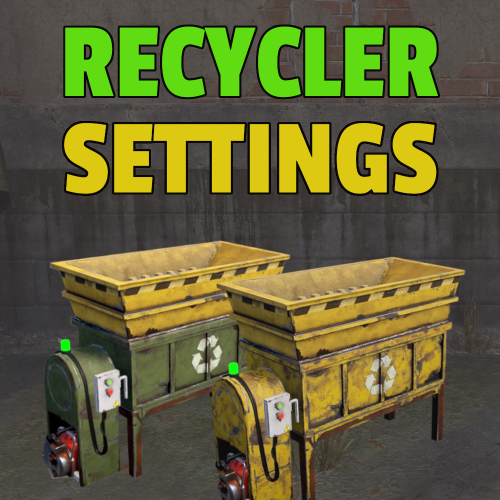
This plugin provides a simple UI to configure recyclers at monuments and safezones. Speed, efficiency and color of the recycler can be adjusted. Command (Chat or F1 console) /rsettings Required permission recyclersettings.admin$4.00- 11 comments
- 1 review
-
- 1
-

-
- #recycler
- #recyclerspeed
- (and 5 more)
-

Version 1.0.6
510 downloads
Bright Nights is the plugin every player has been waiting for. Make your nights brighter and actually playable! Enhanced gameplay with brighter nights Customizable night time brightness Smooth transitions between night and day cycles Lightweight high performance plugin Inverted Night (Option) - make nights as bright as day Saves your players from having to eat too many carrots Bright Nights brings exciting new visuals to the game allowing your players to make the most of night time game play. Inverted nights brings a whole new meaning to bright nights. Inverted nights adds a sun to the night cycle to create a daylight like play style, while maintaining a dark skybox. This option can be enabled via the config. /Settime - allows you to set the ingame time (good for testing settings) Args - Hours (24h) example: 7.5 will be 7:30 am or 0 will be midnight - Sunset - goes to sunset time - Sunrise - goes to sunrise time brightnights.admin - Allows use of the /settime command Does bright nights effect rust events ? Bright Nights does not change any of the date time settings for rust so timed events will run as per normal. Can I adjust the brightness? Yes! Brightnights has a config file which allows for the adjustment of brightness and transition settings. Is the plugin hard to set up? Bright nights is a drag and drop plugin, with no additional set up required.$14.99- 17 comments
- 4 reviews
-
- 5
-

-
- #brightnights
- #bright nights
- (and 28 more)
-
![More information about "PLUGIN INTERFACE [LOTTERY]"](https://codefling.com/uploads/monthly_2025_06/l.thumb.png.08ccaf9037ac78d89df4dbc45f4f614f.png)
Version 1.0.0
1 download
Unique design of the Lottery plugin. This design will match each of your plugins and will suit any server. In this lottery, you will be able to open any 3 cards daily and get a random item. All items will fall into the plugin inventory. This design will complement your server and make it much cooler! Below you will find a reminder on how to launch the design in Figma. Below the reminder are our social networks, if you have any questions or problems, we will promptly help you! With love, Space Settings$10.00 -
Version 25.6.1968
157 downloads
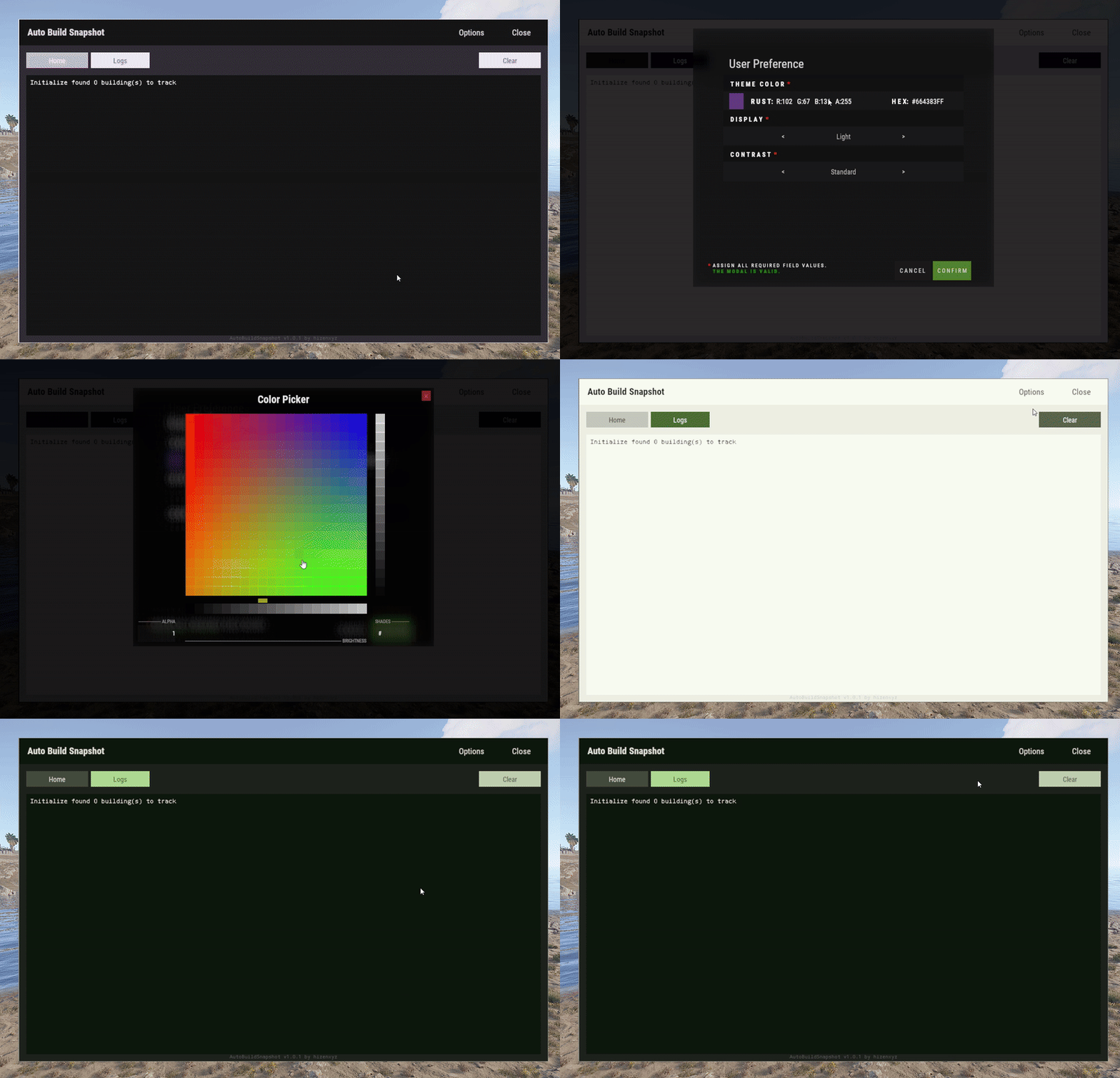
User Preference is an extension that enables plugin developers to provide a way for their users to customize their interface. Plugins can use this extension by placing a button in their application that calls the API to show the user interface options modal. Donations You won't get any extra colors, but if it makes you feel better!- Ko-fi: https://ko-fi.com/hizenxyz Note: If you want this to be optional, plugins should use the EXTENSION_USER_PREFERENCE region directive. See usage example below. Example 1 (optional dependency, recommended, using region directives): #if EXTENSION_USER_PREFERENCE using HizenLabs.Extensions.UserPreference.Data; #endif ... void Init() { #if EXTENSION_USER_PREFERENCE UserPreferenceData.SetDefaultTheme(this, MaterialTheme.CreateFromRgbHex("#FFFFFF", isDarkMode: true)); #endif } ... void ShowMenu(BasePlayer player) { #if EXTENSION_USER_PREFERENCE var userPreference = UserPreferenceData.Load(_instance, player); var theme = userPreference.Theme; string primary = theme.Primary; string onPrimary = theme.OnPrimary; var userPreferenceButton = CreateButton(cui, player, userPreference, container: headerButtons, position: new(optionsButtonX - .005f, 0, closeButtonX - .005f, 1), offset: LuiOffset.None, color: primary, textColor: primary, textKey: LangKeys.StringEmpty, commandName: nameof(CommandMenuSettings), fontSize: 14 ); #else string primary = "0.2 0.2 0.1 1"; string onPrimary = "0.9 0.9 0.9 1"; #endif // do ui stuff, using the defined color variables ... } #if EXTENSION_USER_PREFERENCE [ProtectedCommand(CommandPrefix + nameof(CommandMenuSettings))] private void CommandMenuSettings(BasePlayer player, string command, string[] args) { UserPreferenceUI.Show(this, player, onConfirm: () => UserInterface.ShowMenu(player)); } #endif For a complete example of how far you can take this, see the AutoBuildSnapshot implementation: https://github.com/HizenLabs/Plugins.Free/blob/main/src/Carbon.Plugins/Active/AutoBuildSnapshot/AutoBuildSnapshot.UserInterface.cs Example 2 (optional dependency, using PluginReference): [Info("Plugin Test", "hizenxyz", "1.0.0")] [Description("A plugin to test things.")] public class PluginTest : CarbonPlugin { [PluginReference("UserPreferencePlugin")] private CarbonPlugin userPreference; [ChatCommand("test")] private void TestCommand(BasePlayer player, string command, string[] args) { if (userPreference == null) { // Show the selection UI. userPreference.Call("Show", this, player, () => ShowConfirm(player)); } } private void ShowConfirm(BasePlayer player) { // Use the resulting values in the UI var primary = userPreference.Call<string>("GetPrimary", this, player); player.ChatMessage($"Primary: {primary}"); var secondary45Percent = userPreference.Call<string>("GetSecondary", this, player, 0.45f); player.ChatMessage($"Secondary (45% Opacity): {secondary45Percent}"); } } Example 3 (hard dependency): UserPreferenceUI.Show(this, player, onConfirm: () => Puts("Player clicked confirm!"); Example 3 continued in theme: var userPreference = UserPreferenceData.Load(this, player); var theme = userPreference.Theme; cui.v2.CreatePanel( container: parent, position: LuiPosition.MiddleCenter, offset: new(-450, -275, 450, 275), color: theme.SurfaceContainer ); cui.v2.CreateText( container: parent, position: LuiPosition.Top, offset: LuiOffset.None, color: theme.OnBackground, fontSize: 16, text: "Welcome!", alignment: TextAnchor.UpperCenter ); Themes (color palettes) are based on Material Design 3 (Material You) - https://material-foundation.github.io/material-theme-builder/ The user simply selects a color, a display mode (light/dark), and a contrast level, and a palette will be automatically generated off their selections. The available colors for use in theme are as follows: Primary Colors Primary OnPrimary PrimaryContainer OnPrimaryContainer InversePrimary Secondary Colors Secondary OnSecondary SecondaryContainer OnSecondaryContainer Tertiary Colors Tertiary OnTertiary TertiaryContainer OnTertiaryContainer Error Colors Error OnError ErrorContainer OnErrorContainer Surface & Background Surface SurfaceBright SurfaceContainerLowest SurfaceContainerLow SurfaceContainer SurfaceContainerHigh SurfaceContainerHighest SurfaceVariant OnSurface OnSurfaceVariant Background OnBackground InverseSurface InverseOnSurface Outline & Effects Outline OutlineVariant SurfaceTint Shadow Scrim Transparent (static 0 opacity black) You can either use these directly as properties of MaterialTheme, or all of these can be called from the plugin with userPref.Call<string>("Get[Option]") where [Option] is the color option above. It is recommended to use them directly and just use the #if EXTENSION_USER_PREFERENCE constant to toggle functionality.Free -

Version 1.6.0
799 downloads
Open UI - /tssettings (use permission - tcauth.use) FEATURES: The maximum number of players that can authorize in a cupboard Only authorized players can open crates (on/off) Only authorized players can look inside and open Furnaces (on/off) Authorized players are automatically not attacked by turrets and SAM site (on/off) Authorized players no longer need codes and keys to open doors (on/off) Automatically if players are registered on the TC (remove building parts) (on/off) Automatically registered your teammates on the TC PERMISSIONS: "tcauth.use" - you can use UI (only for config setup) "tcauth.bypass" - you can use all the functionality "tcauth.ignore" - you ignore all the functionality "tcauth.auth.use" - you are automatically authorizing in your teammates TC (AutoTurrets + SAM optional) "tcauth.lock.use" - you can open what's under lock and key "tcauth.chest.use" - you can open chests "tcauth.turret.use" - you are automatically authorized in the turrets and SAM "tcauth.furnace.use" - you can open the ovens "tcauth.removebp.use" - you can destroy parts of the building at any time P.s - (My Discord - tofurahie#4144)$11.99 -
Version 1.3.1
50 downloads
Installation Unzip the archive. Drag TurretTweaks.cs under the oxide/plugins folder of your server. Permissions Default permission - turrettweaks.default You can set permissions for VIP to give them custom values. Example: turrettweaks.vip Features: Auto Turret Settings Health Accuracy Range Bullet Speed Damage Scale Power Consumption Infinite Ammo Block ExploAmmo to be Infinite Sam Site Settings Health Infinite Ammo Damage Scale Flame Turret Settings Health Turret Arc Flame Range Flame Radius Flame Triggered Duration Infinite Low Grade Fuel Consumption Multiplier Damage Scale Shotgun Trap Settings Health Infinite Ammo Aim Cone Sensor Radius Damage Scale Config example { "VERSION": "v1.1.0", "PermissionsList": [ { "Permission Name: (Copy/Paste this for more permissions)": "turrettweaks.default", "AutoTurret Settings:": [ { "Health (Default = 1000):": 1000.0, "Accuracy (Default = 5):": 5.0, "Range (Default = 30):": 30.0, "Bullet Speed (Default = 10):": 10.0, "Damage Scale (Default = 1.0):": 1.0, "Power Consumption (Default = 10):": 10, "Infinite Ammo (Default = false):": false, "Block ExploAmmo to be Infinite (Default = true):": true, "AutoTurrets per player (0 means infinite):": 0 } ], "SamSite Settings:": [ { "Health (Default = 1000):": 1000.0, "Infinite Ammo (Default = false):": false, "Damage Scale (Default = 1.0):": 1.0, "SamSite per player (0 means infinite)": 0 } ], "FlameTurret Settings:": [ { "Health (Default = 300):": 300.0, "Turret Arc (Default = 45 degrees):": 45.0, "Flame Range (Default = 8):": 8.0, "Flame Radius (Default = 2):": 2.0, "Flame Triggered Duration (in seconds) (Default = 5):": 5.0, "Infinite LowGrade (Default = false):": false, "Fuel Consumption Multiplier (Default = 1):": 1.0, "Damage Scale (Default = 1.0):": 1.0, "FlameTurrets per player (0 means infinite):": 0 } ], "ShotgunTrap Settings:": [ { "Health (Default = 300):": 300.0, "Infinite Ammo (Default = false):": false, "AimCone (Default = 40):": 40, "SensorRadius (Default = 1.25):": 1.25, "Damage Scale (Default = 1.0):": 1.0, "ShotGunTraps per player (0 means infinite):": 0 } ] }, { "Permission Name: (Copy/Paste this for more permissions)": "turrettweaks.vip", "AutoTurret Settings:": [ { "Health (Default = 1000):": 5000.0, "Accuracy (Default = 5):": 10.0, "Range (Default = 30):": 50.0, "Bullet Speed (Default = 10):": 15.0, "Damage Scale (Default = 1.0):": 1.2, "Power Consumption (Default = 10):": 5, "Infinite Ammo (Default = false):": true, "Block ExploAmmo to be Infinite (Default = true):": true, "AutoTurrets per player (0 means infinite):": 0 } ], "SamSite Settings:": [ { "Health (Default = 1000):": 5000.0, "Infinite Ammo (Default = false):": true, "Damage Scale (Default = 1.0):": 1.0, "SamSite per player (0 means infinite)": 0 } ], "FlameTurret Settings:": [ { "Health (Default = 300):": 2000.0, "Turret Arc (Default = 45 degrees):": 60.0, "Flame Range (Default = 8):": 10.0, "Flame Radius (Default = 2):": 4.0, "Flame Triggered Duration (in seconds) (Default = 5):": 8.0, "Infinite LowGrade (Default = false):": true, "Fuel Consumption Multiplier (Default = 1):": 1.0, "Damage Scale (Default = 1.0):": 1.0, "FlameTurrets per player (0 means infinite):": 0 } ], "ShotgunTrap Settings:": [ { "Health (Default = 300):": 2000.0, "Infinite Ammo (Default = false):": true, "AimCone (Default = 40):": 60, "SensorRadius (Default = 1.25):": 1.5, "Damage Scale (Default = 1.0):": 1.0, "ShotGunTraps per player (0 means infinite):": 0 } ] } ] }$15.00- 20 comments
-
- 1
-
-
- #custom rust plugin
- #turrettweaks
- (and 8 more)