Search the Community
Showing results for tags 'simulator'.
Found 3 results
-
Version 1.0.5
34 downloads
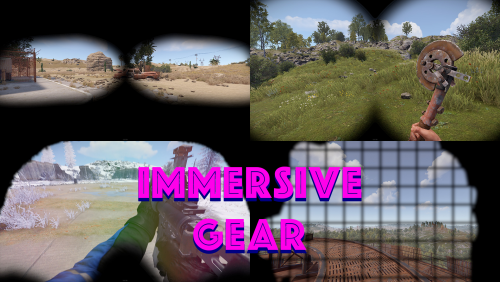
ABOUT While wearing heavy plate helmet or diving goggles in Rust you do get quite immersive overlay experience, however the rest of the gear does not. This plugin offers different overlays for different armors. This offers small penalty for wearing heavy armors and offers more roleplay approach to gear. This would motivate players to wear helmets only if entering combat. The overlay images can be changed and custom gear and custom images can be uploaded. IMPORTANT The UI will overlay on top of some ingame elements, mainly map, chat and status effects (not metabolism but temperature, radiation ect). Also while having UI active you can not pan around map or click on chat box to open popup menu. Inventory and crafting panel are unaffected. The overlay automatically fills entire screen and is designed for 16:9 screen. Users with different resolution will have the overlay stretched depending to their resolution. SUGGESTIONS Since the UI does get overlaid on the map I would recommend using this plugin with convar 'server.mapenabled False' which also goes good with 'server.compassenabled False' for better immersion experience. PERMISSIONS 'immersivegear.use - players with the permission will be subject to the effects of this plugin. 'immersivegear.bypass' - players with the permission who are in same category as use will be exempt from the effects of this plugin. HOW TO INSTALL First move the ImmersiveGear folder to oxide/data, then move the ImmersiveGear.cs to oxide/plugins folder. CONFIGURATION FILE { "GearToFile": { "hazmat.krieg": "hazmatsuitkrieg.png", "hazmatsuit.pilot": "hazmatsuitpilot.png", "hazmatsuit.diver": "hazmatsuitdiver.png", "hazmatsuit_scientist_arctic": "gasmask.png", "hazmatsuit_scientist": "gasmask.png", "hazmatsuit_scientist_peacekeeper": "gasmask.png", "hazmatsuit_scientist_nvgm": "hazmatsuitscientistnvgm.png", "hazmatsuit.arcticsuit": "hazmatsuitarcticsuit.png", "hazmatsuit.frontier": "frontiersuit.png", "hazmatsuit.lumberjack": "hazmatsuitlumberjack.png", "hazmatsuit.nomadsuit": "hazmatsuitnomadsuit.png", "hazmatsuit.spacesuit": "spacesuit.png", "hazmatsuit": "hazmatsuit.png", "hazmatsuittwitch": "hazmatsuit.png", "jumpsuit.waterwellnpc": "hazmatsuitnomadsuit.png", "hat.gas.mask": "gasmask.png", "mask.bandana": "bandana.png", "attire.banditguard": "bandana.png", "attire.ninja.suit": "bandana.png", "halloween.surgeonsuit": "bandana.png", "deer.skull.mask": "mask.png", "clatter.helmet": "mask.png", "draculamask": "mask.png", "hat.dragonmask": "mask.png", "frankensteinmask": "mask.png", "ghostsheet": "mask.png", "gingerbreadsuit": "mask.png", "mask.balaclava": "mask.png", "mummymask": "mask.png", "hat.oxmask": "mask.png", "hat.rabbitmask": "mask.png", "hat.ratmask": "mask.png", "hat.snakemask": "mask.png", "scarecrowhead": "gloweyes.png", "attire.snowman.helmet": "mask.png", "hat.tigermask": "mask.png", "hat.wellipets": "mask.png", "bucket.helmet": "buckethelmet.png", "coffeecan.helmet": "coffecanhelmet.png", "burlap.headwrap": "bandana.png", "attire.egg.suit": "eggsuit.png", "scientistsuit_heavy": "scientistsuitheavy.png", "gloweyes": "gloweyes.png", "halloween.mummysuit": "gloweyes.png", "metal.facemask": "metalfacemask.png", "metal.facemask.icemask": "metalfacemask.png", "metal.facemask.hockey": "metalfacemask.png", "knightsarmour.helmet": "knighthelmet.png", "riot.helmet": "riothelmet.png", "hat.wolf": "hatwolf.png", "wood.armor.helmet": "woodarmorhelmet.png", "attire.reindeer.headband": "reindeerheadband.png", "pumpkin": "pumpkin.png", "cocoknight.armor.helmet": "cocoknightarmorhelmet.png", "oubreak_scientist": "hazmatsuitscientistoutbreak.png" } }$5.99- 3 comments
-
- 2
-

-
- #realism
- #realistic
- (and 6 more)
-
Version 1.1.0
23 downloads
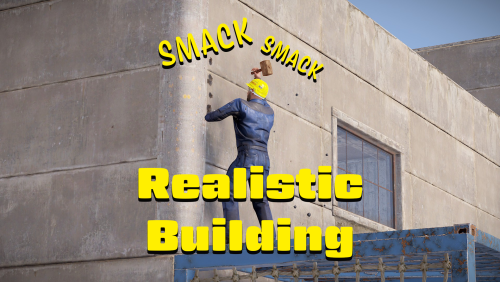
ABOUT One thing I was never too big fan of in Rust was the imbalance of harvesting and crafting taking time, but building being instant - you can build a villa faster than you finish that assault rifle. Yet all other survival games require much more effort to build, well worry no more. The Realistic Building plugin can bring you back the satisfaction of smacking your building with a hammer to build it. WHAT DOES IT DO? Newly built thatch block will have its health set to 1 by default or to your configured value. After upgrading it it will keep its last health, so if you repair it to 10 and upgrade it to stone, the upgraded stone block will have 10 health after upgrade. This means every block you build you will also need to hit it with your hammer until the health is filled up. You can also set deployables to work with this plugin. NOTE Please note that having to repair the blocks on top of deploying will double the building cost. Cost can be adjusted with server convar 'decay.upgrade_wood_cost_multiplier' variable. It is also recommended to set server convar 'decay.upkeep_heal_scale 0' to avoid deployed blocks healing themselves. When adding deployables please make sure to use the deployed short name not item short name that is in your inventory. PERMISSIONS 'realisticbuilding.use' - players with the permission will be subject to the effects of this plugin. 'realisticbuilding.bypass' - players with the permission who are in same category as use will be exempt from the effects of this plugin. CONFIGURATION FILE { "EnableDeployables": true, "HealthBuilding": 1, "HealthDeployables": 1, "Deployables": [ "wall.external.high.wood", "gates.external.high.wood", "wall.external.high.stone", "gates.external.high.stone", "wall.external.high.legacy", "gates.external.high.legacy", "wall.external.high.adobe", "gates.external.high.adobe", "wall.external.high.ice", "icewall", "graveyardfence", "furnace.large", "refinery_small_deployed", "water_catcher_large", "electric.windmill.small", "legacy.shelter.wood.deployed", "abovegroundpool.deployed" ] }$5.99-
- 1
-

-
- #realistic
- #realism
- (and 8 more)
-
Version 2.0.1
59 downloads
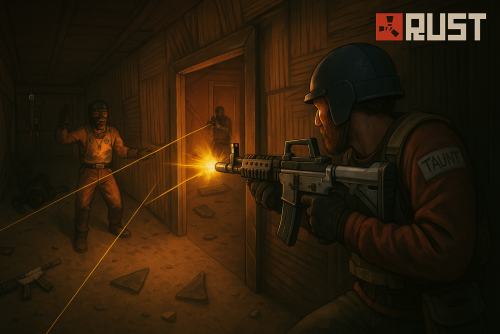
Raid Simulator brings a new way of playing where we can simulate raiding and defending with different bases. Features Multiple arena setup Set up VIP Arenas Easy setup with in-game CUI Arena view CUI Easily configuration Commands /play or /join - Shows all available arenas /leave - Teleport to lobby /swapteam - Swaps team /vip - Have some configurable option for vip users ADMIN COMMANDS: - /rsa help - Shows all arena setup commands - /rsa list - Shows all arena - /startrs ARENANME - Starts a specfic arena - /stoprs AREMAMA<E - Stops the arena - /startallrs - Starts all setuped arenas available SETUP COMMANDS - /rsa setlobby - Sets RS Lobby for player teleports - /rsa add ArenaName - Creates a arena for RS - /rsa edit ArenaName - Prepare to edit the arena - /rsa stopedit - Stop the editing arena - /rsa setspectator - Sets RS Spectator - /rsa settings - Change settings of the arena - /rsa adminvip - Change vip setting of the arena - /rsa paste - Paste the copy paste file for demonstration - /rsa cleararena - Clear all entitys from the arena ---------Attackers Settings - /rsa aspawnloc - Sets Attacker Spawn Point - /rsa acploc - Sets Attacker CopyPaste Location ---------Defenders Settings - /rsa dspawnloc - Sets Defender Spawn Point - /rsa dcploc - Sets Defender CopyPaste Location Permissions RaidSimulator.admin - Required for all admin commands RaidSimulator.VIPSettings - Required for vip players RaidSimulator.VIPSwapTeam - Required for vip players RaidSimulator.VIPSkipQueue - Required for vip players Video Showcase OLD SETUP VIDEO Configurations$30.00- 10 comments
- 2 reviews
-
- 2
-
-
- #raid
- #simulator
- (and 4 more)