Search the Community
Showing results for tags 'speed'.
Found 13 results
-

Version 1.3.1
3,872 downloads
Take your players to new heights in the game of Rust, and get a few laughs watching people try to fly one for the first time! Introducing Jetpack! A plugin that allows your players to soar around like never before in the game of Rust. Grab this plugin and give your players something to talk about! Many functions have already been implemented like the ability to shoot while piloting a jetpack, and the plugin will continue to expand and grow with the community. You'll find the configuration covers almost anything you can think of, and you'll see a breakdown of the configuration file in the description below. By default you can simply press the middle mouse wheel to equip and remove the jetpack quickly, you can't run around once you've equipped it. You can customize loot crates the jetpack might appear in, and all of the stats from thrust to rotation and all of the other controls. Be sure to check the permission section and feel free to use the command creatively to give jetpacks as an award for completing other tasks on your server using the commands provided. Make sure you have some lowgrade handy, let's take to the skies! Сontrols Space bar - thrust W/S keys - pitch axis A/D keys - yaw axis Chat commands (check config for permissions) /jet - toggle jetpack on & off /givejetpack - give a jetpack to yourself Console commands (admin only) givejetpack - give a jetpack to yourself givejetpack SteamID - give a jetpack to player using their SteamID Plugin config en – example of plugin configuration in English ru – example of plugin configuration in Russian Check out the rest of my work: Adem's Codefling Library You can reach out to me in Discord: Adem's Discord Profile Thanks to Jbird for writing, translation, & support: Jbird's Discord Profile Join the Mad Mappers Discord!$19.99 -

Version 0.0.12
4 downloads
APBoatSpeed — Custom boats with adjustable speed Overview APBoatSpeed adds customizable boats (Rowboat, RHIB, Tugboat, and Kayak placeholder) to your Rust server, allowing per-boat speed multipliers, item or direct spawn modes, and a modern UI with images, statuses, and cooldown timers. The plugin supports RU/EN localization and keeps boats linked to each player to prevent duplicates from being spawned. Key Features Custom boat types: Rowboat, RHIB, Tugboat — each with its own speed multiplier and permission. Two delivery modes: as an inventory item (emulated via kayak with a unique Skin ID) or directly spawned near the player. Smart water spawning: adjusts spawn distance for large boats (RHIB/Tug). Player-linked boats: ensures one boat per type per player; old boats are removed automatically. Stored in oxide/data/APSystem/APBoatSpeed/PlayerBoats.json. Localization: English and Russian (auto-detected from player language). Floating name above boats: configurable distance, color, size, and height. Cooldown system: global and per-boat cooldowns displayed in UI. Commands (default) /boat <name> [amount] — gives a boat item or spawns it (depending on config). Additional actions: /boat <name> 1 spawn — force spawn near the player /boat <name> 1 destroy — destroy player’s boat of that type /boat <name> 1 toitem — return boat to inventory item /boatlist — list all available boats with their speed multipliers /boatui — open graphical user interface Commands can be customized in the config (BoatCommand, ListCommand, UICommand). Permissions apboatspeed.use — allows using plugin commands apboatspeed.admin — admin-level access Per-boat permissions: apboatspeed.speedster apboatspeed.turbo apboatspeed.speedrhib apboatspeed.rocketrhib apboatspeed.speedtugboat apboatspeed.fasttugboat apboatspeed.turbotugboat Config { "Configuration Version": { "Major": 0, "Minor": 0, "Patch": 128 }, "Command Settings": { "Command to get boat": "boat", "Command to list boats": "boatlist", "Show receive message": true, "Automatically place boat in water": true, "Water search radius (meters)": 50.0, "Boat spawn distance from player (meters)": 8.0, "Give cooldown (seconds)": 5.0, "Spawn cooldown (seconds)": 3.0 }, "Display Settings": { "Show boat name": true, "Minimum display distance (meters)": 2.0, "Maximum display distance (meters)": 15.0, "Display update interval (seconds)": 0.2, "Text color (R G B A)": "0 1 1 1", "Font size": 14, "Height above boat (meters)": 2.0 }, "UI Settings": { "UI open command": "boatui", "Panel background color": "0.1 0.1 0.1 0.95", "Button color": "0.15 0.15 0.15 0.95", "Text color": "0.969 0.922 0.882 1", "Active button color": "0.2 0.6 0.8 1", "Panel position AnchorMin": "0.3 0.2", "Panel position AnchorMax": "0.7 0.8" }, "Custom Boats": [ { "Name": "speedster", "Display Name": "Speedster Rowboat", "Base Type": "rowboat", "Speed Multiplier": 1.0, "Permission": "apboatspeed.speedster", "Enabled": true, "Give Mode": "Item", "Base Item for Emulation": "kayak", "Unique Skin ID": 3594815869, "Give Cooldown (seconds)": 15.0, "Spawn Cooldown (seconds)": 10.0, "Image File Name (without extension)": "speedster" }, { "Name": "turbo", "Display Name": "Turbo Rowboat", "Base Type": "rowboat", "Speed Multiplier": 2.0, "Permission": "apboatspeed.turbo", "Enabled": true, "Give Mode": "Item", "Base Item for Emulation": "kayak", "Unique Skin ID": 3594816585, "Give Cooldown (seconds)": 10.0, "Spawn Cooldown (seconds)": 7.0, "Image File Name (without extension)": "turbo" }, { "Name": "speedrhib", "Display Name": "Speed RHIB", "Base Type": "rhib", "Speed Multiplier": 1.0, "Permission": "apboatspeed.speedrhib", "Enabled": true, "Give Mode": "Item", "Base Item for Emulation": "kayak", "Unique Skin ID": 3594816888, "Give Cooldown (seconds)": 5.0, "Spawn Cooldown (seconds)": 3.0, "Image File Name (without extension)": "speedrhib" }, { "Name": "rocketrhib", "Display Name": "Rocket RHIB", "Base Type": "rhib", "Speed Multiplier": 2.0, "Permission": "apboatspeed.rocketrhib", "Enabled": true, "Give Mode": "Item", "Base Item for Emulation": "kayak", "Unique Skin ID": 3594817179, "Give Cooldown (seconds)": 7.0, "Spawn Cooldown (seconds)": 5.0, "Image File Name (without extension)": "rocketrhib" }, { "Name": "speedtugboat", "Display Name": "Speed Tugboat", "Base Type": "tugboat", "Speed Multiplier": 0.5, "Permission": "apboatspeed.speedtugboat", "Enabled": true, "Give Mode": "Item", "Base Item for Emulation": "kayak", "Unique Skin ID": 3594817448, "Give Cooldown (seconds)": 4.0, "Spawn Cooldown (seconds)": 2.0, "Image File Name (without extension)": "speedtugboat" }, { "Name": "fasttugboat", "Display Name": "Fast Tugboat", "Base Type": "tugboat", "Speed Multiplier": 1.5, "Permission": "apboatspeed.fasttugboat", "Enabled": true, "Give Mode": "Item", "Base Item for Emulation": "kayak", "Unique Skin ID": 3594817649, "Give Cooldown (seconds)": 6.0, "Spawn Cooldown (seconds)": 4.0, "Image File Name (without extension)": "fasttugboat" }, { "Name": "turbotugboat", "Display Name": "Turbo Tugboat", "Base Type": "tugboat", "Speed Multiplier": 2.5, "Permission": "apboatspeed.turbotugboat", "Enabled": true, "Give Mode": "Item", "Base Item for Emulation": "kayak", "Unique Skin ID": 3594817910, "Give Cooldown (seconds)": 6.0, "Spawn Cooldown (seconds)": 4.0, "Image File Name (without extension)": "turbotugboat" } ], "Localization Settings": { "Message Prefix": "<color=#00ff00>[APBoatSpeed]</color>" } } Installation & UI Images Upload the plugin file to oxide/plugins. Run the server to generate the config. Place PNG images for each boat in: oxide/data/APSystem/APBoatSpeed/Images/ (file name without extension = ImageFileName in config). The plugin will automatically upload images to FileStorage and display them in the UI.$10.00 -

Version 1.7.43
5 downloads
Dynamic Speed Control: Adjust smelting speeds for Electric Furnace, Small Furnace, Large Furnace, Oil Refinery, BBQ, Campfire, and Mixing Table individually. Changes take effect immediately without restarts. Role-Based Multipliers: Assign permissions such as furnace.speed.normal, furnace.speed.instant, or furnace.speed.slow to create custom experiences for different user groups. In-Game UI Editor: Simple and effective UI lets admins or players with permission manage speed settings directly in-game using input fields and buttons. Persistent Settings: Player preferences (such as UI visibility and role selection) are saved automatically and reloaded on reconnect. Efficient Inventory Management: Integrated "Take All" and "Put All" buttons help players transfer items in and out of furnaces quickly. Optimized Performance: Designed to run with minimal resource usage, keeping server performance intact. Optional ImageLibrary Support: Adds icons and UI elements for a richer, more informative interface (if ImageLibrary is installed). furnace.use – Access to open the UI via /furnace furnace.buttons.use – Enables usage of Take All / Put All buttons furnace.speed.<rolename> – Define and apply custom speed profiles per role /furnace – Opens the main UI panel (requires permission) furnace.cmd set <type> <value> – Sets specific speed value (admin only) furnace.cmd role – Switches between role-based speed profiles furnace.cmd tips – Toggles visibility of UI tips furnace.takeall <id> – Removes all items from a furnace furnace.putall <id> – Puts valid items into a furnace Place Furnace.cs into your /oxide/plugins directory Configure plugin settings via oxide/config/Furnace.json or the in-game UI Grant roles using standard Oxide permission commands 📽 Video Overview https://youtu.be/HVDp7e6T6Bg$10.00- 2 comments
-
- 1
-

-
- #smeltingspeed
- #furnace
- (and 4 more)
-

Version 1.0.4
574 downloads
Simple plugin that allows crafting speed multipliers to be set per permission group. Adjust how fast each group can craft, from slower progression to instant crafting, depending on your server’s needs. Commands These commands can be ran via ingame console (with permission) or RCON. gcraft gcraft <group> <multiplier> Permissions The following permission is only needed to allow users to access commands via ingame console. groupcrafting.admin Configuration The config can be edited directly or can be adjusted with the commands above. "group": Multiplier, "group2": Multiplier Existing server groups are automatically detected when the plugin loads. The default multiplier is 1, higher values increase crafting speed, and a value of 0 enables instant crafting. Thanks to @SawyerWD for icon!Free -

Version 1.0.6
612 downloads
Movement speed is a plugin that allows servers to create permission based speed increases for running and swimming. Server owners can create as many custom permission levels as they desire, and permissions are split between swimming and running, allowing for a lot of flexibility. The plugin allows for multiple speed boost permissions to be applied, and will select the highest speed modifier where applicable. This plugin will work great with: Skill Tree: This plugin can be used to create a new permission based skill inside of the Skill Tree, and supports leveling up. Cooking: A new recipe can be created that will give the player a temporary skill buff when consumed. Epic Loot: Add the speed value as part of a set bonus to provide players with faster swimming or running when wearing a set of equipment. Permission: movementspeed.admin - allows user of commands. Commands msdisablerun <steam id> - forces the players run speed to be disabled. msdisableswim <steam id> - forces the players swim speed to be disabled. msenablerun <steam id> - re-enables the run speed. msenableswim <steam id> - re-enables the swim speed. togglerun - Turns run speed on/off for the command user. toggleswim - Turns swim speed on/off for the command user. Config integration examples Cooking "energy drink": { "enabled": true, "shortname": "fish.cooked", "skin": 3348991998, "description": "Pretty sure I can hear colors and taste time right now... anyone else vibrating?", "duration": 120, "buffs": { "Permission": 1.0 }, "Commands to run when the player consumes the food [key = command, value = description]": { "o.grant user {id} MovementSpeed.run.5": "Increases your movement speed by 100%." }, "Commands to run when the food buff expires": [ "o.revoke user {id} MovementSpeed.run.5" ], "persistThroughDeath": false, "cookTime": 15.0, "useCooldown": 0.0, "permissionToCook": null, "dropWeight": 100, "allowDefaultEffects": false, "Effect settings": { "Effect to run when the player consumes the meal": "assets/prefabs/clothes/halloween.scarecrow/effects/soul_release_effect.prefab", "Should the effect run server side?": true, "Max distance heard [0 = no limit]": 20.0 }, "Ingredients for meal": { "sugar": 5, "pineapple": 1, "red berry": 2, "blue berry": 2 } }, Skill Tree - Swim speed "Olympic Swimmer": { "Permission required to show this node": null, "Minimum prestige required to unlock this node": 0, "Skill required to unlock node [Requires max level]": null, "Skill that if unlocked, will prevent this node from unlocking": null, "enabled": true, "max_level": 5, "tier": 3, "value_per_buff": 1.0, "buff_info": { "Key": "Permission", "Value": "Permission" }, "icon_url": "https://www.dropbox.com/s/6blc3eiarm07rku/cooking%20tree%20example.v1.png?dl=1", "skin": 3349007497, "permissions": { "description": "This node provides you with <color=#42f105>20%</color> faster swim speed per level.", "perms": { "1": { "perms_list": { "MovementSpeed.swim.2": "Swim speed - <color=#61e500>+20%</color>" } }, "2": { "perms_list": { "MovementSpeed.swim.3": "Swim speed - <color=#61e500>+40%</color>" } }, "3": { "perms_list": { "MovementSpeed.swim.4": "Swim speed - <color=#61e500>+60%</color>" } }, "4": { "perms_list": { "MovementSpeed.swim.5": "Swim speed - <color=#61e500>+80%</color>" } }, "5": { "perms_list": { "MovementSpeed.swim.6": "Swim speed - <color=#61e500>+100%</color>" } } } } }, Skill Tree - Run Speed "Athletic": { "Permission required to show this node": null, "Minimum prestige required to unlock this node": 0, "Skill required to unlock node [Requires max level]": null, "Skill that if unlocked, will prevent this node from unlocking": null, "enabled": true, "max_level": 4, "tier": 2, "value_per_buff": 1.0, "buff_info": { "Key": "Permission", "Value": "Permission" }, "icon_url": "https://www.dropbox.com/s/6blc3eiarm07rku/cooking%20tree%20example.v1.png?dl=1", "skin": 3349007405, "permissions": { "description": "This node provides you with <color=#42f105>20%</color> faster run speed per level.", "perms": { "1": { "perms_list": { "MovementSpeed.run.2": "Run speed - <color=#61e500>+20%</color>" } }, "2": { "perms_list": { "MovementSpeed.run.3": "Run speed - <color=#61e500>+40%</color>" } }, "3": { "perms_list": { "MovementSpeed.run.4": "Run speed - <color=#61e500>+60%</color>" } }, "4": { "perms_list": { "MovementSpeed.run.5": "Run speed - <color=#61e500>+80%</color>" } } } } }, API AddRunSpeedBoost(BasePlayer player, string plugin, float modifier, float duration, bool forceOverwrite) AddSwimSpeedBoost(BasePlayer player, string plugin, float modifier, float duration, bool forceOverwrite) RemoveRunSpeed(BasePlayer player, string plugin) RemoveSwimSpeed(BasePlayer player, string plugin)$9.99 -

Version 1.2.7
1,393 downloads
SUPPORTS EVERY VEHICLE IN THE GAME! A simple plugin that brings in new types of fuel. Depending on the fuel type helis fly faster or slower. Out of the box this plugin adds 2 new fuel types to the game: Medium Grade Fuel and High Quality Fuel. For each fuel type you can configure a speed multilplier. For example High Quality Fuel makes helis go 3x as fast by default. Furthermore you can configure the fuel consumption per minute for each fuel type. Supported vehicles: Minicopter, Scrap Heli, Attack Heli Rowboat, RHIB Modular Car Small & Large Submarine Horse Bike, Motorbike Snowmobile Diver Propulsion Vehicle Configuration: Item name: The name of the ingame item; set it to null to use the default item name. Fuel skin id: the skin id of the fuel item. Note that each skin id has to be unique and can not be used for multiple fuel types Speed multiplier: the speed multiplier for the heli, 1 = default speed. It is not recommended to set this higher than 4. Fuel consumption per minute: fuel consumption per minute, set to -1 to use the default fuel consumption. Loot Table integration: This plugin supports the custom item api of Loot Table and Stack Size GUI, so you can easily add your custom fuel items to the loot table. When both plugins are installed on the server, the fuel items you configured will show up in the custom items tab of Loottable (right image): Admin commands: fuel list - View fuel types and their id fuel <id> <amount> - Give yourself x amount of fuel with the given id fuel <id> <amount> <player name or id> - Give the specified player x amount of fuel with the given id These commands are intended for admin use only and require the permission helispeed.admin Default configuration: { "Fuel Configuration": [ { "Item name": null, "Fuel skin id": 0, "Minicopter speed multiplier": 0.8, "Minicopter fuel consumption per minute (-1 for default)": -1.0, "Scap heli speed multiplier": 0.8, "Scap heli consumption per minute (-1 for default)": -1.0, "Row boat speed multiplier": 0.8, "Row boat fuel consumption per minute (-1 for default)": -1.0, "RHIB speed multiplier": 0.8, "RHIB fuel consumption per minute (-1 for default)": -1.0, "Modular car speed multiplier": 0.8, "Tugboat speed multiplier": 0.8, "Tugboat fuel consumption per minute (-1 for default)": -1.0, "Attack helicopter speed multiplier": 0.8, "Attack helicopter fuel consumption per minute (-1 for default)": -1.0 }, { "Item name": "Medium Grade Fuel", "Fuel skin id": 2501207890, "Minicopter speed multiplier": 1.5, "Minicopter fuel consumption per minute (-1 for default)": -1.0, "Scap heli speed multiplier": 1.5, "Scap heli consumption per minute (-1 for default)": -1.0, "Row boat speed multiplier": 1.5, "Row boat fuel consumption per minute (-1 for default)": -1.0, "RHIB speed multiplier": 1.5, "RHIB fuel consumption per minute (-1 for default)": -1.0, "Modular car speed multiplier": 1.5, "Tugboat speed multiplier": 1.5, "Tugboat fuel consumption per minute (-1 for default)": -1.0, "Attack helicopter speed multiplier": 1.5, "Attack helicopter fuel consumption per minute (-1 for default)": -1.0 }, { "Item name": "High Quality Fuel", "Fuel skin id": 2664651800, "Minicopter speed multiplier": 3.0, "Minicopter fuel consumption per minute (-1 for default)": -1.0, "Scap heli speed multiplier": 3.0, "Scap heli consumption per minute (-1 for default)": -1.0, "Row boat speed multiplier": 3.0, "Row boat fuel consumption per minute (-1 for default)": -1.0, "RHIB speed multiplier": 3.0, "RHIB fuel consumption per minute (-1 for default)": -1.0, "Modular car speed multiplier": 3.0, "Tugboat speed multiplier": 3.0, "Tugboat fuel consumption per minute (-1 for default)": -1.0, "Attack helicopter speed multiplier": 3.0, "Attack helicopter fuel consumption per minute (-1 for default)": -1.0 } ] }$18.00 -

Version 1.0.4
117 downloads
Change the speed, fuel time and resource gained from all quarries and the giant excavator with a simple config. Works with GatherManager. Console commands (admin only): qc.data - Displays in chat the values for each of the quarries qc.reload - Reloads all quarries Config: You can easily configure each quarry type separately: Fuel time - How long does a diesel last (in seconds) Resource tickrate - How often resources are added to the output container (in seconds) Amount of resources - Total amount of resources from each diesel. A value of 1000 means it makes the same amount as vanilla. Changing this value to 2000 means it makes 2 times as much as vanilla, or 500 means half as much as vanilla. (example: in vanilla 1 diesel = 50 hqm at the HQM quarry. Setting the value to 2000 gives you 100 hqm for each diesel, and a value of 500 gives 25 hqm for each diesel. Note: Any GatherManager multipliers are multiplied on top of this setting Excavator fuel time - How long a diesel last for the giant excavator (in seconds) Excavator resource tickrate - How often resources are added to the output container for the giant excavator (in seconds) Excavator resource multiplier - Multiplies the output resource with this value. Note: This multiplier and GatherManager multiplier will stack (if "Use excavator settings if GatherManager exists" is set to true) Use excavator settings if GatherManager exists - If GatherManager is loaded (or reloaded) and this setting is true, it will override GatherManager excavator settings. Note: GatherManager still modifies the output as normal Default config (vanilla values): { "Stone Quarry": { "Fuel time per diesel (seconds)": 120.0, "Resource tickrate (seconds)": 5.0, "Amount of resources per diesel (1000 = vanilla)": 1000.0 }, "Sulfur Quarry": { "Fuel time per diesel (seconds)": 120.0, "Resource tickrate (seconds)": 5.0, "Amount of resources per diesel (1000 = vanilla)": 1000.0 }, "High quality metal Quarry": { "Fuel time per diesel (seconds)": 120.0, "Resource tickrate (seconds)": 5.0, "Amount of resources per diesel (1000 = vanilla)": 1000.0 }, "Pumpjack": { "Fuel time per diesel (seconds)": 120.0, "Resource tickrate (seconds)": 5.0, "Amount of resources per diesel (1000 = vanilla)": 1000.0 }, "Excavator": { "Excavator fuel time per diesel (seconds)": 120.0, "Excavator resource tickrate": 3.0, "Excavator resource multiplier": { "Stone": 1.0, "Sulfur": 1.0, "Metal fragments": 1.0, "High quality metal": 1.0 } }, "Personal Quarry": { "Enabled": false, "Fuel time per diesel (seconds)": 120.0, "Resource tickrate (seconds)": 5.0 }, "Use excavator settings if GatherManager exists": true } Useful convar: excavatorsignalcomputer.chargeneededforsupplies - Time until it's possible to call a supplydrop at the excavator. Default value 600 (seconds)$7.99- 14 comments
- 2 reviews
-
- 1
-
-
- #quarry
- #controller
- (and 7 more)
-

Version 1.1.0
14 downloads
Description: Electric Furnace Speed is a lightweight Rust plugin that gives server administrators complete control over electric furnace smelting speeds. Tired of waiting for ores to smelt? Want to speed up your server's progression? This plugin allows you to multiply the smelting speed of electric furnaces, making them process ores anywhere from 2x to 100x faster (or even slower if you prefer a challenge). The plugin features smooth UI animations, per-item speed customization, and real-time configuration changes without requiring server restarts. Perfect for modded servers, PvP-focused environments, or any server looking to adjust the vanilla smelting experience. Features • Global speed multiplier for all electric furnaces • Per-item speed customization (different speeds for different ores) • Real-time speed changes without server restart • Automatic application to all existing and new electric furnaces • Simple admin commands for on-the-fly adjustments • Lightweight with minimal performance impact Configuration The config file will be generated at: oxide/config/ElectricFurnaceSpeed.json Example: { "SmeltingSpeedMultiplier": 2.0, "CustomItemMultipliers": { "metal.ore": 2.0, "sulfur.ore": 2.0, "hq.metal.ore": 2.0 } } Options General Settings SmeltingSpeedMultiplier → The global multiplier for smelting speed. Default: 2.0 (2x faster) - Set to 1.0 for vanilla speed - Set to 10.0 for 10x faster smelting - Set to 0.5 for half speed (slower) CustomItemMultipliers → Override the global multiplier for specific items - "metal.ore" → Speed multiplier for metal ore "sulfur.ore" → Speed multiplier for sulfur ore "hq.metal.ore" → Speed multiplier for high quality metal ore Permissions electricfurnacespeed.use - Required for players to benefit from the speed boost on their furnaces electricfurnacespeed.admin - Required to use the /furnacespeed command Commands /furnacespeed - Shows current smelting speed multiplier /furnacespeed <multiplier> - Sets the smelting speed multiplier (admin only) Example: /furnacespeed 10 (makes furnaces 10x faster) Console Commands furnacespeed.set <multiplier> - Sets the smelting speed multiplier from F1 console Example: furnacespeed.set 5$4.99 -

Version 1.1.0
65 downloads
Tired of the default bike bunnyhop cooldowns and jump heights? This plugin lets you tweak every little detail of how bikes jump in Rust. Want players to spam bunnyhops with no cooldown? Done. Want massive super jumps that launch bikes into orbit? Easy. Prefer realistic, energy-draining hops that require skill? You got it. This is the ultimate bike bunnyhop customization plugin - change everything from how often players can jump to how high they go, and everything in between. What Can You Change? Jump Cooldowns: Set how long players wait between jumps. Go from instant spam-jumping (0 seconds) to long strategic waits (10+ seconds), or anywhere in between. Energy Costs: Decide how much stamina each jump takes. Make it free, keep it at 10% like vanilla, or crank it up to 50% for hardcore survival vibes. Jump Height: Crank up the base jump force for massive air time, or tone it down for subtle little hops. Your server, your rules. Speed Bonuses: Control how much a bike's speed affects jump height. Fast bikes = higher jumps, or disable it completely for consistent hops no matter the speed. Bike Condition: Toggle whether damaged bikes and tired riders get weaker jumps, or let everyone jump at max height regardless of condition. Jump While Wet: Let bikes bunnyhop while waterlogged for underwater shenanigans, or keep the realistic restriction. Permission bikebunnyhop.use - Players need this to use your custom bunnyhop settings.Free -
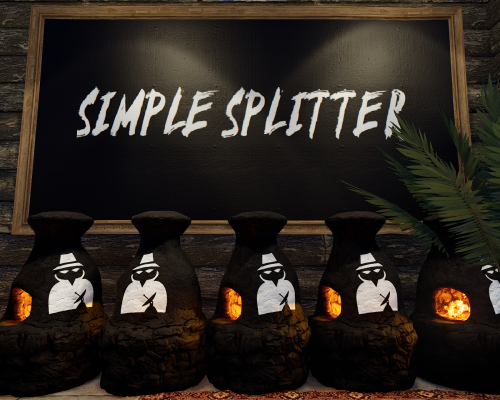
Version 2.6.0
3,170 downloads
The Simple Splitter plugin is a High-Performance Oven Splitter designed to efficiently manage smelting operations by seamlessly handling mixed material splitting, adjusting smelting speeds, and optimizing charcoal output. Its functionality aligns with the expected native behavior of ovens, ensuring an intuitive and reliable user experience. FEATURES: Efficiently split Materials between the smelting slots. Fully Compatible with Oxide and Carbon. Increase Charcoal production with simplistic Overrides and Boosted Fuel Usage. Support for all Furnaces and Composters! Made for the Best Performance with the most Efficient methods. CONFIGURATION: "Oven Smelting Overrides": { "furnace": 1, "refinery_small_deployed": 2 }, "Oven charcoal Overrides - Higher the number the less often charcoal is made": { "campfire": 4, "bbq.deployed": 2}, "Fuel * This = Additional Charcoal per Tick": 1.0, "Delays Smelting by a Factor 0-25 (Used to reduce speeds below vanilla)": 2, "Disable Multi Fuel Speed Bonus": false, "Enable Composters - Splitting items into Composters": true, "Enable QuickSmelt - Smelting of multiple slots at once": true, "Enable Charcoal Creation in Electric Furnace": false, "Fuel Burned Per Tick": 1, "Max Smelt slots at once": 5, "Max Ore Smelted Per Tick": 3, "Smelting Speed (Time Between Ticks 0.5 Default)": 0.5, "Ignore Stack Limit In Smelted Output Slots": false PERMISSIONS: simplesplitter.use - Enables use of splitter functions QUICK SMELT INTERGRATION: When Enabled (True), Simple Splitter controls the Smelting rates and slots, Quick Smelt must be removed from the server for this. When Disabled (False), Simple Splitter only controls the splitting of slots, Quick Smelt is required for faster smelting. NOTE: Demo Video Seen Here There is a known conflict with Stacks Extended >2.0.4 which may prevent proper usage. Discord: Shady14u$9.99 -

Version 1.3.4
441 downloads
SAVE 10% WHEN BUYING THE BUNDLE We are proud to announce the release of Crafting Manager superseding "Instant Crafting". Crafting Manager main features: Instant crafting (craftingmanager.instant.allow) Define a global scaling per workbench tier to be applied to all users by default Create as many "custom" profiles you need, each one will have a permission to control who gets access to the custom scaling Item blacklist allows you to block items from being crafted. Players get a message when the item is uncraftable. PermanentWorkbenchLevel permanently assigns workbench level to your players. Example of a custom profile, the values are in percentage of the original crafting duration. If you want to craft a Cupboard (30s original) and set tier0 to 0.5 (50%) then the Cupboard will take 15s to craft. "vip1": { "0": 0.25, "1": 0.5, "2": 0.75, "3": 1.0 } To assign the vip1 profile to a user type "o.grant user my_player craftingmanager.profile.example1", to assign it to a group type "o.grant group my_group craftingmanager.profile.example1". If you'd like to assign instant crafting it to all your players just grant the permission to the default group by typing "o.grant group default craftingmanager.instant.allow". Full configuration example: { "CraftingScale": { "Global": { "0": 1.0, "1": 1.0, "2": 1.0, "3": 1.0 }, "Profiles": { "example1": { "0": 0.25, "1": 0.5, "2": 0.75, "3": 1.0 }, "example2": { "0": 0.0, "1": 0.25, "2": 0.5, "3": 0.75 } } }, "Miscellaneous": { "InstantCrafting": 1.0, "PermanentWorkbenchLevel": 0 }, "BlacklistedItems": [ "syringe.medical", "explosives", "autoturret" ] }$4.99 -

Version 1.0.0
352 downloads
Change the speed of the mixing table Check Out My Other plugins as WellFree -
.thumb.png.42a0e758f769636fa8bca610cf70facc.png)
Version 1.0.3
1,737 downloads
Multiply the speed of mixing tables or make them instant. Usage - Copy the downloaded DLL file into server/HarmonyMods folder - After loading the plugin it will create a directory in the server's folder called HarmonyConfig, where you will be able to change the config options. Support - If you need help or If you have any issues or suggestions you can contact me by joining my discord server: https://discord.gg/efVKDG6z6F or by adding me on discord: Farkas#6006Free