Search the Community
Showing results for tags 'statistics'.
Found 24 results
-

Version 1.1.7
112 downloads
WelcomePlus is a lightweight, community-driven plugin developed to make your server feel welcoming with personalised greeting messages that actually matter. Features Rank-Based Welcome Messages - Customisable messages based on player permissions Playtime Tracking - Track total playtime and current session time Interactive GUI - Modern interface accessible via /wp or /welcomeplus Multi-Language Support - English and Spanish included, easy to add more Admin Tools - Player lookup, statistics, and data management Opt-Out System - Players can disable automatic welcome messages Command Aliases - Fully configurable command aliases External Language Files - Easy translation management via JSON files Separate Welcome Messages File - Edit welcome messages independently from language files Permissions welcomeplus.use - Required to receive welcome messages (if enabled in config) welcomeplus.vip - VIP rank permission welcomeplus.admin - Admin rank permission welcomeplus.owner - Owner rank permission Custom Rank Permissions: Define your own ranks and permissions via the config file's `CustomRankPermissions` block. Installation & Setup 1. Download and drop WelcomePlus.cs into your oxide/plugins/ folder 2. Download and place the lang/ folder in oxide/lang/WelcomePlus/ 3. (Optional) Place WelcomePlus_WelcomeMessages.json in oxide/data/ for custom welcome messages 4. Restart your server or run oxide.reload WelcomePlus 5. Configure ranks and permissions in the generated config file (optional) 6. Customise welcome messages in WelcomePlus_WelcomeMessages.json (optional) That's all - the plugin works out of the box with sensible defaults! Quick Start Commands Players: /wp - Open main menu /playtime or /pt - View your playtime /session - View current session /playtimeleaderboard or /ptl - View top 10 players Admins: /wp stats - Plugin statistics /wp reset <player> - Reset player data /wp defaults or /wp resetconfig - Reset config and welcome messages to defaults /playtime <player> - View any player's stats Configuration The plugin generates a config file at oxide/config/WelcomePlus.json with all settings. Key options: Custom Rank Permissions - Define rank labels and their permissions UI/Text Toggle - Choose between GUI panels or chat messages Welcome Settings - Enable/disable first-time and returning player messages Command Aliases - Customise all command aliases Welcome Messages File - Edit welcome messages in `oxide/data/WelcomePlus_WelcomeMessages.json` Reset to Defaults - `/wp defaults` command resets config and welcome messages to defaults Welcome Messages File Welcome messages are stored in oxide/data/WelcomePlus_WelcomeMessages.json (automatically created on first run). This file contains all rank-specific welcome messages and is separate from language files for easier editing. File Structure: FirstTime - Messages for first-time players (by rank) WelcomeBack - Messages for returning players (by rank) Supports multiple messages per rank (randomly selected) Supports placeholders: {name}, {rank}, {total}, {session} Language Files Language files are in oxide/lang/WelcomePlus/: en.json - English (default) es.json - Spanish To add more languages, create new JSON files (e.g., fr.json) following the same structure. Note: Language files contain UI text and system messages. Welcome messages are primarily stored in the welcome messages file, with language files as fallback. Custom Ranks Define custom ranks in the config: "CustomRankPermissions": { "default": "", "vip": "welcomeplus.vip", "mod": "welcomeplus.mod", "batman": "welcomeplus.batman", "admin": "welcomeplus.admin", "owner": "welcomeplus.owner" } Priority System: Rank priority is determined by config order (first entry = highest priority) If a player has multiple permissions, the rank appearing first in config wins Example: If "staff" appears before "mod" and player has both, "staff" messages are used Automatic Permission Registration: Permissions from CustomRankPermissions are automatically registered No code changes needed - just add to config and reload Then add rank-specific messages to WelcomePlus_WelcomeMessages.json: Add rank key to FirstTime section for first-time messages Add rank key to WelcomeBack section for returning player messages Messages fall back to language files if not found in welcome messages file Support Discord: @olvrdncnsctt For detailed documentation, see README.txt. For version history, see WelcomePlusChangelog.txt. README.txt WelcomePlusChangelog.txt$2.99 -
Version 1.1.5
956 downloads
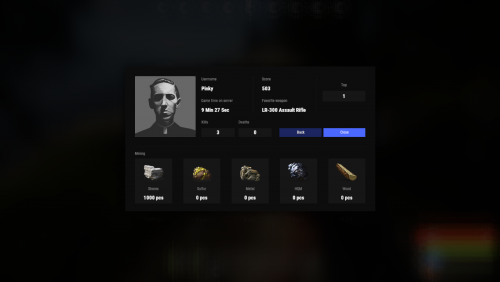
Beautiful display of player statistics and player ratings. Features: Beautiful user interface Customization (all interface you can set up in configuration) Performance Commands stats open statistics interface stats [steamId] open statistics interface leaderboard open leaderboard interface Permissions statistics.use open statistics interface statistics.hide hides player from leaderboard FAQ: Q: Where can I see an example of a config? A: Config Q: What should I do if I get the error "You do not have permission to use this command!"? A: To solve this problem, you need to grant the "statistics.use" permission to your players. For example, granting this permission to the "default" group is done with the following command: oxide.grant group default statistics.use$19.95- 53 comments
- 3 reviews
-
- 4
-

-
- #statistics
- #leaderboard
- (and 12 more)
-
Version 1.5.35
3,360 downloads
Introducing UltimateLeaderboard, the most advanced and comprehensive leaderboard system designed for Rust servers! Elevate your server competitive spirit by tracking an extensive range of player statistics—everything from kills and deaths to resources gathered, items crafted, structures built, and more. Featuring a sleek, customizable user interface and seamless integration with popular plugins, UltimateLeaderboard is the perfect addition to engage your players and showcase their achievements. Features of Ultimate Leaderboard Track a wide variety of player statistics, including kills, deaths, resources gathered, items crafted, structures built, and more. Fully customizable leaderboard—choose which stats to display and tailor it to your server unique style. Intuitive and visually appealing user interface for players to view their stats and compare rankings. Seamless integration with plugins like ServerPanel for enhanced displays, and Notify/UINotify for in-game alerts. Flexible data storage options: choose between JSON, SQLite, or MySQL to suit your server needs. Two reward systems: post-wipe awards that give actual items, kits, and money to top players when they connect, plus an optional companion plugin UltimateLeaderboardTop for real-time privilege management based on current rankings. Custom Titles system that automatically displays achievement-based chat titles for top performers (requires BetterChat plugin). Optimized for high performance, ensuring smooth operation even with large player bases and extensive data. Configurable templates. Optional real-time database updates for integrations (e.g., Discord Bot). Showcase Fullscreen Template ServerPanel V1 (V1.1) ServerPanel V2 Video Overview Commands /leaderboard or /stats - Opens the leaderboard interface for players to view stats and rankings. /leaderboard <steamid> - Opens another player's profile (requires ultimateleaderboard.profile permission). /leaderboard.hide - Allows players to hide themselves from the leaderboard (requires ultimateleaderboard.hide.self permission). leaderboard.manage hide <steamid> - Console command to hide a player from the leaderboard (server console only). leaderboard.wipe - Console command to reset all leaderboard data (server console only). leaderboard.migrate <migration_id> - Console command to perform database migrations (server console only). Available: — leaderboard.migrate 1 adds HiddenFromLeaderboard column to PlayerStats table (upgrade from v1.1.7 to v1.1.8) — leaderboard.migrate 2 migrates BodyHits data to the new format (upgrade to v1.5.10) leaderboard.find.short.prefab <search_term> - Console command to search for prefabs containing the specified search term (server console only). Useful for finding correct prefab names for configuration. leaderboard.manage - Console command to manage player statistics (server console only). Use leaderboard.manage help for detailed usage information. Permissions ultimateleaderboard.use - grants players access to leaderboard commands and interface. ultimateleaderboard.profile - allows players to view other players' profiles using the leaderboard command. ultimateleaderboard.hide.self - allows players to hide themselves from the leaderboard using the /leaderboard.hide command. Web Config Editor Easily manage your UltimateLeaderboard settings with our web-based configuration editor. This tool allows you to adjust plugin configurations through a user-friendly interface, eliminating the need to manually edit files on your server. P.S. To access the web config editor, you must be part of the "UltimateLeaderboard" group in our Discord server. Join us at https://discord.gg/mevent and request the group to get started. FAQ Q: How do I install UltimateLeaderboard? A: Download the UltimateLeaderboard.cs file, place it in your oxide/plugins directory, and restart your server or reload the plugin using the Oxide command oxide.reload UltimateLeaderboard. Q: Can I choose which statistics to track and display? A: Yes! The plugin allows you to customize tracked statistics and leaderboard displays via the configuration file. You can enable or disable specific stats like kills, resources, or events to suit your server. Q: What data storage options are available? A: UltimateLeaderboard supports JSON, SQLite, and MySQL. You can select your preferred storage method in the config file, offering flexibility for small or large servers. Q: How do I set up the awards system? A: In the configuration file, define award categories (e.g., most kills, top gatherer) and their criteria. The plugin will automatically track and assign awards to top players based on your settings. Q: Where can I configure the UI? A: UI is now template-driven. Use configurable templates stored at oxide/data/UltimateLeaderboard/Templates. Q: What happens to the data on a server wipe? A: By default, data wipes with a new save file, but you can disable this in the config (Wipe data on new save) to persist stats across wipes if desired. Q: How do I add UltimateLeaderboard to the ServerPanel menu? A: Follow these simple steps: 1. Open ServerPanel menu in-game and click "+ADD CATEGORY" button 2. Set these exact parameters: Type: Plugin Plugin Name: UltimateLeaderboard Plugin Hook: API_OpenPlugin 3. Click "SAVE" button to create the category Q: I see black images with Rust logo or get error 429 when loading images. What should I do? A: These issues occur when there are problems downloading images from the internet. The UltimateLeaderboard plugin sends images to ImageLibrary but is not responsible for the downloading process itself. Error 429 typically occurs due to rate limits imposed by image hosting services like Imgur (see HTTP 429 documentation for more details). To fix this, enable Offline Image Mode which will use local images instead: Enable the mode in config: Open "oxide/config/UltimateLeaderboard.json" (or "carbon/config/UltimateLeaderboard.json" for Carbon) Set "Enable Offline Image Mode": true Set up the images: Create folder "TheMevent" in "oxide/data" (or "carbon/data" for Carbon) Download PluginsStorage (click "CODE" → "Download ZIP") Extract the ZIP and copy all contents to the "TheMevent" folder Reload the plugin: Type o.reload UltimateLeaderboard (Oxide) or c.reload UltimateLeaderboard (Carbon) Note: If you want to add your own custom images, place them in the "TheMevent" folder and reference them with the "TheMevent/" prefix. For example: "TheMevent/Icon1.png", "TheMevent/MyCustomIcon.jpg", etc. Q: What's the difference between UltimateLeaderboard awards and UltimateLeaderboardTop? A: UltimateLeaderboardTop is a companion plugin that automatically manages player privileges based on leaderboard positions. Main Plugin Awards: Gives actual rewards (kits, money, commands) to top players after wipe - rewards are given once when player connects. UltimateLeaderboardTop: Continuously manages privileges (VIP groups, permissions) as players enter/exit top positions in real-time. To display awards in UI while using UltimateLeaderboardTop: Configure awards in UltimateLeaderboard config Configure awards in UltimateLeaderboardTop config Set "Automatically give rewards after the wipe": false Q: Can UltimateLeaderboardTop give items/kits to players? A: No, UltimateLeaderboardTop is designed only for reversible actions (permissions, groups, etc.). Since items can't be taken back from players when they leave top positions, item rewards are not supported. Use the main plugin's awards system for item rewards instead. Q: How do I configure rewards for top players? A: There are two reward systems available: UltimateLeaderboard Awards (Post-Wipe Rewards): Configure in the main plugin's config file under "Awards Settings": Set award categories (e.g., "Most Kills", "Top Gatherer") Define criteria: loot type, prefab, and minimum amount required Set rewards: commands to execute (give items, kits, money, etc.) Awards are given once when top players connect after a wipe UltimateLeaderboardTop (Real-time Privileges): Configure in UltimateLeaderboardTop.json: Set leaderboard types to monitor (kills, points, playtime, etc.) Define top positions (1st, 2nd, 3rd, etc.) Configure "Enter place commands" (given when player reaches position) Configure "Exit place commands" (executed when player loses position) Use for permissions, groups, temporary privileges Example UltimateLeaderboardTop configuration: { "Loot type": "Kill", "Prefab": "kills", "Places settings": { "1": { "Enter place commands": ["o.usergroup add %steamid% vip"], "Exit place commands": ["o.usergroup remove %steamid% vip"] } } } Q: What are Custom Titles and how do they work? A: Custom Titles automatically display achievement-based titles in chat for top players. For example, top killers get "[Killer]" title, top builders get "[Builder]" title, etc. Requires BetterChat plugin to work. Titles are updated automatically based on leaderboard positions and can be configured with priority system and limits. Q: Why don't I see my statistics updated immediately on the leaderboard? A: The leaderboard is cached and refreshes periodically (configurable interval) to minimize server load and ensure optimal performance. This means statistics may take a few minutes to appear on the leaderboard after the action is performed. The caching system helps maintain smooth server operation even with large player bases and extensive statistics tracking. Q: How can I track multiple similar items or entities with one statistic? A: You can combine multiple prefabs using the pipe symbol | in the prefab field. For example, to track all types of scientists as one "NPC Kills" statistic, use: npc_tunneldweller|npc_underwaterdweller|scientistnpc_arena|scientistnpc_bradley. This is useful for grouping similar items, resources, or entities into a single tracked category. Q: How do I find the correct prefab names for items, entities, or events? A: There are several ways to find prefab names: In-game console command: Use leaderboard.find.short.prefab <search_term> in the server console to search for prefabs containing your search term. For example: leaderboard.find.short.prefab scientist will show all prefabs containing "scientist". F1 console spawn command: In-game, open F1 console and use the spawn command to see available entity prefabs. Type spawn followed by part of the name to see matching options. Item shortnames: For items, use their shortname (e.g., "stones", "metal.ore", "wood"). You can find these by examining items in your inventory or using item-related commands. Plugin documentation: Check the "Custom Prefabs" and "Available Loot Types" sections in this plugin's description for comprehensive lists of supported prefabs and loot types. Q: How can I output the sum of all values by type of statistics (for example, all kills, all loot collected)? A: Use the prefab total_sum for the desired LootType. For example, to show the total number of all player kills, specify the LootType Kill and the prefab total_sum in the column or block settings. It works for any type: Kill, Gather, Craft, Event, and others. Q: How does the leaderboard scoring system work? A: The leaderboard uses a points-based scoring system. Points are earned from in-game actions, and each action has: Loot Type - The category of action (e.g., Kill, Gather, Construction, Craft, Event) Prefab/Short Name - The specific item or entity (e.g., "kills", "stones", "helicopter", "supply_drop") Score Value - The points awarded for this action (configured in Loot Settings) When a player performs an action: The plugin looks up the score for that action type + prefab combination Multiplies the score by the action value (usually 1 per action) Adds it to the player's total Points Example scores (from config): Player kills: +1.0 point per kill Deaths: -1.0 point per death Gathering stone: +0.1 point per stone Supply drop looted: +3.0 points Bradley crate: +5.0 points Helicopter kill: +15.0 points Bradley kill: +10.0 points How to become top player: Perform actions that have scores configured in Loot Settings Accumulate the most total Points The leaderboard ranks players by their Points value (or other tracked stats) Q: What award types are available and how do I configure them? A: UltimateLeaderboard supports 8 award types: Command - Execute console commands. Supports %steamid% placeholder. Use | to separate multiple commands. Example: "Command (%steamid%)": "inventory.giveto %steamid% rifle.ak 1|oxide.usergroup add %steamid% vip" Kit - Give kits from Kits plugin. Requires Kits plugin to be loaded. Example: "Type": "Kit", "Kit Name": "vip_starter" ServerRewards - Add reward points. Requires ServerRewards plugin. Example: "Type": "ServerRewards", "Amount": 1000 Economics - Deposit money via Economics plugin. Example: "Type": "Economics", "Amount": 5000 BankSystem - Deposit money to player's bank account. Example: "Type": "BankSystem", "Amount": 2500 GameStores - Add balance via GameStoresRUST plugin. Example: "Type": "GameStores", "Amount": 100 MoscowOVH - Add balance via RustStore plugin (Moscow OVH integration). Example: "Type": "MoscowOVH", "Amount": 50 Custom Prefabs UltimateLeaderboard supports advanced custom prefabs for granular statistics tracking and display: total_play_time - Total playtime (in seconds) current_playtime - Current session duration kdr - Kill/Death ratio points - Internal points system longest_kill_distance - Longest kill distance record total_hits - Total player hits total_resources - Total resources gathered total_items_crafted - Items crafted events_won - Event victories structures_built - Structures built upgrades_performed - Building upgrades name/nickname - Player display name formatted_total_playtime - Human-readable playtime (Xd Xh Xm) kd - K/D formatted as "Kills/Deaths" favorite_resource - Most gathered resource favorite_crafted_item - Most crafted item favorite_event - Most won event favorite_building_material - Preferred building material favorite_weapon - Most used weapon total_quests_completed - Total completed quests total_sum - Sum of all values for the selected LootType. For example, using total_sum with LootType Kill will show the total number of all kills for the player (across all kill categories). Works for any LootType: Kill, Gather, Craft, Event, etc. Available Loot Types None Construction Medical Event Available prefabs: Convoy Sputnik Caravan GasStationEvent AirEvent SatDishEvent Triangulation WaterEvent HarborEvent FerryTerminalEvent ArcticBaseEvent JunkyardEvent SupermarketEvent PowerPlantEvent ArmoredTrainEvent SurvivalArena KillBoss PaintballTeam PaintballFFA GunGame ZombieInfection TugboatPirates SpaceEvent AbandonedBase DungeonEvent FlyingCargoEvent AirfieldEvent Gather Kill Available custom prefabs: helisignals_{skin} - Tracks helicopter kills from HeliSignals (e.g., "helisignals_2920175997") bradleydrops_{skin} - Tracks bradley kills from BradleyDrops (e.g., "bradleydrops_2905355269") roadbradley_{profile} - Tracks bradley kills from RoadBradley (e.g., "roadbradley_easy") helicopter - Tracks helicopter kills Custom NPC support: horde_npc - For NPCs from ZombieHorde plugin raidbase_npc - For NPCs from Raidable Bases plugin For NPCs from NpcSpawn use NPC name as key (BossMonster, BetterNpc, NPCs from events, etc.) Other entity prefabs can be found in-game by using the "spawn" command in the F1 console Consume Raid Death Available custom prefabs: Custom NPC support: horde_npc - For NPCs from ZombieHorde plugin raidbase_npc - For NPCs from Raidable Bases plugin For NPCs from NpcSpawn use NPC name as key (BossMonster, BetterNpc, NPCs from events, etc.) Craft Crate LootItems Fishing Puzzle Available prefabs: keycard_1 keycard_2 keycard_3 Custom Upgrade ShotFired ExplosiveUsed RecycleItem BodyHits WeaponUsed RaidableBases Available prefabs: easy medium hard expert nightmare Economy Available prefabs: ShoppyStock Economics IQEconomic Quest EconomyBalance Available prefabs: Economics ServerRewards BankSystem IQEconomic Gambling Available prefabs: BlackjackDeposit BlackjackWon SlotDeposit SlotWon PockerDeposit PockerWon WheelDeposit WheelWon SkillTree Available prefabs: xp - Experience points earned level - Skill tree level reached Trivia MixingTable API for Developers UltimateLeaderboard provides a comprehensive API for developers to integrate with other plugins and extend functionality: Methods JArray API_GetUltimateLeaderboardUsers(int offset, int limit, int? columnIndex = null) - Get leaderboard users with pagination float API_GetPlayerStat(ulong playerId, string lootType, string shortname) - Get specific player statistic bool API_IsHiddenFromLeaderboard(ulong playerId) - Check if player is hidden from leaderboard void API_OnItemGather(ulong player, string shortname, int amount) - Add gather statistics for a player void API_OnEventWin(ulong userID, string eventName, int amount = 1) - Record event wins for a player Hooks void OnUltimateLeaderboardContent(BasePlayer player, string categoryType, CuiElementContainer container) - Called when displaying custom category content void OnUltimateLeaderboardCached() - Called when leaderboard data is cached and ready$45.00- 33 comments
- 15 reviews
-
- 8
-
-

-
- #ultimateleaderboard
- #leaderboard
- (and 20 more)
-
Version 0.1.7
223 downloads
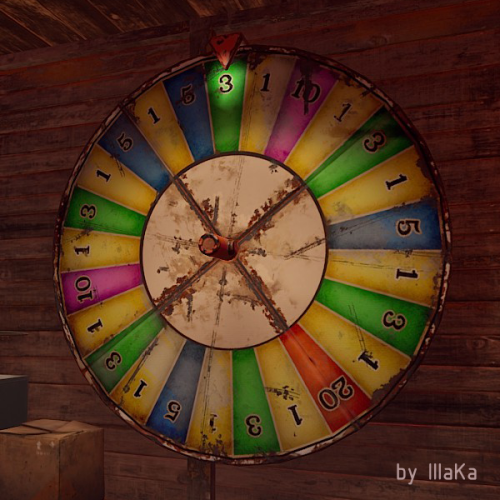
An indispensable plugin that collects Fortune Wheel statistics and provides the ability to view them through the UI. bigwheelstats.use - Provides access to use UI; bigwheelstats.admin - Provides the same permissions as bigwheelstats.use. Additionally, it provides the ability to manage big game wheels without any limitations. { "Is it worth checking for permissions before displaying the UI?": false, "Is it worth clearing statistics during a wipe?": true, "List of language keys for creating language files": [ "en" ], "Name of the prefab to play when a player becomes the best player. Leave empty to disable": "assets/prefabs/misc/xmas/advent_calendar/effects/open_advent.prefab", "Is it worth skipping the reward for the first best player?": true, "Command to execute when a player becomes the best player(0 - userID). Leave empty to disable, or null to use the default": "tperm add {0} vip 3600", "Cash reward for becoming the best player. Leave 0 to disable": 100.0, "List of items granted for becoming the best player. Leave empty to disable, or null to use the default": [ { "ShortName": "scrap", "Amount": 100, "SkinId": 0 } ], "List of permissions for top players. Each position in the list corresponds to the player's rank. Note: empty or null entries will be removed": [ [ "example.firstA", "example.firstB" ], [ "example.secondA" ], [ "example.thirdA" ] ], "List of permissions for top players for custom game wheels": [], "Big Wheel Game - Default name": "BIG WHEEL GAME", "Big Wheel Game - Name length limit(1–30)": 16, "Big Wheel Game - Cooldown time in seconds for changing the image url": 600.0, "Big Wheel Game - Default image Url": "https://i.imgur.com/MhW63JV.png", "Big Wheel Game - Allowed image Url prefix. Leave empty to allow all sites. Example: 'https://i.imgur.com/'": "", "Ui - Main Background Color": "#1A1A1A", "Ui - Main Background Transparency": 0.95, "Ui - Text Font(https://umod.org/guides/rust/basic-concepts-of-gui#fonts)": "RobotoCondensed-Bold.ttf", "Hud - Icon Url": "https://i.imgur.com/HvoFS7p.png", "Hud - Icon Color": "#808080", "Hud - Icon Transparency": 0.5, "Hud - Icon Is Raw Image": false, "Hud - Icon AnchorMin": "1 0", "Hud - Icon AnchorMax": "1 0", "Hud - Icon OffsetMin": "-250 15", "Hud - Icon OffsetMax": "-220 45", "Hit - Yellow Color": "#BFBF40", "Hit - Yellow Transparency": 0.4, "Hit - Green Color": "#408C8C", "Hit - Green Transparency": 0.4, "Hit - Blue Color": "#03598C", "Hit - Blue Transparency": 0.4, "Hit - Purple Color": "#8026CC", "Hit - Purple Transparency": 0.4, "Hit - Red Color": "#B24C59", "Hit - Red Transparency": 0.4, "Panel - Background Color": "#4C4C4C", "Panel - Background Transparency": 0.5, "Panel - OffsetMin": "-320 -255", "Panel - OffsetMax": "320 255", "Panel - Close Url": "https://i.imgur.com/O9m6yZF.png", "Panel - Close Color": "#D94026", "Panel - Close Transparency": 0.6, "Panel - Close Is Raw Image": false, "Panel - Close AnchorMin": "1 0", "Panel - Close AnchorMax": "1 0", "Panel - Close OffsetMin": "-250 15", "Panel - Close OffsetMax": "-220 45", "Menu - Buttons Color": "#808080", "Menu - Buttons Color Transparency": 0.4, "Menu - Buttons Active Color": "#3380BF", "Menu - Buttons Active Color Transparency": 0.6, "Menu - Font Size": 18, "Menu - Font Color": "#CCCCCC", "Menu - Font Color Transparency": 0.5, "Menu - Font Active Color": "#FFFFFF", "Menu - Font Active Color Transparency": 1.0, "Sub Menu - Reload Color": "#CCCCCC", "Sub Menu - Reload Color Transparency": 0.5, "Sub Menu - Settings Color": "#CCCCCC", "Sub Menu - Settings Color Transparency": 0.5, "Player Info - Online Color": "#CCFFB2", "Player Info - Online Transparency": 0.4, "Player Info - Offline Color": "#FF0000", "Player Info - Offline Transparency": 0.4, "Player Info - Font Size": 16, "Player Info - Font Color": "#FFFFFF", "Player Info Card - Background Color": "#808080", "Player Info Card - Background Transparency": 0.4, "Player Info Card - Title Font Size": 12, "Player Info Card - Title Font Color": "#808080", "Player Info Card - Value Font Size": 16, "Player Info Card - Value Font Color": "#CCCCB2", "Game Info - Color": "#808080", "Game Info - Transparency": 0.4, "Game Info - Font Size": 16, "Game Info - Font Color": "#FFFFFF", "Game Info Card - Background Color": "#808080", "Game Info Card - Background Transparency": 0.4, "Game Info Card - Title Font Size": 12, "Game Info Card - Title Font Color": "#808080", "Game Info Card - Value Font Size": 16, "Game Info Card - Value Font Color": "#CCCCB2", "Game Info Card - Percentage Font Size": 12, "Game Info Card - Percentage Font Color": "#808080", "Column Header - Color": "#4C4C4C", "Column Header - Transparency": 1.0, "Column Header - Active Color": "#595959", "Column Header - Active Transparency": 1.0, "Column Header - Font Size": 16, "Column Header - Font Color": "#CCCCB2", "Column Header - Font Active Color": "#FFFFFF", "Column Item - Font Size": 16, "Column Item - Color": "#808080", "Column Item - Transparency": 0.3, "Column Item - Even Color": "#808080", "Column Item - Even Transparency": 0.6, "Column Item - Font Color": "#CCCCB2", "Column Item - Font Active Color": "#FFFFFF", "Player HitList - Win Color": "#8CC83C", "Player HitList - Win Transparency": 0.4, "Player HitList - Lose Color": "#CD4632", "Player HitList - Lose Transparency": 0.4, "Game HitList Item - Font Size": 18, "Game HitList Item - Font Color": "#CCCCB2", "Player List - Name Font Size": 12, "Player List - ID Font Size": 10, "Player List - ID Font Color": "#808080", "Game List - Name Font Size": 12, "Game List - ID Font Size": 10, "Game List - ID Font Color": "#808080", "Settings - Background Color": "#4C4C4C", "Settings - Background Color Transparency": 0.5, "Settings - Title Color": "#4C4C4C", "Settings - Title Color Transparency": 0.7, "Settings - Input Color": "#4C4C4C", "Settings - Input Color Transparency": 0.7, "Settings - Button Color": "#4C4C4C", "Settings - Button Color Transparency": 0.7, "Settings - Text Color": "#CCCCB2", "Settings - Text Color Transparency": 1.0, "Settings - Sub Text Color": "#808080", "Settings - Sub Text Color Transparency": 1.0, "Scrolling - Width": 3.0, "Scrolling - Handle color": "#CCCCCC", "Scrolling - Handle color transparency": 0.5, "Scrolling - Pressed color": "#CCCCB2", "Scrolling - Pressed color transparency": 1.0, "Scrolling - Track color": "#000000", "Scrolling - Track color transparency": 0.0, "Footer - Color": "#4C4C4C", "Footer - Transparency": 0.4, "Footer - Font Size": 16, "Footer Buttons - Between Button Text": "...", "Footer Buttons - Color": "#808080", "Footer Buttons - Transparency": 0.4, "Footer Buttons - Active Color": "#3380BF", "Footer Buttons - Active Transparency": 0.6, "Footer Buttons - Font Color": "#CCCCB2", "Footer Buttons - Font Active Color": "#FFFFFF", "Footer Custom Button - Command. Leave empty to disable": "", "Footer Custom Button - Color": "#808080", "Footer Custom Button - Transparency": 0.4, "Footer Text - Font Size": 12, "Footer Text - Font Color": "#808080", "Wipe ID": null, "Version": { "Major": 0, "Minor": 1, "Patch": 7 } } EN: { "UiMenuPlayer": "My statistics", "UiMenuPlayerList": "Top players", "UiMenuGameList": "Game list", "UiFooterCustomButton": "My button", "UiFooterText": "Showing {0} to {1} of {2}", "UiPlayerTotalSpins": "Total spins", "UiPlayerWinSpins": "Win spins", "UiPlayerLoseSpins": "Lose spins", "UiPlayerScrapSpend": "Scrap spend", "UiPlayerScrapWin": "Scrap win", "UiPlayerScrapResult": "Scrap result", "UiPlayerScrapRecordBid": "Scrap record bid", "UiPlayerScrapLastBid": "Scrap last bid", "UiPlayerScrapLastWin": "Scrap last win", "UiPlayerHitsItem": "Item", "UiPlayerHitsHit": "Hit", "UiPlayerHitsBidAmount": "Bid amount", "UiPlayerHitsResultAmount": "Result", "UiPlayerListPlayer": "Player", "UiPlayerListTotal": "Total", "UiPlayerListLoses": "Loses", "UiPlayerListWins": "Wins", "UiPlayerListRecordBid": "Record bid", "UiPlayerListRecordWin": "Record win", "UiPlayerListResult": "Result", "UiGameBestPlayer": "Best player", "UiGameCurrentSpins": "Current session spins", "UiGameTotalSpins": "Total spins", "UiGameTotalYellow": "Yellow", "UiGameTotalGreen": "Green", "UiGameTotalBlue": "Blue", "UiGameTotalPurple": "Purple", "UiGameTotalRed": "Red", "UiGameSettingsTitle": "Big Wheel Game Management", "UiGameSettingsName": "Name:", "UiGameSettingsImage": "Image Url:", "UiGameSettingsImageCooldown": "The next opportunity to change the image will be available in {0} seconds!", "UiGameSettingsReset": "Reset statistics", "UiGameSettingsResetSpinning": "Can't reset the game wheel statistics while it is spinning!", "UiGameListBigWheelGame": "Big wheel game", "UiGameListBestWin": "Best Win", "UiGameListTotalSpins": "Total spins" } RU: { "UiMenuPlayer": "Моя статистика", "UiMenuPlayerList": "Топ игроков", "UiMenuGameList": "Список игр", "UiFooterCustomButton": "Моя кнопка", "UiFooterText": "Отображены с {0} по {1} из {2}", "UiPlayerTotalSpins": "Всего ставок", "UiPlayerWinSpins": "Выигрышные ставки", "UiPlayerLoseSpins": "Проигрышные ставки", "UiPlayerScrapSpend": "Потрачено скрапа", "UiPlayerScrapWin": "Выиграно скрапа", "UiPlayerScrapResult": "Итог скрапа", "UiPlayerScrapRecordBid": "Рекордная ставка", "UiPlayerScrapLastBid": "Последняя ставка", "UiPlayerScrapLastWin": "Последний выигрыш", "UiPlayerHitsItem": "Предмет", "UiPlayerHitsHit": "Число", "UiPlayerHitsBidAmount": "Ставка", "UiPlayerHitsResultAmount": "Итог", "UiPlayerListPlayer": "Игрок", "UiPlayerListTotal": "Всего", "UiPlayerListLoses": "Проигрышей", "UiPlayerListWins": "Выигрышей", "UiPlayerListRecordBid": "Рекордная ставка", "UiPlayerListRecordWin": "Рекордный выигрыш", "UiPlayerListResult": "Итог", "UiGameBestPlayer": "Лучший игрок", "UiGameCurrentSpins": "Вращений за сессию", "UiGameTotalSpins": "Всего вращений", "UiGameTotalYellow": "Желтый", "UiGameTotalGreen": "Зеленый", "UiGameTotalBlue": "Синий", "UiGameTotalPurple": "Фиолетовый", "UiGameTotalRed": "Красный", "UiGameSettingsTitle": "Управление игровым колесом", "UiGameSettingsName": "Имя:", "UiGameSettingsImage": "Ссылка на изображение:", "UiGameSettingsImageCooldown": "Следующая возможность изменить изображение будет доступна через {0} секунд!", "UiGameSettingsReset": "Сбросить статистику", "UiGameSettingsResetSpinning": "Нельзя сбросить статистику игрового колеса пока оно крутится!", "UiGameListBigWheelGame": "Игра", "UiGameListBestWin": "Лучший выигрыш", "UiGameListTotalSpins": "Всего вращений" }$14.99 -

Version 0.1.4
203 downloads
A plugin for collecting game statistics with database support, compatible with both SQL and web API methods. This functionality empowers website owners to display the desired statistics from the database on their sites. Moreover, it offers the capability to send data via API, which proves highly beneficial in scenarios where your gaming server and database reside on separate machines and the database restricts connections beyond localhost. Please note that an instruction manual will be included in the downloaded file and it is imperative for users to read it thoroughly. Collecting(The full list is available below in the section Collected Data) : Server information; Team information; Clan information(in future); Feedback(F7) information; Report(F7) information; Player information. Sending data through: direct MySQL; via API(POST query) to MySQL. { "Unique ID of the current server": 0, "Database upload method. 0 - disabled, 1 - via API, 2 - via MySQL": 1, "Interval in seconds at which an attempt to load changes into the database will occur": 300.0, "Is it worth logging messages to the console when uploading to the database?": true, "API - Service URL": "https://site.com/ExtendedStats/index.php", "API - Service access key": "GlBRw-elM6v-gjko3-cxSDk-Tsy7B", "MySQL - Host": "localhost", "MySQL - Port": 3306, "MySQL - Database name": "db_playrust", "MySQL - Username": "root", "MySQL - Password": "root", "Database table name - Servers": "db_servers", "Database table name - Teams": "db_teams", "Database table name - Clans": "db_clans", "Database table name - Feedbacks": "db_feedbacks", "Database table name - Reports": "db_reports", "Database table name - Players": "db_players", "Database table name - Players Balances": "db_players_balances", "Database table name - Players Stats": "db_players_stats", "Database table name - Players Farms": "db_players_farms", "Database table name - Players Gambling": "db_players_gambling", "Database table name - Players Kills": "db_players_kills", "Database table name - Players Explosions": "db_players_explosions", "Database table name - Players Raids": "db_players_raids", "Is it worth clearing saved statistics when a wipe is detected?": true, "Is it worth clearing the database when a wipe is detected?": true, "List of statistic categories to clear when a wipe is detected. Leave empty to recreate defaults": [ "players", "teams", "clans", "feedbacks", "reports" ], "Dictionary of display names for deployable entities by key": {}, "Wipe ID": null, "Version": { "Major": 0, "Minor": 1, "Patch": 4 } } ServerData: ServerName ServerIdentity ServerIP ServerPort QueryPort ServerDescription ServerHeader ServerURL ServerTime ServerTags GameTags MaxPlayers ServerEntities ServerFPS ServerAvgFPS ServerUptime ServerMap MapSize MapSeed FirstSave LastSave WipeID ServerVersion ServerProtocol RconPort RconPassword TeamData: TeamID TeamName CreatorID LeaderID TeamMembers ClanData(Temporarily not working) : ClanID ClanName CreatorID LeaderID ClanMembers FeedbackData(Since the corresponding Oxide hook has shifted, not all types of feedback are processed) : ID UserID Subject Type Message Time ReportData: ID UserID TargetID TargetName Subject Type Message Time PlayerData: Info: UserID DisplayName Flags Language GroupsList TeamID ClanID BanReason Connection: PlayedTime - requires the PlaytimeTracker/PlayTimeRewards plugins IdleTime - requires the PlaytimeTracker/PlayTimeRewards plugins Connections Ping FirstConnectionIP LastConnectionIP FirstConnectionDate LastConnectionDate Balance: Balance - requires the Economics plugin BankBalance - requires the BankSystem plugin Points - requires the ServerRewards plugin Experience Reputation - requires the ReputationMaster plugin Statistics: TimeAlive - updates only after the player's death TimeSleeping - updates only after the player's death DistanceWalked - updates only after the player's death DistanceRun - updates only after the player's death TimeWilderness - updates only after the player's death TimeInBase - updates only after the player's death TimeInMonument - updates only after the player's death TimeSwimming - updates only after the player's death TimeFlying - updates only after the player's death TimeBoating - updates only after the player's death TimeDriving - updates only after the player's death Wounded WoundsInflicted WoundAssisted WoundRecovered DamageInflicted DamageTaken - updates only after the player's death Healed - updates only after the player's death ShotsFired - updates only after the player's death ShotsHit ExcavatorStarts BearTrapInflicted BearTrapSteps MineInflicted MineSteps HandcuffsApplied Handcuffed PhoneCalls PhoneCallsTimeout MissionsStarted MissionsSucceeded MissionsFailed DeployedsList MonumentsList - requires the MonumentsWatcher plugin Farming: Barrels UnderWaterCrates ShreddedEntities DetectResourceFlags GreenDoors BlueDoors RedDoors FishAttempts Guts Supplies ExcavatorSupplies Chinooks Surveys ChickensHatched ChickenEggs BeehiveXP Blueprints CraftList GatherList RecycleList BuyerPurchaseList BuyerSpentList SellerSalesList SellerRevenueList CratesList FishList Gambling: BWG_Spins BWG_WinSpins BWG_SpendScraps BWG_WinScraps Slot_Spins Slot_WinSpins Slot_SpendScraps Slot_WinScraps Poker_Games - Placeholder Poker_WinGames - Placeholder Poker_SpendScraps - Placeholder Poker_WinScraps - Placeholder BlackJ_Games BlackJ_WinGames BlackJ_StandoffGames BlackJ_SpendScraps BlackJ_WinScraps RPS_Wins RPS_Losses RPS_Draws Kills: Kills FriendlyKills Deaths Suicides Beehives Chickens FarmChickens Snakes Boars Stags Horses Wolves Bears Polarbears Panthers Tigers Crocodiles Sharks PlayerNPCs Scientists Zombies Patrols Bradleys KillVehicles: PedalBikes MotorBikes Cars RowBoats RHIBs SubmarinesSolo SubmarinesDuo Tugs MiniHelis AttackHelis ScrapHelis Balloons Trains TrainWagons TrainCabooses Snowmobiles Ballistas BatteringRams Catapults SiegeTowers HitParts KillParts KillWeapons Explosions: Rockets RocketsHV RocketsIncendiary RocketsSmoke RocketsMissile RocketsMLRS Torpedoes ExplosiveAmmo Ammo40mmExplosive Ammo40mmSmoke GrenadesF1 GrenadesMolotov GrenadesFlash GrenadesSmoke GrenadesBean SatchelCharges C4Explosives PropaneBombs FireBombs Raids: Cupboards Doors Windows Foundations Ceilings Walls Doorways WindowFrames Stairs Hatches ExtWoodenGates ExtWoodenWalls ExtStoneGates ExtStoneWalls ExtIceWalls ExtIceShortWalls RaidedConstructionsList RaidedDeployableConstructionsList RaidableBases: RBEasy RBMedium RBHard RBExpert RBNightmare$19.99 -
Version 1.2.4
529 downloads
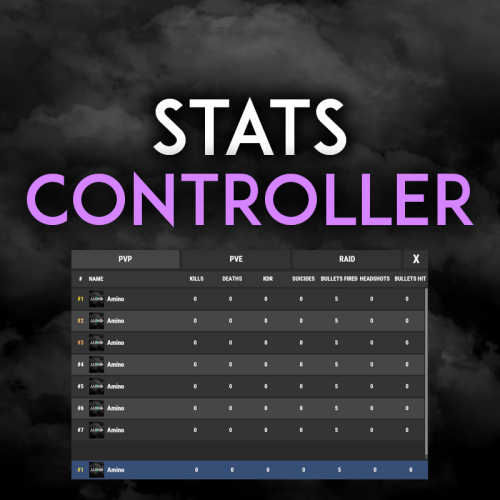
Very simple, extremely dynamic stats plugin with an amazing UI! Offers tons of customizability, change UI colors, and select between 2 pre-made UI options. Support's Welcome Controller UI so you can have your stats cleanly integrated into your info menu. Enable and disable stats from showing on whatever you want. Category filters that also show you what place you are within each category! FEATURES - Supports Welcome UI Controller by Amino - Includes new scrolling UI! - Select what stats you want to show on the main screen - Select what stats you want to show on the personal screen - Disable and enable whatever stats you want - Display user currency and playtime - Kills - Deaths - KDR - Suicides - Headshots - Bullets hit - Animals killed - PVE Stats - Raid Stats - ETC* CONFIG SNIPPET FOR STAT OPTIONS "PlayerKills": { "Enabled": true, "DisplayOnMainUI": true, "DisplayOnPersonalUI": true, "IsMainPersonalStat": true, "PointsChange": 1.0, "ItemID for stat image": 0, "IMG Link for stat image (takes priority over ItemID)": "", "Category (PVP, PVE, RAID)": "PVP" }, Need support or want updates about what is coming to the plugin? Join the support discord here https://discord.gg/RVePam7pd7$19.99 -

Version 3.2.8
2,371 downloads
XDStatistics - The most advanced statistics! It has great functionality and a nice design that will please the eyes of your players. Some useful information about the plugin: Opportunities: The plugin has very detailed statistics. In it, the player will be able to see everything that he will be interested in! Players can hide their statistics from other players , for this you need to issue permissions and enable this feature in the config Players can reset their statistics, for this you need to issue permissions and enable this feature in the config The administrator can add (remove) a player to the ignore list, the player's statistics will not be deleted, it will only be hidden and will not be visible to other players. There is an opportunity to award top 1 players in each category or in a certain one. The reward is given when the player enters the server after the vape. It is possible to issue awards in Economics | Server Rewards | IQEconomic | You can also grant a privilege or something else with the command There is also a points system in the plugin. The glasses are configured in the config in a very detailed and convenient way. The best player is the one with the most points. The plugin also knows how to clean data when wiping (configured in the configuration) Interface: Very nice and simple interface Some parts of the interface can be configured in the config At the moment there are 3 main pages (my statistics, top 10, search) The player can view the pages of other players if they have not hidden them Chat Alerts: Also in the configuration, you can set up chat alerts with the top 5 players in different categories, which are selected using random Messages can be configured in detail in the lang file You can also configure the frequency of alerts in the configuration Commands: [CHAT] /stat - (Open statistics (can be changed in the config)) [CONSOLE] stat - (Open statistics (can be changed in the config)) [CONSOLE] stat.ignore <add/remove> <Steam ID|Name> - (Adds the player to the ignore list. Also removes it from the statistics) [CONSOLE] stat.wipe - To clear progress and distribute rewards (if it didn't happen automatically) Permissions: XDStatistics.admin - (To use the stat.ignore command) XDStatistics.reset - (Allows the player to reset his stats. You need to enable this feature in the config) XDStatistics.availability - (Allows the player to hide his stats from other players. Need to enable in the configuration) What is planned in the future: [Discord] - Add the ability to send a message at the end of the wipe with the best players behind the wipe Add a tab with weapons so that players can view their detailed statistics on certain weapons API: private JObject API_GetAllPlayerStat(ulong id) private JObject API_GetPlayerPlayedTime(ulong id) private Dictionary<string, int> API_GetGathered(ulong id) private int? API_GetAllGathered(ulong id) private int? API_GetGathered(ulong id, string shortname) The lang file is available in English and Russian Configuration example - { "Basic plugin settings": { "Chat command for opening statistics": "stat", "Console command to open statistics": "stat", "Send chat messages with top 5 players in different categories": true, "Once in how many seconds will a message be sent ?": 600, "Enable the ability to reset your stats ? (requires XDStatistics.reset)": false, "Enable the ability to hide your statistics from users ? (requires XDStatistics.availability)": true, "Clear data when wiped": true, "Once in a rowman, the data will be saved.": 30 }, "Setting up the issuance of points": { "Points for crafting": 1.0, "Points for barrels": 1.0, "Points for installing building blocks": 1.0, "Points for using explosive items": { "explosive.timed": 2.0, "explosive.satchel": 0.7, "grenade.beancan": 0.3, "grenade.f1": 0.1, "ammo.rocket.basic": 1.0, "ammo.rocket.hv": 0.5, "ammo.rocket.fire": 0.7 }, "Points for resource extraction": { "wood": 0.3, "stones": 0.6, "metal.ore": 1.0, "sulfur.ore": 1.5, "hq.metal.ore": 2.0 }, "Points for found scraps": 0.5, "Points for harvesting (from the plantation)": 0.2, "Points for killing animals": 1.0, "Points for shooting down a helicopter": 5.0, "Points for tank explosion": 5.0, "Points for killing NPCs": 5.0, "Points for killing players": 10.0, "Points for time (for every minute of the game on the server)": 0.2, "How many points to take away for suicide ?": 2.0, "How many points to take away for death ?": 1.0 }, "Customize rewards for top 1 players in each category": { "Reward the best players at the end of the wipe": false, "Award for the top 1 in the SCORE category": { "Use command as a prize ?": true, "[RU]Использовать магазин GameStore для выдачи награды": false, "[RU]Использовать магазин MoscowOVH для выдачи награды": false, "Use [IQEconomic or Economics or Server Rewards] to issue a reward": false, "Command for the prize": [ "say %STEAMID%" ], "[RU][GameStores] ID магазина": "", "[RU][GameStores] ID сервера": "", "[RU][GameStores] Секретный ключ": "", "[RU][GameStores или MoscowOVH] Сколько начислять денег на баланс": 30, "[IQEconomic or Economics or ServerRewards] How much money to add to the balance": 100 }, "Award for the top 1 in the Killer category": { "Use command as a prize ?": true, "[RU]Использовать магазин GameStore для выдачи награды": false, "[RU]Использовать магазин MoscowOVH для выдачи награды": false, "Use [IQEconomic or Economics or Server Rewards] to issue a reward": false, "Command for the prize": [ "say %STEAMID%" ], "[RU][GameStores] ID магазина": "", "[RU][GameStores] ID сервера": "", "[RU][GameStores] Секретный ключ": "", "[RU][GameStores или MoscowOVH] Сколько начислять денег на баланс": 30, "[IQEconomic or Economics or ServerRewards] How much money to add to the balance": 100 }, "Award for the top 1 in the gathering category": { "Use command as a prize ?": true, "[RU]Использовать магазин GameStore для выдачи награды": false, "[RU]Использовать магазин MoscowOVH для выдачи награды": false, "Use [IQEconomic or Economics or Server Rewards] to issue a reward": false, "Command for the prize": [ "say %STEAMID%" ], "[RU][GameStores] ID магазина": "", "[RU][GameStores] ID сервера": "", "[RU][GameStores] Секретный ключ": "", "[RU][GameStores или MoscowOVH] Сколько начислять денег на баланс": 30, "[IQEconomic or Economics or ServerRewards] How much money to add to the balance": 100 }, "Award for the top 1 in the raider category": { "Use command as a prize ?": true, "[RU]Использовать магазин GameStore для выдачи награды": false, "[RU]Использовать магазин MoscowOVH для выдачи награды": false, "Use [IQEconomic or Economics or Server Rewards] to issue a reward": false, "Command for the prize": [ "say %STEAMID%" ], "[RU][GameStores] ID магазина": "", "[RU][GameStores] ID сервера": "", "[RU][GameStores] Секретный ключ": "", "[RU][GameStores или MoscowOVH] Сколько начислять денег на баланс": 30, "[IQEconomic or Economics or ServerRewards] How much money to add to the balance": 100 }, "Award for the top 1 in the Big Online category": { "Use command as a prize ?": true, "[RU]Использовать магазин GameStore для выдачи награды": false, "[RU]Использовать магазин MoscowOVH для выдачи награды": false, "Use [IQEconomic or Economics or Server Rewards] to issue a reward": false, "Command for the prize": [ "say %STEAMID%" ], "[RU][GameStores] ID магазина": "", "[RU][GameStores] ID сервера": "", "[RU][GameStores] Секретный ключ": "", "[RU][GameStores или MoscowOVH] Сколько начислять денег на баланс": 30, "[IQEconomic or Economics or ServerRewards] How much money to add to the balance": 100 } }, "Interface Settings": { "Background color in the top 10 for 1st place": "1 0.8431373 0 0.49", "Background color in the top 10 for 2st place": "0.7529412 0.7529412 0.7529412 0.49", "Background color in the top 10 for 3st place": "0.8039216 0.4980392 0.1960784 0.49" } } I also accept any ideas for improving this plugin. You can offer me ideas and I will implement them in the future. My discord for communication! DezLife#1480$24.00- 127 comments
- 4 reviews
-
- 9
-
-
-

-
- #stats
- #statistic
- (and 3 more)
-
Version 0.1.1
174 downloads
MyStatistics - an advanced system for collecting statistics of players and top players. Advantages: The ability to view the list of top players in the menu Extensive point setup system Player search by nickname / steamid Viewing statistics of another player The ability to close access to view your profile A new pleasant and intuitive interface English and Russian language support The ability to ignore a player in statistics A convenient and intuitive data file Big innovations in the future The ability to save and clean data files after wipe The opportunity to reward participants for different places in different categories of the top list. Commands: /stats - Opens the statistics menu. Plugin Configuration: { "Interface opening commands": [ "stats", "statistics" ], "Counters settings": { "Update the kill counter when there are murders:": { "player": true, "npc": false, "animal": false }, "Update the death count for deaths from:": { "player": true, "npc": true, "animal": true } }, "Point Settings": { "Points for kills / deaths": { "Killing a player": 1.0, "Killing an NPC": 0.8, "Killing an animal": 0.4, "Death": -0.8 }, "Points for crates / barrels": { "Looting the crate": 0.3, "Destruction of the barrel": 0.2 }, "Points for items": { "bearmeat": 0.0, "blue.berry": 0.0, "bone.fragments": 0.0, "cactusflesh": 0.0, "charcoal": 0.1, "chicken.raw": 0.0, "cloth": 0.05, "corn": 0.05, "crude.oil": 0.2, "deermeat.raw": 0.0, "diesel_barrel": 0.7, "explosives": 0.8, "fat.animal": 0.05, "fertilizer": 0.2, "fish.raw": 0.0, "fuse": 0.3, "gears": 0.25, "green.berry": 0.0, "gunpowder": 0.4, "horsedung": 0.1, "horsemeat.raw": 0.0, "hq.metal.ore": 0.3, "humanmeat.raw": 0.0, "leather": 0.05, "lowgradefuel": 0.15, "meat.boar": 0.0, "metal.fragments": 0.25, "metal.ore": 0.15, "metal.refined": 0.5, "metalblade": 0.1, "metalpipe": 0.2, "mushroom": 0.0, "potato": 0.05, "propanetank": 0.1, "pumpkin": 0.05, "red.berry": 0.0, "riflebody": 0.4, "roadsigns": 0.3, "rope": 0.1, "scrap": 0.05, "seed.black.berry": 0.0, "seed.blue.berry": 0.0, "seed.corn": 0.0, "seed.green.berry": 0.0, "seed.potato": 0.0, "seed.pumpkin": 0.0, "seed.red.berry": 0.0, "seed.white.berry": 0.0, "seed.yellow.berry": 0.0, "semibody": 0.3, "sewingkit": 0.1, "sheetmetal": 0.1, "smgbody": 0.4, "stones": 0.05, "sulfur": 0.3, "sulfur.ore": 0.2, "tarp": 0.1, "white.berry": 0.0, "wolfmeat.raw": 0.0, "wood": 0.05, "yellow.berry": 0.0 } }, "The list of ignored players": [ 76561199561802375, 76561199152998162 ] }$14.69 -
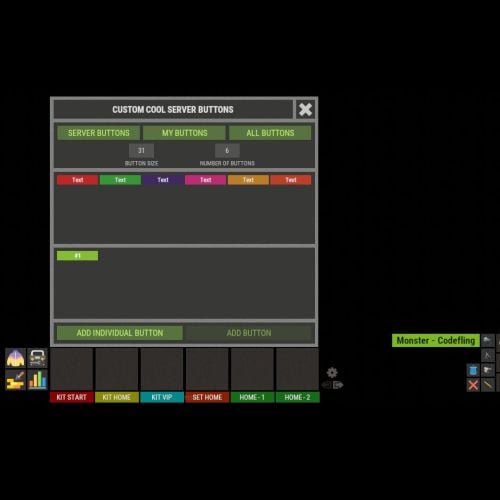
Version 1.0.4
329 downloads
XFastButtons - custom buttons for your server. - Optimization of the interface for different monitor resolutions. - Storing player data in - oxide/data/XDataSystem/XFastButtons - There is a lang ru/en/uk/es. - Sound effects when interacting with the menu. - Various settings for buttons. [ Font, Text, Command, Image, Color, Size, Coordinates, Parent Layer ] - A handy list of buttons under the slots. - Easy and fast selection of coordinates. [ AnchorMin, AnchorMax, OffsetMin, OffsetMax ] - Customize the list of server images. [ For server logo, etc. ]. - Customize the image list. [ For button creation by the player. ]. - Customize the list of button colors. [ For button creation by the player. ]. - The player can hide server/my buttons using the settings menu. - The player can create his own buttons and place them on the screen as he wishes. - Ability to limit the number of buttons created by a player. - Ability to create buttons with commands (chat and console) that have multiple arguments. [ /kit vip, /home 1, /sethome 1 - etc. ] - Ability to edit already created buttons. - Ability to delete created buttons. - Ability to undo changes. [ Convenient preview while editing/creating a button. ]. - Ability to create any number of server(admin) buttons by permissions. - Ability to hide/show buttons when the player interacts with containers or mounted prefabs(chair, transport, etc.) [ Configure in config. ]. - By default, the plugin has a few customized buttons, a list of images, and a list of colors. Permissions xfastbuttons.settings - access to basic settings. xfastbuttons.use - access to create/edit/delete buttons. [ Regular players cannot create/edit/delete server(admin) buttons in any way! ] Config { "General setting": { "Maximum number of buttons a player can create": 6, "Maximum number of individual buttons a player can create": 5, "List of containers - buttons will react to open/close container. [ Leave the list empty to extend this to all containers. Or set null to disable this feature. ]": null, "List of mountable prefabs (chair, transport, etc) - buttons will react to interaction with the prefab. [ Leave the list empty to apply this to all prefabs. Or set null to disable this feature. ]": [ ......... ], "List of server buttons - [ You can only configure parameters - Text, Command, Color, Font ]": [ ......... ], "List of server buttons by permissions - [ You can only configure parameters - Text, Command, Color, Font ]": { ......... }, "List of individual server buttons - [ You can configure all parameters ]": [ ......... ], "List of individual server buttons by permissions - [ You can configure all parameters ]": { ......... } }, "GUI setting": { "Color_background_1": "0.517 0.521 0.509 1", "Color_background_2": "0.217 0.221 0.209 1", "Close button (icon) color": "1 1 1 0.75", "Server image list - [ These images are not available to players ]": { ......... }, "Image list - [ These images are available for players to select ]": { ......... }, "List of button colors": [ ......... ] } }$18.99 -
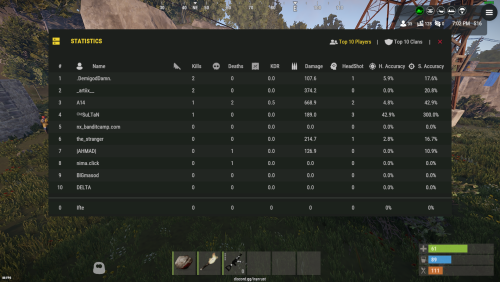
Version 1.0.7
373 downloads
SimpleStatsUI is a sleek and user-friendly statistics interface designed to enhance the gaming experience by providing comprehensive insights into player and clan performance. Beautiful User-Interface Shows leaderboards of TOP 10 Players in the server & TOP 10 Clans Counts Player Kills, Deaths, KDR, HeadShots, HeadShot.Accuracy, Shooting Accuracy /stats - Opens UI interface Leaderboard (For Players) /show_kdr - Enable or disable KDR UI (For Players) /enable_kdr - Enable or disable KDR UI for the server (For Admin) /reset_players - Reset all player stats (For Admin) /reset_clans - Reset all clan stats (For Admin) simplestatsui.admin - Requires admin permission to reset stats { "Settings": { "Count NPC": true, "Count Suicides": true, "Reset Player Stats On Wipe": true, "Reset Clan Stats On Wipe": true }, "KDR UI Setting": { "Enable KDR UI": true, "Anchor Min": "0.5 0", "Anchor Max": "0.5 0", "Offset Min": "-305.2 17.999", "Offset Max": "-205.2 77.98", "Kills UI": { "Text": "{kills} Kills", "BackGround Color": { "Hexa Color(#FFFFFF,100)": "#3D4B27,100" }, "Icon ImageURL": "https://i.postimg.cc/nLj1yJ0L/target.png", "Icon Color": { "Hexa Color(#FFFFFF,100)": "#A6CD63,100" }, "Text Color": { "Hexa Color(#FFFFFF,100)": "#A6CD63,100" } }, "Deaths UI": { "Text": "{deaths} Deaths", "BackGround Color": { "Hexa Color(#FFFFFF,100)": "#962F20,100" }, "Icon ImageURL": "https://i.postimg.cc/s2CkmnwL/skull.png", "Icon Color": { "Hexa Color(#FFFFFF,100)": "#C79897,100" }, "Text Color": { "Hexa Color(#FFFFFF,100)": "#C79897,100" } }, "KDR UI": { "Text": "{kdr} KDR", "BackGround Color": { "Hexa Color(#FFFFFF,100)": "#1D425F,100" }, "Icon ImageURL": "https://i.postimg.cc/d14y9dWg/market.png", "Icon Color": { "Hexa Color(#FFFFFF,100)": "#489AD4,100" }, "Text Color": { "Hexa Color(#FFFFFF,100)": "#489AD4,100" } } } }$9.99 -

Version 2.3.2
18,390 downloads
GUI with personal stats, leaderboard, per-category stats, and #1 player custom chat titles Tables with personal bests per category, top scoring player per category, and top-30 players per category. The same tables can be viewed for clans, rather than players. Server-wide top-list per category can be advertised on a timer. Tables have clickable headers for ascending/descending sort Multiple leaderboard snapshots (top single player for each category) can be taken for SQL/web use. Can also issue rewards (in command format) either on your command or automatically after wipe. Rewards are in a separate PlayerRanksRewards.json data file. Multiple commands issued as one reward should, be, comma, separated. Use {id} as a placeholder for player's Steam ID. Optional uMod dependencies. Clans. Economics. EventManager. Friends. PlaytimeTracker. BetterChat. (for titles) Permissions. playerranks.use - Allows players to use GUI, if 'RequiresPermission' is true. playerranks.admin - Allows admin UI and command access. playerranks.excludefromstats - Allows players to toggle /pr optout - taking their stats out of public displays. playerranks.excludedfromstats - Force a player to be excluded from stats playerranks.optout - Used behind the scenes for user preference persistence across wipes. By default, stats for admins are not publicised. Chat commands. The plugin will respond to whatever commands you have specified in the config for `chatCommandAliases` The defaults are { "pr", "ranks", "rank" }; This documentation will use 'pr' for its examples. Player commands. /pr - Open PlayerRanks GUI /pr chat - Enable/Disable chat announcements. /pr optout - Have your stats removed from, or included in, public displays. /pr reward <category name> - Issues rewards for the category. /pr reward - Issues rewards for all categories. Requires playerranks.excludefromstats permission. Admin commands. /pr save - Save the database /pr wipe - Wipe the database /pr del - Remove all stats for that player's steamID /pr wipecategory <categoryname> - Remove all of user stats for that category Console commands. playerranks.save - Save the database playerranks.wipe - Wipe the database playerranks.reward <category name> - Issues rewards for the category. playerranks.reward - Issues rewards for all categories. SaveLeaderboard - Takes a snapshot of the current #1 players for all categories. Configuration. General options. displayClanStats - True/False record_ClanMate_Kills - Toggle killing of clan-members contributing to PVPKills. record_FriendsAPI_Kills - Toggle killing of 'Friends' contributing to PVPKills. record_RustIO_Friend_Kills - Toggle killing of RustIO friends contributing to PVPKills. record_Rust_Teams_Kills - Toggle killing of Rust team mates contributing to PVPKills. blockEvents - Toggle EventManager contributing to ranks. statCollection - True/False RequiresPermission - Makes user /pr access by 'playerranks.use' permission only. allowadmin - Toggle admin stats in public displays. chatCommandAliases - { "pr", "ranks", "rank" } useTimedTopList - Toggle public broadcast rotation. TimedTopListAmount TimedTopListTimer TimedTopListSize - Font size for chat output. TimedTopListNumbered - Adds ordered numbering to chat output (1st,2nd,etc). deleteOnBan - true/false PVPHeadshotsOnly - true/false CountHeadshotsOnlyIfKill - true/false saveTimer (minutes) lastLoginLimit - in days.Deletes data for users who haven't logged in since X days ago. Value of 0 means disabled. wipeOnDeath - true/false WipeOnNewMap - Wipes PlayerRanks data base when a new map is detected. CommandOpensTop30 = false KDRExcludesSuicides = false PVPKillsCountsSleeperKills = false PlayTime_HH_MM = false CountPlantsOnlyFromPlanters = true GlobalTitleBroadcast = true - Tells everyone (true) or just the taker and loser of a title (false) useIntenseOptions - Enable/disable.Toggle gathering of information, and displays, relating to: StructuresBuilt ItemsDeployed ItemsCrafted EntitiesRepaired StructuresDemolished Resources Gathered GUI. UiTextColourStrong = "<color=#b3522b>"; UiTextColourWeak = "<color=#bdbdbd>"; ChatTextColourStrong = "<color=#d4d3d3>"; ChatTextColourWeak = "<color=#bdbdbd>"; ButtonColour = "0.7 0.32 0.17 1"; CategorySortButtonColour = "0.48 0.2 0.1 1"; GuiTransparency = 0.9; Useful tool for picking CUI colours - RGB Decimal. Titles (requires BetterChat) EnablePlayerTitles = false; MaxDisplayedTitles = 3; MaxTitlesBeforeLineBreak = 3; TitleStart = "["; TitleEnd = "]"; AddTitleHoldersToGroup = true; DestroyGroupOnUnload = false; Categories. Each category has the following options in config. "PVPKills": { "EnabledInPersonal": true, "EnabledInTop1": true, "EnabledInTop30": true, "IncludeInChatBroadcast": true, "Title": "[Killer]", "ShowTitleInPlayerChatMessages": true, "ChatPriority": 1, "BroadcastTitleChanges": true }, Title. Leave blank to have no title. Players with titles are automatically placed in a group of the category name. Players are removed when they lose #1, and all groups are emptied on unload. SQL - optional. Database Name Host Password Port Username tablename - Main data table name that PR will create. LBtableName - Leaderboards table name that PR will create. Use MySQL - true/false autoWipe - true/false (wipes SQL with main database) The SQL database will be created on the first save, whether automatic or manually with command /pr save. Category List. PVPKills PVPDistance PVEKills PVEDistance NPCKills NPCDistance Sleepers Killed HeadShots Deaths Suicides KDR (kill to death ratio) SDR (suicide to death ratio) SkullsCrushed TimesWounded TimesHealed HeliHits HeliKills APC Hits APCKills BarrelsDestroyed Explosives Thrown Arrows Fired Bullets Fired Rockets Launched MLRS Fired WeaponTrapsDestroyed Drops Looted Fish Caught Structures Built Structures Demolished Items Deployed Items Crafted Entities Repaired Resources Gathered Plants Gathered Structures Upgraded Economics** ServerRewards** PlayTime** (DD:HH:MM:SS) MySQL Only. Online/Offline Status** ActiveDate - Player's last login date. ** - These options are reported by Player Ranks, but not incremented or maintained by Player Ranks. Resetting Player Ranks database will not set these entries to zero, as they are read from elsewhere. Wipe Playtime Tracker data and/or Economics data to set these to zero. API ResetClan(string clanname) ResetPlayer(ulong ID) Key Binds. Personal stats and leader board can be bound to toggle as follows, using H J as examples: bind h callPersonalStatsUI bind j callLeaderBoardUI Notes. Data for banned players is automatically removed. Heli Kills are attributed to the player who hit the heli the most - not the last hitter. If a player dies from his wounds, the person who wounded him gets the PVP kill. PVP distance is recorded based on the wounding shot.Free- 447 comments
- 15 reviews
-
- 24
-
-
-
- #statistics
- #leaderboard
- (and 12 more)
-

Version 1.0.2
39 downloads
Discover the brand new RaidableBasesDB plugin that takes your gaming experience to the next level! This innovative plugin automatically stores a player's Raidable Ladder statistics in the SQL database after each successful raid, making it easy to track player progress. You can also manually update player statistics using the "rb.update" command, with the SteamID option allowing for targeted updates to individual players. The RaidableBasesDB plugin is an essential addition to the Nivex RaidableBases plugin, providing an efficient and effortless way to keep track of your players' statistics. Easy to configure and use, this plugin offers server administrators a powerful tool for managing player statistics. And the best part is, I'm already working on an Azuriom RaidableBases plugin that will be released soon! The RaidableBases Azuriom Plugin is now available. Display your RaidableBases data on your Azuriom site. Interested? DM me! Plugin commands at a glance: rb.update: Updates the statistics of all players. rb.update <SteamID>: Updates the statistics of a single player with the specified SteamID. rb.wipe: Deletes all content in the database.$25.00 -

Version 1.0.1
33 downloads
The Azuriom Player Ranks Plugin effortlessly allows you to display your players' statistics for PVE, PVP, Farming, and Raiding, along with their personal stats, directly on your website. Highlight their impressive achievements in an elegant leaderboard and foster a sense of community. Azuriom Player Ranks Integration: Showcase your Rust players' statistics for PVE, PVP, Farming, and Raiding, as well as their personal stats on your website! Key Features: Real-time Leaderboard: A clear ranking showcasing player achievements in PVE, PVP, Farming, and Raiding. Multilingual Support: Smooth support for both English and German, perfect for diverse player communities. Seamless Integration: Easily integrate into your website. Quick installation and seamless blending. Theme Compatibility: Designed to perfectly align with all Azuriom themes for a consistent and professional look. Online-Offline Display: Shows players' online status (visible when logged in). Personal Statistics: Your personal stats will only be visible when logged in and having played on the server for more than an hour. Live Search Function: Quick and easy player search with a live search feature. Customizable Pagination: Adjust the number of rows in the leaderboard to suit your needs. Further insights can be found in the images. Note: For optimal functionality, you need the free Rust plugin "Player Ranks" by Steenamaroo and the free CMS Azuriom (https://azuriom.com) HOW-TO: Rust Server Setup: a. Visit the Player Ranks on CodeFling website and download the plugin. ( https://codefling.com/plugins/player-ranks ) b. After downloading, copy the plugin into the "plugin" folder of your Rust server. c. Open the plugin's configuration file and set Use MySQL - true/false to true and ensure the database connection details match those of your Azuriom installation. Azuriom Web Server Setup: a. Download the "playerranks" folder for Azuriom. b. Copy this folder into the "Plugins" directory on your web hosting space. c. Log into your Azuriom Admin Dashboard. d. Navigate to the "Plugins" section. e. Locate the "playerranks" plugin in the list and click "Activate". f. Once the plugin is activated, navigate to the navigation bar in the admin dashboard and enable the entry for the "playerranks" plugin, making it visible on your website. By following these steps, you will have set up the "Player Ranks Statistic" plugin on your Rust server and the corresponding Azuriom plugin on your web server. Doldak$25.00 -
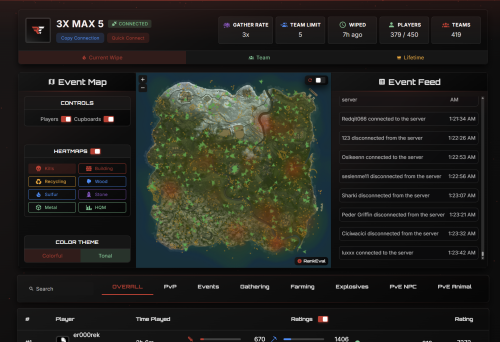
Version 2.0.4
940 downloads
The RankEval System Modular, extensible, and designed for Rust's most competitive environments. From wipe-based PvP ladders to multi-server team tracking, RankEval powers the most advanced leaderboard system in Rust. Get Started Browse Servers Your browser does not support the video tag. Leaderboards At the heart of RankEval is a powerful, customizable leaderboard engine. Track 178 Unique Player Statistics From kill/death ratios to building and farming efficiency, we process them through our proprietary rating algorithm to generate fair, flexible rankings. You can configure leaderboards for different modes and filter, rank, and embed them based on your community's needs. Visualize performance live with Event Maps™, a real-time heatmap showing player positions, hotspots, and PvP activity as it happens. Perfect for post-wipe analysis, staff review, and community engagement. Wipe Mode Resets stats every server wipe Team Mode In depth clan/team metrics available ∞ Lifetime Mode Persist your data across wipes and servers Event Maps™ Heatmaps & player position tracking General Overview Your browser does not support the video tag. Event Maps™ Your browser does not support the video tag. Cloud Control Panel Every RankEval deployment is managed through a powerful web-based control panel. Complete Control Over Your System You can manage every aspect of your RankEval deployment from a single, intuitive interface. ✓ Create custom leaderboards for each server or org ✓ Define stat weightings, rating types, and layout options ✓ Enable or disable modules like team scoring or event tracking ✓ Assign roles and access control per org or server No two configs are the same — and you don't need to touch a line of code. Your browser does not support the video tag. Ready to power the most advanced leaderboard system in Rust? Join our community of server owners who trust RankEval for their competitive gaming needs. Get Started Now Browse Servers Trusted by 200+ Rust organizations worldwide • Built for competitive gamingFree- 5 reviews
-
- 6
-
-
-
- #statistics
- #rankings
- (and 6 more)
-
Version 1.4.3
30 downloads
Performance focused Leaderboard with a sleek, modern UI design. With detailed players and team statistics while ensuring minimal impact on server performance. Key Features Modern & Intuitive UI: A clean, visually appealing, and easy-to-navigate user interface. Players can quickly switch between their personal stats, the server-wide player rankings, and the team leaderboards. Detailed Player & Team Statistics: Tracks a large set of stats including Kills, Deaths, KDR, Damage Dealt, Headshots, Shots Fired, Hits, and Accuracy percentage for both individual players and teams. Optimized for Performance: Designed to be exceptionally lightweight. Stats are processed in efficient batches on a configurable timer, and UI elements are cached to prevent any server or client-side lag. Highly Customizable: Easily change the UI's accent color to match your server's theme and define multiple custom chat commands for players to open the leaderboard. Image Library Support: Automatically fetches and displays player avatars from Steam, adding a personalized and professional touch to the rankings. Web Statistics: Through and external product simple site. Commands and Permission /leaderboard, /lb, /stats - All open the leaderboard menu. (Commands can be easily changed in the config) This plugin does not require any permissions to be used. All players can view the leaderboards by default. Config { "Enable Misc Stats Page": true, "Clear stats on server wipe": true, "Header Background Color RGBA (Use https://colors.misticos.dev/ (RUST Color))": "0.29 0.15 0.45 0.98", "Accent Color RGBA (Use https://colors.misticos.dev/ (RUST Color))": "0.58 0.31 0.91 0.75", "Leaderboard refresh interval in seconds": 60, "Commands to open the leaderboard": [ "leaderboard", "lb", "stats", "leaderboards", "stat" ], "Database Settings": { "Use MySQL (requires MySql extension)": true, "Host": "127.0.0.1", "Port": 3306, "Username": "admin", "Password": "password", "Database Name": "rust_db", "ServerName": "MAIN SERVER" } } Support and More Checkout my discord server here. Showcase Video$9.99 -

Version 1.1.0
11 downloads
Staff Discord Manager Bot Staff Discord Manager Bot - Use Discord to manage your staff team, set their ingame permissions, create inactivity notices, and track their statistics with leaderboards. As used at Repulsion Features: Add staff to the system via a "/add-staff" command. Remove staff from the system via a "/remove-staff" command. Give a staff member permissions on your servers via a "/perms add" command. Remove a staff member permissions on your servers via a "/perms remove" command. View all online staff on your servers with a "/online" command. View a entire staff list with a "/staff-list" command Create staff inactivity notices with a inactivity-notice command, and allow managers to review these notices and approve/deny them. Set your staff information ( battlemetrics email/username, and rustadmin details (optional) ) via a "/info set" command. Allow managers to view their staffs information with a "/staff view" command Check your own statistics (bans, messages, in-game hours & pet pictures sent) via a "/stats" command. Managers can view anyone's stats with "/stats (user)" Weekly & Monthly leaderboards automatically posted showing the top 3 users for that time period for each statistic Allow managers to use the "/leaderboard" command to manually make a embed showing a leaderboard for a selected time period. See a leaderboard for each specific statistic with "/leaderboard stat (bans etc)" and will show each staff member and how many they have in a selected time period (weekly, monthly or lifetime). Staff Join/leave servers logs Inactivity notices for staff who have 0 hours, 0 discord messages or 0 bans in the past 7 days. Ability to see which staff are actually active, or just not doing anything. Requirements: NodeJS Battlemetrics Subscription Setup Guide / Support: This bot requires a small amount of knowledge on how to edit configs. To setup, simply edit the .env file and also the /src/config/permsCommands.js file. And for further support please reach out: PotatoAnimation on discord. Type /inactivity-setup where you want the inactivity notice embed to be created. Upload the bot as is, /src should be a directory in the root of the bot. Then run the bot with /src/index.js Future Plans: More statistics to track. More features (DM me if you have any suggestions).$19.99 -
![More information about "Plugin Interface [Statistics]"](https://codefling.com/uploads/monthly_2025_07/.thumb.png.78b55c6ebd15e4e0d6e31645e2301048.png)
Version 1.0.0
1 download
Introducing our unique design for the [Statistics] plugin. A very stylish and minimalistic design. If you have any problems, do not write angry comments, write to me, and I will be happy to help you solve the problem. IMPORTANT: Please do not use the design for plugins that will be sold (public distribution). Do not resell the design or place our design on other platforms. If you want to release forks with my development, you can buy them on the rights or order a design from me for your fork. Below you will see a reminder on how to launch our design in Figma. Under the reminders, our social networks are indicated, where you can contact us. Thank you all for your attention. With love, Spacesett.$10.00 -
.thumb.gif.b131579b5bca174a34fba04fd029bcde.gif)
Version 4.0.6
1,858 downloads
Simple kill/death ratio counter. User interface is fully customizable, each panel can be disabled. For each screenshot shown there is config file available. Simple customizable KDR UI interface Togglable interface Multi-User custom interface support High Performance Plugin Plug and Play - No dependencies or Linq Got any ideas or questions ? Join the Cobalt Studios Discord @ https://discord.gg/cobaltstudios Player Commands: /hkd or /togglekdr - disables/enables kdr UI /skd or /switchkdr - rotates through multiple custom KDR UIs from the config Args - Optionally use an integer to skip to a specific UI - Example - /skd 2 Admin Commands: /kdrwipe - wipes all kdr data Player Permissions: simplekdr.use - allows use of all player commands simplekdr.hidden - hides the kdr UI when a player logs in or uses the /hkd command Admin Permissions: simplekdr.wipedata - allows the use of /kdrwipe command Credit to M&B Studios the original author of this plugin.$14.99- 63 comments
- 10 reviews
-
- 9
-
-
-
- #kdr
- #simplekdr
- (and 24 more)
-

Version 1.2.1
362 downloads
Better Statistics is a advanced statistic plugin which offers a beautiful in-game UI and self hosted responsive website. Steam login for easy profile access Support for multiple servers Search any player by their name View players profiles with a ton of cool stats How does it work? The plugin is setup with two tables via MySQL, one for the wipe and one for the overall stats. When the server wipes, all data is automatically moved over to and added to the overall table and the wipe table is then cleared. When do the stats save for each player? There is a automatic timer that you can set to have every players stats sync to the database. By default the players data is synced when they leave the server, and the automatic timer just in-case of a server crash. There is also a command that can be used from the server console to save a players stats or all players stats. What stats does it track? Name Steam ID Connection Count Playtime Kills Deaths (Deaths to players) Kill Death Ratio Overall Accuracy Suicides Times Wounded Satchels Thrown C4 Thrown Rockets Fired TC's Destroyed NPC Kills Chickens Boars Stags Horses Wolves Bears Scientists Helicopters Bradley's 16. Weapon Kills Assault Rifle LR-300 M39 L96 BOLT M249 HMLMG MP5 Thompson Custom SMG Pump Shotgun Double Barrel Spaz-12 M92 Python Semi Auto Pistol Revolver Waterpipe Eoka Pistol Compound Bow Crossbow Hunting Bow 17. Body Hits Head Torso Left Arm Right Arm Left Leg Right Leg Left Foot Right Foot Requirements: A MySQL Server that the stats can be saved to Config: { "MySQL Database Connection Info": { "Host IP": "localhost", "Port": 3306, "Database name": "betterstatistics", "Username": "root", "Password": "" }, "Server Prefix (For tables Ex: main_stats_wipe, main_stats_overall)": "main", "Save Interval (Mins) (0 = Disabled)": 10 } Player Commands: /stats - Opens up local players stats /stats {playerid} - Opens up stats of the given player id Server Commands: stats.save - Saves every players stats that are connected to the server stats.save {playerid} - Saves the given player id's stats as long as they are on the server Requirements: A web server to be able to host the PHP Site. Config: <?php return array( 'ServerName' => 'TEST SERVER', 'SiteDescription' => 'Stats Website Template developed by Billy Joe', 'SteamAPIKey' => '', 'backgroundImage' => 'https://files.facepunch.com/paddy/20220705/july_2022_header.jpg', 'servers' => array( 'server1' => array( 'serverIcon' => 'https://i.imgur.com/txD5xqH.png', 'ipAddress' => 'localhost', 'username' => 'root', 'password' => '', 'databaseName' => 'betterstatistics', 'wipe' => 'main_stats_wipe', 'overall' => 'main_stats_overall' ), 'server2' => array( 'serverIcon' => 'https://i.imgur.com/i7xGabr.png', 'ipAddress' => 'localhost', 'username' => 'root', 'password' => '', 'databaseName' => 'betterstatistics', 'wipe' => 'main_stats_wipe', 'overall' => 'main_stats_wipe' ), 'server3' => array( 'serverIcon' => 'https://i.imgur.com/0sAs3Ee.png', 'ipAddress' => 'localhost', 'username' => 'root', 'password' => '', 'databaseName' => 'betterstatistics', 'wipe' => 'main_stats_wipe', 'overall' => 'main_stats_overall' ), ) ); ?>$49.99- 82 comments
- 4 reviews
-
- 3
-
-
-
- #stats
- #statistics
- (and 5 more)
-

Version 1.0.0
7 downloads
This plugin is an re-write of the free Google Analytics plugin on uMod (https://umod.org/plugins/analytics) that works with GA4. Works with Google Analytics 4 Developer API for use in other plugins Event queueing system to prevent rate-limiting Fast and performant { "Debug": false, // Enables debug logging in the console. "Measurement ID": "", // The measurement ID in your GA dashboard. "API Secret": "", // Your API Secret from your GA dashboard. "Client ID": "My Rust Server", // The server identifier in the events. "Send Data Interval": 3.0, // How often queued events are processed. "Analytics": { "player_join": true, "player_leave": true, "player_pvp_death": true, "player_chat": true, "player_command": true, "report_receive": true, "player_buy_vending": true, "player_kit_redeem": true } // Enable and disable events (you can also add events from other plugins here). If an event isn't in this list, it will be enabled by default } Plugin developers can integrate events into their plugins using our API. API Methods: API_QueueAnalytic(Dictionary<string, Dictionary<string,object>> events, ulong? userId = null) Example of queueing an event: GAPlugin.Call("API_QueueAnalytic", new Dictionary<string, Dictionary<string, object>>() // A list of events. { { "kit_redeem", // The event name. new Dictionary<string, object>() // Event parameters. { { "kit_name", kitName } } } }, userId // The user ID of a player (optional, should be set for events that involve a player). );$2.99 -

Version 1.1.8
69 downloads
RustStatistics is a plugin to recover players and server statistics We have a warning system automatic "Admin System Bans" Whitelist system for your server, can be activated with a click on the dashboard of your server from our website How to install on the server ? Linked the plugin Admin System Bans ( Prenium ) Data Recovery on Players Data Recovery on Servers Config Lang$2.00 -
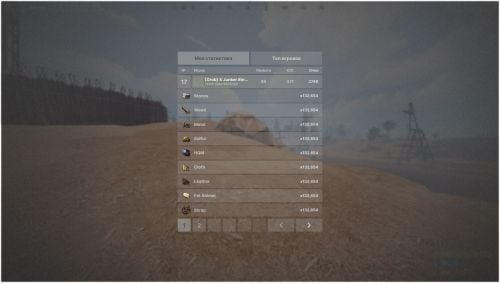
Version 1.0.1
10 downloads
About Minimalistic Player Stats System A minimalistic player statistics system for your rust server, contains a simple and beautiful top players, as well as a personal profile displaying your own statistics. Features: Beautiful design The player can check self and other statistics All titles can be changed Shows all the necessary information about the player and his survival$10.00 -
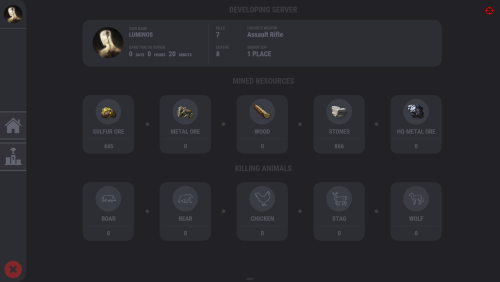
Version 1.0.5
118 downloads
Plugin that displays game statistics of players The plugin will be improved, I look forward to your suggestions Chat command - stats [Personal Statistic] [TOP - 5]$15.00- 40 comments
- 3 reviews
-
- 7
-
-
-

-
-
- #ui
- #statistics
- (and 6 more)
-
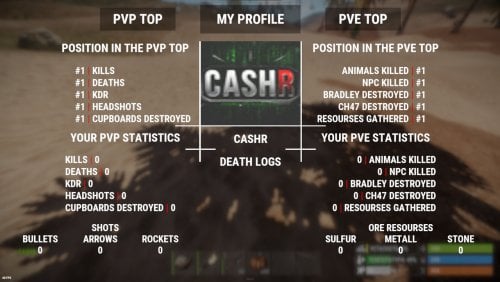
Version 1.0.3
23 downloads
CStats - statistics for your server that does not require any intervention from administrators, such as config settings and other things, is made in a unique style and does not load your server! This plugin also implements the idea of the player's death logs, that is, the player can see the profile of the player who killed him.$30.00- 2 comments
- 1 review
-
- 5
-
-
-
- #rust
- #information
- (and 5 more)