Search the Community
Showing results for tags 'store'.
-

Version 1.0.5
328 downloads
This plugin allows your players to list and sell custom items through their vending machines. By creating a store via the back of the vending machine, players can list any item (custom or vanilla) for sale through their machines. Players can then interact with the players vending machine to purchase their wares, just like vanilla rust. This is ideal for any server, but especially for servers with heavy role play elements, or servers that use a lot of custom items. Custom Item Vending can receive data from other plugins for both a currency and an item properties. Custom items can be added manually through the config, or sent via an API directly from another plugin. Allows players to sell items for vanilla items, custom items, economics and server rewards. Customizable limit on how many listings each vending machine can have. A map marker that will display what is currently being sold (and is in stock) in the machine. Floating text at the front of each custom item machine indicating what is being sold and its stock level. Supports almost every custom item, identifying them uniquely based on skin, name, text field, slot count and condition. Economics and Server rewards are withdrawn from the back of the machine. The only requirement to use this plugin is the permission: customitemvending.create. This is require to turn a regular vending machine into a Custom Item Vending machine. Please note that due to the nature of the plugin and the way the map's vending listings are handled via client side, it is not possible to use market drones to obtain items using this plugin.$19.99 -
Version 2.4.12
15,315 downloads
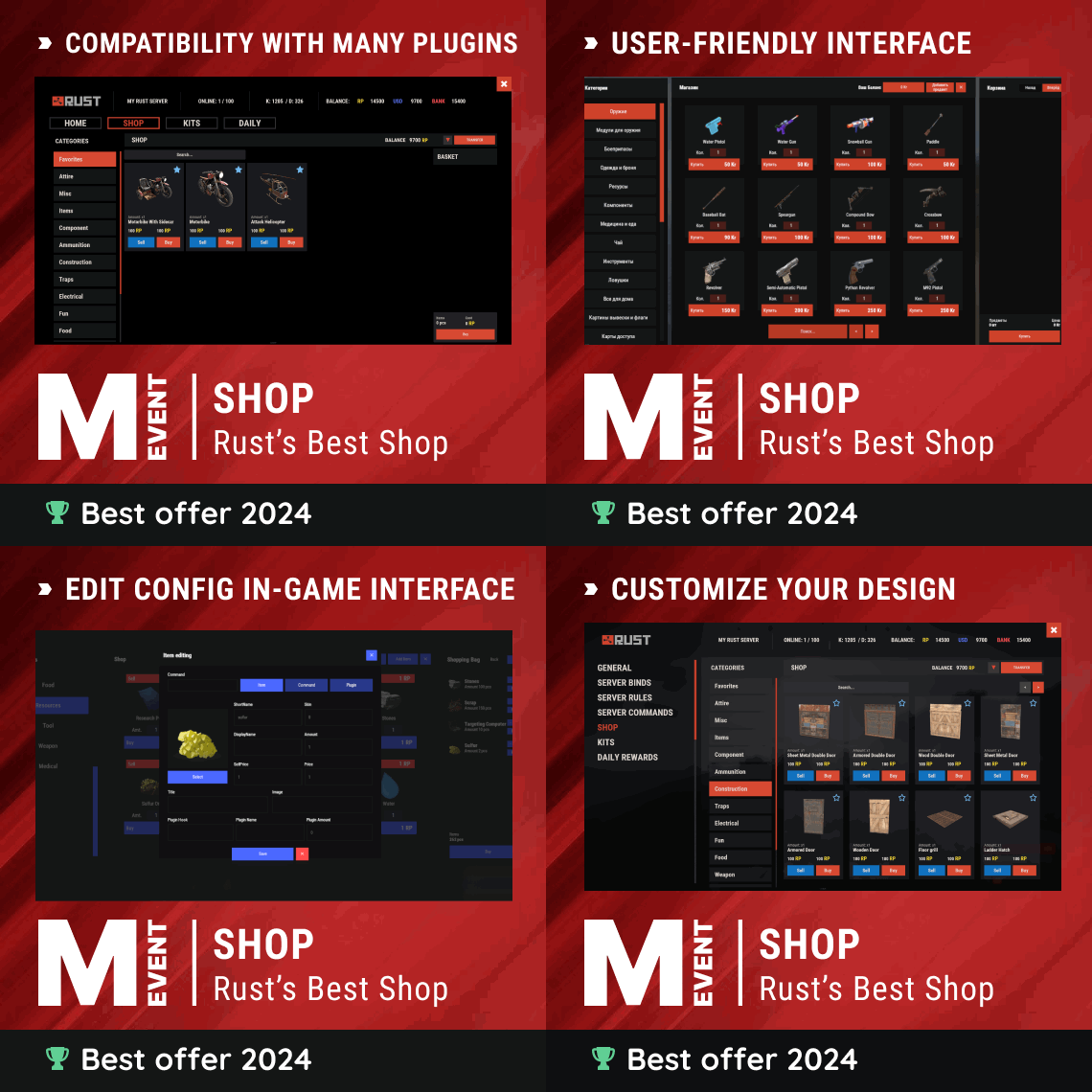
Enjoy a highly customizable Shop that can be configured in game! Use NPCs as shopkeepers, and set up a shop with ease using the game interface to add, edit, or remove items on the fly! Features of Shop Beautiful user interface with multiple templates (Fullscreen, In-Menu V1/V2/V4) Shopping Basket - add multiple items to cart and purchase them all at once Search functionality - search for items by name across all categories Pagination - efficient item browsing with page-by-page navigation Discount system (by permissions) with per-item custom discounts Automatic shop filling (+ the plugin has support for the ItemCostCalculator plugin) Selling items (players can sell items to the store and receive money for it) Sell containers configuration - choose which containers (main, belt) players can sell from Blocked skins - prevent selling of specific item skins High performance with optimized item loading Adding/editing/removing items IN GAME with visual editor Supports NPC shops (HumanNPC integration) Supports Custom Vending Machines Supports NoEscape plugin integration Supports Duel/Duelist - blocks shop access during duels Convert from ServerRewards Favorite items system - players can mark items as favorites Buy Again feature - quick repurchase of previously bought items By default, the plugin has English, Russian and Chinese translations LangAPI integration for custom translations Transfer money between players directly in the plugin (including offline players option) Shop allows you to use multiple economy plugins at once (players can choose what they want to pay with) For each item, you can choose which payment methods are available and how much they will cost, based on the selected method Cooldown system - per-item buy/sell cooldowns with per-permission overrides Wipe cooldown - block items for purchase/sale after server wipe Respawn cooldown - prevent shop access immediately after respawn Buy/Sell limits - lifetime and daily limits per permission Max buy/sell amount - limit items per transaction Force buy - fast purchase without confirmation dialogs Plant genes configuration for plant items Weapon configuration - spawn weapons with ammo and attachments Content system - configure container contents (liquid, weapon mods, etc.) Customizable UI - full color customization and formatting options Offline Image Mode - use local images instead of downloading from internet Image loading on login - preload images when players connect Console and file logging - comprehensive logging system ServerPanel integration - add Shop to ServerPanel menu Notify/UINotify integration for notifications Auto-wipe settings - automatically reset cooldowns, limits, and player data on wipe Discord Logging - Track all purchases, sales, and transfers directly in your Discord server via webhooks with customizable embeds API methods for other plugins to interact with Shop Commands shop - open shop interface shop.install – starts the shop installation process shop.refill <recovery_rate> - refill shop again recoveryRate: A value between 0 and 1 that determines the multiplier for the cost of selling items. For example, shop.refill 0.5 means that items will have a sale cost of 50% of their purchase cost. shop.convert.sr [clear] - convert items from ServerRewards to Shop. The option clear means clearing Shop items before converting shop.setvm [categories: cat1 cat2 ...] - add custom VM in config shop.setnpc [categories: cat1 cat2 ...] - add NPC in config shop.remove all - a console command to remove all items and categories from the plugin shop.remove item [category name/all] - a console command to remove an item (or all items) shop.remove category [category name/all] - a console command to remove a category (or all categories) shop.fill.icc [all/buy/sell] - a console command for updating prices of items in the store using ItemCostCalculator. all - updates both Price and SellPrice, buy - updates Price, sell - updates SellPrice shop.convert.from.1.2.26 – command to convert Shop plugin version 1.2.26 to version 1.3.0+ shop.reset – resets store data, including templates, configurations, and items. shop.reset template – resets the store interface template data. shop.reset config – resets store configuration data. shop.reset items – resets store items data. shop.reset full – completely resets all store data (templates, configurations and items). shop.manage – used to manage the Shop plugin. shop.manage economy list – displays a list of all available economic systems in the plugin. shop.manage economy set <economy_ID> <name> – sets the selected economic system by plugin ID and name. The command updates the corresponding economic system on the server and saves the changes in the configuration. FOR EXAMPLE: shop.manage economy set 0 Economics – sets the main economy plugin to "Economics". shop.manage economy set 1 ServerRewards – sets the additional economy system with ID 1 to "ServerRewards". shop.wipe – manually trigger wipe (resets cooldowns, limits, and player data) shop.change – change item category (used in editor) shop.item – console command for item actions Permissions shop.setvm - for command "shop.setvm" shop.setnpc - for command "shop.setnpc" shop.free - for free item purchases shop.admin - admin permission shop.bypass.dlc - allows bypassing Facepunch ToS item restrictions (WARNING: your server may be banned for this) API Methods The Shop plugin provides API methods for other plugins to interact with it: API_OpenPlugin(BasePlayer player) – opens the shop UI for a player. Returns empty string if failed, or UI data if successful. API_GetShopPlayerSelectedEconomy(ulong playerID) – returns the economy ID (0 = main, 1+ = additional) that the player has selected for shopping. Note: Other plugins can call these methods using Shop.Call("API_MethodName", ...) syntax. Sort Types None Name Amount PriceDecrease PriceIncrease Category Types None – normal category for items Favorite – category for favorite items Hidden – hidden category, available only in NPC stores or Vending Machines Video P.S. Video of the old version, video for the V2+ version is now in development Showcase Full screen Templates Template OLD STYLE Template NEW RUST In-Menu Templates Template V1 (V1.1) Template V1 (V1.1) with BASKET Template V2 Template V2 with BASKET Template V4 Template V4 with BASKET Installer Editor Discord Logging Track all shop activity via Discord webhooks: purchases, sales, and money transfers. TEST SERVER Join our test server to view and experience all our unique features yourself! Copy the IP Address below to start playing! connect 194.147.90.239:28015 FAQ Q: I get the message "The plugin does not work correctly, contact the administrator!”. What should I do? A: This means that your plugin is not installed. To install the plugin, use the command "/shop.install”. You need to have "shop.admin” permission to access this command. Q: Where can I see an example of a config? A: Config Q: How to use BankSystem to store the economy A: "Economy": { "Type (Plugin/Item)": "Plugin", "Plugin name": "BankSystem", "Balance add hook": "Deposit", "Balance remove hook": "Withdraw", "Balance show hook": "Balance", "ShortName": "", "Display Name (empty - default)": "", "Skin": 0, "Lang Key (for Title)": "LangTitle", "Lang Key (for Balance)": "BalanceTitle" }, Q: How to use ServerRewards to store the economy A: "Economy": { "Type (Plugin/Item)": "Plugin", "Plugin name": "ServerRewards", "Balance add hook": "AddPoints", "Balance remove hook": "TakePoints", "Balance show hook": "CheckPoints", "ShortName": "", "Display Name (empty - default)": "", "Skin": 0, "Lang Key (for Title)": "LangTitle", "Lang Key (for Balance)": "BalanceTitle" }, Q: How to use Economics to store the economy A: "Economy": { "Type (Plugin/Item)": "Plugin", "Plugin name": "Economics", "Balance add hook": "Deposit", "Balance remove hook": "Withdraw", "Balance show hook": "Balance", "ShortName": "", "Display Name (empty - default)": "", "Skin": 0, "Lang Key (for Title)": "LangTitle", "Lang Key (for Balance)": "BalanceTitle" }, Q: How to use IQEconomic to store the economy A: "Economy": { "Type (Plugin/Item)": "Plugin", "Plugin name": "IQEconomic", "Balance add hook": "API_SET_BALANCE", "Balance remove hook": "API_GET_BALANCE", "Balance show hook": "API_REMOVE_BALANCE", "ShortName": "", "Display Name (empty - default)": "", "Skin": 0, "Lang Key (for Title)": "LangTitle", "Lang Key (for Balance)": "BalanceTitle" }, Q: How to use scrap to pay for items A: "Economy": { "Type (Plugin/Item)": "Item", "Plugin name": "", "Balance add hook": "", "Balance remove hook": "", "Balance show hook": "", "ShortName": "scrap", "Display Name (empty - default)": "", "Skin": 0, "Lang Key (for Title)": "LangTitle", "Lang Key (for Balance)": "BalanceTitle" }, Q: How to add KIT as shop item A: https://pastebin.com/4szBQCgz Q: How to add Command as shop item A: https://pastebin.com/bcCkzBEL Q: How do I make a weapon spawn with ammo in it? A: You need to configure the "Weapon" section in the item config: "Weapon": { "Enabled": true, "Ammo Type": "ammo.rifle.explosive", "Ammo Amount": 128 } Q: How do I make items spawn some content (liquid, weapon modifications)? A: You need to configure the "Content" section in the item config: "Content": { "Enabled": true, "Contents": [ { "ShortName": "weapon.mod.lasersight", "Condition": 100.0, "Amount": 1, "Position": -1 } ] }, Q: How to turn off the sell feature? A: You need to turn off "Enable item selling” in the config, or do it in the item setting in the game. "Enable item selling?": false, Q: How to use the ItemCostCalculator with Shop? A: You need to use command "shop.refill" (command to refill the Shop) Q: What should be the size of images for item icons? A: Typically, the image dimensions for item icons are 512x512 pixels, but any square image can suffice. Q: I get the error "UI is unavailable for player. Reason: Menu UI is not initialized". How to fix it? A: This error occurs when the interface template is not installed or configured. Follow these steps: 1. Reset the template using the command: shop.reset template (use only template to avoid data loss). 2. Install the interface via shop.install in the game (to visually select a template) or through the console. Note: Ensure you have the shop.admin permission to execute these commands. Q: How do I add Shop to the ServerPanel menu? A: Follow these simple steps: 1. Open ServerPanel menu in-game and click "+ADD CATEGORY" button 2. Set these exact parameters: Type: Plugin Plugin Name: Shop Plugin Hook: API_OpenPlugin 3. Click "SAVE" button to create the category 4. Reset Shop template and install it: Type in console: shop.reset template (IMPORTANT: use only "template"!) Then type: shop.install Note: If Shop doesn't appear in ServerPanel menu, make sure both plugins are loaded and you typed the parameters exactly as shown above. Q: I see black images with Rust logo or get error 429 when loading images. What should I do? A: These issues occur when there are problems downloading images from the internet. The Shop plugin sends images to ImageLibrary but is not responsible for the downloading process itself. Error 429 typically occurs due to rate limits imposed by image hosting services like Imgur (see HTTP 429 documentation for more details). To fix this, enable Offline Image Mode which will use local images instead: Enable the mode in config: Open "oxide/config/Shop.json" (or "carbon/config/Shop.json" for Carbon) Set "Enable Offline Image Mode": true Set up the images: Create folder "TheMevent" in "oxide/data" (or "carbon/data" for Carbon) Download PluginsStorage (click "CODE" → "Download ZIP") Extract the ZIP and copy all contents to the "TheMevent" folder Reload the plugin: Type o.reload Shop (Oxide) or c.reload Shop (Carbon) Note: If you want to add your own custom images, place them in the "TheMevent" folder and reference them with the "TheMevent/" prefix. For example: "TheMevent/Icon1.png", "TheMevent/MyCustomIcon.jpg", etc. Q: What placeholders are available for commands and what do they do? A: You can use these placeholders in shop commands and they will be automatically replaced when a player purchases a command item: %steamid% - Replaced with the player's Steam ID (e.g., "76561198000000000") %username% - Replaced with the player's display name (e.g., "PlayerName") %player.x% - Replaced with the player's X coordinate position %player.y% - Replaced with the player's Y coordinate position %player.z% - Replaced with the player's Z coordinate position Example usage in shop commands: "Command (%steamid%)": "say Welcome %username%!|teleport %steamid% %player.x% %player.y% %player.z%" Note: Multiple commands can be separated by the "|" character, and they will be executed in sequence when the item is purchased. Q: How to set different prices for different currencies (RP and balance)? A: You can configure separate currency prices for each item. Edit the file oxide/data/Shop/Shops/Default.json and find the item you want to modify. In the "Currencies" section, set different prices for each economy: "Currencies": { "Enabled": true, "Currencies": { "0": {"Price": 1000}, "1": {"Price": 500} } } This means players pay 1000 from their main balance (Economics) or 500 RP from their ServerRewards balance. Economy ID 0 = main economy, ID 1 = ServerRewards. Q: How to create a shop using HumanNPC plugin and set specific categories? A: To create a shop with HumanNPC, follow these steps: Create an NPC using HumanNPC plugin Get the NPC ID (you can find it in the HumanNPC config or use the command humannpc.list) Use the Shop command to add the NPC: shop.setnpc [categories: cat1 cat2 ...] Example: shop.setnpc categories: Weapon Ammunition Tools - adds the NPC with Weapon, Ammunition, and Tools categories shop.setnpc categories: * - adds the NPC with all available categories Note: You need the shop.setnpc permission to use this command. Make sure both HumanNPC and Shop plugins are loaded on your server. Q: How to add Custom Vending Machines to Shop plugin? A: To add Custom Vending Machines to Shop, follow these steps: Place a Custom Vending Machine in your world Look at the vending machine and use the command: shop.setvm [categories: cat1 cat2 ...] Example: shop.setvm categories: Weapon Ammunition - adds the vending machine with Weapon and Ammunition categories shop.setvm categories: * - adds the vending machine with all available categories Note: You need the shop.setvm permission to use this command. The vending machine will be automatically added to the Shop configuration. Q: How does the Shopping Basket feature work? A: The Shopping Basket allows players to add multiple items to a cart before purchasing. Players can add items to the basket, review their selection, and purchase everything at once. The basket shows the total cost and allows players to remove items before checkout. This feature must be enabled in the template settings. Q: How does the Search functionality work? A: The Search feature allows players to search for items by name across all categories. Simply type in the search box and the shop will filter items matching your query. Search works across all enabled categories and respects permission settings. The search feature can be enabled/disabled in the template configuration. Q: What are Wipe Cooldown and Respawn Cooldown? A: These are time-based restrictions: Wipe Cooldown: Blocks items from being bought/sold for a specified time after a server wipe. This is useful for preventing powerful items from being purchased immediately after wipe. Configure in config: "Wipe Cooldown": true and "Wipe Cooldown Timer": 3600 (seconds). Respawn Cooldown: Prevents players from opening the shop immediately after respawning. Helps prevent abuse. Configure in config: "Respawn Cooldown": true and "Respawn Cooldown Timer": 60 (seconds). Q: How do Daily and Lifetime Limits work? A: Limits control how many times players can buy/sell items: Lifetime Limits: Total number of times a player can buy/sell an item across their entire account. Set to 0 for unlimited. Daily Limits: Maximum number of times per day a player can buy/sell an item. Resets daily. Set to 0 for unlimited. Limits are per-permission, so you can set different limits for VIP players, regular players, etc. The plugin uses the highest limit among all permissions the player has. Q: What is the "Buy Again" feature? A: Buy Again allows players to quickly repurchase items they have bought before. This feature shows a history button in the shop UI (if enabled) and requires a permission. To enable, set "Buy Again Settings": {"Enabled": true, "Permission": "shop.buyagain"} in the config. Q: How do I configure blocked skins for selling? A: You can prevent players from selling specific item skins. In the config, add entries to "Blocked skins for sell": "Blocked skins for sell": { "rifle.ak": [52, 25], "pistol.m92": [100, 200] } Q: How do I configure which containers players can sell from? A: In the config, set "Settings available containers for selling item": "Settings available containers for selling item": { "Enabled": true, "Containers": ["main", "belt"] } Available container names: "main" (inventory), "belt" (hotbar), "wear" (clothing), etc. Q: What are Auto-Wipe Settings? A: Auto-Wipe Settings automatically reset certain data when you run the shop.wipe command. Configure in config: "Auto-Wipe Settings": { "Cooldown": true, "Players": true, "Limits": true } Cooldown: Resets all item cooldowns Players: Resets all player data (favorites, economy selection, etc.) Limits: Resets all buy/sell limits Q: How do I customize price formatting? A: In the config, set "Formatting Settings" to control how prices are displayed: "Formatting Settings": { "Buy Price Format": "G", "Sell Price Format": "G", "Shopping Bag Cost Format": "G", "Balance Format": "G" } Format options: "G" (general), "N" (number with separators), "C" (currency), "F" (fixed-point), etc. See .NET number formatting for all options. Q: How do I enable transfers to offline players? A: In the config, set "Allow money transfers to offline players?": true. By default, this is disabled for security reasons. Q: How do I configure Duel/Duelist integration? A: To block shop access during duels, set "Blocking the opening in duels?": true in the config. Make sure you have the Duel or Duelist plugin loaded. Q: What do all shop item settings mean and how should I configure them? A: Below is a short explanation of the most important item fields and how they affect the plugin. Type – what this entry does: Item (gives an in-game item), Command (runs server commands), Plugin (calls another plugin hook), Kit (gives a kit). ID – unique numeric ID of the item inside Shop. Used internally (for logs, favorites, editor); normally you don’t change it manually. Image – custom UI icon key. If empty, Shop will try to use the item icon found by ShortName. Permission – Oxide/Carbon permission required to see and use this item. Leave empty to make the item available to everyone, or set e.g. shop.vip for VIP‑only items. Title – custom title shown in the UI. If empty, the plugin will try to use DisplayName, then the in‑game display name of the item, or fall back to an empty string. Description – additional text shown in the item window. Optional, purely visual. Command (%steamid%) – used when Type = Command. The plugin will execute this command on the server. You can use placeholders like %steamid%, %username%, %player.x%, %player.y%, %player.z%. Each purchase can run multiple commands (split internally by |). Kit – kit name for Type = Kit. The plugin will give a kit with this name when the player buys the item. Plugin – used for Type = Plugin. Contains plugin name, hook name and amount. When the item is purchased, the specified hook will be called in the target plugin. DisplayName (empty – default) – overrides the in‑game item name shown to the player (for Type = Item). If empty, the plugin uses the original item display name (optionally via Lang API). ShortName – shortname of the item (e.g. rifle.ak). This is required for Type = Item; it is used to find ItemDefinition, icon, stack size, etc. Skin – workshop skin ID for the item. Only used when Type = Item. Is Blueprint – if enabled, Shop will give the item as a blueprint instead of the regular item. Amount – how many items are given/sold per one purchase. For blueprints this is how many separate blueprint items are created. Enable item buying? (CanBuy) – if disabled, the item cannot be bought (only sold, if selling is enabled). Price – default purchase price. Can be overridden per‑economy in Currencies – if a currency is configured for buying, its price will be used instead of this value. Enable item selling? (CanSell) – if disabled, players cannot sell this item back to the shop. Sell Price – default sell price. Can also be overridden in Currencies for selling. Buy Cooldown / Sell Cooldown – base cooldown in seconds between purchases/sales of this item. Can be overridden by per‑permission cooldowns below. Buy Cooldowns / Sell Cooldowns – per‑permission cooldowns. Keys are permission names (e.g. shop.vip), values are cooldown seconds. The plugin uses the lowest cooldown among permissions that the player has. Use custom discount? – if enabled, the item will use its own Discount map instead of the global discount configuration. Discount (%) – per‑permission discount percentages for this item (only if custom discount is enabled). The highest discount from permissions that the player has will be applied. Sell Limits / Buy Limits – global lifetime limits per permission. A value of 0 means “no limit”. The plugin selects the highest limit among permissions the player has. Daily Buy Limits / Daily Sell Limits – per‑day limits (reset by the plugin’s daily logic). 0 means “no daily limit”. Max Buy Amount / Max Sell Amount – maximum number of items that can be bought/sold in a single transaction (0 disables this limit). Force Buy – if enabled, the item will use fast purchase flow (without extra confirmation windows, depending on UI settings). Prohibit splitting item into stacks? – if enabled, the plugin will try to give the item in a single stack instead of splitting it into multiple stacks, when possible. Purchase/Sale block duration after wipe – time (in seconds) after a wipe during which this item cannot be bought/sold. Useful for limiting powerful items early in the wipe. Localization – per‑language messages for the item title. If enabled and a translation exists for the player’s language, it will override the normal title. Content – configuration of contents for containers (e.g. boxes, weapons with attachments, etc.). You can add inner items (shortname, amount, condition, position). Weapon – additional settings for weapons (ammo type, ammo amount, etc.). Applied when the item is created. Genes – plant gene configuration. If enabled, the plugin will set specified genes on the created item. Currencies – per‑economy price configuration. You can set different prices for each enabled economy plugin (by economy ID) for both buying and selling. If a currency is configured and enabled for the player’s selected economy, its price takes priority over the default Price/Sell Price. Q: What do shop category settings mean and how should I configure them? A: Categories group your shop items and control how they are shown, sorted and filtered for players. Enabled – turns this category on or off. If disabled, the category and all its items will not appear in the shop UI at all. Category Type – controls special behavior of the category: None – a normal category that shows the items you added to Items. Favorite – a virtual category that shows each player’s favorite items (based on their own favorites list). Items here are taken from other categories the player marked as favorite. Hidden – a hidden category. It is stored in data and can be used for management, but is not shown in the normal category list in UI. Title – the name of the category displayed in the UI. If Localization is enabled and contains a translation for the player’s language, that localized text will be shown instead of this value. Permission – permission required to see and use this category. If you leave it empty, all players can see the category (subject to item‑level rules). If you set e.g. shop.category.vip, only players with that permission will see this category in the shop. Sort Type – how items inside the category are sorted: None – items are shown in the order they are stored/edited. Name – items are sorted alphabetically by their PublicTitle (what the player sees). Amount – items are sorted by Amount (stack size) in ascending order. PriceIncrease – items are sorted by price from cheaper to more expensive. PriceDecrease – items are sorted by price from more expensive to cheaper. Sorting is applied every time the category items are requested. Items – the list of ShopItem entries that belong to this category. For normal categories (Type = None/Hidden) this is what will be displayed in the item grid. For Favorite categories this list is not used for display – the plugin uses the player’s favorites instead. Localization – optional localized title for the category. When enabled, the plugin will try to show a translated title based on the player’s language. If no translation is found, it falls back to the Title field. How visibility and filtering work – when the shop builds a category: For normal categories, only items that are available for the player (permission, currencies, buy/sell rules, etc.) are included. Skip/take pagination is applied on top of that filtered list to show items page by page. For favorite categories, the plugin takes the player’s favorite items, applies sorting, and displays them in this special category. Reordering categories and items – categories and items can be moved up/down (or left/right) in the in‑game editor. This changes the order in which categories are shown in the UI and the default order of items when Sort Type = None. Q: How do I enable and use ADMIN MODE? A: ADMIN MODE is a visual in-game editor that allows you to manage your shop without editing files manually. Step 1: Enable ADMIN MODE Ensure you have the shop.admin permission Open shop with /shop command Click the "ADMIN MODE" button in the header (shows "■" when active) Step 2: Create/Edit Categories To create a new category: With ADMIN MODE enabled, click the "+" button in categories list Fill in category details (Title, Enabled, Type, Permission, Sort Type) Click "SAVE" To edit an existing category: Click the "Edit" button (pencil icon) next to the category Modify settings Click "SAVE" or "CANCEL" Step 3: Create/Edit Items To create a new item: Open the target category Click "+ADD ITEM" button Select item from the selection panel Configure all item properties (price, amount, permissions, etc.) Click "SAVE" To edit an existing item: Click the "Edit" button on the item Modify properties Click "SAVE" or "CANCEL" Additional ADMIN MODE Features: Use ↑↓ arrows to reorder categories Use ←→ arrows to reorder items within categories Use "DELETE" button in editor to remove categories/items All changes save automatically - no manual file editing needed Q: Where are shop files stored and what do they contain? A: Shop plugin data is organized in the following structure: Configuration (oxide/config/Shop.json or carbon/config/Shop.json) Plugin settings (permissions, commands, economy configuration) Notification settings Discord logging configuration Global plugin options Shop Data (oxide/data/Shop/Shops/Default.json or carbon/data/Shop/Shops/Default.json) This is the main shop inventory file All categories and their settings All items with prices, permissions, cooldowns, limits Item configurations (weapons, content, currencies, etc.) Edited through ADMIN MODE or manually UI Template (oxide/data/Shop/UI.json or carbon/data/Shop/UI.json) Interface template configuration Colors, sizes, positions Display settings Reset with: shop.reset template then shop.install Player Data (oxide/data/Shop/Players/ or carbon/data/Shop/Players/) Individual player files (one per player)$29.95 -
.thumb.png.5493908087e3da6457421ab30f541dac.png)
Version 2.3.6
484 downloads
Warning: To use this config file, you need to purchase the Shop plugin developed by Mevent: https://codefling.com/plugins/shop We prioritize keeping this configuration updated to deliver a smooth and enjoyable experience. In this optimized configuration, item prices have been manually adjusted to offer balanced gameplay. This Shop Config file is versatile and can be applied to any server, whether it's 1x, 2x, 3x, 5x, 10x, or even 100x gather rates. Simply align the RP rewards provided by the Playtimereward plugin to suit your server's rate. For example, we use a 20 RP reward for every 30 minutes on our 3x servers, which works well with this configuration. Features: - Manually Adjusted Prices: A large number of items with carefully set RP values. Note: Due to the new TOS rules, items such as skins, DLC content, and other cosmetic elements are no longer included. - Extensive Testing: Successfully used and positively received by players across +100 servers. - Versatile Application: Compatible with any gather rate, from 1x to 100x. - Continuous Updates: We strive to keep this configuration up-to-date to ensure the best experience. - Positive Player Feedback: Excellent reception and feedback from players. - Enjoy using this optimized setup! Installation Instructions: 1) Extract the RAR file you downloaded. There will be three folders: lang, data, and config. 2) Drag and drop these folders into the specified directory: /home/rustserver/serverfiles/oxide. 3) After that, upload the latest version of the Shop plugin to the plugins folder. If the Shop plugin is already installed, restart the server or use the following command in the RCON admin console to reload the plugin: o.reload Shop This will ensure the plugin is restarted properly.$10.00 -

Version 1.0.2
70 downloads
Global Storage Pro creates storage for your players that can be access from any global storage container. Containers will automatically spawn at safe-zone monuments, allowing players to safely store their items. The plugin will create an instance of storage for each player that loots the box, allowing for multiple players to loot the same global storage chest to manage their own instances of storage. Monument spawns: Automatically spawns containers at safe zone monuments. These can be repositioned using the gs.setpos command. Map specific spawns: Use the gs.addloc command to create a spawn point for a container that will be based on the map name. Anytime the map with a valid name is loaded, a container will spawn at the specified location. Placeholder spawns: Using RustEdit, placeholder entities can be deployed at specific locations to create automatic spawns for your custom monuments. Deployable containers: Players can be given deployable containers to setup in their bases that access the storage network. Comprehensive white/black list: Have full control over what items can be added to GlobalStoragePro containers based on skin, name, shortname and text fields. Permission based slots and deployments: You can create any number of permissions that will provide more or less storage slots, and deployments of containers. Administrative tool: Access the contents of any players global storage in-game using the gs.view command. Persistent wipe settings: Allow contents of containers to persist between wipes. Command: gs.givestorage <target> <amount> Type: Console Permission: globalstoragepro.admin (or can be run by the server with no perms) Description: Gives the target player a deployable global storage item. Command: gs.setpos Type: Chat Permission: globalstoragepro.admin Description: Sets the spawn location for the nearest monument (or monument marker for custom monuments) Command: gs.addloc Type: Chat Permission: globalstoragepro.admin Description: Adds a spawn location for a global storage chest. The name of the map is captured and put into the config along with the location for future spawns. Command: gs.openplayerinventory <userid> Type: Chat Permission: globalstoragepro.admin Description: Opens the storage container for the specified userid. Command: gs.view Type: Chat Permission: globalstoragepro.admin Description: Provides a list of all containers that have contents to the admin, who can then select one to view its contents. // Adds an item to the target players global storage container void TryAddItemToGlobalStorage(BasePlayer player, Item item, bool notify)$14.99 -
Version 1.4.4.1
734 downloads
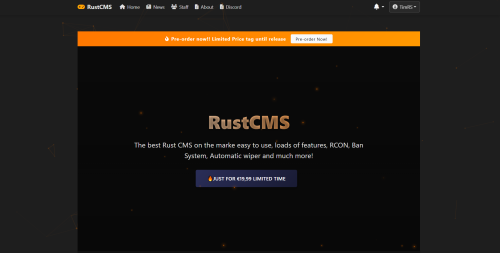
V2.0 is on the horizon! Release is set to end of August/September - I am adding more screenshots along the way till the demo release, the main part is making everything front-end at the moment. The backend is 95% done. - Added couple new screenshots, also proof of code. RustCMS is a specialized content management system built from the ground up to serve the needs of Rust gaming communities. With its intuitive admin interface, powerful server management tools, and player-focused features, RustCMS helps you create an engaging community hub for your Rust servers. The CMS is fully database-driven and is developed in a MVC structured code style. Notable Features # For Server Owners - Complete Database-Driven System: All settings, servers, and content managed through the database - Complete Server Management: Add unlimited servers with detailed information - Automatic Status Updates: Real-time server status and player count tracking - RustServers.gg Integration: Streamlined voting and server statistics - Staff Management: Organize your admin team with role-based permissions - News Publishing: Keep your community informed with a powerful article system - Custom Pages: Create custom pages from the CMS, no need to mess with files. ### For Players - Server Information: Clear, accessible server details and connection options - Community Updates: Stay informed with the latest news and announcements - Staff Directory: Connect with the server administration team - Voting Rewards: Support your favorite servers with integrated voting ### For Developers - 100% Database-Driven: No hardcoded configurations, everything managed through the database - Extensible Design: Built with customization and extension in mind - Modern Codebase: (MVC) Clean, well-documented PHP code - Mobile Responsive: Perfect display on all devices #### Requirements - PHP 8.0 or higher - MySQL 5.7 or higher / MariaDB 10.3 or higher - Web server (Apache, Nginx, etc.) RustCMS v2.0 Development Roadmap This document outlines the planned development path for RustCMS, including completed milestones, current development priorities, and future enhancements. ## Completed Milestones ## Initial Setup - Created project structure with the following directories: - app/ - config/ - controllers/ - models/ - views/ - public/ - css/ - js/ - images/ - admin/ - core/ - Set up basic file organization - Initialized progress tracking file ## Core System Development - Created main application architecture - Implemented core classes: - Application.php - Main application controller - Database.php - Database connection and query handling - Router.php - URL routing and request handling - Session.php - Session management and security - Created autoloader for class loading - Defined application routes in routes.php - Created base controller class (BaseController.php) - Implemented HomeController for the main page ## Frontend Development - Created view templates: - Main layout template (layouts/main.php) - Home page template (home.php) - Error pages (404.php, 500.php) - Implemented responsive design using Bootstrap 5 - Added support for flash messages ## Installation System - Created installation wizard with multi-step process: - System requirements check - Database configuration - Site configuration - Admin account creation - Installation completion - Implemented templates for each installation step - Created configuration sample file (config.sample.php) ## Database Implementation - Created schema.sql with tables for users, servers, news, staff, pages, settings, server votes, and server status - Implemented database installer script - Updated installation process to create database and admin user ## Server Management - Created ServerController with methods for listing servers, viewing server details, and voting - Added server status updating functionality - Created server views directory ## Admin Panel Development - Created admin controllers: - DashboardController.php - Admin dashboard with statistics - ServerController.php - Manage servers (CRUD operations) - UserController.php - Manage users (CRUD operations) - NewsController.php - Manage news articles (CRUD operations) - SettingsController.php - System settings management - Updated routes to include admin functions - Implemented permission control for admin area access - Created admin panel views: - Admin layout template (layouts/admin.php) - Dashboard view with statistics (admin/dashboard.php) - Server management views (admin/servers/*) - User management views (admin/users/*) - Added CSS and JavaScript for admin functionality - Implemented responsive admin design using Bootstrap 5 ## Authentication System - Implemented AuthController with login, registration, and logout functionality - Created login and registration form views - Added password hashing and security measures - Implemented session handling for logged-in users - Added user role-based redirects after login - Created user registration with validation and security checks - Set up flash messages for authentication feedback - Added password reset functionality with secure token-based system - Created forgot password and reset password views - Implemented email notification for password reset requests ## User Profile System - Implemented UserController with profile viewing and editing functionality - Created user profile view with personal information display - Added user social media integration (Steam, Discord) - Implemented profile editing with validation - Added avatar upload functionality - Created user activity tracking - Integrated server favorites display ## News Management System - Implemented news article creation interface - Added news categories and tags functionality - Created news listing and detail views - Implemented featured news for homepage display - Added rich text editor for content creation - Implemented image uploads for news articles - Added comment system for news articles: - User comment submission - Comment moderation system - Comment approval workflow - Admin comment management interface - Implemented social media sharing for articles - Added view count tracking for articles - Created related articles functionality ## Staff Management System - Created StaffController for frontend display of staff members - Implemented staff listing page with position grouping - Added user profile integration for staff members - Created admin StaffController for staff management - Implemented admin staff listing page - Added functionality to add new staff members - Created edit functionality for staff positions and information - Implemented staff deletion functionality - Added display order control for staff members - Created views for staff management in admin panel - Added social media links for staff profiles (Steam, Discord) ## Custom Pages System - Created PageController for viewing custom pages on the frontend - Implemented custom page view with metadata support - Created admin PageController for page management - Implemented admin page listing view - Added functionality to create and edit custom pages - Implemented rich text editor for page content - Added SEO metadata management (title, description, keywords) - Created publish/unpublish functionality for pages - Added navigation menu integration for custom pages - Implemented page deletion functionality - Created URL slug generation and management - Added menu ordering for pages displayed in navigation ## Server Management Enhancements - Set up RCON integration for Rust server management - Created RustRcon core class for RCON protocol implementation - Implemented RconController for admin panel - Added RCON console interface for server management - Added player management (view, kick, ban) - Added server info display - Added broadcast message functionality - Implemented command execution logging - Implemented server status monitoring cron job - Created automated server status checking - Added player tracking - Implemented server information updating ## Server Statistics and Analytics - Implemented server statistics system - Created StatisticsController for admin panel - Added player count charts with multiple timeframes (day, week, month, year) - Implemented server uptime tracking and visualization - Added peak player time analysis - Created player growth charts - Added player statistics functionality - Implemented top players tracking - Added unique player counting - Created recent players list - Added player connection history ## Server Backup Management - Created BackupController for admin panel - Implemented backup database tables - server_backups for storing backup records - server_backup_logs for tracking backup operations - Added backup functionality - Create backups of Rust servers - Download server backups - Restore servers from backups - Delete backups - Implemented backup settings management - Backup directory configuration - Automatic backup scheduling - Maximum backups per server setting - Created backup views - Backup management overview (index.php) - Backup history for specific servers (history.php) - Added backup integration with RCON - Server communication during backup operations - Server status management during restore - Implemented backup logging and tracking - Record backup creation information - Track backup operations (create, download, restore, delete) ## Server Wipe Management System - Created WipeController for admin panel - Implemented wipe database table (server_wipes) - Added wipe management functionality: - Schedule wipes with different types (map, blueprint, full) - Execute wipes with automatic pre-wipe backups - Cancel scheduled wipes - Track wipe history per server - Created wipe notification system: - Manual notification sending through admin panel - Automatic notification via cron job - Player broadcasts with time remaining information - Implemented wipe views: - Wipe management overview (index.php) - Wipe history for specific servers (history.php) - Wipe scheduling form (schedule.php) - Added integration with existing systems: - Backup system for pre-wipe and post-wipe backups - RCON system for server communication during wipes - Logging of all wipe-related actions - Created cron job for automatic wipe notifications (notify_wipes.php) # Plugin Management System - Created database tables for plugin management: - server_plugins: store plugin metadata and status - plugin_configs: store plugin configuration values - Implemented PluginController for admin panel - Added plugin management functionality: - List plugins by server - Add new plugins with file uploads - View plugin details and configuration - Edit plugin information and configuration - Enable/disable plugins - Delete plugins - Reload plugins - Implemented file handling for plugin management: - Upload plugin files (.cs for Oxide/uMod) - Upload plugin configuration files (JSON) - Download plugin files - Added plugin configuration management: - Add/edit/delete configuration values - Support multiple data types (string, number, boolean, array, object) - Push configuration to server - Pull configuration from server - Created plugin management views: - Plugin overview (index.php) - Server plugins (server.php) - Add plugin form (add.php) - Plugin details (view.php) - Edit plugin (edit.php) - Updated admin navigation with new plugin management section - Integrated with RCON system for server plugin - Created sample plugin and configuration files for testing # Player Ban Management System Created database tables for ban management: - player_bans: store ban information - ban_appeals: store ban appeal records - ban_logs: track ban-related actions - Implemented BanController for admin panel with functionality: - List bans by server - Add new bans with online player selection - View ban details with history and appeals - Edit ban information - Unban players with RCON integration - Ban logging system - Search functionality for bans across all servers - Created ban appeals system: - List all appeals with status - Review and approve/reject appeals - Automatically unban on approval - Added ban management views: - Ban management overview (index.php) - Server bans (server.php) - Add ban form (add.php) - Ban details (view.php) - Edit ban form (edit.php) - Ban appeals listing (appeals.php) - Appeal review form (review-appeal.php) - Ban search interface (search.php) - Updated admin navigation with new ban management section - Added routes for ban management - Implemented ban enforcement via RCON - Added player Steam profile linking - Created flexible ban durations (temporary or permanent) ## Server Performance Monitoring System - Created database tables for performance monitoring: - server_performance: store server performance metrics - performance_thresholds: define alert thresholds for various metrics - performance_alerts: track created alerts - maintenance_windows: schedule maintenance periods - recovery_actions: define automatic actions for threshold violations - Implemented ServerPerformance model with comprehensive functionality: - Save and retrieve performance metrics - Collect metrics from Rust servers via RCON - Threshold management and violation detection - Alert creation and management - Maintenance window scheduling - Recovery action execution - Implemented PerformanceController for the admin panel with features: - Server performance dashboard with real-time metrics - Performance history visualization - Threshold management - Alert monitoring and acknowledgment - Maintenance window scheduling - Recovery action configuration - Created views for the performance monitoring system: - Main dashboard showing server status - Server detail page with metrics - Historical metrics visualization - Threshold management interface - Alert listing and management - Maintenance window scheduling - Recovery action configuration - Added cron job for automatic metric collection - Integrated with existing RCON system for server communication - Implemented real-time metric visualization with progress bars ## Theme System Development - Created Theme model for theme management functionality: - Get all available themes from filesystem - Set and retrieve active theme information - Manage theme-specific assets (CSS/JS) - Support custom layouts for themes - Handle theme variable management - Implemented ThemeController for the admin panel: - Theme listing and activation - Theme customization interface - Save theme customization values - Generate custom CSS from templates and variables - Created theme management views: - Theme listing (admin/themes/index.php) - Theme customization (admin/themes/customize.php) - Updated BaseController to support theme integration: - Added theme instance initialization - Modified view rendering to support custom theme layouts - Added layout file selection based on active theme - Modified main layout to include theme assets: - Added theme CSS and JS injection points - Added support for theme variable values - Created theme directory structure: - app/public/themes/ for theme files - Support for theme assets (CSS, JavaScript) - Support for custom layouts - Implemented sample "Dark Theme": - Created theme configuration (theme.json) - Added CSS template with variable placeholders - Created custom JavaScript for theme-specific functionality - Added custom layout override - Implemented variable-based design system - Added user-configurable theme settings: - Color scheme customization - Typography options - Animation toggles - UI element styling - Added routes for theme management in routes.php - Updated autoloader to include Theme model - Added animation support with conditional activation - Implemented gradient header styling for Dark theme - Added server status display in footer for Dark theme - Enhanced navigation with icons in Dark theme ## Notification System Implementation - Created Notification model for notification management: - Methods for creating notifications for individual users or roles - Functions for retrieving user notifications with pagination - Tracking unread notification counts - Mark-as-read functionality for individual or all notifications - Deletion features for notification management - User notification preferences (email/site notifications, notification types) - Implemented NotificationController for user-facing notification operations: - Viewing user notifications with pagination - Real-time unread notification count retrieval via AJAX - Mark-as-read functionality with AJAX support - Notification deletion - Preferences management - Created admin NotificationController for notification management: - Send notifications to all users, specific roles, or selected users - View notification statistics - User search functionality for specific targeting - Implemented Mailer utility for email notifications: - PHPMailer integration - Configuration-based SMTP setup - HTML email templates for notifications - Support for attachments and customization - Created notification views: - User notification listing with type-based styling - User notification preferences management interface - Admin notification creation form with recipient selection - Admin notification statistics dashboard with charts - Updated layouts to integrate notifications: - Added notification badge to main layout's navigation - Real-time notification updates with JavaScript - Notification access in admin panel sidebar - Added notification-specific routes - Added full support for notification preferences: - Email notification opt-in/out - Notification type filtering (system, news, server, user) - Default preferences for new users ## Event Logging System Implementation - Created EventLog model with comprehensive logging functionality: - Methods for logging events of different types (system, user, server, security) - Functions for retrieving event logs with filtering and pagination - Helper methods for common event types - Log retention policies and cleanup functionality - Added EventLogController for the admin panel: - Event logs listing with filtering options (type, action, user, date range) - View detailed event logs with metadata - Export logs to CSV for backup and analysis - Configure log retention settings - Clear old logs based on retention policy - Implemented database table for event logs: - Storing event type, action, description - Recording user ID and IP address - Saving additional metadata as JSON - Tracking timestamps for all events - Created event logs views: - Main event logs listing with filters (index.php) - Event log details view (view.php) - Event log settings (settings.php) - Added helper functions for common system events: - logSystemEvent for system-wide events - logUserEvent for user-related actions - logServerEvent for server management activities - logSecurityEvent for security-related incidents - Integrated event logging throughout the application: - Authentication events (login, registration, password reset) - User management events (create, update, delete) - Server management operations (status change, configuration) - System settings changes - Security-related activities (failed logins, suspicious behavior) - Added routes for event log management - Updated admin navigation with event logs section - Implemented log visualization in the admin interface - Added export functionality for compliance and analysis ## Server Categories System - Created ServerCategory model for server categorization: - Methods for creating and managing server categories - Functions for assigning servers to categories - Support for hierarchical category structures - Implemented server category management in the admin panel: - Create, edit, and delete server categories - Assign servers to multiple categories - Reorder categories for display purposes - Updated server listing to support category-based views: - Filter servers by category - Display category badges on server cards - Category-specific server layouts - Added server category selection in server creation/editing forms - Created category-specific pages for showcasing servers by category: - Vanilla servers listing - Modded servers listing - PvP/PvE specific server views - Updated server search functionality to include category filters - Enhanced navigation to include category-based server browsing ## Donation and Payment System - Created complete donation and payment system with: - Configurable payment gateways (PayPal integration) - Donation store with product management - Donation goals with progress tracking - Donation tiers with rewards system - Shopping cart functionality - Order history tracking - Admin dashboard with sales statistics - Payment IPN handlers for automatic order processing - Email notifications for payments - Integration with server RCON for automatic reward delivery ## Social Media Integration System - Created database structure for social media integration: - Social platforms configuration table - User social connections table - Social posts management table - Social webhooks table - Feed caching table - Social settings table - Implemented core models: - SocialSettings: Manage platform configurations and general settings - SocialConnection: Handle user connections to social platforms - SocialPost: Manage social media posts and publishing - Created platform interface and factory pattern: - SocialPlatformInterface: Standardized interface for all platforms - SocialPlatformFactory: Factory pattern for platform instantiation - Implemented Discord platform as reference implementation - Developed controllers: - SocialController: User-facing connection management - Admin/SocialController: Admin panel for social media management - Added features: - Social login functionality with Discord, Steam, Twitter - Profile connections management - Social rewards for linking accounts - Social posting system with scheduling - Auto-sharing for news and events - Discord widget integration - Social feed displays - Updated user profiles to show connected social accounts - Added social sharing buttons for content - Implemented webhooks for real-time platform events ## Localization System Implementation - Created comprehensive localization system with: - Multi-language support with language selection - Database-driven translation management - User language preferences - Browser language detection - Admin panel for language and translation management - Import/export functionality for translations - Translation groups for better organization - Translation fallback to default language - Integration with views and controllers via the trans() helper function ## Two-Factor Authentication System - Created comprehensive two-factor authentication system with: - Support for authenticator apps (TOTP) - User-friendly setup wizard with QR code - Recovery codes for emergency access - Two-factor verification during login - Management interface for enabling/disabling 2FA - Regeneration of recovery codes - Security events logging - Profile integration for easy access - Protection of sensitive actions with 2FA verification ## Custom Themes Upload System - Created a complete custom themes upload and management system: - Database structure for storing theme information - Theme upload functionality with ZIP archive support - Theme validation and automatic installation - Theme settings management with customizable options - Theme activation and deletion - User-friendly theme management interface - Theme preview support - Documentation for theme development ## Anti-Piracy System - Created anti-piracy system with Codefling integration: - License key validation during installation - Product verification with Codefling API - Secure license storage mechanism - Periodic license validation checks - Admin license management interface - License status notifications - Graceful handling of license issues ©Copyright: @TimRS For Version 2.0 & 1.0 Back-end & 2.0 Front-end @Kodak VAC For Version 1.0 Front-end$39.99 -
Version 1.0.4
38 downloads
Inventory Shop is a plugin that introduces a fast user friendly shop, just a simple drag and drop to sell/purchase items. This plugin comes very configurable, with dynamic category's and shop item list with the ability to add custom items with permission and command run on purchase. All feedback will be accounted for and applied in future updates, what are you waiting for make your players love the unique fast to use shop today! Plugin Permissions: inventoryshop.useshop - Allows user to access the /shop command Plugin Config: { "Economic Settings": { "Use Economics": false, "Use Server Rewards": false, "Use Item Economy": true, "Item Name (For display)": "Scrap", "Item ID": -932201673, "Item Skin": 0 }, "Prevention Settings": { "Prevent shop when building blocked": true }, "NoEscape Settings": { "Use No Escape": true, "Block when Combat Blocked": true, "Block when Raid Blocked": true }, "Chat Settings": { "Message Prefix": "<color=#FFD700>[Inventory Shop]</color>", "Message Icon (Steam ID)": 76561198194158447, "Shop CMD Abbrivations": [ "s", "rewards" ] }, "Sound Effects": { "Purchase Sound Effect": "assets/prefabs/deployable/vendingmachine/effects/vending-machine-purchase-human.prefab", "Sell Sound Effect": "assets/prefabs/deployable/vendingmachine/effects/vending-machine-purchase-human.prefab", "Save Inventory Effect": "assets/prefabs/deployable/locker/sound/equip_zipper.prefab", "Not Enough Money Effect": "assets/prefabs/locks/keypad/effects/lock.code.denied.prefab", "Button Press Effect": "assets/bundled/prefabs/fx/notice/stack.world.fx.prefab" }, "Permission Settings": { "Require permission for Shop": true, "Shop permission": "inventoryshop.useshop" }, "Additional Settings": { "Allow shop open using shift + middle mouse": true, "Log players buy/sell transactions to console": true }, "Shop Categories": { "Weapons": [ { "Item ID": 1545779598, "Item Display Name (Leave blank for default)": "", "Item Buy Price (for 1)": 5000, "Item Sell Price (for 1)": 3000, "Item Skin": 0, "Item Amount In Store": 1, "Item Permission": "", "Item Command": "", "Condition Of Item": 150.0, "Weapon Attributes": { "Ammo Item ID": -1211166256, "Amount in Magazine": 30 } }, { "Item ID": -1812555177, "Item Display Name (Leave blank for default)": "", "Item Buy Price (for 1)": 3000, "Item Sell Price (for 1)": 1500, "Item Skin": 0, "Item Amount In Store": 1, "Item Permission": "", "Item Command": "", "Condition Of Item": 150.0, "Weapon Attributes": { "Ammo Item ID": -1211166256, "Amount in Magazine": 30 } }, { "Item ID": 28201841, "Item Display Name (Leave blank for default)": "", "Item Buy Price (for 1)": 3250, "Item Sell Price (for 1)": 2000, "Item Skin": 0, "Item Amount In Store": 1, "Item Permission": "", "Item Command": "", "Condition Of Item": 150.0, "Weapon Attributes": { "Ammo Item ID": -1211166256, "Amount in Magazine": 30 } } ], "Attire": [ { "Item ID": 1266491000, "Item Display Name (Leave blank for default)": "", "Item Buy Price (for 1)": 550, "Item Sell Price (for 1)": -1, "Item Skin": 0, "Item Amount In Store": 1, "Item Permission": "", "Item Command": "", "Condition Of Item": 200.0, "Weapon Attributes": { "Ammo Item ID": -1, "Amount in Magazine": -1 } }, { "Item ID": -470439097, "Item Display Name (Leave blank for default)": "", "Item Buy Price (for 1)": 600, "Item Sell Price (for 1)": -1, "Item Skin": 0, "Item Amount In Store": 1, "Item Permission": "", "Item Command": "", "Condition Of Item": 200.0, "Weapon Attributes": { "Ammo Item ID": -1, "Amount in Magazine": -1 } }, { "Item ID": 491263800, "Item Display Name (Leave blank for default)": "", "Item Buy Price (for 1)": 600, "Item Sell Price (for 1)": -1, "Item Skin": 0, "Item Amount In Store": 1, "Item Permission": "", "Item Command": "", "Condition Of Item": 200.0, "Weapon Attributes": { "Ammo Item ID": -1, "Amount in Magazine": -1 } } ], "Resources": [ { "Item ID": -151838493, "Item Display Name (Leave blank for default)": "", "Item Buy Price (for 1)": 10, "Item Sell Price (for 1)": -1, "Item Skin": 0, "Item Amount In Store": 1000, "Item Permission": "", "Item Command": "", "Condition Of Item": 0.0, "Weapon Attributes": { "Ammo Item ID": -1, "Amount in Magazine": -1 } }, { "Item ID": -2099697608, "Item Display Name (Leave blank for default)": "", "Item Buy Price (for 1)": 50, "Item Sell Price (for 1)": -1, "Item Skin": 0, "Item Amount In Store": 10000, "Item Permission": "", "Item Command": "", "Condition Of Item": 0.0, "Weapon Attributes": { "Ammo Item ID": -1, "Amount in Magazine": -1 } }, { "Item ID": -1581843485, "Item Display Name (Leave blank for default)": "", "Item Buy Price (for 1)": 100, "Item Sell Price (for 1)": -1, "Item Skin": 0, "Item Amount In Store": 1000, "Item Permission": "", "Item Command": "", "Condition Of Item": 0.0, "Weapon Attributes": { "Ammo Item ID": -1, "Amount in Magazine": -1 } } ] } } Plugin Language File: { "CannotDragOnItem": "You can not drag onto a slot with a item already in it.", "PurchaseSuccessful": "You have successfully purchased {0}x {1} for {2}.", "ErrorStacking": "You would be exceeding the max stack size of that item, please drag into another slot.", "ErrorPurchase": "There was an error purchasing this item, please try again.", "CannotAfford": "You can not afford this item with the selected amount.", "ItemCantBeSold": "This item is not able to be sold.", "SoldItem": "You have sold {0}x {1} for {2}.", "ErrorSelling": "There was an error selling this item, please try again.", "BuildingBlocked": "You cannot use this action when building blocked.", "CombatBlocked": "You cannot use this action when combat blocked.", "RaidBlocked": "You cannot use this action when raid blocked.", "InformationText": "<color=green>Purchase</color> items:\nSelect the BUY action in the action menu, and drag items from the crate into either your belt, main, or attire container. A conformation will pop up, with the price and amount you are purchasing.\n\n<color=red>Sell</color> items:\nSelect the SELL action in the action menu, and drag items from your inventory into the container on the right.", "NotEnoughAuto": "You did not have enough balance to auto purchase your kit.", "NoPermission": "You do not have permission to use this command.", "BuyTransactionLog": "{0} [{1}] has bought {3}x {2} for {4}.", "SellTransactionLog": "{0} [{1}] has sold {3}x {2} for {4}.", "ConformationText": "Conformation", "BuyConformationText": "Are you sure you want to buy {0}x {1} for {2}?", "SellConformationText": "Are you sure you want to sell {0}x {1} for {2}?", "ConfirmButton": "Confirm", "CancelButton": "Cancel", "NoConfBuyButton": "Purchase and dont show again", "NoConfSellButton": "Sell and dont show again" } Credits: Shoutout to RIPJAWBONES for giving me the idea and UI layout.$14.99- 6 comments
- 1 review
-
- 1
-

-
- #shop
- #inventory shop
- (and 5 more)
-
Version 1.4.8
3,231 downloads
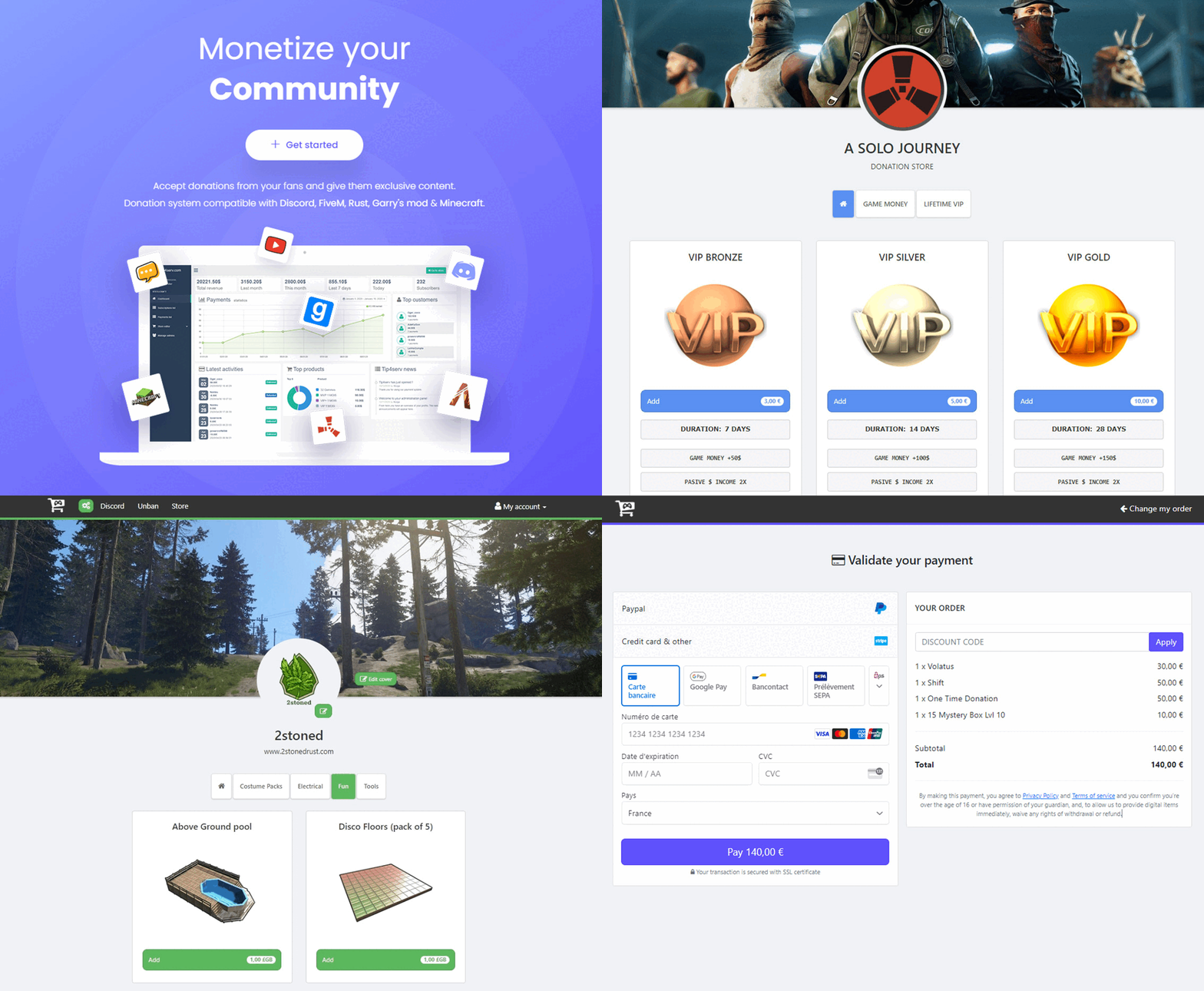
This plugin connects your https://tip4serv.com/ store to your Rust Oxide server. It checks if a player has made a donation on your Tip4Serv store and delivers the order in a minute (group, inventory item...) by typing commands in the server console. Supports Rust Garry's Mod FiveM Minecraft Discord ARK and more HMAC authentication Tip4serv adds a layer of security using HMAC authentication to communicate. It is a strong authentication method that is used by banks HMAC WIKI Features for starter plan (only 5% fee) Unlimited game servers & commands Create subscriptions plan Commands status tracking Stock management Deliver roles & messages on Discord Easily offer a product to a friend Create discount coupon Add managers for your store Purchase email and invoice Sales statistics Private flow for subscribers Custom sub-domain Resend commands Fast delivery of orders (less than 5 minutes) No ads Features for PRO members (subscription required) Dynamic Dark/Light theme Account linking with avatars Product page with gallery & video GUI colors editor & additional CSS Top customers & related products Store available in 15 languages English, Danish, Dutch, French, German, Hungarian, Italian, Norwegian, Polish, Portuguese, Romanian, Russian, Spanish, Swedish and Turkish. Several payment methods Here are the payment methods you can offer your players: Card, Paypal, Venmo, Google Pay, Ideal, Giropay, Bancontact, Sofort, My Bank, Sepa, EPS, BACS, Multibanco, BECS, Przelexy24, BOLETO, OXXO, Mercado Pago. Installation via Plugin Open an account at https://tip4serv.com/, follow the instructions and add a Rust server. Drag and drop tip4serv.cs into the oxide plugins directory on your Rust server Reload the plugin by typing oxide.reload Tip4serv in your Rust server console. Set key to your tip4serv API key in the config file tip4serv.json. Reload plugin by typing oxide.reload Tip4serv in console. You should get this message: Server has been successfully connected Installation via RCON Open an account at https://tip4serv.com/, follow the instructions and add a Rust server. Enter your server IP Enter your server RCON port Enter your server RCON password You should get this message: Server has been successfully connected Setting up commands on Tip4Serv Before setting up your commands on Tip4serv.com, you should know that command work in your server's console (not ingame as an admin). Here are some sample commands you can use in the products configuration: MY PRODUCTS. But you can use any plugin commands you want. Give a group or permission Add a player to a group previously created with oxide.group add [group-name]: oxide.usergroup add {steam_id} group-name Remove a player from a group: oxide.usergroup remove {steam_id} group-name Give a permission to a player: oxide.grant user {steam_id} permission-name Remove a permission from a player: oxide.revoke user {steam_id} permission-name Give an item to a player inventory with steam_id (advised) IMPORTANT: Please select the option [Player must be online] in your product editor inventory.giveto {steam_id} item-short-name quantity Example: inventory.giveto {steam_id} scientist 5 Give an item to a player inventory with Give plugin IMPORTANT: Please select the option [Player must be online] in your product editor giveto {steam_id} item-short-name quantity Example: giveto {steam_id} fun.guitar 1 Give a kit to a player with Give plugin: givekitto {steam_id} kit-name Give money Give money to a player with Economics plugin: deposit {steam_id} amount Give points Give points to a player with Server Rewards plugin: sr add {rust_username} amount Quantity multiplier You can also multiply the quantity choosen by the customer like this: {quantity*50} Note: You must first activate the **Allow quantity choice** option in your product. Use this command on Tip4serv if you want to sell bundles of $200 with economics plugin: deposit {steam_id} {quantity*200} This will run in your server console after a purchase if the player buys product 4 times: deposit 76561198181797231 800 Store examples https://2stonedrust.tip4serv.com/ https://murga.tip4serv.com https://instantcode.tip4serv.com Need Help ? Read the Tip4Serv documentation here https://docs.tip4serv.com Any issues feel free to contact us here https://tip4serv.com/contactFree -
Version 1.0.0
2 downloads
This is a web card-plugin that helps players quickly access the server's social networks Functions: - Going to the main page of the server's website - Going to the discord server - Going to the telegram channel - Going to the server store - Function name visibility when hover over Advantages from the regular version: - Added a VKontakte social network button - The button icons changed - Added (php) configuration file - Added a footer - Added a favicon The standard config file: // WEB $siteTitle = "Server-Card - Social Networks for your Server"; $siteFavicon = "/img/favicon.png"; $FaviconWidth = 32; $FaviconHeight = 32; // SERVER $servername = ""; $serverlink = "https://"; // DISCORD BUTTON $showDiscord = true; $discordlink = "https://"; // TELEGRAM BUTTON $showTelegram = true; $telegramlink = "https://"; // VK BUTTON $showVK = true; $vklink = "https://"; // STORE BUTTON $showStore = true; $storelink = "https://"; // FOOTER $footertext = "© 2025 Web-Card. All Rights Reserved"; Requirements: - Any hosting service Deploy: - Move all the contents of the zip folder to the PUBLIC_HTML folder on your hosting (this is how it works in 99% of hosting)$2.99 -

Version 1.0.3
66 downloads
This is a web card-plugin that helps players quickly access the server's social networks Functions: - Going to the main page of the server's website - Going to the discord server - Going to the telegram channel - Going to the server store - Function name visibility when hover over Requirements: - Any hosting service and deploy Instruction: - Unzip the archive, go to style.css, read the initial instructions (2 lines), do everything as it says, and run index.html or deploy it to web hostingFree -

Version 6.2.1
3 downloads
WEBSITE https://www.leaderos.net DEMO https://demo.leaderos.net$16.99 -
.thumb.png.ec2c7350b2d8f5765b18b61800d520ca.png)
Version 1.0.0
8 downloads
A car store/dealer that includes a showroom, a garage for mechanics, a staff lockerroom, a staff canteen and a office for doing transactions. Upstairs is not used. This building would fit perfectly in a city area and could be used for Roleplay or perhaps other purposes. The prefab is standalone and does not include height, splat, alpha or topology of any kind. Looking to get a prefab or map customly made? Feel free to contact me on discord [-Core-] Daan#1402$6.00 -
Version 1.0.1
15 downloads
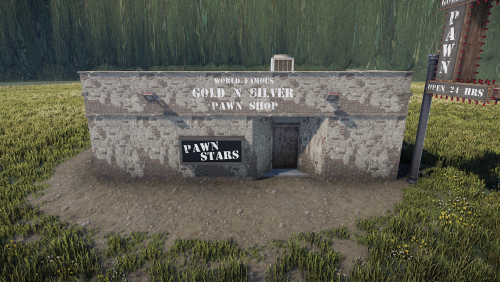
The very famous and well known Pawn Stars Pawn Shop! I tried my best recreating the pawn shop from pawn stars in nevada. Obviously with lots of missing colors and shapes you have to get creative, but here it is. It wont be scaled 1:1 to the actual store as there is quite a lack of pictures of some of the outside and some of the inside of the actual building so I have improvised quite a bit. There is no loot or anything but feel free to place this yourself if you want. The prefab includes splat. Looking to get a prefab or map customly made? Feel free to contact me on discord [-Core-] Daan#1402$8.00 -
![More information about "VyHub – Community Management and Shop System [Umod / Oxide & Carbon]"](https://codefling.com/uploads/monthly_2023_12/banner_0Kopie.thumb.png.21df8c8b07053c2b6dc92ff05c76bf12.png)
Version 2.0.7
292 downloads
We make your job as an admin easier by covering every aspect of managing your server and community with our service. Key features are: * Shop system (unlimited categories, server and package options) * Over 20 payment integrations (PayPal, Paysafecard, Stripe, ...) * Gift function * Website for your community * Discord roles and notifications * Ban and warning system * Synchronization of groups/ranks * Ticketing system * Available in multiple languages * Forum (as a paid add-on) * Quick support * Complete API The plugin connects your VyHub store to your Rust server. It checks if a player has made a purchase on your VyHub store and delivers the order such as items, skins or ranks by typing commands in the server console. It also synchronizes player roles, warnings, and bans. Registration is free; we only charge a commission of 3-5% on shop revenue. The full documentation can be found here . Also check out our website or try the demo. For direct contact to the team, feel free to join our Discord!Free -
.thumb.png.43af6ea1fb32b745f58d882486c3413b.png)
Version 1.0.0
286 downloads
Introducing a Versatile Shop Collection – Fully Customizable for Your Needs This collection features a small shop that has been carefully recolored to suit a variety of purposes. With 256 prefabs included and height map, this build offers endless possibilities for customization. The space is left intentionally empty to give you the freedom to design your own layout and use it in any way you envision.Free -
.thumb.png.310e0821f222ef9fd2983196274b5a56.png)
Version 1.0.5
14 downloads
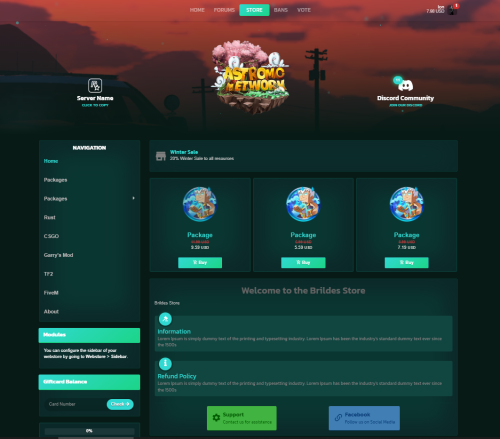
Modern, unique & easy editable Theme for all Tebex compatible games webstores. Documentation: CLICK Features Strong Design - The template is strongly inspired by the appearance desired by clients and modern standards, which includes the maximum functionality of the Tebex platform. Fully Customizable - Even if you have no knowledge of Web Development, you don't have to check dozens of files until you customize the template. You can make all changes to the template through JSON forms, which saves a lot of time and can be done in a few minutes! Mobile Responsve & Extremely Fast - The template loads very quickly, thanks to SEO and is perfectly responsive on all devices. 7 Color Schemes - You don't have to complicate yourself with changing colors, I have prepared 7 color schemes perfectly compatible with the activity of game stores, which will boost the productivity of your store and impress customers! Multi-structured - You will have the choice of how the store will be structured, to change the navigation system, package structure, header menu and many others Shopping Cart - The animated option to add the products to the cart Package View - The option to present the product description in a separate page or Modal page 2 Preloader Styles Show/Hideen Modules Premium Support NOTE: YOU NEED TO HAVE TEBEX PLUS TO BE ABLE TO USE THIS THEME. REFUNDS WILL NOT BE GRANTED TO THOSE WHO PURCHASED THE RESOURCE WITHOUT HAVING THIS REQUIREMENT. General FAQ: How do I upload the Theme to my store? Above is Axel Documentation, Installation section, also in the downloaded zip you will have README.txt file with guide How do I set my server information? After you uploaded the template and following the steps in the Setup instruction file, you will see template options. Check Axel Documentation, section Settings Does this work on CraftingStore, MineStore etc.? This theme was created for Tebex. Possibly in the future. Can I remove your Watermark ? In no case, only with my permission, it requires an additional payment, contact me to pay. I purchased the theme but do not have access to download it. What do I do? Please have your information ready with the email you used to purchase the resource and the order number for it. If the purchase is still pending by PayPal, you will need to wait for the payment to go through. How long is the license? You are granted a lifetime license to use the theme for your own store. This license is granted for the BuiltByBit Account in which it was purchased on. It is not allowed to use the template for multiple stores! If you have any additional questions, feel free to message me via BBB or discord. INFORMATION Discord: Johnn#8299 - Installation, configuration, edits, custom templates have an additional price. - Breaking Terms of Service may result in the removal of your license. REVIEW If you liked the theme please leave a 5 star review! If you are having problems ( Contact me ), before leaving a review$39.99 -

Version 0.1.5
271 downloads
What is GameCMS.ORG? GameCMS is a platform that allows server owners to create their own website in just a few clicks. GameCMS is focused on covering all server needs without the need to create different domains or installing different systems for each part that you want to have. GameCMS is an all-in-one solution that is build to cover multiple games! Some of the GameCMS Features: Intuitive user experience Store System Integrations Easy to use Modules Vote Module Punishment Module Forum Module Forms Module And that's just part of the modules! There are many more available and many more to come! Plugin Information Currently, our plugin is used to handle the following things: Execute store commands when a player buys something from your store. We are open to any request of how we can improve our Rust integration with our platform! Installation and Setup Create your website at https://gamecms.org Create New Normal Server Integration from Integrations > Servers (Once you create your website) Download the latest version of our plugin from the GitHub page. Download the plugin and upload it to your /plugns folder. That is located in oxide/plugins or carbon/plugins Reload the server plugins. Type the command gamecms.server.apikey API_KEY (Change API_KEY with the key from 1st step.) Ys, it's that simple! Additional information You can find more about our Minecraft Java Plugin in our documentation https://docs.gamecms.org/rust-plugin If you have any questions, don't hesitate to contact us or join our Discord server at https://gamecms.org/discordFree -
Version 1.1.7
33 downloads
TEMPLATE STYLES Live Preview Knights Next-Dev Trapworldrp VALABLE FOR MINECRAFT, FIVEM, RUST, ARK, UNTURNED AND GARRY'S MOD GAMES What's the difference? Now it is possible to select the game for which you use this template, saving you the time needed to customize other templates foreign to your game IMAGES FEATURES Quick Customization ( 60+ options ) Custom Basket Custom Category & Products Custom Navbar / Sidebar & Header menu Custom Footer Custom Modules Mobile Friendly Custom Discord & Minecraft players count Logged Minecraft skin User Panel Buttons Animation Custom Dropdown Menu Custom Currency Menu Custom Login Page Custom Checkout Page Clean, formatted code Icons from Material Design Icons Favicon support High-quality support INFORMATION Discord: Johnn#8299 - Installation, configuration, edits, custom templates have an additional price. - Breaking Terms of Service may result in the removal of your license. REVIEW If you liked the theme please leave a 5 star review! If you are having problems (Contact us), before leaving a review$34.99 -
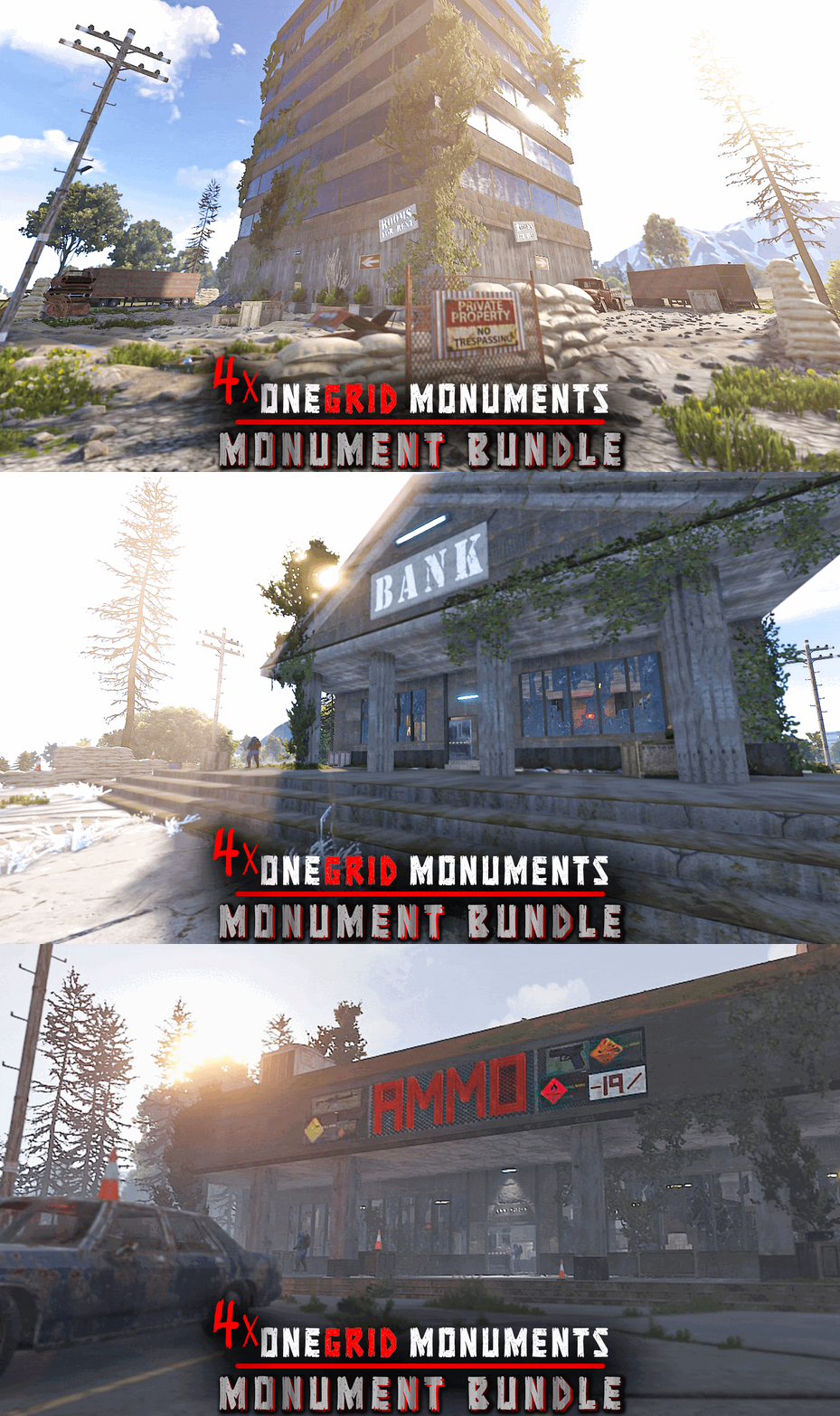
Version 1.0.0
9 downloads
This bundle contains 4 mini monuments, perfect for one grids or smaller maps in general. > MONUMENTS INCLUDED Apartment Building Ammunition Store Decomissioned Bank Deserted Motels > NOTES - This bundle is designed to offer better value over buying the monuments individually. - These monuments are constantly supported and updated for the current version of the game with all updates! - Each monument is designed to fit into the theme of rust. - Need help? I’m most active on my discord server @ discord.gg/TJxwpKT2Ge$18.90 -
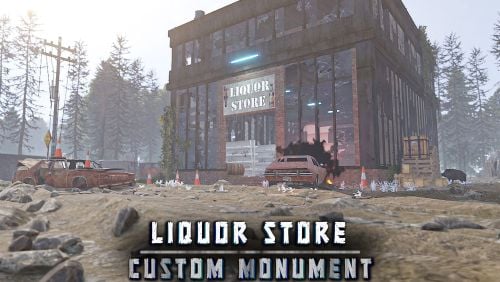
Version 1.0.0
11 downloads
A deserted Liquor Store with a mini motel on top, now occupied by scientists. This monument is similar in size, style and loot to the vanilla supermarket and is perfect for one grids or smaller maps in general. NOTES – If you need support, I’m most active on my discord server @ discord.gg/TJxwpKT2Ge – You can edit the monument. FEATURES - Similar to supermarket in size & style – Topology, splat, and height masks are all included.$6.49 -
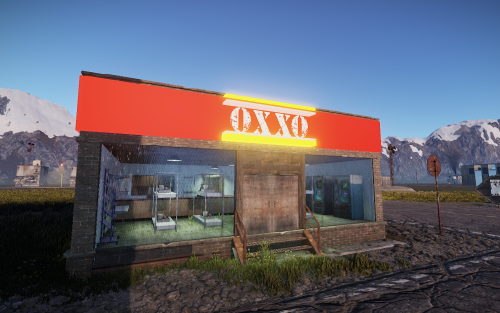
Version 1.0.0
3 downloads
It is a store that can be placed in different areas of a map since it has food spawns and some shopping machines, you can easily replace these machines with some that you want. Note The name was changed from OXXO to OKXO to avoid conflicts with the original company. This monument is constantly supported and updated for the current version of the game with all updates!$5.40 -
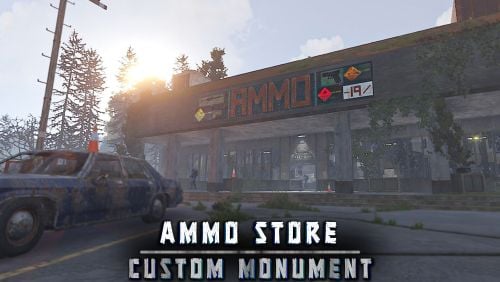
Version 1.0.0
11 downloads
This monument is similar in size, style and loot to oxum's gas station. NOTES – If you need support, I’m most active on my discord server @ discord.gg/TJxwpKT2Ge – You can edit the monument. FEATURES - Ammo crates, normal crates, tool crates, military crates, barrels, scientists, green keycard - Similar to gas station in size & style - Low Prefab Count: ~750 – Topology, splat, and height masks are all included.$7.49 -
Version 1.0.0
51 downloads
All effects are automated. Just 10 minutes of time and you will have ready-made icons! Also in the resource archive there is a font used in the template There are already five ready-made icons with all the effects, all that remains is to change the color and name.$12.00-
- 2
-
-

-
- #designcrew
- #photoshop
- (and 6 more)
-
.thumb.jpg.d6c7756ce00b7c4bd8f8272079b034a0.jpg)
Version 1.0.2
23 downloads
Small abandoned grocery store with 2 scientists carefully guarding 2 puzzle maps which are hidden in the store.$3.49 -
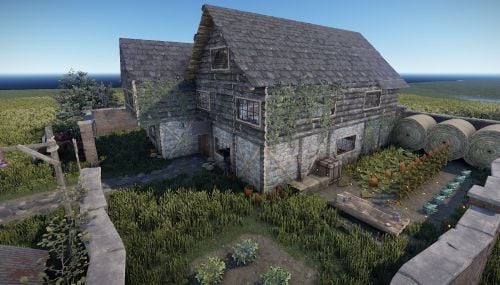
Version 1.0.2
6 downloads
Medieval Style Farm House set up as a shop front so you can add your own npc shop if you'd like! Prefab comes with the following: 520 Prefabs Loot Horses Collectable Food (pumpkins, corn, potatoes, all berry types) Recyclers Water Well Gambling Workbench Level 1 Repair Bench Large Furnace Customizable signs (with Sign Artist Plugin)$15.00 -
Version 1.0.0
397 downloads
Weapons store. Small and compact design. It will probably look good in the outpost. I really hope you like it There aren't a lot of prefabs here, but it looks very cool and cool I hope you like my gun shop and you will appreciate it! You can also contact me via my discord PlayBoy#2879Free