Search the Community
Showing results for tags 'tree'.
Found 13 results
-
Version 1.0.0
31 downloads
The Ultimate Expansion for Skill Tree Progression Skill Tree Items: Pro is a powerful DLC plugin for the Skill Tree system that breathes new life into your server's loot tables. Instead of players just earning XP through grinding, they can now discover unique, consumable items that boost their progression, provide instant rewards, or grant temporary buffs directly from Skill Tree. Whether it’s a rare XP injection found on a Scientist or a biome-specific gathering boost hidden in an Arctic crate, this plugin adds a layer of excitement and strategy to every lootable object on your map. Advanced Consumable Types This plugin introduces four distinct item categories, each fully customizable to fit your server's economy: XP Boosters: Provide temporary XP multipliers. Go granular with filters for specific gather types, time-of-day restrictions (e.g., "Night Owl" boosts), or biome-specific requirements. XP Injections: Instant gratification. Set up various "vials" or "manuals" that grant a flat or randomized range of XP upon consumption. SP Injections: Extremely rare rewards that grant Skill Points directly, bypass the grind, and give players a reason to hunt for high-tier loot. Temporary Buffs: Grant any buff from the Skill Tree—including Ultimates—for a limited time. These stack with existing skills, allowing players to feel the power of high-level perks early on. Dynamic Loot Distribution The core of Skill Tree Items: Pro is its highly sophisticated loot engine. You aren't limited to just crates and barrels; you can inject these items into almost every interaction in Rust. See a comprehensive list of supported LootSources below. Granular Configuration For the power users, the LootProfile system allows for surgical precision. You don't just set "Crates"; you can target specific prefab names, specific NPC profiles, or even the tier of a Raidable Base. Key Profile Features: Identifier System: Target specific entities (e.g., only "Elite" crates or a specific Boss from BossMonster). Skin ID Filtering: Require specific skin IDs for the source to trigger. Blacklisting: Exclude specific items or entities from dropping loot. Modifier Integration: Toggle whether player "ItemPerk" modifiers should influence the drop rates. Weight-Based Tables: Use a weighted dictionary system to determine exactly which items drop and how often. Command: stip.give <target> <profile> Tyoe: Console Permission required: skilltreeitemspro.admin Action: Gives the target player the specified item. Command: stip.giveall Tyoe: Chat Permission required: skilltreeitemspro.admin Action: Gives the user all items in the config. Command: stip.moveicon Tyoe: Chat Permission required: skilltreeitemspro.admin Action: Moves the active boost icon for all players. This is a comprehensive list of loot sources that can be used to setup loot profiles. Crate: Triggered when a player opens a crate for the first time. Barrel: Triggered when a player breaks a barrel. BossMonster: Triggered when a boss monster is killed by a player. Event: Triggered when an event is completed (Convoy, SurvivalArena, Armored train, Powerplant etc). ScientistNPC: Triggered when a scientist NPC is killed. HumanNPC: Triggered when a human npc, such as a tunner dweller, is killed. BetterNPC: Triggered when a NpcSpawn npc is killed. Woodcutting: Triggered when a tree is fully cut down. Mining: Triggered when a node is fully mined out. Skinning: Triggered when an animal is fully skinned. Foraging: Triggered when the player collects a map collectible (hemp, pumpkins, diesel barrels etc). Farming: Triggered when the player collects a player-grown collectible. Fishing: Triggered when the player catches a fish. Crafting: Triggered when an item is successfully crated. BotReSpawn: Triggered when an BotReSpawn npc is killed. NpcRaider: Triggered when an npc from NpcRaider is killed. RaidableBase: Triggered when a Raidable Base is spawned. The effect types dictate how the item will behave. You can have any number of effect types attached to an item. For example, you can create an item that gives the player 1000xp with the XPInjection type, gives them a temporary boost with the XPBoost type, and gives them access to the Raiding Ultimate from Skill Tree with the TemporaryBuff type. XPInjection: Provides the player with an injection of xp when consumed. SPInjection: Provides the player with an injection of skill points when consumed. TemporaryBuff: Provides the player with temporary access to any Skill Tree buff (including ultimates). XPBoost: Provides the player with a temporary xp boost when consumed. XP Source can be set so only the specified xp source provides the bonus. Timeframe can be set, so the player can only get xp during the specified time of day (ie 6pm to 6pm etc). Multiple Biomes can be added to restrict the xp bonus to sources inside of those biome types (ie a player can only gain xp while in the Arctic or Jungle). Biomes: Any, Arid, Temperate, Tundra, Arctic, Jungle. Here is a list of Skill Tree XP Sources that can be used with the XPBoost effect. All NodeHit NodeHitFinal TreeHit TreeHitFinal SkinHit SkinHitFinal CollectWildPlant CollectGrownPlant BuildingBlockDeployed FishCaught CatchOrangeRoughy CatchSalmon CatchSmallShark CatchSmallTrout CatchYellowPerch CatchAnchovy CatchHerring CatchSardine CatchTrash Crafting ScientistNormal TunnelDweller UnderwaterDweller ScientistHeavy SmallAnimal MediumAnimal LargeAnimal RoadSign Barrel Scarecrow Mission BradleyAPC LootHackedCrate LootHeliCrate LootBradleyCrate CookingMealXP RaidableBaseCompletion_Easy RaidableBaseCompletion_Medium RaidableBaseCompletion_Hard RaidableBaseCompletion_Expert RaidableBaseCompletion_Nightmare Win_HungerGames Win_ScubaArena Win_Skirmish Gut_Fish default_botrespawn crate_basic crate_elite crate_mine crate_normal crate_normal_2 crate_normal_2_food crate_normal_2_medical crate_tools crate_underwater_advanced crate_underwater_basic crate_ammunition crate_food_1 crate_food_2 crate_fuel crate_medical supply_drop detect_diggable Harbor_Event_Winner Junkyard_Event_Winner PowerPlant_Event_Winner Satellite_Event_Winner Water_Event_Winner Air_Event_Winner Armored_Train_Winner Convoy_Winner SurvivalArena_Winner swipe_card_level_1 swipe_card_level_2 swipe_card_level_3 boss_monster Zombie Raider JetPilot ArcticBaseEvent_Winner GasStationEvent_Winner SputnikEvent_Winner ShipWreckEvent_Winner Triangulation_Winner Caravan_Winner SupermarketEvent_Winner GingerbreadNPC PVP AutoTurret You can get a list of Skill Tree Buffs from the Skill Tree plugin page.$11.99 -
Version 1.0.38
3,866 downloads
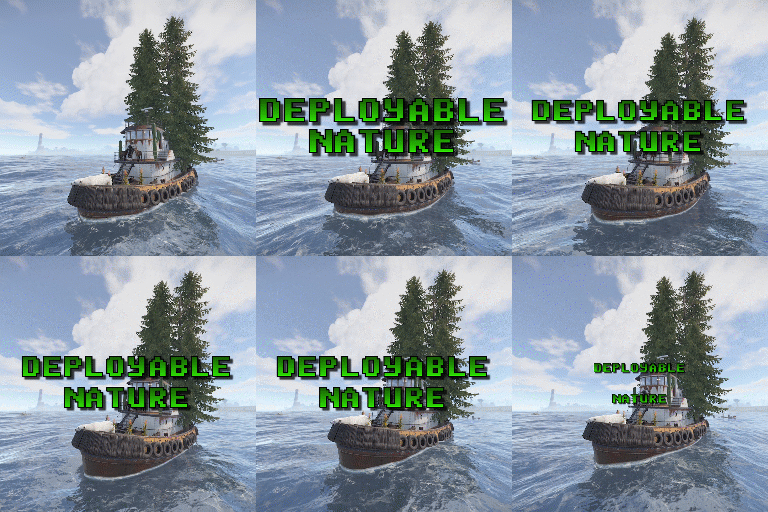
Adds 62 new deployable items to your server!. Custom item collection system. Players can obtain these items while cutting trees, mining rocks and collecting plants. Includes a built in market that can be accessed via a chat command or a HumanNPC. Each base item can be configured to allow for a wide variety of placement options/restrictions. A large amount of configuration options are available for each item. Adjustable placement options while holding shift. Items can be picked up by holding a hammer, looking at the deployed entity and pressing your mouse3 button (scroll wheel button). deployablenature.admin - Required to use the giveprefab command. deployablenature.market.chat - Required to use the market chat command. deployablenature.ignore.restrictions - Allows a player to deploy items without restriction (TC etc). deployablenature.gather - Required for players to obtain drops while gathering. deployablenature.use - Required to deploy nature items. deployablenature.free - allows access to the nature market for free. There is also the option to create groups via the config, which will receive discounts in the market based on the value assigned to them. Example: "Permissions that will receive a discount on the store cost when purchasing [1.0 is full price]. Prefix with deployablenature.": { "deployablenature.vip": 0.5 }, This would give players with the deployablenature.vip permission a discount of 50% off of the market price. Command: giveprefab Parameters: <skin id> <quantity> Example: /giveprefab 2609145017 100 - spawns the user 100x medium clutter rocks" Permission: deployablenature.admin Command: naturemarket Permission: deployablenature.market.chat Command: dnpickup Permission: None Command: giveprefab (console) Parameters: <player id/name> <skin id> <quantity> Example: /giveprefab "new guy" 2609145017 100 - spawns the user 100x medium clutter rocks for new guy" Permission: deployablenature.admin Command: dnsetprefab Parameters: None Console Command: dnkillentities - wipes all nature entities from the map. Parameters: <optional parameter: true> - this wipes the data after the command executes. If not used, the nature items will respawn on plugin reload. Example: dnkillentities or dnkillentities true. Permission: deployablenature.admin if running from player console. Console Command: dnkillentitiesforplayer - wipes all nature entities from the map for the specified player Parameters: <player name/id> Example: dnkillentitiesforplayer "new guy" - would delete all entities for the player whose name contained "new guy". Permission: deployablenature.admin if running from player console. Console Command: dnpurge - enables purge mode, wiping all entities from the map (does not delete data), and preventing them from spawning on server start/being deployed by players while active. Automatically resets to false on server wipe. Parameters: <true/false> Example: dnpurge true - would enable purge mode. Permission: deployablenature.admin if running from player console. You most likely won't need the below information, but it is here for more advanced users. Prefab Types 0: Rock 1: Tree 2: Bush 3: Animal 4: Furniture Tree Types 0: None 1: Palm 2: Oak 3: Swamp 4: Birch 5: Beech 6: Pine 7: Cacti 8: Snow 9: Mauritia_Flexuosa 10: Hura_Crepitans 11: Trumpet_Tree 12: Schizolobium 13: Dead_Log 14: Dead_Log_Snow 15: Driftwood Bush Types 0: None 1: Willow 2: Willow_snow 3: Spice 4: Spice_snow 5: Creosote 6: Berries 7: Mushrooms 8: Ocotillo 9: Monstera_Deliciosa 10: Bromeliad 11: Heliconia_Rostrata API public bool IsDeployableNature(BaseEntity entity) Returns if an entity is a DeployableNature entity that has the prevent_gather attribute.$15.00 -

Version 1.0.7
419 downloads
Gun Game is a high-intensity PvP game mode where players compete to be the first to reach the final weapon by earning kills. Each kill advances the player to the next weapon in a fully customizable progression list, keeping the action fresh and engaging. The plugin creates a dedicated arena high in the sky, completely separated from the main map, to host the event. When players join the event, they are teleported from their current location to the event lobby, with all of their items, modifiers and metabolism stats stored safely by the plugin. Server owners can create any number of weapon profiles for players to progress through. The plugin will choose randomly between each profile at the beginning of each round. The plugin ships with 2 default profiles: Standard - Starts with revolver, ends with m249 and is 21 weapons long. Reverse - Starts with m249, ends with a sword and is 23 weapons long. This plugin works with most PVE plugins. Spawns an arena when the game begins and removes it when the game ends (no Rust-Edit required). Saves players inventory, metabolism and modifiers when they enter, and restores them when they leave. Configurable amount of kills per weapon to progress to the next weapon in the track. Supports refilling of ammo, and healing when a player gets a kill (configurable). Multiple respawn methods. Customizable clothing for players, with the option to have separate clothing for the leader. Supports custom item, server rewards and economic rewards for winners, as well as participants (based on a configurable threshold). Global scoreboard tracking wins, kills and deaths. Command: ggstart <arena name> Description: Starts the gun game event using the specified arena. Permission: gungame.admin Command: ggend Description: Ends the active gun game event. Permission: gungame.admin Command: ggsetcentrepoint <arena name> Description: Sets the spawn location for the specified arena. Permission: gungame.admin There are a number of commands that can be changed in the config that handle: Joining an event [default: ggjoin] Leaving an event [default: ggleave] Restoring items from a previous event [default: ggrestore] Accessing the scoreboard [default: ggscore] // Returns if the player is enrolled in the event. public bool IsEventPlayer(BasePlayer player); // Called when the arena has spawned and the lobby is about to start. void OnGunGameStart(); // Called when the game is ending. void OnGunGameEnd(); // Called when a player leaves an event. void OnEventLeave(BasePlayer player, string eventName); // Called when a player is attempting to join the event. Return non-null to prevent. object OnEventJoin(BasePlayer player, string eventName); // Called after a player has successfully joined the event, had their weapons stripped and has been teleported to the lobby. void OnEventJoined(BasePlayer player, string eventName); Very special thanks to Nobody and the guys and girls on Aussie Outpost PVE for their help with testing and feedback!$19.99 -
Version 2.0.1
28 downloads
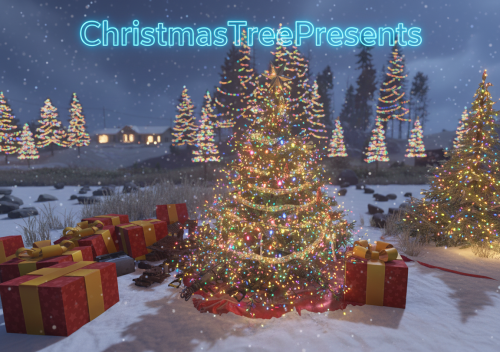
Christmas Tree Presents allows for presents to spawn around players Christmas trees to make the trees come alive! Plugin properties – authorization setting – limit Christmas Trees per player in config – add fireworks – Vip multiplier – 3 types of gift boxes – Added Tiers to drop custom items – timing in seconds – chat message when gifts arrived – added UI when open Christmas Tree Config file: { "Should the plugin only load in December?": false, "Need permission to use plugin for player?": false, "Include the accessories when the Christmas tree is created?": true, "Christmas tree presents limit / player": 2, "Large present spawn count/time": 1, "Medium present spawn count/time": 1, "Small present spawn count/time": 1, "VIP multiplier": 2, "Spawn presents time (seconds)": 3600.0, "Spawn FIREWORK?": true, "Send chat message to player after gifts spawned? (only if '1 Christmas tree presents / player? == true')": true, "Enable Christmas Tree UI? (for owners)": true, "Christmas Tree Image": "https://static.vecteezy.com/system/resources/thumbnails/011/288/221/small/christmas-garland-wreath-png.png", "Tier1 Config": { "Permission Name": "Tier1", "Drop Percent (%)": 50, "Drop Amount": 1, "Drop Item List": [ { "Item ID": 1796682209, "Amount": 1, "Skin ID": 3484619917 }, { "Item ID": -932201673, "Amount": 500, "Skin ID": 0 } ] }, "Tier2 Config": { "Permission Name": "Tier2", "Drop Percent (%)": 60, "Drop Amount": 2, "Drop Item List": [ { "Item ID": 1545779598, "Amount": 1, "Skin ID": 3290110271 }, { "Item ID": -932201673, "Amount": 1000, "Skin ID": 0 }, { "Item ID": -742865266, "Amount": 5, "Skin ID": 0 }, { "Item ID": 317398316, "Amount": 1000, "Skin ID": 0 } ] }, "Tier3 Config": { "Permission Name": "Tier3", "Drop Percent (%)": 75, "Drop Amount": 4, "Drop Item List": [ { "Item ID": -2069578888, "Amount": 1, "Skin ID": 2469113740 }, { "Item ID": -932201673, "Amount": 1500, "Skin ID": 0 }, { "Item ID": -742865266, "Amount": 20, "Skin ID": 0 }, { "Item ID": 317398316, "Amount": 1500, "Skin ID": 0 }, { "Item ID": -1248356124, "Amount": 10, "Skin ID": 0 }, { "Item ID": -1003665711, "Amount": 1, "Skin ID": 0 }, { "Item ID": -592016202, "Amount": 500, "Skin ID": 0 }, { "Item ID": 1545779598, "Amount": 1, "Skin ID": 3531527523 } ] } } Lang file: (31 lang file) Permissions: ChristmasTreePresents.enable ChristmasTreePresents.VIP I guarantee the functionality of the plugin as described. However, I cannot take responsibility for conflicts or issues arising from incompatibility with third-party plugins or themes. Please take this into account before purchasing. I will list all known compatibility details in the product description.$20.00 -

Version 1.2.8
688 downloads
Get your server ready for Christmas! This plugin includes Chrismas Trees with loot that spawn on the map, custom junk pile decorations, Snowman NPCs, a custom Advent Calendar and much more. New: Customizable Advent Calendar With the new update, you can configure a custom reward for every day. To enable custom advent calendar rewards, set the config option "Enable custom advent calendar" to true. Features Christmas trees with presents Customizable NPC clothing Customizable junk pile decorations Snowman NPCs spawn across the map Custom advent calendar Configurable Snowman NPCs Christmas Trees: Christmas trees randomly spawn across the map, they also spawn presents and snowman NPCs around them. They are by default 4x as big as usual christmas trees and have a configurable despawn time. Snowman NPCs: Snowmans spawn across the map. As soon as a player approaches them, they turn into an NPC and start shooting the player with a snowball gun. The loot of these NPCs is fully configurable Junk Pile Decorations: Every junk pile can be customized with decorations. Out of the box the plugin comes with a default configuration for each junk pile. To edit the decorations of a junk pile, use the command /jp <type> where type is a letter from a to j each representing a different junk pile. A junk pile will spawn at your current position. To add objects to the junk pile just hit them with a hammer and use /jp save when you are done. Custom NPC clothing: Clothing can be configured individually for each NPC. Some NPCs also come with a default configuration. Note that the custom clothing might also impact other NPC plugins. Therefore it is not recommended to configure custom clothing for scientistnpc_heavy (Heavy Scientist). Required Dependencies: NPC Spawn: https://drive.google.com/drive/folders/1-18L-mG7yiGxR-PQYvd11VvXC2RQ4ZCu Entity Scale Manager: https://umod.org/plugins/entity-scale-manager Permissions: christmas.edit - Required to edit junk pile desorations christmas.spawn - Required to spawn christmas trees and snowmans Commands: jp - Edit junkpile decorations (see Junkpile Decorations for more details) christmas.tree - Spawn a chistmas tree at the position you are looking at christmas.snowman - Spawn a snowman at the position you are looking at Configuration: { "Snowman config": { "Enable Snowman NPCs": true, "Snowman population": 200, "Snowman NPC spawn type (0 = when snowman is damaged, 1 = when player is near snowman (performance intensive))": 1, "Minimum distance between player and snowman before NPC spawns": 6.0, "Snowman NPC configuration": { "Name": "Snowman", "Health": 150.0, "Enable radio": false, "Roam range": 100.0, "Chase range": 50.0, "Sense range": 50.0, "Damage multiplier": 1.0, "Memory duration": 60.0, "Kit (requires Kits plugin)": "", "Clothing items": // Removed because too long }, "Snowman Loot": // Also too long }, "Christmas Tree config": { "Spawn christmas trees": true, "Christmas tree population": 40, "Amount of presents per tree": { "Min": 2, "Max": 5 }, "Tree despawn time (minutes)": 30, "Tree size (1 - 10)": 4.0, "Minmum distance between trees": 50.0, "Spawn Snowman NPCs around trees (Only works if Snowman NPCs are enabled)": true }, "Enable junk pile decorations": true, "Advent calendar config": { "Enable custom advent calendar": true, "Daily rewards": { "1": { "shortName": "scrap", "amount": 100, "skinId": 0 }, "2": { "shortName": "pistol.eoka", "amount": 1, "skinId": 0 }, "3": { "shortName": "woodtea.advanced", "amount": 1, "skinId": 0 } // And so on ... }, "NPC clothing config": { "Enable custom NPC clothing": true, "Custom NPC Clothing": // Very long } }$24.00- 46 comments
- 3 reviews
-
- 2
-

-
- #christmas
- #npc
- (and 5 more)
-

Version 1.1.2
827 downloads
Save time for your players and make them always hit the X hotspots on nodes and tree's while farming. Showcase Video Simple Config { "Enable atuo tree X farming": true, "Enable atuo node star farming": true }$4.99 -
Hook Methods // Temporarily disable all buffs for the target public void DisableBuffs(ulong id) // Enable disabled buffs for the target public void EnableBuffs(ulong id) // Temporarily disable xp gain for the target public void DisableXP(ulong id) // Enable xp gain for the target public void EnableXP(ulong id) // Returns if xp gain is disabled for the target public bool IsXPDisabled(ulong id) // Allows external plugins to roll loot using the Loot_Pickup buff. Returns true if successful. public bool RolledLootPickup(BasePlayer player) // Give skill points to the target public void GiveSkillPoints(BasePlayer player, int amount) // Add a global xp modifier. Only the highest value is used. public void AddGlobalXPModifier(string pluginName, float modifier) // Removes a global xp modifier. public void RemoveGlobalXPModifier(string pluginName) // Give the player xp. noMod is whether the xp amount should be modified by permissions, nighttime xp bonuses, rested xp etc. public void AwardXP(BasePlayer player, double value, string plugin, bool noMod = false) // Returns a double representing the total respec cost. public double GetTotalRespecCost(BasePlayer player) // Respecs the player void RespecPlayer(BasePlayer player, PlayerInfo playerData = null) // Returns a list<object[]> of items inside of the players pouch_items. object[] is made from the itemInfo class. /* public class ItemInfo { public string shortname; public ulong skin; public int amount; public float condition; public float maxCondition; public int ammo; public string ammotype; public int position; public int frequency; public Item.Flag flags; public KeyInfo instanceData; public class KeyInfo { public int dataInt; public int blueprintTarget; public int blueprintAmount; } public int contentsSlots; public List<ItemInfo> item_contents; public string text; public string name; public List<ItemOwnershipShare> ownershipShares; public int armorSlots; public object[] ToObject() { return new object[] { shortname, skin, amount, condition, maxCondition, ammo, ammotype, position, frequency, flags, instanceData, instanceData?.dataInt, instanceData?.blueprintTarget, instanceData?.blueprintAmount, contentsSlots, text, name, ownershipShares, armorSlots }; } } */ List<object[]> STGetExtraPocketsItems(ulong id) // Returns the max level. public int STGetMaxLevel() // Returns name, xp, prestige level, current level and xpdebt as a Dictionary<ulong, (string Name, double XP, int PrestigeLevel, int CurrentLevel, double XPDebt)> public object GetSkillTreeData() // Remotely updates player stats. public void RemoteUpdatePlayerStats(string userid, string json) // Returns a float with the buff value of the specified buff. float GetBuffValue(BasePlayer player, string skill) /* Returns: - Current level (int) - Current total xp (double) - XP value that the currently level started at (double) - XP value that the next level will start at (double) - XP Debt - PrestigeLevel */ object[] GetXPStats(ulong id) // Returns the current prestige level of the player object GetPrestigeLevel(ulong id) // Returns the xp amount for the specified level. public double GetLevelExp(int level) // Returns the player level public int GetPlayerLevel(BasePlayer player) // Forces the players pouch to be dropped. public void ForceDropPouch(BasePlayer player, bool bypassPerm) // Remotely set the yields for skill tree's yield system public void SetSkillTreeYields(Dictionary<int, float> dict) // Remote set the yield for the specified yield type. public void SetSkillTreeYield(int type, float multiplier) // Returns a string[] with the players levle and xp. public string[] ST_GetPlayerLevel(BasePlayer player) // Returns xp over and above the players current level. private double GetExcessXP(BasePlayer player) // Removes xp from a player (cannot go below level xp). private void RemoveXP(BasePlayer player, double value) // Returns the horse stats as a float or null if the horse isnt modified. private object STGetHorseStats(BasePlayer player, ulong id) // Returns if the container uid is an extra pockets container. public object IsExtraPocketsContainer(ulong uid) // Adds a skill from a plugin. public void AddNode(string tree, string node, bool enabled, int max_Level, int tier, float value_Per_Buff, string _buff, string _buffType, string icon_url, object[] _perms = null, ulong skin = 0, bool overwrite = false) Hook Calls // Returning non-null prevents yield from the Harvest_Grown_Yield skill. object STCanReceiveYield(BasePlayer player, GrowableEntity entity) object STCanReceiveYield(BasePlayer player, GrowableEntity entity, Item item) // Returning non-null prevents SkillTree from increasing the yield for dispensers (trees/rocks/animals). object STCanReceiveYield(BasePlayer player, BaseEntity entity, Item item) // Prevents skill tree from increasing the gather yield for collectible entities. object STCanReceiveYield(BasePlayer player, CollectibleEntity entity) // Returning non-null prevents the Lock_Picker skill from running. object STOnLockpickAttempt(BasePlayer player, BaseLock baseLock) // Returning non-null prevents SkillTree from handling dispenser gather skills. object OnSkillTreeHandleDispenser(BasePlayer player, BaseEntity entity, Item item) // Returning non-null prevents instant gather from triggering. object OnInstantGatherTrigger(BasePlayer player, ResourceDispenser dispenser, string pluginName) // Triggered when an instant gather skill creates a new item (before it is given to the player). void OnInstantGatherTriggered(BasePlayer player, ResourceDispenser dispenser, Item newItem, string pluginName) // Returning non-null prevents the item repair from happening. object STOnItemRepairWithMaxRepair(Item item) // Returning non-null prevents the Rationer from running. object STOnRationTrigger(BasePlayer player, Item item) // Returning non-null prevents the horses stats from being modified by the Riding_Speed skill. object STCanModifyHorse(BasePlayer player, RidableHorse horse, float value) // Returning non-null prevents the pouch from dropping. object STOnPouchDrop(BasePlayer player) // Returning non-null prevents the player from losing xp. object STOnLoseXP(BasePlayer player) // Returning non-null prevents the boats speed from being modified by the Boat_Speed skill. object STOnModifyBoatSpeed(BasePlayer player, MotorRowboat boat) // Returning non-null prevents bonus loot from being added to the container. object STCanReceiveBonusLootFromContainer(BasePlayer player, LootContainer container) // Triggered when the player levels up. void STOnPlayerLevel(BasePlayer player, int currentLevel, int newLevel) // Returning a bool prevents the xp gain. Returning a double overwrites the xp amount to the value of the double. object STCanGainXP(BasePlayer player, string plugin, double xp) object STCanGainXP(BasePlayer player, BaseEntity source, double xp, string source_string) object STCanGainXP(ulong userid, string plugin, double xp) // Returning non-null prevents the pouch from being opened. object STOnPouchOpen(BasePlayer player) // Triggered when the pouch is opened. void STOnPouchOpened(BasePlayer player, StorageContainer container) // Returning non-null prevents xp gain from a swipe card object OnGainXPFromSwipeCard(BasePlayer player, int cardLevel, ulong cardReaderID) // Returning non-null prevents the swipe card from being bypassed with the Build_Craft_Ultimate. object OnSwipeAccessLevelBypass(BasePlayer player, CardReader cardReader, Keycard card) // Returning non-null prevents the Raiding_Ultimate from acquiring a target. object OnRaidingUltimateTargetAcquire(BasePlayer player, Vector3 pos) // Triggered when a player advances a prestige levels void STOnPlayerPrestigeLevelled(BasePlayer player, int newPrestigeLevel) // Returning non-null will prevent the skill from triggering object STOnRespawnTree(BasePlayer player, ResourceEntity dispenser)
-
Version 1.0.8
107 downloads
This plugin will allow your players, based on permission, to either instantly collect the ore/wood resource or always hit the x-marker. This plugin provides two functionalities: Players with the "geespot.instant" permission will instant gather Ore and Wood at first hit. Players with the "geespot.xmarker" permission will always trigger the X marker mini-game no matter where they hit on the model.$3.99 -
Version 1.1.0
2,352 downloads
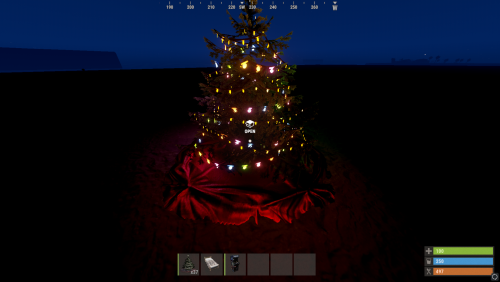
Add xmas decorations and watch that tree show off its glorious decorations in style. Note: Please add "xmas_tree.deployed" to the config file of white thunders Parent Entity Fix.Free -
Version 1.1.8
58 downloads
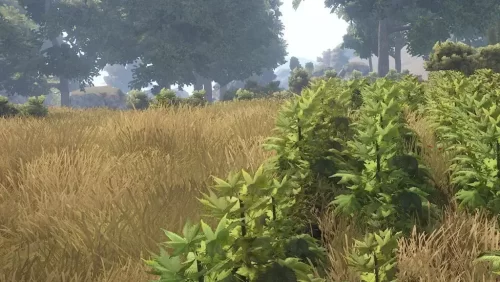
The plugin changes the system of plants and trees to a more realistic one. Features Watering plants planted in the ground. Fertilizing plants planted in the ground. Possibility to block planting in unauthorized fields. All trees grow and have stages of growth. Tree seedlings were introduced. The method of obtaining wood has been changed. Video Preview https://youtu.be/stoRXnVGpik https://streamable.com/tktvrq https://streamable.com/my4z28 https://streamable.com/mcyvwl UNINSTALLING Delete the file from the plugins folder, or disable the feature in the configuration file. A server restart is required to uninstall the new plant system! Configuration Credits @UmodTeam for adding hooks. @Steenamaroo, @Billy Joe, @Raul-Sorin SorbanThanks you so much! Love you!!!$25.00 -

Version V3
12 downloads
V3 Map size 3000 Introducing a unique and immersive custom map for Rust, designed with a focus on the captivating Forest. This sprawling landscape features an encompassing expanse of deep, dense forest, creating an atmospheric setting like no other. Embark on your adventures within this enchanting environment, where you'll encounter four meticulously crafted custom monuments that are sure to pique your interest. map has 4 custom monuments "Cruise Ship" "Death Train" , "Haunted House" , "Subway (bypass's PVP zone)". CRUISE SHIP 9 Rooms Casino Newer style elevators Swimming Pool Roof top heli pad Junk Town No cards required for this monument Regular crates & Military crates & Elite crates Working scrappers with 6 snowmobile & 2 Cranes 50 Scrap per shredding DEATH TRAIN This monument has a puzzle that requires a red card. 10 Elite Crates (Custom Loot Table) 12+ NPC's patrolling the grounds 2 Vending machines (Custom Loot Table) 4 Automated Trains that circle the monument (Aim Training) Haunted House This monument has a Blue card puzzle. 10+ Zombie NPC's patrolling the grounds 4 Elite Crates Can you figure out how to get inside the house? Can you figure out how to leave now? Hidden loot room? Subway Want a way to cross the PVP zone without risking your precious loot? 2 Automated Trains 10+ NPC's that are not so friendly FacePunch Monuments Missile Silo Launch Site Military Tunnel Power Plant Air feild 2x Oxums Gas Stations 2x Abandoned Supermarkets Train Yard 2x Large Fishing Village Small Fishing Village Bandit Camp Outpost Configuration files for the workcart plugin included. After purchasing you are free to edit the map password included. Map may not be resold privately or commercially.$20.00 -
![More information about "Poppy's Pond [HDRP]"](https://codefling.com/uploads/monthly_2021_04/poppysPond4.thumb.png.ea5dabd45641dcfa3ed4a432057f100b.png)
Version 1.0.1
580 downloads
Poppy's Pond is a small decoration piece you can use to decorate any forest or plains area! When applying the heightmap for this prefab, some of the water might be behind the rocks. This is because of how RUST breaks its terrain into grids. This issue can be resolved by moving the prefab over. Have fun! -sFree