Search the Community
Showing results for tags 'ui'.
-

Version 1.1.9
32 downloads
Wireless Power Automatic wireless power distribution - no wires needed! Tired of running wires everywhere? Wireless Power automatically distributes electricity from your power sources to all electrical devices within your Tool Cupboard's range. Just place your solar panels, wind turbines, and batteries - everything powers up automatically! --- Features Automatic Power Distribution - All electrical devices within TC range are automatically powered - No wires, no root combiners, no hassle - Power sources (solar, wind, generators, batteries) feed into a shared grid - Supports ALL vanilla electrical devices In-Game UI Panel - Type /power to open the power management interface - View total power capacity, current usage, and available power - See all power sources with their current output - Browse devices by category (Turrets, Lights, Doors, Storage, etc.) - Toggle individual devices or entire categories on/off - Paginated lists for bases with many devices Turret Control - Optional physical switches on turrets (configurable) - Toggle turrets via UI without needing switches - Turret offline notifications when power is lost - Turrets respect power priority settings - **Remove switches** by right-clicking with a hammer Wireless Sprinklers - Sprinklers work wirelessly with nearby water sources - Automatically drains water from barrels, water catchers, and tanks - Configurable drain rate and interval - No pumps or fluid switches needed Smart Power Management - Consumer priority system - choose which devices get power first when supply is limited - Power reserve percentage - keep a buffer for critical devices - Low power warnings when capacity drops below threshold - Power loss notifications when grid goes offline Notification System - Integrates with Notify plugin for clean on-screen alerts - Configurable cooldowns to prevent spam - Notifications for: - Low power warnings - Complete power loss - Turrets going offline Integration & Compatibility - RaidableBases support - plugin ignores raidable base areas - Permission-based access control - Blacklist specific prefabs from being managed - Works alongside vanilla wiring if needed --- Permissions - wirelesspower.use- Required to use wireless power features. Only Tool Cupboards owned by players with this permission will have wireless power. Players without permission must use vanilla wiring. --- Commands /power Toggles the power management UI --- Configuration { "Default Turret State (true = on when placed)": true, "Enable Turret Switches (physical switch on turrets)": true, "Update Interval (seconds)": 1.0, "Require TC Authorization for Switches": true, "Enable Wireless Sprinklers": true, "Sprinkler Drain Amount (ml per tick)": 2, "Sprinkler Drain Interval (seconds)": 5.0, "Max TC Range (meters)": 60.0, "Power Reserve Percentage (0-100, keep this % in reserve)": 0, "Use Notify Plugin (if installed)": true, "Notify Type (from Notify plugin config)": 0, "Notification Cooldown (seconds, prevents spam)": 60.0, "Low Power Warning Threshold (percentage)": 20, "Enable Low Power Warning": true, "Enable Power Loss Notification": true, "Enable Turret Offline Notification": true, "Blacklisted Prefabs (will not be managed)": [], "Consumer Priority (lower = higher priority)": {} } Configuration Options Explained - Default Turret State: Whether turrets start ON or OFF when placed - Enable Turret Switches: Spawn physical switches on turrets for manual control - Update Interval: How often power is recalculated (lower = more responsive but more CPU) - Require TC Authorization for Switches: Players must be authed on TC to use switches - Enable Wireless Sprinklers: Allow sprinklers to work without fluid connections - Sprinkler Drain Amount/Interval: How much and how often sprinklers consume water - Max TC Range: Maximum distance from TC for devices to be included in grid - Power Reserve Percentage: Keep this percentage of power in reserve - Notification Settings: Control alerts for low power, power loss, and turret status - Blacklisted Prefabs: List of prefab paths that won't be wirelessly powered - Consumer Priority: Set priority for device types (lower number = higher priority) --- Supported Power Sources - Solar Panels (small and large) - Wind Turbines - Fuel Generators (small) - Electric Batteries (small, medium, large) - Test Generators - And more! Supported Consumers - Auto Turrets - SAM Sites - Search Lights - Ceiling Lights - Siren Lights - Flasher Lights - Powered Water Purifiers - Electric Furnaces - Electric Heaters - Door Controllers - Storage Adaptors - Sprinklers - Igniters - Snow Machines - Foggers - Laser Detectors - HBHF Sensors - Smart Switches & Alarms - Conveyor Systems - Elevator Systems - And ALL other electrical devices! --- How It Works 1. Grant players the `wirelesspower.use` permission 2. Place a Tool Cupboard (must be owned by a player with permission) 3. Place power sources (solar panels, wind turbines, batteries, etc.) 4. Place electrical devices anywhere within TC range 5. Everything powers up automatically! The plugin scans for all power sources and consumers within each TC's building privilege range. Power is distributed based on priority settings, with the UI showing real-time power status. Note: Players without permission will need to use vanilla wiring - their TCs are not affected by this plugin. ---$19.99 -

Version 2.0.9
6,602 downloads
ServerPanel adds a player information menu to your server, where you can both share important and useful information with your players and integrate your plugins into it! Features User-Friendly Interface: Intuitive GUI for easy navigation and interaction. Economy Integration: Supports various economy plugins for seamless financial management. Dynamic Menu Categories: Organize functionalities into customizable categories for better user experience. Extensive Configuration Options: Almost every aspect of the plugin can be customized, including messages, colors, sizes, fonts, tion. Auto-Open Menu: Automatically displays the menu upon player connection, configurable per server settings. Block Settings: Control access to the menu during building, raiding, or combat situations to enhance gameplay balance. Multiple Economy Head Fields: Display various economic metrics such as balance, server rewards, and bank information. Permission Management: Fine-tune permissions for different user roles to control access to features. Localization Support: Easily translate and customize all messages for different languages. Performance Optimized: Designed to minimize server lag while providing rich functionality. Customizable Hooks: Integrate with existing economy systems using customizable hooks for adding, removing, and displaying balances. Editor Position Change: Admins can now change editor positions with a simple click, choosing between left, center, or right alignments. Command Enhancements: Commands are now processed with multiple arguments separated by "|", enabling bulk command processing. Commands /info – open menu /sp.install (or) /welcome.install – open installer menu sp.migrations – console command for updating plugin data structure when upgrading to new versions. Automatically creates backups before making changes. sp.migrations list – shows available migrations and whether they need to run sp.migrations run <version> – runs specific migration (e.g., "1.3.0") sp.migrations run <version> force – forces migration even if not detected as needed Permissions serverpanel.edit – allows players to edit the plugin settings and open the edit menu serverpanelinstaller.admin - required to access the plugin installation functions Video Showcase Templates Template V1 Template V2 Template V3 Template V5 Editor Installer TEST SERVER Join our test server to view and experience all our unique features yourself! Copy the IP Address below to start playing! connect 194.147.90.239:28015 Update Fields ServerPanel supports dynamic update fields that can be used in your templates to display real-time information. These fields are automatically updated and can be used in text components, headers, and other interface elements. Player Information {online_players} – Number of currently online players {sleeping_players} – Number of sleeping players {all_players} – Total number of players (online + sleeping) {max_players} – Maximum server capacity {player_kills} – Player's kill count (requires KillRecords, Statistics, or UltimateLeaderboard) {player_deaths} – Player's death count (requires KillRecords, Statistics, or UltimateLeaderboard) {player_username} – Player's display name {player_avatar} – Player's Steam ID for avatar display Economy {economy_economics} – Economics plugin balance {economy_server_rewards} – ServerRewards points {economy_bank_system} – BankSystem balance Note: Economy fields are fully customizable in "oxide/config/ServerPanel.json" under "Economy Header Fields". You can add support for any economy plugin by configuring the appropriate hooks (Add, Balance, Remove). Custom keys can be created and used in templates just like the default ones. Server Information {server_name} – Server hostname {server_description} – Server description {server_url} – Server website URL {server_headerimage} – Server header image URL {server_fps} – Current server FPS {server_entities} – Number of entities on server {seed} – World seed {worldsize} – World size {ip} – Server IP address {port} – Server port {server_time} – Current server time (YYYY-MM-DD HH:MM:SS) {tod_time} – Time of day (24-hour format) {realtime} – Server uptime in seconds {map_size} – Map size in meters {map_url} – Custom map URL {save_interval} – Auto-save interval {pve} – PvE mode status (true/false) Player Stats {player_health} – Current health {player_maxhealth} – Maximum health {player_calories} – Calorie level {player_hydration} – Hydration level {player_radiation} – Radiation poisoning level {player_comfort} – Comfort level {player_bleeding} – Bleeding amount {player_temperature} – Body temperature {player_wetness} – Wetness level {player_oxygen} – Oxygen level {player_poison} – Poison level {player_heartrate} – Heart rate Player Position {player_position_x} – X coordinate {player_position_y} – Y coordinate (height) {player_position_z} – Z coordinate {player_rotation} – Player rotation (degrees) Player Connection {player_ping} – Connection time in seconds {player_ip} – Player's IP address {player_auth_level} – Authorization level (0=Player, 1=Moderator, 2=Admin) {player_steam_id} – Steam ID {player_connected_time} – Connection start time {player_idle_time} – Idle time (HH:MM:SS) Player States {player_sleeping} – Is sleeping (true/false) {player_wounded} – Is wounded (true/false) {player_dead} – Is dead (true/false) {player_building_blocked} – Is building blocked (true/false) {player_safe_zone} – Is in safe zone (true/false) {player_swimming} – Is swimming (true/false) {player_on_ground} – Is on ground (true/false) {player_flying} – Is flying (true/false) {player_admin} – Is admin (true/false) {player_developer} – Is developer (true/false) Network & Performance {network_in} – Network input (currently shows 0) {network_out} – Network output (currently shows 0) {fps} – Server FPS {memory} – Memory allocations {collections} – Garbage collections count Usage Example: You can use these fields in any text component like: "Welcome {player_username}! Server has {online_players}/{max_players} players online." API Documentation for Developers ServerPanel provides an API for plugin developers to integrate their plugins into the menu system. Required Methods API_OpenPlugin(BasePlayer player) - Main integration method that returns CuiElementContainer OnServerPanelClosed(BasePlayer player) - Called when panel closes (cleanup) OnServerPanelCategoryPage(BasePlayer player, int category, int page) - Called when category changes (cleanup) OnReceiveCategoryInfo(int categoryID) - Receives your category ID Integration Example [PluginReference] private Plugin ServerPanel; private int _serverPanelCategoryID = -1; private void OnServerInitialized() { ServerPanel?.Call("API_OnServerPanelProcessCategory", Name); } private void OnReceiveCategoryInfo(int categoryID) { _serverPanelCategoryID = categoryID; } private void OnServerPanelCategoryPage(BasePlayer player, int category, int page) { // Cleanup when player switches categories } private CuiElementContainer API_OpenPlugin(BasePlayer player) { var container = new CuiElementContainer(); // Create base panels (required structure) container.Add(new CuiPanel() { RectTransform = {AnchorMin = "0 0", AnchorMax = "1 1"}, Image = {Color = "0 0 0 0"} }, "UI.Server.Panel.Content", "UI.Server.Panel.Content.Plugin", "UI.Server.Panel.Content.Plugin"); container.Add(new CuiPanel() { RectTransform = {AnchorMin = "0 0", AnchorMax = "1 1"}, Image = {Color = "0 0 0 0"} }, "UI.Server.Panel.Content.Plugin", "YourPlugin.Background", "YourPlugin.Background"); // Add your plugin's UI elements here container.Add(new CuiLabel { RectTransform = {AnchorMin = "0.1 0.8", AnchorMax = "0.9 0.9"}, Text = {Text = "Your Plugin Interface", FontSize = 16, Align = TextAnchor.MiddleCenter, Color = "1 1 1 1"} }, "YourPlugin.Background", "YourPlugin.Title"); // Add buttons, panels, etc. using "YourPlugin.Background" as parent return container; } private void OnServerPanelClosed(BasePlayer player) { // Cleanup when panel closes } Header Update Fields API_OnServerPanelAddHeaderUpdateField(Plugin plugin, string updateKey, Func<BasePlayer, string> updateFunction) - Registers a per-player string provider for a header placeholder. Returns true on success. API_OnServerPanelRemoveHeaderUpdateField(Plugin plugin, string updateKey = null) - Unregisters a specific updateKey for your plugin, or all keys for your plugin when updateKey is null. Returns true on success. Usage Example [PluginReference] private Plugin ServerPanel; private void OnServerInitialized() { // Register a dynamic header field for each player ServerPanel?.Call("API_OnServerPanelAddHeaderUpdateField", this, "{player_kdr}", (Func<BasePlayer, string>)(player => GetKdr(player))); } private string GetKdr(BasePlayer player) { // Compute and return the value to display in the header for this player return "1.23"; } Using in UI: Place your key (e.g., {player_kdr}) directly in Header Field texts. The value will be updated per player using your function. FAQ Q: Why can't I open the menu? A: Make sure that the plugin is installed and activated on your server. If the problem persists, contact the server administrator. Q: How do I enable Expert Mode? (disables automatic template updates) A: In the data file "Template.json", turn on the "Use an expert mod?" option: "Use an expert mod?": true, P.S. "Template.json” is located in the "oxide/data/ServerPanel" directory (if you use Oxide) or in the "carbon/data/ServerPanel" directory (if you use Carbon) Q: I see black images with Rust logo or get error 429 when loading images. What should I do? A: These issues occur when there are problems downloading images from the internet. To fix this, enable Offline Image Mode which will use local images instead: Enable the mode in config: Open "oxide/config/ServerPanel.json" (or "carbon/config/ServerPanel.json" for Carbon) Set "Enable Offline Image Mode": true Set up the images: Create folder "TheMevent" in "oxide/data" (or "carbon/data" for Carbon) Download PluginsStorage (click "CODE" → "Download ZIP") Extract the ZIP and copy all contents to the "TheMevent" folder Reload the plugin: Type o.reload ServerPanel (Oxide) or c.reload ServerPanel (Carbon) Note: If using a hosting service, you may need to use their file manager or FTP to upload the files. Q: Does ServerPanel work only with Mevent's plugins? A: Currently, ServerPanel integrates seamlessly with Mevent's plugins (Shop, Kits, Daily Rewards, etc.). However, other developers can use the provided API to integrate their plugins into the menu system. The plugin system is designed to be extensible for third-party integrations. Q: Why do integrated plugins (Shop, Kits) have different window sizes? A: Different plugins may use different templates for integration. Make sure all your integrated plugins use the same template version (V1, V2, etc.) that matches your ServerPanel template. Update the template in each plugin to ensure consistent sizing. Q: The panel displays differently for different players. How can I make it show the same on everyone's screen? A: This issue occurs when players have different UI scale settings. To fix this and ensure consistent display for all players: Open the "Template.json" file located in "oxide/data/ServerPanel" (or "carbon/data/ServerPanel" for Carbon) Find the "Parent (Overlay/Hud)" setting in the "Background" section Change the value from "Overlay" to "OverlayNonScaled" Save the file and restart your server or reload the plugin Q: How can I change the video displayed in the ServerPanel interface to my own custom video? A: Yes, you can replace the default video with your own! You need to find and modify the command: serverpanel_broadcastvideo [your_video_url] Replace [your_video_url] with the direct link to your video. For best compatibility, we recommend hosting your video on imgur.com. Q: My custom images are not loading or show as blank/question marks. What image hosting should I use? A: For custom images, we recommend using imgbb.com for image hosting. Avoid Imgur and services without direct access to the image. For the most reliable experience, use Offline Image Mode with local images instead. Q: How can I make plugin UIs open outside of the ServerPanel menu instead of inside categories? A: You can configure buttons to execute chat commands that open plugin UIs independently. To do this: In your button configuration, set "Chat Button": true Set the "Commands" field to "chat.say /command" (replace "command" with the actual plugin command) Example: To open the Cases plugin outside the menu: "Chat Button": true "Commands": "chat.say /cases" This will execute the command as if the player typed it in chat, opening the plugin's interface independently rather than within the ServerPanel menu. Q: Text in V4 template is shifting or sliding out of place. How can I fix this? A: This issue occurs when text width isn't properly configured. ServerPanel provides "TITLE LOCALIZATION" settings to control text width for categories and pages: Open the ServerPanel editor (click the "ADMIN MODE" button to open the edit menu) Select the category or page you want to edit (click to "EDIT CATEGORY" or "EDIT PAGE" button) In the editor, find the "TITLE LOCALIZATION" section For each language (en, ru, etc.), you'll see three columns: LANGUAGE - The language code TEXT - The localized text content WIDTH (px) - The width setting in pixels Adjust the "WIDTH (px)" value to match your text length. Longer text requires larger width values Save your changes and test in-game Tip: Start with a width value around 100-150 pixels for short text, and increase it for longer titles. You can adjust this value until the text displays correctly without shifting.$40.00- 142 comments
- 43 reviews
-
- 17
-

-

-

-
- #serverpanel
- #info
- (and 32 more)
-
Version 0.1.1.1
15 downloads
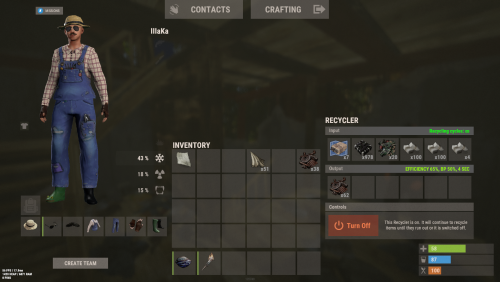
An excellent plugin for item recycling with extensive functionality. The ability to log successful recycling; The ability to create new permissions; The ability to customize permissions flexibly, including both new and existing ones; The ability to have multiple permissions at the same time, with the selection of the best limits from the available permissions; The ability to configure the recycling efficiency for each permission; The ability to configure the scrap return percentage when recycling blueprints for each permission; The ability to configure the chance to return the original item when recycling blueprints for each permission; The ability to configure forbidden items for recycling for each permission; The ability to configure the recycling speed for each permission; The ability to configure the recycling cycle limit per use for each permission; The ability to configure the recycling slot limit for each permission; The ability to configure the recycling cooldown for each permission; The ability to purchase a bypass for the recycle cooldown; The ability to configure the daily recycling limit for each permission; The ability to purchase additional recycles after reaching the daily limit; The ability to count recycling only when at least one item is successfully recycled; The ability to forbid recycling when wounded; The ability to forbid recycling while swimming; The ability to forbid recycling while mounted on certain seats; The ability to forbid recycling in specified monuments, by name or by monument type; The ability to forbid recycling in someone else's building privileges; The ability to forbid recycling when taking damage; The ability to forbid recycling during a combat block; The ability to forbid recycling during a raid block; The ability to automatically generate language files for specified languages(with content filled in English); The ability to display a status bar while waiting for a cooldown; The ability to choose between bar types(TimeCounter and TimeProgressCounter); The ability to specify the order of the bar; The ability to change the height of the bar; The ability to customize the color and transparency of the background; The ability to set a material for the background; The ability to switch between CuiRawImageComponent and CuiImageComponent for the image; The ability to get images from the local folder(*SERVER*\oxide\data\AdvancedStatus\Images); The ability to set own image and customize the color and transparency of the image; The ability to set sprite instead of the image; The ability to customize the color, size and font of the text. { "Chat command": "rec", "Is it worth enabling GameTips for messages?": true, "Is it worth saving recycling logs to a file?": true, "List of language keys for creating language files": [ "en" ], "Is it worth allowing blueprint recycling based on permissions?": true, "Price to skip 60 seconds of recycler cooldown": 10.0, "List of mount names where recycling is prohibited": [ "horsesaddle", "horsesaddlerear", "bikedriverseat", "bikepassengerseat", "motorbikedriverseat", "motorbikepassengerseat", "modularcardriverseat", "modularcarpassengerseatleft", "modularcarpassengerseatright", "modularcarpassengerseatlesslegroomleft", "modularcarpassengerseatlesslegroomright", "modularcarpassengerseatsidewayleft", "miniheliseat", "minihelipassenger", "transporthelipilot", "transporthelicopilot", "attackhelidriver", "attackheligunner", "submarinesolodriverstanding", "submarineduodriverseat", "submarineduopassengerseat", "snowmobiledriverseat", "snowmobilepassengerseat", "snowmobilepassengerseat tomaha", "workcartdriver", "locomotivedriver", "craneoperator", "batteringramseat", "ballistagun.entity" ], "Status. Bar - Display time in seconds. A value of 0 keeps it visible until the cooldown ends": 15.0, "Status. Bar - Type(TimeProgressCounter or TimeCounter)": "TimeCounter", "Status. Bar - Height": 26, "Status. Bar - Order": 10, "Status. Background - Color(Hex or RGBA)": "#EFC570", "Status. Background - Transparency": 0.7, "Status. Background - Material(empty to disable)": "", "Status. Image - Url": "https://i.imgur.com/DsWk4zm.png", "Status. Image - Local(Leave empty to use Image_Url)": "AdvancedStatus_SandClock", "Status. Image - Sprite(Leave empty to use Image_Local or Image_Url)": "", "Status. Image - Is raw image": false, "Status. Image - Color(Hex or RGBA)": "#EFC570", "Status. Image - Transparency": 1.0, "Status. Image Outline - Is it worth enabling an outline for the image?": false, "Status. Image Outline - Color(Hex or RGBA)": "0.1 0.3 0.8 0.9", "Status. Image Outline - Transparency": 1.0, "Status. Image Outline - Distance": "0.75 0.75", "Status. Text - Size": 12, "Status. Text - Color(Hex or RGBA)": "#FFFFFF", "Status. Text - Font(https://umod.org/guides/rust/basic-concepts-of-gui#fonts)": "RobotoCondensed-Bold.ttf", "Status. Text - Offset Horizontal": 0, "Status. Text Outline - Is it worth enabling an outline for the text?": false, "Status. Text Outline - Color(Hex or RGBA)": "#000000", "Status. Text Outline - Transparency": 1.0, "Status. Text Outline - Distance": "0.75 0.75", "Status. SubText - Size": 12, "Status. SubText - Color(Hex or RGBA)": "#FFFFFF", "Status. SubText - Font": "RobotoCondensed-Bold.ttf", "Status. SubText Outline - Is it worth enabling an outline for the sub text?": false, "Status. SubText Outline - Color(Hex or RGBA)": "0.5 0.6 0.7 0.5", "Status. SubText Outline - Transparency": 1.0, "Status. SubText Outline - Distance": "0.75 0.75", "Status. Progress - Background Color(Hex or RGBA)": "1 1 1 0.15", "Status. Progress - Background Transparency": 0.15, "Status. Progress - Reverse": true, "Status. Progress - Color(Hex or RGBA)": "#EFC570", "Status. Progress - Transparency": 0.7, "Status. Progress - OffsetMin": "0 0", "Status. Progress - OffsetMax": "0 0", "List of recycling permissions": [ { "Permission Name": "advancedrecycler.default", "Item recycling time(seconds)": 8.0, "Item recycling efficiency": 0.4, "Blueprint recycling efficiency. A value of 0 disables this ability": 0.0, "Chance(0.0 – 1.0) of the original item dropping when recycling a blueprint": 0.001, "Is it worth giving scrap if the original item drops when recycling a blueprint?": false, "Number of available recycling slots": 2, "Cooldown time(in seconds) before next recycling": 600.0, "Daily recycling limit. A value of 0 disables the limit": 50, "Price to purchase a recycling after exceeding the daily limit. A value of 0 disables the purchase": 5.0, "Item recycling limit per session(per command use). A value of 0 disables the limit": 15, "Is it worth forbidding recycling if the player is in a wounded state?": true, "Is it worth forbidding recycling if the player is swimming?": true, "Is it worth forbidding recycling if the player is mounted?": true, "Is it worth forbidding recycling if the player is in someone else's building privilege area?": true, "Is it worth forbidding recycling if the player has taken damage?": true, "Is it worth forbidding recycling if the player has combat block?": true, "Is it worth forbidding recycling if the player has raid block?": true, "List of monuments where recycling is forbidden": null, "List of monument types where recycling is forbidden": [ "RadTown", "RadTownWater", "RadTownSmall", "TunnelStation", "Custom" ], "List of forbidden recycling items": [ "blood" ] }, { "Permission Name": "advancedrecycler.vip", "Item recycling time(seconds)": 5.0, "Item recycling efficiency": 0.6, "Blueprint recycling efficiency. A value of 0 disables this ability": 0.15, "Chance(0.0 – 1.0) of the original item dropping when recycling a blueprint": 0.15, "Is it worth giving scrap if the original item drops when recycling a blueprint?": true, "Number of available recycling slots": 4, "Cooldown time(in seconds) before next recycling": 450.0, "Daily recycling limit. A value of 0 disables the limit": 100, "Price to purchase a recycling after exceeding the daily limit. A value of 0 disables the purchase": 2.5, "Item recycling limit per session(per command use). A value of 0 disables the limit": 50, "Is it worth forbidding recycling if the player is in a wounded state?": true, "Is it worth forbidding recycling if the player is swimming?": true, "Is it worth forbidding recycling if the player is mounted?": true, "Is it worth forbidding recycling if the player is in someone else's building privilege area?": true, "Is it worth forbidding recycling if the player has taken damage?": true, "Is it worth forbidding recycling if the player has combat block?": true, "Is it worth forbidding recycling if the player has raid block?": true, "List of monuments where recycling is forbidden": null, "List of monument types where recycling is forbidden": [ "RadTown", "RadTownWater", "TunnelStation" ], "List of forbidden recycling items": [ "blood" ] }, { "Permission Name": "realpve.vip", "Item recycling time(seconds)": 4.0, "Item recycling efficiency": 0.65, "Blueprint recycling efficiency. A value of 0 disables this ability": 0.5, "Chance(0.0 – 1.0) of the original item dropping when recycling a blueprint": 0.3, "Is it worth giving scrap if the original item drops when recycling a blueprint?": true, "Number of available recycling slots": 6, "Cooldown time(in seconds) before next recycling": 300.0, "Daily recycling limit. A value of 0 disables the limit": 0, "Price to purchase a recycling after exceeding the daily limit. A value of 0 disables the purchase": 0.0, "Item recycling limit per session(per command use). A value of 0 disables the limit": 0, "Is it worth forbidding recycling if the player is in a wounded state?": false, "Is it worth forbidding recycling if the player is swimming?": false, "Is it worth forbidding recycling if the player is mounted?": false, "Is it worth forbidding recycling if the player is in someone else's building privilege area?": false, "Is it worth forbidding recycling if the player has taken damage?": false, "Is it worth forbidding recycling if the player has combat block?": false, "Is it worth forbidding recycling if the player has raid block?": false, "List of monuments where recycling is forbidden": [ "oilrig_1" ], "List of monument types where recycling is forbidden": null, "List of forbidden recycling items": [ "blood" ] } ], "Version": { "Major": 0, "Minor": 1, "Patch": 1 } } EN: { "CmdNotAllowed": "You do not have permission to use this command!", "CmdEconomicsNotEnough": "Not enough funds!", "CmdMain": "Available commands for the recycler:\n\n<color=#D1CBCB>/rec</color> - Request access to the remote recycler\n<color=#D1CBCB>/rec</color> <color=#D1AB9A>limits</color> - View your usage limits\n<color=#D1CBCB>/rec</color> <color=#D1AB9A>buy limits *amount*(optional)</color> - Purchase additional uses of the remote recycler\n<color=#D1CBCB>/rec</color> <color=#D1AB9A>buy cd *amount*(optional)</color> - Purchase a 60 second(* by amount) cooldown skip for remote recycler\n\n--------------------------------------------------", "CmdDailyLimitExtra": "You have exceeded the daily limit({0}) for using the remote recycler!\n<size=10>However, you can buy additional uses with the <color=#D1AB9A>/rec buy limits</color> command for <color=#D1CBCB>${1}</color></size>", "CmdDailyLimit": "You have exceeded the daily limit ({0}) for using the remote recycler!", "CmdCooldownSkip": "You must wait {0} seconds before using the remote recycler again!\n<size=10>However, you can skip the cooldown using the <color=#D1AB9A>/rec buy cd</color> command for <color=#D1CBCB>${1}</color> per 60 seconds</size>", "CmdCooldown": "You must wait {0} seconds before using the remote recycler again!", "CmdWoundBlock": "You can't use the remote recycler while wounded!", "CmdSwimming": "You can't use the remote recycler while swimming!", "CmdMountBlock": "You can't use the remote recycler while mounted here!", "CmdMonumentBlock": "You can't use the remote recycler at '{0}'!", "CmdBuildingBlock": "You can't use the remote recycler inside someone else's base!", "CmdDamageBlock": "You can't use the remote recycler while taking damage!", "CmdCombatBlock": "You can't use the remote recycler during combat block!", "CmdRaidBlock": "You can't use the remote recycler during a raid block!", "CmdAlredyHave": "You already have an active remote recycler!", "CmdPurchaseNotLimited": "You haven't reached your daily limit yet!", "CmdPurchaseHaveExtra": "You still have {0} additional remote recycler uses! Use them before purchasing more.", "CmdPurchaseLimitsNotAllowed": "Purchasing additional remote recycler uses is unavailable!", "CmdPurchasedLimits": "You have successfully purchased <color=#D1CBCB>{0}</color> remote recycler uses!\n<size=10>Now you have <color=#D1CBCB>{1}</color> additional uses</size>", "CmdPurchaseNoCooldown": "You don't have a cooldown for remote recycler usage!", "CmdPurchaseCooldownNotAllowed": "Purchasing a cooldown skip for remote recycler usage is not available!", "CmdPurchasedCooldown": "You have successfully purchased a cooldown skip for <color=#D1CBCB>{0} seconds</color> for remote recycler usage!\n<size=10>Now you need to wait <color=#D1CBCB>{1} seconds</color></size>", "CmdMyLimits": "Your remote recycler limits:\n\n<color=#D1CBCB>Efficiency</color> - <color=#D1AB9A>{0}%</color>\n<color=#D1CBCB>Blueprint efficiency</color> - <color=#D1AB9A>{1}%</color>\n<color=#D1CBCB>Blueprint original item return</color> - <color=#D1AB9A>{2}%</color>\n<color=#D1CBCB>Cycle Time</color> - <color=#D1AB9A>{3}</color>\n<color=#D1CBCB>Usage Cycles</color> - <color=#D1AB9A>{4}</color>\n<color=#D1CBCB>Cooldown</color> - <color=#D1AB9A>{5} sec</color>\n<color=#D1CBCB>Daily Limit</color> - <color=#D1AB9A>{6}</color>\n\n--------------------------------------------------", "UiRecycleEfficiency": "EFFICIENCY {0}%, {1} SEC", "UiRecycleEfficiencyBp": "EFFICIENCY {0}%, BP {2}%, {1} SEC", "UiSessionLimit": "Recycling cycles: {0}", "BarCooldown": "Recycler cooldown:", "MsgSessionLimit": "You have exceeded the limit of {0} recycling cycles per session." } RU: { "CmdNotAllowed": "У вас недостаточно прав для использования этой команды!", "CmdEconomicsNotEnough": "Не достаточно средств!", "CmdMain": "Доступные команды для переработчика:\n\n<color=#D1CBCB>/rec</color> - Запросить доступ к удалённому переработчику\n<color=#D1CBCB>/rec</color> <color=#D1AB9A>limits</color> - Узнать свои лимиты\n<color=#D1CBCB>/rec</color> <color=#D1AB9A>buy limits *количество*(опционально)</color> - Докупить дополнительное количество доступа к удалённому переработчику\n<color=#D1CBCB>/rec</color> <color=#D1AB9A>buy cd *количество*(опционально)</color> - Купить пропуск 60 секунд(* на количество) задержки перед повторным использованием удалённым переработчиком\n\n--------------------------------------------------", "CmdDailyLimitExtra": "Вы превысили допустимую дневную норму({0}) на использование удалённого переработчика!\n<size=10>Но вы можете купить дополнительные использования удалённого переработчика с помощью команды <color=#D1AB9A>/rec buy limits</color> за <color=#D1CBCB>{1}$</color></size>", "CmdDailyLimit": "Вы превысили допустимую дневную норму({0}) на использование удалённого переработчика!", "CmdCooldownSkip": "Перед повторным использованием удалённого переработчика вам необходимо подождать {0} секунд!\n<size=10>Но вы можете купить пропуск задержки с помощью команды <color=#D1AB9A>/rec buy cd</color> за <color=#D1CBCB>{1}$</color> за каждые 60 секунд</size>", "CmdCooldown": "Перед повторным использованием удалённого переработчика вам необходимо подождать {0} секунд!", "CmdWoundBlock": "Вам запрещено пользоваться удалённым переработчиком в предсмертном состоянии!", "CmdSwimming": "Вам запрещено пользоваться удалённым переработчиком в воде!", "CmdMountBlock": "Вам запрещено пользоваться удалённым переработчиком сидя в данном месте!", "CmdMonumentBlock": "Вам запрещено пользоваться удалённым переработчиком в '{0}'!", "CmdBuildingBlock": "Вам запрещено пользоваться удалённым переработчиком в чужой базе!", "CmdDamageBlock": "Вам запрещено пользоваться удалённым переработчиком при получении урона!", "CmdCombatBlock": "Вам запрещено пользоваться удалённым переработчиком во время боя!", "CmdRaidBlock": "Вам запрещено пользоваться удалённым переработчиком во время рейда!", "CmdAlredyHave": "У вас уже имеется активный удалённый переработчик!", "CmdPurchaseNotLimited": "Вы ещё не исчерпали свой дневной лимит!", "CmdPurchaseHaveExtra": "У вас ещё есть {0} дополнительных использований удалённого переработчика! Используйте их прежде, чем покупать новые.", "CmdPurchaseLimitsNotAllowed": "Покупка дополнительных использований удалённого переработчика недоступна!", "CmdPurchasedLimits": "Вы успешно докупили <color=#D1CBCB>{0}</color> использований удалённого переработчика!\n<size=10>Теперь у вас <color=#D1CBCB>{1}</color> дополнительных использований</size>", "CmdPurchaseNoCooldown": "У вас нет задержки на использование удалённого переработчика!", "CmdPurchaseCooldownNotAllowed": "Покупка пропуска задержки на использование удалённого переработчика недоступна!", "CmdPurchasedCooldown": "Вы успешно купили пропуск на <color=#D1CBCB>{0} секунд</color> задержки для использования удалённого переработчика!\n<size=10>Теперь вам нужно подождать <color=#D1CBCB>{1} секунд</color></size>", "CmdMyLimits": "Ваши лимиты удалённого переработчика:\n\n<color=#D1CBCB>Эффективность</color> - <color=#D1AB9A>{0}%</color>\n<color=#D1CBCB>Эффективность(чертежи)</color> - <color=#D1AB9A>{1}%</color>\n<color=#D1CBCB>Шанс возврата(чертежи)</color> - <color=#D1AB9A>{2}%</color>\n<color=#D1CBCB>Время цикла</color> - <color=#D1AB9A>{3}</color>\n<color=#D1CBCB>Циклов использований</color> - <color=#D1AB9A>{4}</color>\n<color=#D1CBCB>Время задержки</color> - <color=#D1AB9A>{5} сек</color>\n<color=#D1CBCB>Дневной лимит</color> - <color=#D1AB9A>{6}</color>\n\n--------------------------------------------------", "UiRecycleEfficiency": "ЭФФЕКТИВНОСТЬ {0}%, {1} СЕК", "UiRecycleEfficiencyBp": "ЭФФЕКТИВНОСТЬ {0}%, ЧЕРТЕЖИ {2}%, {1} СЕК", "UiSessionLimit": "Циклы переработки: {0}", "BarCooldown": "Задержка переработчика:", "MsgSessionLimit": "Вы превысили лимит в {0} циклов переработки за одно использование." } /rec - Request access to the remote recycler. /rec limits - View your usage limits. /rec buy limits *amount*(optional) - Purchase additional uses of the remote recycler. /rec buy cd *amount*(optional) - Purchase a 60 second(* by amount) cooldown skip for remote recycler. Example: /rec limits /rec buy limits 1 /rec buy limits 0.5$14.99 -
Version 0.1.0.1
11 downloads
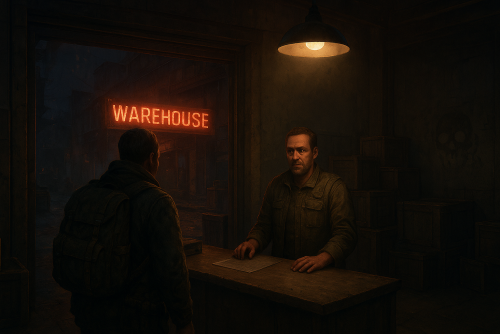
A multifunctional warehouse system for managing item storage and automated giveaways. Presence of unique dialogues with warehouse keeper that mimic vanilla-style interactions; The ability to create an unlimited number of custom permissions; The ability to configure permissions individually, allowing flexible customization for any preferences; The ability to limit the total number of available storages; The ability to adjust the number of slots for each individual storage; The ability to restrict which items can be stored; The ability to store food items with a configurable spoilage rate(fridge ability) ; Warehouse keepers with automatic spawning in all vanilla safe zones, as well as support for custom spawn points; The ability to customize the appearance of each warehouse keeper; The ability to restrict warehouse access to mission completion(in progress) or payment; The ability to configure a daily storage rent fee calculated based on the number of slots; The ability to apply an extra fine when attempting to renew an expired storage; The ability to automatically move all items from fully expired storages to the giveaway warehouse; The ability to host daily item giveaways(if items are available) ; The ability to preview items from the upcoming giveaway; The ability to define a forbidden item list for the giveaway warehouse; The ability to automatically move all items from players who die in safe zones(offline) to the giveaway warehouse; The ability to transfer dropped items(when disappear) to the giveaway warehouse; The ability to artificially fill the giveaway warehouse if it contains too few items; The ability to fill the giveaway warehouse by transferring items from all existing lootable boxes; The ability to notify players right before a giveaway starts. { "Chat command": "wh", "Is it worth enabling GameTips for messages?": true, "List of language keys for creating language files": [ "en" ], "Date display format": "MM/dd/yyyy hh:mm tt", "Price to skip mission": 200.0, "Storage purchase price": 100.0, "Storage slot purchase price": 50.0, "Storage slot daily rental fee": 10.0, "Interval in seconds for checking rent expiration": 600.0, "Number of hours before the rent expires during which renewal becomes available. A value of 0 disables the limit": 5, "Available slot options for new storage purchase": [ 1, 6, 18, 48 ], "Daily giveaway time. Format: HH:mm": "20:00", "Forced giveaway start upon reaching the specified amount. Note: when there are a large number of items, the server may experience lag.": 480, "Minimum number of items required for the giveaway to take place. A value of 0 disables the limit": 0, "Time in seconds(1–600) before the giveaway starts to notify players": 300.0, "Number of items dropped per second": 16, "Is it worth using lost items(BuriedItems) in the giveaway?": true, "List of forbidden items for giveaways": [ "blood" ], "List of warehouse permissions": [ { "Permission Name": "warehouse.default", "Limit of available storages. A value of 0 disables the limit": 1, "Limit on the number of slots per storage": 6, "Price multiplier for purchasing a storage": 1.0, "Price multiplier for purchasing a storage slot": 1.0, "Price multiplier for storage slot rental": 1.0, "Price multiplier for storage rental in case of delay": 1.5, "Food spoilage multiplier": 1.0, "List of forbidden items to storage": [ "blood" ] }, { "Permission Name": "warehouse.vip", "Limit of available storages. A value of 0 disables the limit": 2, "Limit on the number of slots per storage": 24, "Price multiplier for purchasing a storage": 0.9, "Price multiplier for purchasing a storage slot": 0.9, "Price multiplier for storage slot rental": 0.9, "Price multiplier for storage rental in case of delay": 1.4, "Food spoilage multiplier": 0.5, "List of forbidden items to storage": [ "blood" ] }, { "Permission Name": "realpve.vip", "Limit of available storages. A value of 0 disables the limit": 3, "Limit on the number of slots per storage": 48, "Price multiplier for purchasing a storage": 0.8, "Price multiplier for purchasing a storage slot": 0.8, "Price multiplier for storage slot rental": 0.8, "Price multiplier for storage rental in case of delay": 1.3, "Food spoilage multiplier": 0.0, "List of forbidden items to storage": [ "blood" ] } ], "List of custom spawn positions for Keeper NPCs": [], "List of spawn offsets in monuments for Keeper NPCs": { "compound": { "DisplayName": "Warehouse Keeper", "Force use as a giveaway source. If no sources are available, one will be chosen at random": true, "Position X": -19.28, "Position Y": 0.81, "Position Z": 2.25, "Rotation X": 0.0, "Rotation Y": -0.97, "Rotation Z": 0.02, "Rotation W": -0.25, "The main inventory item": { "ShortName": "spear.cny", "SkinID": 0 }, "The belt inventory item": { "ShortName": "botabag", "SkinID": 0 }, "The wear inventory items": [ { "ShortName": "hazmatsuit.frontier", "SkinID": 0 } ] }, "bandit_town": { "DisplayName": "Warehouse Keeper", "Force use as a giveaway source. If no sources are available, one will be chosen at random": true, "Position X": 11.75, "Position Y": 1.91, "Position Z": -41.14, "Rotation X": 0.08, "Rotation Y": -0.1, "Rotation Z": 0.0, "Rotation W": 1.0, "The main inventory item": { "ShortName": "spear.cny", "SkinID": 0 }, "The belt inventory item": { "ShortName": "botabag", "SkinID": 0 }, "The wear inventory items": [ { "ShortName": "hazmatsuit.frontier", "SkinID": 0 } ] }, "fishing_village_a": { "DisplayName": "Warehouse Keeper", "Force use as a giveaway source. If no sources are available, one will be chosen at random": false, "Position X": -26.76, "Position Y": 2.13, "Position Z": -20.55, "Rotation X": 0.04, "Rotation Y": 0.01, "Rotation Z": 0.0, "Rotation W": 1.0, "The main inventory item": { "ShortName": "spear.cny", "SkinID": 0 }, "The belt inventory item": { "ShortName": "botabag", "SkinID": 0 }, "The wear inventory items": [ { "ShortName": "hazmatsuit.frontier", "SkinID": 0 } ] }, "fishing_village_b": { "DisplayName": "Warehouse Keeper", "Force use as a giveaway source. If no sources are available, one will be chosen at random": false, "Position X": -10.16, "Position Y": 2.02, "Position Z": 20.73, "Rotation X": 0.05, "Rotation Y": -0.85, "Rotation Z": 0.08, "Rotation W": 0.51, "The main inventory item": { "ShortName": "spear.cny", "SkinID": 0 }, "The belt inventory item": { "ShortName": "botabag", "SkinID": 0 }, "The wear inventory items": [ { "ShortName": "hazmatsuit.frontier", "SkinID": 0 } ] }, "fishing_village_c": { "DisplayName": "Warehouse Keeper", "Force use as a giveaway source. If no sources are available, one will be chosen at random": false, "Position X": -3.0, "Position Y": 2.06, "Position Z": 11.47, "Rotation X": 0.06, "Rotation Y": 0.03, "Rotation Z": 0.0, "Rotation W": 1.0, "The main inventory item": { "ShortName": "spear.cny", "SkinID": 0 }, "The belt inventory item": { "ShortName": "botabag", "SkinID": 0 }, "The wear inventory items": [ { "ShortName": "hazmatsuit.frontier", "SkinID": 0 } ] }, "stables_a": { "DisplayName": "Warehouse Keeper", "Force use as a giveaway source. If no sources are available, one will be chosen at random": false, "Position X": 2.47, "Position Y": 3.04, "Position Z": -14.16, "Rotation X": 0.0, "Rotation Y": -0.97, "Rotation Z": 0.02, "Rotation W": -0.25, "The main inventory item": { "ShortName": "spear.cny", "SkinID": 0 }, "The belt inventory item": { "ShortName": "botabag", "SkinID": 0 }, "The wear inventory items": [ { "ShortName": "hazmatsuit.frontier", "SkinID": 0 } ] }, "stables_b": { "DisplayName": "Warehouse Keeper", "Force use as a giveaway source. If no sources are available, one will be chosen at random": false, "Position X": 2.79, "Position Y": 3.0, "Position Z": 29.68, "Rotation X": -0.02, "Rotation Y": -0.73, "Rotation Z": 0.02, "Rotation W": -0.69, "The main inventory item": { "ShortName": "spear.cny", "SkinID": 0 }, "The belt inventory item": { "ShortName": "botabag", "SkinID": 0 }, "The wear inventory items": [ { "ShortName": "hazmatsuit.frontier", "SkinID": 0 } ] } }, "Wipe ID": null, "Version": { "Major": 0, "Minor": 1, "Patch": 0 } } EN: { "CmdEconomicsNotEnough": "Not enough funds!", "CmdMain": "Available warehouse commands:\n\n<color=#D1CBCB>/wh</color> <color=#D1AB9A>spawn *name*(optional)</color> - Spawn a Warehouse Keeper at your position\n<color=#D1CBCB>/wh</color> <color=#D1AB9A>kill</color> - Remove the Warehouse Keeper you are looking at\n<color=#D1CBCB>/wh</color> <color=#D1AB9A>name *name*</color> - Change the name of the Warehouse Keeper you are looking at\n<color=#D1CBCB>/wh</color> <color=#D1AB9A>giveaway start</color> - Force start the giveaway\n<color=#D1CBCB>/wh</color> <color=#D1AB9A>giveaway skip</color> - Force stop the active giveaway\n<color=#D1CBCB>/wh</color> <color=#D1AB9A>giveaway set \"HH:mm\"</color> - Set a new daily giveaway time\n<color=#D1CBCB>/wh</color> <color=#D1AB9A>giveaway fill *amount*(optional)</color> - Force fill the giveaway with random items\n<color=#D1CBCB>/wh</color> <color=#D1AB9A>giveaway clear</color> - Force clear all items from the giveaway storage\n\n--------------------------------------------------", "CmdKeeperNotFound": "Warehouse Keeper not found! You need to be looking directly at them.", "CmdKeeperSpawned": "Warehouse Keeper successfully spawned!", "CmdKeeperKilled": "Warehouse Keeper successfully killed!", "CmdKeeperNamed": "Warehouse Keeper's name successfully changed!", "CmdGiveawayAlreadyActive": "You can't perform this action because a giveaway is already active!", "CmdGiveawayNotActive": "You can't perform this action because no giveaway is currently active!", "CmdGiveawaySetFailed": "Failed to set '{0}' as the new giveaway time. Correct format: HH:mm, e.g. 20:00.", "CmdGiveawaySet": "The value '{0}' has been successfully set as the new giveaway time!", "CmdGiveawayFillStart": "You have successfully started forcibly filling the giveaway storage with {0} random items!", "CmdGiveawayFillFinish": "The giveaway storage has been successfully filled with {0} random items in {1} seconds!", "CmdGiveawayClear": "The giveaway storage has been successfully cleared of all items!", "DialogueNotAllowed": "You do not have permission to access the storage!", "DialogueStranger": "Stranger", "DialogueBtnExit": "I don't think I'm interested. Farewell.", "DialogueInitialMain": "Hello! Have we met before? I don't recall seeing you around here...\nHow can I help you?", "DialogueInitialBtnIntroduction": "My name is {0}. And you? What do you do?", "DialogueInitialBtnExit": "Just passing by. Looking around.", "DialogueIntroductionMain": "My name is {0}, I'm with the Keepers Guild. We're a small group, but present in every safe zone.\nOur job is to ensure the safety of belongings that their owners can no longer protect. We guarantee complete security, you can store absolutely anything with us. Of course, this is a paid service.\n\n{1}, you say? Never heard of you...\nUnfortunately, we don't work with strangers. You can't really rely on them.", "DialogueIntroductionBtnGetMission": "I have some items for storage. How can I prove I'm trustworthy?", "DialogueGetMissionMain": "Hmm... Let me think...\nYou know, there is something.\nWe maintain close ties with the Guild of Wandering Merchants and I have a letter I haven't been able to deliver to them. They usually stop by the water towers.\n\nI could entrust it to you. What do you say?", "DialogueGetMissionBtnStart": "Perfect, I was heading that way anyway. I'm ready to help.", "DialogueGetMissionBtnPay": "I'd love to help, but this task seems too complicated for me.\nHow about I offer ${0} as a goodwill gesture instead?", "DialogueMissionStartedMain": "{0}, good to see you again!\nHow's the task I gave you coming along?", "DialogueMissionStartedBtnCancel": "Sorry, but I can no longer continue your task.", "DialogueMissionStartedBtnExit": "I'm still working on it.", "DialogueMissionCanceledMain": "I'm sorry you couldn't complete my task...", "DialogueMissionCanceledBtnGetMission": "I'm sorry too, but I'd like to prove my reliability once again.", "DialogueMissionCompletedMain": "{0}, you did a great job! I couldn't have managed without you.\nHow can I help you?", "DialogueMissionPayedMain": "${0}?\nHa, now we're speaking the same language.\nHow can I help you?", "DialogueDefaultMain": "Greetings, {0}! Long time no see. How can I help you?", "DialogueDefaultBtnForbiddenList": "I'd like to know which items are forbidden from being stored.", "DialogueDefaultBtnStorageList": "I'd like to check my storage.", "DialogueDefaultBtnGiveaway": "I'd like to know about item giveaways.", "DialogueForbiddenListMain": "Here's a list of items you're unfortunately not allowed to store:\n\n{0}", "DialogueStorageListMain": "Would you like to open one of your storages or acquire a new one?", "DialogueStorageListBtnStorageBuy": "Get new storage.", "DialogueStorageListBtnOpenStorage": "Open '{0}' with {1} slot(s).", "DialogueStorageListBtnBack": "Maybe next time.", "DialogueStorageBuyMain": "Great! Which purchase method would you prefer?\n\nThe price to purchase storage: ${0}\nThe price to purchase one slot: ${1}\nDaily maintenance fee per slot: ${2}\n\nKeep in mind that the size of any storage can be adjusted at any time, from 1 to 48 slots.", "DialogueStorageBuyOutLimit": "It looks like you've already used up your available storage limit.", "DialogueStorageBuyBtnBuy": "Purchase storage with {0} slot(s) for ${1}.", "DialogueStorageBuyBtnBack": "Maybe next time.", "DialogueGiveawayMain": "We regularly hold giveaways of unwanted and lost items.\nUsually, these include:\n- items from storages with expired rent\n- items left behind by players who left the game in a safe zone\n- items lost during battles\n\nThe next giveaway is scheduled for {0}(UTC), in {1}!\nHowever, the giveaway may start earlier if the number of items exceeds {2}.\nMake sure to come, you might get lucky and grab something valuable!", "DialogueGiveawayMainActive": "We regularly hold giveaways of unwanted and lost items.\nUsually, these include:\n- items from storages with expired rent\n- items left behind by players who left the game in a safe zone\n- items lost during battles\n\nThe giveaway is in full swing! If you don't want to miss out, hurry to {0}({1})!", "DialogueGiveawayBtnShow": "I'd like to know what items will be in the upcoming giveaway.", "DialogueGiveawayBtnBack": "Maybe next time.", "GiveawayStorageName": "Giveaway Storage", "GiveawayStartNotEnough": "Unfortunately, there weren't enough items collected for the giveaway. Don't miss the next giveaway, which will take place in {0}(UTC)!", "GiveawayStartAnnounce": "The item giveaway will start soon!\nEveryone, hurry to {0}({1})! Only {2} seconds left!", "GiveawayPauseAnnounce": "{0} items have been successfully given away! But that's not all! We still have more items left, we'll continue in {1} seconds!", "GiveawayEndAnnounce": "The item giveaway has ended! Over {0} items were given away! Don't miss the next giveaway, which will take place in {1}(UTC)!", "UiStorageUntil": "Until: {0}(UTC)", "UiStorageExpired": "Rent expired", "UiStorageNote": "Slot purchase price: ${1}.\nDaily rent per slot: ${2}.\nCurrent daily rent cost: ${3}.", "UiStorageNoteRestricted": "<b>Note:</b> You can only pay rent up to {0}h before it expires.\nSlot purchase price: ${1}, daily rent per slot: ${2}.\nCurrent daily rent cost: ${3}.", "UiStorageRental": "Pay Rent", "UiStorageRentPayed": "You have successfully paid the storage rent!", "UiStorageSlotsOcupied": "You can't reduce the number of slots because one of the reduced slots contains an item!", "UiStorageSlotsAdjusted": "The number of slots has been changed from {0} to {1}!" } RU: { "CmdEconomicsNotEnough": "Не достаточно средств!", "CmdMain": "Доступные команды хранилища:\n\n<color=#D1CBCB>/wh</color> <color=#D1AB9A>spawn *имя*(опционально)</color> - Создать хранителя хранилища на вашей позиции\n<color=#D1CBCB>/wh</color> <color=#D1AB9A>kill</color> - Удалить хранителя хранилища, на которого вы смотрите\n<color=#D1CBCB>/wh</color> <color=#D1AB9A>name *имя*</color> - Изменить имя хранителя хранилища, на которого вы смотрите\n<color=#D1CBCB>/wh</color> <color=#D1AB9A>giveaway start</color> - Принудительно начать раздачу\n<color=#D1CBCB>/wh</color> <color=#D1AB9A>giveaway skip</color> - Принудительно остановить активную раздачу\n<color=#D1CBCB>/wh</color> <color=#D1AB9A>giveaway set \"HH:mm\"</color> - Установить новое время ежедневной раздачи\n<color=#D1CBCB>/wh</color> <color=#D1AB9A>giveaway fill *количество*(опционально)</color> - Принудительно заполнить раздачу случайными вещами\n<color=#D1CBCB>/wh</color> <color=#D1AB9A>giveaway clear</color> - Принудительно очистить раздачу от всех вещей\n\n--------------------------------------------------", "CmdKeeperNotFound": "Хранитель хранилища не найден! Вам необходимо смотреть прямо на него.", "CmdKeeperSpawned": "Хранитель хранилища успешно создан!", "CmdKeeperKilled": "Хранитель хранилища успешно удалён!", "CmdKeeperNamed": "Имя хранителя хранилища успешно изменено!", "CmdGiveawayAlreadyActive": "Вы не можете выполнить это действие, так как уже идет активная раздача предметов!", "CmdGiveawayNotActive": "Вы не можете выполнить это действие, так как раздача предметов не активна!", "CmdGiveawaySetFailed": "Не удалось установить '{0}' в качестве нового времени для раздачи. Правильный формат: HH:mm, пример 20:00.", "CmdGiveawaySet": "Значение '{0}' успешно установлено в качестве нового времени для раздачи!", "CmdGiveawayFillStart": "Вы успешно начали принудительное заполнение хранилища для раздач {0} случайными предметами!", "CmdGiveawayFillFinish": "Хранилище для раздач успешно заполнено {0} случайными предметами за {1} секунд!", "CmdGiveawayClear": "Хранилище для раздач успешно очищено от всех предметов!", "DialogueNotAllowed": "У вас недостаточно прав для использования хранилища!", "DialogueStranger": "Незнакомец", "DialogueBtnExit": "Думаю, мне это неинтересно. Прощайте.", "DialogueInitialMain": "Привет! Мы раньше встречались? Что-то не припоминаю, чтобы видел вас здесь...\nЧем могу помочь?", "DialogueInitialBtnIntroduction": "Меня зовут {0}. А вы кто? Чем занимаетесь?", "DialogueInitialBtnExit": "Я просто прохожу мимо. Осматриваюсь.", "DialogueIntroductionMain": "Меня зовут {0}, я из Гильдии Хранителей. Нас немного, но мы есть в каждой безопасной зоне.\nНаша задача — обеспечивать сохранность вещей, которые их владельцы не в силах защитить самостоятельно. Мы гарантируем полную безопасность, у нас можно оставить абсолютно любые предметы. Разумеется, это платная услуга.\n\n{1}, говорите? Никогда о вас не слышал...\nК сожалению, мы не работаем с незнакомцами. На таких нельзя полагаться.", "DialogueIntroductionBtnGetMission": "У меня есть несколько вещей для хранения. Как я могу доказать свою надёжность?", "DialogueGetMissionMain": "Хм... Дайте-ка подумать... Знаете, есть одно дельце.\nМы поддерживаем тесные связи с Гильдией странствующих торговцев, и у меня есть письмо, которое я никак не могу им передать. Они обычно останавливаются на водокачках.\nЯ мог бы поручить это вам. Что скажете?", "DialogueGetMissionBtnStart": "Отлично, мне как раз по пути. Я готов помочь.", "DialogueGetMissionBtnPay": "Я бы с радостью помог, но это для меня слишком сложное задание.\nКак насчёт {0}$ от меня, так сказать, в знак доброй воли?", "DialogueMissionStartedMain": "{0}, рад вас снова видеть!\nКак продвигается выполнение моего поручения?", "DialogueMissionStartedBtnCancel": "Извините, но я больше не могу продолжать выполнение вашего задания.", "DialogueMissionStartedBtnExit": "Я всё ещё работаю над этим.", "DialogueMissionCanceledMain": "Мне жаль, что вы не смогли выполнить моё поручение...", "DialogueMissionCanceledBtnGetMission": "Мне тоже жаль, но я хотел бы ещё раз доказать свою надёжность.", "DialogueMissionCompletedMain": "{0}, ты просто молодец! Без тебя я бы точно не справился.\nЧем могу быть полезен?", "DialogueMissionPayedMain": "{0}$? Ха, теперь мы говорим на одном языке.\nЧем могу быть полезен?", "DialogueDefaultMain": "Приветствую, {0}! Давненько не виделись. Чем могу быть полезен?", "DialogueDefaultBtnForbiddenList": "Я бы хотел узнать, какие вещи запрещено сдавать на хранение.", "DialogueDefaultBtnStorageList": "Я бы хотел заглянуть в своё хранилище.", "DialogueDefaultBtnGiveaway": "Я бы хотел узнать о раздаче вещей.", "DialogueForbiddenListMain": "Вот список вещей, которые, к сожалению, вам нельзя сдавать на хранение:\n\n{0}", "DialogueStorageListMain": "Хотите открыть одно из ваших хранилищ или оформить новое?", "DialogueStorageListBtnStorageBuy": "Оформить новое хранилище.", "DialogueStorageListBtnOpenStorage": "Открыть '{0}' на {1} слот(ов).", "DialogueStorageListBtnBack": "Пожалуй, в другой раз.", "DialogueStorageBuyMain": "Прекрасно! Какой способ покупки вас интересует?\n\nСтоимость покупки хранилища: {0}$\nСтоимость покупки одного слота: {1}$\nЕжедневная плата за обслуживание одного слота: {2}$\n\nУчтите, что объём любого хранилища можно изменять в любое время, от 1 до 48 слотов.", "DialogueStorageBuyOutLimit": "Похоже, вы уже использовали весь доступный лимит хранилищ.", "DialogueStorageBuyBtnBuy": "Приобрести хранилище на {0} слот(ов) за {1}$.", "DialogueStorageBuyBtnBack": "Пожалуй, в другой раз.", "DialogueGiveawayMain": "У нас регулярно проходят раздачи ненужного и потерянного имущества.\nОбычно это:\n- предметы из хранилищ, за которые не была вовремя оплачена аренда\n- предметы, оставшиеся у игроков, покинувших игру в безопасной зоне\n- утраченные во время боёв предметы\n\nСледующая раздача намечена на {0}(UTC), до раздачи осталось {1}!\nОднако раздача может начаться и раньше, если количество предметов превысит {2}.\nОбязательно приходите, возможно, вам повезёт урвать что-нибудь ценное!", "DialogueGiveawayMainActive": "У нас регулярно проходят раздачи ненужного и потерянного имущества.\nОбычно это:\n- предметы из хранилищ, за которые не была вовремя оплачена аренда\n- предметы, оставшиеся у игроков, покинувших игру в безопасной зоне\n- утраченные во время боёв предметы\n\nРаздача в самом разгаре! Если не хотите пропустить, срочно приходите в {0}({1})!", "DialogueGiveawayBtnShow": "Я бы хотел узнать, какие вещи будут в грядущей раздаче.", "DialogueGiveawayBtnBack": "Пожалуй, в другой раз.", "GiveawayStorageName": "Хранилище раздачи", "GiveawayStartNotEnough": "К сожалению для раздачи не набралось достаточного количества предметов. Не упустите следующую раздачу, которая будет в {0}(UTC)!", "GiveawayStartAnnounce": "Раздача вещей скоро начнётся!\nВсем срочно в {0}({1})! До начала осталось {2} секунд!", "GiveawayPauseAnnounce": "Было успешно роздано {0} вещей! Но это ещё не всё! У нас остались ещё вещи, продолжим через {1} секунд!", "GiveawayEndAnnounce": "Раздача вещей завершена! В раздаче было свыше {0} предметов! Не упустите следующую раздачу, которая будет в {1}(UTC)!", "UiStorageUntil": "До: {0}(UTC)", "UiStorageExpired": "Аренда просрочена", "UiStorageNote": "Покупка слота: {1}$.\nЕжедневная аренда за слот: {2}$.\nТекущая стоимость ежедневной аренды: {3}$.", "UiStorageNoteRestricted": "<b>Примечание:</b> продлить аренду можно только за {0}ч до её истечения.\nПокупка слота: {1}$, ежедневная аренда за слот: {2}$.\nТекущая стоимость ежедневной аренды: {3}$.", "UiStorageRental": "Оплатить аренду", "UiStorageRentPayed": "Вы успешно продлили аренду хранилища!", "UiStorageSlotsOcupied": "Вы не можете уменьшить количество слотов, так как один из уменьшенных слотов содержит предмет!", "UiStorageSlotsAdjusted": "Количество слотов было изменено с {0} до {1}!" } To access the commands, you must have the "warehouse.admin" permission. spawn *name*(optional) - Spawn a Warehouse Keeper at your position; kill - Remove the Warehouse Keeper you are looking at; name *name* - Change the name of the Warehouse Keeper you are looking at; giveaway start - Force start the giveaway; giveaway skip - Force stop the active giveaway; giveaway set "HH:mm" - Set a new daily giveaway time; giveaway fill *amount*(optional) - Force fill the giveaway with random items; giveaway clear - Force clear all items from the giveaway storage. Example: /wh spawn "Custom Keeper" /wh giveaway start /wh giveaway set "21:30" /wh giveaway fill 124$30.00 -
Version 0.1.22
1,547 downloads
Plugin for Real PvE servers, featuring damage prevention, anti-griefing measures, customizable PvP zones, an automatic loot queue in radtowns and raid zones, and much more. The ability to set "server.pve" to "true", which allows the server to have a "PvE" flag; Damage from NPC's are enabled when server.pve is true; The ability to inflict damage to one's own structures with "server.pve true"; The ability to destroy(including external walls) or rotate one's structures without any time constraints; The ability to toggle the gather resource restriction in someone else's Building Privileges; No one, except the owner or their friends, will be able to open their loot containers (chests, storages, bodies, etc.); Administrators can bypass loot restrictions; The ability to schedule the killing of players if they disconnect within someone else's Building Privilege; Disabling backpack and active item drop upon death, even if backpack is full; The ability to modify the items given at spawn on the beach; The ability to create an unlimited number of custom permissions; The ability to allow players to bypass the queue; The ability to set limits on sleeping bags, shelters and auto turrets for each permission; The ability to set a multiplier for the prices of monuments and events for each permission; The ability to customize the price and amount of vehicles for each of your custom permissions; The ability to assign vehicles to each player; The ability to customize the assigned price and available amount of vehicles for each of your custom permissions; An assigned vehicle can't be damaged, looted or pushed by other players, but it can be pushed if it is within someone else's Building Privilege; The ability to loot monuments through a queue system; The ability to configure monuments, setting their looting price and time, and adjusting status bars for each monument; The ability to acquire the privilege to loot events (helicopters, bradleys, and raidable bases) through a purchase; The ability to customize the price of each event types and loot attempts (lives); NPCs only aggress against players who are looting monuments, events or raidable bases; Only players who are looting monuments, events or raidable bases can inflict damage to NPCs; RaidableBases are protected from griefing(no damage, no loot and etc). Only the owner can interact with the raid; Neutral RaidableBases can be purchased; Prices for purchasing neutral raids are configurable for each difficulty level; Configurable raid limits (currently available) along with discount multipliers for purchases, for each permission. File location: *SERVER*\oxide\data\RealPVE\PermissionConfig.json Default: https://pastebin.com/5VtWZZVr All permissions are created and configured in the config file under the "List of permissions" section. You can create as many permissions as needed and customize them flexibly. It is recommended to use the prefix "realpve" in the permission's name, for example: "realpve.vip". NOTE: The first permission will serve as the default permission for those who do not have any permissions. { "List of permissions. NOTE: The first permission will be used by default for those who do not have any permissions.": [ { "Permission Name": "realpve.default", "Bypass Queue": false, "Limit of beds": 15, "Limit of shelters": 1, "Limit of auto turrets": 12, "Seconds that will be skipped when opening HackableLockedCrate": 0.0, "Monuments price multiplier": 1.0, "Events price multiplier": 1.0, "Limit of RaidableBases(at the time)": 1, "RaidableBases price multiplier": 1.0, "Vehicles settings": { "Horse": { "Limit": 1, "Price": 10.0 }, "Bike": { "Limit": 1, "Price": 5.0 }, "MotorBike": { "Limit": 1, "Price": 20.0 }, "Car": { "Limit": 1, "Price": 25.0 }, ... } }, { "Permission Name": "realpve.vip", "Bypass Queue": true, "Limit of beds": 20, "Limit of shelters": 2, "Limit of auto turrets": 15, "Seconds that will be skipped when opening HackableLockedCrate": 450.0, "Monuments price multiplier": 0.9, "Events price multiplier": 0.9, "Limit of RaidableBases(at the time)": 2, "RaidableBases price multiplier": 0.9, "Vehicles settings": { "Horse": { "Limit": 5, "Price": 9.0 }, "Bike": { "Limit": 5, "Price": 4.5 }, "MotorBike": { "Limit": 5, "Price": 18.0 }, "Car": { "Limit": 5, "Price": 22.5 }, ... } } ], "Version": { "Major": 0, "Minor": 1, "Patch": 1 } } An example of a monument/event/rb multipliers using default permissions. For example, if you set the price for the Harbor at $1000, a player with the default permission(1.0) will pay $1000 * 1 = $1000. Meanwhile, a player with a VIP permission(0.9) will pay $1000 * 0.9 = $900. However, if a player possesses a misbehaving permission with a value of 1.1, they will need to pay $1000 * 1.1 = $1100. { "Chat command": "realpve", "Chat admin command": "adminpve", "Is it worth forcibly implementing PvE for a server?": true, "Is it worth forcing the tutorial mode support?": true, "Is it worth enabling GameTips for messages?": true, "Is it worth rechecking the limits when removing permissions?": true, "Is it worth preventing death on logout in safe zones?": true, "Is it worth preventing the pickup of plants spawned by the server in someone else's building privilege zone?": false, "Is it worth forcibly blocking damage from the patrol helicopter to building blocks and deployables?": false, "Is it worth preventing players from handcuffing others?": true, "Is it worth assigning portals(Halloween and Christmas) to the first player?": true, "Is it worth preventing a backpack from dropping upon player death?": true, "Is it worth preventing damage to the laptop of the Hackable Crate?": true, "Is it worth removing the penalties for recyclers in safe zones?": true, "Is it worth allowing all players to pick up items dropped by others? If enabled, personal settings will be ignored": false, "Is it worth protecting sleeping players from animals?": true, "List of forbidden resource gathering types in someone else's building privilege area. 0 - no restrictions, 1 - trees, 2 - ores, 3 - flesh": [ 1, 2, 3 ], "The format that will be used for prices": "${0}", "Vehicles - Time in seconds to display the marker when searching for a vehicle. A value of 0 disables the marker": 15.0, "Anti-Sleeper - Time in seconds after which a player will be killed if they disconnect while inside someone else's Building Privilege. Set to 0 to disable": 1200.0, "Is it worth enabling support for the 'Npc Random Raids' plugin?": true, "List of language keys for creating language files(excluding ru)": [ "en" ], "Is friendly fire enabled by default when creating a new team?": false, "PvP - Is it worth adding map markers for PvP zones?": true, "PvP - Name of the map maker": "PvP Zone!", "PvP - Settings for the status bar": { "Order": 9, "Height": 26, "Main_Color(Hex or RGBA)": "1 0.39 0.28 0.7", "Main_Transparency": 0.8, "Main_Material": "", "Image_Url": "https://i.imgur.com/oi5vIkk.png", "Image_Local(Leave empty to use Image_Url)": "RealPVE_PvP", "Image_Sprite(Leave empty to use Image_Local or Image_Url)": "", "Image_IsRawImage": false, "Image_Color(Hex or RGBA)": "1 0.39 0.28 1", "Image_Transparency": 1.0, "Is it worth enabling an outline for the image?": false, "Image_Outline_Color(Hex or RGBA)": "0.1 0.3 0.8 0.9", "Image_Outline_Transparency": 0.0, "Image_Outline_Distance": "0.75 0.75", "Text_Size": 12, "Text_Color(Hex or RGBA)": "1 1 1 1", "Text_Font(https://umod.org/guides/rust/basic-concepts-of-gui#fonts)": "RobotoCondensed-Bold.ttf", "Is it worth enabling an outline for the text?": false, "Text_Outline_Color(Hex or RGBA)": "#000000", "Text_Outline_Transparency": 1.0, "Text_Outline_Distance": "0.75 0.75", "SubText_Size": 12, "SubText_Color(Hex or RGBA)": "1 1 1 1", "SubText_Font": "RobotoCondensed-Bold.ttf", "Is it worth enabling an outline for the sub text?": false, "SubText_Outline_Color(Hex or RGBA)": "0.5 0.6 0.7 0.5", "SubText_Outline_Transparency": 0.0, "SubText_Outline_Distance": "0.75 0.75" }, "PvP - Settings for the progress status bar": { "Main_Color(Hex or RGBA)": "1 1 1 0.15", "Main_Transparency": 0.15, "Progress_Reverse": true, "Progress_Color": "#FF6347", "Progress_Transparency": 0.7, "Progress_OffsetMin": "0 0", "Progress_OffsetMax": "0 0" }, "Wipe ID": null, "Version": { "Major": 0, "Minor": 1, "Patch": 21 } } ENG: https://pastebin.com/ZMUL6pYL RUS: https://pastebin.com/Mx8cbMts Main commands(/realpve) : autobuy - Toggle autobuy for monuments, vanilla events and raid bases with a total price greater than 0; pickup - Toggle access to pick up your items from the ground for all players; share - Manage access to looting your entities by other players(outside of the team): status *entityID*(optional) - Display information about the settings of the entity you are looking at or the one you specified; add *nameOrID* *entityID*(optional) - Add the specified player to the entity list you are looking at or the one you specified; remove *nameOrID* *entityID*(optional) - Remove the specified player from the entity list you are looking at or the one you specified; toggle *entityID*(optional) - Toggle the entity list you are looking at or the one you specified; delete *entityID*(optional) - Delete the settings for the entity you are looking at or the one you specified; clear - Delete the settings for all your entities. team - Manage your team: ff - Toggle the ability to damage your teammates. vehicle - Manage your vehicles: list - List of IDs for all your vehicles; find *vehicleID*(optional) - Help finding the vehicle you are looking at or the one you specified; unlink *vehicleID*(optional) - Unlink the vehicle you are looking at or the one you specified; clear - Unlink all your vehicles. Admin commands(/adminpve). Permission "realpve.admin" required: autobuy - Manage autobuy for monuments, vanilla events and raid bases: *nameOrId* - Toggle autobuy for the specified player; force monument/event/rb - Toggle forced autobuy. If enabled, player settings will be ignored; clear - Disable autobuy for everyone. config - Manage settings for values in the configuration file: forcepve *boolValue*(optional) - Is it worth forcibly implementing PvE for a server? forcetutorial *boolValue*(optional) - Is it worth forcing the tutorial mode support? gametips *boolValue*(optional) - Is it worth enabling GameTips for messages? perm_limits *boolValue*(optional) - Is it worth rechecking the limits when removing permissions? safe_death *boolValue*(optional) - Is it worth preventing death on logout in safe zones? plant_privilege *boolValue*(optional) - Is it worth preventing the pickup of plants spawned by the server in someone else's building privilege zone? heli_damage *boolValue*(optional) - Is it worth forcibly blocking damage from the patrol helicopter to building blocks and deployables? handcuffs *boolValue*(optional) - Is it worth assigning portals(Halloween and Christmas) to the first player? portals *boolValue*(optional) - Is it worth preventing players from handcuffing others? backpack_drop *boolValue*(optional) - Is it worth preventing a backpack from dropping upon player death? laptop_damage *boolValue*(optional) - Is it worth preventing damage to the laptop of the Hackable Crate? recycler_safezone *boolValue*(optional) - Is it worth removing the penalties for recyclers in safe zones? item_pickup *boolValue*(optional) - Is it worth allowing all players to pick up items dropped by others? If enabled, personal settings will be ignored; safe_sleep *boolValue*(optional) - Is it worth protecting sleeping players from animals? resource_privilege *intValue* - List of forbidden resource gathering types in someone else's building privilege area. 0 - no restrictions, 1 - trees, 2 - ores, 3 - flesh; priceformat *stringValue* - The format that will be used for prices; vehicle_marker_time *floatValue* - Vehicles - Time in seconds to display the marker when searching for a vehicle. A value of 0 disables the marker; antisleeper *floatValue* - Anti-Sleeper - Time in seconds after which a player will be killed if they disconnect while inside someone else's Building Privilege. Set to 0 to disable; randomraids *boolValue*(optional) - Is it worth enabling support for the 'Npc Random Raids' plugin? teamff *boolValue*(optional) - Is friendly fire enabled by default when creating a new team? pvpmarkers *boolValue*(optional) - PvP - Is it worth adding map markers for PvP zones? pvpmarkersname *stringValue* - PvP - Name of the map maker. loot - Manage player access to entities without restrictions: *nameOrId* - Toggle unrestricted access for the specified player; self - Toggle unrestricted access for yourself; clear - Revoke unrestricted access for all players. monument - Manage monuments: list - List of available monuments; *monumentID*/this - Instead of the monumentID, you can use the word "this", but you must be inside the monument: suffix *boolValue*(optional) - Toggle the suffix display in the monument's name; broadcast *boolValue*(optional) - Toggle notifications about monument occupancy/release; time *intValue* - Set the looting time limit for the monument in seconds; price *floatValue* - Set the cost for looting rights. A value of 0 makes the monument free; offer *floatValue* - Set the offer duration for purchasing the monument in seconds; map_mode *intValue* - Set the marker display mode on the map. 0 - disabled, 1 - enabled, 2 - enabled during PvP mode; map_circle *boolValue*(optional) - Toggle the display of the monument's circle marker on the map; pvp *boolValue*(optional) - Toggle PvP mode for the monument; pvp_delay *floatValue* - Set the PvP mode duration in seconds for players after leaving the PvP monument; bar_progress *boolValue*(optional) - Toggle between TimeProgressCounter and TimeCounter bars for the monument. perm - Manage permissions: add *permName* - Adds a new permission to the list by copying values from the first(default) permission in the list. If the permission name starts with 'realpve', it will also register a new permission; add *permName* *sourcePermName* - Adds a new permission to the list by copying values from an existing permission in the list; remove *permName* - Removes an existing permission from the list; edit *permName* - Edits a permission: queue - Toggle the permission to bypass the server queue; unlockRespawn - Toggle the availability of the Outpost respawn point; beds *intValue* - Restriction on the number of available beds; shelters *intValue* - Restriction on the number of available shelters; turrets *intValue* - Restriction on the number of available turrets; hackable *floatValue* - Number of seconds(0-900) to skip when opening a hackable crate; monuments *floatValue* - Price multiplier for monuments; events *floatValue* - Price multiplier for vanilla events; rb_limit *intValue* - Restriction on the number of raid bases available simultaneously; rb_mult *floatValue* - Price multiplier for raid bases; vehicles *vehType* - Vehicles settings: limit *intValue* - Limit on the number of available vehicles by type; price *floatValue* - Price for registering a vehicle by type. clear - Removes all permissions from the list except the first one. pickup - Manage access to picking up another player's items from the ground: *nameOrId* - Toggle access to picking up a specific player's items from the ground; clear - Revoke access for all players to pick up items from the ground. share - Manage access to looting entities by other players(outside of the team): status *entityID*(optional) - Display information about the settings of the entity you are looking at or the one you specified; add *nameOrID* *entityID*(optional) - Add the specified player to the entity list you are looking at or the one you specified; remove *nameOrID* *entityID*(optional) - Remove the specified player from the entity list you are looking at or the one you specified; toggle *entityID*(optional) - Toggle the entity list you are looking at or the one you specified; delete *entityID*(optional) - Delete the settings for the entity you are looking at or the one you specified; clear *nameOrID*(optional) - Delete the settings for all entities or all entities of the specified player. tc - Manage building privilege: add self/*entityID* *nameOrID*(optional) - Add yourself or a specified player to the building privilege of the area you or the specified entity are in; remove self/*entityID* *nameOrID*(optional) - Remove yourself or a specified player from the building privilege of the area you or the specified entity are in; clear self/*entityID* - Clear the list of authorized players in the building privilege of the area you or the specified entity are in; info self/*entityID* - Get information about the building privilege of the area you or the specified entity are in. vehicle - List of all available vehicle types: types - List of available vehicle types. Example: /realpve pickup /realpve vehicle find *netID* /realpve team ff /adminpve perm add realpve.vip2 /adminpve perm add realpve.vip2 realpve.vip /adminpve perm edit realpve.vip2 queue true /adminpve perm edit realpve.vip2 vehicles horse limit 5 /adminpve monument list /adminpve monument *monumentID* pvp /adminpve monument *monumentID* price 7.5 /adminpve loot iiiaka /adminpve pickup iiiaka /adminpve tc info self /adminpve tc info 6959689 /adminpve vehicle types This plugin provides the ability to claim vehicles, thereby preventing theft and griefing from other players. In permissions, you can set the price and quantity restrictions for each type of vehicle, ensuring flexible customization according to your preferences. An assigned vehicle can't be damaged, looted or pushed by other players, but it can be pushed if it is within someone else's Building Privilege. File location: *SERVER*\oxide\data\RealPVE\MonumentConfig.json Default: https://pastebin.com/XY1d9YaM This plugin introduces queue system and loot purchases for monuments. You can customize the price and time for looting for each monument. Within monuments, only the "Looter" and his friends have the ability to loot, pick up items or damage entities. Additionally and NPCs within monuments do not aggress against other players and do not receive damage from them. If a player dies within the monument, they will have a grace period to return. This allows players to safely loot monuments without fear of griefing. Example of monument configuration: "ferry_terminal_1": { "Type(This parameter is just a hint. Changes won’t have any effect)": "RadTown", "Is it worth displaying the suffix(if any) in the monument's name?": true, "Is it worth notifying all players about the occupation/release of the monument?": true, "The cost for the right to loot the monument. A value of 0 makes the monument free": 15.0, "The time in seconds(1-3600) given for looting the monument": 900, "The time in seconds(1-15) given to make a decision to purchase the monument": 5.0, "Map marker display mode: 0 - disabled, 1 - enabled, 2 - enabled during PvP mode": 1, "Is it worth creating a circle in the map marker?": true, "PvP - Is PvP enabled at this monument? If so, players will be able to kill each other and loot will be publicly accessible": false, "PvP - The time in seconds(0-60) during which the player retains PvP mode after leaving the PvP monument": 10.0, "Is it worth using a progress bar for bars with a counter?": true, "Settings for the status bar": { "Order": 10, "Height": 26, "Main_Color(Hex or RGBA)": "#FFBF99", "Main_Transparency": 0.8, "Main_Material": "", "Image_Url": "https://i.imgur.com/awUrIwA.png", "Image_Local(Leave empty to use Image_Url)": "RealPVE_ferry_terminal_1", "Image_Sprite(Leave empty to use Image_Local or Image_Url)": "", "Image_IsRawImage": false, "Image_Color(Hex or RGBA)": "#FFDCB6", "Image_Transparency": 1.0, "Is it worth enabling an outline for the image?": false, "Image_Outline_Color(Hex or RGBA)": "0.1 0.3 0.8 0.9", "Image_Outline_Transparency": 0.0, "Image_Outline_Distance": "0.75 0.75", "Text_Size": 12, "Text_Color(Hex or RGBA)": "1 1 1 1", "Text_Font(https://umod.org/guides/rust/basic-concepts-of-gui#fonts)": "RobotoCondensed-Bold.ttf", "Is it worth enabling an outline for the text?": false, "Text_Outline_Color(Hex or RGBA)": "#000000", "Text_Outline_Transparency": 1.0, "Text_Outline_Distance": "0.75 0.75", "SubText_Size": 12, "SubText_Color(Hex or RGBA)": "1 1 1 1", "SubText_Font": "RobotoCondensed-Bold.ttf", "Is it worth enabling an outline for the sub text?": false, "SubText_Outline_Color(Hex or RGBA)": "0.5 0.6 0.7 0.5", "SubText_Outline_Transparency": 0.0, "SubText_Outline_Distance": "0.75 0.75" }, "Settings for the progress status bar": { "Main_Color(Hex or RGBA)": "1 1 1 0.15", "Main_Transparency": 0.15, "Progress_Reverse": true, "Progress_Color": "#FFBF99", "Progress_Transparency": 0.7, "Progress_OffsetMin": "0 0", "Progress_OffsetMax": "0 0" } } Type - This field serves only as an indicator for you. The changes won't have any impact; ShowSuffix - Suffix display. Some monuments (for example Warehouses) have suffixes in the name, like "Warehouse #12"; Broadcast - Enabling or disabling broadcasts when a monument is occupied or vacated; LootingTime - Time allocated for looting the monument; Price - The price for which you can start looting the monument. 0 means looting is free; BarSettings - Settings for the Advanced Status Bar. You can also choose the types of monuments by specifying them under the "List of tracked types of monuments" section. A list of all available types can be viewed on the MonumentsWatcher's page in the "Developer API" section. "List of tracked types of monuments": [ "RadTown", "RadTownWater", "RadTownSmall", "TunnelStation", "Custom" ] Events, similar to monuments, offer the opportunity to claim events. All events are configured in the config file under the "Settings for the events" section. You can customize the price of looting and looting attempts(deaths, including friends). Just like in monuments, only the "Looter" and his friends have the ability to loot and damage entities. Additionally, in events, NPCs do not aggress against other players. If a player(including friends) exceeds the death limit, the event became free, thereby providing other players with the opportunity to claim the event. Example of event configuration: { "Is it worth enabling forced auto-buy for vanilla events where the final price is greater than 0?": false, "Settings for the PatrolHelicopter events": { "IsEnabled": true, "Time in seconds (1-15) given to respond for purchasing this event. Note: This is shown to everyone who deals damage, and the first person to buy it will claim it": 5.0, "Is it worth removing fire from crates?": true, "The price to claim the event. A value of 0 means it's free": 50.0, "The number of deaths after which the event becomes public. A value of 0 disables the limit": 5, "The time in seconds for which the event is locked to the player. A value of 0 disables the time limit": 1800.0 }, "Settings for the BradleyAPC events": { "IsEnabled": true, "Time in seconds (1-15) given to respond for purchasing this event. Note: This is shown to everyone who deals damage, and the first person to buy it will claim it": 5.0, "Is it worth removing fire from crates?": true, "The price to claim the event. A value of 0 means it's free": 50.0, "The number of deaths after which the event becomes public. A value of 0 disables the limit": 5, "The time in seconds for which the event is locked to the player. A value of 0 disables the time limit": 1800.0 }, "Version": { "Major": 0, "Minor": 1, "Patch": 0 } } Price - The price to claim the event. 0 means looting is free; DeathLimit - Limit of deaths after which the event becomes free. File location: *SERVER*\oxide\data\RealPVE\NewbieConfig.json Default: https://pastebin.com/QHZCqpji An example of an item list given for the main inventory: "List of items for the main inventory": [ { "ShortName": "note", "Slot": 0, "Amount": 1, "SkinID": 0, "Text": "MsgNoteText" } ] P.S. In the Text field, you need to specify the language key. Or, you can just write any text, but there won't be a translation of the text. File location: *SERVER*\oxide\data\RealPVE\RaidableBasesConfig.json Default: https://pastebin.com/rpDng7Fd Integration with the RaidableBases plugin does not restrict its functionality in any way. On the contrary, it adds an anti-grief system that protects bases from malicious players. In raid bases, NPCs and other entities can only receive damage from the raid owner or their friends; Turrets and traps do not aggress against outsiders; You can customize the price of claiming to each difficulty and set individual discounts for each permission. You can still purchase raid bases using the /buyraid command. Raid bases without owners(buyable, maintained, manual and scheduled) can be bought for a price set in the configuration file or assigned to the first player who enters its radius, if the final price(price * discount) less or equals to 0. Additionally, as a bonus, upon buying this plugin, you receive 5 free bases for 3 difficulty levels, along with configured loot for them. [PluginReference] private Plugin RealPVE; There are 6 universal hooks that the plugin is subscribed to, the use of which allows interaction with PVP in various PVE plugins: OnPlayerEnterPVP OnPlayerExitPVP OnEntityEnterPVP OnEntityExitPVP CreatePVPMapMarker DeletePVPMapMarker OnPlayerEnterPVP: Used to add a player to PVP mode/zone. To call the OnPlayerEnterPVP hook, you need to pass 2 parameters: <BasePlayer>player - The player to add to PVP; <string>zoneID - A unique identifier for your PVP zone. This parameter is very important because a player can be in multiple PVP zones at the same time and passing the zoneID in this case allows for correct processing of the player's location within them. Interface.CallHook("OnPlayerEnterPVP", player, "*Your unique zone identifier*");//Calling the OnPlayerEnterPVP hook to tell PVE plugins that the player needs to be added to the specified PVP zone. OnPlayerExitPVP: Used to remove a player from PVP mode/zone. Calling this hook guarantees the player’s removal from the specified PVP zone, but does not guarantee the removal from PVP mode, as there may be other zones in addition to yours. Also, when a player dies, they are automatically removed from all PVP zones. To call the OnPlayerExitPVP hook, you need to pass 3 parameters, 1 of which is optional: <BasePlayer>player - The player to remove from PVP; <string>zoneID - A unique identifier for your PVP zone; <float>pvpDelay - Optional. When the player exits your PVP zone, you can also pass the PVP delay time. However, if the player still has other active PVP zones, your PVP delay will not take effect. Interface.CallHook("OnPlayerExitPVP", player, "*Your unique zone identifier*", 10f);//Calling the OnPlayerExitPVP hook to tell PVE plugins that the player needs to be removed from the specified PVP zone, with the pvpDelay(10 seconds) specified if the player no longer has any active PVP zones. OnEntityEnterPVP: Used to add an entity to PVP mode/zone. In the case of RealPVE, this hook is only necessary to add entities with an owner(player) to a PVP, allowing other players to interact with them, such as a player's corpse after death(PlayerCorpse) or a backpack after the corpse disappears(DroppedItemContainer). To call the OnEntityEnterPVP hook, you need to pass 2 parameters: <BaseEntity>entity - The entity to add to PVP; <string>zoneID - A unique identifier for your PVP zone. Interface.CallHook("OnEntityEnterPVP", entity, "*Your unique zone identifier*");//Calling the OnEntityEnterPVP hook to tell PVE plugins that the entity needs to be added to the specified PVP zone. OnEntityExitPVP: Used to remove an entity from PVP mode/zone. When an entity dies, it is automatically removed from all PVP zones. To call the OnEntityExitPVP hook, you need to pass 3 parameters, 1 of which is optional: <BaseEntity>entity - The entity to remove from PVP; <string>zoneID - A unique identifier for your PVP zone; <float>pvpDelay - Optional. When the entity exits your PVP zone, you can also pass the PVP delay time. However, if the entity still has other active PVP zones, your PVP delay will not take effect. Interface.CallHook("OnEntityExitPVP", entity, "*Your unique zone identifier*", 10f);//Calling the OnEntityExitPVP hook to tell PVE plugins that the entity needs to be removed from the specified PVP zone, with the pvpDelay(10 seconds) specified if the entity no longer has any active PVP zones. CreatePVPMapMarker: Used to create a map marker for the PVP zone. To call the CreatePVPMapMarker hook, you need to pass 5 parameters, 2 of which is optional: <string>zoneID - A unique identifier for your PVP zone; <Vector3>pos - The position of your PVP zone; <float>radius - The radius of the circle for your PVP zone; <string>displayName - Optional. The display name for the map marker; <BaseEntity>entity - Optional. The entity to which the map marker should be attached. Interface.CallHook("CreatePVPMapMarker", "*Your unique zone identifier*", pos, 25f, "ATTENTION! This is a PVP zone!");//Calling the CreatePVPMapMarker hook to tell PVE plugins to create a map marker for the specified zone, at the specified position with the given radius, but without specifying a parent entity. DeletePVPMapMarker: Used to delete a map marker for the PVP zone. To call the DeletePVPMapMarker hook, you need to pass only 1 parameter: <string>zoneID - A unique identifier for your PVP zone. Interface.CallHook("DeletePVPMapMarker", "*Your unique zone identifier*");//Calling the DeletePVPMapMarker hook to tell PVE plugins to delete a map marker for the specified zone. There are 5 hooks that the plugin calls: OnPlayerPVPDelay OnPlayerPVPDelayed OnPlayerPVPDelayRemoved OnZoneStatusText CanRedeemKit OnPlayerPVPDelay: Called when a player exits the last active PVP zone, allowing other plugins to overwrite the value for pvpDelay. Returning a float value allows changing the pvpDelay for the player. A value less than zero disables the pvpDelay. When calling the OnPlayerPVPDelay hook, 3 parameters are passed: <BasePlayer>player - The player to whom the pvpDelay is applied; <float>pvpDelay - The initial value of pvpDelay; <string>zoneID - A unique identifier of PVP zone. object OnPlayerPVPDelay(BasePlayer player, float pvpDelay, string zoneID) { Puts($"Attempting to set a PvP delay of {pvpDelay} seconds for player {player.displayName} in zone {zoneID}!"); if (zoneID == "*Your unique zone identifier*") { return 15f;//Overriding the values for pvpDelay } return null;//Leave unchanged } OnPlayerPVPDelayed: Called after the PVP delay has been set for the player. When calling the OnPlayerPVPDelayed hook, 3 parameters are passed: <BasePlayer>player - The player to whom the pvpDelay is applied; <float>pvpDelay - The value of pvpDelay; <string>zoneID - A unique identifier of PVP zone. void OnPlayerPVPDelayed(BasePlayer player, float pvpDelay, string zoneID) { Puts($"A PvP delay of {pvpDelay} seconds has been set for player {player.displayName} in zone {zoneID}!"); } OnPlayerPVPDelayRemoved: Called when the PVP delay is removed from the player after they enter a PVP zone with an active PVP delay. When calling the OnPlayerPVPDelayRemoved hook, only 1 parameter is passed: <BasePlayer>player - The player from whom the PVP delay has been removed. void OnPlayerPVPDelayRemoved(BasePlayer player) { Puts($"PVP delay has been removed for player {player.displayName} as they entered a PVP zone!"); } OnZoneStatusText: Called when the text with the nice name for the specified zone is needed, to be displayed in the status bar. When calling the OnZoneStatusText hook, 2 parameters are passed: <BasePlayer>player - The player for whom the nice name for the zone is being requested; <string>zoneID - A unique identifier of PVP zone. object OnZoneStatusText(BasePlayer player, string zoneID) { Puts($"Text for the status bar is required for zone {zoneID}"); if (zoneID == "*Your unique zone identifier*") { return lang.GetMessage("*langKey*", this, player.UserIDString);//<string>Overriding the value for the status bar text } return null;//Leave unchanged } CanRedeemKit: Called before giving the starter kit, in the OnDefaultItemsReceive hook. A non-zero value cancels this action. When calling the CanRedeemKit hook, only 1 parameter is passed: <BasePlayer>player - The player to whom the kit is being attempted to be given. object CanRedeemKit(BasePlayer player) { Puts($"Attempting to give the kit to player {player.displayName}!"); if (player.IsAdmin) { return false;//Cancel the action } return null;//Leave unchanged }$39.99 -

Version 0.1.4
49 downloads
What is it? A nice user-friendly warning system Usage When someone is breaking rules or trolling others just warn them, you can also set a command that will be executed through server console that will get executed upon reachin certain amount of warnings (can be configured in cfg) Permissions warnmenu.use -- Gives you full control to operate the WarnMenu Chat command /warn -- Opens the WarnMenu /warn "Name/SteamID" "Warning reason" -- Warns the specified player with your reason /warnmenu.save -- Force the plugin to write the data from memory to the data file /wmessage <NameOrID | * > <message> - Shows a gametip message (Doesn't count as a warning) to specific player or to all players when you put * instead of the name Data files All Data files can be located at: \oxide\data\WarnMenu\warns There you can find all the warnings for each player Features WarnMenu features * Online Tab - In this tab you can easily select any online player that you want to warn * Search All Tab - Once you open this tab, there you can see all the players and browse in them * Find player Tab - When you click on the button you will be able to search for a specific player using his Name or SteamID Warn Types * CUI-Based - A CUI warning message will pop-up on player's screen when he gets warned * Chat-Based - A chat message will pop-up in player's chat when he gets warned Executable commands * On reaching certain amount of warnings, you can make the server execute a command on a player(configurable in cfg) F.e.: "1": "say {0} just reached 1 warning! SHAME on him!", "3": "kick {0} Kicked for reaching 3 warnings", Localization { "Syntax": "Commands:\n/report (Opens Reporter GUI)", "CUI Online": "Online Players", "CUI Player": "Player: {0}", "CUI SteamID": "SteamID64: {0}", "CUI Warnings": "Warnings: <color=#8f1919>{0}</color>", "CUI NewWarn": "New\nWarning", "CUI WarningID": "Warning ID: {0}", "CUI WarnedBy": "Warned by: {0}", "CUI Date": "Date: {0}", "CUI Reason": "Reason: \n{0}", "CUI Remove": "Remove", "CUI Close": "close", "CUI Warn": "Warn", "CUI WarnAddMenuPlayer": "Warning for\n<color=#d43939>{0}</color>", "CUI SearchAll": "Search All", "CUI SelectPlayer": "Select a player to warn:", "CUI Find": "Find player", "CUI Find2": "Select", "CUI Find3": "Find player:\n(steamID/Name)", "CUI CantFindPlayer": "Couldn't find the player\nsearching argument: {0}", "CUI FoundPlayer": "Found player: {0}", "CUI Refresh": "Refresh", "CantFindPlayer": "Couldn't find that player", "WarnMessage": "Warned: <color=#8f1919>{0}</color>\nReason: {1}", "JoinMessage": "{0} has joined with <color=#8f1919>{1}</color> warnings", "WarnReceive": "You have received a <color=#8f1919>warning</color>\nBy: {0}\nReason: {1}", "CUI WarnReceive": "<color=#8f1919>Warning</color>\nreceived", "CUI WarnReceive2": "By: {0}\nReason: {1}" } Configuration { "Announce on join with warnings?(to admins)": true, "Execute commands on reaching count:": { "Enabled?": true, "(Format: 5 : mute {0}) where 5 is number of warns and {0} is player's id": { "5": "say {0} just reached 5 warnings! SHAME on him!", "7": "example.command {0}", "10": "example.command {0}" } }, "Warn message settings": { "Text-based warn message?": true, "CUI-based warn message?": true, "How long until CUI message gets removed (secs)": 5.0 } }$10.00 -
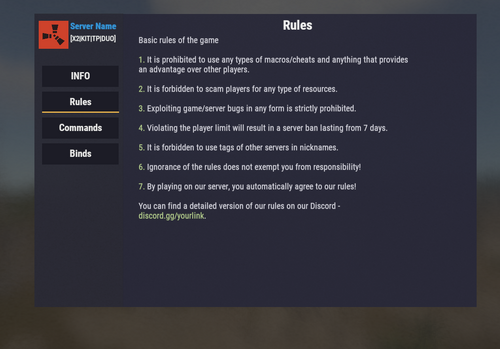
Version 1.2.8
18 downloads
InfoUI (v1.2.8) Description: InfoUI is a Rust plugin that provides players with an intuitive and informative UI. Key Features: Displays important information for players. Configurable UI content. Easy UI window access via commands. Commands: /info - Open ui menu. Installation: Download InfoUI.cs and place the file into /oxide/plugins/. Restart the server or use oxide.reload InfoUI. Default Plugin Config: { "Buttons setting": { "server_info": { "Page Name": "INFO", "Title Page": "Server Information", "Text in page": "<color=#b7d092>Your Server Name</color> Server info\n \n Wipe Server info <color=#b7d092>16:00</color> rates <color=#b7d092>Х2</color>, best donate <color=#b7d092>Х5</color>.\nYour text here\n\nActive administration/moderation will always help you in solving any problems that have arisen.\n" }, "rules": { "Page Name": "Rules", "Title Page": "Rules", "Text in page": "Basic rules of the game\n\n<color=#b7d092>1.</color> It is prohibited to use any types of macros/cheats and anything that provides\nan advantage over other players.\n\n<color=#b7d092>2.</color> It is forbidden to scam players for any type of resources.\n\n<color=#b7d092>3.</color> Exploiting game/server bugs in any form is strictly prohibited.\n\n<color=#b7d092>4.</color> Violating the player limit will result in a server ban lasting from 7 days.\n\n<color=#b7d092>5.</color> It is forbidden to use tags of other servers in nicknames.\n\n<color=#b7d092>6.</color> Ignorance of the rules does not exempt you from responsibility!\n\n<color=#b7d092>7.</color> By playing on our server, you automatically agree to our rules!\n\nYou can find a detailed version of our rules on our Discord -\n<color=#b7d092>discord.gg/yourlink</color>." }, "command": { "Page Name": "Commands", "Title Page": "Commands", "Text in page": "<color=#b7d092>/ad</color> - Auto-closing doors\n<color=#b7d092>/rec</color> - Pocket recycler\n<color=#b7d092>/backpack</color> - Open backpack\n<color=#b7d092>/top</color> - Open stats\n<color=#b7d092>/tpr</color> - send tp to player\n<color=#b7d092>/info</color> - Open info menu\n<color=#b7d092>/kit</color> - Open kits menu\n" }, "binds": { "Page Name": "Binds", "Title Page": "Binds", "Text in page": "<color=#b7d092>bind key tp.menu</color> - Teleportation menu\n<color=#b7d092>bind key chat.say /kit</color> - Kits menu\n<color=#b7d092>bind key upgrade</color> - Auto-upgrade buildings\n<color=#b7d092>bind key remove</color> - Remove buildings" } }, "Config version": { "Major": 1, "Minor": 2, "Patch": 8 }, "Server Name": "<color=#3498db>Server Name</color>", "Server Description": "<color=#f7f9f9>[X2|KIT|TP|DUO]</color>", "Server Icon URL": "https://th.bing.com/th/id/R.ca34d7ba9083803f21f0719054195b21?rik=G4N3t78edBwryA&pid=ImgRaw&r=0" } Note: The plugin may require the latest Oxide updates$8.67 -
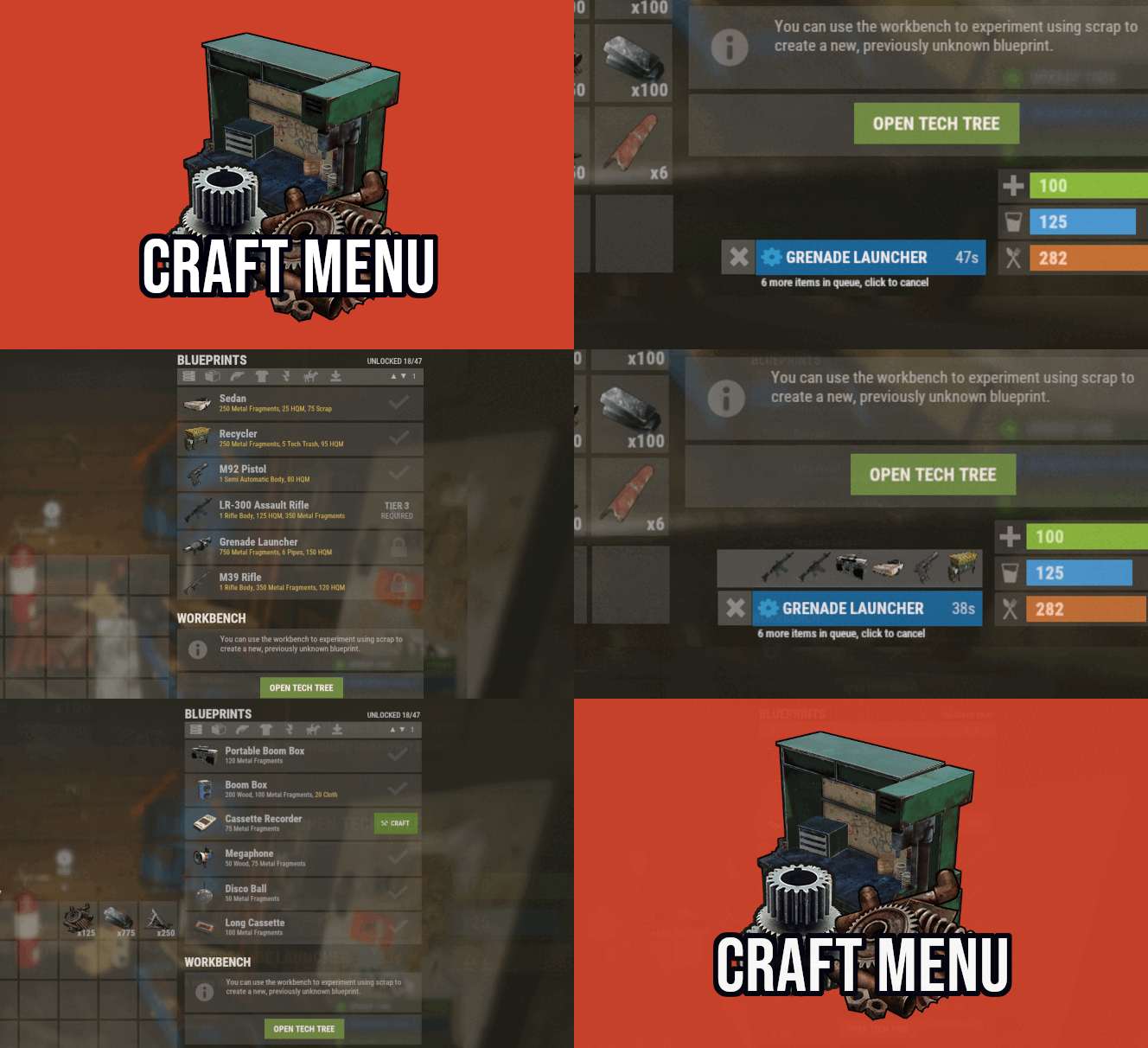
Version 1.1.74
3,618 downloads
Custom crafting panel at player's workbenches. Craft custom or non-craftable items, create your own blueprints. No chat commands required! oxide permission - craftmenu.use • How to create default blueprint. Simply leave ResearchCost as 0. • Crafting Recycler. Plugins for placing entities usually utilizes specific item together with skin id. Here you can find list of examples PlaceableEntities.txt • Adding same shortname multiple times. When you using same shortname for more than one blueprint you have add {number} at the end of it to prevent duplicates. Ex.: "box.wooden.large{1}" • Item is name too long. Inside lang file you can create replacements for default item names. • Wiping blueprints manualy. There are two admin console commands. "craftmenu_admin wipe" will wipe blueprints for all players "craftmenu_admin wipe <steamID>" wipes blueprints only for certain player. Premade blueprints from screenshots Blueprints.json$16.00 -

Version 1.3.4
885 downloads
Enhances team gameplay by offering features like a team HUD, automatic authorization, team-specific skins, easy markers, and a dedicated team voice chat, with customizable permissions for monetization and performance optimization. Features: This plugin will give your players a better experience when playing in a team. Team Hud - shows the health, condition(wounded, sleep, offline, etc), active item and square (player location on the map) of your allies Automatic authorization - adds automatic authorization in turrets, tc's, code locks and sam sites. The team leader can enable/disable authorization for each allie, so that the team can safely accept new players! Team skins - ability to choose skins for the team, when an item goes into inventory, it is automatically reskin into the team skin Easy team marker - allow players to use the marker without binoculars Team voice chat - allows players to switch voice chat to team voice chat. When enabled, the player will only be heard by his allies, works on any distance. A good way to playe with new allies that you don't want to add in discord. Any function in the plugin can be disabled in the config, so you will not lose performance from unnecessary functions. Any of the listed functions can be bound to permission in the config, so you can easily monitize, for example, skins. Commands: /bt - open better team menu or Click open team menu button in team Hud Config: { "Team Setting Command": "bt", "Enabled functions": { "Enable Team Hud": true, "Enable global team voice chat": true, "Enable team skins": true, "Enable easy team markers": true, "Enable team auto authorization": { "TC Authorization": true, "Codelocks authorization": true, "AutoTurrets authorization": true, "SAMSite authorization": true }, "Easy team markers": { "Max distance": 50.0, "Search radius": 1.0, "Duration [seconds]": 5, "Cooldown [seconds]": 10 } }, "Permissions": { "Need permission for Team Hud?(true - will work only for players with permission / false - work for all players)": true, "Need permission for Team Voice?(true - will work only for players with permission / false - work for all players)": true, "Need permission for Team Skins?(Need at least one player with this permission in team to set skins in menu)(true - will work only for players with permission / false - work for all players)": true, "Need permission for Team marker?(true - will work only for players with permission / false - work for all players)": true, "Team hud using permission": "betterteams.hud", "Team Voice using permission": "betterteams.voice", "Team Skins using permission(only for setting skins. it's mean that only team leader will need this permission)": "betterteams.skins", "Team marker using permission": "betterteams.marker" }, "Hud Settings": { "UI Scale": 1.0, "Left Offset": 5, "Top Offset": 200, "Player grid refresh rate": 5, "Lines margin": 5, "Collums margin": 5, "Max amount of player displays in line": 8 } } Lang File: { "UI_CHANGE": "Change", "UI_CHOOSE": "Select", "UI_BETTERTEAMS": "BETTER TEAMS", "UI_BETTERTEAMSDESCRIPTION": "This modification will allow you to get a better experience playing with friends. Some things have been changed, and new ones have been added, so that you get the better experience playing with your friends!", "UI_CHANGES": "CHANGES:", "UI_CHANGEHUD": "• Team Hud - allows you to see status of your mates", "UI_CHANGETeamVoice": "• Team Voice - allows you to use in-game voice chat to communicate only with your mates(works at any distance). Other players will not hear you. Can be enable in settings", "UI_CHANGESkins": "• Team Skins - allows you to choose skins for your team. Items you pick up will automatically receive your team's skin", "UI_CHANGEEasyTeamMabrkers": "• Easy Team Marker - allows you to use fast marker to your team without using binoculars", "UI_CHANGEAutoAuthTC": "• AutoAuthorization TC - adds automatic authorization of allies in TC", "UI_CHANGEAutoAuthCodeLocks": "• AutoAuthorization CodeLocks - adds automatic authorization of allies in Code Locks", "UI_CHANGEAutoAuthTurrets": "• AutoAuthorization Auto Turrets - adds automatic authorization of allies in Auto Turrets", "UI_CHANGESamSiteAuthorization": "• AutoAuthorization SamSite - adds automatic authorization of allies in Sam Sites", "UI_CHANGEAuthorizationManager": "• Team Managment - allows the team leader to manage auto authorization for allies.", "UI_SETTINGSNAME": "PERSONAL SETTINGS", "UI_S_ENABLE_TEAM_VOICE": "USE TEAM VOICE CHAT ", "UI_S_ENABLE_TEAM_VOICE_DES": "Yes - Replace vanilla voice to to team chat. Only your allies will hear you. Works at any distance (on the entire map)", "UI_S_ENABLE_TEAM_SKINS": "USE TEAM SKINS", "UI_S_ENABLE_TEAM_SKIN_DES": "Yes - all items you pick up will automatically receive your team's skin.", "UI_S_ENABLE_MARKERS": "USE EASY TEAM MARKERS", "UI_S_ENABLE_MARKERS_DES": "Yes - will give you the ability to place quick time markers in the world at the location you are looking at. Markers are placed using a key combination and do not require binoculars.", "UI_S_MARKER_BUTTON": "EASY TEAM MARKER BIND", "UI_S_MARKER_BUTTON_DES": "Bind your easy team marker command. Just copy command, replace BUTTON to the button you need and enter in console!\nExample: bind BUTTON ftmark -> binb v ftmark", "UI_S_YES": "YES", "UI_S_NO": "NO", "UI_M_MEMBERS": "TEAM MANAGMENT", "UI_M_ONLY_LEADER": "Available only to the team leader", "UI_M_AA_H1": "AUTO AUTHORIZATION", "UI_M_AA_INFO_DES": "All authorization places (tcs, codelocks, auto turrets, etc) add up to a single authorization list for the entire team. If you block any ally from accessing the authorization list, he will lose access to all authorization places, except for those that he installed personally (set codelock or tc himself), while your team will not lose access to his authorization places. Good if you accept new random player in your team.", "UI_M_SELECT_MATE": "Select one of your allies", "UI_M_AA_TC": "Tool Cupboard Auto Authorization", "UI_M_AA_CL": "CodeLocks Auto Authorization", "UI_M_AA_AT": "Auto Turrets Auto Authorization", "UI_M_AA_SAMSITE": "Sam Sites Auto Authorization", "UI_M_KICK": "Kick from team", "UI_M_KICK_B": "KICK", "UI_S_TEAM_SKINS": "TEAM SKINS", "CM_MARKER_COOLDOWN": "Your team ping is on cooldown: {0} seconds left", "UI_H_INFO_TEXT": "OPEN TEAM MENU", "UI_S_PERM": "Your team must have at least 1 player with privilege that have access to skins", "CM_DONT_HAVE_PERM": "You do not have permission to use this command", "UI_IS_DISABLED": "This function is disabled by admin" }$14.99 -
Version 1.7.4
238 downloads
Glass Bridge is an event inspired by the famous netflix series: Squid Game • The event consists of creating a glass bridge where players must jump over them and reach the finish line to be the winner of the game; • However, players will have some challenges for this. The event can have PVP combat during gameplay, as well as giving random weapons to players (set by config file) so they can kill each other; • In addition, it is possible to disable the PVP or even make it more hardcore, activating the system of dying after the fall; Features ★ It is possible to add a different announcement for each weapon given to the user during the course of the event! ★ UI for event entry and exit fully customizable by configuration file. ★ Give customized prizes to users, in addition to executing commands on the server when a user is the winner of the event! ★ Manage the size of the arena and define the amount of glass that will be broken for each row! Commands /gb start - To start a new event /gb stop - To stop the current event /gb join - To join the event /gb leave - To leave the event Video Showcase API & HOOKS // Returns whether the event is currently active private bool IsActive(); // Returns whether a player is currently participating in the event. private bool IsPlaying(string playerId); private bool IsPlaying(ulong playerId); // Remove a player from the event private void RemovePlayer(string playerId); private void RemovePlayer(ulong playerId); // Get a list of event players private List<BasePlayer> PlayingList(); // Hook when the event is started private void OnGlassBridgeEventStarted(); // Hook when the event is finished private void OnGlassBridgeEventEnded(BasePlayer? winner); Configurations {winner_id} - Event winner steam ID {winner_name} - Event winner display name GALLERY$14.99 -
Version 1.7.8
289 downloads
Transform your Rust server's storage experience with intelligent automation, overflow chains, and PvP-safe raid protection. Why SmartSorter? For Players: Stop manually sorting hundreds of items after raids, monuments and roams Never lose loot to overflowing boxes again Set up once, automate forever For Server Owners: Reduce player frustration and improve retention Performance-optimized for high-pop servers PvP-friendly with raid/combat blocking Zero dependencies - works out of the box What Makes It Unique? Drop Box Automation Mark any container as a "Drop Box" - toss items in and watch them automatically route to nearby filtered containers. No manual sorting needed. Sorting Chains (Overflow System) Link unlimited containers together. When one fills up, items automatically overflow to the next in the chain. Perfect for massive loot rooms. Raid & Combat Protection Full integration with RaidBlock, NoEscape, and CombatBlock - prevent sorting abuse during raids with granular control over what gets disabled. Essential for PvP servers. Defense Auto-Fill One-click filling of turrets, SAM sites, flame turrets, and shotgun traps. Set your preferred ammo/fuel amounts once and forget it. Smart Template System Save filter configurations as templates, load them onto any container, and share setups across your base in seconds. Core Features Automatic Sorting Drop Box system for hands-free organization Category and item-specific filters (granular control) Works with 50+ container types Intelligent handling of furnaces, refineries, recyclers, and vending machines Smart routing with sorting chains Manual Control Tools Send Near - Distribute inventory to nearby filtered containers within radius Send to Box - Fill the specific container you're looting Dump All - Empty your entire inventory instantly Loot All - Grab everything from a container (supports backpacks!) In-Container Sort - Organize by name or category with one click Inventory and backpack Sorting Sorting Chains (Overflow System) Link unlimited containers for automatic overflow routing Visual chain inspection with in-game colored lines and spheres Cycle detection prevents infinite loops Per-player chain ownership Configurable visualization duration and appearance Defense Management Auto-fill Auto Turrets, SAM Sites, Flame Turrets, Shotgun Traps Customizable ammo/fuel amounts per defense type Radius-based batch filling Automatic weapon mounting for turrets Per-player preferences saved Raid & Combat Protection Integrates with RaidBlock, NoEscape, and CombatBlock Granular control - disable specific features during raids/combat Optional chat notifications when actions are blocked Essential for PvP servers - prevents sorting abuse Template System Save filter configurations by name Load templates onto any container instantly Share setups between boxes Per-player template ownership with admin override Easy template management (delete, rename) Player Preferences Toggle auto-opening of filter panels (/ssautofilters) Minimize UI to compact button mode Per-player defense ammo/fuel settings Settings persist across sessions Visual Interface Dynamic context-aware UI (changes based on container type) Built-in help system with full-color image guides Fully customizable layouts, colors, and button positions Responsive design adapts to 1-column or 2-column layout ImageLibrary support for item icons Technical Specifications Supported Containers (50+) Storage boxes, large boxes, coffins, barrels, fridges, lockers, tool cupboards, vending machines, furnaces (all types), refineries, recyclers, BBQs, campfires, lanterns, mannequins, drop boxes, wall cabinets, beehives, chicken coops, composters, cauldrons, stashes, and all defense entities. Performance Optimized Configurable processing intervals Batch processing limits (MaxDirtyBoxesPerTick) Optimization mode for high-population servers Efficient memory pooling throughout Automatic cleanup of deleted container data Framework Compatible Full support for uMod/Oxide Native Carbon framework support No external dependencies required Works out of the box Safety Features Wall-check system (prevent looting through walls) Building privilege requirement Configurable item blacklist/whitelist Automatic cleanup of old container data (configurable grace period) Permission-based access control Configuration Highlights 1000+ Customization Options UI Customization: Every color, position, size, and text label Button Layouts: 4 preset layouts (Default, DropBox, Awaiting, HasChain) Timing: Sort delays, cooldowns, debounce intervals Distances: Default radius, visualization settings Category Overrides: Reclassify any item into any category Furnace/Refinery: Custom fuel and smeltable item lists Support & Updates Documentation: Built-in visual help system Active Development: Regular updates and improvements Bug Reports: Fast response on CodeFling Feature Requests: Always welcome What's Included Plugin file (.cs) Default configuration Built-in help system with images Full permissions setup 50+ container support Raid/combat block integration Template system Performance optimization Extensive customization options Perfect For: Large Base Builders - Automate loot rooms with chains PvP Servers - Raid block integration prevents abuse High-Pop Servers - Performance optimized Casual Servers - Quality of life improvement Modded Servers - Works with custom items PLAYER COMMANDS /ss or /smartsorter Opens the visual help guide UI /sshelp Opens the visual help guide UI (same as /ss) /sscommands Shows a list of all available chat commands /sstoggle Shows or hides the SmartSorter UI completely /ssremovechains Removes ALL sorting chains you own /ssautofilters [on|off] Toggles whether the filters panel auto-opens when looting filtered containers /ssrefresh Refreshes the UI if it gets stuck or doesn't display properly /ssshowchains Visually displays your sorting chains for 15 seconds using colored lines and spheres /ssdefense Opens the defense configuration panel to set ammo/fuel amounts for turrets and traps ADMIN COMMANDS /ssdebug on|off Enables or disables debug logging in console /ssreloadconfig Reloads the configuration file from disk /ssclearfilters <containerID> Clears all filters on a specific container by NetworkID /ssconfig [setting] [value] Opens the config UI, or sets a specific config value ━━━━━━━━━━━━━━━━━━━━━━━━━━━━━━━━━ smartsorter.use - Required for all features smartsorter.admin - Admin commands and config access ━━━━━━━━━━━━━━━━━━━━━━━━━━━━━━━━━ DEPENDENCIES None required. Optional ImageLibrary support for enhanced item icons. ━━━━━━━━━━━━━━━━━━━━━━━━━━━━━━━━━ Give your players the gift of time. Install Smart Sorter today.$24.99- 111 comments
- 5 reviews
-
- 2
-
-
- #sorting
- #auto-sort
- (and 66 more)
-
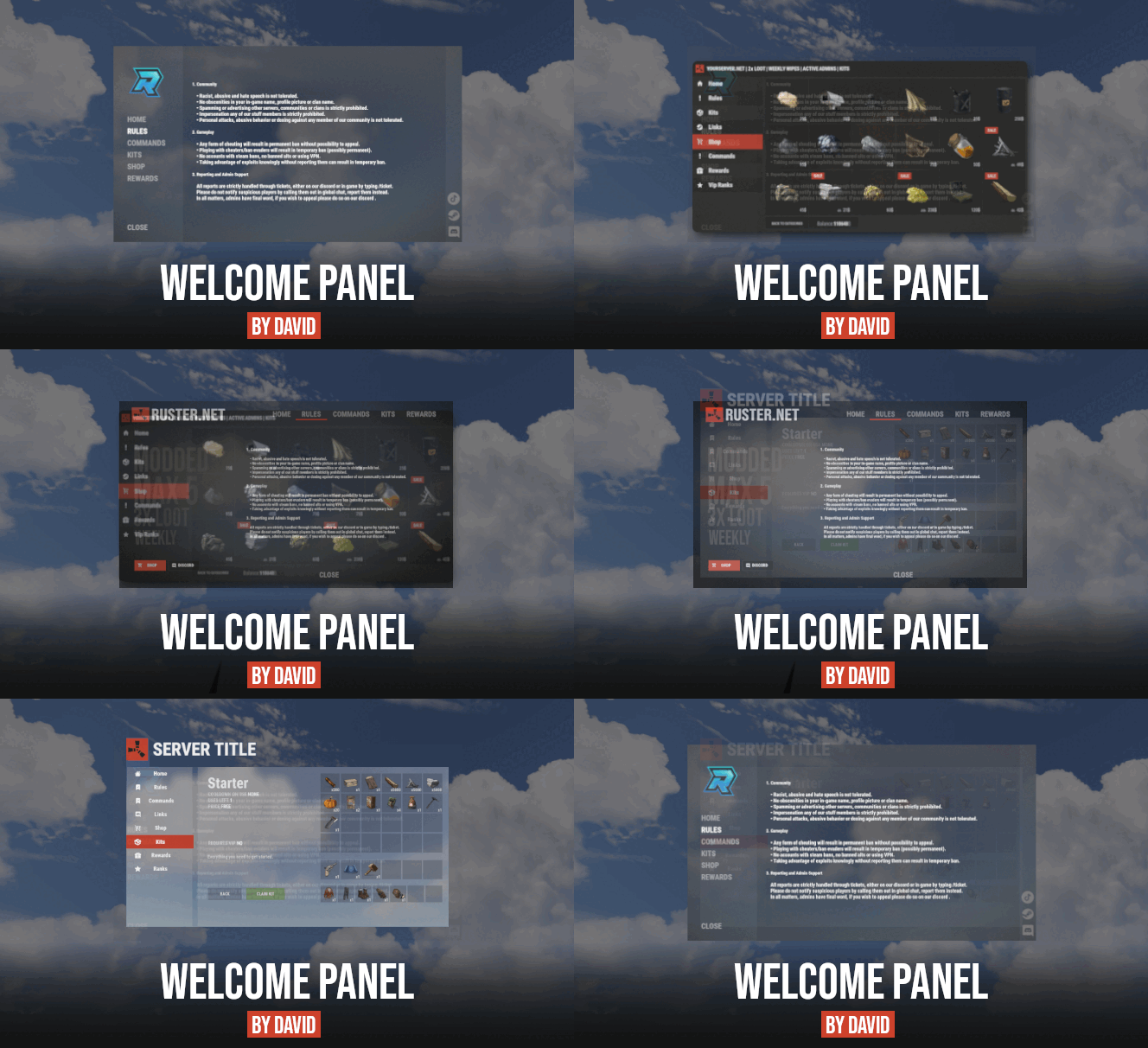
Version 4.3.6
15,389 downloads
Site In case you having issues with plugin feel free to open support ticket on site here. I will usually respond within 24 hours not including weekends. Discord I'm also available at my discord server where I provide support for my customers. You can also find small community here and get answers for your questions. Invite link here. Documentation To find out what can be customized within config file please refer to full plugin documentation here. Any questions prior to purchasing forward into DM here or into ticket at my discord. Default configs available as template with plugin. Screenshots bellow showcasing configurations created by customers. These are not available with the plugin but I decided to post them here since it's good demonstration of how customizable this plugin is. BOOBLEJ Tide Neighigh Paul Leunal17 BOOBLEJ How to start using plugin? Simply drop WelcomePanelLite.cs file into your plugin folder. After successfully loading plugin you can use default command /info in game. Configuration is handled in config file (oxide/config/WelcomePanelLite.json). How hard is to get this plugin all set up? It's fairly simple. Plugin comes with default configuration which showcases everything you need to know regarding text, styling and changing images. How hard it is to customize your own layout? When it comes to changing color or images it's simple, any inexperienced user can do it however if you want to customize positions of UI or add extra tab buttons, it requires understanding of "ui anchors". Anchors are not that complicated but it takes hour or two to fully understand it. For more info check documentation. Can I add multiple pages into WelcomePanel? Yes, you can add unlimited amount of pages. Can I add images into WelcomePanel? Yes, you can add image to any panel and you can set background for each tab What image sizes I should use? This is different for each panel across different templates. Basically images parented to any panel are stretched to its size. Best approach is to take screenshot of the panel and try to fit image size into that prior to uploading it. How to add addons? Each text tab has addon option at bottom, just type in plugin name. List of available addons can be found at the top of the plugin description, listed as "Works with".$16.99 -
Version 0.1.1
81 downloads
The plugin displays the time until restart in the status bar. Depends on AdvancedStatus plugin. The ability to to add and modify any restart plugins; The ability to automatically generate code for restart hooks; The ability to automatically generate language files for different languages(filled in English); The ability to choose between bar types(TimeCounter and TimeProgressCounter); The ability to specify the order of the bar; The ability to change the height of the bar; The abillity to customize the color and transparency of the background; The ability to set a material for the background; The ability to switch between CuiRawImageComponent and CuiImageComponent for the image; The ability to get images from the local folder(*SERVER*\oxide\data\AdvancedStatus\Images); The abillity to set own image and customize the color and transparency of the image; The abillity to set sprite instead of the image; The ability to customize the color, size, font and outline of the text. { "Is it worth generating restart hooks? 0 - disabled, 1 - one-time activation, 2 - always enabled": 2, "List of language keys for creating language files": [ "en" ], "The type of the bar(TimeProgressCounter or TimeCounter)": "TimeCounter", "The height of the bar": 26, "The display order of the bar": 10, "The background color of the bar(HEX or RGBA)": "#E5423F", "The background transparency of the bar": 0.7, "The background material of the bar, leave empty to disable": "", "The URL of the bar image": "https://i.imgur.com/rAiHloW.png", "The local image of the bar, leave empty to use URL": "RestartStatus_Default", "The sprite image of the bar, leave empty to use local or URL": "", "Is it worth using a raw image for the bar?": false, "The color of the bar image(HEX or RGBA)": "#E5423F", "The transparency of the bar image": 1.0, "The outline color of the bar image(HEX or RGBA)": "0.1 0.3 0.8 0.9", "The outline transparency of the bar image": 1.0, "The outline distance of the bar image, leave empty to disable. Example '0.75 0.75'": "", "The size of the bar text": 12, "The color of the bar text(HEX or RGBA)": "#FFFFFF", "The transparency of the bar text": 1.0, "The font of the bar text(https://umod.org/guides/rust/basic-concepts-of-gui#fonts)": "RobotoCondensed-Bold.ttf", "The horizontal offset of the bar text": 0, "The outline color of the bar text(HEX or RGBA)": "#000000", "The outline transparency of the bar text": 1.0, "The outline distance of the bar text, leave empty to disable": "", "The size of the bar subtext": 12, "The color of the bar subtext(HEX or RGBA)": "#FFFFFF", "The transparency of the bar subtext": 1.0, "The font of the bar subtext": "RobotoCondensed-Bold.ttf", "The outline color of the bar subtext(HEX or RGBA)": "0.5 0.6 0.7 0.5", "The outline transparency of the bar subtext": 1.0, "The outline distance of the bar subtext, leave empty to disable": "", "The background color of the progress bar(HEX or RGBA)": "1 1 1 0.15", "The background transparency of the progress bar": 0.15, "Is it worth making the progress reversible?": true, "The color of the bar progress(HEX or RGBA)": "#E5423F", "The transparency of the bar progress": 0.7, "The OffsetMin of the bar progress": "0 0", "The OffsetMax of the bar progress": "0 0", "The list of restart hooks. Note: After modifying hooks, do not forget to toggle hook generation": [ { "Hook triggered at the start of a restart": "OnSmoothRestartInit", "Argument position containing the number of seconds until restart(counting from 0)": 0, "Hook triggered at the cancellation of a restart": "OnSmoothRestartCancelled" }, { "Hook triggered at the start of a restart": "OnRestartScheduled", "Argument position containing the number of seconds until restart(counting from 0)": 0, "Hook triggered at the cancellation of a restart": "OnRestartCancelled" } ], "Version": { "Major": 0, "Minor": 1, "Patch": 1 } } EN: { "BarText": "RESTART IN" } RU: { "BarText": "РЕСТАРТ ЧЕРЕЗ" }$3.99 -
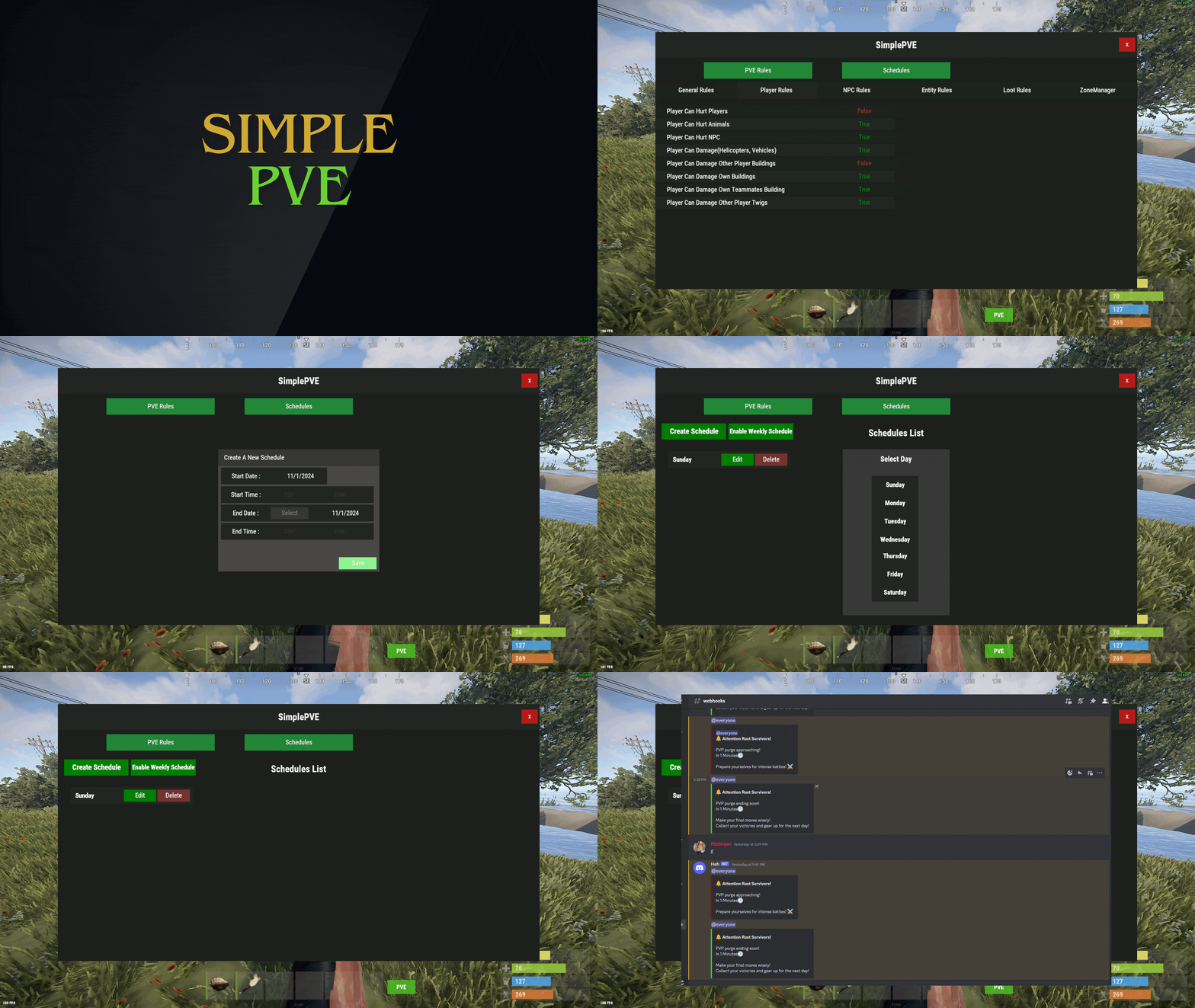
Version 1.2.12
3,185 downloads
SimplePVE is exactly what it says. An easy, simple PVE plugin for your server to modify or change PVE rules individually & now also have a Simple CUI to control PVE rules and create or edit Schedules. Key Features Control PVE Rules from in-game or in the config Easy to understand each rule Create PVP Schedules Loot prevention Automatic PVE/PVP purge events Zone Manager support Most event plugins support Works without "server.pve true" Discord Embed Messages on PurgeStart or End Many more features are added with every update Commands /simplepve - Use to enable or disable pve toggle (Chat & Console command) /simplepve on or off - Use to enable disable pve (Chat & Console command) /sprules - Use to Open a Cui to control PVE Rules & Creating Schedules (Chat command) /spdebug - Use this for debuging rules Permissions simplepve.admin - Required to enable or disable SimplePVE simplepve.adminloot - Required to view Loots of other players simplepve.admindamage - Required for Admin damages to any entity Video Showcase API & Hooks void OnSPVEPurgeStarted() void OnSPVEPurgeEnded() TimeSpan GetPVPStartTimeRemaining() TimeSpan GetPVPEndTimeRemaining() Configurations Support Check Out My Other plugins as Well$14.99 -

Version 1.0.3
20 downloads
AdminWarn is intended for situations where players clearly exceed server rules or must be explicitly warned. It is not a lightweight or easily dismissible notification. The purpose is not to preserve gameplay flow, but to deliver a clear and serious warning. Warnings are delivered instantly and ignore conditions such as safe zones or PvP status. Stop guessing whether your warning messages in chat were actually noticed. Tired of sending important warnings as an admin via RCON or global chat and never being sure who actually read them? AdminWarn is built to give admins certainty. AdminWarn is designed for manual warning delivery. This is not an automated warning system. Every warning is intentionally sent by an admin using commands. At the same time, AdminWarn handles warnings smartly and automatically in the background. Warnings sent to offline players are stored and shown automatically when the player next joins, even days later. For individual online players, warnings remain stored until acknowledged, then are automatically cleared. All data is wipe-aware and cleaned up automatically on server wipes. Instead of relying on admin-sent chat warnings that can get lost, ignored, or missed while players are AFK, AdminWarn delivers a mandatory, player-specific GUI warning directly on the player’s screen. Each warning includes a configurable sound effect, using only built-in, local in-game sounds. No external or custom audio files are used. This is not an auto chat message. It is a visual warning that requires player acknowledgment. Even if the player closes the game without confirming it, the warning will reappear on the next login until acknowledged. No hard movement lock is applied. Warnings can be sent via RCON, server console, or in-game admin console (F1). In-game commands /warn and /warnall are used to manually send warnings. /warn can target individual players whether they are online or offline, while /warnall applies only to online players. Discord webhook logs clearly confirm when warnings are acknowledged. Global warnings apply only to online players and do not generate Discord logs, preventing spam and rate-limit issues. How It Works? 1) Admin sends warning (chat/RCON) → Message is delivered via GUI with sound 2) Player must acknowledge → Cannot play until clicking button (No movement lock, only a visual GUI barrier) 3) Offline player support → Warnings sent to offline players are saved and displayed via GUI when they join 4) Data management → Auto-clears on wipe Key Features - GUI warning that requires player confirmation - Works online/offline - Warnings save for offline players - Global warnings - Warn all online players at once - Discord logging - Track acknowledged warnings - Wipe detection - Auto-clear data on server wipe - Professional interface - Clean GUI with sound effects - UTC-based date display - All timestamps are shown in UTC (Coordinated Universal Time) Performance AdminWarn is built with an optimized and efficient code structure, making its presence virtually unnoticeable on the server. It runs smoothly during long uptimes and maintains stable hook memory and performance values under normal server conditions. Wipe Behavior - Restarts: Data preserved (approved warnings are auto-deleted for data optimization) - Server wipe: All warning data automatically cleared - No manual cleanup needed (Most of the time, it is not necessary) Commands ➤ Admin Chat Commands: /warn <player>|<steam64ID> <message> /warnall <message> ➤ Console/RCON Commands: warn <player>|<steam64ID> <message> warnall <message> Note: Player names are not unique and may include different alphabets or special characters. To avoid ambiguity, using Steam64ID is strongly recommended when sending warnings. Permissions Oxide/Carbon oxide.grant group admin adminwarn.admin c.grant group admin adminwarn.admin Discord Webhook Logging When enabled, sends acknowledgement logs to Discord: Player name Warning message Read status (online/after reconnect) Timestamp Does NOT log warning sending (only acknowledgements) Does NOT log global warning acknowledgements (due to DC rate limits) Configuration { "Clear data on wipe": true, "Discord Log Enabled": false, "Discord Webhook URL": "", "Show Date in GUI": true, "Warning sound": "assets/prefabs/building/wall.frame.shopfront/effects/metal_transaction_complete.prefab" } Lang/en { "NoPermission": "You don't have permission to use this command.", "WarnUsage": "Usage: /warn <player name or steamid> <message>", "PlayerNotFound": "Player not found. Use SteamID for offline players.", "DuplicateWarning": "Duplicate warning prevented for player {0}", "WarningSent": "Warning sent to {0}: {1}", "WarningSaved": "Warning saved for offline player {0}.", "WarnAllUsage": "Usage: /warnall <message>", "WarnAllSent": "Global warning sent to {0} online players: {1}", "ConsoleWarnUsage": "Usage: warn <player name or steamid> <message>", "ConsoleWarnAllUsage": "Usage: warnall <message>", "AcknowledgeThanks": "Thank you for acknowledging the warning.", "GuiTitle": "SERVER WARNING", "GuiButtonText": "✔ I ACKNOWLEDGE", "GuiDatePrefix": "Date", "GuiWarningFormat": "Hello {0}, you have received a warning." }$18.99- 3 comments
-
- 1
-

-
- #admin
- #admin tools
- (and 42 more)
-
.thumb.gif.85db1086c3a89ac3c74d631b5eb77942.gif)
Version 1.0.2
21 downloads
Smart Kill Log Features - Global Kill Log: Server-wide kill feed displayed to all connected players - Smooth Animations: Professional slide-in and slide-out effects with easing (FPS depends on the server) - Personal Notifications: Center-screen zoom notifications when you kill or down someone - Sound Effects: Audio feedback for kills and downs - Customizable Position: Display on left or right side of screen, adjustable vertical position - Opacity Fade: Older entries gradually fade out for cleaner visuals - NPC Support: Tracks kills involving NPCs (scientists, animals, etc.) - Multi-language Support: English, Japanese, Chinese (Traditional), Russian (auto-detected) - Custom Background Images: Fully customizable UI backgrounds via ImageLibrary Kill Log Display The kill log shows detailed information for each event: - Attacker name (gold color for players, white for NPCs) - Action type: killed (red), downed (blue), died (purple) - Victim name - Weapon used - Distance in meters Personal Notifications When you kill or down another player, a centered notification appears with: - Zoom-in animation effect - The victim's name highlighted - Action type (Killed/Downed) - Sound effect feedback Dependencies ImageLibrary (for custom background images) If ImageLibrary is not installed, the plugin works without background images. Configuration { "Kill Log Settings": { "Enabled": true, "Max Logs": 8, "Display Duration (seconds)": 10.0, "Position (Right or Left)": "Right", "Position Y (0.0-1.0, 0.5=center)": 0.83, "Font Size": 12, "Fade Opacity": true, "Show Weapon and Distance": true, "Show Player vs NPC Kills": true, "Show NPC vs Player Kills": true, "Show NPC vs NPC Kills": true }, "Kill Notification Settings": { "Enabled": true, "Display Duration (seconds)": 1.5, "Position Y (0.0-1.0, 0.5=center)": 0.4, "Font Size": 14 }, "Image Settings": { "Kill Log Background Image URL (Right)": "https://www.dropbox.com/scl/fi/phjuyg4zcm3f0w4maaupi/.png?rlkey=woo4to4ree1taaly5z6euahup&st=a47ypflv&dl=1", "Kill Log Background Image URL (Left)": "https://www.dropbox.com/scl/fi/27x7nr9y77eoaq40ybvgb/.png?rlkey=392e8qmzgdmadu9812y1f1psm&st=0j6yvfyv&dl=1", "Kill Notification Background Image URL (Center)": "https://www.dropbox.com/scl/fi/y0j8alca59m7eqnluwhr0/.png?rlkey=u8mk5qajmr6oqnb41dulorpz5&st=9ocyqggb&dl=1" }, "Color Settings": { "Player Name Color (hex)": "#ffd700", "NPC Name Color (hex)": "#ffffff", "Weapon/Distance Color (hex)": "#f5f5f5", "Killed Action Color (hex)": "#f08080", "Downed Action Color (hex)": "#87cefa", "Died Action Color (hex)": "#dda0dd", "Notification Player Name Color (hex)": "#ff8c00", "Notification NPC Name Color (hex)": "#ff8c00", "Notification Action Text Color (hex)": "#EAE2DA" } } Kill Log Settings: - Max Logs: Maximum number of entries displayed at once (default: - Display Duration: How long each entry stays visible (default: 10 seconds) - Position: Screen side for the kill log (Right or Left) - Position Y: Vertical position (0.0 = bottom, 1.0 = top, 0.5 = center) - Fade Opacity: Gradually fade older entries - Show Settings : Display settings for NPC and player kill events Kill Notification Settings: - Display Duration: How long the center notification shows (default: 1.5 seconds) - Position Y: Vertical position for the notification Image Settings: - Provide URLs to custom PNG images for backgrounds - Separate images for left/right positioning and center notification Contact VOID / NINJA WORKS X : @QB_WHITE MADE IN JAPAN$12.00 -
Version 3.0.5
481 downloads
Loadout controller is made to assist in allowing your Battlefield or even PVE community to thrive with customizable loadouts. FEATURES - Supports infinite permission groups - Easy UI system to modify permission groups - PERMISSION GROUP OPTIONS: - Item saving amount per item - Item saving amount per category (Weapons, attire, etc*) - Blacklisted ammo types loaded in weapons - Blacklied skin ID's - Priority settings - Max saves per permission - ETC* - Plyers can easily save their loadouts through the UI or chat commands. - The UI shows players exactly what items they can save, can't save, or can only save part of. - You can easily delete, override, select, or save new loadouts through the UI. - You can see what items are in your currently selected loadout in the UI - Loadouts automatically apply when a player respawns - Extremely performant UI system$19.99 -
Version 1.0.4
101 downloads
RUST Plugin Test Server TEST MY PLUGINS THERE! connect play.thepitereq.ovh:28050 Help UI lets you create unlimited help pages with ease, allowing players to navigate them effortlessly. All wrapped in a sleek RUST-themed interface with smooth, seamless UI updates. High quality RUST-themed UI. Up to 5 main categories. Almost infinite sub-category limit. Scrollable informations, when clicked printed on chat for easy copy-paste. Full language support. The Commands section values, are the redirect values of the page configurations below. So for example if default config contains "wiki": "wikipedia Page1" it means, that plugin will register command /wiki that will open an Page1 page on wikipedia category. All commands are configured in main config by default you have command like /help, but every command can be edited! { "Commands": { "help": "", "helppage": "", "wiki": "wikipedia Page1" }, "Pages": { "commands": { "Page1": { "Font Size": 15, "Center": false, "Increase Height Value": 0 } }, "ranks": { "Page1": { "Font Size": 15, "Center": false, "Increase Height Value": 0 } }, "wikipedia": { "Page1": { "Font Size": 15, "Center": false, "Increase Height Value": 0 }, "Page2": { "Font Size": 15, "Center": false, "Increase Height Value": 0 } } } }$9.99 -

Version 2.3.1
57 downloads
BattlePass completely reimagines player progression in Rust, delivering a triple-A game experience directly to your server. It features a gorgeous, animated user interface that feels native to the game, ensuring smooth performance without compromising visual fidelity. Players earn XP through every in-game activity, unlocking rewards across two distinct tracks. With a built-in season system, daily challenges, and deep integration with popular event plugins, it provides endless goals for your community to chase. The plugin features a robust Web-Based Configurator, allowing you to visually design your season, rewards, and challenges without ever touching a line of code a first-of-its-kind feature for a plugin of this scale. [ VIDEO PREVIEW HERE ] Main Features Web-Based Configurator : Effortlessly design your seasons using a modern, drag-and-drop web interface. Export ready-to-use config files in seconds, saving you hours of manual coding. Dual Progression Tracks : Offer both Free and Premium paths. Server owners can monetize the Premium track by allowing players to purchase access using Economics, Server Rewards (RP), or in-game items like Scrap. Stunning Visuals & Animations : Features a highly polished UI with smooth entry/exit effects, satisfying claim animations, and dynamic progress bars that look like a native game feature. Advanced Reward System : Supports full Console Command integration. Instantly grant Kits, VIP Ranks, Permissions, or virtual currencies the moment a player claims their reward. Daily Challenge System : Keep your players coming back every day with fresh, rotating objectives (e.g., "Kill 5 Bears") and a countdown timer for the next reset. Comprehensive XP Actions : Players earn XP through a massive variety of activities including Combat (Player/NPC kills), Raiding (destroying structures), Gambling, Survival (eating/healing), and Gathering. Massive Event Integration : Automatically rewards XP for participating in over 25+ popular server events, including Raidable Bases, Convoy, Space Event, Boss Monsters, and many more. Integrated Activities Massive Plugin Support & Event Integrations The Rust Battle Pass works seamlessly out-of-the-box with a wide range of custom plugins, ensuring your unique server events contribute directly to player progression. Every major event is tracked, allowing players to level up their pass by simply playing the game: Chat Commands Permissions Configuration Files Frequently Asked Questions (Q&A) Web Based Configurator$41.95- 28 comments
- 2 reviews
-
- 6
-
-
-
-
- #battlepass
- #web
- (and 24 more)
-

Version 1.0.4
128 downloads
Watchlist is a lightweight but powerful tool that alerts admins when specific players connect to the server. Whether you're online or offline, you'll get real-time in-game notifications and Discord alerts with fully configurable message templates and role pings. The built-in UI makes managing the watchlist easy, with support for sorting, filtering, teleporting, and note-taking. Players can be added or removed manually or straight from RustAdmin with custom commands. Very useful tool to keep you and your staff one step ahead. Configuration { "Discord Webhook URL": "https://discord.com/api/webhooks/your/webhook/url", (Your Webhook URL) "Ping Role": false, (Whether to ping a role when player comes online on discord, e.g: @Admin) "Role ID": 0, (Discord Roll Id to ping) "Purge Watchlist on Wipe": false, (whether to purge on wipe) "Purge Players List on Wipe": true, (performance, every player is stored in a file, it is recommended to clear this on wipe) "Enable UI": true, (plugin can be run entirely without UI if desired) "UI Color Scheme (Options: dark, light, rust)": "dark", ( UI styles ) "Custom Colors": { (customise the UI for your server) "PrimaryBackground": "0 0 0 0.95", "SecondaryBackground": "0.15 0.15 0.15 1", "HeaderBackground": "0.1 0.1 0.1 1", "ButtonPrimary": "0.2 0.7 0.2 0.9", "ButtonSecondary": "0.3 0.3 0.3 1", "ButtonDanger": "0.7 0.2 0.2 0.9", "TextPrimary": "1 1 1 1", "TextSecondary": "0.7 0.7 0.7 1", "OnlineIndicator": "0.2 0.8 0.2 1", "OfflineIndicator": "0.8 0.2 0.2 1", "RowEven": "0.12 0.12 0.12 0.95", "RowOdd": "0.15 0.15 0.15 0.95", "ActiveItem": "0.4 0.4 0.4 1", "AlertBackground": "0.8 0.2 0.2 0.95", "AlertText": "1 1 1 1" }, "UI Scale": 1.0, (scales the UI as desired) "Main UI Position": { "AnchorMin": "0.2 0.1", "AnchorMax": "0.8 0.9" }, "Font Size": { "Title": 20, "Header": 14, "Normal": 12, "Small": 10 }, "UI Animation": true, (enables ui animations) "Enable Sound Alert": true, (plays sound when watchlist player comes online) "Alert Sound": "assets/bundled/prefabs/fx/notice/item.select.fx.prefab", (choose which sound you want from rust prefab sounds) "Alert Duration (seconds)": 10.0, ( hlow long the alert is displayed in-game when a player comes online - only admins see this) "Show Visual Alert": true, (enable / disable the in-game alert) "Send Discord Add/Remove Notifications": true ( enable discord logging of adding/removing watchlist players) "Max Cached Players": 3000, (Performance, set this lower to reduce the memory used by the plugin this populates the player list with the last x number of players to join your server, ordered by latest) "Alert Cooldown Seconds": 120, (Prevents alert spam when players reconnect) "Startup Alert Grace Seconds": 60, (waits before firing watchlist alerts after server starts) "Auto Expire Days (0 = disabled)": 0, (auto expire watchlist players after number of days) "Send Prune Discord Notifications": true, (sent prune notification to discord) "Prune Report Max Per Embed": 10, (max players in prune message, prevents breaching discord embed count) "Prune Report Include Notes": false, "Enable Diagnostics": false (enable this for plugin performance stats and diagnostic information) } COMMANDS Chat: /watchlist Opens the Watchlist UI (requires permission) /wl <steamid> "<note>" Adds a player to the watchlist with a note (requires watchlist.admin permission) /wlr <steamid> Removes a player from the watchlist (requires watchlist.admin permission) /wlist Lists all watched players in chat (requires watchlist.admin permission) Console: watchlist.add <steamid> "<note>" Adds a player to the watchlist Example: watchlist.add 76561198000000000 "Suspected Cheater" watchlist.remove <steamid> Removes a player from the watchlist watchlist.list Lists all watched players in the server console wl <steamid> "<note>" Adds a player to the watchlist with a note (can be used via rcon) wlr <steamid> Removes a player from the watchlist (can be used via rcon) wlist Lists all watched players in the server console (can be used via rcon) purgewl Clears the entire watchlist (requires watchlist.admin permission) PERMISSIONS watchlist.admin Full access to all commands and features watchlistui.toggle Allows UI toggle via `/watchlist` command RUSTADMIN INTEGRATION You can integrate Watchlist directly with **RustAdmin** to add or remove players with a single click. Add to Watchlist Command to Execute: wl ${playerSteamid} "From RustAdmin" Tick "Show Command Output in a Dialog" (optional) Remove from Watchlist Command to Execute: wlr ${playerSteamid} Tick "Show Command Output in a Dialog" (optional)$4.99 -
Version 1.0.5
118 downloads
About Battle Pass Reborn A modern battle pass system for Rust that adds progression, missions, and rewards to your server. Players complete a wide variety of tasks — from PvP and farming to building and crafting — and earn experience (XP) to unlock unique rewards at each level. The plugin is fully customizable and integrates seamlessly with your server’s economy and other popular plugins. The plugin also supports a Premium Battle Pass, giving players access to exclusive rewards and accelerated progression. This not only increases player engagement but can also generate additional revenue for server owners through premium access sales. Key Features Fully customizable progression system — levels, XP, and rewards for completing missions. Configurable mission types — PvP, events, farming, crafting, and many other activities. Premium Battle Pass — exclusive rewards and faster progression for premium users. Flexible integration — works with server economy and other popular plugins. Increased player engagement — encourages activity and retention between wipes. Modern and polished UI/UX — intuitive interface for viewing levels, missions, and rewards. Commands /bp — opens the Battle Pass interface for the player (can be changed in the plugin config). /giveexp {steamid} {quantity} - adds the specified amount of XP to a player. /removeexp {steamid} {quantity} - removes the specified amount of XP from a player. /resetprogressall - resets the progress of all players on the server. /resetprogress {steamid} - resets the progress of a specific player. Mission Types Missions are loaded from a preset file (e.g., DefaultMissions.json) and can be customized with event types, conditions (e.g., item shortnames), target counts, and difficulties. XP rewards scale by difficulty (configurable: Easy=10, Medium=25, Hard=50). extract: Gather/extract a resource (e.g., wood, stone). craft: Craft specific items. pickup: Pick up items (e.g., from ground or collectibles). loot: Loot a container (e.g., crates, barrels). kill: Kill entities (players, animals, scientists, helicopters, bradleys). build: Build structures. quest: Complete quests (from other plugins). growup: Grow and harvest plants. upgrade: Upgrade building blocks (e.g., wood to stone). fishcatch: Catch fish. heal: Use healing items (e.g., syringes). mlrsrocketfire: Fire MLRS rockets. itemuse: Use/consume items (e.g., food, medical). cardswipe: Swipe keycards. purchasing: Purchase items from NPCs/vending machines. hit_area (Head, Chest, Stomach, Arm, Hand, Leg, Foot): Hit specific body parts on players. kill_with_weapon: Kill using a specific weapon. recycling: Recycle items. gambling: Win in gambling (e.g., slots, wheels, cards; tracks deposits, wins, profits). enter_zone: Enter specific zones (via ZoneManager or similar). events: The plugin awards progress/XP in supported events. In mission presets you can specify conditions like "RaidableBase_Easy", "SpaceEvent", "ArmoredTrainEvent" etc. Event Points Integration Supported events: Air Event Arctic Base Event Armored Train Event Boss Monster Caravan Event Convoy Event Dungeon Event Ferry Terminal Event (FerryEvent) Flying Cargo Event Gas Station Event GunGame Event Harbor Event Junkyard Event Paintball Event Plant Event (PowerPlantEvent) Raidable Bases Event (with difficulty modes: Easy, Medium, Hard, Expert, Nightmare) Satellite Dish Event (SatDishEvent) Shipwreck Event Space Event Sputnik Event Supermarket Event (MarketEvent) Survival Arena Event Triangulation Event Tugboat Pirates Event (Tugboat) Water Event Abandoned Base Event Airfield Event Reward Types Item Commands Configuration Main settings — BattlePassReborn.json Mission settings — DefaultMissions.json Level and reward settings — LevelsList.json UI Settings — UI.json$30.00- 8 comments
- 3 reviews
-
- 3
-
-
- #battlepass
- #battle pass
- (and 27 more)
-
Version 1.0.0
26 downloads
What differentiates our plugins from others is the ability to create votes for customized server events in addition to our exclusive and modern design, making it stand out among other servers! A modern and elegant interface inspired by the design of the game League of Legends; Fully customizable interface; Multiple chat commands; Different permission for each sub command; Different cooldown for each event; Plugin default events; Option to enable/disable events without deleting them; Customized icon for each event; Can I assign a price to run the command? Yes, you can set the option "Cost" in the config file to use the Economics plugin and add a cost to the command. Can I give specific event permissions only to VIPs? Yes, you can create specific permission for each sub command and only give it to the users or groups you prefer! You can see the default config of the plugin above:$13.00 -
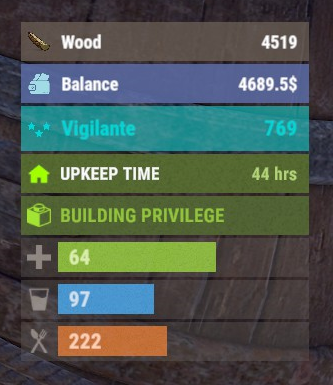
Version 0.1.8
290 downloads
The plugin displays the player's balance in the status bar. Depends on AdvancedStatus plugin. The ability to add and modify any economic plugins; The ability to automatically generate code for balance update hooks; The ability to automatically generate language files for different languages(filled in English); The ability to display the status bar to everyone or only based on permissions; The ability to display the status bar always or only in safe zones and building privileges; The ability to display the status bar via a command for a short period if permanent display is disabled; The ability to display the status bar when the balance is non-zero; The ability to display all or part of the bars simultaneously; The ability to customize the bar for each plugin; The ability to specify the currency symbol; The ability to specify the display side of the currency symbol; The ability to display text if the balance exceeds a specified value(useful for very large balances); The ability to specify the order of the bar; The ability to change the height of the bar; The abillity to customize the color and transparency of the background; The ability to set a material for the background; The ability to switch between CuiRawImageComponent and CuiImageComponent for the image; The ability to get images from the local folder(*SERVER*\oxide\data\AdvancedStatus\Images); The abillity to set own image and customize the color, transparency and outline of the image; The abillity to set sprite instead of the image; The ability to customize the color, size, font and outline of the text. balancebar.use - Grants the right to display the status bar if display is enabled only for permissions. { "Chat command": "balances", "Is it worth enabling GameTips for messages?": true, "Is it worth generating update hooks? 0 - disabled, 1 - one-time activation, 2 - always enabled": 2, "Is it worth displaying the status bar only when players are in the safe zone or have building privilege?": true, "Is it worth displaying the status bar at a 0 balance?": true, "Is it worth displaying the status bar without permission?": true, "Value after which text will be displayed instead of balance": 1000000000.0, "List of language keys for creating language files": [ "en" ], "The list of economy plugins for displaying the balance bar. Note: After modifying hooks, do not forget to toggle hook generation": [ { "Plugin's name": "Economics", "Is it worth enabling the plugin for display?": true, "Language key for the main text": "BarEconomics", "Balance format": "${0}", "Language key for the subtext when the balance is high": "BarEconomicsOverLimit", "API method for retrieving the balance": "Balance", "Hook that triggers on balance update": "OnEconomicsBalanceUpdated", "List of argument types in the hook in order": [ "string", "double" ], "BarSettings": { "Order": 20, "Height": 26, "BackgroundColor(HEX or RGBA)": "#6375B3", "BackgroundTransparency": 0.8, "BackgroundMaterial(leave empty to disable)": "", "ImageUrl": "https://i.imgur.com/jKeUqSD.png", "ImageLocal(leave empty to use URL)": "BalanceBar_Default", "ImageSprite(leave empty to use local or URL)": "", "IsRawImage": false, "ImageColor": "#A1DBE6", "ImageTransparency": 1.0, "ImageOutlineColor": "0.1 0.3 0.8 0.9", "ImageOutlineTransparency": 1.0, "ImageOutlineDistance(leave empty to disable). Example '0.75 0.75'": "", "TextSize": 12, "TextColor": "#FFFFFF", "TextTransparency": 1.0, "TextFont(https://umod.org/guides/rust/basic-concepts-of-gui#fonts)": "RobotoCondensed-Bold.ttf", "TextOffsetHorizontal": 0, "TextOutlineColor": "#000000", "TextOutlineTransparency": 1.0, "TextOutlineDistance": "", "SubTextSize": 12, "SubTextColor": "#FFFFFF", "SubTextTransparency": 1.0, "SubTextFont": "RobotoCondensed-Bold.ttf", "SubTextOutlineColor": "0.5 0.6 0.7 0.5", "SubTextOutlineTransparency": 1.0, "SubTextOutlineDistance": "" } }, { "Plugin's name": "ServerRewards", "Is it worth enabling the plugin for display?": true, "Language key for the main text": "BarServerRewards", "Balance format": "{0} RP", "Language key for the subtext when the balance is high": "BarServerRewardsOverLimit", "API method for retrieving the balance": "CheckPoints", "Hook that triggers on balance update": "OnPointsUpdated", "List of argument types in the hook in order": [ "ulong", "int" ], "BarSettings": { "Order": 20, "Height": 26, "BackgroundColor(HEX or RGBA)": "#6375B3", "BackgroundTransparency": 0.8, "BackgroundMaterial(leave empty to disable)": "", "ImageUrl": "https://i.imgur.com/jKeUqSD.png", "ImageLocal(leave empty to use URL)": "BalanceBar_Default", "ImageSprite(leave empty to use local or URL)": "", "IsRawImage": false, "ImageColor": "#A1DBE6", "ImageTransparency": 1.0, "ImageOutlineColor": "0.1 0.3 0.8 0.9", "ImageOutlineTransparency": 1.0, "ImageOutlineDistance(leave empty to disable). Example '0.75 0.75'": "", "TextSize": 12, "TextColor": "#FFFFFF", "TextTransparency": 1.0, "TextFont(https://umod.org/guides/rust/basic-concepts-of-gui#fonts)": "RobotoCondensed-Bold.ttf", "TextOffsetHorizontal": 0, "TextOutlineColor": "#000000", "TextOutlineTransparency": 1.0, "TextOutlineDistance": "", "SubTextSize": 12, "SubTextColor": "#FFFFFF", "SubTextTransparency": 1.0, "SubTextFont": "RobotoCondensed-Bold.ttf", "SubTextOutlineColor": "0.5 0.6 0.7 0.5", "SubTextOutlineTransparency": 1.0, "SubTextOutlineDistance": "" } }, { "Plugin's name": "BankSystem", "Is it worth enabling the plugin for display?": true, "Language key for the main text": "BarBankSystem", "Balance format": "${0}", "Language key for the subtext when the balance is high": "BarBankSystemOverLimit", "API method for retrieving the balance": "Balance", "Hook that triggers on balance update": "OnBalanceChanged", "List of argument types in the hook in order": [ "ulong", "int" ], "BarSettings": { "Order": 20, "Height": 26, "BackgroundColor(HEX or RGBA)": "#6375B3", "BackgroundTransparency": 0.8, "BackgroundMaterial(leave empty to disable)": "", "ImageUrl": "https://i.imgur.com/jKeUqSD.png", "ImageLocal(leave empty to use URL)": "BalanceBar_Default", "ImageSprite(leave empty to use local or URL)": "", "IsRawImage": false, "ImageColor": "#A1DBE6", "ImageTransparency": 1.0, "ImageOutlineColor": "0.1 0.3 0.8 0.9", "ImageOutlineTransparency": 1.0, "ImageOutlineDistance(leave empty to disable). Example '0.75 0.75'": "", "TextSize": 12, "TextColor": "#FFFFFF", "TextTransparency": 1.0, "TextFont(https://umod.org/guides/rust/basic-concepts-of-gui#fonts)": "RobotoCondensed-Bold.ttf", "TextOffsetHorizontal": 0, "TextOutlineColor": "#000000", "TextOutlineTransparency": 1.0, "TextOutlineDistance": "", "SubTextSize": 12, "SubTextColor": "#FFFFFF", "SubTextTransparency": 1.0, "SubTextFont": "RobotoCondensed-Bold.ttf", "SubTextOutlineColor": "0.5 0.6 0.7 0.5", "SubTextOutlineTransparency": 1.0, "SubTextOutlineDistance": "" } }, { "Plugin's name": "IQEconomic", "Is it worth enabling the plugin for display?": true, "Language key for the main text": "BarIQEconomic", "Balance format": "${0}", "Language key for the subtext when the balance is high": "BarIQEconomicOverLimit", "API method for retrieving the balance": "API_GET_BALANCE", "Hook that triggers on balance update": "OnBalanceUpdated", "List of argument types in the hook in order": [ "BasePlayer", "int" ], "BarSettings": { "Order": 20, "Height": 26, "BackgroundColor(HEX or RGBA)": "#6375B3", "BackgroundTransparency": 0.8, "BackgroundMaterial(leave empty to disable)": "", "ImageUrl": "https://i.imgur.com/jKeUqSD.png", "ImageLocal(leave empty to use URL)": "BalanceBar_Default", "ImageSprite(leave empty to use local or URL)": "", "IsRawImage": false, "ImageColor": "#A1DBE6", "ImageTransparency": 1.0, "ImageOutlineColor": "0.1 0.3 0.8 0.9", "ImageOutlineTransparency": 1.0, "ImageOutlineDistance(leave empty to disable). Example '0.75 0.75'": "", "TextSize": 12, "TextColor": "#FFFFFF", "TextTransparency": 1.0, "TextFont(https://umod.org/guides/rust/basic-concepts-of-gui#fonts)": "RobotoCondensed-Bold.ttf", "TextOffsetHorizontal": 0, "TextOutlineColor": "#000000", "TextOutlineTransparency": 1.0, "TextOutlineDistance": "", "SubTextSize": 12, "SubTextColor": "#FFFFFF", "SubTextTransparency": 1.0, "SubTextFont": "RobotoCondensed-Bold.ttf", "SubTextOutlineColor": "0.5 0.6 0.7 0.5", "SubTextOutlineTransparency": 1.0, "SubTextOutlineDistance": "" } } ], "Version": { "Major": 0, "Minor": 1, "Patch": 8 } } EN: { "CmdMain": "Available commands:\n\n<color=#D1CBCB>/balances</color> <color=#D1AB9A>show *seconds*(optional)</color> - Temporarily display the balance bar with an optional duration(1-10 seconds)\n<color=#D1CBCB>/balances</color> <color=#D1AB9A>toggle</color> - Toggle the balance bar display\n<color=#D1CBCB>/balances</color> <color=#D1AB9A>ignore</color> - Toggle ignoring balance bar display zones\n\n--------------------------------------------------", "CmdDisplayEnabled": "Balance bar display enabled!", "CmdDisplayDisabled": "Balance bar display disabled!", "CmdIgnoreZonesEnabled": "Ignoring balance bar display zones enabled!", "CmdIgnoreZonesDisabled": "Ignoring balance bar display zones disabled!", "BarEconomics": "Balance", "BarEconomicsOverLimit": "> $1kkk", "BarServerRewards": "Points", "BarServerRewardsOverLimit": "> 1kkk RP", "BarBankSystem": "Balance", "BarBankSystemOverLimit": "> $1kkk", "BarIQEconomic": "Balance", "BarIQEconomicOverLimit": "> $1kkk" } RU: { "CmdMain": "Доступные команды:\n\n<color=#D1CBCB>/balances</color> <color=#D1AB9A>show *секунды*(опционально)</color> - Временно отобразить баланс бар с возможностью указать время отображения(1-10 секунд)\n<color=#D1CBCB>/balances</color> <color=#D1AB9A>toggle</color> - Переключить отображение баланс бара\n<color=#D1CBCB>/balances</color> <color=#D1AB9A>ignore</color> - Переключить игнорирование зон отображения баланс бара\n\n--------------------------------------------------", "CmdDisplayEnabled": "Отображение баланс бара включено!", "CmdDisplayDisabled": "Отображение баланс бара выключено!", "CmdIgnoreZonesEnabled": "Игнорирование зон отображения баланс бара включено!", "CmdIgnoreZonesDisabled": "Игнорирование зон отображения баланс бара выключено!", "BarEconomics": "Баланс", "BarEconomicsOverLimit": "> $1 млрд", "BarServerRewards": "Очки", "BarServerRewardsOverLimit": "> 1 млрд RP", "BarBankSystem": "Баланс", "BarBankSystemOverLimit": "> $1 млрд", "BarIQEconomic": "Баланс", "BarIQEconomicOverLimit": "> $1 млрд" } show *seconds*(optional) - Temporarily display the balance bar with an optional duration(1-10 seconds) ; toggle - Toggle the balance bar display; ignore - Toggle ignoring balance bar display zones. Example: /balances show 5 /balances toggle /balances ignore$3.99 -
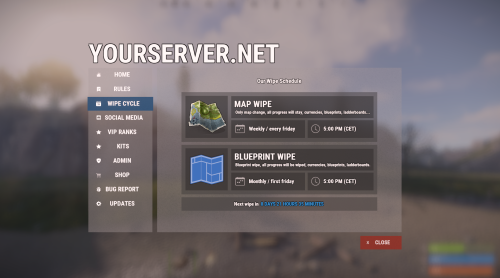
Version 1.3.23
10,661 downloads
Bundle of four addons made for Welcome Panel UI. All four addons including preset default config files as you see them on screenshots.$14.99 -
Version 2.1.3
2,085 downloads
Discord Link is a very simple, performant, and feature-rich Discord and Rust linking system. 2 Simple steps and a player can link to Discord! NO DISCORD.DLL!! FEATURES - NO DISCORD.DLL REQUIRED!!! - Link Rust and Discord accounts - Grant a role in discord and group in game for linked players - Soft unlinking (All past data on a user's account links will be forever stored) - 2 Way role syncing between rust to discord and discord to rust - Supports multi server linking - Booster perks for linked players boosting your discord - Steam to discord name syncing (Auto renames users in discord to their steam name) - Admin perms to unlink players - Search link commands in discord and in game to get who a player is linked to - Logs to discord when players link and unlink - Auto remove players from being linked when they leave the Discord - Syncing your old database files from steamcord, discord auth, or discord core PERMISSIONS discordlinkbot.search - ability to search players and use the UI The Plugin and Discord Bot both have very simple installations. We have included a readme.md file to make it even easier to setup! Need support or want updates about what is coming to the bot? Join the support discord here https://discord.gg/RVePam7pd7 This will require bot hosting to run the bot 24/7 since we do not use the Discord DLL therefore the server cannot host the bot. Thanks to @shady14u for co-developing!!$19.99