Search the Community
Showing results for tags 'upgrade'.
Found 22 results
-
![More information about "Build Tools [grade/remove/skins]"](https://codefling.com/uploads/monthly_2025_12/v4final.thumb.gif.45df50b470fa522f43059acab6ad0e1e.gif)
Version 1.5.45
4,521 downloads
Introducing a feature-rich plugin that will take your in-game building experience to new heights - Build Tools! This plugin is not just a tool, it is the key to creating incredible builds and will make the processes of upgrading, removing and even downgrading buildings easy and fun! !ATTENTION! After the last update of the game, the additional slot does not work Features of Build Tools Beautiful user interface: Our plugin has a lovely and easy-to-use interface that makes building tasks smooth and functional; Bar progress display: Keep track of your building progress with a clear progress bar, so you can see your upgrades easily; Upgrade of the entire building at once: You can make them stronger and more secure quickly; Interface customization: Personalize the user interface to match your preferences and workflow. Returning an item to remove: Don't worry about losing items when removing structures; our plugin ensures you get them back; Returning items with condition as in the game: Items are returned to the same condition as in the game, with the option to set their condition as a percentage; Blocked list items for remove: You can specify which items should not be removed for precise construction control. Ability to use icons both from the game and your own Work with Clans/Friends/NoEscape Building Skins (+ automatic parsing command) Downgrade: Make structure downgrades simple and adapt your base to changing needs with just a few clicks Edit config via in-game interface (no JSON editing required) Commands /up [1-4] - enable upgrading mode /up all - allows you to upgrade the entire building at once /remove - enable removing mode /remove all - allows you to remove the building at once /down - enable downgrading mode /down all - allows you to downgrade building at once buildtools.parse.skins – allows parsing new building skins from the game + images to them /bskin – open settings menu Permissions buildtools.all – allows you to upgrade/remove the entire building at once buildtools.free – allows you to upgrade buildings for free buildtools.edit – allows you to enable edit mode buildtools.vision – allows you to toggle the remove mode on in the vision mode Video Hooks object canDowngrade(BasePlayer player, BaseEntity entity) object canRemove(BasePlayer player, BaseEntity entity) object CanBuildToolsGiveRefund(BasePlayer player, BaseEntity entity) FAQ Q: Where can I see an example of a config? A: Config$21.95- 328 comments
- 16 reviews
-
- 8
-

-

-
- #building
- #foundation
- (and 27 more)
-

Version 1.0.5
35 downloads
Built from the ground up with pure performance as a drop in replacement for umods bgrade. Players can Auto Build with there Specified Grade when using the building planner or simply tap with the hammer! Features: BGrade supports using both the Planner & Hammer. Native Game Popups to indicate missing resources. Supports Rust Backpacks. Works well with 3rd party plugins, like remover tools, etc Chat & Console Commands: /bg /bgrade Grades 0 - 4 ( Wood > Stone > Metal > Armored ) Configuration { "Enable On Active Item Changed Notification": false, "Console & Chat Commands": [ "bg", "bgrade" ], "Sound Effects: Set Empty string to disable": { "Ok": "assets/prefabs/misc/halloween/lootbag/effects/gold_open.prefab", "Ko": "assets/prefabs/weapons/toolgun/effects/repairerror.prefab" } } Included Languages: English > French > German > Simplified Chinese > Russian //Default English { "ToggledGrade": "Toggled Grade to {0}.", "NoAccess": "You do not have permission to use {0} level of BGrade.", "Off": "Toggled BGrade Off.", "GradePerm": "You do not have permission for grade: {0}", "NoEscape": "NoEscape Blocked: BGrade Disabled.", "Notify": "BGrade is available using {0}" }$14.99- 1 review
-
- 2
-

-
- #bgrade
- #building grades
- (and 7 more)
-
Version 2.6.5
2,223 downloads
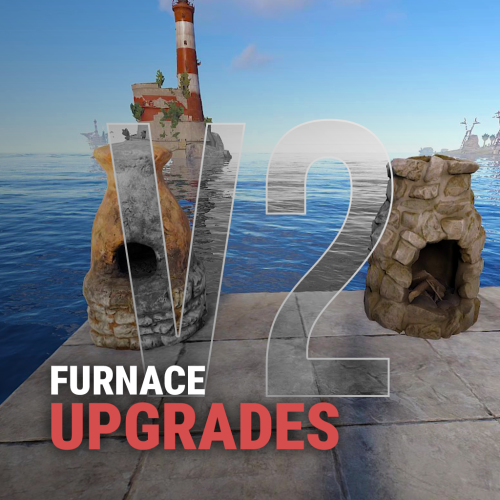
Upgrades your furnaces, ovens, refinery, mixing table & etc to beyond. Key Features Upgrade each attribute of your furnace; Supports different oven types; It is possible to define default attributes for all ovens on the server; You can set a default value for all base ovens (replacing quicksmelt); You can enable/disable any features you want; Option to keep attributes when removing the furnace; Option to auto split ores; Automatic fuel calc based on the upraded oven attributes; Now BBQ and Campfire can also be improved; Option so that only the furnace owner can upgrade it; Option so that only owner's teammates can upgrade it; A new completely redesigned UI; NEW Supports Mixing Table Video Showcase Permissions furnaceupgrades.use - This is the unique permission. required for all players to upgrade furnaces Configuration Support$14.99 -
Version 4.2.0
1,303 downloads
Features: User-Friendly Interface: Manage all base upgrades, repairs, and skin applications directly through a convenient UI. No need for complicated commands. Comprehensive Skin Menu: Access a variety of built-in skins for different building grades directly through the UI. Easily apply skins to customize your base. Customizable Settings: Adjust settings like command cooldowns and upgrade delays to fit your playstyle. Tailor the experience to your server’s needs. Enhanced Tools: Use the powerful 'Remove Tool' with adjustable duration for quick and efficient block removal. Perfect for fine-tuning your base. Efficient Base Upgrades: Upgrade your entire base to a specific building grade with just a click. Supports Wood, Stone, Metal, and HQM upgrades. Repair System: Quickly repair your base using materials from the Tool Cupboard. No need to manually gather resources—just click and repair. /bup 1-4 Base Permissions o.grant group default <permission> or c.grant group default <permission> baseupgrade.up_wood baseupgrade.up_stone baseupgrade.up_metal baseupgrade.up_hqm baseupgrade.downgrade baseupgrade.up_repair baseupgrade.remove baseupgrade.show baseupgrade.bupUse Default Configuration { "UpgradeDelay(0.0 = insta upgrade)": 0.5, "CommandCooldown(in secs)": 60.0, "Hammer Duration": 300.0, "DefaultHammerSkin": 1116103194, "CheckAndResumeUpgradeEnabled": false, "RefundOnDowngrade (true/fasle)": true, "RepairCosts": { "Wood": 50, "Stone": 100, "Metal": 70, "TopTier": 10 }, "UpgradeCosts": { "Wood": 150, "Stone": 300, "Metal": 200, "TopTier": 25 }, "UISettings": { "UpgradePanel": { "OffsetMin": "-303.1 7.5", "OffsetMax": "-73.37 106.795" } } }$9.99 -
Version 1.1.11
1,866 downloads
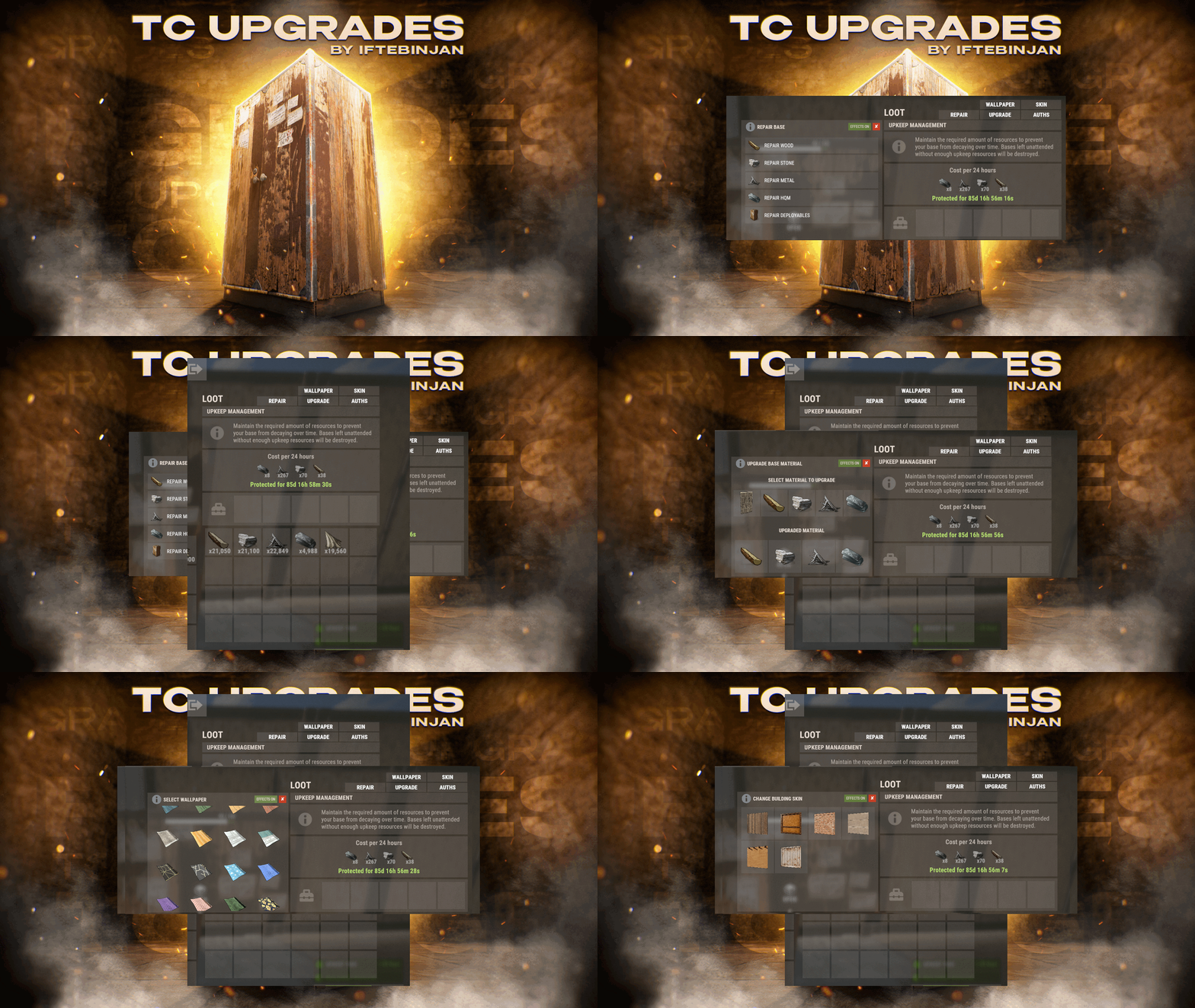
TC Upgrades provides an efficient and optimized way to enhance your base directly from the Tool Cupboard. With this plugin, you can easily change building grades, switch building skins, repair structures or deployables, and even set up wallpapers on your base, streamlining your base management process. Key Features Multi-TC Support Authorization List on Tool Cupboard Upgrade Building Grades Change Building Skins Repair Structures and Deployables Apply Wallpapers Detailed Permissions VIP Features User-Friendly UI Video Showcase Permissions TCUpgrades.admin- Shows a UI Change button when in admin mode (command: /tcuadmin) TCUpgrades.authlist - Shows Authorization list button on TC TCUpgrades.upgrade - Shows upgrade button on TC TCUpgrades.repair - Shows repair button on TC TCUpgrades.skin - Shows skin button on TC TCUpgrades.wallpaper - Shows wallpaper button on TC TCUpgrades.upgrade.nocost - Allows player to use no resources when upgrading TCUpgrades.repair.nocost - Allows player to use no resources when repairing TCUpgrades.reskin.nocost - Allows player to use no resources when reskining TCUpgrades.wallpaper.nocost - Allows player to use no resources when setting wallpaper TCUpgrades.default - Allows player to use (wood, stone, metal, hqm & deploy) TCUpgrades.wood TCUpgrades.stone TCUpgrades.metal TCUpgrades.hqm TCUpgrades.deploy Configurations Support$14.99- 68 comments
- 7 reviews
-
- 3
-
-
-
- #upgrade
- #toolcupboard
- (and 7 more)
-

Version 2.0.3
749 downloads
This plugin will add variable custom quarries and pumpjacks to your server. You can create any amount of different quarries and pumpjacks! You can get the fastest support in our Discord: Alias™ dev. Features Prefab substitution You can avoid using survey charges for installing quarries. Static quarries All 4 type of statics (pumpjack, stone, sulfur, HQM) can be configured separately. Toggle & Loot protection Each quarry have their own protection settings. There is also protection system by permissions for static quarries. Built-in remove You can configure different remove and refund settings per quarry. Repair It is very similar to the standard system with all the sounds and effects. It also supports custom items. Build limits Built in options to set limits for quarries and pumpjacks separately. Custom Items You can use any normal and/or skinned items (custom items) as fuel and/or resource production. Fuel system You can set up several different fuel types with different production settings per fuel type. Production system You can set up min/max amount of items and probability chances per item. Permissions You can set up build limits and/or gather rates by permissions and also sum all permission parameters (or not). Upgrade system You can upgrade from one quarry to another using different skin id. UI Adaptive and informative interface made in modern rust-style design so it may seem like part of the game. It will automatically change its size and screen location depending on your quarry settings. Langs You can translate any phrase in the plugin. Performance The plugin completely has its own mechanics, which ensures the best performance even compared to the standard system. This also fixes all of the default quarry bugs. Optimization You can completely disable some of the plugin's functions in the main config. Configuration Main config (oxide/config/aQuarry.json) Static quarries config (oxide/data/aQuarry/StaticQuarries/) Personal quarries config (oxide/data/aQuarry/PersonalQuarries/) Commands quarry.give «SteamID » «SkinID » => give to player the quarry with specified skin from config quarry.giveme => give all quarries from config to self Permissions: aQuarry.admin => allows to use «quarry.give » and «quarry.giveme » commands from in-game console API bool CanBuildCustomQuarry(Planner plan, BasePlayer builder, bool IsQuarryOrPumpjack) // Called right before other built-in checks. // Returning false will cancel the construction. void OnCustomQuarryBuilded(MiningQuarry quarry, BasePlayer builder, bool IsQuarryOrPumpjack) // Called right after player has built custom quarry or pumpjack.$24.00 -

Version 1.0.3
10 downloads
Upgrader is a plugin that lets you Create custom Upgradable items. Maybe you want players to gather gems and boost up to a higher tiered gem on upgrade. They can then sell this item for Economics or RP via a shop plugin. THESE ITEMS ARE PLACEHOLDER TO SHOW HOW YOU CAN CHAIN ITEMS INTO NEW ITEMS, AND EVEN CALL FROM ANOTHER PLUGIN IF NEEDED ONITEMACTION. THESE LINES ARE CRUCIAL TO BLOCK VANILLA FUNCTION IF USING AN ITEM SKIN FROM ANOTHER PLUGIN AS I DID IN THE VIDEO “AllowOpening”: false, “Allow Consumption And Block Default Loot If Used In Another Plugin, Keep AllowOpening False If setting this to True.”: true, ADMIN COMMAND ChatCommand - /GU - GIVES ALL UPGRADE ITEMS IN CONFIG TO PLAYERS INVENTORY *** THE COBALT HANDBOOK PLUGIN FROM THE VIDEO IS NOT INCLUDED. *** DEMO CONFIG { "Upgradable Items": [ { "Shortname": "halloween.lootbag.small", "Name": "Cobalt HandBook T1", "SkinID": 3302972072, "AmountRequired": 10, "AllowOpening": false, "Upgraded": { "Shortname": "halloween.lootbag.medium", "Name": "Cobalt HandBook T2", "SkinID": 3302972258, "AllowOpening": false, "Allow Consumption And Block Default Loot If Used In Another Plugin, Keep AllowOpening False If setting this to True.": false, "AmountToGive": 1 } }, { "Shortname": "halloween.lootbag.medium", "Name": "Cobalt HandBook T2", "SkinID": 3302972258, "AmountRequired": 10, "AllowOpening": false, "Upgraded": { "Shortname": "halloween.lootbag.large", "Name": "Cobalt HandBook T3", "SkinID": 3302972417, "AllowOpening": false, "Allow Consumption And Block Default Loot If Used In Another Plugin, Keep AllowOpening False If setting this to True.": true, "AmountToGive": 1 } } ] }$9.99 -

Version 1.0.0
5 downloads
Description The UpgradeRestrictor plugin prevents players in Rust from skipping upgrade levels for building structures. Inspired by the new game Duckside, which showcases this upgrade progression and is loved by players, this plugin enforces Rust's upgrade sequence: Twig → Wood → Stone → Metal → HQ. It ensures that players follow this order and blocks attempts to skip material tiers. If players try to bypass a step, the upgrade is blocked, and a color-coded message appears in the chat, indicating the next required tier. Features - Blocks players from skipping upgrade tiers for building structures. - Displays a color-coded chat message with the plugin name and the next required upgrade level. - Requires specific permission to apply restrictions. - Supports the following upgrade path: Twig → Wood → Stone → Metal → HQ. Commands No specific commands available. Permissions upgraderestrictor.use For these players, the upgrade restrictions must be used. Players without this permission can upgrade structures without restrictions. Configuration No specific configuration settings required. load, run, enjoy$3.99 -

Version 1.6.0
6,266 downloads
Fed up with the need to use multiple addons on my server for functions that players could execute from within the game, and considering the constant increase of new Skins for builds, I found myself dissatisfied with the limited supply of automatic upgrades on the market. For this reason, I have reworked the most used TC-related features on my server into a single plugin, which has been enriched with ideas contributed by players and other Rust administrators. All this under an attractive graphical interface, inspired by the item store of the game itself. Video Update 1.5.0 Video Update 1.4.9 Video Update 1.4.0 Old Video Features AUTOMATIC CONSTRUCTION SKINS With BetterTC your players will be able to improve their builds to any level of improvement, but they will also be able to choose their favorite Skin (if you enable it) completely free of charge or offering it to the VIPS on your server. Update system: I have added a small system that checks for new skins to automatically add them to the configuration. When you install the plugin for the first time and once you obtain permission from bettertc.admin, you must click on "Check Update" so that it performs an internal check and adds all the skins and options that exist to date. LIST OF AUTHORIZED PLAYERS It allows players or simply the rest of the Staff to easily see which players are authorized in the locker. Except for the administrators themselves, if you activate it in the config. (I don't think any player needs to know that the admin was authorized in their locker to check something) You can also allow authorizations to be deleted individually. AUTOMATIC IMPROVEMENT SYSTEM Allows your players to upgrade the grade of their bases automatically by obtaining resources directly from the TC. As long as they don't have RaidBlock (if you use NoEscape/RaidBlock plugin of course). You can configure different speed levels and costs depending on the player's permission from the plugin's own settings. That is, you can have players improve a building every 5 seconds for free and VIPs can improve every 2 or 1... Use your imagination! In addition, you can also calculate the cost of materials that will be required to carry out said improvement by clicking on the info button. A new setting has been added to disable the Container skin's multi-color option. Disabling this option, which is enabled by default, will slightly improve frame rates in builds using this skin: Fewer colors = Better performance (FPS Client). AUTOMATIC RESKIN OF EXTERNAL WALLS The plugin also includes an automatic reskin system for external walls. Previously, it was only compatible with standard stone external walls and their adobe variant. Now, it also includes the ability to switch wooden walls to Frontier and vice versa. Ice walls have also been added as a variant for stone. If you place regular stone external walls (the usual ones), you can change their appearance to adobe or ice by clicking on the corresponding wall icon. When changing the skin, the original wall's health will be preserved, so if it’s damaged, it won’t be fully restored. This prevents players from abusing the system. Important: I recommend using the system for external walls as an appearance modification system, not as an upgrade system. In other words, with the following configuration: "Only reskin on wall of the same grade": true If you disable this parameter, you will be able to change from wood to stone, or vice versa, completely free of charge. Since the wall system doesn’t have a cost mechanism for players, I recommend keeping this option enabled. AUTOMATIC REPAIR SYSTEM Allows your players to repair their bases automatically by obtaining resources directly from the TC. As long as they don't have RaidBlock (if you use NoEscape of course). Now since version 1.4.0 it will also repair damaged objects such as doors, trapdoors, windows, boxes! With configurable cooling system to prevent repair abuse during raids. ("Repair Cooldown After Recent Damage (seconds)": 30.0) AUTOMATIC CONSTRUCTION DEGRADATION It allows players to regret upgrading their huge base to metal and not being able to afford it anymore. Of course, it will charge them resources as if they improved it from 0. However, if you do not want to allow downgrade you can disable it from the config. AUTOMATIC WALLPAPER PLACEMENT Allows your players to place any available wallpaper in the game automatically based on the building type. Support for wallpapers on walls, ceilings, and floors. Wallpapers are always kept up-to-date automatically. So if FacePunch adds new wallpapers, they will be instantly added to the list. You'll also enjoy my exclusive wallpapers. Since update 1.5.0, you can also add and remove custom wallpapers with the following commands. Chat Command: Usage: /addwp <skinid> <Wall|Floor|Ceiling>, Example: /addwp 3356517390 Wall, Console Command: Usage: addwp <skinid> <Wall|Floor|Ceiling>, Example: addwp 3356517390 Wall I've added a new parameter to the config: "Wallpaper Damage": true Setting this parameter to false prevents wallpapers from being broken in melee or with ammunition. However, you can still break them with C4 or missiles. Blocking damage completely is more complex and, in my opinion, unnecessary. In addition, with BetterTC you can place wallpapers on both sides of the walls, even if they are on the outside of the building, as it includes an option in the configuration to force this placement. TC SKINS Give your players the ability to change the appearance of their TC. ALLOWS TO SAVE OLD ITEMS A new configuration option has been added to allow saving items back to the TC. "Allow items in TC inventory": { "gunpowder": false, "sulfur": false, "sulfur.ore": false, "explosives": false, "diesel_barrel": false, "cctv.camera": false, "targeting.computer": false } CONSTRUCTION EFFECTS Allows players to disable auto-build buff effects and reduces headaches.However, if you do not want to allow them to disable this, you can disable it from the config. BETTER GUI The plugin's interface has been programmed so that it maintains its size regardless of the interface scaling settings of each player. It has also been taken into account that perhaps not everyone wants to enable all options for their players. Therefore, the buttons that appear at the top of the TC have been programmed so that if a player does not have permission for a specific function, instead of leaving the space empty, the buttons adapt their position automatically. The player list GUI and construction SKINS have also been prepared with a pagination system if necessary. 95% of the images used in the plugin are loaded directly from the client side, thus optimizing the loading and rendering of the interface and reducing the use of Image Library. Carbon Image Module support. If your server is running Carbon instead of Oxide, it will now use the built-in module instead of the Image Library. Permissions bettertc.admin Exclusive for Admin. It allows you to check if there are new skins to add. You will not appear in the list of authorized players if the option in the settings is activated. bettertc.authlist Shows a button at the top of the TC to check which players are authorized. bettertc.deleteauth Allows you to individually revoke an authorized player. You can give this permission to players if you want them to be able to delete individually. bettertc.use It is the basic degree of use found in the configuration. bettertc.vip It is the level of use for advanced that is found in the configuration. Depending on how you configure it, it makes players with this permission improve/repair/change skin faster. Or it simply costs them less resources. bettertc.repair Displays a button on top of the TC to repair the build automatically. bettertc.repair.nocost No explanation needed I think. (USE WITH CAUTION) bettertc.reskin Allows players to change the skin of their build automatically. Imagine one day you upgrade your entire foundation to container and the next day you regret losing FPS and would like to leave it on normal metal. bettertc.reskin.nocost No explanation needed I think. bettertc.updefault Shows players the default upgrade options. Without SKINS. bettertc.upskin Show players upgrade options with SKINS. bettertc.upwall Allows players to change the skin of external walls. bettertc.upgrade Permission to evade blocking of all items. bettertc.upgrade.nocost No explanation needed I think. (USE WITH CAUTION) bettertc.wallpaper Allows players to place Wallpaper. bettertc.wallpaper.nocost No explanation needed I think. (USE WITH CAUTION) bettertc.wallpaper.custom Display custom wallpapers to players with this permission. bettertc.tcskinchange Allows players to change the TC skin. bettertc.tcskindeployed Allows players to place TC with Skin. Commands Chat Command: Usage: /addwp <skinid> <Wall|Floor|Ceiling>, Example: /addwp 3356517390 Wall, Console Command: Usage: addwp <skinid> <Wall|Floor|Ceiling>, Example: addwp 3356517390 Wall Configuration DEFAULT CONFIGURATION { "Check for updates when loading": true, "Bypass DLC ownership check (⚠ only allowed on creative/test servers per Facepunch rules)": false, "Use NoEscape Plugin": false, "Use RaidBlock Plugin": true, "GUI Buttons TC - Color Default": "0.3 0.40 0.3 0.60", "GUI Buttons TC - Color Active": "0.90 0.20 0.20 0.50", "GUI Buttons TC - OffsetMin": "280 621", "GUI Buttons TC - OffsetMax": "573 643", "GUI Buttons TC - AnchorMin": "0.5 0", "GUI Buttons TC - AnchorMax": "0.5 0", "Alert Gametip": true, "Alert Chat": true, "Alert Notify Plugin": false, "Notify: select what notification type to be used": { "error": 0, "info": 0 }, "Color Prefix Chat": "#f74d31", "Show Admin Auth List": false, "Show SteamID Auth List": true, "Upgrade Effect": true, "Colour Selection MultiColor Option": false, "Reskin Enable": true, "Reskin Wall Enable": true, "Only reskin on wall of the same grade": true, "Reskin Wall TC Distance (Default: 100)": 100.0, "Deployables Repair": true, "Repair Cooldown After Recent Damage (seconds)": 30.0, "Downgrade Enable": true, "Downgrade only Owner Entity Build": false, "Upgrade only Owner Entity Build": false, "Upgrade / Downgrade only Owner and Team": true, "Wallpaper Enable": true, "Wallpaper placement Cost (Cloth)": 5, "Wallpaper Damage": true, "Wallpaper both sides": true, "Force both sides including external sides": true, "Cooldown Frequency Upgrade (larger number is slower)": { "bettertc.use": 2.0, "bettertc.vip": 1.0 }, "Cooldown Frequency Reskin (larger number is slower)": { "bettertc.use": 2.0, "bettertc.vip": 1.0 }, "Cooldown Frequency Repair (larger number is slower)": { "bettertc.use": 2.0, "bettertc.vip": 1.0 }, "Cooldown Frequency Wallpaper (larger number is slower)": { "bettertc.use": 2.0, "bettertc.vip": 1.0 }, "Cost Modifier for repairs": { "bettertc.use": 1.5, "bettertc.vip": 1.0 }, "Allow Items in TC Inventory": { "gunpowder": false, "sulfur": false, "sulfur.ore": false, "explosives": false, "diesel_barrel": true, "cctv.camera": true, "targeting.computer": true }, ... ] } Bonus KNOWN ISSUES Random spawn of default (blue) wallpapers in constructions. If this happens on your server, it's likely because you have the TruePVE plugin or a similar one installed. Make sure to disable the configuration option that protects wallpaper damage in that plugin. Instead, enable wallpaper damage protection in BetterTC. While it won't prevent 100% of the damage to wallpapers, it will significantly reduce it—especially from melee weapons. For any problem, doubt, suggestion or assistance do not hesitate to contact me by Discord ninco90#6219 If you need me to configure everything from scratch, according to your tastes, for your server I can also do it for an additional fee. Although you should be able to configure everything yourself$30.00- 399 comments
- 29 reviews
-
- 14
-
-
-
- #builder
- #automation
- (and 9 more)
-

Version 1.2.10
48 downloads
Similar to B Grade, but with a more premium feel. Once you equip a blue print, a beautiful GUI pops up, in the top right, which highlights what tier your building in. Permissions per tier can be given according to what your aiming for. You can change this tier images from config file. Upgrade, Downgrade and Base Repari from Tc They can upgrade and downgrade the levels of structures they have built from the cabinet, provided they have the necessary permissions. Remove With Hammer If they have the required permissions, they can use a hammer to remove items and walls. { "Plugin Icon Id": 0, "Tc Build Helper Button Coordinate AnchorMin": "0.849 0.865", "Tc Build Helper Button Coordinate AnchorMax": "0.949 0.91", "Upgrade Coold Down Time?": 30.0, "Downgrade Coold Down Time?": 30.0, "Base Repair Down Time?": 30.0, "Twig Tier Icon Image": "https://community.akamai.steamstatic.com/economy/image/6TMcQ7eX6E0EZl2byXi7vaVKyDk_zQLX05x6eLCFM9neAckxGDf7qU2e2gu64OnAeQ7835Zf4GLCfDY0jhyo8DEiv5dbOK86r70-SfG-0at6CZk/360fx360f", "Wood Tier Icon Image": "https://static.wikia.nocookie.net/play-rust/images/f/f2/Wood_icon.png/revision/latest/thumbnail/width/360/height/360?cb=20151106061551", "Stone Tier Icon Image": "https://static.wikia.nocookie.net/play-rust/images/8/85/Stones_icon.png/revision/latest/thumbnail/width/360/height/360?cb=20150405123145", "Metal Tier Icon Image": "https://static.wikia.nocookie.net/play-rust/images/7/74/Metal_Fragments_icon.png/revision/latest?cb=20151106061759", "High Metal Tier Icon Image": "https://static.wikia.nocookie.net/play-rust/images/a/a1/High_Quality_Metal_icon.png/revision/latest/thumbnail/width/360/height/360?cb=20151106061156", "Panel AnchorMin": "0.94 0.5", "Panel AnchorMax": "0.99 0.95", "Gui Button Enabled": true, "Message Size?": 15, "Remove Allow Distance": 3.0, "Plugin Meesage Pre Tag Color ": "#FFA500", } Permissions buildhelper.grade.all //if player has this perm, player can upgrade all tier(not for water base) buildhelper.grade.wood //if player has this perm, player can upgrade wood tier(not for water base) buildhelper.grade.stone //if player has this perm, player can upgrade stone tier(not for water base) buildhelper.grade.metal //if player has this perm, player can upgrade metal tier(not for water base) buildhelper.grade.hq //if player has this perm, player can upgrade hq tier(not for water base) buildhelper.waterall //if player has this perm, player can upgrade all tier in water base buildhelper.waterwood //if player has this perm, player can upgrade wood tier in water base buildhelper.waterstone //if player has this perm, player can upgrade stone tier in water base buildhelper.watermetal //if player has this perm, player can upgrade metal tier in water base buildhelper.waterhq //if player has this perm, player can upgrade hquality tier in water base buildhelper.up.wood buildhelper.up.stone buildhelper.up.metal buildhelper.up.hq buildhelper.down.wood buildhelper.down.stone buildhelper.down.metal buildhelper.down.hq buildhelper.remove buildhelper.removeadmin buildhelper.base_repair You can change messages with Language File { "dont_have_enough_resourche": "You don't have enough <color=#FF0000>{0}</color>.", "build_helper": "Build Helper", "removed": "Removed", "downgrade": "Downgrade", "upgrade": "Upgrade", "twig": "Twig", "wood": "Wood", "stone": "Stone", "metal": "Metal", "hq": "Hq Metal", "stones": "Stones", "metal.fragments": "Metal Fragments", "metal.refined": "Hq Metal", "dont_have_enough_resource": "You Dont Have Enough Resourche", "cupboard_dont_have_enouh_resourch": "Cupboard dont have enough resourche.", "base_repair": "Repair Base", "max_auth": "You do not have sufficient authority to upgrade higher", "press_e_button": "Automatic upgrading is now set to grade <color=#FFA500>{0}</color>. Press <color=#FFA500>E</color> to change auto enhancement.", "press_e_button_remove": "Press <color=#FFA500>R</color> to switch to remove mode. ", "press_e_button_for_normal_mod": "Press <color=#FFA500>R</color> to switch to normal mode. ", "press_e_button_for_remove_admin_mod": "Press <color=#FFA500>R</color> to switch to remove Admin mode.", "must_wait_n_secon": "You must wait {n} second for using this button again.", "no_entity": "No Entity", "no_cost": "No Cost", "cost": "Cost", "remove": "Normal Mode", "admin_remove": "Admin Mode", "plugin_pre_tag": "<color=#FF0000>[Build Helper] :</color>", "cupboard_not_found": "Cupboard Not Found", "dont_have_permission_this_button": "You don't have permission to use this button." }$19.99 -

Version 1.1.0
148 downloads
Upgrades and removals with hammer, building plan and Garry’s mod tool gun Chat commands /remove - turn on/off the remove mode /up - enable/switch/off mode upgrade Console commands remove.use - turn on/off the remove mode upgrade.use - enable/switch/off mode upgrade Permissions removeupgradev2.use - access to console and chat command [upgrade] removeupgradev2.refund - returns items (box, furnance, chair, etc) [remove] removeupgradev2.remove - access to console and chat command [remove] removeupgradev2.up - access to console and chat command [upgrade] removeupgradev2.vip - returns the resources spent on the construction [remove] In the future, a feature will be added to improve the entire building through the cupboard Config$14.99 -
Version 1.0.0
35 downloads
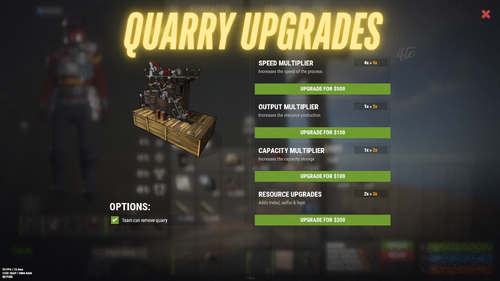
Upgrades the player placed mining quarry, turning them useful on your server. Upgrade mining quarry speed, storage capacity, output multiplier & resources upgrades Get stones, metal ore, sulfur ore, HQM ore all from single quarry You can set a default value for the mining quarry from config You can enable/disable any features you want You can also remove and place it in another location with the attributes Option to keep attributes when removing the quarry Team options for individual quarry NOT SUPPORTED WITH PUMPJACK QUARRY quarryupgrades.admin - Requires for admin to interact with the quarry quarryupgrades.use - Quarry upgrade permission quarryupgrades.upgradebutton - Upgrade button permission (Enable from config) quarryupgrades.statusui - Status UI permission (Enable from config) quarryupgrades.removequarry - Requires to remove the placed quarry quarryupgrades.surveycheck - Survey charge permission shows if quarry placeable in that area (Right click with a survey charge item in active hand)$12.99- 2 comments
-
- 1
-
-
- #quarry
- #mining quarry
- (and 7 more)
-

Version 2.34.45
149 downloads
IQGradeRemove - a two-in-one plugin for upgrading and removing structures or objects for your players. Extensive customization options are available, including the ability to specify separate permissions, offering excellent monetization options for this plugin on your server. All of these settings are configurable in the configuration file! List of Features: Interface: - The ability to fully replace the interface to your liking; I provide all the images along with the plugin. Variable /remove: - Use options to return items to players, return the item fully with applied durability damage, or the resources it is crafted from (the percentage of returned resources will depend on the item's durability). - Completely prohibit the removal of an object after N time. - Temporarily prohibit the removal of an object after its placement. - Set your own percentage of resource return for object removal, regardless of its durability. Advanced /upgrade: - Require to restore the durability level of the structure before upgrading, or allow upgrading regardless of durability. - Support for NoEscape, Friends, and Clans plugins for interacting with teammates. - Support for XBuildingSkinMenu for upgrading an object and immediately applying a skin to it. - The ability to roll back a building upgrade with or without resource return. Commands: - Modify/remove or add an unlimited number of commands for the use of upgrading or removing functions. Cooldowns: - The ability to specify a cooldown for `/remove` | `/upgrade` usage. Chat Commands: /up - Enables upgrade mode followed by level increase, and if the upgrade level is maximum, it switches to remove mode for convenience. /up [1-4] - Enables upgrade mode with a specific upgrade level. /remove - Enables building removal mode. You can fully customize the commands in the configuration or add new ones.Permissions : iqgraderemove.distancefunc - Permission for remote upgrading (no need to hit the structure with a tool, just waving it near the object is enough) (Enabled and configured in the configuration) iqgraderemove.allobjects - Permission to upgrade all objects at once, tied to the cupboard iqgraderemove.allobjectsremove - Permission to remove all objects at once, tied to the cupboard iqgraderemove.grusenorecource - Permission to upgrade without resource costs iqgraderemove.removeadmin - allows you to delete buildings ignoring all checks and permissions of the plugin (Admin remove) Permissions for each plugin feature separately (Enable support for this functionality in the configuration) iqgraderemove.upwood - wood iqgraderemove.upstones - stone iqgraderemove.upmetal - metal iqgraderemove.uphmetal - hqm iqgraderemove.removeuse - remove API : API_GET_GRADE_LEVEL_PLAYER(player) - returns the grade level and its status, where: 0 - off, 1 - wood, 2 - stone, 3 - metal, 4 - HQM, 5 - remove. API_GET_GRADE_TIME_PLAYER(player) - returns the active time for grade or removal Configuration : { "Upgrade settings": { "Require the structure to be repaired before upgrading it if it does not have full durability": true, "Disable upgrade during raid block": true, "Allow rolling back upgrade-level (Example : stone to wood)": false, "Cooldown settings before upgrade a new object": { "Use cooldown before action": false, "Time in seconds": 30.0 } }, "Remove settings": { "Disable remove during raid block": true, "Only friends can remove structures (otherwise, anyone who has access to the cupboard)": false, "Items that cannot be removed (Shortname)": [ "shortname.example" ], "Cooldown settings before removing a new object": { "Use cooldown before action": false, "Time in seconds": 30.0 }, "Temporary construction removal restriction (Exapmle : After placing the object, it won't be possible to remove it for a certain amount of time)": { "Use lock function": false, "Time in seconds": 600, "Privilege-based configuration [iqgraderemove.name = time (in seconds)]": { "iqgraderemove.elite": 100, "iqgraderemove.vip": 300 } }, "Complete prohibition of object removal (For example: After 3 hours of placing the object, it cannot be removed at all)": { "Use lock function": false, "Time in seconds": 600, "Privilege-based configuration [iqgraderemove.name = time (in seconds)]": { "iqgraderemove.elite": 1500, "iqgraderemove.vip": 1000 } }, "Resource and item return settings after deletion": { "Resource return settings for building deletion": { "Enable resource return for building deletion": true, "Use return percentage based on building durability (disregards 'Resource return percentage for building deletion')": true, "Resource return percentage for building deletion (regardless of building durability)": 100 }, "Resource/item return settings for item deletion": { "Return items after deletion, otherwise return % of item's resources (if craftable)": true, "Use return percentage based on item durability (disregards 'Resource return percentage for item deletion')": true, "Resource return percentage for item deletion (if percentage return is enabled)": 100, "Reduce item condition upon return": true, "Items to be ignored after deletion - they will simply be deleted without any return of items or resources (Shortname)": [ "shortname.example" ] } } }, "Allow remote upgrade/remove (just hit with a mallet next to the object) (grant rights)": false, "Setting Commands for functions": { "List of commands to upgrade": [ "up", "upgrade", "grade", "bgrade" ], "List of commands to remove": [ "remove", "rem" ] }, "Remove the UI when the player has passed all stages of improvement - or will be looped (there will be no looping if the player does not have rights to a particular element with the support of rights to elements enabled)": true, "Enable support for rights for each element separately (rights are issued separately for each variation)": false, "Duration of the selected element (improvement/removal) in seconds": 60 }$14.99 -

Version 1.3.4
227 downloads
Reduce the decay damage by tick; Upgrade the authorizations limit; Upgrade the building grade limit; Upgrade the storage capacity of the cupboard; Unlock some deployable items; Upgrade the stack size limit of the cupboard; Set a default building grade for the server; Modify the default decay; Keep the cupboard attributes when remove; Make your server fun ^u^ The plugin has a unique permission, which allows the player to use the cupboard upgrade: tclevels.use F.A.Q How many items can be blocked? and which? You can block unlimited items and all items must be deployable or they will not be blocked. Which area will be checked when I place my cupboard? The entire privilege area will be checked. But you can also disable checks in the configuration file. Could it cause conflict with any plugin? Yes, but i am providing an API for the plugin so that other developers can integrate with it, so if there is a conflict, just go to the developer's plugin support and ask them to integrate it. Also if it is possible for me to integrate it from my plugin, i will do so without any problem.$20.00 -
Version 1.2.0
353 downloads
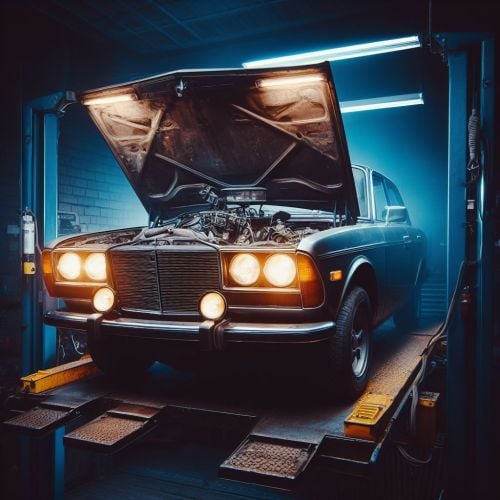
permission for use - cartuning.use Open UI - /tuning (you need to look right at the car) FEATURES: Increase street angel Add sign Add smoke Increase slot for storagecontainer module Underbody light (white | red | green) P.s - (My Discord - tofurahie#4144) Config: { "Tuning can only be used when the car is on the Modular Car Lift ": true, "How much increase steer angle": 10.0, "Rotate sign": { "x": 0.0, "y": 0.0, "z": 0.0 }, "[COST] |Increase steer angle| in SCRAP": 12, "[COST] |Add sign| in SCRAP": 12, "[COST] |Add smoke| in SCRAP": 12, "[COST] |Underbody lighting| in SCRAP": 12, "[COST] |Increase slots in ModuleStorage": 14, "Dictionary of position underlight": { "TwoModules": [ { "x": 0.0, "y": 0.42, "z": 0.5 }, { "x": 0.0, "y": 0.42, "z": -0.5 } ], "ThreeModules": [ { "x": 0.0, "y": 0.42, "z": 0.5 }, { "x": 0.0, "y": 0.42, "z": -0.5 }, { "x": 0.0, "y": 0.42, "z": -1.0 } ], "FourModules": [ { "x": 0.0, "y": 0.42, "z": 1.0 }, { "x": 0.0, "y": 0.42, "z": 0.5 }, { "x": 0.0, "y": 0.42, "z": -0.5 }, { "x": 0.0, "y": 0.42, "z": -1.0 } ] }, "Dictionart of position smoke machine": { "TwoModules": { "x": 0.0, "y": 0.6, "z": -1.4 }, "ThreeModules": { "x": 0.0, "y": 0.6, "z": -2.4 }, "FourModules": { "x": 0.0, "y": 0.6, "z": -3.0 } }, "Rotate for smoke machine": { "x": 180.0, "y": 0.0, "z": 0.0 }, "Dictionart of position lighting": { "TwoModules": { "x": 0.55, "y": 0.52, "z": -0.4 }, "ThreeModules": { "x": 0.55, "y": 0.52, "z": -1.6 }, "FourModules": { "x": 0.55, "y": 0.52, "z": -2.4 } }, "Dictionart of count lighting": { "TwoModules": 3, "ThreeModules": 6, "FourModules": 8 }, "Rotate for lighting": { "x": 90.0, "y": 0.0, "z": 0.0 }, "Dictionary of position small sign": { "TwoModules": { "x": 0.0, "y": 0.7, "z": 1.65 }, "ThreeModules": { "x": 0.0, "y": 0.7, "z": 2.2 }, "FourModules": { "x": 0.0, "y": 0.7, "z": 3.3 } }, }$14.99 -
Version 1.0.2
491 downloads
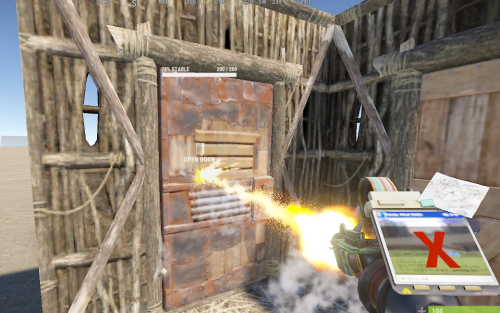
Allows players to upgrade doors to the next tier without having to take the doors off. Activate with the /dup command, and then hit with the building hammer to go to the next grade. Pay Options: Players must have the required resources on them to upgrade, and know the blueprint. These can be set in the config. Blocking Options: Recent Damage Raid Block Building Block Blueprint Block Config: { "Chat command": "dup", "Disable when item is switch from allowed tool": true, "Player must pay upgrade costs": true, "Player must have required blueprint unlocked": true, "Blocked upgrade when recently damaged": true, "Blocked upgrade when building blocked": true, "Blocked upgrade when raid blocked": true } Lang: { "Prefix": "<color=#90fce7>Door Upgrade</color>: ", "MissingBlueprintReq": "missing blueprint requirement.", "MissingIngredientReq": "missing upgrade items.\n{0}", "BuildingBlocked": "you are currently building blocked.", "NoEscapeBlocked": "you are currently raid/combat blocked.", "AlreadyTopTier": "door is currently top tier.", "UpgradeToggle": "was {0}.", "Enabled": "<color=#affc62>Enabled</color>", "Disable": "<color=#fc3d3d>Disabled</color>", "AttackBlocked": "unable to upgrade, upgradable in: <color=#90fce7>{0}</color>s." }Free -
Version 1.6.2
27 downloads
Plugin Features: Custom Crafting Recipes: Craft weapons, armor, tools, medic items, special items and vehicles with fully customizable recipes and ingredients. You chose what will be able to craft for how much ! Custom items or default items ,its about you ! This is great for giving player chance to upgrade items ,to get that Recycler or what ever . You have text fields : Server name , and short info where you chose your text in config. How to open Craft UI : command - /upgrades or/and in WorkBench custom button You can chose how players will open UI ,will you give them both ways ,or only one , its about you ! Permissions : "crafting.craft" - perm for crafting "crafting.upgrades" - perm for command /upgrades "crafting.button" - perm for WorkBench button How to use Plugin : This is very simple plugin with easy to understand UI. Most important thing is that for every item you need to put his : "Identifier": " " . You can add what ever item in what ever tab , based on shortname/skinID ,and cost for that item. You can give amount of item what will be crafted ,will it be 1 Ak or 10 ,hmm yea .. You can change names of items ,you have description for each item . You can put what ever number of items per tab ,there are pages . There is text field where you can put server name ,and some info text. Now you are able to change icons and text field of tabs ,and image of background/main image in config file. Everything is in config ... Vehicles : You can craft vehicles now ,and you can pick them up with hammer.. Vehicles are placed like innertube and large box . Spawn distance is how far will vehicle spawn . Identifier = 67, DisplayName = "Attack Helicopter", Shortname = "box.wooden.large", Amount = 1, SkinID = 3033643127, IsVehicle = true, VehiclePrefab = "assets/content/vehicles/attackhelicopter/attackhelicopter.entity.prefab", SpawnDistance = -0.5f, Description = "Attack Helicopter", Future Plans : Economic/ServerRewards Config Example : { "BackGroundIconUrl": "https://www.dropbox.com/scl/fi/oekoayvmkcc73b2ip77pv/Anvil.png?rlkey=cmrd35fxc2p7uk6ivtzb7v9h9&dl=1", "Panel1Text": "WEAPONS", "Panel1IconUrl": "https://www.dropbox.com/scl/fi/f1i0stpz9zz758i8azo0p/rifle.ak.png?rlkey=4w3ew16xrjcg81g6vxuhtl5gp&dl=1", "Panel2Text": "ARMOR", "Panel2IconUrl": "https://www.dropbox.com/scl/fi/0dmyzne2p3cv318337wf6/metal.facemask.png?rlkey=btxceyv5xnuc9yqlz7pj6s52a&dl=1", "Panel3Text": "TOOLS", "Panel3IconUrl": "https://www.dropbox.com/scl/fi/1grgskr9xhfdfoccytblv/icepick.salvaged.png?rlkey=8pased5k7rn4gtei0mjyx90sq&dl=1", "Panel4Text": "MEDIC", "Panel4IconUrl": "https://www.dropbox.com/scl/fi/zdhfaer2crjcqr907c7e9/largemedkit.png?rlkey=qedbem0v9pb43whx6gk6edzi2&dl=1", "Panel5Text": "SPECIALS", "Panel5IconUrl": "https://www.dropbox.com/scl/fi/pe2gw856tjn6kv8goq024/star.png?rlkey=9jnasfu3xa4ntzub24oxzja1b&dl=1", "Panel6Text": "VEHICLES", "Panel6IconUrl": "https://www.dropbox.com/scl/fi/u1sd8tthfvtvue9i37j6r/attackhelicopter.png?rlkey=olivi4ki0g3o5q2aay9hgm5yq&dl=1", "ServerName": [ "Welcome to My Server Name" ], "Info": [ "INFO:", "There are 6 tabs : Weapon, Armor, Tool, Medic, Special, Vehicle.", "", "You can upgrade level of item.", "", "You will need some items and resources for crafting.", "", "You can put what ever text here ,and add more text!" ], "WeaponCraftRecipes": [ { "Identifier": 1, "DisplayName": "Vamipre Ak Lv1", "Shortname": "rifle.ak", "Amount": 1, "SkinID": 3065510373, "Description": "5% lifesteal", "Ingredients": [ { "Shortname": "rifle.ak", "Amount": 1, "SkinID": 0, "DisplayName": "" }, { "Shortname": "scrap", "Amount": 100, "SkinID": 0, "DisplayName": "" } ] }, "ArmorCraftRecipes": "ToolCraftRecipes": "MedicCraftRecipes": "SpecialCraftRecipes": "VehicleCraftRecipes":$8.00 -
Version 2.0.0
63 downloads
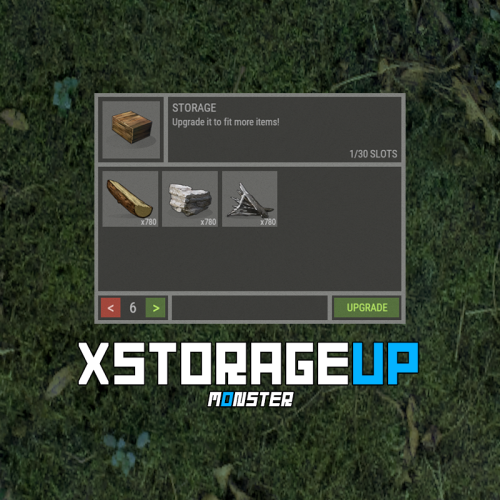
XStorageUP - an increase in the number of slots in containers. -> In the code you can switch the plugin language - LanguageEnglish = true <- - Optimization of the interface for different monitor resolutions. - Storing containers data in - oxide/data/XDataSystem/XStorageUP - There is a lang ru/en/uk/es. - Sound effects when interacting with the menu. - Automatic cleaning of oxide/data after wipe. - There is an upgrading coefficient. [ The more slots, the more expensive. ] - There are permissions to limit the number of slots. - Upgraded containers retain their properties after restart. - Checking for interaction with the desired container. [ If the container is destroyed, lifted or the player moves away from it, then nothing can be upgrade, and the player will receive a corresponding message on the screen. ] - Ability to customize the initial number of slots. [ For example 0. Players will install containers without slots and upgrade them. ] Supported containers: Working with the backpack plugin. Two options for how to eliminate the backpack upgrade (plugin): - Remove the assignment of the player ID to the container (OwnerID) so that it is always 0. [ Only if the OwnerID of the container (backpack) is not used anywhere. ] - Replace the Backpack container with one not used in the upgrade. [ For instance: SUPER Stocking - assets/prefabs/misc/xmas/stockings/stocking_large_deployed.prefab ] Permissions xstorageup.use - allow upgrading containers. xstorageup.vip - allow placement of upgraded containers. [ Maximum number of slots. ] Config { "General settings": { "Setting permissions to enhance N slots [ Leave blank to make unlimited for everyone ]": { "xstorageup.10": 10, ... }, "Button - AnchorMin": "1 0", "Button - AnchorMax": "1 0", "Button - OffsetMin": "-208 16", "Button - OffsetMax": "-16 98", "Button text size - A": 15, "Button text size - B": 10, "Button text size - C": 10 }, "Container settings": { "coffinstorage": { "Maximum number of slots": 48, "Container type": "generic_resizable", "Coefficient. Make a container upgrade more expensive with every N slot": 0.2, "List of resources for upgrade one slot": { "wood": 100, "stones": 100, "metal.fragments": 100 } }, ... }, "If the prefab and item shorts do not match [ ShortnamePrefab -> ShortnameItem ]": { "coffinstorage": "coffin.storage", "woodbox_deployed": "box.wooden", ... }, "Initial number of slots": { "coffinstorage": 48, "storage_barrel_c": 48, ... } }$16.99 -
Version 1.1.2
22 downloads
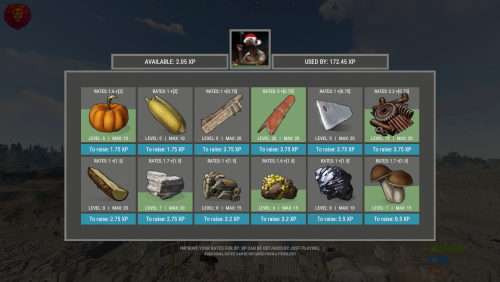
XGatherUP - increase in rates for XP. - Optimization of the interface for different monitor resolutions. - Storing player data in - oxide/data/XGatherUP - There is a lang ru/en. - Sound effects when interacting with the menu. - Configuring the issuance of XP. [ Loot, kill, break barrels, open crates, pick from the ground, harvest ] - Setting up starting rates for each category. - Setting up bonus rates for each category according to the permit. [ Multiple permissions can be configured ] - Setting up permissions to access the upgrading of a certain category. - Mini-panel with XP quantity. [ You can hide ] - Customization of categories for which you can increase rates. [ Bonus mining, mining, picking from the ground, components, harvesting ] - Setting the maximum level, XP for upgraging one level, rates for one upgraded level, a list of resources/components for which the rates will be increased. -> Overview - YouTube <- Shortnames for config settings. Commands /rate - open the menu to upgrading rates. xp_give <SteamID> <Amount> - give XP. Config { "General settings": { "Use plugin balance to increase rates [ Default, XShop, Economics ]": "Default" }, "GUI settings": { "Number of categories per line": 6, "OffsetMin - menu": "-475 -255", "OffsetMax - menu": "475 180" }, "Setting up permissions and additional rates": { "xgatherup.default": { "Resource": 1.5, "Harvest": 2.0, "Loot": 0.75 } }, "XP settings | Shortname : ValueXP": { "XP for pickup resources": { "stones": 10.0, "sulfur.ore": 15.0, "metal.ore": 12.5 }, "XP for harvesting": { "potato.entity": 2.5, "corn.entity": 1.75, "hemp.emtity": 0.25 }, "XP for bonus gather": { "stones": 5.0, "sulfur.ore": 10.0, "metal.ore": 7.5 }, "XP for kill / breaking barrels": { "boar": 10.0, "loot-barrel-1": 7.5, "heavyscientist": 2.5 }, "XP for open crates": { "crate_normal": 5.0, "crate_normal_2": 1.0, "crate_tools": 3.5 } }, "Category settings": { "Resource": [ { "Permission to access the leveling category": "xgatherup.default", "Displayed item shortname/picture name. [ Must not be empty ]": "wood", "Maximum upgrading level": 20, "Rates for one level of upgrading": 0.1, "Starting rates of upgrading": 1.0, "Number of XP to upgrade one level": 2.75, "Link to custom image": "", "Shortnames of resources/components for which rates will be increased": [ "wood", "charcoal" ] }, { "Permission to access the leveling category": "xgatherup.default", "Displayed item shortname/picture name. [ Must not be empty ]": "stones", "Maximum upgrading level": 20, "Rates for one level of upgrading": 0.1, "Starting rates of upgrading": 1.0, "Number of XP to upgrade one level": 2.75, "Link to custom image": "", "Shortnames of resources/components for which rates will be increased": [ "stones" ] }, { "Permission to access the leveling category": "xgatherup.default", "Displayed item shortname/picture name. [ Must not be empty ]": "metal.ore", "Maximum upgrading level": 15, "Rates for one level of upgrading": 0.1, "Starting rates of upgrading": 1.0, "Number of XP to upgrade one level": 3.2, "Link to custom image": "", "Shortnames of resources/components for which rates will be increased": [ "metal.ore", "metal.fragments" ] }, { "Permission to access the leveling category": "xgatherup.default", "Displayed item shortname/picture name. [ Must not be empty ]": "sulfur.ore", "Maximum upgrading level": 15, "Rates for one level of upgrading": 0.1, "Starting rates of upgrading": 1.0, "Number of XP to upgrade one level": 3.2, "Link to custom image": "", "Shortnames of resources/components for which rates will be increased": [ "sulfur.ore", "sulfur" ] }, { "Permission to access the leveling category": "xgatherup.default", "Displayed item shortname/picture name. [ Must not be empty ]": "hq.metal.ore", "Maximum upgrading level": 10, "Rates for one level of upgrading": 0.1, "Starting rates of upgrading": 1.0, "Number of XP to upgrade one level": 5.5, "Link to custom image": "", "Shortnames of resources/components for which rates will be increased": [ "hq.metal.ore", "metal.refined" ] }, { "Permission to access the leveling category": "xgatherup.default", "Displayed item shortname/picture name. [ Must not be empty ]": "mushroom", "Maximum upgrading level": 15, "Rates for one level of upgrading": 0.1, "Starting rates of upgrading": 1.0, "Number of XP to upgrade one level": 0.5, "Link to custom image": "", "Shortnames of resources/components for which rates will be increased": [ "mushroom" ] } ], "Harvest": [ { "Permission to access the leveling category": "xgatherup.default", "Displayed item shortname/picture name. [ Must not be empty ]": "pumpkin", "Maximum upgrading level": 10, "Rates for one level of upgrading": 0.1, "Starting rates of upgrading": 1.0, "Number of XP to upgrade one level": 1.75, "Link to custom image": "", "Shortnames of resources/components for which rates will be increased": [ "pumpkin" ] }, { "Permission to access the leveling category": "xgatherup.default", "Displayed item shortname/picture name. [ Must not be empty ]": "corn", "Maximum upgrading level": 10, "Rates for one level of upgrading": 0.1, "Starting rates of upgrading": 1.0, "Number of XP to upgrade one level": 1.75, "Link to custom image": "", "Shortnames of resources/components for which rates will be increased": [ "corn" ] } ], "Loot": [ { "Permission to access the leveling category": "xgatherup.default", "Displayed item shortname/picture name. [ Must not be empty ]": "semibody", "Maximum upgrading level": 20, "Rates for one level of upgrading": 0.1, "Starting rates of upgrading": 1.0, "Number of XP to upgrade one level": 3.75, "Link to custom image": "", "Shortnames of resources/components for which rates will be increased": [ "semibody" ] }, { "Permission to access the leveling category": "xgatherup.default", "Displayed item shortname/picture name. [ Must not be empty ]": "metalpipe", "Maximum upgrading level": 20, "Rates for one level of upgrading": 0.1, "Starting rates of upgrading": 1.0, "Number of XP to upgrade one level": 3.75, "Link to custom image": "", "Shortnames of resources/components for which rates will be increased": [ "metalpipe" ] }, { "Permission to access the leveling category": "xgatherup.default", "Displayed item shortname/picture name. [ Must not be empty ]": "metalblade", "Maximum upgrading level": 20, "Rates for one level of upgrading": 0.1, "Starting rates of upgrading": 1.0, "Number of XP to upgrade one level": 3.75, "Link to custom image": "", "Shortnames of resources/components for which rates will be increased": [ "metalblade" ] }, { "Permission to access the leveling category": "xgatherup.default", "Displayed item shortname/picture name. [ Must not be empty ]": "scrap", "Maximum upgrading level": 20, "Rates for one level of upgrading": 0.1, "Starting rates of upgrading": 1.0, "Number of XP to upgrade one level": 3.75, "Link to custom image": "", "Shortnames of resources/components for which rates will be increased": [ "scrap" ] } ] } }$19.99 -
Version 1.4.6
1,414 downloads
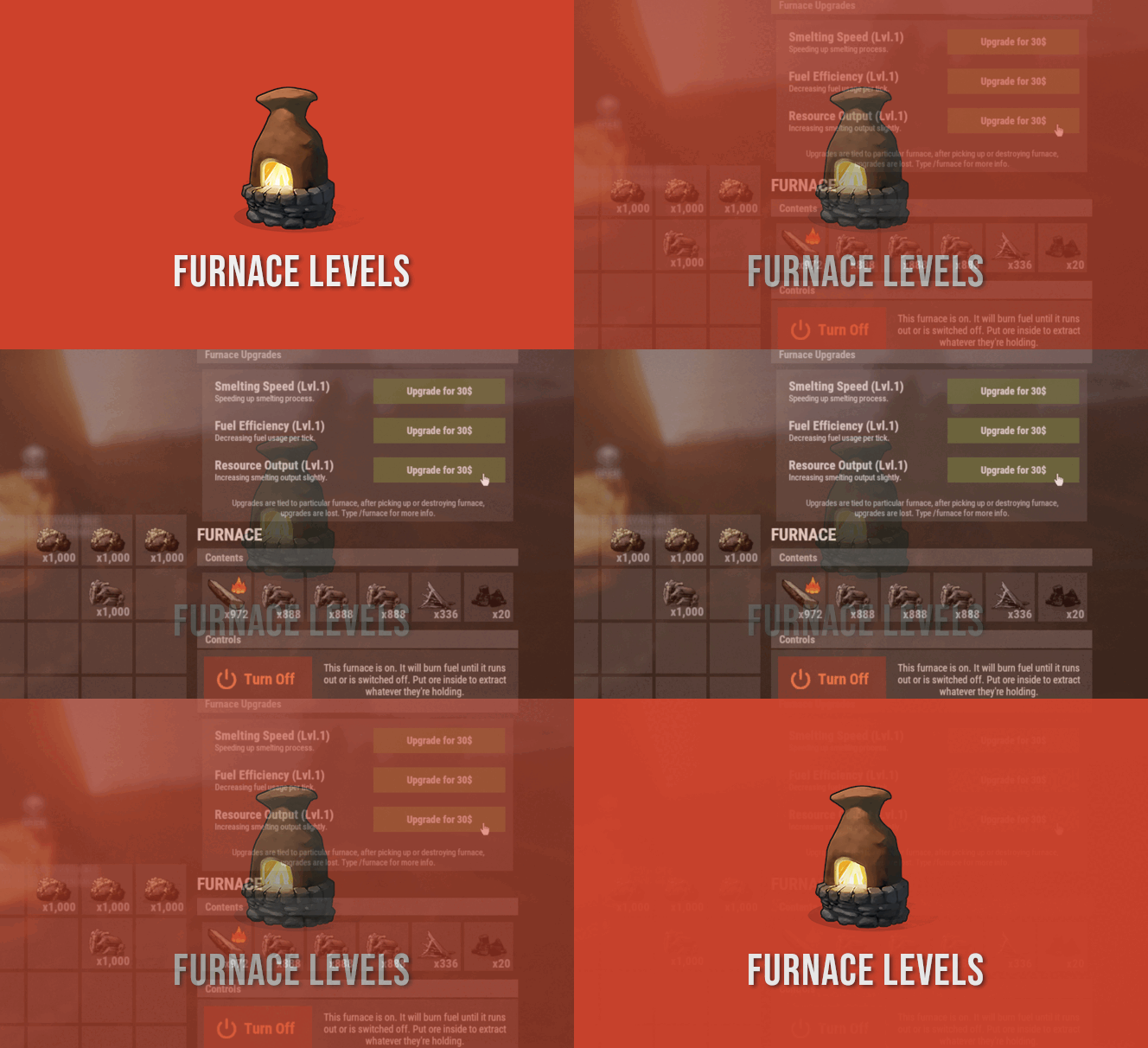
FurnaceLevels is giving players another form of progression by letting them upgrade their furnaces. Amount of levels you can create is nearly unlimited. Available modifiers are speed, fuel consumption and resource output. FEATURES FurnaceLevels is giving players another form of progression by letting them upgrade their furnaces. Amount of levels you can create is nearly unlimited. Available modifiers are speed, fuel consumption and resource output. Players can pay for upgrades with ingame items, Economics or ServerRewards. Upgrades are tied to specific furnace placed, upon picking it up levels are lost. FURNACE LEVELS CHANGES VANILLA BEHAVIOR OF OVENS AND IS NOT COMPATIBLE WITH OTHER PLUGINS WHICH MODIFIES OVEN BEHAVIOR. COMPARISON WITH VANILLA RATES WITHOUT UPGRADES HERE https://youtu.be/DkBS7iAzgyM FURNACE LEVELS CAN BE USED AS REPLACEMENT FOR QUICKSMELT FURNACE LEVELS IS NOT COMPATIBLE WITH FURNACE SPPLITTERS (and most likely it wont change since furnace splitters are not that useful after furnace update) COMMANDS /furnace player command to get information on upgrades PERMISSIONS furnacelevels.use Required permission to access upgrade menu. CONFIG CREDITS @SinKohh co-developing plugin$7.99 -

Version 1.1.1
35 downloads
Don't recycle your old weapons in your boxes. Make them evolve. INFOS What does this plugin actually do? The plugin will allow you to evolve your weapon to another one depend to the number of kill you define. Let's take the example of the revolver, in the default configuration, after 10 kills with the weapon it will evolve into an automatic pistol. It is important to understand that it is the weapon that evolves. You can have several guns in your boxes, they will not all count the same number of kills. If you have a sadistic nature, you can also do the opposite, after 10 kills with a m249 make it evolve into eoka . It is up to you to define what is best for your server. Features - To make evolve a weapon against another one after a number of kills with this one features - Enable disable counting if NPC - Enable disable counting if Animal - A quality UI - The weapons will be renamed with the total kills and the remaining before evolution - You can choose to keep the same condition of the weapon to its evolution - You can choose to keep the same number of ammunition in the weapon at its evolution - You can choose to keep the same type of ammunition in the weapon at its evolution - You can choose to keep the same accessories in the weapon at its evolution Pre-configuration The preconfiguration of the weapons is: 10 kills -> 25 kills -> 15 kills -> 50 kills -> 30 kills -> 10 kills -> 25 kills -> 10 kills -> 10 kills -> Of course you can add and modify what you want. The configuration is to be adapted according to your servers, your population and the type of game of your players. PREVIEW (version 1.0.0) CONFIG { "CONFIG": { " » Kills counted if it's an NPC?": true, " » Kills counted if it's an Animal?": false, " » Enable Weapon UI?": true, " » Display a message when the weapon evolve?": true, " » Add the number of kills remaining in the weapon name?": true, " » Play a sound effect when the weapon evolve?": true }, "WEAPON": [ { " » Base weapon shortname": "pistol.revolver", " » Kills required with the weapon": 10, " » (1*) Keep the same condition for the evolve item": true, " » (2*) Keep the same amount of ammunition for the evolve item": true, " » (3*) Keep the same type of ammunition for the evolve item": true, " » (4*) Keep the same attachments (if possible) for the evolve item": true, " » Evolve of the weapon": { "• Weapon shortname": "pistol.semiauto", "• Skin": 0, "• Condition % (considered only if 1* is false)": 0.0, "• Ammo (considered only if 2* is false)": 0, "• Ammotype (shortname) | (considered only if 3* is false)": null, "• Content (mods) | (considered only if 4* is false)": null } }, { " » Base weapon shortname": "pistol.semiauto", " » Kills required with the weapon": 25, " » (1*) Keep the same condition for the evolve item": true, " » (2*) Keep the same amount of ammunition for the evolve item": true, " » (3*) Keep the same type of ammunition for the evolve item": true, " » (4*) Keep the same attachments (if possible) for the evolve item": true, " » Evolve of the weapon": { "• Weapon shortname": "pistol.m92", "• Skin": 0, "• Condition % (considered only if 1* is false)": 0.0, "• Ammo (considered only if 2* is false)": 0, "• Ammotype (shortname) | (considered only if 3* is false)": null, "• Content (mods) | (considered only if 4* is false)": null } }, { " » Base weapon shortname": "rifle.ak", " » Kills required with the weapon": 15, " » (1*) Keep the same condition for the evolve item": true, " » (2*) Keep the same amount of ammunition for the evolve item": true, " » (3*) Keep the same type of ammunition for the evolve item": true, " » (4*) Keep the same attachments (if possible) for the evolve item": true, " » Evolve of the weapon": { "• Weapon shortname": "rifle.lr300", "• Skin": 0, "• Condition % (considered only if 1* is false)": 0.0, "• Ammo (considered only if 2* is false)": 0, "• Ammotype (shortname) | (considered only if 3* is false)": null, "• Content (mods) | (considered only if 4* is false)": null } }, { " » Base weapon shortname": "rifle.lr300", " » Kills required with the weapon": 50, " » (1*) Keep the same condition for the evolve item": true, " » (2*) Keep the same amount of ammunition for the evolve item": true, " » (3*) Keep the same type of ammunition for the evolve item": true, " » (4*) Keep the same attachments (if possible) for the evolve item": true, " » Evolve of the weapon": { "• Weapon shortname": "lmg.m249", "• Skin": 0, "• Condition % (considered only if 1* is false)": 0.0, "• Ammo (considered only if 2* is false)": 0, "• Ammotype (shortname) | (considered only if 3* is false)": null, "• Content (mods) | (considered only if 4* is false)": null } }, { " » Base weapon shortname": "rifle.semiauto", " » Kills required with the weapon": 30, " » (1*) Keep the same condition for the evolve item": true, " » (2*) Keep the same amount of ammunition for the evolve item": true, " » (3*) Keep the same type of ammunition for the evolve item": true, " » (4*) Keep the same attachments (if possible) for the evolve item": true, " » Evolve of the weapon": { "• Weapon shortname": "rifle.m39", "• Skin": 0, "• Condition % (considered only if 1* is false)": 0.0, "• Ammo (considered only if 2* is false)": 0, "• Ammotype (shortname) | (considered only if 3* is false)": null, "• Content (mods) | (considered only if 4* is false)": null } }, { " » Base weapon shortname": "shotgun.double", " » Kills required with the weapon": 10, " » (1*) Keep the same condition for the evolve item": true, " » (2*) Keep the same amount of ammunition for the evolve item": true, " » (3*) Keep the same type of ammunition for the evolve item": true, " » (4*) Keep the same attachments (if possible) for the evolve item": true, " » Evolve of the weapon": { "• Weapon shortname": "shotgun.pump", "• Skin": 0, "• Condition % (considered only if 1* is false)": 0.0, "• Ammo (considered only if 2* is false)": 0, "• Ammotype (shortname) | (considered only if 3* is false)": null, "• Content (mods) | (considered only if 4* is false)": null } }, { " » Base weapon shortname": "shotgun.pump", " » Kills required with the weapon": 25, " » (1*) Keep the same condition for the evolve item": true, " » (2*) Keep the same amount of ammunition for the evolve item": true, " » (3*) Keep the same type of ammunition for the evolve item": true, " » (4*) Keep the same attachments (if possible) for the evolve item": true, " » Evolve of the weapon": { "• Weapon shortname": "shotgun.spas12", "• Skin": 0, "• Condition % (considered only if 1* is false)": 0.0, "• Ammo (considered only if 2* is false)": 0, "• Ammotype (shortname) | (considered only if 3* is false)": null, "• Content (mods) | (considered only if 4* is false)": null } }, { " » Base weapon shortname": "bow.hunting", " » Kills required with the weapon": 10, " » (1*) Keep the same condition for the evolve item": true, " » (2*) Keep the same amount of ammunition for the evolve item": true, " » (3*) Keep the same type of ammunition for the evolve item": true, " » (4*) Keep the same attachments (if possible) for the evolve item": true, " » Evolve of the weapon": { "• Weapon shortname": "bow.compound", "• Skin": 0, "• Condition % (considered only if 1* is false)": 0.0, "• Ammo (considered only if 2* is false)": 0, "• Ammotype (shortname) | (considered only if 3* is false)": null, "• Content (mods) | (considered only if 4* is false)": null } }, { " » Base weapon shortname": "knife.bone", " » Kills required with the weapon": 10, " » (1*) Keep the same condition for the evolve item": true, " » (2*) Keep the same amount of ammunition for the evolve item": true, " » (3*) Keep the same type of ammunition for the evolve item": true, " » (4*) Keep the same attachments (if possible) for the evolve item": true, " » Evolve of the weapon": { "• Weapon shortname": "knife.combat", "• Skin": 0, "• Condition % (considered only if 1* is false)": 0.0, "• Ammo (considered only if 2* is false)": 0, "• Ammotype (shortname) | (considered only if 3* is false)": null, "• Content (mods) | (considered only if 4* is false)": null } } ], "VERSION": { "Major": 1, "Minor": 0, "Patch": 0 } } NOTE If you do not activate the UI, image library will not be necessary$5.99 -

Version 1.2.0
17 downloads
BuffItems allows you to modify and give certain stats to a skinned item Introduced a large number of innovative features for RUST server props that did not previously exist. This plugin can create multiple props with different skins, prop items with BUFF, highly customizable prop items, and many BUFF functions. Command: Buffitems.nodrop Death Do Not Drop Jewelry Permission Buffitems.durable Ornaments cannot lose durability permissions Buffitems.admin Administrator privileges Use: Spgive 76561198115484934 2952742518 999 Give players an ID value for durability He can allow you to create additional item buffs [Buff Plus Jewelry] configuration file The plugin has a wide range of functions, which requires you to think about what props you need in advance. Then, modify the BuffItems. json file in config Firstly, in your oxide/config folder, you will find the default configuration file, which contains all the basic configurations for adding or removing more props and BUFF effects. Secondly, in the oxide/data/BuffItems folder, please paste the BuffItems. png file from the extracted package. 3. Then restart the plugin and enter/sp to open the interface. Note that you must install the image library Available allowances: // 0 Increase Attack Multiply // 1 Immune to all types of damage (reduced damage) // 2 Max HP // 3 The upper limit of water // 4 Upper limit of satiety // 5 Vampire during attack // 6 Critical strike multiple // 7 Magazine expansion // 8 Regenerate HP every second // 9 Resource ratio // 10 Immune to cold damage // 11 Immune radiation damage // 12 Immune to drowning injuries // 13 Immune Heat Damage // 14 Immune to bleeding damage // 15 Immune poisoning damage // 16 Immune to bullet damage // 17 Immune to sword damage // 18 Immune to blunt instrument damage // 19 Immune to falls // 20 Immune bite // 21 Immune stab injury // 22 Immune to explosive damage // 23 Immune to current damage // 24 Immune to arrow damage // 25 Immune to armed helicopter damage // 26 Immune to tank damage // 100 Possess permissions { "Jewelry settings": [ { "Item skinID": 0, "Permission required": "", "Item Short Name": "blood", "Item Name": "Buff Jewelry 0", "Minimum durability": 1, "Maximum durability": 100, "Function settings": [ { "Function number": 0, "Related values": 0.1, "Possess permissions": "", "Permission Description": "" }, { "Function number": 1, "Related values": 0.1, "Possess permissions": "", "Permission Description": "" }, { "Function number": 3, "Related values": 0.1, "Possess permissions": "", "Permission Description": "" } ] }, { "Item skinID": 1, "Permission required": "", "Item Short Name": "blood", "Item Name": "Buff Jewelry 1", "Minimum durability": 1, "Maximum durability": 100, "Function settings": [ { "Function number": 0, "Related values": 0.1, "Possess permissions": "", "Permission Description": "" }, { "Function number": 1, "Related values": 0.1, "Possess permissions": "", "Permission Description": "" }, { "Function number": 3, "Related values": 0.1, "Possess permissions": "", "Permission Description": "" } ] }, { "Item skinID": 2, "Permission required": "", "Item Short Name": "blood", "Item Name": "Buff Jewelry 2", "Minimum durability": 1, "Maximum durability": 100, "Function settings": [ { "Function number": 0, "Related values": 0.1, "Possess permissions": "", "Permission Description": "" }, { "Function number": 1, "Related values": 0.1, "Possess permissions": "", "Permission Description": "" }, { "Function number": 3, "Related values": 0.1, "Possess permissions": "", "Permission Description": "" } ] } ], "Function Description": [ { "Function number": 0, "Function Description": "Increased attack damage", "Display Editing": "Increased attack damage +{0:P}" }, { "Function number": 1, "Function Description": "Immune to all damage", "Display Editing": "Immune to all damage -{0:P}" }, { "Function number": 2, "Function Description": "Maximum HP increased", "Display Editing": "Maximum HP increased +{0:P}" }, { "Function number": 3, "Function Description": "Upper limit of hunger and thirst increased", "Display Editing": "Upper limit of hunger and thirst increased +{0:P}" }, { "Function number": 4, "Function Description": "Hunger limit increased", "Display Editing": "Hunger limit increased +{0:P}" }, { "Function number": 5, "Function Description": "Attack Vampire Increase", "Display Editing": "Attack Vampire Increase +{0:P}" }, { "Function number": 6, "Function Description": "Increased critical strike multiple", "Display Editing": "Increased critical strike multiple +{0:P}" }, { "Function number": 7, "Function Description": "Increase in magazine fold", "Display Editing": "Increase in magazine fold +{0:P}" }, { "Function number": 8, "Function Description": "Automatically restore health", "Display Editing": "Automatically restore health +{0}" }, { "Function number": 9, "Function Description": "Increase in resource multiplier", "Display Editing": "Increase in resource multiplier +{0:P}" }, { "Function number": 10, "Function Description": "Immune to cold damage", "Display Editing": "Immune to cold damage -{0:P}" }, { "Function number": 11, "Function Description": "Immune radiation damage", "Display Editing": "Immune radiation damage -{0:P}" }, { "Function number": 12, "Function Description": "Immune to drowning injuries", "Display Editing": "Immune to drowning injuries -{0:P}" }, { "Function number": 13, "Function Description": "Immune to heat damage", "Display Editing": "Immune to heat damage -{0:P}" }, { "Function number": 14, "Function Description": "Immune to bleeding damage", "Display Editing": "Immune to bleeding damage -{0:P}" }, { "Function number": 15, "Function Description": "Immune poisoning damage", "Display Editing": "Immune poisoning damage -{0:P}" }, { "Function number": 16, "Function Description": "Immune to bullet damage", "Display Editing": "Immune to bullet damage -{0:P}" }, { "Function number": 17, "Function Description": "Immune to sword damage", "Display Editing": "Immune to sword damage -{0:P}" }, { "Function number": 18, "Function Description": "Immune to blunt instrument damage", "Display Editing": "Immune to blunt instrument damage -{0:P}" }, { "Function number": 19, "Function Description": "Immune to drop damage", "Display Editing": "Immune to drop damage -{0:P}" }, { "Function number": 20, "Function Description": "Immune to bite damage", "Display Editing": "Immune to bite damage -{0:P}" }, { "Function number": 21, "Function Description": "Immune to Spike Damage", "Display Editing": "Immune to Spike Damage -{0:P}" }, { "Function number": 22, "Function Description": "Immune to explosive damage", "Display Editing": "Immune to explosive damage -{0:P}" }, { "Function number": 23, "Function Description": "Immune to current damage", "Display Editing": "Immune to current damage -{0:P}" }, { "Function number": 24, "Function Description": "Immune to arrow damage", "Display Editing": "Immune to arrow damage -{0:P}" }, { "Function number": 25, "Function Description": "Immune to direct damage from heli", "Display Editing": "Immune to direct damage from heli -{0:P}" }, { "Function number": 26, "Function Description": "Immune to tank damage", "Display Editing": "Immune to tank damage -{0:P}" }, { "Function number": 100, "Function Description": "Obtain permissions", "Display Editing": "{0}" } ], "General Settings": { "Player Chat Command": "sp", "Administrator commands": "spgive", "UI Title": "<b>[ Magic Jewelry ]</b>", "UI background image": "BuffItems.png", "Second regeneration interval per second": 1, "Endurance consumption interval seconds (0Disabled for)": 600, "Default Critical Hit Probability": 2, "Player Critical Strike and Permissions": [ { "limits of authority": "BuffItems.hit1", "probability": 3 }, { "limits of authority": "BuffItems.hit2", "probability": 5 }, { "limits of authority": "BuffItems.hit3", "probability": 10 } ], "The default number of accessories that players can equip": 3, "Allow equipment quantity and permissions": [ { "limits of authority": "BuffItems.vip1", "quantity": 5 }, { "limits of authority": "BuffItems.vip2", "quantity": 8 } ] } }$25.00