Search the Community
Showing results for tags 'utility'.
Found 23 results
-

Version 1.0.4
128 downloads
Watchlist is a lightweight but powerful tool that alerts admins when specific players connect to the server. Whether you're online or offline, you'll get real-time in-game notifications and Discord alerts with fully configurable message templates and role pings. The built-in UI makes managing the watchlist easy, with support for sorting, filtering, teleporting, and note-taking. Players can be added or removed manually or straight from RustAdmin with custom commands. Very useful tool to keep you and your staff one step ahead. Configuration { "Discord Webhook URL": "https://discord.com/api/webhooks/your/webhook/url", (Your Webhook URL) "Ping Role": false, (Whether to ping a role when player comes online on discord, e.g: @Admin) "Role ID": 0, (Discord Roll Id to ping) "Purge Watchlist on Wipe": false, (whether to purge on wipe) "Purge Players List on Wipe": true, (performance, every player is stored in a file, it is recommended to clear this on wipe) "Enable UI": true, (plugin can be run entirely without UI if desired) "UI Color Scheme (Options: dark, light, rust)": "dark", ( UI styles ) "Custom Colors": { (customise the UI for your server) "PrimaryBackground": "0 0 0 0.95", "SecondaryBackground": "0.15 0.15 0.15 1", "HeaderBackground": "0.1 0.1 0.1 1", "ButtonPrimary": "0.2 0.7 0.2 0.9", "ButtonSecondary": "0.3 0.3 0.3 1", "ButtonDanger": "0.7 0.2 0.2 0.9", "TextPrimary": "1 1 1 1", "TextSecondary": "0.7 0.7 0.7 1", "OnlineIndicator": "0.2 0.8 0.2 1", "OfflineIndicator": "0.8 0.2 0.2 1", "RowEven": "0.12 0.12 0.12 0.95", "RowOdd": "0.15 0.15 0.15 0.95", "ActiveItem": "0.4 0.4 0.4 1", "AlertBackground": "0.8 0.2 0.2 0.95", "AlertText": "1 1 1 1" }, "UI Scale": 1.0, (scales the UI as desired) "Main UI Position": { "AnchorMin": "0.2 0.1", "AnchorMax": "0.8 0.9" }, "Font Size": { "Title": 20, "Header": 14, "Normal": 12, "Small": 10 }, "UI Animation": true, (enables ui animations) "Enable Sound Alert": true, (plays sound when watchlist player comes online) "Alert Sound": "assets/bundled/prefabs/fx/notice/item.select.fx.prefab", (choose which sound you want from rust prefab sounds) "Alert Duration (seconds)": 10.0, ( hlow long the alert is displayed in-game when a player comes online - only admins see this) "Show Visual Alert": true, (enable / disable the in-game alert) "Send Discord Add/Remove Notifications": true ( enable discord logging of adding/removing watchlist players) "Max Cached Players": 3000, (Performance, set this lower to reduce the memory used by the plugin this populates the player list with the last x number of players to join your server, ordered by latest) "Alert Cooldown Seconds": 120, (Prevents alert spam when players reconnect) "Startup Alert Grace Seconds": 60, (waits before firing watchlist alerts after server starts) "Auto Expire Days (0 = disabled)": 0, (auto expire watchlist players after number of days) "Send Prune Discord Notifications": true, (sent prune notification to discord) "Prune Report Max Per Embed": 10, (max players in prune message, prevents breaching discord embed count) "Prune Report Include Notes": false, "Enable Diagnostics": false (enable this for plugin performance stats and diagnostic information) } COMMANDS Chat: /watchlist Opens the Watchlist UI (requires permission) /wl <steamid> "<note>" Adds a player to the watchlist with a note (requires watchlist.admin permission) /wlr <steamid> Removes a player from the watchlist (requires watchlist.admin permission) /wlist Lists all watched players in chat (requires watchlist.admin permission) Console: watchlist.add <steamid> "<note>" Adds a player to the watchlist Example: watchlist.add 76561198000000000 "Suspected Cheater" watchlist.remove <steamid> Removes a player from the watchlist watchlist.list Lists all watched players in the server console wl <steamid> "<note>" Adds a player to the watchlist with a note (can be used via rcon) wlr <steamid> Removes a player from the watchlist (can be used via rcon) wlist Lists all watched players in the server console (can be used via rcon) purgewl Clears the entire watchlist (requires watchlist.admin permission) PERMISSIONS watchlist.admin Full access to all commands and features watchlistui.toggle Allows UI toggle via `/watchlist` command RUSTADMIN INTEGRATION You can integrate Watchlist directly with **RustAdmin** to add or remove players with a single click. Add to Watchlist Command to Execute: wl ${playerSteamid} "From RustAdmin" Tick "Show Command Output in a Dialog" (optional) Remove from Watchlist Command to Execute: wlr ${playerSteamid} Tick "Show Command Output in a Dialog" (optional)$4.99 -
Version 1.2.5
163 downloads
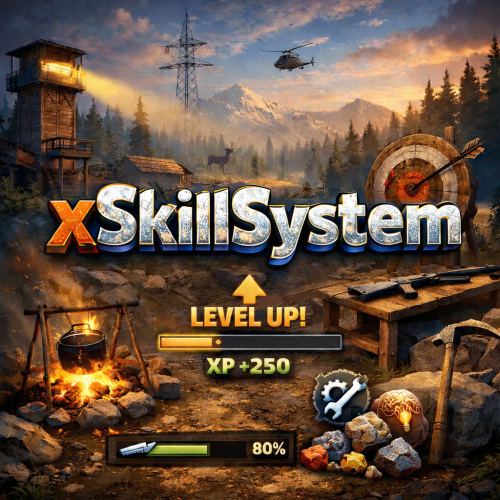
xSkillSystem xSkillSystem adds an RPG-style leveling experience to your gameplay. Whether you're chopping wood, mining for ores, or battling wildlife, every action earns you XP and helps you level up specialized skills. XP Table was testet properly and it should be fine. There are gather rates impact which are configurable and also a passive HP regen for skill "Vitality" depending on its level which is also configurable. Comes with an external config editor! » Discord « PLUG&PLAY PLUGIN, but configs are available to adjust it to your needs Built in image caching/reading (ImageLibrary is NOT needed) => Automatic skill icons download and placement. Skills: Each player starts at Level 1 in every skill and levels up through regular gameplay. Here's what you can master: Woodcutting – Chop trees. (Configurable Gather Rates depending on Level) Mining – Dig deep and extract valuable resources like stone, metal, and sulfur. (Configurable Gather Rates depending on Level) Gathering – Pick up natural items from the environment. (Configurable Gather Rates depending on Level) Slayer – Hunt animals, kill NPCs and fight players. Skinning – Skin downed animals for XP. (Configurable Gather Rates depending on Level) Building - Gain XP by building, upgrading, deploying etc. Crafting – Gain XP as you build tools, weapons, and other items. Vitality - Gain XP by using medical syringes & bandages (Configurable passive HP regen depending on Level) Custom Level Rewards Double XP Weekends Commands Plugin Preview (Old preview video, there is already much more): External Config Editor Config Permissions Language API$21.99- 3 comments
- 4 reviews
-
- 4
-

-

-
- #skill system
- #level system
- (and 27 more)
-
Version 1.0.2
9 downloads
xPermissionManager A modern, intuitive, and powerful permission management tool for Rust servers. xPermissionManager provides a complete visual interface for managing user and group permissions directly ingame. No more console commands, guesswork, or digging through permission lists. Everything is organized, accessible, and easy to control through an straight forward UI. Whether you're adjusting a single permission, overseeing full group structures, or assigning temporary access, xPermissionManager gives server owners a fast and efficient possibility to do so. Plugin Preview (Video) Full Permission Control Grant or revoke any permission from groups or individual players. Timed Permission System Assign temporary permissions that automatically expire (e.g., 30m, 1h, 1d, 1w, custom durations). Timed Group Memberships Add players to groups for a limited time - Perfect for kits, VIP, special events or whatever. Comprehensive UI A clean and intuitive interface for browsing permissions, switching groups, managing users, and applying timed access. User & Group Browsing View all available groups, check individual player permissions, and toggle them instantly. Clear Feedback Every change is acknowledged with clear messages to help admins avoid mistakes. Permission xpermissionmanager.use // Allows a player to open and use the xPermissionManager UI Chat Commands /xpm /xpmuser <name or steamID> /xpmtimed /xpmgroups /xpm [Opens the Permission Manager UI] PERMISSION OR ADMIN REQUIRED /xpmuser <name or steamID> [Opens the UI for managing a specific player’s permissions/groups] PERMISSION OR ADMIN REQUIRED /xpmtimed [Shows all active timed permissions for a player. Includes remaining duration and whether they came from a group] /xpmgroups [Shows all active timed group memberships for a player] Console Commands </> API$11.99-
- 1
-

-
- #permission
- #manager
- (and 20 more)
-

Version 2.0.3
11 downloads
Play To Win A complete, COMMUNTIY SERVER SAFE configurable playtime-based reward and VIP progression system for Rust. Features ✔ Awards points automatically as players stay online ✔ Points accumulate at configurable intervals ✔ Players redeem free VIP via a command ✔ Custom VIP duration ✔ Fully customizable messages with placeholders ✔ /points to show stats, playtime & VIP ✔ Full admin control through chat commands ✔ Force-expire free VIP (single or all) ✔ Discord Webhook logging for all events Commands: /freevip - claim freevip or check progress /points - check stats / points amount /awardpoints (name) (amount) - give points to a player /expirevip (player) - expire a player's free VIP /expireallvip - expire free VIP for all players admin permission: playtowin.admin Config: { "Command": "freevip", "AwardInterval": 60, "VipDurationSeconds": 604800, "PointsPerInterval": 10, "PointsCost": 500, "DiscordWebhookUrl": "", "Messages": { "NotEnoughPoints": "You need {hoursneeded} more hours to redeem VIP.", "Balance": "Your balance: {points}/{cost} points.", "VipRedeemed": "You redeemed {durationdays} days of VIP.", "VipExpired": "Your free VIP has expired.", "PointsInfo": "Points: {points}, Playtime: {hours}h, VIP: {viptime}.", "AdminGavePoints": "{admin} gave {added} points to {player}. Total: {points}.", "AdminSetPoints": "{admin} set {player}'s points from {old} to {set}.", "AdminRemovedPoints": "{admin} removed {removed} points from {player}. Total: {points}.", "ForceExpired": "{admin} force-expired VIP for {player}.", "ForceExpiredAll": "{admin} expired VIP for {removed} players." } }$7.49- 6 comments
- 1 review
-
- 1
-
-
- #vip
- #community
- (and 3 more)
-

Version 1.0.2
5 downloads
xCrosshair xCrosshair is a customizable crosshair system for Rust servers, giving players full control over their personal reticle/crosshair through an ingame UI menu. With multiple built-in shapes, color presets, HEX input support, outlines, and adjustable visual parameters, each player can design a crosshair that fits their preferred style. Features 7 crosshair shapes Full customization options Size Thickness Alpha/Transparency Outline toggle RGB/HEX color selection Quick-use color presets Per-player saved settings Chat Commands /crosshair - Opens the crosshair settings menu /ch - Opens the crosshair settings menu Permission xcrosshair.use - This permission is needed to use the crosshair. Preview ^ Sorry for bad video quality.$12.99 -
Version 1.0.1
24 downloads
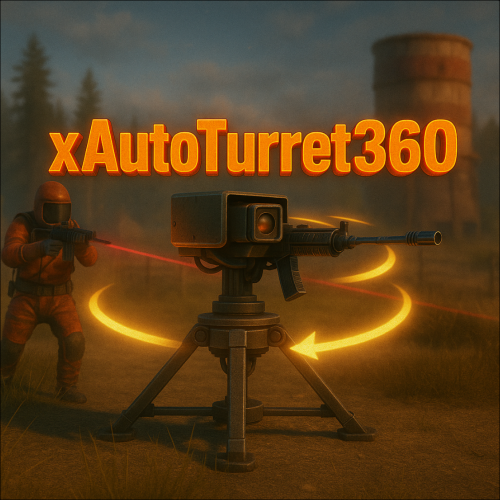
xAutoTurret360 xAutoTurret360 removes the default firing-arc limitations on auto turrets in Rust - Allowing them to instantly track and engage targets in a full 360° radius. This upgrade makes turret behavior more aggressive and responsive, ideal for heavy-defense bases, PvP arenas, PvE full-base protection or any custom game mode requiring all-round turret coverage. Performance optimized! The patch is executed only once when plugin is loaded/reloaded. Features 360° Targeting Turrets can engage targets from any direction. (360°) Console Command xautoturret360.toggle // Toggles the 360° functionality on or off. Config { "Enabled": true }$4.99 -

Version 1.0.2
17 downloads
xNpcFreeze xNpcFreeze is a Rust plugin that completely disables AI for NPCs by stripping their brain components as they spawn. Scientists and animals still exist and can be interacted with, but they will no longer roam, think, or attack - Perfect for PvE building servers, cinematic setups, or performance-focused environments. > CH47 at oil rig etc. will work normally Features Freeze NPCs (Animals & Scientists) Option to disable radiochatter (sound) from scientists Config { "FreezeAnimals": true, "FreezeScientists": true, "MuteScientistSounds": true }$8.99 -

Version 1.0.1
2 downloads
xMarkToTeleport xMarkToTeleport is a quality-of-life plugin for Rust that allows players to instantly teleport to a map marker they place. Simple, intuitive, and server-friendly, this plugin adds fast travel without commands, UI spam, or complex setup. Just place a marker on the map and you’re there. Tipp: Double rightclick on the map to teleport and automatically remove the map marker at the same time. Features Automatically teleports the player when they place a map marker. Intelligent collision checks ensure players never teleport inside terrain, buildings, or deployables. Prevent abuse with a per-player cooldown (Configurable). Restrict usage to admins, VIPs, or specific groups. (Permission) Safely dismounts players before teleporting to avoid mount issues. (Configurable) Permission xmarktoteleport.use Config { "RequirePermission": true, "CooldownSeconds": 1.5, "DismountBeforeTeleport": true }$4.99 -

Version 1.0.1
4 downloads
xScrapBag xScrapBag adds a virtual scrap storage system to your Rust server, allowing players to automatically store, manage, and transfer scrap without clogging their inventory. Features Automatic Scrap Storage Scrap picked up by players is automatically stored in their Scrap Bag Optional player chat notification when scrap is stored Prevents scrap from filling inventory slots Manual Deposit & Withdraw Deposit scrap from inventory into the Scrap Bag Withdraw stored scrap back into inventory Player-to-Player Scrap Transfer Transfer stored scrap to other online players via UI Persistent Data Storage Scrap balances are saved automatically Death Handling Option to reset stored scrap on death Or keep scrap safe after death - your choice. Plugin Preview Chat Commands /scrapbag /xsb /* Both chat commands will open the scrapbag UI */ Permission xscrapbag.use Config { "PermissionUse": "xscrapbag.use", "ResetStoredScrapOnDeath": false, "StoreScrapAutomatically": true, "StoreScrapAutomaticallyPlayerMessage": true }$7.99 -

Version 1.2.1
40 downloads
TheFunGun Unleash absolute chaos by launching vehicles out of a snowball gun. No ammo required. Just point, click, and behold the absurdity. Prerequisites Just a snowball gun in hand — ammo is optional, but style is mandatory. Chat Commands *You can open the gui menu with middle mouse click if you have the snowball gun in hand* /fungun - open fungun GUI menu /cargun – sedan /rhibgun – RHIB /fireballgun - Spawn a home made fireball /boatgun – rowboat /snowgun – snowmobile /sharkgun – shark corpse (yep.) /minigun – minicopter /sidecar – motorbike with a sidecar /motor – motorbike (no sidecar) /tuggun – tugboat /pedalgun – pedal bike /randgun – random vehicles (pure mayhem) /rocketgun - HV rockets /watergun - water ball / splash Permissions TheFunGun.BoatGun.Use TheFunGun.BypassCooldown TheFunGun.CarGun.Use TheFunGun.FireballGun.Use TheFunGun.MiniGun.Use TheFunGun.Motor.Use TheFunGun.Pedal.Use TheFunGun.RandGun.Use TheFunGun.RhibGun.Use TheFunGun.RocketGun.Use TheFunGun.SharkGun.Use TheFunGun.SideCar.Use TheFunGun.SnowGun.Use TheFunGun.TugGun.Use TheFunGun.WaterGun.Use Caveats Despawn timer matters — long timers = more clutter Too many vehicles = server lag = sad face Keep it ridiculous, but responsible Configuration { "Despawn Timer": 5.0, "Velocity": 235.0, "Cooldown": 1.0, "Rocket Damage": 0.0 "Close Menu After Selection": false } Localization { "randGunEnable": "<color=#ffc34d>TheFunGun</color>: Random Gun <color=#36802d>Enabled</color>", "randGunDisable": "<color=#ffc34d>TheFunGun</color>: Random Gun <color=#ff6666>Disabled</color>", "noPermission": "<color=#ffc34d>TheFunGun</color>: You do not have permission to use this command", "Cooldown": "<color=#ffc34d>TheFunGun</color>: You are on a {0} second cooldown." } Customizable localization entries for each gun are available in the config file. Special Thanks Big shoutout to unboxingman for helping make this ridiculous idea a working reality. Support Join us on the Dark Side Development Discord. We live for this kind of madness. Legal Copyright © 2025 Lincoln This plugin, The Fun Gun, is the intellectual property of Lincoln. The plugin may not be copied, modified, merged, published, or redistributed without the explicit permission of the creator, Lincoln. Permission is granted solely for personal use on a Rust server that you own or manage. Commercial use, sharing with third parties, or distribution on multiple servers is strictly prohibited without prior consent from the creator. Disclaimer of Warranty and Liability: This plugin is provided "as is" without any express or implied warranties. The creator disclaims any liability for damages, including but not limited to server malfunctions, data loss, or other issues arising from the use of this software. Use of the plugin is at your own risk.$5.99 -

Version 1.0.0
46 downloads
Just a very very simple plugin that warns players not to take a power nap when they enter a safezone.Free -

Version 1.0.1
2 downloads
xInFlightHeliRepair xInFlightHeliRepair is a Rust plugin that allows players to repair an attack helicopter while mounted or in the air as a passenger, using a hammer and consuming a configurable resource (e.g., metal fragments). It includes plenty of customization options. This overrides the new behavior introduced in the “Pivot or Die” update that prevents players from repairing the attack helicopter while in flight. Features In-Flight Helicopter Repair Players/Passengers can repair an attackhelicopter by hitting it with a hammer while in flight. Resource-Based Repair Each repair “hit”: Costs a configurable item (Default: 30 metal fragments). Restores a configurable amount of health (Default: 50 HP). Automatically removes the required items from player inventory. Recent Damage Cooldown If the helicopter was recently damaged by explosive sources, repair is blocked for a set duration (Default cooldown: 10 seconds) Message informs the player how long they must wait. Player Feedback Configurable message system: Supports UI toast notifications or chat messages. Visual Repair Effect Plays a configurable FX prefab on successful repair (Default metal upgrade effect). Permission xinflighthelirepair.use Config { "RequirePermission": false, "Permission": "xinflighthelirepair.use", "EnableRecentlyExplosiveDamageRepairCooldown": true, "RecentlyExplosiveDamageRepairCooldown": 10.0, "ItemUsedForRepair": "metal.fragments", "ItemCostPerRepair": 30, "HealPerHit": 50.0, "PlayEffectOnRepair": true, "Effect": "assets/bundled/prefabs/fx/build/promote_metal.prefab", "MessagesType": "ui", // Use 'ui' for toast notifications and anything else (e.g., 'chat') for chat messages "ShowMessages": true, "NotReadyMessage": "<color=#ff5555>Heli was damaged recently. Wait {0} seconds before repairing.</color>", "FullyRepairedMessage": "<color=#ffcc00>This helicopter is already fully repaired.</color>", "NotEnoughMetalMessage": "<color=#ff5555>You need {0} {2} to repair ({1} available).</color>", "RepairedMessage": "<color=#55ff55>Repaired heli by {0} HP for {1} {2}.</color>" }$8.99 -
Version 1.0.1
6 downloads
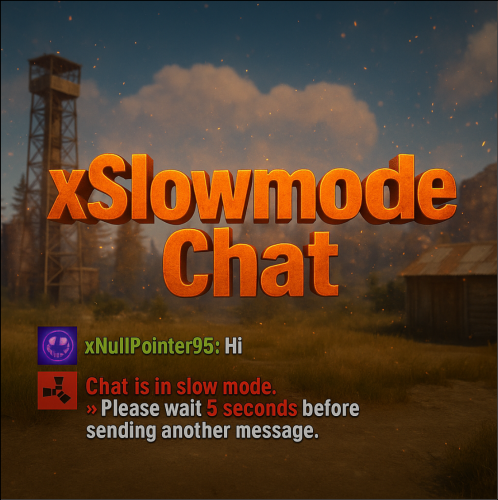
xSlowmodeChat xSlowmodeChat is a configurable chat-rate-limiting plugin for Rust servers. It allows server owners to control how frequently players can send messages, helping reduce spam, toxicity, and chat Flooding. Doesn't affect chat commands, only chat messages. Fully Configurable Slowmode Set custom cooldown between messages for normal- and vip players. Optional cumulative penalties for repeated spamming attempts. Adjustable penalty length for both, normal and VIP players. VIP Support Grant VIP players a separate cooldown & penalty system. VIP permission (xslowmodechat.vip). Lower intervals or completely remove slowmode for VIPs. Admin & Exclusion Options Easily toggle slowmode bypass for admins. Exclude specific SteamIDs from slowmode entirely. Informative Feedback Show a customizable slowmode warning message in chat. Optional on-screen UI timer showing remaining cooldown Console Commands xslowmode.enable - Enable slowmode xslowmode.disable - Disable slowmode xslowmode.setinterval <seconds> - Set default player cooldown xslowmode.setvipinterval <seconds> - Set VIP cooldown xslowmode.reloadconfig - Reload config from file Permission xslowmodechat.vip - Grants players the VIP slowmode settings. Config { "Enabled": true, "DisabledForAdmins": false, "ShowMessage": true, "MessageText": "<color=#e63939>Chat is in slow mode.\n»</color> Please wait <color=#e63939>{time} seconds</color> before sending another message.", "ShowSlowdownUi": true, "CumulativePenalty": true, "ChatMessageCooldown": 5.0, "CooldownPenalty": 5.0, "VipPermission": "xslowmodechat.vip", "VipChatMessageCooldown": 2.0, "VipCooldownPenalty": 2.0, "ExcludedSteamIds": [] }$8.99 -

Version 1.0.1
71 downloads
Harmony Log Manager is a simple plugin to give you more control over the Harmony logging for your server. With this plugin you can easily enable/disable the Harmony.DEBUG flag. When set to false, it disables all the verbose Harmony logging entirely. Or if you would rather you can set the plugin to rotate the log files according to your settings, such as daily at a specific time, hourly or when the log file reaches a certain file size. These are all features not available natively, but very nice to have. Commands: harmonylog.reload - reload the config after changes harmonylog.status - Get info about the log file and settings harmonylog.rotate - Manually rotate the log file Config Options: "Disable Global Verbose Harmony Logging" - Set's Harmony.DEBUG flag accordingly, false stops the verbose Harmony logging "Enable Log Rotation" - Enable or disable log rotation (i.e: Create and use new log files on rotation based on your settings) "Log Rotation Mode (daily, hourly, size)" daily - rotates the file at the set time each day "Daily Log Rotation Time as HH:MM:SS Format" - Sets log rotation time in the format shown hourly - rotates the log file every HH hours "Log Rotation Every HH Hours" - Sets the log rotation every HH hours size - rotates the log file when it reaches the size in MB "Max Log File Size (MB)" - Set the max size of the log file in MB "Log File Size Checking Interval (Seconds)" - How often to check the file size "Path to Harmony Log File (default = harmony_log.txt)" - The path to your harmony_log.txt file "Path to Store Old Log Files (default = oxide/logs/Harmony/" - The path you want to store your old log files (will create if does not exist) "Max Stored Log Files (Oldest Deleted First)" - How many old log files to keep, oldest deleted first Default Config: { "Disable Global Verbose Harmony Logging": false, "Enable Log Rotation": true, "Log Rotation Mode (daily, hourly, size)": "daily", "Daily Mode Options": { "Daily Log Rotation Time as HH:MM:SS Format": "23:59:59" }, "Hourly Mode Options": { "Log Rotation Every HH Hours": 24 }, "Size Mode Options": { "Max Log File Size (MB)": 50, "Log File Size Checking Interval (seconds)": 300.0 }, "Log File Options": { "Path to Harmony Log File (default = harmony_log.txt)": "harmony_log.txt", "Path to Store Old Log Files (default = oxide/logs/Harmony/": "oxide/logs/Harmony/", "Max Stored Log Files (Oldest Deleted First)": 30 }, "Version": { "Major": 0, "Minor": 0, "Patch": 1 } }Free -

Version 1.0.8
398 downloads
This is a Simple plugin I made when I needed to determine a SkinID of an item, so I could search through a config file and Remove the Outdated Skin. The info also logs to Console for copying of case sensitive or quick view of case sensitive info. Now the log can also output to Discord for reference when not in game. I added the Name, Shortname, SkinID, ItemID & Text Field, to be sent to a Note for Debug or Development Purpose, or maybe there is a pesky custom item and you need to pinpoint its origin. Maybe it can be handy to you as well. Command - /check - Admin Only, Sends Note of Active Item Properties to your Inventory. If there is no Item, it will attempt to check your raycast for properties. Config { "Note SkinID": 3341490454, "Output Log to Discord?": false, "Discord URL": "" }Free -

Version 1.0.0
8 downloads
EnvControl is a Rust plugin that provides per-player control over in-game time. Players and administrators can lock, set, or reset each player’s time environment — giving everyone the freedom to experience the world at their preferred time of day. Perfect for VIP perks, roleplay scenarios, testing environments, and custom minigames where players may want a unique lighting experience without affecting others. Key Features: Individual time control per player Allow players to choose their own time Force players to see a specific time based on group Automatically applies locked times on connect Config { "Permission-based custom times for player (24hr e.g. 07:00, 18:30)": { "envcontrol.vip": [ "15:00", "18:00", "21:00" ], "envcontrol.day": [ "12:00", "13:00" ] }, "Permission-based forced time for players (applied on connect)": { "envcontrol.night": "23:00", "envcontrol.morning": "07:00" } } Users with a permission from Permission-based custom times for player can use the /env command to set the time. Groups can stack and can contain overlapping times. Users with a permission from Permission-based forced time for players cannot use the /env command unless they have a permission from Permission-based custom times for player. When a player’s time is reset, the plugin checks whether they have a permission-based time lock. If a matching permission is found, their time is set accordingly. Otherwise, they revert to the server’s default time. Commands /env Sets your personal environment time using a 24-hour format. Example: /env 18:00 — Locks your view to evening lighting. /env list Displays all available times you can set, based on your permissions. /env reset Resets your personal time back to the default value, or to your group’s forced time if applicable. Requires envcontrol.reset envcontrol.reload Reloads the plugin configuration file. Requires envcontrol.admin Example: envcontrol.reload envcontrol.time <steamid> (time) Gets or sets a player’s locked time. Works for connected & disconnected players. Requires envcontrol.admin Example: envcontrol.time 76561198000000000 18:30 — Locks that player’s time to 18:30. envcontrol.time 76561198000000000 — Displays the player’s current locked time. envcontrol.reset <steamid> Resets a player’s time to their default value. Requires envcontrol.admin Example: envcontrol.reset 76561198000000000 envcontrol.radius <radius> <time> (x,y,z) Locks time for all players within a specific radius. Requires envcontrol.admin Example (in-game): envcontrol.radius 30 21:00 — Locks nearby players to 21:00. Example (RCON): envcontrol.radius 50 12:00 500,100,-200 — Locks nearby players to 12:00 at coordinates 500,100,-200. Permissions envcontrol.admin Provides full control over all console commands and time management features. Allows any time to be passed to /env envcontrol.reset Allows players to use the /env reset sub-command. Custom Time Groups Defines which time values specific permission groups can manually select. For example, players in a VIP group might be able to set 15:00 or 18:00. These are automatically registered based on your config. Forced Time Groups Automatically applies a fixed time to players when they connect. For example, members with “envcontrol.night” might be setup to see 23:00 on login. These are automatically registered based on your config. AI Disclaimer This product was created with the help of AI tools to enhance quality and clarity. The full extent of AI assistance is as follows: Language messages: Default in-game messages were refined for consistency, clarity, and professional tone. Product description: The plugin description was enhanced for readability and better presentation of key features.$5.00 -
Version 2022.03
354 downloads
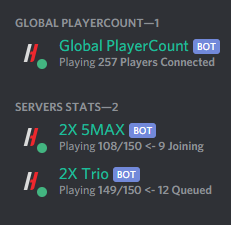
Discord Pop Bot+ is the ultimate population display tool for Rust, CS;GO, ARK, and Minecraft servers. Multiple bots, one instance Launch your fleet of bots together with a single command Performance Critical Minimal server impact* by leveraging existing connections Flexible Structure With totals, conditions, and more, make something that truly feels like your own bot *When using information provided by BattleMetrics. Data Collection Methods BattleMetrics Public API - Find your server's public entry, and show your population hassle free BattleMetrics RCON API - Directly query your gameserver using a BattleMetrics RCON Subscription and game-specific command. Steam A2S Queries - Use a commonly-implemented Steam protocol to fetch population data from just an IP + Port. Supported by games such as CS;GO, ARK:SE, CS1.6, TF2 Global Bot - Combine the output of other bots into a single total, with all the same display features. Installation MANUAL INSTALLATION These instructions are for users who want to run the script manually on a VPS or Dedicated Server. 1. Ensure Python is installed from https://python.org/downloads 2. Configure your bots by creating a new JSON file in the Bots folder for each bot you intend to run. Refer to the examples folder for guidance. 3. Install all required dependencies using pip install -r requirements.txt 4. Start run.py using python run.py in the console. Note: certain managed systems may require alternate or partial commands. 5. Review any errors or logs thoroughly to identify and resolve possible issues. MANAGED INSTALLATION These instructions are for users who want to run the script automatically using a managed bot panel. 1. Upload all the files and folders from the pop bot to your bot's file system. 2. Configure your bots by creating a new JSON file in the Bots folder for each bot you intend to run. Refer to the examples folder for guidance. 3. Select run.py as the start file 4. Review any errors or logs thoroughly to identify and resolve possible issues. Documentation Documentation for config options can be found on the official config generator. [COMING SOON] Support Help is only available through the official Support Tab. Notes You may need Administrator privileges on the system to setup & run this script depending on your server's setup. Discord Pop Bot+ is not affiliated with or endorsed by BattleMetrics.$5.00 -

Version 1.1.9
523 downloads
What is it? ZLogs is a comprehensive logging solution for Rust servers, designed to keep admins informed and in control. With a sleek GUI, extensive category coverage, and advanced customization, ZLogs ensures you never miss a crucial server event. Whether it’s player interactions, combat logs, or tool cupboard activity, ZLogs provides detailed insights to maintain transparency and order. Usage Keep your server operations smooth and well-documented with ZLogs. Monitor every key activity with categorized logs, from player connections to combat events. Stay informed with Discord notifications for critical actions like heli spawns or team changes. Effortlessly browse logs with a user-friendly interface featuring search functionality, light/dark mode, and auto-deletion options for old logs. ZLogs puts powerful server management tools right at your fingertips. Permission zlogs.use -- Gives you permission to use the command zlogs.resetall -- Gives you permission to wipe all data files zlogs.heli.spawn -- Gives player a permission to get notified in chat when heli spawns(must be set in config) zlogs.heli.down -- Gives player a permission to get notified in chat when heli gets shot down(must be set in config) Chat Command /zlogs -- Opens the GUI /zlogs.resetall -- Completely wipes all ZLogs datafile (zlogs.resetall permission required) Discord Logging: In config you can set a webhook for each category to have the important info right on your discord Data All the datas are being saved into data folders and each category has it's data file Path to data files: Your_Server\oxide\data\ZLogs Features & some info: I've decided to completely rewrite ZLogs because of some performance mistake I've made and also to add more features and generally make the plugin better. New version brings you also new features like Auto log deletion which can be set in config, more detailed logging, nicer UI, dark and light mode for the UI, search option and more.. Localization: { "Log Explosive": "{0} has used {1}!", "Log Animal": "{0} has killed a {1}", "Log Connect": "{0} has connected to the server", "Log Disconnect": "{0} has disconnected from the server", "Log Command": "{0} has used command: {1}", "Log Chat": "{0} wrote: {1}", "Log Combat": "{0} has killed {1}", "Log Vending": "{0} has bought: {1} for: {2}", "Log HeliSpawn": "Patrol heli has spawned", "Log HeliDeath": "Patrol heli has been destroyed by: {0}", "Log ItemPick": "{0} has picked up a {1}", "Log ItemDrop": "{0} has dropped a {1}", "Log TCPlace": "{0} has placed a TC", "Log TCDestroy": "{0} has destroyed a TC", "Log TCAuth": "{0} has authed a TC", "Log TCDeAuth": "{0} has deauthed from TC", "Log TCClear": "{0} has cleared a TC", "Log TeamCreate": "{0} has created a team", "Log TeamInvite": "{0} has invited {1} to team", "Log TeamReject": "{0} has rejected invite", "Log TeamPromote": "{0} has been promoted to leader", "Log TeamLeave": "{0} has left the team", "Log TeamKick": "{0} has kicked {1} from the team", "Log TeamAccept": "{0} has accepted team invite", "Log TeamDisband": "{0} has disbanded team", "Log TriggerPick": "{0} has picked up {1}+ items over {2} seconds", "Log TriggerDrop": "{0} has dropped {1}+ items over {2} seconds", "Notify HeliSpawn": "A patrol heli has spawned at: {0}", "Notify HeliDown": "A patrol heli has been shot down at: {0} by {1}", "CUI Categories": "Categories", "CUI Settings": "Settings", "CUI Animal": "Animal Logs", "CUI Chat": "Chat Logs", "CUI Combat": "Combat Logs", "CUI Command": "Command Logs", "CUI Connection": "Connection Logs", "CUI Explosive": "Explosive Logs", "CUI Heli": "Heli Logs", "CUI Item": "Item Logs", "CUI Team": "Team Logs", "CUI TC": "Tool Cupboard Logs", "CUI Trigger": "Trigger Logs", "CUI Vending": "Vending Logs", "CUI TargetPlayerInfo": "Target Player Information", "CUI PlayerName": "Player name: {0}", "CUI SteamID": "SteamID: {0}", "CUI Status": "Status: {0}", "CUI StatusAlive": "Alive", "CUI StatusDead": "Dead", "CUI StatusNull": "?", "CUI Ping": "Ping: {0}", "CUI NotConnected": "Not connected", "CUI TPto": "Teleport to", "CUI TPhere": "Teleport here", "CUI AnimalInfo": "Animal Information", "CUI AnimalName": "Animal name: {0}", "CUI AnimalDeathPos": "Animal death pos:\nx: {0}\ny: {1}\nz: {2}", "CUI LogInfo": "Log Information", "CUI LogID": "Log ID: {0}", "CUI LogDate": "Log Date: {0}", "CUI LogRemoveIn": "Log will be removed in: {0}", "CUI ChatInfo": "Chat Information", "CUI ChatType": "Channel type: {0}", "CUI Initiator": "Initiator Information", "CUI Victim": "Victim Information", "CUI Distance": "Distance: {0}m", "CUI Weapon": "Weapon: {0}", "CUI ConnectionInfo": "Connection Information", "CUI ConnectionIp": "IP: {0}", "CUI ConnectionType": "Type: {0}", "CUI ExplosiveInfo": "Explosive Information", "CUI ExplosivePos": "Explosive pos:\nx: {0}\ny: {1}\nz: {2}", "CUI ExplosiveName": "Explosive name: {0}", "CUI HeliInfo": "Heli Information", "CUI HeliPos": "Heli pos:\nx: {0}\ny: {1}\nz: {2}", "CUI HeliAttacker": "Destroyed by: {0}", "CUI ItemInfo": "Item Information", "CUI ItemName": "Item name: {0} x{1}", "CUI ItemPos": "Item pos:\nx: {0}\ny: {1}\nz: {2}", "CUI ItemType": "Type: {0}", "CUI TeamInfo": "Team Information", "CUI TeamType": "Type: {0}", "CUI TeamKicked": "Kicked player: {0}", "CUI TcInfo": "Tool Cupboard Information", "CUI TcType": "Type: {0}", "CUI TcAttacker": "Attacker: {0}", "CUI TcPos": "TC pos:\nx: {0}\ny: {1}\nz: {2}", "CUI TriggerType": "Type: {0}", "CUI DetectTime": "Detect time: {0} seconds", "CUI DetectAmount": "Detect amount: {0} items", "CUI TriggerInfo": "Trigger Information", "CUI VendingItem": "Bought item: {0} x{1}", "CUI VendingPrice": "Price: {0} x{1}", "CUI VendingPos": "Vending pos:\nx: {0}\ny: {1}\nz: {2}", "CUI VendingInfo": "Vending Information", "CUI Search": "Search:", "CUI ColorMode": "Color Mode: {0}" } Configuration: { "Combat logs?": { "WebhookURL": "", "Enabled?": true }, "Item Picks & Drops logs?": { "WebhookURL": "", "Enabled?": true }, "Connection and Disconnection logs?": { "WebhookURL": "", "Enabled?": true }, "Command logs?": { "WebhookURL": "", "Enabled?": true }, "Animal Kills logs?": { "WebhookURL": "", "Enabled?": true }, "Explosives logs?": { "WebhookURL": "", "Enabled?": true }, "Chat logs?": { "WebhookURL": "", "Enabled?": true }, "Heli Logs?": { "WebhookURL": "", "Enabled?": true, "NotifyOnHeliSpawn?": true, "NotifyOnHeliDown?": true }, "Tool Cupboard logs?": { "WebhookURL": "", "Enabled?": true }, "Vending Machine logs?": { "WebhookURL": "", "Enabled?": true }, "Item drop spam detection:": { "Enabled?": true, "WebhookURL": "", "Items needed to detect:": 15, "Time(seconds)": 8.0, "Ignored items(shortnames like: ammo.rifle etc..):": [ "item_shortname", "item_shortname" ] }, "Item pick spam detection:": { "Enabled?": true, "WebhookURL": "", "Items needed to detect:": 15, "Time(seconds)": 8.0, "Ignored items(shortnames like: ammo.rifle etc..):": [ "item_shortname", "item_shortname" ] }, "Team logs?": { "WebhookURL": "", "Enabled?": true }, "Auto-Delete logs after x amount of hours(0 will disable this feature)": 0.0 }$14.99- 39 comments
- 3 reviews
-
- 6
-
-
-
- #administration
- #logging
- (and 6 more)
-

Version 0.1.3
25 downloads
What is it? A simple and nice utility for admins to punish players. Usage Punish minges and bad player's behaviour with this simple plugin! Command /jail (playerName/playerID) (duration in seconds) -- Jail specified player for the amount of time /unjail (playerName/playerID) -- Unjail specified player /jail.save -- Force save Jail data Permission jail.use - Gives player permission for all Jail commands Features Once a player gets jailed a cage appears around him, player cannot even avoid it by reconnecting, when the player disconnects the cage automatically disappears and when he connects back, it appears again. (Configurable) You can choose if the player can take damage or not while jailed (Configurable) You can set if the cage can take damage or not (Configurable) You can set if the player is allowed to use commands while jailed (Configurable) You can set if player should be teleported back into cage whenever he escapes it API API Calls public bool IsJailed(ulong playerId) // Returns true if the player is jailed, else returns false API Hooks private void OnPlayerJail(ulong playerId, double time) // Gets called when player gets jailed private void OnPlayerUnjail(ulong playerId) // Gets called when player gets unjailed Config: { "Should player take dmg if jailed?": false, "Should jail cage take dmg?": false, "Should block player's commands when jailed?": true, "Ensure player stays in cage? (Teleports him back if he's outside)": true } Localization: { "Syntax": "Syntax: /jail (playerName/steamID) (timeInSeconds)", "NoPlayer": "Couldn't find that player", "AlreadyJailed": "{0} is already jailed ({1}sec left)", "Unjail": "You have been unjailed", "CantDoJail": "You can't do this while jailed", "SyntaxUnjail": "Syntax: /unjail (playerName/steamID)", "JailCmd": "You have jailed {0} for {1}secs", "UnjailCmd": "You have unjailed {0}", "NotJailed": "{0} is not jailed", "Jail": "You have been jailed for {0}secs" }$10.00 -

Version 0.1.4
401 downloads
What is it? A utility that gives you ability to view sent or received emails and of course gives you ability to send EMAILS with simple GUI! Usage Just use the command and click on a category depending if you want to view something or send a new email. Permissions zmail.use -- Gives player ability to use the command zmail.send -- Gives player ability to send new emails zmail.view -- Gives player ability to view sent and received emails Chat Command /zmail -- Opens the GUI Localization { "NoPerms": "You don't have permission to use this!", "noPlayerFound": "No player found!", "foundPlayerToSend": "Recipient {0}", "newEmailButton": "NEW Email", "receivedEmailsButton": "Received", "sentEmailsButton": "Sent", "clearAllButton": "Clear All", "succussfullySend": "Message succussfully sent!", "selectedFieldID": "ID:", "selectedFieldFrom": "From:", "selectedFieldTo": "Sent to:", "selectedFieldMessage": "Message:", "defaultInputUser": ".....Set player username or id.....", "defaultInputMessage": "Type your message here.....", "noEmails": "You have not received any emails yet!", "noSentEmails": "You have not sent any emails yet!", "receivedEmails": "You have received {0} emails({1} Unread emails)", "sentEmails": "You have sent {0} emails", "pageOfMaxPages": "Page: {0} / {1}", "previous": "Previous", "next": "Next", "findOnline": "Find Online Players", "receivedNew": "[<color=#13ad0f>Z</color>Mail]\nYou have just received new mail from <color=#05ba00>{0}</color>\nYou have total amount of <color=#a10800>{1}</color> unread emails", "conMails": "[<color=#13ad0f>Z</color>Mail]\nYou have total amount of <color=#a10800>{0}</color> unread emails" } Configuration { "Get message on connection?": true, "Real time notification?": true }Free -

Version 1.0.5
47 downloads
RUST AUTO WIPER Rust auto wiper is an advanced but simple-to-set-up Discord bot that makes your server wipes 100% automated! Features: 100% automates the server wipe process. Start map votes for the next wipe automatically. Manage wipes of as many servers as you need. Dynamically update server details on the wipe. (ex: server title, description) Deletes a selection of files and folders on the wipe. (ex: plugin data files) Sends wipe announcements. Updates server on the wipe. Set up wipe reminders. Information: This advanced server wipe system covers 100% of the wipe cycles on all your servers. The real power of this tool is that it's running separately from the server, this makes managing server files much easier when the server is offline. with this tool, you don't need batch files or other crap to get your server(s) wiped. This tool also uses cron intervals to determine the exact wipe dates and times. *Note: This tool must be run on a Windows VPS/Server* Configuration: (This example shows 1 server, but you can set up as many servers as you want) module.exports = { token: '', // Your Discord bot token rustMapsApiKey: '', // the rustmaps.io api key guildId: '984577959648174121', // the id of the discord server you want to use the bot in logChannelId: '1102195648683585616', // the id of the channel where the bot should log all actions dbdAccountId: '', // your dbd account id (get this by typing /license display in the support server) debugMode: true, // if true, the bot will log all actions to the console servers: [ // in this list your can add as many servers as you need { server_identifier: 'server1', // the unique identifier of the server. (used for internal purposes) server_name: 'Test Server', // the name of the server server_ip: '', // the ip of the server server_port: 28015, // the port of the server server_queryPort: 28017, // the query port of the server server_rconPort: 28016, // the rcon port of the server server_rconPassword: '', // the rcon password of the server server_modded: true, // if the server is modded or not (if plugins are used) wipe_Interval: '0 20 19 1/1 * ? *', // the interval of the wipe. (generate interval at http://www.cronmaker.com/) wipe_bpWipe: false, // if the wipe is a bp wipe or not files_serverRootPath: 'C:\\Users\\user\\Desktop\\rsmtesting', // the path to the main server folder. (where your start.bat is located) files_savesFolderPath: 'C:\\Users\\user\\Desktop\\rsmtesting\\server\\rsm', // the path to the saves folder. (where your map file is located) files_serverCfgPath: 'C:\\Users\\user\\Desktop\\rsmtesting\\server\\rsm\\cfg\\server.cfg', // the path to the server.cfg file files_startFilePath: 'C:\\Users\\user\\Desktop\\rsmtesting\\start.bat', // the path to the start.bat file files_oxideFolderPath: 'C:\\Users\\user\\Desktop\\rsmtesting\\oxide', // the path to the oxide folder files_excludeSafeFiles: ['logs', 'cfg', 'Log.EAC.txt'], // save files that should not be deleted on wipe. (always exclude cfg) files_deletables: [ // file paths that should be deleted on wipe. (use absolute paths) 'C:\\Users\\user\\Desktop\\rsmtesting\\oxide\\data\\Shop.json', 'C:\\Users\\user\\Desktop\\rsmtesting\\oxide\\data\\Referrals.json', 'C:\\Users\\user\\Desktop\\rsmtesting\\oxide\\data\\StaticLootables_data.json', 'C:\\Users\\user\\Desktop\\rsmtesting\\oxide\\data\\VanishPlayers.json', 'C:\\Users\\user\\Desktop\\rsmtesting\\oxide\\data\\Kits', ], vote_autoStart: true, // if the vote should start automatically vote_channelId: '1098325670687416331', // the id of the channel where the vote should be posted vote_StartAt: '0 0 19 1/1 * ? *', // the interval when the vote should start. (generate interval at http://www.cronmaker.com/) vote_endAt: '0 10 19 1/1 * ? *', // the interval when the vote should end. (generate interval at http://www.cronmaker.com/) vote_maps: ['1000_1', '1000_50000', '1000_1000'], // the maps that should be voted for. (always format the map name like this: 'mapSize_mapSeed') vote_mapCount: 3, // the amount of maps that should be voted for. the maps from the list will be randomly selected vote_multiple: true, // if players can vote for multiple maps update_dynamicTitle: true, // if the title should be updated dynamically update_serverTitle: 'Test Server wiped on {wipeDate} test1', // the title of the server. placeholders: {wipeDate} update_dynamicDescription: true, // if the description should be updated dynamically update_serverDescription: 'Test Server wiped on {wipeDate} test1', // the description of the server. placeholders: {wipeDate} // embed placeholders: {serverName} {mapSeed} {mapSize} {mapImage} {mapUrl} {wipeDate} {nextWipeDate} {nextBpWipeDate} {nextVoteDate} announcement_autoAnnounce: true, // if the announcement should be posted automatically after a wipe announcement_channelId: '1098325694930497607', // the id of the channel where the announcement should be posted announcement_content: '@ ping roles', // the content of the announcement. (can be used to ping roles) announcement_embedTitle: '{serverName} just wiped!', // the title of the embed announcement_embedDescription: '**Join Server:**\nSteam: steam://connect/{serverIp}:{serverPort}\nF1: `client.connect {serverIp}:{serverPort}`\n\n**Planned:**\nNext wipe: {nextWipeDate}\nNext BP wipe: {nextBpWipeDate}\nNext vote: {nextVoteDate}\n\n**Map:** [rustmaps.com]({mapUrl})', // the description of the embed announcement_embedColor: '#038CB5', // the color of the embed. (must be a hex color) announcement_embedImage: '{mapImage}', // the image of the embed announcement_embedFooterText: 'Server just wiped!', // the footer text of the embed announcement_embedFooterIcon: '', // the footer icon of the embed announcement_embedThumbnail: '', // the thumbnail of the embed announcement_embedAuthorName: '', // the author name of the embed announcement_embedAuthorIcon: '', // the author icon of the embed announcement_embedUrl: '', // the url of the embed reminder_autoRemind: true, // if the reminder should be posted automatically before a wipe reminder_Interval: '0 15 19 1/1 * ? *', // the interval when the reminder should be posted. (generate interval at http://www.cronmaker.com/) reminder_channelId: '1098325694930497607', // the id of the channel where the reminder should be posted reminder_content: '@ ping roles', // the content of the reminder. (can be used to ping roles) reminder_embedTitle: '{serverName} is about to wipe!', // the title of the embed reminder_embedDescription: 'Make sure to vote for the next map!', // the description of the embed reminder_embedColor: '#038CB5', // the color of the embed. (must be a hex color) reminder_embedImage: '', // the image of the embed reminder_embedFooterText: 'Server is about to wipe!', // the footer text of the embed reminder_embedFooterIcon: '', // the footer icon of the embed reminder_embedThumbnail: '', // the thumbnail of the embed reminder_embedAuthorName: '', // the author name of the embed reminder_embedAuthorIcon: '', // the author icon of the embed reminder_embedUrl: '', // the url of the embed }, ], }; Support: You can get support at my Discord server by clicking HERE!$30.00 -

Version 0.1.1
89 downloads
What is it? A simple plugin that gives you ability to shift someone to other's team. Usage Let's say that somebody wants to join their friend's team, but the leader is offline, so they come for your help... what you gonna do? Yeet them into the team with this command Permissions teamshifter.use - Gives player ability to use /tshift teamshifter.bypass - Noone will be able to shift this player into any other team Functions * Bypass permission - Player with this permission cannot be shifted into any other team * Auto team-creator - If you do f.e. /tshift zeeuss someplayer and the "someplayer" is not in any team, this will automatically create one and will make the "someplayer" a leader and then put zeeuss into the team * If the player that will be shifted is in any team, this will remove him from the team and then shift him, if he wasn't in any then it will just shift him to the other team Localization ["NoPerms"] = "You don't have permission to use this!", ["Syntax"] = "Syntax: /tshift (player_to_move) (player_of_new_team)", ["NoPlayerToMove"] = "Couldn't find the player to move", ["NoPlayerOfNewTeam"] = "Couldn't find the player of new team", ["MoveMessage"] = "Moved {0} to {1}'s team", ["AlreadyInThatTeam"] = "{0} already is in {1}'s team", ["NeedsDifferentPlayers"] = "This command needs 2 different players and not the same one", ["CannotBeShifted"] = "{0} cannot be shifted by anyone into other teams",Free -
Version 0.1.0
18 downloads
What is it? Zone Command Blocker is a tool which prevents using specific commands (in data folder) in specific zones Permissions: zonecommandblocker.bypass - None of your command will be blocked in any zone zonecommandblocker.clear - Access for the /zcb.clear command Commands: /zcb.clear - Clears/wipes the data folder which contains zones with saved permissions etc.. Features: Zone Command Blocker will make your life easy and will on load take all zones and add them into it's data file where you can just add blocked commands Multiple blocked commands - Supports multiple blocked commands for specific zone Data file: Data of all reports and staff's statistics are being saved into a data file. Path: Your_Server\oxide\data\ZoneCommandBlocker\ZoneCommandBlocker.json Localization: { "CommandBlocked": "This command cannot be used in zones!", "DataFileClear": "Cleared data folder" }$4.99