Search the Community
Showing results for tags 'ux'.
Found 18 results
-

Version 2.3.1
57 downloads
BattlePass completely reimagines player progression in Rust, delivering a triple-A game experience directly to your server. It features a gorgeous, animated user interface that feels native to the game, ensuring smooth performance without compromising visual fidelity. Players earn XP through every in-game activity, unlocking rewards across two distinct tracks. With a built-in season system, daily challenges, and deep integration with popular event plugins, it provides endless goals for your community to chase. The plugin features a robust Web-Based Configurator, allowing you to visually design your season, rewards, and challenges without ever touching a line of code a first-of-its-kind feature for a plugin of this scale. [ VIDEO PREVIEW HERE ] Main Features Web-Based Configurator : Effortlessly design your seasons using a modern, drag-and-drop web interface. Export ready-to-use config files in seconds, saving you hours of manual coding. Dual Progression Tracks : Offer both Free and Premium paths. Server owners can monetize the Premium track by allowing players to purchase access using Economics, Server Rewards (RP), or in-game items like Scrap. Stunning Visuals & Animations : Features a highly polished UI with smooth entry/exit effects, satisfying claim animations, and dynamic progress bars that look like a native game feature. Advanced Reward System : Supports full Console Command integration. Instantly grant Kits, VIP Ranks, Permissions, or virtual currencies the moment a player claims their reward. Daily Challenge System : Keep your players coming back every day with fresh, rotating objectives (e.g., "Kill 5 Bears") and a countdown timer for the next reset. Comprehensive XP Actions : Players earn XP through a massive variety of activities including Combat (Player/NPC kills), Raiding (destroying structures), Gambling, Survival (eating/healing), and Gathering. Massive Event Integration : Automatically rewards XP for participating in over 25+ popular server events, including Raidable Bases, Convoy, Space Event, Boss Monsters, and many more. Integrated Activities Massive Plugin Support & Event Integrations The Rust Battle Pass works seamlessly out-of-the-box with a wide range of custom plugins, ensuring your unique server events contribute directly to player progression. Every major event is tracked, allowing players to level up their pass by simply playing the game: Chat Commands Permissions Configuration Files Frequently Asked Questions (Q&A) Web Based Configurator$41.95- 28 comments
- 2 reviews
-
- 6
-

-

-

-
- #battlepass
- #web
- (and 24 more)
-

Version 1.0.4
128 downloads
Watchlist is a lightweight but powerful tool that alerts admins when specific players connect to the server. Whether you're online or offline, you'll get real-time in-game notifications and Discord alerts with fully configurable message templates and role pings. The built-in UI makes managing the watchlist easy, with support for sorting, filtering, teleporting, and note-taking. Players can be added or removed manually or straight from RustAdmin with custom commands. Very useful tool to keep you and your staff one step ahead. Configuration { "Discord Webhook URL": "https://discord.com/api/webhooks/your/webhook/url", (Your Webhook URL) "Ping Role": false, (Whether to ping a role when player comes online on discord, e.g: @Admin) "Role ID": 0, (Discord Roll Id to ping) "Purge Watchlist on Wipe": false, (whether to purge on wipe) "Purge Players List on Wipe": true, (performance, every player is stored in a file, it is recommended to clear this on wipe) "Enable UI": true, (plugin can be run entirely without UI if desired) "UI Color Scheme (Options: dark, light, rust)": "dark", ( UI styles ) "Custom Colors": { (customise the UI for your server) "PrimaryBackground": "0 0 0 0.95", "SecondaryBackground": "0.15 0.15 0.15 1", "HeaderBackground": "0.1 0.1 0.1 1", "ButtonPrimary": "0.2 0.7 0.2 0.9", "ButtonSecondary": "0.3 0.3 0.3 1", "ButtonDanger": "0.7 0.2 0.2 0.9", "TextPrimary": "1 1 1 1", "TextSecondary": "0.7 0.7 0.7 1", "OnlineIndicator": "0.2 0.8 0.2 1", "OfflineIndicator": "0.8 0.2 0.2 1", "RowEven": "0.12 0.12 0.12 0.95", "RowOdd": "0.15 0.15 0.15 0.95", "ActiveItem": "0.4 0.4 0.4 1", "AlertBackground": "0.8 0.2 0.2 0.95", "AlertText": "1 1 1 1" }, "UI Scale": 1.0, (scales the UI as desired) "Main UI Position": { "AnchorMin": "0.2 0.1", "AnchorMax": "0.8 0.9" }, "Font Size": { "Title": 20, "Header": 14, "Normal": 12, "Small": 10 }, "UI Animation": true, (enables ui animations) "Enable Sound Alert": true, (plays sound when watchlist player comes online) "Alert Sound": "assets/bundled/prefabs/fx/notice/item.select.fx.prefab", (choose which sound you want from rust prefab sounds) "Alert Duration (seconds)": 10.0, ( hlow long the alert is displayed in-game when a player comes online - only admins see this) "Show Visual Alert": true, (enable / disable the in-game alert) "Send Discord Add/Remove Notifications": true ( enable discord logging of adding/removing watchlist players) "Max Cached Players": 3000, (Performance, set this lower to reduce the memory used by the plugin this populates the player list with the last x number of players to join your server, ordered by latest) "Alert Cooldown Seconds": 120, (Prevents alert spam when players reconnect) "Startup Alert Grace Seconds": 60, (waits before firing watchlist alerts after server starts) "Auto Expire Days (0 = disabled)": 0, (auto expire watchlist players after number of days) "Send Prune Discord Notifications": true, (sent prune notification to discord) "Prune Report Max Per Embed": 10, (max players in prune message, prevents breaching discord embed count) "Prune Report Include Notes": false, "Enable Diagnostics": false (enable this for plugin performance stats and diagnostic information) } COMMANDS Chat: /watchlist Opens the Watchlist UI (requires permission) /wl <steamid> "<note>" Adds a player to the watchlist with a note (requires watchlist.admin permission) /wlr <steamid> Removes a player from the watchlist (requires watchlist.admin permission) /wlist Lists all watched players in chat (requires watchlist.admin permission) Console: watchlist.add <steamid> "<note>" Adds a player to the watchlist Example: watchlist.add 76561198000000000 "Suspected Cheater" watchlist.remove <steamid> Removes a player from the watchlist watchlist.list Lists all watched players in the server console wl <steamid> "<note>" Adds a player to the watchlist with a note (can be used via rcon) wlr <steamid> Removes a player from the watchlist (can be used via rcon) wlist Lists all watched players in the server console (can be used via rcon) purgewl Clears the entire watchlist (requires watchlist.admin permission) PERMISSIONS watchlist.admin Full access to all commands and features watchlistui.toggle Allows UI toggle via `/watchlist` command RUSTADMIN INTEGRATION You can integrate Watchlist directly with **RustAdmin** to add or remove players with a single click. Add to Watchlist Command to Execute: wl ${playerSteamid} "From RustAdmin" Tick "Show Command Output in a Dialog" (optional) Remove from Watchlist Command to Execute: wlr ${playerSteamid} Tick "Show Command Output in a Dialog" (optional)$4.99 -
Version 1.0.5
118 downloads
About Battle Pass Reborn A modern battle pass system for Rust that adds progression, missions, and rewards to your server. Players complete a wide variety of tasks — from PvP and farming to building and crafting — and earn experience (XP) to unlock unique rewards at each level. The plugin is fully customizable and integrates seamlessly with your server’s economy and other popular plugins. The plugin also supports a Premium Battle Pass, giving players access to exclusive rewards and accelerated progression. This not only increases player engagement but can also generate additional revenue for server owners through premium access sales. Key Features Fully customizable progression system — levels, XP, and rewards for completing missions. Configurable mission types — PvP, events, farming, crafting, and many other activities. Premium Battle Pass — exclusive rewards and faster progression for premium users. Flexible integration — works with server economy and other popular plugins. Increased player engagement — encourages activity and retention between wipes. Modern and polished UI/UX — intuitive interface for viewing levels, missions, and rewards. Commands /bp — opens the Battle Pass interface for the player (can be changed in the plugin config). /giveexp {steamid} {quantity} - adds the specified amount of XP to a player. /removeexp {steamid} {quantity} - removes the specified amount of XP from a player. /resetprogressall - resets the progress of all players on the server. /resetprogress {steamid} - resets the progress of a specific player. Mission Types Missions are loaded from a preset file (e.g., DefaultMissions.json) and can be customized with event types, conditions (e.g., item shortnames), target counts, and difficulties. XP rewards scale by difficulty (configurable: Easy=10, Medium=25, Hard=50). extract: Gather/extract a resource (e.g., wood, stone). craft: Craft specific items. pickup: Pick up items (e.g., from ground or collectibles). loot: Loot a container (e.g., crates, barrels). kill: Kill entities (players, animals, scientists, helicopters, bradleys). build: Build structures. quest: Complete quests (from other plugins). growup: Grow and harvest plants. upgrade: Upgrade building blocks (e.g., wood to stone). fishcatch: Catch fish. heal: Use healing items (e.g., syringes). mlrsrocketfire: Fire MLRS rockets. itemuse: Use/consume items (e.g., food, medical). cardswipe: Swipe keycards. purchasing: Purchase items from NPCs/vending machines. hit_area (Head, Chest, Stomach, Arm, Hand, Leg, Foot): Hit specific body parts on players. kill_with_weapon: Kill using a specific weapon. recycling: Recycle items. gambling: Win in gambling (e.g., slots, wheels, cards; tracks deposits, wins, profits). enter_zone: Enter specific zones (via ZoneManager or similar). events: The plugin awards progress/XP in supported events. In mission presets you can specify conditions like "RaidableBase_Easy", "SpaceEvent", "ArmoredTrainEvent" etc. Event Points Integration Supported events: Air Event Arctic Base Event Armored Train Event Boss Monster Caravan Event Convoy Event Dungeon Event Ferry Terminal Event (FerryEvent) Flying Cargo Event Gas Station Event GunGame Event Harbor Event Junkyard Event Paintball Event Plant Event (PowerPlantEvent) Raidable Bases Event (with difficulty modes: Easy, Medium, Hard, Expert, Nightmare) Satellite Dish Event (SatDishEvent) Shipwreck Event Space Event Sputnik Event Supermarket Event (MarketEvent) Survival Arena Event Triangulation Event Tugboat Pirates Event (Tugboat) Water Event Abandoned Base Event Airfield Event Reward Types Item Commands Configuration Main settings — BattlePassReborn.json Mission settings — DefaultMissions.json Level and reward settings — LevelsList.json UI Settings — UI.json$30.00- 8 comments
- 3 reviews
-
- 3
-
-
- #battlepass
- #battle pass
- (and 27 more)
-
Version 1.0.0
26 downloads
What differentiates our plugins from others is the ability to create votes for customized server events in addition to our exclusive and modern design, making it stand out among other servers! A modern and elegant interface inspired by the design of the game League of Legends; Fully customizable interface; Multiple chat commands; Different permission for each sub command; Different cooldown for each event; Plugin default events; Option to enable/disable events without deleting them; Customized icon for each event; Can I assign a price to run the command? Yes, you can set the option "Cost" in the config file to use the Economics plugin and add a cost to the command. Can I give specific event permissions only to VIPs? Yes, you can create specific permission for each sub command and only give it to the users or groups you prefer! You can see the default config of the plugin above:$13.00 -
Version 2.6.5
2,223 downloads
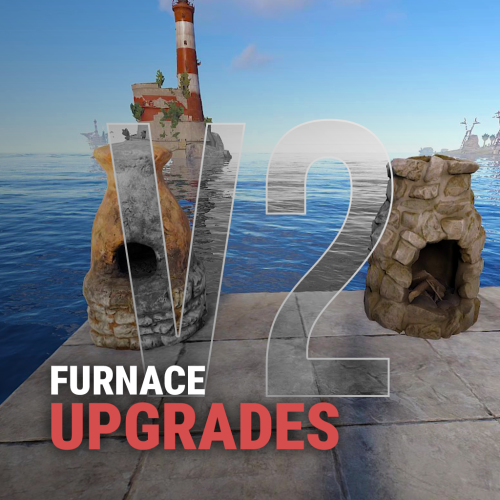
Upgrades your furnaces, ovens, refinery, mixing table & etc to beyond. Key Features Upgrade each attribute of your furnace; Supports different oven types; It is possible to define default attributes for all ovens on the server; You can set a default value for all base ovens (replacing quicksmelt); You can enable/disable any features you want; Option to keep attributes when removing the furnace; Option to auto split ores; Automatic fuel calc based on the upraded oven attributes; Now BBQ and Campfire can also be improved; Option so that only the furnace owner can upgrade it; Option so that only owner's teammates can upgrade it; A new completely redesigned UI; NEW Supports Mixing Table Video Showcase Permissions furnaceupgrades.use - This is the unique permission. required for all players to upgrade furnaces Configuration Support$14.99 -
Version 1.0.2
19 downloads
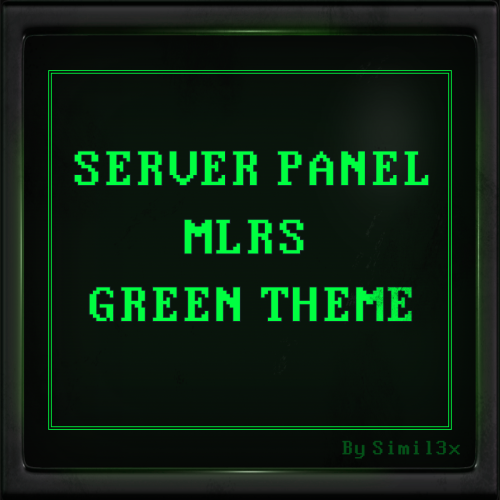
MLRS Green Theme for Server Panel by Simil3x Turn your Rust server interface into a tactical command terminal! This UI is inspired by the in-game MLRS system and classic DOS-style aesthetics. ⚙ Features ● Ready-to-use JSON configuration - no coding required ● Complete visual redesign of the Server Panel UI ● Authentic MLRS/DOS-style layout with terminal-like visuals ● Displays player name, SteamID, coordinates, and players count ● Server info panel with wipe schedule and color highlights ● Fast navigation tabs: Home, Server Binds, Rules, Commands ● Interactive Discord and website links (easy to copy) ● Scalable layout with multi-page support Installation 1. Download the provided .zip archive 2. Extract its contents into your server’s oxide folder 3. Restart the plugin Done - your new interface is now active! 🛠 Editable Without Coding Easily customize content in-game with the Server Panel’s intuitive editor - no need to modify JSON files manually. Need a Custom UI? Looking for a completely unique design? I offer full-service UI development for Rust plugins - from concept and Figma prototypes to game-ready implementation. Contact Discord: Simil3x Telegram: @Simil3x_dm ✔ Compatibility Fully compatible with the latest version of the Server Panel plugin. Easy setup - instant results. After purchase, contact me on Discord or Telegram to insert your server name into the template.$16.99 -
Version 1.0.0
2 downloads
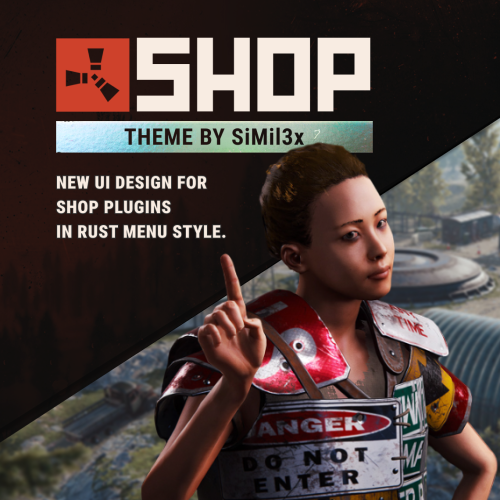
Installation: 1. Make sure you have the latest version of the SHOP plugin installed. 2. Download the theme archive. 3. Extract the contents of the archive into \data\Shop folder. 4. Reload plugin (o.reload Shop or c.reload Shop) Done - your new interface is live! To make everything work correctly, you must use the “Mevent Rust Styled” template. If you are using the “Mevent Old Style” template, run the shop.reset template command in the console, then install the required template using the /shop.install command in the in-game chat. (You must have the shop.admin permission.)$16.99 -
Version 1.1.0
31 downloads
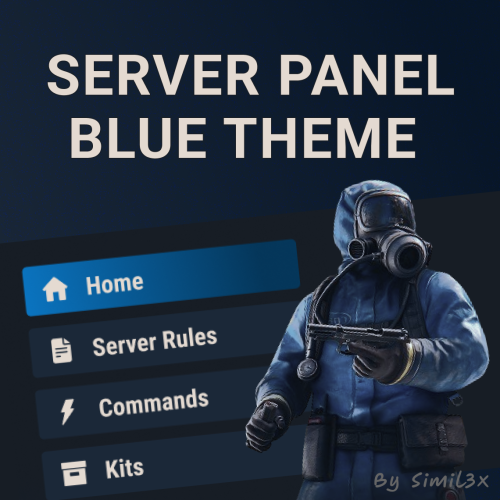
Blue Theme for Server Panel by Simil3x Transform your server interface with a modern look using this clean blue-themed UI for the Server Panel plugin. Designed to enhance clarity and usability while keeping all core features intact. What's Included: ● Ready-to-use JSON configuration - no coding required ● Complete visual redesign of the Server Panel UI ● Calm blue color palette with improved contrast ● Streamlined layout with consistent spacing and alignment ● Enhanced readability for commands and settings Installation: 1. Make sure you have the latest version of the Server Panel plugin installed. 2, Use the /sp.install command and install the V5 template. 3, Download the theme archive. 4, Extract the contents of the archive into your oxide folder. 5, Reload Server Panel plugin Done - your new interface is live! Why Choose This Theme? This isn't just a recolor - it’s a full UI refresh. Every element, from headers to buttons, was rebuilt with usability and clean aesthetics in mind. Whether you're managing kits, commands, or player stats, this layout makes interactions smoother and more intuitive. You can modify content without touching JSON files, plugin includes an intuitive in-game editor. Looking for custom plugin design? Need something completely unique? I offer full-service UI design for any Rust plugin. From initial concept and Figma prototypes to final game-ready implementation - professional custom interfaces tailored to your needs. Contact me: Discord: Simil3x Telegram: @Simil3x_dm Compatible with the latest version of the Server Panel plugin. Easy installation, instant results.$16.99 -
Version 1.0.0
12 downloads
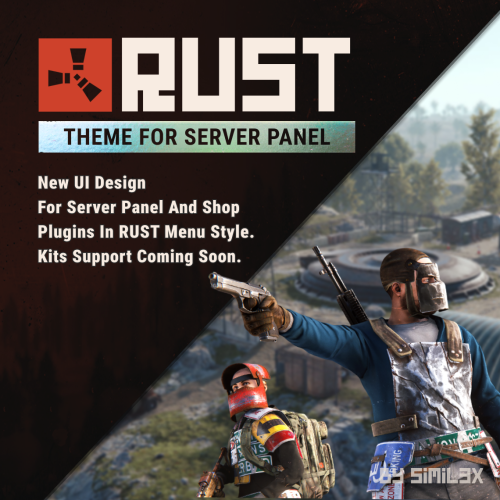
RUST Menu Theme for Server Panel & Shop A custom theme for Server Panel and Shop, inspired by the in-game RUST menu. Give your server’s interface a native look and feel that blends seamlessly with the game world. Familiar, immersive, and user-friendly for your players. Ready-to-use JSON configuration - no coding required. Simply install and enjoy a fully styled UI in minutes. 1. Install the Server Panel plugin using the chat command: /sp.install — select the FULLSCREEN V2 template. 2. Install the Shop plugin using the chat command: /shop.install — select the Mevent Rust Styled Template V2. 3. Download the theme archive. 4. Extract its contents into your /oxide folder, overwriting existing files. 5. Open \oxide\data\ServerPanel\Categories.json, find "menu_shop" and change it to "shop". 6. Open \oxide\config\Shop.json and disable "Additional Economics": Replace "Enabled": true, with "Enabled": false,. 7. Reload both plugins using the following commands: o.reload Shop o.reload ServerPanel You're all set! Need a Custom UI? Looking for a completely unique design? I offer full-service UI development for Rust plugins - from concept and Figma prototypes to game-ready implementation. Contact Discord: Simil3x Telegram: @Simil3x_dm Compatibility Fully compatible with the latest version of the Server Panel plugin. Easy setup - instant results.$20.00 -
Version 2.0.5
224 downloads
As soon as the event starts, several troops (NPCs) are spawned to defend an hackable crate that will be delivered by the CH47. This crate may contain a lot of loot, so the troops have the duty to defend it. For this purpose, there is a variety of troops such as snipers, close-range shooters, and long-range shooters. If a player manages to initiate the hacking of the crate, all the airfield troops will be relocated to a combat position. In other words, all troops that you haven't seen yet or that are hidden will be moved to the center of the airfield to defend the crate. After a few minutes, a plane will be sent with supply drops containing weapons to assist the troops in defense. However, airborne troops will also be dispatched from the plane to parachute down and aid in defending the crate. If the crate is looted, all troops will be destroyed, leaving only the crates, supply drops, and bodies to be looted by intruders. Commands /ma start to start the event /ma stop to stop the event /ma position to get the current position based in the airfield monument (used to config) Permissions militaryairfield.admin to access all commands API & Hooks private void OnMilitaryAirfieldEventStarted(); - // Called when the event starts private void OnMilitaryAirfieldEventEnded(BasePlayer? lootedBy); - // Called when the event ends Configurations Support$14.99 -
Version 1.3.4
227 downloads
Reduce the decay damage by tick; Upgrade the authorizations limit; Upgrade the building grade limit; Upgrade the storage capacity of the cupboard; Unlock some deployable items; Upgrade the stack size limit of the cupboard; Set a default building grade for the server; Modify the default decay; Keep the cupboard attributes when remove; Make your server fun ^u^ The plugin has a unique permission, which allows the player to use the cupboard upgrade: tclevels.use F.A.Q How many items can be blocked? and which? You can block unlimited items and all items must be deployable or they will not be blocked. Which area will be checked when I place my cupboard? The entire privilege area will be checked. But you can also disable checks in the configuration file. Could it cause conflict with any plugin? Yes, but i am providing an API for the plugin so that other developers can integrate with it, so if there is a conflict, just go to the developer's plugin support and ask them to integrate it. Also if it is possible for me to integrate it from my plugin, i will do so without any problem.$20.00 -

Version 1.0.5
94 downloads
DangerZones is a plugin that creates a bombing zone event, just like in Battle Royale games! Demonstration video: Auto spawn Danger Zones; Custom map marker; Custom zone radius; Can modify rockets damage; Can modify rockets ground distance; Can modify rockets speed; Chat command to spawn danger zones; Multiple danger zones at the same time; Can modify the interval between rockets; You can modify the number of rockets that will be launched at the same time; Custom status label with the SimpleStatus plugin; Fully customizable UI toast notifications; Enable/disable damage to structures; Enable/disable damage to NPC's & Animals; The default configuration file:$4.99 -

Version 1.0.5
169 downloads
PlayersUI give to your server with a beautiful and iterative interface for searching users and viewing their profiles. Features - A beautiful player list with a search box and pagination; - A profile for each user; - Permission to customize profile banner; - Badges on user profile with tooltips; - Highlight groups in user list; - Customizable commands; - Custom buttons in the profile; Default Commands /profile [target] - Show user profile; /players - Show the player list; /banner [url or default] - Change your current banner Demonstraton: Default configuration file: { "Player list command name": "players", "Profile command name": "profile", "Banner command name": "banner", "Change banner permission name": "playersui.banners.use", "Server default banner url (Recommended size: 1200x272)": "https://i.imgur.com/VjbhyCO.png", "Badges (don't use spaces in the ID, only alphanumeric chars and _ to replace the spaces)": [ { "id": "admin", "name": "Admin", "iconUrl": "https://i.imgur.com/v3ncrRY.png" }, { "id": "mod", "name": "Moderator", "iconUrl": "https://i.imgur.com/UV6NOQV.png" }, { "id": "sponsor", "name": "Sponsor", "iconUrl": "https://i.imgur.com/7YpivBD.png" }, { "id": "vip", "name": "VIP", "iconUrl": "https://i.imgur.com/E700MO8.png" } ], "Status display settings": { "Show kills": true, "Show deaths": true, "Show KDR": true, "Show killed animals": true, "Show killed NPC's": true, "Count all deaths (suicide, fall, animals, helicopters, etc...)": false }, "Custom buttons on profile": [ { "Button label": "<color=#FFF700>SEND TP</color>", "Button icon url": "https://i.imgur.com/diqgMnn.png", "Button background color": "0.82 0.6 0 1", "Button command": "chat.say /tpr {target_id}", "Is a server command": false, "Only admins can use": false, "Show it to your own profile": false, "Button anchor min": "1 1", "Button anchor max": "1 1", "Button offset min": "-74 -160", "Button offset max": "0 -136" }, { "Button label": "<color=#59ff00>CLAN INVITE</color>", "Button icon url": "https://i.imgur.com/EZWrsAo.png", "Button background color": "0.31 0.56 0.34 1", "Button command": "chat.say /clan invite {target_id}", "Is a server command": false, "Only admins can use": false, "Show it to your own profile": false, "Button anchor min": "1 1", "Button anchor max": "1 1", "Button offset min": "-174 -160", "Button offset max": "-80 -136" }, { "Button label": "KICK", "Button icon url": "https://i.imgur.com/zRr73cJ.png", "Button background color": "0.76 0.19 0.19 1", "Button command": "kick {target_id}", "Is a server command": true, "Only admins can use": true, "Show it to your own profile": false, "Button anchor min": "1 1", "Button anchor max": "1 1", "Button offset min": "-236 -160", "Button offset max": "-180 -136" } ], "Groups highlight": [ { "Group name (use oxide.groups on console to show all available groups)": "default", "Priority": 99, "Background color": "1 1 1 0.1", "Text color": "1 1 1 1", "Icon background color": "0 0 0 0", "Icon URL (empty = disabled)": "" }, { "Group name (use oxide.groups on console to show all available groups)": "admin", "Priority": 1, "Background color": "1 0 0 0.1", "Text color": "1 1 1 1", "Icon background color": "1 0 0 0.4", "Icon URL (empty = disabled)": "https://i.imgur.com/v3ncrRY.png" }, { "Group name (use oxide.groups on console to show all available groups)": "mod", "Priority": 2, "Background color": "0 1 0 .3", "Text color": "1 1 1 1", "Icon background color": "0 1 0 .5", "Icon URL (empty = disabled)": "https://i.imgur.com/UV6NOQV.png" }, { "Group name (use oxide.groups on console to show all available groups)": "sponsor", "Priority": 3, "Background color": "0.2 0.63 0.17 .3", "Text color": "1 1 1 1", "Icon background color": "0.2 0.63 0.17 .5", "Icon URL (empty = disabled)": "https://i.imgur.com/7YpivBD.png" }, { "Group name (use oxide.groups on console to show all available groups)": "vip", "Priority": 4, "Background color": "0 1 1 .3", "Text color": "1 1 1 1", "Icon background color": "0 1 1 .5", "Icon URL (empty = disabled)": "https://i.imgur.com/E700MO8.png" } ] } Preview images:$15.00- 48 comments
- 2 reviews
-
- 3
-
-
-
- #players
- #player list
- (and 4 more)
-
![More information about "Daily Reward UI [Plugin Interface / Figma]"](https://codefling.com/uploads/monthly_2024_08/prevyu_cf_ava.thumb.png.6bc3040bd2dd116ec1b4541f1eadfa5f.png)
Version 1.0.0
7 downloads
An unrealistically beautiful UI that will decorate your server. Your players will definitely like it. The design is made in Figma. This is a plugin design, not a ready-made plugin. Full support is guaranteed from my side.I will help you change the pictures if you need it. My Discord: .spacex$10.00-
- 1
-
-
- #daily rewards
- #reward
- (and 7 more)
-
Version 2.0.2
580 downloads
WHAT IS IT FOR? This is a tool that creates temporary notifications on the user's screen, used to facilitate messages between plugins and server users. CONSOLE COMMANDS toastify [toast_id] [player] [message] - to send a toast notification for a specific player toastify.global [toast_id] [message] - to send a toast notification for everyone PERMISSION toastify.use- the permission to access the toastify commands API </> // Send a toast notification for the target player // Returns the ID of the toast to destroy it if necessary // @deprecated string SendToast(BasePlayer player, string toastId, string message, float? duration); // Use this new one instead of the above: string SendToast(BasePlayer player, string toastId, string title, string message, float? duration); // Destroy a toast notification void DestroyToast(BasePlayer player, string toastId); GOOD WAY TO IMPLEMENT If you want to integrate your plugin with Toastify, I recommend that you add an option in the configuration file of your plugin that the user can link their notification ID with the notifications you will use, you can see an example of how this was implemented in the FurnaceUpgrades or TCLevels configuration file. CONFIGURATION The default configuration file of the plugin: SCREENSHOTFree -
![More information about "Beautiful UI Lottery [Plugin Interface / Figma]"](https://codefling.com/uploads/monthly_2024_07/prevyu_cf_ava.thumb.png.bb842a90cd696da0b1f581a115de587d.png)
Version 1.0.0
6 downloads
An unrealistically beautiful UI that will decorate your server. Your players will definitely like it. Full support is guaranteed from my side. I will help you change the pictures if you need it. This is a plugin design, not a ready-made plugin. The design is made in Figma.$15.00 -
![More information about "Beautiful UI KIT [Plugin Interface / Figma]"](https://codefling.com/uploads/monthly_2024_07/prevyu_cf_ava2.thumb.png.c14ced819275f76f05b1d4dd6e4ac9d4.png)
Version 1.0.0
10 downloads
This is a plugin design, not a ready-made plugin. The design is made in Figma. An unrealistically beautiful UI that will decorate your server. Your players will definitely like it. Full support is guaranteed from my side.I will help you change the pictures if you need it.$25.00 -

Version 1.0.1
24 downloads
The classic "RPG" plugin. A beautiful, minimalist plugin that diversifies the farm on your server. Full customization of each skill from the name to each picture Features Nice user interface Plugin Optimization Full customization of each element Autowipe with wipe ( optionally ) Selective configuration language ( RU, EN ) Permission rpgsystem.loggermax - Privilege for issuing the maximum rate for the "LOGGER" skill rpgsystem.minermax - Privilege for issuing the maximum rate for the "MINER" skill rpgsystem.huntermax - Privilege for issuing the maximum rate for the "HUNTER" skill rpgsystem.allmax - Privilege for issuing the maximum rate for all types of skills Config EN { "RPG Main Settngs": [ { "The name of the RPG": "LOGGER", "Type RPG": 1, "Max Rate ( Example: 4.5 )": 2.0, "Max Hits ( Example: 65000 )": 1500, "Permission to issue the maximum rate": "rpgsystem.loggermax", "Settings Image": { "Image": "https://i.imgur.com/L2FajS5.png", "Color ( HEX )": "#FFFFFF", "Opacity ( 0 - 100 )": 40, "Background picture": "https://i.imgur.com/W51xSJw.png" } }, { "The name of the RPG": "MINER", "Type RPG": 2, "Max Rate ( Example: 4.5 )": 1.5, "Max Hits ( Example: 65000 )": 3500, "Permission to issue the maximum rate": "rpgsystem.minermax", "Settings Image": { "Image": "https://i.imgur.com/GkG4ZFy.png", "Color ( HEX )": "#FFFFFF", "Opacity ( 0 - 100 )": 40, "Background picture": "https://i.imgur.com/JtsMBFX.png" } }, { "The name of the RPG": "HUNTER", "Type RPG": 3, "Max Rate ( Example: 4.5 )": 3.0, "Max Hits ( Example: 65000 )": 500, "Permission to issue the maximum rate": "rpgsystem.huntermax", "Settings Image": { "Image": "https://i.imgur.com/QGYVHFC.png", "Color ( HEX )": "#FFFFFF", "Opacity ( 0 - 100 )": 40, "Background picture": "https://i.imgur.com/jvrCv4g.png" } } ], "Permission to issue the maximum rate of all types of RPG": "rpgsystem.allmax", "Wipe data ?": true, "Verison Configuration": { "Major": 1, "Minor": 0, "Patch": 0 } } RU { "Основная настройка РПГ": [ { "Название РПГ": "LOGGER", "Тип РПГ": 1, "Максимальный рейт ( Пример: 4.5 )": 2.0, "Максимальное количество хитов ( Пример: 65000 )": 1500, "Пермиссия для выдачи максимального рейта данного типа РПГ": "rpgsystem.loggermax", "Настройка картинки": { "Картинка": "https://i.imgur.com/L2FajS5.png", "Цвет картинки ( HEX )": "#FFFFFF", "Прозрачность ( 0 - 100 )": 40, "Картинка заднего фона": "https://i.imgur.com/W51xSJw.png" } }, { "Название РПГ": "MINER", "Тип РПГ": 2, "Максимальный рейт ( Пример: 4.5 )": 1.5, "Максимальное количество хитов ( Пример: 65000 )": 3500, "Пермиссия для выдачи максимального рейта данного типа РПГ": "rpgsystem.minermax", "Настройка картинки": { "Картинка": "https://i.imgur.com/GkG4ZFy.png", "Цвет картинки ( HEX )": "#FFFFFF", "Прозрачность ( 0 - 100 )": 40, "Картинка заднего фона": "https://i.imgur.com/JtsMBFX.png" } }, { "Название РПГ": "HUNTER", "Тип РПГ": 3, "Максимальный рейт ( Пример: 4.5 )": 3.0, "Максимальное количество хитов ( Пример: 65000 )": 500, "Пермиссия для выдачи максимального рейта данного типа РПГ": "rpgsystem.huntermax", "Настройка картинки": { "Картинка": "https://i.imgur.com/QGYVHFC.png", "Цвет картинки ( HEX )": "#FFFFFF", "Прозрачность ( 0 - 100 )": 40, "Картинка заднего фона": "https://i.imgur.com/jvrCv4g.png" } } ], "Пермиссия для выдачи максимального рейта всех типов RPG": "rpgsystem.allmax", "Удалять дату при вайпе?": true, "Версия конфигурации": { "Major": 1, "Minor": 0, "Patch": 0 } } FAQ Question: How do I set up the plugin correctly? Answer: The plugin works from the number of hits it has made on stone or wood, from and collecting items. For example: You have set the following parameters in the MINER skill: Max Rate: 2,0f Max Hits: 35000 This means that when he makes 35,000 hits on the stone, he will receive the maximum rate of this skill Question: How can I translate the configuration into Russian, or back into English? Answer: In the plugin code on the 19th line of the plugin, you need to change the - TranslationRU parameter If you set: Translation RU = true; Then the configuration language you will have is Russian If you set: TranslationRU = false; Then the configuration language you will have is English$9.99