Search the Community
Showing results for tags 'web'.
Found 19 results
-

Version 2.3.1
57 downloads
BattlePass completely reimagines player progression in Rust, delivering a triple-A game experience directly to your server. It features a gorgeous, animated user interface that feels native to the game, ensuring smooth performance without compromising visual fidelity. Players earn XP through every in-game activity, unlocking rewards across two distinct tracks. With a built-in season system, daily challenges, and deep integration with popular event plugins, it provides endless goals for your community to chase. The plugin features a robust Web-Based Configurator, allowing you to visually design your season, rewards, and challenges without ever touching a line of code a first-of-its-kind feature for a plugin of this scale. [ VIDEO PREVIEW HERE ] Main Features Web-Based Configurator : Effortlessly design your seasons using a modern, drag-and-drop web interface. Export ready-to-use config files in seconds, saving you hours of manual coding. Dual Progression Tracks : Offer both Free and Premium paths. Server owners can monetize the Premium track by allowing players to purchase access using Economics, Server Rewards (RP), or in-game items like Scrap. Stunning Visuals & Animations : Features a highly polished UI with smooth entry/exit effects, satisfying claim animations, and dynamic progress bars that look like a native game feature. Advanced Reward System : Supports full Console Command integration. Instantly grant Kits, VIP Ranks, Permissions, or virtual currencies the moment a player claims their reward. Daily Challenge System : Keep your players coming back every day with fresh, rotating objectives (e.g., "Kill 5 Bears") and a countdown timer for the next reset. Comprehensive XP Actions : Players earn XP through a massive variety of activities including Combat (Player/NPC kills), Raiding (destroying structures), Gambling, Survival (eating/healing), and Gathering. Massive Event Integration : Automatically rewards XP for participating in over 25+ popular server events, including Raidable Bases, Convoy, Space Event, Boss Monsters, and many more. Integrated Activities Massive Plugin Support & Event Integrations The Rust Battle Pass works seamlessly out-of-the-box with a wide range of custom plugins, ensuring your unique server events contribute directly to player progression. Every major event is tracked, allowing players to level up their pass by simply playing the game: Chat Commands Permissions Configuration Files Frequently Asked Questions (Q&A) Web Based Configurator$41.95- 28 comments
- 2 reviews
-
- 6
-

-

-

-
- #battlepass
- #web
- (and 24 more)
-
Version 0.1.4
203 downloads
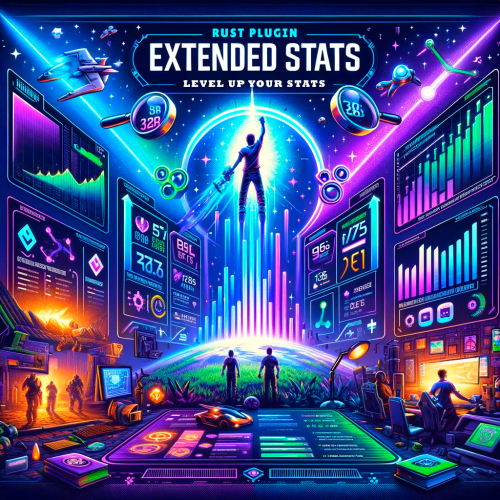
A plugin for collecting game statistics with database support, compatible with both SQL and web API methods. This functionality empowers website owners to display the desired statistics from the database on their sites. Moreover, it offers the capability to send data via API, which proves highly beneficial in scenarios where your gaming server and database reside on separate machines and the database restricts connections beyond localhost. Please note that an instruction manual will be included in the downloaded file and it is imperative for users to read it thoroughly. Collecting(The full list is available below in the section Collected Data) : Server information; Team information; Clan information(in future); Feedback(F7) information; Report(F7) information; Player information. Sending data through: direct MySQL; via API(POST query) to MySQL. { "Unique ID of the current server": 0, "Database upload method. 0 - disabled, 1 - via API, 2 - via MySQL": 1, "Interval in seconds at which an attempt to load changes into the database will occur": 300.0, "Is it worth logging messages to the console when uploading to the database?": true, "API - Service URL": "https://site.com/ExtendedStats/index.php", "API - Service access key": "GlBRw-elM6v-gjko3-cxSDk-Tsy7B", "MySQL - Host": "localhost", "MySQL - Port": 3306, "MySQL - Database name": "db_playrust", "MySQL - Username": "root", "MySQL - Password": "root", "Database table name - Servers": "db_servers", "Database table name - Teams": "db_teams", "Database table name - Clans": "db_clans", "Database table name - Feedbacks": "db_feedbacks", "Database table name - Reports": "db_reports", "Database table name - Players": "db_players", "Database table name - Players Balances": "db_players_balances", "Database table name - Players Stats": "db_players_stats", "Database table name - Players Farms": "db_players_farms", "Database table name - Players Gambling": "db_players_gambling", "Database table name - Players Kills": "db_players_kills", "Database table name - Players Explosions": "db_players_explosions", "Database table name - Players Raids": "db_players_raids", "Is it worth clearing saved statistics when a wipe is detected?": true, "Is it worth clearing the database when a wipe is detected?": true, "List of statistic categories to clear when a wipe is detected. Leave empty to recreate defaults": [ "players", "teams", "clans", "feedbacks", "reports" ], "Dictionary of display names for deployable entities by key": {}, "Wipe ID": null, "Version": { "Major": 0, "Minor": 1, "Patch": 4 } } ServerData: ServerName ServerIdentity ServerIP ServerPort QueryPort ServerDescription ServerHeader ServerURL ServerTime ServerTags GameTags MaxPlayers ServerEntities ServerFPS ServerAvgFPS ServerUptime ServerMap MapSize MapSeed FirstSave LastSave WipeID ServerVersion ServerProtocol RconPort RconPassword TeamData: TeamID TeamName CreatorID LeaderID TeamMembers ClanData(Temporarily not working) : ClanID ClanName CreatorID LeaderID ClanMembers FeedbackData(Since the corresponding Oxide hook has shifted, not all types of feedback are processed) : ID UserID Subject Type Message Time ReportData: ID UserID TargetID TargetName Subject Type Message Time PlayerData: Info: UserID DisplayName Flags Language GroupsList TeamID ClanID BanReason Connection: PlayedTime - requires the PlaytimeTracker/PlayTimeRewards plugins IdleTime - requires the PlaytimeTracker/PlayTimeRewards plugins Connections Ping FirstConnectionIP LastConnectionIP FirstConnectionDate LastConnectionDate Balance: Balance - requires the Economics plugin BankBalance - requires the BankSystem plugin Points - requires the ServerRewards plugin Experience Reputation - requires the ReputationMaster plugin Statistics: TimeAlive - updates only after the player's death TimeSleeping - updates only after the player's death DistanceWalked - updates only after the player's death DistanceRun - updates only after the player's death TimeWilderness - updates only after the player's death TimeInBase - updates only after the player's death TimeInMonument - updates only after the player's death TimeSwimming - updates only after the player's death TimeFlying - updates only after the player's death TimeBoating - updates only after the player's death TimeDriving - updates only after the player's death Wounded WoundsInflicted WoundAssisted WoundRecovered DamageInflicted DamageTaken - updates only after the player's death Healed - updates only after the player's death ShotsFired - updates only after the player's death ShotsHit ExcavatorStarts BearTrapInflicted BearTrapSteps MineInflicted MineSteps HandcuffsApplied Handcuffed PhoneCalls PhoneCallsTimeout MissionsStarted MissionsSucceeded MissionsFailed DeployedsList MonumentsList - requires the MonumentsWatcher plugin Farming: Barrels UnderWaterCrates ShreddedEntities DetectResourceFlags GreenDoors BlueDoors RedDoors FishAttempts Guts Supplies ExcavatorSupplies Chinooks Surveys ChickensHatched ChickenEggs BeehiveXP Blueprints CraftList GatherList RecycleList BuyerPurchaseList BuyerSpentList SellerSalesList SellerRevenueList CratesList FishList Gambling: BWG_Spins BWG_WinSpins BWG_SpendScraps BWG_WinScraps Slot_Spins Slot_WinSpins Slot_SpendScraps Slot_WinScraps Poker_Games - Placeholder Poker_WinGames - Placeholder Poker_SpendScraps - Placeholder Poker_WinScraps - Placeholder BlackJ_Games BlackJ_WinGames BlackJ_StandoffGames BlackJ_SpendScraps BlackJ_WinScraps RPS_Wins RPS_Losses RPS_Draws Kills: Kills FriendlyKills Deaths Suicides Beehives Chickens FarmChickens Snakes Boars Stags Horses Wolves Bears Polarbears Panthers Tigers Crocodiles Sharks PlayerNPCs Scientists Zombies Patrols Bradleys KillVehicles: PedalBikes MotorBikes Cars RowBoats RHIBs SubmarinesSolo SubmarinesDuo Tugs MiniHelis AttackHelis ScrapHelis Balloons Trains TrainWagons TrainCabooses Snowmobiles Ballistas BatteringRams Catapults SiegeTowers HitParts KillParts KillWeapons Explosions: Rockets RocketsHV RocketsIncendiary RocketsSmoke RocketsMissile RocketsMLRS Torpedoes ExplosiveAmmo Ammo40mmExplosive Ammo40mmSmoke GrenadesF1 GrenadesMolotov GrenadesFlash GrenadesSmoke GrenadesBean SatchelCharges C4Explosives PropaneBombs FireBombs Raids: Cupboards Doors Windows Foundations Ceilings Walls Doorways WindowFrames Stairs Hatches ExtWoodenGates ExtWoodenWalls ExtStoneGates ExtStoneWalls ExtIceWalls ExtIceShortWalls RaidedConstructionsList RaidedDeployableConstructionsList RaidableBases: RBEasy RBMedium RBHard RBExpert RBNightmare$19.99 -

Version 1.0.2
21 downloads
A modern, feature-rich leaderboard application designed for rust servers with Steam integration, admin management, and real-time statistics tracking. On download, you will get a .zip file. With in you get a plugin, website files and readme.txt. I will help with any installs of the websites just message me! Discord bot soon? Maybe FEATURES Core Functionality: - Multi-Server Support - Track statistics across multiple game servers - Real-time Leaderboards - Live player rankings with kills, deaths, K/D ratio, headshots, and playtime - Steam Integration - Seamless Steam authentication and profile integration - Player Search - Quick search functionality to find specific players - Responsive Design - Optimized for desktop and mobile devices Authentication & Security: - Steam OAuth - login through Steam OpenID - Permission System - Granular admin permissions and role management Admin Panel: - Player Management - View and manage player statistics - Server Administration - Add, edit, and manage multiple game servers - Admin Controls - Manage admin users and permissions - Theme Customization - Configure application themes and branding - Wipe Scheduling - Automated server wipe scheduling and notifications Customization: - Dynamic Themes - Customizable color schemes and UI themes - Configurable Navigation - Easy-to-modify navigation menu - Server Branding - Customizable server names and branding Advanced Features: - Wipe Notifications - Real-time alerts for scheduled server wipes - Performance Optimized - Fast loading with optimized queries and caching INSTALLATION For detailed installation steps, please refer to README.txt USAGE For Players: 1. Login with Steam - Click the Steam login button to authenticate 2. View Rankings - Browse leaderboards across different servers 3. Search Players - Use the search bar to find specific players 4. Track Progress - View your personal statistics and ranking For Administrators: 1. Access Admin Panel - Navigate to /admin after logging in as an admin 2. Manage Servers - Add new servers or modify existing ones 3. User Management - Control admin permissions and player data 4. Schedule Wipes - Set up automated server wipe schedules 5. Customize Themes - Modify the application's appearance CONFIGURATION Edit min.config.json to customize: - Navigation menu items - External links Database Schema: The application uses Prisma with the following main models: - Stats - Player statistics and rankings - Admins - Administrator accounts - Servers - Game server configurations - ThemeSettings - UI customization options - WipeSchedules - Automated wipe scheduling API DOCUMENTATION Available Endpoints: - GET /api/stats - GET /api/servers - GET /api/admins - POST /api/wipes/execute - GET /api/themes Environment Variables: - Production database URL - Steam API keys - NextAuth configuration - API security keys$40.00 -
Version 1.0.0
2 downloads
This is a web card-plugin that helps players quickly access the server's social networks Functions: - Going to the main page of the server's website - Going to the discord server - Going to the telegram channel - Going to the server store - Function name visibility when hover over Advantages from the regular version: - Added a VKontakte social network button - The button icons changed - Added (php) configuration file - Added a footer - Added a favicon The standard config file: // WEB $siteTitle = "Server-Card - Social Networks for your Server"; $siteFavicon = "/img/favicon.png"; $FaviconWidth = 32; $FaviconHeight = 32; // SERVER $servername = ""; $serverlink = "https://"; // DISCORD BUTTON $showDiscord = true; $discordlink = "https://"; // TELEGRAM BUTTON $showTelegram = true; $telegramlink = "https://"; // VK BUTTON $showVK = true; $vklink = "https://"; // STORE BUTTON $showStore = true; $storelink = "https://"; // FOOTER $footertext = "© 2025 Web-Card. All Rights Reserved"; Requirements: - Any hosting service Deploy: - Move all the contents of the zip folder to the PUBLIC_HTML folder on your hosting (this is how it works in 99% of hosting)$2.99 -
Version 1.0.0
32 downloads
Explore the Rust Theme for Azuriom! Enhance the aesthetics of your Azuriom platform with our exclusive Rust Theme. Inspired by the Rust world, this theme provides a unique and engaging user interface that perfectly complements your gaming community. Features: Stylish Design: Immerse your users in a visually appealing Rust atmosphere. The theme has been carefully crafted to offer a rustic yet modern look. Easy Installation: Thanks to our step-by-step guide, installation is a breeze. Download the theme, copy it to the theme directory, activate it in the Admin Dashboard, and your Azuriom with the Rust Theme is ready. Customizable Configuration: Tailor the theme to your preferences. Choose pages for the homepage, enable the page background set in `Settings/Global`, and add individual header images for up to 8 servers. One-Click Server Connection: Clicking the "Connect" button automatically copies the connection link to the clipboard. Paste it effortlessly into Rust in the console and initiate the gaming experience seamlessly. Ongoing Enhancements: Our Rust Theme is continually updated and expanded with new features. Benefit from regular updates to ensure your Azuriom stays up-to-date with the latest Rust aesthetics. Optimized User-Friendliness: The Rust Theme not only offers an impressive appearance but also optimized user-friendliness. Your gaming platform will not only look good but also feel great. Make your Azuriom unique and distinctive – get the Rust Theme now and immerse your gaming community in a new dimension of design! Installation and Configuration Guide for the Rust Theme in Azuriom ## Step 1: Copy Theme to the Theme Directory 1. Download the `Rust Theme` if not done already. 2. Copy the `rust` folder into the theme directory of your Azuriom installation. Typically, you can find this directory under `resources/themes` in your Azuriom root. ## Step 2: Activate Theme in Azuriom Admin Dashboard 1. Log in to the Azuriom Admin Dashboard. 2. Navigate to the "Designs" section. 3. Locate the `Rust Theme` in the list and click on "Enable." ## Step 3: Configure Theme 1. Navigate to the "Designs" section. 2. Click on "Edit Configuration" at the top. 3. In the first section, you can activate the page title. Choose a page created under "Pages" to be displayed on the homepage. Alternatively, deactivate it here if you don't want any page to be shown. 4. The page background set in `Settings/Global` can be activated here on all pages. Otherwise, it will only be displayed on the homepage. Note that a page background is mandatory. 5. In the following section, depending on the number of servers you've set up in Azuriom, you'll have the option to insert the header image for each server (up to 8 servers). Tip: Under "Content -> Images" in Azuriom, you can upload images. After uploading, find the link in the "File" column. Right-click on it, choose "Copy link address," and paste the link here.$24.00- 2 comments
- 2 reviews
-
- 1
-
-
- #rust theme
- #rust design
- (and 11 more)
-

Version 1.0.3
66 downloads
This is a web card-plugin that helps players quickly access the server's social networks Functions: - Going to the main page of the server's website - Going to the discord server - Going to the telegram channel - Going to the server store - Function name visibility when hover over Requirements: - Any hosting service and deploy Instruction: - Unzip the archive, go to style.css, read the initial instructions (2 lines), do everything as it says, and run index.html or deploy it to web hostingFree -

Version 6.2.1
3 downloads
WEBSITE https://www.leaderos.net DEMO https://demo.leaderos.net$16.99 -
Version 2.0.4
940 downloads
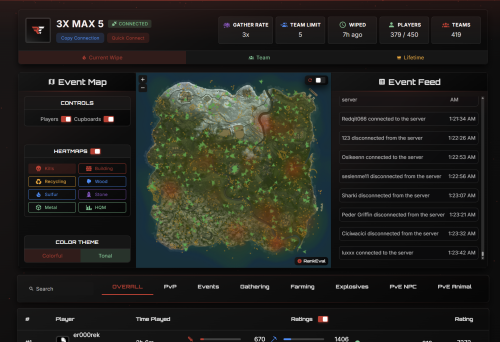
The RankEval System Modular, extensible, and designed for Rust's most competitive environments. From wipe-based PvP ladders to multi-server team tracking, RankEval powers the most advanced leaderboard system in Rust. Get Started Browse Servers Your browser does not support the video tag. Leaderboards At the heart of RankEval is a powerful, customizable leaderboard engine. Track 178 Unique Player Statistics From kill/death ratios to building and farming efficiency, we process them through our proprietary rating algorithm to generate fair, flexible rankings. You can configure leaderboards for different modes and filter, rank, and embed them based on your community's needs. Visualize performance live with Event Maps™, a real-time heatmap showing player positions, hotspots, and PvP activity as it happens. Perfect for post-wipe analysis, staff review, and community engagement. Wipe Mode Resets stats every server wipe Team Mode In depth clan/team metrics available ∞ Lifetime Mode Persist your data across wipes and servers Event Maps™ Heatmaps & player position tracking General Overview Your browser does not support the video tag. Event Maps™ Your browser does not support the video tag. Cloud Control Panel Every RankEval deployment is managed through a powerful web-based control panel. Complete Control Over Your System You can manage every aspect of your RankEval deployment from a single, intuitive interface. ✓ Create custom leaderboards for each server or org ✓ Define stat weightings, rating types, and layout options ✓ Enable or disable modules like team scoring or event tracking ✓ Assign roles and access control per org or server No two configs are the same — and you don't need to touch a line of code. Your browser does not support the video tag. Ready to power the most advanced leaderboard system in Rust? Join our community of server owners who trust RankEval for their competitive gaming needs. Get Started Now Browse Servers Trusted by 200+ Rust organizations worldwide • Built for competitive gamingFree- 5 reviews
-
- 6
-
-
-
- #statistics
- #rankings
- (and 6 more)
-
Version 1.3
16 downloads
Real-time server data with player counts, map info, and wipe timers. Discord integration, customizable design, easy setup, responsive on all devices. Launch your website now! KEY FEATURES LEADERBOARD: The leaderboard uses Premium Leaderboard, which is required. It will not work with any other stats plugin. You can disable the leaderboard in the config if you do not want or need one. The leaderboard can also run independently on its own site (e.g., stats.mysite.com) if you already have a main website. LIVE SERVER DATA: • Real-time player counts from Battlemetrics API • Server status indicators (online/offline) • Current map information • Next wipe countdown timers • Direct Steam connect buttons DISCORD INTEGRATION: • Live Discord member count display • Automatic member count updates FULLY CUSTOMIZABLE: • Easy color scheme changes via CSS variables • Customizable content through simple config file • Responsive design for all devices • Modern dark theme with professional styling RESPONSIVE DESIGN: • Works perfectly on desktop, tablet, and mobile • Clean, modern interface EASY SETUP: • Single configuration file for all settings • No database required • Simple PHP hosting HOSTING REQUIREMENTS: • PHP 7.4 or higher • Basic web hosting (shared hosting works) GETTING STARTED: 1. Upload files to your web server 2. Edit min.config.php with your settings 3. Add your Battlemetrics server IDs 4. Configure Discord integration 5. Customize colors and content 6. Launch your website!$12.99 -

Version 1.1.2
78 downloads
What Is OutpostLink? OutpostLink is a Steam and Discord integration system that automates role and group assignments across both your Discord and Rust servers. Designed to work seamlessly with the required Outpost Website Template, it provides a streamlined way to manage player roles and permissions. Easy Setup A guided installation file walks you through the entire process, generating all the necessary configuration files for both the plugin and bot. Role and group settings are handled directly through the included web dashboard—eliminating the need for manual config edits. Any changes made via the dashboard can be instantly applied by reloading the bot or plugin on your server. Automated Role and Group Assignments By linking their Steam and Discord accounts, players are automatically assigned the roles and Rust permission groups you define in the web dashboard. You can also enable optional features like assigning roles based on Steam group membership or Discord Server Boosting. If these extras aren’t needed, they can simply be turned off. The system can also send discord webhooks to notify you of linked and unlinked players. Key Features - Seamless Integration Built to work directly with the Outpost Website Template. - Simple Setup The installation wizard generates all required config files. - Dashboard Management Easily view linked users, remove accounts, and modify settings in a user-friendly web panel. - Automated Role Assignments Assign Discord roles and Rust permission groups according to your server’s configured rules. - Multi-Server Support Configure distinct group setups for each game server in your network, ideal for larger communities. How It Works OutpostLink is composed of three key components: 1. Discord Bot Manages account linking and role assignments on Discord. 2. Link Page / Web API Serves as the connection between Discord and the game server, handling all settings and data storage. 3. Server Plugin Ensures that linked players receive their correct roles and permissions in-game. The Linking Process 1. Direct players to your Link page This page, included with the addon, can display custom heading and info text instructing players on how to link and what benefits they can receive. 2. Players sign in with Steam and Discord If a player isn’t already in your Discord, they’ll be added. After logging in to both services, they click "Link Accounts” to get their Discord roles. 3. Player Joins the Game Server - On joining the server, OutpostLink checks the Web API to confirm if they’re linked. - If verified, the plugin updates their permission groups based on linked status, Steam group membership, or Discord boosting. - If a player links while in-game, they can use `/link` to check their status, followed by a quick verification. - Once recognized, they’ll receive a confirmation. Otherwise, instructions will be provided on completing the linking process. - Each time a player reconnects, OutpostLink verifies that their link status hasn’t changed. If a player has unlinked or lost eligibility (e.g., stopped boosting or left the Steam group), OutpostLink immediately removes any roles they no longer qualify for. OutpostLink is a powerful, community-driven addition to the Outpost Website Template, designed to simplify admin tasks and enhance the player experience. With its centralized role and groups management for Discord and Rust, as well as a intuitive web dashboard, it significantly reduces admin workload while offering players an effortless way to bonus perks all while growing your community! Note: The Outpost Website Template is required for this addon! Standalone installation options are coming soon. - Use the Bundle option to the right to receive a discount when buying both!$24.99 -
Version 1.0.1
24 downloads
Rankeval 20% off first 3 months discount code - modbyko Current/Lifetime stats: Overall PVP PVE Resources Installation Download zip file. There will be two folders inside zip file. rankeval-img - move this folder to your Ember root public/img/ rankeval-leaderboards - move this folder inside Ember root modules/ After that visit your Embers site and automatic integration will start. When integration is comple visit your Admin panel > Rankeval there you will be able to add your server name and API KEY after that all stats from Rankeval are visible inside your Ember site. Remember you will have to need Rankeval subscription for this module to work. Support Feel free to message me if you want some customizations or have troubles to setup module. Discord: kokars Email: [email protected]$22.95 -
Version 1.1.1
371 downloads
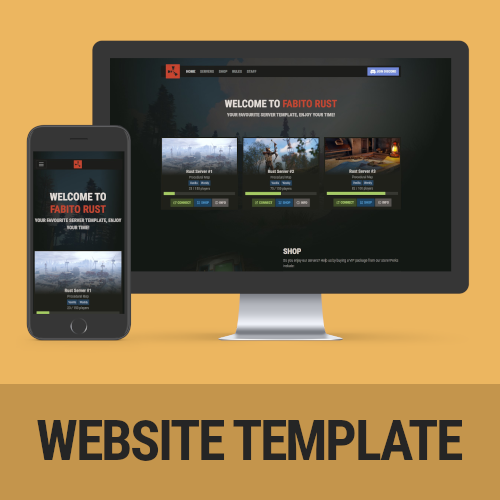
A feature-packed, fully customizable Rust server template that comes ready to go out of the box! Features include mobile responsiveness, server auto-discovery, and compatibility with the outpost Tebex theme! Features Rust Themed - The template is heavily inspired by the Rust in-game UI, so people will instantly recognize what they’re used to. It is kept in a darkish style to stand out from all the other default-white templates out there! Server Auto-Discovery - No need to manually add server information anymore. The inbuilt auto-discovery automatically updates your server information every 10 minutes and caches it (for website performance). It is automatically connecting information about the map, the player amount, server name, your banner, the description, and the tags used in game. All you have to do is add your IP + Ports to the config file! Fully Customizable - The template was developed with non-developer server owners in mind. Even if you have no idea about web development you can easily edit the most important parts of the template. This includes the links in the navigation, the servers (via auto-discovery), rules, and your social links. All from a single configuration file! Mobile Responsve & Extremely Fast - The template doesn’t only look good on the desktop. If you have someone checking out your site from a mobile phone, rest assured, it is mobile-ready! In addition to that, it has extremely fast loading times. Your site will not take longer than 200ms to load, once the server information is cached. Comes ready to use - The rust server website template comes with example values in the configuration file, including a basic ruleset. Setting up your website will not take longer than 15 minutes! Compatible with the Tebex Rust Output template! - If you do not run your own shop, do not wait! This template looks amazing in combination with the Tebex Outpost Theme, which I made as well. Thats the perfect combo of both Shop and Content! Demo https://dev.fabito.net/rust-template Webspace Requirements You can see all the requirements on our Discord Recommended Webhoster If you are not with a hosting company yet, I recommend using Hetzner (https://www.hetzner.com/webhosting). They offer great and cheap hosting with all the requirements. You can go with their cheapest plan without an issue. Buy the website, edit the config.php, get the FTP information from their cotnrol panel, upload all the files (on Hetzner: into the public_html folder, delete any existing files in that folder) – now you’re ready to go! Installation Instructions Installation instructions can be found on our Discord Troubleshooting Additional information and help to troubleshoot issues can be found on our Discord Contact and Support If you need additional assistance or got any open questions before purchasing, join us on our Discord: https://promeus.io/discord$29.99 -
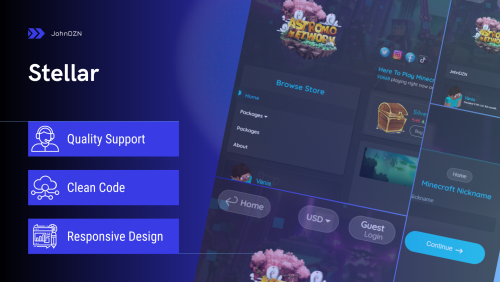
Version 1.1.4
3 downloads
DEFAULT THEME RED THEME PREVIEW CmhAdmin Shop Holomount Lmcc-Pulse-Service You can customize the template to your liking. For example: WINTER STYLE Contact Us for Support More MEDIA:$19.99 -
.thumb.png.310e0821f222ef9fd2983196274b5a56.png)
Version 1.0.5
14 downloads
Modern, unique & easy editable Theme for all Tebex compatible games webstores. Documentation: CLICK Features Strong Design - The template is strongly inspired by the appearance desired by clients and modern standards, which includes the maximum functionality of the Tebex platform. Fully Customizable - Even if you have no knowledge of Web Development, you don't have to check dozens of files until you customize the template. You can make all changes to the template through JSON forms, which saves a lot of time and can be done in a few minutes! Mobile Responsve & Extremely Fast - The template loads very quickly, thanks to SEO and is perfectly responsive on all devices. 7 Color Schemes - You don't have to complicate yourself with changing colors, I have prepared 7 color schemes perfectly compatible with the activity of game stores, which will boost the productivity of your store and impress customers! Multi-structured - You will have the choice of how the store will be structured, to change the navigation system, package structure, header menu and many others Shopping Cart - The animated option to add the products to the cart Package View - The option to present the product description in a separate page or Modal page 2 Preloader Styles Show/Hideen Modules Premium Support NOTE: YOU NEED TO HAVE TEBEX PLUS TO BE ABLE TO USE THIS THEME. REFUNDS WILL NOT BE GRANTED TO THOSE WHO PURCHASED THE RESOURCE WITHOUT HAVING THIS REQUIREMENT. General FAQ: How do I upload the Theme to my store? Above is Axel Documentation, Installation section, also in the downloaded zip you will have README.txt file with guide How do I set my server information? After you uploaded the template and following the steps in the Setup instruction file, you will see template options. Check Axel Documentation, section Settings Does this work on CraftingStore, MineStore etc.? This theme was created for Tebex. Possibly in the future. Can I remove your Watermark ? In no case, only with my permission, it requires an additional payment, contact me to pay. I purchased the theme but do not have access to download it. What do I do? Please have your information ready with the email you used to purchase the resource and the order number for it. If the purchase is still pending by PayPal, you will need to wait for the payment to go through. How long is the license? You are granted a lifetime license to use the theme for your own store. This license is granted for the BuiltByBit Account in which it was purchased on. It is not allowed to use the template for multiple stores! If you have any additional questions, feel free to message me via BBB or discord. INFORMATION Discord: Johnn#8299 - Installation, configuration, edits, custom templates have an additional price. - Breaking Terms of Service may result in the removal of your license. REVIEW If you liked the theme please leave a 5 star review! If you are having problems ( Contact me ), before leaving a review$39.99 -
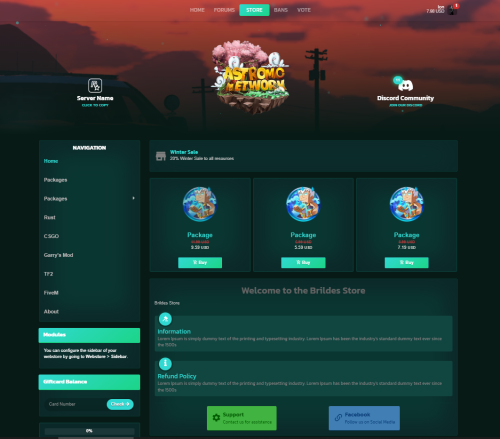
Version 1.1.7
33 downloads
TEMPLATE STYLES Live Preview Knights Next-Dev Trapworldrp VALABLE FOR MINECRAFT, FIVEM, RUST, ARK, UNTURNED AND GARRY'S MOD GAMES What's the difference? Now it is possible to select the game for which you use this template, saving you the time needed to customize other templates foreign to your game IMAGES FEATURES Quick Customization ( 60+ options ) Custom Basket Custom Category & Products Custom Navbar / Sidebar & Header menu Custom Footer Custom Modules Mobile Friendly Custom Discord & Minecraft players count Logged Minecraft skin User Panel Buttons Animation Custom Dropdown Menu Custom Currency Menu Custom Login Page Custom Checkout Page Clean, formatted code Icons from Material Design Icons Favicon support High-quality support INFORMATION Discord: Johnn#8299 - Installation, configuration, edits, custom templates have an additional price. - Breaking Terms of Service may result in the removal of your license. REVIEW If you liked the theme please leave a 5 star review! If you are having problems (Contact us), before leaving a review$34.99 -
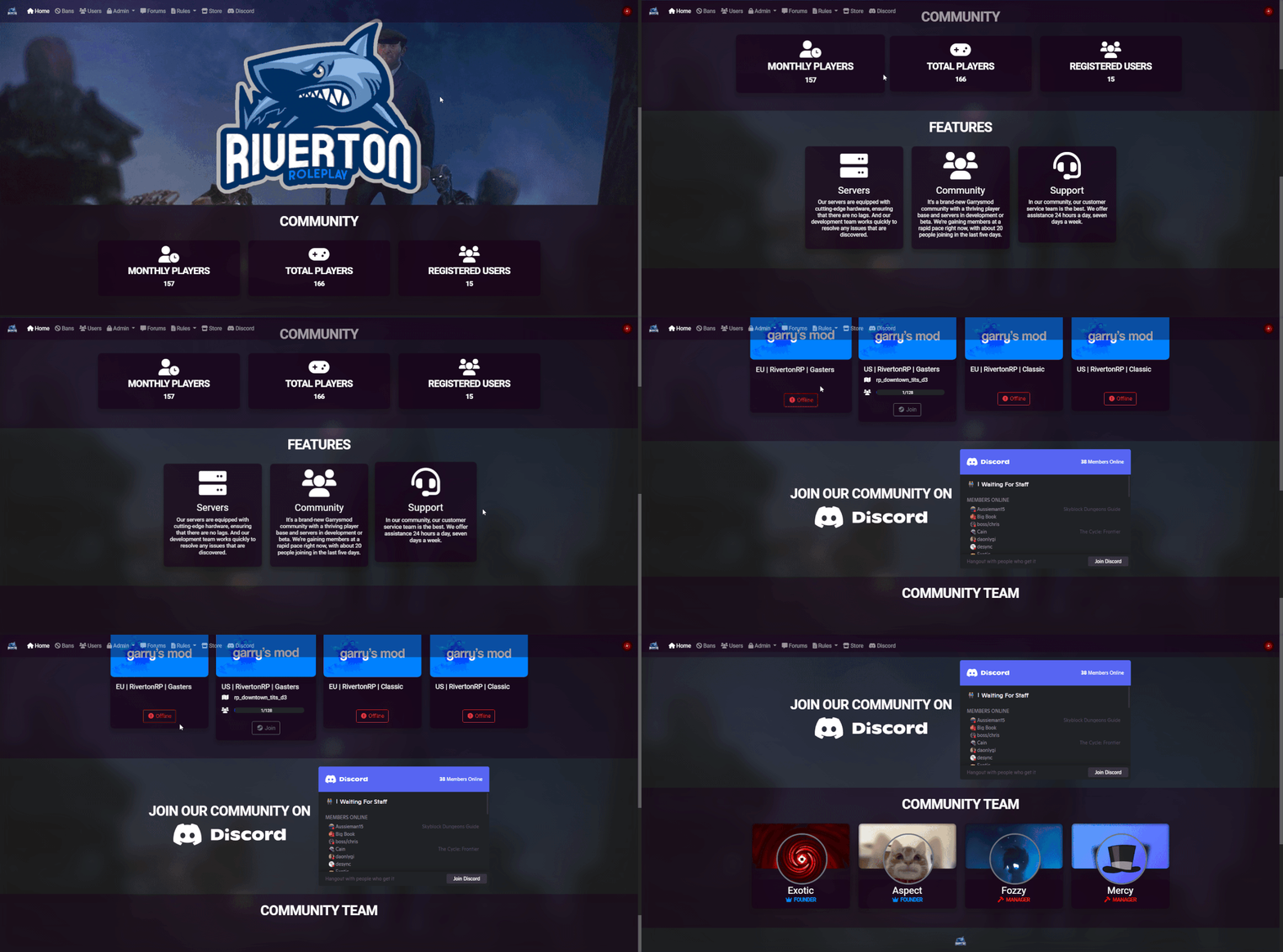
Version 1.0.3
166 downloads
These themes will set you apart from the competition. For you and your community, I've prepared some great themes! Dependencies Ember (Required) https://www.gmodstore.com/market/view/5620 Current Themes Transparent Purple Rounded Transparent White Rounded Transparent Black Rounded Transparent Green Rounded Dark Rounded How to install one of the themes! 1. Select your theme 2. Open the CSS File(Example [dark.css]) 3. Go to your admin General settings(Location: [website.com/admin/general] Replace your "website.com" with your domain) 4. Select Color Scheme (Dark) 5. Press "Custom CSS" 6. Copy the text from your CSS File 7. Paste it into the "Custom CSS" Field 8. Press "Save" 9. Reload your page 10. You have completed the installation Any issues? Contact me on discord! Join and verify your purchase before support! https://discord.gg/BP2YwcSWuC Im planning to add more Themes in the feature!$5.00 -
Version 1.5.15
244 downloads
DBD Nexus DBD Nexus is your comprehensive solution for centralized bot management. Our intuitive UI streamlines your operations, allowing seamless configuration and control from a singular dashboard. Say goodbye to cumbersome config files and embrace efficiency with DBD Nexus. DBD Nexus allows users to run their Discord Bots on their machines. Users can choose to use the site for configuration or a local configuration file. FREE Modules Our platform offers a wide range of modules including many free features! FREE Trials Every module on DBD Nexus has an optional Free trial where you can test every feature completely for free! Hosted Locally Every bot runs on your own machine, this way you will always have full control over your own bots and no monthly hosting fees! Previews This is the home page where you can quickly navigate to the most important pages. Modules Page - On this page you activate and manage all your modules. Module Page - Each module has its own details page that shows important details about the module. Profile Page - On this page you can see all your account details, modules, payments, logs and more! Configuration Page - On this page you can configure all your bot features and much more! Language Selector - More languages will be added overtime. (or help translate with us!) Local Discord Bot App - Here is a image where one Discord bot is locally running on your machine. Local Bot Folder - This is how the bot files look like when running the bot locally. Links DBD Nexus: https://nexus.defaultsbotdev.com/ Bot Download: https://discord.com/channels/488177151946915841/1207711313132916878 Documentation: https://docs.defaultsbotdev.com/docs/nexus/info Support DBD Suport Server: https://discord.gg/bkAMbSWk8Z Get Started Here For Free: https://nexus.defaultsbotdev.com/Free-
- 3
-
-
- #discord
- #playercounter
- (and 5 more)
-
Version 1.0.0
18 downloads
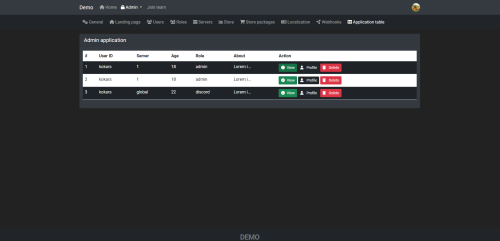
Ember - Admin Application Module Installation: Put zip files content (admin-application) folder inside `/modules` folder in Embers root directory Go to your embers site in browser and it will automatically show Updated page Click Update & Run Migrations Your are all set to accept new admin applications User form submission: Users fill out the application form. Form includes fields for role, server, age, gaming hours, server experience, location, languages, admin experience, and suitability for the role. Admin Review: Admins review submitted applications. Admins evaluate based on the user's provided information and qualifications. Feel free to message me if you want some customizations or have troubles to setup module. Discord: kokars Email: [email protected]$12.95 -
 I'm a typescript/react dev (on the web-side), and was just wondering why I haven't seen any servers, plugins, or tools utilizing React type frameworks like React Core, or NextJS, or even something like Remix? Is this in terms of limitations of what we can do with communication between the server and webhost? Or would I be fine creating my website based off any framework? I feel as if this may be an irrelevant post as I am pretty sure it doesn't matter as long as the webhooks communicate the way they need to communicate, it should all work the same ideally, right?