
Search the Community
Showing results for tags 'workbench'.
Found 22 results
-

Version 1.2.0
243 downloads
What is it? Revolutionize your crafting experience with the Smart Workbench! Say goodbye to the repetitive clicking and hello to convenience and efficiency. This enhancement takes ordinary workbenches to the next level by simplifying research and repairs. Let your players focus on the fun, not the clicking; make their adventures smoother, faster and more enjoyable. Usage * Research all remaining blueprints with just one click - no more tedious individual unlocks! * Seamlessly access a Virtual Repair Bench or Research Table directly from the workbench. It's the ultimate quality-of-life improvement for any Rust server. Command /sw -- Opens UI menu (if player has workbench level 1+) Permissions smartworkbench.use -- Gives user permission to see and use the Smart Workbench Features Virtual Repair Bench Virtual Research Table Research All button Supported plugins: Server Rewards Economics (UI before Rust update) (UI after Rust update) Configuration { "Research All currency": "scrap", "Rate (Based on scrap)": 1.0, "Type of money (1 = default currency, 2 = Server Reward points, 3 = Economics cash)": 1, "Notify player when their item gets dropped from Smart repair/research table": true } Localization { "SWResearch": "RESEARCH ALL\n{0}\n{1}", "NoResources": "Not enough resources", "Success": "Successfully learned BPs from WB lvl {0}", "AlreadyKnow": "You already know everything from this workbench", "SRPoints": "Points", "Economics": "Cash", "SWResearchTable": "RESEARCH TABLE", "SWRepairTable": "REPAIR TABLE", "SWRange": "You must be close to a Workbench!", "SWT1": "Tier 1", "SWT2": "Tier 2", "SWT3": "Tier 3", "SWLvl": "Workbench level is not high enough!", "NotifyDrop": "Item/s have been dropped on the ground." }$10.00- 28 comments
- 2 reviews
-
- 3
-

-

-
- #smart
- #workbench
- (and 8 more)
-
Version 1.1.74
3,618 downloads
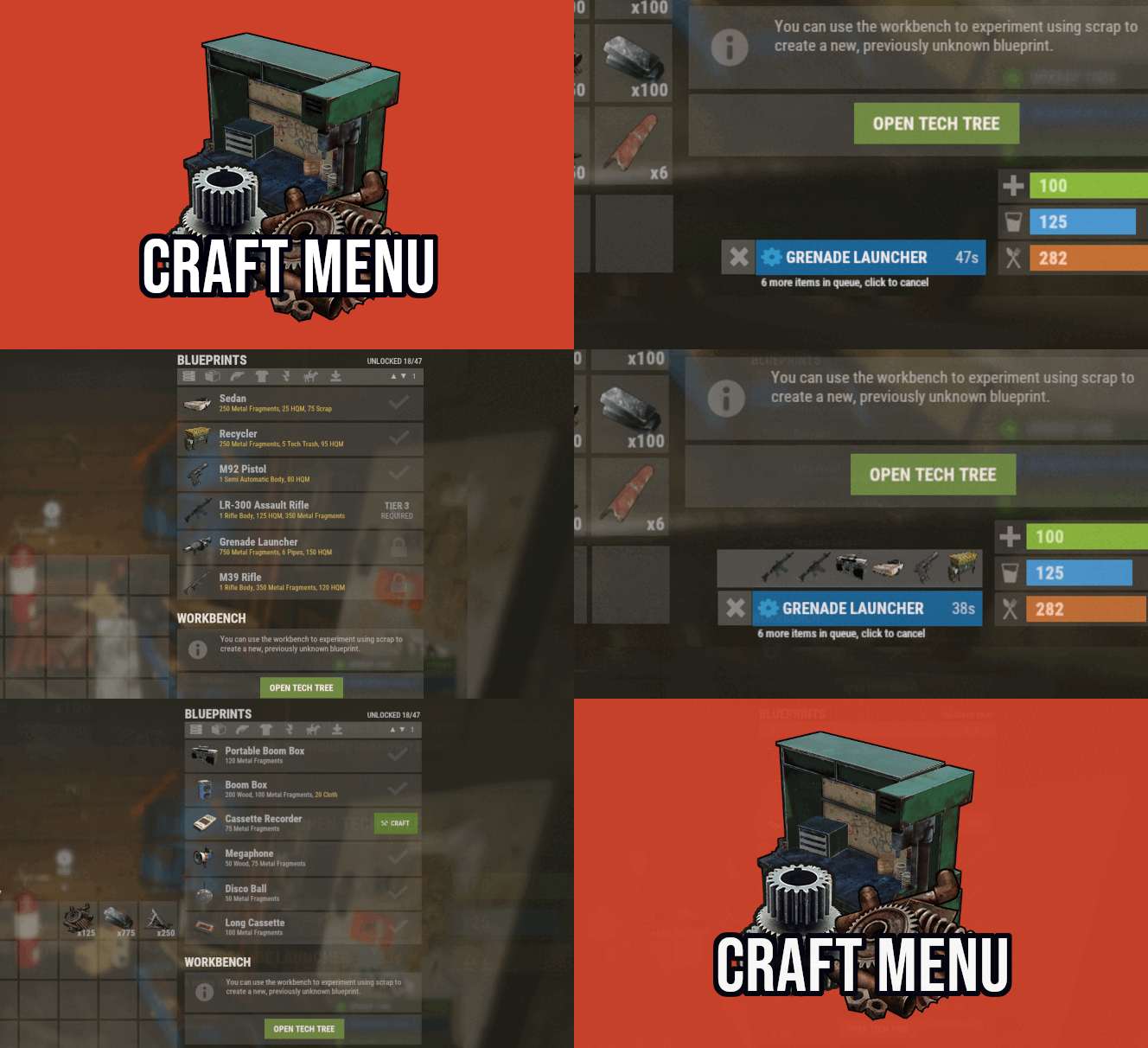
Custom crafting panel at player's workbenches. Craft custom or non-craftable items, create your own blueprints. No chat commands required! oxide permission - craftmenu.use • How to create default blueprint. Simply leave ResearchCost as 0. • Crafting Recycler. Plugins for placing entities usually utilizes specific item together with skin id. Here you can find list of examples PlaceableEntities.txt • Adding same shortname multiple times. When you using same shortname for more than one blueprint you have add {number} at the end of it to prevent duplicates. Ex.: "box.wooden.large{1}" • Item is name too long. Inside lang file you can create replacements for default item names. • Wiping blueprints manualy. There are two admin console commands. "craftmenu_admin wipe" will wipe blueprints for all players "craftmenu_admin wipe <steamID>" wipes blueprints only for certain player. Premade blueprints from screenshots Blueprints.json$16.00 -
Version 1.7.8
283 downloads
Transform your Rust server's storage experience with intelligent automation, overflow chains, and PvP-safe raid protection. Why SmartSorter? For Players: Stop manually sorting hundreds of items after raids, monuments and roams Never lose loot to overflowing boxes again Set up once, automate forever For Server Owners: Reduce player frustration and improve retention Performance-optimized for high-pop servers PvP-friendly with raid/combat blocking Zero dependencies - works out of the box What Makes It Unique? Drop Box Automation Mark any container as a "Drop Box" - toss items in and watch them automatically route to nearby filtered containers. No manual sorting needed. Sorting Chains (Overflow System) Link unlimited containers together. When one fills up, items automatically overflow to the next in the chain. Perfect for massive loot rooms. Raid & Combat Protection Full integration with RaidBlock, NoEscape, and CombatBlock - prevent sorting abuse during raids with granular control over what gets disabled. Essential for PvP servers. Defense Auto-Fill One-click filling of turrets, SAM sites, flame turrets, and shotgun traps. Set your preferred ammo/fuel amounts once and forget it. Smart Template System Save filter configurations as templates, load them onto any container, and share setups across your base in seconds. Core Features Automatic Sorting Drop Box system for hands-free organization Category and item-specific filters (granular control) Works with 50+ container types Intelligent handling of furnaces, refineries, recyclers, and vending machines Smart routing with sorting chains Manual Control Tools Send Near - Distribute inventory to nearby filtered containers within radius Send to Box - Fill the specific container you're looting Dump All - Empty your entire inventory instantly Loot All - Grab everything from a container (supports backpacks!) In-Container Sort - Organize by name or category with one click Inventory and backpack Sorting Sorting Chains (Overflow System) Link unlimited containers for automatic overflow routing Visual chain inspection with in-game colored lines and spheres Cycle detection prevents infinite loops Per-player chain ownership Configurable visualization duration and appearance Defense Management Auto-fill Auto Turrets, SAM Sites, Flame Turrets, Shotgun Traps Customizable ammo/fuel amounts per defense type Radius-based batch filling Automatic weapon mounting for turrets Per-player preferences saved Raid & Combat Protection Integrates with RaidBlock, NoEscape, and CombatBlock Granular control - disable specific features during raids/combat Optional chat notifications when actions are blocked Essential for PvP servers - prevents sorting abuse Template System Save filter configurations by name Load templates onto any container instantly Share setups between boxes Per-player template ownership with admin override Easy template management (delete, rename) Player Preferences Toggle auto-opening of filter panels (/ssautofilters) Minimize UI to compact button mode Per-player defense ammo/fuel settings Settings persist across sessions Visual Interface Dynamic context-aware UI (changes based on container type) Built-in help system with full-color image guides Fully customizable layouts, colors, and button positions Responsive design adapts to 1-column or 2-column layout ImageLibrary support for item icons Technical Specifications Supported Containers (50+) Storage boxes, large boxes, coffins, barrels, fridges, lockers, tool cupboards, vending machines, furnaces (all types), refineries, recyclers, BBQs, campfires, lanterns, mannequins, drop boxes, wall cabinets, beehives, chicken coops, composters, cauldrons, stashes, and all defense entities. Performance Optimized Configurable processing intervals Batch processing limits (MaxDirtyBoxesPerTick) Optimization mode for high-population servers Efficient memory pooling throughout Automatic cleanup of deleted container data Framework Compatible Full support for uMod/Oxide Native Carbon framework support No external dependencies required Works out of the box Safety Features Wall-check system (prevent looting through walls) Building privilege requirement Configurable item blacklist/whitelist Automatic cleanup of old container data (configurable grace period) Permission-based access control Configuration Highlights 1000+ Customization Options UI Customization: Every color, position, size, and text label Button Layouts: 4 preset layouts (Default, DropBox, Awaiting, HasChain) Timing: Sort delays, cooldowns, debounce intervals Distances: Default radius, visualization settings Category Overrides: Reclassify any item into any category Furnace/Refinery: Custom fuel and smeltable item lists Support & Updates Documentation: Built-in visual help system Active Development: Regular updates and improvements Bug Reports: Fast response on CodeFling Feature Requests: Always welcome What's Included Plugin file (.cs) Default configuration Built-in help system with images Full permissions setup 50+ container support Raid/combat block integration Template system Performance optimization Extensive customization options Perfect For: Large Base Builders - Automate loot rooms with chains PvP Servers - Raid block integration prevents abuse High-Pop Servers - Performance optimized Casual Servers - Quality of life improvement Modded Servers - Works with custom items PLAYER COMMANDS /ss or /smartsorter Opens the visual help guide UI /sshelp Opens the visual help guide UI (same as /ss) /sscommands Shows a list of all available chat commands /sstoggle Shows or hides the SmartSorter UI completely /ssremovechains Removes ALL sorting chains you own /ssautofilters [on|off] Toggles whether the filters panel auto-opens when looting filtered containers /ssrefresh Refreshes the UI if it gets stuck or doesn't display properly /ssshowchains Visually displays your sorting chains for 15 seconds using colored lines and spheres /ssdefense Opens the defense configuration panel to set ammo/fuel amounts for turrets and traps ADMIN COMMANDS /ssdebug on|off Enables or disables debug logging in console /ssreloadconfig Reloads the configuration file from disk /ssclearfilters <containerID> Clears all filters on a specific container by NetworkID /ssconfig [setting] [value] Opens the config UI, or sets a specific config value ━━━━━━━━━━━━━━━━━━━━━━━━━━━━━━━━━ smartsorter.use - Required for all features smartsorter.admin - Admin commands and config access ━━━━━━━━━━━━━━━━━━━━━━━━━━━━━━━━━ DEPENDENCIES None required. Optional ImageLibrary support for enhanced item icons. ━━━━━━━━━━━━━━━━━━━━━━━━━━━━━━━━━ Give your players the gift of time. Install Smart Sorter today.$24.99- 111 comments
- 5 reviews
-
- 2
-
-
- #sorting
- #auto-sort
- (and 66 more)
-
Version 1.0.4
12 downloads
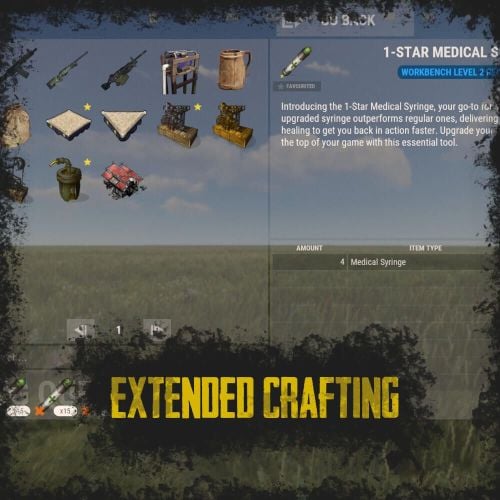
RUST Plugin Test Server TEST MY PLUGINS THERE! connect play.thepitereq.ovh:28050 Extended Crafting creates another look-like RUST Crafting menu where you can create an infinite amount of custom crafting recipes. It fully supports custom item creation and a few additional systems like daily crafts, cooldowns and support for crafting plugins. Almost exact RUST UI design with few required add-ons (new features, rust UI limitations) Fully customizable layout, categories and items. Written with performance in mind. Mark your favorite crafts. Sectional UI updates and live UI updates (crafting queue, time, etc.) Support for crafting speed-up plugins. (ZLevelsRemastered, SkillTree) Ability to enable Status display. (Requires Simple Status Plugin) Crafting cooldowns, daily limits, and per-wipe limits. Huge possibilities with permission configuration for VIP players. extendedcrafting.admin - Gives admin options. Few options still need to be enabled in config in order to use them, like GIVE option. There are more permissions possible, but they are modified and created by user, so won't list them here. All user commands are configurable on top of the config. By default, it's /craft. Run Commands On Craft You can create crafts that run the CONSOLE command when they are finished. Here you can find a full list of variables that can be added there. {userId} - Will be replaced with steamId of user. {userName} - Will be replaced with nickname of user. {userPosX} - Coordinate X of user. {userPosY} - Coordinate Y of user. {userPosZ} - Coordinate Z of user. void OnCustomItemCraft(BasePlayer player, string category, string itemKey, int craftAmount) Configuration from the video preview. Contains many craft recipes that require plugins that are paid, or unavailable. Recommend using only the test/preview configuration. ExtendedCrafting.json { "Commands": [ "c", "craft" ], "UI And Command Delay Between Actions (performance option, in seconds)": 0.1, "Clear Wipe Cooldowns On Wipe": true, "Enable Crafting Statistics": true, "Drop Queued Crafting Items To Ground On Death": true, "Format Crafting Time To Minutes (will round values)": false, "Enable Admin Give (click recipe with SPRINT button, required permission extendedcrafting.admin)": true, "Enable Logging": true, "Enable Crafting Status Indicator (Requires SimpleStatus Plugin)": false, "New Day Check Interval (in seconds, used for per-day limits, 0 to disable)": 600, "Max Queued Craftings": 10, "Workbench Bonus Higher By 1 Than Required Time Multiplier (0 to disable)": 0.5, "Workbench Bonus Higher By 2 Than Required Time Multiplier (0 to disable)": 0.25, "Workbench Bonus Higher By 3 Than Required Time Multiplier (0 to disable)": 0.0, "Used Craft Time Divider Plugin (see website documentation for plugin IDs, 0 to disable)": 0, "Skill Tree Bonuses - Enable Craft Speed": false, "Skill Tree Bonuses - Enable Craft Duplicate": false, "Crafting Time Multiplier Modify Permissions (for all craftings, from best to worst)": { "extendedcrafting.crafttime.admin": 0.1, "extendedcrafting.crafttime.vip": 0.5 }, "Max Craft Amount Per Task": 100000, "WARNING! Categories can't have spaces in their names!": "Each category name have their translation in language file in /lang/en/ExtendedCrafting.json!", "Craftings - Categories and Items": { "FirstTestCat": { "Icon - Item Shortname or URL or Sprite Directory": "", "Icon - Use Normalized Colour And Style (For Shortname and URL)": true, "Required Permission": "", "Crafting Time Multiplier Modify Permissions (for whole category, from best to worst)": { "extendedcrafting.crafttime.test.1": 0.25, "extendedcrafting.crafttime.test.2": 0.75 }, "Display Blacklist Permissions (need to have all)": [ "extendedcrafting.hideme.test.1", "extendedcrafting.hideme.test.2" ], "WARNING! Item recipe key values must be unique and have no spaces!": "They are only key values for config and better performance. They are not visible anywhere!", "Item Recipes": { "TestItem_1": { "Item Details": { "Shortname": "metal.refined", "Skin ID": 0, "Amount": 2, "Custom Name": "" }, "Commands Ran On Craft": [ "say Player {userName} crafted test item!", "say Player {userName} crafted item and his ID is {userId}." ], "Craft Requirements": { "Disable Craft Plugin Time Bonus": false, "Workbench Level Required": 1, "Crafting Time (in seconds, 0 - insta-craft)": 5, "Crafting Cooldown (in seconds, 0 - disable cooldown)": 0.0, "Max Craft Amount Per Task Override (0 to disable)": 0, "Crafting Time Modify Permissions (per crafting recipe, from best to worst)": {}, "Max Daily Crafts (0 to disable)": 0, "Max Daily Crafts Permissions (per crafting recipe, from best to worst)": {}, "Max Per-Wipe Crafts (0 to disable)": 0, "Max Per-Wipe Crafts Permissions (per crafting recipe, from best to worst)": {}, "Required Items (max 8 visible)": [ { "Shortname": "gunpowder", "Skin ID": 0, "Amount": 10, "Custom Name": "" }, { "Shortname": "wood", "Skin ID": 0, "Amount": 1, "Custom Name": "" }, { "Shortname": "metal.fragments", "Skin ID": 0, "Amount": 1, "Custom Name": "" }, { "Shortname": "sulfur.ore", "Skin ID": 0, "Amount": 5, "Custom Name": "" } ] }, "Custom Icon URL": "", "Required Permission": "", "Blacklist Permission": "", "Display As Locked With Missing Permission": true }, "TestItem_2": { "Item Details": { "Shortname": "halloween.lootbag.large", "Skin ID": 0, "Amount": 1, "Custom Name": "Ultra Lootbag" }, "Commands Ran On Craft": [], "Craft Requirements": { "Disable Craft Plugin Time Bonus": false, "Workbench Level Required": 1, "Crafting Time (in seconds, 0 - insta-craft)": 5, "Crafting Cooldown (in seconds, 0 - disable cooldown)": 0.0, "Max Craft Amount Per Task Override (0 to disable)": 0, "Crafting Time Modify Permissions (per crafting recipe, from best to worst)": {}, "Max Daily Crafts (0 to disable)": 0, "Max Daily Crafts Permissions (per crafting recipe, from best to worst)": {}, "Max Per-Wipe Crafts (0 to disable)": 0, "Max Per-Wipe Crafts Permissions (per crafting recipe, from best to worst)": {}, "Required Items (max 8 visible)": [ { "Shortname": "metal.refined", "Skin ID": 0, "Amount": 50, "Custom Name": "" }, { "Shortname": "techparts", "Skin ID": 0, "Amount": 3, "Custom Name": "" }, { "Shortname": "cloth", "Skin ID": 0, "Amount": 100, "Custom Name": "" } ] }, "Custom Icon URL": "", "Required Permission": "", "Blacklist Permission": "", "Display As Locked With Missing Permission": true } } }, "SecondTestCat": { "Icon - Item Shortname or URL or Sprite Directory": "", "Icon - Use Normalized Colour And Style (For Shortname and URL)": true, "Required Permission": "", "Crafting Time Multiplier Modify Permissions (for whole category, from best to worst)": {}, "Display Blacklist Permissions (need to have all)": [], "WARNING! Item recipe key values must be unique and have no spaces!": "They are only key values for config and better performance. They are not visible anywhere!", "Item Recipes": { "AnotherItem_1": { "Item Details": { "Shortname": "wood", "Skin ID": 0, "Amount": 1000, "Custom Name": "" }, "Commands Ran On Craft": [], "Craft Requirements": { "Disable Craft Plugin Time Bonus": false, "Workbench Level Required": 3, "Crafting Time (in seconds, 0 - insta-craft)": 60, "Crafting Cooldown (in seconds, 0 - disable cooldown)": 0.0, "Max Craft Amount Per Task Override (0 to disable)": 0, "Crafting Time Modify Permissions (per crafting recipe, from best to worst)": {}, "Max Daily Crafts (0 to disable)": 0, "Max Daily Crafts Permissions (per crafting recipe, from best to worst)": {}, "Max Per-Wipe Crafts (0 to disable)": 0, "Max Per-Wipe Crafts Permissions (per crafting recipe, from best to worst)": {}, "Required Items (max 8 visible)": [ { "Shortname": "charcoal", "Skin ID": 0, "Amount": 1000, "Custom Name": "" } ] }, "Custom Icon URL": "", "Required Permission": "", "Blacklist Permission": "", "Display As Locked With Missing Permission": true }, "AnotherItem_2": { "Item Details": { "Shortname": "lmg.m249", "Skin ID": 0, "Amount": 1, "Custom Name": "" }, "Commands Ran On Craft": [], "Craft Requirements": { "Disable Craft Plugin Time Bonus": false, "Workbench Level Required": 3, "Crafting Time (in seconds, 0 - insta-craft)": 180, "Crafting Cooldown (in seconds, 0 - disable cooldown)": 0.0, "Max Craft Amount Per Task Override (0 to disable)": 0, "Crafting Time Modify Permissions (per crafting recipe, from best to worst)": {}, "Max Daily Crafts (0 to disable)": 0, "Max Daily Crafts Permissions (per crafting recipe, from best to worst)": {}, "Max Per-Wipe Crafts (0 to disable)": 0, "Max Per-Wipe Crafts Permissions (per crafting recipe, from best to worst)": {}, "Required Items (max 8 visible)": [ { "Shortname": "metal.refined", "Skin ID": 0, "Amount": 500, "Custom Name": "" }, { "Shortname": "techparts", "Skin ID": 0, "Amount": 20, "Custom Name": "" }, { "Shortname": "scrap", "Skin ID": 0, "Amount": 5000, "Custom Name": "" } ] }, "Custom Icon URL": "", "Required Permission": "", "Blacklist Permission": "", "Display As Locked With Missing Permission": true } } } } }$25.00 -
Version 2.0.4
62 downloads
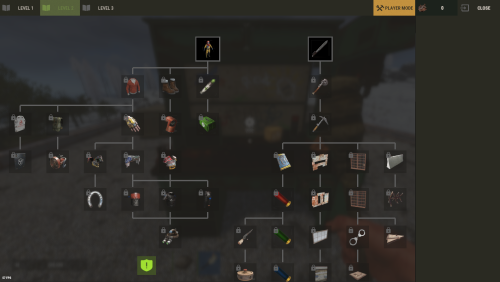
The plugin has been revamped. Customize the Techtree however you like. It will replace the vanilla one by default, but this option can be changed in the configuration. You have two options: Replace the vanilla tech tree and customize it. Keep the vanilla tech tree and create a completely customized tech tree. Feature TechTree customizable TechTree by Workbenchlevel Multiple rewards (ChatCommand / ConsoleCommand / Economics) Item custom support Reward if tree is all unlocked (in datafiles) No command to open Automatic replace the vanilla tree or press the Use key R on the Workbench to open Multilingual support CUI Editor CUI Editor Permissions techtree.use // Grants permission to use the tech tree techtree.unlock.free // Grants permission to unlock everything for free techtree.unlock.instant // Grants permission to bypass unlock time techtree.unlock.path // Grants permission to unlock the entire branch up to the unlocked node Information Default vanilla tree are created on plugin load Automatic import of new nodes added by Facepunch Vanilla blueprints are managed directly by the plugin. To manage custom blueprints, please use the available APIs. If you want to remove a vanilla node from your TechTree, you must first backlist it, otherwise it will be automatically added back the next time the plugin is reloaded. An option is available for this. I recommend modifying the tree only when players are not using it to avoid synchronization issues. General Settings { "Settings": { "Wipe Player Data at Wipe": true, "Time For Unlock Node": 1.0, "Selected Theme": "Default", "Use Permissions ?": false, "Use Economics ?": false, "Replace tree vanilla ? Open with [R] if false": true } } Techtree Data ID: ID of the node. Vanilla ID: default ID for facepunch Parent: List of parent node required to unlock this node. Image URL or Item: Image used, via URL or in-game item (ID/Skin). Type: Type of Image (URL or Item). Value: Url (string) if URL or ItemID and SkinID if Item. Grid Position: Node position on the grid (x, y). Player Info: information displayed on the UI Name: In-game name for this node. Lang: Dictionary for multilingual support Description: Short description of the node. Lang: Dictionary for multilingual support Price: Cost to unlock this node. Curency: Resource needed to pay the price (ID/Skin). ItemID SkinID Rewards: List of rewards obtained after unlocking. Type: Type of reward (ChatCommand, ConsoleCommand or Economics). Value: Value or command associated with the reward (string). "TechTree": [ { "ID": 40046421, "Vanilla ID": 84, "Parent": [ 1865581242 ], "Image URL or Item": { "Type": "Item", "Value": { "Item ID": 2090395347, "Skin ID": 0 } }, "Grid Position": { "x": 3.5, "y": 6.5 }, "Player Info": { "Ingame Name": { "Lang": {} }, "Description": { "Lang": {} } }, "Price": 30, "Curency": { "Item ID": -932201673, "Skin ID": 0 }, "Rewards": [ { "Type": "ChatCommand", "Value": "say Congratulations!" }, { "Type": "ConsoleCommand", "Value": "c.grant user playerID perm.use" }, { "Type": "Economics", "Value": "6500" } ] }, ], "Extra": { "Reward On All Node Unlocked": [ { "Type": "ChatCommand", "Value": "say Congratulations, you all unlocked!" }, { "Type": "Economics", "Value": "20000" } ] } Image configuration exemple With URL : "Image URL or Item": { "Type": "Url", "Value": "https://imgur.com/SRGgaKX.png" }, With ITEM : "Image URL or Item": { "Type": "Item", "Value": { "Item ID": -1966748496, "Skin ID": 0 } }, Lang { "CLOSE": "Close", "EDITMODE": "Edit mode", "PLAYERMODE": "Player mode", "SAVE": "Save", "ADD": "Add", "REMOVE": "Remove", "MODIFY": "Modify", "CANCEL": "Cancel", "CONFIRM": "Confirm", "SELECT": "Select", "NONE": "None", "GRIDSETTING": "Grid Setting", "NOTAVAILABLE": "Not yet available", "TOTALREQUIRED": "Total required", "OPEN": "[R] OPEN", "Workbench_1": "LEVEL 1", "Workbench_2": "LEVEL 2", "Workbench_3": "LEVEL 3", "Engineering": "ENGINEERING", "NO PERM": "You don't have permission.", "EXCLUDE": "Exclude from vanilla sync", "EXCLUDED_NODES": "Excluded Nodes", "NO_EXCLUDED_NODES": "No excluded nodes", "EXCLUDE_RESTORED": "{0} nodes restored", "EXCLUDE_ADDED": "{0} nodes excluded", "EXCLUDE_ALL": "Exclude All", "CLEAR_ALL": "Clear All", "DELETE_ALL_NODES": "Delete All Nodes", "UPDATE_GRID": "Update Grid", "NODES_DELETED": "{0} nodes deleted", "RESET_TO_VANILLA": "Reset to Vanilla", "ARE_YOU_SURE": "Are you sure ?", "DISABLE_FUTURE_IMPORTS": "Disable future vanilla imports", "FUTURE_IMPORTS_DISABLED": "Future vanilla imports are now disabled", "FUTURE_IMPORTS_ENABLED": "Future vanilla imports are now enabled", "OPEN_BUTTON": "Open tech tree", "SAVING_APPLY_TOOLTIP": "Saving apply", "RESET_VANILLA_TOOLTIP": "Tech tree reset to vanilla defaults", "EXCLUDE_TOOLTIP": "Excludes this vanilla node from automatic imports. Useful for permanently removing a vanilla node from your tech tree.", "REWARD_TOOLTIP": "Use the “playerID” tag in your command if you need to specify a player. ex: c.grant user playerID perm.use.", "LANG_TOOLTIP": "“Default” will use the default text for the item; otherwise, the added language will be used.", "DISABLE_IMPORTS_TOOLTIP": "Prevents any new vanilla nodes from being automatically imported. Useful for freezing the configuration or preventing Facepunch updates.", } Api (Dictionary<string, object>) API_GetPlayerData(BasePlayer player) // Return key "workbench" and Dictionary value { string, List<int> } (bool) API_SetPlayerData(BasePlayer player, Dictionary<string, object> apiData) // Return bool (bool) API_ClearPlayerWorkbenchData(BasePlayer player, Workbench workbench) // Return bool (bool) API_ClearPlayerData(BasePlayer player) // Return bool Hook // Called before a tech tree node is unlocked. private object OnNodeUnlock(Workbench workbench, Dictionary<string, object> node, BasePlayer player) { Puts("OnNodeUnlock has been called!"); return null; } // Called before a tech tree node is unlocked. private object OnNodeUnlock(BasePlayer player, Dictionary<string, object> node, Dictionary<string, object> treeData) { Puts("OnNodeUnlock has been called!"); return null; } // Called when a tech tree node is unlocked. private void OnNodeUnlocked(Workbench workbench, Dictionary<string, object> node, BasePlayer player) { Puts("OnNodeUnlocked has been called!"); } // Called when a tech tree node is unlocked. // Same behavior as OnNodeUnlocked but returns the list of notes directly. private void OnPathNodeUnlocked(Workbench workbench, List<object> nodes, BasePlayer player) { Puts("OnPathNodeUnlocked has been called!"); } Api and Hook Doc Dictionary<string, object> node: "id" : int "vanillaId" : int? "price" : int "parents" : List<int> "isVanilla" : bool "currency" : Dictionary<string, object> => "itemId" : int "skinId" : ulong Dictionary<string, object> treeData: "workbench" : Workbench "nodes" : List<Dictionary<string, object>> Dictionary<string, object> playerData: "workbench" : Dictionary<string, object> "Workbench_1" : List<int> "Workbench_2" : List<int> "Workbench_3" : List<int> "Engineering" : List<int> ########### Dictionary<string, object> API_GetPlayerData(BasePlayer player) return: { "workbench" : { "Workbench_1" : [123, 456, 789], "Workbench_2" : [111, 222], "Workbench_3" : [], "Engineering" : [333] } } Usage: [PluginReference] Plugin TechTree; var playerData = TechTree?.Call("API_GetPlayerData", player) as Dictionary<string, object>; ########### bool API_SetPlayerData(BasePlayer player, Dictionary<string, object> apiData) return: bool usage: var data = TechTree?.Call("API_GetPlayerData", player) as Dictionary<string, object>; var workbench = data["workbench"] as Dictionary<string, object>; workbench["Workbench_1"] = new List<object> { 123, 456 }; workbench["Engineering"] = new List<object>(); bool success = (bool)TechTree?.Call("API_SetPlayerData", player, data); Contact Send me a private message on Codefling Send me a message on Discord: gd.kenni$14.99 -

Version 1.2.2
5 downloads
TechTreeTax – Wipe-Scaled Tech Tree & Research Taxes Early wipe scrap should hurt. Late wipe it should feel normal. TechTreeTax adds a dynamic scrap tax to the tech tree and research table, scaling automatically with the days since wipe. Prices start brutal and smoothly relax over time, keeping early progression slow and meaningful without punishing late joiners. You get clear UI, chat messages, and full control from config – including manual wipe time and external sync with RustWipeInfoPlus. Key Features Dynamic tech tree tax Scrap cost is multiplied based on days since wipe. Fully configurable start %, end %, and duration in days. Uses vanilla tech tree prices as the base (optional). Dynamic research table tax Same system for research table scrap cost. Separate curve for research vs tech tree if you want different scaling. Wipe-aware scaling Reads wipe age from RustWipeInfoPlus (optional). If RustWipeInfoPlus is not installed or disabled, you can: Use a manual wipe start timestamp in the config, or Let TechTreeTax auto-detect new map/seed/size and start from there. Player-facing UI and messages Top-screen HUD bar showing: Base price Tax amount Final price (base + tax = total) Connect message: “Taxes are currently X% (Day Y of the wipe).” Proximity message when entering a workbench area. All text is configurable through the plugin’s language file. Smart unlock handling When unlocking via tech tree: Checks total scrap needed (base + tax). If not enough scrap → denies unlock and shows red cost HUD. If enough scrap → takes the scrap and prints a summary: You paid {total} scrap (base {base}, tax {tax}) for {item}. Same flow for research table. Permissions and bypass Allow staff or VIP to bypass the tax. Enable/disable bypass permission in the config. Admin permission for config/testing commands. Clean config & data Separate sections for: General settings UI layout/colors Wipe scaling (tech tree + research) Notifications External wipe source (RustWipeInfoPlus / manual) Data stored in a dedicated data file: Last map, seed, size WipeStartUnix (used to compute days since wipe) Vanilla price cache stored in its own data file; auto-rebuilt when needed. Why Use TechTreeTax? Makes early wipe slow, harsh and meaningful without editing every item. Automatically relaxes the grind as the wipe ages. Gives clear, visual feedback so players understand why something is expensive. Plays nicely with wipe tracking plugins via RustWipeInfoPlus or manual config. Any questions or suggestions! Feel free to reach out$9.99 -
Version 1.0.4
772 downloads
Removes the tech tree from workbenches, replacing it with the research table menu. hardcoreworkbench.use - Allows the player to use the workbench menu Information Use workbench menu - use the standard workbench menu to open the research table. Remove need for workbench - removes the need for a workbench when crafting items. Time to research item - changes the research time of the item. Add vehicles parts vending machine - Add a vending machine for vehicle parts in the Outpost. Use permission to open workbench - Use permission to open workbench menu. Configuration { "Use workbench menu | Use the workbench menu": true, "Remove need for workbench | Remove need for workbench in the workbench": false, "Time to research item | Time to research item": 10.0, "Add vehicles parts vending machine | Add vehicles parts vending machine": true, "Use permission open workbench | Open workbench with the following permissions": false }Free- 7 comments
- 1 review
-
- 3
-
-
- #techtree
- #workbench
- (and 1 more)
-

Version 2.0.2
162 downloads
Overview ExtraBoxesPlus is a Rust plugin that automatically spawns additional storage options (wooden boxes) on top of tool cupboards, workbenches and more! when they are placed. It also provides configuration options to spawn a Pookie Bear on tool cupboards and manage wooden box behavior across different workbench tiers. The boxes are conveniently placed to maximize storage capacity and space efficiency. Features • Automatic wooden box spawning on workbenches, repair benches, mixing tables, research tables, cooking workbenches, and BBQs • Tool cupboard enhancement with wooden box storage • Pookie bear comfort system with permission-based radius (12m, 20m, or 35m) • Only authorized players on tool cupboards receive pookie bear comfort • Custom skin support for all spawned boxes • Boxes cannot be picked up separately (protection system) • Prevents deployable pickup when boxes contain items • Automatic pookie bear updates when permissions change • Performance optimized with batched processing Quick start Basic Setup (All Players): oxide.grant group default extraboxesplus.use.workbench oxide.grant group default extraboxesplus.use.repairbench oxide.grant group default extraboxesplus.use.mixingtable oxide.grant group default extraboxesplus.use.researchtable oxide.grant group default extraboxesplus.use.cookingworkbench oxide.grant group default extraboxesplus.use.bbq oxide.grant group default extraboxesplus.use.toolcupboard oxide.grant group default extraboxesplus.use.pookie VIP Setup: oxide.grant group vip extraboxesplus.use.all oxide.grant group vip extraboxesplus.pookie.plus VIP + Setup: oxide.grant group premium extraboxesplus.use.all oxide.grant group premium extraboxesplus.pookie.extra Permissions This plugin uses the permission system. To assign a permission, use oxide.grant <user or group> <name or steam id> <permission>. To remove a permission, use oxide.revoke <user or group> <name or steam id> <permission>. extraboxesplus.use.all -- Grants access to ALL plugin features, overrides all specific permissions. extraboxesplus.use.workbench -- Required to spawn boxes on Workbench Level 1, 2, and 3. extraboxesplus.use.repairbench -- Required to spawn boxes on Repair Bench. extraboxesplus.use.mixingtable -- Required to spawn boxes on Mixing Table. extraboxesplus.use.researchtable -- Required to spawn boxes on Research Table. extraboxesplus.use.cookingworkbench -- Required to spawn boxes on Cooking Workbench. extraboxesplus.use.bbq -- Required to spawn boxes on BBQ. extraboxesplus.use.toolcupboard -- Required to spawn boxes on Tool Cupboards. extraboxesplus.use.pookie -- Required for basic pookie bear functionality (12m comfort radius). extraboxesplus.pookie.plus -- Provides enhanced pookie bear comfort (20m radius). Requires base pookie permission. extraboxesplus.pookie.extra -- Provides maximum pookie bear comfort (35m radius). Requires base pookie permission. Note: Pookie bear permissions are hierarchical. Players need the base pookie permission for any pookie functionality. The system automatically uses the highest permission among all authorized players on a tool cupboard. Configuration ExtraBoxesPlus comes with several configuration options that allow you to tailor the plugin's behavior to your server's needs: { "ConfigVersion": "2.0.1", "PermissionMigrationVersion": "2.0.1", "PookieBearSettings": { "DefaultRadius": 12.0, "PermissionBasedRadius": { "extraboxesplus.pookie.plus": 20.0, "extraboxesplus.pookie.extra": 35.0 } }, "WorkbenchSettings": { "EnableByTier": { "Workbench Level 1": true, "Workbench Level 2": true, "Workbench Level 3": true } }, "DeployableSettings": { "EnableForDeployables": { "Repair Bench": true, "Mixing Table": true, "Research Table": true, "Cooking Workbench": true, "BBQ": true } }, "SkinSettings": { "EnableCustomSkins": true, "SkinIDs": { "Tool Cupboard": 3306209184, "Workbench Level 1": 3306209184, "Workbench Level 2": 3306209184, "Workbench Level 3": 3306209184, "Repair Bench": 3306209184, "Mixing Table": 3306209184, "Research Table": 3306209184, "Cooking Workbench": 3306209184, "BBQ": 3306209184 } } } Configuration Sections Explained: PookieBearSettings: DefaultRadius: 12.0 - Sets the base comfort radius in meters for players with basic pookie permission - This applies to players with extraboxesplus.use.pookie permission - Range: 1.0 to 50.0 meters (50m is hardcoded maximum for server stability) PermissionBasedRadius: extraboxesplus.pookie.plus: 20.0 - Comfort radius for players with enhanced pookie permission - Overrides DefaultRadius when player has this permission extraboxesplus.pookie.extra: 35.0 - Comfort radius for players with premium pookie permission - Highest tier, overrides all other radius settings - Maximum recommended for server performance WorkbenchSettings: EnableByTier: "Workbench Level 1": true - Set to false to disable boxes on Tier 1 workbenches - Useful for progression-based servers "Workbench Level 2": true - Set to false to disable boxes on Tier 2 workbenches - Independent control from other tiers "Workbench Level 3": true - Set to false to disable boxes on Tier 3 workbenches - Highest tier workbench control DeployableSettings: EnableForDeployables: "Repair Bench": true - Set to false to disable boxes on repair benches - Spawns 2 boxes when enabled "Mixing Table": true - Set to false to disable boxes on mixing tables - Spawns 2 boxes when enabled "Research Table": true - Set to false to disable boxes on research tables - Spawns 2 boxes when enabled "Cooking Workbench": true - Set to false to disable boxes on cooking workbenches - Spawns 1 box when enabled "BBQ": true - Set to false to disable boxes on BBQs - Spawns 1 box when enabled SkinSettings: EnableCustomSkins: true - Master toggle for custom skins on all spawned boxes - Set to false to use default Rust wooden box appearance - Must reload plugin after changing this setting SkinIDs: - Steam Workshop skin ID for boxes spawned on tool cupboards - Set to 0 to use default wooden box skin - Must be a valid Steam Workshop item ID Configuration Tips: - Backup your config before making changes - Use oxide.reload ExtraBoxesPlus after config changes - Test skin IDs on a development server first - Lower pookie bear radius for better server performance - Disable specific deployables if causing conflicts with other plugins Notes Legacy Permission Migration: extraboxesplus.use → Grants all individual deployable permissions: • extraboxesplus.use.workbench • extraboxesplus.use.repairbench • extraboxesplus.use.mixingtable • extraboxesplus.use.researchtable • extraboxesplus.use.cookingworkbench • extraboxesplus.use.bbq • extraboxesplus.use.toolcupboard • extraboxesplus.use.pookie Legacy Config Migration: - Your old config file will be automatically converted - All your existing settings will be preserved - Pookie bear system now requires permissions (see PERMISSIONS section) - The old "EnablePookieBearOnToolCupboard" setting is replaced by the permission system - Server console will show migration progress messages$4.99- 28 comments
- 5 reviews
-
- 5
-
-
-

-
- #toolcupboard
- #workbench
- (and 7 more)
-
Version 1.0.7
51 downloads
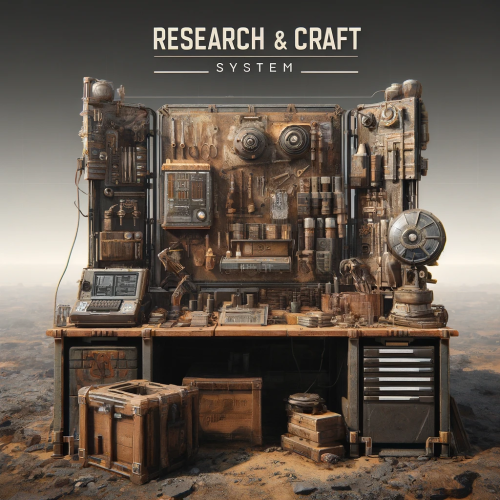
This plugin allows admins to control all about researching and crafting. With all default items ,and with custom ones! So what you chose to be researchable that players will be able to research and craft ,for prices what you chose . And with other options like Craft time, Wb Level , Display Name, Description, Category, Quantity. Researching is true research table ,crafting UI is similar to default rust crafting UI . You can block default crafting ,block researching in wb ,block tech tree ... You can combine what you will block what not ,. You can use it in full potential with research and craft UI ,with your own prices and stats ,blocking all default crafts/researchs! Or you will just use it for custom cost of research ,and default craft by rust , its all about you ! Best explanation is true config file : "Block Default Crafts": true/false, // You are able to block completely default craft system, so players can only craft items true plugin UI. "Block WB Tech Tree": true/false, // You are able to block completely researching true TechTree. "Block ResearchTable Research": true/false, // You are able to block completely default research true research table , so players can only research items true plugin UI . "Play Sound On Research Success": true, "Research Success Sound Asset": "assets/prefabs/deployable/research table/effects/research-success.prefab", "Play Sound On Research Fail": true, "Research Fail Sound Asset": "assets/prefabs/deployable/research table/effects/research-fail.prefab", //This is default config for one item ,but you will get all items in config with their default values. //As you can see rifle.ak is loaded with his default properties. "Items": { "rifle.ak": { //Shortname "0": { //SkinID "AllSkins": true, // if true ,player will be able to research rifle.ak no matter of his skin of item, if you put false ,then it will check for skinID of item(if you add custom items with same shortname ,then use false) "IsResearched": false, //if false, item will not be researched by default ,if true it will be researched ,so player will be able to craft it without reasrching it . "IsResearchable": true, //if true ,palyers can research this item , if false item is not researchable. "DisplayName": null, // if null default name of item will be , you can give custom name to item example: "mygun" . "Description": null, // if null it will be default description of item ,,you can use custom description ,example "this gun is best gun" . "ResearchCost": [ // price for research item ,you can add up to 4 items total ,you can use default rust items ,and custom ones . { "Shortname": "scrap", "Amount": 500, "SkinID": 0, "DisplayName": null } ], "RequiredCraftWBLevel": 3, // what workbench level item needs for craft ,0 is no workbench level "CraftTime": 45.0, // this is default craft time ,you can change it ,in seconds . "CraftCost": [ // price for craft item ,you can add up to 8 items total ,you can use default rust items ,and custom ones . { "Shortname": "metal.refined", "Amount": 50, "SkinID": 0, "DisplayName": null }, { "Shortname": "wood", "Amount": 200, "SkinID": 0, "DisplayName": null }, { "Shortname": "riflebody", "Amount": 1, "SkinID": 0, "DisplayName": null }, { "Shortname": "metalspring", "Amount": 4, "SkinID": 0, "DisplayName": null } ], "Category": "Weapon", // category of item ,where item will be placed in what tab,you can change this also ,to some custom ones or what ever name you like ! "CraftOutputQuantity": 1 // this is default output quantity of item (when you craft lowgradefuel you get for 1 craft 4 lowgrade) ,you can change output . } }, On first loading of plugin you will get in config all items ,with their default properties : Default items what are researched by default in game ,will be researched (lets say Sleeping Bag,Hammer,etc), items what are by default researchable they will be researchable (with their scrap cost), Those items will also have default craft prices , required workbench level ,time for craft ,craft quantity ,category. So it will be easy for you to change what you need to change for items. Categorie tabs are in config file : "Categories": [ "FAVORITES", "CUSTOM", "WEAPON", "ATTIRE", "TOOL", "MEDICAL", "AMMUNITION", "RESOURCES", // you can change all categories how you like ,,you can remove some ,add more ,rename them . "ITEMS", //if you rename category lets say "WEAPON" to "guns" dont forget to change on items also category ,so they can be placed in that new "gun" categorie . "COMPONENT", "CONSTRUCTION", "ELECTRICAL", "FOOD", "TRAPS", "MISC", "FUN" ], "Favorite Category Name": "Favorites", // this is core name for favorite items ,when change this be sure that you have in Categories that name what you put for favorite tab . Commands : Chat command : /q (configurable) - open craft ui . Console command : bind <key> craft.openui - in F1 players can bind <key> so they can open Craft UI with key (keyboard button) so they dont need to type shat command. Console command : wipe_research_data - wipe player researched items. Console command : wipe_favorite_data - wipe players favorite items. Permissions: "craftsystem.research" - without this perm player cant see UI for research. "craftsystem.craft" - without this perm player cant open Craft Ui . Data : you will see in data what player researched ,and his favorites . LangFile - you are able to change text ,on something else that you like ,on some different language . How to add custom or skined item : "box.repair.bench": { // this is default item "0": { // without SkinID "AllSkins": false, // We have here false ,so it will look for Shortname and SkinId "IsResearched": true, // Its researched. "IsResearchable": false, "DisplayName": null, "Description": null, "ResearchCost": [ { "Shortname": "scrap", "Amount": 10, "SkinID": 0, "DisplayName": null } ], "RequiredCraftWBLevel": 1, "CraftTime": 30.0, "CraftCost": [ { "Shortname": "metal.fragments", "Amount": 125, "SkinID": 0, "DisplayName": null } ], "Category": "Items", "CraftOutputQuantity": 1 } "1594245394": { // Here we add SkinID. We added SkinId to shortname what belongs to that custom item . "AllSkins": false, // We have here false ,so it will look for Shortname and SkinId "IsResearched": false, // Not researched , "IsResearchable": true, // But its researchable . "DisplayName": "Recycler", // we use custom name for item. "Description": "With this i can recycle home", // we use custom description for item. "ResearchCost": [ { "Shortname": "scrap", // some cost for research . "Amount": 1000, "SkinID": 0, "DisplayName": null }, { "Shortname": "gears", "Amount": 50, "SkinID": 0, "DisplayName": null } ], "RequiredCraftWBLevel": 3, // we need to be at level 3 workbench to craft it. "CraftTime": 60.0, // 60 sec craft time . "CraftCost": [ // craft cost. { "Shortname": "metal.fragments", "Amount": 2500, "SkinID": 0, "DisplayName": null }, { "Shortname": "rifle.ak", "Amount": 1, "SkinID": 2585539626, "DisplayName": null } ], "Category": "Custom", // we changed category to custom ,so recycler will be in custom tab . "CraftOutputQuantity": 1 // quantity is 1 ,we will get 1 recy per craft } }, For any questions fell free to join my discord channel !$20.00 -
Version 1.3.4
586 downloads
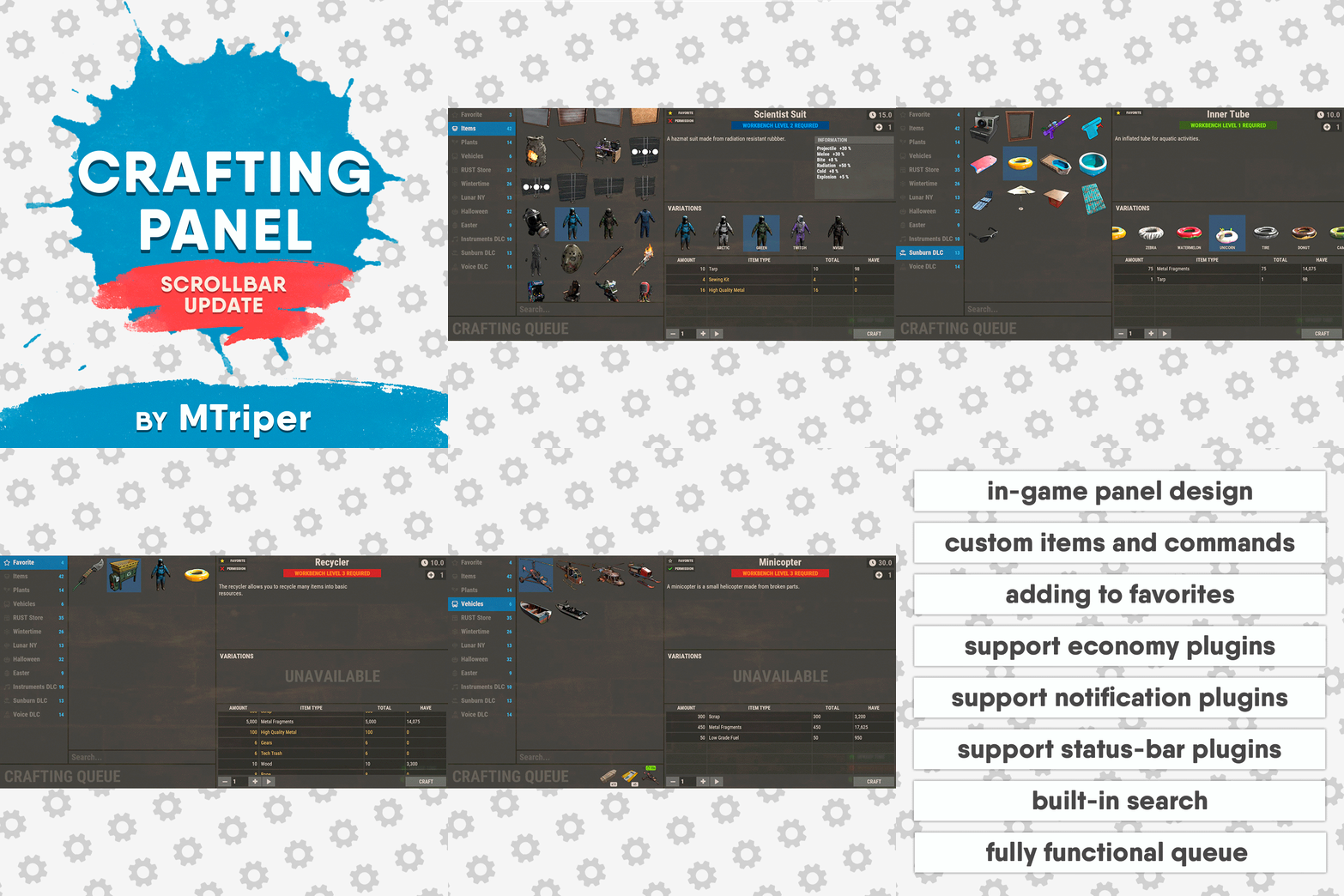
This plugin provides a beautiful and convenient crafting panel for your server. Its design and mechanics are as similar as possible to the in-game Rust crafting panel. Add crafting of any custom items, commands, permissions and anything else you like. Features The design is ~90% similar to the design of Rust's in-game crafting panel. Support for any custom items and commands. Ability to unlock all DLC items in the in-game crafting menu. The plugin only registers permissions for items that you have specified to it. Thus, preventing the creation of a large number of permissions. Customizable sound effects, notifications in the status bar on the right, and text notifications in popular plugins. The plugin can take and give out items from inventory, game backpack and Backpacks plugin, depending on the fullness of any of them. Ability to add item variations (just look at the screenshots). Supports work with skill plugins. Supports work with economy plugins. The player can choose whether to craft or buy an item. Add items to favorites, built-in search, fully functional queue and more. Scrollbar support. Ability to use item crafting cooldown. *All the sections and items shown in the screenshots are an example of configuring the plugin. You will need to create sections yourself and add items there. Supported plugins: SkillTree - allows you to use bonuses such as: Craft_Speed, Craft_Refund, Craft_Duplicate. Also allows you to give bonuses when crafting and take away when crafting is canceled. Backpacks - plugin can take and give items in an additional backpack. ItemRetriever - plugin can take crafting ingredients from all containers that are connected to the player (including inventory, game backpack, Backpacks plugin, and any other plugin that uses ItemRetriever as Suppliers). Player DLC API - plugin allows you to check whether an item or skin belongs to a specific player. ZLevelsRemastered - allows you to use the craft speed bonus. Economics, ServerRewards, IQEconomic - these plugins are used to purchase items with the currency of these plugins. Notify, GUIAnnouncements, NCP - these plugins are used to display notifications. SimpleStatus, AdvancedStatus - these plugins are used to display notifications in the status bar at the bottom right of the screen. Permissions The plugin has immutable and generated permissions. The immutable ones include: craftingpanel._use – is responsible for opening the panel. If there is no permission, the panel will not open. craftingpanel._admin – give this permission only to administrators. It adds an additional "Give yourself" button to get items from the panel for free. This permission is also needed to use the givecraft command (about it below). craftingpanel._instant – all player crafts will be instant. craftingpanel._death – crafting queue will not be reset when the player dies. craftingpanel._disconnect – when a player leaves the server, the craft queue will not be reset. craftingpanel._economics – allows you to purchase items for the currency of the selected economy plugin. If the player does not have permission, the cost panel will still be displayed, but the player will not be able to make a purchase. craftingpanel._workbench - allows you to reduce crafting time by having a workbench of a higher level than necessary for crafting. craftingpanel._bonuses – allows the player to access the crafting bonuses from the "Crafting bonuses" section. craftingpanel._unlockdlc - if a player has this permission, he can craft all DLC items in the in-game crafting menu. If you revoke this permission, all DLC items will become unavailable again. craftingpanel._nocooldown - allows you to disable the cooldown of all items. The generated permissions are created by the plugin itself, here's how it works: craftingpanel.section.vehicles- this is permission for the "vehicles" section. craftingpanel.vehicles.minicopter - this is permission for the item "minicopter" in the "vehicles" section. craftingpanel.vehicles.snowmobile.tomaha - this is permission for the item "snowmobile" in the "vehicles" section and in "tomaha" variation. Commands givecraft steamid/nickname section item 5 skin steamid/nickname – steamid or nickname of your choice. section – section name from the Section permission [required] field. item – item name from the Item permission [required] field. 5 – how much of the current item to give out (craft multiplier). skin - name of the item from the Ingredients section, Item permission [required] fields. All arguments of this command are required. If your item has an empty "Variations" section or you want a default item, specify "default" in place of skin. resetcooldowns steamid/nickname section item - resets the cooldown of a specific item from a specific player. resetcooldowns steamid/nickname - resets the cooldown of all items from a specific player. resetcooldowns all section item - resets the cooldown of a specific item for all players resetcooldowns all - resets the cooldown of all items from all players steamid/nickname – steamid or nickname of your choice. section – section name from the Section permission [required] field. item – item name from the Item permission [required] field. General settings Allow panel scaling when the interface is scaled? - if this setting is enabled, the craft panel will be resized depending on the game interface scale (setting "user interface scale"). If the setting is disabled, the panel will always be the same size, regardless of the player interface scale. Remember the last selected section and item? - plugin will remember the last selected section, item and variation the next time the panel is opened by the player. Enable multilingual mode? – if your server has players from different countries, this mode allows you to customize translation for other languages. When you enable this mode, the plugin will write all the data that needs to be translated to the lang - file. These include: section names, item names, item descriptions, item properties, item variation names, and ingredient names. The lang - file consists of a pair: key - value. The key is a unique name, with the help of which the plugin understands what phrase to use. Section translation: section.*section permission* – key template for section name translation. For example: "section.favorite": "Favorite" – Favorite section. Translation of item information: *section permission*.*item permission*.name – key template for item name translation. For example: "sunburn.innertube.name": "Inner Tube" – item name. *section permission*.*item permission*.description – key template for item description translation. For example: "sunburn.innertube.description": " Inflatable lap for water fun." – item description. *section permission*.*item permission*.properties – key template for item properties translation. For example: "sunburn.innertube.properties ": "Any properties ..." – item properties. *section permission*.*item permission*.variations.*variation permission* – key template for variation name translation. For example: "sunburn.innertube.variations.zebra": "ZEBRA" – variation name. Translation of ingredient names: *ingredient shortname *.*ingredient skinId* - key template for ingredient name translation. For example: "wood.0": "Wood" – ingredient name. Use the PlayerDLCAPI plugin to check whether items and skins belong to the player? – The plugin will check each item and skin in the panel for belonging to the player (i.e. whether they are in his Steam inventory). Allow work with the Backpacks plugin? – plugin can take and give items in an additional backpack (Backpacks by WhiteThunder). Allow work with the ItemRetriever plugin? – this plugin provides advanced functionality for interacting with player containers: If the ItemRetriever plugin is enabled, the CraftingPanel will take crafting ingredients from all containers that are connected to the player (including inventory, game backpack, Backpacks plugin, and any other plugin that uses ItemRetriever as Suppliers). If the ItemRetriever plugin is disabled, the CraftingPanel will take items with the next priority (if the item is not found, it goes to the next container): Backpacks plugin (if enabled) -> game backpack -> inventory. The CraftingPanel plugin is fully in charge of giving out items (since ItemRetriever only allows you to take items from the player), it gives out items with the next priority (if the container is full, it moves on to the next one): inventory -> game backpack -> Backpacks plugin (if enabled) -> drop item. Reset cooldown on crafting items for all players during the wipe? - the plugin will reset all cooldowns when the server is wiped. Delete player data from the Data file if they have not logged into the server for so many days – this setting is added to prevent the plugin from keeping in memory the settings of all players who have ever visited your server. Effect at the start/end/canceling – game effects that will be played at the start of crafting/completion of crafting/cancellation of crafting (effects list, plugin for playing effects). Specify a plugin to work with the economy – specify one plugin from the list or leave the field empty to disable work with economy. Crafting bonuses This section allows you to customize crafting bonuses when using one of the supported plugins. Each of these plugins has its own settings. Amount of experience will depend on crafting time? – if this setting is disabled, then the given/taken experience will be the same (which are specified in the settings above). If this setting is enabled, the experience will be calculated using the following formula: calculated experience = crafting time * experience from the settings above. It should be taken into account that to calculate the experience for a crafted item, the full crafting time is taken (which is specified in the item's setting), and to calculate the experience for crafting cancellation, the time left to create the item is taken. The ZLevelsRemastered plugin does not have a full-fledged api for interaction with crafting bonuses, so the work with it is not fully implemented (no rewards are given in economy plugins, permission of this plugin is not taken into account, etc.). Notification settings Notification type (Chat, GameTips, Notify, GUIAnnouncements) – if this section is enabled, you must specify the type/plugin to notify the player of different warnings. Chat – notification to regular chat. GameTips – notification in the in-game Rust tooltips (blue or red at the bottom of the screen). Notify – notification in the Notify plugin by Mevent. GUIAnnouncements – notification in the GUIAnnouncements plugin by JoeSheep. Just below that are the customization fields for the specific type of notification. Game Status Settings Game status is a notification that is shown at the bottom right of the screen (like in-game crafting). The plugin can show 3 types of game status: Current craft – it's the blue panel with the gear. It is displayed while the crafting process is in progress. Giving item – it's the green panel with the down arrow. It is displayed when a player is given a craft item. Dropping item – it's the red panel with the cross. It is displayed when the items given by the plugin do not fit in the inventory and drop out near the player. Crafting Panel working with Rust's in-game status and two plugins (SimpleStatus, AdvancedStatus) that have slightly advanced features. Rust – is the in-game status built into the game. It does not require any additional plugins, but it cannot show the Current craft (blue panel with a gear). SimpleStatus – this plugin displays customizable statuses. It can show Current craft and Giving item. But cannot display Dropping item due to limitations in its operation. AdvancedStatus - this plugin displays customizable statuses. It works with all of the above status types. Section settings Section name – the displayed section name on the menu button. Section permission [required] – be sure to fill in these fields and make sure they are all unique. Because it is by this field that the plugin understands which section it is currently working with. If you specify "favorite" here, the plugin will use this section to display the player's favorite items (don't add items to it, the plugin will delete them anyway). Register this permission? – if enabled, the plugin will register a permission with the above name. In this case this section will be shown only to those players who have this permission. Section item settings Item name [required] – required field. The name of the item is displayed only in this plugin. If you need to create an item with the same name, you will find this setting below. Item permission [required] – required field. Make sure that each item in the section has a unique field. Because by this field the plugin understands which item in the current section it is currently working with. Register this permission? - if enabled, the plugin will register permission with the above name. Keep in mind that the current item will still be shown to all players, but they will not be able to craft it (this is also notified by the icon on the top left of the information section). Item description – item description, is not passed to the item when crafting, only displayed in the panel of this plugin. Item properties – if the item has some characteristics (e.g., damage, radiation protection, etc.) you can specify them here. This data is displayed in a separate panel in the information section of the item. Item shortname – if you are using the command as a craft result, leave this field empty. Check this item with the PlayerDLCAPI plugin? - this setting disables the verification of the item by the Player DLC API plugin. Create an item with the default name (true) or the above name (false)? – if true, the plugin will create an item with the default game name (which refers to the current shortname), otherwise it will set the name from the Item name field. Item skinId – if the item is custom, specify the required skinId, otherwise set it to 0. Item image [optional] – if as a result of craft, you have to execute some command, you can specify a link to a picture related to this command. Console commands executed after crafting (%steamid%, %username%, %amount%) [optional] – if you need to execute some commands as a result of crafting, you can list them with commas in this field. In the command you can specify %steamid% and %username%, the plugin will replace them with the data of the current player. The plugin can also replace %amount% with the amount per craft (next setting). If the command gives some custom game item and you know its shortname and skinid you can specify them in the fields above. This way you don't need to additionally save the image of this item to the hosting and specify its link. Amount per craft – number of items given out per craft. Max craft multiplier - maximum allowable craft multiplier. The craft multiplier (selected by the player in the Ingredients section) is how many times an item will be dispensed or how many times commands will be executed. If Amount per craft = 3, and the player chose multiplier = 2, he will receive 2 * 3 = 6 items. Crafting time [sec] – time to craft the item. It can be set to 0, then the item will be crafted instantly. Show notification in game status (if they are enabled)? – if a command from another plugin is used to give a custom item and that plugin displays game status, duplication of game statuses may occur. Therefore, it is possible to disable the display of game status for a particular item. Keep in mind that this only disables the Giving item status. Apply craft bonuses (if they are enabled)? – allows you to apply craft bonuses (from the "Crafting bonuses" section) to this item. Crafting cost in the economy plugin [0 - disable] – the value of the current item in your economy server currency. The customization works if you specified one of the supported economy plugins at the beginning. Item Variation settings In the in-game Rust crafting panel this section is called Skins, here it is called Variations. This is done because here it can include not only skins, but any items or commands related to the parent item. For example, you have several modular car presets, with different types of modules, but they are all related to modular cars. Therefore, you can specify them in one item - "Modular car". The settings in this section are similar to the parent item, except for the crafting ingredients. They will be the same as the parent item. Item Ingredient settings Resource name [required] – required field. Is used to display the name of the ingredient in the plugin panel (it is not taken into account when taking ingredients from the player). When canceling the craft, the plugin can set this ingredient to the specified name, you will find this setting below. Use this resource in ingredients? – enables or disables this resource for use in ingredients. Resource shortname [required] – required field. Shortname of the item that the plugin will look for from the player for crafting. Resource skinId – if it's a custom item, give its skinId, otherwise set it to 0. Return an item with the default name (true) or the above name (false)? – when the craft is canceled, if true, the plugin will create an ingredient with the default game name (which refers to the current shortname), otherwise it will set the name from the Resource name field. Plugin Config Example of plugin configuration in English: Example of plugin configuration in Russian. If you need Russian config, open it (CraftingPanel.cs) before loading the plugin, and at the top set the variable "isRus = true". Then save and upload this file to your server$30.00- 143 comments
- 2 reviews
-
- 8
-
-
-
- #craft
- #craft menu
- (and 17 more)
-
Version 2.0.1
599 downloads
Simply provide all players with permission constant Work Bench Level 3 access, while also supporting the ability to refill items. Permission and Config You must provide players with this permission: BetterNoWorkbench.on for them to gain access. The config is one simple choice for you to decide if you want the default level to be 1, 2 or 3, by default it's level 3. Support and More Checkout my discord server here.$4.99- 12 comments
-
- 4
-
-

-
- #christmas sale
- #workbench
- (and 1 more)
-

Version 1.0.0
18 downloads
This plugin adds a ton of functionality to the server for working with quarries. You can create charges of any type, with any resources. And the improved quarry system will allow players to extract them. Features Extraction of any default game resources/items. Placement of quarries anywhere: close to each other and other structures. Connection of quarries to industrial pipes. Interaction with popular plugins. Pleasant and user-friendly interface. Installed quarries will continue to mine the specified resources even if the plugin is unloaded. Supported plugins Backpacks - plugin can take and give items in an additional backpack. ItemRetriever - plugin can take crafting ingredients from all containers that are connected to the player (including inventory, game backpack, Backpacks plugin, and any other plugin that uses ItemRetriever as Suppliers). Friends, Clans - plugin is used to identify friendly players. Permissions The plugin has immutable and generated permissions. The immutable ones include: charges._admin – "Give yourself" button, command to give charges, ignoring permissions for crafting charges and quarries, access to turn on/off quarries for all players. charges._water – ignore the depth of the explosion of charges in water. charges._wrongplace – return the charge if it is thrown in an unsuitable place, even if the specific charge is specified in the settings => Return the charge if it is exploded in the incorrect place? = false charges._ignorecraterchance – ignores the chance of spawn crater of any charge (for the owner of this permission it is equal to 100%). charges._ignoreresourcechance – ignores the chance of finding a resource in any charge hole (it becomes equal to 100% for all resources). charges._mining – access to crafting Mining Quarry. charges._pump – access to crafting Pump Jack. The generated permissions are created by the plugin itself, here's how it works: charges.chargename - chargename is the name of the charge from the Charge permission field. Commands Only one command is present in the plugin. This command can be used both in chat (charges._admin permission is required) and in the server console. givecharge name 5 steamid/nickname name - charge name from the field Charge permission. 5 – how many charges need to be given out. steamid/nickname – steamid or nickname of your choice. All arguments of this command are required. General settings Allow panel scaling when the interface is scaled? – if this setting is enabled, the panel will be resized depending on the game interface scale (setting "user interface scale"). If the setting is disabled, the panel will always be the same size, regardless of the player interface scale. Notify friends within the charge's explosion radius of the resources being mined? – if your friends are standing close to you when the charge explodes, they will also receive a notification about the explosion and its results. Quarries settings Only friends can turn on/off quarries? – only you and your friends (from Rust Teams, Clans, Friends, etc.) will be able to turn quarry on/off. Simplified quarry installation mode (increased server load) – the game developers have severely restricted the placement of objects near quarry. Because of this, quarry must be located at a considerable distance from each other, making them more difficult to defend. This setting allows you to ignore this restriction. Therefore, even when the quarry is highlighted in red during installation, you can simply click the left mouse button and the quarry will be installed in the place you are looking at and in the same form as it was on the construction plan. Of course, with this method, there are many checks for the presence of foreign objects in the quarry installation area. Add storage adapters to quarries? - as you know, the game features an Industrial Pipes system that allows you to automatically move resources between different containers. Unfortunately, the developers did not implement the ability to connect these pipes to quarries. Therefore, this setting adds Storage Adapters to each of the quarry's storage. However, nothing can be built within the quarry's area of influence (which is quite large and invisible), and as a result, the Pipe Tool cannot be used. Therefore, a Hammer is used to lay pipes. PIPE CONNECTION. First, you need to hit the quarry Storage Adapter with the Hammer, and most importantly, hit the input/output port to which you want to connect the pipe. That is, if you want to extract resources from this quarry, you need to hit the output connector with a Hammer, and if you want to add resources, you need to hit the input connector. After you have done this, the chat will display information about how much time is left to connect the pipe to the corresponding Industrial device. Therefore, you need to approach such a device and simply tap the desired connector with a Hammer. After these actions, the pipe will be installed. You can also connect quarries in series i.e., one after the other, just like regular containers. PIPE DISCONNECTION. There are two ways to remove a pipe. If the other end of the pipe is connected to an Industrial device outside the quarry's range, you can simply disconnect the pipe in it with the Pipe Tool. If the pipe from the quarry is connected to another quarry, you need to take a Hammer and hit it on the connector of the quarry Storage Adapter, which should be disconnected. After these actions, the pipe will be disconnected. Charges settings Charge name – charge name displayed in the panel and on the crafted charge. Charge permission – a unique name for a charge, used in permissions and when giving out charges with the admin command. Charge skinId – ID of the image uploaded to the Steam workshop. Which quarry to use? [Mining, Pump] – this setting affects which quarry can be placed on the hole after the charge explodes. Crater spawning chance [0-100] – this parameter is only responsible for the chance of a hole appearing after an explosion. Maximum water depth at which the charge will work [advice <= 0.8] – you can allow players to explode charges underwater. This setting determines how deep charges can explode underwater. The default value of 0.8 is approximately knee-deep for the player. Return the charge if it is exploded in the incorrect place? – if the player explodes the charge in an unsuitable place, such as on rocks, building blocks or something similar, the charge will not explode and will remain at the site of the explosion (it can be picked up and used again). If you set the value to false, the charge will disappear after the explosion and the player will have to craft it again. Allow charge explosion if no permission? – if set to true, any player can explode this charge. If set to false, only those who have permission for this charge can explode it. Is permission required to craft a charge? – the charge craft will only be available to players who have permission for this charge. Crafting ingredients Ingredient name (empty - default) – the name is only used for display in the panel. Ingredients are selected from the player's inventory based on the combination of shortname + skinid (the item name is not taken into account). Extractable resources Resource name (empty - default) – by analogy with the setting Ingredient name (empty - default). Chance of a resource in the crater [0-100] – the chance of finding this resource in the crater when the charge explodes. Please note that before calculating this chance, the chance of the charge exploding is calculated (Crater spawning chance [0-100] setting). And if the charge explodes into nothing, then the current setting will not be used. Plugin Config Example of plugin configuration in English: Example of plugin configuration in Russian: If you need Russian config, open it (Charges.cs) before loading the plugin, and at the top set the variable "isRus = true". Then save and upload this file to your server.$35.00 -
Version 1.3.3
52 downloads
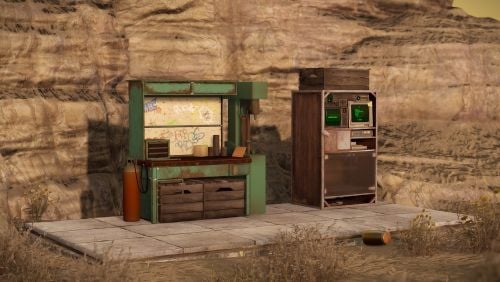
I've disabled sales of this product here moving forward.$9.99- 13 comments
- 2 reviews
-
- 3
-
-
-
- #deployables
- #plugin
- (and 23 more)
-

Version 1.2.8
292 downloads
Open UI - /craftcontrole (craftcontroller.use) FEATURES: Changing the minimum required workbench for item crafting Craft time is adjustable For items with a certain skinID Block crafting Block explore a blueprint Block explore at the workbench P.s - (My Discord - tofurahie#4144) Config: { "Craft Rate in %": 50, "Item Settings": { "ammo.shotgun.slug": { "Default Skin": 0, "Block craft": false, "Block to explore a blueprint": false, "Block to explore at the workbench": false, "Craft time (-1 => Default)": -1.0, "WorkbenchLevel (-1 => Default)": -1 }, "ammo.rifle": { "Default Skin": 0, "Block craft": true, "Block to explore a blueprint": true, "Block to explore at the workbench": false, "Craft time (-1 => Default)": 15.0, "WorkbenchLevel (-1 => Default)": 1 } } }$8.49 -
Version 1.2.16
227 downloads
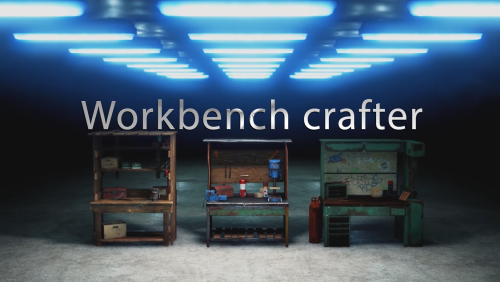
Workbench crafter is a new crafting system, instead of the current way of staying AFK next to workbench waiting for the craft to finish now you can leave that task to the workbench and go to PVP with your teammates. Depends on: Image Library Features: Craft panel has easy to use GUI and perfectly blends with Rust native UI. Crafting task & storage saved when server restart and will finish craft upon server startup. When destroying Workbench all the loot will be dropped. Allow craft menu access in building privilege only. Open craft menu anywhere. Auto Craft items. Link loot boxes with workbench for an easy way to craft. A permission and Chat command to open UI instead of pressing "E" to open the craft menu anywhere. Permissions Permission use: WorkbenchCrafter.use. Permission no crafting time: WorkbenchCrafter.nocraftingtime. Permission use anywhere: WorkbenchCrafter.useAnywhere. Update 1.2.12 Update 1.1.5 Video Config { "Permission use": "WorkbenchCrafter.use", "Permission no crafting time": "WorkbenchCrafter.nocraftingtime", "Permission use anywhere": "WorkbenchCrafter.useAnywhere", "Settings": { "GUI color": "0.6 0.6 0.6 0.3", "GUI color (when using /workbench command)": "0 0 0 0.9", "Allow craft menu access in building privilege only (true or false)": true, "Don't allow using /workbench when building blocked (true or false)": true, "Crafting time multiplier": 1.0, "Storage slots(0 no limit)": 0, "Default stack size": true, "Custom stack size": 1.0, "Maximum items crafting in queue": 8, "Include default blueprints": false } }$16.50- 26 comments
- 2 reviews
-
- 2
-
-
- #plugin
- #workbench
- (and 7 more)
-
Version 1.1.9
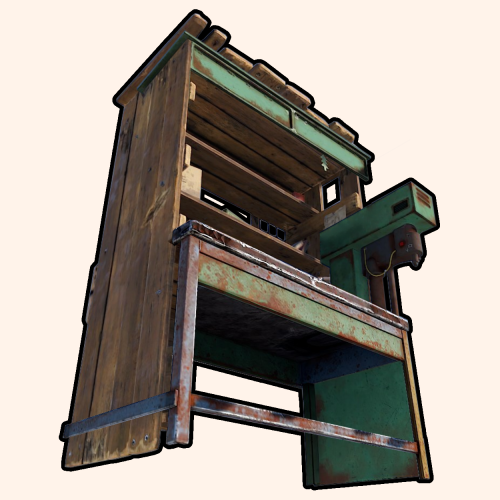
292 downloads
Portable workbench provides you and your population a satisfying addition to the server(s) you're hosting! With high levels of customization, this plugin allows you to access any levels of workbenches from any spot on the map for an amount of time— relative to groups players are in. FEATURES Highly customizable and simple-to-use system for admins and/or regular players. Use /workbench 1-3 (by default, can modify in the config) to start accessing a workbench. Craft bench-leveled items from anywhere in the game world! Intuitive config system, allowing custom chat icon and phrases. Option of requiring players to have placed the level of workbench somewhere they're willing to access. PERMISSIONS PortableWorkbench.use1: Allows you and the players to "wirelessly" access level 1 workbenches. PortableWorkbench.use2: Allows you and the players to "wirelessly" access level 2 workbenches. PortableWorkbench.use3: Allows you and the players to "wirelessly" access level 3 workbenches. RULES (NOESCAPE INTEGRATION) Can('t) use while building blocked. Can('t) use while combat blocked. Can('t) use while raid blocked. COMMANDS (CONFIGURABLE) Following commands are chat and console commands. workbench 1-3: Allows access to specified workbench - if there's no input, it auto-selects level 1 workbench. CONFIG$4.99 -
Version 1.0.1
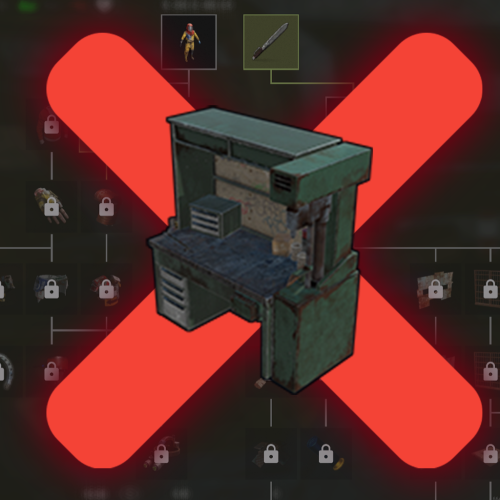
672 downloads
Making researching through workbenches impossible by simply disallowing the workbench to be opened so players are forced to find the item they want to learn first. Features : Blocks opening the workbench panel. Can have bypass set for each workbench tier wb1 wb2 wb3 or all through permissions Crafting functions as normal. Get a popup notification with info (gametip) when blocked. Simple config just for prefix and chaticon. Permissions : wbresearchblock.bypas : To allow bypassing all workbench tiers and it can be used for researching as normal wbresearchblock.usewb1 : To allow bypassing the block for workbench1 wbresearchblock.usewb2: To allow bypassing the block for workbench2 wbresearchblock.usewb3: To allow bypassing the block for workbench3 Commands : /wbrblock : Shows the info you define through language file why the workbenches are blocked and any other info it might suit the needs. Configuration { "Main config": { "Chat Steam64ID": 0, "Chat Prefix": "[<color=green>WBR</color><color=yellow>Block</color>] " } } Localisation : English language file included to use a different language just make a new file in the language folder. { "ChatInfo": "Researching through Workbenches is blocked you can still research some items through the research table!", "NoPermission": "Research through workbench is blocked!\nCheck <color=green>/wbrblock</color> for more information!" }Free- 6 comments
-
- 5
-
-
-
- #block research
- #rust
- (and 3 more)
-
Version 1.0.3
1,436 downloads
Features Allows players to craft items without workbench. Usage - Copy the downloaded DLL file into server/HarmonyMods folder Support - If you need help or If you have any issues or suggestions you can contact me by joining my discord server: https://discord.gg/efVKDG6z6F or by adding me on discord: Farkas#6006Free -
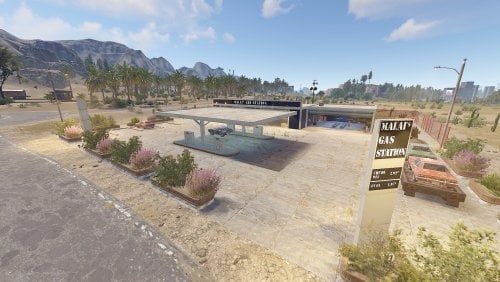
Version 1.0.1
15 downloads
MaLais - Your friendly and best price Gas Station! A new "modern" Gas Station with a working carlift (players need to put a fuse in). Great for replacing the old Rusty Gas Station! Loot: Oil and normal barrels Basic crate Tool Box Food crate Tech parts crate Normal crate Military crate Greencard Spawner Also this Building have a working carlift (players need to put in a fuse in). There is also: Workbench Tier 1 Repair Bench Recycler$9.99 -
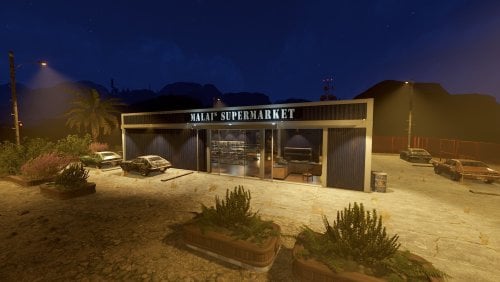
Version 1.0.1
19 downloads
MaLais - Your great and fresh Supermarket! A new "modern" Supermarket. Great for replacing the old Rusty Supermarket! Loot: Barrels Basic crate Tool Box Food crate Fuel crate Vehicle parts crate Normal crate Military crate Green card spawner This Building comes also with a Workbench Tier 1, Repair bench and a Recycler.$9.99 -
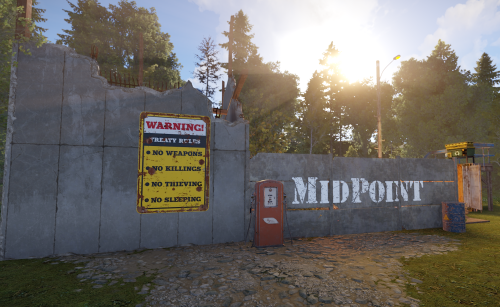
Version 1.1
157 downloads
Midpoint is a small monument (one PvE and one ) that can be placed near roads. Convenient for new players that just joined your server and do not have teleportation rights or just simply wish to enjoy the company of others in safety around a fire pit. There are 3 vending machines, a slot machine, big furnace, small refinery, workbench 1 and 2, recycler, research table and repair bench. PVE does not require a safe zone and comes with Reactivetarget for target practice, good for some fun. PVP includes safe zone mechanism. No build was added to both pve and pvp monument. No peacekeeprs added, you can add them in either in RustEdit or in game. The package consists of two versions of the monument, specifically designed to cater to the needs of both PVE and PVP servers. I have made the item free of charge for anyone to download. (item no longer supported)Free -
Version 1.0.0
713 downloads
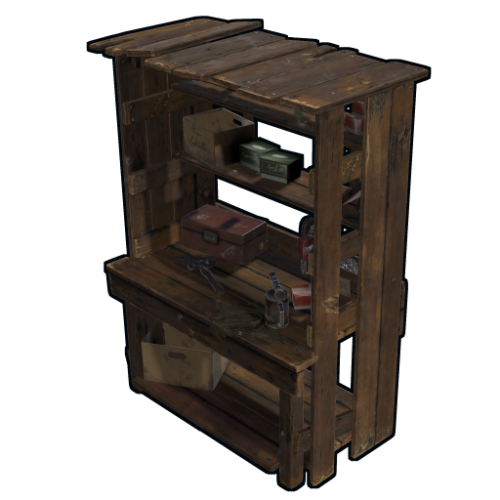
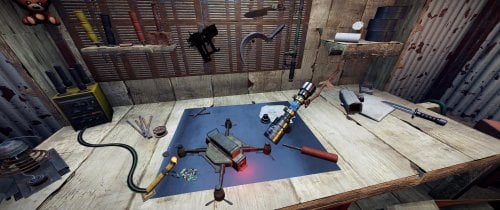
A non-interactive wooden workbench, useable for any kind of workshop setup. This workbench is just a decorative object. I wasn ´t able to place a functional workbench inside of it (rescaling of interactive object ´s won ´t work), without that it would be seen. Maybe there will be an updated version with a real workbench inside in the future. Also available at: https://rust-custom-designs.biz/Free


















![[GER]Abracadaver](https://codefling.com/uploads/monthly_2020_07/Logo3.thumb.png.972c012dad5d2b8ceda5edf8dca46cc2.png)
