Search the Community
Showing results for tags 'workshop'.
Found 5 results
-
Version 1.1.0
29 downloads
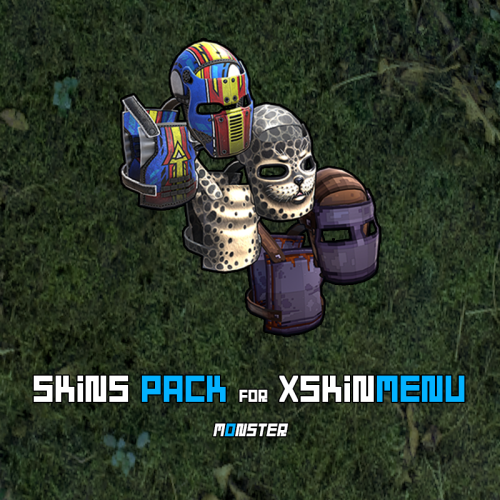
This is not a plugin! This is a Community Skins Pack for the XSkinMenu plugin in .json format. - You can also use this skins Pack in other plugins. This Pack will be actively supported and updated. New skins will be gradually added to it, and broken or removed skins will be deleted. We are aware of and remember Facepunch new rules, which prohibit us from giving players free access to Facepunch content. Therefore, this Pack will help you quickly and efficiently replace paid content from Facepunch. What will happen if skins from this Pack are approved and added to the game? - No problem! The XSkinMenu plugin automatically checks and removes such skins from the main Skins.json file. How do I use this skins Pack? - Installing this skins Pack takes less than a minute, and we have two options for doing so. - Go to the root folder of the plugin data --> oxide/data/XDataSystem/XSkinMenu: Option 1. Unload the XSkinMenu plugin. Download this Pack and replace the contents of the main Skins.json file with the contents of this skins Pack. Load the XSkinMenu plugin. ( This option is ideal for those who do not add/remove skins. ) Option 2. Simply download this Pack and move the file to the root folder of the plugin data. Use the console command "xskin_import_file FileName" (where FileName is the name of the downloaded file). The plugin will automatically read the Pack file, check the validity of the skins, and add them to the main Skins.json file. The plugin ignores duplicate skins/items. Therefore, after updating this Pack (or when installing the Pack for the first time) and performing Option 2, only those skins that are not yet in the main Skins.json file will be added. - When this Pack is updated, repeat one of the options again. You should know and remember that community skins are not cached in the game client and are not loaded instantly like Facepunch content. Each player will need some time to download community skins to their PC. (Skins are downloaded automatically after interacting with the XSkinMenu plugin UI.) Once these community skins have been downloaded to the players PC, they will be able to use them quite quickly in the future, as the skins files will already be on their PC and can be quickly cached by the game client. Also, a very large number of community skins (especially 10,000 or more) can have a negative impact on the performance of your server and your players clients. However, this Pack contains less than 10,000 skins (namely ~3,200 skins as of today) and they have all been checked, so there will be no problems.$11.49-
- 1
-

-
- #xskinmenu
- #skin
- (and 8 more)
-
Version 3.1.1
9,432 downloads
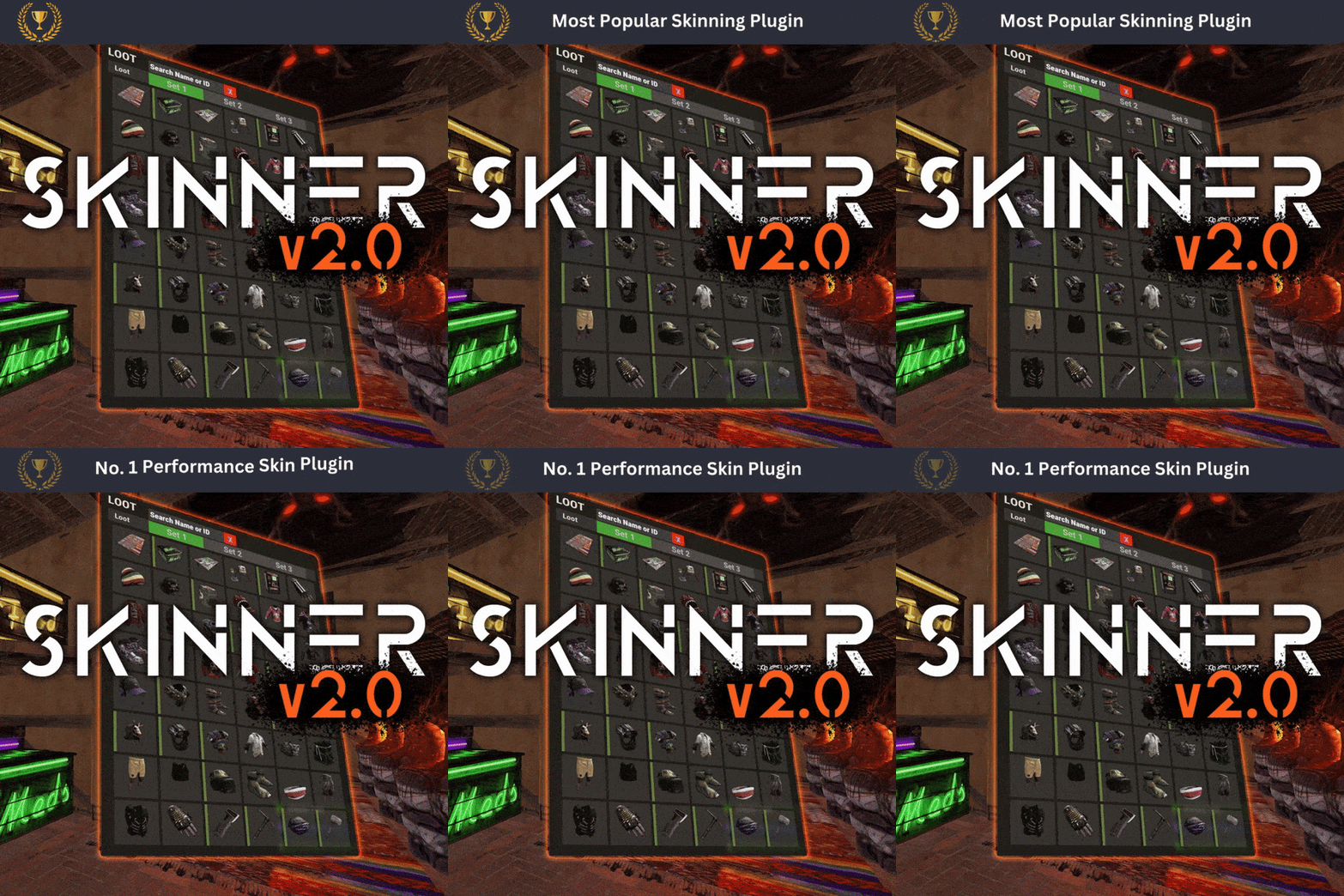
Skinner! The unrivaled no.1 performance skinning plugin. Skin any item in the game with a unique skinbox giving you live skinning, auto skinning and skin sets. Thanks for everyone who has given feed back through the duration of the beta release. Skinner 3.0 is finally here! Visual overhaul! - with dynamic UI menus for permission based player menus Automatic skin filtering and dev modes for new TOS Permission based skin sets Team share skins! Auto unlock owned skins! and More!!! Live Skinning - Skin items in place without moving them Auto import - Automatically import and use all game approved skins Skin Sets - Create a variety of different skin sets for any item Skin Requests - Allows players to request and Admins to accept new skins in game Auto Skins - Automatically apply selected skins to every item that enters your inventory Skinner 2.0 offers unrivaled performance in plugin efficiency. Our standard testing shows runtime results were 60x faster and memory usage was 200x more efficient than the closest peforming plugin. SkinMenu Commands: /Skin or /S - Live skin any item in your inventory by selecting a skin you wish to apply /SkinCraft or /Sc - Create multiple skin sets for use in other functions such as skinauto or skinteam /Skinitem or /Si - Skin a deployable item you are looking at ingame. Args - Spectify 1, 2 or 3 to automatically use a skin set. Automatic Commands: /Skincon or /scon - sets all items in a container you are looking at to your default craft set Args - Optional, spectify 1, 2 or 3 to automatically use a skin set. /Skininv or /sinv - sets all items in your inventory to your default craft set Args - Optional, spectify 1, 2 or 3 to automatically use a skin set. /Skinauto or /Sauto - Automatically apply selected skins to every item that enters your inventory based off your skin sets. Args - Optional, spectify 1, 2 or 3 to automatically use a skin set. /Skinteam or /st - sets all items in your inventory and your teams to your default craft set Args - Optional, spectify 1, 2 or 3 to automatically use a skin set. Toggle - Use /skinteam toggle to opt in or out of the team skin set /SkinBase - Allows you to skin all deployables in your base to your default skincraft skins. Args - Optional, specify item name to filter items being skinned example: /Skinbase sleepingbag to only skin sleeping bags. /SkinAll Command - Skin all the items in all the containers in your base. Args - Optional, specify item by shortname example: /SkinAll rifle.ak to only skin ak47's. Skin Import Commands: /Skinimport or /sip - Import custom workshop skins Args - WorkshopID example: /Skinimport 2397648701 /Colimport or /cip - Import custom workshop collection using /skinimport collectionID Args - Collection ID example: /Colimport 2921147807 /Skinrequest or /Sr - Request a skin to be added to skinner, requested skins will show in the /Skinrequests UI for approval Args - WorkshopID example: /Skinrequest 2397648701 /Skinrequests or /Srs - Opens the the skinner menu with a box of skins awating approval Button Usage - Select an option and remove the skin to enact the process Try - Recieve a copy of an item with that skin Approve - Adds the skin from the menu to the imported skins list Deny - Removes the skin Note: All chat commands are universal meaning they can be used via the console, rcon(for import commands) and can be customized via the configuration. Player Permissions: Skinner.default - enables /skin command Skinner.items - enables /skinitem command Skinner.craft - enables /skincraft command Skinner.skinauto - enables /skinauto command Skinner.skincon - enables /skincon command Skinner.skininv - enables /skininv command Skinner.skinbase - for use of the /skinbase command Skinner.skinteam - Allows the use of the /skinteam command Skinner.skinall - for the use of the /skinall command Skinner.skinrequest - enables /skinrequest Cooldowns Permissions: Cooldown settins can be adjusted via the plugin config. Applying the cooldown permission example skinner.default30 will enforce cooldowns on those with the permission. If no cooldown permission is applied no cooldowns will be enforced. If multiple cooldown perms are assigned to a single player they fastest cooldown will be used. "Command based cooldowns ('permission' : 'command' seconds": { "Default30CD": { "skin": 30.0, "skinitem": 30.0, "skincraft": 30.0, "skincon": 30.0, "skininv": 30.0, "skinteam": 30.0, "skinbase": 60.0, "skinall": 60.0 } Admin Permissions: Skinner.import – enables /Skinimport, /Colimport and /Skinrequests Skinner.bypassauth - bypasses the building auth requirement when using /Skinitem Skinner.permskintry - enables try feature when using /Skinrequests Warning: trying a skin will make a copy of that item. Only give this perm to admins who are allowed to spawn items. Other Permissions: Skinner.skinautotoggled - applied when a player disables skinauto Skinner.skinteamblock - applied when a player disables team skins Skinner offers multiple ways of importing skins including via the config and through commands: Importing via the config: To import skins via the config insert workshopIDs into the imported skins list as per the code snippet below, once finished reload skinner and the shortname and displayname fields will be automatically populated. You can add extra skins at any stage using this method. "Imported Skins List": { "861142659": {}, "2617744110": {} }, Optionally entire workshop skin collections can be added to conifg, each item skin is automatically imported to your imported skins list on plugin load. "Import Skin collections (steam workshop ID)": [496517795,2921147807], Importing via commands: Commands can be used to edit the config options for imported skins and collections via RCON, chat commands and the f1 console. Commands include: /Skinimport WorkshopID /Colimport CollectionID Importing via Skin Requests: Players can requests skins to be added to the game using the skinrequests feature. By using the command /skinrequest WorkshoID a skin gets automatically uploaded to the skin requests box. Admins with the skinner.import permission can open the requests box with the /skinrequests command. Skins from the request box can then be "tried" approved or denied. Each skin requested can be logged to discord using the webhook in the config. Importing from other plugins: Skinner now has a tool for windows to import data from skinbox, xskins and skincontroller. Simply select your json data file with imported skins into the tool and copy the new imported skins list into the skinner config. https://github.com/Whispers88/SkinDataConverter/releases/tag/Main Note: The "Imported Skins (skinid : 'shortnamestring', skinid2 : 'shortnamestring2'": {}" is now redundant and automatically converted to imported skins list. { "Skin Commands (skin items in you inventory": [ "skin", "s", "skinbox", "sb" ], "Skin Items Commands (skin items you have already placed": [ "skinitem", "si", "skindeployed", "sd" ], "Set default items to be skinned": [ "skincraft", "sc" ], "Automatically set all items in you inventory to your default skins": [ "skininv", "sinv" ], "Automatically set all items a container to your default skins": [ "skincon", "scon" ], "Automatically skin all deployables in your base": [ "skinbase", "skinbuilding" ], "Automatically skin all items in your base": [ "skinall", "sa" ], "Automatically skin all items that are moved into you inventory": [ "skinauto", "sauto" ], "Skin your teams inventories with your skin set": [ "skinteam", "st" ], "Request workshop skins via workshop ID": [ "skinrequest", "sr" ], "Approve workshop skin requests": [ "skinrequests", "srs" ], "Set your selected skin set": [ "skinset", "ss" ], "Import Custom Skins": [ "skinimport", "sip" ], "Import Workshop Collection Command": [ "colimport", "cip" ], "Skin Request Notification Discord Webhook": "", "Custom Page Change UI Positon anchor/offset 'min x, min y', 'max x', max y'": [ "0.5 0.0", "0.5 0.0", "198 60", "400 97" ], "Custom Searchbar UI Positon anchor/offset 'min x, min y', 'max x', max y'": [ "0.5 0.0", "0.5 0.0", "410 635", "572 660" ], "Custom Set Selection UI Positon anchor/offset 'min x, min y', 'max x', max y'": [ "0.5 0.0", "0.5 0.0", "250 610", "573 633" ], "Auto import approved skins": true, "Remove player data after inactivity (days)": 14, "Apply names of skins to skinned items": true, "Add Search Bar UI": true, "Use on itemcraft hook (skin items after crafting - not required when using skinauto)": false, "Override spraycan behaviour": false, "Use spraycan effect when holding spraycan and skinning deployables": true, "Blacklisted Skins (skinID)": [], "Blacklisted Itemms (itemID)": [], "Import Skin collections (steam workshop ID)": [], "Command based cooldowns ('permission' : 'command' seconds": { "Default30CD": { "skin": 30.0, "skinitem": 30.0, "skincraft": 30.0, "skincon": 30.0, "skininv": 30.0, "skinteam": 30.0, "skinbase": 60.0, "skinall": 60.0 } }, "Imported Skins List": {} } //Get all Cached skins public Dictionary<int, List<ulong>> GetAllCachedSkins() { return _cachedSkins; } //Check if skin is a Redirect item public bool IsRedirectID(ulong uID) { return HasMask(uID); } //Convert Redirect ID to item ID public int RedirectIDtoItemID(ulong uID) { return (int)UnsetMask(uID); } //Get a list of skins for a particular item public List<ulong>? GetSkinsItemList(int itemid) { _cachedSkins.TryGetValue(itemid, out List<ulong>? cachedSkins); return cachedSkins; }$24.99 -
Version 1.0.3
16 downloads
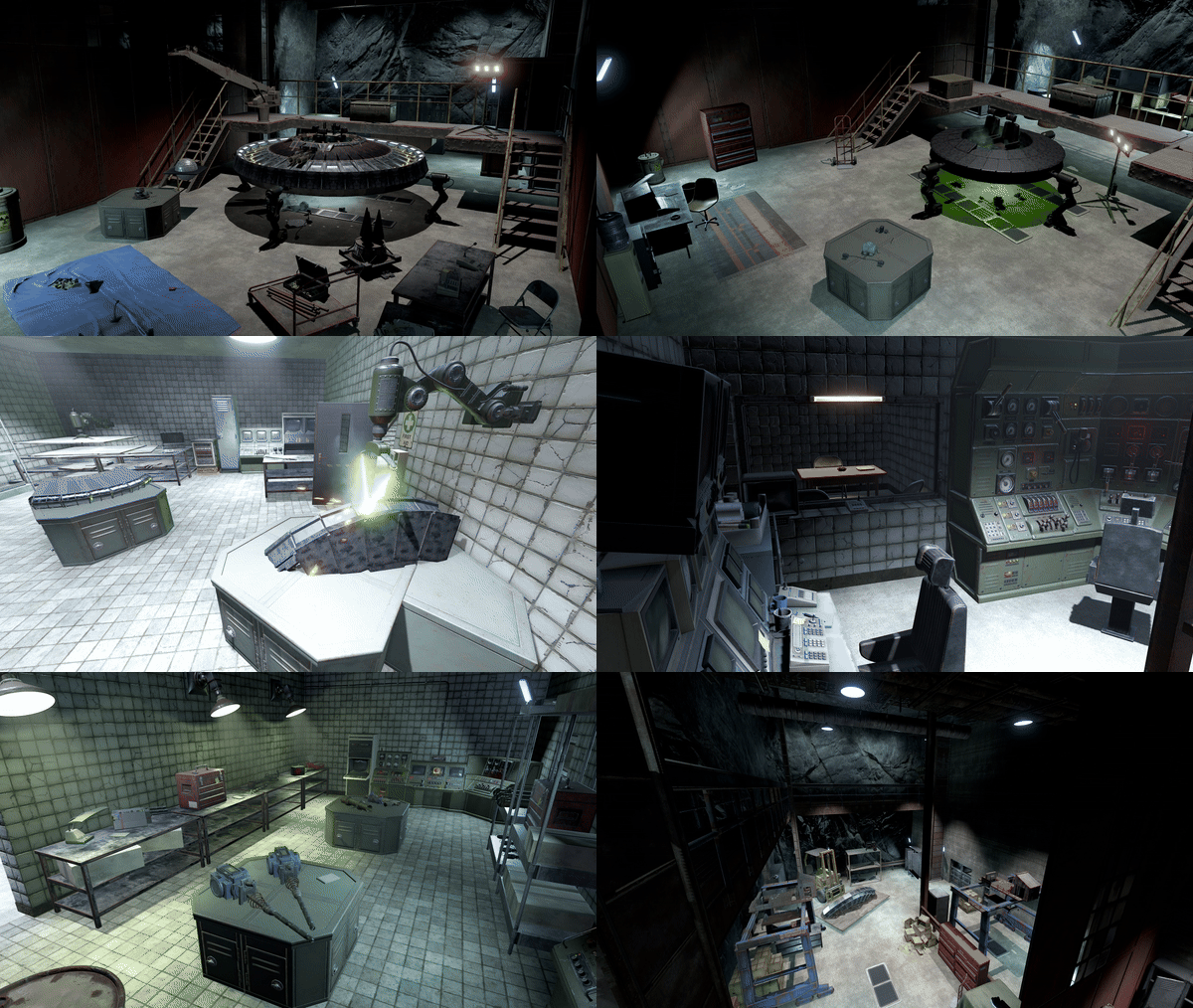
UFO Reverse Engineering Facility, featuring (some) of Karuza's Custom Vehicles A seemingly abandoned small desert military base hides a deeper secret inside. Use a Blue Card to gain access and take the elevator down to the research rooms featuring: Propulsion Lab, Weapons & Materials R&D, a Security Office and Interrogation Room, Bio Materials Lab & some general storage and staff utility rooms. Also comes with a Alternate version with a smaller entrance/exit appearing as a Substation (see images at end of the list) A small puzzle in these rooms will unlock access to the rest of the facility, a large workshop and 5 UFO hangars and a large blast door exit. Lots of loot scattered around and an Elite Crate by each UFO. Also a Red Card can be found in one of the hangars. ~2300 prefabs Includes all masks (except biome), and is fully compatible without using the height mask (see video for placement tips)$20.00 -
Version 1.0.1
1,053 downloads
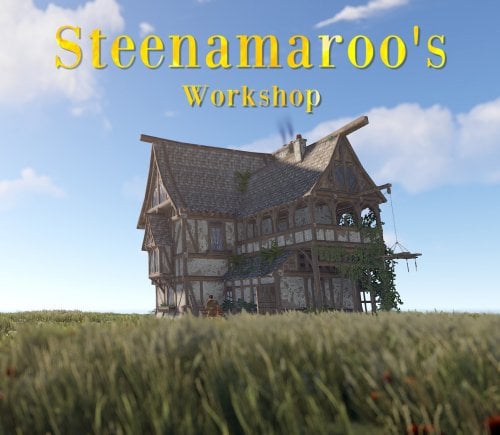
Welcome to Steenamaroo's Workshop! Here you can see what it's like to be inside the work space of Steen, though it's a bit messy and has a questionable amount of alcohol, you will find a cozy place of drunken creativity. Want to support Steen? Here is his patreon! https://www.patreon.com/Steenamaroo 1500 Prefabs (most of it was sandpaper) No special instructions PS. Ignore the footsteps in the attic, Death lives up there. We try to get him to come down and we even put out traps but nothing aside his midnight raids on the fridge will move him. Want to see more of my stuff or just hang out? Join my Discord! https://discord.gg/96SRSyc7nTFree- 1 comment
- 3 reviews
-
- 18
-

-

-
-
- #steenamaroo
- #rust
- (and 11 more)
-
Version 1.0.0
5 downloads
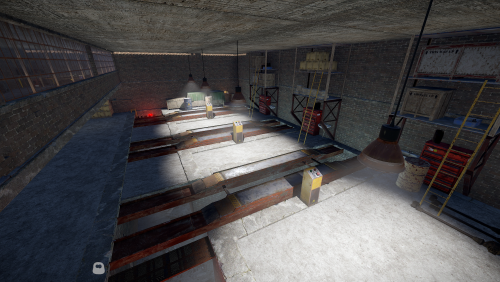
Roadside monument with a green door and several functional car lifts.$4.99