Search the Community
Showing results for tags 'zone'.
-
Version 1.3.12
1,298 downloads
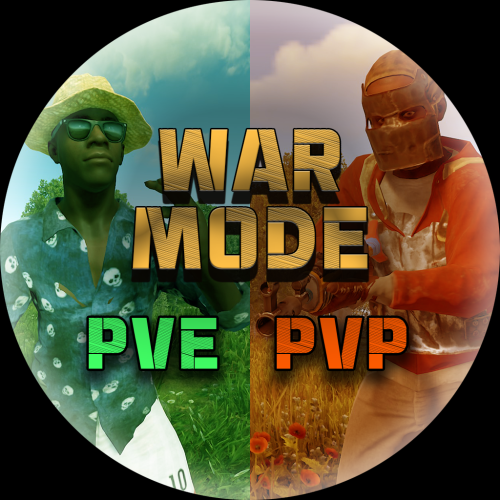
Allows both PVE and PVP players to exist on a server at the same time. PVE players will have certain configurable protections and restrictions. You can have players use a command to flag themselves as PVP/PVE or you can assign it to them when they first spawn. If you have ZoneManager you can also designate specific zones to force player's to be PVE or PVP. Plugin is also compatible with SimpleStatus. Note: Video is outdated, see documentation for a full list of new features! Documentation: A full readme including permissions, commands, and config options is available in this google doc link. Disclaimer: Like all of my plugins - this plugin is sold as is. I will be happy to take feature requests into consideration but make no guarantees about which ones get implemented. Please refer to the feature list before you make your purchase! Developer API: API Methods // Returns the mode of the given entity. Also takes into account if the entity is in a forced mode zone. string GetEntityMode(BaseEntity entity); // Returns the group name for the given mode. For example if given 'pve' will return 'warmodepve' string GetModeGroup(string modeId); // Returns the target type for a given entity. Target types are the category that an entity falls into. // For example, if given a BasePlayer entity, it will return 'players'. If given a horse entity is will // return 'horses'. string GetEntityTargetType(BaseEntity entity); Hooks - place these in your plugin and WarMode will call them. // Called when a player's mode has been updated or config changes have ocurred that may affect the mode. private void WarMode_PlayerModeUpdated(string userid, string modeId) // Used to override WarMode logic for taking damage. // If true/false is returned then WarMode logic will be skipped. Return null to continue WarMode logic. private object CanEntityTakeDamage(BaseCombatEntity target, HitInfo info) // Used to override WarMode logic for targeting. // If true/false is returned then WarMode logic will be skipped. Return null to continue WarMode logic. private object CanEntityBeTargeted(BasePlayer target, BaseEntity attacker, bool skipVendingCheck) // Used to override WarMode logic for triggering a trap. // If true/false is returned then WarMode logic will be skipped. Return null to continue WarMode logic. private object CanEntityTrapTrigger(BaseTrap trap, BasePlayer basePlayer) // Used to override WarMode logic for looting an entity. // If true/false is returned then WarMode logic will be skipped. Return null to continue WarMode logic. private object CanEntityLoot(BasePlayer looter, BaseEntity target, bool skipVendingCheck) FREE Extension Plugins: War Mode Admin Panel Use the /warmode.config or /wmc command to open a panel that allows admins to update mode rules in game without having to reload the pluign. Requires the warmode.admin permission to use. I HIGHLY recommend you use this extension! WarModeAdminPanel.cs War Mode Spawn UI Provides a UI that is shown to players when they first spawn that prompts them to choose whether they want to be PVP or PVE. Also supports custom modes. Localization and config options available. This can also be configured to appear when players use the /flag command. WarModeSpawnUI.cs War Mode Rules UI Using the /rules command (which is configurable) players can see a list of what restrictions they have for their current mode. These ruling will update dynamically based on your config settings. WarModeRulesUI.cs War Mode Badges Customizable UI elements that will appear on the player's HUD to indicate what their current mode is. WarModeBadges.cs$24.99 -
Version 2.2.5
2,636 downloads
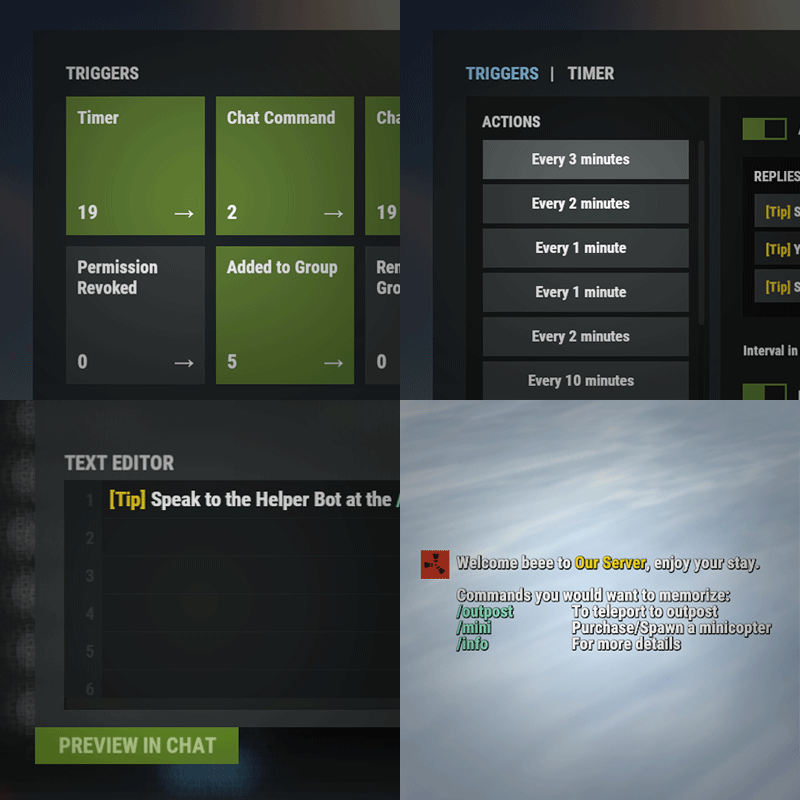
Automated chat messages based on chat keywords, timer or various other triggers. Plugin comes with an easy to use Admin UI for complete setup, and supports special localization for your messages. You can define messages to be sent only to specific Groups or Permissions, and you can allow players to toggle on/off messages if they do not find them useful. SUPPORTED TRIGGERS If what you need is not here and still falls under the scope of the plugin description, reach out to me Timed | ChatCommand | AutoReply | NewPlayerJoined | PlayerConnected | PlayerDisconnected | PermissionGranted | PermissionRevoked | AddedToGroup | RemovedFromGroup | PlayerDead | CrateHacked | EnteredZone | LeftZone | EnteredMonument | LeftMonument COMMANDS /am.edit - (Admin UI for complete setup) - requires automatedmessages.admin permission /tips - (Player command for toggling on/off messages) command can be changed in the config file MESSAGES LOCALIZATION You can switch between languages in Admin UI to setup localized replies for every language the game supports. Check config section below for how to add languages. Game Tips You can utilize Rust's native game tip UI to show specific messages instead or along with sending it to chat. VARIABLES Variables can be included in the messages text to show further info based on the trigger or player. The plugin also supports https://umod.org/plugins/placeholder-api with the extensive list of variables it brings. {playername} {playerid} - Player steam id {playercountry} {hacklocation} - Specific to messages with type CrateHacked {wipetimeremaining} - Days/Hours till wipe (based on rust convar settings if a missile silo monument is present) {online} - # of players online {sleeping} - # of players sleeping {joining} - # of players joining CONFIG SETTINGS Below are only settings not currently available in Admin UI, highly recommended to edit triggers or actions using /am.edit Chat Icon (Steam Id) - Icon that will be used for all messages sent by the plugin, must be a steam id. Toggle Chat Command - "tips" - Chat command that allows a player to toggle on/off messages. AutoReply Cooldown (in seconds) - Per action cooldown timer when players type a keyword set. ChatCommand Cooldown (in seconds) - Per player cooldown timer when a player types a chat command. ZoneManager Cooldown (in seconds) - Per player cooldown timer on enter or exit zone. MonumentWatcher Cooldown (in seconds) - Per player cooldown timer on enter or exit monument. Replies Server Languages - Languages your server will support. Available options: af, ar, ca, cs, da, de, el, en-PT, en, es-ES, fi, fr, hu, it, ja, ko, nl, no, pl, pt-PT, pt-BR, ro, ru, sr, sv, tr, uk, vi, zh-CN, zh-TW Default Server Language - Fallback language if player client language had no available replies, you must have at least one reply for this language for the action to function. AutoReply `Broadcast to all` option to broadcast to team only if keywords sent from team chat - true/false$11.99 -

Version 1.2.12
3,185 downloads
SimplePVE is exactly what it says. An easy, simple PVE plugin for your server to modify or change PVE rules individually & now also have a Simple CUI to control PVE rules and create or edit Schedules. Key Features Control PVE Rules from in-game or in the config Easy to understand each rule Create PVP Schedules Loot prevention Automatic PVE/PVP purge events Zone Manager support Most event plugins support Works without "server.pve true" Discord Embed Messages on PurgeStart or End Many more features are added with every update Commands /simplepve - Use to enable or disable pve toggle (Chat & Console command) /simplepve on or off - Use to enable disable pve (Chat & Console command) /sprules - Use to Open a Cui to control PVE Rules & Creating Schedules (Chat command) /spdebug - Use this for debuging rules Permissions simplepve.admin - Required to enable or disable SimplePVE simplepve.adminloot - Required to view Loots of other players simplepve.admindamage - Required for Admin damages to any entity Video Showcase API & Hooks void OnSPVEPurgeStarted() void OnSPVEPurgeEnded() TimeSpan GetPVPStartTimeRemaining() TimeSpan GetPVPEndTimeRemaining() Configurations Support Check Out My Other plugins as Well$14.99 -
Version 1.0.8
41 downloads
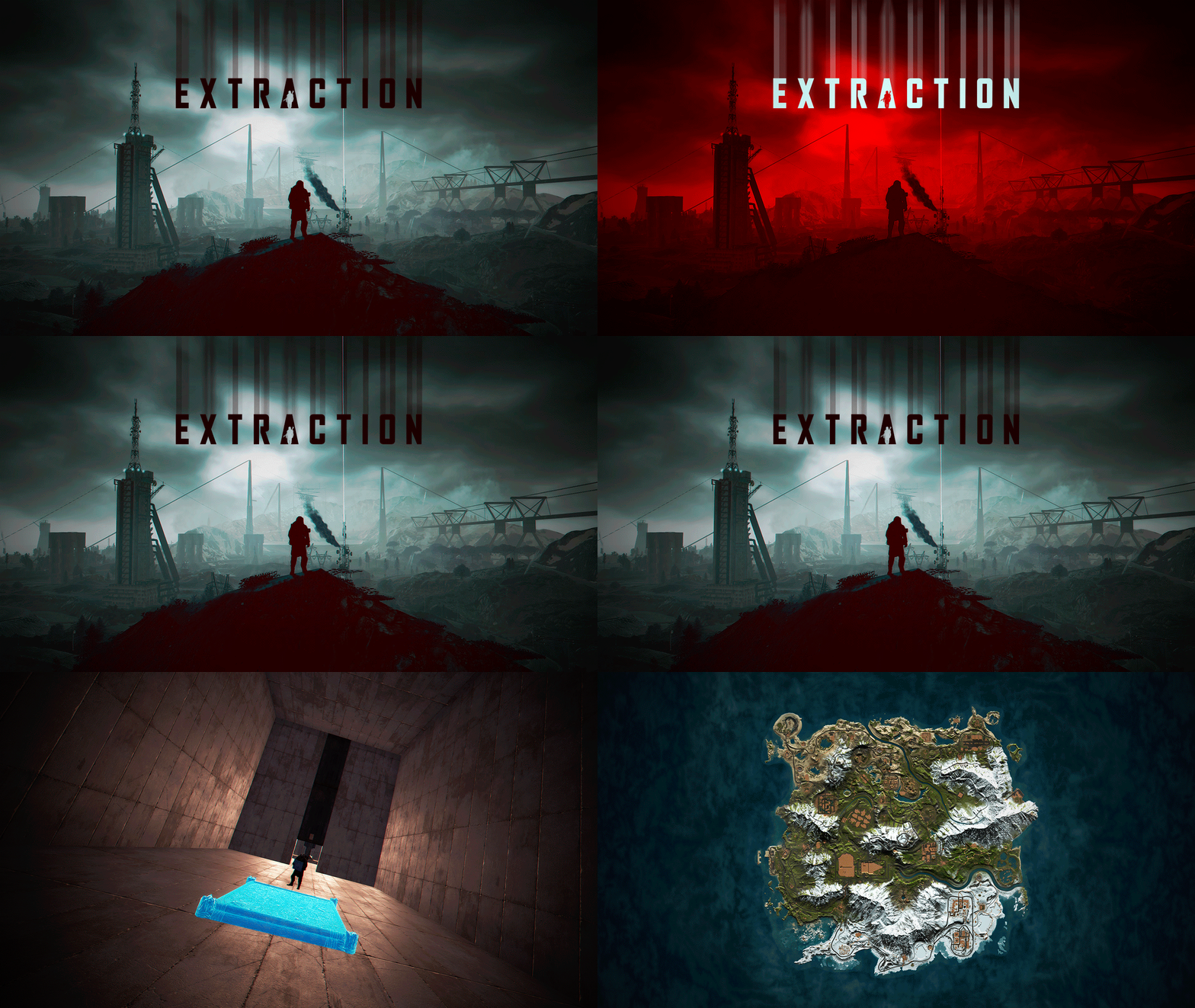
In Extraction, players will not feel alone on your server, despite its size of 3500. In Extraction, players will find all the official Rust Monuments. Extraction contains more than 300 construction zones, which are distributed across all the exits available on the map. In addition, these gigantic construction zones are equipped with electricity and water for each player. When an exit is activated, an alarm sounds to alert other players that a player is about to leave the surface to access an area designed for better player safety. - OFFER YOUR PLAYERS A BETTER PVP EXPERIENCE (Optional) Extraction includes a prefab “Extraction-NoBuild” to block construction on the map surface and force players to build in areas located inside the exits. Follow these steps to block construction on the surface: 1- Include “Extraction-NoBuild.prefab” in the RustEdit “CustomPrefabs” folder. 2- Open the map in RustEdit. 3- In the list of prefabs, find and include “Extraction-NoBuild” in the map. 4- Place “Extraction-NoBuild” at the coordinates: X:0,000 - Y:390,431 - Z:0,000 5- Save the changes you have made. - FEATURES Size: 3500. Objects: 81002. Map protection plugin included. Editable map: Yes Profile Better Npc: Yes. - CONTAINS ALL OFFICIAL MONUMENTS - CUSTOM MONUMENTS Over 300 construction areas equipped with electricity and water. Bunkers: Three types of mini-bunkers scattered throughout the map. Use grenades or explosives to open the door. Each bunker has its own color light to indicate its difficulty: green, blue, and red. Trees with safe zones: These trees are scattered throughout the jungle area. Climb the stairs and access these safe zones to recycle, shop, and more. Ammunition Tower: A giant tower where you will find ammunition and other resources inside. C4 Tower: A giant tower where you will find C4 explosives and other resources inside. Medical Tower: A giant tower where you will find medicine and other resources inside. The Arecibo Observatory: Also known as the National Astronomy and Ionosphere Center (NAIC) and formerly known as the Arecibo Ionosphere Observatory, is an observatory located in Barrio Esperanza, Arecibo, Puerto Rico, owned by the US National Science Foundation (NSF). Communications Center: Four giant towers where you will find all kinds of resources inside. Access from one tower to another via zip lines. Helicopter Tower: A classic but modern tower for shooting combat helicopters. This tower is equipped to meet all your needs. Train Stations: With a waiting room, loot, and NPCs, with secondary respawn on the railroad. Crocodile Lakes: Do you like crocodiles? Visit these locations to see them, but don't disturb the crocodiles. Green Exit: Access this exit using a button located in a booth. The waiting time at this exit is 5 minutes. After 5 minutes, the player will be able to access the construction area. Blue Exit: Access this exit using a blue card. The waiting time at this exit is 3 minutes. After 3 minutes, the player can access the construction area. Red Exit: Access to this exit is immediate and the player can access the construction area immediately. - TIPS Remove the “Extraction-NoBuild” prefab to allow players to build on the map surface. Have fun - SUPPORT: https://discord.gg/ASxJynGndj$49.90- 24 comments
- 2 reviews
-
- 3
-

-

-
- #extraction
- #extraction game
- (and 51 more)
-
.thumb.png.6fb63bc7327c60bdc01a5e1225049c1d.png)
Version 1.1.4
58 downloads
Adds a new event to the server - zone capture. If you gather resources on the territory of the occupied zone, a commission is removed from you and falls into the "capture cupboard". Features: Markers on the map Spawn in crates/barrels Percentage setting with permissions Setting limits with permissions Bypass setting (for teammates, friends, clanmates, cupboard) Commands give.capturezone [target] [amount] - gives out a cupboard for capturing a zone Permissions capturezone.ignore - allows you not to pay resources for tax Video Config { "Work with Notify?": true, "Zone Radius": 40.0, "Permission (ex: capturezone.use)": "", "Item Settings": { "DisplayName": "Zone Сapture", "ShortName": "cupboard.tool", "SkinID": 2767790029 }, "Marker": { "Enabled": true, "Display Name": "Zone by {owner}", "Radius": 0.3, "Refresh Rate": 3.0, "Duration": 0, "Color 1": "#EA9999", "Color 2": "#A73636FF" }, "Drop Settings": { "Enabled": true, "Drop Settings": [ { "Prefab name": "assets/bundled/prefabs/radtown/crate_normal.prefab", "Min amount": 1, "Max amount": 1, "Chance": 50.0 }, { "Prefab name": "assets/bundled/prefabs/radtown/loot_barrel_2.prefab", "Min amount": 1, "Max amount": 1, "Chance": 5.0 }, { "Prefab name": "assets/bundled/prefabs/radtown/loot_barrel_1.prefab", "Min amount": 1, "Max amount": 1, "Chance": 5.0 } ] }, "Notification during mining in the occupied territory": { "Enabled": true, "Cooldown": 5.0 }, "Percent Settings": { "Default": 20.0, "Permissions": { "capturezone.vip": 25.0, "capturezone.deluxe": 30.0 } }, "Limits Settings": { "Enabled": true, "Default": 3, "Permissions": { "capturezone.vip": 5, "capturezone.deluxe": 7 } }, "Bypass Settings": { "Teammates (Rust in-game system)": true, "Friends": true, "Clanmates": true, "Authorized in the cupboard": true } }$19.95 -
Version 1.0.3
79 downloads
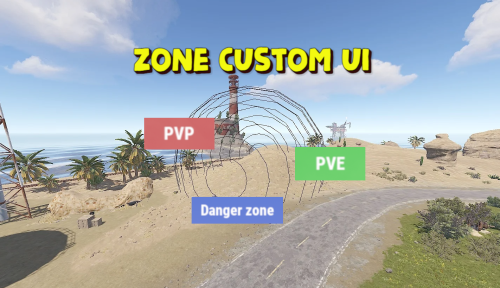
Displays the name of the zone the player is in. You can customize text, text color, background color, etc. This plugin takes information about zones from zonemanager, all information is saved in a config file, after which you can customize information about these zones, which will be displayed Commands: /rzinfo - update zone information Config file: { "Settings outside the zone": { "Id": "0", "Name": "Outside", "AnchorMin": "0.649 0.041", "AnchorMax": "0.695 0.081", "Color_Background": "0.1 0.1 0.8 0.8", "Color_Text": "1 1 1 1", "TextSize": "16", "TextPlaceHolder": "Outside" }, "Default settings for the new zone": { "Id": "0", "Name": "Default", "AnchorMin": "0.649 0.041", "AnchorMax": "0.695 0.081", "Color_Background": "0.1 0.8 0.1 0.8", "Color_Text": "1 1 1 1", "TextSize": "16", "TextPlaceHolder": "Default" }, "Zones list": [] }$4.99 -
Version 1.4.0
440 downloads
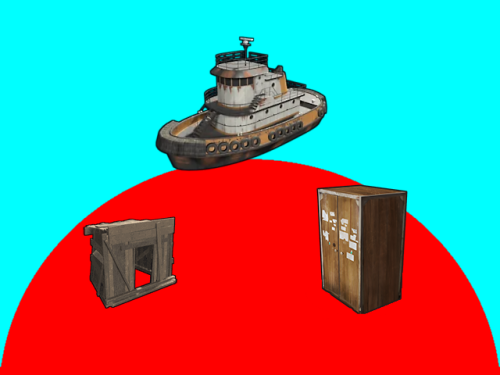
Introduction Automatically manages PVP zones for player bases, legacy shelters and tugboats. Background/Compatibility Player Base PVP Zones is meant for hybrid PVP servers that want to allow online raiding. It is meant to complement Dynamic PVP which only provides zones for monuments and events. Zone Manager is a hard requirement in order to implement moving zones for tugboats, as it doesn't officially support this feature. A PVE mod is required to make this useful. I only tested with True PVE for various reasons. Others have reported success with SimplePVE. Features Manages its own Zone Manager zones and maps them as True PVE exclusion zones (Re)creates zones on plugin load and cleans them up on unload Provides tool cupboard based zones: Configurable creation & deletion delays Automatic resizing to always encompass the base as building blocks are added/destroyed, with configurable delay Configurable minimum total base and per-building-block buffer sizes Provides legacy shelter based zones: Configurable zone size Provides tugboat based zones: Configurable zone size Zone moves with the tugboat Optional support for visible zone spheres: Configurable sphere darkness Option to globally network tugboats to prevent spheres from disappearing Optional support for language file based zone creation/deletion and entry/exit notifications Configurable PVP expiration delay on player exit from zones Optional support for toggling zones on and off via a permission-controlled command Zone Toggling Notes In order for players to toggle zones, they must have the `PlayerBasePvpZones.toggleZones` Oxide permission, or be in an Oxide group that has that permission. The `/pbpz toggle` command will attempt to toggle a zone if the player is doing one of the following: Looking at and authorized to a Tool Cupboard within interaction range Within building privilege of a Legacy Shelter Mounted to the steering wheel of a Tugboat If a zone creation/deletion timer is in effect, toggling will cancel it; otherwise, PBPZ will act as if the associated entity (TC/shelter/tugboat) just (de)spawned, applying any appropriate delays. Besides standard zone creation/deletion delays, exploitation of the toggle feature can be discouraged by configuring timed toggle lockouts that are triggered by toggling and/or by damage being done to building blocks, Tool Cupboards, Shelters, or Tugboats. Admins can bypass the standard creation/deletion delays by reloading the plugin after running the toggle command. Admins can also toggle Tool Cupboard zones for other players by temporarily authorizing on the TC, and of course anyone with permission can toggle any Tugboat zone. Admin toggling of other players' shelter zones is currently not supported (if someone really needs it, I can implement it). Permissions `PlayerBasePvpZones.toggleZones` controls whether a player/group can use the `/pbpz toggle` command Commands `/pbpz` in chat supports the following sub-commands: `/pbpz help` shows info on currently available sub-commands (if any) `/pbpz toggle` attempts to toggle a zone on or off Configuration Default configuration: { "Zone creation delay in seconds (excludes tugboat)": 60.0, "Zone creation delay notifications (owner only, excludes tugboat)": true, "Zone deletion delay in seconds": 300.0, "Zone deletion delay notifications (all players in zone)": true, "Zone creation/deletion notification prefix": "[PBPZ] ", "Zone exit PvP delay in seconds (0 for none)": 5.0, "Zone sphere darkness (0 to disable, maximum 10)": 0, "Zone entry/exit ZoneManager messages": true, "Zone TruePVE mappings ruleset name": "exclude", "Building settings": { "Building update check delay in seconds": 5.0, "Building zone overall minimum radius": 16.0, "Building zone per-block minimum radius": 16.0 }, "Shelter settings": { "Shelter zone radius": 8.0 }, "Tugboat settings": { "Tugboat force global rendering on/off when spheres enabled (null=skip)": null, "Tugboat force enable buoyancy when forcing global rendering": false, "Tugboat zone radius": 32.0 }, "Zone toggle settings": { "Zone toggle lockout seconds after damage": 60.0, "Zone toggle lockout seconds after toggle": 60.0 } } NOTE: The tugboat rendering options should be left at defaults. The options are provided for the case that you are running other plugins that force global networking/rendering for tugboats, which can cause spheres to disappear when a tugboat comes back into client render range.This plugin will automatically attempt to synchronize tugboat sphere networking with each tugboat's networking type when (re)creating the spheres. Developer API Supported API calls: bool IsUsingExcludePlayer() Returns whether True PVE 2.2.3+ ExcludePlayer() PVP delay API is being used. string OnPlayerBasePvpDelayQuery(ulong playerID) Provides the ability to query whether a player has an active PVP delay Returns the triggering zone ID if the referenced player has an active PVP delay Returns an empty string If no PVP delay is active Hooks: void OnPlayerBasePvpDelayStart(ulong playerID, string zoneID) Called when PVP exit delay is applied to a player as a result of their exiting a base zone playerID is the ID of the triggering player zoneID is the Zone Manager zone ID whose exit triggered the delay void OnPlayerBasePvpDelayStop(ulong playerID, string zoneID) Called when PVP exit delay expires from a player playerID is the ID of the triggering player zoneID is the Zone Manager zone ID whose exit triggered the delay Zone Manager / PVE Plugin Integration Direct Zone Manager API calls are used to maintain zones for all bases, and indirect True PVE API calls are used to map those zones to the configured True PVE ruleset (`exclude` by default). This will cause True PVE (or other PVE plugins that implement a compatible API) to treat them as PVP areas. Zone names are broken into categories in case you want other plugins to recognize them separately: `PlayerBasePVP:building` for building block bases `PlayerBasePVP:shelter` for legacy wood shelters `PlayerBasePVP:tugboat` for tugboats Developer note: Zone IDs are `PlayerBasePVP:` followed by a unique identifier. Credits Thanks to the following folks for making this plugin possible: bmgjet (help with / code for tugboat sphere issues) CatMeat & Arainrr (moving Zone Manager zones code examples in Dynamic PVP) Karuza (help with unique entity identifiers & tugboat sphere issues) Kulltero (help with TC/building relationship) WhiteThunder (help with tugboat sphere issues) AFKBank and Mooselips whose bases I took screenshots of on my server during testingFree -
Version 0.1.8.1
1,317 downloads
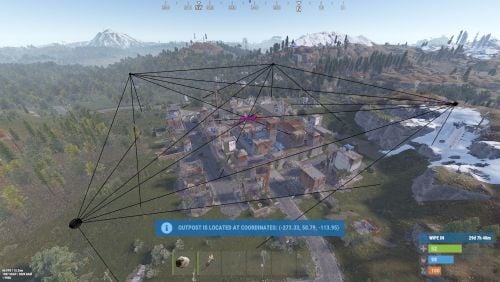
A plugin that allows other plugins to interact with players and entities in monuments via API. The list of all monuments can be viewed in the: Default(Source of monument boundaries when changing the map or recreating boundaries) - *SERVER*\oxide\data\MonumentsWatcher\DefaultBounds.json Vanilla - *SERVER*\oxide\data\MonumentsWatcher\MonumentsBounds.json Custom - *SERVER*\oxide\data\MonumentsWatcher\CustomMonumentsBounds.json Note: MonumentsWatcher is utilized as an API for other plugins. You won't obtain any functionality beyond displaying monument boundaries without an additional plugin. The ability to automatically generate boundaries for vanilla and custom monuments; The ability to automatically regenerate boundaries for monuments on wipe; The ability to automatically adding languages for custom monuments; The ability to manually configure boundaries for monuments; The ability to track the entrance and exit of players, npcs and entities in a Monument and CargoShip; The ability to display boundaries. monumentswatcher.admin - Provides the capability to recreate or display monument boundaries. { "Chat command": "monument", "Is it worth enabling GameTips for messages?": true, "List of language keys for creating language files": [ "en" ], "Is it worth recreating boundaries(excluding custom monuments) upon detecting a wipe?": true, "List of tracked categories of monuments. Leave blank to track all": [], "Wipe ID": null, "Version": { "Major": 0, "Minor": 1, "Patch": 9 } } Note: The list of available categories for monuments can be found in the Developer API section. ENG: https://pastebin.com/nsjBCqZe RUS: https://pastebin.com/ut2icv9T Note: After the plugin initialization, keys for custom monuments will be automatically added. show *monumentID*(optional) *floatValue*(optional) - Display the boundary of the monument you are in or specified. The display will last for the specified time or 30 seconds; list - List of available monuments; rotate *monumentID*(optional) *floatValue*(optional) - Rotate the monument you are in or specified, either in the direction you are looking or in the specified direction; recreate custom/all(optional) - Recreate the boundaries of vanilla/custom/all monuments. Note: Instead of a monumentID, you can leave it empty, but you must be inside a monument. You can also use the word 'closest' to select the nearest monument to you. Example: /monument show closest /monument show gas_station_1 /monument show gas_station_1_4 /monument rotation /monument rotation closest /monument rotation gas_station_1_0 256.5 /monument recreate void OnMonumentsWatcherLoaded() Called after the MonumentsWatcher plugin is fully loaded and ready. void OnCargoWatcherCreated(string monumentID, string type, CargoShip cargoShip) Called when a watcher is created for a CargoShip. void OnCargoWatcherDeleted(string monumentID) Called when a watcher is removed for a CargoShip. void OnSpawnableWatcherCreated(string monumentID, string type, BaseEntity entity) Called when a watcher is created for a Spawnable monument. void OnSpawnableWatcherDeleted(string monumentID) Called when a watcher is removed for a Spawnable monument. void OnMonumentsWatcherLoaded() { Puts("MonumentsWatcher plugin is ready!"); } void OnCargoWatcherCreated(string monumentID, string type, CargoShip cargoShip) { Puts($"Watcher for monument {monumentID}({type}) has been created!"); } void OnCargoWatcherDeleted(string monumentID) { Puts($"Watcher for monument {monumentID} has been deleted!"); } void OnSpawnableWatcherCreated(string monumentID, string type, BaseEntity entity) { Puts($"Watcher for monument {monumentID}({type}) has been created!"); } void OnSpawnableWatcherDeleted(string monumentID) { Puts($"Watcher for monument {monumentID} has been deleted!"); } Entered hooks: void OnPlayerEnteredMonument(string monumentID, BasePlayer player, string type, string oldMonumentID) Called when a player enters any monument. void OnNpcEnteredMonument(string monumentID, BasePlayer npcPlayer, string type, string oldMonumentID) Called when an NPC player enters any monument. void OnEntityEnteredMonument(string monumentID, BaseEntity entity, string type, string oldMonumentID) Called when any other BaseEntity enters any monument. void OnPlayerEnteredMonument(string monumentID, BasePlayer player, string type, string oldMonumentID) { Puts($"{player.displayName} entered to {monumentID}({type}). His previous monument was {oldMonumentID}"); } void OnNpcEnteredMonument(string monumentID, BasePlayer npcPlayer, string type, string oldMonumentID) { Puts($"Npc({npcPlayer.displayName}) entered to {monumentID}({type}). Previous monument was {oldMonumentID}"); } void OnEntityEnteredMonument(string monumentID, BaseEntity entity, string type, string oldMonumentID) { Puts($"Entity({entity.net.ID}) entered to {monumentID}({type}). Previous monument was {oldMonumentID}"); } Exited hooks: void OnPlayerExitedMonument(string monumentID, BasePlayer player, string type, string reason, string newMonumentID) Called when a player exits any monument. void OnNpcExitedMonument(string monumentID, BasePlayer npcPlayer, string type, string reason, string newMonumentID) Called when an NPC player exits any monument. void OnEntityExitedMonument(string monumentID, BaseEntity entity, string type, string reason, string newMonumentID) Called when any other BaseEntity exits any monument. void OnPlayerExitedMonument(string monumentID, BasePlayer player, string type, string reason, string newMonumentID) { Puts($"{player.displayName} left from {monumentID}({type}). Reason: {reason}. They are now at '{newMonumentID}'."); } void OnNpcExitedMonument(string monumentID, BasePlayer npcPlayer, string type, string reason, string newMonumentID) { Puts($"Npc({npcPlayer.displayName}) left from {monumentID}({type}). Reason: {reason}. They are now in {newMonumentID}"); } void OnEntityExitedMonument(string monumentID, BaseEntity entity, string type, string reason, string newMonumentID) { Puts($"Entity({entity.net.ID}) left from {monumentID}({type}). Reason: {reason}. They are now in {newMonumentID}"); } [PluginReference] private Plugin MonumentsWatcher; There are 13 types of monuments: SafeZone(0): Bandit Camp, Outpost, Floating City, Fishing Village, Ranch and Large Barn. RadTown(1): Airfield, Arctic Research Base, Abandoned Military Base, Giant Excavator Pit, Ferry Terminal, Harbor, Junkyard, Launch Site; Military Tunnel, Missile Silo, Power Plant, Sewer Branch, Satellite Dish, The Dome, Toxic Village(Legacy Radtown), Train Yard, Water Treatment Plant. RadTownWater(2): Oil Rigs, Underwater Labs, Cargo Ships and Ghost Ships. RadTownSmall(3): Lighthouse, Oxum's Gas Station, Abandoned Supermarket and Mining Outpost. TunnelStation(4) MiningQuarry(5): Sulfur Quarry, Stone Quarry and HQM Quarry. BunkerEntrance(6) Cave(7) Swamp(8) IceLake(9) PowerSubstation(10) WaterWell(11) DeepSeaIsland(12) Custom(13) There are 25 api methods: GetAllMonuments: Used to retrieve an array of IDs for all available monuments. (string[])(MonumentsWatcher?.Call("GetAllMonuments") ?? Array.Empty<string>()); GetAllMonumentsCategories: Used to retrieve a dictionary of IDs and categories for all available monuments. (Dictionary<string, string>)(MonumentsWatcher?.Call("GetAllMonumentsCategories") ?? new Dictionary<string, string>()); GetMonumentsByCategory: Used to retrieve all available monuments by category. To call the GetMonumentsByCategory method, you need to pass 1 parameter: monument category as a string. (string[])(MonumentsWatcher?.Call("GetMonumentsByCategory", "SafeZone") ?? Array.Empty<string>()); GetMonumentCategory: Used to retrieve the category of the specified monument. Returns an empty string on failure. To call the GetMonumentCategory method, you need to pass 1 parameter: monumentID as a string. (string)(MonumentsWatcher?.Call("GetMonumentCategory", monumentID) ?? string.Empty); GetMonumentDisplayName: Used to retrieve the nicename of a monument in the player's language. Returns an empty string on failure. To call the GetMonumentDisplayName method, you need to pass 3 parameters: monumentID as a string; Available options: userID as a ulong or a string; player as a BasePlayer or an IPlayer. displaySuffix as a bool. Should the suffix be displayed in the name if there are multiple such monuments? This parameter is optional. (string)(MonumentsWatcher?.Call("GetMonumentDisplayName", monumentID, player.userID, true) ?? string.Empty);//(ulong)userID (string)(MonumentsWatcher?.Call("GetMonumentDisplayName", monumentID, player, true) ?? string.Empty);//(BasePlayer/IPlayer)player (string)(MonumentsWatcher?.Call("GetMonumentDisplayName", monumentID, player.UserIDString, true) ?? string.Empty);//(string)userID ***recommended option*** GetMonumentDisplayNameByLang: Used to retrieve the nicename of a monument in the specified language. Returns an empty string on failure. To call the GetMonumentDisplayNameByLang method, you need to pass 3 parameters: monumentID as a string; two-char language as a string; displaySuffix as a bool. Should the suffix be displayed in the name if there are multiple such monuments? This parameter is optional. (string)(MonumentsWatcher?.Call("GetMonumentDisplayNameByLang", monumentID, "en", true) ?? string.Empty); GetMonumentPosition: Used to retrieve the Vector3 position of the specified monument. Returns Vector3.zero on failure. To call the GetMonumentPosition method, you need to pass 1 parameter: monumentID as a string. (Vector3)(MonumentsWatcher?.Call("GetMonumentPosition", monumentID) ?? Vector3.zero); GetMonumentByPos: Used to retrieve the monument at the specified position. Returns an empty string on failure. To call the GetMonumentByPos method, you need to pass 1 parameter: position as a Vector3. (string)(MonumentsWatcher?.Call("GetMonumentByPos", pos) ?? string.Empty); Note: This method returns the first encountered monument. Occasionally, there may be multiple monuments at a single point. Therefore, it is recommended to use the GetMonumentsByPos method. GetMonumentsByPos: Used to retrieve all monuments at the specified position. Returns null on failure. To call the GetMonumentsByPos method, you need to pass 1 parameter: position as a Vector3. (string[])(MonumentsWatcher?.Call("GetMonumentsByPos", pos) ?? Array.Empty<string>()); GetClosestMonument: Used to retrieve the nearest monument to the specified position. Returns an empty string on failure. To call the GetClosestMonument method, you need to pass 1 parameter: position as a Vector3. (string)(MonumentsWatcher?.Call("GetClosestMonument", pos) ?? string.Empty); IsPosInMonument: Used to check whether the specified position is within the specified monument. Returns a false on failure. To call the IsPosInMonument method, you need to pass 2 parameters: monumentID as a string; position as a Vector3. (bool)(MonumentsWatcher?.Call("IsPosInMonument", monumentID, pos) ?? false); ShowBounds: Used to display the boundaries of the specified monument to the specified player. To call the ShowBounds method, you need to pass 3 parameters: monumentID as a string; player as a BasePlayer; displayDuration as a float. Duration of displaying the monument boundaries in seconds. This parameter is optional. MonumentsWatcher?.Call("ShowBounds", monumentID, player, 20f); Note: Since an Admin flag is required for rendering, players without it will be temporarily granted an Admin flag and promptly revoked. PLAYERS API GetMonumentPlayers: Used to retrieve an array of all players located in the specified monument. Returns null on failure. To call the GetMonumentPlayers method, you need to pass 1 parameter: monumentID as a string. (BasePlayer[])(MonumentsWatcher?.Call("GetMonumentPlayers", monumentID) ?? Array.Empty<BasePlayer>()); GetPlayerMonument: Used to retrieve the monument in which the specified player is located. Returns an empty string on failure. To call the GetPlayerMonument method, you need to pass 1 parameter: Available options: player as a BasePlayer; userID as a ulong or a string. (string)(MonumentsWatcher?.Call("GetPlayerMonument", player.UserIDString) ?? string.Empty);//(string)userID (string)(MonumentsWatcher?.Call("GetPlayerMonument", player) ?? string.Empty);//(BasePlayer)player (string)(MonumentsWatcher?.Call("GetPlayerMonument", player.userID) ?? string.Empty);//(ulong)userID ***recommended option*** GetPlayerMonuments: Used to retrieve all monuments in which the specified player is located. Returns null on failure. To call the GetPlayerMonuments method, you need to pass 1 parameter: Available options: player as a BasePlayer; userID as a ulong or a string. (string[])(MonumentsWatcher?.Call("GetPlayerMonuments", player.UserIDString) ?? Array.Empty<string>());//(string)userID (string[])(MonumentsWatcher?.Call("GetPlayerMonuments", player) ?? Array.Empty<string>());//(BasePlayer)player (string[])(MonumentsWatcher?.Call("GetPlayerMonuments", player.userID) ?? Array.Empty<string>());//(ulong)userID ***recommended option*** GetPlayerClosestMonument: Used to retrieve the nearest monument to the specified player. Returns an empty string on failure. To call the GetPlayerClosestMonument method, you need to pass 1 parameter: Available options: player as a BasePlayer; userID as a ulong or a string. (string)(MonumentsWatcher?.Call("GetPlayerClosestMonument", player.UserIDString) ?? string.Empty);//(string)userID (string)(MonumentsWatcher?.Call("GetPlayerClosestMonument", player.userID) ?? string.Empty);//(ulong)userID (string)(MonumentsWatcher?.Call("GetPlayerClosestMonument", player) ?? string.Empty);//(BasePlayer)player ***recommended option*** IsPlayerInMonument: Used to check whether the specified player is in the specified monument. Returns a false on failure. To call the IsPlayerInMonument method, you need to pass 2 parameters: monumentID as a string; Available options: player as a BasePlayer; userID as a ulong or a string. (bool)(MonumentsWatcher?.Call("IsPlayerInMonument", monumentID, player.UserIDString) ?? false);//(string)userID (bool)(MonumentsWatcher?.Call("IsPlayerInMonument", monumentID, player) ?? false);//(BasePlayer)player (bool)(MonumentsWatcher?.Call("IsPlayerInMonument", monumentID, player.userID) ?? false);//(ulong)userID ***recommended option*** NPCS API GetMonumentNpcs: Used to retrieve an array of all npcs located in the specified monument. Returns null on failure. To call the GetMonumentNpcs method, you need to pass 1 parameter: monumentID as a string. (BasePlayer[])(MonumentsWatcher?.Call("GetMonumentNpcs", monumentID) ?? Array.Empty<BasePlayer>()); GetNpcMonument: Used to retrieve the monument in which the specified npc is located. Returns an empty string on failure. To call the GetNpcMonument method, you need to pass 1 parameter: Available options: npcPlayer as a BasePlayer; netID as a NetworkableId. (string)(MonumentsWatcher?.Call("GetNpcMonument", npcPlayer) ?? string.Empty);//(BasePlayer)npcPlayer (string)(MonumentsWatcher?.Call("GetNpcMonument", npcPlayer.net.ID) ?? string.Empty);//(NetworkableId)netID ***recommended option*** GetNpcMonuments: Used to retrieve all monuments in which the specified npc is located. Returns null on failure. To call the GetNpcMonuments method, you need to pass 1 parameter: Available options: npcPlayer as a BasePlayer; netID as a NetworkableId. (string[])(MonumentsWatcher?.Call("GetNpcMonuments", npcPlayer) ?? Array.Empty<string>());//(BasePlayer)npcPlayer (string[])(MonumentsWatcher?.Call("GetNpcMonuments", npcPlayer.net.ID) ?? Array.Empty<string>());//(NetworkableId)netID ***recommended option*** IsNpcInMonument: Used to check whether the specified npc is in the specified monument. Returns a false on failure. To call the IsNpcInMonument method, you need to pass 2 parameters: monumentID as a string; Available options: npcPlayer as a BasePlayer; netID as a NetworkableId. (bool)(MonumentsWatcher?.Call("IsNpcInMonument", monumentID, npcPlayer.net.ID) ?? false);//(NetworkableId)netID (bool)(MonumentsWatcher?.Call("IsNpcInMonument", monumentID, npcPlayer) ?? false);//(BasePlayer)npcPlayer ***recommended option*** ENTITIES API GetMonumentEntities: Used to retrieve an array of all entities located in the specified monument. Returns null on failure. To call the GetMonumentEntities method, you need to pass 1 parameter: monumentID as a string. (BaseEntity[])(MonumentsWatcher?.Call("GetMonumentEntities", monumentID) ?? Array.Empty<BaseEntity>()); GetEntityMonument: Used to retrieve the monument in which the specified entity is located. Returns an empty string on failure. To call the GetEntityMonument method, you need to pass 1 parameter: Available options: entity as a BaseEntity; netID as a NetworkableId. (string)(MonumentsWatcher?.Call("GetEntityMonument", entity) ?? string.Empty);//(BaseEntity)entity (string)(MonumentsWatcher?.Call("GetEntityMonument", entity.net.ID) ?? string.Empty);//(NetworkableId)netID ***recommended option*** GetEntityMonuments: Used to retrieve all monuments in which the specified entity is located. Returns null on failure. To call the GetEntityMonuments method, you need to pass 1 parameter: Available options: entity as a BaseEntity; netID as a NetworkableId. (string[])(MonumentsWatcher?.Call("GetEntityMonuments", entity) ?? Array.Empty<string>());//(BaseEntity)entity (string[])(MonumentsWatcher?.Call("GetEntityMonuments", entity.net.ID) ?? Array.Empty<string>());//(NetworkableId)netID ***recommended option*** IsEntityInMonument: Used to check whether the specified entity is in the specified monument. Returns a false on failure. To call the IsEntityInMonument method, you need to pass 2 parameters: monumentID as a string; Available options: entity as a BaseEntity; netID as a NetworkableId. (bool)(MonumentsWatcher?.Call("IsEntityInMonument", monumentID, entity.net.ID) ?? false);//(NetworkableId)netID (bool)(MonumentsWatcher?.Call("IsEntityInMonument", monumentID, entity) ?? false);//(BaseEntity)entity ***recommended option***Free -
Version 0.1.8
355 downloads
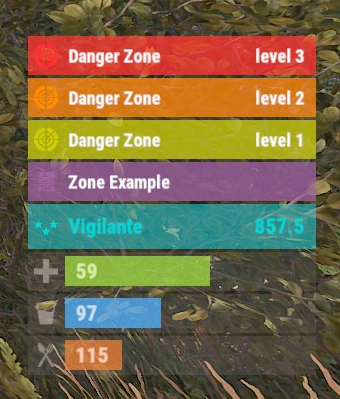
The plugin displays the current zone or monument to the player in the status bar. Depends on ZoneManager, MonumentsWatcher and AdvancedStatus plugins. P.S. The settings for each zone or monument are located in the "*SERVER*\oxide\data\ZoneStatus\" folder. The ability to display the player's current monument; The ability to automatically change monuments names when the player switches languages; The ability to display the player's current zone; The ability to enable or disable visibility for each of the zones; The ability to customize the style for each of the zones(in the data file); The ability to specify the order of the bar; The ability to change the height of the bar; The abillity to customize the color and transparency of the background; The ability to set a material for the background; The ability to switch between CuiRawImageComponent and CuiImageComponent for the image; The ability to get images from the local folder(*SERVER*\oxide\data\AdvancedStatus\Images); The abillity to set own image and customize the color and transparency of the image; The abillity to set sprite instead of the image; The ability to customize the color, size, font and outline of the text. { "Is it worth deleting all saved Bar configs upon detecting a Wipe?": false, "Is it worth deleting all saved Monument configs upon detecting a Wipe?": false, "Is it worth deleting all saved Zone configs upon detecting a Wipe?": false, "Is it worth deleting all unused Monuments during initialization?": false, "Is it worth deleting all unused Zones during initialization?": false, "The name of the zone which has no name": "No name zone", "Is it worth enabling the bar display for new monuments?": true, "Is it worth enabling the bar display for new zones?": true, "List of prefix IDs that will share the same settings. Leave null to recreate the default list": [ "cargoship", "deepsea_floatingcity", "deepsea_island_tropical", "ghostship", "desert_military_base_", "gas_station_1", "lighthouse", "station-", "supermarket_1", "swamp_", "underwater_lab_", "warehouse", "entrance_bunker_", "ice_lake_", "power_sub_small_", "power_sub_big_", "jungle_ruins_", "water_well_" ], "Wipe ID": null, "Version": { "Major": 0, "Minor": 1, "Patch": 8 } } P.S. The default status bar configuration can be adjusted in *SERVER*\oxide\data\BarsConfig.json under the key "_default". [PluginReference] private Plugin ZoneStatus; There is 1 method: UpdateZoneSettings UpdateZoneSettings: Used to change bar settings for zones from ZoneManager. To call the UpdateZoneSettings method, you need to pass 3 parameters, 1 of which is optional: <string>zoneID - The Id of the zone; <object[]>args - Array of objects to update; <bool>redraw - Optional. Is it worth redrawing the status bars for players? Defaults to true. Note: It is not necessary to pass all parameters, but the indices are strictly tied to the parameters. object[] args = new object[] { true, //0. Display - Is it worth displaying the status bar for this zone? "#A064A0", //1. Background_Color - Primary HEX color of the status bar. 0.8f, //2. Background_Transparency - Opacity of the primary status bar color. "https://i.imgur.com/mn8reWg.png", //3. Image_Url - Url of the status bar icon. "ZoneStatus_Default", //4. Image_Local - Name of the local image for the status bar. Note: The image must exist.(Leave empty to use Image_Url). false, //5. Image_IsRawImage - True for multicolored images, false for monochromatic images. "#A064A0", //6. Image_Color - Color of the status bar icon. For Image_IsRawImage = false. 1f, //7. Image_Transparency - Opacity of the status bar icon. For Image_IsRawImage = false. "#FFFFFF", //8. Text_Color - Primary text color. "#FFFFFF" //9. SubText_Color - Subtext color. }; ZoneStatus?.Call("UpdateZoneSettings", zoneID, args, true); //Call the API method UpdateZoneSettings with all necessary arguments for updating. Example with incomplete parameters: object[] args = new object[] { null, //0. Display - Skip index 0, as it is reserved for Display. "#A064A0", //1. Background_Color - Primary HEX color of the status bar. 0.8f, //2. Background_Transparency - Opacity of the primary status bar color. null, //3. Image_Url - Skip index 3, as it is reserved for Image_Url. null, //4. Image_Local - Skip index 4, as it is reserved for Image_Local. false, //5. Image_IsRawImage - True for multicolored images, false for monochromatic images. "#A064A0", //6. Image_Color - Color of the status bar icon. For Image_IsRawImage = false. 1f //7. Image_Transparency - Opacity of the status bar icon. For Image_IsRawImage = false. }; ZoneStatus?.Call("UpdateZoneSettings", zoneID, args, true); //Call the API method UpdateZoneSettings with all necessary arguments for updating.$3.99 -
Version 1.0.2
23 downloads
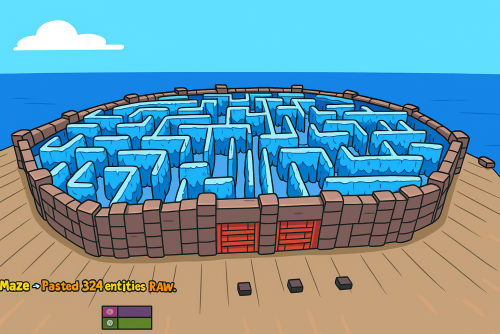
What's Maze Spawnable? The Maze spawnable plugin adds intensive pvp combat within a maze environment. Players navigate through the maze, engaging in intense battles to eliminate opponents and be the last man standing. Spawnable Maze Arena (No need for RustEdit to spawn the arena in the map) A Spawnable Maze Arena is included with the plugin for free Support for Both Solo & Team maze Configuration options for the maze Multiple arena setup Automatic schedule setup Setup winning rewards Spawns all the dead player's loot after the maze ends (Winner takes all) Discord Webhook Notification Just plug and play Commands Start & Stop Commands: /mazestart <ArenaName> - Starts the arena if it is available. /mazestop - Force stops the arena if it’s running (be cautious). Maze Admin Commands: /maze_admin create <ArenaName> - Creates a new arena with the specified name. /maze_admin edit <ArenaName> - Starts editing the specified arena. /maze_admin list - Shows all available arenas from data. /maze_admin remove <ArenaName> - Removes the arena from data. /maze_admin stopedit - Stops editing the current arena. /maze_admin copyarena <radius> - Copies entities around your position within the given radius to the selected arena. /maze_admin pastecopyraw - Pastes the copied arena data at your current position. /maze_admin pasterawclear - Clears all pasted entities from the world. /maze_admin drawarena_on - Draws the visual debug markers and outlines of the current arena. /maze_admin drawarena_off - Stops drawing the arena visualization. /maze_admin radius <value> - Sets the main arena radius (for visualization and bounds). /maze_admin wallradius <value> - Sets the wall radius around the arena center. /maze_admin meshheight <value> - Sets the vertical mesh height used for visualization and structure height. Permissions - MazeSpawnable.admin - Required to Start maze or editing arena Configuration Video Showcase Support$25.00 -

Version 1.2.7
2,764 downloads
This plugin does not have its own functionality This plugin is only used as an API for other plugins Creates a configurable PVE mode out of compatible events and plugins Supported Plugins AirEvent HarborEvent WaterEvent Satellite Dish Event Power Plant Event JunkyardEvent Defendable Bases BossMonster BetterNpc Convoy API void EventAddPveMode(string shortname, JObject configJson, Vector3 position, float radius, HashSet<uint> crates, HashSet<uint> scientists, HashSet<uint> tanks, HashSet<ulong> owners, BasePlayer owner) Creates a PVE event mode shortname – name of event configJson – PVE mode configuration (more details below in the description) position – event position on the map radius – radius of the event zone crates – list of all event crates (including locked crates) scientists – list of all NPCs active during event tanks – list of all Bradley events owners – list of all event owners (this parameter is necessary if you need to create an event zone several times) owner – event owner (this parameter is required if you need to run an event with the owner) void EventRemovePveMode(string shortname, bool addCooldownOwners) Removes PVE mode for the event shortname – name of event addCooldownOwners – should there be a cooldown for all event owners if this parameter is active in the PVE mode configuration? (this parameter is necessary if you need to create an event zone several times and issue a cooldown only in the last iteration) void EventAddCrates(string shortname, HashSet<uint> crates) Adds crates to the event if active in PVE mode shortname – name of event crates – list of event crates to be added (including locked crates) void EventAddScientists(string shortname, HashSet<uint> scientists) Adds NPCs to the event if active in PVE mode shortname – name of event scientists – list of added event NPCs to be added void EventAddTanks(string shortname, HashSet<uint> tanks) Adds Bradley to the event if active in PVE mode shortname – name of event tanks – list of added Bradleys event to be added HashSet<ulong> GetEventOwners(string shortname) Returns a list of SteamID for all of the Event Owners during the operation of an event shortname – name of event ulong GetEventOwner(string shortname) Returns the SteamID of the current Event Owner (if there is no Event Owner, it returns 0) shortname – name of event void SetEventOwner(string shortname, ulong owner) Sets the current Event Owner shortname – name of event owner – SteamID of the player HashSet<string> GetEventsPlayer(ulong id) Returns a list of event zones where the player is located id - SteamID of the player Dictionary<string, double> GetTimesPlayer(ulong id) Returns a list of events and the time when the player participated in the event the last time id - SteamID of the player PVE Mode Configuration float Damage – The amount of damage that the player has to do to become the Event Owner HashSet<ScaleDamageConfig> ScaleDamage – Damage coefficients for calculation to become the Event Owner bool LootCrate – Can other players and teams loot the crates if not Event Owner or their team? [true/false] bool HackCrate – Can other players and teams hack locked crates if not Event Owner or their team? [true/false] bool LootNpc – Can other players and teams loot NPC corpses if not Event Owner or their team? [true/false] bool DamageNpc – Can other players and teams deal damage to the NPC if not Event Owner or their team? [true/false] bool DamageTank – Can other players and teams do damage to Bradley if not Event Owner or their team? [true/false] bool TargetNpc – Can an Npc attack other players and teams if not Event Owner or their team? [true/false] bool TargetTank – Can Bradley attack other players and teams if not Event Owner or their team? [true/false] bool CanEnter – Allow other players and teams to enter the Event Zone if not Event Owner or their team? [true/false] bool CanEnterCooldownPlayer – Allow a player who has an active cooldown as the Event Owner to enter the event zone? [true/false] int TimeExitOwner – The time that the Event Owner can leave the Event Zone and retain title [sec.] int AlertTime – The Warning time until Event Owner status will end [sec.] bool RestoreUponDeath – Prevent RestoreUponDeath plugin from functioning in the Event Zone? (Player will drop gun and inventory when in Event Zone) [true/false] double CooldownOwner – Cooldown timer for Event Owner until they can achieve the title again, after the end of an event where the player was its owner [sec.] int Darkening – Darkening of the dome (0 – disables the dome) Example: JObject config = new JObject { ["Damage"] = 500f, ["ScaleDamage"] = new JArray { new JObject { ["Type"] = "NPC", ["Scale"] = 1f }, new JObject { ["Type"] = "Bradley", ["Scale"] = 2f } }, ["LootCrate"] = false, ["HackCrate"] = false, ["LootNpc"] = false, ["DamageNpc"] = false, ["DamageTank"] = false, ["TargetNpc"] = false, ["TargetTank"] = false, ["CanEnter"] = false, ["CanEnterCooldownPlayer"] = true, ["TimeExitOwner"] = 300, ["AlertTime"] = 60, ["RestoreUponDeath"] = true, ["CooldownOwner"] = 86400, ["Darkening"] = 12 }; Chat commands EventsTime - shows the player a list of how much time has passed since participating in the event the last time Console commands (RCON only) ClearTimePveMode {steamid} - clears the list of the time when the player with SteamID ({steamid}) participated in the event the last time My Discord: KpucTaJl#8923 Join the Mad Mappers Discord here! Check out more of my work here!$15.00 -
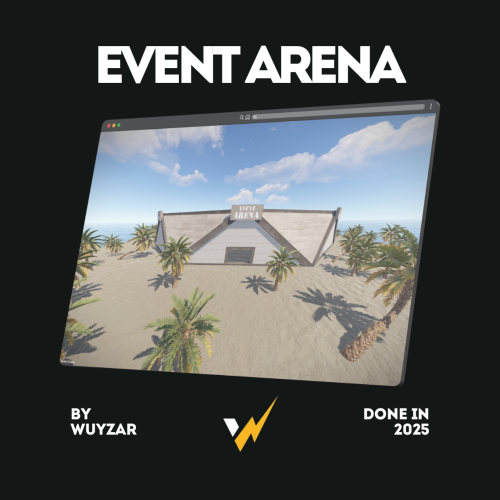
Version 1.0.0
96 downloads
EventArena.zip Description : - This prefab allows you to create events inside, there are 4 entrances that you can close depending on the event. WuyZar's Discord : https://discord.gg/NVwRcQwGwhFree -
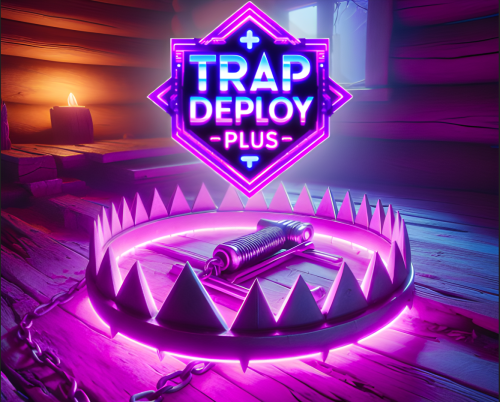
Version 1.0.5
12 downloads
Are you tired of manually placing trap sets and deployables every time you build your base? Introducing our groundbreaking Automatic Trap Spawning feature, boost your productivity today! Premium TrapsDeployable Pack Include: 25 Deployable Traps with traps include own skin id's to add easy to your shop/kits/rewards etc. Much more will be added soon! Config setting: Change Skin Id Enable Auto Light Amount of items spawn when use command Use Permissons and Spawn all Traps Permissions Commands: /givetraps More will be added soon { "Autoload Handmade Shells to Shotgun Traps?": true, "Amount of Handmade Shells Per Trap (If Autoloading is Enabled)": 5, "Enable Random AutoTurret Weapon Equipping?": true, "Weapons that will equip to spawned AutoTurrets? (Won't work with AutoTurrets as the base Trap item.)": [ "smg.2", "smg.mp5", "rifle.ak", "rifle.ak.ice", "rifle.ak.diver" ], "Skins For Large Wood Box": [ 3089535231, 2862225402, 3073574332 ], "Skins For Wood Storage Boxes": [ 2968107939, 2814554242, 3140274442 ], "Skins For Locker": [ 2827174228, 3045135608, 2192426772 ], "Skins For Sandbag Barricade": [ 809144507, 883540119, 2875673223 ], "Skins For Concrete Barricade": [ 791070521, 2979413501, 3048748658 ], "Skins For Sleeping Bag": [ 890544230, 1846072235, 3138426426 ], "Skins For Garage Door": [ 3141844850, 3122757150, 3041397918 ], "Skins For Reactive Target": [ 824001540, 1559278854, 867566835 ], "Amount of Each Trap that will be Spawned Upon Command": 5, "Auto Ignite Lanterns?": true } Displayname - Shortname - skinid Deathbed - bed- 3142209738 Deathwish - Throne -chair.icethrone - 3142209392 SWEEPER-S1 - autoturret - 3141114360 Bedroll Trap - sleepingbag - 3141151356 Elite Worker - EH1 workbench3 - 3141143055 Bench X-5 - box.repair.bench - 3141187587 Lockdown Locker - locker - 3141146704 JACK3D TURRET - autoturret - 3141190617 DISCOV3RY BENCH - research.table - 3141193852 Working Man Trap - box.wooden.large - 3141243339 Garage Trap wall.frame.garagedoor - 3141262381 Trapboxx box.wooden.large - 3141262270 T-3000 Lantern - electric.teslacoil - 3141260773 T-3000 Siren ectric.sirenlight - 3141469034 Cozy Sofa -sofa - 3141251865 SnapTrap - storage_barrel_c - 3141252178 SnapTrap - cupboard.tool - 3141641822 TrapRack - shelves - 3141645233 StackTrap - box.wooden - 3141642954 Quick Deploy - barricade.concrete - 3141643596 Oldtimer - rockingchair - 3142210610 Search Trap - searchlight - 3142210215 Triple Barrel - electric.pressurepad 3141263818 Reactive Trap - target.reactive - 3142605567 New Wall Turret - spinner.wheel 3147202210 Barrel with Dual Shotguns and Front Bear Trap Description Behold the Barrel of Doom, innocently resting before you, concealing an unforgiving surprise within. Two Shotguns lurk inside, primed and ready to launch a hail of destruction, while a cruel Bear Trap guards the barrel’s entrance, ensnaring any unsuspecting intruders in a swift and painful embrace. Sofa with Teddy Bear and Middle Trap Shotgun Description Lounge in comfort while your enemies sow their own demise on the Sofa, accompanied by an innocent Teddy Bear. Concealed within, a Middle Trap Shotgun activates with every unsuspecting visitor, turning relaxation into a horrifying spectacle of carnage. Stack of Four Small Boxes with Side Traps and Lanterns Description Ascend the tower of danger with the Stack of Four Small Boxes, each harboring insidious Side Traps and illuminated by sturdy lanterns. Ascend with caution, for each treacherous step holds the potential for entrapment, rendering even the most intrepid adventurers helpless before your ingenuity. Sentry Turret with Shotguns on Both Sides Description Establish an impenetrable fortress with the Sentry Turret, complemented by Shotguns on both sides. This stalwart defender relentlessly watches over your stronghold, ensuring that any trespasser foolish enough to test your defenses will meet a swift and explosive demise. Locker with Small Box, Lamp, and Dual Shotgun Traps Description The Locker exudes an air of mystery, concealing a Small Box, crowned by a vigilant lamp. Silent sentinels flank its sides, with Dual Shotgun Traps poised to unleash a symphony of destruction upon unsuspecting foes who dare to peer inside. Workbench with Side Traps, Lamp, and Storage Description Harness the power of strategic craftsmanship with the Workbench fortified by Side Traps, illuminated by a steadfast lamp, and boasting concealed storage beneath. Craft your deadliest weapons under the watchful gaze of its protective mechanisms, offering both practicality and lethal defense. Research Table with Large Box and Side Traps Description: The Research Table assumes a dual role as both a fountain of knowledge and an impregnable fortress, complete with a concealed Large Box, Side Traps lying in wait, and Hidden Shotguns ready to defend your valuable research with lethal precision. Lantern with Tesla Coil [T 3000-lantaren] Description: The Lantern becomes an instrument of both illumination and unrelenting electrical defense with the installation of a Tesla Coil. Cast a luminous glow upon your surroundings while simultaneously ensuring that any who dare disturb the peace are met with a shocking, electrifying welcome. Orange Alarm Light with Tesla Coil Description: The Orange Alarm Light stands as a beacon of warning, paired with the pulsating power of a Tesla Coil. Its vivid hue serves as a visual testament to the imminent danger that lies in wait for any who dare to challenge your stronghold, delivering a relentless surge of electricity as a reminder of your unyielding power. Pumpkin on a Sentry Turret Description Amidst the haunting darkness, a foreboding Pumpkin sits atop a Sentry Turret, serving as an ominous warning to all who approach. Beware, for this Jack-o-Lantern harbors within it the formidable power of defense, ready to incinerate all who dare to challenge it. Tool Cupboard with Side Shotgun Traps Description Safeguard your territory with the Tool Cupboard fortified by Side Shotgun Traps, a testament to your commitment of absolute control and ruthless defense. This impenetrable bastion ensures that any who challenge your claim will face a relentless barrage of projectiles, quickly reducing them to naught but ashes. Sleeping Bag with Bear Trap Description Unleash a truly sinister surprise with the Sleeping Bag harboring a hidden Bear Trap beneath its seemingly innocent exterior. Like a predator in wait, this unassuming trap conceals its razor-sharp teeth, striking fear into the hearts of those who dare disturb your slumber. Large Box with Shotgun Trap Description The Large Box, shrouded in secrecy, conceals the promise of grand treasures. However, lurking beneath lies a Shotgun Trap, ready to thwart the greed of unscrupulous pilferers with a powerful blast that shatters illusions of easy plunder. Repair Bench with Box, and Hidden Shotgun on both side Description The Repair Bench assumes a dual role as both a sanctuary for mending and a formidable stronghold, featuring a concealed Box, Side Traps lying in wait, and a Hidden Shotgun ready to defend your valuable tools and supplies with lethal precision. Garage Door with Upside Down Shotgun Trap Description As the Garage Door opens, an Upside Down Shotgun Trap awaits, striking fear into the hearts of those foolish enough to breach your fortress. This deadly contraption inverts expectations, ensnaring intruders with an onslaught of piercing lead from above. Concrete Wall with Dual Turrets, Sandbags for Cover Description Construct an impregnable barrier with the Concrete Wall, its surface bristling with Dual Turrets installed with ruthless precision on either side. Offering an additional layer of protection, sandbags provide cover from incoming fire, turning this structure into an impenetrable fortress that strikes fear into the hearts of any who dare challenge it. (bewerkt) Ice Throne with Shotguns on Both Sides Description Rule the frozen wasteland from the Ice Throne, bedecked with Shotguns on both sides. Commanding awe and fear, this icy seat promises a chilling demise to any who dare challenge your supremacy, as they unwittingly succumb to the deadly embrace of its icy guardians. Pressure pad of Traps with Lamp: Description Enter the ominous territory guarded by a menacing Cluster of Traps. Three traps stand united, poised to ensnare intruders, as a foreboding lamp casts an eerie glow upon their malevolent presence. Tread carefully or face their merciless consequences. Searchlight with Twin Turrets Description Illuminate the battlefield and assert your dominance with the Searchlight equipped with Twin Turrets. This ingenious creation combines light and firepower, providing a watchful eye on both sides, ensuring no enemy goes unnoticed or unchallenged. Bed with Shotguns on Each Side Description Rest in the embrace of security with the Bed fortified by Shotguns on each side. Intruders will find themselves caught between a rock and a hard place, as they unknowingly enter your domain, only to be greeted by a hail of bullets from both ends. Swinging Chair with Shotgun on Each Side Description Sit back and witness the carnage unfold from the Swinging Chair, armed with a Shotgun on each side. Deceptively innocuous, this chair leaves its victims no chance for escape, delivering a symphony of destruction upon those who underestimate its deadly intent. Shotgun Trap Behind Reactive Target Description Harness the element of surprise with the Shotgun Trap cunningly concealed behind a reactive target. Set the stage for chaos as the target responds to the touch of an intruder, triggering the hidden shotgun to unleash a relentless barrage of destruction. None shall evade its lethal embrace once the trap is sprung. Box with Flamethrower Turrets on Each Side and Weapon Rack: - Description: Unleash a symphony of devastation with the Box crowned by Flamethrower Turrets on either side. Accompanied by a Weapon Rack, spawning instruments of destruction, this display of firepower raises the stakes and leaves assailants trapped in a relentless inferno of chaos. .Rack with Double Large Boxes and Side Shotgun Traps: - Description: Bask in the glory of organization and fortification with the Rack adorned with Double Large Boxes, flanked on both sides by deadly Shotgun Traps. This display of lethal efficiency combines storage capacity with a deadly defense, ensuring that any would-be thieves are met with a barrage of shotgun shells from every angle. New WAll Turret! Made By @Wrecks & TrapBox Dor info or faster help join our discord ! Discord:TrapBox https://discord.gg/RSuXWDsEVc$35.00 -
Version 1.0.0
21 downloads
Allows you to restrict resource gathering in TC areas to authorized players only. Permissions tczonerestriction.use - Use the plugin. tczonerestriction.bypass - bypass the restrictions Configuration { "Block Trees Farm in Building Blocked Zone": false, "Block Ores Mining in Building Blocked Zones": false, "Block Pickup of Collectible Resources (e.g., hemp, mushrooms)": false, "Block Pickup of Dropped Items (e.g., loot, tools)": false, "Show Warning Message When Player Is Blocked": true, "Warning Message Shown When Player Is Blocked": "You must be authorized on the TC to gather resources in this area." }$6.99 -
.thumb.gif.f32a2f182ff8c24af53b7c58d4ef9e8a.gif)
Version 1.1.0
276 downloads
This plugin automatically displays active PVP zones on your server map in real-time. Perfect for enhancing your players' gaming experience during airdrops and special events. Key Features Automatic PVP zone display Markers appear instantly during events Perfect synchronization with airdrops and events Automatic marker removal when events end Performance and simplicity Lightweight plugin that doesn't impact server performance No configuration needed - works immediately Compatible with your existing plugins Benefits for your players Clear visibility of active combat zones Better strategic planning for PVP actions Reduced frustration from invisible zones More professional and modern interface Requirements This plugin requires the following dependencies to work: Marker Manager Modified : https://codefling.com/plugins/marker-manager-modified Zone Manager : https://umod.org/plugins/zone-manager Dynamic PVP : https://umod.org/plugins/dynamic-pvp Console Commands The plugin provides two console commands for administrators: ampz.reload Reloads the plugin configuration without restarting the server. Description: Allows you to apply configuration changes in real-time ampz.status Displays current plugin statistics. Information displayed: Active zone markers count Cached zones count Timer interval OnlyDynamicPvp mode status Installation Installation is simple: download the plugin and place it in your plugins folder. It works automatically without additional configuration. Important: Don't forget to properly configure Dynamic PVP so that zones are detected and displayed on the map.$11.99 -
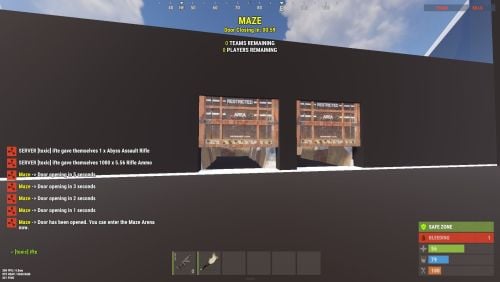
Version 2.1.2
316 downloads
The Maze plugin adds intensive pvp combat within a maze environment. Players navigate through the maze, engaging in intense battles to eliminate opponents and be on top Key Features Easy to setup Automation of maze arena Includes Free 2 Maze Arena with pre-setuped arenas Door Animation Multiple arena setup Easy configurable Setup winning rewards Discord Webhook support Need help setting up the arena or customization? Knock me on Discord Commands Setup Commands /maze create <ArenaName> - Create a maze arena where you are standing /maze edit <ArenaName> - Select an arena to edit /maze radius <Number> - Change arena radius /maze wallradius <Number> - Change arena wall radius which is your arena walls radius from center /maze meshheight <Number> - Change arena mesh height is top and bottom from corner mesh /maze location - Change arena location to where you are standing /maze setcorner - Set corner location to where you are standing /maze showmesh - Show created mesh after setting corners /maze copywalls - Copy all the walls in the arena radius and store them /maze pastewalls - Copy all the walls in the arena radius and store them /maze setspawn - Set spawn postion for arena players to teleport /maze spawnclear - Clear all spawn points /maze adddoor - Place an arena door to your standing location /maze removedoor - Remove arena door to your standing location (Radius 5f) /maze cleandoors <ArenaName> - Remove all the arena doors from the arena /maze list - Show all arena and its settings /maze cleanarena - Clears the entire arena /maze delete/remove <ArenaName> - Remove or deletes an arena /maze start <ArenaName> - Starts a Maze(For Testing) Start Commands /maze_setup - Starts Automatic Maze setup if arena available also a console command /mazestart - Starts a random maze from the config if available /mazestart <ArenaName> - Starts the specific arena /mazestop - Stops the running maze event Permissions Maze.admin - To use all maze available commands Video Showcase Configuration { "Maze Automatic Event": false, "Maze Automatic Event Interval Minimum (In Seconds)": 3600, "Maze Automatic Event Interval Maximum (In Seconds)": 7200, "Maze Minimum player requires to starts Auto": 2, "Maze Automatic Event Random From List": [ "mazeareana", "maze2areana" ], "Maze Event Player Teleport Timer (In Seconds)": 15, "Maze Event Before Notification (In Seconds)": 300, "Maze Event Door Opening Notification (In Seconds)": 300, "Maze Event Door Closing In (In Seconds)": 600, "Maze Event Removing Walls Radius": 10, "Maze Event Shrink Amount": 3, "Maze Event Removing Walls Timer (In Seconds)": 15, "Show Kill Streak Messages": true, "Maze Event Door Prefab": "assets/content/structures/interactive_garage_door/sliding_blast_door.prefab", "Maze Walls Item List": [ "assets/prefabs/building/wall.external.high.stone/wall.external.high.stone.prefab", "assets/prefabs/misc/xmas/icewalls/wall.external.high.ice.prefab", "assets/prefabs/misc/xmas/icewalls/icewall.prefab", "assets/prefabs/deployable/barricades/brarricade.cover.wood_double.prefab" ], "Maze Event Blocked items": [ "grenade.beancan", "grenade.f1", "rock", "rocket.launcher", "ammo.rocket.basic", "ammo.rocket.smoke", "ammo.rocket.hv", "ammo.rocket.seeker", "ammo.rocket.fire", "explosive.satchel", "explosive.timed", "ammo.grenadelauncher.smoke", "ammo.grenadelauncher.buckshot", "ammo.grenadelauncher.he", "grenade.flashbang", "grenade.molotov", "multiplegrenadelauncher", "grenade.smoke" ], "Maze Event Blocked Commands": [ "kit", "trade", "remove", "tpa", "home", "shop", "clan" ], "Maze Map Marker Setting": { "Display Name": "Maze", "Marker Radius": 0.4, "Marker Transparency": 0.75, "Marker Color": "#FFFF00" }, "Maze Rewards": { "Give commmands rewards upon winning the event": true, "Rewards player with higest kill from winning clan": true, "Rewards upon winning({PLAYER})": [ "inventory.giveto {PLAYER} supply.signal 1" ], "Spawn loot boxes in the arena": true, "Loot boxes time in seconds": 300 }, "Maze Chat Setting": { "Chat Avatar Icon": 0, "Chat Prefix": "<color=#FFFF00>Maze</color> -> ", "Winner Message": [ "<color=#FFD700>Maze Results:</color>", "\n", "Winner -> <color=#FFFF00>{WinningClanName}</color>", "", "{PlayerStats}", "", "<color=#FFD700>Totals:</color> Kills: {ClanTotalKills}, Deaths: {ClanTotalDeaths}, KDR: {ClanTotalKDR}", "Damage: {ClanTotalDamage}, Headshots: {ClanTotalHeadshots}", "", "<color=#FFD700>Aggregate Maze Totals:</color>", "- Total Kills: <color=#FFD700>{TotalKills}</color>", "- Total Damage: <color=#FFD700>{TotalDamages}</color>", "- Number of Participants: <color=#FFD700>{Participents}</color>" ], "Participents Message": [ "<color=#FFD700>Personal Stats</color>", "Kills: <color=#FFD700>{Kills}</color>, Deaths: <color=#FFD700>{Deaths}</color>, KDR: <color=#FFD700>{KDR}</color>, Total Damage: <color=#FFD700>{Damages}</color>, HeadShots: <color=#FFD700>{Headshots}</color>", "Shooting Accuracy: <color=#FFD700>{Accuracy}%</color>, HeadShot Accuracy: <color=#FFD700>{HeadshotAccuracy}%</color>" ], "Maze Event Top Bar Message": [ "<size=25><color=#FFFF00><b>MAZE</b></color></size>", "<size=15><color=#FFFF00><b>{DYNAMIC_TIMER}</b></color></size>", "", "<size=15><color=#FFFF00>{TotalTeams}</color><b> TEAMS REMAINING</b></size>", "<size=15><color=#FFFF00>{TotalPlayers}</color><b> PLAYERS REMAINING</b></size>" ] }, "Discord Setting": { "Enable Discord Webhook": false, "Discord Webhook URL": "", "Discord Webhook Message": [ "**MAZE ARENA**", "", "**Details**", "Total Kills: `{TotalKills}`", "Total Teams: `{TotalTeams}`", "Total Players: `{Participents}`", "", "**Winners**", "**{WinnerClanName}**", " Kills: `{ClanKills}` Deaths: `{ClanDeaths}`", " Headshots: `{ClanHeadshots}` Damages: `{ClanDamages}`", "", "**Members**", "{MembersStats}" ] }, "Auto Maze Arena Setup": { "Start Maze Arena Setup": true, "Auto Arena Setup": { "AutoMaze1": { "Maze Center Item": "skullspikes.candles", "Maze Arena Locate Radius": 100.0, "Maze Arena Wall Radius": 40.0, "Maze Arena Mesh Top & Bottom Height": 50.0, "Maze Spawn Points Item": "woodbox_deployed", "Maze Door Item": "workbench1.deployed", "Maze Corner Item": "mailbox" } } } } API & Hooks OnMazeStarts(string ArenaName, DateTime timeNow) OnMazeWinnerAnnounce(HashSet<ulong> winnerList, DateTime timeNow) Support$40.00- 22 comments
- 2 reviews
-
- 2
-
-
- #maze
- #mazeevent
- (and 7 more)
-
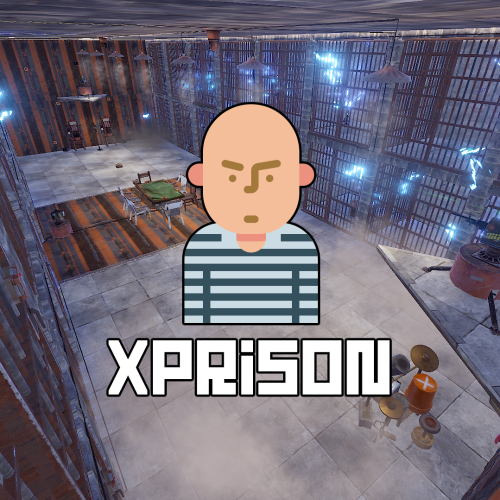
Version 1.0.9
158 downloads
XPrison - prison for your server. - Optimization of the interface for different monitor resolutions. - Storing player data in - oxide/data/XDataSystem/XPrison - There is a lang ru/en/uk/es. - Sound effects when interacting with the menu. - Ability to create a prison using the CopyPaste plugin or a custom prefab created in RustEdit. [ To use a prefab as a prison, you need to specify its coordinates in the config ] [ The prison is protected from any kind of damage. ] - Adjustment of attires for the prisoner. - Setting nicknames for prisoners. [ Random prefix with nickname in chat ] - Setting allowed console and chat commands. [ The rest will be blocked ] - Radio tuning for prisoners. [Detailed settings in the spoiler] - The ability to send the player to life or temporary imprisonment. - Two options for serving a temporary sentence: Online. [ The player needs to spend his entire term online in prison ] By date (offline). [ The player will be released after the specified time. He can go offline and wait offline for the end of the term ] - The ability to add prisoners even if they have never been on the server or on the date. [ A file with the prisoner's data will be automatically created ] - The ability to block slots with clothes. [ To prevent the prisoner from taking off his uniform ] - Automatic release of prisoners at the end of the term. - Block damage to prisoners. - As spawners for prisoners, the - "Tesla Coil" is used. [ If there are no spawners, then the prisoners will spawn around the map, but will not be able to farm and deal damage. There will be appropriate warnings in the server console ] - As a spawner for admins is used - "Press Plate". - "Igniter" is used as spawners for visitors. - Various chat notifications. [ Sending to the prisonand release. The duration of the term. ] - An admin or a player with a permit is not subject to various prison restrictions. - The ability to teleport a prisoner to prison (clear his inventory). [ Or kill the prisoner and he will respawn in prison ] - Ability to teleport prisoner from prison to Outpost or Bandit Camp (clear his inventory) [ Or kill the prisoner and he will respawn on the beach ] - If a prisoner is teleported to and from prison, without clearing his inventory, then you can arrange a quest for them: If you survive in prison, you can save your loot, as well as the loot that you got from other prisoners in prison. - Mini game. The prisoner can press buttons and reduce his time of detention. [ Useful for prisoners who are serving time online ] - Mini game 2. The prisoner can recycle items inside the zone and reduce his time of imprisonment. - Ability to automatically spawn entities(stone, barrels, etc.) inside the prison. [ When the player breaks them, they will appear automatically after N seconds. ] - Ability to link a prison to a monument. [ Just set it up once and it's automatic from there! ] Important! There must already be a building on the monument! And also all elements of the prison OwnerID must be 100001. You can spawn buildings on monuments with the plugin - MonumentAddons You can get the prison file for the CopyPaste plugin from the developer after purchase. -> Overview - YouTube <- Permissions xprison.admin - access to admin functionality. [ Not required for admin player ] xprison.visitor - access to visiting the prison for ordinary players. Commands /zonaloc - find out your coordinates and the coordinates of the prison. /zonaloc1 - get coordinates relative to the monument. [ To link the prison to the monument. ] /tpzona - teleport to the prison. [ For Administrators/Visitors ] /zona - check the length of the term. /zonamenu - open the prisoner management menu. /entspawn cfg-key sec - spawn an entity inside the prison with an appearance interval. /entkill - delete a custom entity. [ You have to look at it. ] cmd_prisoner add <SteamID [ 76561100000000000 ]> <Life imprisonment [ True / False ]> <Term duration [ 3600 ]> <Option to serve time [ True - online / False - by date (possibly offline.) ]> - send to the player's zone. ( Regardless of online player or offline ) cmd_prisoner remove <SteamID [ 76561100000000000 ]> false 0 - release the prisoner. ( Regardless of online player or offline ) [ You can, for example, give the opportunity to redeem yourself through the store ] API bool API_IsOnlinePrisoner(ulong userID) - return TRUE/FALSE if the online player is a prisoner. void API_AddOnlinePrisoner(BasePlayer prisoner, bool life - Life imprisonment [ True / False ], int duration - Term duration [ 3600 ]) - send an online player to the zone. void API_RemoveOnlinePrisoner(BasePlayer prisoner) - free online prisoner. bool API_IsOfflinePrisoner(ulong userID) - return TRUE/FALSE if the offline player is a prisoner. void API_AddOfflinePrisoner(BasePlayer prisoner, bool life - Life imprisonment [ True / False ], int duration - Term duration [ 3600 ]) - send an offline player to the zone. void API_RemoveOfflinePrisoner(ulong userID) - free offline prisoner. string API_GetOnlinePrisonerPrefix(BasePlayer player) - return the prisoner's online prefix. Config { "General settings": { "Profile SteamID for custom avatar": 0, "List of allowed console commands on the prison": [ "global.respawn" ], "List of allowed chat commands in the prison": [ "zona" ] }, "Settings prison": { "Prison location coordinates": { "x": 1000.0, "y": 700.0, "z": 0.0 }, "Prison file name for the CopyPaste plugin": "zona606", "Diameter from the point you specify to search for prison structures, spawners, and more": 35.0, "Automatically turn on the boombox after the prison spawns": true, "Use the CopyPaste plugin for the prison [ True - CopyPaste | False - the prison location point you specified, you can use a custom prefab or build the prison manually ]": true, "Allow regular players to visit the prison": false, "Allow ordinary players to visit the prison only with an empty inventory": true }, "Prisoner settings": { "Lock the clothing slots": true, "Lock the slots on the belt": false, "Lock inventory slots": false, "Lock clothing items - [ Player will not be able to discard them ]": true, "Use a nickname prefix for the prisoner - [ Set to False if the prefix should be disabled or the prefix is used by a third party chat plugin ]": true, "Link to prisoner lock screen image": "https://i.imgur.com/SZoYTLt.png", "Layer UI lock screen image - [ Overlay | Hud ]": "Hud", "Use screen lock": false, "Do not kill the prisoner when he enters the prison, but simply teleporting": false, "When a prisoner is teleported to prison, clear his inventory": false, "Do not kill the prisoner when he is released from prison, but simply teleporting to the Outpost or Bandit Camp": false, "When a prisoner teleports out of prison, clear his inventory": false, "[ Mini-game ] Allow prisoners to shorten their time by pressing buttons inside the prison": true, "[ Mini-game ] For pressing one button, how many seconds to reduce the term of imprisonment": 1, "[ Mini-game 2 ] Allow inmates to reduce their incarceration time by recycling items inside the prison": true, "[ Mini-game 2 ] List of items and number of seconds": { "rock": 1 }, "List of prisoner's attires [ Shortname - SkinID ]": { "burlap.headwrap": 2655848185, "burlap.shirt": 2655843517, "burlap.trousers": 2655838948 }, "List of prisoner nicknames": [ "Schellen", "Schilten", "Espadas", "Bastos", "Oros", "Denari", "Rosen", "Copas", "Herz", "Eichel", "Kule", "Laub", "Zelený", "Grün" ] } }$34.99 -

Version 1.0.305
43 downloads
Teleport sleepers to a random position within a range of coordinates Choose between 3 types of target areas - Circle, Square, Zone [Features] ✯ Can manually set Min/Max range for (X,Y,Z) teleport location (square area) ✯ Can set radius range for teleport location (circle area) ✯ Can set Zone ID for teleport location (Zone Manager Required) ✯ Can use Zone radius for teleport location (Zone Manager Required) ✯ Can Set auto height option so players spawn at ground level ✯ Option to adjust offset height above ground ✯ Can set to auto scan/teleport sleepers on plugin loading or player disconnect ✯ Chat/Console command to scan/teleport sleepers ✯ Option to ignore players within authorized TC range ✯ Chat command to show your current (X,Y,Z) location ✯ Option to teleport players back to previous location on reconnect ✯ Chat command to return all sleepers to previous location [Commands] - Default Chat/Console Commands All commands require server admin permissions [Chat] ✯ /scansleepers - scans for sleepers outside of coordinates and teleports them ✯ /scansleepers true - scan all sleepers and force teleports them ✯ /returnsleepers - returns all sleepers to their old location ✯ /scanme - posts your current (X,Y,Z) location in chat and console ✯ /marker <#> - Set marker (#) to your current location (1 - 4 required) ✯ /marker save - Saves current settings and markers ✯ /marker show - Lists all 4 (X,Y,Z) markers in chat ✯ /marker range - Lists current min/max (X,Y,Z) settings for teleport ✯ /marker update - Generates min/max (X,Y,Z) values from markers 1 - 4 if available ✯ /stsetting <setting> <value> - changes the selected setting to the value you enter [Settings] on - enables sleeper teleporter (no value needed) off - disables sleeper teleporter (no value needed) debug - requires value (on/off) - turns on/off debug mode for troubleshooting save - saves settings/markers (no value needed) kill - requires value (on/off) - If on this will kill sleepers outside of TC range instead of teleporting them kill delay - requires value (#) - sets the delay in seconds before a sleeper is killed disconnect - requires value (on/off) - turns on/off teleport player on disconnect reconnect - requires value (on/off) - turns on/off teleport player back on reconnect autoheight - requires value (on/off) - let the plugin determain height by terrain excludeadmins - requires value (on/off) - excludes admins from being teleported or killed height - requires value (#) - adds x value to the height when teleporting tcblock - requires value (on/off) - blocks players within auth TC range from being teleported tcrange - requires value (#) - sets TC range players must be within from being teleported areatype - requires value (circle/square) - sets the target area to use radius or all 4 markers radius - requires value (#) - sets the target area radius around marker #1 retry - requires value (#) - sets the teleport retry limit when target location is blocked or invalid zone - requires values: [Zone Manage Options] * on/off - set teleport location to use ZoneManager * id - requires value (#) - sets the zone id to use from zone manager * radius - requires value (on/off) - on use zone radius or off use config radius [Console:] ✯ scansleepers - scans for sleepers outside of coordinates and teleports them ✯ scansleepers true - scan for sleepers and force teleports them NOTES: * If using circle area type only marker 1 will be used and radius must be set * If using square area type you must set all 4 markers * Report all issues or bugs in our discord Sleeper Teleporter Setup Instructions: You must have server admin auth to use commands. These instructions are shown using the default commands, if you change the chat commands the prefix will be that command. Choose the area type for teleport location you want to use. A) Square B) Circle C) Use Zone Manager Depending on your chosen area type you must follow the correct setup for the location to work properly. There are other options you can use for all area types: /stsetting tcblock on/off - blocks players within auth TC range from being teleported /stsetting disconnect on/off - teleport player to area when they disconnect /stsetting reconnect on/off - teleport player back to last location when reconnecting Area Type Options & Setup: A) Square: 1. Set the area type to square by typing "/stsetting areatype square" in chat 2. Stand in each corner 1 at a time and type the "/marker 1-4" commands for each corner. The order does not matter 3. Once all 4 markers are set then use chat command "/marker update" to allow the system to generate the min/max location values 4. Then save all current markers and settings by typing "/marker save" in chat 5. Now you must define the limits in the square area. Set the height to auto/random & height adjustment /stsetting autoheight on/off - on will detect terrain height and place player on the ground, off will use random height from the 4 markers /stsetting height # - adds x to the height to make sure players do not spawn in foundations B) Circle: 1. Set the area type to circle by typing "/stsetting areatype circle" in chat 2. Stand in the center of the area you want to use and type "/marker 1" in chat 3. Set the radius of the location "/stsetting radius #" - change # to the value you want 4. Now you must define the limits in the circle area. Set the height to auto, adjusted, or random /stsetting autoheight on/off - turn on/off auto height /stsetting height # - adds x to the height to make sure players do not spawn in foundations C) Use Zone Manager: 1. Set the area type to circle by typing "/stsetting areatype circle" in chat 2. Set use zone manager to on - "/stsetting zone on" 3. Set the zone ID for the zone to use "/stsetting zone id #" replace # with the zone ID 4. Set to use zone radius or config radius "/stsetting zone radius on/off" if off will use the radius defined using "/stsetting radius #" Config: Example only { "Settings": { "chatscansleepers": "scansleepers", "chatreturn": "returnsleepers", "chatmylocation": "scanme", "chatmarker": "marker", "chatsetting": "stsetting", "areatype": "circle", "enable": true, "moveonload": false, "moveonconnect": false, "moveondisconnect": true, "radius": 4.0, "x_min": 116, "x_max": 123, "y_min": 21, "y_max": 21, "z_min": 318, "z_max": 326, "autoheight": false, "aboveground": 1, "ignoretcplayers": true, "retry": 5 }, "Markers": { "marker1": { "x": 120.221924, "y": 21.3408051, "z": 322.4336 }, "marker2": { "x": 121.245216, "y": 21.3484211, "z": 326.7593 }, "marker3": { "x": 116.610687, "y": 21.348423, "z": 325.452423 }, "marker4": { "x": 123.968338, "y": 21.348423, "z": 320.143555 } }, "ZoneManager": { "usezone": true, "zoneID": "66592319", "usezoneradius": false } } Language: { "st_001": "My Position: {0}\n X: {1}\n Y: {2}\n Z: {3}\n", "st_002": "{0} has been moved to {1}", "st_003": "Missing marker number - /marker (#)", "st_004": "Marker #{0} has been set for {1}", "st_005": "Marker Locations:\n #1 = {0} \n #2 = {1} \n #3 = {2} \n #4 = {3}", "st_006": "Location Range:\n X = {0} - {1} \n Y = {2} - {3} \n Z = {4} - {5}", "st_007": "Missing Marker: #{0}", "st_008": "Setting/Markers Saved", "st_009": "Sleeper Teleporter is now {0}", "st_010": "Teleport player on {0} is now {1}", "st_011": "missing setting/values - /stsetting <setting> <value>", "st_012": "Auto Height is now {0}", "st_013": "Height adjustment is now {0}", "st_014": "TC Block is now {0}", "st_015": "Teleport Area Type is now {0}", "st_016": "Teleport Area Radius is now {0}", "st_017": "Teleport Retry limit is now {0}", "st_018": "Use Zone Manager is now {0}", "st_019": "Zone ID is now {0}", "st_020": "Zone radius is now {0}" }$2.99 -
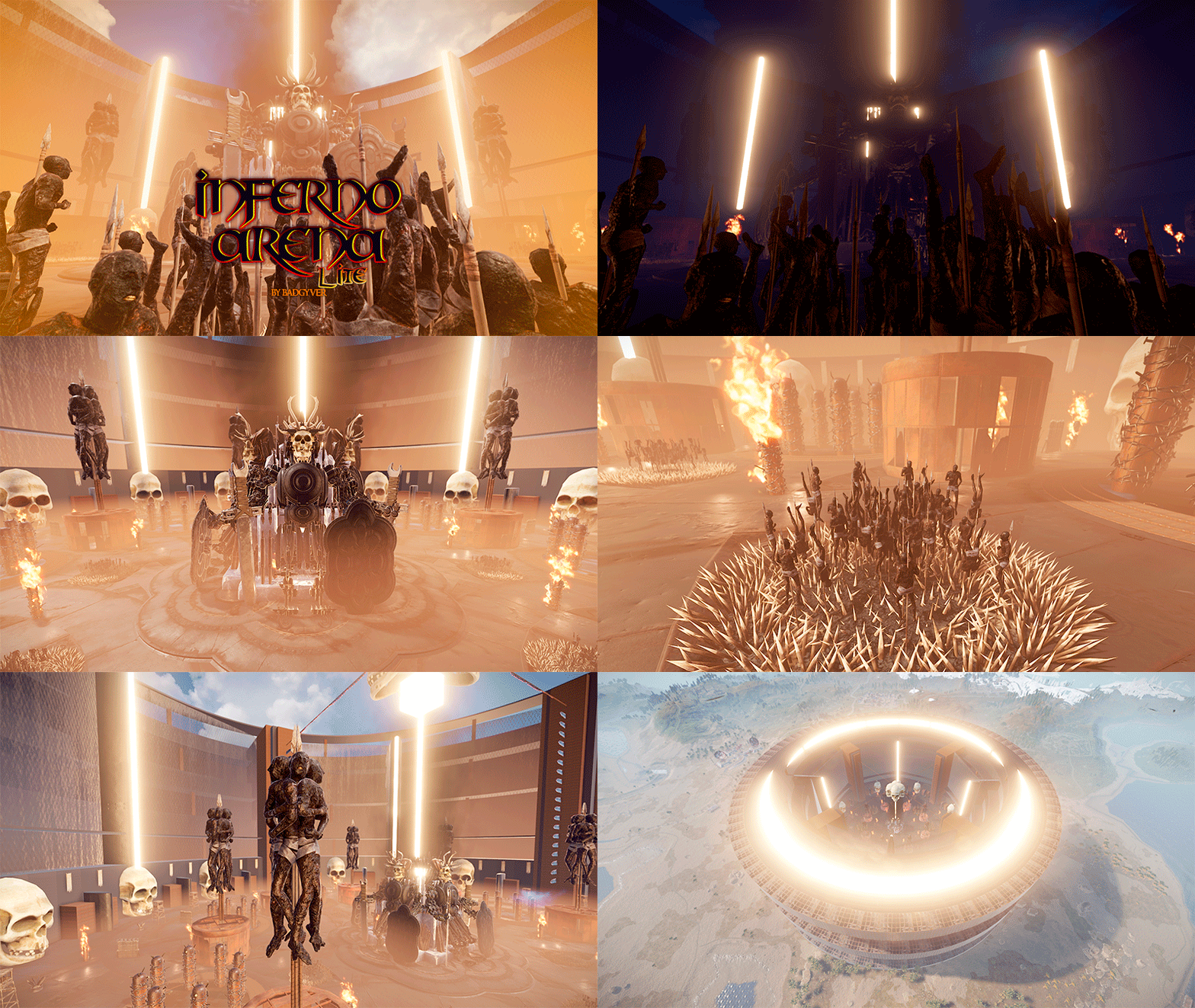
Version 1.0.0
19 downloads
- Inferno Arena Lite Inferno Arena Lite is an optimized version of Inferno Arena. Inferno Arena is a battlefield with traps, death and fire. Enter the real hell in this scenario full of traps and fire, survive your opponent, watch your back. There can only be one left. - Includes: Gods of War (Giant statues). Traps, Watchtowers, Barricades, Poisonous liquid and fire.$8.70 -
Version 1.0.0
23 downloads
An original air zone for players on your server to build. Air Build Zone consists of 4 zones to build in, these zones will light up your night skies.$3.28 -
Version 1.0.0
17 downloads
- A classic train station to decorate and park the trains on your map. - It consists of two spaces for railway tracks, one for creating a respawn point for trains and one for running, it also contains NPCs, loot and a hackable box.$6.57 -
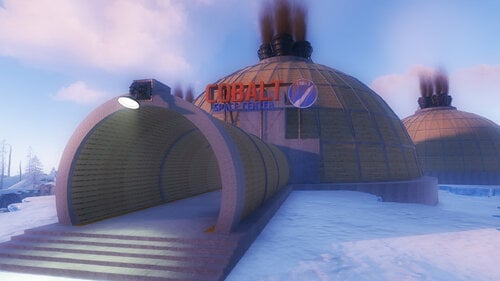
Version 1.0.0
22 downloads
Players will be able to build inside this dome. Build Zone Dome is a safe dome for players to build inside. It contains a door that you can open and close, as well as its own lighting and vertical signs to draw on.$5.47 -
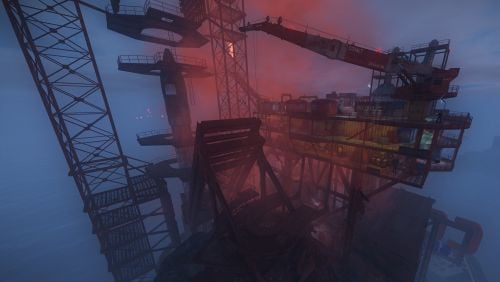
Version 1.0.1
27 downloads
Give your professional players another reason to excel with this volcano. - To access the volcano you will have to overcome the oil ring to get to the main box, activate the elevator with a button that will give you access to the elevator door. - As you go down to the volcano via the elevator, you can equip yourself and take some anti-radiation pills, you will need them. - Inside the volcano you will have to choose wisely the way to activate the door using a fuse and a red card, be careful, the access to this mechanism is dangerous, remember you are in a volcano, the ground is lava!!!!$12.90 -
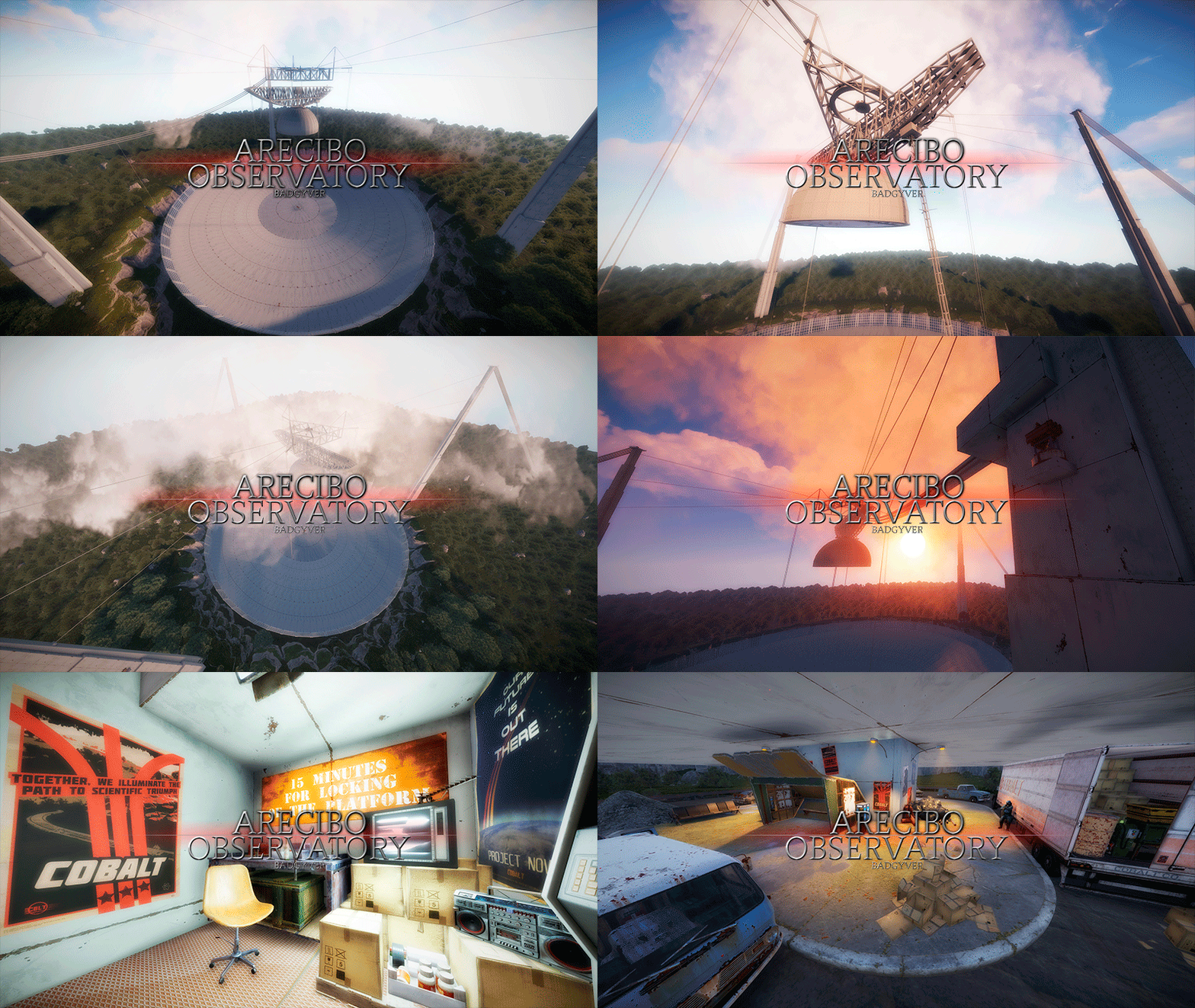
Version 1.0.1
16 downloads
The Arecibo Observatory, also known as the National Astronomy and Ionosphere Center (NAIC) and formerly known as the Arecibo Ionosphere Observatory, is an observatory in Barrio Esperanza, Arecibo, Puerto Rico owned by the US National Science Foundation (NSF). IT CONTAINS: Great variety of Parkour, Puzzles, NPCs, Loot, Hackable Crates and a nice decoration. RECOMMENDATION: This monument has a high difficulty to complete, it is recommended for two players, although with higher difficulty one player can also complete this monument.$12.90- 2 comments
-
- 1
-
-
- #arecibo
- #observatory
- (and 85 more)
-
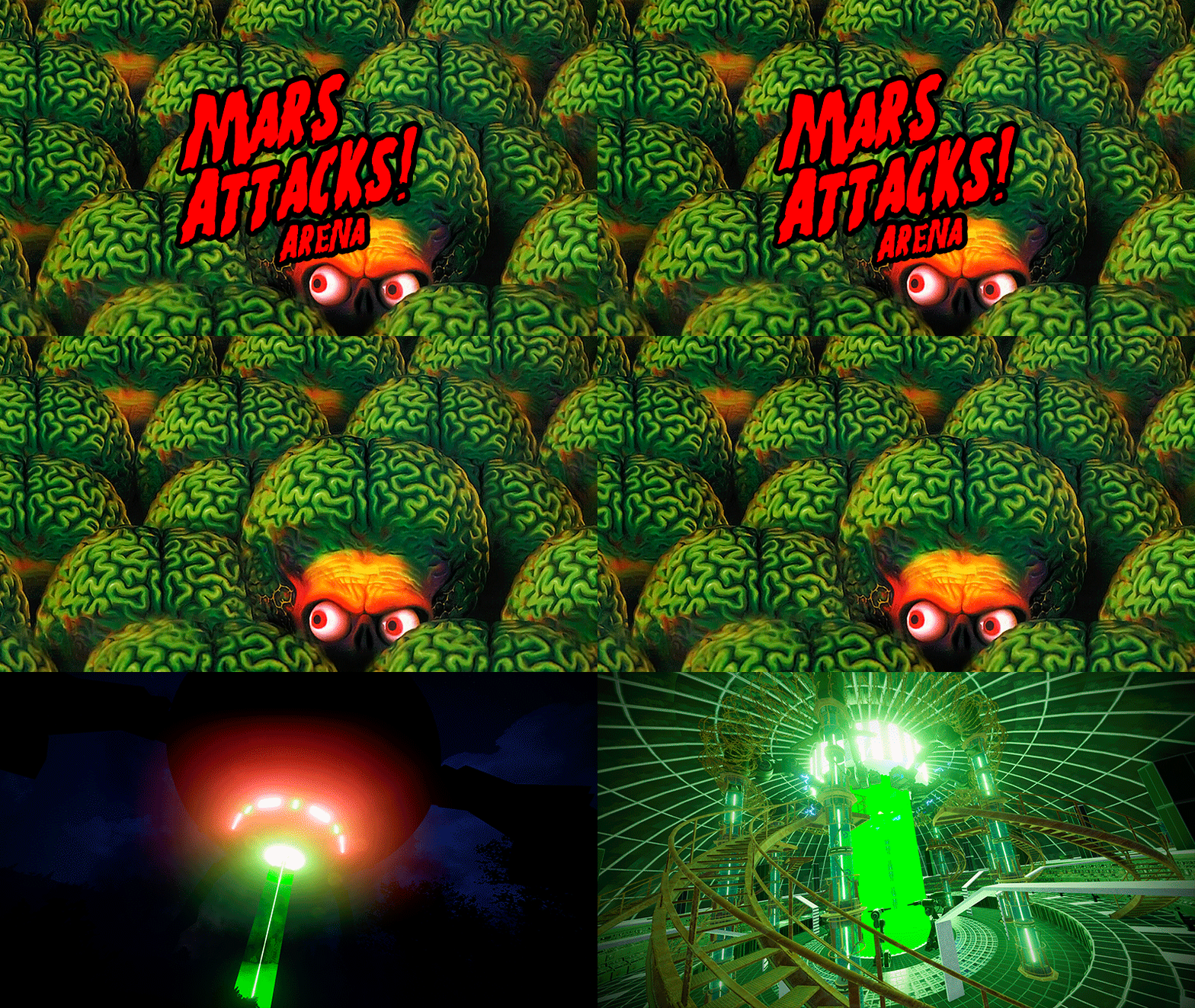
Version 1.0.1
14 downloads
- Mars Attacks Arena Mars Attacks Arena is a booby-trapped battlefield where players must fight to the death. Beautifully decorated in a sci-fi style, Mars Attacks Arena will leave your players with their mouths agape. - Includes: Two zones: Floor 1 and 2, with Traps, Barricades, Parkour, Radiation Zone, NPCS and Loots.$12.90-
- 2
-
-
- #mars attacks arena
- #mars
- (and 67 more)






.thumb.png.d8730004887666a2775699ef18eb252c.png)