
Download Codego Pay – personal bank account, European bank account, biometric KYC, liveness verification, SEPA, SEPA Instant, Iban, finance app, online banking, digital banking
Overview
Codego Pay is a digital finance application designed to enable users to open a personal bank account in Europe through a streamlined, technology-driven process. The software aims to simplify access to European financial infrastructure, particularly for individuals who may not have traditional banking options in the region. By leveraging biometric KYC (Know Your Customer) verification, the app allows users to activate their account in as little as two minutes, significantly reducing the time and complexity typically associated with onboarding for international banking services.
Target users include expatriates, digital nomads, remote workers, and frequent travelers who require a reliable European bank account for receiving payments, making cross-border transfers, or managing finances within the EU. The application supports SEPA (Single Euro Payments Area) and SEPA Instant transfers, along with local European IBANs, enabling fast and cost-effective transactions across member countries. While the developer, Codego, is noted as the creator, no further organizational details were provided.
Real-world usage scenarios include receiving client payments from EU-based companies, managing savings in euros, or conducting instant transfers between European accounts. The app positions itself as a modern, secure, and innovative solution for digital banking needs, focusing on accessibility and speed. No additional performance metrics or user statistics were specified.
Key Features & Capabilities
- Biometric KYC Verification: Users can complete identity verification using facial recognition and liveness detection, ensuring secure and fast onboarding without physical documentation.
- Instant Account Activation: The system enables account setup in under two minutes, minimizing wait times and improving user experience.
- European IBAN Support: Each user receives a local European IBAN, facilitating seamless integration with EU banking systems and enabling direct deposits.
- SEPA & SEPA Instant Transfers: Full compatibility with standard SEPA payments and the faster SEPA Instant network for real-time fund transfers within the EU.
- Liveness Verification for Payments: Ensures transaction security by confirming the user’s presence through real-time biometric checks during payment initiation.
- Multi-Platform Availability: The software is accessible on Windows, Mac, and Linux, supporting a wide range of desktop environments.
These features collectively support efficient financial management for users who need a European banking presence without physical branches or traditional paperwork. For example, a freelance developer based in Southeast Asia can open a Codego Pay account, receive payments in euros via SEPA Instant, and transfer funds to a local bank account with minimal delay. Similarly, an expatriate in Spain can use the app to manage savings and make instant payments to other EU countries.
User Interface, Workflow & Performance
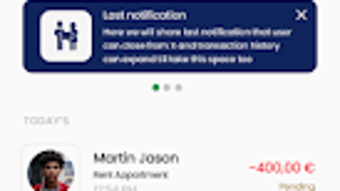
The user interface of Codego Pay appears to be designed with simplicity and functionality in mind, prioritizing intuitive navigation and a clean layout. Users are guided through a step-by-step onboarding process that begins with identity verification and concludes with account activation. The workflow emphasizes speed and minimal friction, aligning with the app’s stated goal of instant access.
Navigation is expected to be straightforward, with core functions such as account overview, transaction history, and payment initiation likely accessible via a centralized dashboard. The use of biometric authentication suggests integration with device-level security features, enhancing both usability and protection. However, exact performance details, including CPU or RAM usage, were not specified by the developer.
Stability and responsiveness are assumed to be optimized for desktop environments, given the software’s compatibility with Windows, Mac, and Linux. General software behavior patterns suggest that the application operates efficiently within standard desktop environments. No user-reported issues or crash logs were provided, and no benchmark data was available for evaluation.
Compatibility & System Requirements
Codego Pay is designed for desktop use and supports multiple operating systems: Windows, Mac, and Linux. The software version is 1.0.0, and the installation size is 500MB, indicating a moderately sized application with potential for rich functionality. The developer did not provide additional system requirements, such as minimum RAM, processor speed, or disk space.
Platform compatibility information is limited to the operating systems listed. No details were provided regarding hardware specifications, background processes, or compatibility with older system versions. Users are advised to ensure their device meets general desktop software requirements for optimal performance. The absence of specific system requirements means that compatibility may vary depending on individual configurations.
Pros and Cons
Pros
- Fast account activation in under two minutes using biometric KYC
- Support for SEPA and SEPA Instant transfers for instant European payments
- Local European IBAN for seamless integration with EU banking systems
- Secure liveness verification for payments and identity checks
- Available on Windows, Mac, and Linux platforms
- Designed for remote users, expatriates, and digital nomads
Cons
- Exact system requirements were not specified
- No information on customer support channels or response times
- Price point of $9.99 may be considered high for a one-time setup fee
- Limited details on data privacy policies or encryption standards
- Desktop-only availability; no mobile app mentioned
FAQ Section
Is Codego Pay available on mobile devices?
Based on the provided information, the software is confirmed for Windows, Mac, and Linux desktop platforms. No details were provided about a mobile application or mobile compatibility.
How secure is the biometric KYC process?
Codego Pay uses biometric verification with liveness detection to confirm user identity. The process is designed to prevent spoofing and ensure that the person initiating the verification is physically present. However, specific security protocols or encryption standards were not disclosed.
Can I use Codego Pay for international transfers outside the EU?
The software supports SEPA and SEPA Instant transfers within the European Union. Information about transfers outside the EU was not provided.
Is the software free to use?
Codego Pay is available for a one-time fee of $9.99. There is no indication of subscription models or additional charges for core features.
Do I need a European address to open an account?
The developer did not specify whether a European physical address is required for account activation. Users are advised to consult official documentation or support channels for clarification.
Final Thoughts + CTA
Codego Pay presents a compelling solution for individuals seeking a fast, secure, and modern way to access a European bank account without the traditional barriers of physical presence or lengthy paperwork. Its emphasis on biometric KYC, instant activation, and SEPA compatibility positions it as a strong contender in the digital banking space, particularly for remote professionals and expatriates.
While the lack of detailed system requirements and support information may raise questions for some users, the app’s core functionality is clearly defined and well-targeted. The desktop-only approach may limit accessibility for users who prefer mobile banking, but it does offer a stable environment for managing finances on larger screens.
For anyone needing a reliable European financial presence, Codego Pay delivers on its promises with a focus on speed, security, and ease of use. The $9.99 price point is reasonable for the value offered, especially given the time and effort saved during onboarding.
Download Codego Pay now




.png)



