
Download CodeIgniter – Fast, Free, Open‑Source PHP Framework
Overview
CodeIgniter is a free, open‑source PHP framework designed to help developers build dynamic web applications quickly and securely. Since its first release in 2006, the framework has evolved into a lightweight, high‑performance solution that balances simplicity with powerful features. Unlike heavyweight alternatives that demand steep learning curves, CodeIgniter follows a “minimalist” philosophy: it provides just enough scaffolding to accelerate development while leaving the core PHP language intact. This approach makes the framework an excellent choice for small‑to‑medium projects, rapid prototypes, and even large‑scale applications that benefit from clean code and low overhead. The framework ships with a rich set of pre‑built tools—routing, caching, security helpers, database abstraction, and an intuitive MVC (Model‑View‑Controller) architecture—that remove repetitive boilerplate and let developers focus on business logic. Because it’s released under the permissive MIT license, you can use CodeIgniter in commercial projects without worrying about licensing fees. Moreover, the community around CodeIgniter remains active, contributing extensions, tutorials, and regular security patches. Whether you are a seasoned PHP veteran or a newcomer eager to learn modern web development practices, CodeIgniter offers a secure, well‑documented environment that speeds up the delivery of robust, maintainable web applications.
Key Features of CodeIgniter
- Lightweight Core: The entire framework weighs less than 2 MB, ensuring fast download times and minimal server footprint.
- Clear MVC Architecture: Separates business logic, presentation, and data layers for cleaner, testable code.
- Built‑in Security: XSS filtering, CSRF protection, and input validation helpers protect against common web threats.
- Database Flexibility: Supports MySQL, PostgreSQL, SQLite, SQL Server, and others through a unified Active Record pattern.
- Simple URI Routing: Human‑readable URLs and customizable routing rules without complex configuration files.
- Extensible Libraries: Over 50 core libraries (email, session, pagination, form validation) that can be extended or replaced.
- Cache Management: File‑based, APC, Memcached, and Redis caching options to boost performance.
- Internationalization (i18n): Language class makes translating applications straightforward.
- Testing Support: Integration with PHPUnit for unit testing of models, controllers, and helpers.
- Comprehensive Documentation: Official user guide, API reference, and community tutorials simplify onboarding.
Each feature is deliberately crafted to reduce development friction. For example, the Form Validation library automatically sanitizes input based on rules you define, while the Session library abstracts storage mechanisms (files, database, Redis) so you can switch back‑ends without code changes. The routing system is also remarkably flexible: you can map any URL pattern to a controller method, allowing clean SEO‑friendly URLs without additional plugins. CodeIgniter’s cache layer lets you store query results or rendered views, dramatically cutting response times for high‑traffic sites. All of these capabilities are available out‑of‑the‑box, meaning you can download the framework, configure a few settings, and start coding within minutes.
Installation & Usage Guide
Step‑by‑Step Installation
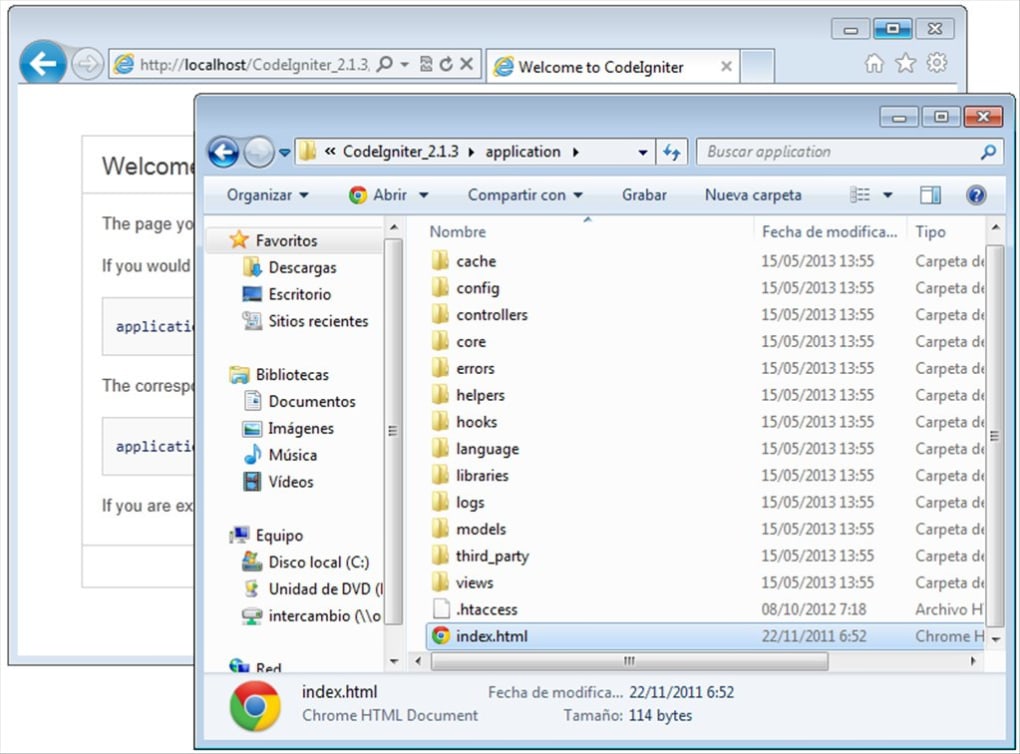
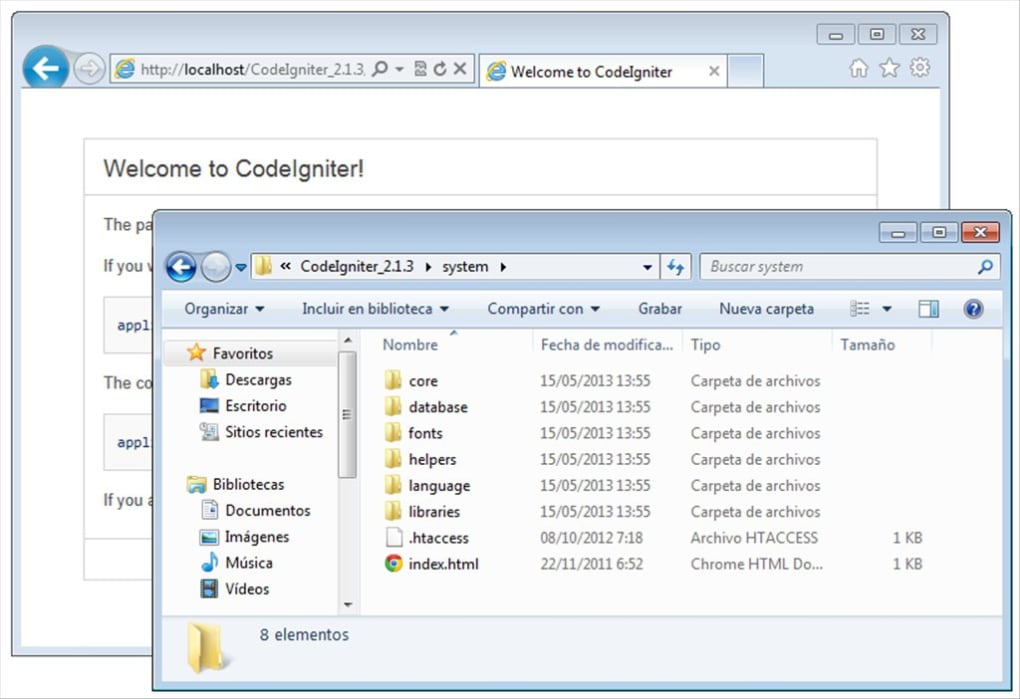
Getting CodeIgniter up and running is intentionally straightforward. First, download the latest stable release from the official website or clone the repository from GitHub. The zip file contains a pre‑configured folder structure: application, system, and user_guide. Extract the archive into your web server’s document root (e.g., htdocs for XAMPP or www for Apache). Next, rename the application/config/config.php file and adjust the $config['base_url'] setting to match your domain or local development URL. If you plan to use a database, open application/config/database.php and fill in the hostname, username, password, and database name. CodeIgniter’s environment detection allows you to switch between development and production modes by setting the ENVIRONMENT constant in index.php. This automatically enables error reporting and disables caching when developing locally.
Creating Your First Controller
After installation, you can test the setup by creating a simple controller. In the application/controllers directory, create a file named Welcome.php with the following code:
load->view('welcome_message', $data);
    }
}
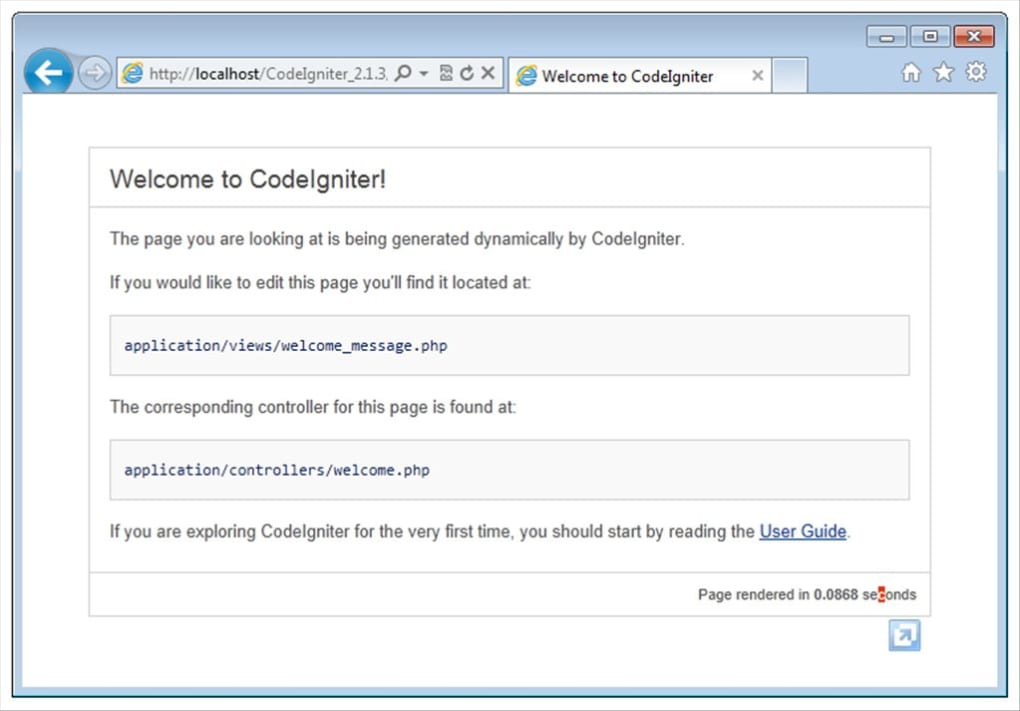
The corresponding view file, application/views/welcome_message.php, can contain any HTML you like. When you navigate to http://yourdomain.com/index.php/welcome, CodeIgniter routes the request to the Welcome controller’s index method, loads the view, and renders the page. This MVC flow separates concerns, making future maintenance far easier. For more complex routing, you can edit application/config/routes.php to create custom URL patterns, such as removing index.php entirely with an .htaccess rewrite rule.
Updating and Extending
The framework follows a semantic versioning scheme, so updating is as simple as replacing the system folder with the new version while preserving your application folder. Because CodeIgniter does not enforce a rigid directory layout beyond the core folders, you can easily add third‑party packages via Composer or manually drop them into application/third_party. The built‑in Hooks system lets you inject custom code before or after core processes (e.g., logging, authentication), further extending functionality without modifying core files. All of these practices keep your application secure and maintainable as it grows.
Compatibility, Pros & Cons
Supported Operating Systems
CodeIgniter runs on any server that supports PHP 7.4 or newer, making it compatible with the most common operating systems used for web hosting. Whether you are on a Linux distribution (Ubuntu, CentOS, Debian), a Windows server (IIS), or a macOS development environment (MAMP, XAMPP), the framework behaves identically because it relies on PHP’s cross‑platform runtime. Additionally, CodeIgniter can be deployed on cloud platforms such as AWS EC2, Google Cloud Compute Engine, and Azure App Service, as well as containerized environments using Docker. The flexibility to operate in virtually any PHP‑compatible environment is one of the framework’s strongest selling points for developers who need to maintain consistent behavior across development, staging, and production.
Pros
- Extremely lightweight – fast download and minimal server resources.
- Simple, well‑documented MVC pattern that is easy for beginners.
- Robust security helpers (XSS, CSRF, input validation) built in.
- Rich set of libraries that cover most common web‑development tasks.
- Highly configurable routing without complex XML or YAML files.
- Active community and frequent security updates.
- MIT license – free for commercial and personal projects.
Cons
- Lacks some modern “batteries‑included” features found in newer frameworks (e.g., built‑in ORM).
- Less opinionated, which can lead to inconsistent code style across teams.
- No native support for real‑time WebSocket communication.
- While the documentation is solid, some advanced topics rely on community tutorials.
- Not as widely adopted as Laravel or Symfony, so fewer third‑party packages.
Overall, CodeIgniter delivers a balanced mix of performance, simplicity, and security that makes it an attractive option for developers who value speed over the extensive feature sets of larger frameworks. Its minimal footprint and clear documentation help teams ship applications faster while keeping the codebase maintainable.
Frequently Asked Questions
Is CodeIgniter truly free for commercial use?
Yes. CodeIgniter is released under the MIT license, which permits unrestricted use, modification, and distribution in both personal and commercial projects without any licensing fees.
Which PHP version is required for the latest CodeIgniter release?
The current stable branch requires PHP 7.4 or higher. For optimal performance and security, it is recommended to run on PHP 8.0 or newer.
Can I integrate CodeIgniter with modern front‑end frameworks like Vue or React?
Absolutely. CodeIgniter’s RESTful controller capabilities allow you to expose JSON APIs that front‑end frameworks can consume. You can serve a single‑page application (SPA) from the public directory while handling API requests via CodeIgniter’s routing.
How does CodeIgniter handle database migrations?
CodeIgniter includes a Migration class that lets you version‑control your database schema. By creating migration files in application/migrations, you can apply, rollback, or refresh database changes using CLI commands, ensuring consistency across environments.
Is there built‑in support for unit testing?
Yes. CodeIgniter integrates with PHPUnit. You can write test cases for models, controllers, and helpers, then run them via the command line. The framework provides a base test class that loads the application context, simplifying the testing workflow.
What is the best way to secure a CodeIgniter application?
Leverage the built‑in security helpers: enable CSRF protection in config.php, use the XSS filtering functions, and validate all user input with the Form Validation library. Additionally, keep the framework up‑to‑date and serve the application over HTTPS.
Conclusion & Call to Action
If you’re searching for a fast, free, and secure PHP framework that gets you up and running with minimal configuration, CodeIgniter is a compelling choice. Its lightweight core, extensive library set, and straightforward MVC pattern empower developers to deliver high‑quality web applications without the bloat of larger ecosystems. Download CodeIgniter today, follow the simple installation steps, and start building your next project with confidence. For ongoing updates, security patches, and community support, visit the official website and join the forum. Happy coding!








