
Screenshots
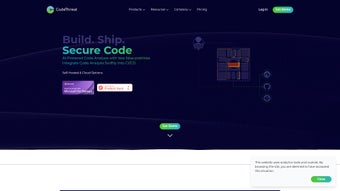
App details
- Updated
- January 13, 2025
- Requires
- Chrome
- License
- Subscription
- Developer
- Oğulcan Gürçağlar
- Category
- Web Apps
About CodeThreat
Download CodeThreat – AI‑Powered Code Security Solution for Secure Development
Overview
CodeThreat is a subscription‑based, AI‑driven static application security testing (SAST) platform that brings modern vulnerability detection to every stage of the software development lifecycle. Built around deep data‑flow analysis and machine‑learning models trained on millions of real‑world code samples, CodeThreat promises to surface true security issues while keeping false positives to a minimum. What sets it apart is the ability to scan a repository in as little as five minutes without needing a full compilation step, which dramatically reduces the feedback loop for developers. The solution integrates seamlessly with popular CI/CD pipelines such as Jenkins, GitHub Actions, GitLab CI, Azure DevOps, and Bitbucket, allowing security checks to become a natural part of the build process. Its intuitive dashboard presents findings in real‑time, categorizing vulnerabilities by severity, providing actionable remediation guidance, and enabling teams to prioritize fixes based on business risk. Whether you’re working on a small startup project or an enterprise‑scale codebase, CodeThreat’s multi‑language support—including Java, C#, JavaScript, Python, Go, Ruby, and more—ensures that every line of code is examined under a consistent security lens. A free trial gives you immediate access to the full feature set, making it easy to evaluate the impact on your development velocity and overall security posture. In addition to core scanning, CodeThreat offers continuous monitoring, policy enforcement, and compliance reporting, which helps organizations meet standards such as ISO 27001, PCI‑DSS, and GDPR without extra tooling. By combining speed, accuracy, and broad ecosystem compatibility, CodeThreat aims to shift security left, empower developers, and reduce the costly remediation cycles that often plague traditional security programs.
Key Features and Benefits
CodeThreat’s feature set is designed to address the most common pain points that development teams encounter when trying to adopt security practices. The platform balances sophisticated AI analysis with a user‑friendly experience, ensuring that both security experts and everyday developers can extract maximum value. Below is a deeper look at why each capability matters and how it translates into tangible benefits for your organization.
- AI‑Enhanced Vulnerability Detection: Leverages deep learning to recognize complex patterns that traditional rule‑based scanners miss, resulting in higher true‑positive rates.
- Ultra‑Fast Scans: Complete analysis in under five minutes for most projects, eliminating long wait times and keeping developers in flow.
- Zero‑Compilation Required: Scans source code directly, saving resources and simplifying integration with build pipelines.
- Multi‑Language Coverage: Supports over 30 programming languages and frameworks, from legacy Java EE to modern React and Kotlin, ensuring no part of your stack is left unchecked.
- Real‑Time Reporting: Interactive dashboard with severity grading, trend graphs, and drill‑down to exact code locations, giving stakeholders instant visibility.
- Actionable Remediation Guidance: Each finding includes clear fix recommendations and code snippets to accelerate developer response and reduce time‑to‑patch.
- Seamless CI/CD Integration: Plugins for Jenkins, GitHub Actions, GitLab CI, Azure DevOps, Bitbucket Pipelines, and more, allowing security gates to be enforced automatically.
- Team Collaboration Tools: Assign issues, comment directly on findings, and track remediation status across squads, fostering a shared responsibility model.
- Secure Cloud‑Hosted Architecture: All scans are performed in a SOC‑2 compliant environment, ensuring data privacy and meeting enterprise audit requirements.
- Scalable Subscription Model: Tiered pricing based on scan volume and number of users, with an unlimited‑scan enterprise option that grows with your organization.
Beyond the list, CodeThreat also provides continuous learning capabilities; the AI engine refines its detection models based on feedback from your team, gradually improving accuracy for your specific codebase. The platform’s extensibility is another strong point—custom rules and policy templates can be added via a simple JSON schema, enabling security teams to codify internal standards without writing complex scripts. Together, these features create a holistic environment where security is embedded, measurable, and continuously improving.
Installation, Usage, and Compatibility
Getting CodeThreat up and running is intentionally straightforward. After signing up for a free trial, you receive an API token that powers the CLI and the CI/CD plugins. The primary installation method is the platform‑agnostic codethreat CLI, which can be installed via npm, Homebrew, or a direct binary download for Windows, macOS, and Linux. Below is a quick step‑by‑step guide, followed by best‑practice tips for large teams and CI environments.
- Visit the CodeThreat dashboard, generate an API token, and copy it to your clipboard.
- Install the CLI:
- macOS/Linux (Homebrew):
brew install codethreat - Windows (PowerShell):
iwr https://download.codethreat.com/install.ps1 -UseBasicParsing | iex - Direct binary: download the appropriate
.zipor.tar.gzpackage and add it to your PATH. - npm:
npm install -g codethreat-cli
- macOS/Linux (Homebrew):
- Authenticate the CLI:
codethreat login --token YOUR_API_TOKEN - Run a scan on a local repository:
codethreat scan ./my-project - Review results in the terminal or push them to the cloud dashboard for richer visual analysis.
Supported Operating Systems: Windows 10/11, macOS 12+ (Monterey and later), Ubuntu 20.04+, Debian, Fedora, and any Linux distribution that can run the provided binary. The web‑based dashboard works on any modern browser, including Chrome, Edge, Firefox, and Safari.
For CI/CD integration, simply add the codethreat scan command as a step in your pipeline configuration file. The tool automatically detects the language stack, applies the appropriate analysis models, and returns a non‑zero exit code if critical findings are discovered, enabling you to fail builds that do not meet security standards. Detailed documentation and pre‑built templates are available for each supported platform, ensuring that even teams with limited DevSecOps experience can adopt the solution quickly. Advanced users can leverage environment variables to customize scan depth, enable incremental scanning for large monorepos, or export SARIF reports for consumption by other security dashboards.
When scaling across dozens of repositories, it is recommended to use a service account with scoped permissions and to store the API token in a secret manager (e.g., Azure Key Vault, AWS Secrets Manager). This approach keeps credentials secure and simplifies token rotation. Additionally, CodeThreat offers a webhook endpoint that can push findings directly to Slack, Microsoft Teams, or custom monitoring tools, providing real‑time alerts that keep security and development teams aligned.
Pros & Cons
Like any sophisticated security solution, CodeThreat has strengths that make it a compelling choice for many organizations, as well as a few limitations that potential buyers should consider before committing. Below you will find a balanced view that highlights both sides, helping you decide whether the platform aligns with your roadmap and budget.
Pros
- Fast, compilation‑free scans reduce bottlenecks and keep developer velocity high.
- AI‑driven detection minimizes false positives, allowing teams to focus on real risks.
- Broad language support covers most modern tech stacks, reducing the need for multiple tools.
- Deep integration with leading CI/CD tools enables automated security gates.
- User‑friendly dashboard makes security data actionable and easy to digest.
- Secure cloud environment protects source code confidentiality and meets compliance standards.
- Continuous learning improves detection accuracy over time as the AI model adapts to your codebase.
- Extensible policy framework lets security teams codify custom rules without heavy development effort.
Cons
- Subscription pricing may be steep for very small teams or hobby projects.
- Advanced features (e.g., custom rule creation, on‑premise deployment) are limited to higher‑tier plans.
- Initial learning curve for teams unfamiliar with SAST concepts or AI‑based security tools.
- Requires internet connectivity for cloud‑based analysis, which could be a constraint in isolated environments.
- Large monolithic repositories may need incremental scanning configuration to avoid longer runtimes.
Frequently Asked Questions
Can CodeThreat scan compiled binaries or only source code?
CodeThreat focuses on static analysis of source code. It does not require compiled binaries, which is why scans can be performed in minutes without a build step.
Is there an on‑premise version for highly regulated industries?
Yes, CodeThreat offers an on‑premise deployment option for enterprises that need to keep scan data behind their own firewalls. Contact sales for licensing details.
How does CodeThreat handle false positives?
The AI engine is trained to prioritize true vulnerabilities, but you can also mark findings as false positives directly in the dashboard, which further refines the model for your codebase.
What languages are currently supported?
CodeThreat supports over 30 languages, including Java, C#, JavaScript/TypeScript, Python, Go, Ruby, PHP, Kotlin, Swift, Rust, and many more. The full list is available on the product website.
Can I integrate CodeThreat with my existing ticketing system?
Yes. CodeThreat provides webhook support and native integrations for Jira, Azure Boards, and GitHub Issues, allowing automatic creation of tickets for high‑severity findings.
Conclusion & Call to Action
In a world where software supply‑chain attacks are becoming the norm, having a reliable, AI‑enhanced SAST tool is no longer optional—it’s a strategic necessity. CodeThreat delivers on its promise of rapid, accurate vulnerability detection while keeping the developer experience smooth and frictionless. Its ability to fit into any CI/CD workflow, coupled with a clean, data‑rich dashboard, empowers teams to shift security left without sacrificing speed. While the subscription cost may be a consideration for very small startups, the reduction in remediation time, lowered risk of production breaches, and compliance benefits often justify the investment. If you’re looking to elevate your code security posture and provide developers with actionable insights rather than noisy alerts, the free trial is the perfect way to experience CodeThreat firsthand. Sign up today, run a scan on a recent repository, and see how quickly the platform surfaces high‑impact findings. Secure your code, protect your users, and keep your release cadence fast—download CodeThreat now and make secure coding a natural part of your development culture.
CodeThreat offers a compelling blend of AI‑driven accuracy and developer‑friendly speed. The integration simplicity and actionable reporting make it a standout SAST solution for modern DevOps pipelines.
Guides & Tutorials
How to install CodeThreat
- Click the Download button above.
- Once redirected, accept the terms and click Install.
- Wait for the CodeThreat download to finish on your device.
How to use CodeThreat
This software is primarily used for its core features described above. Open the app after installation to explore its capabilities.
User Reviews
No reviews yet. Be the first to share your experience.
You may also like
more
3D AI Studio
3D AI Studio Overview 3D AI Studio is a web-based AI-powered tool developed by S...

3D textures by Polycam
Generate Realistic 3D Textures Effortlessly 3D Textures by Polycam is an innovat...

3DAiLY
Customizable 3D Modeling Tool: 3DAiLY 3DAiLY is an online platform that harnesse...

3DFY
Revolutionizing 3D Model Creation: 3DFY Review 3DFY is an AI-powered service, de...

AI Dungeon
AI Dungeon: Deep Learning Text Adventure AI Dungeon is an artificial intelligenc...

Alpha3D
A subscription-based program for Web apps, by alpha3d. Alpha3D is a subscription...
