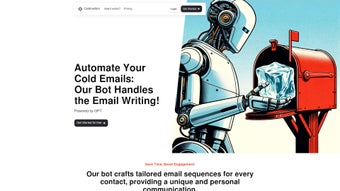

Download Cold Mail Bot – AI‑Powered Cold Email Outreach Tool
Overview
In today’s hyper‑competitive B2B landscape, a well‑crafted cold email can be the difference between a lukewarm lead and a high‑value client. Cold Mail Bot is a web‑based AI tool that automates every stage of the cold‑email workflow, from prospect research to personalized copy creation and scheduled delivery. Built for sales teams, marketers, and entrepreneurs, the platform removes the manual grind of gathering contact information, crafting tailored messages, and tracking send times. By leveraging natural‑language processing and smart data extraction, Cold Mail Bot delivers a seamless, secure, and scalable solution that lets you focus on strategy rather than repetitive tasks. Whether you’re launching a new product, nurturing a pipeline, or running a large‑scale outreach campaign, this software offers a single dashboard to manage all your cold‑mail activities, ensuring each email lands at the right moment with a personal touch that drives engagement.
Powerful Features That Drive Results
- Automated Prospect Research: The AI crawls company websites, LinkedIn, and public directories to collect key data points such as decision‑maker names, email addresses, industry tags, and recent news, dramatically shortening lead‑generation cycles.
- Personalized Email Creation: Using GPT‑4‑level language models, Cold Mail Bot drafts emails that incorporate the prospect’s name, company details, and relevant pain points, boosting open rates and reply ratios.
- Auto‑Sending & Scheduling: Set optimal send windows based on time‑zone analysis; the platform queues and dispatches emails automatically, guaranteeing timely delivery without manual oversight.
- Campaign Analytics & A/B Testing: Real‑time dashboards show open, click, and response metrics. Split‑test subject lines or body copy to refine messaging on the fly.
- Compliance & Security: Built‑in GDPR and CAN‑SPAM checks, plus end‑to‑end encryption, ensure your outreach stays lawful and your data remains protected.
- Integration Hub: Connect seamlessly with CRMs (HubSpot, Salesforce), Zapier, and Google Workspace to sync contacts, log activities, and trigger follow‑up workflows.
- Template Library: Access a curated collection of high‑performing cold‑email templates for various industries, ready to be customized in seconds.
Each of these capabilities works together to form a holistic outreach engine. The research module eliminates the tedious data‑scraping phase, while the AI‑driven copy generator ensures each message feels handcrafted. Scheduling and compliance layers take the risk out of large‑scale campaigns, and the analytics suite provides the feedback loop needed for continuous improvement. In short, Cold Mail Bot transforms a traditionally manual, error‑prone process into a repeatable, data‑backed system that can be scaled from ten contacts a day to ten thousand without sacrificing quality.
Step‑by‑Step Installation & Daily Usage
Getting Started – No Download Required
Because Cold Mail Bot is a cloud‑native SaaS platform, there is no traditional software installation. To begin, visit the official website and click the Sign Up button. The onboarding wizard guides you through account creation, email verification, and a brief questionnaire that helps the AI understand your industry, target persona, and campaign goals. After confirming your subscription plan (a free trial is available for 14 days), you’ll be directed to the main dashboard.
Configuring Your First Campaign
- Define Your Target List: Upload a CSV of existing leads or let Cold Mail Bot generate prospects by entering keywords, company size, or industry filters. The AI will instantly populate a list with enriched data fields.
- Choose a Template or Let AI Write From Scratch: Pick a template from the library or click Generate New Email. Provide a short brief (product name, value proposition, tone) and the system will produce a personalized draft.
- Set Send Parameters: Select time zones, daily send limits, and days of the week. Enable “Smart Send” to let the AI pick the optimal moment based on historical engagement data.
- Review & Approve: A preview pane shows the final email with merged fields. Make any manual tweaks, then click Activate Campaign.
- Monitor Results: The dashboard updates in real time, highlighting open rates, click‑throughs, and replies. Use built‑in filters to segment responders for follow‑up sequences.
Throughout the day, Cold Mail Bot operates in the background, handling prospect research, email personalization, and dispatch. You can log in at any time to pause, edit, or duplicate campaigns. For teams, role‑based access lets managers approve outgoing emails while sales reps focus on follow‑up conversations. The platform also offers a mobile‑responsive view, so you can keep tabs on performance from any device.
Compatibility, Pros & Cons
Cold Mail Bot runs entirely in the browser, making it compatible with any modern operating system—Windows 10/11, macOS Ventura and later, Linux distributions, as well as mobile platforms like Android and iOS through a responsive web interface. No additional plugins or extensions are required, and the service supports all major browsers (Chrome, Edge, Firefox, Safari).
Pros
- Fully automated prospect research saves countless hours.
- AI‑generated personalized copy improves engagement rates.
- Schedule‑once, send‑many approach eliminates manual follow‑up.
- Robust analytics and A/B testing foster data‑driven optimization.
- Seamless integration with popular CRMs and workflow tools.
- GDPR‑compliant, with built‑in spam‑law checks for peace of mind.
Cons
- Reliance on internet connectivity; offline use is not possible.
- Advanced AI features are locked behind higher‑tier plans.
- Initial learning curve for teams new to AI‑driven outreach.
- Limited customization of the AI’s tone beyond preset options.
Overall, the benefits far outweigh the drawbacks for most businesses. The cloud‑only nature guarantees that you always have the latest updates and security patches, while the pricing model offers a free trial to test the waters before committing to a paid subscription.
Review Summary: Cold Mail Bot delivers a compelling blend of automation and personalization, making it a top choice for teams that want to scale cold outreach without sacrificing relevance.
Conclusion, FAQ & Next Steps
Cold Mail Bot stands out as a comprehensive, AI‑powered solution that turns cold‑email outreach from a tedious chore into a strategic asset. By automating prospect research, generating highly personalized messages, and handling the entire sending process, the tool frees up valuable time for sales professionals to focus on conversations that close deals. Its cloud‑native architecture ensures you can work from any device, and its integration capabilities keep your existing tech stack intact. While there are a few limitations—most notably the need for a stable internet connection and the tiered pricing for premium AI features—the overall value proposition is strong, especially for growing businesses aiming to scale their outreach efforts quickly and responsibly.
Frequently Asked Questions
Is there a free version of Cold Mail Bot?
Yes, Cold Mail Bot offers a 14‑day free trial that includes full access to all core features. After the trial, you can continue with a free‑tier plan that allows limited monthly sends, or upgrade to a paid plan for unlimited outreach.
How does Cold Mail Bot ensure compliance with GDPR and CAN‑SPAM?
The platform automatically validates email lists against GDPR‑approved sources, includes unsubscribe links in every outbound email, and flags any content that could be considered non‑compliant. You also have control over data retention settings.
Can I integrate Cold Mail Bot with my existing CRM?
Absolutely. Cold Mail Bot supports native integrations with HubSpot, Salesforce, Pipedrive, and also offers Zapier connectors for dozens of other platforms, enabling two‑way sync of contacts and activity logs.
What kind of support is available for new users?
New users receive onboarding emails, video tutorials, and access to a live chat support team during business hours. Paid plans also include priority email support and a dedicated account manager.
Is Cold Mail Bot secure for handling sensitive prospect data?
Yes. All data is encrypted in transit (TLS) and at rest (AES‑256). The platform adheres to ISO 27001 standards and undergoes regular security audits to protect your information.
Ready to supercharge your outreach? Download Cold Mail Bot now, start your free trial, and experience the difference that AI‑driven automation can make for your sales pipeline. Don’t let manual research and generic emails hold you back—let Cold Mail Bot do the heavy lifting while you close more deals.



.png)




