
Download Content Render – AI‑Powered Content Creation Tool for Text, Image, Audio & Video
Overview
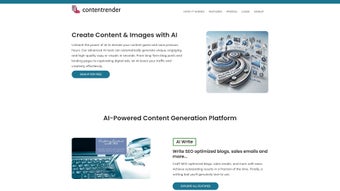
Content Render is a cloud‑based, AI‑driven content creation platform that promises to cut the time‑to‑publish for marketers, social‑media managers, and creative teams. By unifying a suite of generative tools—an AI writer for SEO‑optimized blogs and sales emails, an AI code generator for developers, an AI image creator that converts plain text prompts into eye‑catching graphics, and a conversational chatbot for brainstorming—Content Render positions itself as a one‑stop shop for all media formats. The platform also offers speech‑to‑text transcription and text‑to‑voice conversion, allowing users to transform audio recordings into searchable scripts or generate realistic voice‑overs for videos without hiring voice talent. Its intuitive dashboard lets users customize tone, style, and output length, while built‑in plagiarism checking ensures each piece is unique. Whether you need a quick tweet, a long‑form article, a code snippet, or a marketing video storyboard, Content Render leverages large language models and diffusion models to deliver high‑quality results in seconds. The service is subscription‑based but offers a free trial, making it easy to evaluate the tool before committing. With regular updates, secure cloud storage, and GDPR‑compliant data handling, Content Render aims to boost productivity while safeguarding user data.
Key Features
- AI Writer: Generates SEO‑friendly blog posts, product descriptions, sales emails, and social‑media captions. Users can set keyword density, target audience, and desired reading level.
- AI Code Generator: Provides code snippets, function templates, and debugging suggestions for popular languages such as JavaScript, Python, and PHP.
- AI Image Generator: Turns descriptive prompts into high‑resolution images using diffusion models, supporting custom style presets and aspect ratios.
- Chatbot Ideation Assistant: Engages in real‑time conversation to brainstorm topics, headlines, and campaign concepts, reducing the need for endless research.
- Speech‑to‑Text Transcription: Converts audio files, podcasts, and video dialogues into accurate, searchable text with speaker identification.
- Text‑to‑Voice Conversion: Produces natural‑sounding voice‑overs in multiple languages and accents, ideal for video narration and audiobooks.
- Customizable Templates: Pre‑built layouts for blogs, newsletters, landing pages, and social posts that can be saved and reused.
- Collaboration Workspace: Teams can share drafts, leave comments, and track revision history in real time.
- Secure Cloud Storage: All generated assets are saved securely with end‑to‑end encryption and can be exported in common formats (DOCX, PNG, MP3, MP4).
- Analytics Dashboard: Monitors content performance metrics such as readability scores, SEO rankings, and engagement predictions.
Installation & Usage Guide
Getting started with Content Render is straightforward because the service is delivered entirely through a web browser—no local installation is required for Windows, macOS, Android, or iOS. Follow these steps to download, set up, and begin creating content:
- Sign‑up & Account Verification: Visit the official website, click the “Start Free Trial” button, and provide a valid email address. An activation link is sent instantly; clicking it verifies your account.
- Select a Subscription Plan: After verification, you can choose between the free trial (limited daily credits) or a paid tier (monthly or annual). Payment is processed securely via Stripe or PayPal.
- Access the Dashboard: Log in and you’ll be greeted by a clean dashboard featuring tabs for “Writer,” “Code,” “Images,” “Audio,” and “Chat.” Each tab contains a dedicated workspace with contextual help.
- Configure Preferences: Navigate to Settings → Preferences. Here you can set default language, tone (formal, casual, technical), output length, and choose a preferred AI model version (e.g., GPT‑4, Stable Diffusion 2.1).
- Create Your First Piece: Choose a module—say, “AI Writer.” Enter a brief brief: “Write a 800‑word blog post about sustainable travel trends for 2025, targeting millennials, with three actionable tips.” Click “Generate.” Within seconds, the AI delivers a structured draft, complete with headings, subheadings, and SEO meta tags.
- Edit & Refine: Use the built‑in editor to tweak phrasing, add images, or insert custom code snippets. The platform offers real‑time suggestions for grammar, readability, and keyword optimization.
- Export & Publish: Once satisfied, click “Export.” Options include downloading as a Word document, PDF, or directly publishing to WordPress, HubSpot, or a custom CMS via API integration.
- Leverage Collaboration: Invite teammates by sharing a project link. Collaborators can comment, suggest edits, and approve final versions without leaving the app.
- Monitor Performance: The Analytics tab provides predictive insights—estimated organic traffic, engagement scores, and conversion likelihood based on the generated content.
Because Content Render runs in the cloud, updates are applied automatically. Users always have access to the latest AI models, security patches, and feature enhancements without manual downloads. For mobile users, the responsive design ensures a seamless experience on tablets and smartphones, making on‑the‑go content creation possible.
Compatibility, Pros & Cons
Content Render is a fully web‑based solution, meaning it works on any modern browser (Chrome, Edge, Firefox, Safari) across Windows 10/11, macOS Ventura and later, Linux distributions, as well as Android 8.0+ and iOS 13+. The platform also offers native companion apps for Android and iOS that provide quick access to the AI writer and image generator, syncing automatically with the cloud workspace.
Pros
- All‑in‑one suite eliminates the need for multiple subscriptions.
- AI models are regularly updated, ensuring cutting‑edge quality.
- Intuitive UI reduces learning curve for non‑technical users.
- Robust collaboration tools support remote teams.
- Secure cloud storage with GDPR compliance protects sensitive data.
- Flexible output formats (DOCX, PNG, MP3, MP4) streamline publishing.
- Free trial with generous daily credits lets users test before buying.
Cons
- Reliance on internet connectivity; offline work is limited.
- Higher‑tier plans can be pricey for small freelancers.
- AI‑generated code may require manual review for complex projects.
- Image generation can be slower during peak usage due to server load.
- Custom branding options are only available on enterprise plans.
Review Summary: Content Render delivers a powerful, unified experience for creators looking to generate text, code, images, and audio in a single environment. Its AI models produce high‑quality outputs, and the collaboration features make it ideal for teams. While the cost may be a barrier for solo users, the productivity gains often justify the investment.
FAQ & Final Verdict
Is Content Render really free to use?
Content Render offers a 14‑day free trial with a set amount of daily AI credits. After the trial, you need to choose a paid subscription to continue accessing unlimited generation. The free tier remains available for occasional low‑volume usage, but advanced features like high‑resolution image generation and team collaboration require a paid plan.
Can I use Content Render for commercial projects?
Yes. All paid plans include a commercial usage license, allowing you to publish AI‑generated content, images, and code in client projects, marketing campaigns, and products without additional royalties.
How does the AI Image Generator handle copyrighted material?
The generator creates images from scratch based on textual prompts and does not copy existing copyrighted works. However, it’s advisable to review the final image for any unintended likenesses and to comply with local regulations regarding AI‑generated media.
What kind of support does Content Render provide?
Subscribers have access to 24/7 live chat, email support, and a comprehensive knowledge base. Enterprise customers receive a dedicated account manager and priority response times.
Is my data safe on the platform?
Content Render employs end‑to‑end encryption, regular security audits, and complies with GDPR and CCPA standards. User data is stored in secure cloud regions, and you can opt to delete all generated content from the server at any time.
**Final Verdict:** If you’re a marketer, social‑media strategist, developer, or creative professional who juggles multiple content formats, Content Render offers a compelling, AI‑enhanced workflow that can dramatically reduce production time. Its breadth of features—from SEO‑optimized writing to code suggestions and image synthesis—means you no longer need to stitch together disparate tools. While the subscription cost may be a consideration for freelancers, the boost in efficiency and the ability to generate high‑quality assets on demand often outweigh the expense. Ready to transform your content pipeline? Download Content Render now and start your free trial today.



.png)




