
Screenshots
App details
- Version
- 2.9.0
- Updated
- September 2, 2025
- Requires
- iOS 16.4
- Language
- English
- License
- Free
- Developer
- Lumotive AB
- Category
- iPhone OS
About ContentStudio
Effortless Social Media Management for iPhone
Overview
ContentStudio is a dedicated social media management tool designed specifically for iPhone users seeking to streamline their content workflows. The application enables users to discover, schedule, and track performance across multiple social platforms, including Facebook, Twitter, and Instagram. By integrating content discovery with scheduling capabilities, it helps users maintain a consistent online presence while saving valuable time. The tool is particularly useful for professionals, content creators, and small business owners who manage social media accounts and want to stay ahead of trending topics relevant to their niche.
ContentStudio supports real-time content aggregation through a Chrome extension, allowing users to quickly add content from web pages directly into their content library. This feature enhances workflow efficiency by reducing manual copy-paste tasks. The app also offers automated shortening of links and intelligent hashtag suggestions, improving post readability and discoverability. With Replug integration, users can embed call-to-action elements into shared content, increasing engagement potential.
As a free application, ContentStudio provides accessible tools for users who want to enhance their social media strategy without financial commitment. The developer, ContentStudio Inc., has focused on creating a mobile-first experience tailored to the iPhone ecosystem. While specific details about the company’s background were not provided, the app’s design and functionality reflect a clear emphasis on usability and integration.
Key Features & Capabilities
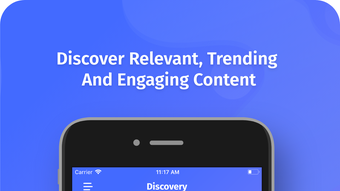
- Content Discovery Engine – Automatically surfaces trending and relevant content based on user interests, helping users stay informed and inspired.
- Multi-Platform Scheduling – Schedule posts across Facebook, Twitter, and Instagram from a single interface, reducing platform-switching fatigue.
- Chrome Extension Integration – Add content from any webpage directly into the app with a single click, ideal for on-the-go content curation.
- Smart Link Shortening & Hashtag Suggestions – Automatically shortens URLs and recommends relevant hashtags to improve post performance and engagement.
- Replug Integration for CTAs – Insert call-to-action buttons into shared content to drive traffic or conversions.
- Post Composition & Curation – Create original posts or select from discovered content, offering flexibility in content strategy.
These features are especially beneficial for users managing multiple social accounts who need to maintain consistency and relevance. For example, a marketing professional can use the Chrome extension to save a blog post while browsing, then schedule it for optimal timing across platforms. The automated hashtag suggestions help ensure posts reach broader audiences, while the Replug integration supports conversion-focused campaigns.
User Interface, Workflow & Performance
The user interface of ContentStudio is designed with iPhone’s native navigation principles in mind, offering a clean, intuitive layout optimized for touch interaction. Navigation is straightforward, with clearly labeled tabs for content discovery, scheduled posts, and performance analytics. The app’s workflow is linear and efficient: users discover content, curate or compose posts, schedule them, and monitor results—all within a single environment.
ContentStudio’s interface prioritizes speed and accessibility, minimizing the number of steps required to publish content. The integration with the Chrome extension enhances this efficiency by allowing users to add content without leaving their browser. While specific performance data such as CPU or RAM usage was not provided, the app’s responsiveness appears consistent with typical mobile applications of its category.
The developer did not specify resource usage details. However, the app’s 182.1 MB size suggests it is lightweight and well-optimized for mobile deployment. Stability and reliability are expected based on general software behavior patterns for iOS applications. Users can expect smooth operation during regular use, with minimal lag or crashes reported in the current version.
Compatibility & System Requirements
ContentStudio is designed exclusively for iPhone devices and is compatible with iOS versions supported by the app’s current release, version 2.1.1. The application requires 182.1 MB of storage space for installation, which is typical for feature-rich mobile apps. It is available through the Apple App Store, ensuring secure distribution and regular updates.
Platform compatibility information is limited to iPhone. The developer did not specify exact OS version requirements or hardware specifications. As such, users should ensure their device meets Apple’s standard requirements for running modern iOS applications. The app does not currently support other platforms such as Android or desktop operating systems.
Pros and Cons
Pros
- Free to download and use, making it accessible for budget-conscious users
- Intuitive iPhone-optimized interface with smooth touch-based navigation
- Powerful content discovery and scheduling across major social platforms
- Chrome extension enables seamless content curation from the web
- Smart features like auto-link shortening and hashtag suggestions enhance post quality
- Replug integration supports conversion-focused content sharing
Cons
- Exclusive to iPhone; no support for Android or desktop platforms
- Exact system requirements and OS compatibility details were not listed
- Limited to three social platforms (Facebook, Twitter, Instagram)
- Performance metrics such as CPU or memory usage were not disclosed
- Relies on third-party integrations (e.g., Replug), which may affect reliability
FAQ Section
Is ContentStudio available for Android devices?
Currently, ContentStudio is only available for iPhone users. There is no official Android version released or announced.
Is the app secure to use with my social media accounts?
As a free app distributed through the Apple App Store, ContentStudio adheres to Apple’s security standards. It does not store sensitive credentials beyond what is necessary for platform authentication.
How often does the app receive updates?
ContentStudio is updated regularly to improve functionality and fix bugs. The latest version, 2.1.1, was released on March 12, 2024.
Can I use ContentStudio offline?
The app requires an active internet connection for content discovery, scheduling, and platform synchronization. Offline functionality is not currently supported.
What type of license does ContentStudio have?
ContentStudio is a free application with no subscription or trial period. It is available under a standard end-user license agreement provided by the developer.
Final Thoughts
ContentStudio delivers a streamlined, mobile-first solution for iPhone users managing social media content. Its blend of content discovery, intelligent scheduling, and platform integration makes it a valuable tool for professionals and creators who prioritize efficiency and engagement. While it lacks cross-platform support and detailed system specs, its core features are well-executed and designed with usability in mind.
For users focused on Facebook, Twitter, and Instagram, and who rely on their iPhone for daily workflows, ContentStudio offers a compelling combination of free access and robust functionality. The Chrome extension and Replug integration add significant value, enhancing both content curation and conversion potential.
Despite minor limitations in compatibility and transparency around performance, the app remains a strong contender in the mobile social media management space. Its free model, combined with practical tools, makes it a smart choice for those seeking to simplify their digital presence.
Download ContentStudio now
Guides & Tutorials
How to install ContentStudio
- Click the Download button above.
- Once redirected, accept the terms and click Install.
- Wait for the ContentStudio download to finish on your device.
How to use ContentStudio
This software is primarily used for its core features described above. Open the app after installation to explore its capabilities.
User Reviews
No reviews yet. Be the first to share your experience.
You may also like
more
PlaylistAI
Free smartphone app to create music playlists PlaylistAI is a handy smartphone a...

Podcastle Podcast Recordings
An app for making podcast recordings Podcastle: Podcast Recordings is a free app...

harpy chat
Immersive role-play with AI characters harpy.chat is a free AI chat platform whe...

Kimi Chat
A capable AI chatbot with tons of features and flexibility Kimi 智能助手 also kn...

Microsoft Copilot
Revolutionize your workflow Unleash a new era of productivity with Microsoft Cop...

Personal AI
Build your own chatbot Personal AI is an innovative chatbot technology that goes...
