


Download Cook Timer – Free, Secure, Lightweight Timer for Windows, Mac & Android
Cook Timer is a simple yet effective tool designed for home cooks and busy professionals who need a reliable way to keep track of cooking times without distractions. This free, open-source software runs instantly on Windows, Mac, and Android devices, requiring no installation. Whether you're boiling pasta, roasting vegetables, or baking a cake, Cook Timer ensures your meals don’t burn. With preset countdowns of 3, 5, 10, and 15 minutes, plus the ability to set a custom timer, it’s perfect for quick kitchen tasks. When the time is up, a clear, attention-grabbing alarm sounds—no more guessing or forgetting. The minimalist interface stays out of the way, minimizing clutter while maximizing functionality. It’s ideal for users who value speed, simplicity, and security over complex features. Cook Timer is lightweight, fast, and portable, making it easy to run from a USB drive. Download this secure and hassle-free timer today and turn your kitchen into a smarter, more organized space.
Key Features of Cook Timer
At the heart of Cook Timer’s appeal is its commitment to simplicity and reliability. This lightweight software offers just what you need—no unnecessary distractions, no confusing menus, and no hidden costs. The core features are designed around one goal: help you cook without stress. First, Cook Timer includes four preset countdown timers: 3, 5, 10, and 15 minutes. These are perfect for common kitchen tasks like boiling eggs, toasting bread, or simmering sauces. Whether you're a beginner or an experienced chef, these presets save time and reduce the risk of overcooking.
For more flexibility, the app allows users to set a custom countdown timer. Simply enter the desired time in minutes and seconds, and the timer starts immediately. This feature is especially useful for longer cooking processes like roasting chicken or baking cookies. The countdown is displayed clearly on the screen with a large, easy-to-read digital clock, ensuring you never miss a beat. When the timer reaches zero, a distinct, high-pitched alarm sounds—loud enough to hear even in a noisy kitchen.
Another standout feature is its portability. Cook Timer is a single executable file (e.g., CookTimer.exe), meaning you can run it directly from a USB stick or external drive. This makes it ideal for shared kitchens, cooking classes, or when you want to carry your timer across devices. It doesn’t require installation, so there’s no risk of system conflicts or leftover files. The app also runs silently in the system tray when minimized, freeing up your desktop space. Best of all, it’s completely free and open source, so you can trust its transparency and security. No ads, no data collection—just a clean, focused tool built for real cooking needs.
How to Install and Use Cook Timer on Windows, Mac, and Android
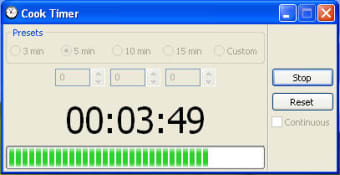
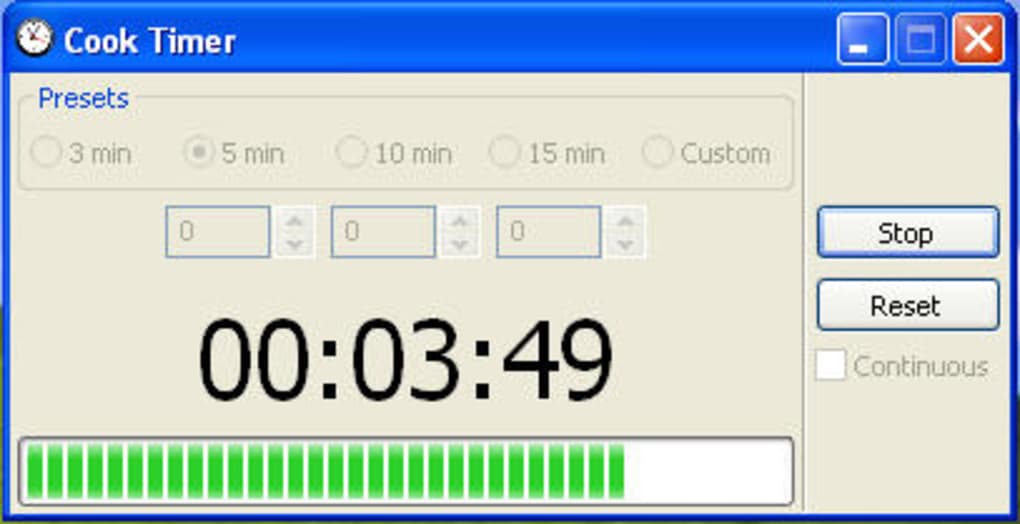
One of the biggest advantages of Cook Timer is its ease of use and universal accessibility. Installation is not required—just download the appropriate version for your device and run it. For Windows users, head to the official website and download the CookTimer.exe file. Once downloaded, simply double-click the file to launch the application. It starts instantly, with no setup wizard or configuration steps. The interface is minimal: a large digital display showing the remaining time, four preset buttons (3, 5, 10, 15 minutes), and a custom timer input field.
On Mac, the process is equally straightforward. Download the CookTimer.dmg file from the official site, open it, and drag the app into your Applications folder. Then launch it from there. No installation steps are needed, and the app integrates smoothly with macOS. For Android users, the app is available as a downloadable APK file. Enable “Unknown Sources” in your device settings, install the APK, and open the app to start using it. It works seamlessly on smartphones and tablets, perfect for kitchen use while following recipes.
Using Cook Timer is intuitive. Select a preset or enter a custom time in the input box, then click “Start.” The timer begins counting down in real time. When it hits zero, a clear alarm sounds, and the screen flashes briefly to draw attention. You can pause, reset, or stop the timer at any time. The app automatically minimizes to the system tray, so it stays out of the way but remains accessible. You can also close it with a single click. This seamless workflow makes it ideal for multitasking cooks who need a reliable timer without switching apps or losing focus.
Compatibility and System Requirements
Cook Timer is designed with cross-platform compatibility in mind, ensuring it works smoothly on a wide range of devices. It supports Windows 7 and later, including Windows 10 and Windows 11, making it accessible to most desktop and laptop users. The Mac version runs on macOS 10.13 (High Sierra) and newer, ensuring compatibility with both older and modern Apple devices. For Android users, the app supports devices running Android 6.0 (Marshmallow) and above, covering a vast majority of smartphones and tablets.
System requirements are minimal. The software uses less than 10 MB of RAM and requires no special hardware. It runs efficiently even on older or low-end machines, making it perfect for older laptops or shared devices. Because it’s a standalone executable, there are no dependencies or background services to worry about. This means it won’t slow down your system or interfere with other applications.
Additionally, the app is available in multiple languages, including English, Spanish, French, and German, enhancing its global usability. Whether you're cooking in a kitchen in Berlin, Tokyo, or Toronto, Cook Timer adapts to your language preferences. Its lightweight nature and lack of installation requirements make it a top choice for users who prioritize privacy, speed, and portability. You can run it from a USB drive, share it with friends, or use it across multiple devices without hassle. This level of compatibility and flexibility is rare in simple tools, making Cook Timer a standout option for modern kitchens.
Pros and Cons of Cook Timer
- Pros:
- Free and open-source with no hidden costs or ads
- Instant access—no installation required
- Lightweight and fast, uses minimal system resources
- Available for Windows, Mac, and Android
- Portable—can run from a USB drive
- Clear alarm sound and large countdown display
- Simple, intuitive interface with no learning curve
- Runs in system tray when minimized
- Cons:
- Limited customization—no option to change alarm sound
- No pause/resume feature in some versions
- Only basic functionality—no recurring timers or multiple alarms
- Minimal user settings or preferences
- Not available on iOS (Apple devices)
Frequently Asked Questions (FAQ)
Is Cook Timer really free to download and use?
Yes, Cook Timer is completely free to download and use. It’s an open-source application, meaning the source code is publicly available and free of charge. There are no ads, no in-app purchases, and no trial periods. You can use it indefinitely without any restrictions.
Can I run Cook Timer on my Mac or Android device?
Yes, Cook Timer is available for Mac (macOS 10.13 and above) and Android (6.0 and later). You can download the .dmg file for Mac and the APK for Android from the official website. Both versions are fully functional and require no installation.
Does Cook Timer require installation?
No, Cook Timer is a portable application. It runs as a single executable file (e.g., .exe for Windows, .dmg for Mac). You can run it directly from your desktop, USB drive, or external storage without installing anything on your system.
Why isn’t Cook Timer available on iOS?
The developer has not released an iOS version yet. This is likely due to the platform’s strict app store policies and the complexity of distribution. However, the app is available for Android, which offers similar functionality for mobile users.
Can I change the alarm sound?
Currently, Cook Timer uses a fixed alarm sound and does not allow users to customize or replace it. This limitation is intentional to keep the app lightweight and focused on core functionality. However, the alarm is loud and clear, ensuring you won’t miss it.
Final Verdict: Why Cook Timer is a Must-Have Kitchen Tool
Cook Timer may not be the most feature-rich timer on the market, but it excels where it matters most: simplicity, reliability, and speed. For anyone who’s ever burned dinner because they lost track of time, this free software is a game-changer. Its lightweight design, cross-platform support, and no-install requirement make it ideal for home cooks, students, and busy professionals. Whether you’re using it on a Windows PC, Mac, or Android tablet, it delivers consistent performance without clutter.
While it lacks advanced features like recurring timers or alarm customization, these omissions are intentional. Cook Timer stays true to its purpose: a fast, secure, and distraction-free timer. It’s perfect for those who want a no-fuss solution without the bloat of complex productivity apps. The fact that it’s open-source adds an extra layer of trust and transparency.
If you’re looking for a reliable, free, and secure timer for your kitchen, Cook Timer is an excellent choice. Download it today and make your cooking experience smarter, safer, and stress-free.
Download Cook Timer now and never burn another meal!








