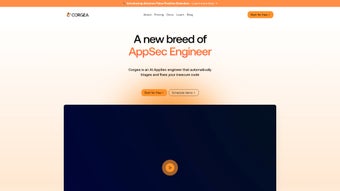

Download Corgea – AI‑Powered Code Vulnerability Fix Tool
Overview
In today’s fast‑paced development cycles, security teams are constantly juggling the need to ship new features while keeping the codebase free from exploitable flaws. Corgea steps into this gap as an AI‑driven web application that automates the generation of patches for discovered vulnerabilities. By analysing the output of popular Static Application Security Testing (SAST) and Software Composition Analysis (SCA) tools, Corgea produces concrete code changes that engineers can review, approve, and push directly to version‑control platforms such as GitHub, GitLab, or Bitbucket. The result is a dramatically shortened remediation window—from days or weeks down to hours—allowing developers to redirect their focus toward revenue‑generating work rather than repetitive, manual fixes. Corgea’s design philosophy centres on seamless integration; it does not demand a new learning curve or a separate dashboard. Instead, it plugs into existing security workflows, presenting suggestions within the familiar environments that teams already use. Whether you’re protecting a micro‑service written in Python, a Java‑based enterprise application, or a mixed‑language codebase, Corgea adapts to the language and framework, offering a consistent experience across the stack. Security leaders will appreciate the measurable boost in operational efficiency, while engineers will value the clear, actionable patches that respect coding standards and company guidelines. In short, Corgea transforms the traditionally reactive process of vulnerability remediation into a proactive, automated, and collaborative effort that scales with the speed of modern software delivery.
Key Features That Set Corgea Apart
- AI‑Generated Patches: Leveraging large language models fine‑tuned on security patterns, Corgea drafts precise code changes for identified issues.
- Seamless SAST & SCA Integration: Connects out‑of‑the‑box with tools like SonarQube, Checkmarx, OWASP Dependency‑Check, and Snyk.
- Multi‑Language Support: Handles Java, JavaScript/TypeScript, Python, Ruby, Go, C#, and more, ensuring broad applicability.
- Version‑Control Friendly: Generates pull/merge requests directly on GitHub, GitLab, and Bitbucket with full commit metadata.
- Policy‑Aware Recommendations: Aligns patches with organization‑specific coding standards, linting rules, and security policies.
- Review‑Ready Summaries: Provides concise explanations of each change, risk reduction metrics, and testing recommendations.
- Continuous Learning Loop: Engineers can approve or reject patches; the feedback refines the AI model for future suggestions.
- Secure, Cloud‑Native Architecture: All data processing occurs within encrypted environments, complying with GDPR, SOC‑2, and ISO‑27001 standards.
- Dashboard‑Free Experience: No separate UI to learn; interactions happen through existing ticketing or code‑review tools.
- Scalable API: Allows custom integration into CI/CD pipelines, enabling automated remediation during build or release stages.
These capabilities combine to make Corgea more than just a “code‑fix generator.” The platform acts as a collaborative partner that speaks the language of both security analysts and developers. By turning raw vulnerability findings into actionable, reviewed code changes, Corgea reduces the average time‑to‑remediate (TTM) by up to 70 % for many organisations. The AI model continuously learns from the feedback loop, meaning the quality of patches improves over time, and the false‑positive rate drops. Moreover, the integration with version‑control systems ensures that all changes are auditable, traceable, and compliant with change‑management policies—a critical factor for regulated industries such as finance, healthcare, and automotive. In practice, security teams can set up a nightly job that pulls the latest SAST reports, lets Corgea generate patches, and automatically opens pull requests for review. Developers then spend minutes reviewing concise diff views rather than dissecting raw scanner output. This streamlined workflow not only accelerates security posture improvement but also fosters a culture where security is embedded directly into the development lifecycle.
Installation, Usage & Compatibility Guide
Getting started with Corgea is intentionally straightforward. The service is offered as a cloud‑hosted SaaS platform, eliminating the need for on‑premise installation. To begin, visit the official Corgea website and click the “Start Free Trial” button. After providing a corporate email, you’ll receive an invitation link to create a workspace. Once inside, the first step is to connect your existing security tools. Navigate to the Integrations tab, where you’ll find pre‑configured connectors for SonarQube, Checkmarx, Snyk, and other popular scanners. Authentication is handled via API tokens, which you can generate from the respective tool’s admin console. After linking, Corgea will automatically pull vulnerability reports on a configurable schedule (e.g., hourly, daily, or on‑demand).
Next, link your version‑control platforms. Corgea supports GitHub, GitLab, and Bitbucket Cloud/Server. Use OAuth or personal access tokens to grant write permissions for creating pull requests. Once the repositories are registered, Corgea creates a mapping between each project and its corresponding codebase, enabling precise patch placement. The UI (or the API, for headless environments) offers a “Generate Patch” button for each open finding. When pressed, the AI engine analyses the vulnerable code snippet, the surrounding context, and the chosen remediation pattern, then outputs a diff ready for review.
Supported operating systems include Windows 10/11, macOS 12+, Ubuntu 20.04+, CentOS 8+, and any container‑orchestrated environment (Docker, Kubernetes) that can reach the internet. The service runs on any modern web browser (Chrome, Edge, Firefox, Safari) and adapts to tablets and laptops alike.
For teams that prefer a tighter security boundary, Corgea offers a private‑link VPC deployment option, ensuring all traffic stays within a corporate network. After patch generation, developers can review the suggested changes directly in their familiar pull‑request UI. Each suggestion includes a summary, risk reduction score, and optional test cases. If the patch meets standards, a simple “Merge” completes the remediation; otherwise, developers can edit the diff, add comments, or reject it—feeding that feedback back into the AI model. Finally, Corgea provides built‑in reporting dashboards that summarise remediation velocity, remaining risk exposure, and compliance metrics, which can be exported as CSV or integrated with BI tools via webhook.
Pros, Cons, and Frequently Asked Questions
Evaluating Corgea from both a technical and operational perspective reveals a balanced set of strengths and trade‑offs. On the positive side, the platform excels at automating tedious remediation tasks while integrating cleanly with tools that security teams already trust. Its AI engine, backed by continuous learning, gradually reduces manual effort and improves the relevance of generated patches. The cloud‑native delivery model means there is no heavy infrastructure overhead, and the comprehensive audit trail satisfies compliance demands. However, organizations with strict air‑gap requirements must opt for the private VPC offering, which adds cost and setup complexity. Initial integration can also be time‑consuming for large enterprises with many repositories and scanners. Finally, while the AI produces high‑quality suggestions, edge‑case frameworks may still need manual fine‑tuning. Overall, the benefits outweigh the drawbacks for most modern DevSecOps pipelines.
Pros
- Automates the creation of accurate, review‑ready patches, saving developers hours of manual work.
- Integrates natively with leading SAST/SCA tools and major Git platforms, preserving existing workflows.
- Supports a wide range of programming languages, making it suitable for heterogeneous codebases.
- AI model improves over time through a continuous feedback loop, reducing false positives.
- Cloud‑native SaaS delivery removes the need for on‑premise infrastructure and maintenance.
- Comprehensive audit trail via pull‑request metadata ensures compliance with regulated environments.
Cons
- Relies on internet connectivity; on‑premise environments with strict air‑gap policies may need the private VPC option.
- Initial configuration of integrations and permissions can be time‑consuming for large organisations.
- AI‑generated patches may occasionally require manual fine‑tuning for complex, custom frameworks.
- Pricing tiers start at a modest subscription cost, which may be a consideration for very small teams.
Frequently Asked Questions
Is Corgea free to use?
Corgea offers a 14‑day free trial with full feature access. After the trial, a subscription is required; pricing is tiered based on the number of scanned projects and AI‑generated patches per month.
Which programming languages does Corgea support?
Corgea currently supports Java, JavaScript/TypeScript, Python, Ruby, Go, C#, PHP, and Kotlin, with additional language packs planned for future releases.
Can Corgea be used in a CI/CD pipeline?
Yes. Corgea provides a RESTful API and native plugins for Jenkins, GitHub Actions, GitLab CI, and Azure DevOps, allowing automatic patch generation during build or release stages.
How does Corgea ensure the security of my code and data?
All data in transit is encrypted with TLS 1.3, and at rest it is stored using AES‑256 encryption. Corgea complies with GDPR, SOC‑2, and ISO‑27001 standards, and offers a private VPC deployment for highly regulated environments.
What happens if a generated patch is incorrect?
Patches are always presented as pull requests for human review. If a developer rejects or modifies a patch, that feedback is fed back to the AI model, improving future suggestions and reducing the likelihood of similar errors.
Overall Rating: 4.5 / 5
Corgea delivers a compelling blend of AI‑driven automation and practical integration with existing security ecosystems. While there is a modest learning curve during initial setup, the long‑term gains in remediation speed and developer productivity far outweigh the effort. For organisations looking to embed security deeper into their DevOps pipelines, Corgea is a strong contender.
Conclusion & Call to Action
In a world where every line of code can become an attack surface, having a tool that not only finds vulnerabilities but also writes the fix for you is a game‑changer. Corgea’s AI‑generated patches, tight integration with industry‑standard scanners, and seamless delivery through Git platforms make it an indispensable ally for security teams and developers alike. By automating the repetitive part of the remediation process, Corgea frees up valuable engineering time, accelerates time‑to‑fix, and helps maintain a stronger security posture without sacrificing velocity.
Moreover, the platform’s continuous‑learning engine ensures that each subsequent patch becomes smarter, reducing the need for manual adjustments and fostering confidence across the organization. The built‑in compliance reporting satisfies auditors, while the private‑link VPC option guarantees that even the most security‑sensitive environments can adopt the solution safely. Whether you are a startup scaling rapidly or an enterprise navigating complex regulatory landscapes, Corgea adapts to your workflow and grows with your needs.
Ready to experience faster, smarter vulnerability remediation? Start your free trial today and let Corgea’s AI do the heavy lifting while you focus on building secure, innovative software.



.png)




