
CPT QuickRef: Accurate Medical Coding on the Go
Overview
CPT QuickRef is a specialized desktop application developed by the American Medical Association (AMA) to support healthcare professionals in accurate medical coding and billing. Designed for physicians, medical coders, and qualified healthcare staff, the software provides instant access to the most current Current Procedural Terminology (CPT®) codes as published for 2023. Its primary purpose is to streamline the coding process by delivering reliable, up-to-date information directly from the source, ensuring compliance with AMA and CMS guidelines. The app is particularly useful in clinical settings where quick reference to procedural codes, relative value units (RVUs), and proprietary laboratory analysis (PLA) codes is essential.
Real-world usage scenarios include verifying codes during patient consultations, preparing insurance claims, or auditing billing documentation. The app’s integration of CPT® Assistant references allows users to dive deeper into complex coding decisions. With a 14-day trial of full access, users can evaluate its utility before committing. The developer did not provide additional system requirements beyond the operating systems listed.
Key Features & Capabilities
- Access to 2023 CPT® Codes – The app delivers the latest official CPT codes, including technical corrections and updates, ensuring compliance with current medical billing standards.
- RVU and PLA Code Integration – Users can reference relative value units and proprietary laboratory analysis codes directly within the app, supporting accurate reimbursement calculations.
- Favorites Feature – Save frequently used codes for rapid retrieval, reducing time spent searching during high-pressure clinical workflows.
- Color Illustrations – Visual aids accompany complex procedures, improving understanding and code selection accuracy.
- CPT® Assistant References – Direct links to official AMA guidance articles for deeper context on ambiguous or high-risk coding scenarios.
These features are especially valuable in fast-paced medical environments where precision and speed are critical. For example, a physician can quickly confirm the correct code for a diagnostic procedure during a patient visit, while a billing specialist can verify RVUs before submitting claims. The app’s structured layout supports efficient navigation between code categories and related resources.
User Interface, Workflow & Performance
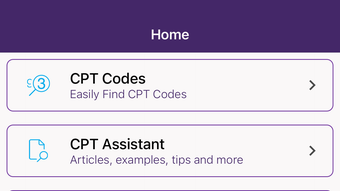
The user interface of CPT QuickRef is designed for clarity and quick access, with a clean layout that prioritizes code search and retrieval. Navigation is straightforward, allowing users to browse by category, search by keyword, or access saved favorites. The app’s workflow emphasizes efficiency, minimizing the number of clicks required to locate and verify a code.
Performance observations are based on general software behavior patterns. The developer did not specify resource usage details. The application’s size of 120 MB suggests a lightweight footprint, which may contribute to fast startup times and responsive interactions. Stability is expected to be consistent, given the app’s development by a reputable organization like the AMA. However, exact CPU or RAM behavior was not disclosed.
Compatibility & System Requirements
CPT QuickRef is available for both Windows and Mac operating systems. The software version is 2023, indicating it aligns with the latest CPT code updates released that year. The installation size is 120 MB, which is modest for a specialized reference tool. The developer did not provide additional system requirements, so users should ensure their system meets standard desktop application demands.
Compatibility information was partially provided. No specific hardware specifications were listed. Users should verify that their device supports the latest versions of Windows and macOS. The app is intended for desktop use, not mobile platforms. For optimal performance, it is recommended to run the software on systems with up-to-date operating systems and sufficient storage.
Pros and Cons
Pros
- Officially licensed by the American Medical Association (AMA)
- Includes the most up-to-date 2023 CPT codes and corrections
- Offers color illustrations for better procedure understanding
- Features CPT® Assistant references for authoritative guidance
- Intuitive interface with favorites and search functionality
Cons
- No detailed system requirements provided
- Full access requires in-app purchase after 14-day trial
- Not available for mobile or tablet platforms
- Limited to CPT® coding; no broader billing or practice management features
FAQ Section
Is CPT QuickRef available for Windows and Mac?
Yes, the software is compatible with both Windows and Mac operating systems.
Is the app free to use?
Yes, CPT QuickRef is free to download and use. A 14-day trial of full access is included, after which an in-app purchase or activation is required for continued use.
Does the app require an internet connection?
The app functions offline once installed, but some features may require an internet connection for updates or access to external references.
Can I use CPT QuickRef without a subscription?
Yes, the app is free to download and use. However, full access beyond the trial period requires an in-app purchase or activation.
Is CPT QuickRef secure and compliant with medical data standards?
As a reference tool developed by the American Medical Association, CPT QuickRef adheres to official coding guidelines. The app does not store or transmit personal health information, so it does not require HIPAA compliance for its core functionality.
Final Thoughts + CTA
CPT QuickRef stands out as a reliable, authoritative tool for medical professionals seeking accurate and up-to-date CPT coding information. Its direct integration with AMA resources, visual aids, and quick-reference features make it an essential companion in clinical and billing workflows. While it lacks broader practice management capabilities and requires a purchase after the trial, its value lies in precision and trustworthiness. Healthcare providers, medical coders, and billing specialists who rely on current CPT codes will find this software indispensable. Download CPT QuickRef now.








