
Download CrevCLI – Secure AI‑Powered Code Review Tool for Windows, macOS & Linux
Overview
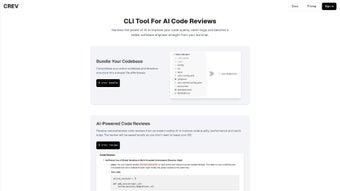
CrevCLI is an AI‑driven static analysis engine that lives directly in your terminal, allowing developers to run comprehensive code reviews without ever leaving the command line. Built in Go, the binary executes in a fraction of a second, scanning source files, identifying performance bottlenecks, enforcing style conventions, and flagging security weaknesses with the same precision you would expect from heavyweight IDE plugins. What truly differentiates CrevCLI is its “single‑file aggregation” approach: the tool concatenates every file in a project into a virtual document, giving the AI a full‑context view of the codebase. This holistic perspective reduces false positives and uncovers hidden inter‑module issues that line‑by‑line checks often miss. Whether you are a solo freelancer polishing a small script or part of a large engineering team maintaining a micro‑services architecture, CrevCLI delivers instant, actionable feedback that speeds up the debugging loop and raises overall code quality. Because all analysis happens locally, your proprietary code never leaves your machine, ensuring compliance with strict data‑privacy policies. The software is cross‑platform, offering native binaries for Windows 10+, macOS 11+ (both Intel and Apple Silicon), and modern Linux distributions. With no external runtime dependencies, CrevCLI fits perfectly into container images, CI runners, and lightweight virtual machines, making it an ideal addition to any DevOps pipeline. In short, CrevCLI empowers developers to iterate faster, write cleaner code, and evolve as more proficient engineers while keeping the workflow firmly inside the terminal they already love.
Core Features & Value
- AI‑driven static analysis for code quality, performance, and security.
- Single‑file aggregation of the entire codebase for holistic review.
- Native Go implementation delivers sub‑second latency and low memory footprint.
- Cross‑platform support: Windows, macOS, and Linux with a single binary.
- Local storage of detailed review reports for offline reference and audit trails.
- Customizable rule sets to match team‑specific coding standards.
- Seamless CI/CD integration via JSON output and CLI flags.
- Secure on‑device processing – no code is sent to external servers.
- Extensible plugin architecture for additional language packs and custom checks.
- Free core version with optional premium modules for advanced security rules and enterprise reporting.
Pros
- Lightning‑fast, on‑device analysis eliminates network latency.
- Terminal‑first design integrates naturally into existing developer workflows.
- Extensible rule engine lets teams enforce bespoke guidelines without sacrificing speed.
- Clear, line‑level feedback with actionable suggestions and severity tags.
- Free core edition provides robust functionality for individual developers and small teams.
Cons
- Initial model download can be several hundred megabytes, requiring a fast internet connection.
- Advanced security rule sets and enterprise dashboards are locked behind a premium license.
- Limited graphical interface – best suited for developers comfortable with CLI environments.
- Learning curve for teams transitioning from GUI‑centric tools to a terminal‑only workflow.
CrevCLI offers a compelling blend of speed, accuracy, and convenience. Its AI engine provides deep insights that rival heavyweight IDE plugins, while staying lightweight enough to run on modest hardware. The single‑file aggregation feature dramatically improves detection of cross‑module issues, and the on‑device processing guarantees data privacy. The primary drawback is the initial learning curve for teams unfamiliar with command‑line tools, but the productivity gains quickly outweigh this hurdle. Overall, CrevCLI is a powerful addition to any developer’s toolkit.
Installation, Usage & Compatibility
Installing CrevCLI is intentionally straightforward, with a single binary distribution for each supported operating system. Follow these steps to get up and running in under five minutes:
- Navigate to the official download page and select the package that matches your OS (Windows ZIP, macOS tar.gz, or Linux tar.gz).
- Download the compressed archive and extract its contents to a location of your choice.
- Move the extracted
crevcliexecutable to a directory that is part of your systemPATH:- Windows:
C:\Program Files\CrevCLIand add it to the system PATH. - macOS/Linux:
/usr/local/bin(usesudo mv crevcli /usr/local/binif necessary).
- Windows:
- On macOS and Linux, ensure the binary is executable by running
chmod +x /usr/local/bin/crevcli. - Verify the installation by executing
crevcli --versionorcrevcli --help, which displays the current version and available commands.
Once installed, performing a code review is as simple as invoking the review command with the path to your project:
crevcli review ./my-projectBy default, CrevCLI prints a human‑readable report to the console, highlighting warnings, errors, and suggestions with file paths and line numbers. For automated pipelines, you can request structured output:
crevcli review ./my-project --output report.json --format json
The generated JSON can be fed directly into CI tools, custom dashboards, or fail‑fast mechanisms that abort builds when critical issues are detected. Additional flags such as --severity high allow you to filter results, while --save persists the report to a local .crevcli directory for future reference.
Compatibility: CrevCLI runs on the following platforms without any additional runtime dependencies:
- Windows 10 and later (x86_64) – native .exe binary.
- macOS 11 (Big Sur) and later – universal binary supporting both Intel and Apple Silicon (ARM).
- Linux distributions with glibc 2.28+ – static binary for x86_64 and ARM64 architectures.
Because the binary is statically linked, CrevCLI works inside Docker containers, minimal virtual machines, and CI runners that lack a full development environment. This makes it an ideal candidate for “shift‑left” security and quality checks early in the software delivery lifecycle.
Frequently Asked Questions & Conclusion
Is CrevCLI free to use?
Yes. CrevCLI provides a fully functional free tier that includes core static analysis, performance checks, and basic security rules. Premium modules—such as advanced vulnerability databases and enterprise reporting—are available via a paid license.
Can CrevCLI be integrated into CI/CD pipelines?
Absolutely. CrevCLI supports JSON output, configurable severity thresholds, and exit codes that can be consumed by Jenkins, GitHub Actions, GitLab CI, Azure Pipelines, and other automation platforms. This enables “fail‑fast” policies that block merges when critical issues are detected.
Does CrevCLI send my source code to external servers?
No. All analysis is performed locally on your machine. The optional cloud‑based premium service only stores aggregated metrics (e.g., rule usage statistics) and never the actual source files.
Which programming languages are supported out of the box?
CrevCLI natively understands Go, Python, JavaScript/TypeScript, Java, and C/C++. Additional language packs can be added via the plugin system, allowing support for Rust, Kotlin, PHP, and more.
How does CrevCLI handle very large repositories?
The Go‑based architecture processes files in parallel streams, keeping memory usage modest even for multi‑gigabyte codebases. The single‑file aggregation is performed on‑the‑fly, so you won’t run out of RAM on typical development machines.
Is there a graphical user interface available?
CrevCLI is deliberately CLI‑only to stay lightweight. However, the JSON reports can be visualized in third‑party dashboards or custom web UIs that you may develop in‑house.
Conclusion & Call to Action
CrevCLI stands out as a secure, fast, and developer‑centric solution for continuous code quality assurance. By embedding AI‑powered analysis directly into the terminal, it removes friction, accelerates feedback loops, and helps teams ship more reliable software. Whether you are a solo freelancer, a startup, or a large enterprise, CrevCLI can be adopted with minimal setup and immediate impact. Download CrevCLI today, run your first review, and experience the productivity boost that comes from having an intelligent code reviewer always at your fingertips.



.png)




