

Download Crosspost – Simultaneous Social Media Posting, Free, Secure Tool
Overview
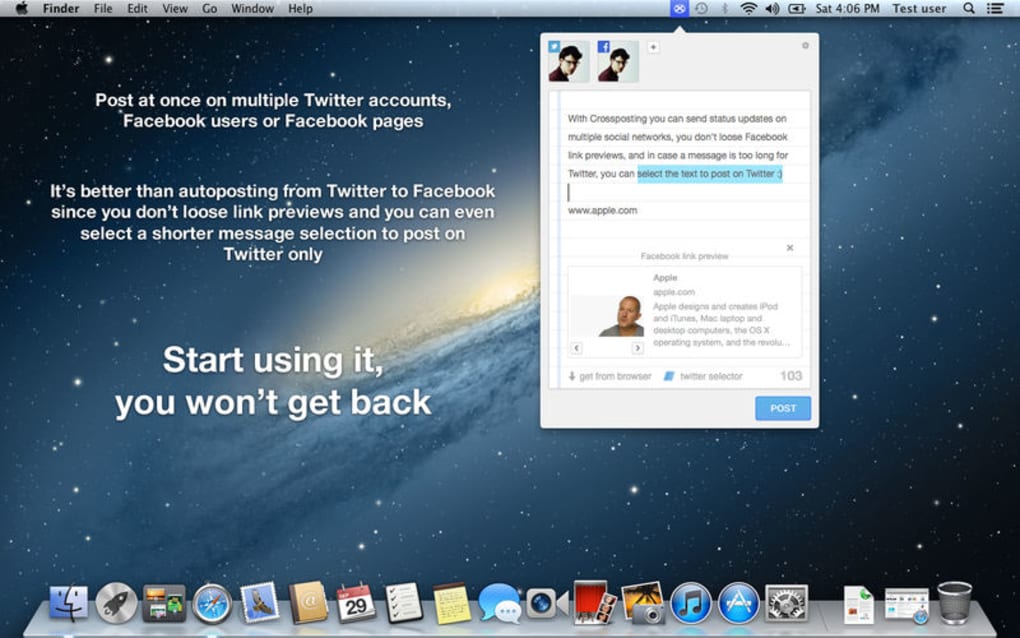
Crosspost is a lightweight desktop utility that lets you publish the same message to Facebook and Twitter with a single click. Built for creators, marketers, and anyone who maintains an active presence on both platforms, the app lives in the menu bar (or system tray) for instant access. Write your content once, select which accounts you want to target, and Crosspost handles the rest—automatically trimming tweets to fit the 280‑character limit, showing live Facebook link previews, and even stripping hashtags if you prefer a cleaner feed. Although the developer has not released major updates in recent months, the core functionality remains solid for users who need a fast, free way to synchronize posts across the two biggest social networks. The interface is intentionally minimal: a text box, account selectors, and a few toggle switches for advanced options such as custom tweet length, multiple account support, and auto‑hashtag removal. Because it runs locally on Windows, macOS, and Linux (via Electron), your credentials stay on your machine, adding an extra layer of security compared to web‑based cross‑posting services.
Key Features
- One‑click dual posting: Publish to Facebook and Twitter simultaneously, saving minutes per day.
- Multiple account management: Connect several Facebook pages and Twitter handles and choose which to post to each time.
- Smart tweet trimming: If your message exceeds Twitter’s limit, Crosspost lets you select the portion that will appear on Twitter while keeping the full text on Facebook.
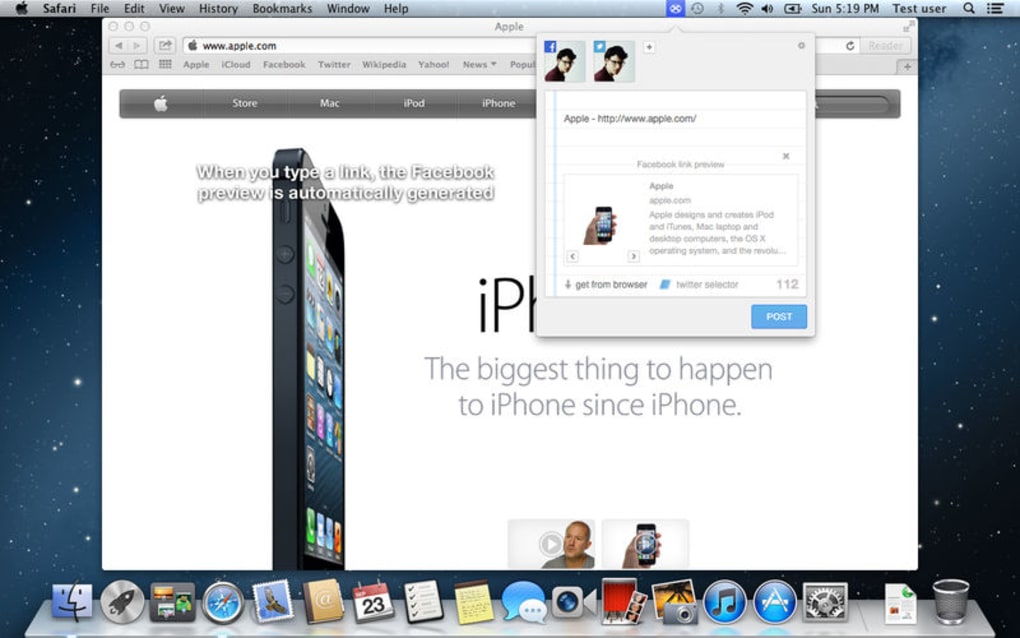
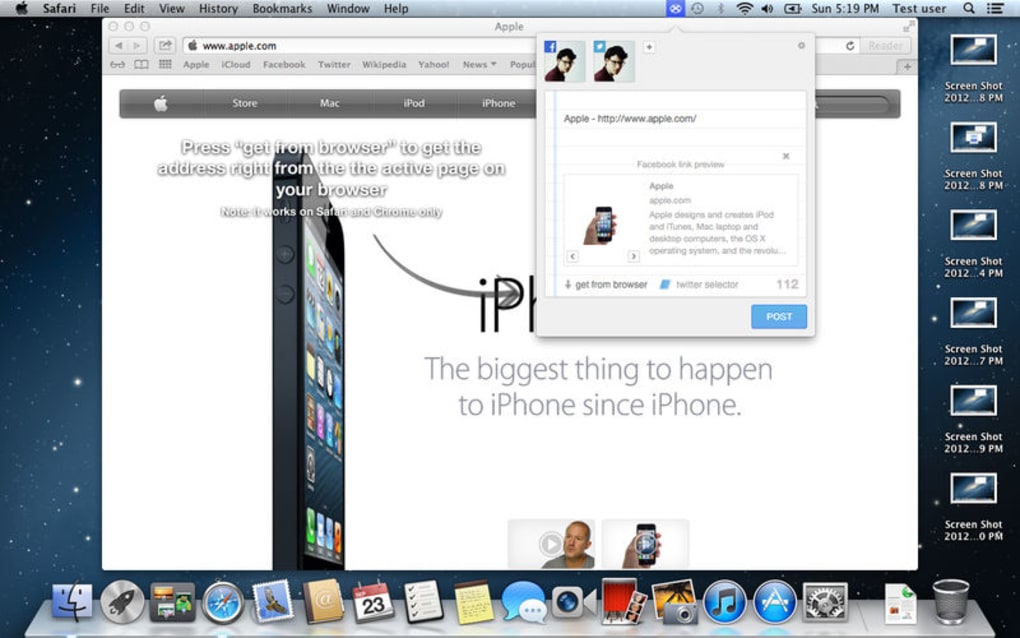
- Live link previews: See how Facebook will render URLs, images, and titles before you hit send.
- Hashtag auto‑removal: Optional setting to strip hashtags from the tweet version, keeping your feed tidy.
- Menu‑bar / system‑tray access: Quick post box is always a click away, no need to open a separate window.
- Cross‑platform support: Available for Windows 10+, macOS 10.13+, and Linux distributions that run Electron.
- Free and secure: No subscription fees; all authentication tokens are stored locally, not on external servers.
Installation, Usage & Compatibility
Getting started with Crosspost is straightforward. Download the installer for your operating system from the official website. Windows users receive an .exe file, macOS users get a .dmg, and Linux users can grab an .AppImage or install via Snap. Run the installer, accept the standard permissions, and the app will place an icon in your menu bar (macOS) or system tray (Windows/Linux).
Upon first launch, you’ll be prompted to connect your Facebook and Twitter accounts. The OAuth flow opens a secure browser window where you log in and grant Crosspost permission to post on your behalf. After authorisation, the accounts appear in the dropdown selectors. You can add or remove accounts at any time via the Settings panel.
To post, click the menu‑bar icon, type your message in the text area, and tick the checkboxes for the accounts you want to target. If the text exceeds 280 characters, a small warning appears; you can either edit the message or click “Trim for Twitter” to let Crosspost automatically shorten it while preserving the core idea. Advanced users may enable the “Custom Tweet” option to manually edit the tweet version before publishing.
Crosspost runs on Windows 10/11, macOS 10.13 and newer, and most modern Linux distributions. Because it uses Electron, the performance is comparable to a native web browser—light on resources but fully functional. The app receives automatic updates via the built‑in updater, ensuring you always have the latest security patches, even though new feature development has slowed.
While the core experience is polished, some users have reported accessibility gaps such as unlabeled buttons and limited keyboard navigation. The developer’s support forums are currently quiet, so troubleshooting may require a bit of trial and error or community‑sourced guides.
Pros, Cons & Expert Review
Pros
- Massive time‑saver for frequent posters.
- Free with no hidden fees or subscriptions.
- Supports multiple Facebook pages and Twitter accounts.
- Local storage of credentials enhances privacy.
- Simple, unobtrusive menu‑bar interface.
Cons
- Development appears abandoned; no major updates in 2+ years.
- Accessibility issues (unlabelled UI elements, limited keyboard support).
- Limited help resources; community support is sparse.
- No native mobile app; only desktop.
- Only works with Facebook and Twitter—no Instagram or LinkedIn integration.
Crosspost delivers exactly what its tagline promises—a quick, reliable way to push the same content to Facebook and Twitter without juggling two separate windows. For power users who post dozens of updates daily, the time saved adds up quickly. The smart trimming feature prevents embarrassing cut‑offs in tweets, and the live Facebook preview gives confidence that links will display correctly. The biggest drawback is the lack of ongoing development; occasional bugs linger without official fixes. Nevertheless, as a free, secure desktop tool, it remains a solid choice for anyone looking to streamline their social media workflow.
Frequently Asked Questions
Is Crosspost really free, or are there hidden costs?
Crosspost is completely free to download and use. There are no subscription tiers, in‑app purchases, or hidden fees. All features—including multiple account support and hashtag removal—are available out of the box.
How does Crosspost store my login credentials?
Credentials are saved locally on your device using encrypted storage provided by the operating system. No passwords or tokens are transmitted to external servers after the initial OAuth handshake, which enhances privacy and security.
Can I schedule posts for later, or is it only immediate publishing?
The current version of Crosspost focuses on immediate posting only. Scheduling functionality is not built in, though you can combine the app with third‑party scheduling tools if needed.
What should I do if I encounter an error while posting?
First, check your internet connection and ensure both Facebook and Twitter APIs are reachable. If the problem persists, try re‑authorising the accounts via the Settings panel. Since official support is limited, the community forums or Reddit’s r/socialmedia may offer work‑arounds.
Will Crosspost work on future versions of macOS or Windows?
Crosspost is built on Electron, which abstracts most OS‑level changes. As long as the underlying OS supports Electron (Windows 10+, macOS 10.13+), the app should continue to run. However, because development has slowed, compatibility updates may not be released promptly.
Conclusion & Call to Action
For anyone who spends a significant portion of their day crafting posts for both Facebook and Twitter, Crosspost offers a pragmatic, no‑cost solution that trims the repetitive steps out of the workflow. Its menu‑bar design, multiple‑account handling, and smart tweet trimming make it a genuine time‑saver. While the lack of recent updates and some accessibility shortcomings are noteworthy, the core functionality remains solid and secure. If you’re looking for a straightforward desktop app to keep your social feeds synchronized without paying for a premium service, give Crosspost a try today.
Download Crosspost now and start posting faster, safer, and more efficiently.








