<?xml version="1.0" encoding="utf-8"?>
<feed xmlns="http://www.w3.org/2005/Atom" xml:base="en">
	<title>CSS Articles by Temani Afif</title>
	<subtitle>A wide range of articles covering all CSS Topics. From the basic to the advanced ones, all the CSS secrets are here.</subtitle>
	<link href="https://css-articles.com/feed.xml" rel="self"/>
	<link href="https://css-articles.com/"/>
	<updated>2026-05-22T00:00:00Z</updated>
	<id>https://css-articles.com/</id>
	<author>
		<name>Temani Afif</name>
	</author>
	<entry>
		<title>The State of CSS Centering in 2026</title>
		<link href="https://css-tricks.com/the-state-of-css-centering-in-2026/"/>
		<updated>2026-05-22T00:00:00Z</updated>
		<id>https://css-tricks.com/the-state-of-css-centering-in-2026/</id>
		<content type="html">
			 <![CDATA[
			 	<p><img width="300" src="https://css-articles.com/img/centered-text.webp" alt="The State of CSS Centering in 2026" ></p>
			 	<p>The State of CSS Centering in 2026</p>
			 	<p><a href="https://css-tricks.com/the-state-of-css-centering-in-2026/" target="_blank">Read the full article online</a></p>
			 ]]>
		</content>
	</entry>
	<entry>
		<title>How to Control Infinite CSS Animations (Part 2 of 2)</title>
		<link href="https://frontendmasters.com/blog/how-to-control-infinite-css-animations-part-2-of-2/"/>
		<updated>2026-05-16T00:00:00Z</updated>
		<id>https://frontendmasters.com/blog/how-to-control-infinite-css-animations-part-2-of-2/</id>
		<content type="html">
			 <![CDATA[
			 	<p><img width="300" src="https://css-articles.com/img/infinite-spinner.webp" alt="How to Control Infinite CSS Animations (Part 1 of 2)" ></p>
			 	<p>How to Control Infinite CSS Animations (Part 2 of 2)</p>
			 	<p><a href="https://frontendmasters.com/blog/how-to-control-infinite-css-animations-part-2-of-2/" target="_blank">Read the full article online</a></p>
			 ]]>
		</content>
	</entry>
	<entry>
		<title>How to Control Infinite CSS Animations (Part 1 of 2)</title>
		<link href="https://frontendmasters.com/blog/how-to-control-infinite-css-animations-part-1-of-2/"/>
		<updated>2026-05-09T00:00:00Z</updated>
		<id>https://frontendmasters.com/blog/how-to-control-infinite-css-animations-part-1-of-2/</id>
		<content type="html">
			 <![CDATA[
			 	<p><img width="300" src="https://css-articles.com/img/infinite-spinner.webp" alt="How to Control Infinite CSS Animations (Part 1 of 2)" ></p>
			 	<p>How to Control Infinite CSS Animations (Part 1 of 2)</p>
			 	<p><a href="https://frontendmasters.com/blog/how-to-control-infinite-css-animations-part-1-of-2/" target="_blank">Read the full article online</a></p>
			 ]]>
		</content>
	</entry>
	<entry>
		<title>Making Complex CSS Shapes Using shape()</title>
		<link href="https://css-tricks.com/complex-css-shapes-with-shape-function/"/>
		<updated>2026-02-04T00:00:00Z</updated>
		<id>https://css-tricks.com/complex-css-shapes-with-shape-function/</id>
		<content type="html">
			 <![CDATA[
			 	<p><img width="300" src="https://css-articles.com/img/complex-css-shapes-shape-function.webp" alt="Making Complex CSS Shapes Using shape()" ></p>
			 	<p>Making Complex CSS Shapes Using shape()</p>
			 	<p><a href="https://css-tricks.com/complex-css-shapes-with-shape-function/" target="_blank">Read the full article online</a></p>
			 ]]>
		</content>
	</entry>
	<entry>
		<title>Two Circles, One Arrow, and Anchor Positioning</title>
		<link href="https://frontendmasters.com/blog/two-circles-one-arrow-and-anchor-positioning/"/>
		<updated>2026-03-23T00:00:00Z</updated>
		<id>https://frontendmasters.com/blog/two-circles-one-arrow-and-anchor-positioning/</id>
		<content type="html">
			 <![CDATA[
			 	<p><img width="300" src="https://css-articles.com/img/distance-css.webp" alt="Two Circles, One Arrow, and Anchor Positioning" ></p>
			 	<p>Two Circles, One Arrow, and Anchor Positioning</p>
			 	<p><a href="https://frontendmasters.com/blog/two-circles-one-arrow-and-anchor-positioning/" target="_blank">Read the full article online</a></p>
			 ]]>
		</content>
	</entry>
	<entry>
		<title>Making a Responsive Pyramidal Grid With Modern CSS</title>
		<link href="https://css-tricks.com/making-a-responsive-pyramidal-grid-with-modern-css/"/>
		<updated>2026-02-12T00:00:00Z</updated>
		<id>https://css-tricks.com/making-a-responsive-pyramidal-grid-with-modern-css/</id>
		<content type="html">
			 <![CDATA[
			 	<p><img width="300" src="https://css-articles.com/img/Artboard.webp" alt="Making a Responsive Pyramidal Grid With Modern CSS" ></p>
			 	<p>Making a Responsive Pyramidal Grid With Modern CSS</p>
			 	<p><a href="https://css-tricks.com/making-a-responsive-pyramidal-grid-with-modern-css/" target="_blank">Read the full article online</a></p>
			 ]]>
		</content>
	</entry>
	<entry>
		<title>How to Create a CSS-only Elastic Text Effect</title>
		<link href="https://frontendmasters.com/blog/how-to-create-a-css-only-elastic-text-effect/"/>
		<updated>2026-02-11T00:00:00Z</updated>
		<id>https://frontendmasters.com/blog/how-to-create-a-css-only-elastic-text-effect/</id>
		<content type="html">
			 <![CDATA[
			 	<p><img width="300" src="https://css-articles.com/img/wiggle.webp" alt="How to Create a CSS-only Elastic Text Effect" ></p>
			 	<p>How to Create a CSS-only Elastic Text Effect</p>
			 	<p><a href="https://frontendmasters.com/blog/how-to-create-a-css-only-elastic-text-effect/" target="_blank">Read the full article online</a></p>
			 ]]>
		</content>
	</entry>
	<entry>
		<title>Responsive Hexagon Grid Using Modern CSS</title>
		<link href="https://css-tricks.com/responsive-hexagon-grid-using-modern-css/"/>
		<updated>2026-01-23T00:00:00Z</updated>
		<id>https://css-tricks.com/responsive-hexagon-grid-using-modern-css/</id>
		<content type="html">
			 <![CDATA[
			 	<p><img width="300" src="https://css-articles.com/img/hexagon-grid.png" alt="Responsive Hexagon Grid Using Modern CSS" ></p>
			 	<p>Responsive Hexagon Grid Using Modern CSS</p>
			 	<p><a href="https://css-tricks.com/responsive-hexagon-grid-using-modern-css/" target="_blank">Read the full article online</a></p>
			 ]]>
		</content>
	</entry>
	<entry>
		<title>Responsive List of Avatars Using Modern CSS (Part 2)</title>
		<link href="https://css-tricks.com/responsive-list-of-avatars-using-modern-css-part-2/"/>
		<updated>2025-12-18T00:00:00Z</updated>
		<id>https://css-tricks.com/responsive-list-of-avatars-using-modern-css-part-2/</id>
		<content type="html">
			 <![CDATA[
			 	<p><img width="300" src="https://css-articles.com/img/luZQsrO2qg-1070.png" alt="Responsive List of Avatars Using Modern CSS (Part 2)" ></p>
			 	<p>Responsive List of Avatars Using Modern CSS (Part 2)</p>
			 	<p><a href="https://css-tricks.com/responsive-list-of-avatars-using-modern-css-part-2/" target="_blank">Read the full article online</a></p>
			 ]]>
		</content>
	</entry>
	<entry>
		<title>Responsive List of Avatars Using Modern CSS (Part 1)</title>
		<link href="https://css-tricks.com/responsive-list-of-avatars-using-modern-css-part-1/"/>
		<updated>2025-12-15T00:00:00Z</updated>
		<id>https://css-tricks.com/responsive-list-of-avatars-using-modern-css-part-1/</id>
		<content type="html">
			 <![CDATA[
			 	<p><img width="300" src="https://css-articles.com/img/VYavBwN.webp" alt="Responsive List of Avatars Using Modern CSS (Part 1)" ></p>
			 	<p>Responsive List of Avatars Using Modern CSS (Part 1)</p>
			 	<p><a href="https://css-tricks.com/responsive-list-of-avatars-using-modern-css-part-1/" target="_blank">Read the full article online</a></p>
			 ]]>
		</content>
	</entry>
	<entry>
		<title>Perfectly Pointed Tooltips: To The Corners</title>
		<link href="https://frontendmasters.com/blog/perfectly-pointed-tooltips-to-the-corners/"/>
		<updated>2025-11-10T00:00:00Z</updated>
		<id>https://frontendmasters.com/blog/perfectly-pointed-tooltips-to-the-corners/</id>
		<content type="html">
			 <![CDATA[
			 	<p><img width="300" src="https://css-articles.com/img/Perfectly-Pointed-Tooltips_-A-Foundation-3.webp" alt="Perfectly Pointed Tooltips: To The Corners" ></p>
			 	<p>Perfectly Pointed Tooltips: To The Corners</p>
			 	<p><a href="https://frontendmasters.com/blog/perfectly-pointed-tooltips-to-the-corners/" target="_blank">Read the full article online</a></p>
			 ]]>
		</content>
	</entry>
	<entry>
		<title>Perfectly Pointed Tooltips: All Four Sides</title>
		<link href="https://frontendmasters.com/blog/perfectly-pointed-tooltips-all-four-sides/"/>
		<updated>2025-11-03T00:00:00Z</updated>
		<id>https://frontendmasters.com/blog/perfectly-pointed-tooltips-all-four-sides/</id>
		<content type="html">
			 <![CDATA[
			 	<p><img width="300" src="https://css-articles.com/img/Perfectly-Pointed-Tooltips_-2.webp" alt="Perfectly Pointed Tooltips: All Four Sides" ></p>
			 	<p>Perfectly Pointed Tooltips: All Four Sides</p>
			 	<p><a href="https://frontendmasters.com/blog/perfectly-pointed-tooltips-all-four-sides/" target="_blank">Read the full article online</a></p>
			 ]]>
		</content>
	</entry>
	<entry>
		<title>Perfectly Pointed Tooltips: A Foundation</title>
		<link href="https://frontendmasters.com/blog/perfectly-pointed-tooltips-a-foundation/"/>
		<updated>2025-10-28T00:00:00Z</updated>
		<id>https://frontendmasters.com/blog/perfectly-pointed-tooltips-a-foundation/</id>
		<content type="html">
			 <![CDATA[
			 	<p><img width="300" src="https://css-articles.com/img/Perfectly-Pointed-Tooltips_-A-Foundation-2.webp" alt="Perfectly Pointed Tooltips: A Foundation" ></p>
			 	<p>Perfectly Pointed Tooltips: A Foundation</p>
			 	<p><a href="https://frontendmasters.com/blog/perfectly-pointed-tooltips-a-foundation/" target="_blank">Read the full article online</a></p>
			 ]]>
		</content>
	</entry>
	<entry>
		<title>Sequential linear() Animation With N Elements</title>
		<link href="https://css-tricks.com/sequential-linear-animation-with-n-elements/"/>
		<updated>2025-10-15T00:00:00Z</updated>
		<id>https://css-tricks.com/sequential-linear-animation-with-n-elements/</id>
		<content type="html">
			 <![CDATA[
			 	<p><img width="300" src="https://css-articles.com/img/sequential-thumb.png" alt="Sequential linear() Animation With N Elements" ></p>
			 	<p>Sequential linear() Animation With N Elements</p>
			 	<p><a href="https://css-tricks.com/sequential-linear-animation-with-n-elements/" target="_blank">Read the full article online</a></p>
			 ]]>
		</content>
	</entry>
	<entry>
		<title>Infinite Marquee Animation using Modern CSS</title>
		<link href="https://frontendmasters.com/blog/infinite-marquee-animation-using-modern-css/"/>
		<updated>2025-08-05T00:00:00Z</updated>
		<id>https://frontendmasters.com/blog/infinite-marquee-animation-using-modern-css/</id>
		<content type="html">
			 <![CDATA[
			 	<p><img width="300" src="https://css-articles.com/img/logos.webp" alt="Infinite Marquee Animation using Modern CSS" ></p>
			 	<p>Infinite Marquee Animation using Modern CSS</p>
			 	<p><a href="https://frontendmasters.com/blog/infinite-marquee-animation-using-modern-css/" target="_blank">Read the full article online</a></p>
			 ]]>
		</content>
	</entry>
	<entry>
		<title>Better CSS Shapes Using shape() — Part 4: Close and Move</title>
		<link href="https://css-tricks.com/better-css-shapes-using-shape-part-4-close-and-move/"/>
		<updated>2025-07-07T00:00:00Z</updated>
		<id>https://css-tricks.com/better-css-shapes-using-shape-part-4-close-and-move/</id>
		<content type="html">
			 <![CDATA[
			 	<p><img width="300" src="https://css-articles.com/img/move-close.webp" alt="Better CSS Shapes Using shape() — Part 4: Close and Move" ></p>
			 	<p>Better CSS Shapes Using shape() — Part 4: Close and Move</p>
			 	<p><a href="https://css-tricks.com/better-css-shapes-using-shape-part-4-close-and-move/" target="_blank">Read the full article online</a></p>
			 ]]>
		</content>
	</entry>
	<entry>
		<title>Drawing CSS Shapes using corner-shape</title>
		<link href="https://frontendmasters.com/blog/drawing-css-shapes-using-corner-shape/"/>
		<updated>2025-06-19T00:00:00Z</updated>
		<id>https://frontendmasters.com/blog/drawing-css-shapes-using-corner-shape/</id>
		<content type="html">
			 <![CDATA[
			 	<p><img width="300" src="https://css-articles.com/img/corner-shape.webp" alt="Drawing CSS Shapes using corner-shape" ></p>
			 	<p>Drawing CSS Shapes using corner-shape</p>
			 	<p><a href="https://frontendmasters.com/blog/drawing-css-shapes-using-corner-shape/" target="_blank">Read the full article online</a></p>
			 ]]>
		</content>
	</entry>
	<entry>
		<title>Better CSS Shapes Using shape() — Part 3: Curves</title>
		<link href="https://css-tricks.com/better-css-shapes-using-shape-part-3-curves/"/>
		<updated>2025-06-06T00:00:00Z</updated>
		<id>https://css-tricks.com/better-css-shapes-using-shape-part-3-curves/</id>
		<content type="html">
			 <![CDATA[
			 	<p><img width="300" src="https://css-articles.com/img/curve.webp" alt="Better CSS Shapes Using shape() — Part 3: Curves" ></p>
			 	<p>Better CSS Shapes Using shape() — Part 3: Curves</p>
			 	<p><a href="https://css-tricks.com/better-css-shapes-using-shape-part-3-curves/" target="_blank">Read the full article online</a></p>
			 ]]>
		</content>
	</entry>
	<entry>
		<title>Better CSS Shapes Using shape() — Part 2: More on Arcs</title>
		<link href="https://css-tricks.com/better-css-shapes-using-shape-part-2-more-on-arcs/"/>
		<updated>2025-05-30T00:00:00Z</updated>
		<id>https://css-tricks.com/better-css-shapes-using-shape-part-2-more-on-arcs/</id>
		<content type="html">
			 <![CDATA[
			 	<p><img width="300" src="https://css-articles.com/img/shapes.jpg" alt="Better CSS Shapes Using shape() — Part 2: More on Arcs" ></p>
			 	<p>Better CSS Shapes Using shape() — Part 2: More on Arcs</p>
			 	<p><a href="https://css-tricks.com/better-css-shapes-using-shape-part-2-more-on-arcs/" target="_blank">Read the full article online</a></p>
			 ]]>
		</content>
	</entry>
	<entry>
		<title>Better CSS Shapes Using shape() — Part 1: Lines and Arcs</title>
		<link href="https://css-tricks.com/better-css-shapes-using-shape-part-1-lines-and-arcs/"/>
		<updated>2025-05-23T00:00:00Z</updated>
		<id>https://css-tricks.com/better-css-shapes-using-shape-part-1-lines-and-arcs/</id>
		<content type="html">
			 <![CDATA[
			 	<p><img width="300" src="https://css-articles.com/img/shapes.jpg" alt="Better CSS Shapes Using shape() — Part 1: Lines and Arcs" ></p>
			 	<p>Better CSS Shapes Using shape() — Part 1: Lines and Arcs</p>
			 	<p><a href="https://css-tricks.com/better-css-shapes-using-shape-part-1-lines-and-arcs/" target="_blank">Read the full article online</a></p>
			 ]]>
		</content>
	</entry>
	<entry>
		<title>Creating Blob Shapes using clip-path: shape()</title>
		<link href="https://frontendmasters.com/blog/creating-blob-shapes-using-clip-path-shape/"/>
		<updated>2025-05-19T00:00:00Z</updated>
		<id>https://frontendmasters.com/blog/creating-blob-shapes-using-clip-path-shape/</id>
		<content type="html">
			 <![CDATA[
			 	<p><img width="300" src="https://css-articles.com/img/blob.webp" alt="Creating Blob Shapes using clip-path: shape()" ></p>
			 	<p>Creating Blob Shapes using clip-path: shape()</p>
			 	<p><a href="https://frontendmasters.com/blog/creating-blob-shapes-using-clip-path-shape/" target="_blank">Read the full article online</a></p>
			 ]]>
		</content>
	</entry>
	<entry>
		<title>Creating Flower Shapes using clip-path: shape()</title>
		<link href="https://frontendmasters.com/blog/creating-flower-shapes-using-clip-path-shape/"/>
		<updated>2025-05-13T00:00:00Z</updated>
		<id>https://frontendmasters.com/blog/creating-flower-shapes-using-clip-path-shape/</id>
		<content type="html">
			 <![CDATA[
			 	<p><img width="300" src="https://css-articles.com/img/flower.webp" alt="Creating Flower Shapes using clip-path: shape()" ></p>
			 	<p>Creating Flower Shapes using clip-path: shape()</p>
			 	<p><a href="https://frontendmasters.com/blog/creating-flower-shapes-using-clip-path-shape/" target="_blank">Read the full article online</a></p>
			 ]]>
		</content>
	</entry>
	<entry>
		<title>Custom progress element using the attr() function</title>
		<link href="https://frontendmasters.com/blog/custom-progress-element-using-the-attr-function/"/>
		<updated>2025-04-09T00:00:00Z</updated>
		<id>https://frontendmasters.com/blog/custom-progress-element-using-the-attr-function/</id>
		<content type="html">
			 <![CDATA[
			 	<p><img width="300" src="https://css-articles.com/img/prog.webp" alt="Custom progress element using the attr() function" ></p>
			 	<p>Custom progress element using the attr() function</p>
			 	<p><a href="https://frontendmasters.com/blog/custom-progress-element-using-the-attr-function/" target="_blank">Read the full article online</a></p>
			 ]]>
		</content>
	</entry>
	<entry>
		<title>A CSS-Only Star Rating Component and More! (Part 2)</title>
		<link href="https://css-tricks.com/a-css-only-star-rating-component-and-more-part-2/"/>
		<updated>2025-03-07T00:00:00Z</updated>
		<id>https://css-tricks.com/a-css-only-star-rating-component-and-more-part-2/</id>
		<content type="html">
			 <![CDATA[
			 	<p><img width="300" src="https://css-articles.com/img/star-pattern.webp" alt="A CSS-Only Star Rating Component and More! (Part 2)" ></p>
			 	<p>A CSS-Only Star Rating Component and More! (Part 2)</p>
			 	<p><a href="https://css-tricks.com/a-css-only-star-rating-component-and-more-part-2/" target="_blank">Read the full article online</a></p>
			 ]]>
		</content>
	</entry>
	<entry>
		<title>A CSS-Only Star Rating Component and More! (Part 1)</title>
		<link href="https://css-tricks.com/a-css-only-star-rating-component-and-more-part-1/"/>
		<updated>2025-02-28T00:00:00Z</updated>
		<id>https://css-tricks.com/a-css-only-star-rating-component-and-more-part-1/</id>
		<content type="html">
			 <![CDATA[
			 	<p><img width="300" src="https://css-articles.com/img/star-pattern.webp" alt="A CSS-Only Star Rating Component and More! (Part 1)" ></p>
			 	<p>A CSS-Only Star Rating Component and More! (Part 1)</p>
			 	<p><a href="https://css-tricks.com/a-css-only-star-rating-component-and-more-part-1/" target="_blank">Read the full article online</a></p>
			 ]]>
		</content>
	</entry>
	<entry>
		<title>How to Create Wavy Boxes Using CSS</title>
		<link href="https://verpex.com/blog/website-tips/how-to-create-wavy-boxes-using-css"/>
		<updated>2025-02-06T00:00:00Z</updated>
		<id>https://verpex.com/blog/website-tips/how-to-create-wavy-boxes-using-css</id>
		<content type="html">
			 <![CDATA[
			 	<p><img width="300" src="https://css-articles.com/img/wavy-box.jpg" alt="How to Create Wavy Boxes Using CSS" ></p>
			 	<p>How to Create Wavy Boxes Using CSS</p>
			 	<p><a href="https://verpex.com/blog/website-tips/how-to-create-wavy-boxes-using-css" target="_blank">Read the full article online</a></p>
			 ]]>
		</content>
	</entry>
	<entry>
		<title>Full-Bleed Layout with Modern CSS</title>
		<link href="https://frontendmasters.com/blog/full-bleed-layout-with-modern-css/"/>
		<updated>2025-01-27T00:00:00Z</updated>
		<id>https://frontendmasters.com/blog/full-bleed-layout-with-modern-css/</id>
		<content type="html">
			 <![CDATA[
			 	<p><img width="300" src="https://css-articles.com/img/fullbleed.webp" alt="Full-Bleed Layout with Modern CSS" ></p>
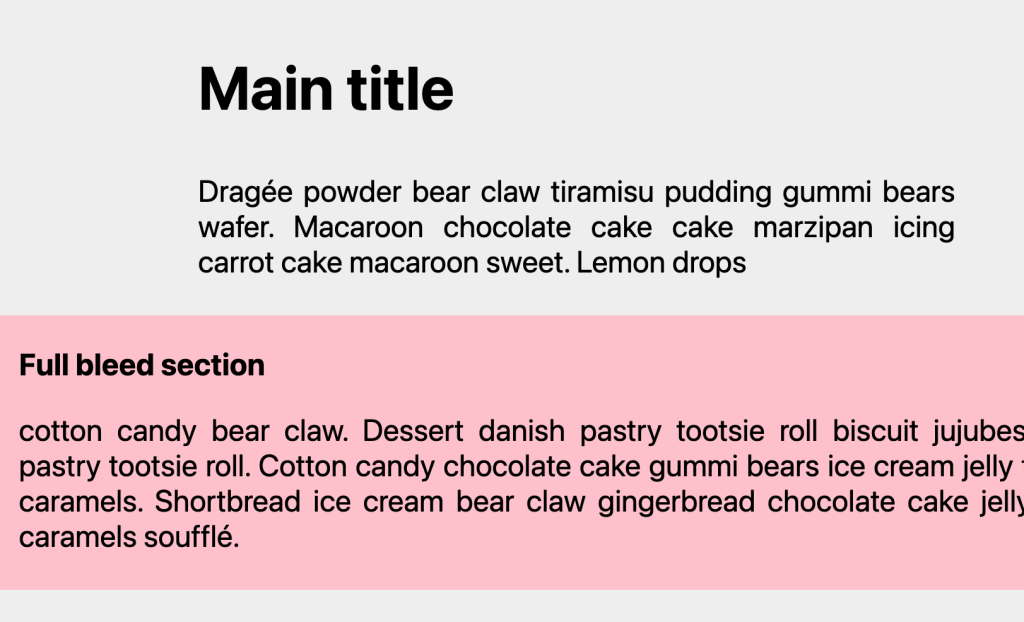
			 	<p>Full-Bleed Layout with Modern CSS</p>
			 	<p><a href="https://frontendmasters.com/blog/full-bleed-layout-with-modern-css/" target="_blank">Read the full article online</a></p>
			 ]]>
		</content>
	</entry>
	<entry>
		<title>Fancy Menu Navigation Using Anchor Positioning</title>
		<link href="https://css-tricks.com/fancy-menu-navigation-using-anchor-positioning/"/>
		<updated>2025-01-17T00:00:00Z</updated>
		<id>https://css-tricks.com/fancy-menu-navigation-using-anchor-positioning/</id>
		<content type="html">
			 <![CDATA[
			 	<p><img width="300" src="https://css-articles.com/img/hover-menu.png" alt="Fancy Menu Navigation Using Anchor Positioning" ></p>
			 	<p>Fancy Menu Navigation Using Anchor Positioning</p>
			 	<p><a href="https://css-tricks.com/fancy-menu-navigation-using-anchor-positioning/" target="_blank">Read the full article online</a></p>
			 ]]>
		</content>
	</entry>
	<entry>
		<title>How to Create a Zig-Zag Box Using CSS</title>
		<link href="https://verpex.com/blog/website-tips/how-to-create-a-zig-zag-box-using-css"/>
		<updated>2024-12-18T00:00:00Z</updated>
		<id>https://verpex.com/blog/website-tips/how-to-create-a-zig-zag-box-using-css</id>
		<content type="html">
			 <![CDATA[
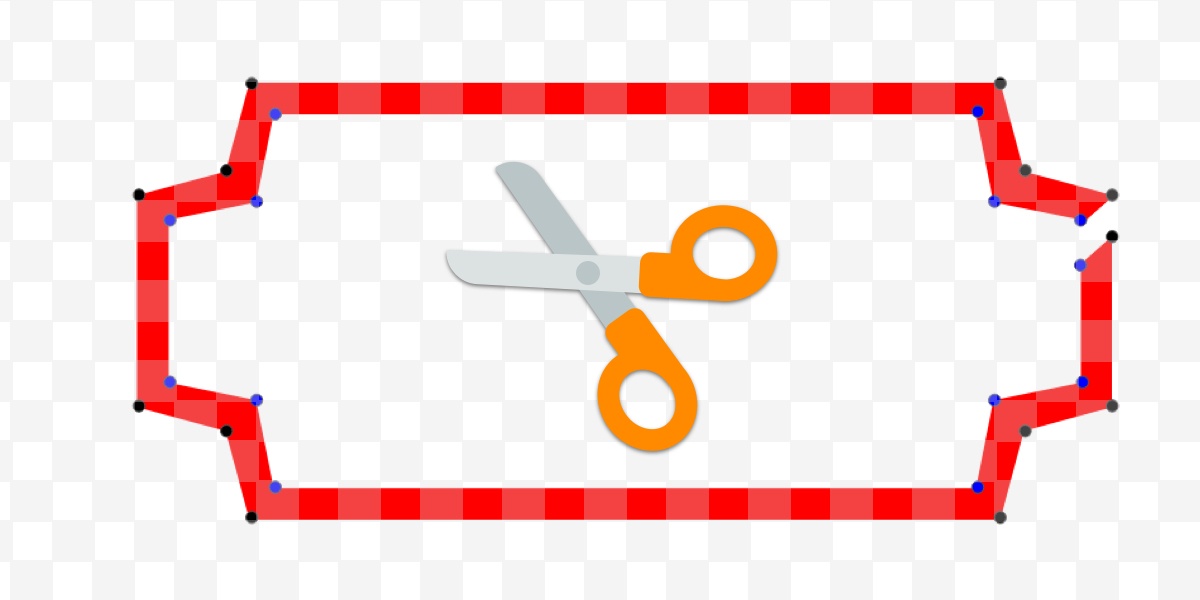
			 	<p><img width="300" src="https://css-articles.com/img/zig-zag-boxes.jpg" alt="How to Create a Zig-Zag Box Using CSS" ></p>
			 	<p>How to Create a Zig-Zag Box Using CSS</p>
			 	<p><a href="https://verpex.com/blog/website-tips/how-to-create-a-zig-zag-box-using-css" target="_blank">Read the full article online</a></p>
			 ]]>
		</content>
	</entry>
	<entry>
		<title>How to Create Zig-Zag CSS Loaders Using One Element</title>
		<link href="https://www.freecodecamp.org/news/zig-zag-css-loaders/"/>
		<updated>2024-11-20T00:00:00Z</updated>
		<id>https://www.freecodecamp.org/news/zig-zag-css-loaders/</id>
		<content type="html">
			 <![CDATA[
			 	<p><img width="300" src="https://css-articles.com/img/zig-zag.jpeg" alt="How to Create Zig-Zag CSS Loaders Using One Element" ></p>
			 	<p>How to Create Zig-Zag CSS Loaders Using One Element</p>
			 	<p><a href="https://www.freecodecamp.org/news/zig-zag-css-loaders/" target="_blank">Read the full article online</a></p>
			 ]]>
		</content>
	</entry>
	<entry>
		<title>Custom Progress Element Using Anchor Positioning &amp; Scroll-Driven Animations</title>
		<link href="https://frontendmasters.com/blog/custom-progress-element-using-anchor-positioning-scroll-driven-animations/"/>
		<updated>2024-11-13T00:00:00Z</updated>
		<id>https://frontendmasters.com/blog/custom-progress-element-using-anchor-positioning-scroll-driven-animations/</id>
		<content type="html">
			 <![CDATA[
			 	<p><img width="300" src="https://css-articles.com/img/progress.webp" alt="Custom Progress Element Using Anchor Positioning & Scroll-Driven Animations" ></p>
			 	<p>Custom Progress Element Using Anchor Positioning & Scroll-Driven Animations</p>
			 	<p><a href="https://frontendmasters.com/blog/custom-progress-element-using-anchor-positioning-scroll-driven-animations/" target="_blank">Read the full article online</a></p>
			 ]]>
		</content>
	</entry>
	<entry>
		<title>How to Create Filling CSS Loaders Using One Element</title>
		<link href="https://www.freecodecamp.org/news/filling-css-loaders/"/>
		<updated>2024-10-23T00:00:00Z</updated>
		<id>https://www.freecodecamp.org/news/filling-css-loaders/</id>
		<content type="html">
			 <![CDATA[
			 	<p><img width="300" src="https://css-articles.com/img/filling-loader.jpeg" alt="How to Create Filling CSS Loaders Using One Element" ></p>
			 	<p>How to Create Filling CSS Loaders Using One Element</p>
			 	<p><a href="https://www.freecodecamp.org/news/filling-css-loaders/" target="_blank">Read the full article online</a></p>
			 ]]>
		</content>
	</entry>
	<entry>
		<title>How to Create Curved-Edge and Rounded-Edge Shapes Using CSS</title>
		<link href="https://www.freecodecamp.org/news/rounded-and-curved-edge-css-shapes/"/>
		<updated>2024-10-14T00:00:00Z</updated>
		<id>https://www.freecodecamp.org/news/rounded-and-curved-edge-css-shapes/</id>
		<content type="html">
			 <![CDATA[
			 	<p><img width="300" src="https://css-articles.com/img/curved-rounded.jpeg" alt="How to Create Curved and Rounded Edge Shapes Using CSS" ></p>
			 	<p>How to Create Curved-Edge and Rounded-Edge Shapes Using CSS</p>
			 	<p><a href="https://www.freecodecamp.org/news/rounded-and-curved-edge-css-shapes/" target="_blank">Read the full article online</a></p>
			 ]]>
		</content>
	</entry>
	<entry>
		<title>CSS Tricks That Use Only One Gradient</title>
		<link href="https://css-tricks.com/css-tricks-that-use-only-one-gradient/"/>
		<updated>2024-10-11T00:00:00Z</updated>
		<id>https://css-tricks.com/css-tricks-that-use-only-one-gradient/</id>
		<content type="html">
			 <![CDATA[
			 	<p><img width="300" src="https://css-articles.com/img/gradient-pattern.png" alt="CSS Tricks That Use Only One Gradient" ></p>
			 	<p>CSS Tricks That Use Only One Gradient</p>
			 	<p><a href="https://css-tricks.com/css-tricks-that-use-only-one-gradient/" target="_blank">Read the full article online</a></p>
			 ]]>
		</content>
	</entry>
	<entry>
		<title>How to create Shapes with Inner Curves using CSS Mask</title>
		<link href="https://verpex.com/blog/website-tips/how-to-create-shapes-with-inner-curves-using-css-mask/"/>
		<updated>2024-09-25T00:00:00Z</updated>
		<id>https://verpex.com/blog/website-tips/how-to-create-shapes-with-inner-curves-using-css-mask</id>
		<content type="html">
			 <![CDATA[
			 	<p><img width="300" src="https://css-articles.com/img/innner-curves.jpg" alt="How to create Shapes with Inner Curves using CSS Mask" ></p>
			 	<p>How to create Shapes with Inner Curves using CSS Mask</p>
			 	<p><a href="https://verpex.com/blog/website-tips/how-to-create-shapes-with-inner-curves-using-css-mask" target="_blank">Read the full article online</a></p>
			 ]]>
		</content>
	</entry>
	<entry>
		<title>Custom Range Slider Using Anchor Positioning &amp; Scroll-Driven Animations</title>
		<link href="https://frontendmasters.com/blog/custom-range-slider-using-anchor-positioning-scroll-driven-animations/"/>
		<updated>2024-08-21T00:00:00Z</updated>
		<id>https://frontendmasters.com/blog/custom-range-slider-using-anchor-positioning-scroll-driven-animations/</id>
		<content type="html">
			 <![CDATA[
			 	<p><img width="300" src="https://css-articles.com/img/wobble-thumb.webp" alt="Custom Range Slider Using Anchor Positioning & Scroll-Driven Animations" ></p>
			 	<p>Custom Range Slider Using Anchor Positioning & Scroll-Driven Animations</p>
			 	<p><a href="https://frontendmasters.com/blog/custom-range-slider-using-anchor-positioning-scroll-driven-animations/" target="_blank">Read the full article online</a></p>
			 ]]>
		</content>
	</entry>
	<entry>
		<title>How to Get the Width/Height of Any Element in Only CSS</title>
		<link href="https://frontendmasters.com/blog/how-to-get-the-width-height-of-any-element-in-only-css/"/>
		<updated>2024-07-25T00:00:00Z</updated>
		<id>https://frontendmasters.com/blog/how-to-get-the-width-height-of-any-element-in-only-css/</id>
		<content type="html">
			 <![CDATA[
			 	<p><img width="300" src="https://css-articles.com/img/width-height.webp" alt="How to Get the Width/Height of Any Element in Only CSS" ></p>
			 	<p>How to Get the Width/Height of Any Element in Only CSS</p>
			 	<p><a href="https://frontendmasters.com/blog/how-to-get-the-width-height-of-any-element-in-only-css/" target="_blank">Read the full article online</a></p>
			 ]]>
		</content>
	</entry>
	<entry>
		<title>How Keyboard Navigation Works in a CSS Game</title>
		<link href="https://frontendmasters.com/blog/how-keyboard-navigation-works-in-a-css-game/"/>
		<updated>2024-07-08T00:00:00Z</updated>
		<id>https://frontendmasters.com/blog/how-keyboard-navigation-works-in-a-css-game/</id>
		<content type="html">
			 <![CDATA[
			 	<p><img width="300" src="https://css-articles.com/img/game.webp" alt="How Keyboard Navigation Works in a CSS Game" ></p>
			 	<p>How Keyboard Navigation Works in a CSS Game</p>
			 	<p><a href="https://frontendmasters.com/blog/how-keyboard-navigation-works-in-a-css-game/" target="_blank">Read the full article online</a></p>
			 ]]>
		</content>
	</entry>
	<entry>
		<title>How To Create Cut-Out Shapes using The clip-path property</title>
		<link href="https://verpex.com/blog/website-tips/how-to-create-cut-out-shapes-using-the-clip-path-property"/>
		<updated>2024-06-18T00:00:00Z</updated>
		<id>https://verpex.com/blog/website-tips/how-to-create-cut-out-shapes-using-the-clip-path-property</id>
		<content type="html">
			 <![CDATA[
			 	<p><img width="300" src="https://css-articles.com/img/cutout-shape.jpg" alt="How To Create Cut-Out Shapes using The clip-path property" ></p>
			 	<p>How To Create Cut-Out Shapes using The clip-path property</p>
			 	<p><a href="https://verpex.com/blog/website-tips/how-to-create-cut-out-shapes-using-the-clip-path-property" target="_blank">Read the full article online</a></p>
			 ]]>
		</content>
	</entry>
	<entry>
		<title>The Modern Guide For Making CSS Shapes</title>
		<link href="https://www.smashingmagazine.com/2024/05/modern-guide-making-css-shapes/"/>
		<updated>2024-05-10T00:00:00Z</updated>
		<id>https://www.smashingmagazine.com/2024/05/modern-guide-making-css-shapes/</id>
		<content type="html">
			 <![CDATA[
			 	<p><img width="300" src="https://css-articles.com/img/modern-guide-making-css-shapes.jpg" alt="The Modern Guide For Making CSS Shapes" ></p>
			 	<p>The Modern Guide For Making CSS Shapes</p>
			 	<p><a href="https://www.smashingmagazine.com/2024/05/modern-guide-making-css-shapes/" target="_blank">Read the full article online</a></p>
			 ]]>
		</content>
	</entry>
	<entry>
		<title>css-shape.com: The Ultimate Collection of CSS-only Shapes</title>
		<link href="https://dev.to/afif/css-shapecom-the-ultimate-collection-of-css-only-shapes-52p5"/>
		<updated>2024-04-22T00:00:00Z</updated>
		<id>https://dev.to/afif/css-shapecom-the-ultimate-collection-of-css-only-shapes-52p5</id>
		<content type="html">
			 <![CDATA[
			 	<p><img width="300" src="https://css-articles.com/img/css-shapes.jpg" alt="CSS Shapes" ></p>
			 	<p>css-shape.com: The Ultimate Collection of CSS-only Shapes</p>
			 	<p><a href="https://dev.to/afif/css-shapecom-the-ultimate-collection-of-css-only-shapes-52p5" target="_blank">Read the full article online</a></p>
			 ]]>
		</content>
	</entry>
	<entry>
		<title>Sliding 3D Image Frames In CSS</title>
		<link href="https://www.smashingmagazine.com/2024/04/sliding-3d-image-frames-css/"/>
		<updated>2024-04-12T00:00:00Z</updated>
		<id>https://www.smashingmagazine.com/2024/04/sliding-3d-image-frames-css/</id>
		<content type="html">
			 <![CDATA[
			 	<p><img width="300" src="https://css-articles.com/img/sliding-3d-image-frames-css.jpg" alt="Sliding 3D Image Frames In CSS" ></p>
			 	<p>Sliding 3D Image Frames In CSS</p>
			 	<p><a href="https://www.smashingmagazine.com/2024/04/sliding-3d-image-frames-css/" target="_blank">Read the full article online</a></p>
			 ]]>
		</content>
	</entry>
	<entry>
		<title>CSS Tricks To Master The clip-path Property</title>
		<link href="https://verpex.com/blog/website-tips/css-tricks-to-master-the-clip-path-property"/>
		<updated>2024-04-11T00:00:00Z</updated>
		<id>https://verpex.com/blog/website-tips/css-tricks-to-master-the-clip-path-property</id>
		<content type="html">
			 <![CDATA[
			 	<p><img width="300" src="https://css-articles.com/img/master-clip-path.jpg" alt="CSS Tricks To Master The clip-path Property" ></p>
			 	<p>CSS Tricks To Master The clip-path Property</p>
			 	<p><a href="https://verpex.com/blog/website-tips/css-tricks-to-master-the-clip-path-property" target="_blank">Read the full article online</a></p>
			 ]]>
		</content>
	</entry>
	<entry>
		<title>Creating Wavy Circles with Fancy Animations in CSS</title>
		<link href="https://frontendmasters.com/blog/creating-wavy-circles-with-fancy-animations/"/>
		<updated>2024-03-15T00:00:00Z</updated>
		<id>https://frontendmasters.com/blog/creating-wavy-circles-with-fancy-animations/</id>
		<content type="html">
			 <![CDATA[
			 	<p><img width="300" src="https://css-articles.com/img/wavy-thumb.webp" alt="Creating Wavy Circles with Fancy Animations in CSS" ></p>
			 	<p>Creating Wavy Circles with Fancy Animations in CSS</p>
			 	<p><a href="https://frontendmasters.com/blog/creating-wavy-circles-with-fancy-animations/" target="_blank">Read the full article online</a></p>
			 ]]>
		</content>
	</entry>
	<entry>
		<title>Modern CSS Tooltips And Speech Bubbles (Part 2)</title>
		<link href="https://www.smashingmagazine.com/2024/03/modern-css-tooltips-speech-bubbles-part2/"/>
		<updated>2024-03-08T00:00:00Z</updated>
		<id>https://www.smashingmagazine.com/2024/03/modern-css-tooltips-speech-bubbles-part2/</id>
		<content type="html">
			 <![CDATA[
			 	<p><img width="300" src="https://css-articles.com/img/modern-css-tooltips-speech-bubbles.jpg" alt="Modern CSS Tooltips And Speech Bubbles" ></p>
			 	<p>Modern CSS Tooltips And Speech Bubbles (Part 2)</p>
			 	<p><a href="https://www.smashingmagazine.com/2024/03/modern-css-tooltips-speech-bubbles-part2/" target="_blank">Read the full article online</a></p>
			 ]]>
		</content>
	</entry>
	<entry>
		<title>Do you need a Tooltip or a Speech Bubble? I have created 100 using CSS 😲</title>
		<link href="https://dev.to/afif/do-you-need-a-tooltip-or-a-speech-bubble-i-have-created-100-using-css-2l17"/>
		<updated>2024-03-04T00:00:00Z</updated>
		<id>https://dev.to/afif/do-you-need-a-tooltip-or-a-speech-bubble-i-have-created-100-using-css-2l17</id>
		<content type="html">
			 <![CDATA[
			 	<p><img width="300" src="https://css-articles.com/img/tooltip-banner.jpg" alt="CSS Tooltip" ></p>
			 	<p>Do you need a Tooltip or a Speech Bubble? I have created 100 using CSS 😲</p>
			 	<p><a href="https://dev.to/afif/do-you-need-a-tooltip-or-a-speech-bubble-i-have-created-100-using-css-2l17" target="_blank">Read the full article online</a></p>
			 ]]>
		</content>
	</entry>
	<entry>
		<title>Modern CSS Tooltips And Speech Bubbles (Part 1)</title>
		<link href="https://www.smashingmagazine.com/2024/03/modern-css-tooltips-speech-bubbles-part1/"/>
		<updated>2024-03-01T00:00:00Z</updated>
		<id>https://www.smashingmagazine.com/2024/03/modern-css-tooltips-speech-bubbles-part1/</id>
		<content type="html">
			 <![CDATA[
			 	<p><img width="300" src="https://css-articles.com/img/modern-css-tooltips-speech-bubbles.jpg" alt="Modern CSS Tooltips And Speech Bubbles" ></p>
			 	<p>Modern CSS Tooltips And Speech Bubbles (Part 1)</p>
			 	<p><a href="https://www.smashingmagazine.com/2024/03/modern-css-tooltips-speech-bubbles-part1/" target="_blank">Read the full article online</a></p>
			 ]]>
		</content>
	</entry>
	<entry>
		<title>Creating Flower Shapes using CSS Mask and Trigonometric Functions</title>
		<link href="https://frontendmasters.com/blog/creating-flower-shapes-using-css-mask-trigonometric-functions"/>
		<updated>2024-02-29T00:00:00Z</updated>
		<id>https://frontendmasters.com/blog/creating-flower-shapes-using-css-mask-trigonometric-functions</id>
		<content type="html">
			 <![CDATA[
			 	<p><img width="300" src="https://css-articles.com/img/flowers-thumb.webp" alt="Creating Flower Shapes using CSS Mask & Trigonometric Functions" ></p>
			 	<p>Creating Flower Shapes using CSS Mask & Trigonometric Functions</p>
			 	<p><a href="https://frontendmasters.com/blog/creating-flower-shapes-using-css-mask-trigonometric-functions" target="_blank">Read the full article online</a></p>
			 ]]>
		</content>
	</entry>
	<entry>
		<title>CSS Shapes: The Triangle</title>
		<link href="https://verpex.com/blog/website-tips/css-shapes-the-triangle"/>
		<updated>2024-02-09T00:00:00Z</updated>
		<id>https://verpex.com/blog/website-tips/css-shapes-the-triangle</id>
		<content type="html">
			 <![CDATA[
			 	<p><img width="300" src="https://css-articles.com/img/triangle-shape.jpg" alt="CSS Shapes: The Triangle" ></p>
			 	<p>CSS Shapes: The Triangle</p>
			 	<p><a href="https://verpex.com/blog/website-tips/css-shapes-the-triangle" target="_blank">Read the full article online</a></p>
			 ]]>
		</content>
	</entry>
	<entry>
		<title>The Complex But Awesome CSS border-image Property</title>
		<link href="https://www.smashingmagazine.com/2024/01/css-border-image-property/"/>
		<updated>2024-01-16T00:00:00Z</updated>
		<id>https://www.smashingmagazine.com/2024/01/css-border-image-property/</id>
		<content type="html">
			 <![CDATA[
			 	<p><img width="300" src="https://css-articles.com/img/css-border-image-property.jpg" alt="The Complex But Awesome CSS border-image Property" ></p>
			 	<p>The Complex But Awesome CSS border-image Property</p>
			 	<p><a href="https://www.smashingmagazine.com/2024/01/css-border-image-property/" target="_blank">Read the full article online</a></p>
			 ]]>
		</content>
	</entry>
	<entry>
		<title>CSS Tricks to add 3D Effects to your Text</title>
		<link href="https://verpex.com/blog/website-tips/css-tricks-to-add-3d-effects-to-your-text"/>
		<updated>2024-01-16T00:00:00Z</updated>
		<id>https://verpex.com/blog/website-tips/css-tricks-to-add-3d-effects-to-your-text</id>
		<content type="html">
			 <![CDATA[
			 	<p><img width="300" src="https://css-articles.com/img/3D-effect-text.jpg" alt="CSS Tricks to add 3D Effects to your Text" ></p>
			 	<p>CSS Tricks to add 3D Effects to your Text</p>
			 	<p><a href="https://verpex.com/blog/website-tips/css-tricks-to-add-3d-effects-to-your-text" target="_blank">Read the full article online</a></p>
			 ]]>
		</content>
	</entry>
	<entry>
		<title>CSS Responsive Multi-Line Ribbon Shapes (Part 2)</title>
		<link href="https://www.smashingmagazine.com/2023/11/css-responsive-multi-line-ribbon-shapes-part2/"/>
		<updated>2023-11-22T00:00:00Z</updated>
		<id>https://www.smashingmagazine.com/2023/11/css-responsive-multi-line-ribbon-shapes-part2/</id>
		<content type="html">
			 <![CDATA[
			 	<p><img width="300" src="https://css-articles.com/img/css-responsive-multi-line-ribbon-shapes-part1.jpg" alt="CSS Responsive Multi-Line Ribbon Shapes" ></p>
			 	<p>CSS Responsive Multi-Line Ribbon Shapes (Part 2)</p>
			 	<p><a href="https://www.smashingmagazine.com/2023/11/css-responsive-multi-line-ribbon-shapes-part2/" target="_blank">Read the full article online</a></p>
			 ]]>
		</content>
	</entry>
	<entry>
		<title>CSS Responsive Multi-Line Ribbon Shapes (Part 1)</title>
		<link href="https://www.smashingmagazine.com/2023/11/css-responsive-multi-line-ribbon-shapes-part1/"/>
		<updated>2023-11-15T00:00:00Z</updated>
		<id>https://www.smashingmagazine.com/2023/11/css-responsive-multi-line-ribbon-shapes-part1/</id>
		<content type="html">
			 <![CDATA[
			 	<p><img width="300" src="https://css-articles.com/img/css-responsive-multi-line-ribbon-shapes-part1.jpg" alt="CSS Responsive Multi-Line Ribbon Shapes" ></p>
			 	<p>CSS Responsive Multi-Line Ribbon Shapes (Part 1)</p>
			 	<p><a href="https://www.smashingmagazine.com/2023/11/css-responsive-multi-line-ribbon-shapes-part1/" target="_blank">Read the full article online</a></p>
			 ]]>
		</content>
	</entry>
	<entry>
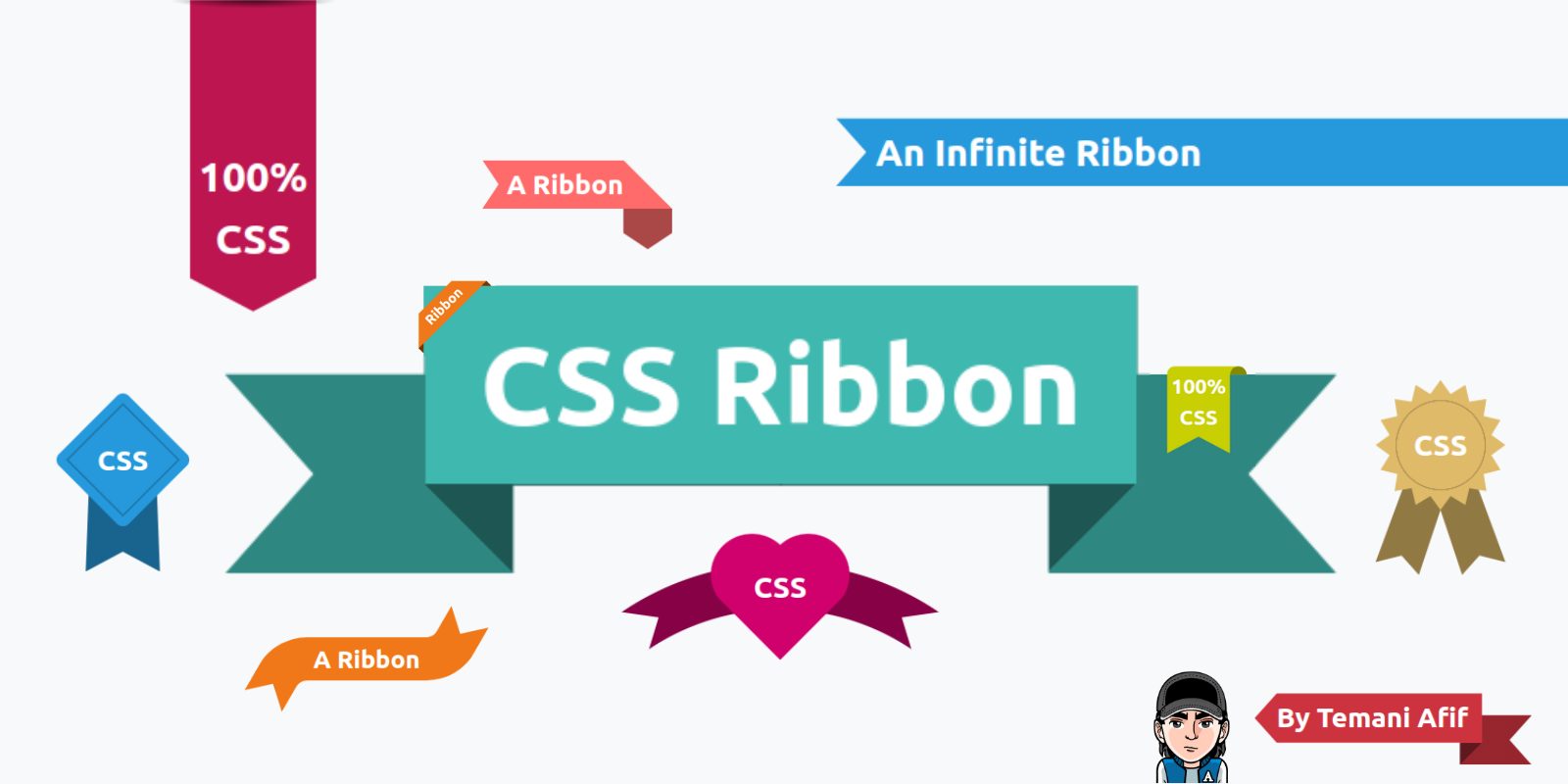
		<title>I have made 100+ CSS-only Ribbon Shapes | The Perfect Collection 🎀</title>
		<link href="https://dev.to/afif/i-have-made-100-css-only-ribbon-shapes-the-perfect-collection-4374"/>
		<updated>2023-11-13T00:00:00Z</updated>
		<id>https://dev.to/afif/i-have-made-100-css-only-ribbon-shapes-the-perfect-collection-4374</id>
		<content type="html">
			 <![CDATA[
			 	<p><img width="300" src="https://css-articles.com/img/CSS-ribbon-collection.png" alt="I have made 100+ CSS-only Ribbon Shapes" ></p>
			 	<p>I have made 100+ CSS-only Ribbon Shapes | The Perfect Collection 🎀</p>
			 	<p><a href="https://dev.to/afif/i-have-made-100-css-only-ribbon-shapes-the-perfect-collection-4374" target="_blank">Read the full article online</a></p>
			 ]]>
		</content>
	</entry>
	<entry>
		<title>How to create a CSS-only infinite scroll animation</title>
		<link href="https://verpex.com/blog/website-tips/how-to-create-a-css-only-infinite-scroll-animation"/>
		<updated>2023-10-16T00:00:00Z</updated>
		<id>https://verpex.com/blog/website-tips/how-to-create-a-css-only-infinite-scroll-animation</id>
		<content type="html">
			 <![CDATA[
			 	<p><img width="300" src="https://css-articles.com/img/scroll-animation.jpg" alt="How to create a CSS-only infinite scroll animation" ></p>
			 	<p>How to create a CSS-only infinite scroll animation</p>
			 	<p><a href="https://verpex.com/blog/website-tips/how-to-create-a-css-only-infinite-scroll-animation" target="_blank">Read the full article online</a></p>
			 ]]>
		</content>
	</entry>
	<entry>
		<title>Re-Creating The Pop-Out Hover Effect With Modern CSS (Part 2)</title>
		<link href="https://www.smashingmagazine.com/2023/10/re-creating-pop-out-hover-effect-modern-css-part2/"/>
		<updated>2023-10-05T00:00:00Z</updated>
		<id>https://www.smashingmagazine.com/2023/10/re-creating-pop-out-hover-effect-modern-css-part2/</id>
		<content type="html">
			 <![CDATA[
			 	<p><img width="300" src="https://css-articles.com/img/re-creating-pop-out-hover-effect-modern-css-part2.jpg" alt="Re-Creating The Pop-Out Hover Effect With Modern CSS (Part 2)" ></p>
			 	<p>Re-Creating The Pop-Out Hover Effect With Modern CSS (Part 2)</p>
			 	<p><a href="https://www.smashingmagazine.com/2023/10/re-creating-pop-out-hover-effect-modern-css-part2/" target="_blank">Read the full article online</a></p>
			 ]]>
		</content>
	</entry>
	<entry>
		<title>Re-Creating The Pop-Out Hover Effect With Modern CSS (Part 1)</title>
		<link href="https://www.smashingmagazine.com/2023/09/re-creating-pop-out-hover-effect-css-part1/"/>
		<updated>2023-09-29T00:00:00Z</updated>
		<id>https://www.smashingmagazine.com/2023/09/re-creating-pop-out-hover-effect-css-part1/</id>
		<content type="html">
			 <![CDATA[
			 	<p><img width="300" src="https://css-articles.com/img/re-creating-pop-out-hover-effect-css-part1.jpg" alt="Re-Creating The Pop-Out Hover Effect With Modern CSS (Part 1)" ></p>
			 	<p>Re-Creating The Pop-Out Hover Effect With Modern CSS (Part 1)</p>
			 	<p><a href="https://www.smashingmagazine.com/2023/09/re-creating-pop-out-hover-effect-css-part1/" target="_blank">Read the full article online</a></p>
			 ]]>
		</content>
	</entry>
	<entry>
		<title>How to Create CSS Ribbon Shapes with a Single Element</title>
		<link href="https://www.sitepoint.com/css-ribbons-single-element/"/>
		<updated>2023-09-28T00:00:00Z</updated>
		<id>https://www.sitepoint.com/css-ribbons-single-element/</id>
		<content type="html">
			 <![CDATA[
			 	<p><img width="300" src="https://css-articles.com/img/css-ribbons.webp" alt="How to Create CSS Ribbon Shapes with a Single Element" ></p>
			 	<p>How to Create CSS Ribbon Shapes with a Single Element</p>
			 	<p><a href="https://www.sitepoint.com/css-ribbons-single-element/" target="_blank">Read the full article online</a></p>
			 ]]>
		</content>
	</entry>
	<entry>
		<title>CSS Shapes: The Ribbon</title>
		<link href="https://verpex.com/blog/website-tips/css-shapes-the-ribbon"/>
		<updated>2023-09-18T00:00:00Z</updated>
		<id>https://verpex.com/blog/website-tips/css-shapes-the-ribbon</id>
		<content type="html">
			 <![CDATA[
			 	<p><img width="300" src="https://css-articles.com/img/ribbon-shape.jpg" alt="CSS Shapes: The Ribbon" ></p>
			 	<p>CSS Shapes: The Ribbon</p>
			 	<p><a href="https://verpex.com/blog/website-tips/css-shapes-the-ribbon" target="_blank">Read the full article online</a></p>
			 ]]>
		</content>
	</entry>
	<entry>
		<title>Revealing Images With CSS Mask Animations</title>
		<link href="https://www.smashingmagazine.com/2023/09/revealing-images-css-mask-animations/"/>
		<updated>2023-09-15T00:00:00Z</updated>
		<id>https://www.smashingmagazine.com/2023/09/revealing-images-css-mask-animations/</id>
		<content type="html">
			 <![CDATA[
			 	<p><img width="300" src="https://css-articles.com/img/revealing-images-css-mask-animations.jpg" alt="Revealing Images With CSS Mask Animations" ></p>
			 	<p>Revealing Images With CSS Mask Animations</p>
			 	<p><a href="https://www.smashingmagazine.com/2023/09/revealing-images-css-mask-animations/" target="_blank">Read the full article online</a></p>
			 ]]>
		</content>
	</entry>
	<entry>
		<title>css-loaders.com: The Biggest Collection of Loading Animations (more than 500 🤯)</title>
		<link href="https://dev.to/afif/css-loaderscom-the-biggest-collection-of-loading-animations-more-than-500--23jg"/>
		<updated>2023-08-30T00:00:00Z</updated>
		<id>https://dev.to/afif/css-loaderscom-the-biggest-collection-of-loading-animations-more-than-500--23jg</id>
		<content type="html">
			 <![CDATA[
			 	<p><img width="300" src="https://css-articles.com/img/css-loaders.webp" alt="CSS Loaders: 500+ single element loaders" ></p>
			 	<p><a href="https://css-loaders.com">css-loaders.com</a>: The Biggest Collection of Loading Animations (more than 500 🤯)</p>
			 	<p><a href="https://dev.to/afif/css-loaderscom-the-biggest-collection-of-loading-animations-more-than-500--23jg" target="_blank">Read the full article online</a></p>
			 ]]>
		</content>
	</entry>
	<entry>
		<title>How To Define An Array Of Colors With CSS</title>
		<link href="https://www.smashingmagazine.com/2023/07/define-array-colors-css"/>
		<updated>2023-07-28T00:00:00Z</updated>
		<id>https://www.smashingmagazine.com/2023/07/define-array-colors-css</id>
		<content type="html">
			 <![CDATA[
			 	<p><img width="300" src="https://css-articles.com/img/define-array-colors-css.jpg" alt="How To Define An Array Of Colors With CSS" ></p>
			 	<p>How To Define An Array Of Colors With CSS</p>
			 	<p><a href="https://www.smashingmagazine.com/2023/07/define-array-colors-css" target="_blank">Read the full article online</a></p>
			 ]]>
		</content>
	</entry>
	<entry>
		<title>CSS Effects on Images II</title>
		<link href="https://verpex.com/blog/website-tips/css-effects-on-images-ii"/>
		<updated>2023-07-22T00:00:00Z</updated>
		<id>https://verpex.com/blog/website-tips/css-effects-on-images-ii</id>
		<content type="html">
			 <![CDATA[
			 	<p><img width="300" src="https://css-articles.com/img/css-image-effect.jpg" alt="CSS effects on images II" ></p>
			 	<p>CSS effects on images II</p>
			 	<p><a href="https://verpex.com/blog/website-tips/css-effects-on-images-ii" target="_blank">Read the full article online</a></p>
			 ]]>
		</content>
	</entry>
	<entry>
		<title>Shines, Perspective, And Rotations: Fancy CSS 3D Effects For Images</title>
		<link href="https://www.smashingmagazine.com/2023/07/shines-perspective-rotations-css-3d-effects-images/"/>
		<updated>2023-07-07T00:00:00Z</updated>
		<id>https://www.smashingmagazine.com/2023/07/shines-perspective-rotations-css-3d-effects-images/</id>
		<content type="html">
			 <![CDATA[
			 	<p><img width="300" src="https://css-articles.com/img/shines-perspective-rotations-css-3d-effects-images.jpg" alt="Shines, Perspective, And Rotations: Fancy CSS 3D Effects For Images" ></p>
			 	<p>Shines, Perspective, And Rotations: Fancy CSS 3D Effects For Images</p>
			 	<p><a href="https://www.smashingmagazine.com/2023/07/shines-perspective-rotations-css-3d-effects-images/" target="_blank">Read the full article online</a></p>
			 ]]>
		</content>
	</entry>
	<entry>
		<title>What's your Lucky CSS Pattern? Check It Now!</title>
		<link href="https://dev.to/afif/whats-your-lucky-css-pattern-check-it-now-1g18"/>
		<updated>2023-06-20T00:00:00Z</updated>
		<id>https://dev.to/afif/whats-your-lucky-css-pattern-check-it-now-1g18</id>
		<content type="html">
			 <![CDATA[
			 	<p><img width="300" src="https://css-articles.com/img/pattern.webp" alt="What's your Lucky CSS Pattern? Check It Now!" ></p>
			 	<p>One-click and you have the best CSS Pattern that matches your preference.</p>
			 	<p><a href="https://dev.to/afif/whats-your-lucky-css-pattern-check-it-now-1g18" target="_blank">Read the full article online</a></p>
			 ]]>
		</content>
	</entry>
	<entry>
		<title>How to Add a CSS Reveal Animation to Your Images</title>
		<link href="https://www.sitepoint.com/css-image-reveal-animation/"/>
		<updated>2023-06-15T00:00:00Z</updated>
		<id>https://www.sitepoint.com/css-image-reveal-animation/</id>
		<content type="html">
			 <![CDATA[
			 	<p><img width="300" src="https://css-articles.com/img/image-reveal.webp" alt="How to Add a CSS Reveal Animation to Your Images" ></p>
			 	<p>In this article, we’ll explore some CSS tricks that allow us to create a hover animation for revealing our images.</p>
			 	<p><a href="https://www.sitepoint.com/css-image-reveal-animation/" target="_blank">Read the full article online</a></p>
			 ]]>
		</content>
	</entry>
	<entry>
		<title>Modern Layouts using CSS Grid</title>
		<link href="https://verpex.com/blog/website-tips/modern-layouts-using-css-grid"/>
		<updated>2023-06-10T00:00:00Z</updated>
		<id>https://verpex.com/blog/website-tips/modern-layouts-using-css-grid</id>
		<content type="html">
			 <![CDATA[
			 	<p><img width="300" src="https://css-articles.com/img/modern-layouts.jpg" alt="Modern Layouts using CSS Grid" ></p>
			 	<p>In this article, we will use CSS Grid to build some common layouts. The goal is to combine modern CSS tricks to create such layouts with the smallest code possible. In the end, you will have a collection of CSS boilerplate that you can easily reuse in your projects.</p>
			 	<p><a href="https://verpex.com/blog/website-tips/modern-layouts-using-css-grid" target="_blank">Read the full article online</a></p>
			 ]]>
		</content>
	</entry>
	<entry>
		<title>I created 100+ unique CSS patterns | The best collection</title>
		<link href="https://dev.to/afif/i-created-100-unique-css-patterns-the-best-collection-31cl"/>
		<updated>2023-05-23T00:00:00Z</updated>
		<id>https://dev.to/afif/i-created-100-unique-css-patterns-the-best-collection-31cl</id>
		<content type="html">
			 <![CDATA[
			 	<p><img width="300" src="https://css-articles.com/img/pattern.webp" alt="I created 100+ unique CSS patterns | The best collection" ></p>
			 	<p>After the CSS Loaders and the CSS Underline/Overlay animations, I am back with another big collection. This time it's about CSS Patterns.</p>
			 	<p><a href="https://dev.to/afif/i-created-100-unique-css-patterns-the-best-collection-31cl" target="_blank">Read the full article online</a></p>
			 ]]>
		</content>
	</entry>
	<entry>
		<title>How to Create a Custom Range Slider Using CSS</title>
		<link href="https://www.sitepoint.com/css-custom-range-slider/"/>
		<updated>2023-05-18T00:00:00Z</updated>
		<id>https://www.sitepoint.com/css-custom-range-slider/</id>
		<content type="html">
			 <![CDATA[
			 	<p><img width="300" src="https://css-articles.com/img/range-slider-custom.webp" alt="How to Create a Custom Range Slider Using CSS" ></p>
			 	<p>In this article, I’ll show how to use modern CSS techniques to create an eye-catching, custom range slider with nothing but the native HTML input element.</p>
			 	<p><a href="https://www.sitepoint.com/css-custom-range-slider/" target="_blank">Read the full article online</a></p>
			 ]]>
		</content>
	</entry>
	<entry>
		<title>CSS Shapes: The Heart</title>
		<link href="https://verpex.com/blog/website-tips/css-shapes-the-heart"/>
		<updated>2023-05-13T00:00:00Z</updated>
		<id>https://verpex.com/blog/website-tips/css-shapes-the-heart</id>
		<content type="html">
			 <![CDATA[
			 	<p><img width="300" src="https://css-articles.com/img/heart-shape.jpg" alt="CSS Shapes: The Heart" ></p>
			 	<p>Create a heart shape using modern CSS tricks. You can even transform images into hearts</p>
			 	<p><a href="https://verpex.com/blog/website-tips/css-shapes-the-heart" target="_blank">Read the full article online</a></p>
			 ]]>
		</content>
	</entry>
	<entry>
		<title>CSS Shapes: Polygon &amp; Starburst</title>
		<link href="https://verpex.com/blog/website-tips/css-shapes-polygon-starburst"/>
		<updated>2023-05-06T00:00:00Z</updated>
		<id>https://verpex.com/blog/website-tips/css-shapes-polygon-starburst</id>
		<content type="html">
			 <![CDATA[
			 	<p><img width="300" src="https://css-articles.com/img/starburst-polygon.jpg" alt="CSS Shapes: Polygon & Starburst" ></p>
			 	<p>In this article, we are going to build CSS Shapes! We will use clip-path combined with some math to generate polygon and starburst shapes.</p>
			 	<p><a href="https://verpex.com/blog/website-tips/css-shapes-polygon-starburst" target="_blank">Read the full article online</a></p>
			 ]]>
		</content>
	</entry>
	<entry>
		<title>A Text Reveal Animation using CSS</title>
		<link href="https://verpex.com/blog/website-tips/a-text-reveal-animation-using-css"/>
		<updated>2023-04-22T00:00:00Z</updated>
		<id>https://verpex.com/blog/website-tips/a-text-reveal-animation-using-css</id>
		<content type="html">
			 <![CDATA[
			 	<p><img width="300" src="https://css-articles.com/img/text-reveal-animation.jpg" alt="A Text Reveal Animation using CSS" ></p>
			 	<p>In this article, we are going to build a simple but cool reveal animation that you can apply to your text. It will also work with multi-line of texts! All you have to do is to add a class and see the magic in play.</p>
			 	<p><a href="https://verpex.com/blog/website-tips/a-text-reveal-animation-using-css" target="_blank">Read the full article online</a></p>
			 ]]>
		</content>
	</entry>
	<entry>
		<title>CSS Tip: learn CSS the easy way!</title>
		<link href="https://dev.to/this-is-learning/css-tip-learn-css-the-easy-way-im4"/>
		<updated>2023-04-14T00:00:00Z</updated>
		<id>https://dev.to/this-is-learning/css-tip-learn-css-the-easy-way-im4</id>
		<content type="html">
			 <![CDATA[
			 	<p><img width="300" src="https://css-articles.com/img/css-tip.webp" alt="CSS Tip: learn CSS the easy way!" ></p>
			 	<p><a href="https://dev.to/this-is-learning/css-tip-learn-css-the-easy-way-im4" target="_blank">Read the full article online</a></p>
			 ]]>
		</content>
	</entry>
	<entry>
		<title>How to build a CSS-only accordion</title>
		<link href="https://verpex.com/blog/website-tips/how-to-build-a-css-only-accordion"/>
		<updated>2023-03-25T00:00:00Z</updated>
		<id>https://verpex.com/blog/website-tips/how-to-build-a-css-only-accordion</id>
		<content type="html">
			 <![CDATA[
			 	<p><img width="300" src="https://css-articles.com/img/CSS-accordion.jpg" alt="How to build a CSS-only accordion" ></p>
			 	<p>In this article, we will create an accordion using CSS. Another common component that we create using minimal code. Most of the tricks rely on input hacks but we will do something different here.</p>
			 	<p><a href="https://verpex.com/blog/website-tips/how-to-build-a-css-only-accordion" target="_blank">Read the full article online</a></p>
			 ]]>
		</content>
	</entry>
	<entry>
		<title>How to create Breadcrumb Navigation with CSS</title>
		<link href="https://verpex.com/blog/website-tips/how-to-create-breadcrumb-navigation-with-css"/>
		<updated>2023-02-20T00:00:00Z</updated>
		<id>https://verpex.com/blog/website-tips/how-to-create-breadcrumb-navigation-with-css</id>
		<content type="html">
			 <![CDATA[
			 	<p><img width="300" src="https://css-articles.com/img/Breadcrumb-navigation_3773ef1cca7ea19b34fccd0cd4766edd.jpg" alt="How to create Breadcrumb Navigation with CSS" ></p>
			 	<p>in this article, we will tackle another famous component: the breadcrumb navigation. I will try to combine modern CSS Tricks to create a breadcrumb system easy to manage and scalable.</p>
			 	<p><a href="https://verpex.com/blog/website-tips/how-to-create-breadcrumb-navigation-with-css" target="_blank">Read the full article online</a></p>
			 ]]>
		</content>
	</entry>
	<entry>
		<title>Different Ways to Get CSS Gradient Shadows</title>
		<link href="https://css-tricks.com/different-ways-to-get-css-gradient-shadows/"/>
		<updated>2023-02-10T00:00:00Z</updated>
		<id>https://css-tricks.com/different-ways-to-get-css-gradient-shadows/</id>
		<content type="html">
			 <![CDATA[
			 	<p><img width="300" src="https://css-articles.com/img/gradient-shadows.png" alt="Different Ways to Get CSS Gradient Shadows" ></p>
			 	<p>It’s a question I hear asked quite often: Is it possible to create shadows from gradients instead of solid colors? There is no specific CSS property that does this (believe me, I’ve looked) and any blog post you find about it is basically a lot of CSS tricks to approximate a gradient. We’ll actually cover some of those as we go.</p>
			 	<p><a href="https://css-tricks.com/different-ways-to-get-css-gradient-shadows/" target="_blank">Read the full article online</a></p>
			 ]]>
		</content>
	</entry>
	<entry>
		<title>A CSS-only responsive Stepper component</title>
		<link href="https://verpex.com/blog/website-tips/a-css-only-responsive-stepper-component"/>
		<updated>2023-02-09T00:00:00Z</updated>
		<id>https://verpex.com/blog/website-tips/a-css-only-responsive-stepper-component</id>
		<content type="html">
			 <![CDATA[
			 	<p><img width="300" src="https://css-articles.com/img/Stepper_3773ef1cca7ea19b34fccd0cd4766edd.jpg" alt="A CSS-only responsive Stepper component" ></p>
			 	<p>In this article, we will build a component commonly used everywhere especially when it comes to multi-step forms: The stepper component.</p>
			 	<p><a href="https://verpex.com/blog/website-tips/a-css-only-responsive-stepper-component" target="_blank">Read the full article online</a></p>
			 ]]>
		</content>
	</entry>
	<entry>
		<title>A Fancy Hover Effect For Your Avatar</title>
		<link href="https://css-tricks.com/a-fancy-hover-effect-for-your-avatar/"/>
		<updated>2023-02-03T00:00:00Z</updated>
		<id>https://css-tricks.com/a-fancy-hover-effect-for-your-avatar/</id>
		<content type="html">
			 <![CDATA[
			 	<p><img width="300" src="https://css-articles.com/img/featured-image-avatar.png" alt="A Fancy Hover Effect For Your Avatar" ></p>
			 	<p><a href="https://css-tricks.com/a-fancy-hover-effect-for-your-avatar/" target="_blank">Read the full article online</a></p>
			 ]]>
		</content>
	</entry>
	<entry>
		<title>How to make a zoom effect using CSS</title>
		<link href="https://verpex.com/blog/website-tips/how-to-make-a-zoom-effect-using-css"/>
		<updated>2023-02-03T00:00:00Z</updated>
		<id>https://verpex.com/blog/website-tips/how-to-make-a-zoom-effect-using-css</id>
		<content type="html">
			 <![CDATA[
			 	<p><img width="300" src="https://css-articles.com/img/zoom-effect_3773ef1cca7ea19b34fccd0cd4766edd.jpg" alt="How to make a zoom effect using CSS" ></p>
			 	<p>In this article, we will cover a famous effect used in e-commerce websites: Zooming over images. We will see how to achieve such an effect using CSS and with the smallest amount of code possible. We will end with an interactive demo at the end.</p>
			 	<p><a href="https://verpex.com/blog/website-tips/how-to-make-a-zoom-effect-using-css" target="_blank">Read the full article online</a></p>
			 ]]>
		</content>
	</entry>
	<entry>
		<title>Creating a Custom Cursor using CSS</title>
		<link href="https://verpex.com/blog/website-tips/creating-a-custom-cursor-using-css"/>
		<updated>2023-01-24T00:00:00Z</updated>
		<id>https://verpex.com/blog/website-tips/creating-a-custom-cursor-using-css</id>
		<content type="html">
			 <![CDATA[
			 	<p><img width="300" src="https://css-articles.com/img/Custom-Cursor_3773ef1cca7ea19b34fccd0cd4766edd.jpg" alt="Creating a Custom Cursor using CSS" ></p>
			 	<p>In this article, we will cover different ways of creating a custom cursor using only CSS. We will study two different methods. The classic one that you probably know and an advanced one lesser know.</p>
			 	<p><a href="https://verpex.com/blog/website-tips/creating-a-custom-cursor-using-css" target="_blank">Read the full article online</a></p>
			 ]]>
		</content>
	</entry>
	<entry>
		<title>CSS Infinite 3D Sliders</title>
		<link href="https://css-tricks.com/css-infinite-3d-sliders/"/>
		<updated>2022-12-16T00:00:00Z</updated>
		<id>https://css-tricks.com/css-infinite-3d-sliders/</id>
		<content type="html">
			 <![CDATA[
			 	<p><img width="300" src="https://css-articles.com/img/cube-slider.jpg" alt="CSS Infinite 3D Sliders" ></p>
			 	<p>This time around, we’re diving into the third dimension. It’s going to look tough at first, but lots of the code we’re looking at is exactly what we used in the first two articles in this series, with some modifications.</p>
			 	<p><a href="https://css-tricks.com/css-infinite-3d-sliders/" target="_blank">Read the full article online</a></p>
			 ]]>
		</content>
	</entry>
	<entry>
		<title>CSS Infinite Slider Flipping Through Polaroid Images</title>
		<link href="https://css-tricks.com/css-infinite-slider-flipping-through-polaroid-images/"/>
		<updated>2022-12-09T00:00:00Z</updated>
		<id>https://css-tricks.com/css-infinite-slider-flipping-through-polaroid-images/</id>
		<content type="html">
			 <![CDATA[
			 	<p><img width="300" src="https://css-articles.com/img/polaroid-picture-stack.jpg" alt="CSS Infinite Slider Flipping Through Polaroid Images" ></p>
			 	<p>In the last article, we made a pretty cool little slider (or “carousel” if that’s what you prefer) that rotates in a circular direction. This time we are going to make one that flips through a stack of Polaroid images.</p>
			 	<p><a href="https://css-tricks.com/css-infinite-slider-flipping-through-polaroid-images/" target="_blank">Read the full article online</a></p>
			 ]]>
		</content>
	</entry>
	<entry>
		<title>How to create a responsive sidebar menu using CSS</title>
		<link href="https://verpex.com/blog/website-tips/how-to-create-a-responsive-sidebar-menu-using-css"/>
		<updated>2022-12-03T00:00:00Z</updated>
		<id>https://verpex.com/blog/website-tips/how-to-create-a-responsive-sidebar-menu-using-css</id>
		<content type="html">
			 <![CDATA[
			 	<p><img width="300" src="https://css-articles.com/img/sidebar-menu_3773ef1cca7ea19b34fccd0cd4766edd.jpg" alt="How to create a responsive sidebar menu using CSS" ></p>
			 	<p>In this article, we are going to build a responsive sidebar menu. I will be reusing the same code structure as the previous article so it’s highly recommended to read it before this one to fully understand all the tricks.</p>
			 	<p><a href="https://verpex.com/blog/website-tips/how-to-create-a-responsive-sidebar-menu-using-css" target="_blank">Read the full article online</a></p>
			 ]]>
		</content>
	</entry>
	<entry>
		<title>CSS Infinite and Circular Rotating Image Slider</title>
		<link href="https://css-tricks.com/css-only-infinite-and-circular-image-slider/"/>
		<updated>2022-12-02T00:00:00Z</updated>
		<id>https://css-tricks.com/css-only-infinite-and-circular-image-slider/</id>
		<content type="html">
			 <![CDATA[
			 	<p><img width="300" src="https://css-articles.com/img/circular-slider-carousel.jpg" alt="CSS Infinite and Circular Rotating Image Slider" ></p>
			 	<p>Through a little series of articles, we are going to explore some fancy and uncommon CSS-only sliders. If you are of tired seeing the same ol’ classic sliders, then you are in the right place!</p>
			 	<p><a href="https://css-tricks.com/css-only-infinite-and-circular-image-slider/" target="_blank">Read the full article online</a></p>
			 ]]>
		</content>
	</entry>
	<entry>
		<title>Making Static Noise From a Weird CSS Gradient Bug</title>
		<link href="https://css-tricks.com/making-static-noise-from-a-weird-css-gradient-bug/"/>
		<updated>2022-11-18T00:00:00Z</updated>
		<id>https://css-tricks.com/making-static-noise-from-a-weird-css-gradient-bug/</id>
		<content type="html">
			 <![CDATA[
			 	<p><img width="300" src="https://css-articles.com/img/tv-static.jpg" alt="Making Static Noise From a Weird CSS Gradient Bug" ></p>
			 	<p><a href="https://css-tricks.com/making-static-noise-from-a-weird-css-gradient-bug/" target="_blank">Read the full article online</a></p>
			 ]]>
		</content>
	</entry>
	<entry>
		<title>CSS Grid and Custom Shapes, Part 3</title>
		<link href="https://css-tricks.com/css-grid-and-custom-shapes-part-3/"/>
		<updated>2022-11-11T00:00:00Z</updated>
		<id>https://css-tricks.com/css-grid-and-custom-shapes-part-3/</id>
		<content type="html">
			 <![CDATA[
			 	<p><img width="300" src="https://css-articles.com/img/custom-grid.png" alt="CSS Grid and Custom Shapes, Part 3" ></p>
			 	<p>After Part 1 and Part 2, I am back with a third article to explore more fancy shapes. Like the previous articles, we are going to combine CSS Grid with clipping and masking to create fancy layouts for image galleries.</p>
			 	<p><a href="https://css-tricks.com/css-grid-and-custom-shapes-part-3/" target="_blank">Read the full article online</a></p>
			 ]]>
		</content>
	</entry>
	<entry>
		<title>Fancy Image Decorations: Outlines and Complex Animations</title>
		<link href="https://css-tricks.com/fancy-image-decorations-outlines-and-complex-animations/"/>
		<updated>2022-10-28T00:00:00Z</updated>
		<id>https://css-tricks.com/fancy-image-decorations-outlines-and-complex-animations/</id>
		<content type="html">
			 <![CDATA[
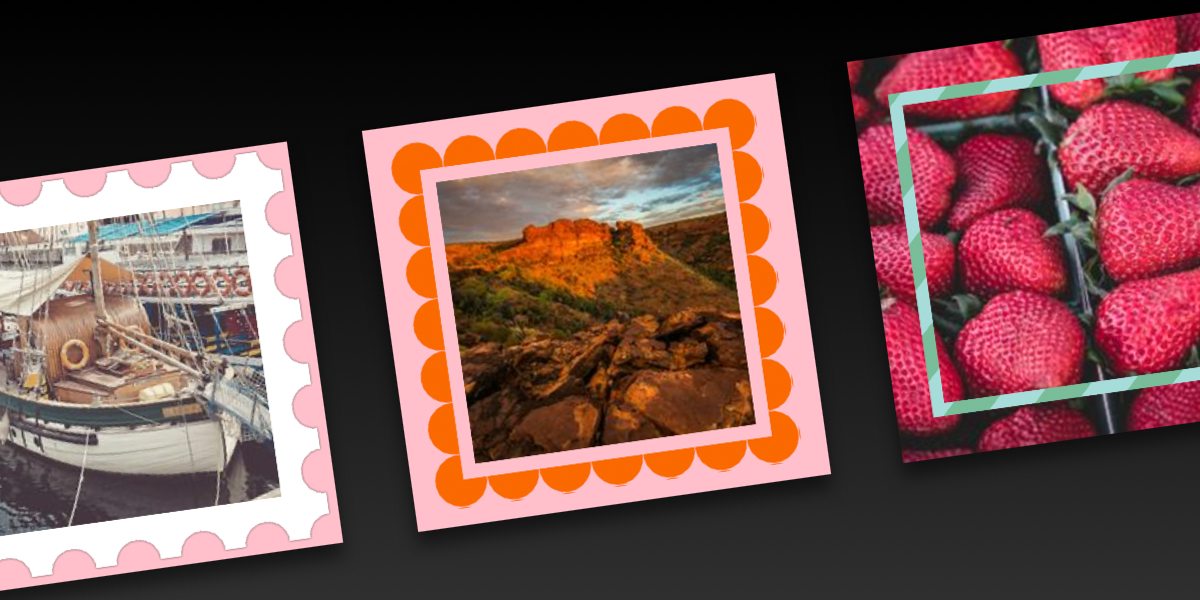
			 	<p><img width="300" src="https://css-articles.com/img/image-decorations-4.jpg" alt="Fancy Image Decorations: Outlines and Complex Animations" ></p>
			 	<p>We’ve spent the last two articles in this three-part series playing with gradients to make really neat image decorations using nothing but the <img> element. In this third and final piece, we are going to explore more techniques using the CSS outline property. </p>
			 	<p><a href="https://css-tricks.com/fancy-image-decorations-outlines-and-complex-animations/" target="_blank">Read the full article online</a></p>
			 ]]>
		</content>
	</entry>
	<entry>
		<title>Fancy Image Decorations: Masks and Advanced Hover Effects</title>
		<link href="https://css-tricks.com/fancy-image-decorations-masks-and-advanced-hover-effects/"/>
		<updated>2022-10-21T00:00:00Z</updated>
		<id>https://css-tricks.com/fancy-image-decorations-masks-and-advanced-hover-effects/</id>
		<content type="html">
			 <![CDATA[
			 	<p><img width="300" src="https://css-articles.com/img/image-decorations-2.jpg" alt="Fancy Image Decorations: Masks and Advanced Hover Effects" ></p>
			 	<p>Welcome to Part 2 of this three-part series! We are still decorating images without any extra elements and pseudo-elements. I hope you already took the time to digest Part 1 because we will continue working with a lot of gradients to create awesome visual effects. </p>
			 	<p><a href="https://css-tricks.com/fancy-image-decorations-masks-and-advanced-hover-effects/" target="_blank">Read the full article online</a></p>
			 ]]>
		</content>
	</entry>
	<entry>
		<title>Fancy Image Decorations: Single Element Magic</title>
		<link href="https://css-tricks.com/fancy-image-decorations-single-element-magic/"/>
		<updated>2022-10-14T00:00:00Z</updated>
		<id>https://css-tricks.com/fancy-image-decorations-single-element-magic/</id>
		<content type="html">
			 <![CDATA[
			 	<p><img width="300" src="https://css-articles.com/img/image-decorations.jpg" alt="Fancy Image Decorations: Single Element Magic" ></p>
			 	<p>As the title says, we are going to decorate images! There’s a bunch of other articles out there that talk about this, but what we’re covering here is quite a bit different because it’s more of a challenge. The challenge? Decorate an image using only the <img> tag and nothing more.</p>
			 	<p><a href="https://css-tricks.com/fancy-image-decorations-single-element-magic/" target="_blank">Read the full article online</a></p>
			 ]]>
		</content>
	</entry>
	<entry>
		<title>How to create an infinite image slider using CSS</title>
		<link href="https://verpex.com/blog/website-tips/how-to-create-an-infinite-image-slider-using-css"/>
		<updated>2022-10-04T00:00:00Z</updated>
		<id>https://verpex.com/blog/website-tips/how-to-create-an-infinite-image-slider-using-css</id>
		<content type="html">
			 <![CDATA[
			 	<p><img width="300" src="https://css-articles.com/img/infinite-image-slider_3773ef1cca7ea19b34fccd0cd4766edd.jpg" alt="How to create an infinite image slider using CSS" ></p>
			 	<p>You must have seen those sliders of images that have an infinite loop animation. They are also called infinite carousels where all the images appear and disappear indefinitely. To create such sliders, most of the tricks rely on JavaScript or on duplicating the images. In this post, we will see how to do this without JavaScript and without duplicating any of the images.</p>
			 	<p><a href="https://verpex.com/blog/website-tips/how-to-create-an-infinite-image-slider-using-css" target="_blank">Read the full article online</a></p>
			 ]]>
		</content>
	</entry>
	<entry>
		<title>How to Create Wavy Shapes &amp; Patterns in CSS</title>
		<link href="https://css-tricks.com/how-to-create-wavy-shapes-patterns-in-css/"/>
		<updated>2022-09-26T00:00:00Z</updated>
		<id>https://css-tricks.com/how-to-create-wavy-shapes-patterns-in-css/</id>
		<content type="html">
			 <![CDATA[
			 	<p><img width="300" src="https://css-articles.com/img/waves-gradient.png" alt="How to Create Wavy Shapes & Patterns in CSS" ></p>
			 	<p>The wave is probably one of the most difficult shapes to make in CSS. We always try to approximate it with properties like border-radius and lots of magic numbers until we get something that feels kinda close. And that’s before we even get into wavy patterns, which are more difficult.</p>
			 	<p><a href="https://css-tricks.com/how-to-create-wavy-shapes-patterns-in-css/" target="_blank">Read the full article online</a></p>
			 ]]>
		</content>
	</entry>
	<entry>
		<title>How I Made a Pure CSS Puzzle Game</title>
		<link href="https://css-tricks.com/how-i-made-a-pure-css-puzzle-game/"/>
		<updated>2022-09-09T00:00:00Z</updated>
		<id>https://css-tricks.com/how-i-made-a-pure-css-puzzle-game/</id>
		<content type="html">
			 <![CDATA[
			 	<p><img width="300" src="https://css-articles.com/img/puzzle-article.png" alt="How I Made a Pure CSS Puzzle Game" ></p>
			 	<p>I recently discovered the joy of creating CSS-only games. It’s always fascinating how HTML and CSS are capable of handling the logic of an entire online game, so I had to try it!</p>
			 	<p><a href="https://css-tricks.com/how-i-made-a-pure-css-puzzle-game/" target="_blank">Read the full article online</a></p>
			 ]]>
		</content>
	</entry>
	<entry>
		<title>How to create a Tooltip/Speech Bubble using CSS</title>
		<link href="https://verpex.com/blog/website-tips/how-to-create-a-tooltip-speech-bubble-using-css"/>
		<updated>2022-08-28T00:00:00Z</updated>
		<id>https://verpex.com/blog/website-tips/how-to-create-a-tooltip-speech-bubble-using-css</id>
		<content type="html">
			 <![CDATA[
			 	<p><img width="300" src="https://css-articles.com/img/CSS-Tooltip-Speech-bubble_3773ef1cca7ea19b34fccd0cd4766edd.jpg" alt="How to create a Tooltip/Speech Bubble using CSS" ></p>
			 	<p>In this article, we will study two common web components: Tooltip and Speech Bubble. Both have different names but share the same design idea. We always have that small arrow/tail linked to a rectangular element with or without rounded corners.</p>
			 	<p><a href="https://verpex.com/blog/website-tips/how-to-create-a-tooltip-speech-bubble-using-css" target="_blank">Read the full article online</a></p>
			 ]]>
		</content>
	</entry>
	<entry>
		<title>CSS Grid and Custom Shapes, Part 2</title>
		<link href="https://css-tricks.com/css-grid-and-custom-shapes-part-2/"/>
		<updated>2022-08-22T00:00:00Z</updated>
		<id>https://css-tricks.com/css-grid-and-custom-shapes-part-2/</id>
		<content type="html">
			 <![CDATA[
			 	<p><img width="300" src="https://css-articles.com/img/zig-zag-panel.png" alt="CSS Grid and Custom Shapes, Part 2" ></p>
			 	<p>Ready for the second round? We are still working with CSS Grid, clip-path, and mask, but by the end of this article, we’ll end up with different ways to arrange images on the grid, including some rad hover effects that make for an authentic, interactive experience to view pictures.</p>
			 	<p><a href="https://css-tricks.com/css-grid-and-custom-shapes-part-2/" target="_blank">Read the full article online</a></p>
			 ]]>
		</content>
	</entry>
	<entry>
		<title>CSS Grid and Custom Shapes, Part 1</title>
		<link href="https://css-tricks.com/css-grid-and-custom-shapes-part-1/"/>
		<updated>2022-08-15T00:00:00Z</updated>
		<id>https://css-tricks.com/css-grid-and-custom-shapes-part-1/</id>
		<content type="html">
			 <![CDATA[
			 	<p><img width="300" src="https://css-articles.com/img/FD3186CB-2199-4F34-8B68-D013284C35FC.jpeg" alt="CSS Grid and Custom Shapes, Part 1" ></p>
			 	<p>In a previous article, I looked at CSS Grid’s ability to create complex layouts using its auto-placement powers. I took that one step further in another article that added a zooming hover effect to images in a grid layout. This time, I want to dive into another type of grid, one that works with shapes.</p>
			 	<p><a href="https://css-tricks.com/css-grid-and-custom-shapes-part-1/" target="_blank">Read the full article online</a></p>
			 ]]>
		</content>
	</entry>
	<entry>
		<title>Zooming Images in a Grid Layout</title>
		<link href="https://css-tricks.com/zooming-images-in-a-grid-layout/"/>
		<updated>2022-08-08T00:00:00Z</updated>
		<id>https://css-tricks.com/zooming-images-in-a-grid-layout/</id>
		<content type="html">
			 <![CDATA[
			 	<p><img width="300" src="https://css-articles.com/img/grid-zoom-image.png" alt="Zooming Images in a Grid Layout" ></p>
			 	<p>Creating a grid of images is easy, thanks to CSS Grid. But making the grid do fancy things after the images have been placed can be tricky to pull off. Say you want to add some fancy hover effect to the images where they grow and zoom beyond the rows and columns where they sit? We can do that!</p>
			 	<p><a href="https://css-tricks.com/zooming-images-in-a-grid-layout/" target="_blank">Read the full article online</a></p>
			 ]]>
		</content>
	</entry>
	<entry>
		<title>How to create a CSS-only loader with one element</title>
		<link href="https://verpex.com/blog/website-tips/how-to-create-a-css-only-loader-with-one-element"/>
		<updated>2022-08-07T00:00:00Z</updated>
		<id>https://verpex.com/blog/website-tips/how-to-create-a-css-only-loader-with-one-element</id>
		<content type="html">
			 <![CDATA[
			 	<p><img width="300" src="https://css-articles.com/img/single-element-CSS-loader_3773ef1cca7ea19b34fccd0cd4766edd.jpg" alt="How to create a CSS-only loader with one element" ></p>
			 	<p>A loader is an important component of a website. It can be used in many places where we need to show that something is in progress. Such a component needs to be as simple as possible and in this post, we will learn how to create different CSS-only loaders with an optimized code.</p>
			 	<p><a href="https://verpex.com/blog/website-tips/how-to-create-a-css-only-loader-with-one-element" target="_blank">Read the full article online</a></p>
			 ]]>
		</content>
	</entry>
	<entry>
		<title>Exploring CSS Grid’s Implicit Grid and Auto-Placement Powers</title>
		<link href="https://css-tricks.com/exploring-css-grids-implicit-grid-and-auto-placement-powers/"/>
		<updated>2022-08-01T00:00:00Z</updated>
		<id>https://css-tricks.com/exploring-css-grids-implicit-grid-and-auto-placement-powers/</id>
		<content type="html">
			 <![CDATA[
			 	<p><img width="300" src="https://css-articles.com/img/s_F4C924AEFDB642C9861B01422787157264225531682D164A8C42B48A83B84E89_1656674978920_image.png" alt="Exploring CSS Grid’s Implicit Grid and Auto-Placement Powers" ></p>
			 	<p><a href="https://css-tricks.com/exploring-css-grids-implicit-grid-and-auto-placement-powers/" target="_blank">Read the full article online</a></p>
			 ]]>
		</content>
	</entry>
	<entry>
		<title>How to create background pattern using CSS &amp; conic-gradient</title>
		<link href="https://verpex.com/blog/website-tips/how-to-create-background-pattern-using-css-conic-gradient"/>
		<updated>2022-07-03T00:00:00Z</updated>
		<id>https://verpex.com/blog/website-tips/how-to-create-background-pattern-using-css-conic-gradient</id>
		<content type="html">
			 <![CDATA[
			 	<p><img width="300" src="https://css-articles.com/img/pattern-with-conic-gradient_3773ef1cca7ea19b34fccd0cd4766edd.jpg" alt="How to create background pattern using CSS & conic-gradient" ></p>
			 	<p>Having a good background pattern can make a difference in your website design. Thanks to CSS gradients, we can create fancy and cool patterns using a few lines of code. In this post, we will study the conic-gradient and use it to create different CSS patterns.</p>
			 	<p><a href="https://verpex.com/blog/website-tips/how-to-create-background-pattern-using-css-conic-gradient" target="_blank">Read the full article online</a></p>
			 ]]>
		</content>
	</entry>
	<entry>
		<title>Single Element Loaders: Going 3D!</title>
		<link href="https://css-tricks.com/single-element-loaders-going-3d/"/>
		<updated>2022-07-01T00:00:00Z</updated>
		<id>https://css-tricks.com/single-element-loaders-going-3d/</id>
		<content type="html">
			 <![CDATA[
			 	<p><img width="300" src="https://css-articles.com/img/cube-loader.png" alt="Single Element Loaders: Going 3D!" ></p>
			 	<p>For this fourth and final article of our little series on single-element loaders, we are going to explore 3D patterns. When creating a 3D element, it’s hard to imagine that just one HTML element is enough to simulate something like all six faces of a cube.</p>
			 	<p><a href="https://css-tricks.com/single-element-loaders-going-3d/" target="_blank">Read the full article online</a></p>
			 ]]>
		</content>
	</entry>
	<entry>
		<title>Single Element Loaders: The Bars</title>
		<link href="https://css-tricks.com/single-element-loaders-the-bars/"/>
		<updated>2022-06-24T00:00:00Z</updated>
		<id>https://css-tricks.com/single-element-loaders-the-bars/</id>
		<content type="html">
			 <![CDATA[
			 	<p><img width="300" src="https://css-articles.com/img/loaders-bars.png" alt="Single Element Loaders: The Bars" ></p>
			 	<p>We’ve looked at spinners. We’ve looked at dots. Now we’re going to tackle another common pattern for loaders: bars. And we’re going to do the same thing in this third article of the series as we have the others by making it with only one element and with flexible CSS that makes it easy to create variations.</p>
			 	<p><a href="https://css-tricks.com/single-element-loaders-the-bars/" target="_blank">Read the full article online</a></p>
			 ]]>
		</content>
	</entry>
	<entry>
		<title>Single Element Loaders: The Dots</title>
		<link href="https://css-tricks.com/single-element-loaders-the-dots/"/>
		<updated>2022-06-17T00:00:00Z</updated>
		<id>https://css-tricks.com/single-element-loaders-the-dots/</id>
		<content type="html">
			 <![CDATA[
			 	<p><img width="300" src="https://css-articles.com/img/dots-loader.jpg" alt="Single Element Loaders: The Dots" ></p>
			 	<p>We’re looking at loaders in this series. More than that, we’re breaking down some common loader patterns and how to re-create them with nothing more than a single div. So far, we’ve picked apart the classic spinning loader. Now, let’s look at another one you’re likely well aware of: the dots.</p>
			 	<p><a href="https://css-tricks.com/single-element-loaders-the-dots/" target="_blank">Read the full article online</a></p>
			 ]]>
		</content>
	</entry>
	<entry>
		<title>How to style a progress bar using CSS</title>
		<link href="https://verpex.com/blog/website-tips/how-to-style-a-progress-bar-using-css"/>
		<updated>2022-06-12T00:00:00Z</updated>
		<id>https://verpex.com/blog/website-tips/how-to-style-a-progress-bar-using-css</id>
		<content type="html">
			 <![CDATA[
			 	<p><img width="300" src="https://css-articles.com/img/progress-element_3773ef1cca7ea19b34fccd0cd4766edd.jpg" alt="How to style a progress bar using CSS" ></p>
			 	<p>HTML offers a native element to show progression which is progress. In this post, we will learn a few CSS tricks to style such an element. We will also see how to make it look the same across browsers because the native element will, by default, render differently based on the browser.</p>
			 	<p><a href="https://verpex.com/blog/website-tips/how-to-style-a-progress-bar-using-css" target="_blank">Read the full article online</a></p>
			 ]]>
		</content>
	</entry>
	<entry>
		<title>Single Element Loaders: The Spinner</title>
		<link href="https://css-tricks.com/single-element-loaders-the-spinner/"/>
		<updated>2022-06-10T00:00:00Z</updated>
		<id>https://css-tricks.com/single-element-loaders-the-spinner/</id>
		<content type="html">
			 <![CDATA[
			 	<p><img width="300" src="https://css-articles.com/img/loaders-spinners.jpg" alt="Single Element Loaders: The Spinner" ></p>
			 	<p>Making CSS-only loaders is one of my favorite tasks. It’s always satisfying to look at those infinite animations. And, of course, there are lots of techniques and approaches to make them. In this article, though, we will see how to make a single element loader writing as little code as possible.</p>
			 	<p><a href="https://css-tricks.com/single-element-loaders-the-spinner/" target="_blank">Read the full article online</a></p>
			 ]]>
		</content>
	</entry>
	<entry>
		<title>Cool CSS Hover Effects That Use Background Clipping, Masks, and 3D</title>
		<link href="https://css-tricks.com/css-hover-effects-background-masks-3d/"/>
		<updated>2022-05-26T00:00:00Z</updated>
		<id>https://css-tricks.com/css-hover-effects-background-masks-3d/</id>
		<content type="html">
			 <![CDATA[
			 	<p><img width="300" src="https://css-articles.com/img/Cool-hover-effects.jpg" alt="Cool CSS Hover Effects That Use Background Clipping, Masks, and 3D" ></p>
			 	<p>In this article, we’re talking about background clipping, CSS masks, and even getting our feet wet with 3D perspectives. In other words, we are going to explore advanced techniques this time around and push the limits of what CSS can do with hover effects!</p>
			 	<p><a href="https://css-tricks.com/css-hover-effects-background-masks-3d/" target="_blank">Read the full article online</a></p>
			 ]]>
		</content>
	</entry>
	<entry>
		<title>Cool Hover Effects That Use CSS Text Shadow</title>
		<link href="https://css-tricks.com/cool-hover-effects-that-use-css-text-shadow/"/>
		<updated>2022-05-13T00:00:00Z</updated>
		<id>https://css-tricks.com/cool-hover-effects-that-use-css-text-shadow/</id>
		<content type="html">
			 <![CDATA[
			 	<p><img width="300" src="https://css-articles.com/img/text-shadow.png" alt="Cool Hover Effects That Use CSS Text Shadow" ></p>
			 	<p>In my last article we saw how CSS background properties allow us to create cool hover effects. This time, we will focus on the CSS text-shadow property to explore even more interesting hovers. </p>
			 	<p><a href="https://css-tricks.com/cool-hover-effects-that-use-css-text-shadow/" target="_blank">Read the full article online</a></p>
			 ]]>
		</content>
	</entry>
	<entry>
		<title>How to create a responsive hamburger menu using CSS</title>
		<link href="https://verpex.com/blog/website-tips/how-to-create-a-responsive-hamburger-menu-using-css"/>
		<updated>2022-05-12T00:00:00Z</updated>
		<id>https://verpex.com/blog/website-tips/how-to-create-a-responsive-hamburger-menu-using-css</id>
		<content type="html">
			 <![CDATA[
			 	<p><img width="300" src="https://css-articles.com/img/header-responsive-menu_3773ef1cca7ea19b34fccd0cd4766edd.jpg" alt="How to create a responsive hamburger menu using CSS" ></p>
			 	<p>The hamburger menu is a must when dealing with responsive design. Having the ability to show/hide the menu on small screens is essential to keep the navigation on the website easy. In this post, we will build a CSS-only responsive menu with a minimalist code.</p>
			 	<p><a href="https://verpex.com/blog/website-tips/how-to-create-a-responsive-hamburger-menu-using-css" target="_blank">Read the full article online</a></p>
			 ]]>
		</content>
	</entry>
	<entry>
		<title>Cool Hover Effects That Use Background Properties</title>
		<link href="https://css-tricks.com/cool-hover-effects-using-background-properties/"/>
		<updated>2022-04-27T00:00:00Z</updated>
		<id>https://css-tricks.com/cool-hover-effects-using-background-properties/</id>
		<content type="html">
			 <![CDATA[
			 	<p><img width="300" src="https://css-articles.com/img/button-hover.png" alt="Cool Hover Effects That Use Background Properties" ></p>
			 	<p><a href="https://css-tricks.com/cool-hover-effects-using-background-properties/" target="_blank">Read the full article online</a></p>
			 ]]>
		</content>
	</entry>
	<entry>
		<title>Learn CSS radial-gradient by Building Background Patterns</title>
		<link href="https://www.freecodecamp.org/news/css-radial-gradient/"/>
		<updated>2022-04-19T00:00:00Z</updated>
		<id>https://www.freecodecamp.org/news/css-radial-gradient/</id>
		<content type="html">
			 <![CDATA[
			 	<p><img width="300" src="https://css-articles.com/img/pattern-header.png" alt="Learn CSS radial-gradient by Building Background Patterns" ></p>
			 	<p>If you are new to CSS gradients, you may have heard about something called radial-gradient(). If you have never used it before, you are in the right place to learn about it.</p>
			 	<p><a href="https://www.freecodecamp.org/news/css-radial-gradient/" target="_blank">Read the full article online</a></p>
			 ]]>
		</content>
	</entry>
	<entry>
		<title>How to style checkbox and radio buttons using CSS</title>
		<link href="https://verpex.com/blog/website-tips/how-to-style-checkbox-and-radio-buttons-using-css"/>
		<updated>2022-04-17T00:00:00Z</updated>
		<id>https://verpex.com/blog/website-tips/how-to-style-checkbox-and-radio-buttons-using-css</id>
		<content type="html">
			 <![CDATA[
			 	<p><img width="300" src="https://css-articles.com/img/radio-checkbox_3773ef1cca7ea19b34fccd0cd4766edd.jpg" alt="How to style checkbox and radio buttons using CSS" ></p>
			 	<p>In this post, we will study CSS techniques that allow us to update the style of such elements without extra HTML code. Yes, we are going to give a fresh look to our input elements using only CSS!</p>
			 	<p><a href="https://verpex.com/blog/website-tips/how-to-style-checkbox-and-radio-buttons-using-css" target="_blank">Read the full article online</a></p>
			 ]]>
		</content>
	</entry>
	<entry>
		<title>CSS effects on images</title>
		<link href="https://verpex.com/blog/website-tips/css-tricks-to-make-your-image-look-stunning"/>
		<updated>2022-03-30T00:00:00Z</updated>
		<id>https://verpex.com/blog/website-tips/css-tricks-to-make-your-image-look-stunning</id>
		<content type="html">
			 <![CDATA[
			 	<p><img width="300" src="https://css-articles.com/img/CSS-Effects_3773ef1cca7ea19b34fccd0cd4766edd.jpg" alt="CSS effects on images" ></p>
			 	<p>A lot of tricks exist to style images but in this post, we will see how to style them without a ton of code, using CSS effects. We will consider only the <img> element and a few lines of CSS code. No extra elements and No pseudo element!</p>
			 	<p><a href="https://verpex.com/blog/website-tips/css-tricks-to-make-your-image-look-stunning" target="_blank">Read the full article online</a></p>
			 ]]>
		</content>
	</entry>
	<entry>
		<title>Tricks to Cut Corners Using CSS Mask and Clip-Path Properties</title>
		<link href="https://css-tricks.com/cut-corners-using-css-mask-and-clip-path-properties/"/>
		<updated>2022-03-30T00:00:00Z</updated>
		<id>https://css-tricks.com/cut-corners-using-css-mask-and-clip-path-properties/</id>
		<content type="html">
			 <![CDATA[
			 	<p><img width="300" src="https://css-articles.com/img/cutting-corners-1.jpg" alt="Tricks to Cut Corners Using CSS Mask and Clip-Path Properties" ></p>
			 	<p>We recently covered creating fancy borders with CSS mask properties, and now we are going to cut the corners with CSS mask and clip-path! A lot of techniques exist to cut different shapes from the corners of any element. In this article, we will consider modern techniques to create unique corner shapes while trying to work from reusable code that allows us to produce different results by adjusting variables.</p>
			 	<p><a href="https://css-tricks.com/cut-corners-using-css-mask-and-clip-path-properties/" target="_blank">Read the full article online</a></p>
			 ]]>
		</content>
	</entry>
	<entry>
		<title>How to Create a Section Divider Using CSS</title>
		<link href="https://www.freecodecamp.org/news/section-divider-using-css/"/>
		<updated>2022-02-25T00:00:00Z</updated>
		<id>https://www.freecodecamp.org/news/section-divider-using-css/</id>
		<content type="html">
			 <![CDATA[
			 	<p><img width="300" src="https://css-articles.com/img/section-divider.png" alt="How to Create a Section Divider Using CSS" ></p>
			 	<p>We will explore different section dividers made using only CSS and some optimized code that's easy to manipulate.</p>
			 	<p><a href="https://www.freecodecamp.org/news/section-divider-using-css/" target="_blank">Read the full article online</a></p>
			 ]]>
		</content>
	</entry>
	<entry>
		<title>How to Create a CSS-Only Ribbon for Your Website</title>
		<link href="https://www.freecodecamp.org/news/make-a-css-only-ribbon/"/>
		<updated>2022-02-08T00:00:00Z</updated>
		<id>https://www.freecodecamp.org/news/make-a-css-only-ribbon/</id>
		<content type="html">
			 <![CDATA[
			 	<p><img width="300" src="https://css-articles.com/img/final-header-ribbon.png" alt="How to Create a CSS-Only Ribbon for Your Website" ></p>
			 	<p>In this post, I will show you how to create two types of ribbons with some simple CSS code where you don't need to bother yourself with tweaking a lot of values</p>
			 	<p><a href="https://www.freecodecamp.org/news/make-a-css-only-ribbon/" target="_blank">Read the full article online</a></p>
			 ]]>
		</content>
	</entry>
	<entry>
		<title>Fancy CSS Borders Using Masks (Zig-Zag, Wavy, and More)</title>
		<link href="https://css-tricks.com/css-borders-using-masks/"/>
		<updated>2022-01-26T00:00:00Z</updated>
		<id>https://css-tricks.com/css-borders-using-masks/</id>
		<content type="html">
			 <![CDATA[
			 	<p><img width="300" src="https://css-articles.com/img/fancy-borders.png" alt="Fancy CSS Borders Using Masks (Zig-Zag, Wavy, and More)" ></p>
			 	<p>Have you ever tried to make CSS borders in a repeating zig-zag pattern? Like where a colored section of a website ends and another differently colored section begins — not with a straight line, but angled zig zags, rounded humps, or waves.</p>
			 	<p><a href="https://css-tricks.com/css-borders-using-masks/" target="_blank">Read the full article online</a></p>
			 ]]>
		</content>
	</entry>
	<entry>
		<title>How to Create a CSS-Only Loader Using One Element</title>
		<link href="https://www.freecodecamp.org/news/how-to-create-a-css-only-loader/"/>
		<updated>2022-01-14T00:00:00Z</updated>
		<id>https://www.freecodecamp.org/news/how-to-create-a-css-only-loader/</id>
		<content type="html">
			 <![CDATA[
			 	<p><img width="300" src="https://css-articles.com/img/header-loader.png" alt="How to Create a CSS-Only Loader Using One Element" ></p>
			 	<p>In this post, we will see how to build two types of loaders with only one element and a few lines of CSS code. Not only this but we will make them customizable so you can easily create different variations from the same code</p>
			 	<p><a href="https://www.freecodecamp.org/news/how-to-create-a-css-only-loader/" target="_blank">Read the full article online</a></p>
			 ]]>
		</content>
	</entry>
	<entry>
		<title>How to Create a Pie Chart Using Only CSS</title>
		<link href="https://www.freecodecamp.org/news/css-only-pie-chart/"/>
		<updated>2022-01-06T00:00:00Z</updated>
		<id>https://www.freecodecamp.org/news/css-only-pie-chart/</id>
		<content type="html">
			 <![CDATA[
			 	<p><img width="300" src="https://css-articles.com/img/header-2-3.png" alt="How to Create a Pie Chart Using Only CSS" ></p>
			 	<p>In this post, I will show you how to create a pie chart using CSS and only one element.</p>
			 	<p><a href="https://www.freecodecamp.org/news/css-only-pie-chart/" target="_blank">Read the full article online</a></p>
			 ]]>
		</content>
	</entry>
	<entry>
		<title>How to Make an Animated Back to Top Button Using Only CSS</title>
		<link href="https://www.freecodecamp.org/news/css-only-back-to-top-button/"/>
		<updated>2022-01-03T00:00:00Z</updated>
		<id>https://www.freecodecamp.org/news/css-only-back-to-top-button/</id>
		<content type="html">
			 <![CDATA[
			 	<p><img width="300" src="https://css-articles.com/img/header-2.png" alt="How to Make an Animated Back to Top Button Using Only CSS" ></p>
			 	<p>Most websites rely on JavaScript to toggle the visibility of the button based on the amount of scroll. In this post, I will show you how to create such an effect using only CSS.</p>
			 	<p><a href="https://www.freecodecamp.org/news/css-only-back-to-top-button/" target="_blank">Read the full article online</a></p>
			 ]]>
		</content>
	</entry>
	<entry>
		<title>Responsive Layouts, Fewer Media Queries</title>
		<link href="https://css-tricks.com/responsive-layouts-fewer-media-queries/"/>
		<updated>2021-11-22T00:00:00Z</updated>
		<id>https://css-tricks.com/responsive-layouts-fewer-media-queries/</id>
		<content type="html">
			 <![CDATA[
			 	<p><img width="300" src="https://css-articles.com/img/diet-css.jpg" alt="Responsive Layouts, Fewer Media Queries" ></p>
			 	<p>Since the introduction of media queries (literally decades ago), CSS has evolved to the points that there are a lot of tricks that can help us drastically reduce the usage of media queries we use. In some cases, I will show you how to replace multiple media queries with only one CSS declaration. These approaches can result in less code, be easier to maintain, and be more tied to the content at hand.</p>
			 	<p><a href="https://css-tricks.com/responsive-layouts-fewer-media-queries/" target="_blank">Read the full article online</a></p>
			 ]]>
		</content>
	</entry>
	<entry>
		<title>Exploring the CSS Paint API: Rounding Shapes</title>
		<link href="https://css-tricks.com/exploring-the-css-paint-api-rounding-shapes/"/>
		<updated>2021-10-22T00:00:00Z</updated>
		<id>https://css-tricks.com/exploring-the-css-paint-api-rounding-shapes/</id>
		<content type="html">
			 <![CDATA[
			 	<p><img width="300" src="https://css-articles.com/img/header-rounding-shapes.png" alt="Exploring the CSS Paint API: Rounding Shapes" ></p>
			 	<p>Adding borders to complex shapes is a pain, but rounding the corner of complex shapes is a nightmare! Luckily, the CSS Paint API is here to the rescue! That’s what we’re going to look at as part of this “Exploring the CSS Paint API” series.</p>
			 	<p><a href="https://css-tricks.com/exploring-the-css-paint-api-rounding-shapes/" target="_blank">Read the full article online</a></p>
			 ]]>
		</content>
	</entry>
	<entry>
		<title>Exploring the CSS Paint API: Polygon Border</title>
		<link href="https://css-tricks.com/exploring-the-css-paint-api-polygon-border/"/>
		<updated>2021-09-20T00:00:00Z</updated>
		<id>https://css-tricks.com/exploring-the-css-paint-api-polygon-border/</id>
		<content type="html">
			 <![CDATA[
			 	<p><img width="300" src="https://css-articles.com/img/header-polygon-border.png" alt="Exploring the CSS Paint API: Polygon Border" ></p>
			 	<p>Nowadays, creating complex shapes is an easy task using clip-path, but adding a border to the shapes is always a pain. There is no robust CSS solution and we always need to produce specific “hacky” code for each particular case. In this article, I will show you how to solve this problem using the CSS Paint API.</p>
			 	<p><a href="https://css-tricks.com/exploring-the-css-paint-api-polygon-border/" target="_blank">Read the full article online</a></p>
			 ]]>
		</content>
	</entry>
	<entry>
		<title>Build your CSS loader with only one div — The Dots</title>
		<link href="https://dev.to/afif/build-your-css-loader-with-only-one-div-the-dots-3882"/>
		<updated>2021-09-15T00:00:00Z</updated>
		<id>https://dev.to/afif/build-your-css-loader-with-only-one-div-the-dots-3882</id>
		<content type="html">
			 <![CDATA[
			 	<p><img width="300" src="https://css-articles.com/img/2vhnxjmn7qgmeecr23xp.gif" alt="Build your CSS loader with only one div — The Dots" ></p>
			 	<p>Yes, another post about CSS loaders but this time you will build the loader! In this article, I will share with you a few tricks I used to build some of my loaders.</p>
			 	<p><a href="https://dev.to/afif/build-your-css-loader-with-only-one-div-the-dots-3882" target="_blank">Read the full article online</a></p>
			 ]]>
		</content>
	</entry>
	<entry>
		<title>A Multi-line CSS only Typewriter effect</title>
		<link href="https://dev.to/afif/a-multi-line-css-only-typewriter-effect-3op3"/>
		<updated>2021-09-03T00:00:00Z</updated>
		<id>https://dev.to/afif/a-multi-line-css-only-typewriter-effect-3op3</id>
		<content type="html">
			 <![CDATA[
			 	<p><img width="300" src="https://css-articles.com/img/r9t5cstaou0yjbh1gffj.gif" alt="A Multi-line CSS only Typewriter effect" ></p>
			 	<p><a href="https://dev.to/afif/a-multi-line-css-only-typewriter-effect-3op3" target="_blank">Read the full article online</a></p>
			 ]]>
		</content>
	</entry>
	<entry>
		<title>Exploring the CSS Paint API: Blob Animation</title>
		<link href="https://css-tricks.com/exploring-the-css-paint-api-blob-animation/"/>
		<updated>2021-08-30T00:00:00Z</updated>
		<id>https://css-tricks.com/exploring-the-css-paint-api-blob-animation/</id>
		<content type="html">
			 <![CDATA[
			 	<p><img width="300" src="https://css-articles.com/img/blob-featured-image.png" alt="Exploring the CSS Paint API: Blob Animation" ></p>
			 	<p>After the fragmentation effect, I am going to tackle another interesting animation: the blob! We all agree that such effect is hard to achieve with CSS, so we generally reach for SVG to make those gooey shapes. But now that the powerful Paint API is available, using CSS is not only possible, but maybe even a preferable approach once browser support comes around.</p>
			 	<p><a href="https://css-tricks.com/exploring-the-css-paint-api-blob-animation/" target="_blank">Read the full article online</a></p>
			 ]]>
		</content>
	</entry>
	<entry>
		<title>A scalable CSS only Typewriter Effect</title>
		<link href="https://dev.to/afif/a-scalable-css-only-typewriter-effect-2opn"/>
		<updated>2021-08-28T00:00:00Z</updated>
		<id>https://dev.to/afif/a-scalable-css-only-typewriter-effect-2opn</id>
		<content type="html">
			 <![CDATA[
			 	<p><img width="300" src="https://css-articles.com/img/wrsbevdmtor63nsyff45.gif" alt="A scalable CSS only Typewriter Effect" ></p>
			 	<p>You want a Typewriter effect for your text but you are lost within all the variations that use JS and the ones that use a complex CSS code. Search no more! Here is a simple typewriter effect with only a few lines of CSS where you don't need to deal with any complex code. It's scalable and works with any kind of text.</p>
			 	<p><a href="https://dev.to/afif/a-scalable-css-only-typewriter-effect-2opn" target="_blank">Read the full article online</a></p>
			 ]]>
		</content>
	</entry>
	<entry>
		<title>Exploring the CSS Paint API: Image Fragmentation Effect</title>
		<link href="https://css-tricks.com/exploring-the-css-paint-api-image-fragmentation-effect/"/>
		<updated>2021-08-09T00:00:00Z</updated>
		<id>https://css-tricks.com/exploring-the-css-paint-api-image-fragmentation-effect/</id>
		<content type="html">
			 <![CDATA[
			 	<p><img width="300" src="https://css-articles.com/img/frag.png" alt="Exploring the CSS Paint API: Image Fragmentation Effect" ></p>
			 	<p>In my previous article, I created a fragmentation effect using CSS mask and custom properties. It was a neat effect but it has one drawback: it uses a lot of CSS code (generated using Sass). This time I am going to redo the same effect but rely on the new Paint API.</p>
			 	<p><a href="https://css-tricks.com/exploring-the-css-paint-api-image-fragmentation-effect/" target="_blank">Read the full article online</a></p>
			 ]]>
		</content>
	</entry>
	<entry>
		<title>A CSS-only reaction component using emoji</title>
		<link href="https://dev.to/afif/a-css-only-reaction-component-using-emoji-28i4"/>
		<updated>2021-07-18T00:00:00Z</updated>
		<id>https://dev.to/afif/a-css-only-reaction-component-using-emoji-28i4</id>
		<content type="html">
			 <![CDATA[
			 	<p><img width="300" src="https://css-articles.com/img/dpm88x3os47ra4j0lgp2.gif" alt="A CSS-only reaction component using emoji" ></p>
			 	<p>Like star rating, reaction components are something widely used in many websites so here I am with my own implementation: A CSS-only reaction component that works with emojis or any kind of custom icons.</p>
			 	<p><a href="https://dev.to/afif/a-css-only-reaction-component-using-emoji-28i4" target="_blank">Read the full article online</a></p>
			 ]]>
		</content>
	</entry>
	<entry>
		<title>Build Complex CSS Transitions using Custom Properties and cubic-bezier()</title>
		<link href="https://css-tricks.com/build-complex-css-transitions-using-custom-properties-and-cubic-bezier/"/>
		<updated>2021-07-14T00:00:00Z</updated>
		<id>https://css-tricks.com/build-complex-css-transitions-using-custom-properties-and-cubic-bezier/</id>
		<content type="html">
			 <![CDATA[
			 	<p><img width="300" src="https://css-articles.com/img/complex-transition.png" alt="Build Complex CSS Transitions using Custom Properties and cubic-bezier()" ></p>
			 	<p>I recently illustrated how we can achieve complex CSS animations using cubic-bezier() and how to do the same when it comes to CSS transitions. I was able to create complex hover effect without resorting to keyframes. In this article, I will show you how to create even more complex CSS transitions.</p>
			 	<p><a href="https://css-tricks.com/build-complex-css-transitions-using-custom-properties-and-cubic-bezier/" target="_blank">Read the full article online</a></p>
			 ]]>
		</content>
	</entry>
	<entry>
		<title>Hexagons and Beyond: Flexible, Responsive Grid Patterns, Sans Media Queries</title>
		<link href="https://css-tricks.com/hexagons-and-beyond-flexible-responsive-grid-patterns-sans-media-queries/"/>
		<updated>2021-06-03T00:00:00Z</updated>
		<id>https://css-tricks.com/hexagons-and-beyond-flexible-responsive-grid-patterns-sans-media-queries/</id>
		<content type="html">
			 <![CDATA[
			 	<p><img width="300" src="https://css-articles.com/img/featured-image.png" alt="Hexagons and Beyond: Flexible, Responsive Grid Patterns, Sans Media Queries" ></p>
			 	<p>I’m here to resurrect our old friend float to create the same sort of complex and responsive layout but with less complexity and without a single media query.</p>
			 	<p><a href="https://css-tricks.com/hexagons-and-beyond-flexible-responsive-grid-patterns-sans-media-queries/" target="_blank">Read the full article online</a></p>
			 ]]>
		</content>
	</entry>
	<entry>
		<title>Advanced CSS Animation Using cubic-bezier()</title>
		<link href="https://css-tricks.com/advanced-css-animation-using-cubic-bezier/"/>
		<updated>2021-05-13T00:00:00Z</updated>
		<id>https://css-tricks.com/advanced-css-animation-using-cubic-bezier/</id>
		<content type="html">
			 <![CDATA[
			 	<p><img width="300" src="https://css-articles.com/img/advanced-CSS-animations.png" alt="Advanced CSS Animation Using cubic-bezier()" ></p>
			 	<p>There’s one especially neat timing function that gives us total control to create custom timing functions. That would be cubic-bezier() and in this post I will show you the power of it and how it can be used to create fancy animation without too much complexity.</p>
			 	<p><a href="https://css-tricks.com/advanced-css-animation-using-cubic-bezier/" target="_blank">Read the full article online</a></p>
			 ]]>
		</content>
	</entry>
	<entry>
		<title>Float an Element to the Bottom Corner</title>
		<link href="https://css-tricks.com/float-an-element-to-the-bottom-corner/"/>
		<updated>2021-04-19T00:00:00Z</updated>
		<id>https://css-tricks.com/float-an-element-to-the-bottom-corner/</id>
		<content type="html">
			 <![CDATA[
			 	<p><img width="300" src="https://css-articles.com/img/s8924302uxqd9dqhmqu0.png" alt="Float an Element to the Bottom Corner" ></p>
			 	<p>Need to lay out an element to the right or the left, such that text wraps around it? That’s an easy task for the float property. But what about if you also want to push that element (let’s call it an image) to one of the bottom corners while we’re at it? Sounds a bit tricky, right? We probably need JavaScript? Nope, few lines of (tricky) CSS can do it! </p>
			 	<p><a href="https://css-tricks.com/float-an-element-to-the-bottom-corner/" target="_blank">Read the full article online</a></p>
			 ]]>
		</content>
	</entry>
	<entry>
		<title>What no one told you about CSS Variables</title>
		<link href="https://dev.to/afif/what-no-one-told-you-about-css-variables-553o"/>
		<updated>2021-04-08T00:00:00Z</updated>
		<id>https://dev.to/afif/what-no-one-told-you-about-css-variables-553o</id>
		<content type="html">
			 <![CDATA[
			 	<p><img width="300" src="https://css-articles.com/img/cczk1kuorhpqy38w4izq.png" alt="What no one told you about CSS Variables" ></p>
			 	<p>CSS Variables are great but do you know everything about them? In this post, I will highlight a few quirks around CSS variables that no one talks about. After that, you won't look at them the same way anymore.</p>
			 	<p><a href="https://dev.to/afif/what-no-one-told-you-about-css-variables-553o" target="_blank">Read the full article online</a></p>
			 ]]>
		</content>
	</entry>
	<entry>
		<title>Image Fragmentation Effect With CSS Masks and Custom Properties</title>
		<link href="https://css-tricks.com/image-fragmentation-effect-with-css-masks-and-custom-properties/"/>
		<updated>2021-03-23T00:00:00Z</updated>
		<id>https://css-tricks.com/image-fragmentation-effect-with-css-masks-and-custom-properties/</id>
		<content type="html">
			 <![CDATA[
			 	<p><img width="300" src="https://css-articles.com/img/frag.png" alt="Image Fragmentation Effect With CSS Masks and Custom Properties" ></p>
			 	<p>I have a similar idea, but with a different approach. Instead of revealing the image, let’s start with it fully revealed, then let it disappear one tile at a time, as if it’s floating away in tiny fragments.</p>
			 	<p><a href="https://css-tricks.com/image-fragmentation-effect-with-css-masks-and-custom-properties/" target="_blank">Read the full article online</a></p>
			 ]]>
		</content>
	</entry>
	<entry>
		<title>All you need to know about background-position</title>
		<link href="https://dev.to/this-is-learning/all-you-need-to-know-about-background-position-3aac"/>
		<updated>2021-03-13T00:00:00Z</updated>
		<id>https://dev.to/this-is-learning/all-you-need-to-know-about-background-position-3aac</id>
		<content type="html">
			 <![CDATA[
			 	<p><img width="300" src="https://css-articles.com/img/wsmkc98oiimxdiw20afs.png" alt="All you need to know about background-position" ></p>
			 	<p><a href="https://dev.to/this-is-learning/all-you-need-to-know-about-background-position-3aac" target="_blank">Read the full article online</a></p>
			 ]]>
		</content>
	</entry>
	<entry>
		<title>How to correctly position rotated text using CSS</title>
		<link href="https://dev.to/afif/how-to-correctly-position-rotated-text-using-css-1gjc"/>
		<updated>2021-03-11T00:00:00Z</updated>
		<id>https://dev.to/afif/how-to-correctly-position-rotated-text-using-css-1gjc</id>
		<content type="html">
			 <![CDATA[
			 	<p><img width="300" src="https://css-articles.com/img/3x9n5237795z2jjx3lfo.png" alt="How to correctly position rotated text using CSS" ></p>
			 	<p>It's always a hassle to correctly position a rotated text. Especially to position such text in the corner or the sides of another element.</p>
			 	<p><a href="https://dev.to/afif/how-to-correctly-position-rotated-text-using-css-1gjc" target="_blank">Read the full article online</a></p>
			 ]]>
		</content>
	</entry>
	<entry>
		<title>Responsive text based on image size</title>
		<link href="https://dev.to/afif/responsive-text-based-on-image-size-36n9"/>
		<updated>2021-03-08T00:00:00Z</updated>
		<id>https://dev.to/afif/responsive-text-based-on-image-size-36n9</id>
		<content type="html">
			 <![CDATA[
			 	<p><img width="300" src="https://css-articles.com/img/a2nx9whmmtfwjkjdksrb.png" alt="Responsive text based on image size" ></p>
			 	<p>We all face such a requirement where we need to make a title below (or above) an image to not exceed the width of the image. In most of the cases, we need them to have the same width.</p>
			 	<p><a href="https://dev.to/afif/responsive-text-based-on-image-size-36n9" target="_blank">Read the full article online</a></p>
			 ]]>
		</content>
	</entry>
	<entry>
		<title>Never make your text container a flexbox container</title>
		<link href="https://dev.to/afif/never-make-your-text-container-a-flexbox-container-m9p"/>
		<updated>2021-03-03T00:00:00Z</updated>
		<id>https://dev.to/afif/never-make-your-text-container-a-flexbox-container-m9p</id>
		<content type="html">
			 <![CDATA[
			 	<p><img width="300" src="https://css-articles.com/img/1dgayachyp1z3m4yi50t.png" alt="Never make your text container a flexbox container" ></p>
			 	<p>Flexbox is great. Unfortunately, many developers use it in the wrong way. To be more precise, they use it automatically everywhere even when it should not be used.</p>
			 	<p><a href="https://dev.to/afif/never-make-your-text-container-a-flexbox-container-m9p" target="_blank">Read the full article online</a></p>
			 ]]>
		</content>
	</entry>
	<entry>
		<title>Border with gradient and radius</title>
		<link href="https://dev.to/afif/border-with-gradient-and-radius-387f"/>
		<updated>2021-02-12T00:00:00Z</updated>
		<id>https://dev.to/afif/border-with-gradient-and-radius-387f</id>
		<content type="html">
			 <![CDATA[
			 	<p><img width="300" src="https://css-articles.com/img/k23fyeb50ymxf7gkbe7s.png" alt="Border with gradient and radius" ></p>
			 	<p><a href="https://dev.to/afif/border-with-gradient-and-radius-387f" target="_blank">Read the full article online</a></p>
			 ]]>
		</content>
	</entry>
</feed>