
Download Cykel AI – Automate Repetitive Tasks with AI Assistant
Overview – Why Cykel AI Is the Next‑Generation Automation Tool
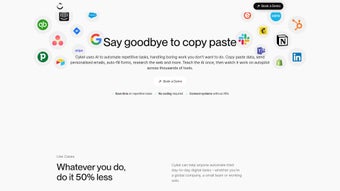
Cykel AI is an innovative artificial‑intelligence assistant built to eliminate the endless grind of repetitive digital work. By interpreting natural‑language commands, it can click buttons, fill forms, copy data, send e‑mails, and even conduct web research without any coding knowledge. The tool works as a Chrome extension, which means it runs directly in the browser you already use for sales, CRM, HR, e‑commerce, marketing, project management, finance, and countless other business processes. Instead of learning multiple APIs or hiring developers, users simply type what they need—“Send a follow‑up email to every lead added this week” or “Export the product list from the inventory page to Google Sheets”—and Cykel AI carries out the task instantly. Its no‑code approach lowers the barrier for small teams and solo entrepreneurs, while the AI‑driven engine continuously learns from previous actions to become faster and more accurate over time. Because it stores website‑specific instructions, you can reuse the same workflow on multiple sites without rebuilding the logic each time. The result is a dramatic reduction in manual effort, freeing up hours each week for strategic work. While the current release is limited to Chrome on desktop, the roadmap promises expansions to other browsers and mobile platforms, making Cykel AI a future‑proof investment for anyone looking to streamline digital operations.
Core Features & Capabilities That Set Cykel AI Apart
- Natural‑Language Command Center: Write instructions in plain English; the AI translates them into precise UI actions.
- Zero‑Code Integration: No programming required—connect disparate web apps, SaaS tools, and internal systems instantly.
- Universal Browser Automation: Works on any website, handling forms, buttons, tables, and dynamic content.
- Task Scheduling & Recurrence: Set up daily, weekly, or monthly automation cycles for routine processes.
- Data Extraction & Export: Pull information from tables, lists, or dashboards and export to CSV, Google Sheets, or your CRM.
- Email & Notification Engine: Auto‑draft and send personalized e‑mails, Slack messages, or webhook alerts.
- Secure Session Management: Encrypted storage of credentials and site‑specific instructions; all data stays on your device.
- AI‑Powered Error Handling: Detects failed steps, suggests fixes, and can retry automatically.
- Contextual Learning: Remembers previous actions to speed up similar future tasks.
- Extensible Marketplace (Roadmap): Future plug‑in ecosystem for community‑built automation templates.
These capabilities converge to create a single, powerful assistant that replaces dozens of separate tools. Whether you need to copy leads from a LinkedIn search into a CRM, generate weekly sales reports, or simply auto‑fill repetitive HR forms, Cykel AI provides a streamlined, click‑free experience. The AI’s ability to understand intent rather than rigid scripts means you can adapt workflows on the fly—just change the wording of your command, and the assistant reconfigures itself instantly. This flexibility dramatically reduces the learning curve for non‑technical users while still offering enough depth for power users to fine‑tune complex multi‑step processes.
Installation, Usage & Compatibility – Getting Started in Minutes
Installing Cykel AI is as simple as adding any other Chrome extension. Follow these steps to have the AI assistant up and running on your desktop:
- Open the Chrome Web Store and search for “Cykel AI”.
- Click Add to Chrome and confirm the permission prompt.
- Once installed, a small Cykel icon appears in the browser toolbar.
- Click the icon, sign in with your Google account (or create a free Cykel account) to sync your settings.
- Read the brief onboarding tutorial that demonstrates how to phrase commands.
After the quick setup, you can start issuing commands directly from the toolbar’s chat window. Type a request such as “Gather the top 10 products from the e‑commerce dashboard and email me a summary,” and Cykel AI will navigate to the relevant page, scrape the data, format a concise report, and send it to your inbox—all without you touching a single button.
Compatibility: Cykel AI currently supports Google Chrome on Windows 10/11, macOS Ventura and later, and Linux distributions that run Chrome. The extension is optimized for both 64‑bit and 32‑bit systems, and it automatically updates through the Chrome Web Store, ensuring you always have the latest security patches and feature enhancements. While mobile browsers are not yet supported, a web‑based dashboard is planned for future releases, allowing you to monitor and trigger automations from any device.
Because the tool runs locally in your browser, there is no need for external servers or VPNs. All actions are performed client‑side, which guarantees faster response times and keeps sensitive data under your control. If you encounter any issues, the built‑in help center provides troubleshooting tips, and the community forum offers peer‑to‑peer advice for advanced use cases.
Pros, Cons, FAQ & Final Verdict – Should You Download Cykel AI?
Pros
- Zero‑code automation lowers the entry barrier for non‑technical users.
- Natural‑language interface makes task creation intuitive.
- Works on any website—no API dependencies.
- Secure, client‑side data handling protects privacy.
- Free core version with optional premium features.
Cons
- Limited to Chrome on desktop; no mobile or Firefox support yet.
- Complex multi‑step workflows may require manual tweaking.
- Performance depends on page load speed and site complexity.
- Advanced features (e.g., marketplace templates) are roadmap items.
Frequently Asked Questions
Is Cykel AI really free?
Yes, the core Chrome extension is free forever. Premium add‑ons, such as advanced scheduling and marketplace templates, are offered as optional paid upgrades.
Do I need any programming knowledge?
No. Cykel AI is designed for users who can describe a task in plain English. The AI interprets the intent and performs the necessary clicks and data handling automatically.
How secure is my data when using Cykel AI?
All automation runs locally in your Chrome browser. Credentials and site‑specific instructions are stored encrypted on your device, and no data is transmitted to external servers unless you explicitly trigger an outbound API call.
Can Cykel AI integrate with my existing CRM?
Yes. Even if the CRM does not expose a public API, Cykel AI can navigate the web UI, fill forms, and upload records just like a human user would, effectively bridging the integration gap.
What kind of support is available?
Cykel AI provides an in‑extension help center, a searchable knowledge base, and a community forum. Premium users also receive priority email support.
Conclusion – Take the First Step Toward Effortless Automation
If you spend even a few hours each week copying data, sending repetitive e‑mails, or manually updating web forms, Cykel AI offers a measurable productivity boost at zero cost. Its natural‑language command interface makes automation accessible to anyone, while the secure, client‑side architecture safeguards your information. Although it is currently limited to Chrome on desktop, the roadmap promises broader browser coverage and mobile extensions. For teams looking to streamline sales pipelines, marketers aiming to schedule social posts, or freelancers who need to juggle multiple client portals, Cykel AI delivers a fast, reliable, and scalable solution.
Download Cykel AI now and start converting mundane clicks into intelligent actions. Experience the future of work—where you dictate tasks in plain language and let the AI handle the heavy lifting.



.png)




